
AT-OMNI-121 - Digital decoder Atlona - Free user manual and instructions
Find the device manual for free AT-OMNI-121 Atlona in PDF.


| Product Type | Digital Decoder |
| Brand | Atlona |
| Model | AT-OMNI-121 |
| Dimensions (W x D x H) | 17.0 x 10.0 x 1.75 inches (typical rackmount) |
| Weight | Approximately 2.0 kg |
| Power Supply | 100-240V AC, 50/60Hz |
| Power Consumption | Less than 20W |
| Video Inputs | HDMI, SDI (depending on model variant) |
| Audio Inputs | Embedded audio via HDMI or SDI |
| Video Outputs | HDMI |
| Audio Outputs | HDMI, analog stereo (optional) |
| Supported Video Formats | 1080p, 4K UHD (up to 60Hz) |
| Supported Audio Formats | Dolby Digital, DTS, PCM |
| HDCP Support | HDCP 2.2 compliant |
| Control Interface | RS-232, IR, TCP/IP |
| Operation Temperature | 32°F to 104°F (0°C to 40°C) |
| Certifications | CE, FCC, RoHS |
| Maintenance | Clean with a soft, dry cloth. Avoid liquids. |
| Safety | Do not expose to moisture. Use only provided power adapter. |
| Spare Parts and Repairability | Contact Atlona support for authorized service. |
Frequently Asked Questions - AT-OMNI-121 Atlona
User questions about AT-OMNI-121 Atlona
0 question about this device. Answer the ones you know or ask your own.
Ask a new question about this device
Download the instructions for your Digital decoder in PDF format for free! Find your manual AT-OMNI-121 - Atlona and take your electronic device back in hand. On this page are published all the documents necessary for the use of your device. AT-OMNI-121 by Atlona.
USER MANUAL AT-OMNI-121 Atlona
Using OmniStream™ with Velocity™ Device Manager
AT-OMNI-111/WP
AT-OMNI-112
Atlona Manuals
Control Systems
Version Information
Version Release Date Notes
2 Aug 2024 Added documentation for OmniStream Virtual Matrix.
Sales, Marketing, and Customer Support
Main Office
Atlona Incorporated
70 Daggett Drive
San Jose, CA 95134
United States
Office: +1.408.962.0515
Sales and Customer Service Hours
Monday - Friday: 6:00 a.m. - 4:30 p.m. (PST)
https://atlona.com/
International Headquarters
Atlona International AG
Tödistrasse 18
8002 Zürich
Switzerland
Office: +41.43.508.4321
Sales and Customer Service Hours
Monday - Friday: 09:00 - 17:00 (UTC +1)
Operating Notes

IMPORTANT: Visit http://www.atlona.com/ for the latest firmware updates and User Manuals for both OmniStream™ and Velocity™ Device Manager.
Warranty

To view the product warranty, use the following link or QR code:
https://atlona.com/warranty/.
Safety and Certification
CAUTION
RISK OF ELECTRIC SHOCK
DO NOT OPEN
CAUTION: TO REDUCT THE RISK OF
ELECTRIC SHOCK
DO NOT OPEN ENCLOSURE OR EXPOSE
TO RAIN OR MOISTURE
NO USER-SERVICEABLE PARTS
INSIDE REFER SERVICING TO
QUALIFIED SERVICE PERSONNEL

The exclamation point within an equilateral triangle is intended to alert the user to the presence of important operating and maintenance instructions in the literature accompanying the product.

The information bubble is intended to alert the user to helpful or optional operational instructions in the literature accompanying the product.
- Read these instructions.
- Keep these instructions.
- Heed all warnings.
- Follow all instructions.
- Do not use this product near water.
- Clean only with a dry cloth.
- Do not block any ventilation openings. Install in accordance with the manufacturer's instructions.
-
Do not install or place this product near any heat sources such as radiators, heat registers, stoves, or other apparatus (including amplifiers) that produce heat.
-
Do not defeat the safety purpose of a polarized or grounding-type plug. A polarized plug has two blades with one wider than the other. A grounding type plug has two blades and a third grounding prong. The wide blade or the third prong are provided for your safety. If the provided plug does not fit into your outlet, consult an electrician for replacement of the obsolete outlet.
- Protect the power cord from being walked on or pinched particularly at plugs, convenience receptacles, and the point where they exit from the product.
- Only use attachments/accessories specified by Atlona.
- To reduce the risk of electric shock and/or damage to this product, never handle or touch this unit or power cord if your hands are wet or damp. Do not expose this product to rain or moisture.
- Unplug this product during lightning storms or when unused for long periods of time.
- Refer all servicing to qualified service personnel. Servicing is required when the product has been damaged in any way, such as power-supply cord or plug is damaged, liquid has been spilled or objects have fallen into the product, the product has been exposed to rain or moisture, does not operate normally, or has been dropped.
CE
FC
cULus
CCC
√
[REDACTED]

FCC Compliance
FCC Compliance and Advisory Statement: This hardware device complies with Part 15 of the FCC rules. Operation is subject to the following two conditions: 1) this device may not cause harmful interference, and 2) this device must accept any interference received including interference that may cause undesired operation. This equipment has been tested and found to comply with the limits for a Class A digital device, pursuant to Part 15 of the FCC Rules. These limits are designed to provide reasonable protection against harmful interference in a commercial installation. This equipment generates, uses, and can radiate radio frequency energy and, if not installed or used in accordance with the instructions, may cause harmful interference to radio communications. However there is no guarantee that interference will not occur in a particular installation. If this equipment does cause harmful interference to radio or television reception, which can be determined by turning the equipment off and on, the user is encouraged to try to correct the interference by one or more of the following measures: 1) reorient or relocate the receiving antenna; 2) increase the separation between the equipment and the receiver; 3) connect the equipment to an outlet on a circuit different from that to which the receiver is connected; 4) consult the dealer or an experienced radio/TV technician for help. Any changes or modifications not expressly approved by the party responsible for compliance could void the user's authority to operate the equipment. Where shielded interface cables have been provided with the product or specified additional components or accessories elsewhere defined to be used with the installation of the product, they must be used in order to ensure compliance with FCC regulations.
Copyright, Trademark, and Registration
© 2024 Atlona Inc. All rights reserved. "Atlona" and the Atlona logo are registered trademarks of Atlona Inc. Pricing, specifications and availability subject to change without notice. Actual products, product images, and online product images may vary from images shown here.

The terms HDMI, HDMI High-Definition Multimedia Interface, and the HDMI Logo are trademarks or registered trademarks of HDMI licensing Administrator, Inc.
Dolby, Dolby Atmos, and the double-D symbol are registered trademarks of Dolby Laboratories Licensing Corporation.
For DTS patents, see http://patents.dts.com. Manufactured under license from DTS, Inc. DTS, the Symbol, DTS and the Symbol together, and Digital Surround are registered trademarks and/or trademarks of DTS, Inc. in the United States and/or other countries. © DTS, Inc. All Rights Reserved.
All other trademark(s), copyright(s), and registered technologies mentioned in this document are the properties of their respective owner(s).
Table of Contents
Introduction to OmniStream 8
OmniStream 101 8
IP Address Assignment 8
Network Bandwidth and OmniStream Compression 9
Streams
Sessions
Subscribing to a Stream 10
OmniStream Naming Schema 11
9
9
Getting Started 12
Accessing OmniStream Devices 12
Basic Configuration Tutorial 15
Physical Connections 15
Setting the System Mode 16
Configuring Inputs 17
Encoder Settings 19
Creating a Session 20
Subscribing to an Encoder 22
Video Configuration 22
Audio Configuration 23
Configuring the HDMI Output Stream 24
Troubleshooting 27
Encoder Checklist 27
Decoder Checklist 28
Device Operation
EDID Management 29
Selecting an EDID Preset 29
Adding a Custom EDID 30
Deleting a Custom EDID 31
Device Control 32
Downstream Control using RS-232 32
Control using TCP Proxy 36
Downstream Control using Triggering 37
Upstream Control using RS-232 42
Upstream Control using IR 45
Multiview Nomenclature 46
General Overview 46
Anchor Points 47
Multiview and Dual-Streaming Tutorial 48
Physical Connections 48
Dual-Streaming Encoder Configuration 49
Decoder Configuration 51
Multiview Configuration 52
Positioning Subframes 54
Changing the Background Color 54
Changing the Z-Order 55
Adding Subframes 56
Deleting a Subframe 56
Deleting a Multiview 56
Using Audio in Multiview 56
Configuring Audio Output 57
De-embedding Audio 57
Embedding Audio 57
Table of Contents
Creating Video Walls 58
Creating Presets 61
Creating and Using Drop Zones 65
Custom Drop Zones 71
Configuring Redundant Streams 74
Redundancy Grace Period 74
AES67 Audio 75
Encoder Grouping 76
Daisy-Chaining Encoders 78
Scrambling 80
Fast Switching 81
Fast Switching FAQs 82
Slate / Logo Insertion 83
Adding Slates / Logos 83
Deleting Slates / Logos 86
Text Insertion 87
Configuring a Static IP Address 89
802.1X Authentication 91
The OmniStream Virtual Matrix 94
Launching the OmniStream Virtual Matrix 94
Layout and Operation 95
Icons and View Control 97
Options button 98
Flipping the Matrix 99
Legend 99
The Velocity Interface 100
Encoders 100
DEVICE INFO page 100
INPUT page 103
SERIAL page 107
SESSION page 109
NETWORK page 113
OTHER >LOGO page 115
OTHER > TEXT page 117
OTHER > PTP page 118
OTHER > LLDP page 119
CONFIGURATION page 120
HARDWARE INFO page 121
Decoders 122
DEVICE INFO page 122
IP INPUT page 125
MULTIVIEW page 126
SERIAL page 128
HDMI OUTPUT page 130
NETWORK page 135
OTHER >LOGO page 137
OTHER > TEXT page 139
OTHER > PTP page 140
OTHER > SAP page 141
OTHER > LLDP page 142
CONFIGURATION page 143
HARDWARE INFO page 144
Table of Contents
Appendix 145
Updating the Firmware 145
Performing a Link Test 147
Notes on Dual Streaming 149
Frequently Asked Questions 149
FEC Details 150
Matrix Size, Overhead, and Latency 150
FEC and Video Bitrate 150
FEC, Latency, and Lip Sync 151
Differentiated Services Code Point 152
Introduction to OmniStream
OmniStream 101
OmniStream products are similar in principle to matrix switch endpoints: A/V signals are sent from one point (transmitter) to another point (receiver) over category cable. However, OmniStream stands apart from matrix switchers, in that it is an IP-based solution, allowing this data to be sent over a standard IP network. In addition, these endpoints are referred to as encoders and decoders. Encoders act as “transmitters” and decoders act as “receivers”.

DEFINITIONS
Encoder - Compresses source signals before sending them out over a network environment.
Decoder – Receives and decompresses signals from an encoder and sends them to an output device, such as a display or other sink device.
IP Address – A unique numerical label that is assigned to each device connected to a network.
IP Address Assignment
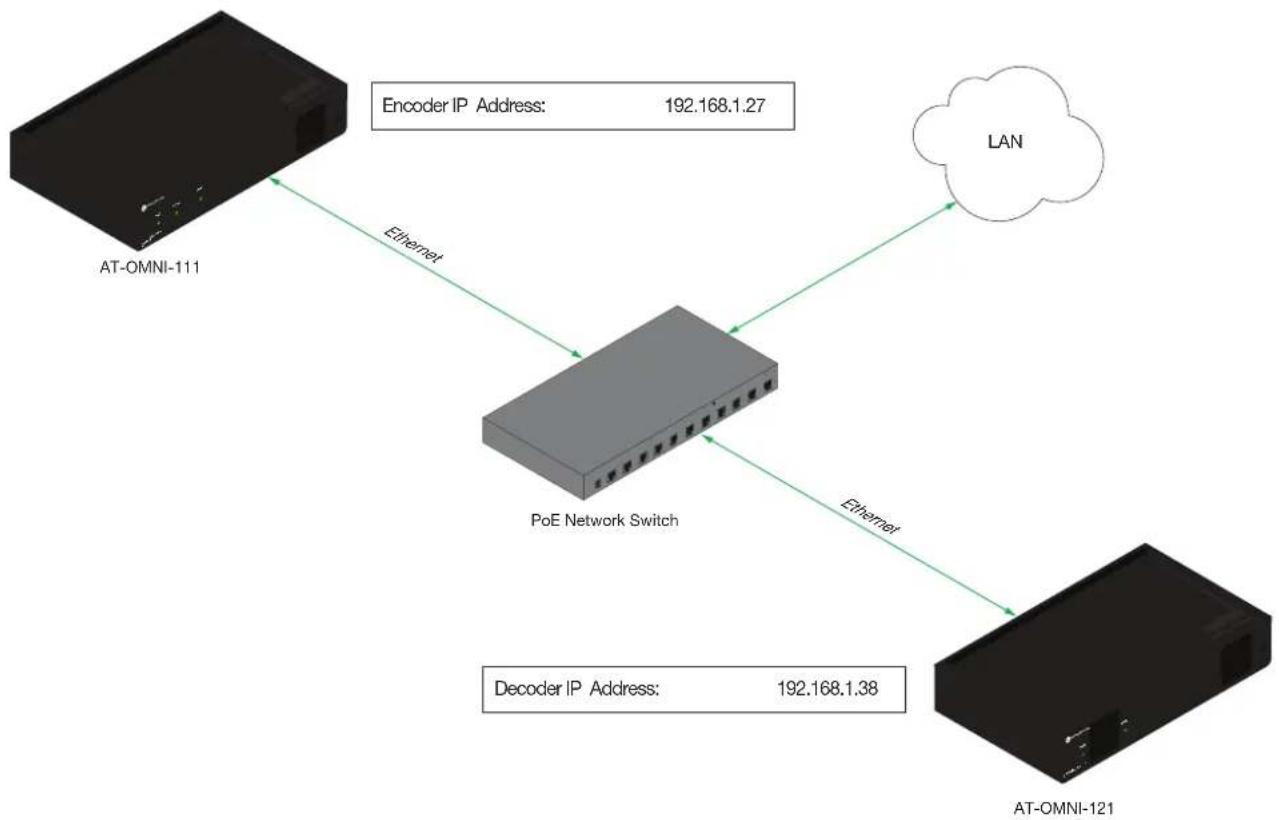
Figure 1.1 below, shows an encoder and a decoder, connected through a network switch. As with all network devices, both the encoder and decoder must have unique IP addresses. OmniStream encoders and decoders are DHCP-enabled, by default. This means that when the encoder/decoder is connected to the network, and a DHCP server is available, the encoder/decoder will automatically be assigned an IP address. If no DHCP server is available, then the unit will use a self-assigned IP address within the range of 169.254.xxx.xxx/16. OmniStream devices can also be assigned a static IP address, if necessary. Static IP addressing will be covered in a later section.
Figure 1.1 - An encoder and decoder on a network, with assigned IP addresses.
flowchart
graph TD
    A["AT-OMNI-111"] -->|Ethernet| B["PoE Network Switch"]
    B -->|Ethernet| C["AT-OMNI-121"]
    B -->|Encoder IP Address: 192.168.1.27| D["LAN"]
    B -->|Decoder IP Address: 192.168.1.38| E["Network"]
Introduction to OmniStream
Network Bandwidth and OmniStream Compression
When sending video and audio over a network, the available bandwidth needs to be managed. Gigabit Ethernet switches are very common and can take advantage of installed Category 5e cable. 10-Gigabit Ethernet switches are available, but are more expensive per port and require Category 6A cable or better. The chart below shows uncompressed data rates for common resolutions. These data rates exceed the available bandwidth of Gigabit Ethernet, but using the compression technology in OmniStream, this video can be streamed over cost-effective Gigabit networks.
| Resolution Data Rate* | |
| 1920 x 1080p 30 Hz 2.2 | Gbps |
| 1920 x 1080p 60 Hz 4.5 | Gbps |
| 3840 x 2160p 30 Hz 8.9 | Gbps |
| 3840 x 2160p 60 Hz 17.8 | Gbps |
* Data rate is shown without compression.
OmniStream compresses the source data at the encoder, before it is sent out over the network. This process is known as encoding. OmniStream uses VCx and VC-2 compression, which are intermediate compression schemes and is much more desirable than using a interframe compression scheme, such as H.264 or H.265. Interframe codecs are typically used by cable or internet providers and use very aggressive bit rates (low bandwidth) with high latency (delay), which results in lag. VCx and VC-2 provide both high quality (high bit rates) and very low-latency for a much more desirable viewing experience.
Streams
The term stream is used throughout this manual, to describe the different types of signals that are transmitted over a network. For example, if a blu-ray player is connected to an encoder, both video and audio are sent to the encoder over an HDMI cable. The term video stream is used to identify the video portion of a signal and audio stream identifies the audio portion of the signal.
Sessions
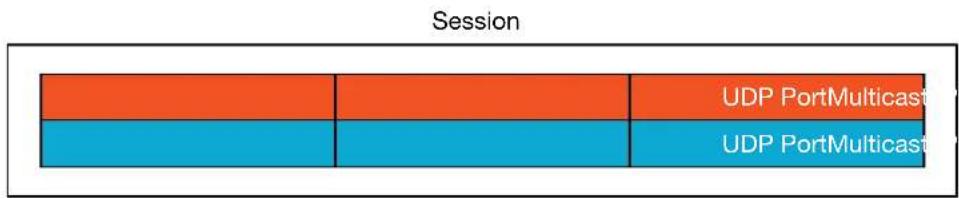
A session is a way of organizing audio and video streams. The session identifies each stream with a unique multicast IP address and UDP port assignment. This provides an address to determine where the package of audio and video should be sent. Figure 1.2 illustrates how a session encapsulates a video and audio stream.

NOTE: Sessions are not limited to only video and audio streams. Control data, such as IR and RS-232, as well as AES67 audio, can also be contained within a session. These topics will be covered in a later chapter.
Figure 1.2 - Video and audio streams contained within a session.
Introduction to OmniStream
Subscribing to a Stream
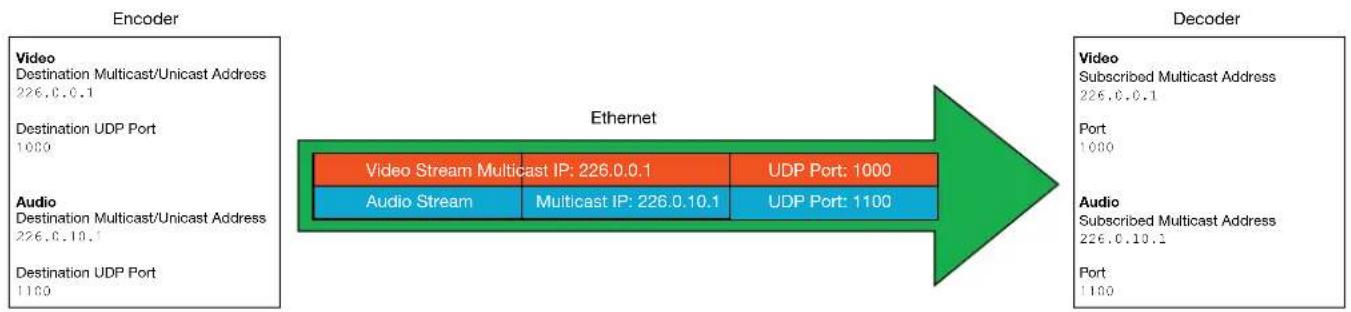
To receive information from an encoder, the decoder must subscribe to the multicast IP address and UDP port of the stream(s). Note that the decoder does not subscribe to the session, but to the stream(s) within the session. The process of subscribing is similar to changing the channel on a Set-Top Box. For example, in order to view the content on channel 213, the Set-Top Box must be set to channel 213. Similarly, for a decoder to subscribe to an encoder stream, the multicast IP address and UDP port settings on the decoder must be set to the same values as the encoder to which it is subscribed. Note that the management IP address of a unit is different than its multicast IP address.
Figure 1.3 - Diagram of a video and audio stream, transmitted over an Ethernet cable, to the subscribing decoder.
flowchart
graph LR
    A["Encoder"] --> B["Ethernet"]
    B --> C["Decoder"]

    subgraph Encoder
        D["Video\nDestination Multicast/Unicast Address\n226.0.0.1"]
        E["Destination UDP Port\n1000"]
        F["Audio\nDestination Multicast/Unicast Address\n226.0.10.1"]
        G["Destination UDP Port\n1100"]
    end

    subgraph Decoder
        H["Video\nSubscribed Multicast Address\n226.0.0.1"]
        I["Port\n1000"]
        J["Audio\nSubscribed Multicast Address\n226.0.10.1"]
        K["Port\n1100"]
    end

    D --> E
    E --> F
    F --> G
    G --> H
    H --> I
    I --> J
    J --> K
    K --> L["Video Stream Multicast IP: 226.0.0.1\nAudio Stream\nMulticast IP: 226.0.10.1\nUDP Port: 1000\nUDP Port: 1100"]
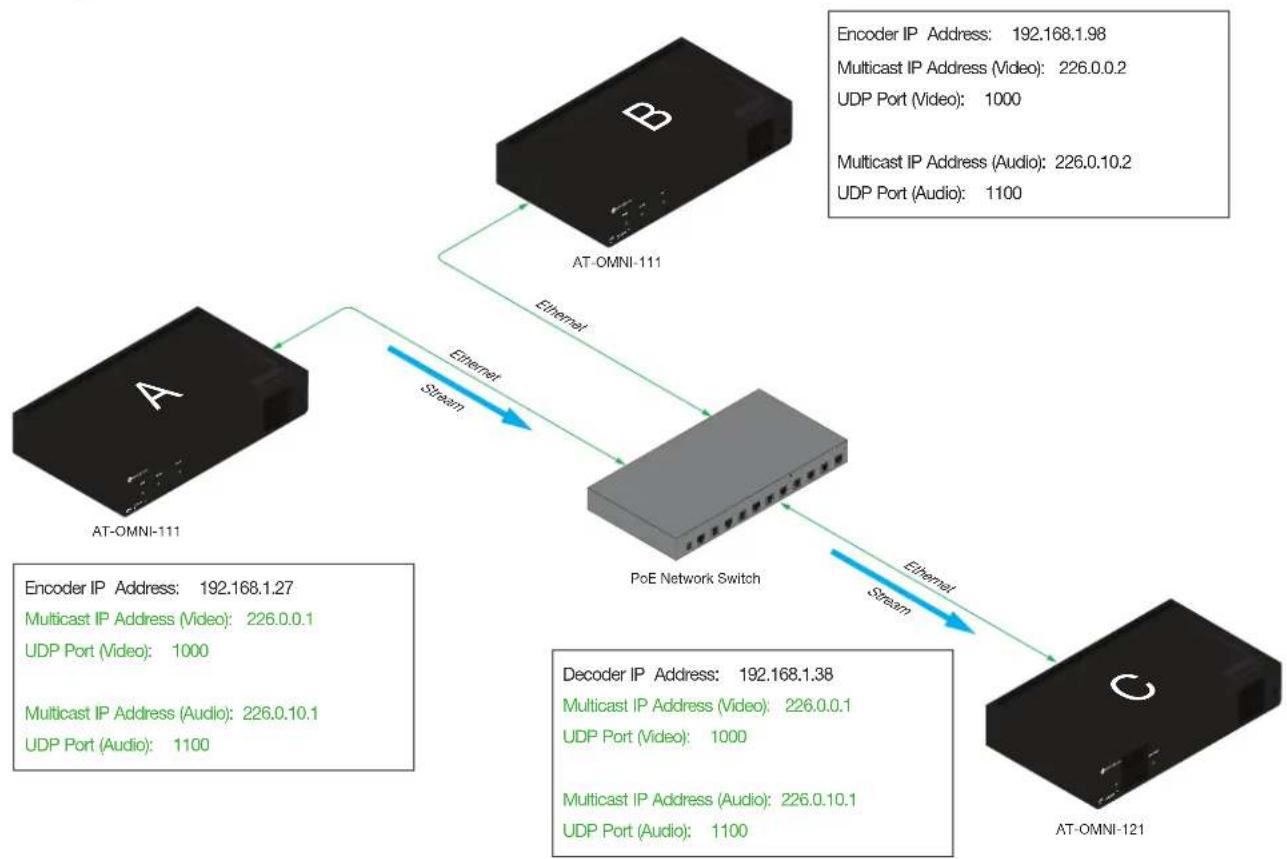
Figure 1.4 shows two encoders and a single decoder connected to a network switch. Decoder "C" is subscribed to encoder "A", since the multicast IP addresses and UDP port numbers for both video and audio are set to the same values as encoder "A".
Figure 1.4 - Decoder "C" subscribed to encoder "A".
flowchart
graph TD
    A["AT-OMNI-111"] -->|Ethernet Stream| B["PoE Network Switch"]
    B -->|Ethernet Stream| C["AT-OMNI-121"]
    subgraph A
        D["Encoder IP Address: 192.168.1.27"]
        E["Multicast IP Address (Video): 226.0.0.1"]
        F["UDP Port (Video): 1000"]
        G["Multicast IP Address (Audio): 226.0.10.1"]
        H["UDP Port (Audio): 1100"]
    end
    subgraph B
        I["Encoder IP Address: 192.168.1.98"]
        J["Multicast IP Address (Video): 226.0.0.2"]
        K["UDP Port (Video): 1000"]
        L["Multicast IP Address (Audio): 226.0.10.2"]
        M["UDP Port (Audio): 1100"]
    end
    subgraph C
        N["Decoder IP Address: 192.168.1.38"]
        O["Multicast IP Address (Video): 226.0.0.1"]
        P["UDP Port (Video): 1000"]
        Q["Multicast IP Address (Audio): 226.0.10.1"]
        R["UDP Port (Audio): 1100"]
    end
Introduction to OmniStream

DEFINITIONS
Stream – Describes the video, audio, or any data that is transmitted from an encoder over the network.
Multicast IP Address – A class-D IP address assigned to a stream.
UDP Port – User Datagram Protocol (UDP) port. Part of the network addressing scheme to send and receive data to the proper destination on a network.
Subscribing – The process of selecting the multicast IP address to "listen to", in order to receive one or more encoder streams at the decoder endpoint.
OmniStream Naming Schema
Each OmniStream model has a different set of inputs and outputs and, depending upon the number of inputs and outputs. The number of supported session will depend upon the encoder model.
| Encoders Description | |
| AT-OMNI-111AT-OMNI-111-WP | One HDMI inputOne Ethernet outputSupports up to six sessions |
| AT-OMNI-112 • Two HDMI inputs | Two Ethernet outputsSupports up to six sessions |
| AT-OMNI-512 • One HDMI input | One Ethernet outputSupports up to four sessions |
| Decoders Description | |
| AT-OMNI-121 • One H | DMI output• One Ethernet output |
| AT-OMNI-122 • Two H | DMI inputs• Two Ethernet outputs |
The last three numbers of the OmniStream SKU, describe the model version, model type, and number of outputs. Note that the number of Ethernet outputs is the same as the number of HDMI inputs.
- AT-OMNI-112
1= OmniStream Pro ("R-Type" models begin with the number "5").
1 = Indicates that the device is an encoder (decoders are identified with the number "2").
2 = The number of Ethernet outputs.
Getting Started
Accessing OmniStream Devices
The Velocity Device Manager uses multicast Domain Name Server (mDNS) to automatically discover each encoder on the network.
By default, the OmniStream devices are set to DHCP mode, allowing a DHCP server (if present) to assign the encoder an IP address. Once an IP address has been assigned, Velocity can be used to manage the product on the network. Note that Velocity will only be able to discover encoders if they are on the same VLAN.
In order for Velocity to automatically assign multicast IP addresses to OmniStream devices, the destination IP addresses for the session streams must be cleared.

NOTE: The following steps are required only if a pre-existing multicast IP address is assigned to each session and if automatic assignment of these multicast IP addresses, using Velocity, is desired.
- Launch a web browser and enter the IP address of Velocity, in the address bar.
- Enter the required login credentials.
- Click the LOGIN button.
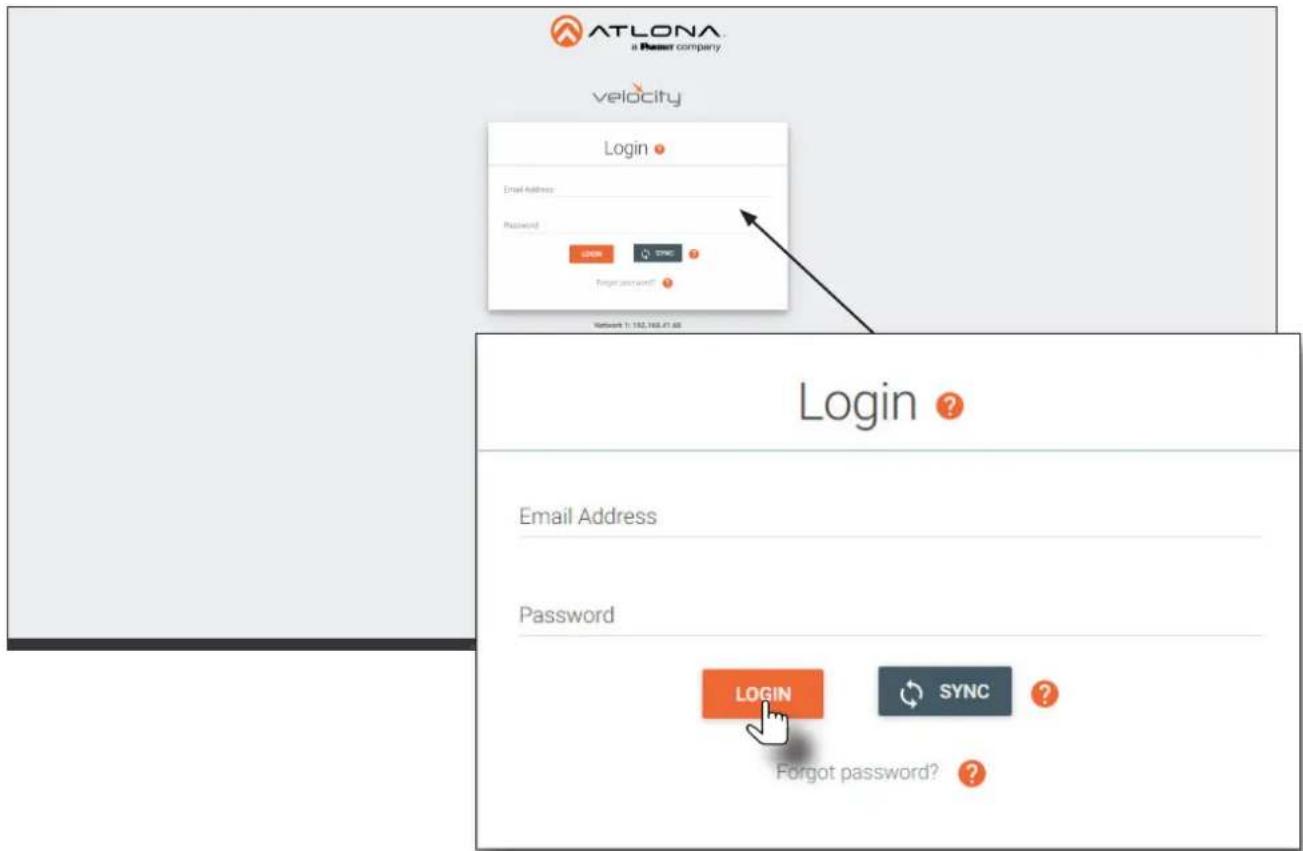
- The Velocity home screen will be displayed.
- Click the ≡ icon in the upper-left corner of the screen and select Management > Device Manager.
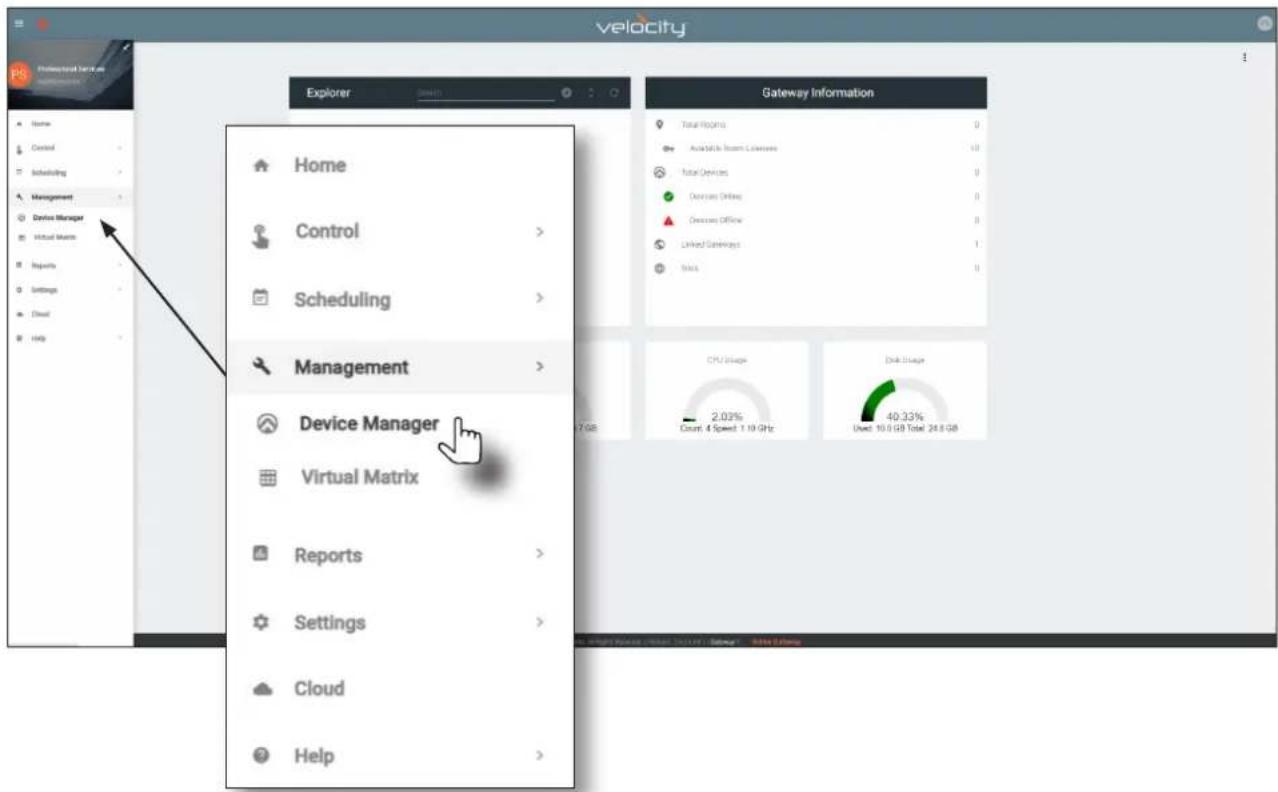
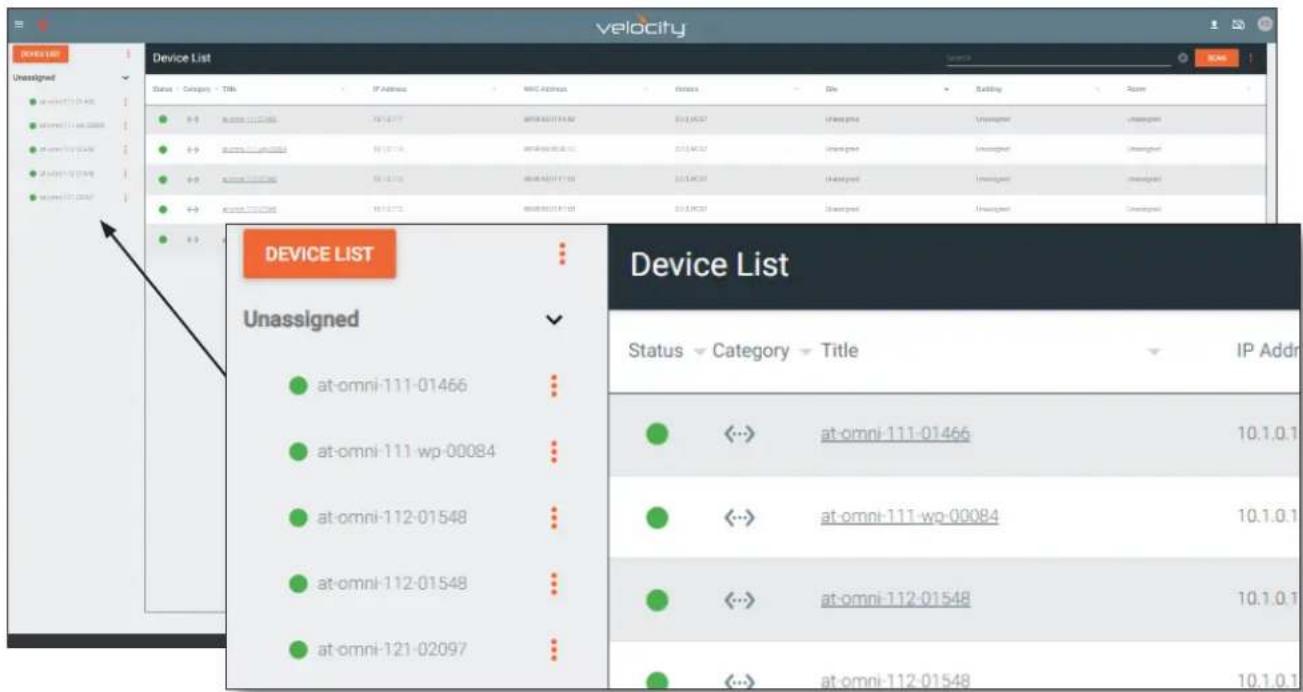
- All available encoders will be displayed under the Unassigned category. When an encoder is unassigned, it means that it has not been assigned to a site, building, and/or room. Refer to the Velocity User Manual for more information on these topics.
Getting Started
If a DHCP server is not found within 60 seconds, the encoder will be placed in Auto IP (APIPA) mode and assigned an IP address within the range of 169.254.xxx.xxx/16. If this occurs, configure the network interface of the computer that is running Velocity, located on the same subnet (169.254.xxx.xxx, subnet mask 255.255.0.0). Refer to Configuring a Static IP Address (page 89) for more information on configuring an encoder in Auto IP mode.
If no OmniStream encoders are found, then verify the following:
- The computer that is running Velocity must be on the same network as the OmniStream device.
-
Remove any network restrictions that may be in place. In order for mDNS to function properly, there must not be any restrictions applied to the network.
-
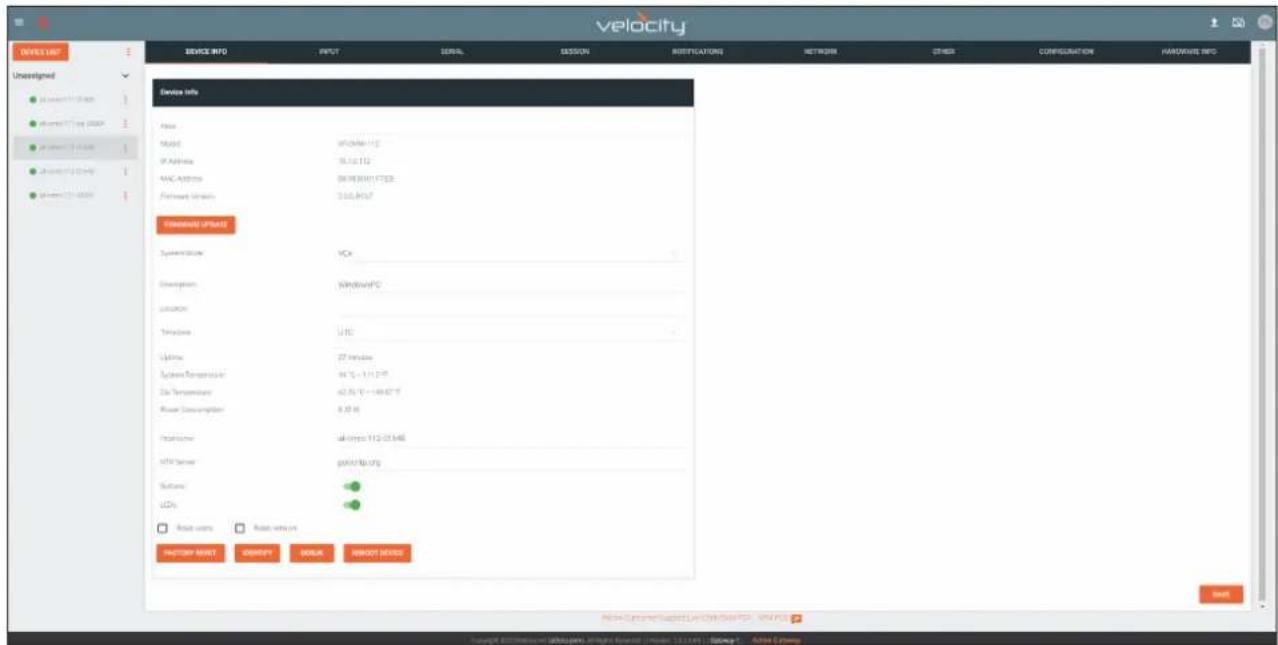
Click the desired OmniStream device from the Unassigned list.
- The control interface for the device will be displayed and the device can be configured as desired. The illustration below shows the DEVICE INFO screen for an AT-OMNI-112 encoder.
Basic Configuration Tutorial
This section provides a tutorial on configuring two AT-OMNI-111 single-channel encoders and one AT-OMNI-121 single-channel decoder. Make sure the encoder is connected to a source device and that the decoder is connected to a display. Both the encoder and decoder should be connected to the same local network.
Physical Connections
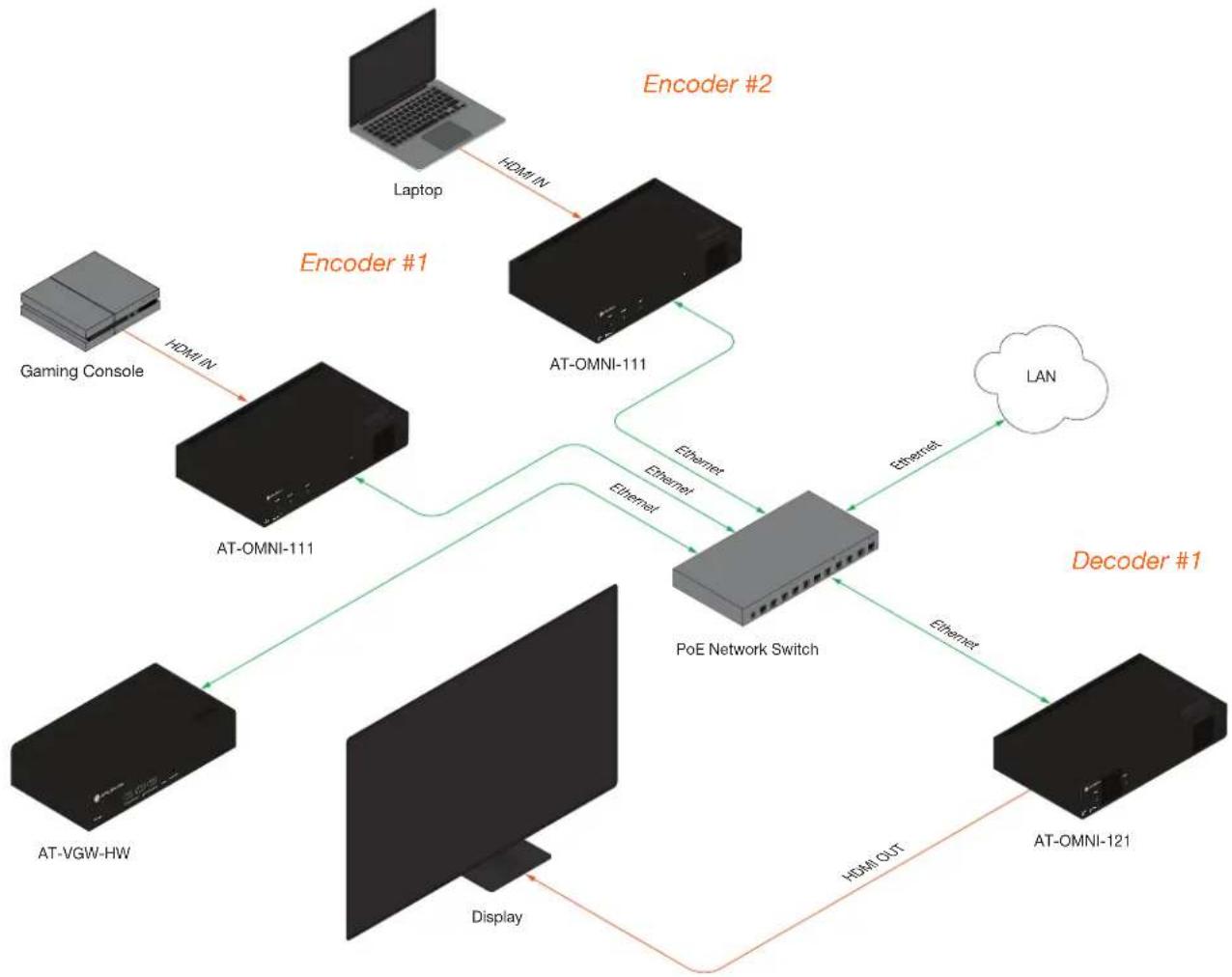
flowchart
graph TD
    A["Gaming Console"] -->|HDMI IN| B["AT-OMNI-111"]
    B -->|Ethernet| C["PoE Network Switch"]
    C -->|Ethernet| D["LAN"]
    C -->|Ethernet| E["AT-OMNI-121"]
    E -->|HDMI OUT| F["Display"]
    F --> G["AT-VGW-HW"]
    G --> H["AT-OMNI-111"]
    H -->|Ethernet| C
    I["Laptop"] -->|HDMI IN| J["AT-OMNI-111"]
    K["Encoder #1"] --> L["Encoder #2"]
    M["Decoder #1"] --> N["Decoder #1"]
Basic Configuration Tutorial
Setting the System Mode
OmniStream offers three system modes. These modes will optimize the video, based on the type of information that is being displayed and/or the desired features.
- Under DEVICE LIST, select the encoder.
- Click the System Mode drop-down list and select VCx. This mode will provide access to all of OmniStream 2.0 features.
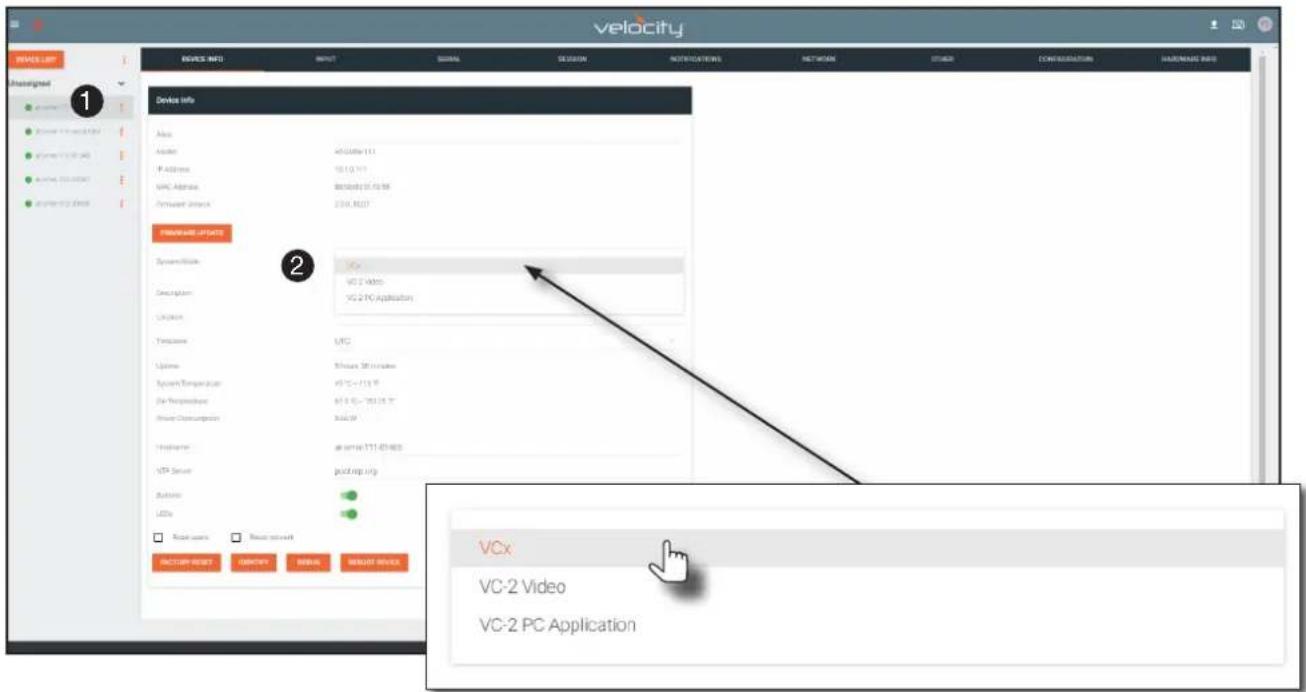
| Mode Description | |
| VCx | This is the default mode and represents the latest codec technology from Atlona, with outstanding support for computer graphics and motion video. VCx includes support for 4K60 4:4:4 fast switching, dual streaming from AT-OMNI-111 encoders, and multiview on the decoders. |
| VC-2 Video | Legacy OmniStream codec that provides the best viewing experience when streaming motion graphics and/or video. |
| VC-2 PC application | Legacy OmniStream codec that optimizes the image when viewing static images, such as spreadsheets or similar content. |
- Click SAVE in the bottom-right corner of the page to commit changes.
- Repeat this process for the other encoder and the decoder.

SAVE
Basic Configuration Tutorial
Configuring Inputs
The INPUT page is used to verify that the encoder recognizes the source device. This page is also used to set the EDID, HDCP version, and provides detailed information about the source signal. The following procedure should be performed on both AT-OMNI-111 encoders.
- Click INPUT in the menu bar and locate the HDMI Input 1 window group. Since a source has been connected to the HDMI IN port, the Cable Present indicator is green. This indicates that an active source is connected to the HDMI port.
If these indicators are red, check that each source is connected to an HDMI IN port. A red indicator may also describe faulty HDMI cables. If the sources are connected, then try different HDMI cables. If the HDMI cable integrity has been verified, then make sure that the output resolution of the source is at least 720p.

TIP: If no signal is being received on the encoder, then it's always a good practice to check the INPUT page on the encoder when performing additional troubleshooting.
HDMI Input 1
Cable Present:
EDID
HDCP Encrypted
Supported Version:


Default HDR MCH


2.2
Video:
Color Depth:
Subsampling:
Colorspace:
Resolution:
Framerate:
HDR:
Audio:
Bit Depth.
Channel Count:
Coding Type:
Sampling Frequency:
12
444
RGB
1920×1080p
59.94

D
2
LPCM
48kHz
SAVE
-
Click the EDID drop-down list to select an EDID. For now, leave this setting at Default HDR MCH. This EDID provides general compatibility with most displays.
-
The HDCP Encrypted indicator will be green if HDCP content is present. If the source connected to the HDMI IN port was not transmitting HDCP content, then the indicator will be red.
Basic Configuration Tutorial
- Click the HDCP > Version drop-down list to restrict HDCP to a particular version. By default, this is set to 2.2 and this setting should be used for most applications.
- The Video section provides information about the input signal: color depth, subsampling, color space, resolution, frame rate, and HDR (High Dynamic Range). If the HDR indicator is green, this will indicate that HDR content is being transmitted from the source device. Refer to the INPUT page (page 103) for more information.
- The Audio section displays audio information (if present) from the source device: bit depth, the number of audio channels, the audio format, and the frequency. Refer to the INPUT page (page 103) for more information.
- Click SAVE in the bottom-right corner of the HDMI Input 1 window group to commit changes.
HDMI Input 1
Cable Present:
EDID:
HDCP Encrypted
Supported Version:


Default HDR MCH


2.2
Video:

Color Depth:
Subsampling
Colorspace
Resolution:
Framerate
HDR:
Audio:

Bit Depth:
Channel Count
Coding Type:
Sampling Frequency:
12
444
RGB
1920×1080p
59.94

D
2
LPCM
48kHz

SAVE
Basic Configuration Tutorial
Encoder Settings
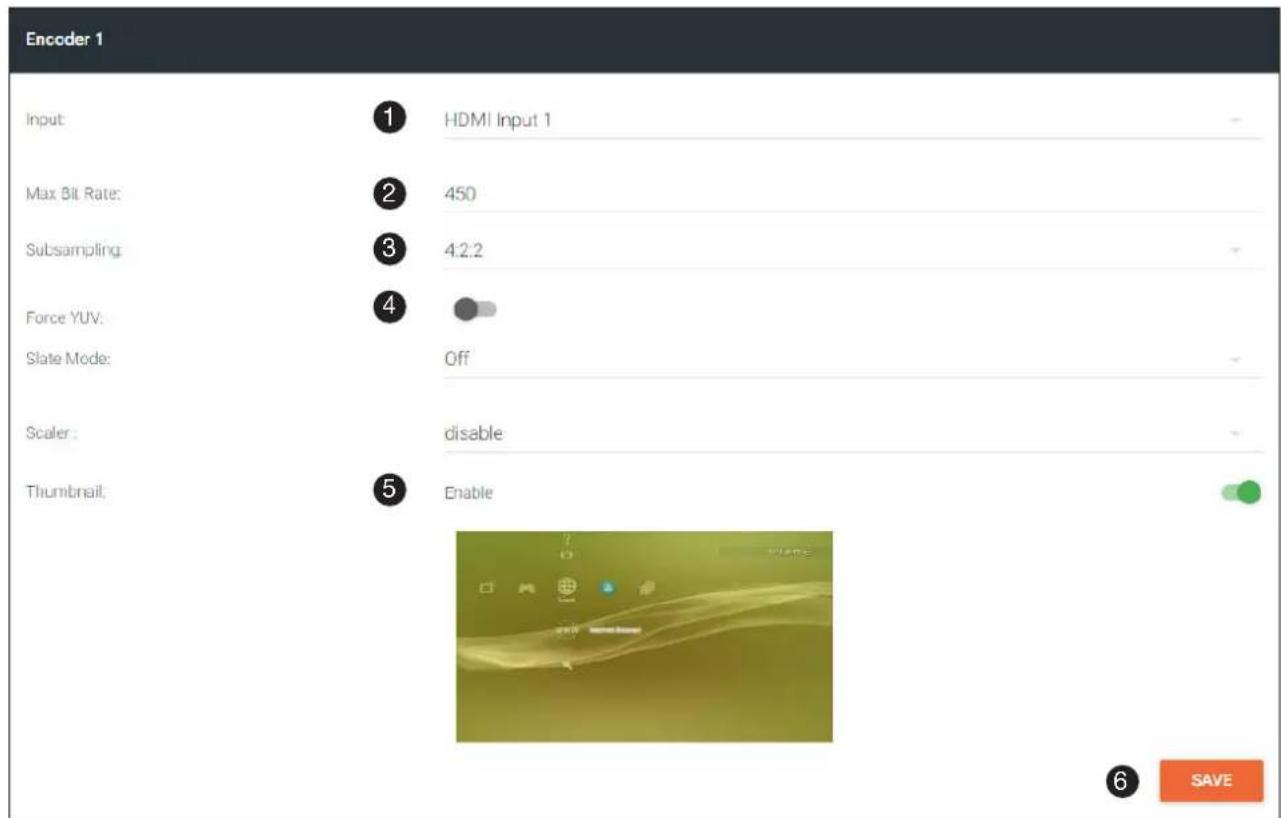
The INPUT page is also used to assign an input to an encoder. The Encoder window groups allow video settings, such as the maximum bit rate, bit depth, and chroma subsampling to be set. Video thumbnails of the source device can also be displayed on this page. The following procedure should be performed on both AT-OMNI-111 encoders.
- Under the Encoder 1 window group, click the Input drop-down list and select HDMI Input 1.
- Enter 750 in the Max Bit Rate field. This means 750 Mbps. Bandwidth per port is calculated as 900 Mbps, and on a dual-channel encoder, the combined bandwidth of both ports should not exceed 900 Mbps. So, if two sources were connected to AT-OMNI-112 dual-channel encoder, then the Max Bit Rate field for both Encoder 1 and Encoder 2 should not exceed a value of 450.
- Click the Subsampling field to set the chroma subsampling value. In this example it will be set to 4:2:2.
- The Force YUV toggle switch can be set to on to force YUV color space. In this example, it will be disabled (default). If enabled, the toggle switch will be green.
-
Click the Thumbnail > Enable toggle switch to enable it and display a thumbnail of the source. When enabled, the toggle switch is green and a thumbnail of the source will be displayed. If no thumbnail is displayed when this feature is enabled, verify that the source is connected and powered.
-
Click SAVE to commit all changes.
Creating a Session
Before the video and audio (if any) can be sent out over the network, a session must be created on the encoder. The session assigns each stream to a unique multicast IP address and UDP port assignment. Sessions are always created on encoders. Refer to SESSION page (page 109) for a detailed description of all settings. The following procedure should be performed on both AT-OMNI-111 encoders, except where noted.
- Click SESSION in the menu bar, locate Stream 1, and click the Interface drop-down list to select the desired interface. This can be changed to eth1 or none. For this example, Stream 1 will be transmitted over the ETHERNET 1 port. Therefore, set this to eth1.
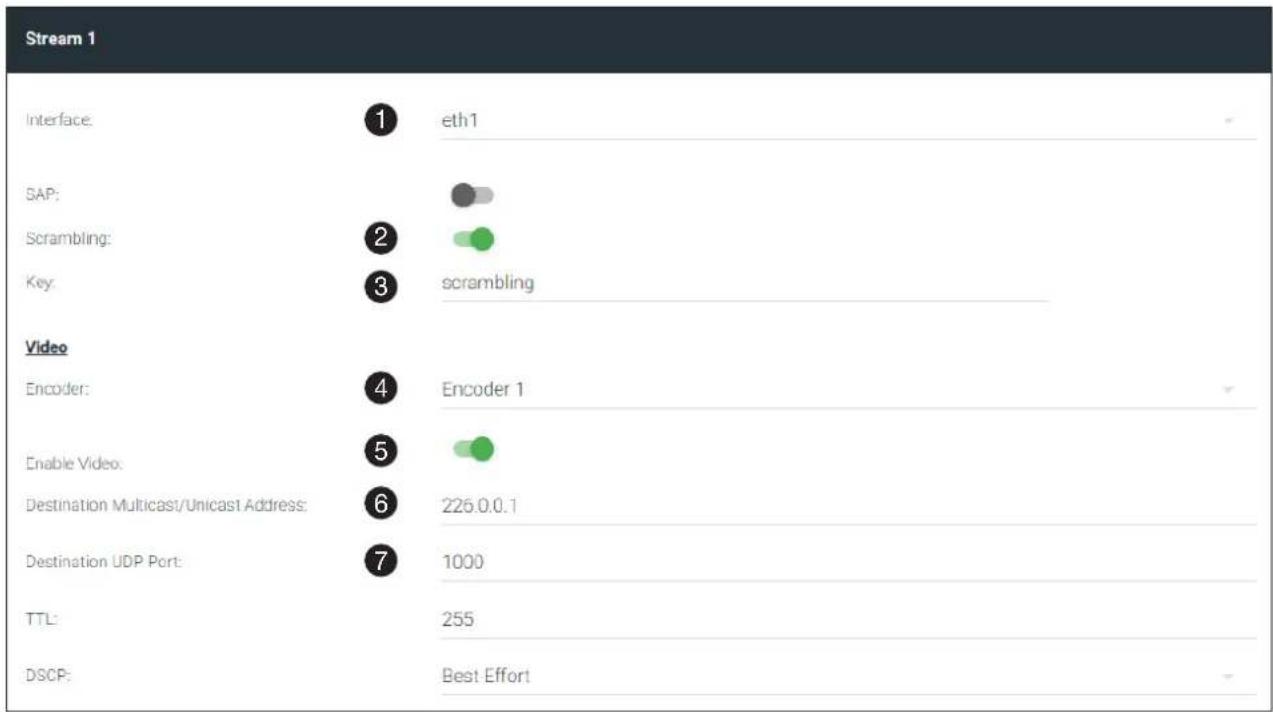
- The Scrambling toggle switch is enabled by default. When enabled, this toggle will be orange. Leave this setting enabled.
- The Key field is set to scrambling by default. Scrambling keys can be any combination of alphanumeric characters and it is good practice to use them. For this tutorial, use the default key.
- Select the encoder for the video stream. In the last section, HDMI Input 1 was assigned to Encoder 1. Therefore, set the Video > Encoder field to Encoder 1.
- Click the Video > Enable Video toggle switch and make sure it is enabled for Stream 1. When enabled, the toggle switch will be green. If set to disabled, then the encoder video stream will be disabled.
- Enter the multicast IP address for the video stream in the Video > Destination Multicast/Unicast Address field. Atlona recommends using multicast IP addresses, as shown in Table 1.1 on the next page. Enter 226.0.0.1 in the Video > Destination Multicast/Unicast Address field for Stream 1 on Encoder #1. For Encoder #2, enter 226.0.0.2 in the Video > Destination Multicast/Unicast Address field for Stream 1.
- Enter the UDP port in the Video > Destination UDP port field. Although any valid UDP port can be used, Atlona suggests using the UDP port numbers in Table 1.1, on the next page. Since this is a video stream, enter 1000 in the Video > Destination UDP port field for Stream 1.
Basic Configuration Tutorial
Table 1.1 - Recommended multicast IP address for video, audio, and data streams.
| Stream Video Audio Data (Control) | |||
| First source | 226.0.0.1 226.0 | 10.1 226.0.20.1 | |
| Second source | 226.0.0.2 226.0 | 10.2 226.0.20.2 | |
| nth source | 226.0.0.n 226.0 | 10.n 226.0.20.n | |
Table 1.2 - Recommended UDP ports for video, audio, and data streams.
| Stream Video Audio Data (Control) | |||
| UDP Port | 1000 1100 1200 | ||
- Click the Audio > Source drop-down list and select the HDMI audio input for the stream. The source is connected to HDMI IN. Therefore, set this to HDMI 1.
- Click the Audio > Enable toggle switch and make sure it is enabled. When enabled, it will be green. If disabled, no audio will be streamed from the encoder.
- Enter the multicast IP address for the audio stream in the Audio > Destination Multicast/Unicast Address field. Refer to Table 1.1, above. In this example, enter 226.0.10.1 for Stream 1 on Encoder #1. Enter 226.0.10.2 for Stream 1 on Encoder #2.
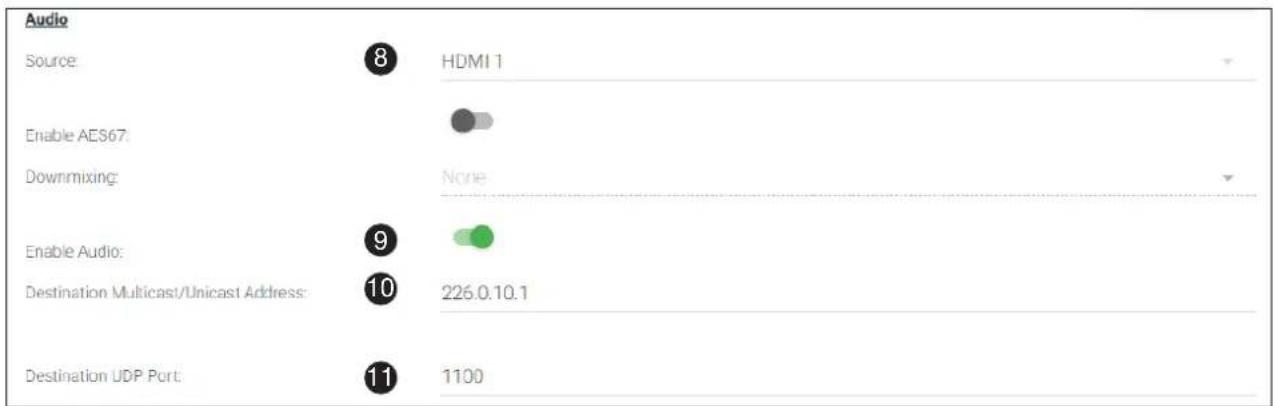
- Enter the audio stream UDP port in the Audio > Destination UDP Port field. Refer to Table 1.2, above. Since this is an audio stream, use UDP port 1100.
- Click the SAVE button to commit all changes to Stream 1.

Subscribing to an Encoder
The next step is to configure the decoder so that it is able to receive video, audio, and/or data (control) streams from the encoder. This process is referred to as "subscribing to the encoder".
Video Configuration
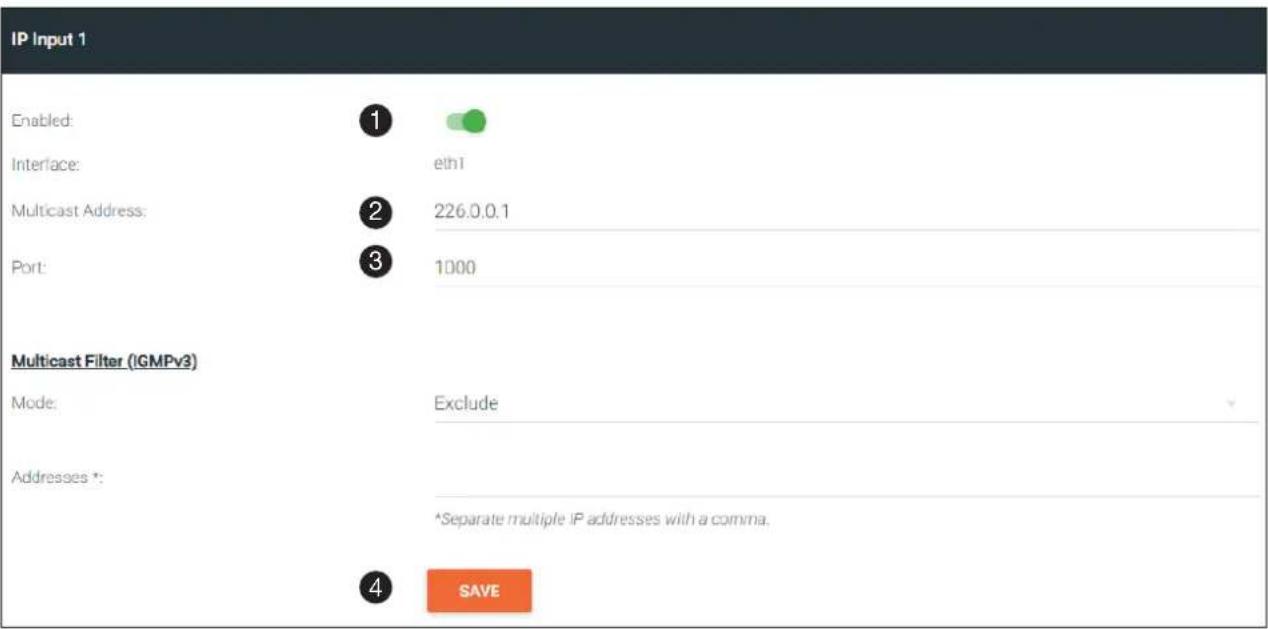
- Go to the decoder, click IP INPUT in the menu bar, and locate the IP Input 1 window group. Verify that the Enable toggle switch is enabled. When enabled, the toggle switch will be green. Perform the same procedure for the IP Input 2 window group.
- Under the IP Input 1 window group, enter 226.0.0.1 in the Multicast Address field. Under the IP Input 2 window group, enter 226.0.0.2 in this field. These multicast IP address are the same addresses that were specified under the Video > Destination Multicast/Unicast Address field for the encoders.
- In the Port field, enter 1000 under both IP Input 1 and IP Input 2 window groups. These are the same port settings that were entered under the Video > Destination UDP Port field of the encoder.
- Click the SAVE button, under the IP Input 1 and IP Input 2 window groups, to commit changes.
Basic Configuration Tutorial
Audio Configuration
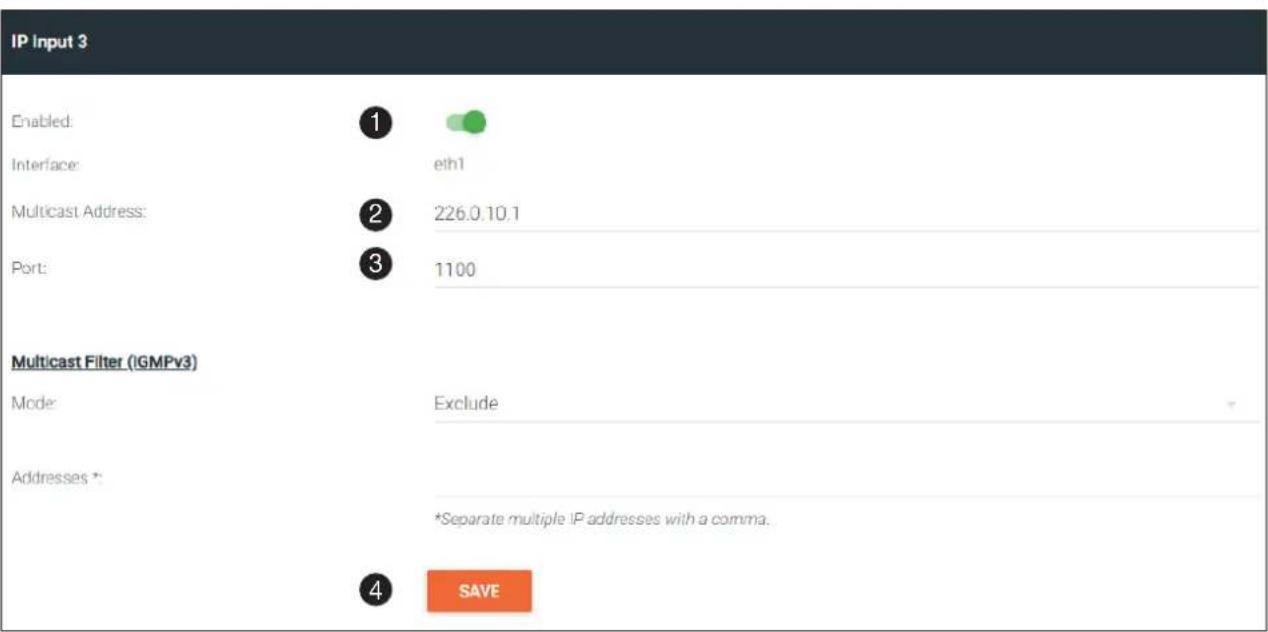
- Locate the IP Input 3 window group and verify that the Enable toggle switch is enabled. When enabled, the toggle switch will be green. Perform the same procedure for the IP Input 4 window group.
- Under the Input 3 window group, enter 226.0.10.1 in the Multicast Address field. Under the IP Input 4 window group, enter 226.0.10.2 in this field. These multicast IP address are the same addresses that were specified under the Audio > Destination Multicast/Unicast Address field for the encoders.
- In the Port field, enter 1100 under both IP Input 3 and IP Input 4 window groups. These are the same port settings that were entered under the Audio > Destination UDP Port field for the encoders.
- Click the SAVE button, under the IP Input 3 and IP Input 4 window groups to commit changes.
Input Configuration Notes
Although there is no hard and fast rule for which IP Input window groups should be used for video, audio, and/or control, it can be helpful to visualize the IP Input window groups as columns and rows to better organize the IP data. The following tables were used to organize the data.
Table 1.3 - Video and Audio information for Encoder #1 and Encoder #2.
| IP Input Encoder 1 Information |
| IP Input 1 Video (226.0.0.1:1000) |
| IP Input 3 Audio (226.0.10.1:1100) |
| IP Input Encoder 2 Information |
| IP Input 2 Video (226.0.0.2:1000) |
| IP Input 4 Audio (226.0.10.2:1100) |
Basic Configuration Tutorial
Configuring the HDMI Output Stream
- Click HDMI OUTPUT in the menu bar, locate the HDMI Output 1 window group, and verify that the Descrambling > Enabled toggle switch is enabled. When enabled, this toggle will be green.
- The Descrambling > Key field is set to scrambling by default. This is the same key that is being used under the Scrambling > Key field on the encoder, and will allow the decoder to descramble the signal and send it out over the HDMI output to the display. Leave this key at its default setting.
- Click the HDCP > Supported Version drop-down list and select the HDCP version. 2.2 will work with most sources. However, in this case, an older sink/monitor, which doesn't support HDCP 2.2, is being used. Therefore, the value is set to 1.4.
- Click the Video > Video drop-down list and select the video source. Based on what has been configured, the following options are available:

NOTE: The physical IP address of the OmniStream units that are listed in the table, below, (10.1.0.111, etc.) may differ from the units that are connected to your network.
Video > Video
| IP Input 1 - 226.0.0.1:1000 | 10.1.0.111 |
| IP Input 2 - 226.0.0.2:1000 | 10.1.0.116 |
| IP Input 3 - 226.0.10.1:1000 | 10.1.0.111 |
| IP Input 4 - 226.0.10.2:1000 | 10.1.0.116 |
Since this is the Video field, a video source should be selected. Referring to Table 1.3, on the previous page, IP Input 1 - 226.0.0.1:1000 | 10.1.0.111 and IP Input 2 - 226.0.0.2:1000 | 10.1.0.116 are video data, from two different encoders. For this example, this field will be set to IP Input 1 - 226.0.0.1:1000 | 10.1.0.111.
HDMI Output 1
Descrambling
Enabled:
Key:


scrambling
HDCP
Encrypted:
Supported Version:


Negotiated Version:
EDD.
00ffffffff004c2d7c0b000000033170103805932780aee91a3544c99260f5054bdef80714f81c08 10081809500a9c0b3000101023a801871382d40582c450076f23100001e662156aa51001e90468f 330076f23100001e000000fd00184b0f5117000a20202020202000000fc0053414d53554e470a20 2020202001e0020325f14d901f04130514031220212207162309070783010000e2000f67030c0010 00b82d011d80d721c1620102c258076f23100009e011d8018711c1620582c250076f23100009e0 11d00bc52d01e20b828554076f23100001e011d007251d01e206e29550076f23100001e0000000 00000000000000000CDDOOOOOOO
Video
Video:

IP Input 1 - 226.0.0.1:1000 | 10.1.0.111
Basic Configuration Tutorial
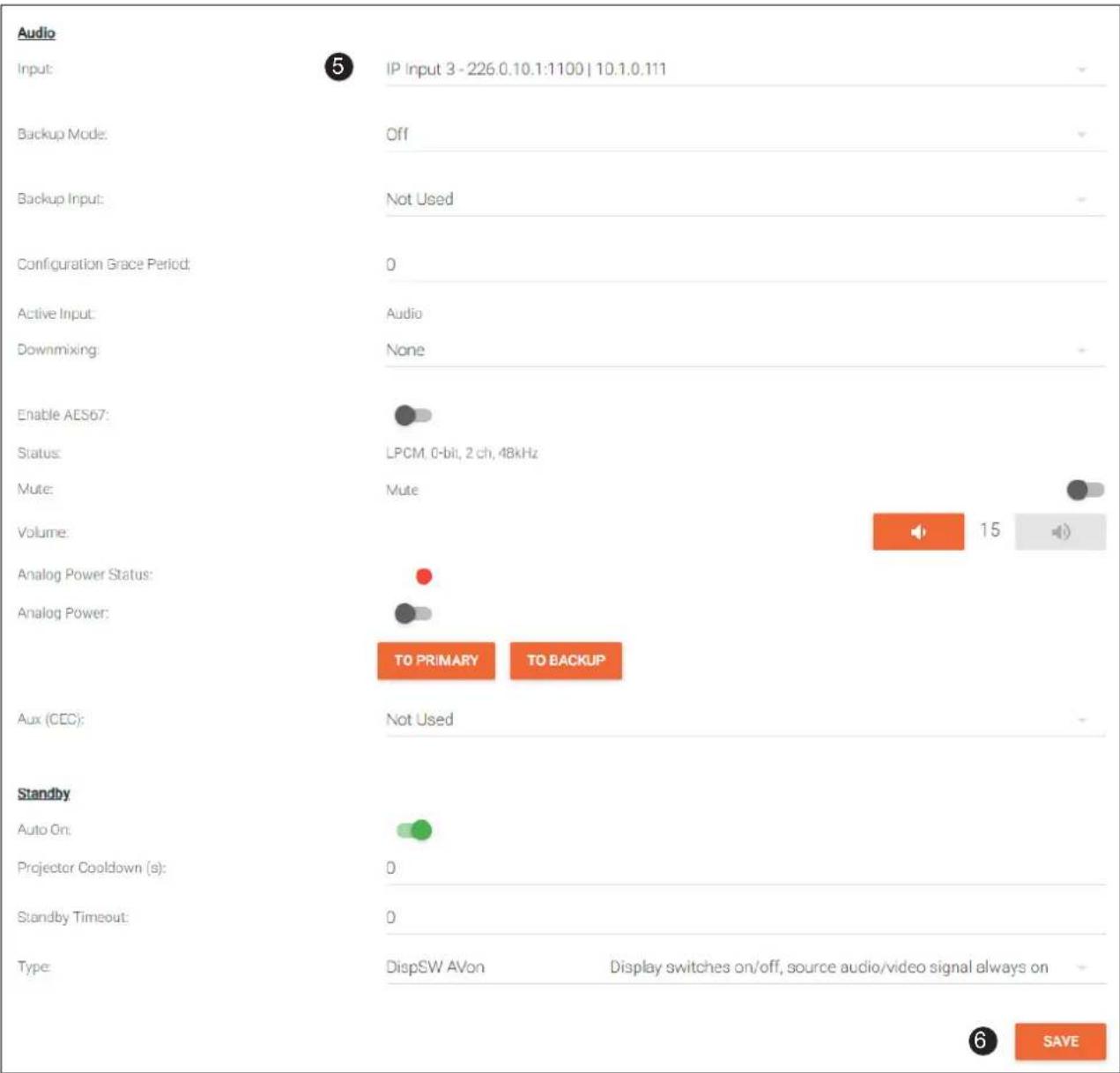
- Scroll down to the Audio > Input field and select the desired audio stream. Referring to Table 1.3 (shown below), the audio stream that is associated with encoder 1 is Input 3. Therefore, IP Input 3 - 226.0.10.1:1000 | 10.1.0.111 is selected.
Table 1.3 - Video and Audio information for Encoder #1 and Encoder #2.
| IP Input Encoder #1 | |
| Input 1 Video | (226.0.0.1:1000) |
| Input 3 Audio | (226.0.10.1:1100) |
| IP Input Encoder #2 | |
| Input 2 Video | (226.0.0.2:1000) |
| Input 4 Audio | (226.0.10.2:1100) |
- Click the SAVE button to commit changes.
Basic Configuration Tutorial
The decoder should now display the content of the source device connected to HDMI IN on the encoder. Figure 2.1 shows the completed configuration.
To switch between video sources, click the Video > Input drop-down list and select the desired stream. To switch between audio streams, click the Audio > Input drop-down list to select the desired stream.
Note that separating video and audio data into different streams, allows the flexibility of combining different video and audio sources together.
Figure 2.1 - Basic OmniStream setup with a Decoder #1 subscribed to Encoder #1.
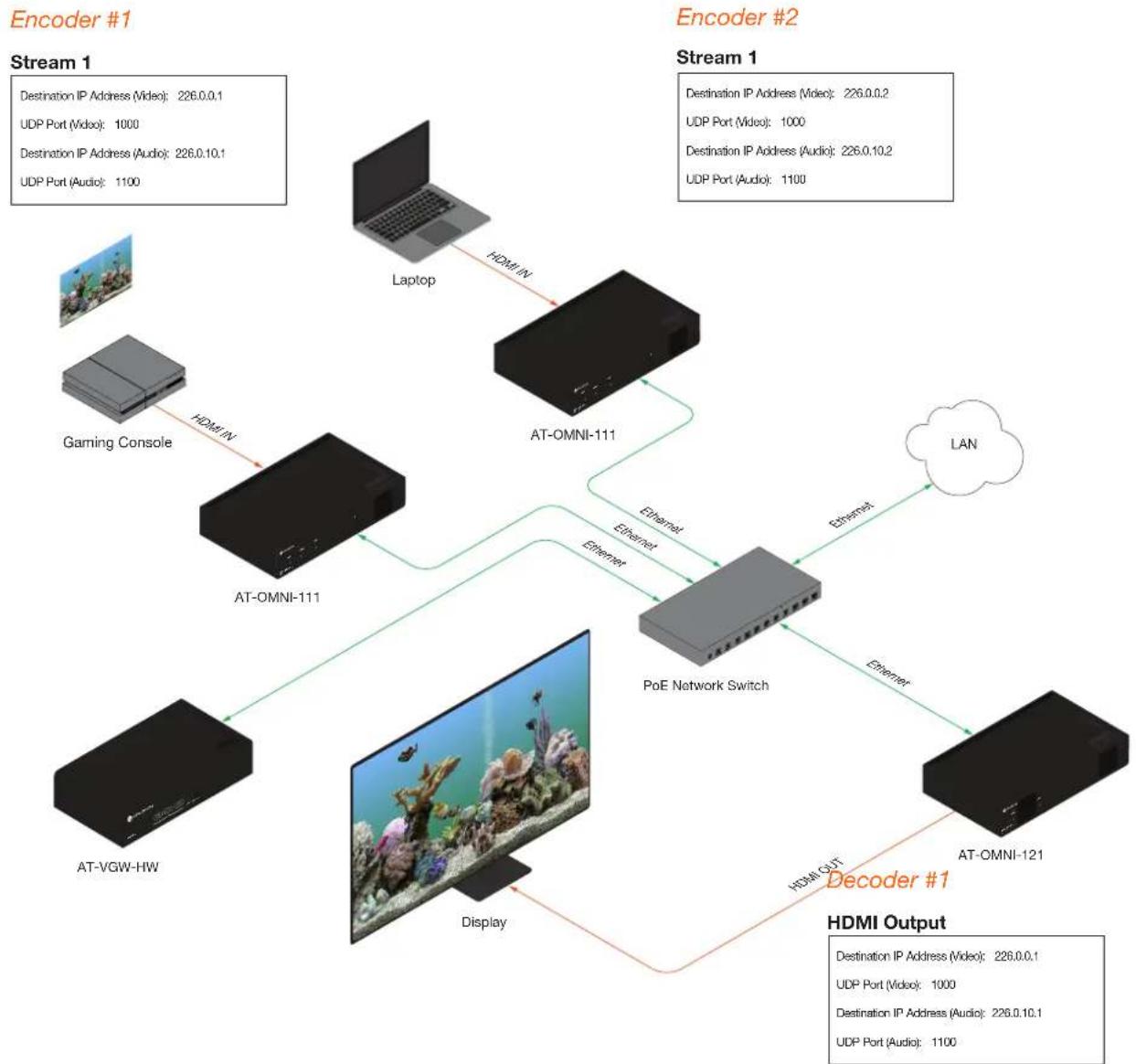
flowchart
graph TD
    A["Encoder #1"] --> B["Stream 1"]
    B --> C["Laptop"]
    B --> D["AT-OMNI-111"]
    D --> E["PoE Network Switch"]
    E --> F["Decoder #1"]
    F --> G["AT-OMNI-121"]
    G --> H["Display"]
    H --> I["AT-VGW-HW"]
    I --> J["Gaming Console"]
    J --> K["AT-OMNI-111"]
    K --> L["Network Port"]
    L --> M["Destination IP Address (Video): 226.0.0.1\nUDP Port (Video): 1000\nDestination IP Address (Audio): 226.0.10.1\nUDP Port (Audio): 1100"]
    E --> N["Ethernet"]
    E --> O["Ethernet"]
    E --> P["Ethernet"]
    E --> Q["LAN"]
    F --> R["HDMI Output"]
Troubleshooting
If no video and/or audio is present on the display, check the following:
Encoder Checklist
- Verfiy that all encoders and decoders are set to the same system mode. In this tutorial, both encoders and the decoder should be set to VCx. Refer to Setting the System Mode (page 16).
- Go to the INPUT menu and verify the following. Refer to Configuring Inputs (page 17) for more information.
» Make sure that the Cable Present indicator, under the HDMI Input 1 window group, is green.
» Make sure the Input drop-down list is assigned to an input. In this tutorial, the Input field for both encoder 1 and encoder 2 are set to HDMI Input 1.
» Verify that the Max bit rate field is set to at least 450.
» Verify that a Thumbnail > Enable toggle switch is enabled and a thumbnail of the source is displayed. When enabled, the toggle switch will be green.
- Go to the SESSION menu and verify the following under the Stream 1 window group. Refer to Creating a Session (page 20) for more information.
» Make sure the Interface field for both encoders is set to eth1.
» Verify that the Encoder field is set to Encoder 1.
» Check that the Scrambling toggle switch is enabled (green). Also check that the Key field, for this example, is set to scrambling for both encoders.
» Verify that the Video > Video Enable toggle switch is set to enabled for both encoders.
» Check the Video > Destination Multicast/Unicast Address field is set to the correct multicast IP address. In the example, 226.0.0.1. is used on encoder 1 and 226.0.0.2 is used on encoder 2.
» Check that the Video > Destination UDP Port field is set to the proper port. In this example, 1000 should be used on both encoders.
» Make sure the Audio > Source is set to HDMI 1 on both encoders.
» Verify that the Audio > Enable Audio toggle switch is enabled on both encoders.
» Check the Audio > Destination Multicast/Unicast Address field is set to the correct multicast IP address. In this example, 226.0.10.1 is used on encoder 1 and 226.0.10.2 is used on encoder 2.
» Check that the Audio > Destination UDP Port field is set to the proper port. In this example, 1100 is used for both encoders.
Basic Configuration Tutorial
Decoder Checklist
- Verfiy that all encoders and decoders are set to the same system mode. In this tutorial, both encoders and the decoder should be set to VCx. Refer to Setting the System Mode (page 16).
- Go to the IP INPUT menu and verify the following. Refer to Subscribing to an Encoder (page 22) for more information.
» Under both the IP Input 1 and IP Input 2 window groups, verify that the Enabled toggle switch is enabled (green).
» Check that the Multicast Address field is set to the correct multicast IP address. In this example, 226.0.0.1 for IP Input 1 and 226.0.0.2 for IP Input 2.
» Check that the Port field is set to the proper port. In this example, 1000 for both IP Input 1 and IP Input 2.
» Under both the IP Input 3 and IP Input 4 windows groups, verify that the Enabled toggle switch is enabled (green).
» Check that the Multicast Address field is set to the correct multicast IP address. In this example, 226.0.10.1 for IP Input 3 and 226.0.10.2 for IP Input 4.
» Check that the Port field is set to the proper port. In this example, 1100 for both IP Input 3 and IP Input 4.
- Go to the HDMI OUTPUT menu and verify the following. Refer to Subscribing to an Encoder (page 22) for more information.
» Make sure that the Descrambling > Enabled toggle switch is enabled (green).
» Verify that the Descrambling > Key field matches the Scrambling > Key field in the encoder. For this tutorial, both of these fields should be set to scrambling.

IMPORTANT: The scrambling key on a decoder must be identical to the scrambling key on the encoder which is being subscribed. Scrambling keys are case-sensitive.
» Check the HDCP > Supported Version field to make sure the correct version is selected. Also note the color of the HDCP > Encrypted indicator. If it is red, then a picture may not be displayed and result in a "blue screen" on the display. Change the HDCP > Supported Version field, if necessary.
» Make sure that the Video >Video drop-down list is set to one of the configured video inputs: either IP Input 1 - 226.0.0.1:1000 | 10.1.0.111 or Input 1 - 226.0.0.2:1000 | 10.1.0.116.
» Make sure that the Audio > Input drop-down list is set to one of the configured inputs: either IP Input 3 - 226.0.10.1:1000 | 10.1.0.111 or Input 4 - 226.0.10.2:1000 | 10.1.0.116.
Device Operation
EDID Management
OmniStream encoders provide EDID management for each input. The encoder can be assigned one of several included EDID presets or can be assigned a custom EDID. Raw EDID data can be copied from displays or other sink devices, that are connected to OmniStream decoders.
Selecting an EDID Preset
- Go to the encoder, click INPUT in the menu bar, and click the EDID drop-down list to select the desired EDID.
- Click the SAVE button within the HDMI Input window group to commit changes.
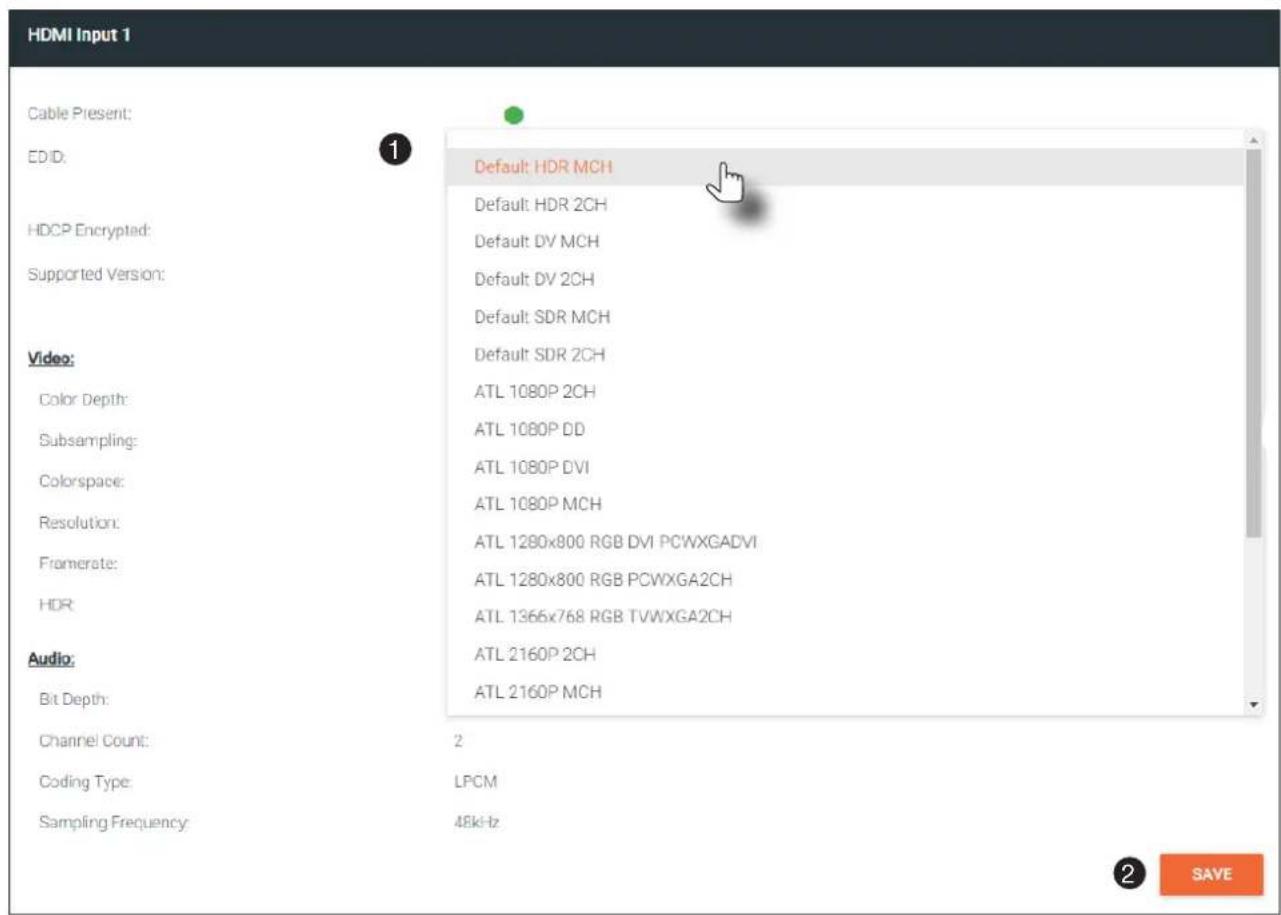
Adding a Custom EDID
Encoders can be loaded with a custom EDID. The raw EDID data must be in hexadecimal format. Commas or spaces are not permitted.
- Click the INPUT menu. Click the EDID drop-down list, within the desired Input window group, and select the Add Custom EDID.
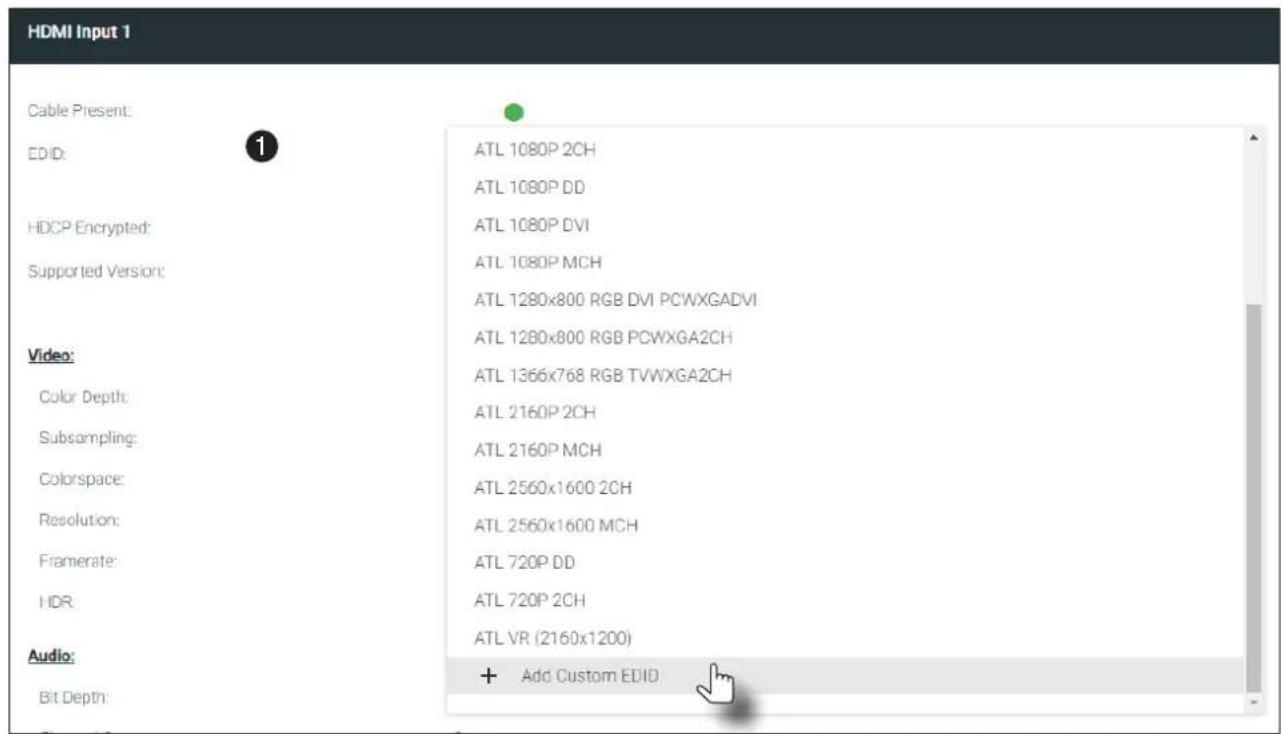
- The Add Custom EDID dialog will be displayed.
- Enter the name of the EDID in the Name field.
- Enter the EDID data in the Raw EDID field. EDID data must be in hexadecimal format and must not contain any spaces or delimiters.
- Click the SUBMIT button to commit changes or click CANCEL to abort the addition of a custom EDID. Once a custom EDID is created, it will be added to the drop-down list and can be selected without re-entering the information.
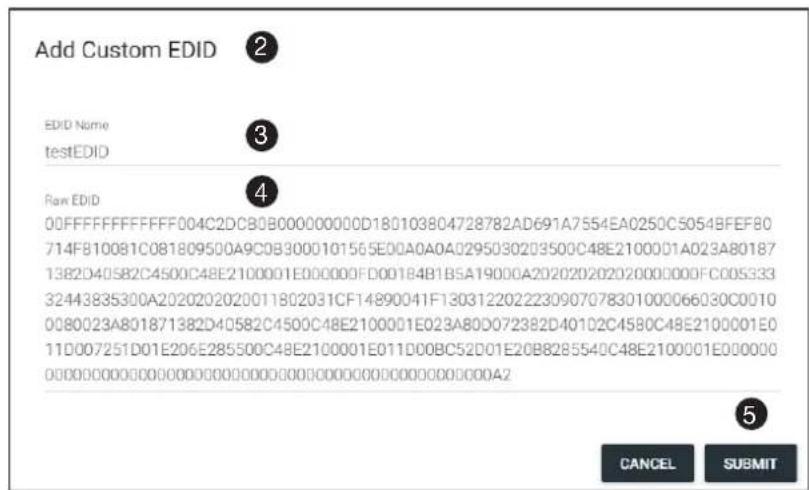
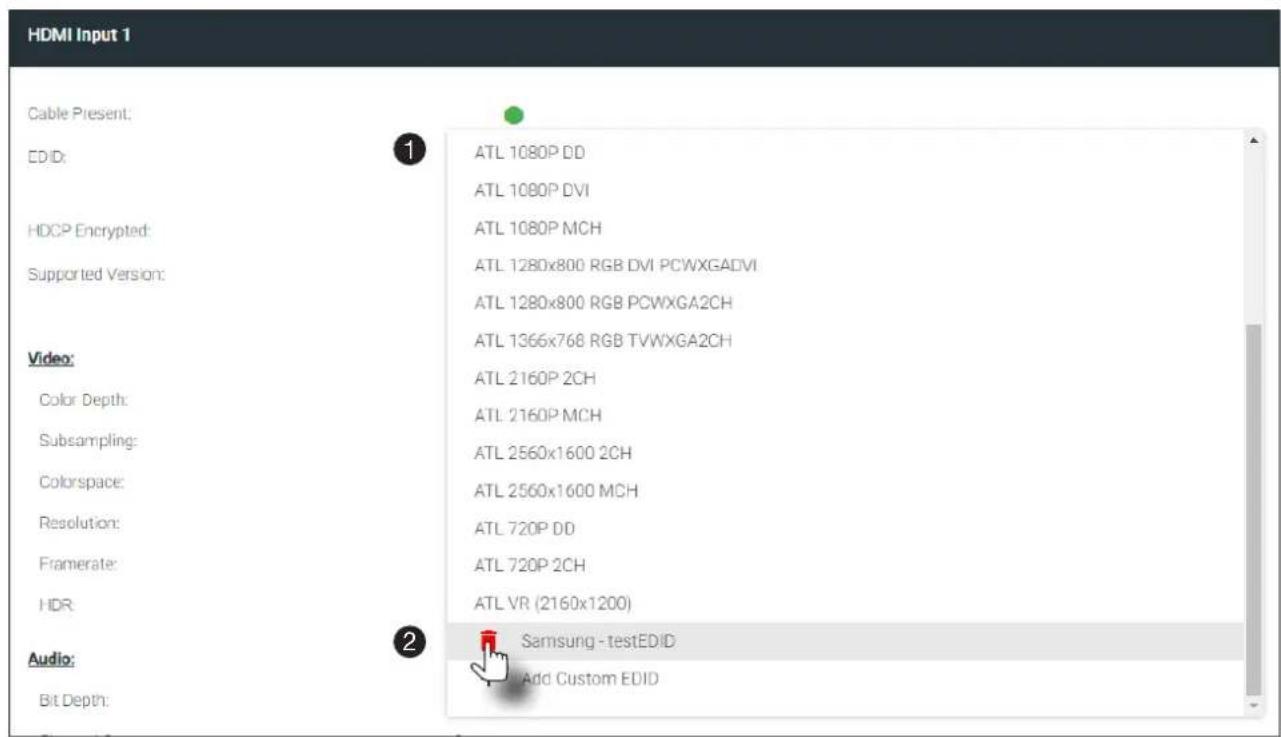
Deleting a Custom EDID
- Click INPUT in the menu bar and click the EDID drop-down list, within the desired Input window group, and select the EDID to be deleted.

NOTE: Only custom EDID data can be added or deleted. EDID presets cannot be modified.
- Click the red "trash can" icon next to the EDID to be deleted. Once deleted, the page will refresh, and the EDID will no longer be listed in the EDID drop-down list.
Device Control
Downstream Control using RS-232
Control using RS-232 is converted and transmitted over IP by the encoder. Destination devices can either be the IP address of a display or a decoder.
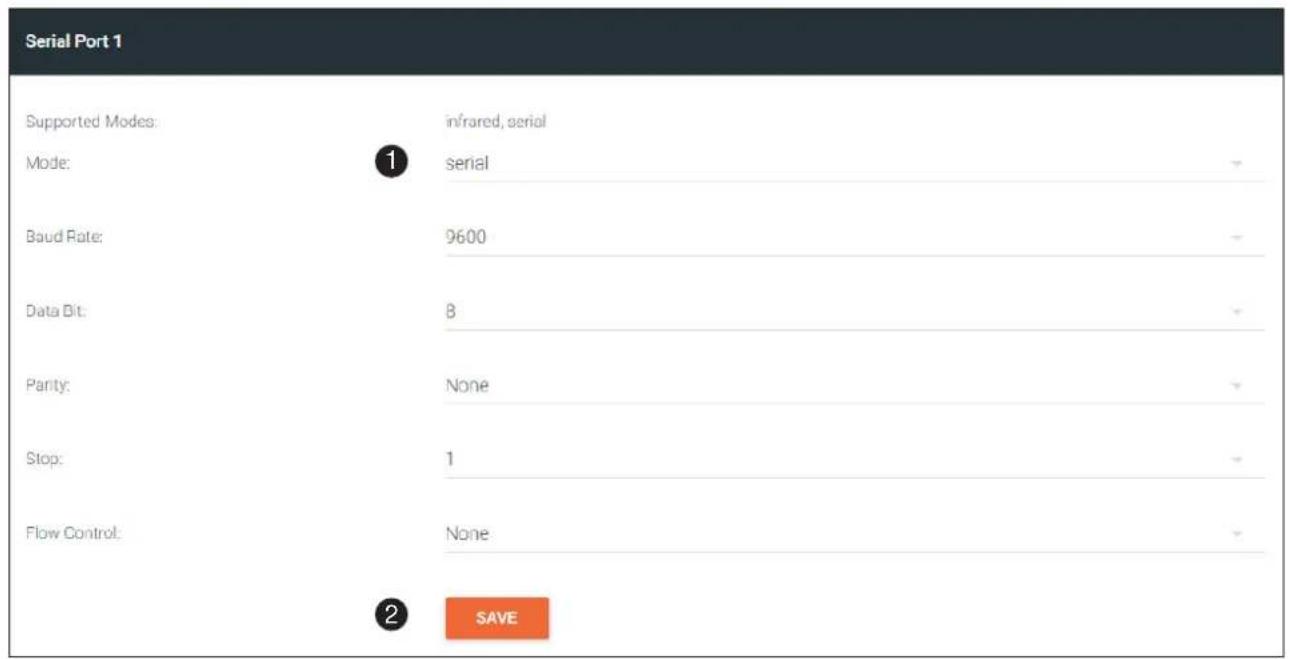
- Login to the encoder and click the SERIAL menu. Under the Serial Port 1 window group, click the Mode dropdown list and select Serial.
- Click the SAVE button.
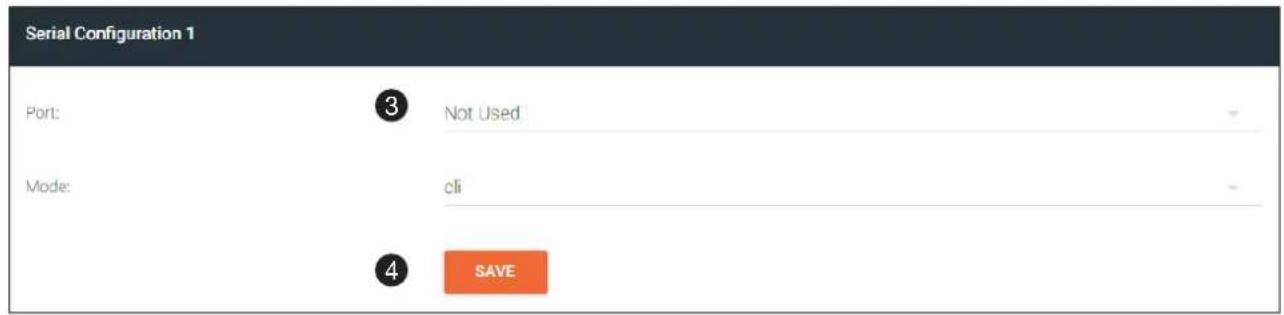
- Under the Serial Configuration 1 window group, click the Port drop-down list and select Not Used.
- Click the SAVE button.
Device Operation
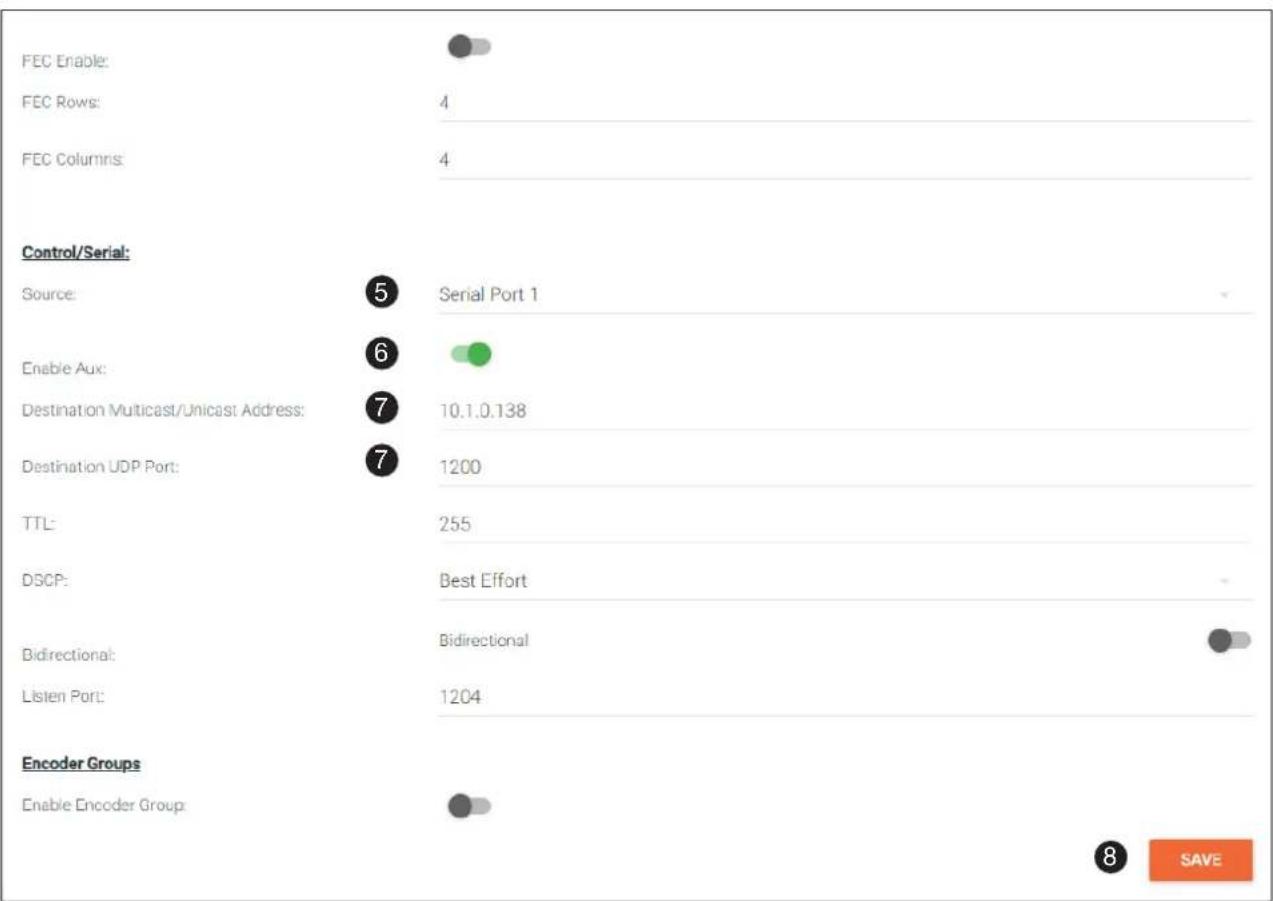
- Click the SESSION menu. Under the desired stream, locate the Control/Serial section and click the Source drop-down list to select the desired serial port.
- Click the Enable Aux toggle switch to display the additional fields.
- Enter the destination IP address and UDP port in the Destination Multicast/Unicast Address and Destination UDP Port fields, respectively.
- Click the SAVE button.
If the destination IP address and UDP port is for a decoder, follow Steps 9 through 20, beginning on the next page.
bar
| Category | Value | | ------------------------- | ------- | | FEC Enable: | 4 | | FEC Rows: | 4 | | FEC Columns: | 4 | | Control/Serial: | 5 | | Enable Aux: | 6 | | Destination Multicast/Unicast Address | 7 | | Destination UDP Port | 7 | | TTL: | 255 | | DSCP: | Best Effort | | Bidirectional: | Bidirectional | | Listen Port: | 1204 | | Encoder Groups | 8 |Device Operation
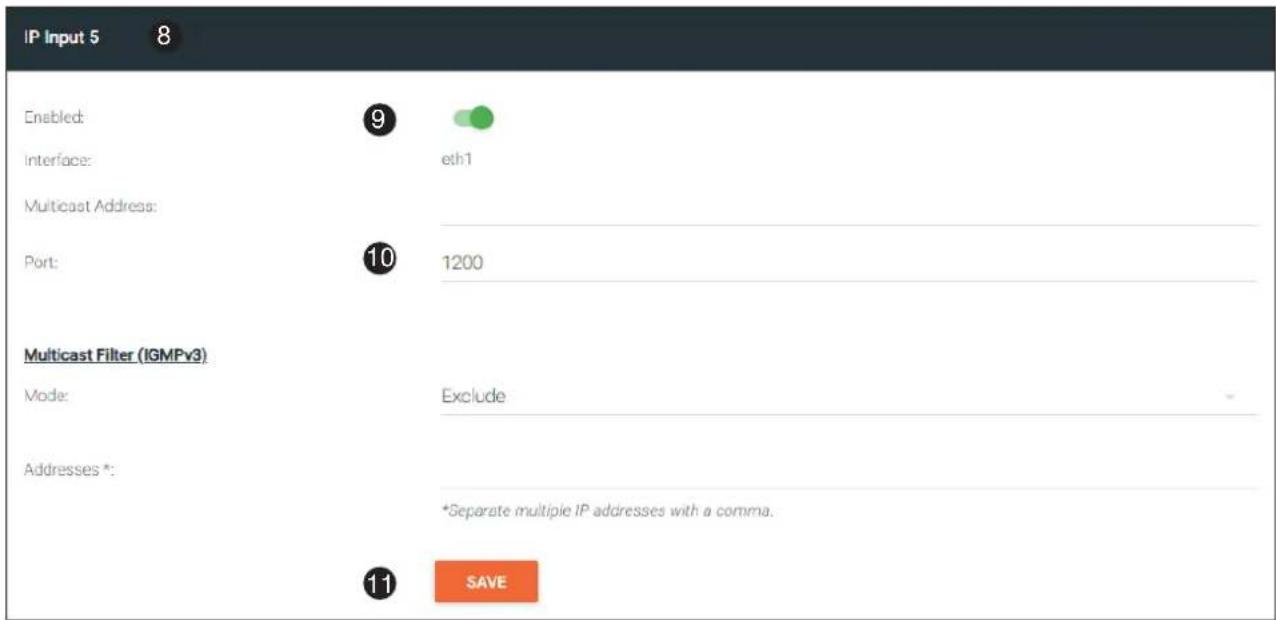
- Login to the decoder and click the IP INPUT menu. Locate an Input that does not contain a defined Multicast Address field. In this example, Input 5 will be used. Note that if a multicast address was used in Step 7, then that multicast address must be entered in the Multicast Address field under Input 5.
- Click the Enable toggle switch to enable the Input. When an Input is enabled, the toggle switch will be green.
- Enter the UDP port, from Step 9, in the Port field.
- Click the SAVE button.
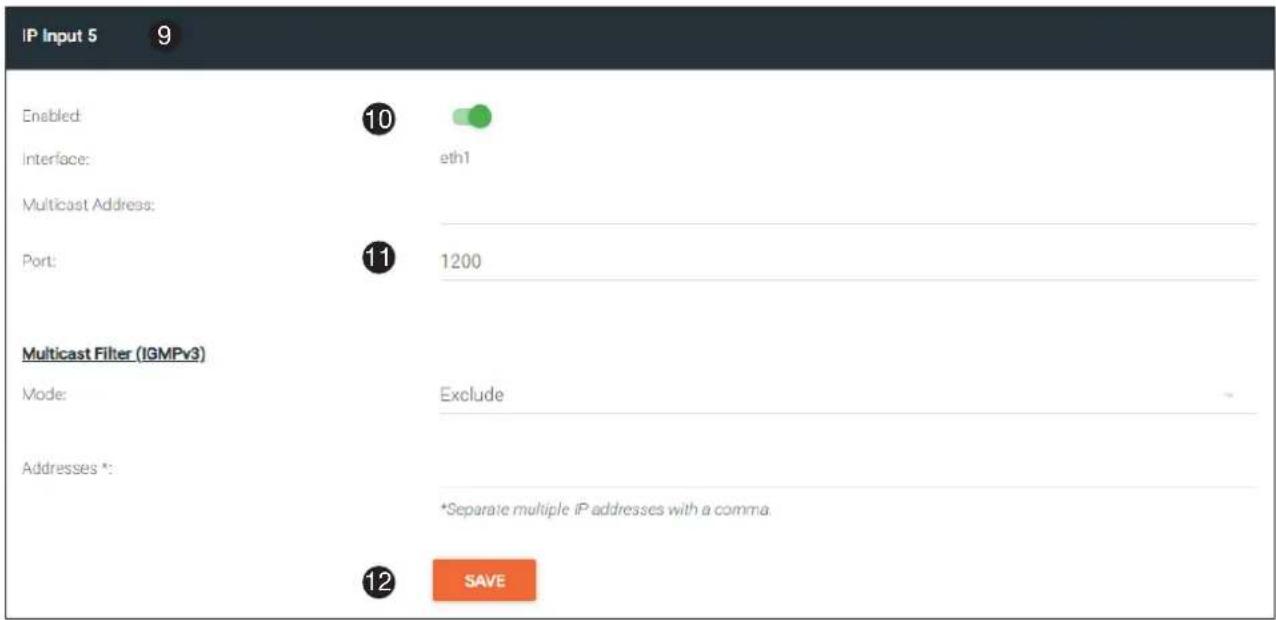
- Click the SERIAL menu, and under Serial Port 1, click the Mode drop-down list and select serial.
- Click the SAVE button.
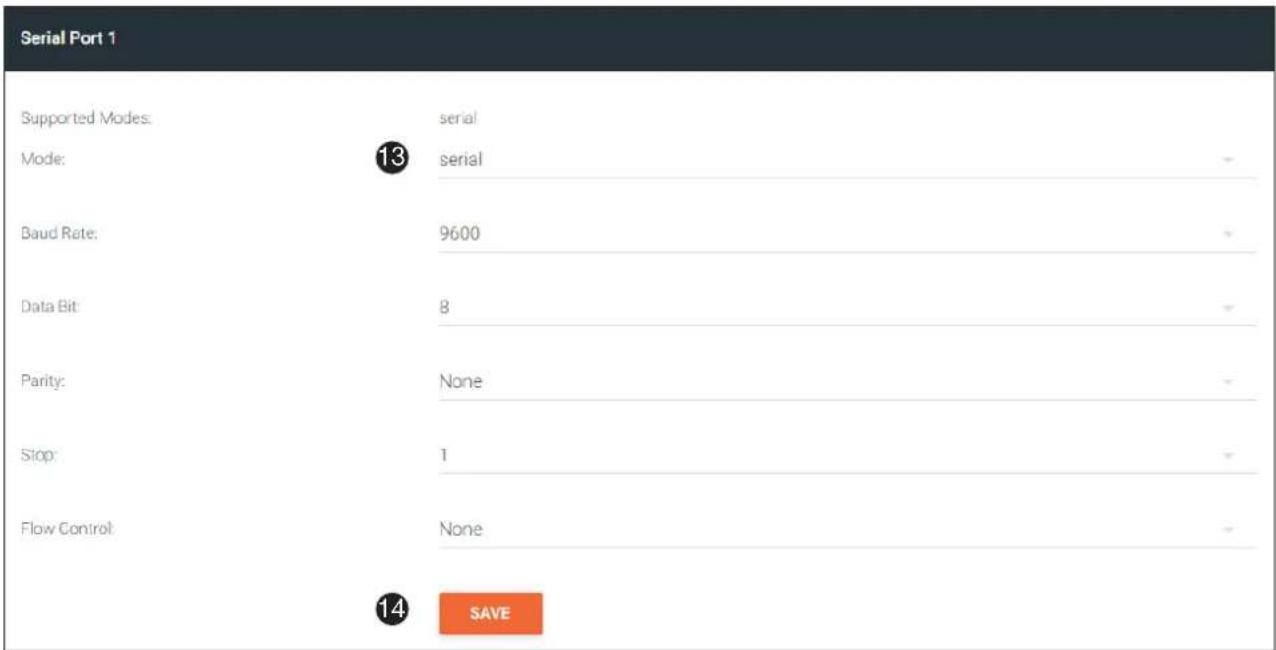
Device Operation
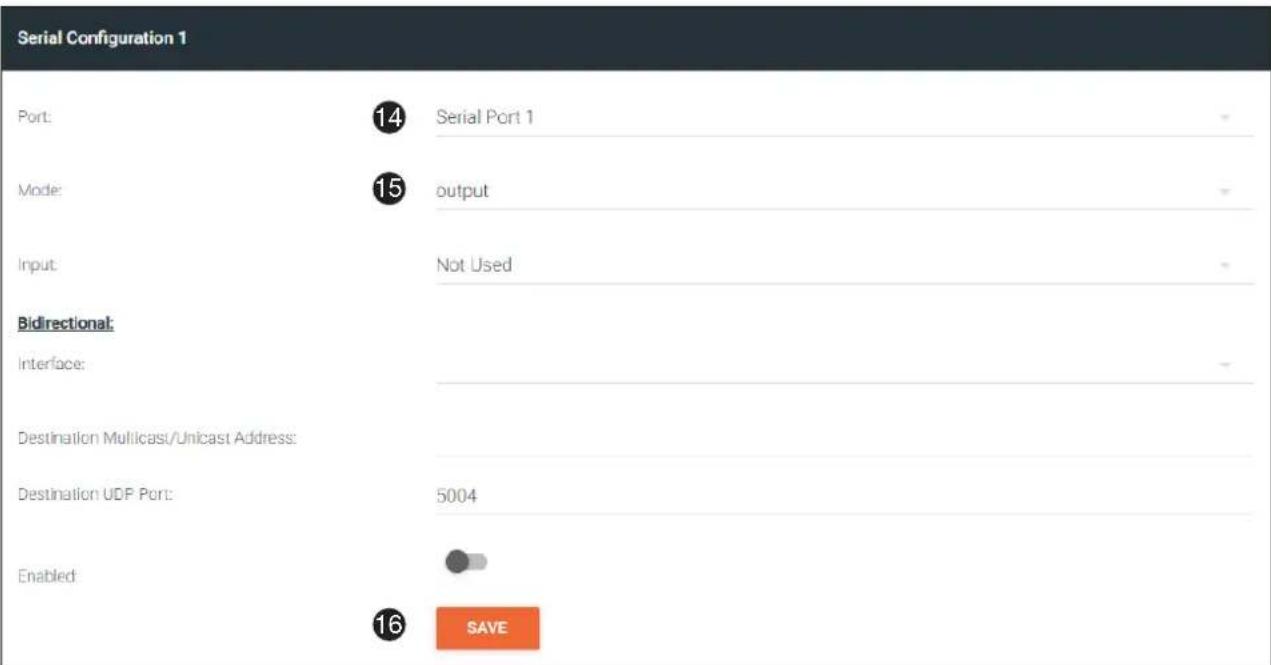
- Under the Serial Configuration 1 window group, click the Port drop-down list and select the desired port.
- Click the Mode drop-down list and select output.
- Click SAVE.
Serial Configuration 1
Port:
15
Serial Port 1
Mode:
16
output
Input:
Not Used
Bidirectional:
Interface
Destination Multicast/Unicast Address:
Destination UDP Port:
5004
Enabled:

17
SAVE
Device Operation
Control using TCP Proxy
TCP/IP traffic received by an encoder or decoder, on the defined IP:Port socket, are translated to RS-232, allowing both control of source or display. Control is achieved using a control system, where all control commands are stored.
- Login to the encoder or decoder and click the SERIAL menu. Under the Serial Port Configuration window group, for the desired serial port, click the Mode drop-down list and select Serial.
- Click the SAVE button.
Serial Port 1
Supported Modes.
Mode:
1
infrared, serial
serial
Baud Rate:
9600
Data Bit
8
Parity:
None
Stop:
1
Flow Control
None
2
SAVE
- Under the Serial Configuration 1 window group, click the Port drop-down list and select the desired serial port.
- Click the Mode drop-down list and select tcpproxy.
- Click the Interface drop-down list and select the desired Ethernet interface.
- Enter the listening port in the Port field.
- Click the SAVE button.
Serial Configuration 1
Port:
3
Serial Port 1
Mode:
4
topproxy
Interface:
5
eth1
Port:
6
10000
7
SAVE
Downstream Control using Triggering
TCP/IP traffic received by an encoder or decoder, on the defined IP:Port socket, are translated to RS-232, allowing both control of source or display. Control is achieved using a control system, where all control commands are stored.
Option 1: Defining Commands on the Decoder
- Login to the decoder and click the SERIAL menu. Under the Serial Port 1 window group, click the Mode dropdown list and select Serial.
- Click the SAVE button.
Serial Port 1
Supported Modes:
Mode:

serial
serial
Baud Rate.
Data Bit:
Parity:
Stop:
Flow Control
9600
B
None
1
None

SAVE
- Under the Serial Configuration 1 window group, click the Port drop-down list and select the desired serial port.
Serial Configuration 1
Port:
Mode:
Input

Serial Port 1
output
Not Used
Bidirectional:
Interface:
Destination Multicast/Unicast Address:
Destination UDP Port:
Enabled
5004

SAVE
Device Operation
- Click the Mode drop-down list and select output.
- Click the Input drop-down list and select Not Used.
- Click the SAVE button.
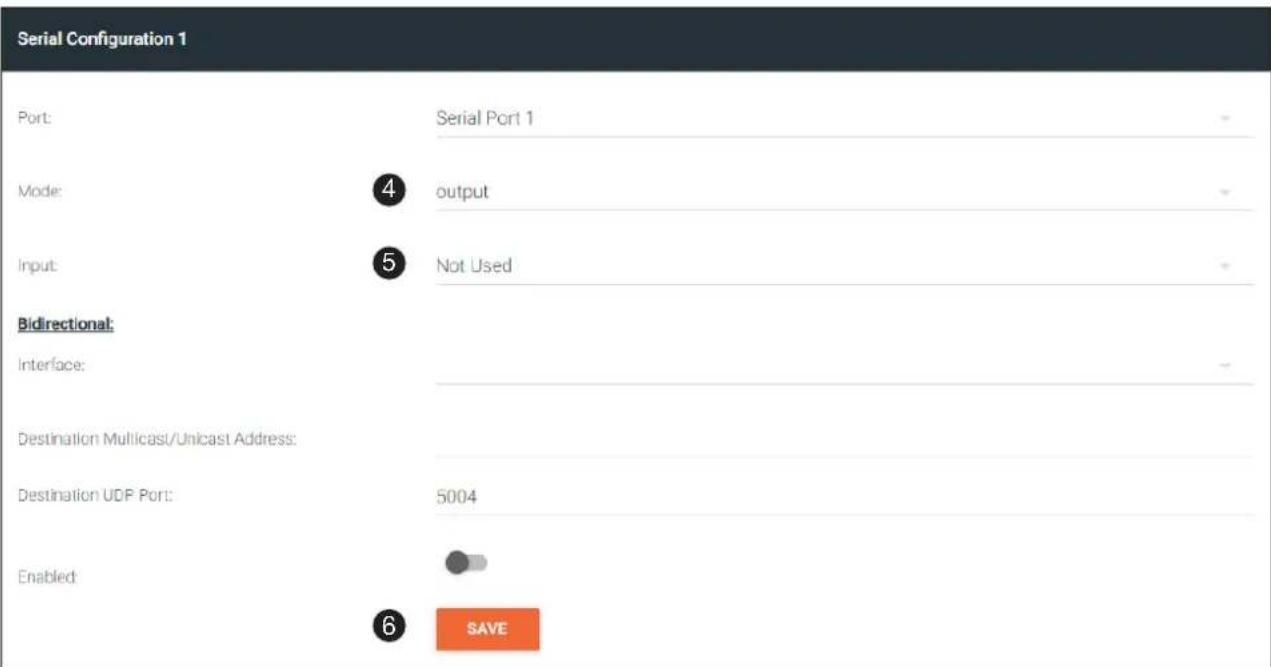
- For each of the available commands, click the Mode drop-down list and select raw.
The available commands are: Display On, Display Off, Volume Up, and Volume Down. - Enter the command data in either ASCII or hexadecimal format using the ASCII or HEX fields.
- Click the SAVE button.
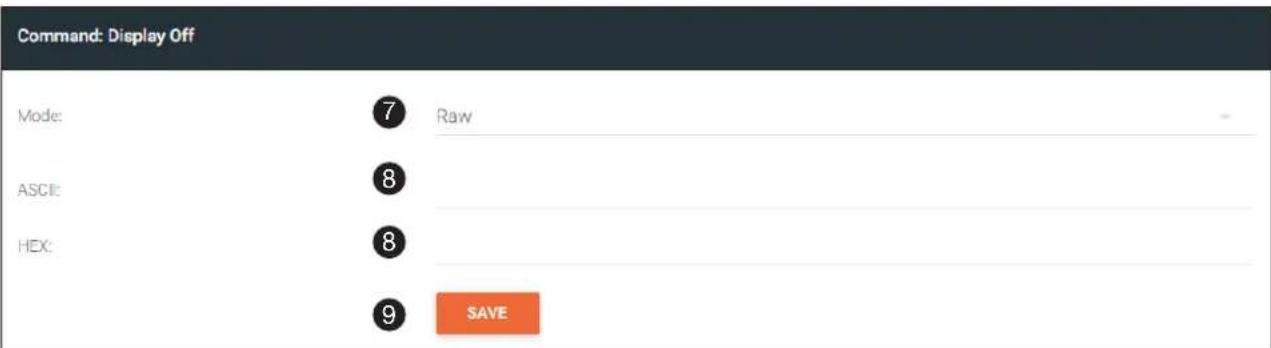
- Open a Telnet/SSH session with the decoder and trigger display control using the following command:
TrigRS232X Y
where x is the number of the serial port: 1, 2
where Y is the command: on, off, vol+, or vol-.
Option 2: Defining Commands on the Encoder
- Login to the encoder and click the SERIAL menu. For each of the available commands, click the Interpret on drop-down list and select decoder.
The available commands are: Display On, Display Off, Volume Up, and Volume Down.

NOTE: Setting the Interpret on drop-down list to encoder implies that commands are defined/stored on the encoder. If set to decoder, commands are defined/stored on the decoder.
- Enter the command data in either ASCII or hexadecimal format using the ASCII or HEX fields.
- Click the SAVE button.
Command: Display Off
Interpret on:
1
Decoder
ASCII
2
HEX
2
3
SAVE
- Click the SESSION menu. Under the desired Stream, locate the Control/Serial section, click the Source dropdown list, and select Commands.
- Click the Enable Aux toggle switch to display the additional fields.
- Enter the destination IP address and UDP port, of the decoder, in the Destination Multicast/Unicast Address and Destination UDP Port fields, respectively. A multicast address can also be entered in the Destination Multicast/Unicast IP Address field.
- Click the SAVE button.
Control/Serial:
Source:
4
Commands
Enable Auc
5

Destination Multicast/Unicast Address:
6
225.0.0.118
Destination UDP Port:
6
1200
TTL
255
DSCP:
Best Effort
Bidirectional:
Bidirectional
Listen Port:
1204
Encoder Groups
Enable Encoder Group:


SAVE
Device Operation
- Login to the decoder and click the IP INPUT menu. Locate an Input that does not contain a defined Multicast address field. In this example, Input 5 will be used. Note that if a multicast address was used in Step 6, then that multicast address must be entered in the Multicast Address field under Input 5.
- Click the Enable toggle switch to enable the Input. When an Input is enabled, the toggle switch will be green.
- Enter the UDP port, from Step 6, in the Port field.
- Click the SAVE button.
- Click the SERIAL menu. Under Serial Port 1, set the Mode drop-down list to serial.
- Click the SAVE button.
| Serial Port 1 | ||
| Supported Modes: | serial | |
| Mode: | serial | - |
| Baud Rate: | 9600 | - |
| Data Bit | 8 | - |
| Parity: | None | - |
| Stop | 1 | - |
| Flow Control | None | - |
| SAVE | ||
Device Operation
- Under Serial Configuration 1, select the desired port.
- Click the Mode drop-down list and select output.
- Click the SAVE button.
- Open a Telnet/SSH session with the encoder and trigger display control using any of the following commands: InputBtn X
where x is the number of the input: 1, 2, or tog.
DisplayBtnX Y
where X is the number of the HDMI input: 1, 2. where Y is the command: on, off, or toggle.
VolumeBtn X
where X is the volume-up or volume-down command.
Device Operation
Upstream Control using RS-232
The serial interface provides RS-232 control of both downstream and upstream devices. Source control is provided by enabling bidirectional communication.
- Login to the decoder and click the SERIAL menu. Under the Serial Port 1 window group, click the Mode dropdown list and select Serial.
- Click the SAVE button.
Serial Port 1
Supported Modes:
Mode:
1
serial
serial
Baud Rate:
9600
Data Bit
8
Parity:
None
Stop:
1
Flow Control
None
2
SAVE
- Under the Serial configuration window group, click the Port drop-down list and select the desired serial port.
- Click the Mode drop-down list and select output.
Serial Configuration 1
Port:
3
Serial Port 1
Mode:
4
output
Input
IP Input 5 (Control)
Bidirectional:
Interface:
eth1
Destination Multicast/Unicast Address:
10.1.0.149
Destination UDP Port:
5004
Enabled

SAVE
Device Operation
- Click the Input drop-down list and select the input.
- Under the Bidirectional section, click the Interface drop-down list and select the interface.
- Enter the destination IP address (the IP address of the encoder) and UDP port in the Destination Multicast/Unicast Address and Destination UDP Port field, respectively.
- Click the Enabled toggle switch to the enabled position. When enabled, the toggle switch will be green.
- Click the SAVE button.
Serial Configuration 1
Port:
Serial Port 1
Mode:
output
Input:

IP Input 5 (Control)
Bidirectional:
Interface:

eth1
Destination Multicast/Unicast Address:

10.1.0.149
Destination UDP Port

5004
Enabled:


SAVE
-
Login to the encoder and click the SERIAL menu. Under the Serial Port 1 window group, click the Mode dropdown list and select Serial.
-
Click the SAVE button.
Serial Port 1
Supported Modes.
infrared, serial
Mode:
serial
Baud Rate:
9600
Data Bit
B
Parity:
None
Stop:
1
Flow Control
None

SAVE
Device Operation
- Under the Serial Configuration 1 window group, click the Port drop-down list and select Not Used.
- Click the SAVE button.
Serial Configuration 1
Port:

Not Used
Mode:
cli

SAVE
- Click the SESSION menu. Under the desired Stream, locate the Control/Serial section and click the Source drop-down list to select the desired serial port.
- Click the Enable Aux toggle switch to display the additional fields.
- Enter the destination IP address and UDP port in the Destination Multicast/Unicast Address and Destination UDP Port fields, respectively.
- Click the Bidirectional toggle switch to enable it. When enabled, the toggle switch will be green.
- Click the SAVE button.
Control/Serial:
Source:

Serial Port 1
Enable Aux:


Destination Multicast/Unicast Address:

10.1.0.138
Destination UDP Port:

1200
TTL
255
DSCP:
Best Effort
Bidirectional:

Bidirectional
Listen Port
1204
Encoder Groups
Enable Encoder Group


SAVE
Device Operation
Upstream Control using IR
To control of headend source from downstream, refer to Upstream Control using RS-232 (page 42). Once configured, make sure that the serial port is configured for infrared, as shown.

IMPORTANT: Depending on the hardware, IR may also be supported on RS-232 port 1. Verify the OmniStream hardware version to determine its capabilities. For decoders, IR is only supposed on RS-232 port 2.
Serial Port 2
Supported Modes:
Mode:

infrared
infrared

SAVE
infrared
Multiview Nomenclature
General Overview
A multiview is comprised of a canvas (display area) containing at least two, but no more than four subframes, where each subframe has the following parameters:

NOTE: Multiview cannot be used in conjunction with fast switching and/or with video walls.

DEFINITIONS:
Subframe - The stream multicast IP address for the video.
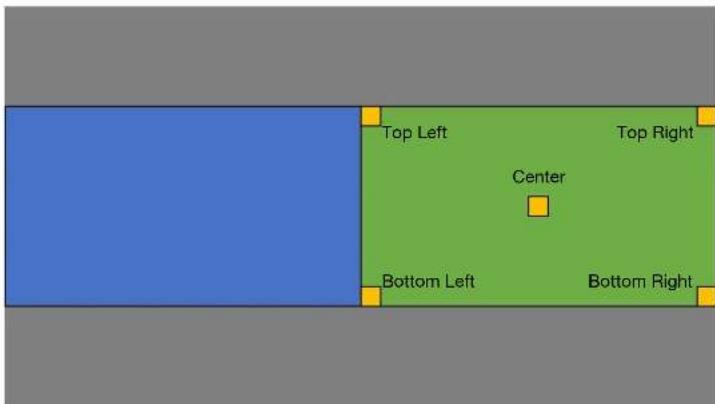
Anchor point - A fixed point on a subframe. The anchor point can be set to top-left, top-right, bottom-left, bottom-right, or center. Each anchor point is defined by an x and y coordinate.
Z-order - Determines whether a frame appears in-front-of or behind another subframe. Subframes with a larger z-order value will appear in front of a subframe with a smaller z-order value.
The images below shows the different anchor point options on a particular subframe. For any given subframe, only one of these will be selected as the anchor point.
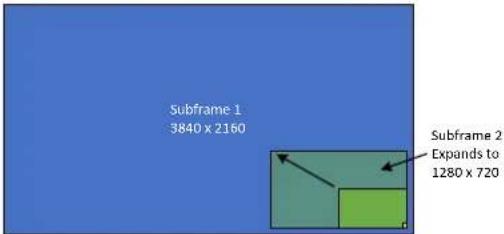
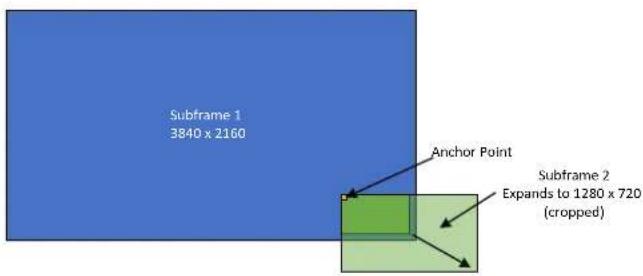
If the incoming stream changes resolution, the size of the subframe will change on the screen if scaling is not configured on the encoder. While the decoder HDMI output can be scaled, there is no per-subframe scaling. This is because the incoming stream is not scaled in the decoder. To illustrate this, consider the following examples.
In this first example, the multiview is configured as a P-i-P view, where the P-i-P subframe has its anchor point configured as bottom right. The incoming stream is 640 x 360.
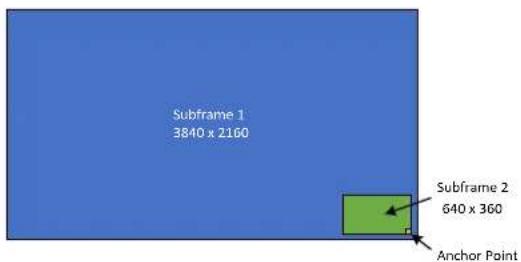
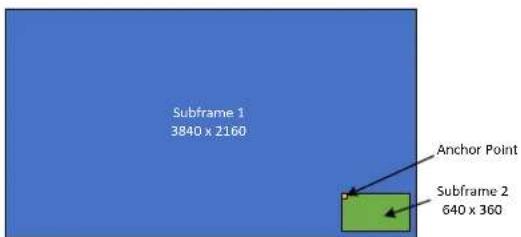
By contrast, consider the same multiview layout, but with the P-i-P subframe having a top left anchor point.
Device Operation
If the incoming stream changes resolution to 1280x720, then the subframe will grow in size, but it will still fit on-screen, because its bottom right Anchor point has not changed position.
In this case, when the stream changes to 1280 × 720 , the subframe will grow in size and be cropped by the display, because the top left anchor point has not change position
Anchor Points
Anchor points will be placed on the canvas at the x and y coordinates of that canvas. If the decoder output is not scaled, then this will correspond to the actual coordinates on the display. If the decoder output is scaled, then the Anchor point will be rendered on the canvas at the specified coordinates, and then the entire output image will be scaled.
Because of the way the VCx codec works, anchor points must be placed on coordinates where the x value is divisible by 32 and the y value is divisible by 8. If a coordinate is entered that does not meet this requirement, then the decoder will automatically snap the coordinates and notify the user of the change.
Multiview and Dual-Streaming Tutorial
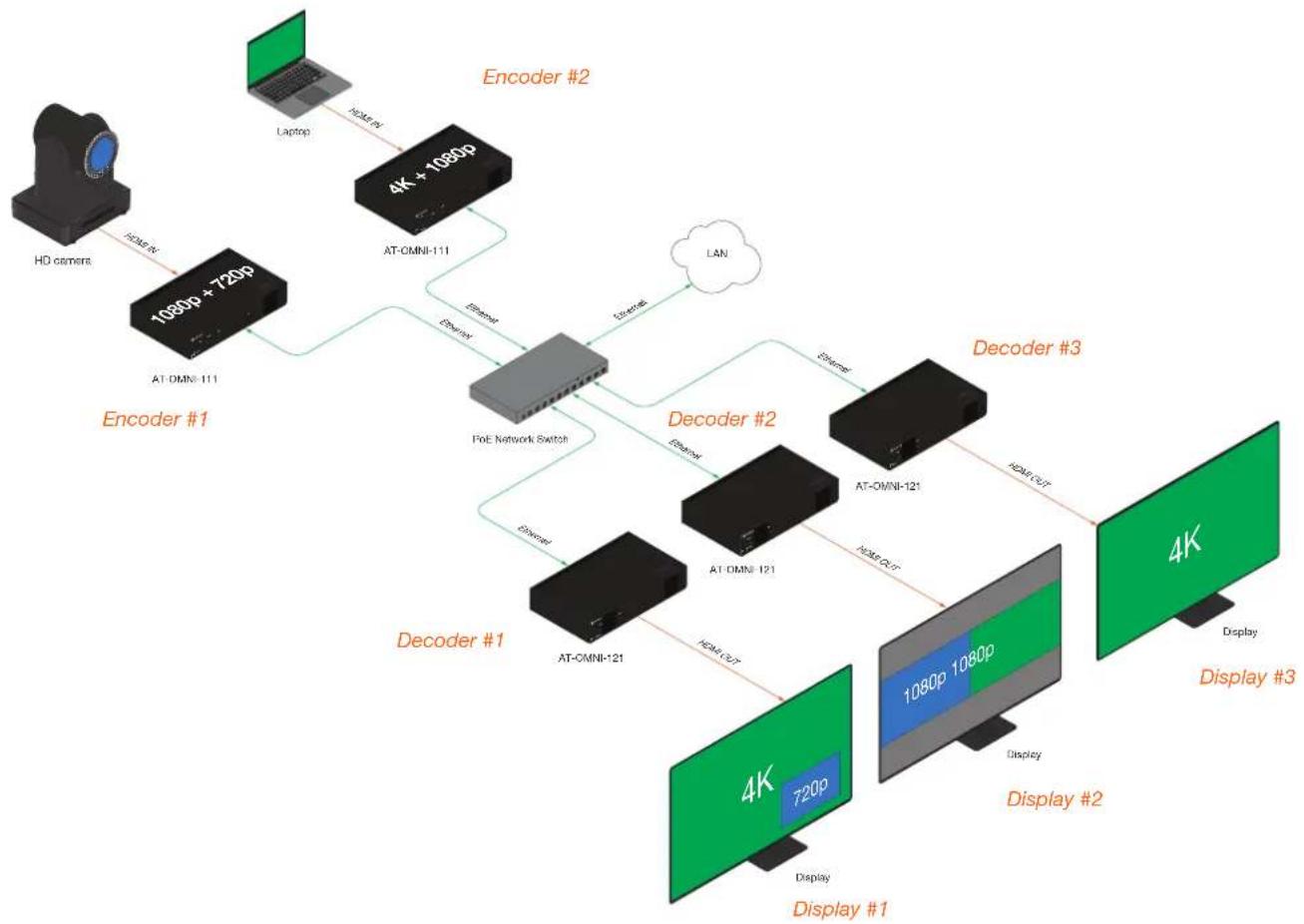
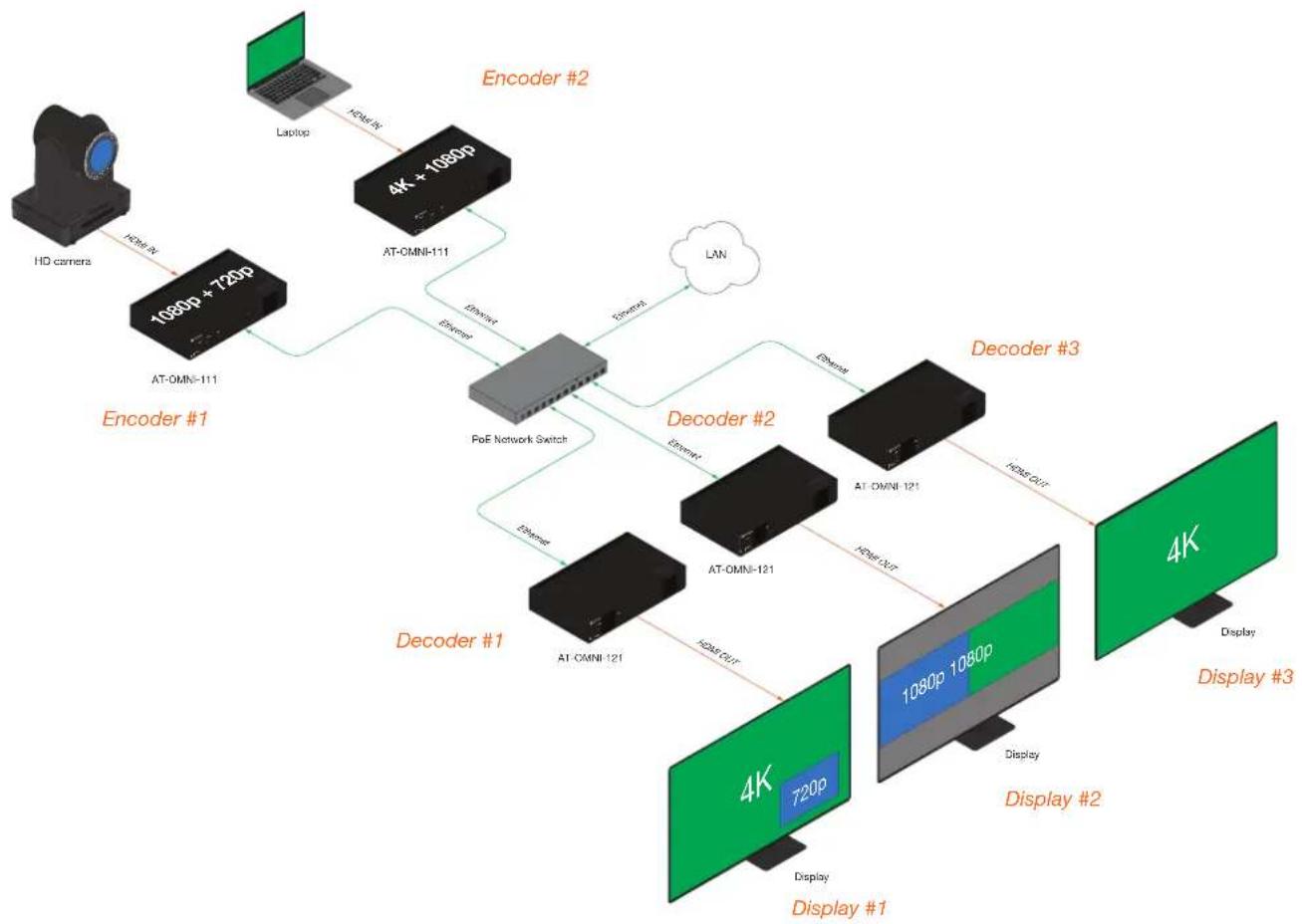
This section provides a tutorial on configuring a multiview setup. In addition, the concept of dual-streaming will be introduced. Review the diagram and the table below for a summary of how this setup will function. All encoders and the decoders should be connected to the same local network.
Physical Connections
flowchart
graph TD
    A["HD camera"] -->|DCM-R| B["1080p + 720p"]
    B --> C["AT-OMNI-111"]
    C --> D["4K + 1080p"]
    D --> E["AT-CMNI-111"]
    E --> F["Encoder #2"]
    F --> G["LAN"]
    G --> H["Decoder #3"]
    H --> I["4K"]
    I --> J["Display #3"]
    D --> K["Decoder #2"]
    K --> L["AT-OMNI-121"]
    L --> M["4K 720p"]
    M --> N["Display #1"]
    K --> O["Decoder #1"]
    O --> P["AT-CMNI-121"]
    P --> Q["Display #1"]
    style A fill:#99CCFF
    style B fill:#99CCFF
    style C fill:#99CCFF
    style D fill:#99CCFF
    style E fill:#99CCFF
    style F fill:#99CCFF
    style G fill:#99CCFF
    style H fill:#99CCFF
    style I fill:#99CCFF
    style J fill:#99CCFF
    style K fill:#99CCFF
    style L fill:#99CCFF
    style M fill:#99CCFF
    style N fill:#99CCFF
    style O fill:#99CCFF
    style P fill:#99CCFF
    style Q fill:#99CCFF
OmniStream Device Description
| Encoder #1(AT-OMNI-111) | Dual-streaming configuration.Transmits both 1080p and 720p streams. |
| Encoder #2(AT-OMNI-111) | Dual-streaming configuration.Transmits both 4K and 1080p streams. |
| Decoder #1(AT-OMNI-121) | Multiview configuration (picture-in-picture).Subscribes to the 4K and 720p streams in multiview. |
| Decoder #2(AT-OMNI-121) | Multiview configuration (side-by-side).Subscribes to two 1080p streams in multiview. |
| Decoder #3(AT-OMNI-121) | Subscribes to a single 4K stream. |
Dual-Streaming Encoder Configuration
Encoder #1
This encoder is used with the HD camera and will be configured to dual-stream 1080p and 720p.
- Click DEVICE INFO in the menu bar, then click the System Mode drop-down list and select VCx. Click the SAVE button, in the lower-right corner of the screen, to commit changes.

IMPORTANT: VCx must be enabled in order to use the Multiview feature.
- Click the INPUT menu.
- Under the HDMI Input 1 window group, select Default HDR MCH from the EDID drop-down list.
- Click the Supported Version drop-down list and select 2.2. Click the SAVE button, under the HDMI Input 1 window group, to commit changes.
- Under the Encoder 1 window group, click the Input drop-down list and select HDMI Input 1.
- Set the Max Bit Rate field to 450.
- Click the Scaler drop-down list and select 1920x1080.
- Click the Thumbnail > Enable toggle switch to enable thumbnails of the source. This will verify that the input source is configured correctly and will provide a visual reference for the encoder stream. Thumbnails are updated every 2 seconds.

NOTE: Thumnails can also be accessed at: http://
- Click the SAVE button, under the Encoder 1 window group, to commit changes.
- Under the Encoder 2 window group, select HDMI Input 1 from the Input drop-down list.
- Set the Max bit rate field to 150.
- Click the Scaler drop-down list and select 1280x720.
- Click the SAVE button, under the Encoder 2 window group, to commit changes.
- Click SESSION in the menu bar and configure each video stream using the information in the table bellow. Audio streams will not be configured for this tutorial.
| Stream Interface Encoder Destination | Multicast/Unicast Address | Destination UDP Port | |
| Stream 1 | eth1 Encoder 1 226.0 | 0.1 1000 | |
| Stream 2 | eth1 Encoder 2 226.0 | 0.2 1000 | |
- Click the SAVE button, under both Stream 1 and Stream 2 window groups, to commit changes.
Encoder #2
This encoder is used with a 4K source and will be configured to dual-stream 4K and 1080p.
- Click DEVICE INFO in the menu bar, then click the System Mode drop-down list and select VCx. Click the SAVE button to commit changes.
- Click the INPUT menu.
- Under the HDMI Input 1 window group, select Default HDR MCH from the EDID drop-down list.
- Click the Supported Version drop-down list and select 2.2. Click the SAVE button, under the HDMI Input 1 window group, to commit changes.
- Under the Encoder 1 window group, click the Input drop-down list and select HDMI Input 1.
- Set the Max bit rate field to 750. This will cover resolutions up to 4K60 4:4:4.
- Click the Scaler drop-down list and select 3840x2160.

IMPORTANT: When configuring streams above 1920x1080p, Encoder 1 must be used.
-
Click the Thumbnail > Enable toggle switch to enable thumbnails of the source. This will verify that the input source is configured correctly and will provide a visual reference for the encoder stream. Thumbnails are updated every 2 seconds.
-
Click the SAVE button, under the Encoder 1 window group, to commit changes.
-
Under the Encoder 2 window group, select HDMI Input 1 from the Input drop-down list.
-
Set the Max Bit Rate field to 150.
-
Click the Scaler drop-down list and select 1920x1080.
-
Click the SAVE button, under the Encoder 2 window group, to commit changes.
-
Click SESSION in the menu bar and configure each video stream using the information in the table bellow. Audio streams will not be configured for this tutorial.
| Stream Interface Encoder Destination | Multicast/Unicast Address | Destination UDP Port | |
| Stream 1 | eth1 Encoder 1 226.0 | 0.3 1000 | |
| Stream 2 | eth1 Encoder 2 226.0 | 0.4 1000 | |
- Click the SAVE button, under both Stream 1 and Stream 2 window groups, to commit changes.
Decoder Configuration
Dual-streaming has been successfully configured on both encoders. This provides a total of four streams which are listed in the tables, below, for reference.
Encoder #1 (source: HD camera)
| Stream Encoder Resolution Stream Multicast IP Address Port | |||
| 1 Encoder 1 | 1920x1080 | Stream 1 | 226.0.0.1 1000 |
| 2 Encoder 2 | 1280x720 | Stream 2 | 226.0.0.2 1000 |
Encoder #2 (source: Laptop)
| Stream Encoder Resolution Stream Multicast IP Address Port | |||
| 3 Encoder 1 | 3840x2160 | Stream 1 | 226.0.0.3 1000 |
| 4 Encoder 2 | 1920x1080 | Stream 2 | 226.0.0.4 1000 |
The next step is to configure each decoder to subscribe to these streams. Although, in the tutorial diagram, each decoder is subscribed to no more than two streams, we will configure all three decoders to access all four streams. This will allow us to change the output on the displays, if desired.
Decoder #1, Decoder #2, and Decoder #3
- Go the the decoder and click IP INPUT in the menu bar.
- Configure the following fields, under each IP Input window group, as follows:
| IP Input Multicast Address Port | |
| IP Input 1 | 226.0.0.1 1000 |
| IP Input 2 | 226.0.0.2 1000 |
| IP Input 3 | 226.0.0.3 1000 |
| IP Input 4 | 226.0.0.4 1000 |
- Click the Enabled toggle switch for each IP Input window group. When enabled, the toggle switch will be green.
- Click SAVE, under each IP Input window group, to commit changes.
- Click the HDMI OUTPUT menu.
- Verify that each source can be displayed, independently. To do this, locate the Video section and click the Video drop-down list. Alternate between the following selections to display each source.
| IP | Input | 1 | - | 226.0.0.1:1000 |
| IP | Input | 2 | - | 226.0.0.2:1000 |
| IP | Input | 3 | - | 226.0.0.3:1000 |
| IP | Input | 4 | - | 226.0.0.4:1000 |
If any of these sources are not displayed, return to the encoder IP INPUT, SESSION, and ENCODING menus to verify that the configuration is correct.
Multiview Configuration
The final step is to configure the decoders to display the proper stream(s), as outlined in the tutorial diagram (shown below).
flowchart
graph TD
    A["HD camera"] -->|HDMI-AT| B["1080p + 720p"]
    B --> C["AT-OMNI-111"]
    C --> D["4K + 1080p"]
    D --> E["AT-OMNI-111"]
    E --> F["Encoder #2"]
    F --> G["LAN"]
    G --> H["Decoder #3"]
    H --> I["4K"]
    I --> J["Display #3"]
    D --> K["Encoder"]
    K --> L["PoE Network Switch"]
    L --> M["Decoder #2"]
    M --> N["4K + 1080p"]
    N --> O["Display #2"]
    O --> P["Display #1"]
    L --> Q["Decoder #1"]
    Q --> R["AT-CMNI-121"]
    R --> S["4K + 720p"]
    S --> T["Display #1"]
    style A fill:#f9f,stroke:#333
    style B fill:#ccf,stroke:#333
    style C fill:#cfc,stroke:#333
    style D fill:#fcc,stroke:#333
    style E fill:#cff,stroke:#333
    style F fill:#ffc,stroke:#333
    style G fill:#fcc,stroke:#333
    style H fill:#ffc,stroke:#333
    style I fill:#cfc,stroke:#333
    style J fill:#fcc,stroke:#333
    style K fill:#cff,stroke:#333
    style L fill:#ffc,stroke:#333
    style M fill:#fcc,stroke:#333
    style N fill:#ffc,stroke:#333
    style O fill:#cfc,stroke:#333
    style P fill:#fcc,stroke:#333
    style Q fill:#ffc,stroke:#333
    style R fill:#cfc,stroke:#333
    style S fill:#fcc,stroke:#333
    style T fill:#cfc,stroke:#333
Decoder #1
- Click MULTIVIEW in the menu bar.
- Click the ADD NEW MULTIVIEW button.
-
The New Multiview dialog box will be displayed.
-
Enter a name for the multiview configuration in the Name field. Since this decoder will be a picture-in-picture layout, use the name multiviewpip.

NOTE: Multiple multiview configurations can be created and saved. To display a different multiview, go to the HDMI Output menu, locate the Video section and click the Input dropdown list to select the desired multiview configuraiton.
- Click the Resolution drop-down list and select 3840x2160.
- Click the Layout drop-down list to view the available layouts, and select pip-bottom-right.
- Click the main (3840x2160) drop-down list and select IP Input 3 - 226.0.0.3:1000.
- Click the bottom_right (1280x720) drop-down list and select IP Input 2 - 226.0.0.2:1000.
Device Operation
- Click the SAVE button.
- Click HDMI OUTPUT in the menu bar.
- Locate the Video section, click the Video drop-down list, and select multiviewpip. This is the name of the multiview that was created in Step 4. The name multiview will always be used as a prefix, indicating that the selection is a multiview.
- Click the SAVE button at the bottom of the HDMI Output 1 window group.
Decoder #2
- Click MULTIVIEW in the menu bar.
- Click the ADD NEW MULTIVIEW button.
- The New Multiview dialog box will be displayed.
- Enter a name for the multiview configuration in the Name field. Since this decoder will be a side-by-side layout, use the name multiviewsbs.
- Click the Resolution drop-down list and select 3840x2160.
- Click the Layout drop-down list to view the available layouts, and select side-by-side.
- Click the left (1920x1080) drop-down list and select IP Input 1 - 226.0.0.1:1000.
- Click the right (1920x1080) drop-down list and select IP Input 4 - 226.0.0.4:1000.
- Click the SAVE button.
- Click HDMI OUTPUT in the menu bar.
- Locate the Video section, click the Video drop-down list, and select the name of the side-by-side multiview configuration that was created.
- Click the SAVE button at the bottom of the HDMI Output 1 window group.
Decoder #3
-
Since no multiview is used on this decoder, click HDMI OUTPUT in the menu bar.
-
Locate the Video section, click the Video drop-down list, and select IP Input 3 - 226.0.0.3:1000.
-
Click the SAVE button at the bottom of the HDMI Output 1 window group.
This completes the dual-streaming and multiview tutorial. Additional multiview features are documented in the following pages.
Device Operation
Positioning Subframes
Each subframe in a multiview can be repositioned on the screen based on its anchor point. The anchor point (0, 0) represents the top left corner of the multivew canvas. For example, in the picture-in-picture example that was created on Decoder #1, the settings for each subframe are as follows:
| Input Anchor x y | |||
| ip_input2 (226.0.0.2:1000) | bottom right | 3808 2128 | |
| ip_input3 (226.0.0.3:1000) | top left | 0 | 0 |
To move ip_input2 (camera source) to the left, decrease the x value.
- Click the Multiview menu.
- Locate the Subframe sections and adjust the x and y values as desired, based on the anchor point.

IMPORTANT: X-values must be specified in increments of 32. Y-values must be specified in increments of 8. If these increments are not used, then the decoder will automatically be assigned the closest "correct" coordinate value and display a message of the change.
- Click the SAVE button to commit changes.
Changing the Background Color
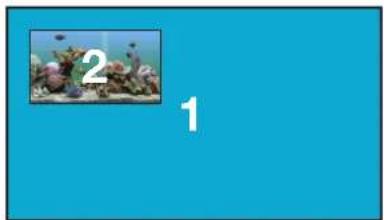
The background color can be seen if any portion of the canvas is not covered by a subframe. Refer to the illustration below. For example, in this PiP configuration, subframe 1 contains no image. Instead of a blank background, the background color is displayed. The default background color is black: (RGB) 0,0,0.
natural_image
Blue background with a small inset image showing underwater plants and fish, labeled with numbers 1 and 2 (no text or symbols on the main subject)- Click the MULTIVIEW menu, then click the Available Multivew drop-down list to select the desired multiview.
- Click the Background Color swatch.
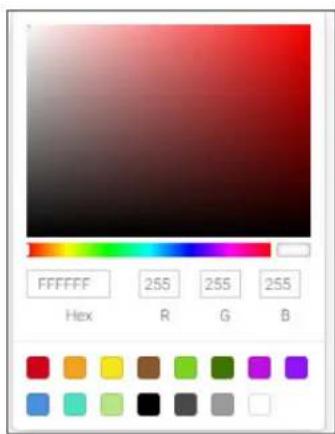
- Click and drag the mouse across the palette to select the desired color. Alternatively, values can be entered directly in the R, G, B, and Hex fields.
- Click the SAVE button to commit changes.
Device Operation
Changing the Z-Order
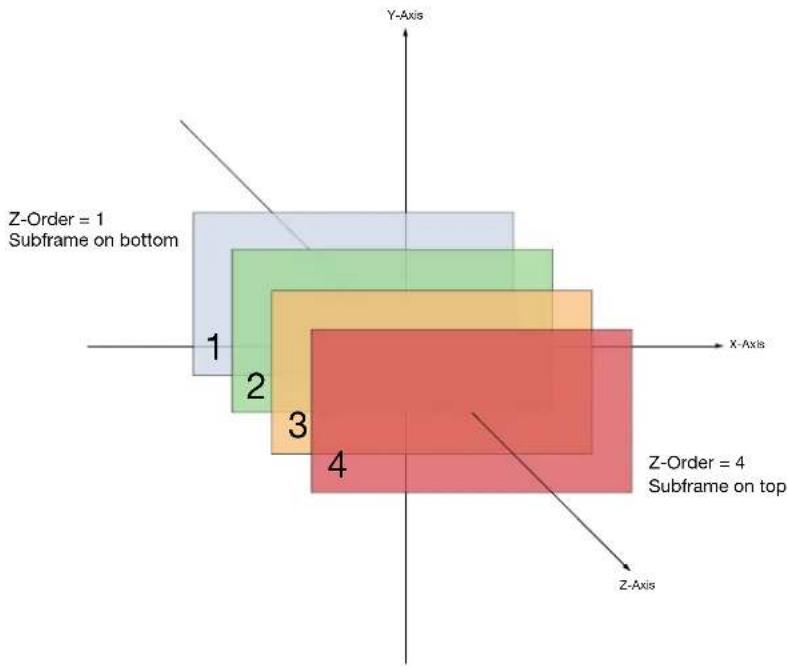
The ordering of overlapping subframes in two-dimensional space is referred to as the z-order. In the illustration below, the red window is set to priority 4 and will be displayed on top of all other subframes. Assigning a subframe to z-order 1 (the blue window) will move the subframe behind the other subframes. The larger the z-order value, the higher the subframe priority will be. Subframes cannot share the same z-order value.
Note that subframes do not support transparency. This is only used in the diagram to illustrate how overlapping subframes can be placed behind or in front or one another.
- Click MULTIVIEW in the menu bar.
- Click the Available Multiview drop-down list and select the desired multiview to be modified.
- Click the name of the desired subframe to modify. Depending on the layout type, the name of each subframe will vary (e.g. LEFT, RIGHT, BOTTOM_RIGHT, MAIN, etc).
- Enter the z-order value in the Z-order field.
- Click the SAVE button to commit changes.
Device Operation
Adding Subframes
Multiview supports a maximum of 4 subframes. As long as the maximum number of subframes is not exceeded, additional subframes can be added. This provides for customization of existing layouts.
- Click the MULTIVIEW menu.
- Click the Available Multiview drop-down list to select the multiview to be changed.
- Click the ADD SUBFRAME button.
- The New Subframe dialog will be displayed.
- Enter the title of the new subframe in the Name field.
- Click the Input drop-down list to select the desired input. Only a list of currently configured IP inputs will be available from this list. If a new IP input is desired, it will need to be configured.
- Enter the desired values in the X and Y fields, relative to the anchor point.
- Click the Anchor drop-down list and select the desired anchor point.
- Enter the z-order value in the z-order field.
- Click the SAVE button to commit changes.
Deleting a Subframe
- Click the MULTIVIEW menu.
- Click the Available Multiview drop-down list to select the multiview to be changed.
- Under the name of the subframe (LEFT, RIGHT, TOP_LEFT, etc.), click the DELETE button. The subframe will be immediately removed from the multiview.
Deleting a Multiview
- Click the MULTIVIEW menu.
- Click the Available Multiview drop-down list to select the multiview to be deleted.
- Under the CONTAINER submenu, click the DELETE button.

IMPORTANT: In order to delete a Multiview, the Multiview to be deleted must not be in use by the decoder. Click the HDMI OUTPUT menu, then click the Video > Input drop-down list to select another IP input or a different Multiview.
Using Audio in Multiview
When using multiview, a decoder can only subscribe to a single audio stream. To use an audio stream in multiview, simply configure the audio as part of the session (Audio > Source > hdmi_input1, for example). Refer to Creating a Session (page 20) for more information.
Configuring Audio Output

IMPORTANT: When using analog audio inputs on the OmniStream decoder, the decoder must be powered using the 48V power supply (AT-PS-48083-C). This power supply is sold separately and can be purchased from Atlona.
In addition to passing audio directly from the encoder to the decoder, both the AT-OMNI-121 and AT-OMNI-122 provide two additional audio options
- HDMI audio can be de-embedded and output to two-channel analog audio.
- Two-channel analog audio can be embedded and output over HDMI.
This section covers both methods. If using a single-channel decoder, only a single AUDIO IN and AUDIO OUT port will be available.
De-embedding Audio
De-embedding audio will extract the HDMI audio and automatically downmix to two-channel analog audio, using the included captive-screw connectors.
- Connect the power supply to the DC 48V connector on the decoder.
- Connect the included 5-pin captive screw connectors to the AUDIO OUT ports. Refer to the OmniStream User Manual for wiring information.
- Login to the decoder and click HDMI Output in the menu.
- Scroll down to the Audio section and click the Analog Power toggle switch to enable it. When enabled, the toggle switch will be orange. The Analog Power Status indicator, above the toggle switch, will be green. This indicates that the external power supply is connected to the decoder.
Audio from the source will now be heard on the ANALOG OUT port of the decoder. Note that when audio is de-embedded, it will not longer be audible using the HDMI OUT ports on the decoder.
Embedding Audio
Embedding audio will replace the existing HDMI audio source, normally heard on the output of the decoder. The analog audio will be heard on the HDMI OUT port of the decoder.
- Connect the power supply to the DC 48V connector on the decoder.
- Connect the audio source to the AUDIO IN ports, using the included 5-pin captive screw connectors. Refer to the OmniStream User Manual for wiring information.
-
Go to the decoder.
-
Click HDMI Output in the menu bar.
-
Scroll down to the Audio section and click the Analog Power toggle switch to enable it. When enabled, the toggle switch will be orange. The Analog Power Status indicator, above the toggle switch, will be green. This indicates that the external power supply is connected to the decoder.
Audio from the source will now be heard on the HDMI OUT ports on the decoder.
Creating Video Walls
The following section assumes familiarity with site and room management within Velocity. Refer to the Velocity User Manual for more information on these topics.
-
Click Control > Sites in the menu bar to expand the list of buildings and rooms.
-
Click the desired room from the Site list.

NOTE: It is assumed that the selected room has already been populated with enough displays to construct a video wall, along with required number of OmniStream encoders and decoders. Refer to the Velocity User Manual for more information on adding displays and OmniStream units to a room.
-
The Modify Room screen will be displayed. Click the Edit Room Technology icon.
-
Click the Add Technology icon.
-
Click the Miscellaneous > Atlona > Velocity Video Wall: VELOCITY-VIDEO-WALL. The video wall technology will be added to the room.
-
Click the Edit Room Device icon in the video wall technology window.
-
The Video Wall / Pixel Space Dimensions dialog will be displayed. This dialog will automatically be displayed when the video wall driver is edited for the first time. The name of the video wall can be modified in the Alias field, if desired. Close this dialog.
The default video wall dimensions are set to 3840 x 2160. To modify the video wall size, follow Steps 7a through 7e. To continue with the default video wall dimensions, click the CLOSE button and go to step 8.
a. Click the Lock Pixel Space toggle switch to disable it. When disabled, the toggle switch will turn gray.
b. Under Pixel Space Dimensions, click the drop-down list to select the desired video wall dimensions.
c. To create a custom size for the video wall, enter the desired dimensions under the Custom section. Enter the width and height directly, or use the spinner controls at the far end of each field, to adjust the values.
d. Save the video wall dimensions by clicking the Lock Pixel Space toggle switch to enable it.
e. Click the CLOSE button to dismiss the dialog.
Before continuing, refer to the Pixel Space tool bar at the top of the screen. The following identifies each icon:

a. Displays
Click to icon to show the Displays window on the left side of the screen. In this mode, displays can be edited.
b. Presets
Click this icon to display the Presets window on the left side of the screen. In this mode, presets can be edited, added, or deleted.
c. Drop Zones
Click this icon to display the Drop Zones window on the left side of the screen. Refer to Creating and Using Drop Zones (page 65) for more information.
d. Auto Arrange
Click this icon to auto-arrange the number of displays in the Pixel Space window into the selected number of rows and columns.
e. Lock
When locked, this icon will turn red, and prevent accidental repositioning of displays or changing presets. To unlock the displays (for adjustment purposes), click this icon again.
f. Delete All
Click this icon to delete all displays within the Pixel Space window. This icon will only be available if displays are present in the Pixel Space window. This icon is only enabled if displays have been added to the Pixel Space window.
g. Pixel Space
Click this icon to display the VideoWall dialog box, allowing modification of both the Video Wall and Pixel Space settings.
h. Zoom
Click this icon to display the zoom fly-out slider control. Click and drag the slider to adjust the zoom factor of the Pixel Space window.
i. Apply Preset
Click this icon to apply the current preset. Click the down arrow next to this icon to display the Apply Preset fly-out menu. This control defines when Velocity automatically applies a preset: 1) Auto apply preset on save; 2) Auto apply preset on source change.
j. Save
Click this icon to save the current layout/settings. Click the down-arrow, next to this icon, to display the Save fly-out menu option, allows enabling or disabling of auto-saving.
k. Undo
Click this icon to undo the last operation.
I. Redo
Click this icon to redo the last operation. Clicking this icon after an undo operation will restore the previous setting.
- Under the Displays window, on the left side of the screen, drag and drop the desired displays to the to Pixel Space window.
Alternatively, to add all displays to the Pixel Space windows without manually using drag-and-drop, click ADD REMAINING, at the bottom of the Displays window. This will automatically populate the Pixel Space window with all available displays. Note that if all displays have been dragged to the Pixel Space window, then this option will be grayed out.
- Click the Auto Arrange icon in menu bar at the top of the Pixel Space window. Move the mouse within the Auto Arrange pop-up dialog to adjust the size of the video wall. Click the lower right-most blue square of the video wall to commit the selection.
Device Operation
Landscape Orientation
If any displays have been mounted upside-down, the orientation can be corrected, without having to remount the displays in the correct orientation.
a. Click the Edit icon (pencil icon) in the upper-right corner of the display that requires adjustment.
b. The dialog for the selected decoder will be displayed.
c. Click the Rotation drop-down list and select the desired rotation. If the image on the display is upside-down, select 180 degrees.
d. Click the CLOSE button to commit changes.
Portrait Orientation

IMPORTANT: Portrait Mode is only supported on single-channel decoders.
If any displays have been mounted upside-down, the orientation can be corrected, without having to remount the displays in the correct orientation.
a. Click the Edit icon (pencil icon) in the upper-right corner of the display that requires adjustment.
b. The dialog for the selected decoder will be displayed.
c. Click the Rotation drop-down list and select the desired rotation. If the image needs to be rotated from landscape to portrait, select 90 degrees. If the display is mounted upside-down AND requires rotation from landscape to portrait, select 270 degrees.
d. Click the CLOSE button to commit changes.
Once Auto Arrange has been applied, the Pixel Space window will appear. It should be noted that each display can be rearranged if necessary. To reposition displays, click and drag them to the appropriate places, within the Pixel Space window. Note that each display is identified with a name and an IP address, in the upper-left corner. Refer to the Velocity User Manual for more information on naming devices.
-
Click the Lock Displays icon in the menu bar of the Pixel Space window. This is optional. However, enabling this feature will prevent accidental repositioning of the displays, during the configuration procedure. When locked, this icon will turn red. Both the Trash and Auto Arrange icons will be disabled. To unlock the displays (for adjustment purposes), click the Lock Displays icon again.
-
Click the Save icon in the upper-right corner of the Pixel Space window. This will save the current layout.
Device Operation
Creating Presets
Presets are used to save window layouts, within the Pixel Space window. Once a preset is created it can be recalled at any time.
- Click the Presets icon. When clicked, this icon will turn green and the Presets window will be displayed on the left side of the screen.
- Click Add, under Presets.
- Enter than name of the preset in the Preset Edit dialog, then click CLOSE to save the preset name and dismiss the dialog.
- Under the Sources window, on the left side of the screen, drag and drop the desired source(s) to each display in the Pixel Space window. Note that the same source can be mapped to other displays.
Sources can also be re-sized "on the fly" to achieve the desired presentation. To re-size a source, click and drag the source window horizontally, vertically, or diagonally. Release the mouse to commit the changes. Refer to the Velocity User Manual for more information on manipulating source windows.

NOTE: When source windows are resized, they will "snap" to the nearest vertical or horizontal border, depending upon the direction that the mouse cursor is being moved. Source windows cannot occupy fractions of a display window.
Preset Orientation
There may be some situations in which content that is spread across multiple displays must be rotated. Two examples are shown below.
Example 1: Content requiring rotation.
In the following example, a single source is spread across three vertical displays. The source content (shown on the left) is rotated -90 degrees. In order for the content to be displayed correctly, the source must be rotated.
Figure 1.1 - Source content Figure 1.2 - Source content properly rotated to span three vertically rotated displays.

natural_image
Black dog climbing a rope, no visible text or symbols- Click the 📋 icon in the upper-right corner of the screen. The source dialog will be displayed.
- Locate the Disable Rotation toggle switch at the bottom of the dialog.
- Verify that the toggle switch is set to the far-left position. The toggle switch will be gray when rotation is enabled.
- Click CLOSE to commit changes and dismiss the dialog box.
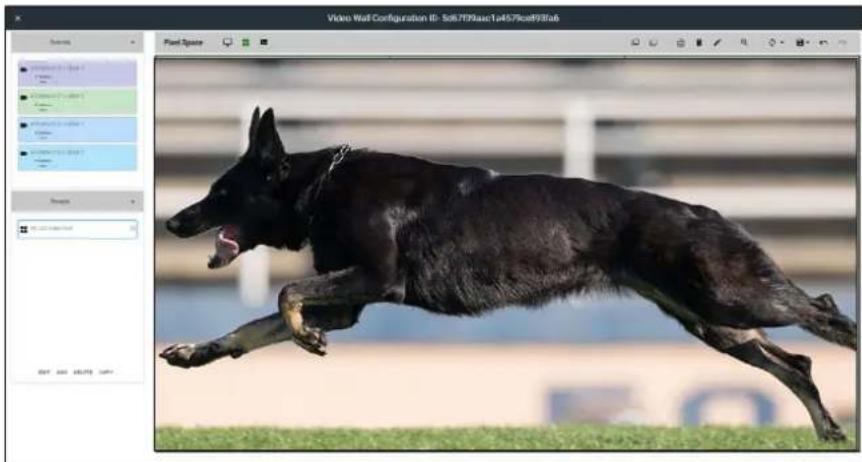
natural_image
Black German Shepherd dog running on grass during a training exercise (no visible text or symbols)AT-OMNI-111 1:HDMI 1
Position
X
Y
Size
Width
3840
Height
2160
Rotation

Disable Rotation
CLOSE
Example 2: Content that does not require rotation.
In this example, three sources are spread across three vertical displays. The content (shown on the left) was created to be displayed horizontally. In this case, rotating the source is not required.
Figure 1.1 - Source content
Source 1
natural_image
Black German Shepherd dog jumping over grass, no visible text or symbolsSource 2

natural_image
Close-up of a black dog's back and front, with blurred background (no text or symbols visible)Source 3

natural_image
Black bird running on grass, no visible text or symbolsFigure 1.2 - Source content properly rotated to span three vertically rotated displays.
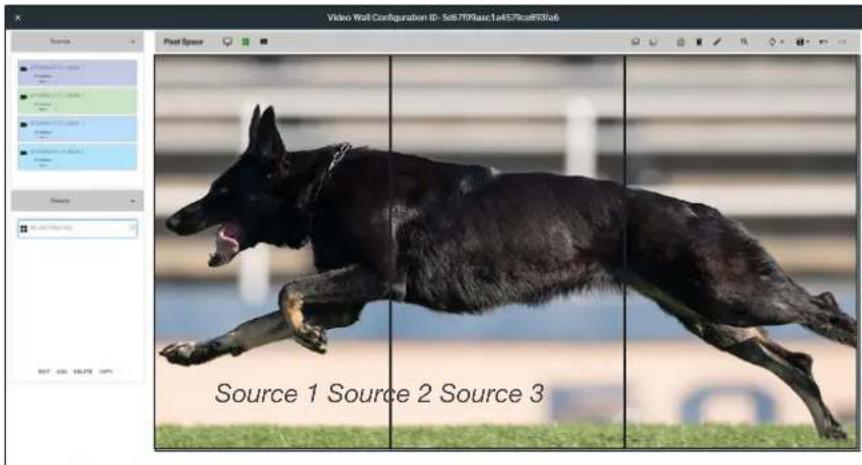
- Click the 📊 icon in the upper-right corner of the source window. The source dialog will be displayed.
- Locate the Disable Rotation toggle switch at the bottom of the dialog.
- Verify that the toggle switch is set to the far-left position. The toggle switch will be green when rotation is disabled.
- Click CLOSE to commit changes and dismiss the dialog box.
- Repeat steps 1 through 4 for each source.
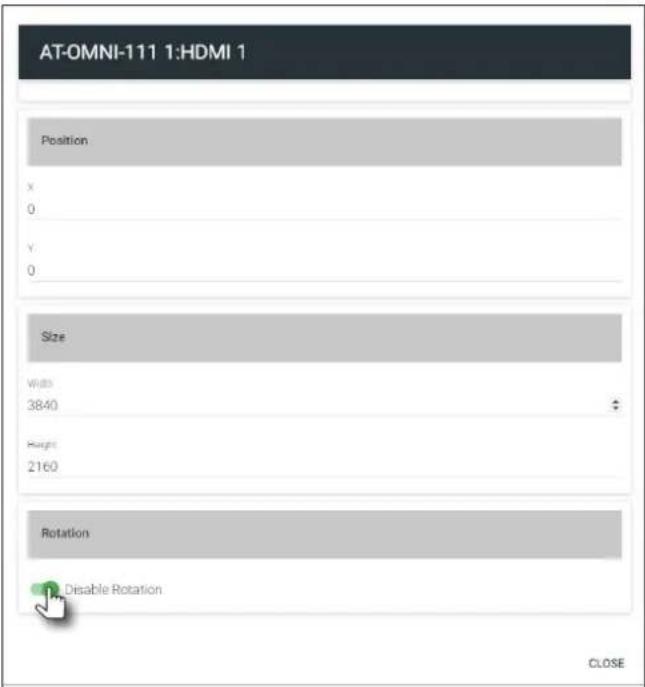
Device Operation
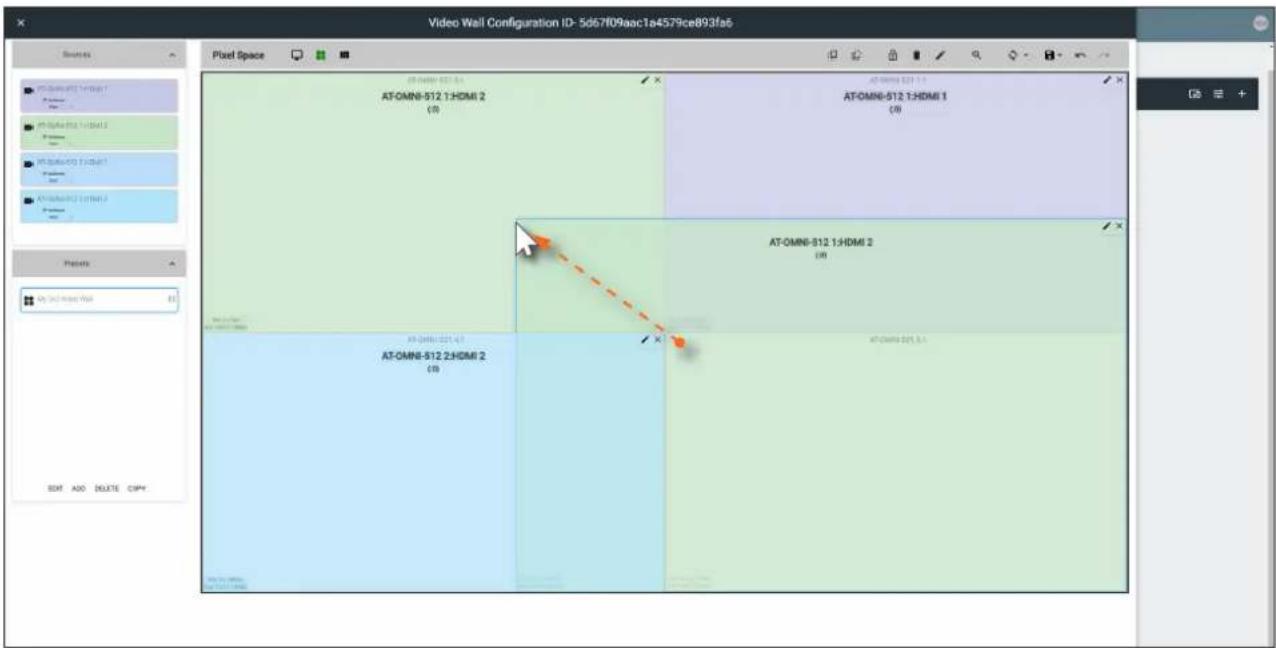
- Repeat steps 2 through 4 to create additional presets. Once the desired presets have been created, click the preset name to recall it. The video wall will be updated with the selected preset.
Refer to the Atlona Velocity User Manual for more information on using and recalling presets.
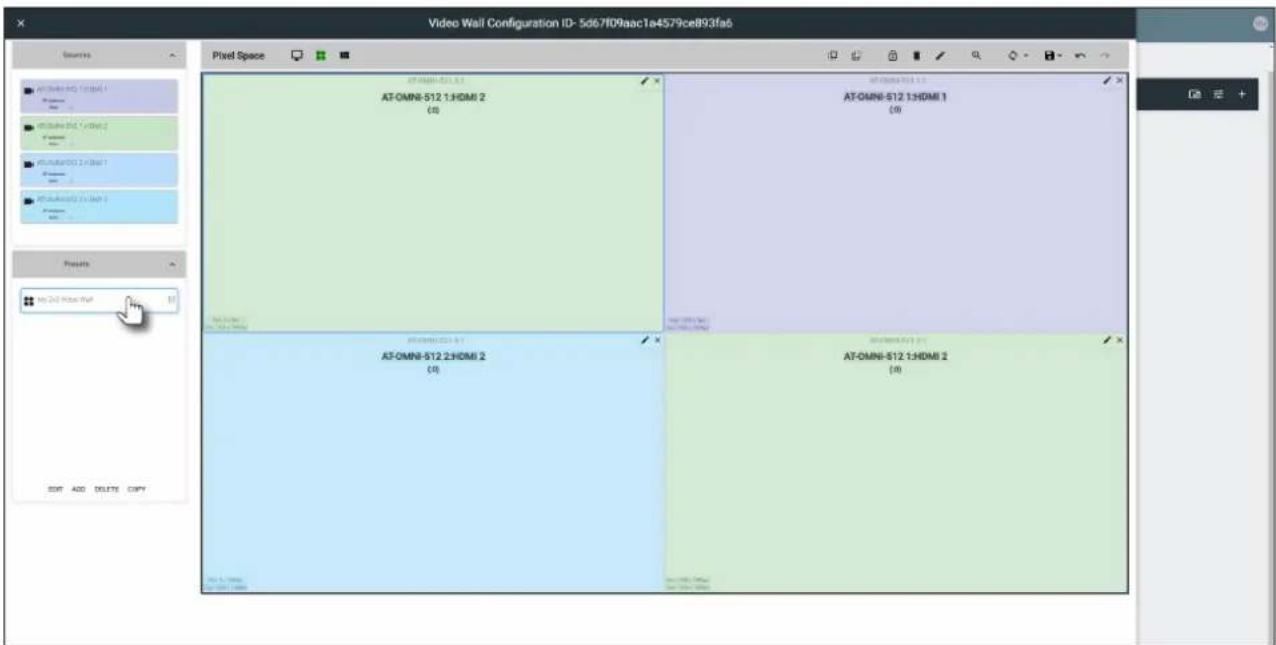
Device Operation
Creating and Using Drop Zones
Drop Zones are “containers”, allowing sources to be placed (“dropped”) in real-time on a video wall. Drop Zones are similar to presets except that, unlike presets, Drop Zone content can be changed on-the-fly within the Video Wall Control Screen.
- Populate the Pixel Space window with the desired devices.
- Click the Lock Displays icon to lock the devices in place.
-
Click the Drop Zones icon in the Pixel Space menu bar.
-
Click ADD, under the Drop Zones window, on the left side of the screen. This will create the Drop Zone preset.
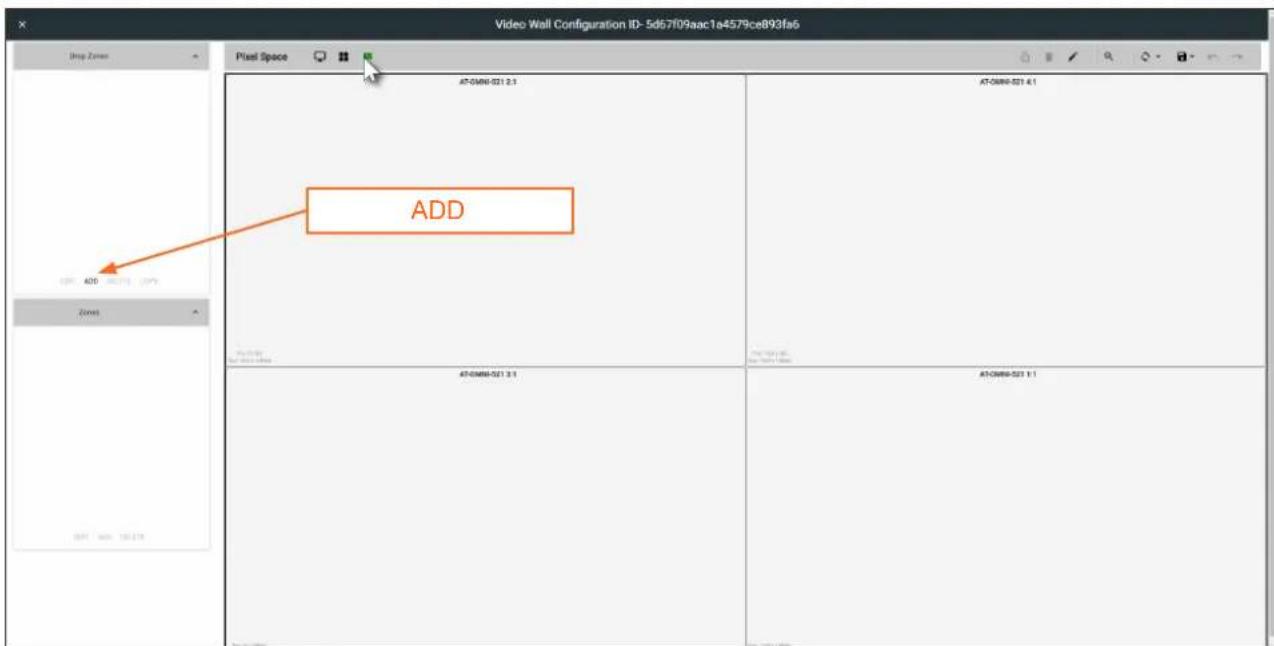
-
Click EDIT and provide a name for the Drop Zone in the Drop Zone Edit dialog box.
-
Click the CLOSE button to commit the change.
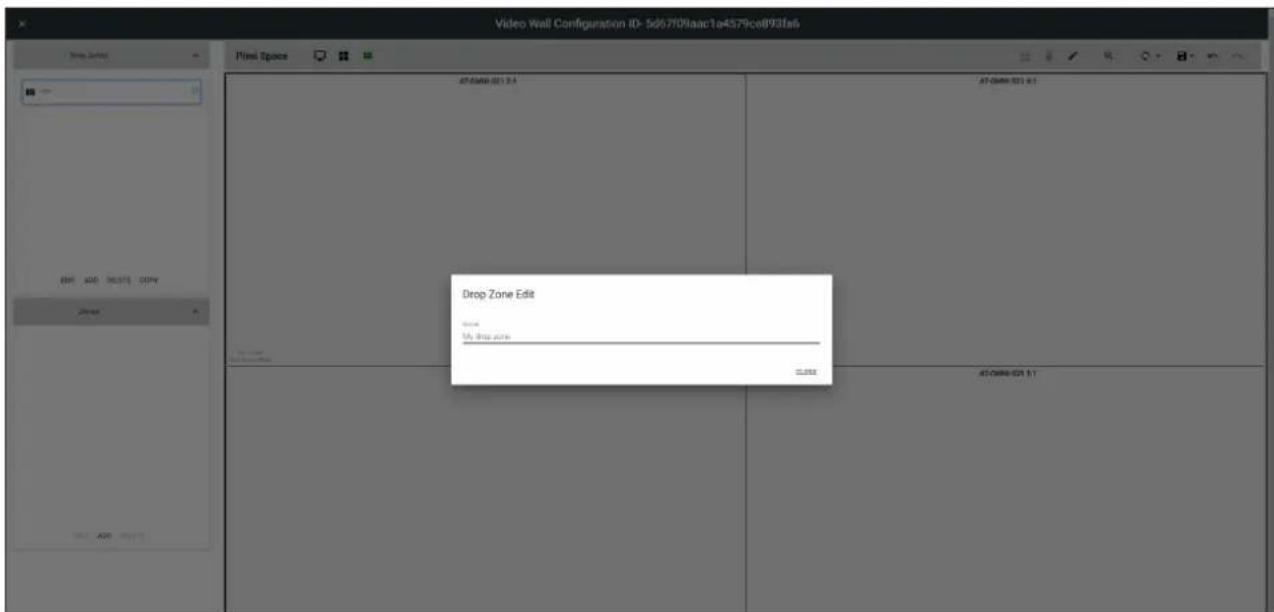
- Click ADD, under the Zones window.
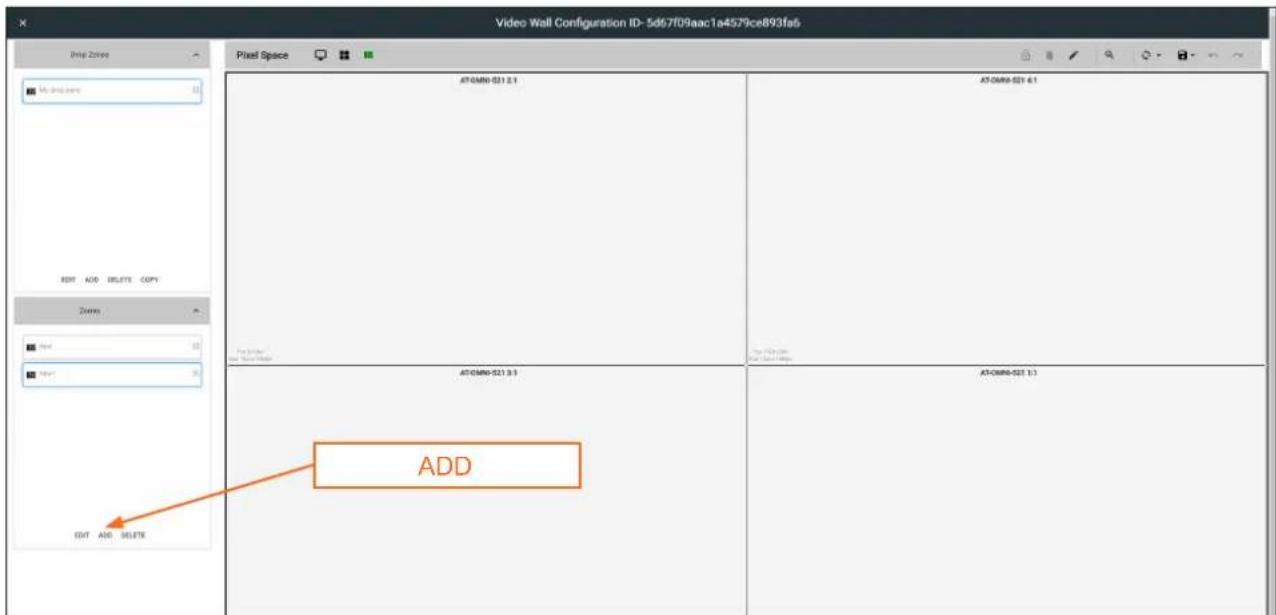
- Click EDIT and provide a name for the Zone, in the Edit Zone dialog box. Click Close to save the change.
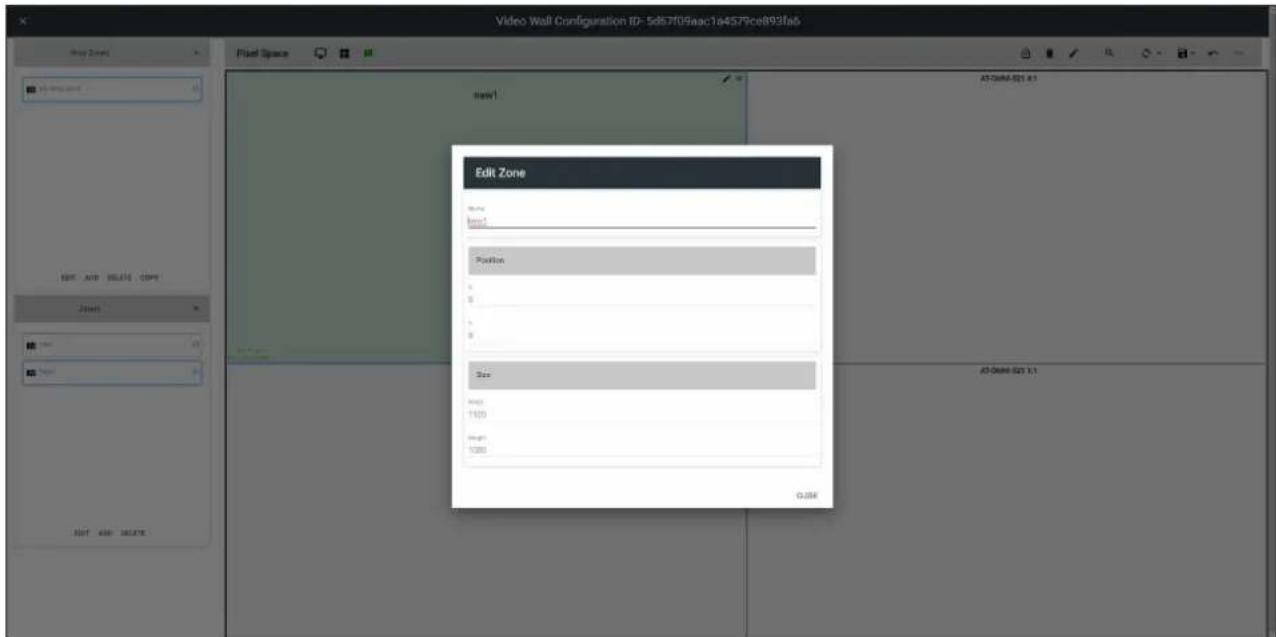
Note that each time the ADD button is clicked, a new Drop Zone container is created. In this first example, two Drop Zone containers are created. When adding containers, note that the position of each container is created in the same position, within the Pixel Space window.
Device Operation
- Drag each container to the desired area on the video wall. To place a container on each device, left-click and drag, then release when a majority of the window is placed over the device.
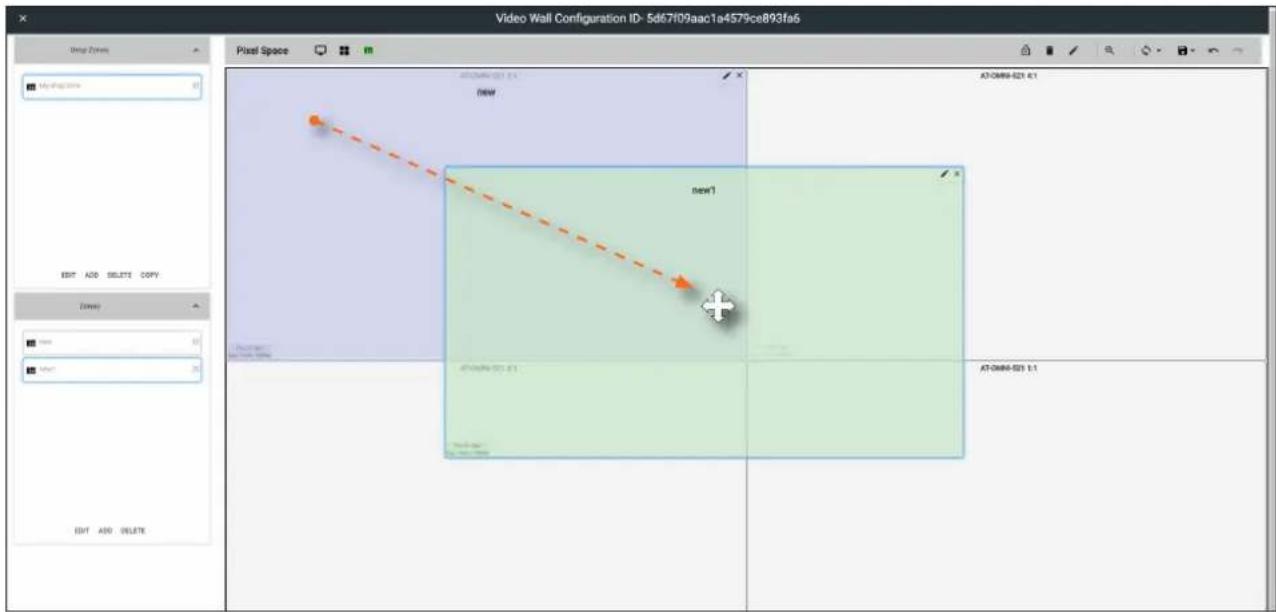
If a container is positioned over the intersection of two windows, then it will automatically be resized to accommodate both devices, as shown below. If placed over the corner intersection of more than two windows, then the container will be resized to cover all devices occupying that space.
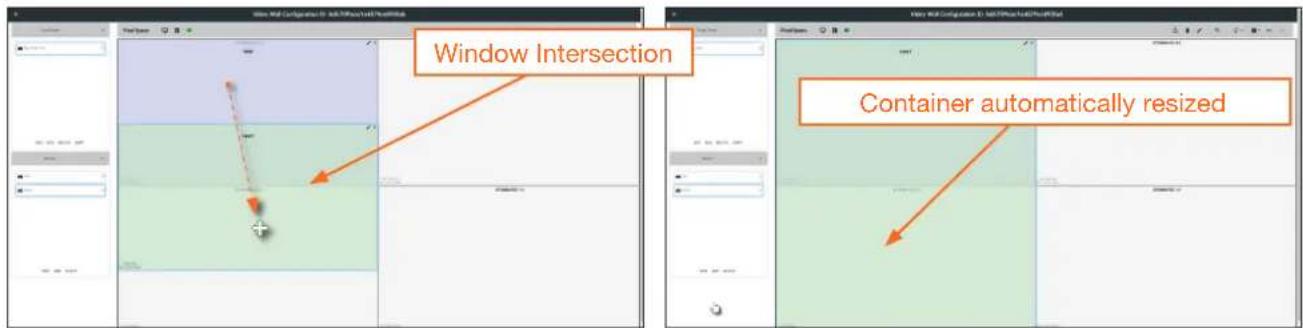
- Click the Lock Preset button, one the containers have been placed in the desired positions.
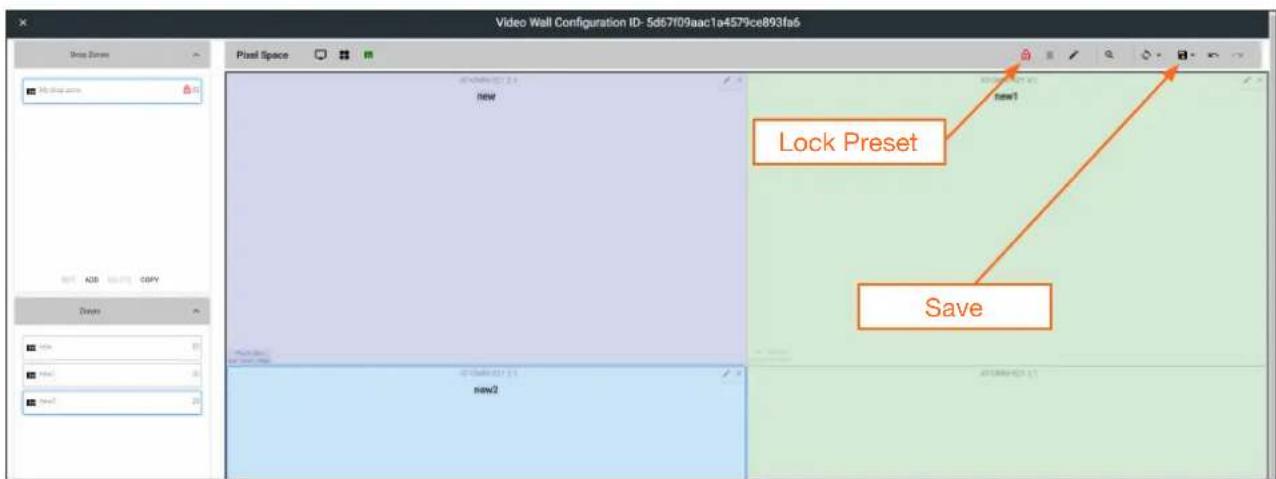
Device Operation
- Repeat the above steps to create additional Drop Zone presets. Each Drop Zone preset can have a different number of containers. However, the number of containers that are created should not exceed the number of devices within the Pixel Space window.
- Click the Save icon to commit all changes.
- Close the Video Wall Configuration window, by clicking the X, in the upper-left corner of the screen.
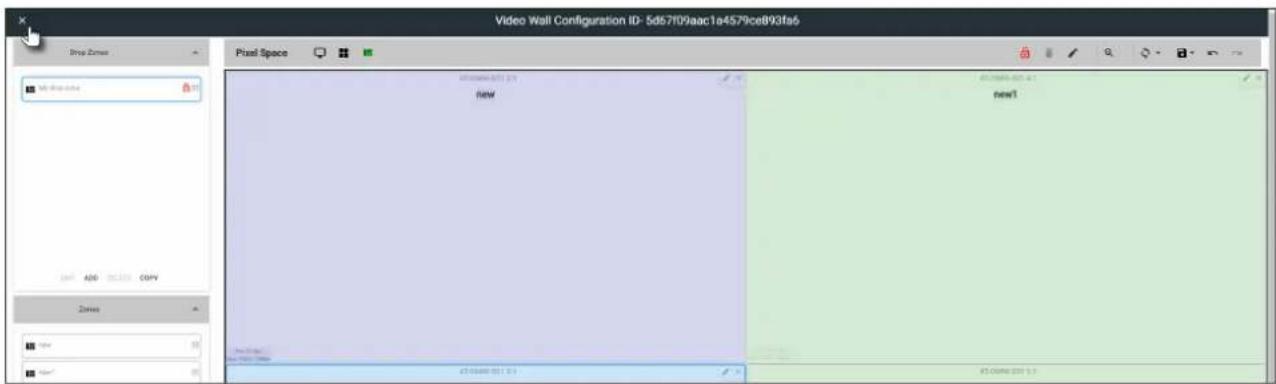
- Click the Launch Control icon, in the far-left corner of the Modify Room screen.
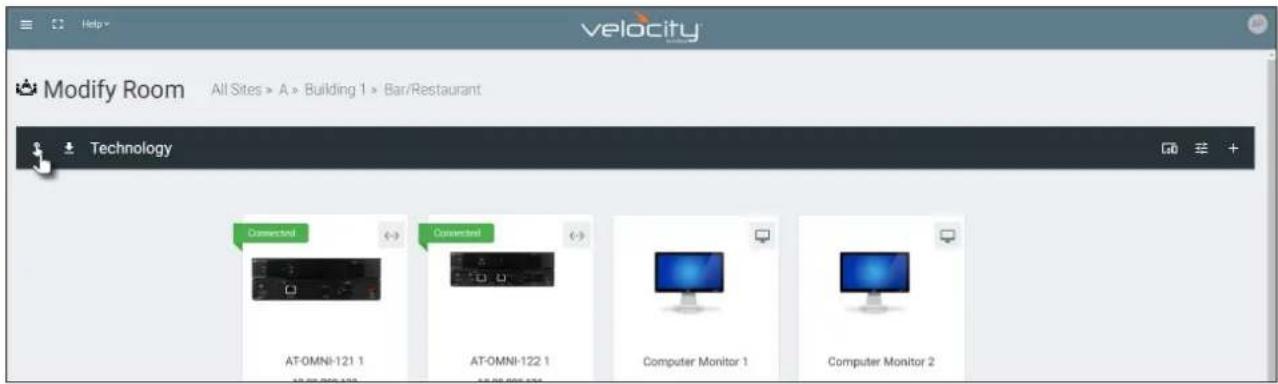
- Click the VIDEO WALL icon.
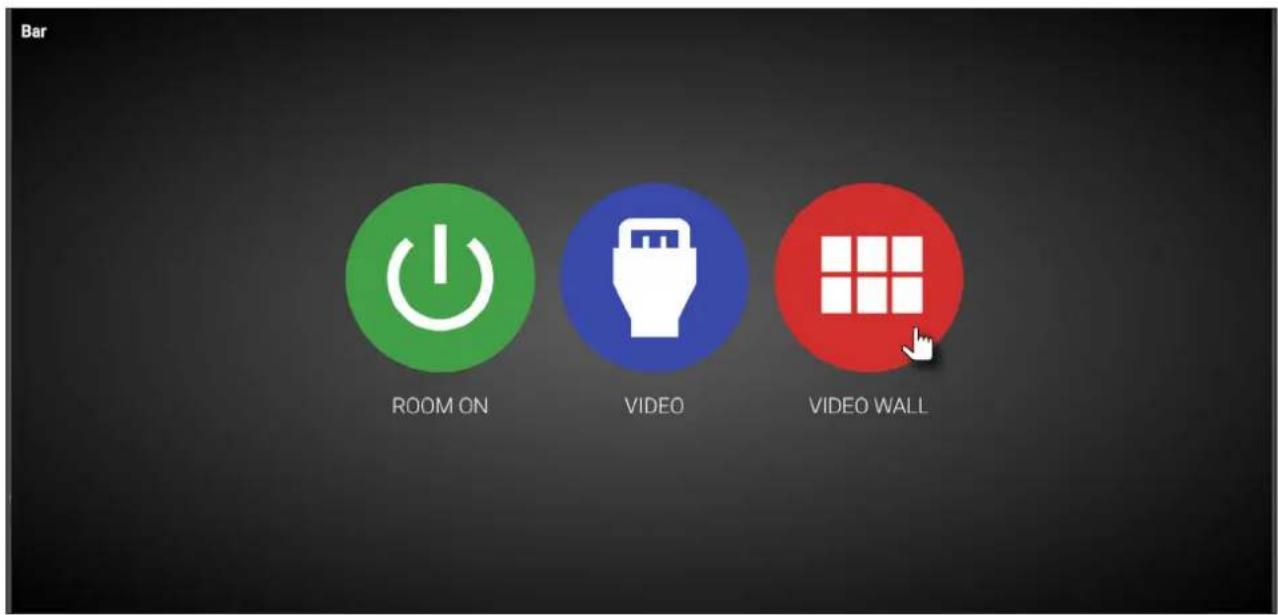
Device Operation
- The Presets portion of the control screen will be displayed. All presets that were created, will be listed on the left-hand side of the screen, as shown below. Note in this example, only one preset was created. Click the desired preset to recall it.
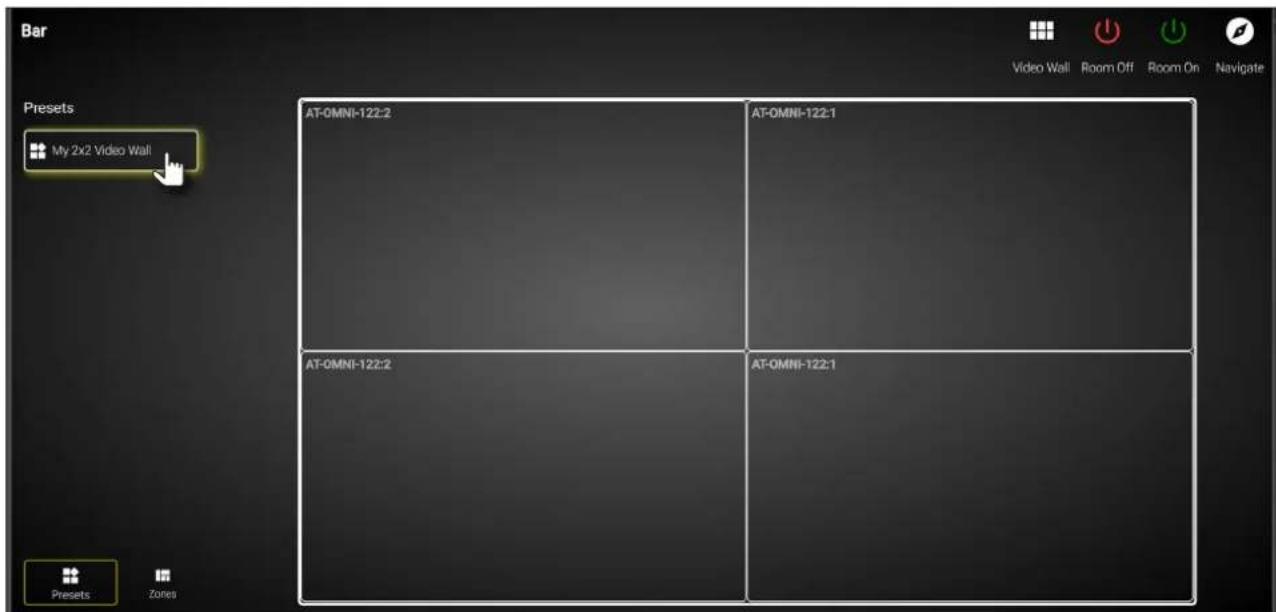
- Click Zones, in the lower-left corner of the screen to access the Drop Zones, which were created earlier. In the example example below, two Drop Zones were created.
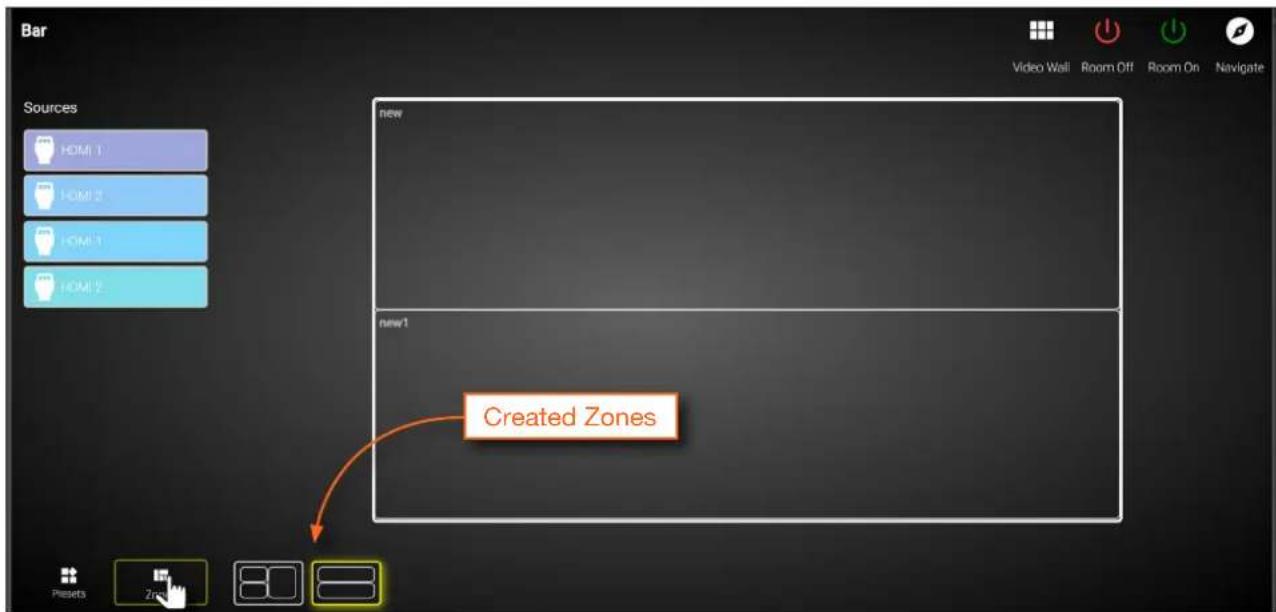
The first Drop Zone that was created, shows two containers on the left, and a single container on the right. The second Drop Zone, only uses two containers: one on the top and one on the bottom. The Preset which we created is a 2x2 video wall and represents the physical layout of the displays. Drop Zones are containers and act as a “map” to where the video sources will be applied. Refer to the next page for an example.
Device Operation
The first Drop Zone will can dynamically apply sources to the preset, which is a 2x2 video wall, to the top-left, bottom-left, and both or only one display(s) on the right-hand side. Some possible combinations are shown below. Drop Zone containers have been labeled alphabetically, for reference.
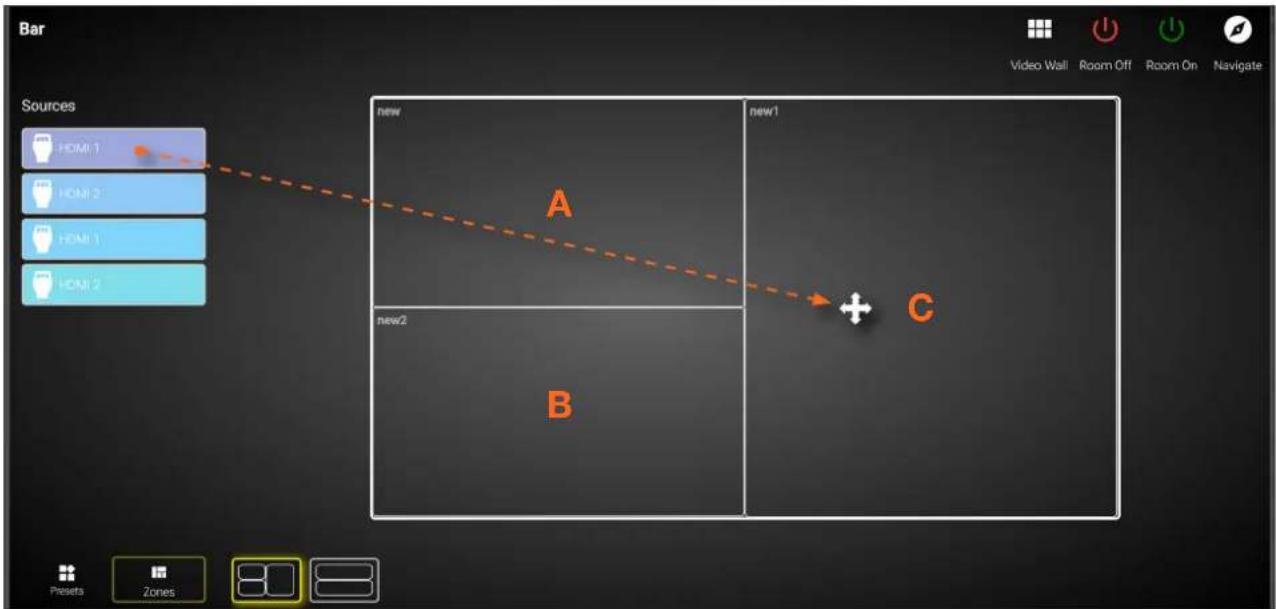
Note that although the top-right and bottom-right displays are physically separate, dragging and dropping a source from the left-hand side of the screen to Drop Zone container "C", will "map" the source to both displays.
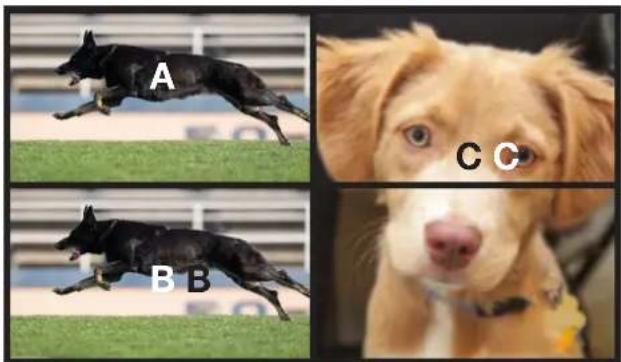
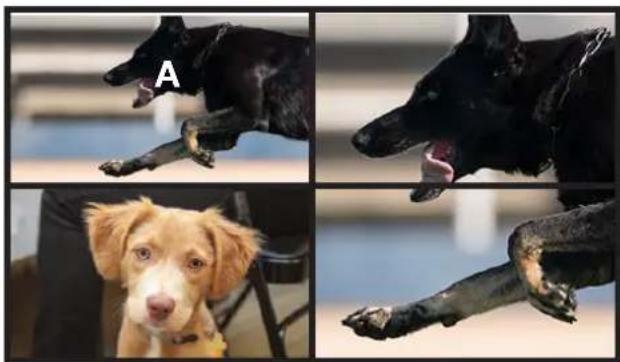
natural_image
Four-panel image showing a dog in different poses: two dogs with open hands, one with open mouth, and one with open leg (no text or symbols)To change to a different source, drag and drop a source from the left-hand side of the screen to the source to be replaced.
Device Operation
Custom Drop Zones
In addition to creating user-defined Drop Zones, the Velocity Video Wall also includes a Custom Drop Zone. This unique type of Drop Zone allows dynamic re-sizing of sources to be mapped across any of the decoders.
- Return to the Video Wall Configuration screen and click the Pixel Space icon, in the Pixel Space menu bar.
- Click the Allow custom drop zone toggle switch to enable it. When enabled, this toggle switch will be green.
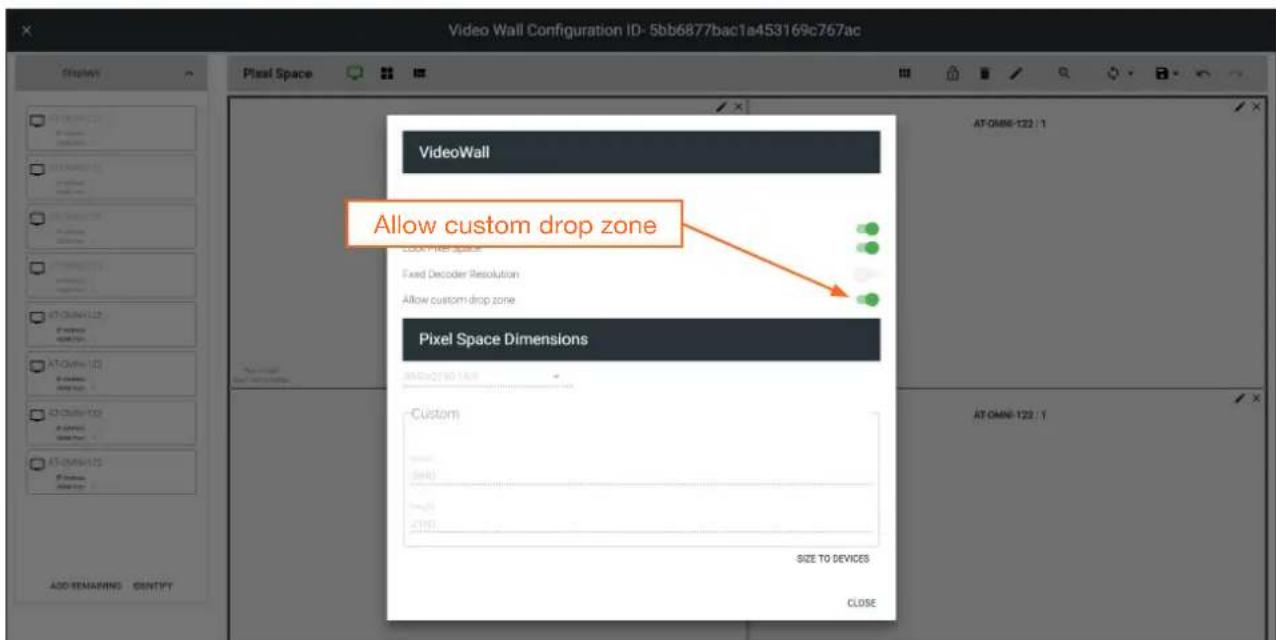
-
Click CLOSE to save changes and dismiss the dialog box.
-
Click the Save icon in the top-right portion of the Video Wall Configuration screen to commit changes.
Device Operation
- Close the Video Wall Configuration screen and then click the Launch Control icon on the Modify Room screen.
- Click the VIDEO WALL icon to enter video wall control screen.
- Click Zones at the bottom of the screen, then click the Custom Drop Zone icon.
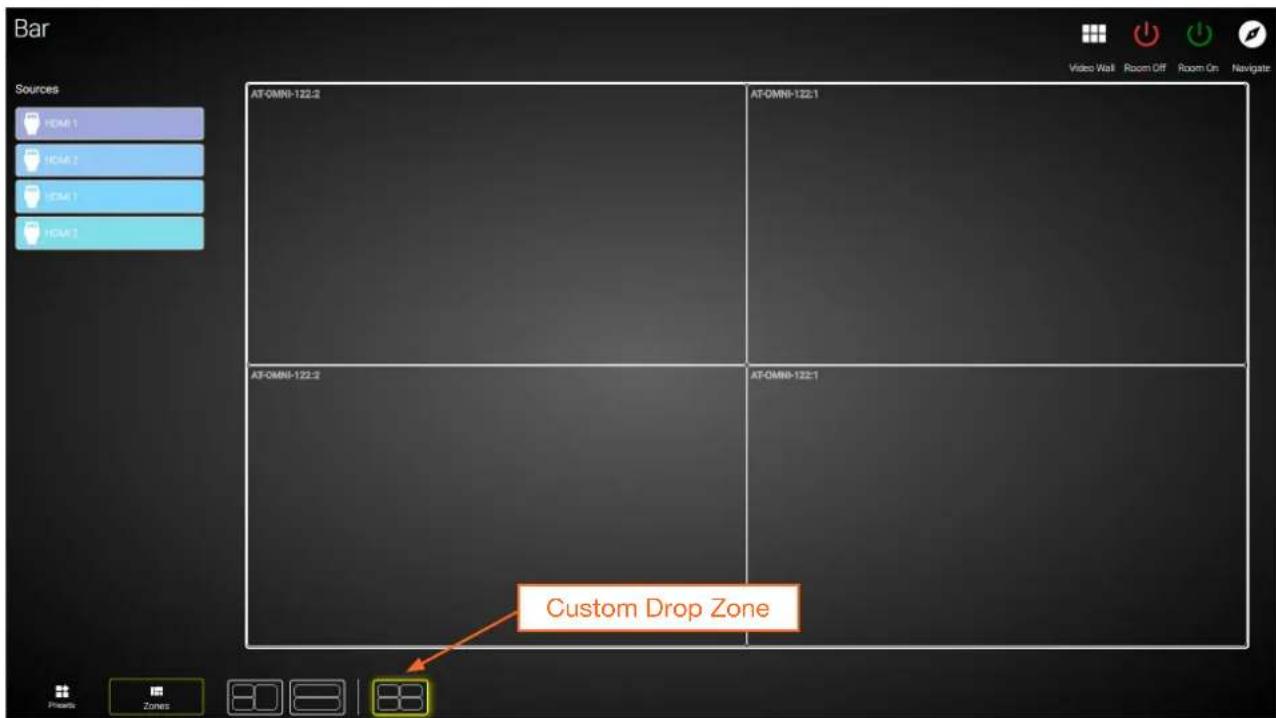
- Drag-and-drop sources from the left side of the screen, as performed with normal Drop Zones.
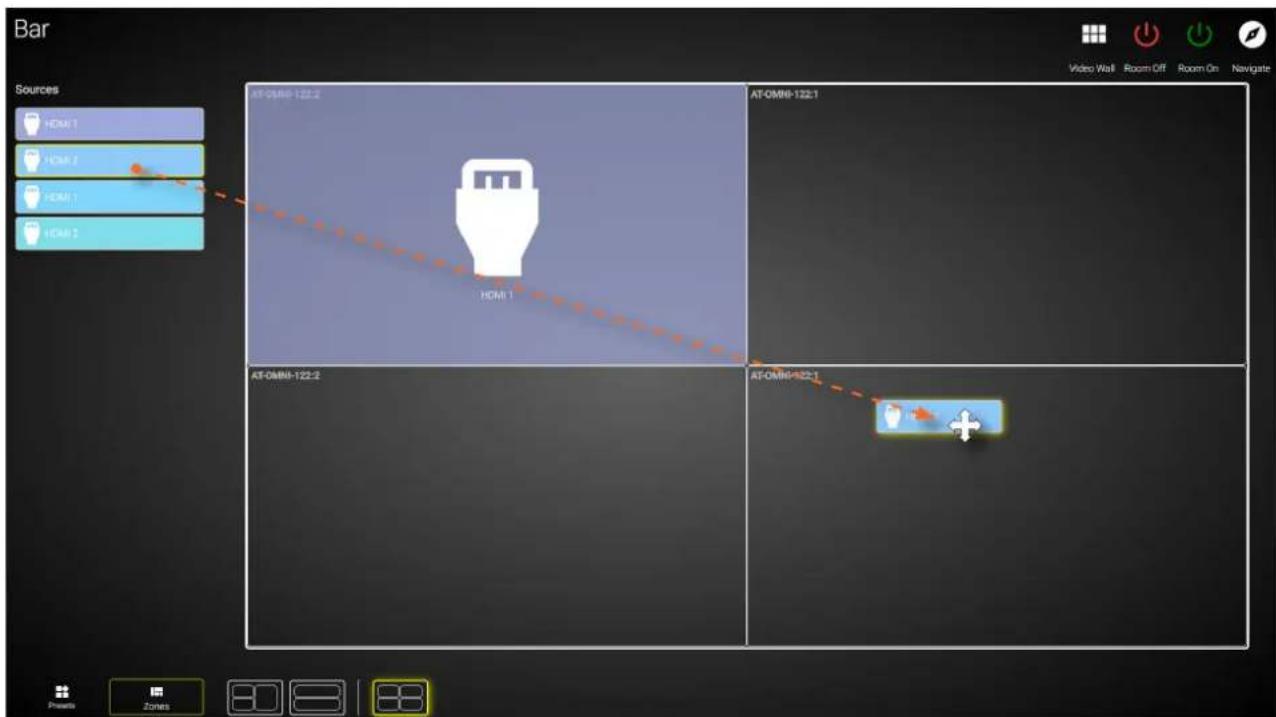
Device Operation
- Resize or reposition windows by clicking and dragging the edges of each source, horizontally / vertically, to the desired area of a container.
To reposition the source to a different container(s), click in the middle of a source, then drag and drop to the desired container(s).
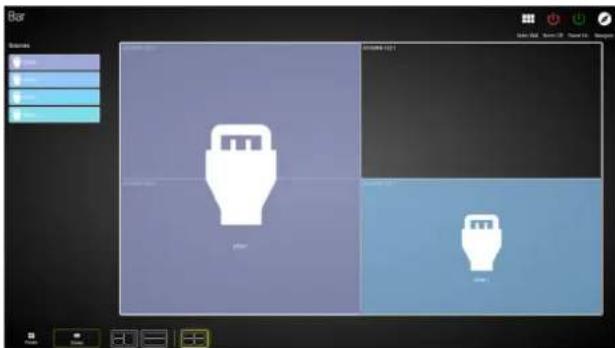
If the source is dropped at the intersection of two containers, the source will automatically be resized to fill both containers. In the example below, the source will be displayed on all four screens.
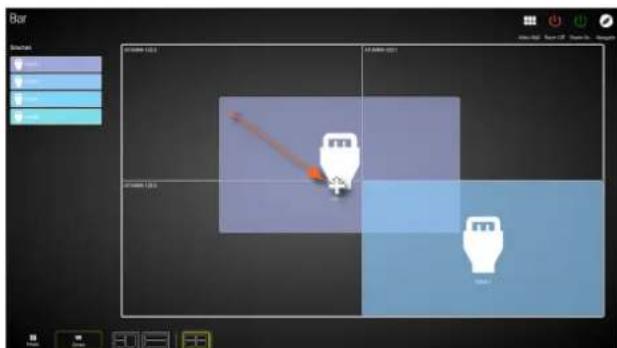
Configuring Redundant Streams
OmniStream decoders have the ability to identify missing streams, should an input be disconnected from the encoder, and will recover the image almost instantaneously. The decoder can access the same stream from two separate multicast addresses and switch between them, when necessary.
- Go to the decoder.
-
Click HDMI OUTPUT in the menu bar.
-
Under the Video section, click the Backup Mode drop-down list to select the desired mode.
| Mode Description | |
| Off | Redundancy off; output will never switch to the backup stream. |
| Join Active | The decoder sends a join request only when the primary stream is lost or if the decoder is manually switched to the backup stream. Switch time will not exceed 5 seconds.* |
| Join Always | The decoder joins both the Primary and Backup stream at the same time. Switch time will not exceed 0.5 seconds. |
* Switching time will be dependent upon the network switch that is used, as well as the number of hops between encoders and decoders on the network.
- Click the SAVE button, at the bottom of the HDMI Output window group.
Redundancy Grace Period
During use, the decoder can be switched to another multicast stream. However, if the decoder encounters a missing stream, during the switch and when redundancy is enabled, then this will cause the decoder to automatically failover to the multicast source configured as the backup. To prevent the decoder from automatically making the redundancy switch, when redundancy is enabled, a grace period can be entered. By default, the grace period is set to 0 seconds. If set to 0 seconds, automatic failover will occur if the stream is interrupted, for any reason.
- Go to the decoder.
- Click HDMI OUTPUT in the menu bar.
- Under the Video section, locate the Configuration Grace Period field and enter the desired value, in seconds. By default, this value is set to 0 (zero).
- Click the SAVE button, at the bottom of the HDMI Output window group.
AES67 Audio
AES67 audio is a standard for high-performance audio streaming over IP, providing several features such as synchronization, media clock identification, and connection management. AES67 does not support bitstream/ compressed audio formats, such as Dolby® Digital, and others. Source audio must be transmitted as LPCM up to eight channels at 192 kHz / 24-bit.
- Go to the encoder, click SESSION in the menu bar, then locate the Audio section under the desired stream. Click the Enable AES67 toggle switch to enable this feature. When enabled, the toggle switch will be green.

NOTE: If the Enable AES67 toggle switch is enabled, the SAP will also be enabled.
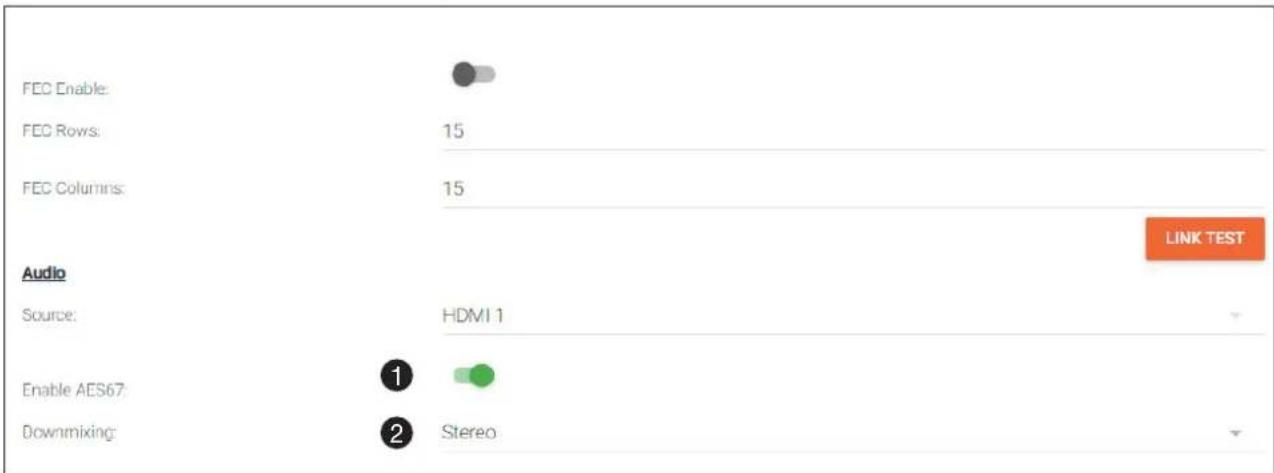

- Select the type of downmixing from the Downmixing drop-down list, if desired. Available options are: None, Mono, and Stereo.
- Click the SAVE button within the Stream window group.
- Go to the decoder interface and click OTHER in the menu bar.
- Click SAP in the left menu bar.
- Click the Enable toggle switch to enable SAP. When enabled, the toggle switch will be green. If the decoder, Dante controller, or DSP is to receive AES67 audio, this step is required.
- Click the SAVE button in the SAP window group.
Encoder Grouping
Grouping encoders allows a group of encoders to feed a single decoder, simultaneously. The stream will be displayed by the decoder using either manual or automatic input-selection, based on the presence of a source signal.
- Go to the encoder, click SESSION in the menu bar, and locate the Encoder Groups section. Click the Enable Encoder Groups toggle switch. When enabled, the toggle switch will be green.
- Locate Encoder Groups and enter a name for the group in the Group Name field. The default group names for Stream 1 and Stream 2 are session1 and session2, respectively.
- Under Members, click the ADD button.
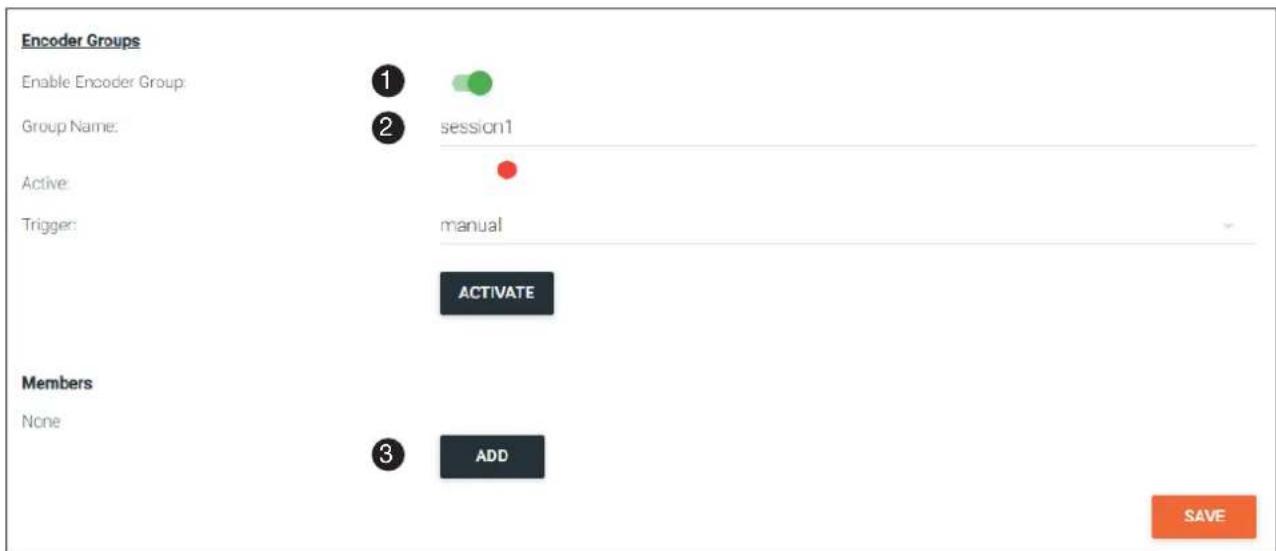
- Enter the IP address of the encoder to be added to the group.
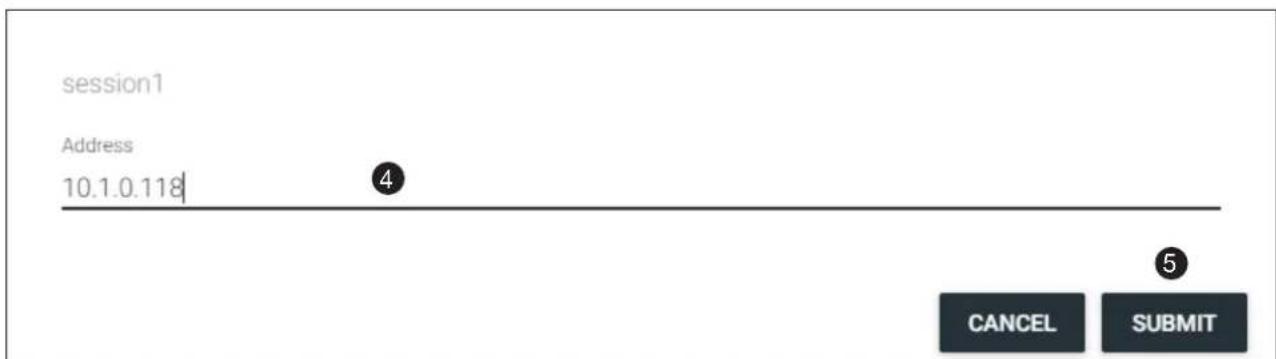
-
Click the SUBMIT button.
-
Repeat steps 3 through 5 for each encoder to be added to the encoder group.

IMPORTANT: The IP address for each encoder must be added to the group. This includes the IP address of the encoder that is being used to create the group.
- Click the Activate button to enable encoder grouping. When enabled, the Active indicator(s) will be green.
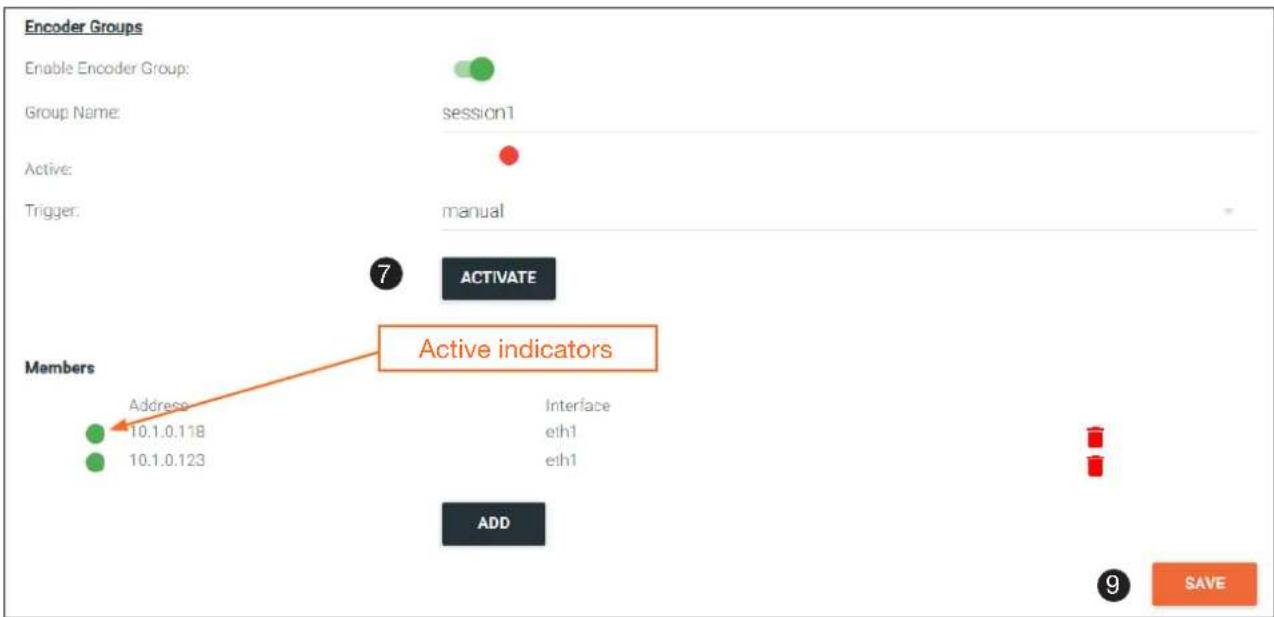
flowchart
graph TD
    A["Enable Encoder Group: Member"] --> B["Group Name: session1"]
    B --> C["Active: trigger: manual"]
    C --> D["Active indicators"]
    D --> E["Members Address: 10.1.0.118"]
    D --> F["Members Address: 10.1.0.123"]
    D --> G["Interface eth1 eth1"]
    D --> H["ADD"]
    H --> I["9 SAVE"]
- Click the Trigger drop-down list and select the desired trigger mode.
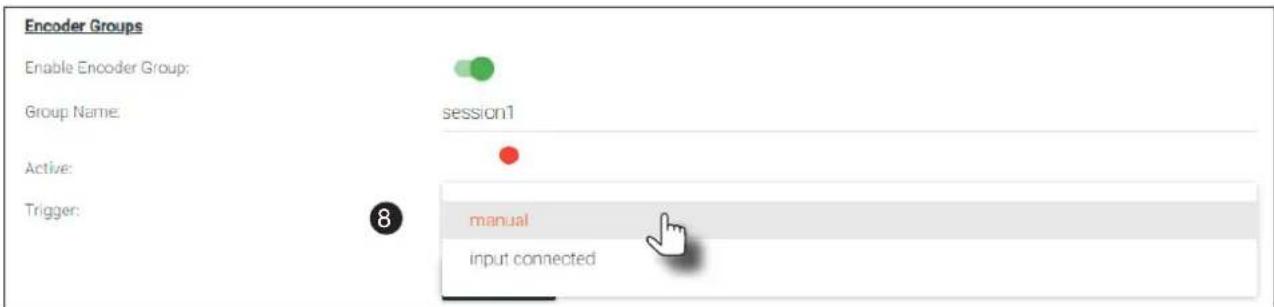
| Mode Description | |
| manual | Use this setting to manually enable the input. When set to manual, click the Activate button to perform the input switching. |
| input connected | Use this setting to allow the encoder group to use automatic input detection. Once a new source is connected, that source becomes the active source. |

NOTE: Setting Trigger to input connected should not be used when Slate Mode is set to Auto. Doing so will cause the slate to be displayed when switching inputs. If encoder auto-switching is being used, set the Slate Mode to Auto, on the decoder. Refer to Slate / Logo Insertion (page 83) for more information.
- Click the SAVE button, at the bottom of the Stream window group to commit changes.
Daisy-Chaining Encoders
Encoders can be daisy-chained to one another. This is particularly useful when only a single distribution point and one display exists in a room. Daisy-chaining transforms multiple encoders into a single multiple-input encoder with a single multicast IP address.
In the diagram below, three dual-channel OmniStream encoders are connected to a switch. In order to daisy-chain them, they must be reconnected in a different configuration. Each encoder has been labeled with an arbitrary IP address, for identification purposes.

NOTE: Single-channel encoders do not support daisy-chaining. In addition, the OmniStream R-Type Encoder (AT-OMNI-512) does not support daisy-chaining and cannot be combined with OmniStream Pro daisy-chain configurations.
- Reconnect the encoders to one another, and to the switch, as shown in the illustration below.
- Connect the optional OmniStream power supply (AT-PS-48083-C) to each encoder in the chain.

IMPORTANT: The optional OmniStream power supply (AT-PS-48083-C) must be connected to each encoder that is daisy-chained, in order to supply the required power. Note that since each encoder must use an external power supply, connection to a PoE switch is not required.
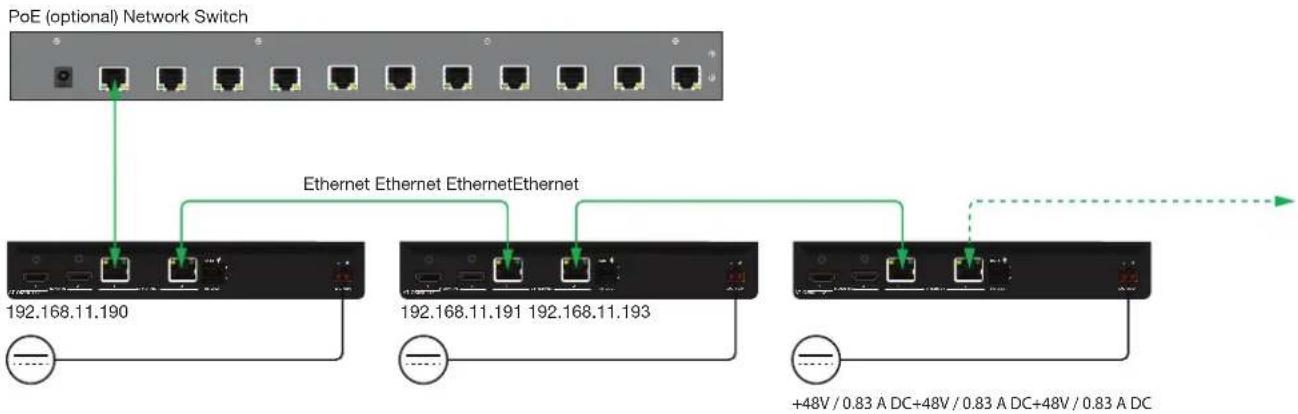
flowchart
graph TD
    A["PoE (optional) Network Switch"] --> B["192.168.11.190"]
    A --> C["192.168.11.191 192.168.11.193"]
    A --> D["+48V / 0.83 A DC+48V / 0.83 A DC+48V / 0.83 A DC"]
    B --> E["Ethernet Ethernet Ethernet"]
    C --> F["Ethernet Ethernet Ethernet"]
    D --> G["+48V / 0.83 A DC+48V / 0.83 A DC+48V / 0.83 A DC"]
- Login to the encoder.
- Click SESSION in the menu bar.
- Create an encoder group for using each encoder in the chain. Refer to Encoder Grouping (page 76) for more information. Since there are three encoders in this example, each encoder will be listed under the SESSION page, as shown. Encoders can be added to an encoder group in any order.
To delete an encoder from the Members list, click the icon to the right of its IP address.
Figure 1. Daisy-chained encoders with single decoder and display (sink).
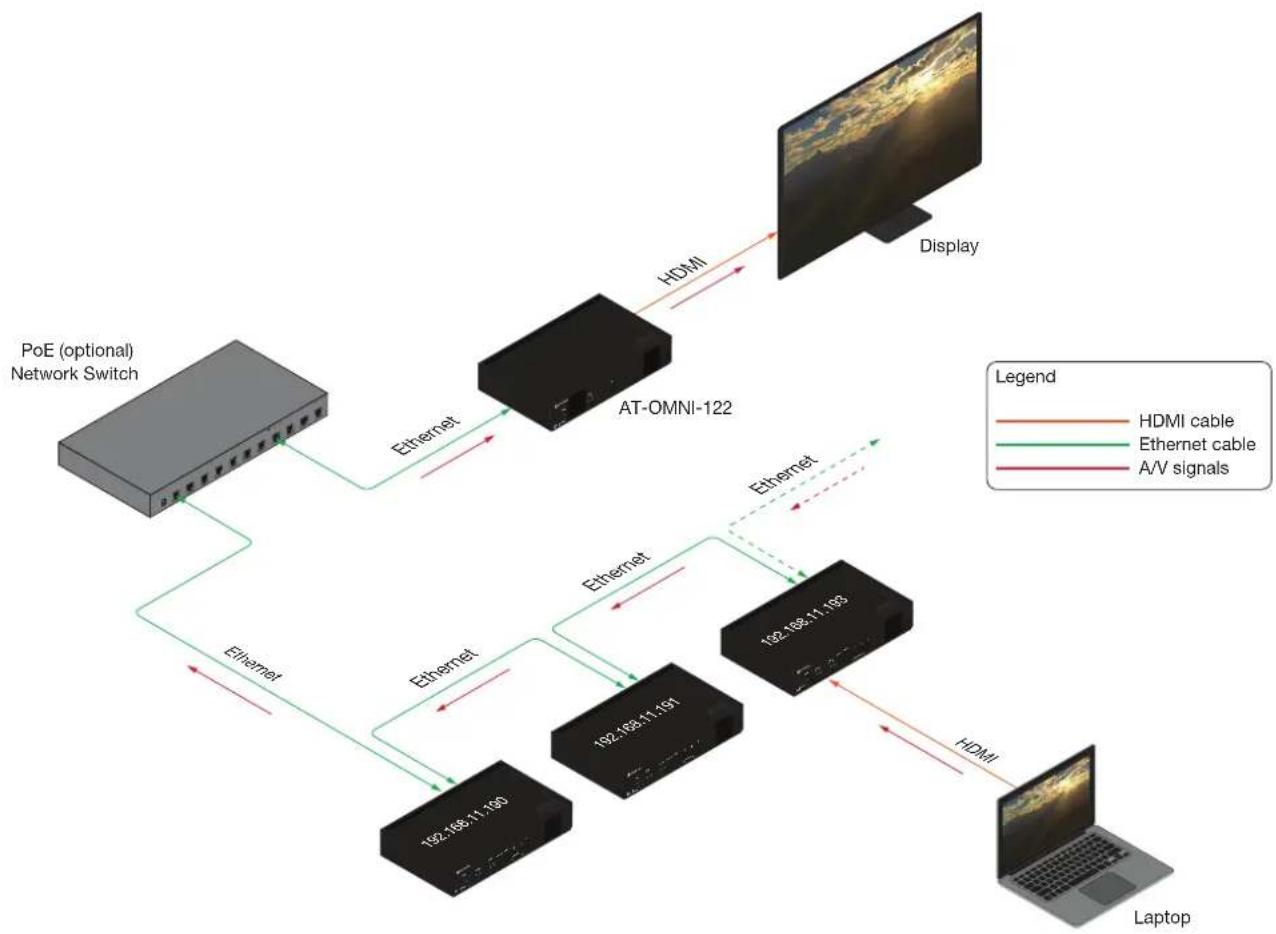
flowchart
graph TD
    A["PoE (optional) Network Switch"] -->|Ethernet| B["AT-OMNI-122"]
    B -->|HDMI| C["Display"]
    B -->|Ethernet| D["192.168.11.100"]
    B -->|Ethernet| E["192.168.11.191"]
    B -->|Ethernet| F["192.168.11.193"]
    D --> G["Laptop"]
    E --> G
    F --> G
    style A fill:#ccc,stroke:#333
    style B fill:#ccc,stroke:#333
    style D fill:#ccc,stroke:#333
    style E fill:#ccc,stroke:#333
    style F fill:#ccc,stroke:#333
    style G fill:#ccc,stroke:#333
- Click the Trigger drop-down list to select the trigger mode. Selecting the trigger mode will set how the OmniStream encoder will respond when a source is disconnected/connected.
The diagram above shows a basic daisy-chain setup. The path of the A/V signal is identified with red arrows. When encoders are daisy-chained, they function as one single encoder. In this example, daisy-chaining three dual-channel encoders, creates a single “logical” encoder with six HDMI inputs.
When daisy-chaining encoders, the following rules apply:
- All encoders will stream content using the same multicast IP address. Therefore, the decoder must be subscribed to this multicast IP address in order to display the content.
- Daisy-chained encoders can only display one source at a time. Click the Trigger drop-down list to determine how the encoder will handle switching between sources.
- The last source that is connected will be the one that is displayed. However, this is only occurs if the Trigger mode is set to input connected.
- Pressing the INPUT button, on the front panel of an encoder, will toggle between HDMI inputs.
Device Operation
Scrambling
OmniStream supports 128-bit Advanced Encryption Standard (AES) scrambling and is required for HDCP-encrypted streams. Scrambling can be enabled or disabled through the web server, and can be applied to individual sessions. In order for scrambling to function properly, it must be enabled on both the encoder session and all decoders subscribed to a stream that is a part of a scrambled session. The scrambling key on both encoder and subscribed decoder(s) must be identical. When enabled, the default scrambling key is “scrambling”.
-
Login to the encoder.
-
Click SESSION in the menu bar.
-
Click the Scrambling toggle switch under the desired Stream window group. Once enabled, the toggle switch will be green.
-
Enter the desired scrambling key in the Key field.
-
Click the SAVE button at the bottom of the Stream window group to commit the changes.

IMPORTANT: If a user-defined key is specified, then it must be a minimum of eight alphanumeric characters. Special characters and spaces are not permitted. Also note that if a key is generated, the same generated key (on the encoder) must also be used on the decoder, in order to de-scramble the signal.
Fast Switching
The VCx codec provides fast switching at resolutions up to 4K @ 60 Hz. This is an improvement over the VC-2 codecs that limited fast switching to 1920x1200. When the decoder resolution and frame rate are set to Auto, VCx fast switching operates at the preferred resolution and frame rate of the display. In some cases, this preferred resolution and frame rate might not be the maximum supported by the display. If fast-switching is desired at a supported resolution and/or frame rate other than the preferred resolution and frame rate, the decoder can be manually configured for those resolutions.
The fast switching time depends primarily on three things, when switching between streams: resolution, frame rate, and bitrate. For example, a 4K60 stream operating at 750 Mb/s requires \~250 ms to switch. On the other hand, a 1080p stream operating at 750 Mb/s requires less than 50 ms to switch. The time it takes to switch is determined by the amount of time it takes for all the data for a complete frame to be received by the decoder. To improve the fast switching time, decrease the resolution, lower the frame rate, or increase the bitrate.

IMPORTANT: If Fast Switching is enabled, latency increases from 0.5 frames to 1.5 frames. When using Fast Switching mode, the output resolution will be 1920x1080p, regardless of the source resolution. Also note that 1080i is not supported in Fast Switching mode. Also note that Slate / Logo Insertion and Text Insertion will be automatically disabled when Fast Switching is enabled.
- Login to the decoder and click HDMI OUTPUT in the menu.
- Click the Fast Switching Enable toggle switch to enable this feature. When enabled, the toggle switch will be green.
- Enter the timeout interval, in seconds, in the Fast Switching Timeout(s) field. If fast switching is enabled and the decoder is switched to a different stream, but the stream is not present, then the decoder will hold the last image on the screen. This image will continue to be displayed until either a new stream appears or the decoder is switched to a different stream. Once the timeout interval has expired, the screen will go black. Setting the timeout interval to 0 disables this feature and the last image will be displayed indefinitely.

NOTE: The following table is only applicable when using the VC-2 codec.
Input Resolution (from Encoder) Output Resolution (AT-OMNI-121) Output Resolution (AT-OMNI-122)
| 1280 x 720p 1280 x 720p 1280 x 720p | |
| 1920 x 1080p @ 60 Hz 1920 x 1080p @ 60 Hz 1920 x 1080p @ 30 Hz | |
| >1920 x 1080p (up to UHD) 1920 x 1080p @ 60 Hz 1920 x 1080p @ 30 Hz |
Device Operation
Fast Switching FAQs
Question: Does fast switching work between streams of different resolutions?
Answer: Yes. Fast switching can be used between streams with different resolutions and frame rates.
Question: Does fast switching work between HDR and SDR streams?
Answer: Yes, fast switching can be used between HDR and SDR streams; however, it's important to note that some color artifacts may appear during the switch.
Question: Does fast switching work between single streams and multiviews or between multiviews?
Answer: No. Due to the way multiviews work, fast switching is not supported. However, it is not necessary to change the fast switching setting – the decoder will switch as fast as possible between multiviews and return to fast switching when single streams are used.
Question: Does fast switching work on video walls?
Answer: No. Fast switching is not supported when using video walls.
Device Operation
Slate / Logo Insertion
Slate / logo insertion is managed from within Velocity. The difference between a “slate” and “logo” is in the size of the image and how it is used: Logos are classified as smaller, low-resolution images that can be positioned at specified locations on the screen. Slates occupy the entire screen. Note that while logos may be used as slates, the image quality will be degraded, as the image will be scaled to fill the screen.
Slate / logo insertion can be performed on both the encoder and decoder. When configured on the encoder, the image that is displayed on the output (decoder) will be from the encoder IP address(es) to which each decoder is subscribed. When configured on the decoder, the image is unique to the specified HDMI output.
Adding Slates / Logos
Configuration as a Logo
- Go to the encoder, click OTHER in the menu bar, then enter the name of the image in the Name field. If a name is not specified, then the UPLOAD button will be disabled.
- Under the New logo window group, click the Choose File button and select the image to be used. Only .png files are valid selections.
- Click the UPLOAD button to upload the file.
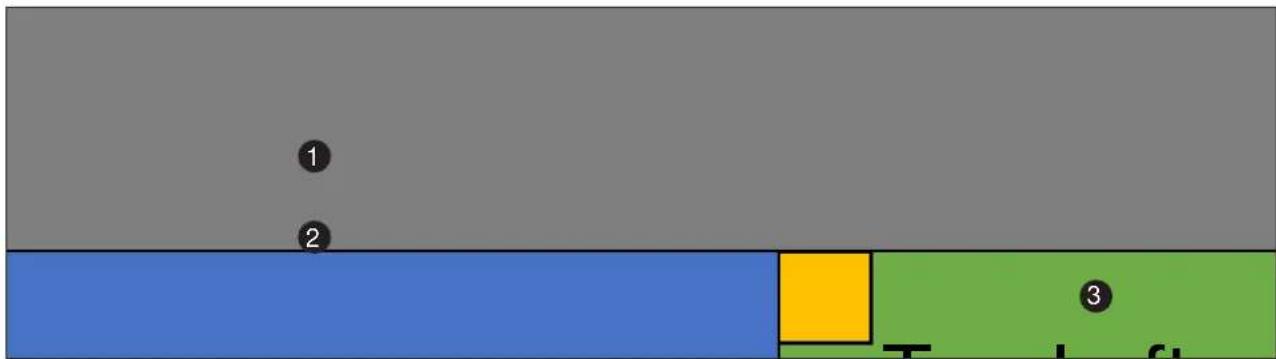
- A new window group will be created with the name of the logo that was provided in Step 1.
- Under the HDMI Input Logo window group, click the Enabled toggle switch to activate the logo/slate feature. When enabled, this toggle switch will be green.

Device Operation
- Click the Select Logo drop-down list and select the desired logo. To prevent the image from being displayed, select the Not used option.
- Click the Aspect Ratio drop-down list to set the aspect ratio of the image. Selecting Keep will maintain the aspect ratio. Select Stretch to scale the image to fill the screen.
- Enter the location of the on-screen image, in pixel values, by entering the desired values in the Horizontal and Vertical fields.
- Click the SAVE button to commit changes.
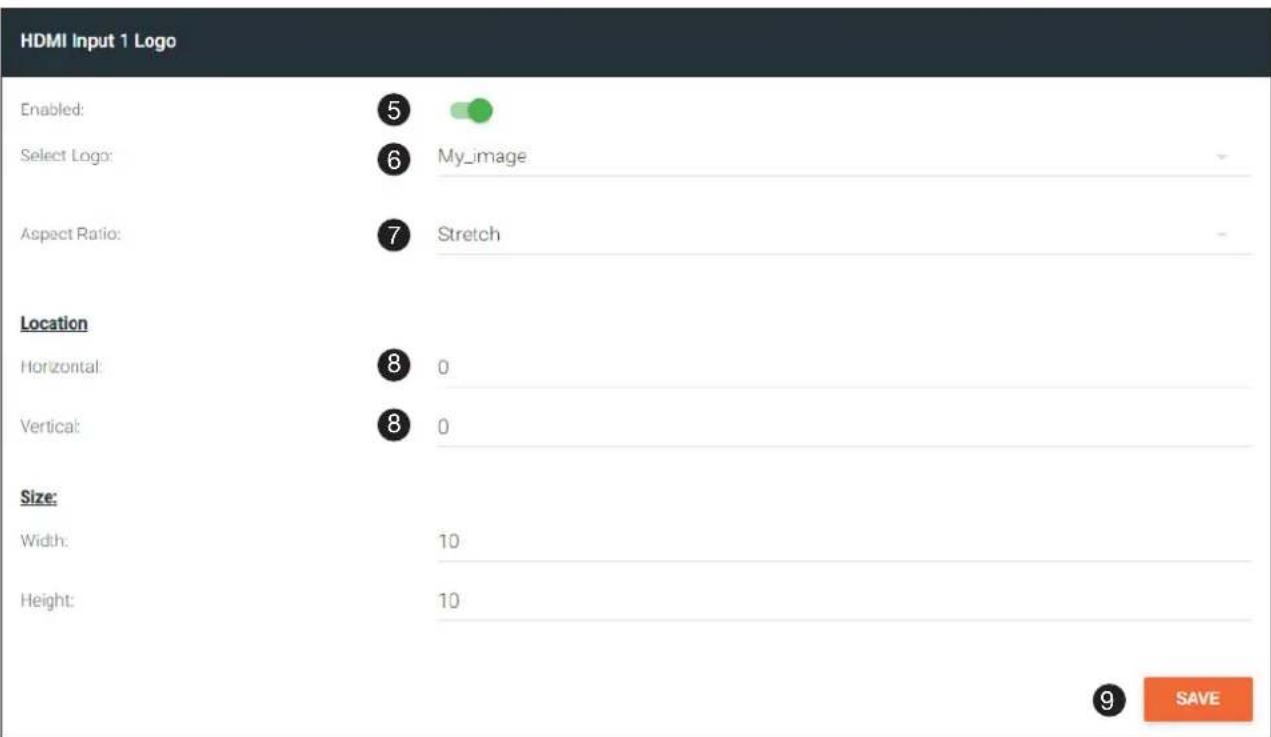
Configuration as a Slate
- Upload the image as outlined in the previous section. Click INPUT in the menu bar, then go to the desired encoder and click the Slate mode drop-down list. Select Off, Manual, or Auto.
| Mode Description | |
| Off Disables the image from being displayed. | |
| Manual The image will always be displayed, superimposed on the source signal, and will remain even if the source signal is lost. | |
| Auto The image will only be displayed when the source signal is lost. | |
- Click the Slate Logo drop-down list and select the desired image. Note that if Slate Mode is set to Off, then this field will not be visible.
- Click the SAVE button to apply all changes.
Encoder 1
Input:
HDMI Input 1
Max Bit Rate:
450
Subsampling:
4:2:2
Force YUV:

Slate Mode:

Auto
Slate Logo:

My_image
Scaler:
disable
Thumbnail
Enable

natural_image
Desktop interface with icons and a blurred abstract background (no readable text or symbols)
SAVE
Device Operation
Deleting Slates / Logos
Follow the instructions below to remove a logo/slate image.
- Click OTHER in the menu bar.
- Click the DELETE button in the desired image window group. When the DELETE button is clicked, the window group and the associated image will be deleted from the encoder. If the DELETE button is disabled, do the following:
a. Locate the HDMI Input Logo window groups.
b. Click the Select Logo drop-down list and select Not Used.
c. Click the SAVE button.
d. Refresh the page.
e. Click the DELETE button to remove the logo.
Text Insertion
- Go to the encoder, click OTHER in the menu bar, then click Text in the side menu bar. Click the Enabled toggle switch under the desired HDMI Input Text window group. When enabled, this toggle switch will be green.
- In the Text field, enter the desired text.
- Specify the speed of the scrolling text in the Scroll Speed field. Values from -255 to 255 are valid. Negative numbers will scroll the text from left to right. Positive numbers will scroll text from right to left.
- Enter the number of iterations in the Iteration field. Set this field to 0 (zero) to set the number of iterations to infinity.
HDMI Input 1 Text
Enabled:
Text:
Scroll Speed:
Iterations:


This is some sample text

10

0
Color
Color:
Red.
Green:
Blue:
Alpha:

white
255
255
255
255
Location
Horizontal (%):
Vertical (%):
Size
Width (%):
Height (%):
0
0
10
10
SAVE
- Click the Color drop-down list to select the color of the text. The Red, Green, and Blue fields can be changed to further modify the color of the text. Adjust the Alpha field to control the transparency of the text. A value of 255 is opaque and a value of 0 is transparent. Numbers from 0 to 255 are valid for each of these fields.
Device Operation
- Specify the location of the text in the Horizontal (%) and Vertical (%) fields. Each of these values is based on the horizontal and vertical resolution of the screen.
- Specify the size of the text in the Width (%) and Height (%) fields. Each of these values is based on the horizontal and vertical resolution of the screen.
- Click the SAVE button to commit all changes.
HDMI Input 1 Text
Enabled:
Text:
Scroll Speed:
iterations:


This is some sample text

10

0
Color
Color:
Red.
Green:
Blue:
Alpha:
white
255

255
255
255
Location
Horizontal (%):
Vertical (%):

0
0
Size
Width (%):
Height (%);

10
10
8
SAVE
Configuring a Static IP Address
There will be situations where it is desirable for the encoder to be assigned a static IP address. Some IT environments prefer this method, as opposed to having a DHCP server dynamically assign IP addresses. In other cases, an encoder that is in Auto IP (APAPI) mode will need to have a static IP address assigned before it can be connected to a network with a specified subnet.
Prepare the Encoder and the PC (Auto IP Mode only)
If an encoder is unable to recognize a DHCP server, within 60 seconds after being connected to a network, the encoder is placed in Auto IP (APAPI) mode and assigned an IP address within the range 169.254.xxx.xxx. In order for the encoder to be recognized on the network, it will need to be assigned a static IP address.
- Make sure that the encoder is powered. Power will need to be supplied either by the external 48V power supply (not included) or by connecting an Ethernet cable from the encoder to a PoE-capable switch.
- Connect an Ethernet cable from the PC, to one of the Ethernet ports on the encoder. If using the AT-OMNI-112, the Ethernet cable can be connected to either ETHERNET 1 or ETHERNET 2 port.
- Configure the PC to a static IP address that is on the same subnet as the encoder.

IMPORTANT: Under Microsoft Windows, make sure to write down the current IP settings in order to restore them, later. If Obtain an IP address automatically and Obtain DNS server automatically are selected, then this step is not required.
General Static IP Configuration
- Go to the encoder/decoder, click NETWORK in the menu bar, then click the DHCP Mode drop-down list and select Static.
- Enter the desired IP address in the IP address field.

IMPORTANT: Dual-channel encoders provide two Ethernet interfaces. It is important to understand that even though they are separate physical interfaces, they should be configured as a single interface. For example, if configuring the encoder in static mode, make sure both Network 1 and Network 2 are configured with a static IP address. Network 1 and Network 2 should not be configured in different modes.
Network 1 (eth1)
Enabled.
Carrier.
DHCP Mode


Static
Changing IP Mode from Static to DHCP requires running a scan to find the new IP address of the device.
IP Address:
Subnet:
Gateway.

10.1.0.111
255.255.254.0
10.1.1.254
Device Operation
- Enter the subnet mask in the Subnetmask field.
- Enter the gateway (switch/router) address in the Gateway field.
- Click the SAVE button to commit all changes.
Network 1 (eth1)
Enabled:
Carrier:
DHCP Mode


Static
Changing IP Mode from Static to DI-ICP requires running a scan to find the new IP address of the device.
IP Address:
Subnet:
Gateway:
Link Speed
MAC Address
Telnet Enable:
Telnet Authentication
802.1x Mode:

10.1.0.111

255.255.254.0

1011254
1000
B8:98:B0:01:FA:58


none

SAVE
802.1X Authentication
802.1X is a server-based port authentication which restricts unauthorized (rogue) clients from connecting to a Local Area Network through a public port. In its simplest form, 802.1X usually involves three parties: supplicant (client device), authenticator (Ethernet switch or WAP), and an authentication server. Before the device is permitted on the network, port communication is restricted to Extensible Authentication Protocol over LAN (EAPOL) traffic. If the device passes the authentication process, the authentication server notifies the switch, allowing the client to access the LAN. The illustration below shows the basic architecture.

WARNING: Connecting an 802.1X-enabled encoder to a network without an active or operational authentication server, will result in an encoder that does not function until the expected message is returned from a RADIUS server. If it is unclear as to whether the network uses 802.1X authentication, consult the IT administrator for assistance.
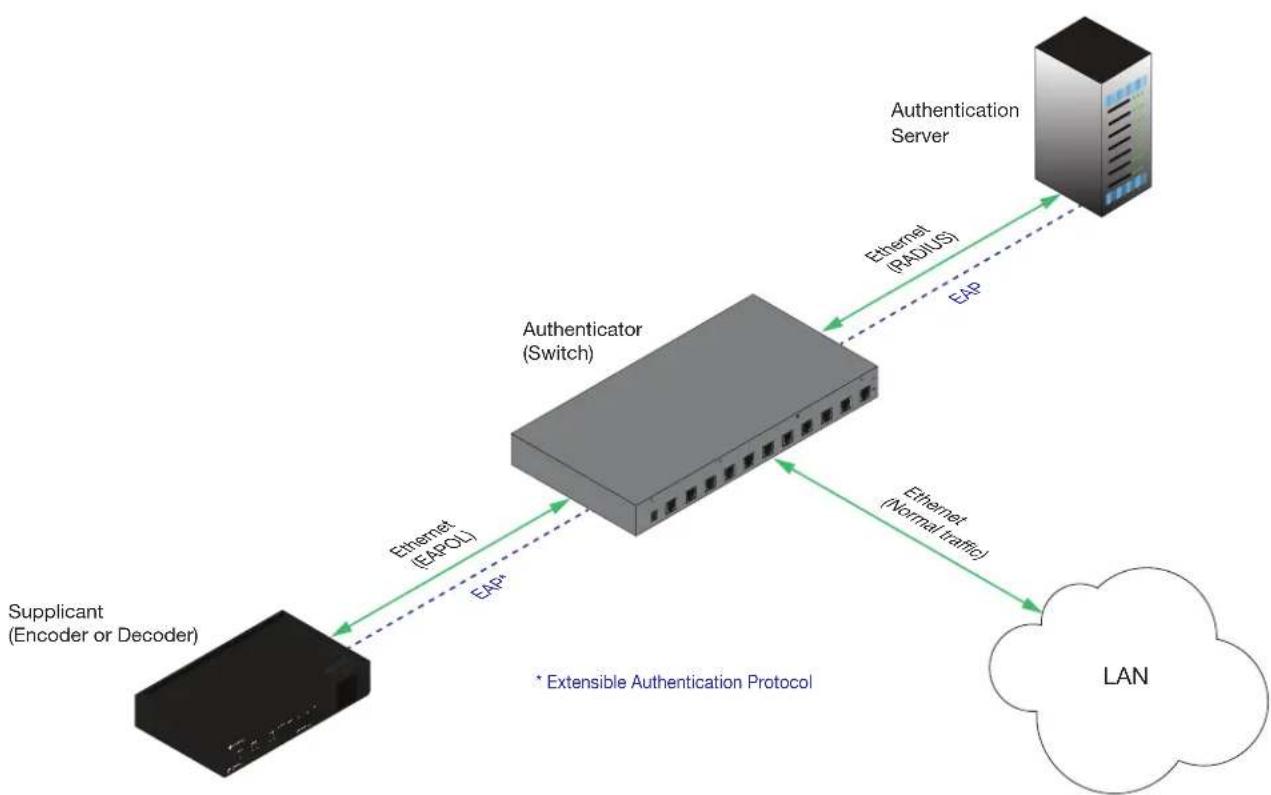
flowchart
graph TD
    A["Supplicant (Encoder or Decoder)"] -->|Ethernet (EAPOL)| B["Authenticator (Switch)"]
    B -->|Ethernet (PADIUS)| C["Authentication Server"]
    C -->|Ethernet (Normal traffic)| D["LAN"]
    B -.->|EAP*| A
    style A fill:#000,stroke:#fff,color:#fff
    style B fill:#999,stroke:#000,color:#fff
    style C fill:#ccc,stroke:#000
    style D fill:#fff,stroke:#000
Three options are available on both the OmniStream encoder and decoder.
Protocol Description
| none 802.1X protocol disabled | |
| PEAP/MSCHAPv2 Protected EAP; requires basic credentials in addition to a CA (certificate authority) certificate. | |
| EAP-TLS EAP Transport Layer Security; requires a client certificate, client private key, and CA (certificate authority) certificate. |
Device Operation
- Go to the encoder/decoder, click NETWORK in the menu bar, then click the 802.1x Mode drop-down list and select the desired authentication method. In the example below, PEAP/MSCHAPv2 is selected.

NOTE: If using dual-channel encoders, both Network 1 (eth1) and Network 2 (eth2) will need to be set up, depending upon the system requirements.
- Once a method is selected, the required fields for that method will be displayed. Enter the required information in each field. For the PEAP/MSCHAPv2 option, the fields are described as follows:
| Field Description | |
| Identity Enter the identity | of the authentication server in this field. PEAP uses this field to identify the correct authentication server which will process the credentials. For example, if foo@authserv.com is entered, then this identifies AUTHSERV as the RADIUS (authentication) server. |
| Password Enter the password in this field. | |
| CA certificate Select the certification authority (CA) certificate. | |
Refer to the table below for a list of available authentication methods. An orange dot indicates that this field will be displayed as part of the method.
| Authentication Method | Identity | Password | CA Certificate | CA Certificate | Client Private Certificate |
| PEAP/MSCHAPv2 | ● | ● | ● | ||
| EAP-TLS | ● | ● | ● |
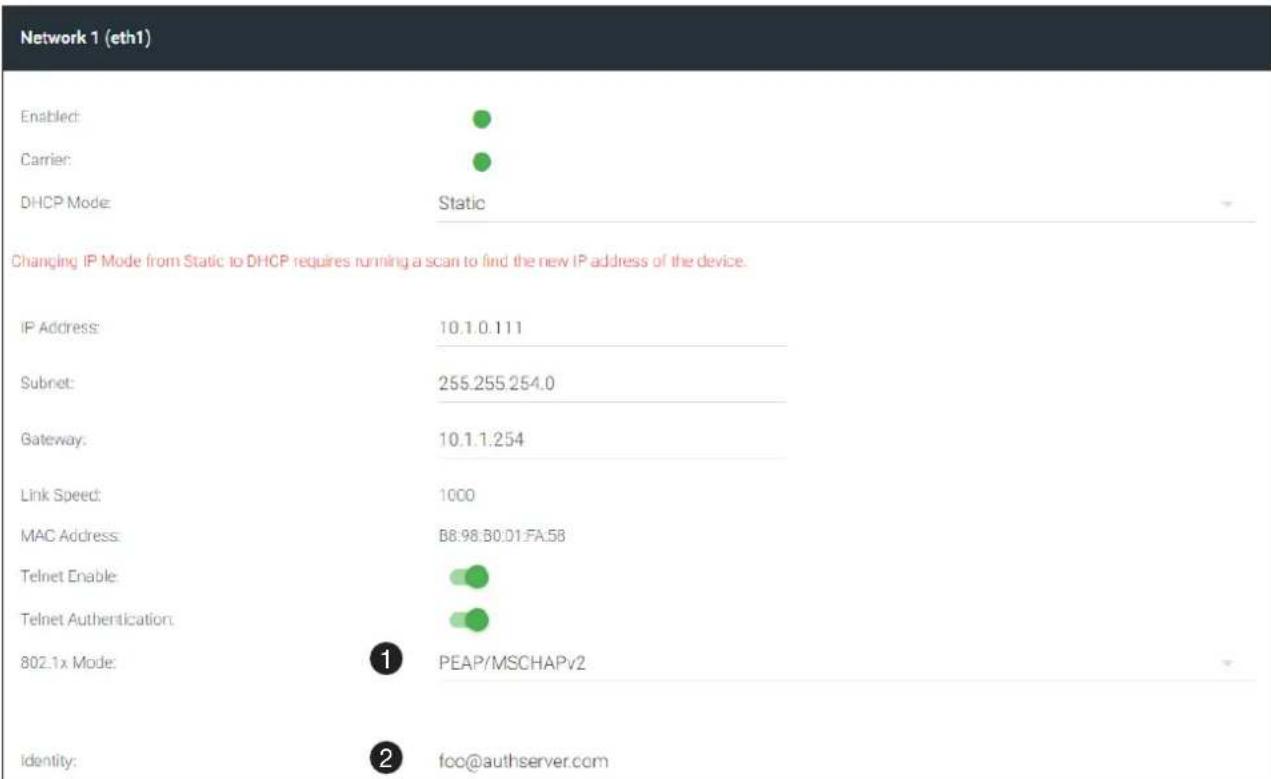
Device Operation
- Enter the password in the Password field.
- Enter the certificate authority certificate in the CA certificate field.
- Click SAVE to commit changes.
Network 1 (eth1)
Enabled:
Carrier:
DHCP Mode


Static
Changing IP Mode from Static to DHCP requires running a scan to find the new IP address of the device
IP Address:
Subnet:
Gateway:
Link Speed:
MAC Address:
Telnet Enable
Telnet Authentication:
802.1x Mode:
10.1.0.111
255.255.254.0
10.1.1.254
1000
B8:98:B0:D1:FA:5B


PEAP/MSCHAPv2
Identity:
Password:
CA certificate

foo@authserver.com

1qaz@WSX3edc


SAVE
The OmniStream Virtual Matrix
The OmniStream Virtual Matrix offers an easy way to manage the routing of OmniStream devices. To access the OmniStream Virtual Matrix, perform the following:
Launching the OmniStream Virtual Matrix
- Click the hamburger button, at the top-left of the screen.
- Click Management > Virtual Matrix.
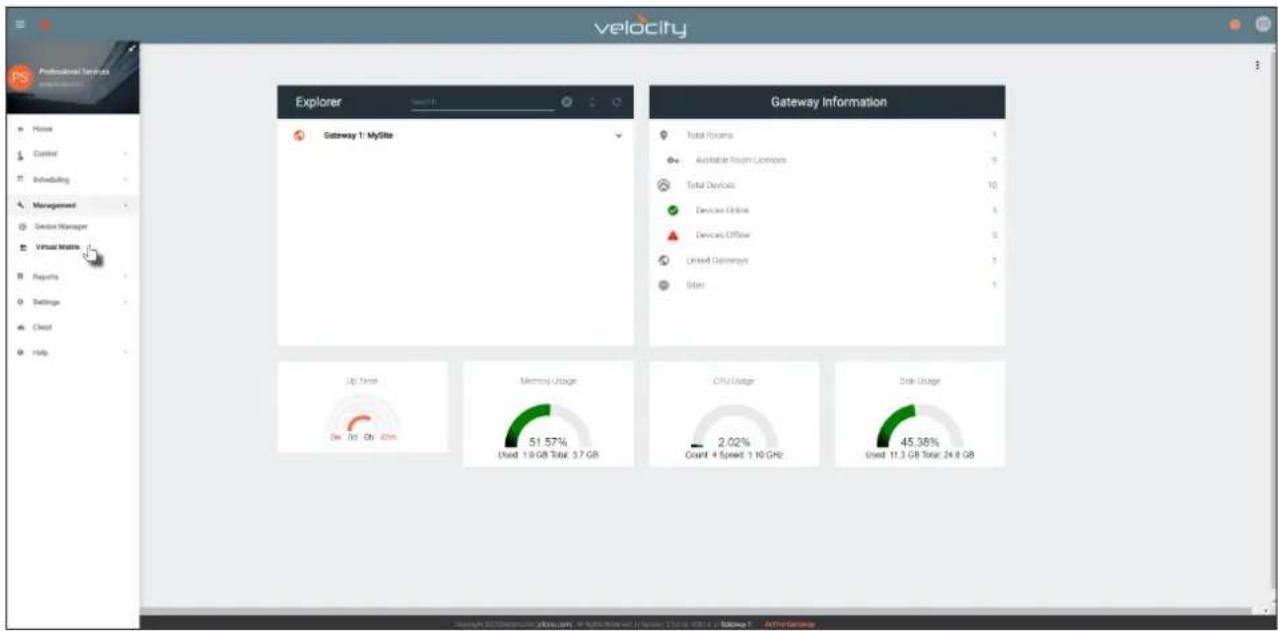
- The OmniStream Virtual Matrix page will be displayed.
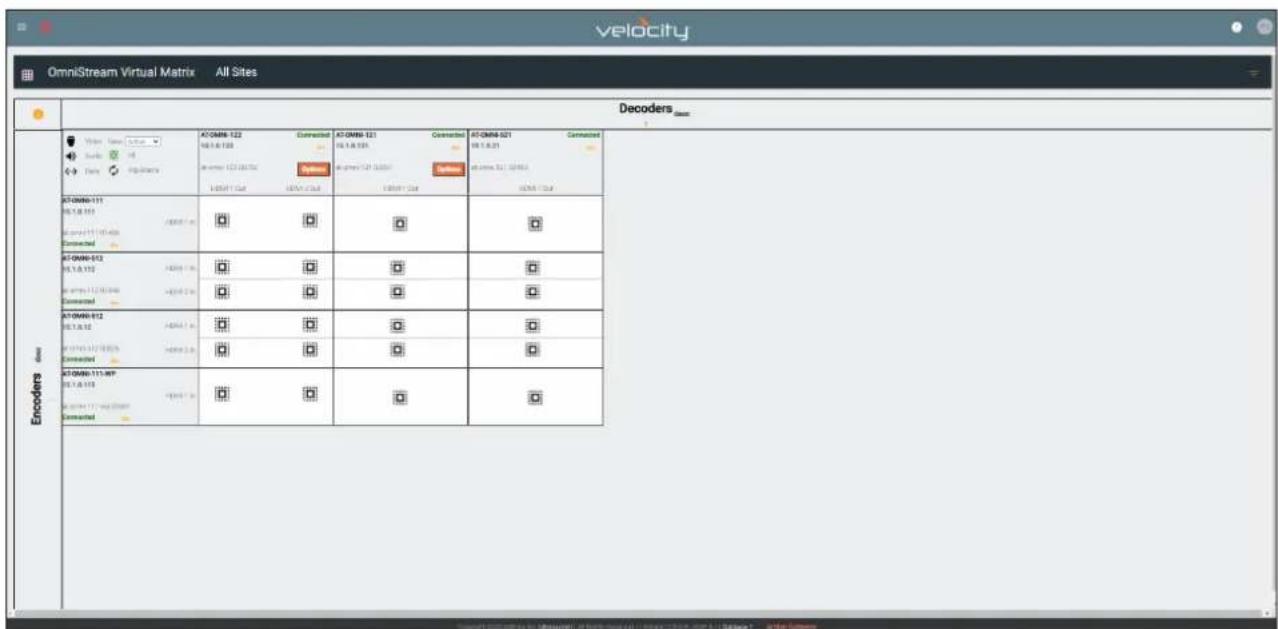
Device Operation
Layout and Operation
The illustration below shows multiple OmniStream units that are connected on the same network as the Velocity Device Manager. The OmniStream Virtual Matrix is what is known as a crosspoint matrix. By definition, a crosspoint matrix is a configuration that allows the routing of multiple input signals to various output destinations. In a crosspoint matrix, each intersection (or crosspoint) between an input and an output can be controlled to connect or disconnect signals, enabling flexible signal distribution. This eliminates the need to change existing physical connections.
To understand how a crosspoint matrix works, let's duplicate a crosspoint matrix with a set of switch components.
The diagram below represents a basic 4x4 crosspoint matrix. Each endpoint is marked as either an ENCODER or a DECODER, with encoders aligned along the rows and decoders along the columns. This arrangement mirrors the layout used by the OmniStream Virtual Matrix. Note that all switches are open, meaning no encoder is currently connected to any decoder. Each switch has been labeled.
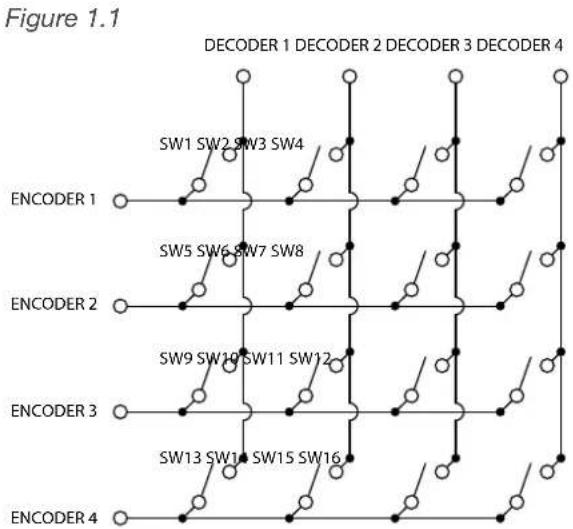
flowchart
graph TD
    A["ENCODER 1"] --> B["SW1 SW2 SW3 SW4"]
    C["ENCODER 2"] --> D["SW5 SW6 SW7 SW8"]
    E["ENCODER 3"] --> F["SW9 SW10 SW11 SW12"]
    G["ENCODER 4"] --> H["SW13 SW14 SW15 SW16"]
    style A fill:#fff,stroke:#000
    style C fill:#fff,stroke:#000
    style E fill:#fff,stroke:#000
    style G fill:#fff,stroke:#000
    style B fill:#fff,stroke:#000
    style D fill:#fff,stroke:#000
    style F fill:#fff,stroke:#000
    style H fill:#fff,stroke:#000
Next, let's close one of the switches. In this example, closing switch SW8 will route the signal from ENCODER 2 to DECODER 4. See Figure 1.2 for reference.
Furthermore, closing SW5, SW6, and SW7 will route the signal from ENCODER 2 to DECODER 1, DECODER 2, and DECODER 3, as illustrated in Figure 1.3.
Figure 1.2 Figure 1.3
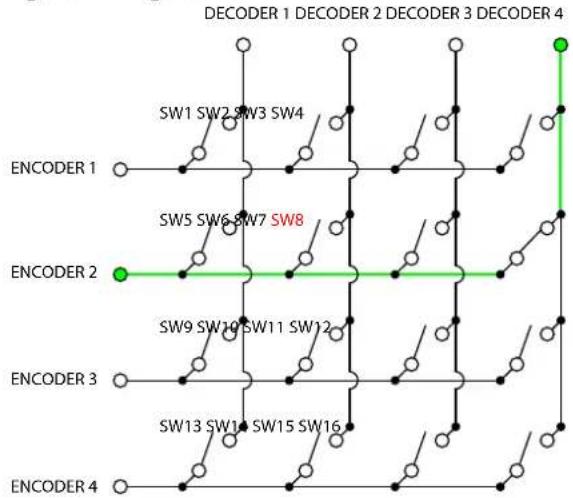
flowchart
graph TD
    A["ENCODER 1"] --> B["SW1 SW2 SW3 SW4"]
    C["ENCODER 2"] --> D["SW5 SW6 SW7 SW8"]
    E["ENCODER 3"] --> F["SW9 SW10 SW11 SW12"]
    G["ENCODER 4"] --> H["SW13 SW14 SW15 SW16"]
    B --> I["SW4"]
    D --> J["SW8"]
    F --> K["SW12"]
    H --> L["SW16"]
    I --> M["SW4"]
    J --> N["SW8"]
    K --> O["SW12"]
    L --> P["SW16"]
    M --> Q["SW4"]
    N --> R["SW8"]
    O --> S["SW12"]
    P --> T["SW16"]
    Q --> U["SW4"]
    R --> V["SW8"]
    S --> W["SW12"]
    T --> X["SW16"]
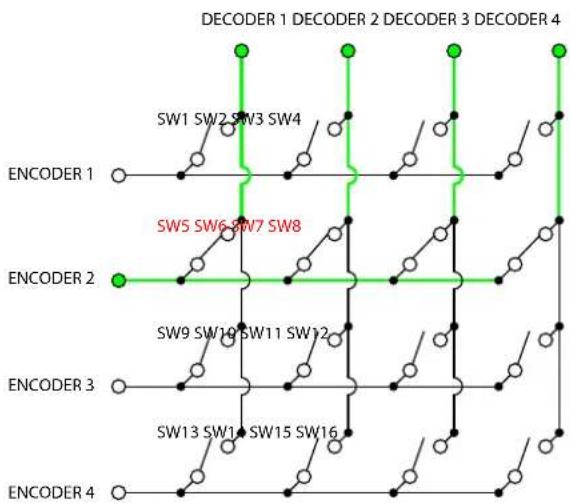
flowchart
graph TD
    A["ENCODER 1"] --> B["SW1 SW2 SW3 SW4"]
    C["ENCODER 2"] --> D["SW5 SW6 SW7 SW8"]
    E["ENCODER 3"] --> F["SW9 SW10 SW11 SW12"]
    G["ENCODER 4"] --> H["SW13 SW14 SW15 SW16"]
    style A fill:#fff,stroke:#000
    style C fill:#fff,stroke:#000
    style E fill:#fff,stroke:#000
    style G fill:#fff,stroke:#000
    style B fill:#fff,stroke:#000
    style D fill:#fff,stroke:#000
    style F fill:#fff,stroke:#000
    style H fill:#fff,stroke:#000
Note that routing a different source to a decoder that is already in use will display the new source signal. For instance, in Figure 1.3, closing SW12 will route the signal from ENCODER 3 to DECODER 4, even though SW8 is closed.
Returning to the OmniStream Virtual Matrix, in Velocity, the illustration below shows the source signal from the AT-OMNI-111 encoder routed to the AT-OMNI-121 decoder. The √ icon indicates that these two devices are communicating. Clicking the √ icon will disable the route and the □ icon will be displayed.
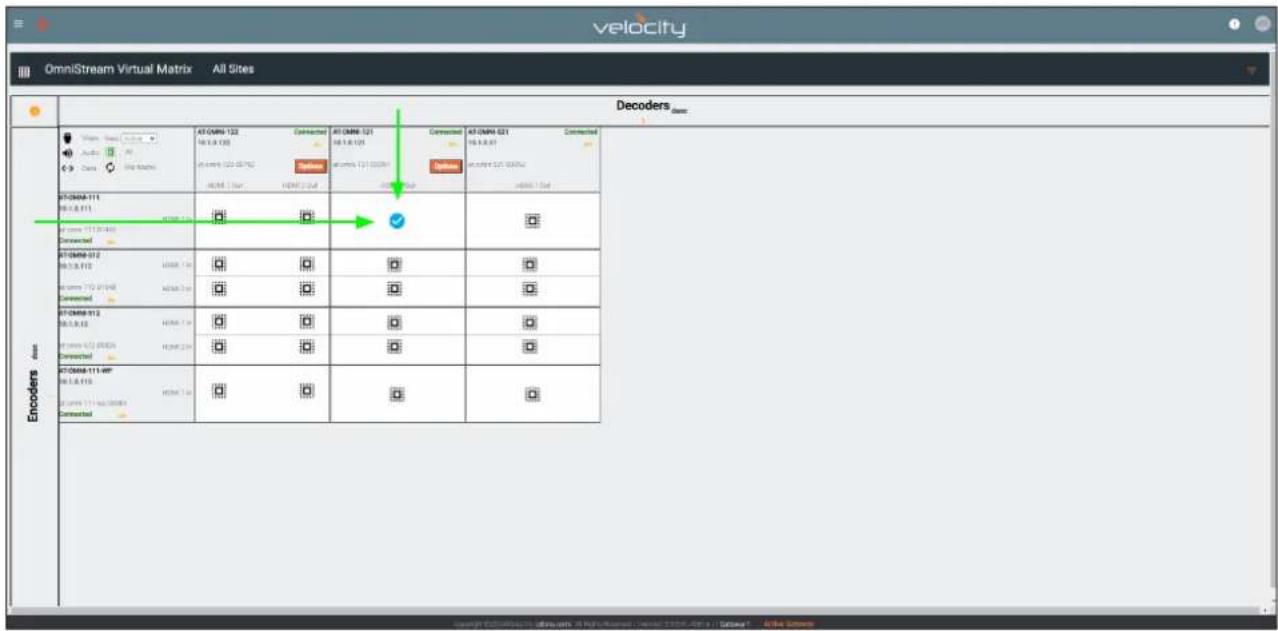
Icons and View Control
Located news the upper-left corder of the screen are a set of icons and a View drop-down list.
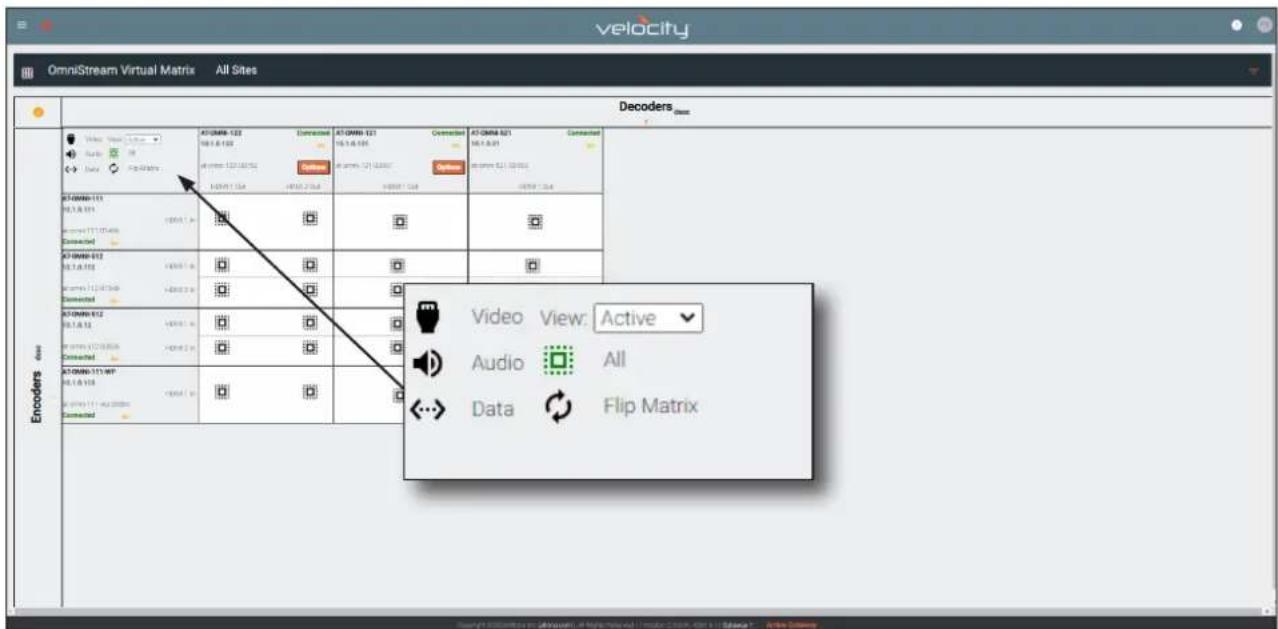
When these icons are clicked, the associated icons will be displayed in the rows and columns of the Virtual Matrix.
| Symbol Description | |
| V | Video only. |
| A | Audio only. |
| D | Data only. |
| ✓ | Partial crosspoint; not all signals are used. |
| ✓ | Full crosspoint; all streams (video, audio, and data) are being used. |
Click the View drop-down list to select the desired view.
| View Description | |
| Active | Displays all active streams; this is the default view. |
| Primary | Displays only primary streams. |
| Backup | Displays only backup streams. |
| Control | Displays only control streams. |
Options button
Click the Options button to display the stream configuration options.
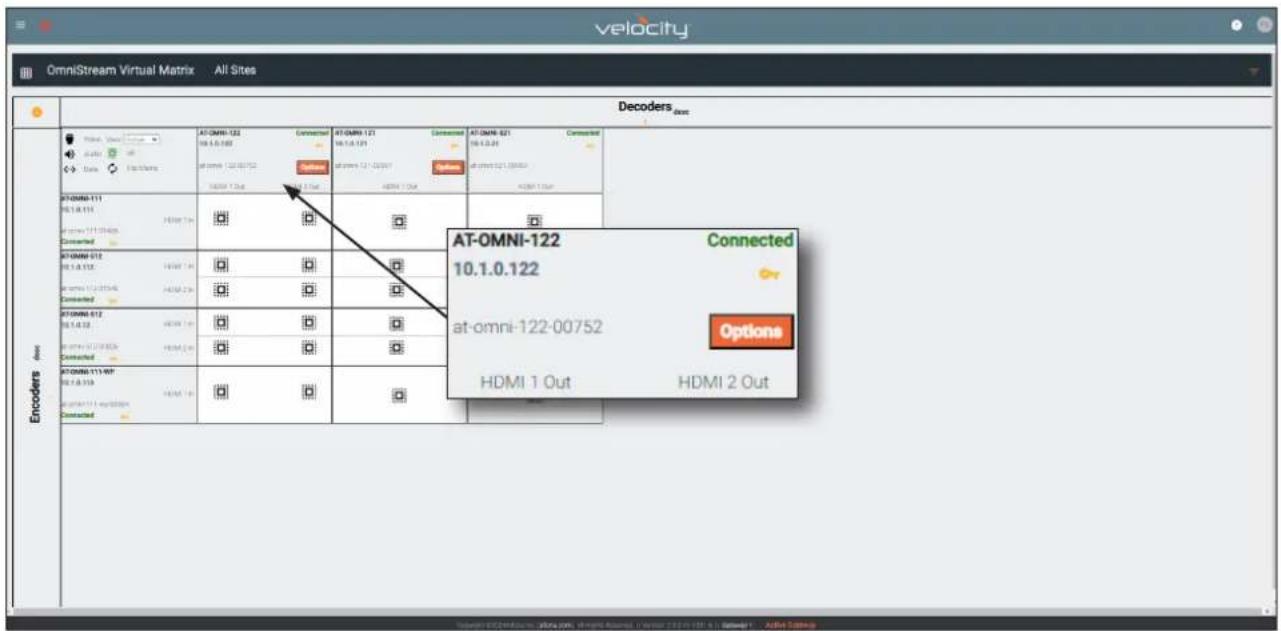
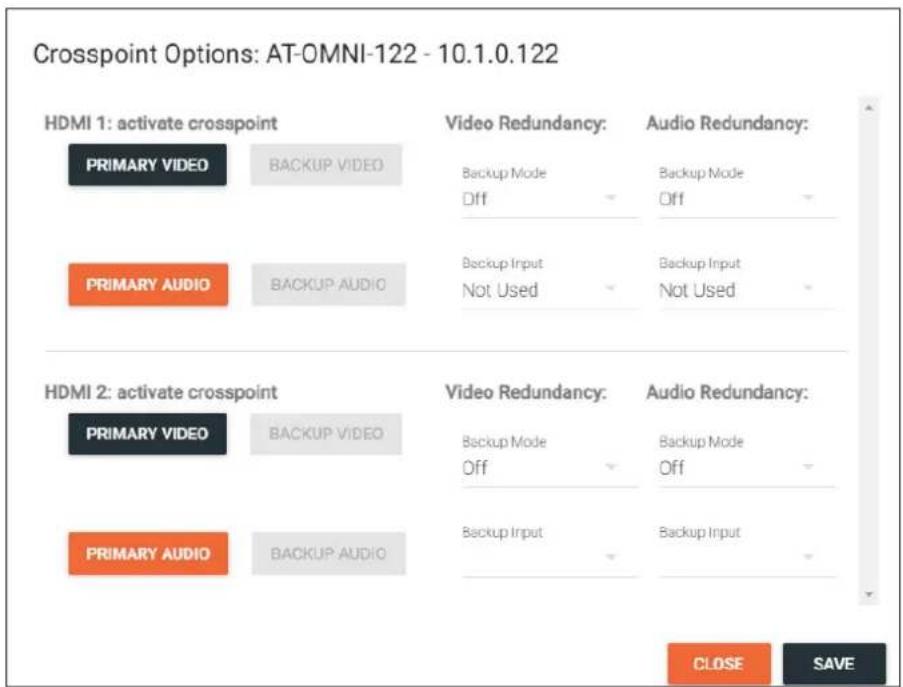
Refer to HDMI OUTPUT page (page 130) page for details on primary and backup streams and redundancy.
Device Operation
Flipping the Matrix
The OmniStream Virtual Matrix can be flipped. When flipped, the rows (encoders) will be displayed on the top as columns and the columns (decoders) will be displayed on the side as rows. The flipped matrix is shown below.
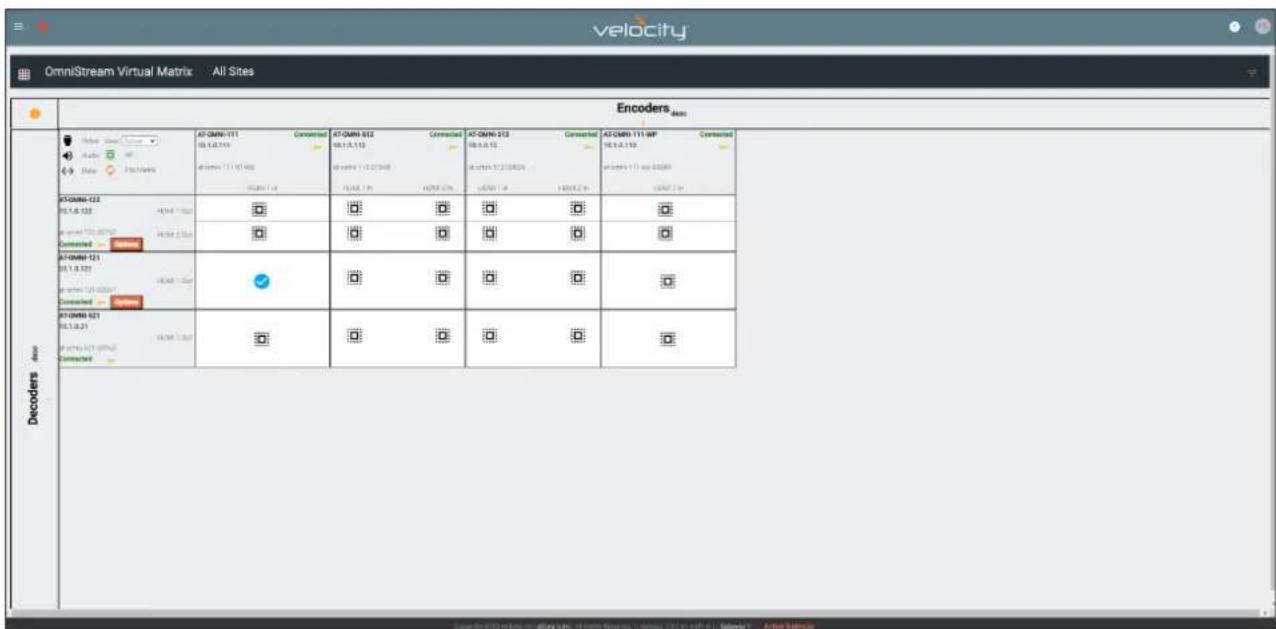
Legend
Click the i icon, in the upper left-hand corner of the window to display the legend.
OmniStream Virtual Matrix Legend

Device Scrambling Setup

Link Test

Full Crosspoint

Partial Crosspoint

Video Connection

Backup Video Connection

Audio Connection

Backup Audio Connection

Aux / Data Connection
Note: Click an existing crosspoint to remove cross connection
The Velocity Interface
Encoders
DEVICE INFO page
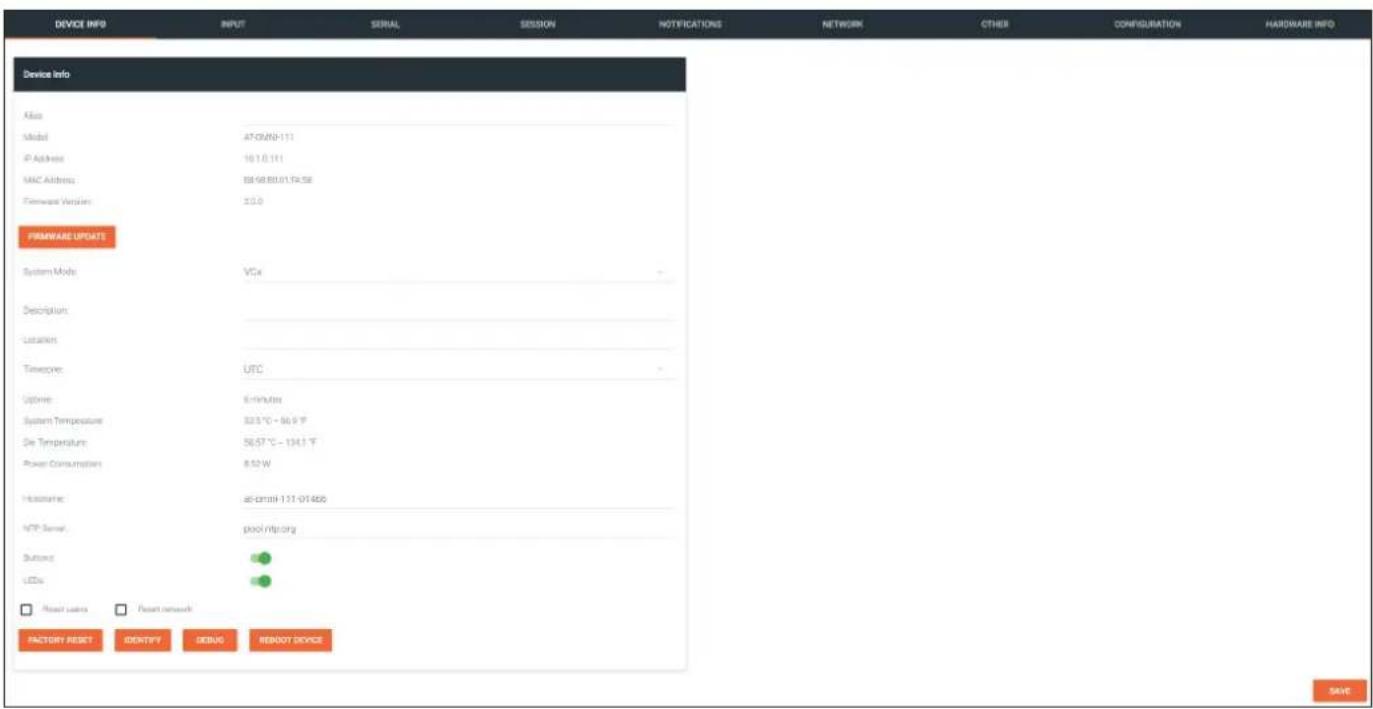
Alias
Enter a name for the unit in this field. This is optional.
Model
The model number of the unit.
| Encoders Decoders | |
| AT-OMNI-111 AT- | OMNI-121 |
| AT-OMNI-112 AT- | OMNI-122 |
| AT-OMNI-512 AT- | OMNI-521 |
IP Address
Displays the IP address of the encoder.
MAC Address
Displays the MAC address of the encoder.
Firmware Version
The version of firmware that the OmniStream device is running. Always make sure the latest version of firmware is installed.
FIRMWARE UPDATE
Click this button to update the firmware.
The Velocity Interface
System Mode
Click this drop-down list to select the system mode. The default setting is VCx.
| Mode Description | |
| VCx This is the default mode and represents the latest codec technology from Atlona, with outstanding support for computer graphics and motion video. VCx includes support for 4K60 4:4:4 fast switching, dual streaming from AT-OMNI-111 encoders, and multiview on the decoders. | |
| VC-2 Video Legacy OmniStream codec that provides the best viewing experience when streaming motion graphics and/or video. | |
| VC-2 PC application | Legacy OmniStream codec that optimizes the image when viewing static images, such as spreadsheets or similar content. |
Description
Provides the option of assigning descriptive name to the unit.
Location
Provides the option of assigning a description of where the unit is located.
Timezone
Displays the time zone format. Click the SET TIMEZONE button, to assign the time zone.
Date/Time
Displays the current date and time. Click the SET DATE/TIME button to set these values.
Uptime
Displays the elapsed time since the unit was powered-on or rebooted.
System Temperature
Displays the ambient enclosure temperature.
Die Temperature
Displays the value returned from the die temperature sensor (DTS) on the chip of the PCB.
Power Consumption
Displays the precise power consumption of the encoder.
Hostname
Displays the hostname of the encoder. By default, OmniStream encoders are assigned a default hostname, which is constructed as follows: at-omni-[SKU]-[last five digits of MAC address].
NTP Server
Displays the NTP server. This field is set to pool.ntp.org by default. Click this field to enter the desired NTP server address.
Buttons
Click this toggle switch to enable or disable the button backlight indicators on the front-panel.
LEDs
Click this toggle switch to enable or disable all front-panel LED indicators and button backlight indicators.
IDENTIFY
The Velocity Interface
FACTORY RESET
Click this button to reset the encoder to factory-default settings. When performing a factory reset, the following options can be selected, by clicking the check box. If no options are selected, then the encoder is reset with no factory-default settings.
Option Description
| None Checked Resets the encoder with no factory-default settings. |
| Reset User Resets the encoder to factory-default settings and resets custom user information. |
| Reset Network Resets the encoder to factory-default settings and resets network information. |
Click this button to physically identify a unit on the network. Clicking this button will cause all front-panel LED indicators to flash for 10 seconds.
DEBUG
Click this button to instruct the unit to create a debug file. This file is used by Atlona Technical Support Engineers to diagnose internal issues with the unit.
REBOOT DEVICE
Click this button to perform a soft reboot of the OmniStream device.
SAVE
Click this button to commit changes to the settings on this page.
The Velocity Interface
INPUT page
The INPUT page provides signal information for each channel (input). Single-channel encoders will have two encoder window groups.
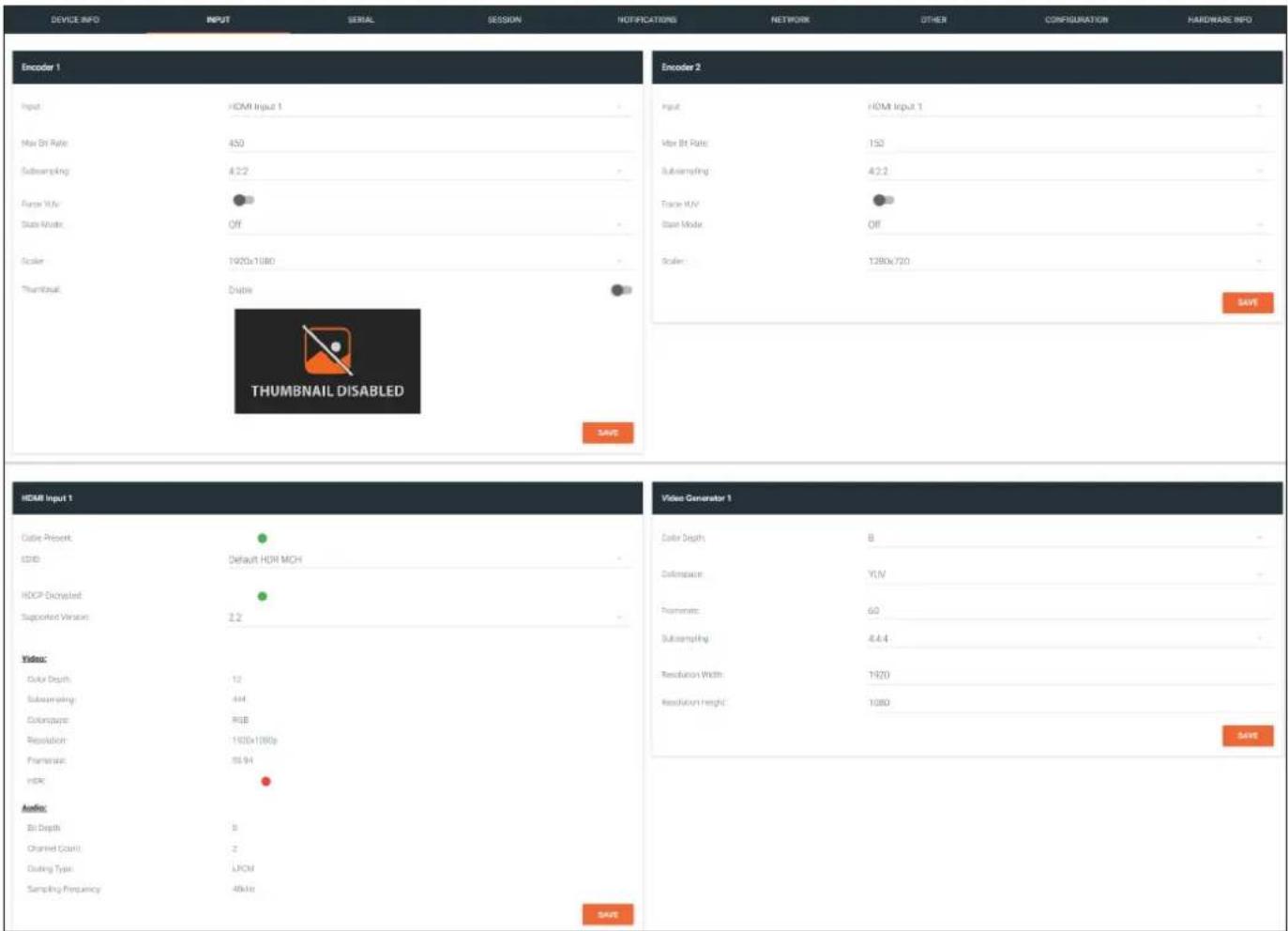
Encoder window group
Input
The selected input.
Max Bit Rate
Click this field to enter the maximum bit rate. The default setting is 750 Mbps. 4K60 4:4:4 streams should be at least 700 Mb/s, 4K30 4:4:4 streams should be at least 350 Mb/s, and 1080p streams should be at least 150 Mb/s. Setting this field below these recommended values will result in lower-quality video.
Subsampling
Click this drop-down list to select the chroma subsampling value. Available values are: 4:4:4, 4:4:2, and 4:2:0.
The Velocity Interface
Force YUV
When this toggle switch is enabled (orange), the encoder will stream YUV content over the network, regardless of which color space is used by the HDMI source. When the decoder receives the YUV stream, it will output YUV on the HDMI output. However, if the decoder is connected to a display that requires RGB, as determined by the EDID of the display, then the decoder will convert the video signal to RGB on the HDMI output. In order for the chroma scaling to work on RGB inputs, this option must be enabled.

IMPORTANT: If decoders are configured to be used in a video wall application, then Force YUV must be enabled.
Scaler
This feature is only available on the AT-OMNI-111. Click this drop-down list to select the desired output resolution. This option is set to disabled by default. Resolutions in red are only available under the Encoder 1 window group.
| Scaler Description | |
| disable 1440x816 | |
| 3840x2160 1280x736 | |
| 2880x1524 1280x720 | |
| 2592x1440 960x544 | |
| 2560x1440 960x528 | |
| 1920x1104 864x480 | |
| 1920x1080 640x368 | |
| 1920x1072 640x360 | |
| 1792x960 480x272 | |
| 1728x960 | |
Thumbnail
Click this toggle switch to enable to disable a thumbnail of the input stream. When enabled, this toggle switch will be green and an image of the input stream will be displayed. Thumbnails are updated every 2 seconds.

NOTE: Thumnails can also be accessed at: http://
SAVE
Click this button to commit changes to the settings on this page.
The Velocity Interface
HDMI Input window group
Cable present
This indicator will be red if the encoder is unable to detect the source signal. This may indicate a damaged HDMI cable. If this indicator is green (shown), then the cable integrity is good, and additional fields for both the Video and Audio sections will be displayed.
EDID
Click this drop-down list to select the desired EDID. The default setting is Default HDR MCH.
| EDID Description | |
| Default HDR MCH Default EDID with HDR | (3840x2160p30) and multichannel audio |
| Default HDR 2CH Default EDID with HDR | (3840x2160p30) and two-channel audio |
| Default DV MCH Default EDID with Dolby | Vision (3840x2160p30) and multichannel audio |
| Default DV 2CH Default EDID with Dolby | Vision (3840x2160p30) and two-channel audio |
| Default SDR MCH Default EDID with SDR | (3840x2160p30) and multichannel audio |
| Default SDR 2CH Default EDID with SDR | (3840x2160p30) and two-channel audio |
| ATL 1080P 2CH 1920x1080p60 with two-channel PCM audio | |
| ATL 1080P DD 1920x1080p60 with Dolby | Digital |
| ATL 1080P DVI 1920x1080p60 formatted as DVI | |
| ATL 1280x800 RGB DVI PCWXGADVI 1280x800 formatted as DVI | |
| ATL 1280x800 RGB PCWXGA2CH 1280x800p60 PC format with two-channel PCM audio | |
| ATL 1280x800 RGB TVWXGA2CH 1280x800p60 TV format with two-channel PCM audio | |
| ATL 2160P 2CH 3840x2160p30 with two-channel PCM audio | |
| ATL 2160P MCH 3840x2160p30 with multichannel PCM audio | |
| ATL 2560x1600 2CH | 2560x1600p60 with two-channel PCM audio |
| ATL 2560x1600 MCH | 2560x1600p60 with multichannel PCM audio |
| ATL 720P DD | 1280x720p60 with Dolby Digital audio |
| ATL 720P 2CH | 1280x720p60 with Dolby Digital two-channel audio |
| ATL VR (2160x1200) | 2160x1200p90 (Compatible with HTC VIVE® VR system) |
HDCP Encrypted
Indicates if the content being transmitted from the source is HDCP-encrypted. If using HDCP-encrypted content is being used, then this indicator will be green.
Supported Version
Click this drop-down list to select the version of HDCP to be supported: 2.2, 1.4, or None. If None is selected, then HDCP-encrypted content cannot be passed-through.
The following Video fields will only be displayed if the Cable present indicator is green.
Color Depth
Displays the color depth of the source content.
Subsampling
Displays the chroma subampling value of the source content.
Colorspace
Displays the color space of the source content.
Resolution
Displays the resolution of the source content.
Framerate
Displays the frame rate of the source content.
HDR
This indicator displays the presence of HDR source content. If the indicator is green, then the source is outputting HDR content. If the indicator is red, then no HDR content is detected. Bit Depth
Displays the bit depth of the source audio.
Channel count
Displays the number of audio present that are present in
The Velocity Interface
The following Audio fields will only be displayed if the Cable present indicator is green.
Bit Depth
Displays the bit depth of the source audio.
Format
Displays the audio format of the source content.
Channel count
Displays the number of audio present that are present in the source audio.
Frequency
Displays the audio frequency of the source content.
SAVE
Click this button to commit changes to the HDMI Input window group.
Video Generator window group
This signal can be used to test the video capability of the network. Single-channel encoders will have one Video generator window group.
Color Depth
Click this drop-down list to select the color depth. Available values are 8, 10, and 12.
Colorspace
Click this drop-down list to select the color space. Available values are YUV and RGB.
Framerate
Click in this field to change the frame rate (in Hz) of the video generator signal. The default value is 60.
Subsampling
Click this drop-down list to select the chroma subsampling value. Available values are 4:4:4, 4:4:2, and 4:2:0.
Resolution width
Click in this field to change the horizontal resolution of the signal.
Resolution height
Click in this field to change the vertical resolution of the signal.
SAVE
Click this button to save all changes under the Video generator window group.
The Velocity Interface
SERIAL page
The Serial page provides serial port configuration when using control signals.
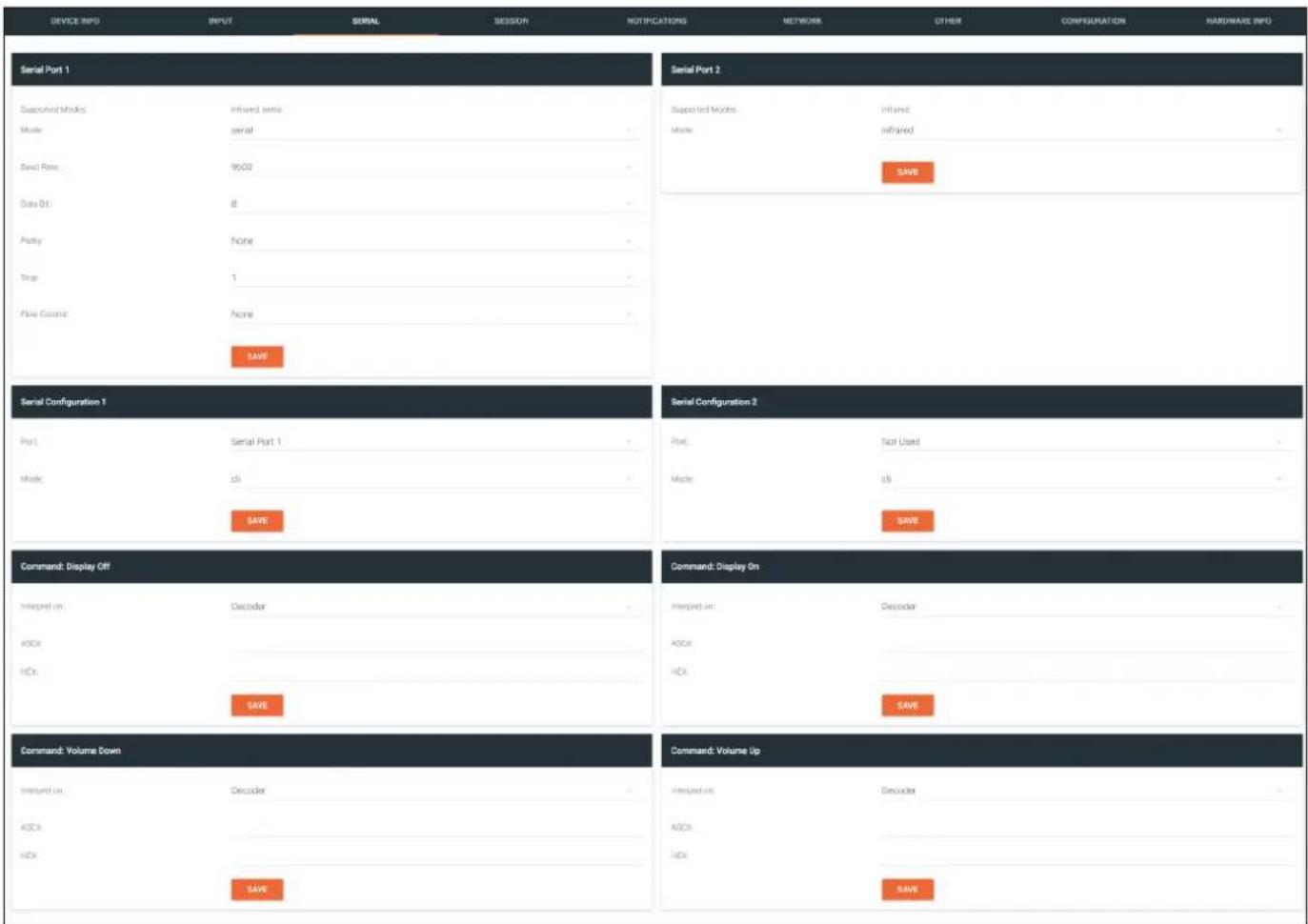
Serial Port window groups
The following fields apply to both Serial Port window groups. Although single-channel encoders will also have two Serial Port window groups, serial port 2 only supports IR.
Supported Modes
Lists the supported protocols for the serial port.
Mode
Click this drop-down list to select the desired serial mode. Available values will be reflected in the Supported Modes field.
Baud Rate
Click this drop-down list to select the desired baud rate: 115200, 57600, 38400, 19200, or 9600.
Data Bit
Click this drop-down list to select the number of data bits: 6, 7, or 8.
Parity
Click this drop-down list to select the parity bit: None, Odd, Even, Mark, or Space.
The Velocity Interface
Stop
Click this drop-down list to select the stop bit: 1, 1.5, or 2.
SAVE
Click this button to save all changes under the Serial Port window group.
Serial Configuration window groups
The following fields apply to both Serial configuration window groups. The single-channel encoder will only have one Serial configuration window group.
Port
Click this drop-down list to select the desired serial port.
Mode
Click this drop-down list to select the desired control mode. Available values are: cli and tcpproxy. Select tcpproxy to send IP commands directly to the decoder, which are then output over RS-232 to the display (sink) device. Selecting the cli option will pass through RS-232 data, directly from a control system, to the sink device that is connected to the decoder.
SAVE
Click this button to commit all changes within the Serial configuration window group.
Command window groups
By default, window groups for the following commands are created: Display Off, Display On, Volume Down, and Volume Up.
Interpret on
Click this drop-down list to select the endpoint where the command will be processed: encoder or decoder.
ASCII
Enter the ASCII representation of the command string in this field.
HEX
Enter the hexadecimal representation of the command in this field.

NOTE: When entering the command string, it is not required to enter the string under both the ASCII and HEX fields. The encoder requires that one field be completed.
SAVE
Click this button to commit all changes within the Command window group.
The Velocity Interface
SESSION page
The following fields apply to all Stream window groups. Both the dual-channel and single-channel encoders have support for up to six Stream window groups.
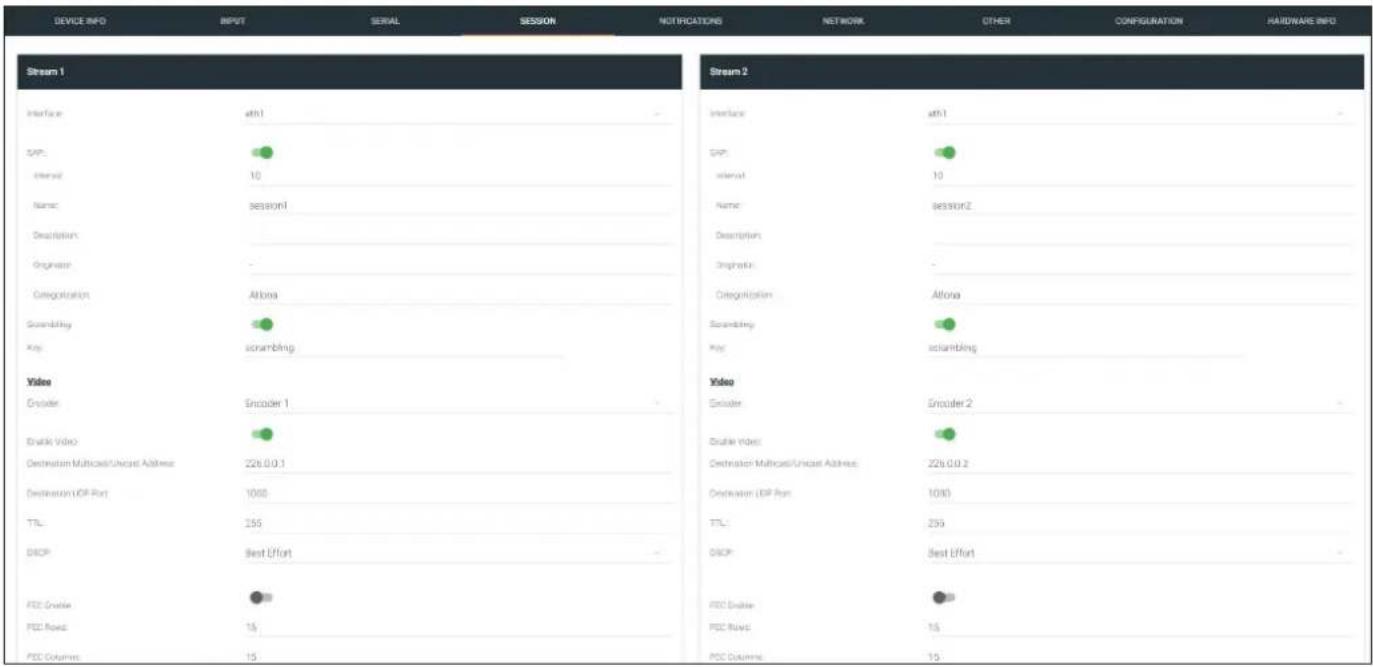
Interface
Click this drop-down list to select the desired interface.
| Interface Description | |
| eth1 ETHERNET | 1 port |
| eth2 ETHERNET | 2 port (AT-OMNI-112 only) |
SAP
Click this switch to enable or disable the Session Announcement Protocol. When enabled, the toggle switch will be orange.
Interval
Sets the announcement interval.
Name
The name of the SAP session. By default, this is the same as the session name.
Description
The SAP description.
Originator
The ID of the SAP message originator.
Categorization
The SAP category. This field can be changed, if desired.
The Velocity Interface
Scrambling
Click this toggle switch to enable or disable scrambling on the encoder. Atlona recommends enabling scrambling for security purposes. When enabled, the toggle switch will be green.
Key
This field is only displayed if the Scrambling toggle switch is enabled (green). Enter the scrambling key in this field. The scrambling key must be ASCII and must contain a minimum of eight characters. Special characters and spaces are not permitted.
Video
Encoder
Click this drop-down list to select the encoder input.
Enable Video
Click this toggle switch to enable or disable the video signal. When enabled (green), video will pass from the encoder to the decoder.
Destination Multicast/Unicast Address
Enter the IP address that will be used to stream the content.
Destination UDP Port
Enter the destination UDP port in this field.
TTL
Set the TTL (Time-To-Live) duration, from 1 to 255 seconds, in this field. The default value is 255 seconds.
DSCP
Click this drop-down list to select the DSCP value. Refer to Differentiated Services Code Point (page 152) for more information on this topic.
FEC Enable
Click this toggle switch to enable (orange) or disable Forward Error Correction (FEC). This feature can be used when transporting streams over a network that is suspected to be unreliable, due to noise or other factors. By default, this feature is enabled. Refer to FEC Details (page 150) for more information.
FEC Rows
Specify the number of FEC rows in this field. Refer to FEC Details (page 150) for more information.
FEC Columns
Specify the number of FEC columns in this field. Refer to FEC Details (page 150) for more information.
LINK TEST
Click this button to perform a link integrity test. This feature validates the quality of the link between the encoder and decoder. Link tests are initiated at an encoder, and any decoders that are configured to join that encoder's video multicast address will return packet loss statistics to the encoder, which displays the combined results under the Notifications tab. Refer to Performing a Link Test (page 147) for more information.
Audio
Source
Click this drop-down list to select the desired input.
Enable AES67
Click this toggle switch to enable AES67. When this feature is enabled, the toggle switch will be green.
The Velocity Interface
Downmixing
This field will only be available when AES67 is enabled. Available values are: none, mono, and stereo.
Enable Audio
Click this toggle switch to enable or disable the audio signal. When enabled (orange), audio will pass from the encoder to the decoder.
Destination Multicast/Unicast Address
Enter the IP address that will be used to stream the content.
Destination UDP Port
Enter the destination UDP port in this field.
TTL
Set the TTL (Time-To-Live) duration, from 1 to 255 seconds, in this field. The default value is 255 seconds.
DSCP
Click this drop-down list to select the DSCP value. Refer to Differentiated Services Code Point (page 152) for more information on this topic.
FEC Enable
Click this toggle switch to enable (orange) or disable Forward Error Correction (FEC). This feature can be used when transporting streams over a network that is suspected to be unreliable, due to noise or other factors. By default, this feature is enabled. Refer to FEC Details (page 150) for more information.
FEC Rows
Specify the number of FEC rows in this field. Refer to FEC Details (page 150) for more information.
FEC Columns
Specify the number of FEC columns in this field. Refer to FEC Details (page 150) for more information.
Control/Serial
Source
Click this drop-down list to select the method of how commands are transmitted.
| Source Description | |
| Not Used Serial control is disabled | |
| Commands Commands are sent using CEC (over HDMI) | |
| Serial Port 1 Commands are transmitted using Serial Port 1 | |
| Serial Port 2 Commands are transmitted using Serial Port 2 |
Enable Aux
Click this toggle switch to enable or disable the AUX signals. When enabled (green), control signals will pass from the encoder to the decoder.
Destination Multicast/Unicast Address
Enter the IP address of the decoder that will be receiving the control signals.
Destination UDP Port
Enter the destination UDP port in this field.
TTL
Set the TTL (Time-To-Live) duration, from 1 to 255 seconds, in this field. The default value is 255 seconds.
The Velocity Interface
DSCP
Click this drop-down list to select the DSCP value. Refer to Differentiated Services Code Point (page 152) for more information on this topic.
Bidirectional
Click this toggle switch to enable or disable bidirectional control. When enabled (green), control signals will be able to pass from encoder to decoder, or from decoder to encoder.
Listen Port
Enter the listening port in this field.
Encoder Groups
Enable Encoder Group
Click this toggle switch to enable (orange) or disable encoder grouping.
Group Name
Enter the name of the encoder in this field. Only available if encoder grouping is enabled.
Active
Indicates if the encoder group is active. If active, then this indicator will be green. Only available if encoder grouping is enabled.
Trigger
Click this drop-down list to select the trigger type: manual or input connected. Only available if encoder grouping is enabled.
| Mode Description | |
| manual | Use this setting to manually enable the input. When set to manual, click the Activate button to perform the input switching. |
| input connected | Use this setting to allow the encoder group to use automatic input detection. Once a new source is connected, that source becomes the active source. |
ACTIVATE
Click this button to activate the encoder group.
Members
This field lists all members (encoder IP addresses) that have been added to the group. Use the Add button to add members to the group.
ADD
Click this button to add the IP address of an encoder to the group. Note that when adding encoders to the group, the IP address of the encoder, which is being used to create the group, must be included.
SAVE
Click this button to commit all changes within the Stream window group.
The Velocity Interface
NETWORK page
The NETWORK page provides the ability to enable or disable DHCP mode for each video channel. When DHCP mode is disabled, the IP address, subnet mask, and gateway must be provided. If using the dual-channel version, then the information on both Channel 1 and Channel 2 are provided. This screen is identical to the NETWORK page for the decoder.
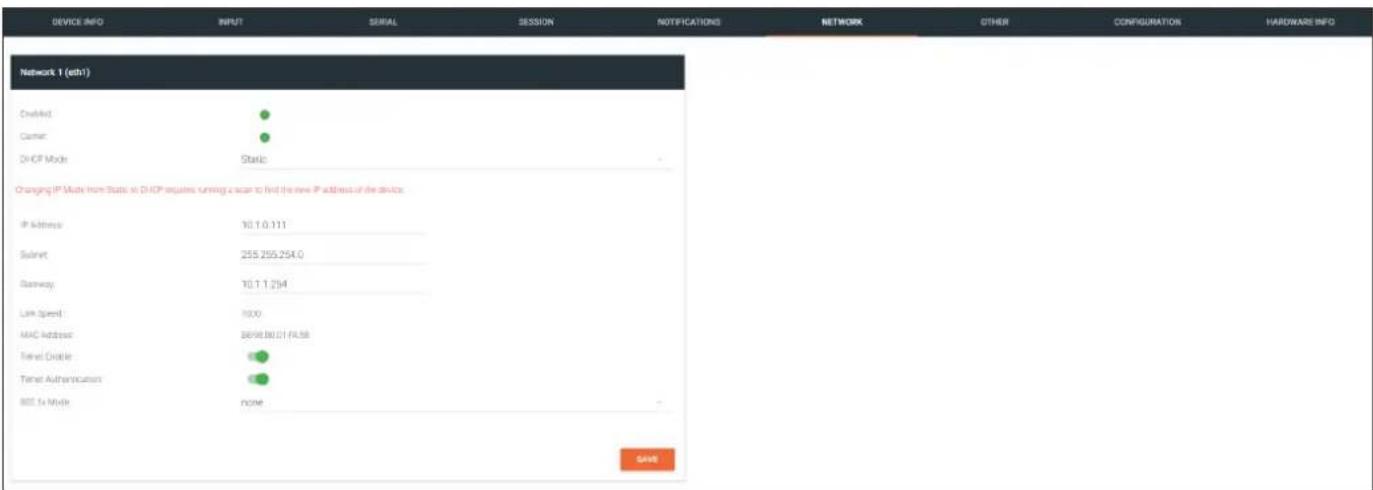
Enabled
This indicator displays whether or not the video stream for this channel is active. If the indicator is green, then the video stream is active.
Carrier
If this indicator is green, then an active link exists. Otherwise, if no link exists, this indicator will be red.
DHCP Mode
Click this drop-down list to select the desired IP mode. Select DHCP to let the DHCP server (if present) assign the encoder the IP settings; Subnet and Gateway fields will automatically be populated. When static is selected, the information for the IP Address, Subnet, and Gateway fields must be entered.
IP Address
Displays the IP address used by the channel. This field can only be changed if Mode is set to static.
Subnet
Displays the subnet mask for the channel. This field can only be changed if Mode is set to static.
Gateway
Displays the gateway (router) address for the channel. This field can only be changed if Mode is set to static.
Link speed
Displays the Ethernet interface link speed in Mbps. This field cannot be modified.
MAC address
Displays the MAC address of the Ethernet interface.
The Velocity Interface
Telnet Enable
Click this toggle switch to enable or disable Telnet. If disabled, then Telnet sessions to the encoder cannot be established.
Telnet Authentication
Click this toggle switch to enable or disable Telnet authentication. If enabled, then the toggle switch will be orange. Once enabled, connecting to the encoder using Telnet will require login credentials. The default credentials are:
Username: admin
Password: Atlona
802.1x Mode
Click this drop-down list to select the desired authentication mode.
| Protocol Description | |
| none 802.1X protocol disabled | |
| PEAP/MSCHAPv2 Protected EAP; requires basic credentials in addition to a CA (certificate authority) certificate. | |
| EAP-TLS EAP Transport Layer Security; requires a client certificate, client private key, and CA (certificate authority) certificate. |
SAVE
Click this button to commit all changes within the Network window group.
The Velocity Interface
OTHER >LOGO page
The Other page provides logo/slate, text, and PTP management. Click the menu in the upper-left corner of the Velocity screen to switch between Logo, Text, and PTP screens.
The Logo page provides the ability to upload a custom logo. This logo will be displayed when no video signal is detected. Separate logos can be uploaded: one for each channel. Refer to Slate / Logo Insertion (page 83) for more information on these settings.
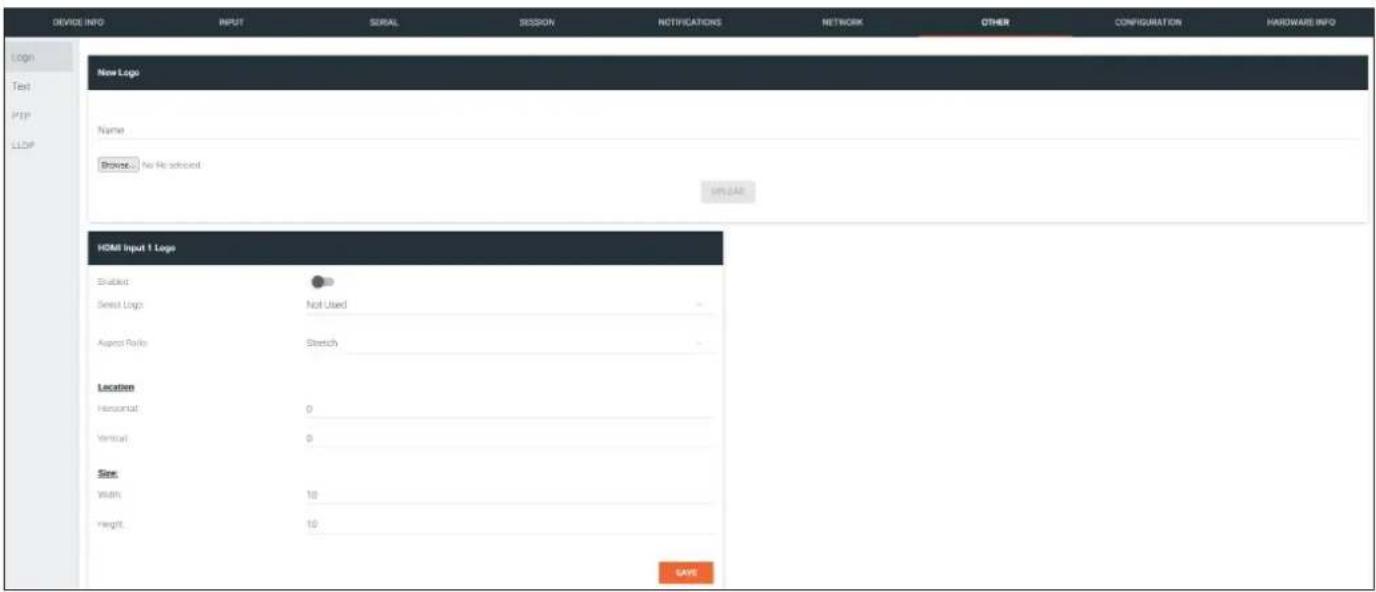
New Logo window group
Name
Enter a name for the logo in this field.
Browse...
Click this button to select the logo file to be uploaded. Files must be in .png format and must not exceed 5 MB (5120000 bytes) in size. When an image file is uploaded, it will appear in the Logo drop-down list.
UPLOAD
Click this button to upload the logo file to the encoder.
HDMI Input Logo window group
Enabled
Click the toggle switch to enable or disable the logo. If the toggle switch is green, then the logo will be enabled.
Logo
Click this drop-down list to select the desired logo. To disable the use of a logo, set to Not Used.
Aspect Ratio
Click this drop-down list to select the type of aspect ratio to be applied to the logo.
The Velocity Interface
Horizontal
Enter the horizontal position of the logo on the screen. This value is based on the total horizontal resolution of the screen.
Vertical
Enter the vertical position of the logo on the screen. This value is based on the total vertical resolution of the screen.
Width
Enter the width of the logo. This value is based on the total horizontal resolution of the screen.
Height
Enter the height of the logo. This value is based on the total vertical resolution of the screen.
SAVE
Click this button to commit all changes within the HDMI Input window group.
The Velocity Interface
OTHER > TEXT page
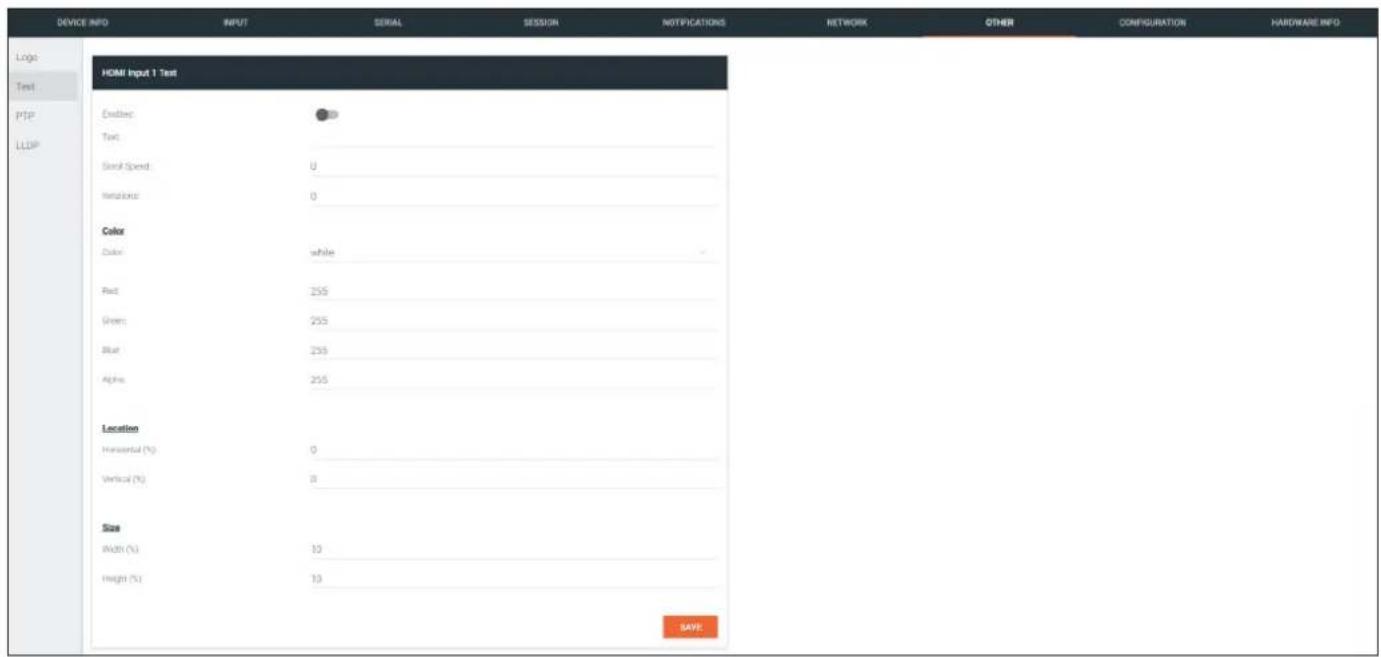
HDMI Input Text window group
Enabled
Click this toggle switch to enable or disable the text. When the toggle switch is orange, the text will be enabled.
Text
Enter the desired text in this field.
Scroll Speed
Enter the scrolling speed in this field. Integer values from -255 to 255 are valid. Negative numbers will scroll the text from left to right. Positive numbers will scroll text from right to left.
Iterations
Enter the number of iterations in the Iteration field. Set this field to 0 (zero) to set the number of iterations to infinity.
Color
Click this drop-down list to select a solid color preset: red, green, black, white, yellow, or blue.
Red, Green, Blue, Alpha
Click these fields to fine tune the color of the text. Integer values from 0 to 255 are valid for all fields. Adjust the Alpha field to control the transparency of the text. An alpha value of 255 is opaque and a value of 0 is transparent.
Horizontal
Enter the horizontal position of the text in this field.
Vertical
Enter the vertical position of the text in this field.
Width
Enter the width of the text in this field. This value is based on the horizontal resolution of the screen.
Height
Enter the height of the text in this field. This value is based on the vertical resolution of the screen.
SAVE
Click this button to commit all changes within the HDMI Input Text window group.
The Velocity Interface
OTHER > PTP page
The PTP page provides options for adjust Precision Time Protocol (PTP) for AES67 audio streams. PTP is used by AES67 to keep all audio streams synchronized.
For a system utilizing PTP, all devices undergo an automatic self-election process to choose the interface to be used as the PTP grandmaster (GM) clock, based on the accuracy of the device's clock and the device's configured priority. A lower priority number means the unit is more likely to get selected as the GM.

IMPORTANT: If a new device is added to the network and the GM changes, a brief outage will be experienced while all connected devices synchronize with the new clock. Because of this, Atlona recommends that one unit gets manually defined as the GM and have both Priority 1 and Priority 2 fields be set to 1.
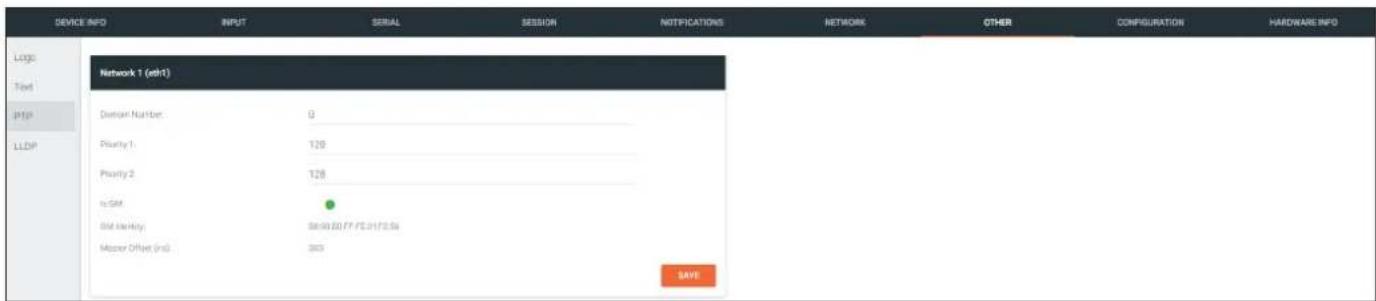
Network window group
Domain Number
Enter the domain number in this field. Valid entries are 0 through 127.
Priority 1
Enter the priority number in this field.
Priority 2
Enter the priority number in this field.
Is GM
This indicator displays the existence of a grandmaster clock for the specified PTP domain number. If the indicator is green, then the grandmaster clock exists on this interface.
GM Identity
The grandmaster clock identity. If this field is blank, then it means that this interface is the grandmaster clock.
Master Offset
Displays the grandmaster clock offset.
SAVE
Click this button to commit all changes the Network window group.
The Velocity Interface
OTHER >LLDP page
The Link Layer Discovery Protocol (LLDP) page returns information about the switch that the encoder is connected to. If both interfaces from a dual-channel encoder are connected to the switch, then two eth window groups will be displayed.

NOTE: LLDP must be enabled on the switch that the encoders are connected to, in order for the switch information to be displayed.
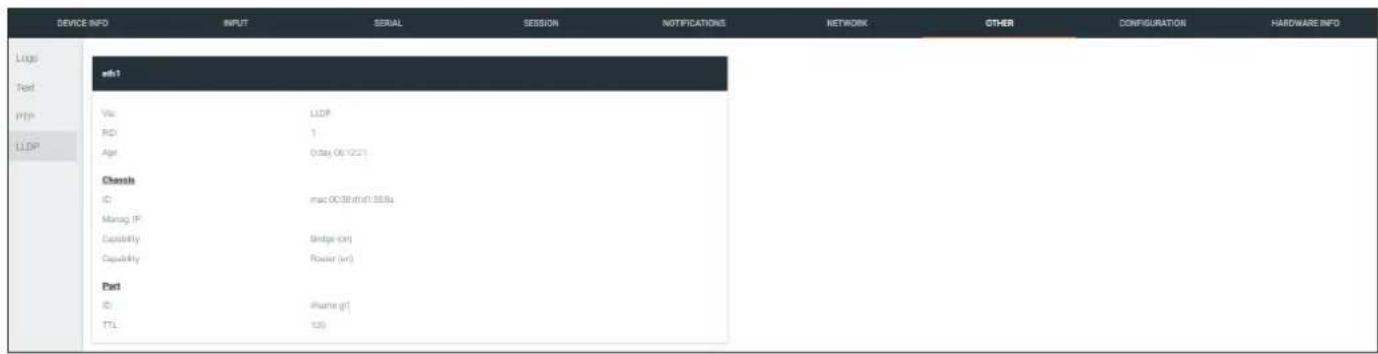
eth window group
Via
The discovery protocol being used.
RID
The router ID.
Age
Up-time of the interface.
Chassis ID
The MAC address of the interface.
Chassis Capability
Indicates the device function, such as bridge (switch), router, etc.
Port ID
The port ID.
TTL
The Time-To-Live value.
The Velocity Interface
CONFIGURATION page
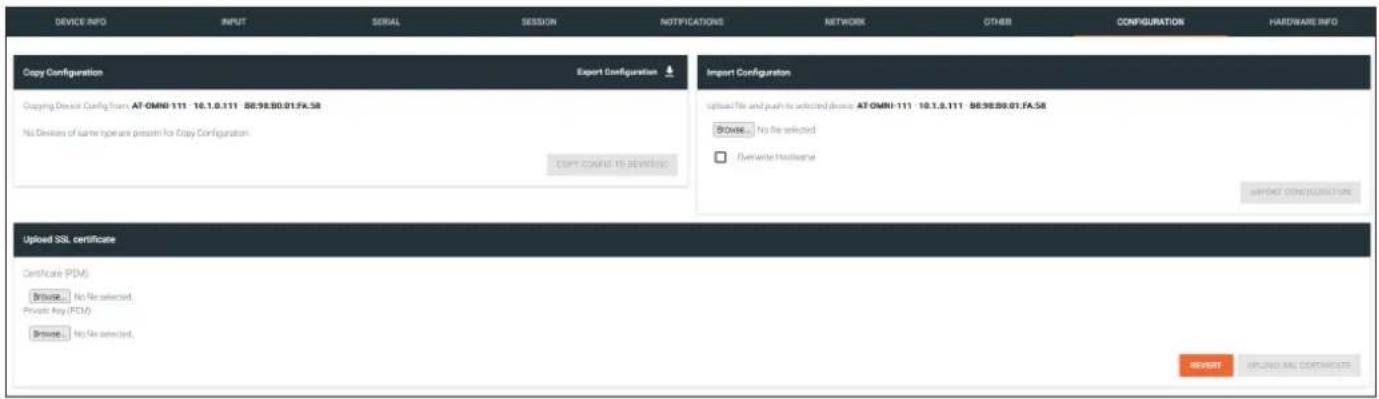
Copy configuration
Export Configuration
Click this button to export the current encoder system configuration to a .json file.
COPY CONFIG TO DEVICE(S)
Click this button to copy the current configuration to other OmniStream devices. OmniStream devices must be of the same type to perform this operation.
Import Configuration
Browse...
Click this button to select the desired configuration file to be uploaded.
Overwrite Hostname
Click this box to overwrite the hostname of the destination device. Leaving this box unchecked will preserve the destination hostname.
IMPORT CONFIGURATION
Click this button to upload the selected configuration file to the encoder.
Upload SSL certificate
Browse... (Certificate PEM)
Click these buttons to select the desired certificate.
Browse... (Private Key PEM)
Click these buttons to select the desired private key.
UPLOAD SSL CERTIFICATE
Click this button to upload the certificate/private key to the encoder.
REVERT
Click this button to restore the previous configuration.
The Velocity Interface
HARDWARE INFO page
| DEVICE INFO | INPUT | SERIAL | SESSION | NOTIFICATIONS | NETWORK | OTHER | CONFIGURATION | HARDWARE INFO |
| Hardware info | ||||||||
| Connector Status | ONLINE | |||||||
| Alias | ||||||||
| Manufacturer | Alias | |||||||
| Model | ATOMIN-111 | |||||||
| IP Address | 101.5.111 | |||||||
| Serial Number | ||||||||
Connection Status
Indicates the connection status of the device.
Alias
Displays the alias name.
Manufacturer
Displays the manufacturer name.
Model
Displays the model number.
IP Address
Displays the IP address of the unit.
Serial Number
Displays the serial number of the unit.
The Velocity Interface
Decoders
DEVICE INFO page
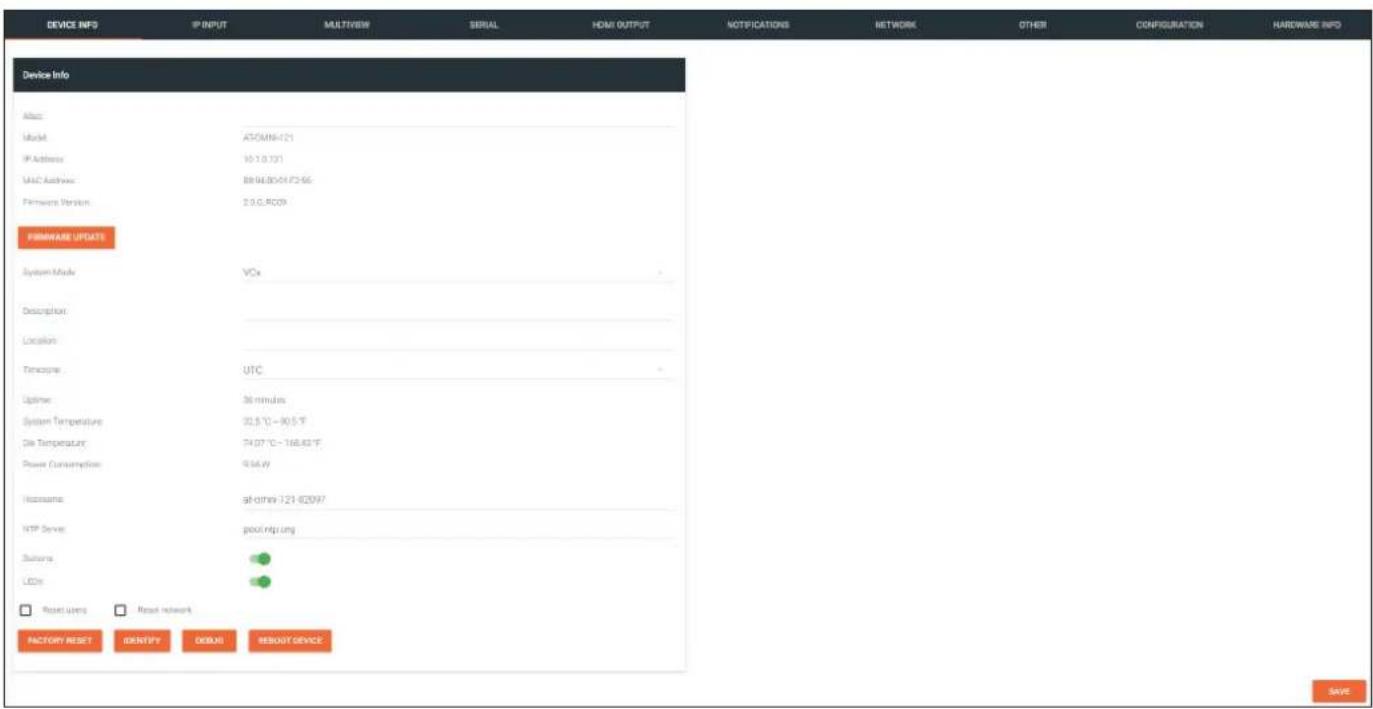
Alias
Enter a name for the unit in this field. This is optional.
Model
The model number of the unit.
| Encoders Decoders | |
| AT-OMNI-111 AT- | OMNI-121 |
| AT-OMNI-112 AT- | OMNI-122 |
| AT-OMNI-512 AT- | OMNI-521 |
IP Address
Displays the IP address of the encoder.
MAC Address
Displays the MAC address of the encoder.
Firmware Version
The version of firmware that the OmniStream device is running. Always make sure the latest version of firmware is installed.
FIRMWARE UPDATE
Click this button to update the firmware.
The Velocity Interface
System Mode
Click this drop-down list to select the system mode. The default setting is VCx.
| Mode Description | |
| VCx This is the default mode and represents the latest codec technology from Atlona, with outstanding support for computer graphics and motion video. VCx includes support for 4K60 4:4:4 fast switching, dual streaming from AT-OMNI-111 encoders, and multiview on the decoders. | |
| VC-2 Video Legacy OmniStream codec that provides the best viewing experience when streaming motion graphics and/or video. | |
| VC-2 PC application | Legacy OmniStream codec that optimizes the image when viewing static images, such as spreadsheets or similar content. |
Description
Provides the option of assigning descriptive name to the unit.
Location
Provides the option of assigning a description of where the unit is located.
Timezone
Displays the time zone format. Click the SET TIMEZONE button, to assign the time zone.
Date/Time
Displays the current date and time. Click the SET DATE/TIME button to set these values.
Uptime
Displays the elapsed time since the unit was powered-on or rebooted.
System Temperature
Displays the ambient enclosure temperature.
Die Temperature
Displays the value returned from the die temperature sensor (DTS) on the chip of the PCB.
Power Consumption
Displays the precise power consumption of the encoder.
Hostname
Displays the hostname of the encoder. By default, OmniStream encoders are assigned a default hostname, which is constructed as follows: at-omni-[SKU]-[last five digits of MAC address].
NTP Server
Displays the NTP server. This field is set to pool.ntp.org by default. Click this field to enter the desired NTP server address.
Buttons
Click this toggle switch to enable or disable the button backlight indicators on the front-panel.
LEDs
Click this toggle switch to enable or disable all front-panel LED indicators and button backlight indicators.
The Velocity Interface
FACTORY RESET
Click this button to reset the encoder to factory-default settings. When performing a factory reset, the following options can be selected, by clicking the check box. If no options are selected, then the encoder is reset with no factory-default settings.
Option Description
None Checked Resets the encoder with no factory-default settings.
Reset User Resets the encoder to factory-default settings and resets custom user information.
Reset Network Resets the encoder to factory-default settings and resets network information.
IDENTIFY
Click this button to physically identify a unit on the network. Clicking this button will cause all front-panel LED indicators to flash for 10 seconds.
DEBUG
Click this button to instruct the unit to create a debug file. This file is used by Atlona Technical Support Engineers to diagnose internal issues with the unit.
REBOOT DEVICE
Click this button to perform a soft reboot of the OmniStream device.
SAVE
Click this button to commit changes to the settings on this page.
The Velocity Interface
IP INPUT page
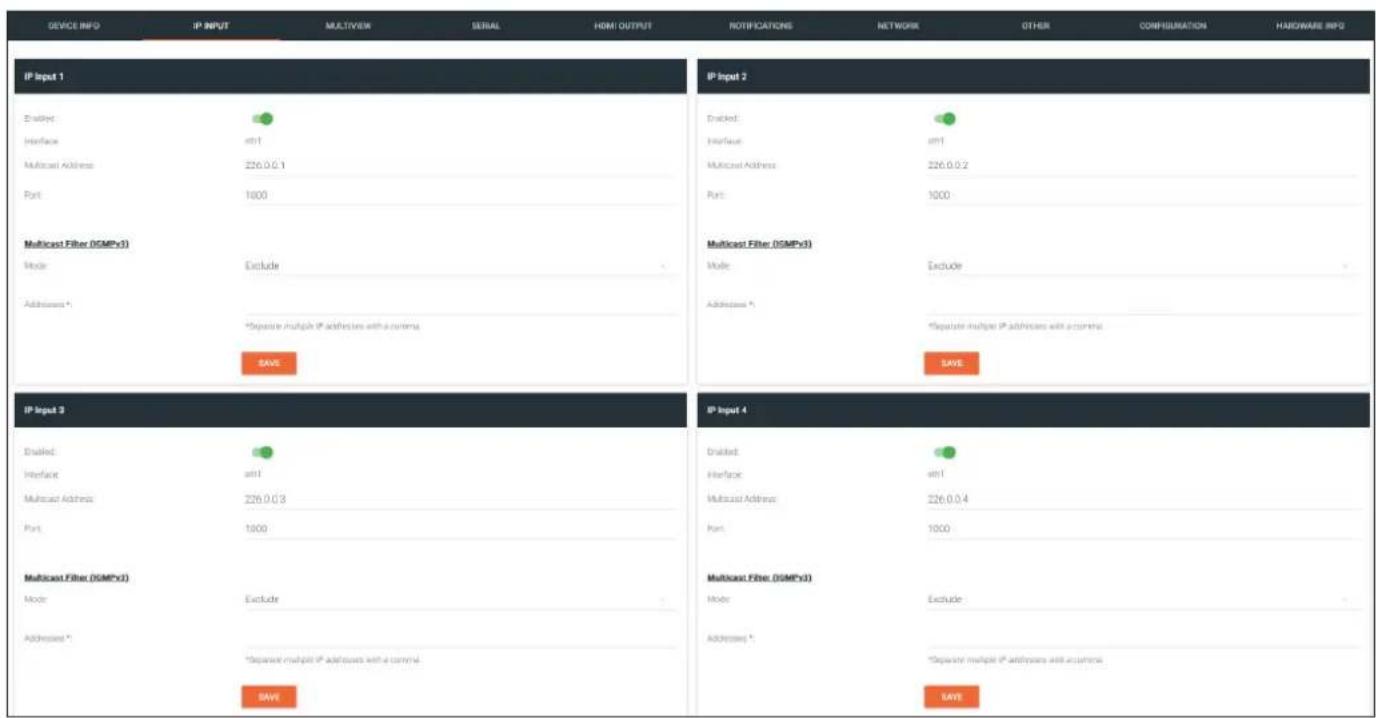
The following fields apply to all IP Input window groups.
Enabled
Click this toggle switch to enable or disable the IP input.
Interface
Click this drop-down list to select the desired Ethernet interface. This is only available on dual-channel decoders.
Multicast Address
Enter the multicast IP address of the subscribed encoder in this field.
Port
Enter the port number of the subscribed encoder in this field.
Multicast filter (IGMPv3) > Mode
Click this drop-down list to select the multicast filtering mode. Available options are exclude or include.
Multicast filter (IGMPv3) > Addresses
Enter the desired address(es) in this field. Separate multiple multicast IP addresses with a comma delimiter.
SAVE
Click this button to commit all changes in the Input window group.
The Velocity Interface
MULTIVIEW page

NOTE: This page is only available if the System Mode is set to VCx. Refer to the DEVICE INFO page (page 122) for more information.
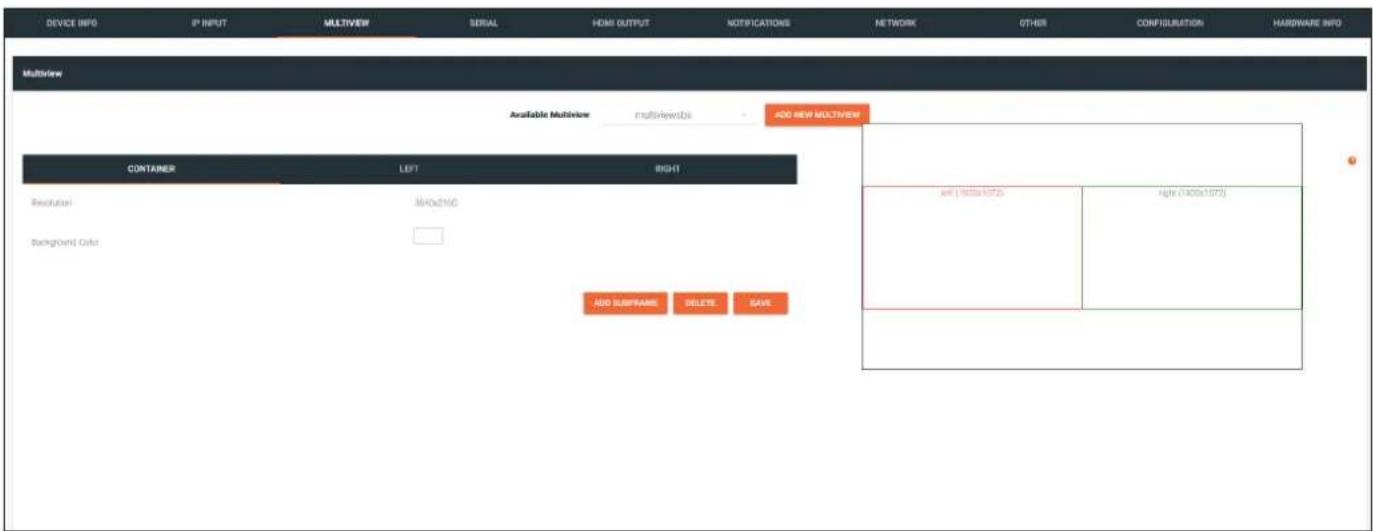
Multiview window group
Available Multiview
When a multiview is created, the name of the multiview will be displayed here. If more than one multiview configuration exists, then click this drop-down list to select the desired multiview.
ADD NEW MULTIVIEW
If a multiview has not been configured, this will be the only button displayed on this page. Click this button to create a multiview. For details on configuring a multiview refer to Multiview and Dual-Streaming Tutorial (page 48) for more information.
CONTAINER window group
Resolution
Displays the output resolution of the multiview.
Background Color
The background color is set using RGB values between 0 and 255. The default setting is black (0,0,0). Click this box to display the color swatch and to change the background color.
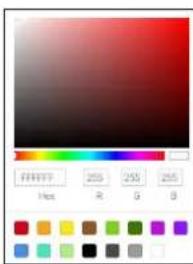
The Velocity Interface
Subframe window groups
The name of these window groups will change, based on the multiview layout that is selected. However, the information contained within the window group will be the same.
Name
The name of the subframe and the resolution of the subframe. This field cannot be modified.
Input
Click this drop-down list to select the desired IP input.
X
Enter the x-position of the anchor point in this field.
Y
Enter the y-position of the anchor point in this field.
Anchor
Click this drop-down list to select the anchor point for the subframe. Anchor points are: top left, top right, bottom left, bottom right, and center.
Z-order
Enter the z-order value in this field. Subframes with a higher z-order value will be moved to the front (on top of) subframes with lower z-order values.
Input Status
Displays the status and resolution of the input, if it is active. If it is not active, then No Video will be displayed.
Output Status
Displays the status and resolution of the output, if it is active. If it is not active, then No Video will be displayed.
DELETE
Deletes the subframe from the multiview window group.
SAVE
Click this button commit changes to the subframe window group.
The Velocity Interface
SERIAL page
The Serial page provides serial port configuration when using control signals.
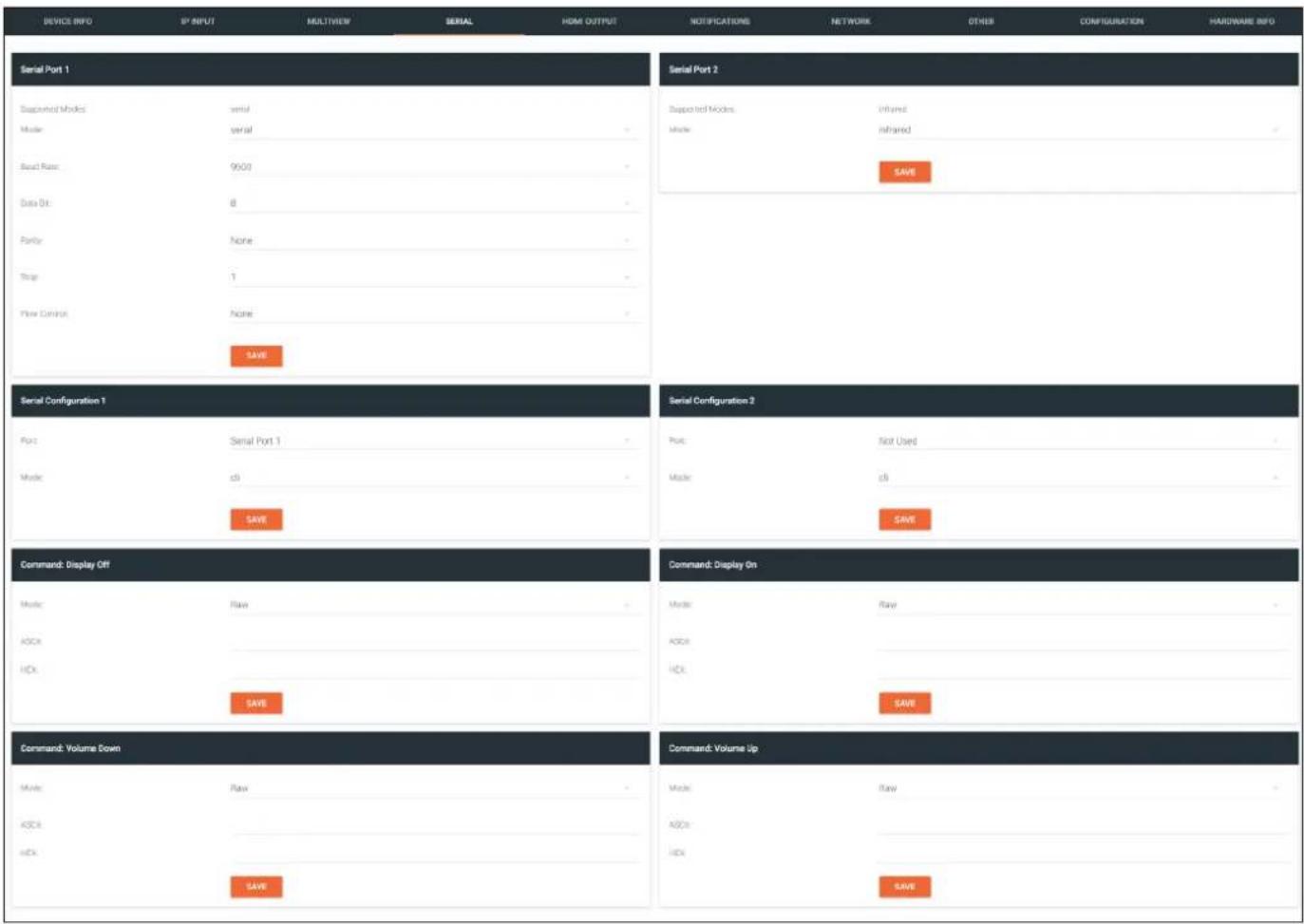
Serial Port window groups
The following fields apply to both Serial Port window groups.
Supported Modes
Lists the supported protocols for the serial port.
Mode
Click this drop-down list to select the desired serial mode. Available values will be reflected in the Supported Modes field.
Baud Rate
Click this drop-down list to select the desired baud rate: 115200, 57600, 38400, 19200, or 9600.
Data Bit
Click this drop-down list to select the number of data bits: 6, 7, or 8.
Parity
Click this drop-down list to select the parity bit: None, Odd, Even, Mark, or Space.
The Velocity Interface
Stop
Click this drop-down list to select the stop bit: 1, 1.5, or 2.
SAVE
Click this button to save all changes under the Serial Port window group.
Serial Configuration window groups
The following fields apply to both Serial configuration window groups. The single-channel encoder will only have one Serial configuration window group.
Port
Click this drop-down list to select the desired serial port.
Mode
Click this drop-down list to select the desired control mode. Available values are: cli and tcpproxy. Select tcpproxy to send IP commands directly to the decoder, which are then output over RS-232 to the display (sink) device. Selecting the cli option will pass through RS-232 data, directly from a control system, to the sink device that is connected to the decoder.
SAVE
Click this button to commit all changes within the Serial configuration window group.
Command window groups
By default, window groups for the following commands are created: Display Off, Display On, Volume Down, and Volume Up.
Interpret on
Click this drop-down list to select the endpoint where the command will be processed: encoder or decoder.
ASCII
Enter the ASCII representation of the command string in this field.
HEX
Enter the hexadecimal representation of the command in this field.

NOTE: When entering the command string, it is not required to enter the string under both the ASCII and HEX fields. The encoder requires that one field be completed.
SAVE
Click this button to commit all changes within the Command window group.
The Velocity Interface
HDMI OUTPUT page
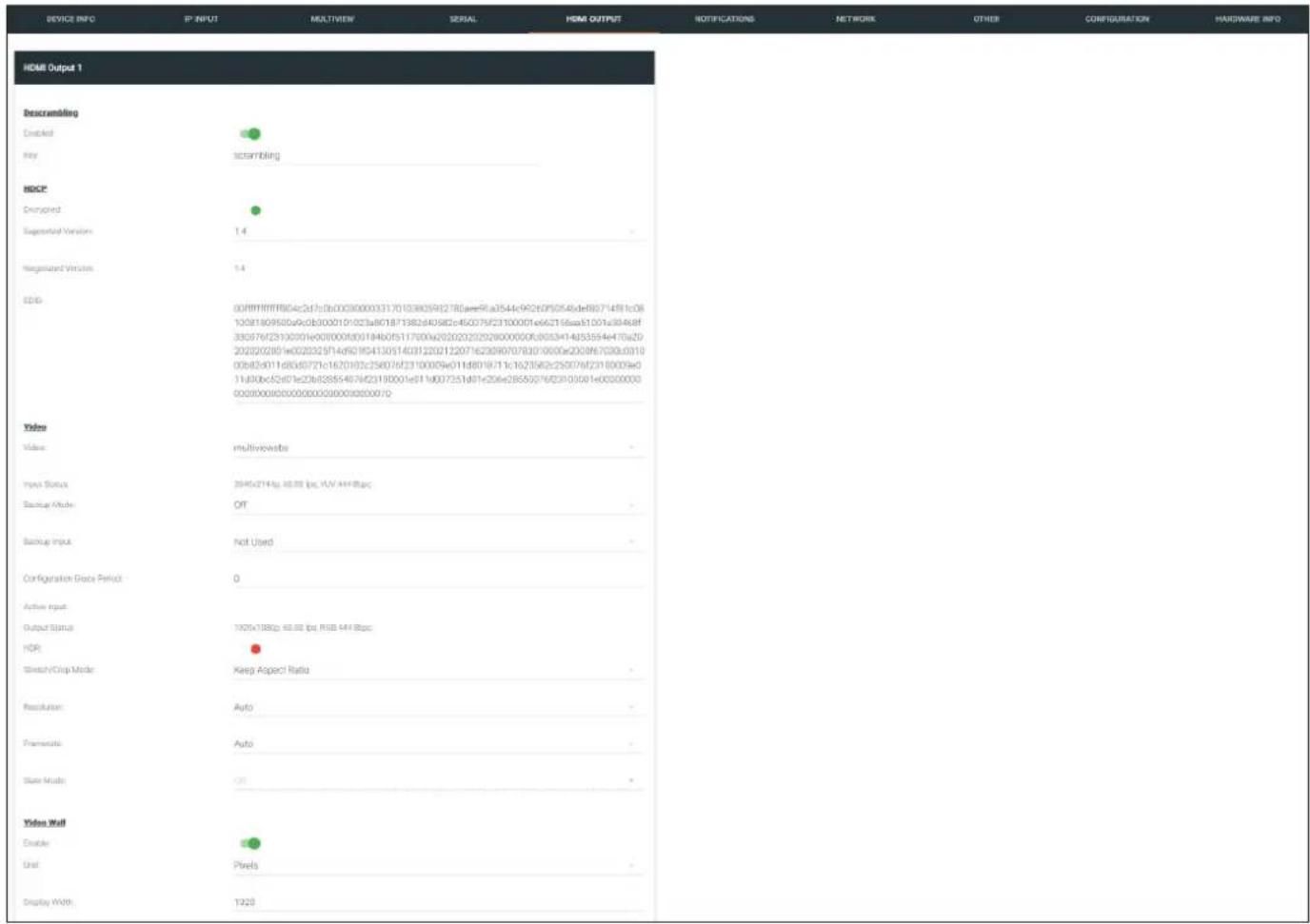
Descrambling
Enabled
Click this toggle switch to enable or disable scrambling. If a scrambling key is used on the subscribed encoder, then descrambling must be enabled on the decoder in order for the source signal to reach the sink device.
Key
Enter the descrambling key in this field. This key must match the scrambling key on the subscribed encoder.
HDCP
Encrypted
This indicator will be green if the stream content is HDCP-encrypted.
Supported Version
Click this drop-down list to select the supported version of HDCP.
Negotiated Version
Displays the version of HDCP used by the stream.
EDID
This field will display the EDID of the connected display. This raw data can be copied and stored under the EDID page, if desired.
The Velocity Interface
Video
Video
Click this drop-down list to select the desired IP input. Available options are ip_input1 - ip_input12, none, generator, and multiview (if configured).
Input Status
Displays the input status. If no video stream is detected, then "No active video" will be displayed.
Backup Mode
Click this drop-down list to select the backup mode. Both Video and Audio provide the Backup Mode feature.
| Mode Description | |
| Off | Backup source is disabled; join request not sent. |
| Join Active | The decoder sends a join request only when the decoder decides to switch between video sources. Switch time will not exceed 5 seconds. |
| Join Always | The decoder always joins to the backup video source. Switch time will not exceed 0.5 seconds. |
Backup Input
Select the secondary video backup IP input from this drop-down list. If the primary IP input is down, then the decoder will automatically switch to this input. Refer to the Backup Mode option, above, for setting the conditions for switching inputs. Both Video and Audio provide the Backup Input feature.
Configuration Grace Period
To prevent the decoder from automatically making the redundancy switch, when redundancy is enabled, a grace period can be entered. By default, the grace period is set to zero seconds. If set to zero seconds, automatic failover will occur, if the stream is interrupted for any reason. Refer to Configuring Redundant Streams (page 74) for more information.
Active Input
Displays the active video input.
Output Status
Displays the active video input. If no input is active or detected, then this field will display "No active video".
HDR
This indicator will be green if HDR video is present.
Stretch / Crop Mode
Click this drop-down list to select the aspect ratio.
| Mode Description | |
| Keep Aspect Ratio | Aspect ratio is preserved; the output on the decoder will be the same as the input on the encoder. |
| Full Screen | Stretches the image to fill the screen. In some cases this can distort (“stretch”) the image. |
| 16:9 | Sets the aspect ratio to 16:9 “widescreen” format, usually associated with HDTV formats. |
| 16:10 | Sets the aspect ratio to 16:10 “widescreen” format, usually associated with computer displays and smart devices. |
| 4:3 | Sets the aspect ratio to 4:3 “pan-and-scan” format, usually associated with SDTV. |
The Velocity Interface
Resolution
Click this drop-down list to select the desired output resolution. This is a scaler feature which can either upscale or downscale the output on the decoder. If Input is selected, then no scaling will be applied to the output. Select Auto to use the EDID of the sink device to determine the output resolution.
| Resolutions | |
| Input 1440x1050 | |
| Auto 1440x900 | |
| 4096x2160 1280x1024 | |
| 3840x2160 1280x800 | |
| 1920x1200 1280x768 | |
| 1920x1080 1280x720 | |
| 1680x1050 1024x768 | |
| 1600x900 |

NOTE: When working with VESA resolutions 1360x768p60 and 1366x768p60, the Resolution drop-down list must be set to Auto.
Framerate
Sets the output frame rate. Available options are auto, 60 Hz, 50 Hz, and 30 Hz, except for the OMNI-122 where the options are auto and 30 Hz.
Slate Mode
Click this drop-down list to select the slate mode. Refer to Slate / Logo Insertion (page 83) for more information.
| Mode Description | |
| Off | Disables the image from being displayed. |
| Manual | Stretches the image to fill the screen. In some cases this can distort (“stretch”) the image. |
| Auto | The image will only be displayed when the source signal is lost. For example, this mode is useful in conference room applications for displaying system instructions when no sources are connected. |
Video Wall
Enable
Click this toggle switch to enable or disable the video wall option. Refer to Creating Video Walls (page 58) for more information on using video walls.
Unit
Click this drop-down list to specify the units. Available options are pixels, mm, and inches.
Display Width
Specifies the width of the video wall.
Display Height
Specifies the height of the video wall.
Horizontal
The number of video wall rows.
Vertical
The number of video wall columns.
The Velocity Interface
Rotation
Adjusts the rotation angle of the image. Available options are 0, 90, 180, and 270.
Edge Compensation
Adjusts edge compensation. Available options are none, bezel compensation, and edge blending.
Fast Switching Enable
Click this toggle switch to enable or disable fast-switching. When enabled, the fast-switching timeout interval can also be adjusted. Refer to Fast Switching (page 81) for more information.
Fast Switching Timeout (s)
Sets the timeout interval for fast switching. Only available if fast switching is enabled.
TO PRIMARY
Click this button to assign as the Primary IP Input. Both Video and Audio support this feature.
TO BACKUP
Click this button to force the audio stream to fall over to the Backup IP Input (if redundancy is configured). Both Video and Audio support this feature.
Audio
Input
Click this drop-down list to select the primary audio IP input. Select the Not Used option to leave the audio input unassigned.
Backup Mode
Click this drop-down list to select the backup mode. Both Video and Audio provide the Backup Mode feature.
| Mode Description | |
| Off Backup source | is disabled; join request not sent. |
| Join Active The decoder | sends a join request only when the decoder decides to switch between audio sources. Switch time will not exceed 5 seconds. |
| Join Always The decoder | always joins to the backup audio source. Switch time will not exceed 0.5 seconds. |
Backup Input
Select the secondary video backup IP input from this drop-down list. If the primary IP input is down, then the decoder will automatically switch to this input. Refer to the Backup Mode option, above, for setting the conditions for switching inputs. Both Video and Audio provide the Backup Input feature.
Configuration Grace Period
To prevent the decoder from automatically making the redundancy switch, when redundancy is enabled, a grace period can be entered. By default, the grace period is set to zero seconds. If set to zero seconds, automatic failover will occur, if the stream is interrupted for any reason. Refer to Configuring Redundant Streams (page 74) for more information.
Active Input
Displays the active audio input.
Downmixing
Click this drop-down list to select how LPCM audio will be down-mixed. Note that lossless audio formats cannot be down-mixed.
The Velocity Interface
Enable AES67
Click this toggle switch to enable or disable AES67. When enabled, the toggle switch will be orange. Refer to AES67 Audio (page 75) for more information.
Status
Displays the active audio input. If no input is active or detected, then this field will display "No active audio".
Mute
Click this toggle switch to enable or disable the audio output. If enabled, the toggle switch will be green.
Volume
Click the speaker icon on the left to decrease volume. Click the speaker icon on the right to increase volume. Range: 0 to 15.
Analog Power Status
This indicator will be green when the decoder is powered by the optional external 48 V DC power supply.
Analog Power
If analog output is connected to the decoder, then click this toggle switch to use the analog audio output. When enabled, this toggle switch will be orange.
TO PRIMARY
Click this button to assign as the Primary IP Input. Both Video and Audio support this feature.
TO BACKUP
Click this button to force the audio stream to fall over to the Backup IP Input (if redundancy is configured). Both Video and Audio support this feature.
AUX (CEC)
Click this drop-down list to select the desired IP input for CEC control. Available options are ip_input1 - ip_input12, none, and generator.
Auto On
Click this toggle switch to enable or disable power-on. When enabled this toggle switch will be green and the power-on command will be sent to the display when an A/V signal is detected.
Projector Cooldown (s)
Enter the time interval, in seconds, before the projector can be powered-off. This time interval prevents the decoder from sending additional commands until the projector has had time to complete its cool-down process.
Standby Timeout
Enter the time interval, in seconds, before the next command can be accepted by the display.
Type
Click this drop-down list to select the display mode.
| Type Description | |
| DispSW AVon Display switches | on/off, source audio/video signal always on. |
| DispSW AVSW Display switches | on/off, source audio/video signal switches on/off. |
| AV SW Display is always on, source audio/video signal switches on/off | |
| Always on Display is always on, source audio/video signal always on. | |
SAVE
Click this button to commit all changes within the HDMI Output window group.
The Velocity Interface
NETWORK page
The NETWORK page provides the ability to enable or disable DHCP mode for each video channel. When DHCP mode is disabled, the IP address, subnet mask, and gateway must be provided. If using the dual-channel version, then the information on both Channel 1 and Channel 2 are provided. This screen is identical to the NETWORK page for the encoder.
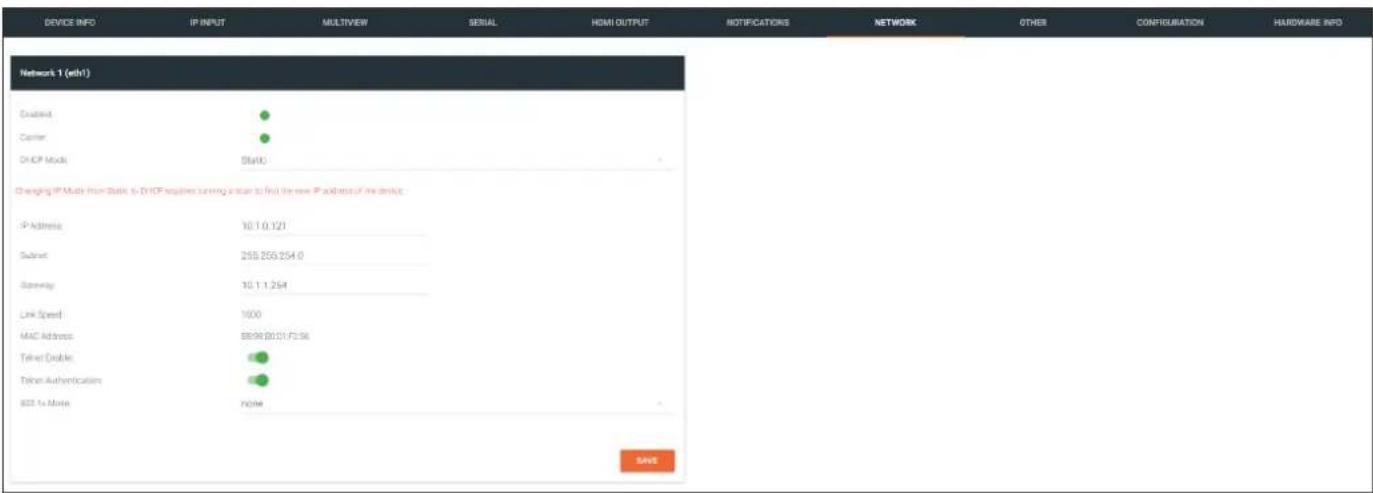
Enabled
This indicator displays whether or not the video stream for this channel is active. If the indicator is green, then the video stream is active.
Carrier
If this indicator is green, then an active link exists. Otherwise, if no link exists, this indicator will be red.
DHCP Mode
Click this drop-down list to select the desired IP mode. Select DHCP to let the DHCP server (if present) assign the encoder the IP settings; Subnet and Gateway fields will automatically be populated. When static is selected, the information for the IP Address, Subnet, and Gateway fields must be entered.
IP Address
Displays the IP address used by the channel. This field can only be changed if Mode is set to static.
Subnet
Displays the subnet mask for the channel. This field can only be changed if Mode is set to static.
Gateway
Displays the gateway (router) address for the channel. This field can only be changed if Mode is set to static.
Link speed
Displays the Ethernet interface link speed in Mbps. This field cannot be modified.
MAC address
Displays the MAC address of the Ethernet interface.
The Velocity Interface
Telnet Enable
Click this toggle switch to enable or disable Telnet. If disabled, then Telnet sessions to the encoder cannot be established.
Telnet Authentication
Click this toggle switch to enable or disable Telnet authentication. If enabled, then the toggle switch will be orange. Once enabled, connecting to the encoder using Telnet will require login credentials. The default credentials are:
Username: admin
Password: Atlona
802.1x Mode
Click this drop-down list to select the desired authentication mode.
| Protocol Description | |
| none 802.1X protocol disabled | |
| PEAP/MSCHAPv2 Protected EAP; requires basic credentials in addition to a CA (certificate authority) certificate. | |
| EAP-TLS EAP Transport Layer Security; requires a client certificate, client private key, and CA (certificate authority) certificate. |
SAVE
Click this button to commit all changes within the Network window group.
The Velocity Interface
OTHER >LOGO page
The Other page provides logo/slate, text, and PTP management. Click the menu in the upper-left corner of the Velocity screen to switch between Logo, Text, PTP, SAP, and LLDP screens.
The Logo page provides the ability to upload a custom logo and is similar to the LOGO page on the encoder. Refer to Slate / Logo Insertion (page 83) for more information on these settings.
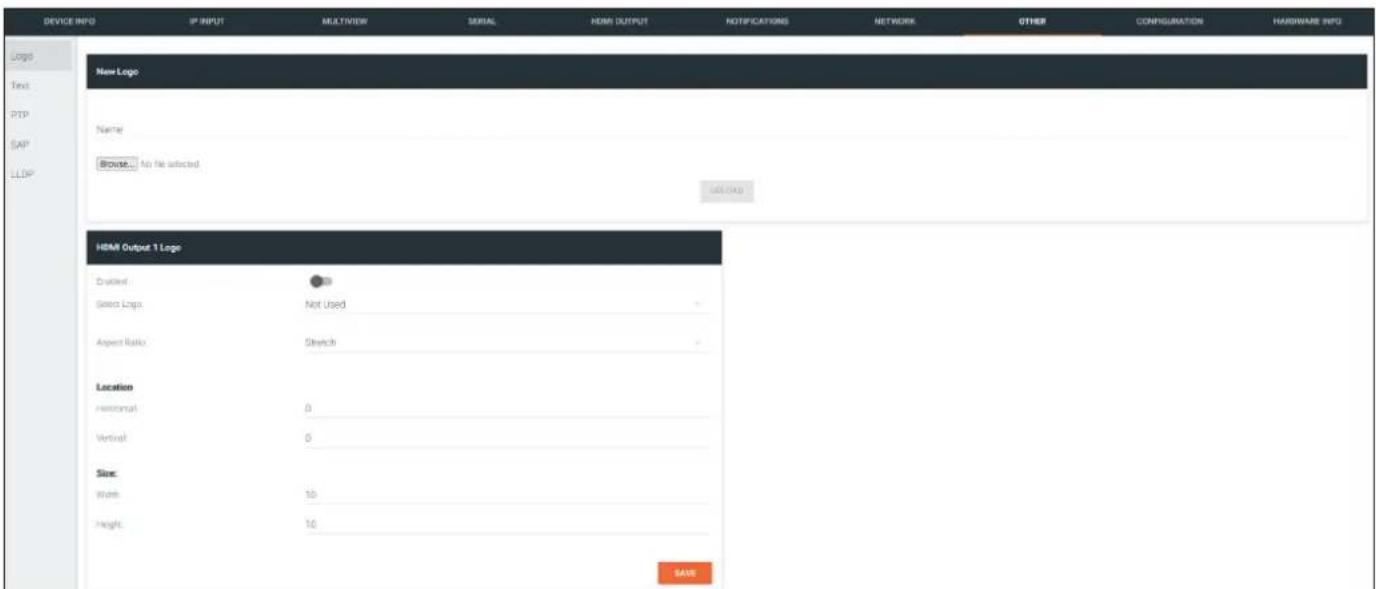
New Logo window group
Name
Enter a name for the logo in this field.
Browse...
Click this button to select the logo file to be uploaded. Files must be in .png format and must not exceed 5 MB (5120000 bytes) in size. When an image file is uploaded, it will appear in the Logo drop-down list.
UPLOAD
Click this button to upload the logo file to the encoder.
HDMI Output Logo window group
Enabled
Click the toggle switch to enable or disable the logo. If the toggle switch is green, then the logo will be enabled.
Logo
Click this drop-down list to select the desired logo. To disable the use of a logo, set to Not Used.
Aspect Ratio
Click this drop-down list to select the type of aspect ratio to be applied to the logo.
The Velocity Interface
Horizontal
Enter the horizontal position of the logo on the screen. This value is based on the total horizontal resolution of the screen.
Vertical
Enter the vertical position of the logo on the screen. This value is based on the total vertical resolution of the screen.
Width
Enter the width of the logo. This value is based on the total horizontal resolution of the screen.
Height
Enter the height of the logo. This value is based on the total vertical resolution of the screen.
SAVE
Click this button to commit all changes within the HDMI Input window group.
The Velocity Interface
OTHER > TEXT page
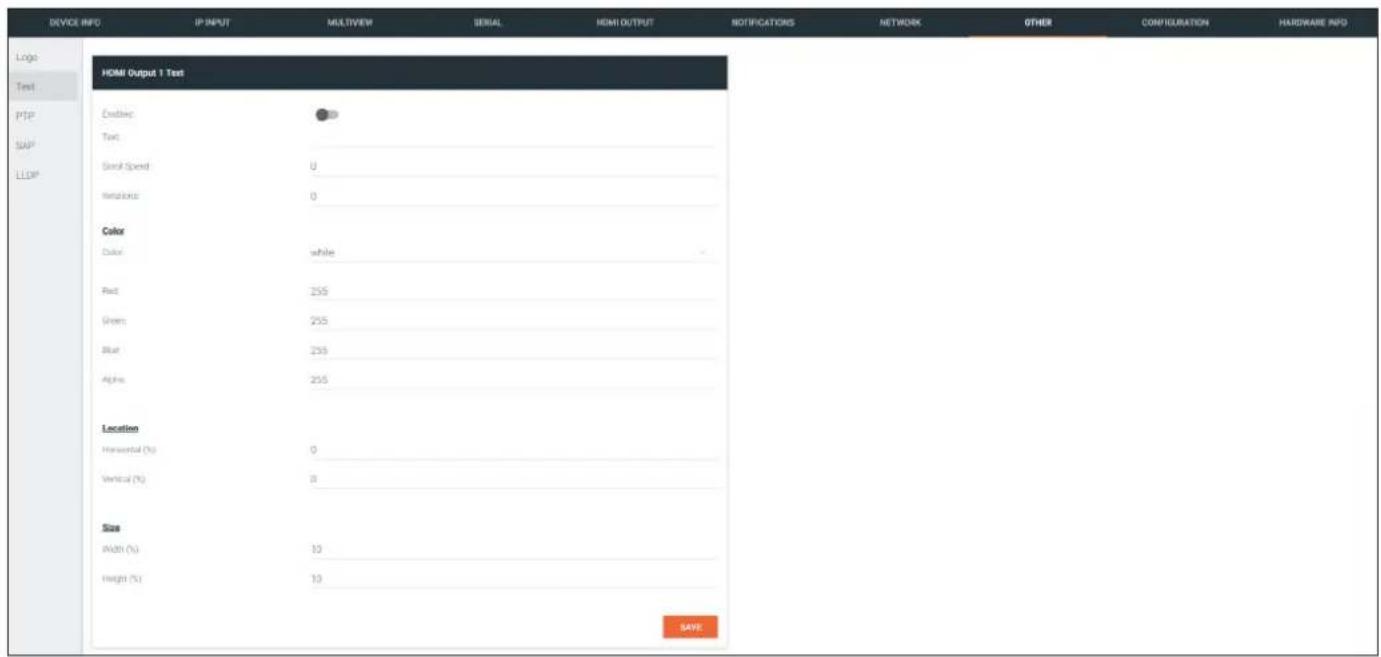
HDMI Output Text window group
Enabled
Click this toggle switch to enable or disable the text. When the toggle switch is orange, the text will be enabled.
Text
Enter the desired text in this field.
Scroll Speed
Enter the scrolling speed in this field. Integer values from -255 to 255 are valid. Negative numbers will scroll the text from left to right. Positive numbers will scroll text from right to left.
Iterations
Enter the number of iterations in the Iteration field. Set this field to 0 (zero) to set the number of iterations to infinity.
Color
Click this drop-down list to select a solid color preset: red, green, black, white, yellow, or blue.
Red, Green, Blue, Alpha
Click these fields to fine tune the color of the text. Integer values from 0 to 255 are valid for all fields. Adjust the Alpha field to control the transparency of the text. An alpha value of 255 is opaque and a value of 0 is transparent.
Horizontal
Enter the horizontal position of the text in this field.
Vertical
Enter the vertical position of the text in this field.
Width
Enter the width of the text in this field. This value is based on the horizontal resolution of the screen.
Height
Enter the height of the text in this field. This value is based on the vertical resolution of the screen.
SAVE
Click this button to commit all changes within the HDMI Input Text window group.
The Velocity Interface
OTHER > PTP page
The PTP page provides options for adjust Precision Time Protocol (PTP) for AES67 audio streams. PTP is used by AES67 to keep all audio streams synchronized.
For a system utilizing PTP, all devices undergo an automatic self-election process to choose the interface to be used as the PTP grandmaster (GM) clock, based on the accuracy of the device's clock and the device's configured priority. A lower priority number means the unit is more likely to get selected as the GM.

IMPORTANT: If a new device is added to the network and the GM changes, a brief outage will be experienced while all connected devices synchronize with the new clock. Because of this, Atlona recommends that one unit gets manually defined as the GM and have both Priority 1 and Priority 2 fields be set to 1.
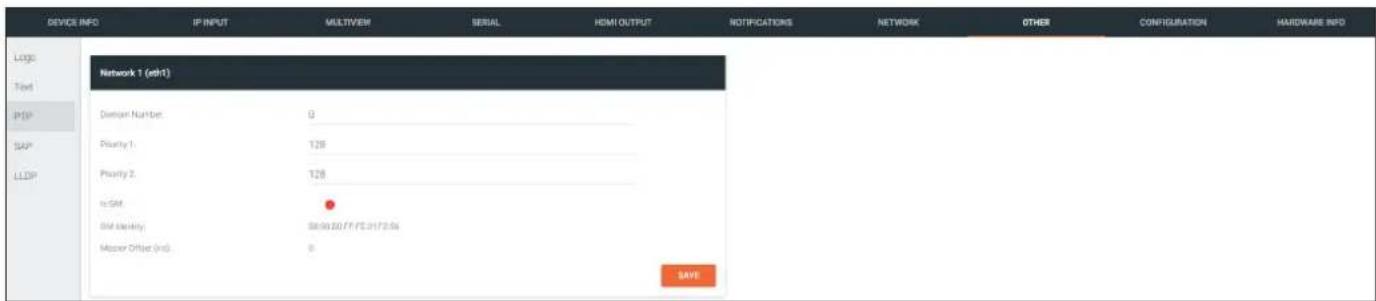
Network window group
Domain Number
Enter the domain number in this field. Valid entries are 0 through 127.
Priority 1
Enter the priority number in this field.
Priority 2
Enter the priority number in this field.
Is GM
This indicator displays the existence of a grandmaster clock for the specified PTP domain number. If the indicator is green, then the grandmaster clock exists on this interface.
GM Identity
The grandmaster clock identity. If this field is blank, then it means that this interface is the grandmaster clock.
Master Offset
Displays the grandmaster clock offset.
SAVE
Click this button to commit all changes the Network window group.
The Velocity Interface
OTHER > SAP page
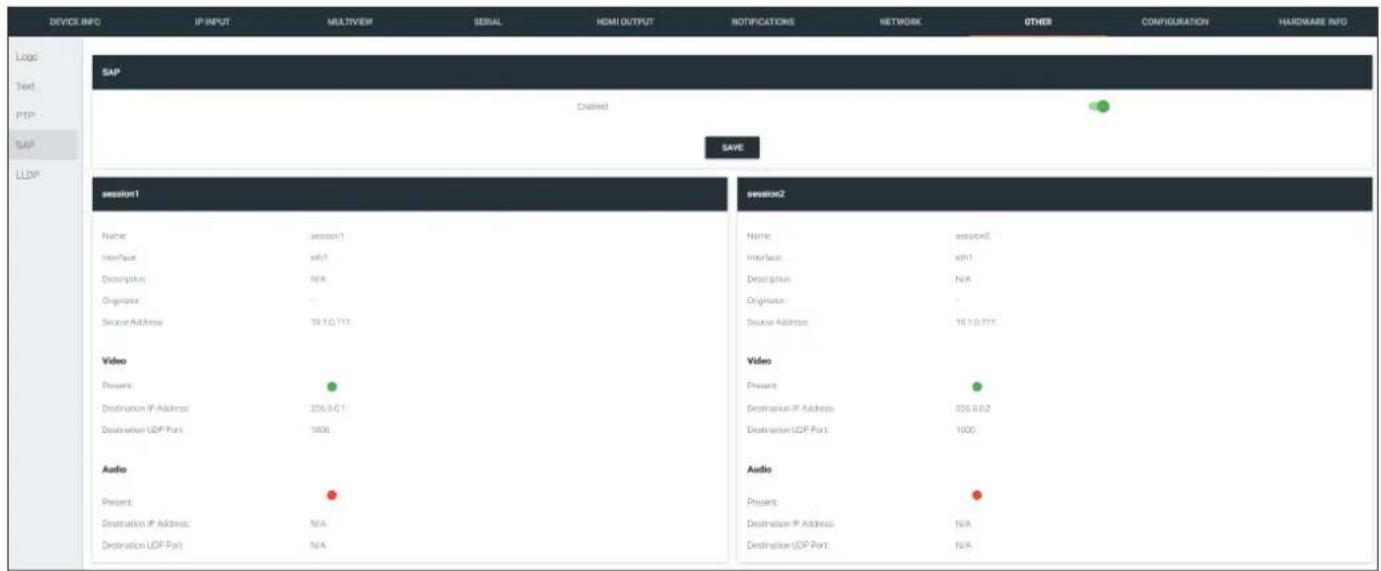
SAP window group
Enable
Click this toggle to enable or disable SAP. This feature is enabled when the toggle switch is green. This is the default setting.
session window groups
If SAP is enabled, session windows will appear on this page and display information about each session.
The Velocity Interface
OTHER >LLDP page
The Link Layer Discovery Protocol (LLDP) page returns information about the switch that the encoder is connected to. If both interfaces from a dual-channel encoder are connected to the switch, then two eth window groups will be displayed.

NOTE: LLDP must be enabled on the switch that the encoders are connected to, in order for the switch information to be displayed.
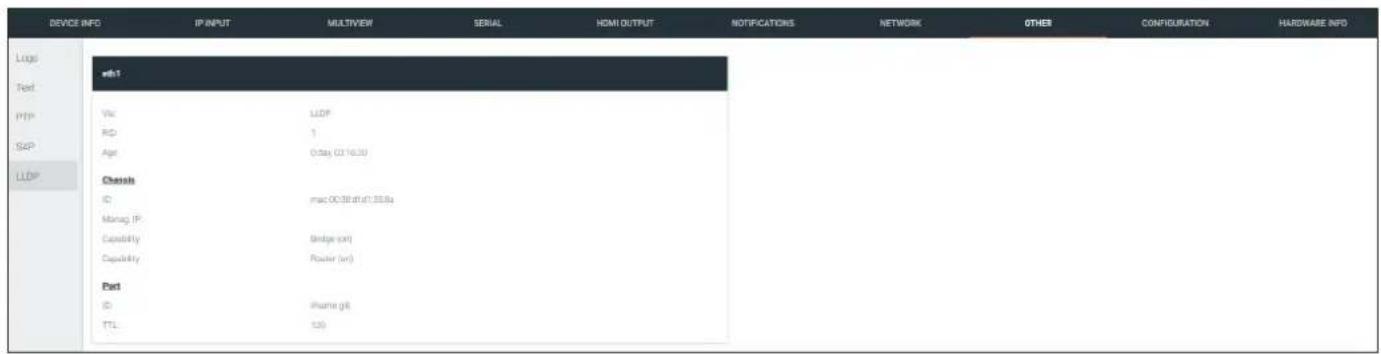
eth window group
Via
The discovery protocol being used.
RID
The router ID.
Age
Up-time of the interface.
Chassis ID
The MAC address of the interface.
Chassis Capability
Indicates the device function, such as bridge (switch), router, etc.
Port ID
The port ID.
TTL
The Time-To-Live value.
The Velocity Interface
CONFIGURATION page
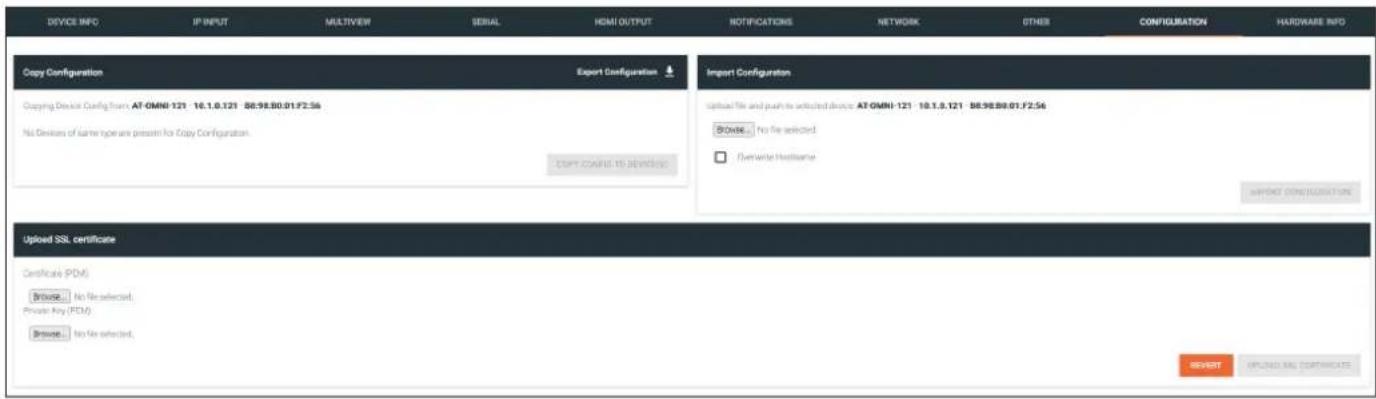
Copy configuration
Export Configuration
Click this button to export the current decoder system configuration to a .json file.
COPY CONFIG TO DEVICE(S)
Click this button to copy the current configuration to other OmniStream devices. OmniStream devices must be of the same type to perform this operation.
Import Configuration
Browse...
Click this button to select the desired configuration file to be uploaded.
Overwrite Hostname
Click this box to overwrite the hostname of the destination device. Leaving this box unchecked will preserve the destination hostname.
IMPORT CONFIGURATION
Click this button to upload the selected configuration file to the decoder.
Upload SSL certificate
Browse... (Certificate PEM)
Click these buttons to select the desired certificate.
Browse... (Private Key PEM)
Click these buttons to select the desired private key.
UPLOAD SSL CERTIFICATE
Click this button to upload the certificate/private key to the encoder.
REVERT
Click this button to restore the previous configuration.
The Velocity Interface
HARDWARE INFO page
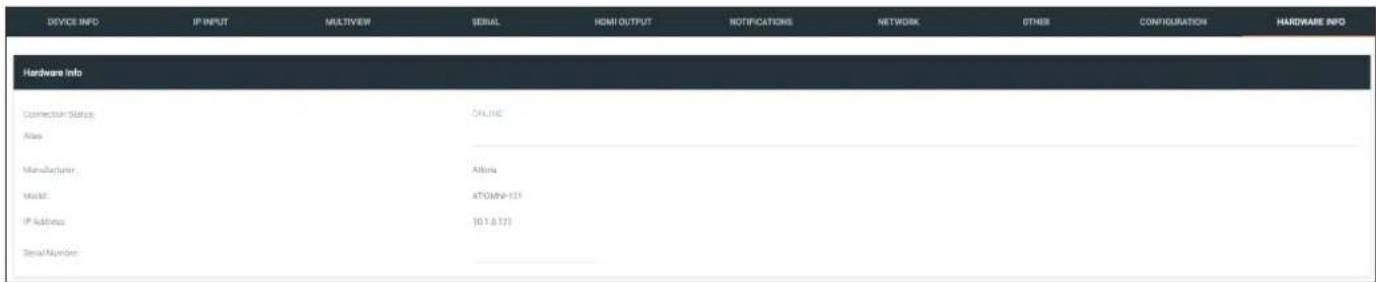
Connection Status
Indicates the connection status of the device.
Alias
Displays the alias name.
Manufacturer
Displays the manufacturer name.
Model
Displays the model number.
IP Address
Displays the IP address of the unit.
Serial Number
Displays the serial number of the unit.
Appendix
Updating the Firmware
- Select the desired encoder/decoder within the Velocity Device Manager.
- Click DEVICE INFO in the menu bar.
- Click the UPDATE FIRMWARE button to display the Firmware Update dialog.
- Click and drag the firmware file to the yellow box, shown below. ,OmniStream firmware files use the .v2pup file extension.
| Firmware file OmniStream SKU | |
| at-omni-single-upgrd-os-[version].vpup2 | AT-OMNI-111, AT-OMNI-121, AT-OMNI-111-WP |
| at-omni-dual-upgrd-os-[version].vpup2 | AT-OMNI-112, AT-OMNI-122 |
| at-omni-residential-upgrd-os-[version].vpup2 | AT-OMNI-512, AT-OMNI-521 |
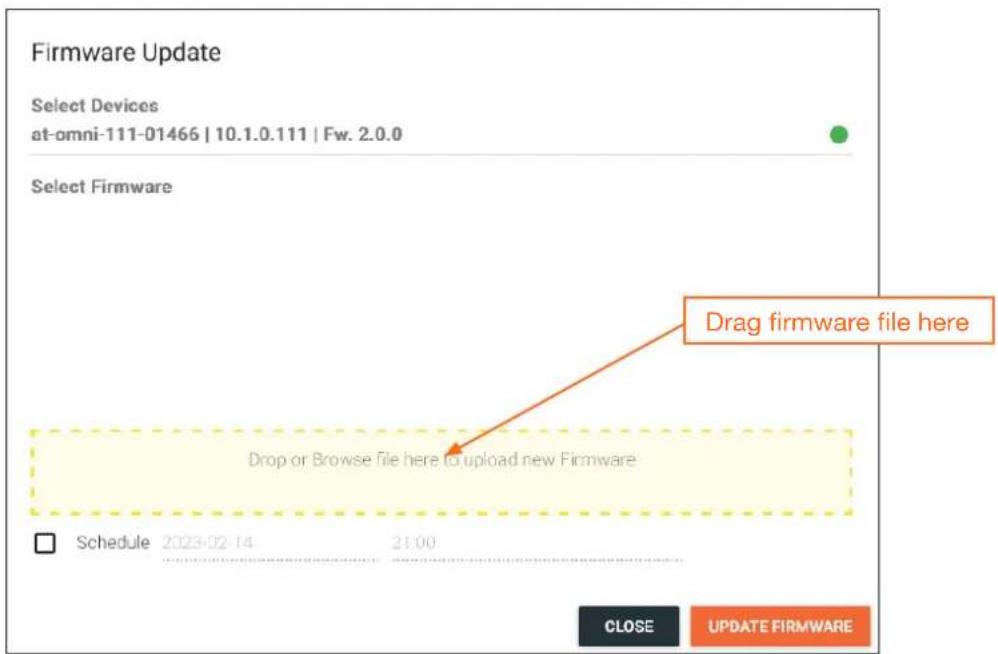
- Click the UPDATE FIRMWARE button to begin the update process.
- The Upgrade Firmware Started message box will be displayed.

Appendix
- Click the orange up-arrow icon, in the upper-right corner of the screen, as shown below. If this icon is orange, it indicates that a firmware update is in progress. The progress bar for the update process will be displayed. The update process should take a few seconds.
- Click the "X" to close out the progress bar window, then click the CLOSE button to dismiss the Firmware Update message box.
- The firmware update process is complete.
- Clear the web browser cache and refresh the web page. The new firmware version will appear in the Firmware Version field, under the DEVICE INFO page.
Performing a Link Test
Follow the procedure below to perform a link integrity test between an encoder and decoder(s).
- Go to the encoder.
- Verify that all desired decoders are subscribed to the encoder's multicast address and port number. In the decoder example below, the IP INPUT > IP Input 1 > Multicast Address field is set to 226.0.0.1. This is the same IP address that is assigned to the SESSION > Stream 1 > Destination Multicast/Unicast Address field on the encoder.
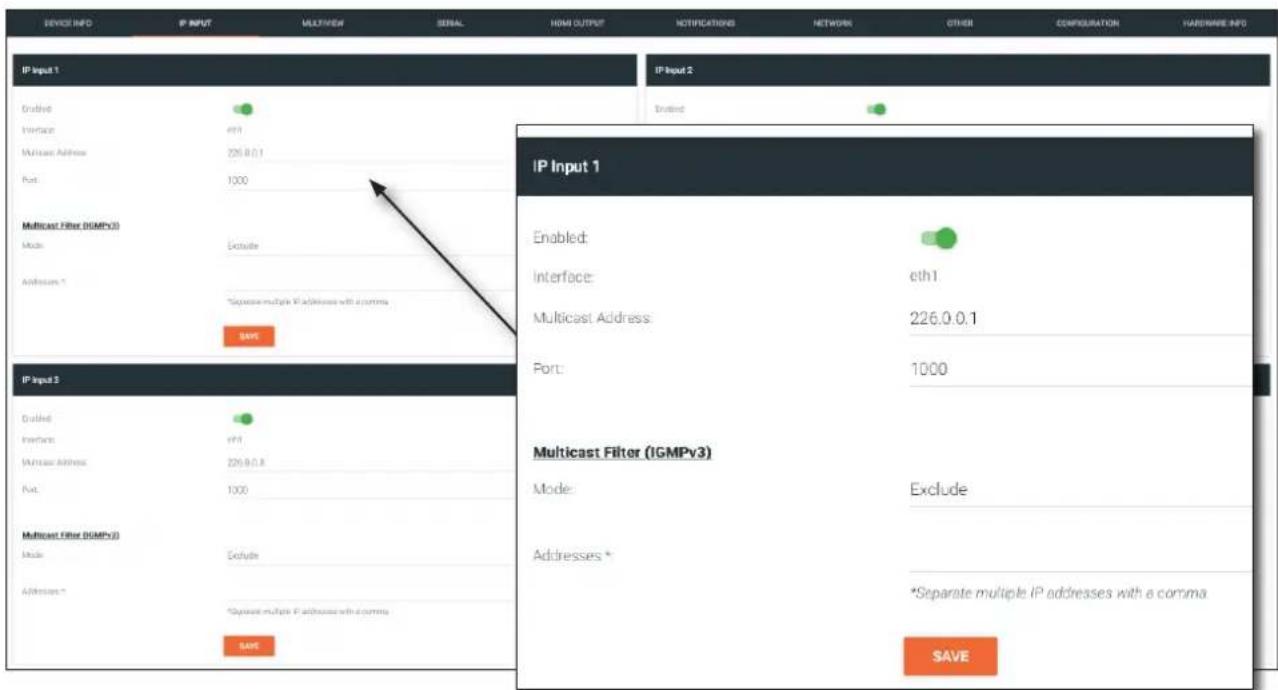
- On the encoder, click SESSION in the menu bar.
- Under the Video section, click the LINK TEST button.
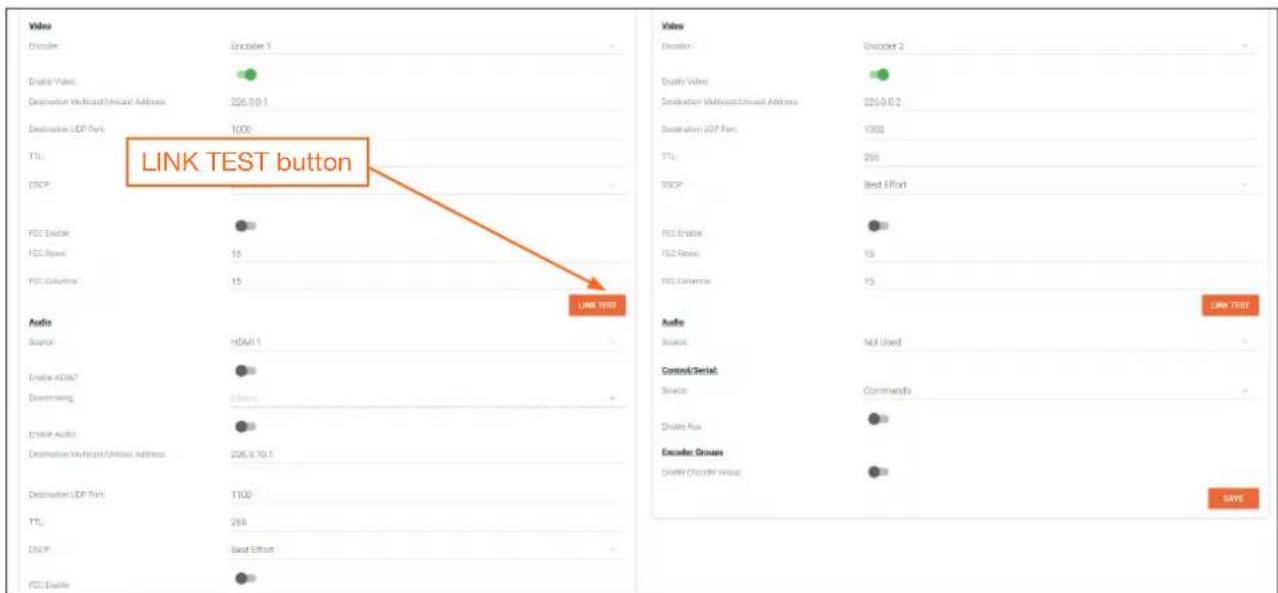
Appendix
- The LINK TEST button will be hidden and an animated icon will appear, indicating that the link test is in progress.
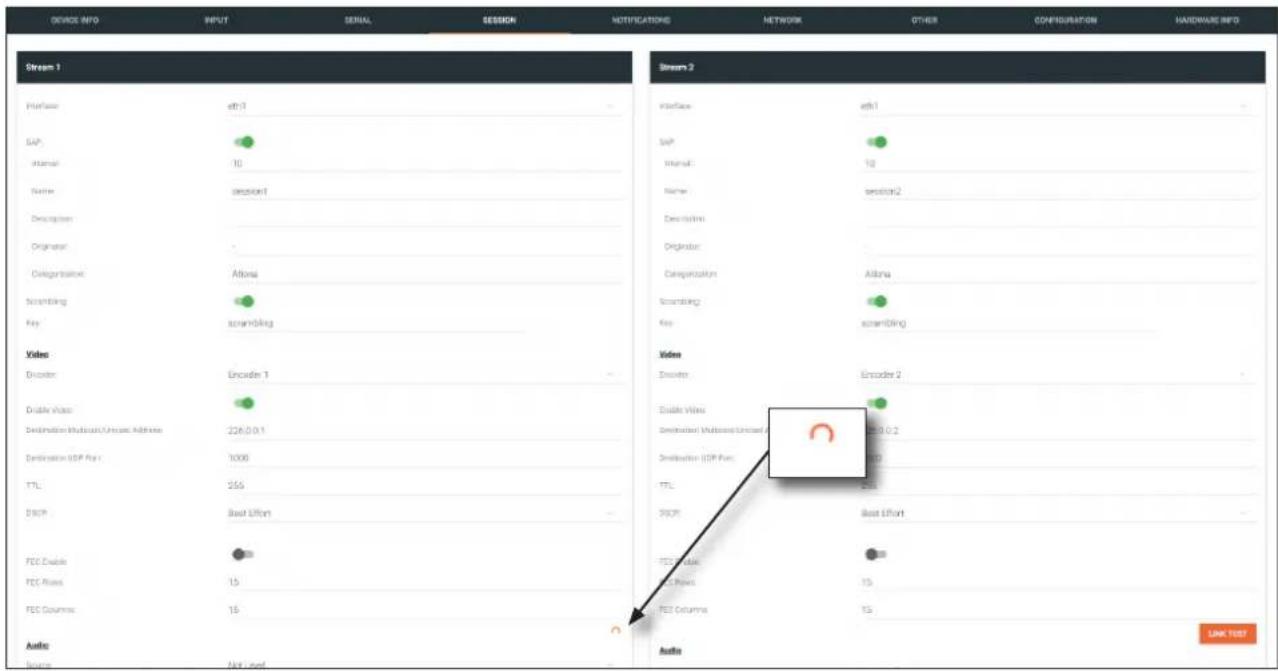
- After the link test has completed, the LINK TEST button will be displayed.
- Click NOTIFICATIONS in the menu bar to review the test results.
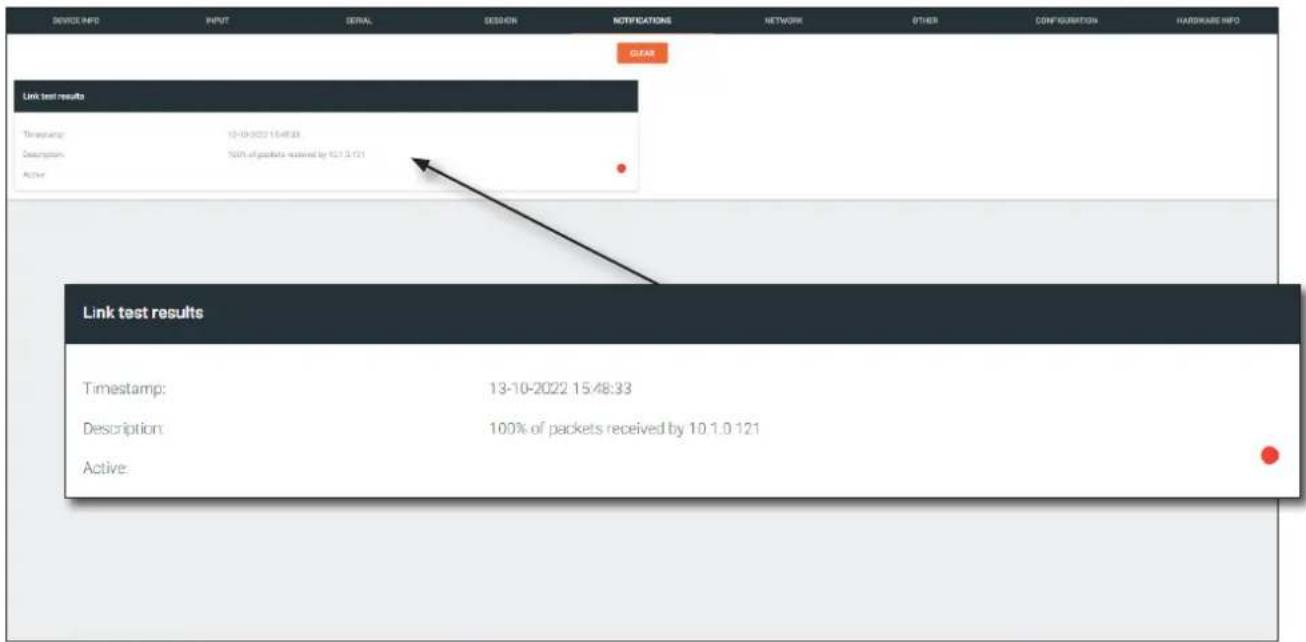
If the test passed, information similar to the following will be displayed: "100% of packets received by ..." indicates no packets were dropped / zero loss.
If the test fails, it could be that less than 100% of packets are received, indicating connectivity, but with some amount of packet loss. If it shows “No one replied!” or if the target decoder is not shown in results, it could indicate that there is a connectivity issue or that the decoder is not subscribed to the correct multicast address.
- Click the CLEAR button to remove the test results from the NOTIFICATIONS page.
Appendix
Notes on Dual Streaming
Dual streaming is supported exclusively on the AT-OMNI-111 and allows two unique streams per HDMI input at different bit rates and resolutions. Dual streaming on the AT-OMNI-111 provides two benefits:
• To allow two streams at two different resolutions for use with the Multiview capabilities of the AT-OMNI-121.
- To provide another option for bandwidth management, where users could, for example, choose to only use lower-resolution, lower-bitrate streams in scenarios where the stream needs to traverse multiple switches.
Frequently Asked Questions
Question: What is the maximum video bit rate of each of the two streams?
Answer: The maximum video bit rate for the encoder is 900 Mb/s and can be allocated across the streams. If only one stream is being used, then the maximum bandwidth (900 Mb/s) will be available. If two streams are being used, then the bandwidth allocation will need to be managed so that the combined bit rate does not exceed 900 Mb/s. The encoder will generate a notification if the maximum bandwidth of 900 Mb/s is attempted from an encoder.
Question: Are there bit rate recommendations for each stream?
Answer: The ideal bit rate for each stream depends on the resolution of the stream. The following guidelines are offered, and the bit rate can always be adjusted as desired.
| Resolution Recommended Bit Rate | |
| 4K60 4:4:4 750 Mb/s | |
| 4K60 4:2:0 350 Mb/s | |
| 4K30 4:4:4 350 Mb/s | |
| 1080p60 4:4:4 150 Mb/s |
Question: What are the scaling capabilities of each stream?
Answer: The AT-OMNI-111 has two independent scalers – one for each stream. The scaler on Encoder 1 is capable of scaling up and down to resolutions as high as 3840x2160. The scaler on Encoder 2 is capable of scaling up and down to resolutions as high as 1920x1080. For each scaler, there is a list of resolutions that can be selected. Arbitrary scaling resolutions cannot be created and used.
Question: Does each stream have its own session?
Answer: The AT-OMNI-111 has six sessions that can be fully configured. Each session can utilize either of the two encoders, and the most common use case will be to have Stream 1 using Encoder 1 and Stream 2 using Encoder 2, creating two unique streams at two resolutions. However, there is nothing that prevents using Encoder 1 or Encoder 2 on both sessions.
FEC Details
Matrix Size, Overhead, and Latency
- FEC can only work if a single packet from each row/column is missing. Multiple packets missing from each row/ column will cause FEC to fail.
- Due to the above, a smaller matrix is more robust, as there is a better chance of errors not occurring in the same row/column.
- FEC has a bitrate overhead that is inversely proportional to the matrix size: the bigger the matrix, the less bitrate overhead is generated.
- FEC has a latency overhead that is directly proportional to the matrix size: the bigger the matrix, the more latency is introduced.
» As of v1.0.0, OmniStream does not explicitly synchronize audio and video. Therefore, FEC configuration can have a noticeable impact on lip sync. The tables below should be used to keep the audio/video lip sync as tight as possible.
- FEC latency overhead is also inversely proportional to bitrate: the higher the bitrate, the less FEC latency is introduced.
» For applications where lip sync is very critical, using a higher audio sampling rate, and thus a higher audio bitrate, can result in more accurate lip sync.
FEC and Video Bitrate
- The bitrate configured on the video encoder includes FEC overhead and will automatically adjust itself depending on the bitrate needed for FEC.
• FEC overhead can be calculated using the following formulas:
$$ \text { Video rate } = \frac {\text { Configured bit rate }}{1 + \left(\frac {\text { Rows } + \text { Columns }}{\text { Rows } \times \text { Columns }}\right)} $$
$$ F E C \text { rate } = \text { Configured bit rate } - \text { Video rate } $$
- The following table provides a few examples of how this works.
FEC / matrix usage Configured bit rate Used for video Used for FEC
| FEC disabled 900 Mbps 900 Mbps 0 Mbps | ||
| FEC enabled, 4x4 900 Mbps 600 Mbps 300 Mbps | ||
| FEC enabled, 10x10 900 Mbps 750 Mbps 150 Mbps | ||
| FEC enabled, 20x20 900 Mbps 818 Mbps 82 Mbps | ||
| FEC enabled, 4x4 450 Mbps 300 Mbps 150 Mbps | ||
| FEC enabled, 10x10 450 Mbps 375 Mbps 75 Mbps | ||
| FEC enabled, 20x20 450 Mbps 409 Mbps 41 Mbps |
Appendix
FEC, Latency, and Lip Sync
- In order for FEC to work, the matrix must be filled in order to calculate the FEC packets. This introduces some additional latency. Due to high bitrates, this is not noticeable for video, but can be very significant for audio. Therefore, Atlona recommends either leaving FEC disabled for audio or using a very small matrix.
- Latency calculations are complex. The tables below provide some common working benchmarks. In order to minimize lip sync issues, try to match the additional latencies for video and audio as closely as possible.
» Video - additional video latency for enabling FEC using various matrix sizes.
| Configured bit rate 4x4 10x10 20x20 | |||
| 900 Mbps 0.64 ms 3.20 ms | 11.74 ms | ||
| 450 Mbps 1.28 ms 6.40 ms | 23.47 ms | ||
» Audio - additional audio latency for enabling FEC using various matrix sizes.
| Format 1x4 2x4 4x4 10x10 | ||||
| 2 channel PCM, 44.1 kHz 34.01 | ms 68.03 ms 136.10 ms | 850.30 ms | ||
| 2 channel PCM, 48 kHz | 31.25 ms | 62.50 ms | 125.00 ms | 781.30 ms |
| 2 channel PCM, 96 kHz | 15.63 ms | 31.25 ms | 62.50 ms | 390.60 ms |
| 2 channel PCM, 192 kHz | 7.81 ms | 15.63 ms | 31.25 ms | 195.30 ms |
- It is recommended to keep lip sync within ±1 frame of video to prevent any noticeable syncing issues.
• Examples of good choices to minimize lip sync issues are:
» Video configured for 450 Mbps, FEC 10x10; Audio is 2 channel PCM, 192 kHz, FEC 1x4: 6.40 ms – 7.81 ms = -1.41 ms
» Video configured for 900 Mbps, FEC 10x10; Audio is 2 channel PCM, 48 kHz, FEC disabled: 6.40 ms - 0 ms = 6.40 ms
Differentiated Services Code Point
Differentiated Services Code Point (DSCP) is a method of managing network traffic, in addition to providing Quality of Service (QoS) within the Layer-3 (Network Layer) of the OSI network model. DSCP uses the 6-bit Differentiated Services (DS) field in the IP header in order to determine packet classification/priority. Normally, all routers and switches will forward network traffic to the proper destination with the same priority, no matter what type of data it is. This methodology is what is known as Best Effort.
The Best Effort setting will provide normal priority for data packets, while other settings will raise the priority on data packets. However, it should be noted that a higher priority setting on one type of data type may also result in data packet loss for other data types, depending upon network traffic.
When QoS or differentiated services policy is used, all network devices such as routers, networks switches, and end-devices must be configured properly in accordance with QoS policies on the network. There are two main methodologies for tagging traffic: Assured Forwarding (AF) and Class Selectors (CS).
The tables below provide a list of the available selections and their description.

IMPORTANT: Consult the IT administrator as to what methods to use and the required settings for each encoder on the network.
Table 1 - Assured Forwarding
| Selection Queue Classification Drop Probability | |
| AF11 Class 1 Low | |
| AF21 Class 2 Low | |
| AF31 Class 3 Low | |
| AF41 Class 4 Low | |
Table 2 - Class Selectors
| Selection Class Selector Name | |
| CS0 / Best Effort Routine | |
| CS1 Priority | |
| CS2 Immediate | |
| CS3 Flash | |
| CS4 Flash Override | |
| CS5 Critical | |
| CS6 Interwork Control | |
| CS7 Network Control | |
| EF Expedited Forwarding |
- Using OmniStream™ with Velocity™ Device Manager
- Version Information
- Sales, Marketing, and Customer Support
- Main Office
- International Headquarters
- Operating Notes
- Warranty
- Safety and Certification
- CAUTION
- FCC Compliance
- Copyright, Trademark, and Registration
- Table of Contents
- Introduction to OmniStream 8
- Getting Started 12
- Basic Configuration Tutorial 15
- Device Operation
- Appendix 145
- Introduction to OmniStream
- OmniStream 101
- DEFINITIONS
- IP Address Assignment
- Network Bandwidth and OmniStream Compression
- Streams
- Sessions
- Subscribing to a Stream
- OmniStream Naming Schema
- Getting Started
- Accessing OmniStream Devices
- Basic Configuration Tutorial
- Setting the System Mode
- Configuring Inputs
- HDMI Input 1
- Video:
- Audio:
- Encoder Settings
- Creating a Session
- Subscribing to an Encoder
- Video Configuration
- Audio Configuration
- Input Configuration Notes
- Configuring the HDMI Output Stream
- HDMI Output 1
- Descrambling
- HDCP
- Video
- Troubleshooting
- Encoder Checklist
- Decoder Checklist
- EDID Management
- Selecting an EDID Preset
- Adding a Custom EDID
- Deleting a Custom EDID
- Device Control
- Downstream Control using RS-232
- Serial Configuration 1
- Bidirectional:
- Control using TCP Proxy
- Serial Port 1
- 1
- 2
- 3
- 4
- 5
- 6
- 7
- Downstream Control using Triggering
- Option 1: Defining Commands on the Decoder
- Option 2: Defining Commands on the Encoder
- Command: Display Off
- Control/Serial:
- Encoder Groups
- Upstream Control using RS-232
- Upstream Control using IR
- Serial Port 2
- Multiview Nomenclature
- General Overview
- DEFINITIONS:
- Anchor Points
- Multiview and Dual-Streaming Tutorial
- Dual-Streaming Encoder Configuration
- Encoder #1
- Encoder #2
- Decoder Configuration
- Decoder #1, Decoder #2, and Decoder #3
- Multiview Configuration
- Decoder #1
- Decoder #2
- Decoder #3
- Positioning Subframes
- Changing the Background Color
- Changing the Z-Order
- Adding Subframes
- Deleting a Subframe
- Deleting a Multiview
- Using Audio in Multiview
- Configuring Audio Output
- De-embedding Audio
- Embedding Audio
- Creating Video Walls
- a. Displays
- b. Presets
- c. Drop Zones
- d. Auto Arrange
- e. Lock
- f. Delete All
- g. Pixel Space
- h. Zoom
- i. Apply Preset
- j. Save
- k. Undo
- Redo
- Landscape Orientation
- Portrait Orientation
- Creating Presets
- Preset Orientation
- AT-OMNI-111 1:HDMI 1
- Creating and Using Drop Zones
- Custom Drop Zones
- Configuring Redundant Streams
- Redundancy Grace Period
- AES67 Audio
- Encoder Grouping
- Daisy-Chaining Encoders
- Scrambling
- Fast Switching
- Fast Switching FAQs
- Slate / Logo Insertion
- Adding Slates / Logos
- Configuration as a Logo
- Configuration as a Slate
- Encoder 1
- Deleting Slates / Logos
- Text Insertion
- HDMI Input 1 Text
- Color
- Location
- Size
- Configuring a Static IP Address
- Prepare the Encoder and the PC (Auto IP Mode only)
- General Static IP Configuration
- Network 1 (eth1)
- 802.1X Authentication
- The OmniStream Virtual Matrix
- Launching the OmniStream Virtual Matrix
- Layout and Operation
- Options button
- Flipping the Matrix
- Legend
- OmniStream Virtual Matrix Legend
- The Velocity Interface
- Encoders
- Alias
- Model
- IP Address
- MAC Address
- Firmware Version
- FIRMWARE UPDATE
- System Mode
- Description
- Timezone
- Date/Time
- Uptime
- System Temperature
- Die Temperature
- Power Consumption
- Hostname
- NTP Server
- Buttons
- LEDs
- IDENTIFY
- FACTORY RESET
- Option Description
- DEBUG
- REBOOT DEVICE
- SAVE
- INPUT page
- Encoder window group
- Input
- Max Bit Rate
- Subsampling
- Force YUV
- Scaler
- Thumbnail
- HDMI Input window group
- Cable present
- EDID
- HDCP Encrypted
- Supported Version
- Color Depth
- Colorspace
- Resolution
- Framerate
- HDR
- Channel count
- Bit Depth
- Format
- Frequency
- Video Generator window group
- Resolution width
- Resolution height
- SERIAL page
- Serial Port window groups
- Supported Modes
- Mode
- Baud Rate
- Data Bit
- Parity
- Stop
- Serial Configuration window groups
- Port
- Command window groups
- Interpret on
- ASCII
- HEX
- SESSION page
- Interface
- SAP
- Interval
- Name
- Originator
- Categorization
- Key
- Encoder
- Enable Video
- Destination Multicast/Unicast Address
- Destination UDP Port
- TTL
- DSCP
- FEC Enable
- FEC Rows
- FEC Columns
- LINK TEST
- Audio
- Source
- Enable AES67
- Downmixing
- Enable Audio
- Control/Serial
- Enable Aux
- Bidirectional
- Listen Port
- Enable Encoder Group
- Group Name
- Active
- Trigger
- ACTIVATE
- Members
- ADD
- NETWORK page
- Enabled
- Carrier
- DHCP Mode
- Subnet
- Gateway
- Link speed
- Telnet Enable
- Telnet Authentication
- 802.1x Mode
- OTHER >LOGO page
- New Logo window group
- Browse...
- UPLOAD
- HDMI Input Logo window group
- Logo
- Aspect Ratio
- Horizontal
- Vertical
- Width
- Height
- HDMI Input Text window group
- Text
- Scroll Speed
- Iterations
- Red, Green, Blue, Alpha
- OTHER > PTP page
- Network window group
- Domain Number
- Priority 1
- Priority 2
- Is GM
- GM Identity
- Master Offset
- OTHER >LLDP page
- eth window group
- Via
- RID
- Age
- Chassis ID
- Chassis Capability
- Port ID
- Copy configuration
- Export Configuration
- COPY CONFIG TO DEVICE(S)
- Import Configuration
- Overwrite Hostname
- Upload SSL certificate
- Browse... (Certificate PEM)
- Browse... (Private Key PEM)
- REVERT
- Connection Status
- Manufacturer
- Serial Number
- Decoders
- Multicast Address
- Multicast filter (IGMPv3) > Mode
- Multicast filter (IGMPv3) > Addresses
- Multiview window group
- Available Multiview
- ADD NEW MULTIVIEW
- CONTAINER window group
- Background Color
- Subframe window groups
- X
- Y
- Anchor
- Z-order
- Input Status
- Output Status
- DELETE
- Encrypted
- Negotiated Version
- Backup Mode
- Backup Input
- Configuration Grace Period
- Active Input
- Stretch / Crop Mode
- Slate Mode
- Video Wall
- Enable
- Unit
- Display Width
- Display Height
- Rotation
- Edge Compensation
- Fast Switching Enable
- Fast Switching Timeout (s)
- TO PRIMARY
- TO BACKUP
- Status
- Mute
- Volume
- Analog Power Status
- Analog Power
- AUX (CEC)
- Auto On
- Projector Cooldown (s)
- Standby Timeout
- Type
- HDMI Output Logo window group
- HDMI Output Text window group
- SAP window group
- session window groups
- Appendix
- Updating the Firmware
- Performing a Link Test
- Notes on Dual Streaming
- Frequently Asked Questions
- FEC Details
- Matrix Size, Overhead, and Latency
- FEC and Video Bitrate
- FEC, Latency, and Lip Sync
- Differentiated Services Code Point
Brand : Atlona
Model : AT-OMNI-121
Category : Digital decoder