
MOST-AUX NTV-KIT152 - Uncategorized NAV-TV - Free user manual and instructions
Find the device manual for free MOST-AUX NTV-KIT152 NAV-TV in PDF.


User questions about MOST-AUX NTV-KIT152 NAV-TV
0 question about this device. Answer the ones you know or ask your own.
Ask a new question about this device
Download the instructions for your Uncategorized in PDF format for free! Find your manual MOST-AUX NTV-KIT152 - NAV-TV and take your electronic device back in hand. On this page are published all the documents necessary for the use of your device. MOST-AUX NTV-KIT152 by NAV-TV.
USER MANUAL MOST-AUX NTV-KIT152 NAV-TV
Fiber-optic AUX input for select MOST vehicles
NTV-KIT001/002/007/008/143/151/152
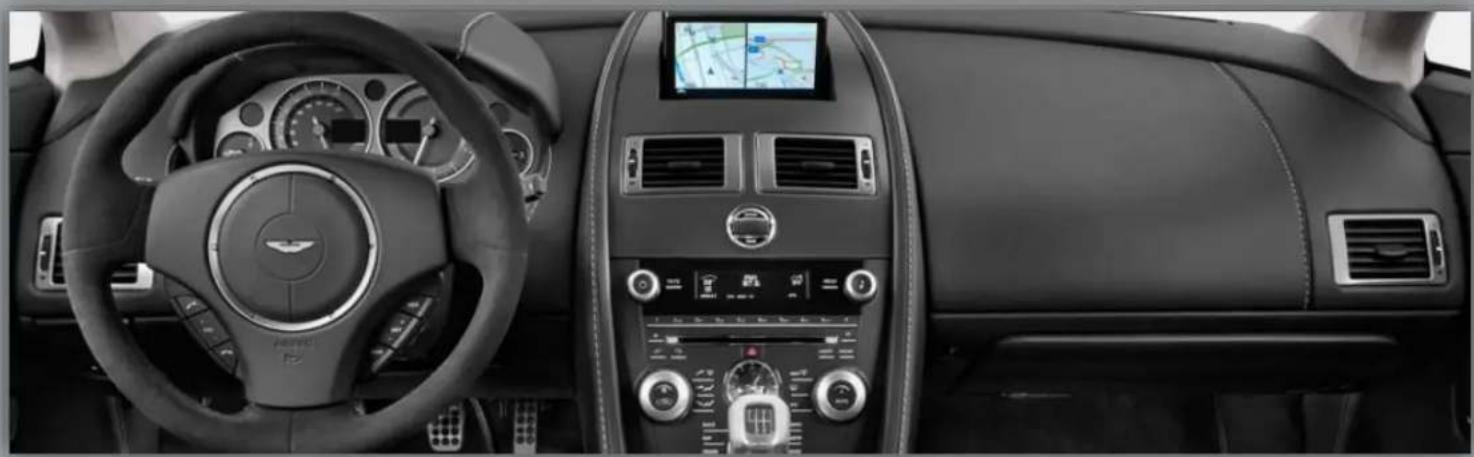
natural_image
Interior view of a car dashboard and steering wheel, showing steering wheel, dashboard, and air conditioners (no visible text or symbols)
text_image
MOST®INTERFACE
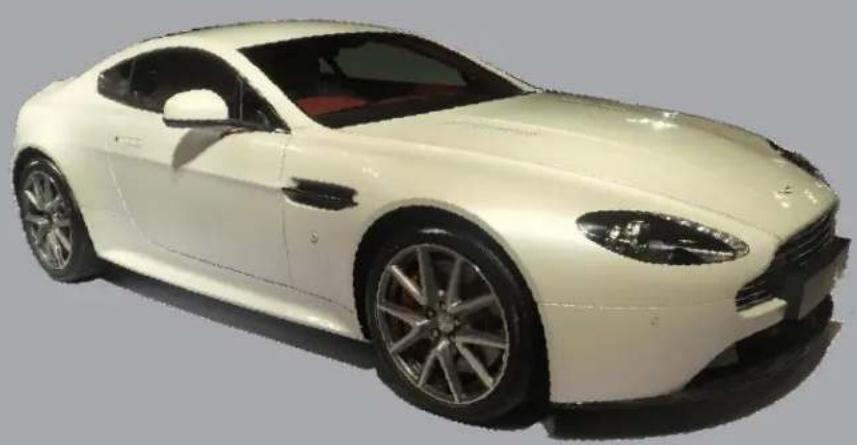
natural_image
Side profile of a white luxury sedan car (no visible text or symbols)BHM
01/26/15
NTV-DOC006
Overview
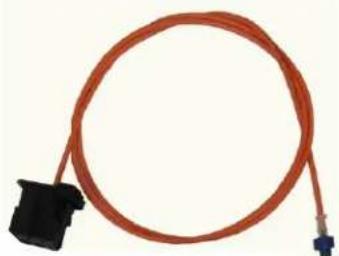
The NAV-TV MOST AUX module is a M.O.S.T. fiber optic auxiliary audio input interface that introduces audio into select MOST fiber optic equipped vehicle with no degradation in sound quality. There are TWO HARDWARE PLATFORMS: TYPE 1 & TYPE 2 THAT ARE NOT INTERCHANGEABLE. Although you cannot use a Type 1 hardware in a Type 2 vehicle (and vice versa), the software coding and installation is the same for both. The following chart lists compatible vehicles and platforms:
| Vehicle | Compatible Interface | Hardware TYPE | Manual Page |
| Aston Martin | MOST-AUX Aston | 1 | 4 |
| Audi | MOST-AUX Audi | 1 | 5 |
| BMW | MOST-AUX BMW | 1 | 5 & 6 |
| Mercedes | MOST-AUX MB | 1 | 7 |
| Porsche | MOST-AUX POR | 1 | 8 & 9 |
| Jaguar | MOST-AUX JAG | 2 | 6 |
| Land/Range Rover | MOST-AUX RR | 2 | 7 |
| Volvo | MOST-AUX Volvo | 2 | 9 |
This module can be installed in any position within the fiber optic loop.
Kit Contents
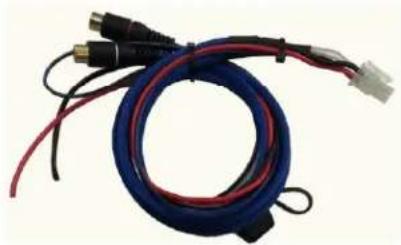
natural_image
Coiled blue and red cable with connectors, no visible text or symbolsPower/RCA Harness NTV-ASY012
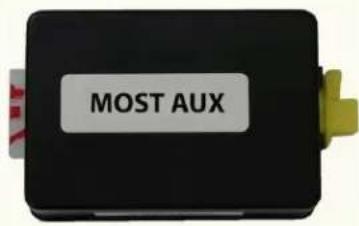
text_image
MOST AUXMOST AUX module NTV-ASY149
natural_image
Coiled orange cable with black connector and blue terminal connectors (no text or symbols)Fiber optic cable NTV-ASY03
MOST Bypass (MB only)
NTV-CON001
natural_image
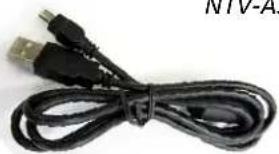
Coiled black cable with two USB connectors (no text or symbols visible)USB cable NTV-CAB009
Agreement: End user agrees to use this product in compliance with all State and Federal laws. NAV-TV Corp. would not be held liable for misuse of its product. If you do not agree, please discontinue use immediately and return product to place of purchase. This product is intended for off-road use and passenger entertainment only.
Installation Overview (ALL vehicles)
- Black wire: Connect to chassis ground.
- Red wire: Connect to 12v Constant
- Blue wire: Supply 12v + (through a toggle switch) to activate AUX input
- Fiber optic cable configuration (see diagram at right):
MOST-AUX MB: This specific kit (only) will include a fiber optic bypass loop. In this car, the CD changer MUST be bypassed for the MOST-AUX to function properly.
Before


After


Factory MOST Fiber Optic cable
Supplied NAV-TV MOST-AUX Fiber
General Install notes:
- Do not grab power from the CD Changer's power harness.
- Grabbing power from the radio's harness may cause problems as well.
MOST AUX Note: For most vehicles, this kit will work right out of the box. However, some vehicles will require setup adjustments via the USB and the Nav-TV USB updater program. The following 7 pages will cover the qualifications and setup walk-throughs for each car, if necessary.
Installation of the Nav-TV USB Updater:
Using Windows XP or Windows 7:
1) Download the device driver form navtv.com>support>downloads at the top of the screen in BLUE that says updated driver and save it to A NEW FOLDER ON THE DESKTOP. .
2) Install the driver. It will ask you if you want to update the driver during installation. Click yes and proceed through all installation steps. If prompted to restart the computer do so at this time. If not proceed to 3.
3) Download and unzip the proper file packet for the corresponding NAV-TV product (follow the exact same directions you would follow if the computer did not have DEI© software on it)
4) Launch the USB Updater program and plug in the NAV-TV device to an available USB port.
5) If it recognizes right away you are done. If not, proceed to step 6.
6) With the device still plugged into the computer go to Start>"right click" on Computer, select "MANAGE" > select "Device Manager" > select the arrow to the left of "Universal Serial Bus Controllers" and leave it expanded.
7) With the USB expanded write down all the available devices.
8) Unplug the NAV-TV module from the USB and one of the available devices will disappear. This is the NAV-TV module. Plug it back in to the USB after identifying it.
9) Once the NAV-TV module has been identified right click on it and select "update driver software" > then "browse my computer for driver software" > then select "Browse">desktop> select the folder you saved the driver software in step 1 and then select "ok".
10) If you have done this correctly then the USB Updater program will show the NAV-TV device in the USB Device window of the NAV-TV Updater.
11) You will also notice that with the NAV-TV device plugged in in the "Computer Management" Window that the NAV-TV device does not show up under USB controller but now it shows up in the Ports (COM & LPT) as "Silicon Labs CP210x USB to UART Bridge" with a COM port number in brackets to the right.. AKA (COM3) for example.
Aston Martin
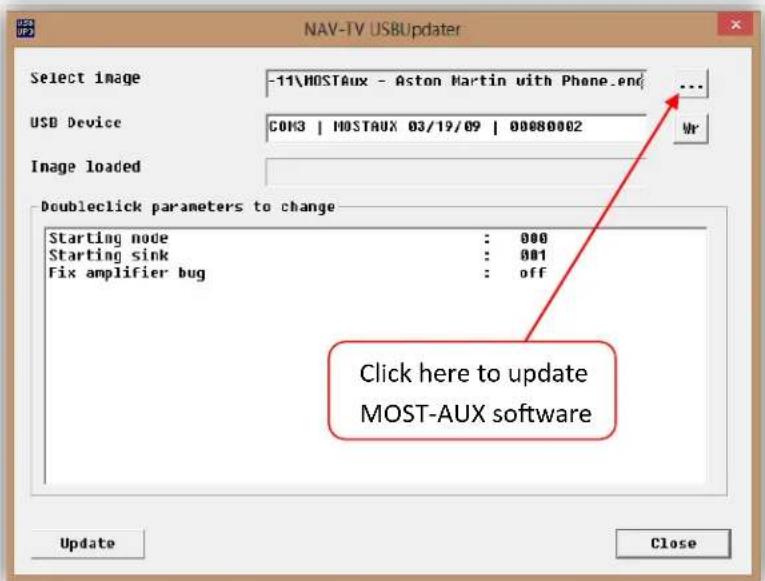
-The MOST-Aux Aston should work out of the box, however if there is a phone installed in the car (not the 'TEL' button on the dashboard, an actual phone), you will need to program the module for phone presence. You can find the alternate files in the extracted (not zipped) MOSTAux-USB Updater folder.
text_image
NAV-TV USBUpdater Select image -11\HOSTAux - Aston Martin with Phone.end USB Device COM3 | HOSTAUX 03/19/09 | 00080002 Image loaded Doubleclick parameters to change Starting node : 000 Starting sink : 001 Fix amplifier bug : off Click here to update MOST-AUX software Update CloseAgreement: End user agrees to use this product in compliance with all State and Federal laws. NAV-TV Corp. would not be held liable for misuse of its product. If you do not agree, please discontinue use immediately and return product to place of purchase. This product is intended for off-road use and passenger entertainment only.
Audi
Qualifier:
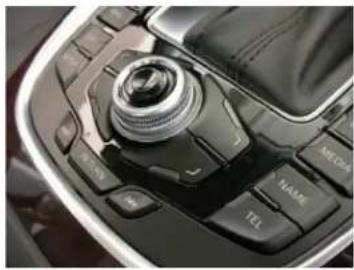
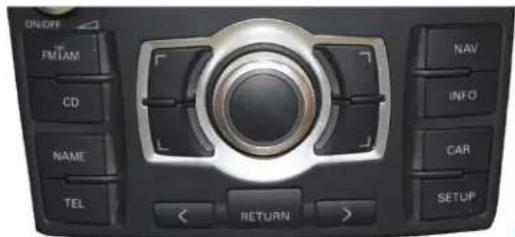
- The MOST-Aux Audi will only work with the MMi system-equipped Audi's.
This style MMi console is not compatible!
natural_image
Close-up of a car's camera control panel with a lens and key (no visible text or symbols)Check for this specific MMi control center in center console
text_image
ON/OFF FMIAM CD NAME TEL RETURN NAV INFO CAR SETUPBMW
For BMW 7 series only: Skip ahead to step 1 (skip trying alternate files).
Qualifier: For 7 series only, if there is an additional amp mounted on the driver's side rear deck lid (look in trunk), the MOST-Aux BMW is not compatible.
Some BMWs may require additional adjustment to the MOST-Aux for proper functionality.
For all BMW's except 7 series:
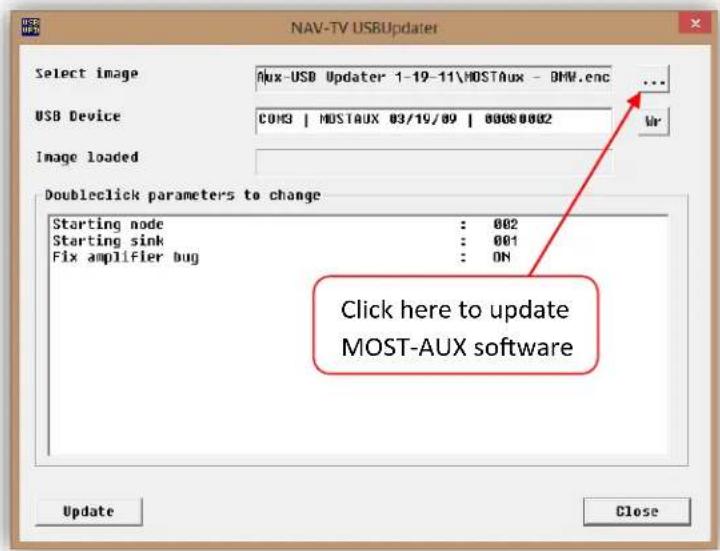
Connect the MOST-Aux BMW to the USB Updater and wait for it to load properly. Load 'MostAux-BMW Alternate-No Amp.enc' file and update it. If that fails, try changing Amplifier fix to ON, and try again. If that fails, load the 'MostAux-BMW.enc' file and try that.
text_image
NAV-TV USBUpdate Select image Aux-USB Updater 1-19-11\MOSTAux - BMW.enc ... USB Device COM3 | MOSTAUX 03/19/09 | 00080002 Image loaded Doubleclick parameters to change Starting node : 002 Starting sink : 001 Fix amplifier bug : ON Click here to update MOST-AUX software Update CloseAgreement: End user agrees to use this product in compliance with all State and Federal laws. NAV-TV Corp. would not be held liable for misuse of its product. If you do not agree, please discontinue use immediately and return product to place of purchase. This product is intended for off-road use and passenger entertainment only.
If the above (BMW software) fails, follow this procedure (be sure to take notes while doing this, to avoid omitting a potential working fix!):
- Start with Node 0, Sink 1, Fix 'ON'. Try it.
- If nothing happens when you supply 12v to the Blue wire, then increase the 'node' (one step at a time).
- If the audio mutes, but there is no input audio, increase the Sink (one step at a time).
- If you get to Sink 5, and there is still no audio, then set the Sink to 1, and increase the Node (one step at a time).
- If you get to Node 6, and there is still no audio, call Nav-TV tech support at (866) 477-3336.
Jaguar
Qualifier: The Jaguar must have a factory installed fiber optic amplifier in order for the MOST-Aux Jag to work. For a quick easy test, disconnect a fiber plug anywhere you can find one in the car, if audio disappears then there is an amplifier present.
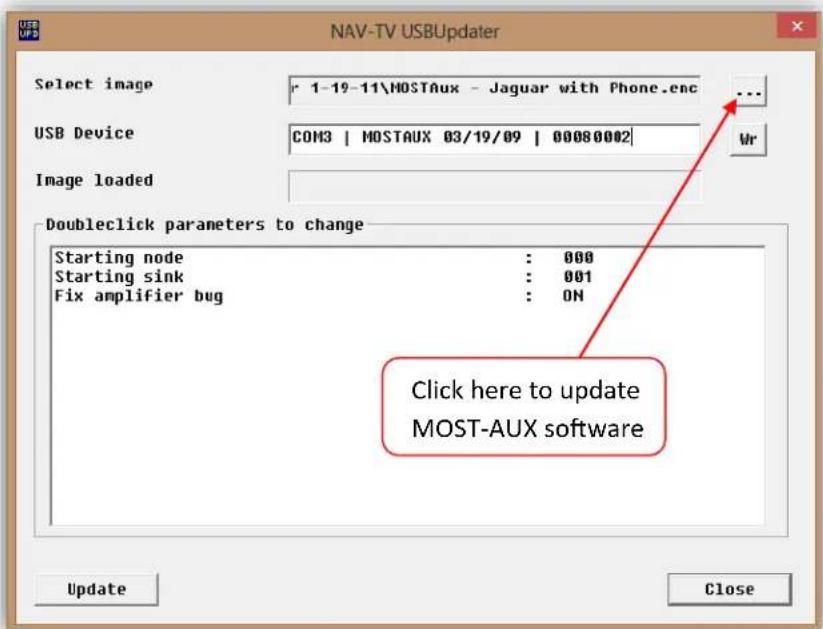
- The MOST-Aux Jag should work out of the box, however if there is a phone installed in the car (not the 'TEL' button on the dashboard, an actual phone), you will need to program the module for phone presence. You can find the alternate files in the extracted (not zipped) MOSTAux-USB Updater folder.
text_image
NAV-TV USBUpdater Select image r 1-19-11\MOSTAux - Jaguar with Phone.enc USB Device COM3 | MOSTAUX 03/19/09 | 00080002 Image loaded DoubleClick parameters to change Starting node : 000 Starting sink : 001 Fix amplifier bug : ON Click here to update MOST-AUX software Update CloseAgreement: End user agrees to use this product in compliance with all State and Federal laws. NAV-TV Corp. would not be held liable for misuse of its product. If you do not agree, please discontinue use immediately and return product to place of purchase. This product is intended for off-road use and passenger entertainment only.
Land Rover (Range Rover)
The MOST-Aux RR will work out of the box for all compatible Land & Range Rovers, there are no adjustments necessary.
Mercedes
Qualifiers:
- If the Mercedes has a CD changer, the MOST-Aux MB will work right out of the box, but
it will be necessary to bypass the CD changer. Use the fiber optic bypass included in this kit to bypass the changer. You will lose all CD changer functionality when installing this product. Remember to remove CD's before disconnecting power! - Higher end models (CL, CLS, E, S, SL, SLK, etc) with a COMMA work with this interface.
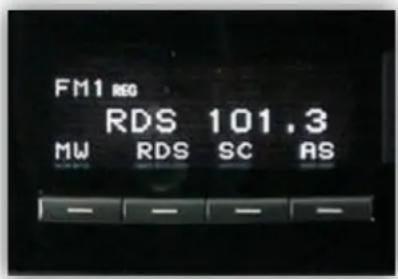
• - Mercedes with the Audio 20 (monochrome) radio face are only compatible with the MOST-Aux MB if they possess a telephone, amplifier or satellite radio connected through MOST fiber.
See steps below for bypassing instructions
text_image
FM1 REG RDS 101.3 MW RDS SC ASIf the Mercedes does not qualify by the above standards, it is still possible to install, but it will need an
extra fiber cable and to be programmed at the dealer. Contact Nav-TV tech support for details at 1-866-477-3336.
To bypass the factory Mercedes CD Changer:
- Remove all CDs from the changer.
- Find the (typically orange) fiber optic connector plugged into the changer, and remove it.
natural_image
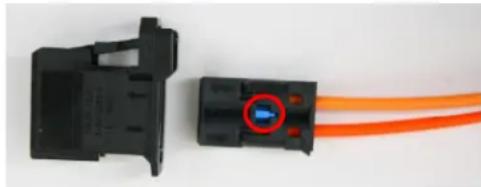
Close-up of two black electrical connectors with orange wires, one containing a blue indicator light (no text or symbols visible)Disconnect the outer clip from the connector from the inner connector, if applicable.
- With a straight pick, push the blue plastic pin in on the inner connector (only one side will allow this).
- With a straight pick, carefully pry the lock for each orange fiber line to free each from the inner connector.
- Connect each (now free) end of the fiber lines into the provided fiber coupler. Once both are inserted, clamp the fiber coupler together.
Porsche
Qualifiers:
• If the Porsche has the BOSE system, the kit will work out of the box.
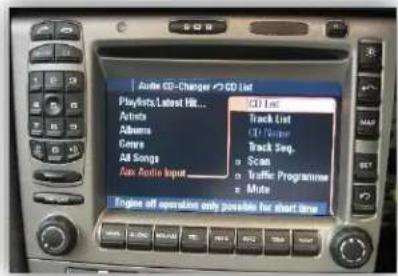
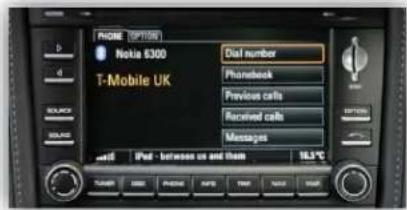
• PCM3 and PCM3.1 radios are not compatible (only 04-08 Radios)
• If the Porsche has a PCM 2 radio (NON-BOSE), then:
- It must possess an external device, such as a CD changer, satellite, external navigation or phone in order to function properly, or
- It needs an extra fiber cable and to be programmed at the dealer.
• If the Porsche has the base model radio, it may still work:
○ If it has a cd changer, it will get replaced (bypassed).
○ If no changer, if must have some other external device, or receive dealer programming. Contact Nav-TV tech support for details at 1-866-477-3336.
- If the Porsche is an '04, it will need an additional 2004 fiber kit.
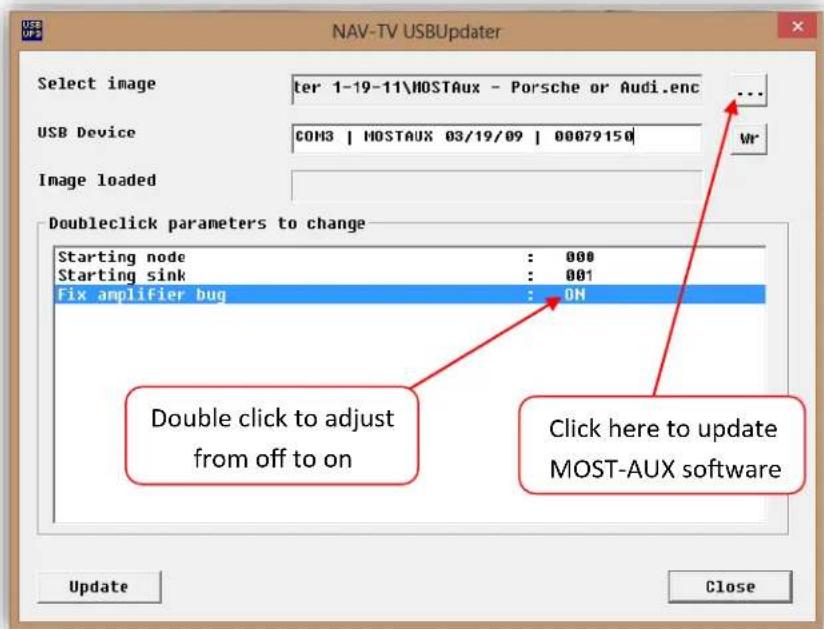
If the MOST Aux POR does not respond to the blue activation wire, reprogram the module with the 'Porsche or Audi' file, and turn on the 'Fix amplifier bug' flag in the USB updater. You can find the alternate files in the extracted (not zipped) MOSTAux-USB Updater folder.
text_image
NAV-TV USBUddater Select image ter 1-19-11\HOSTAux - Porsche or Audi.enc USB Device COM3 | MOSTAUX 03/19/09 | 00079150 Image loaded Doubleclick parameters to change Starting node : 000 Starting sink : 001 Fix amplifier bug : ON Double click to adjust from off to on Click here to update MOST-AUX software Update CloseAgreement: End user agrees to use this product in compliance with all State and Federal laws. NAV-TV Corp. would not be held liable for misuse of its product. If you do not agree, please discontinue use immediately and return product to place of purchase. This product is intended for off-road use and passenger entertainment only.
BHM
01/26/15
NTV-DOC006
rB7
text_image
Audio CD-Changer CD List Playoffs, Latest Hit... Articles Albums Groups All Songs Fan Audio Input ICD List Track List CD Name Track Seq. Scan Traffic Programme Mute Engine off operation only possible for start timePCM 2 Radio (compatible)
text_image
PHONE OPTIONS Nokia 6300 T-Mobile UK Dial number Phonebook Previous calls Received calls Messages iPad - between us and them 18.5°CPCM 3/3.1 Radio (not compatible)
natural_image
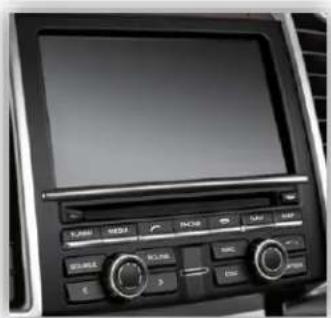
Interior view of a car dashboard with navigation controls and a screen (no readable text or symbols)Volvo
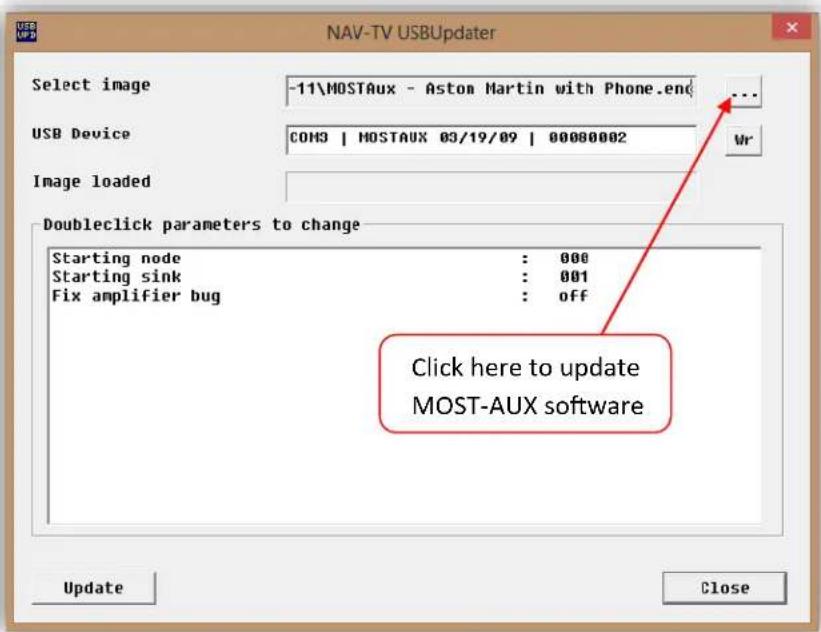
-The MOST-Aux Volvo should work out of the box and uses the same file as the Aston Martin. If
there is a phone installed in the car (not the 'TEL' button on the dashboard, an actual phone), you will need to program the module for phone presence. You can find the alternate files in the extracted (not zipped) MOSTAux-USB Updater folder.
text_image
NAV-TV USBUpdater Select image -11\MOSTAux - Aston Martin with Phone.end USB Device COM3 | MOSTAUX 03/19/09 | 00000002 Image loaded Doubleclick parameters to change Starting node : 000 Starting sink : 001 Fix amplifier bug : off Click here to update MOST-AUX software Update CloseAgreement: End user agrees to use this product in compliance with all State and Federal laws. NAV-TV Corp. would not be held liable for misuse of its product. If you do not agree, please discontinue use immediately and return product to place of purchase. This product is intended for off-road use and passenger entertainment only.