
EHB810 - Segway BLAUPUNKT - Free user manual and instructions
Find the device manual for free EHB810 BLAUPUNKT in PDF.


| Product Type | Hoverboard / Self-balancing scooter |
| Brand | Blaupunkt |
| Model | EHB810 |
| Dimensions (Approx.) | 58 x 18 x 18 cm (22.8 x 7.1 x 7.1 inches) |
| Weight (Approx.) | 10 kg (22 lbs) |
| Max User Weight | 100 kg (220 lbs) |
| Recommended Age | 14 years and older |
| Battery Type | Lithium-ion, 36V 4.4Ah |
| Charging Time | 2-3 hours |
| Max Speed | 12 km/h (7.5 mph) |
| Range (Approx.) | 15-20 km (9-12 miles) |
| Motor Power | 2 x 250W |
| Tire Type | 6.5-inch solid rubber tires |
| Safety Certifications | UL 2272, CE, RoHS |
| Key Functions | Self-balancing, LED lights, Bluetooth speaker (optional), speed modes |
| Maintenance | Clean with damp cloth; avoid water; store in dry place; charge regularly |
| Spare Parts | Replacement batteries, chargers, tires available from authorized dealers |
| General Information | Requires protective gear; not for use on public roads; age 14+ |
Frequently Asked Questions - EHB810 BLAUPUNKT
User questions about EHB810 BLAUPUNKT
0 question about this device. Answer the ones you know or ask your own.
Ask a new question about this device
Download the instructions for your Segway in PDF format for free! Find your manual EHB810 - BLAUPUNKT and take your electronic device back in hand. On this page are published all the documents necessary for the use of your device. EHB810 by BLAUPUNKT.
USER MANUAL EHB810 BLAUPUNKT
Enjoy it.
Hoverboard EHB608/EHB810
Below you can find the safety instructions. Read these warnings carefully before using the electric hoverboard.
- You may be injured by losing control of the hoverboard, a collision, or a fall. To avoid injury, read the instructions below and check the condition of the hoverboard before using it.
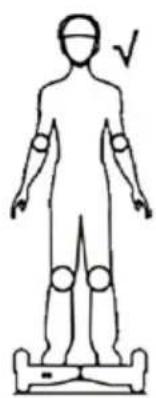
- Observe the safety precautions when practicing on the electric hoverboard. Wear an approved helmet and other items to protect your knees and elbows.
- It is forbidden to use the electric hoverboard on public roads, expressways, etc. The unit is available only for personal entertainment driving.
- It is forbidden for children under 20 kg to use the hoverboard.
- It is forbidden to use the board by people who have heart disease, hypertension, hand and foot paresis, or by elderly people with reduced self-awareness.
- It is forbidden to drive the hoverboard by pregnant women or disabled persons.
- Do not use the board under the influence of alcohol or other intoxicants.
- The electric hoverboard is designed for use by a single person; do not carry other persons or luggage.
- Observe the traffic rules when driving, do not push the crowd.
- Keep a clear view while driving. Don't bend over to play on your mobile devices, don't listen to music. Focus on riding.
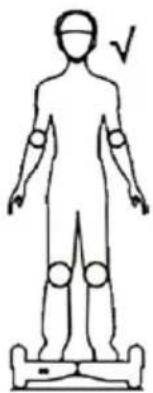
- Relax your legs by slightly bending your knees to balance your body when riding on uneven terrain.
• Make sure your feet are always on the slip-resistant pedals when riding on the hoverboard.
- Do not ride a hoverboard if your weight exceeds 100/120 kg, as this may result in injury or a serious accident. It can also cause the hoverboard to malfunction.
- Do not ride a hoverboard if the user weighs less than 20 kg, due to loss of control, lack of appropriate deceleration, or inability to stop during downhill rides.
- Maintain a safe speed and ensure a complete stop safely.
- Keep a safe distance to avoid accidents when riding the electric hoverboard with others.
- Be careful when passing obstacles and riding the hoverboard, as you are 10 cm taller.
- Do not engage in other activities while riding, such as using your phone, listening to music, or performing other tasks.
- Do not ride on wet surfaces or over long distances, and do not turn at high speed or accelerate rapidly.
- This product is not medical equipment. The user should ride the hoverboard without any additional assistance.
- Do not ride in dark areas.
- Avoid riding over obstacles and on slippery surfaces such as snow or slippery floors.
- Avoid riding on roads with small branches, debris, and gravel.
- Do not ride in narrow areas.
- Do not make sudden movements or stops.
- Do not ride on steep slopes or in any other dangerous places, such as areas that are flammable, explosive, or dry.
- This equipment may be used by children aged at least 8 years and by persons with reduced physical, sensory, or mental capabilities, or with a lack of experience and knowledge, if they have been given supervision or instruction concerning the use of the equipment in a safe way and understand the hazards involved. Children should not play with the equipment. Cleaning and maintenance should not be performed by children without supervision.
Only original accessories should be used, as well as accessories recommended by the manufacturer. Using accessories not recommended by the manufacturer may result in damage to the device and may render the device unsafe for use.
- The AC adapter should be connected to an outlet with characteristics consistent with the values on the rating label.
- If the cord, power plug, or adapter is damaged, or if the plug has a loose fit in the electrical outlet, do not charge the device and do not power it from the mains.
- Unplug the AC adapter from the electrical outlet when not in use.
- Do not connect or disconnect the adapter from the power source with wet hands. Below you will find information on how to take care of battery safety and operation. For your own and others' safety, to prolong the life of your battery and to achieve its optimum performance, use it according to the following instructions.
CE
The device complies with the requirements of the following European Union directives:
- Low-voltage electrical equipment - Low Voltage Directive (LVD)
- Electromagnetic compatibility (EMC)
The product is CE-marked on the nameplate.
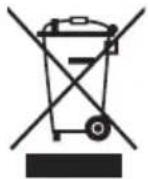
If a crossed-out waste bin symbol appears on the appliance, this indicates that the product is covered by European Directive 2012/19/EU. Familiarise yourself with the requirements of your local electrical and electronic waste collection system. Follow your local regulations. Do not dispose of this product with household waste. Proper disposal of the old product will prevent potential negative effects on the environment and human health.
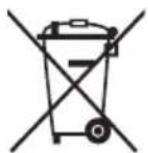
The device is equipped with batteries covered by the European Directive 2006/66/EC. Do not dispose of batteries with household waste. Please refer to your local regulations for separate collection of batteries, as proper disposal will prevent potential negative consequences for the environment and human health.
Information on environmental protection
The packaging contains only the necessary elements. Every effort has been made to ensure that the three packaging materials are easy to separate: cardboard (box), polystyrene foam (internal protection) and polyethylene (handbags, protective sheet). The device is manufactured from recyclable materials and can be used again after its disassembly by a specialized company. Observe local regulations for the disposal of packaging materials, waste batteries and unnecessary equipment.

The product is manufactured from high quality materials and components that can be recycled and reused.
Working principle
This product is an exclusive electric hoverboard, which is a technologically advanced entertainment tool. The electric board operates on "dynamic stability" principles. It has a high-speed central microprocessor, built-in high-precision electronic gyroscopes and intelligently controlled drive motors. The electric hoverboard can accurately detect and calculate the driver's intentions and then control the motion. While maintaining the correct position of your body, gently tilt it forwards or backwards, you can guide the board forward, backward, turn or stop it. The electric hoverboard, combined with its stylish design, simple operation, flexible control and low emission functionality, is the best companion of home entertainment and recreation.
Instructions before your drive
We hope that all users will be able to enjoy the fun and safe ride on the electric hoverboard. All experiences with cycling, cars, skiing or other similar vehicles could be used for control and drive the electric hoverboard.
- Read these operating instructions carefully before starting to drive. If there is any play in mechanism, damage or abnormal situation, contact your dealer or distributor immediately.
- A number of driving safety instructions are given in these operating instructions, including a description of the light effects and alarms for speed limitation, safe power off, etc.
- Do not use the electric hoverboard to cause damage to others or to their safety.
- Do not change or separate any components that will affect the normal operation of the hoverboard or may damage it. Any property loss or hazardous situation resulting from the above is not covered by the manufacturer's liability.
- Do not ride on a board on an uneven road or in traffic.
- Too young and old should not be allowed to move on the electric hoverboard. Always use appropriate accessories while driving to ensure safety.
- Do not ride the electric hoverboard under the influence of alcohol or other substances. • Maximum load on the electrical board: 100–120kg (depending on model) • Minimum load on the electric hoverboard: 20kg
Range
- The range of the electric hoverboard depends on many factors:
- Road type: Smooth, flat terrain with small distances covered extends the range, long distances shorten the range. • Weight: the weight of the driver influences the distance travelled.
- Maintenance: Reasonable charging and maintenance increase the driving distance, while too long or too frequent charging reduce the travel distance.
- Driving speed and style: Maintaining a moderate speed increases the driving distance, while frequent switching on/off, accelerating, and braking reduces the driving distance.
- The range will be reduced when using the drift board at very low temperatures. For example, at -15 °C the range can be halved compared to using the board at room temperature.
Speed
- The maximum safe speed is 12 km/h. It is not recommended to use the maximum speed while driving.
- The electric hoverboard can keep the driver in balance at a certain speed; if the speed is exceeded, it can cause imbalance, accident, and personal injury.
Ramps and descents
The electric hoverboard can detect the slope during ascent or descent and adjust the output torque using the intelligent motor control system. This function ensures the safety of the driver while driving.

CAUTION:
When driving for the first time, drive the electric hoverboard with the support of another person to prevent falling down or losing balance.
Steering elements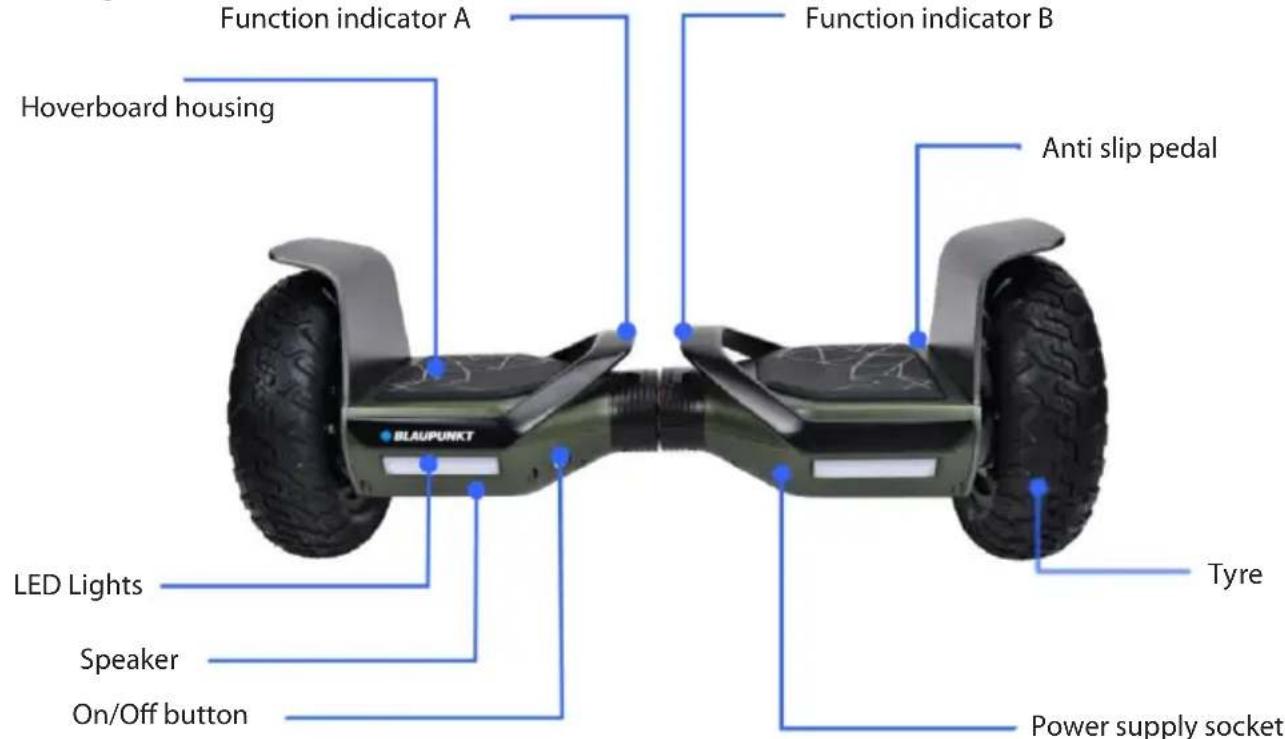
Pedal sensors
The electric hoverboard is equipped with four sensors underneath each foot pedal, which help to automatically balance the hoverboard while stepping on.
- Do not go beyond the edge of the pedals; note that your foot should be on the pedal while driving.
- Do not place any baggage on the pedal; the sensor will detect weight and hold the hoverboard in on mode. This increases the likelihood of a collision, causing injury to the driver or damage to the hoverboard.
Function indicator
The function indicator is located in the middle of the electric hoverboard and is used to display current information.
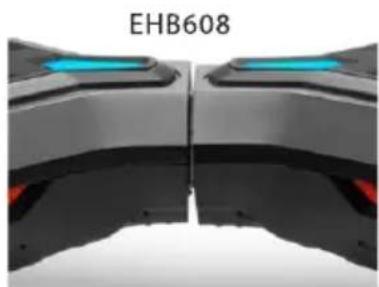
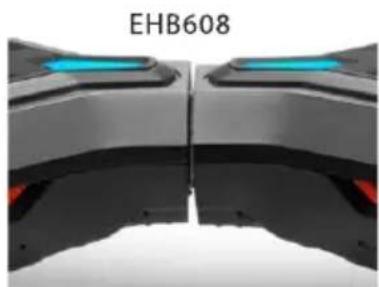
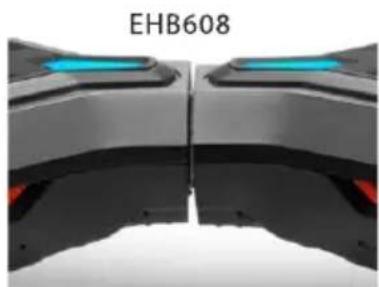
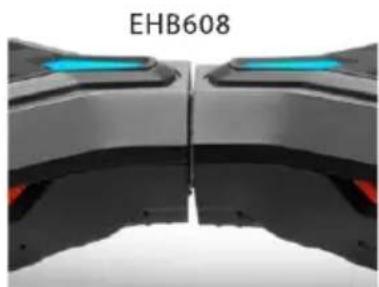
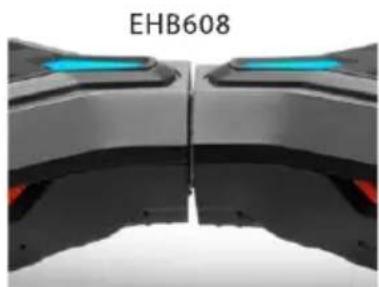
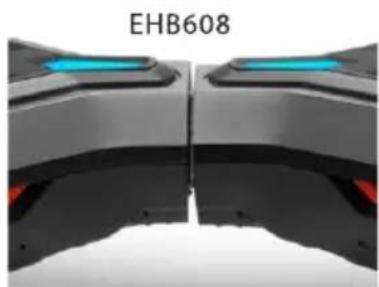
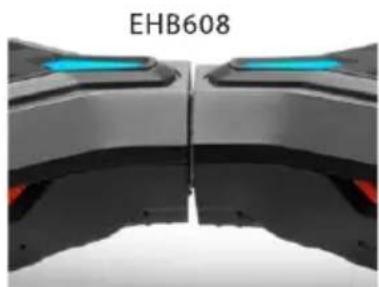
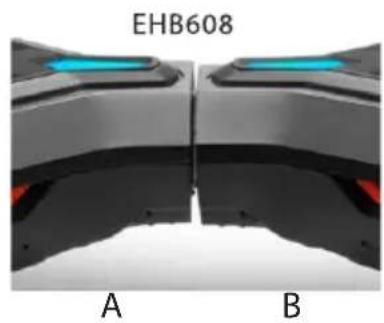
- A The LED display shows the battery-charge level. When the indicator light is green for the EHB810 model, or blue for the EHB608 model, the device battery-charge level is sufficient. When the indicator turns red for the EHB810 model and the blue indicator starts flashing for the EHB608 model, and a sound signal is heard in the case of both models, begin charging the board as soon as possible. Before each use, check the current battery-charge level to make sure that the board has enough power for the return journey. The board can be charged after each use. On both models, when the battery level is less than 15%, the LED indicator will begin flashing, and a sound signal will be heard.
- B The current-information display area: when the rider is standing on the pedals and the sensors are activated, the signal light will show up blue for the EHB608 model or green for the EHB810, indicating that the board is in working mode. If there is any system error, the signal light on the EHB810 model will turn red and the blue light on the EHB608 will begin to flash. A sound signal will also be heard, on both models.
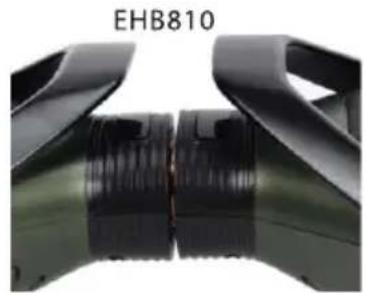
A B
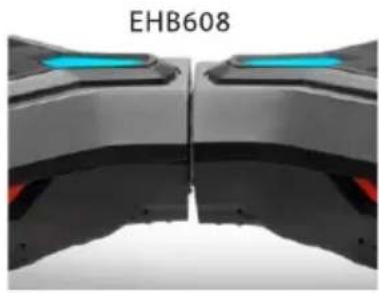
A B
Both boards have an automatic balancing function, which can be activated or deactivated by means of a mobile app. or manually, according to the instructions below
In order to activate the automatic balancing function
- Turn the device on
- Set the board horizontally, then gently press and hold the power button for at least 5 seconds
- When a sound signal is heard, the automatic balancing function is active, and will be activated each time the board is started.
To deactivate this function, repeat the actions performed while turning it on.
WARNING! When the automatic balancing function is deactivated, it is possible to carry the board.
When the automatic balancing function is activated, the board will go into emergency mode when it is picked up.
It is recommended to activate the automatic balancing function while learning to ride the board.
Both models have two riding modes - one for children (the board reacts more gently to body movements), the other for adults (the board reacts faster to body movements). These modes can be changed in the mobile app, or manually, according to the instructions below.
To change the riding mode:
- Turn the device on.
- Set the board vertically (resting the board on one of the wheels), then gently press and hold the power button for at least 5 seconds.
- When a sound signal is heard, the riding mode "for children" is activated, and will be active each time the board is started again.
To change the riding mode to the mode "for adults", perform the above actions again.
Follow the instructions below to learn how to drive in practice. Wear comfortable clothing and shoes, ensure flexibility of the body and relax. Remember to use safety features such as a helmet and suitable safety equipment when driving. We hope that you will be able to complete this initial stage of driving training.
Learning to drive
- Step 1. Press the power switch and start the electric hoverboard.
- Step 2. If you are ready to ride, step one foot on the pedal, the sensors will start and activate the automatic hoverboard balancing function and the indicator lights will light up. Then step your other foot on the pedal next to you, while keeping your balance. Stand on the hoverboard and do not make sudden movements while keeping your body relaxed.
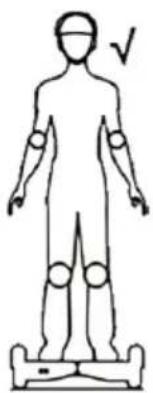
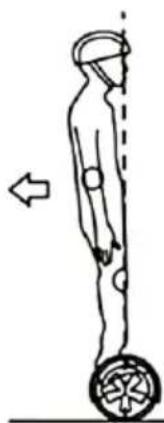
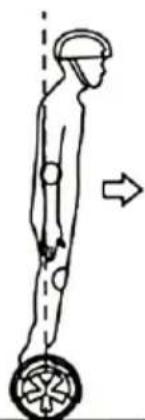
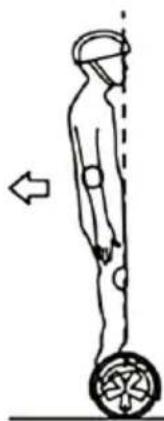
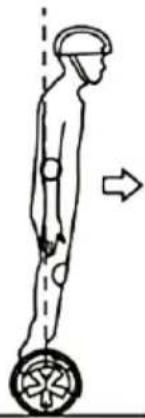
- Step 3. Stand on the hoverboard while maintaining balance and a proper center of gravity, as well as a proper and well-controlled position. The board will remain stationary. By gently tilting your body forward or backward, you can set the hoverboard in motion: forwards or backwards, respectively. It is important to remember that the tilt of the body should not be too large or violent.
- Step 4. Turning. By gently moving your weight to the right foot forward, you will start turning left, and by gently moving your weight to the left foot forward, you will start turning right. (See the following diagram of turning.)
- Step 5. Learning how to get off the hoverboard. Stop and keep the electric hoverboard stationary, and keep your body in balance before stepping off. Jump back from the board with one foot, and as you stand firmly on the ground, take your other foot off the hoverboard pedal.
Learning to drive - hints:
You should practice riding on a flat surface. If you can't skillfully control the hoverboard, don't use it in a crowded area. In the early stages of driving instruction, exercise in an empty and flat place, and try to train with someone else's support.
Notes on driving:
- When driving outdoors, make sure you can handle the electric hoverboard with ease.
- While driving, you should wear comfortable sports clothing and comfortable shoes to ensure the flexibility of your body.
- Practice driving on the electric hoverboard in an open and flat place until you are able to operate it easily, move forward, backward, stop, and step off.
- Ensure that the terrain is flat and unobstructed when driving.
- You can practice driving on the electric hoverboard in various places. Release when moving on unfamiliar places. Do not allow the hoverboard to lose contact with the ground under any circumstances. The electric hoverboard should be used on flat terrain.
- If you cannot skillfully drive the board, do not drive it in a crowded place or in any other dangerous place, especially at entrances or areas with barriers. Be careful to keep your head safe to avoid injury. In the event of an accident, ensure your own safety.

If the footswitch is activated and the unit does not detect a load, an alarm is triggered. The alarm light will light up. The unit will sound an alarm. The alarm light is illuminated. The system will not activate the automatic balance function. If this happens, do not ride on the hoverboard.
Diagrams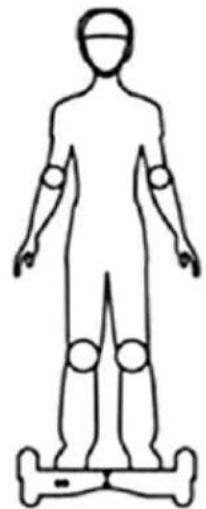
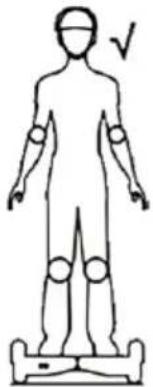
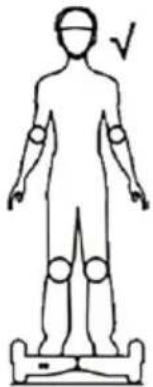
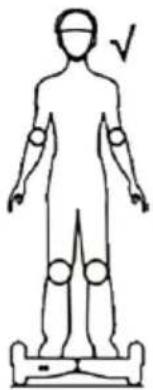
Position while driving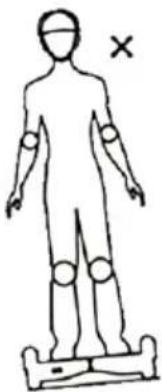
Wrong OK
Right foot forward to turn left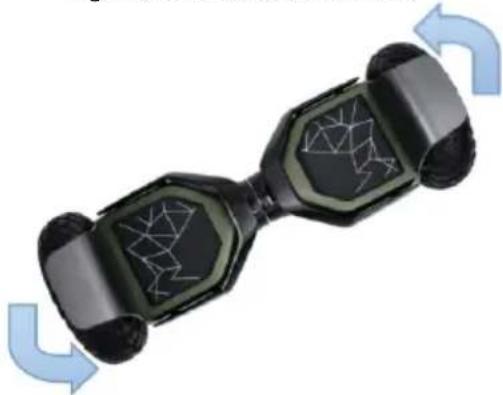
Left foot forward to turn right
Diagram of turning and turning around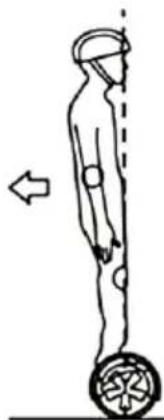
Backward
Stop
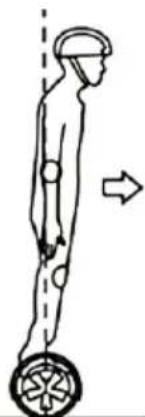
Forward
WARNING!
It is forbidden to ride at high speed on uneven ground or to turn around and turn at high speed in order to avoid danger. Do not ride across a hill, this will shift the hoverboard's balance angle and affect your driving safety.

When the battery-charge level is dangerously low, the board will indicate this fact by reducing the speed and shaking the wheels while riding. If these warnings occur, slow down immediately and get off the board safely. Turn the device off. Do not use the board again until the battery has been charged.
BATTERY LOW
When the battery indicator light on the EHB810 is red, or the blue light on the EHB608 begins flashing, this will mean there is no power. We recommend that you interrupt your journey. When the battery is low, the electric hoverboard does not have enough current to continue to function properly.
Continued driving with a low battery condition increases the risk of accidents and can affect battery life.
Do not use the battery under the following conditions:
- When it smells unpleasant and overheats.
- Leakage of any substance occurs.
- Only a service technician may disassemble and maintain the battery.
- Do not touch any substance leaking from the battery.
- Do not allow children or animals to touch the battery. Disconnect the charger before driving. Using the electric hoverboard while charging is very dangerous. • The batteries contain hazardous substances. Do not open them or put any objects into them.
- Charge the hoverboard battery only with the supplied power supply.
- It is prohibited to charge a deeply discharged lithium battery. It must be scrapped.
- The electric hoverboard's battery can be used in accordance with local regulations.
CHARGING THE BATTERY
• Make sure that the electrical outlet is dry. - Open the charging socket cover on the bottom of the electric hoverboard. - Plug the power supply plug into the power source (110 V \~ 240 V, 50 Hz \~ 60 Hz), make sure the green charging lamp is lit, insert the other charging plug into the charging socket on the bottom of the electric hoverboard. - When the red LED on the power supply lights up, the battery is charging correctly, otherwise check all cable connections. - When the red light turns green, the battery is fully charged. Disconnect the power supply from the power source. Long-lasting charging can shorten battery life. - Follow the instructions for charging the battery, otherwise it will damage the battery and shorten its service life. - The charging time for the electric hoverboard's battery is about 2 hours. The manufacturer cannot guarantee the same charging time and operation of the battery due to its wear. - Ensure clean and dry conditions when charging the battery. - Do not charge the battery when the power outlet is wet. Do not charge the battery immediately after bringing the device into a warm room after riding in a temperature below 10 oC.
Temperature while charging the battery
If you want to make your battery charge as efficient as possible, use it in the optimal temperature range before and during charging. If it is too cold or too hot, the charging time will be longer or it will not be fully charged.
Battery specification
| Specification Data | |
| Battery type lithium | |
| Charging time 3-5 h | |
| Voltage EHB608 – 25,2 V, EHB810 – 36 V | |
| Capacity EHB608/EHB810 - 4,0AH; | |
| Operating temperature range -20°C ~ 65°C | |
| Charging temperature range 0°C ~ 40°C | |
| Storage temperature(-20°C ~ 25°C) 12 months | |
| Optimal storage humidity 5% ~ 95% |
Precautions during transport of the batteries
Lithium batteries are considered to be hazardous materials in transport and must therefore be approved as such in the event of transport. If you want to take the electric hoverboard with lithium battery into the aircraft or use any other means of transport, please contact our company or local distributors.
Dedicated BLAUPUNKT application E-Mobility
For both BLAUPUNKT EHB608 and EHB810 models an app is available for mobile devices with Android and iOS operating systems. The application allows you to monitor many current parameters of the electric board, such as current speed and battery-charge level. It is also possible to activate and deactivate the device, and various functions, such as the riding mode and the automatic balancing function.
The application can be downloaded from shops suitable for a given operating system, i.e. the Play for Android and the iStore for iOS.
Bluetooth
The BLAUPUNKT EHB608 and EHB810 electric hoverboards have a Bluetooth function that allows you to wirelessly stream music from external compatible devices such as smartphones. Perform the following steps to start the function:
- Switch on the electrical hoverboard when the light indicator is on and an acoustic message is emitted, the unit is ready for pairing.
- Enable Bluetooth on your smartphone and search for a Bluetooth device that can be paired. (refer to your smartphone's instructions)
- Check the list of available Bluetooth devices in the Smartphone menu and select "BP EHB608 or BP EHB810" to start pairing. Enter 0000 (4 zeros) when prompted to enter your password while pairing. The hoverboard will beep when the devices are paired correctly.
- Select and start the music in your smartphone library. It will then be played back using the loudspeakers of this electric hoverboard.
Specifications/technical data: EHB608
• Motor: 600W (2x300W) • 8.5" tubeless wheels - Bluetooth for wireless music playback • Dedicated app for Android and iOS smartphones • Automatic balance function - Two driving modes - for children / for adults • Built-in battery: 25.2 V 4.0 Ah • Power-supply unit: 29.4 V 1A • Maximum load: 120kg • Maximum safe speed: 12 km/h • Range: 10-12km (depending on load and surface type) • Charging time: 3 - 5 hours • Upslope: 15-20 degrees - Carrying bag - LED lighting • Dimensions: 680x250x250 mm • Net weight: 14.5 kg
EHB810
• Motor: 700W (2x350W) - 10" inflatable wheels - Bluetooth for wireless music playback • Dedicated app for Android and iOS smartphones • Automatic balance function - Two driving modes - for children / for adults • Built-in battery: 36 V 4.0 Ah • Power-supply unit: 42 V 1A • Maximum load: 120kg • Maximum safe speed: 12 km/h • Range: 12-15km (depending on load and surface type) - Charging time: 3 - 5 hours - Upslope: 15-20 degrees - Carrying bag - LED lighting • Dimensions: 730x275x335 mm - Net weight: 15 kg
Daily maintenance
The electric hoverboard requires a daily maintenance. Below you will find the appropriate maintenance procedures for the electrical hoverboard and important operating instructions. Make sure that the power supply and the charger are disconnected before you do the following. Maintenance work cannot be performed when the power is on or the battery is being charged.
Cleaning:
• Make sure that the power supply and the charging cable are disconnected. - The board should be cleaned with a soft cloth. • The electrical hoverboard meets the dust and splash protection standard IP54. - Do not use high-pressure water or immerse the unit in any liquid for cleaning purposes. - Avoid contact of water or other liquids with the electric hoverboard, which may cause permanent damage to the internal electronics.
Storage:
- Before storing, make sure the electric hoverboard is fully charged to prevent the battery from being deeply discharged for a long period.
- For prolonged storage, ensure that the battery is fully charged at least once every three months.
- Do not charge the electric hoverboard if the storage temperature is below zero, it may only be charged at temperatures above 10 degrees. • Cover the electric hoverboard to prevent accumulating of dust. • Store the unit in a dry place.
- For safety reasons and for loss of warranty, do not disassemble the hoverboard by yourself. In case
Wrong Correct
Riding backwards
Stopping
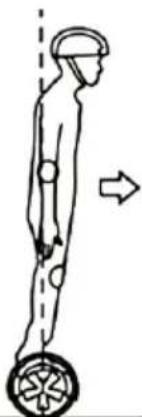
Riding forwards
INFORMATION AND WARNING NOTICES!
Wrong Correct
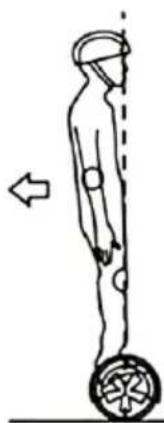
Backward
Stop
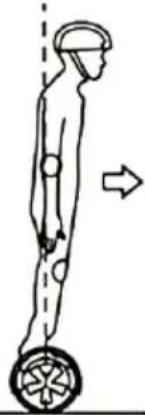
Forward
A B
A B
Position while driving
Wrong Correct
Backward
Stop
Forward
NOTES AND WARNINGS!

A B
A B
A B
A B
A B
A B
Position while driving
Right foot forward to turn left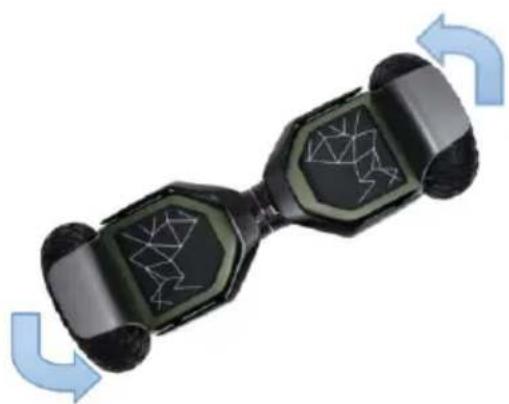
incorrect correct
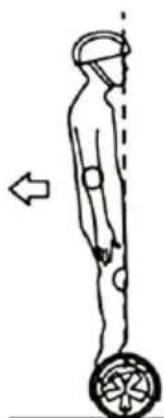
Backward
Stop
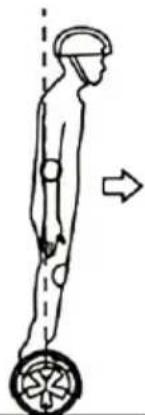
Forward
INSTRUCTIONS AND WARNINGS!

A B
A B
A B
EHB608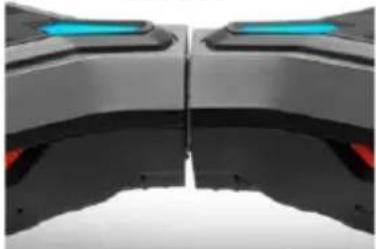
A B
Wrong Correct
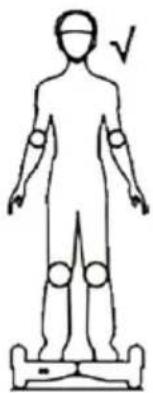
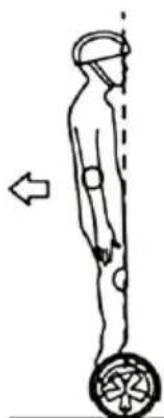
Backward
Stop
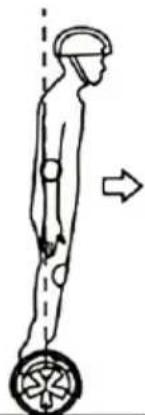
Forward
WARNINGS!

A B
EHB608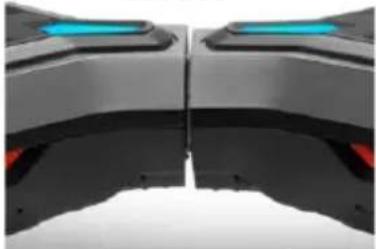
A B
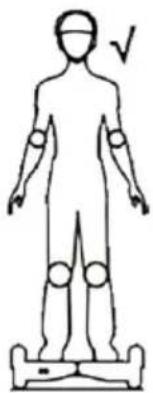
Incorrect Correct
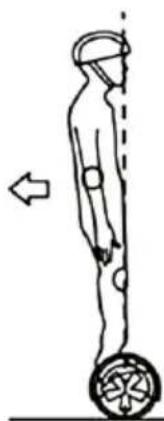
Backward
Stop
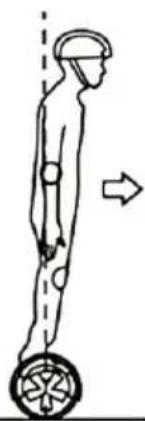
Forward
NOTES AND WARNINGS!

A B
EHB608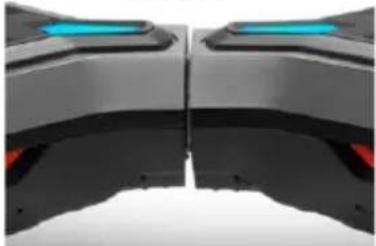
A B
Incorrect Correct
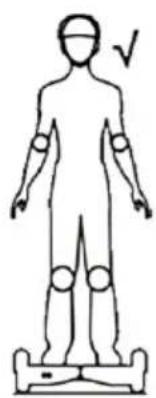
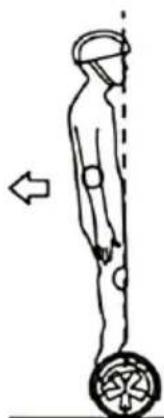
Behind
Stopping
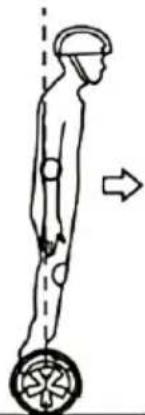
In front
NOTES AND WARNINGS!

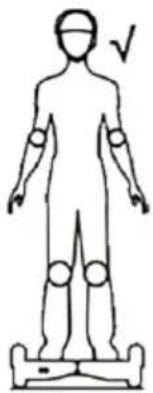
While driving
Wrong Correct
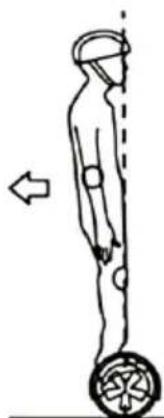
Back
Stopping
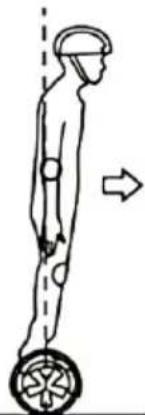
Front
NOTES AND WARNINGS!

A B
EHB608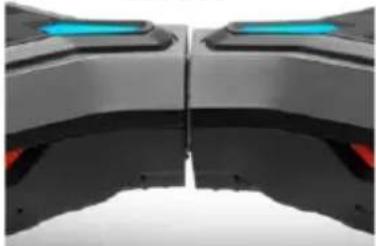
A B
Drive while driving
Wrong Correct
Back
Stop
Forward
NOTES AND WARNINGS!

02-801 Warsaw, Poland
phone: +48 22 331 99 59
e-mail: info@everpol.pl
www.blaupunkt.com
In case of questions or problems please contact our service.
Tel. 00 48 22 331 99 54
E-mail: emobility@blaupunkt.pl
All rights reserved. All brand names are registered trademarks of their respective owners. Specifications are subject to change without prior notice.
Enjoy it.


- ENJOY IT
- BELOW YOU CAN FIND THE SAFETY INSTRUCTIONS. READ THESE WARNINGS CAREFULLY BEFORE USING THE ELECTRIC HOVERBOARD
- CE
- WORKING PRINCIPLE
- INSTRUCTIONS BEFORE YOUR DRIVE
- RANGE
- SPEED
- RAMPS AND DESCENTS
- CAUTION
- PEDAL SENSORS
- FUNCTION INDICATOR
- LEARNING TO DRIVE
- LEARNING TO DRIVE - HINTS
- NOTES ON DRIVING
- WARNING
- BATTERY LOW
- DO NOT USE THE BATTERY UNDER THE FOLLOWING CONDITIONS
- CHARGING THE BATTERY
- TEMPERATURE WHILE CHARGING THE BATTERY
- PRECAUTIONS DURING TRANSPORT OF THE BATTERIES
- DEDICATED BLAUPUNKT APPLICATION E-MOBILITY
- BLUETOOTH
- SPECIFICATIONS/TECHNICAL DATA: EHB
- EHB
- DAILY MAINTENANCE
- CLEANING
- STORAGE
- INFORMATION AND WARNING NOTICES
- NOTES AND WARNINGS
- INSTRUCTIONS AND WARNINGS
- WARNINGS
Brand : BLAUPUNKT
Model : EHB810
Category : Segway