AU-Stream - Headphones Ausounds - Free user manual and instructions
Find the device manual for free AU-Stream Ausounds in PDF.


User questions about AU-Stream Ausounds
0 question about this device. Answer the ones you know or ask your own.
Ask a new question about this device
Download the instructions for your Headphones in PDF format for free! Find your manual AU-Stream - Ausounds and take your electronic device back in hand. On this page are published all the documents necessary for the use of your device. AU-Stream by Ausounds.
USER MANUAL AU-Stream Ausounds
text_image
Brian "BK" Kennedy 5x Grammy Award Winning ProducerAU
AUSOUNDS
ALISOUNDS INTRODUCTION
AI STREAM
True Wireless Earbuds
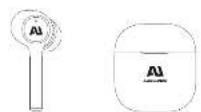
Earbuds Charging Case
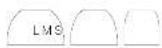
Ear-Tips
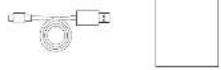
Charging Cable User Guide
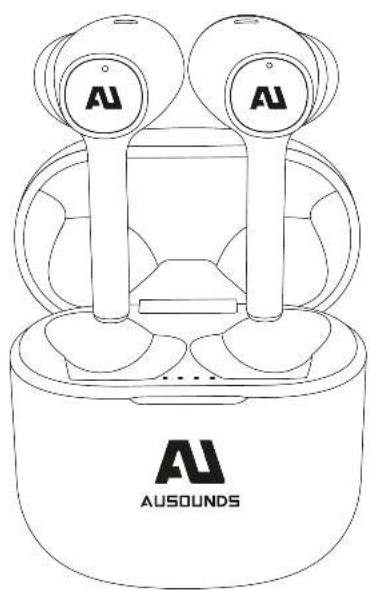
natural_image
Line drawing of a two-tiered AU airbus with two speakers and a base labeled 'AUSOUNDS' (no text or symbols on the device itself)AUSOUNDS AUDIO SIGNATURE
AI STREAM
The AU-Stream is the light version of our renowned AU-Stream ANC earbud. Designed with the same guiding principles of premium audio, technology and comfort. The AU-Stream is engineered with many of the same leading-edge technologies minus the noise-cancellation feature and is ideal for audio enthusiasts and a perfect choice for a music creators everyday use.
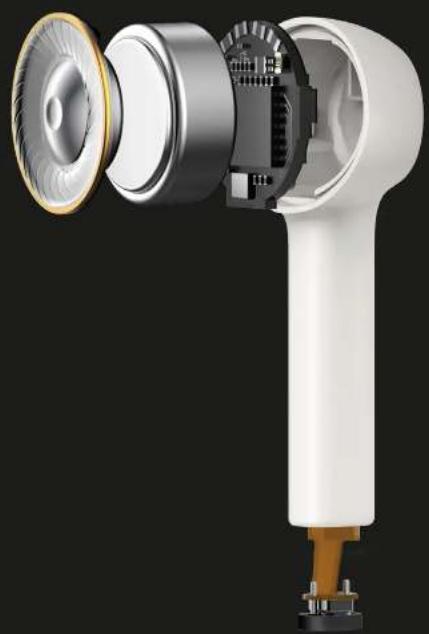
Similar to the ANC version the audio signature was designed for balance and clarity. The AU Titanium driver gives it a more realistic audio playback because of its three-layer 13MM Titanium film, giving this true wireless earbud a frequency range of 20Hz - 20KHz. This earbud is engineered to give you premium audio at an accessible price with the durability and comfort to listen to your music all day, everywhere.

natural_image
Exploded view of a white handheld hair dryer with visible internal components and mechanical parts (no text or symbols)AUSOUNDS FEATURES

High Performance AU Titanium Driver
A 13MM AU Titanium composite film speaker with a frequency range of 20Hz - 20KHz, and tuned to perfection for everyday use. This driver was engineered to give the ultimate sound in a mobile lightweight housing.

Bluetooth 5.0 with smart pairing
You no longer have to connect. Just open your case and remove your earbuds and that's it. With new Bluetooth 5.0 your AU Stream will automatically connect to your device as long as you are within 32 feet of it.

Supports AI voice assistant
AU Stream comes equipped with AI voice assistant technology. With three simple taps on your AU Stream earbuds you will activate the premium microphones allowing you to access this highly convenient function.

Rapid Wireless Charging Case
Our rapid wireless charging case is quick and easy to use. It takes today's wireless technology and creates a feature that is a must have for mobile convenience. On the go became that much easier. This case will charge your AU-Stream on any Qi certified wireless charging port.

Waterproof IPX5
IPX5 Waterproof rating in our headphones can resist a sustained, low pressure water jet spray. This is not only good for unwanted drops in water, but this is the best rating against sweat, so you keep a sustained music quality and performance when you're using these for your morning hike.

Total Battery Life 17.5 Hours
With five hours of talk and music playback and a pocket-sized case with an additional fifteen hours of charge, you will never have to worry about charging your earbuds again.

Dual Microphone for crystal clear calls
Conference calls and long distance collaborations need the best voice quality. We spared no expense on this feature, adding dual mics to ensure you cancel ambient noise but hear the caller clearer than ever.

Master dual switch
The master dual switch technology automatically switches to and prioritizes your active earbud. AU Stream detects which earbud is in your ear or still charging in the travel case and switches audio playthrough and microphone reception to the active unit, while deactivating the dormant unit.
AUSOUNDS QUICK START GUIDE
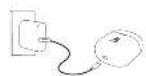
CHARGING THE EARBUDS AND CHARGING CASE BEFORE USE

FIND YOUR FIT
Choose the size of the silicone ear tips that provide a secure and comfortable fit for the perfect audio seal.


PAIRING
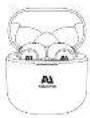
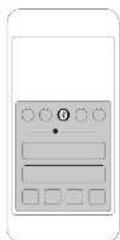
1. Open the battery cover and the headset will automatically turn on. Press and hold the base button 2 seconds to enter the Bluetooth pairing status.
To pair, keep earbuds in case

the first and fourth indicators of the charging case flash quickly
-
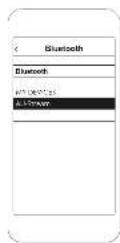
turn an bluetooth ^4 on your device.
-
Select AU Stream ANC
Not pairing with your device?
Try restarting your device, then repeat pairing process.
On the left or Right Earbud
CONTROLS
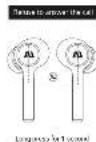
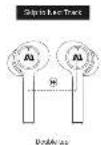
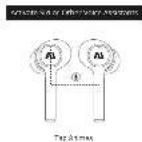

AUSOUNDS TECHNICAL SPECIFICATIONS
PRODUCT DETAILS
When using for the first time, please charge at least 10 minutes first.
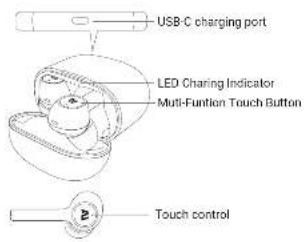
text_image
USB-C charging port LED Charing Indicator Multi-Function Touch Button Touch controlLISTENING COMFORT BLUETOOTH FEATURES
Select the right size ear tip
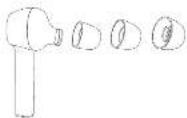
Please choose the ear tip size for a comfortable fit and audio seal for the ultimate audio playback. Lightly pull the ear tip, remove it from the ear buds, and and install a new suitable ear tip.
Wearing earbuds
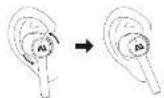
Lightly insert the earbuds into the ear and adjust it to a comfortable angle by rotating the earbuds (R is the right ear and L is the left ear)
Automatic remote connection
When the ear buds and your mobile phone are disconnected, due to distance, just return the correct distance and the ear buds will automatically connect to your mobile phone and return to the normal connection state. If it is disconnected for more than 30 minutes, tap the Bluetooth name in your phone to connect again. If it is disconnected for more than 2 hours, it will automatically shut down.
Automatically switch between left and right ear
Remove any one and put it into charging case, the earbuds to switch to a single ear state of the earbuds.
Reset
Open the battery compartment cover, press and hold the base button 10 seconds. The indicator light flashes 3 times and the pairing record of Bluetooth and All-Stream ANC earbuds inside of the case is cleared.
Earbuds charging and battery life
In Bluetooth mode only, a single play can last up to 6 hours and the total battery life can reach 17.5 hours with charging case.
Earbuds charging
Put the ear buds in the charging case and they will automatically shut down and enter the charging state.
Charging Case charging
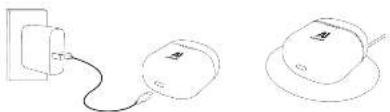
natural_image
Simple line drawings of three connected devices: a power plug, a computer mouse, and a circular device with a cable (no text or symbols)| Touch control | Left ear Right ear | |
| ANC | Long press 1 sec Long press 1 sec | |
| Next track | Double tap Double tap | |
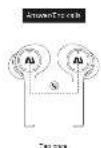
| Answer/hang up | Tap | Tap |
| Decline call | Long press 1 sec | Long press 1 sec |
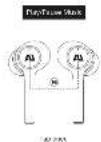
| Music play/pause | Tap | Tap |
| Activate voice assistant | Tap 3 times Tap 3 times | |
volume 1 adjustment will be achieved by adjusting the volume at the phone
SPECIFICATIONSPLAYBACK CONTROLSCHARGING
| Bluetooth version | BT 5.0 |
| Charging time | 1.5H |
| Stand-alone battery life | 6H |
| Earbuds impedance | 32Ω |
| Rated output power | 5mw |
| Frequency Range | 20Hz - 20KHz |
| Denoising depth | 25dB |
| SPL | 103 + 3 dB@1KHz |
| Microphone sensitivity | 42dB@1 KHz |
| Battery capacity | 55mAh - earbuds, 350mAh - charging case |
| Bluetooth range | 33 ft. |
| Weight | 6.5g (Single earbuds) |
| Waterproof level | IPX5 |
| Charging voltage | DC_5 V |
AUSOUNDS IMAGE DOWNLOAD
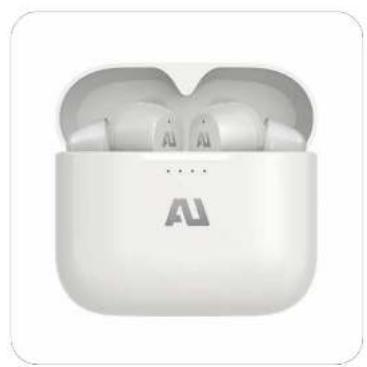
natural_image
White wireless earbuds with charging case, labeled 'AU' (no additional text or symbols visible)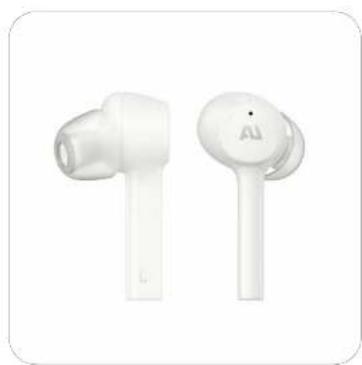
natural_image
Two white wireless earbuds with one labeled 'AI' on the cap (no additional text or symbols visible)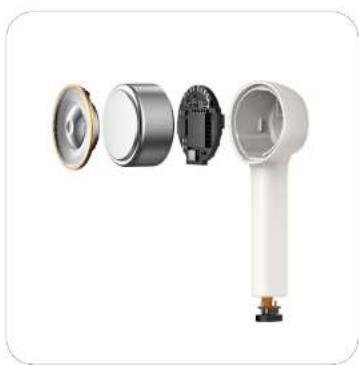
natural_image
Exploded view diagram of a white handheld device showing internal components (no text or symbols)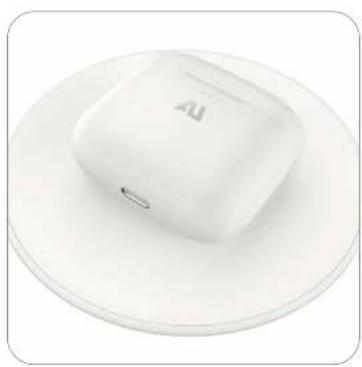
natural_image
White square button with 'AI' logo on a circular plate (no text or symbols beyond branding)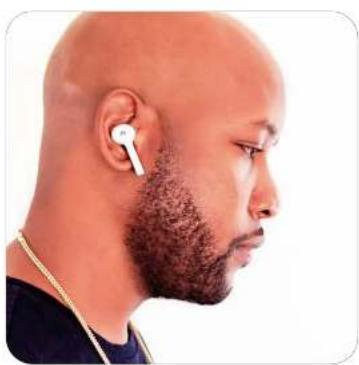
natural_image
Side profile of a bald man wearing an earbuds and beaded with a white earband (no text or symbols visible)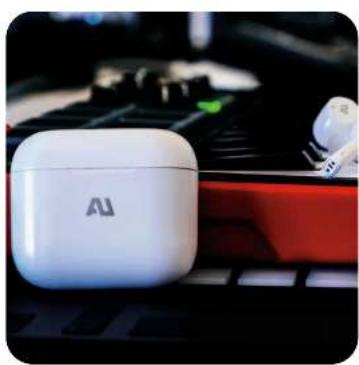
natural_image
White Au wireless earbuds on a keyboard, no visible text or symbols on the device itself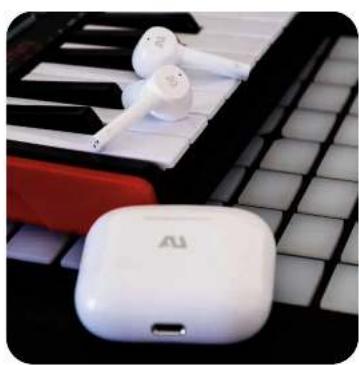
natural_image
Close-up of white wireless earbuds and a white USB flash unit resting on a keyboard (no text or symbols visible)