
GoPure Style GP561X1 - Air purifier PHILIPS - Free user manual and instructions
Find the device manual for free GoPure Style GP561X1 PHILIPS in PDF.


| Product Type | Air Purifier |
| Brand | Philips |
| Model | GoPure Style GP561X1 |
| Dimensions (H x W x D) | Approx. 500 x 300 x 300 mm |
| Weight | Approx. 5 kg |
| Power Supply | 220-240V, 50Hz, 50W |
| Filtration System | Triple filtration: pre-filter, HEPA filter, activated carbon filter |
| Room Coverage | Up to 50 m² |
| CADR (Clean Air Delivery Rate) | Approx. 200 m³/h |
| Noise Level | 30 - 60 dB |
| Air Quality Indicator | Yes, with color-coded display (blue, purple, red) |
| Fan Speeds | 3 speeds (low, medium, turbo) + auto mode |
| Night Mode | Yes, ultra-quiet operation with dimmed lights |
| Timer | 1, 4, 8 hours |
| Auto Shut-off | Yes, when timer expires or filter replacement needed |
| Child Lock | Yes |
| Filter Replacement Indicator | Yes, prompts when filter needs replacing (approx. every 12 months) |
| Pre-filter Cleaning | Recommended every 2 weeks |
| Filter Type | NanoProtect HEPA (FY2180/30) + pre-filter (FY1180/30) |
| Warranty | 2 years |
Frequently Asked Questions - GoPure Style GP561X1 PHILIPS
User questions about GoPure Style GP561X1 PHILIPS
0 question about this device. Answer the ones you know or ask your own.
Ask a new question about this device
Download the instructions for your Air purifier in PDF format for free! Find your manual GoPure Style GP561X1 - PHILIPS and take your electronic device back in hand. On this page are published all the documents necessary for the use of your device. GoPure Style GP561X1 by PHILIPS.
USER MANUAL GoPure Style GP561X1 PHILIPS

User Manual
EN Read these instructions for use carefully before using the product and save them for future reference.
Warranty and service
The Lumileds warranty applies, provided:
• The product is handled properly for its intended use only. • The product is used in accordance with its operating instructions. - You present the original invoice with the product.
The Lumileds warranty does not apply if the product is damaged due to accident, error, or misuse.
For more information and assistance, or if you have a problem with the product, you can visit the Philips website at www.philips.com/automotive, or contact the retail outlet where you purchased the product.
Or for the users in China, please call the customer service hotline: 400 690 8826
Lumileds (Shanghai) Management Co., Ltd No. 19-20, Lane 299, Wenshui Road, JiangAn District, Shanghai
2

1 ⚠️ Important information
⚠ Warning
Do not clean or spill any liquids such as water, detergents, or flammable solvents on the device.
Keep Philips car air sanitizer free of any obstruction. Do not cover!
To clean the car air sanitizer:
- Disconnect car air sanitizer
- Use soft cloth only.
Philips car air sanitizer is not a toy! Do not let children play with it.
For your safety, do not manually operate the device while driving. Always stop your car first!
UVC LED sterilization technology is used in this product. It is strictly forbidden to disassemble the air sanitizer to avoid possible exposure to UV radiation.
Help to preserve the environment. Do not discard the device with household waste. Bring it to the official waste recycling service location near you. Filter and HESAMax cartridge may be disposed of with household waste.
2 Product Introduction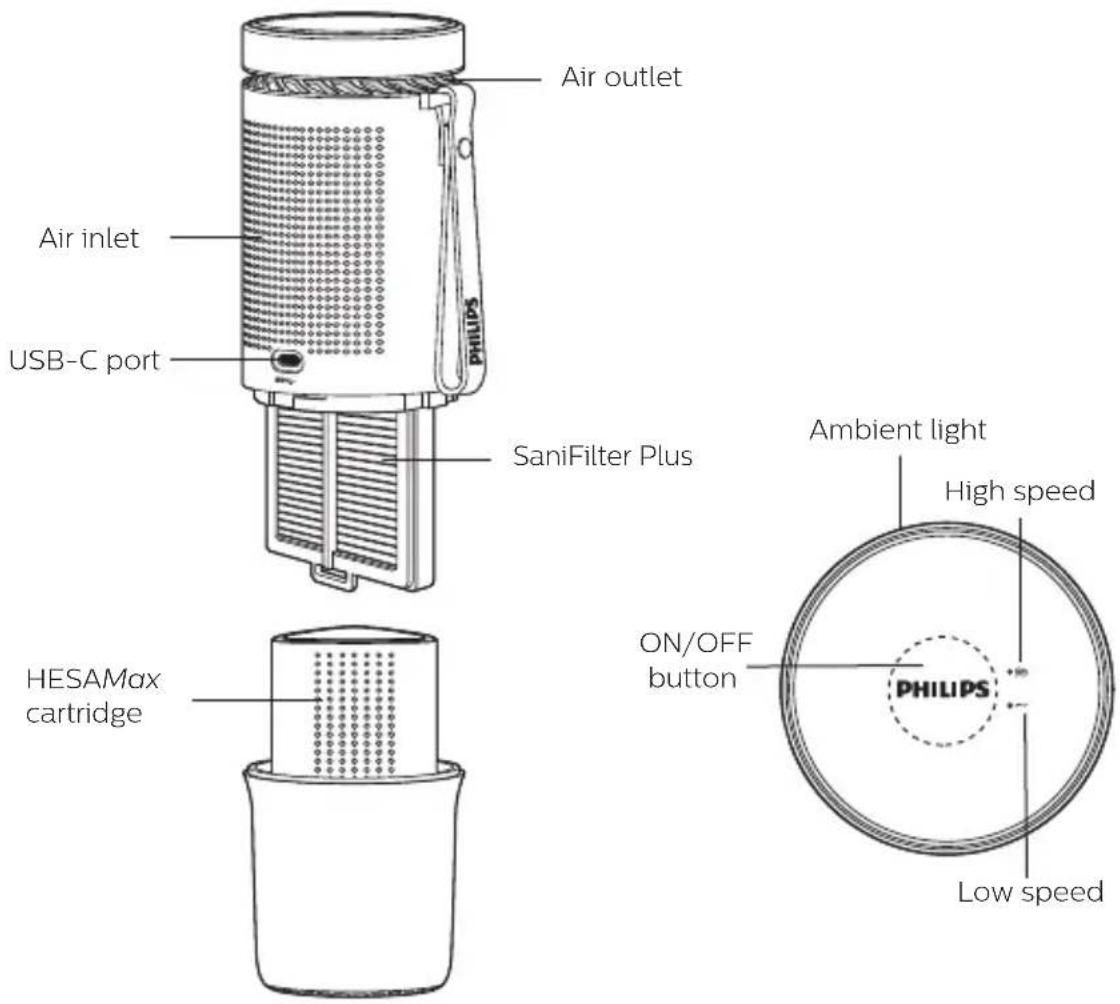
4

2.1 Discover the content of Philips package

USB Type-C power cable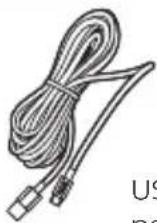
User Manual
Note
Ensure the device is installed according to the instructions in this guide.
For your safety, please use the items delivered in this package only to install the device. In case of incorrect installation, Lumileds declines all responsibility for any harm or accident.
3 Installing the car air sanitizer
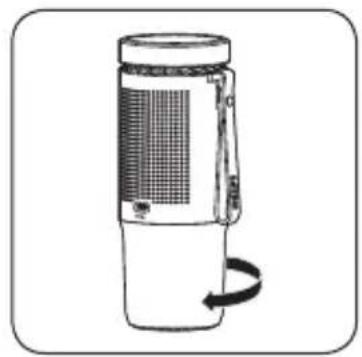
3.1 Remove the packaging of the HESAMax cartridge before use
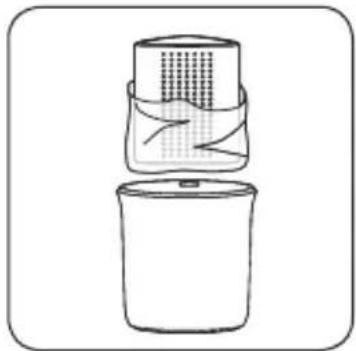
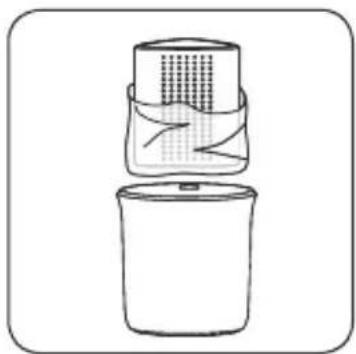
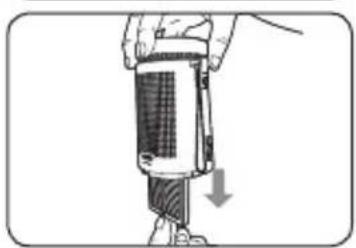
Remove the base as shown in the image below. Remove the HESAMax cartridge from the base and then remove the plastic packaging. Then, put the HESAMax cartridge and base back into place.
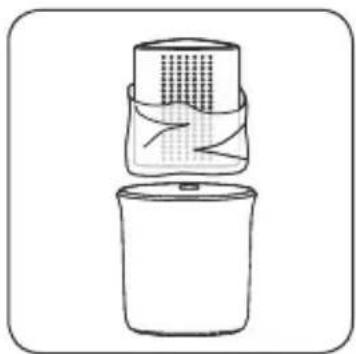
5

3.2 Installing and connecting the console
Place the air sanitizer in the cup holder in the center console or armrest of the car.
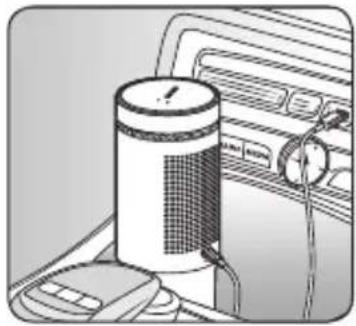
Use the power cable provided to connect the air sanitizer to the car's USB port.
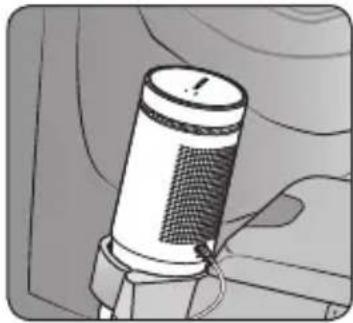
Precautions
Do not place the air sanitizer in places other than the cup holder to prevent unexpected product movement, as the car is moving, that affects safety whilst driving.
In-car USB DATA port is not recommended as power input.
Please avoid the use of any USB port with a power rating lower than 1.0A, or low-powered car lighter outlet with an adapter as the power source.
When input power is lower than required, product performance will be compromised.
Do note: The USB ports of some cars continue to supply power even when the engine is off. To avoid running out of batteries, the air sanitizer is set to automatically shut down after two hours of continuous operation. When the air sanitizer is automatically turned off after two hours during driving, turn it on manually if you wish to turn the air sanitizer on again.
4 Operating the Philips car air sanitizer
Once the car's USB port starts supplying power, the air sanitizer will turn on automatically. It will operate in low speed mode as the default.
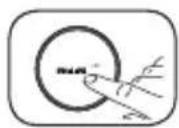
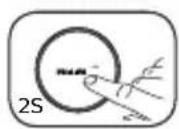
- Press the ON/OFF button to switch into the operating mode between low speed and high speed.
- When turned on, press and hold the ON/OFF button for 2 seconds to shut down the air sanitizer.
- When turned off, press the ON/OFF button to start it; it will operate in low speed mode by default.
5 Replacement of filter and HESAMax cartridge
This product has two air filtration features that require replacement: a high-efficiency particle filter and a HESAMax cartridge.
5.1.1 Filter replacement reminder
The air sanitizer will automatically remind you to replace the filter.
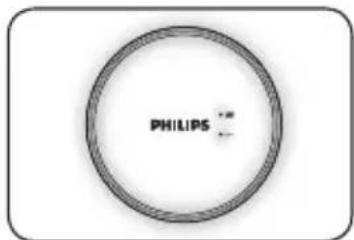
When the filter needs to be replaced, the blue light ring on the top of the air sanitizer will blink every time it is turned on.
5.1.2 How to replace the filter
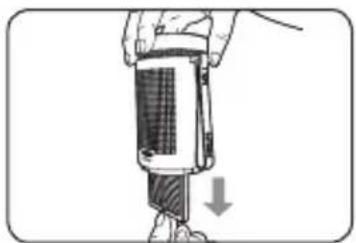
- After removing the base, open the filter cover and remove the filter.
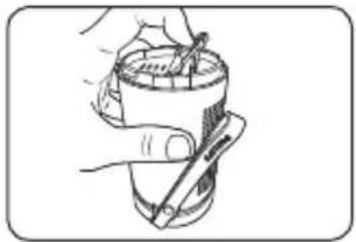
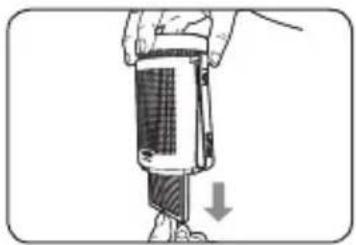
5.1.3 How to reset the air sanitizer
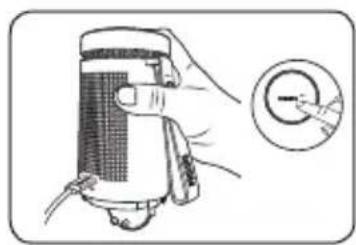
- With the filter cover open, power on the air sanitizer. Press and hold the ON/OFF button for more than 5 seconds until you hear "ding ding" and release the button to reset the filter.
- Close the filter cover and install the base.
- If the reset failed, please repeat the above steps.
5.2 How to replace HESAMax cartridge
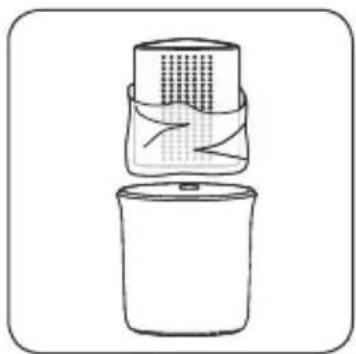
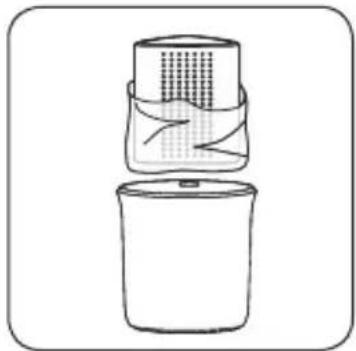
HESAMax cartridge works 24/7, the replacement cycle depends on the in-car gas/odor level. The recommended replacement period is 12 months. Remove the HESAMax cartridge from the base and replace with a new one. Then, fix the base back in place
Precautions
For the sake of safety, when the filter cover is open, the fan inside the air sanitizer and the UVC lamp will stop working. Please be sure to use genuine Philips SaniFilter Plus and HESAMax cartridge, and replace them in a timely manner. This will maintain the best performance of Philips car air sanitizers and make sure the purest air in the car.
6 Philips car air sanitizer troubleshooting
Problem 1
Philips car air sanitizer does not switch to high speed.
Solution 1
- Check it is not connected to in-car USB data port which is usually not designed as power source.
- Connect to in-car USB port with charging function.
- Or check your USB power input, it needs to be higher than 5V/1A.
Problem 2
Some cars continue to power the 5V outlet when the engine is off.
Solution 2
To avoid draining the battery, Philips car air sanitizer will automatically power off after two hours of continuous running. To restart your device, press the power button.
Problem 3
After filter replacement, the blue light ring on top remains blinking at restart.
Solution 3
Turn off the device and follow filter reset steps in section 5.1. Please make sure the power cable remains connected during the whole process.
Problem 4
The Philips car air sanitizer stops running for a short while.
Solution 4
This is normal: Philips car air sanitizer has a voltage protection function. The device turns off automatically when the voltage supply from vehicle is fluctuant. The device will resume to work once the voltage comes back stable.

How to reset the air purifier
5.2 How to replace the HESAMax cartridge
19

3.2 Installing and connecting the control unit
Note
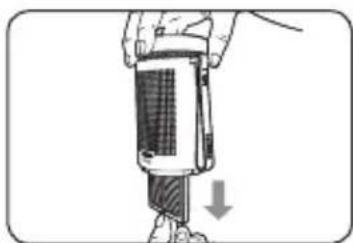
How to reset the air purifier
5.2 How to replace the HESAMax cartridge
26

3.2 Settings and power connection
Note
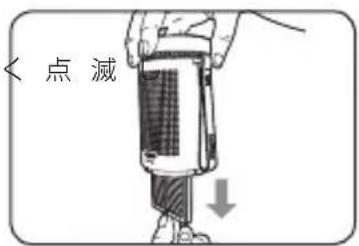
5.1.3 How to reset the replacement indicator
33

3.2 Installation and connection
⚠ Caution
5.1.3 How to reset the air purifier
5.2 Replacing the HESAMax cartridge
Lumileds is the warrantor of this product.
Philips and the Philips Shield Emblem are registered trademarks of
Koninklijke Philips N.V. and are used under license.
2020 © Lumileds Holding B.V. All rights reserved.
Lumileds provides the warranty for this product.
(Lumileds Holding B.V.) All rights reserved.

- WARRANTY AND SERVICE
- ⚠️ IMPORTANT INFORMATION
- ⚠ WARNING
- DISCOVER THE CONTENT OF PHILIPS PACKAGE
- NOTE
- INSTALLING THE CAR AIR SANITIZER
- REMOVE THE PACKAGING OF THE HESAMAX CARTRIDGE BEFORE USE
- INSTALLING AND CONNECTING THE CONSOLE
- PRECAUTIONS
- OPERATING THE PHILIPS CAR AIR SANITIZER
- REPLACEMENT OF FILTER AND HESAMAX CARTRIDGE
- FILTER REPLACEMENT REMINDER
- HOW TO REPLACE THE FILTER
- HOW TO RESET THE AIR SANITIZER
- HOW TO REPLACE HESAMAX CARTRIDGE
- PHILIPS CAR AIR SANITIZER TROUBLESHOOTING
- PROBLEM
- SOLUTION
- HOW TO RESET THE AIR PURIFIER
- HOW TO REPLACE THE HESAMAX CARTRIDGE
- INSTALLING AND CONNECTING THE CONTROL UNIT
- SETTINGS AND POWER CONNECTION
- HOW TO RESET THE REPLACEMENT INDICATOR
- INSTALLATION AND CONNECTION
- ⚠ CAUTION
- REPLACING THE HESAMAX CARTRIDGE
Brand : PHILIPS
Model : GoPure Style GP561X1
Category : Air purifier