
GU21BPP - Fridge LG - Free user manual and instructions
Find the device manual for free GU21BPP LG in PDF.


User questions about GU21BPP LG
0 question about this device. Answer the ones you know or ask your own.
Ask a new question about this device
Download the instructions for your Fridge in PDF format for free! Find your manual GU21BPP - LG and take your electronic device back in hand. On this page are published all the documents necessary for the use of your device. GU21BPP by LG.
USER MANUAL GU21BPP LG
Please read carefully the manual instruction and safety caution before operating your refrigerator and retain it for future reference
LT39BPB LT39SGD LT51BPB LT51MDP LT51SGP
LT39BPP LT39WPP LT51BPP LT51SGD GN-C702SGGU
CONTENTS
IMPORTANT SAFETY INFORMATION .... 3
INSTALLATION 11
INNER PARTS 12
OPERATIONS 22
Starting
Before Setting The Temperature
Door Alarm (Optional)
Self Test
Controls For Refrigerator Compartment
Express Freeze
Lock (Optional)
Wi-Fi (Optional)
Hygiene Fresh (Optional)
Controls For Freezer Compartment
Ice Making
Vegetable Drawer
Defrosting
Door Cooling
Deodorizer (Optional)
Water Dispenser (Optional)
Home Bar (Optional)
SUGGESTIONS ON FOOD STORAGE 29
CLEANING 30
GENERAL INFORMATION 32
LAMP REPLACEMENT 32
IMPORTANT WARNINGS 33
BEFORE CALLING FOR SERVICE 34
EARTH (GROUNDING) CONSTRUCTION
(OPTIONAL) 35
SMART FUNCTION 36
SMART DIAGNOSIS.... 38
natural_image
Cartoon illustration of a smiling refrigerator character with arms and legs (no text or symbols)IMPORTANT SAFETY INFORMATION

WARNING
⚠️ Keep ventilation openings, in the appliance enclosure or in the built-in structure, clear of obstruction.
Do not use mechanical devices or other means to accelerate the defrosting process, other than those recommended by the manufacturer.
Do not damage the refrigerant circuit.
Do not use electrical appliances inside the food storage compartment of the appliance, unless they are of the type recommended by the manufacturer.
The refrigerant and insulation blowing gas used in the appliance require special disposal procedures. When disposal, please consult with services agent or a similarly qualified person.
Risk of Fire and Flammable Materials
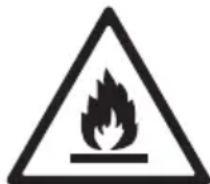
This symbol alerts you to flammable materials that can ignite and cause a fire if you do not take care.
- This appliance contains a small amount of isobutane refrigerant (R600a), but it is also combustible. When transporting and installing the appliance, care should be taken to ensure that no parts of the refrigerating circuit are damaged.
- If a leak is detected, avoid any naked flames or potential sources of ignition and air the room in which the appliance is standing for several minutes. In order to avoid the creation of a flammable gas air mixture if a leak in the refrigerating circuit occurs, the size of the room in which the appliance is used should correspond to the amount of refrigerant used. The room must be 1 m² in size for every 8 g of R600a refrigerant inside the appliance.
- When positioning the appliance, ensure the supply cord is not trapped or damaged.
- Do not locate multiple portable socket-outlets or portable power supplies at the rear of the appliance.
IMPORTANT SAFETY INFORMATION
BASIC SAFETY PRECAUTIONS
This guide contains many important safety messages. Always read and obey all safety messages.

This is the safety alert symbol. It alerts you to safety messages that inform you of hazard that can hurt you or others or cause damage to the product. All safety messages will be preceded by the safety alert symbol and the hazard signal word WARNING, or CAUTION.
These words mean:

WARNING
You will be hurt or seriously injured if you don't follow instructions.

CAUTION
indicates an imminently hazardous situation which, if not avoided, may result in minor or moderate injury, or product damage only.
All safety messages will identify the hazard, tell you how to reduce the chance of injury, and tell you what can happen if the instructions are not followed.

WARNING
To reduce the risk of fire, electric shock, or injury to persons when using your product, basic safety precautions should be followed, including the following.
Read all instructions before using this appliance.
1. When connecting the power
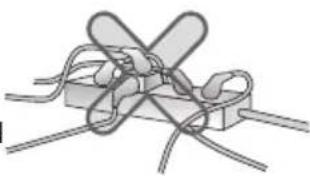
Do not use many power outlets.
• Using several devices at one outlet may cause fire.
• The electric leakage breaker may damage food and the dispenser may be leaked.
natural_image
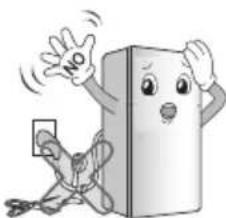
Diagram of a rope knot with two crossed loops (no text or symbols)Prevent the power cord from being squeezed or imprinted if the refrigerator is pushed in after the power plug is extracted during the installation.
It becomes the cause of fire or electric shock.
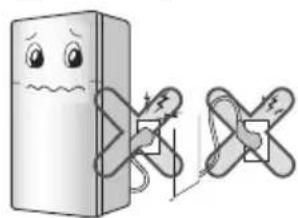
Do not allow the power plug to face upward
or to be squeezed at the back of the refrigerator.
Water may be flown into or the plug may be damaged, which causes fire or electric shock.
natural_image
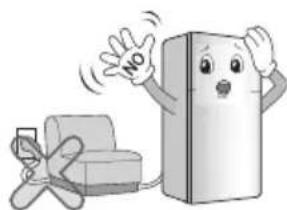
Illustration of a cartoon refrigerator with a sad face and two crossed arms, connected by a battery (no text or symbols)Do not allow the power cord bent or pressed
by the heavy object to be damaged.
It may damage the power cord to cause fire or electric shock.
natural_image
Cartoon illustration of a refrigerator with a 'NO' sign and a phone, no text or symbols presentIMPORTANT SAFETY INFORMATION
1. When connecting the power
Do not extend or modify the length of the power plug.
It causes electric shock or fire by the electric damage of the power cord or others.
natural_image
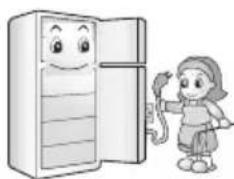
Cartoon illustration of a smiling book character holding a 'NO' sign, with a person running away (no text or symbols on the figure itself)Unplug the power plug when cleaning or handling the refrigerator.
- It may cause electric shock or injury.
natural_image
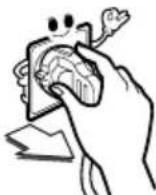
Illustration of a child standing beside a refrigerator with a smiling face (no text or symbols)Pull out the power plug not by grasping the cord but the plug of its end.
It may cause electric shock or short circuit to fire.
Remove water or dust from the power plug and insert it with the ends of the pins
securely connected.
Dust, water or unstable connection may fire or electric shock.
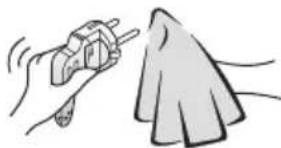
natural_image
Illustration of a hand using a tool to clean a cloth (no text or symbols)Do not pull out the cord or touch the power plug with wet hands.
• It may cause electric shock or injury.
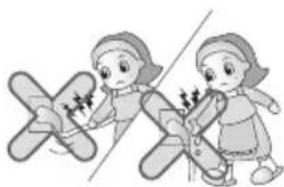
natural_image
Illustration of two children playing airplane jumps, one pointing at the other (no text or symbols)Wait for 5 minutes or longer when reconnecting the plug.
It may cause the operation of the freezer to fail.
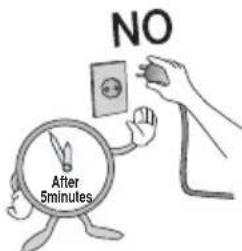
text_image
NO After 5minutesMake sure of grounding.
The incorrect grounding may cause breakdown and electric shock.
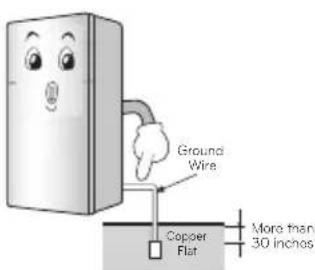
text_image
Ground Wire Copper Flat More than 30 inchesWhen the power cord or the power plug is
damaged or the holes of the outlet are loosed, do not use them.
It may cause electric shock or short circuit to make fire.
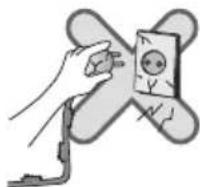
Be sure to use grounded exclusive proper voltage consent for the power plug.
Be sure to use grounded extension consents when extension consents are used.
may cause breakdown
It becomes the cause of fire.
IMPORTANT SAFETY INFORMATION
2. When using the refrigerator
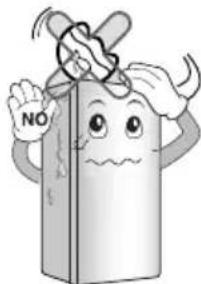
Do not place the heavy object or the dangerous object (container with liquid) on the refrigerator.
It may be dropped to cause injury, fire or electric shock when opening or closing the door.
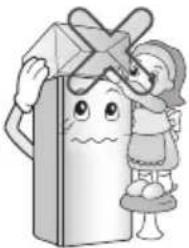
natural_image
Cartoon illustration of a child holding a large refrigerator with a cross on top (no text or symbols)Do not cling to the door or the shelves of the door or the cool chamber.
It may make the refrigerator fallen down or damage the hands. Especially, do not allow the children to do the above.
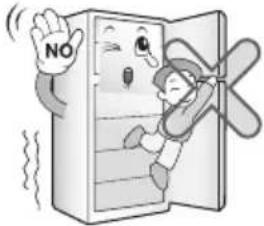
natural_image
Cartoon illustration of a person inside a refrigerator with a 'NO' sign, showing a surprised expression (no text or symbols on the refrigerator itself)Prevent children from entering the product.
It may endanger the life of a child if the child enters the refrigerator.
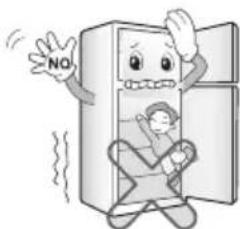
natural_image
Cartoon illustration of a distressed refrigerator with a 'NO' sign, showing a person inside and waving (no text or symbols on the refrigerator itself)Do not place flower vase, cup, cosmetics,
medicine or any container with water on the refrigerator.
It may cause fire, electric shock or injury by dropping down.
natural_image
Cartoon illustration of a gift box character with arms and a 'NO' sign, no text or symbols presentOpening and closing the door of the refrigerator vigorously may cause the stored food in the refrigerator basket to fall by shock and hurt the foot, so take precautions.
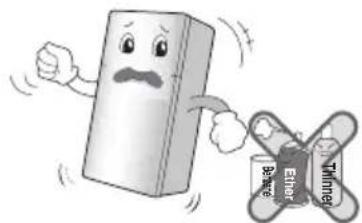
Do not use or store inflammable materials ether, benzene, alcohol, medicine, LP gas,
spray or cosmetics near or in the refrigerator.
It may cause explosion or fire.
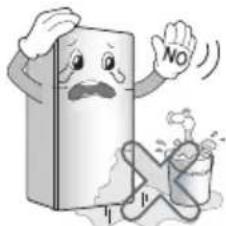
text_image
Cartoon illustration showing a sad book character and a broken bar labeled 'Ethere' and 'Thinner', symbolizing ethical or consumer behavior.Do not install the refrigerator in the wet place or the place which water or rain splashes.
Deterioration of insulation of electric parts may cause electric leakage.
text_image
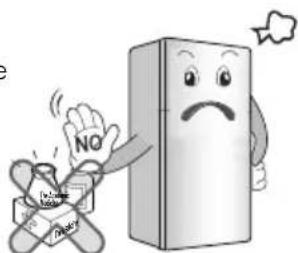
NO h bDo not store the medicine or the academic materials at the refrigerator.
When the material with the strict temperature control is stored, it may be deteriorated or it may make an unexpected reaction to cause any risk.
IMPORTANT SAFETY INFORMATION
2. When using the refrigerator
Do not use drier to dry the inside, nor light a candle to remove odor.
It may cause explosion or fire.
Install in places away from the fire such as the place where
flammable gas is leaked.
It may cause fire.
Do not use the combustible spray near the refrigerator.
It may cause fire.
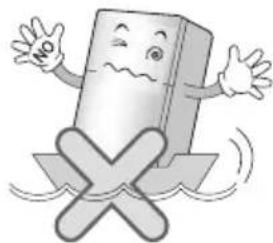
Do not use the refrigerator if it has been submerged in water without having it checked by a qualified electrician.
It may cause electric shock or fire.
In case of thunder and lightning, or not in use for a long period of time, detach the power plug.
There is a danger of electric shock or fire.
Do not spray water at the outside or the inside of the refrigerator or do not clean it with benzene or
thinner.
Deterioration of insulation of electric parts may cause electric shock or fire.
When gas is leaked, do not touch the refrigerator or the air outlet and ventilate the room immediately.
- The explosion by spark may cause fire or burn.
- If there is a gas leakage (isobutane, propane, natural gas, etc.), do not touch the appliance or power plug and ventilate the area immediately. This appliance uses a refrigerant gas (isobutane,R600a). Although it uses a small amount of the gas, it is still combustible gas. Gas leakage during appliance transport, installation or operation can cause fire, explosion or injury if sparks are caused.
Tempered glass is applied at the front door (optional). It can be damaged by general impact. Do not touch the broken part.
It may cause injury.
IMPORTANT SAFETY INFORMATION
2. When using the refrigerator
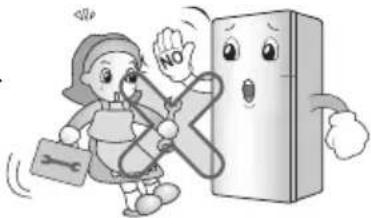
Do not allow any person except the qualified engineer to disassemble, repair or alter the refrigerator.
It may cause injury, electric shock or fire.
natural_image
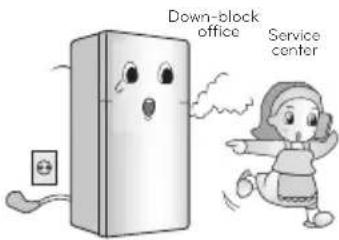
Cartoon illustration of a girl running with a stethoscope and a book, next to a smiling refrigerator (no text or symbols)When any strange smell or smoke is detected from the refrigerator, disconnect
the power plug immediately and contact to the service center. It may cause fire.
text_image
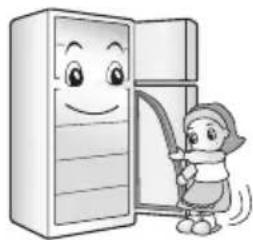
Down-block office Service centerWhen disposing the refrigerator, remove the packing materials from the door.
It may cause to lock out the child.
natural_image
Cartoon illustration of a child holding a broom while standing beside an open refrigerator (no text or symbols)Do not use the refrigerator for non-domestic purpose (storing medicine or testing material, using at the ship, etc.).
It may cause an unexpected risk such as fire, electric shock, deterioration of stored material or chemical reaction.
natural_image
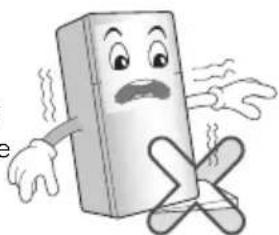
Cartoon illustration of a smiling rectangular object with arms and legs, standing on a cross symbol (no text or symbols present)Install the refrigerator on the solid and level floor.
Installing it on the unstable place may cause death by falling down the refrigerator when opening or closing the door.
natural_image
Cartoon illustration of a smiling refrigerator with arms and legs crossed (no text or symbols)What to do with your old refrigerator,
Your refrigerator contain liquid (refrigerant,
(lubricant) made of recyclable materials. All these materials must be sent to a recycling waste disposal site as they can be reused after a specific recycling process. Contact local authorities.
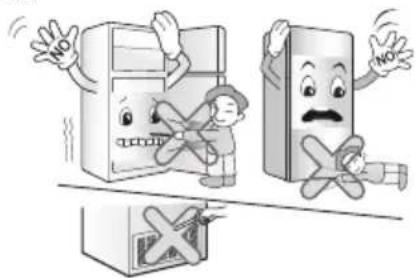
Do not insert the hands or the metal stick into the exit of cool air, the cover, the bottom of the refrigerator, the heatproof grill (exhaust hole) at the
backside. It may
cause electric shock or injury.
text_image
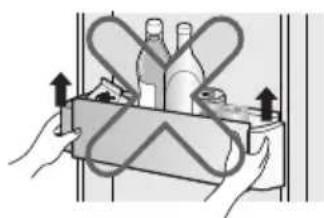
Cartoon illustration showing two anthropomorphic kitchen appliances with 'NO' signs indicating no accidents or errors.Completely empty inside before taking out the container from the door.
natural_image
Illustration of hands holding a mechanical component with directional arrows indicating movement (no text or symbols)IMPORTANT SAFETY INFORMATION
2. When using the refrigerator
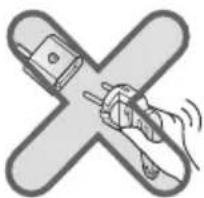
Do not remove the cover on the back.

natural_image
Cartoon illustration of a book character with a sad face and a 'NO' sign, no text or symbols presentDo not use an Adapter on the back.
natural_image
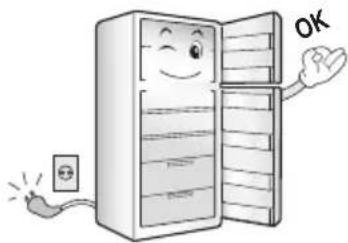
Illustration of a hand holding a plug with a lightning bolt inside a cross shape (no text or symbols)Place all the components in the right places before connecting the power.
natural_image
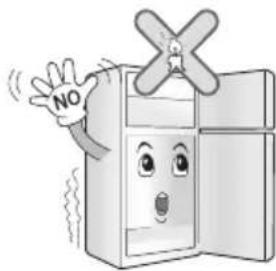
Cartoon illustration of a smiling refrigerator with an open door, connected to an electrical outlet (no text or symbols)Never leave lit candles or incense on the
fridge, at risk of causing fire or product damage.
natural_image
Cartoon illustration of a smiling refrigerator with a 'NO' hand and a windmill symbol on top (no text or symbols on the refrigerator itself)
CAUTION
Violating this direction may cause injury or damage house or furniture. Always be careful, please.
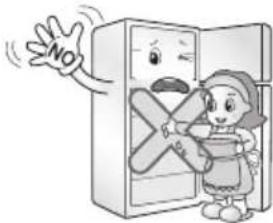
Do not touch food or containers at the
freezer with wet hands.
It may cause frostbite
text_image
NODo not place the food in disorder inside the refrigerator.
The food may fall during opening and closing the door of the refrigerator and hurt people.
Do not put bottle in the freezer.
It may freeze the contents to break the bottle to cause injury.
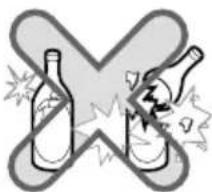
text_image
Warning symbol with crossed-out bottle and explosion effect, indicating incorrect safety or toxicityDo not insert the hands into the bottom of the refrigerator.
The iron plate of the bottom may cause injury.

natural_image
Cartoon illustration of a sad, anthropomorphic book character with arms and legs crossed, accompanied by a distressed person (no text or symbols)Carry the refrigerator with the handle bar at the bottom of the front and the top of the
rear.
Otherwise, your hands may be slipped to cause injury.
Because the product is heavy, carrying it alone may hurt people or accidents may occur.
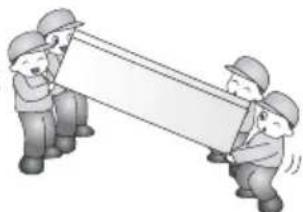
natural_image
Illustration of three workers in hard hats pulling a large rectangular object (no text or symbols)Because opening or closing the door of the refrigerator may cause injury to the person around it, be careful, please.
Opening or closing the door may cause feet or hands to be caught in the chink in door or the child to be get hurt by the corner.
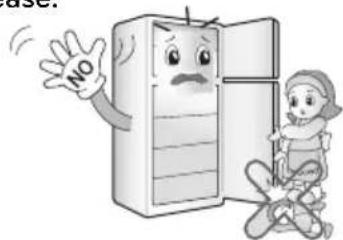
text_image
use! NOIMPORTANT SAFETY INFORMATION
Do not put any living animal in the refrigerator.
It may cause the animal died.
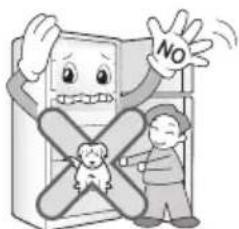
text_image
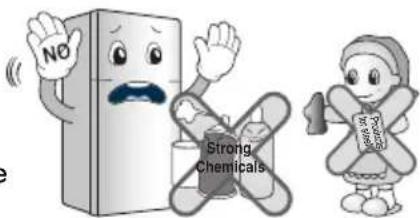
NODo not use products such as grinding sponge, brush, iron, or even special products to clean stainless steel, soap products such as alcohol, kerosene, gasoline, wax, or solvent, or strong chemicals such as chlorine, detergent, or vinegar, for the purpose of gloss. These products may damage the protective
lacquer, and they may cause risk or stain on the surface of the refrigerator.
text_image
NO Strong ChemicalsAvoid the contact of oil or fat on the plastic parts. They may cause damage.
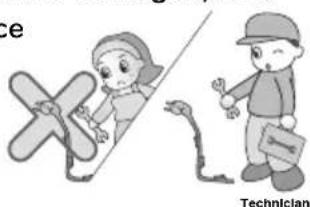
When the power cord is damaged, let a
technician to replace it to remove the danger of an accident.
text_image
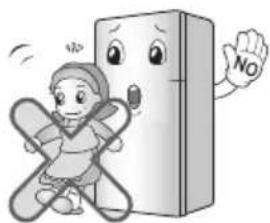
ce TechnicianDo not lean on the doors, Hinges may deregulate
Themselves, harming seal cooler and compromising performance.
natural_image
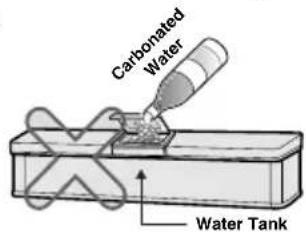
Cartoon illustration of a child running with arms crossed, next to a book character with a 'NO' sign (no text or symbols on the character or background)Do not use the carbonated water. The gas
pressure may cause leakage.
text_image
Carbonated Water Water TankClean the water tank according to the instruction before using the Water Dispenser
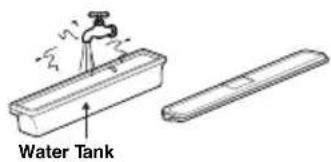
text_image
Water TankFill with potable water only.
Do not apply oil in the door connection part in any circumstances. It may cause damage to the plastic
parts.
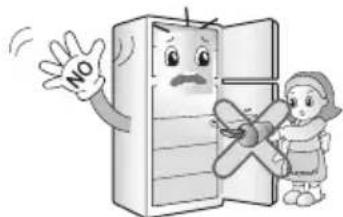
text_image
NOUse only water. If any other liquid is used, the operation of the system may be deteriorated. If a problem occurs by using
any liquid other than water, the manufacturer will not be responsible.
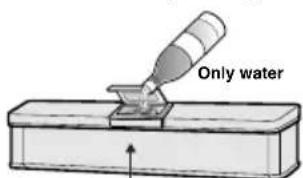
text_image
Only waterWater Tank
Do not store excessive water bottle or side dish container, etc. in the door basket.
It will make you put excessive force to take out the water bottle or side dish container from the basket, and it may damage the basket or it may cause injury of your hand hitting the surrounding structure.

WARNING
Please do not use a dishwasher to clean the lower drawers; the high temperature may cause damage to the baskets which make them unusable.
THIS REFRIGERATOR IS MANUFACTURED WITH GREAT CARE, AND UTILIZES THE LATEST IN TECHNOLOGY.
WE ARE CONFIDENT THAT YOU WILL BE FULLY SATISFIED WITH IT'S PERFORMANCE AND RELIABILITY.
BEFORE YOU START YOUR REFRIGERATOR, PLEASE READ THIS BOOKLET CAREFULLY.
IT PROVIDES EXACT INSTRUCTIONS FOR INSTALLATION, OPERATION AND
MAINTENANCE, AND ALSO SUPPLIES SOME USEFUL HINTS.
INSTALLATION
- Select a good location.
Place your refrigerator where it is easy to use. - Avoid placing the unit near heat sources, direct sunlight or moisture.
- Air must circulate properly around your refrigerator to ensure efficient operation.
If your refrigerator is placed in a recessed area in the wall, allow at least 10 inches (25 cm) or greater clearance above the refrigerator and 2 inches (5 cm) or more from the wall.
The refrigerator should be elevated 1 inch (2.5 cm) from the floor, especially if the floor is carpeted.
- To avoid vibrations, the unit must be level. If required, adjust the leveling screws to compensate for unevenness of the floor.
The front should be slightly higher than the rear to aid in door closing.
Leveling screws can be turned easily by tipping the cabinet slightly.
Turn the leveling screws clockwise( ) to raise the unit, counterclockwise( ) to lower it.
- Don't install this appliance below 5^ C. It may cause the debasement of the refrigerator.
NEXT
- Clean your refrigerator thoroughly and wipe off all dust accumulated during shipping.
- Install accessories such as ice cube box, etc., in their proper places. They are packed together to prevent possible damage during shipment.
- Connect the power supply cord (or plug) to the outlet. Don't double up with other appliances on the same outlet.
- Prior to storing food, leave your refrigerator on for 2 or 3 hours.
Check the flow of cold air in the freezer compartment to ensure proper cooling. Your refrigerator is now ready for use.
INNER PARTS
□ INTERNAL CONTROLLER MODEL TYPE A
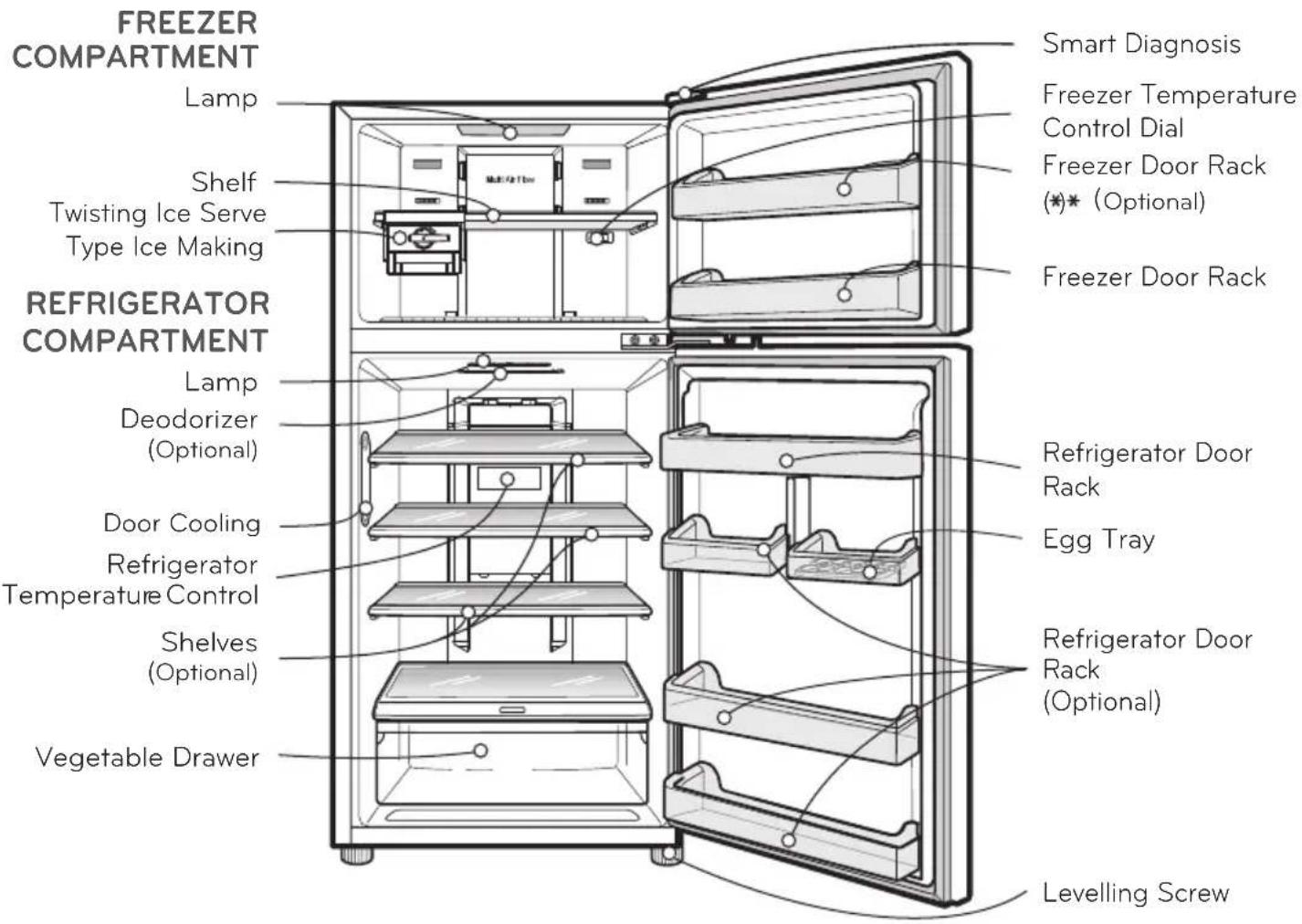
text_image
FREEZER COMPARTMENT Lamp Shelf Twisting Ice Serve Type Ice Making REFRIGERATOR COMPARTMENT Lamp Deodorizer (Optional) Door Cooling Refrigerator Temperature Control Shelves (Optional) Vegetable Drawer Smart Diagnosis Freezer Temperature Control Dial Freezer Door Rack (*)* (Optional) Freezer Door Rack Refrigerator Door Rack Egg Tray Refrigerator Door Rack (Optional) Levelling Screw
- This guide covers several different models. The refrigerator you have purchased may have some or all of the features shown above.
- To keep a position of inner parts like as baskets, drawers and shelves supplied by manufacturer is the most efficient usage for energy saving.
SUGGESTION FOR ENERGY SAVING
- Please do not keep the door open for a long time, close door in the shortest time.
- Too much food are not advised to be put in. Enough space should be kept for cool air circulating freely.
- Do not set the temperature of refrigerator lower than needed. Do not put the food near the temperature sensor.
- Allow hot food to cool prior to storing. Placing hot food in the fridge-freezer could spoil other food, and lead to higher electric bills.
- Do not block air vents with food. Smooth circulation of cold air keeps fridge-freezer temperature even.
- Do not open the door frequently. Opening the door lets warm air enter the fridge-freezer, and cause temperature to rise.
INNER PARTS
☐ INTERNAL CONTROLLER MODEL TYPE B
FREEZER COMPARTMENT
Lamp
Shelf
Twisting Ice Serve
Type Ice Making
REFRIGERATOR COMPARTMENT
Lamp
Deodorizer
(Optional)
Fresh Zone
Door Cooling
Refrigerator
Temperature Control
Shelves
(Optional)
Hygiene Fresh
(Optional)
Vegetable Drawer
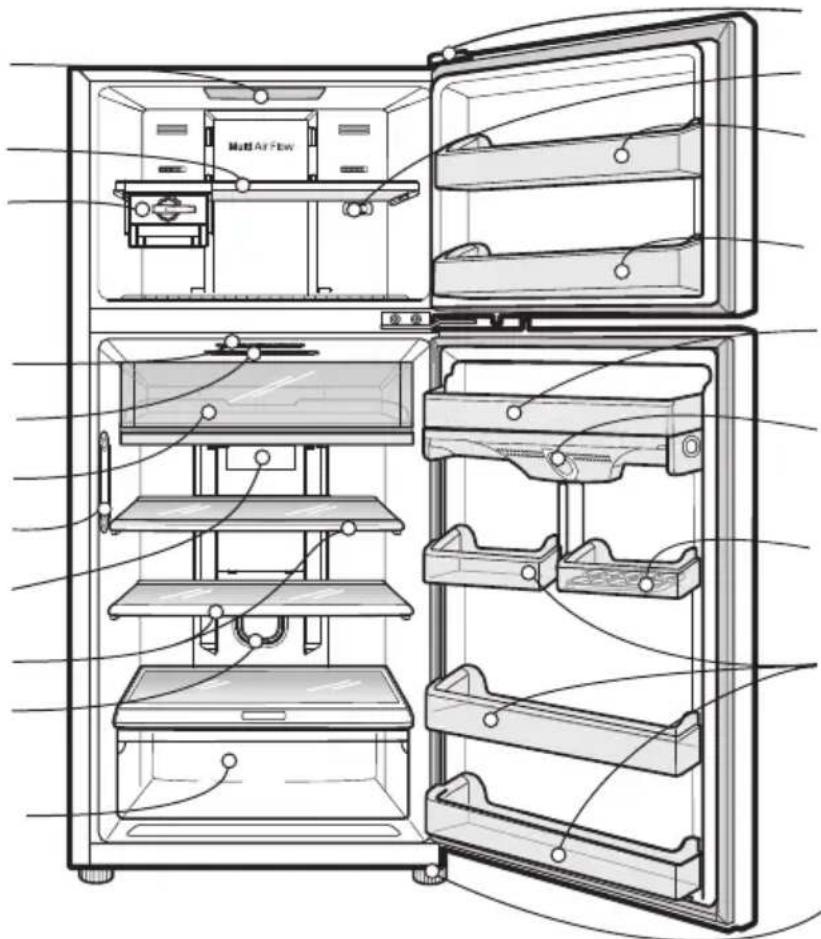
text_image
Multi Air FlowSmart Diagnosis
Freezer Temperature
Control Dial
Freezer Door Rack
(*) * (Optional)
Freezer Door Rack
Refrigerator Door
Rack
Door Cooling
Egg Tray
Refrigerator Door
Rack
(Optional)
Levelling Screw
NOTE
- This guide covers several different models. The refrigerator you have purchased may have some or all of the features shown above.
- To keep a position of inner parts like as baskets, drawers and shelves supplied by manufacturer is the most efficient usage for energy saving.
SUGGESTION FOR ENERGY SAVING
- Please do not keep the door open for a long time, close door in the shortest time.
- Too much food are not advised to be put in. Enough space should be kept for cool air circulating freely.
- Do not set the temperature of refrigerator lower than needed. Do not put the food near the temperature sensor.
- Allow hot food to cool prior to storing. Placing hot food in the fridge-freezer could spoil other food, and lead to higher electric bills.
- Do not block air vents with food. Smooth circulation of cold air keeps fridge-freezer temperature even.
- Do not open the door frequently. Opening the door lets warm air enter the fridge-freezer, and cause temperature to rise.
INNER PARTS
□ INTERNAL CONTROLLER MODEL TYPE C
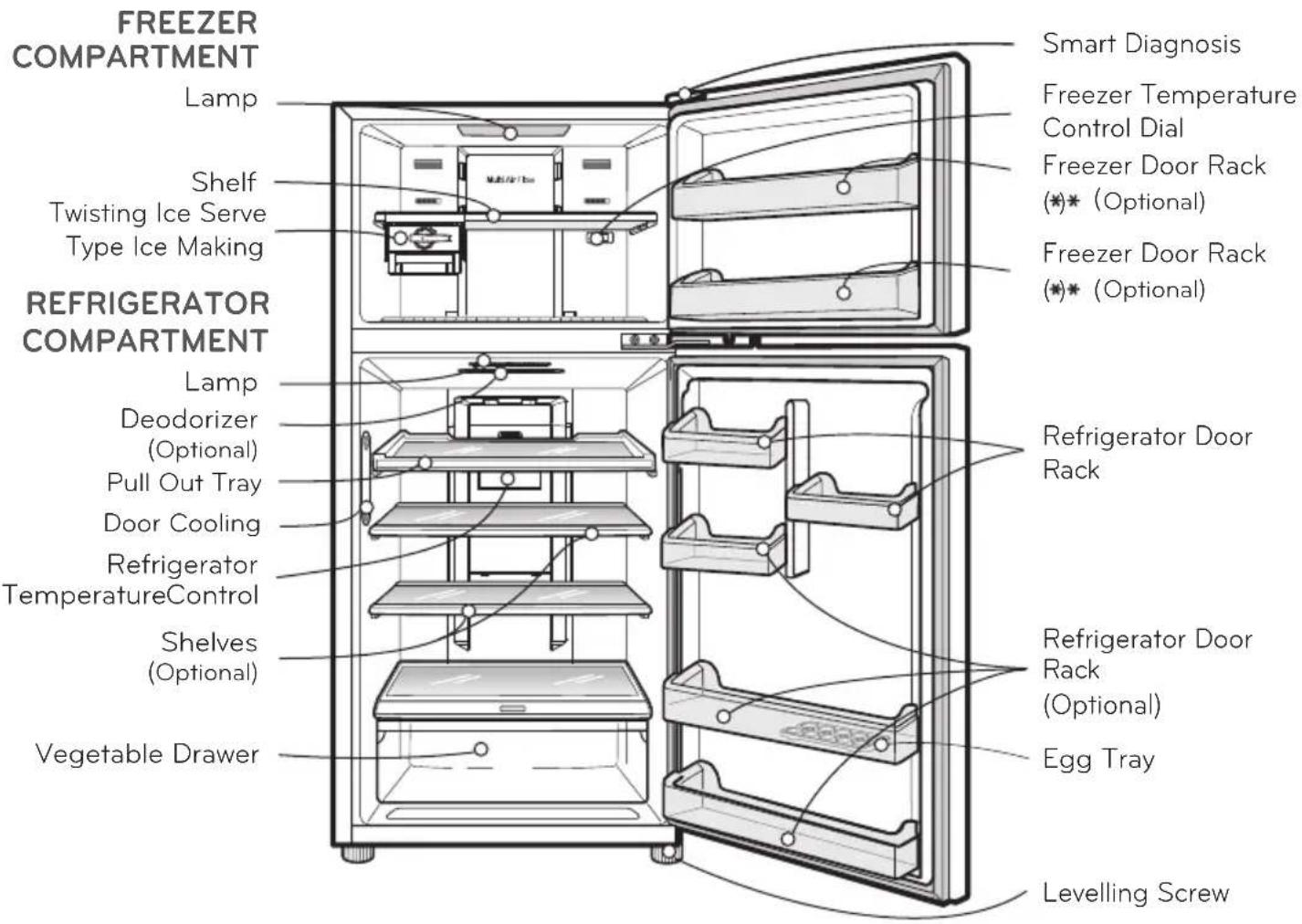
text_image
FREEZER COMPARTMENT Lamp Shelf Twisting Ice Serve Type Ice Making REFRIGERATOR COMPARTMENT Lamp Deodorizer (Optional) Pull Out Tray Door Cooling Refrigerator TemperatureControl Shelves (Optional) Vegetable Drawer Smart Diagnosis Freezer Temperature Control Dial Freezer Door Rack (*)* (Optional) Freezer Door Rack (*)* (Optional) Refrigerator Door Rack Refrigerator Door Rack (Optional) Egg Tray Levelling Screw
- This guide covers several different models. The refrigerator you have purchased may have some or all of the features shown above.
- To keep a position of inner parts like as baskets, drawers and shelves supplied by manufacturer is the most efficient usage for energy saving.
SUGGESTION FOR ENERGY SAVING
- Please do not keep the door open for a long time, close door in the shortest time.
- Too much food are not advised to be put in. Enough space should be kept for cool air circulating freely.
- Do not set the temperature of refrigerator lower than needed. Do not put the food near the temperature sensor.
- Allow hot food to cool prior to storing. Placing hot food in the fridge-freezer could spoil other food, and lead to higher electric bills.
- Do not block air vents with food. Smooth circulation of cold air keeps fridge-freezer temperature even.
- Do not open the door frequently. Opening the door lets warm air enter the fridge-freezer, and cause temperature to rise.
INNER PARTS
□ INTERNAL CONTROLLER MODEL TYPE D
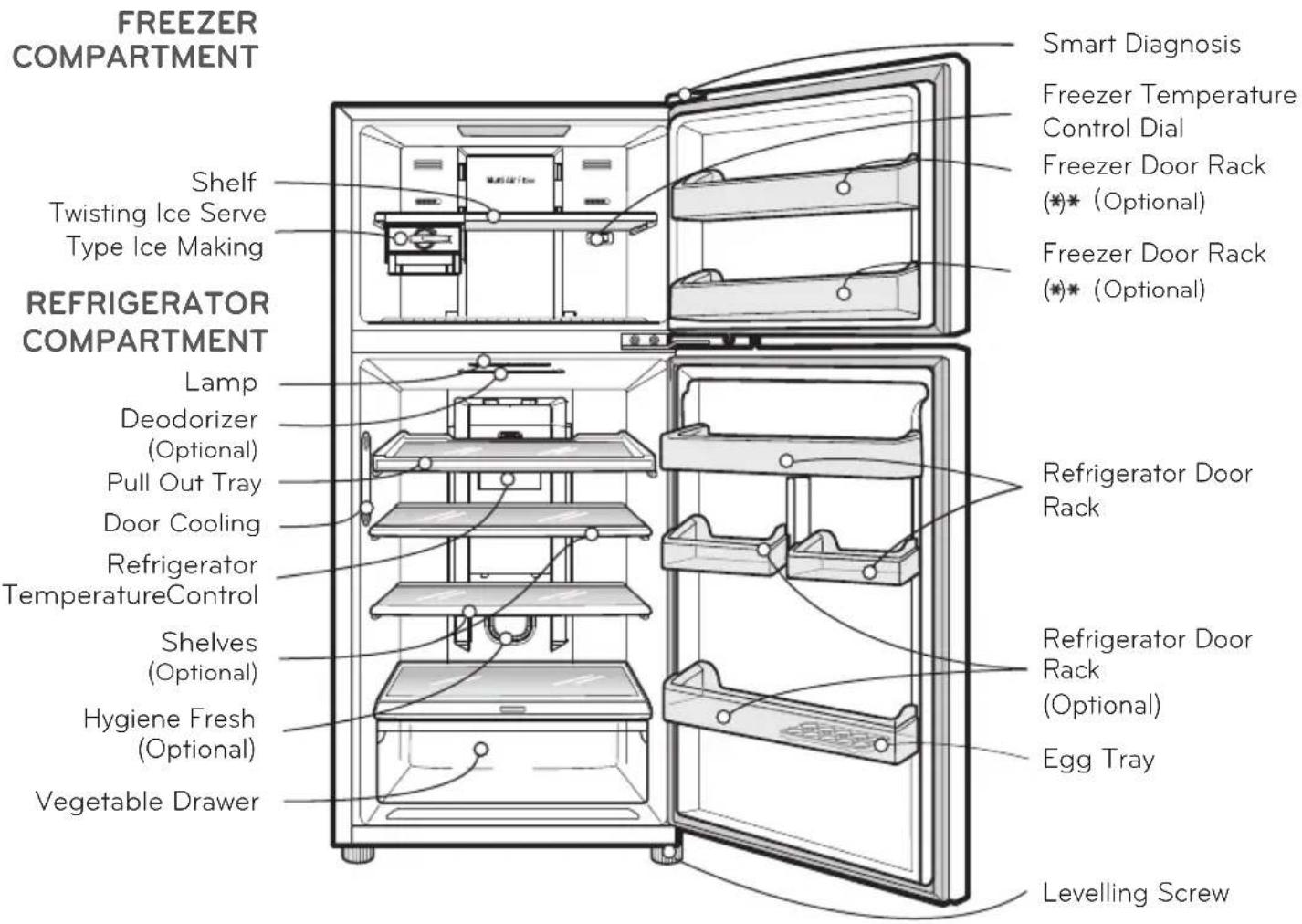
text_image
FREEZER COMPARTMENT Shelf Twisting Ice Serve Type Ice Making REFRIGERATOR COMPARTMENT Lamp Deodorizer (Optional) Pull Out Tray Door Cooling Refrigerator TemperatureControl Shelves (Optional) Hygiene Fresh (Optional) Vegetable Drawer Smart Diagnosis Freezer Temperature Control Dial Freezer Door Rack (*)* (Optional) Freezer Door Rack (*)* (Optional) Refrigerator Door Rack Refrigerator Door Rack (Optional) Egg Tray Levelling Screw
- This guide covers several different models. The refrigerator you have purchased may have some or all of the features shown above.
- To keep a position of inner parts like as baskets, drawers and shelves supplied by manufacturer is the most efficient usage for energy saving.
SUGGESTION FOR ENERGY SAVING
- Please do not keep the door open for a long time, close door in the shortest time.
- Too much food are not advised to be put in. Enough space should be kept for cool air circulating freely.
- Do not set the temperature of refrigerator lower than needed. Do not put the food near the temperature sensor.
- Allow hot food to cool prior to storing. Placing hot food in the fridge-freezer could spoil other food, and lead to higher electric bills.
- Do not block air vents with food. Smooth circulation of cold air keeps fridge-freezer temperature even.
- Do not open the door frequently. Opening the door lets warm air enter the fridge-freezer, and cause temperature to rise.
INNER PARTS
☐ EXTERNAL CONTROLLER MODEL TYPE A
FREEZER COMPARTMENT
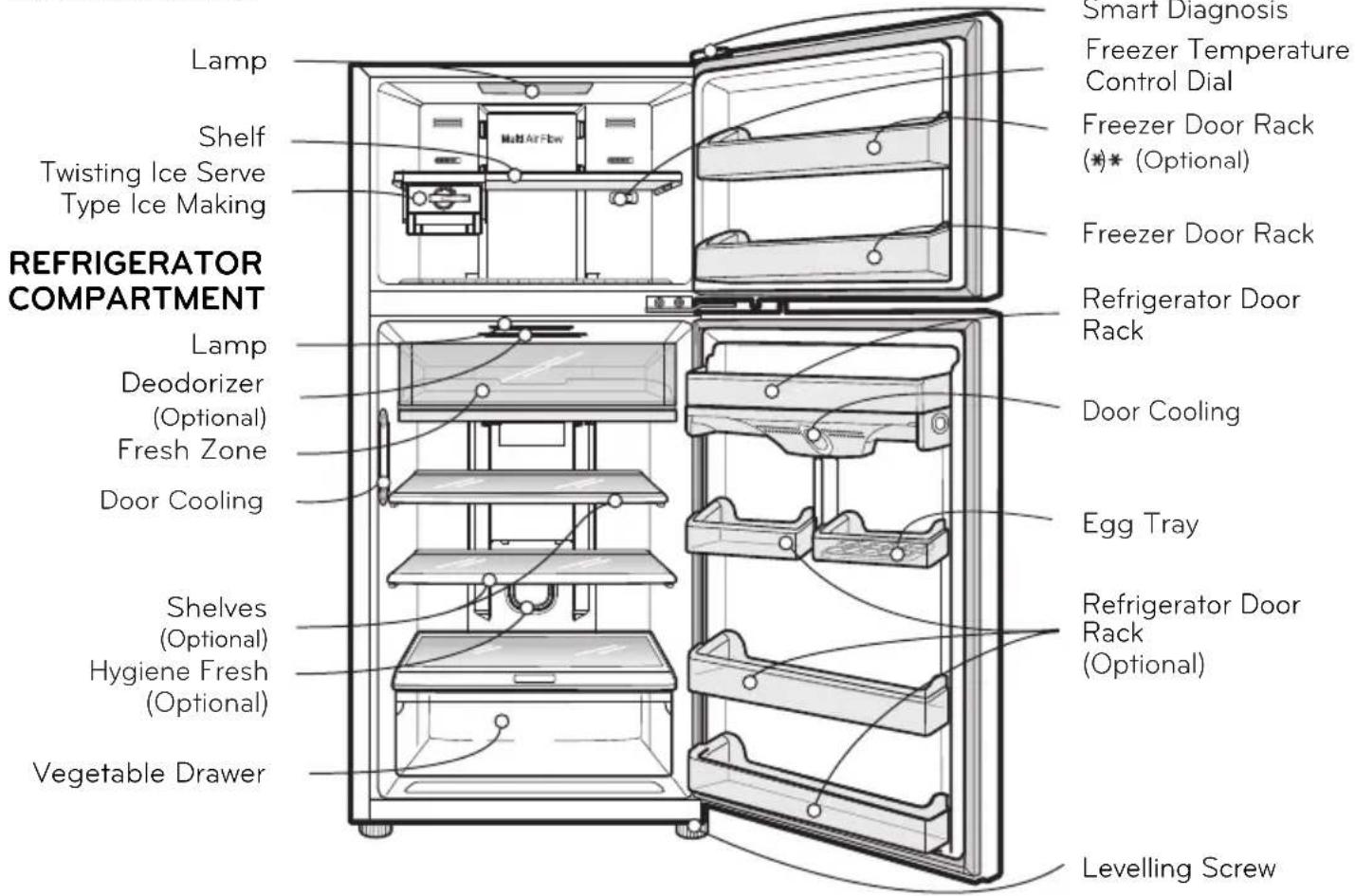
text_image
Lamp Shelf Twisting Ice Serve Type Ice Making REFRIGERATOR COMPARTMENT Lamp Deodorizer (Optional) Fresh Zone Door Cooling Shelves (Optional) Hygiene Fresh (Optional) Vegetable Drawer Smart Diagnosis Freezer Temperature Control Dial Freezer Door Rack (*)(Optional) Freezer Door Rack Refrigerator Door Rack Door Cooling Egg Tray Refrigerator Door Rack (Optional) Levelling ScrewNOTE
- This guide covers several different models. The refrigerator you have purchased may have some or all of the features shown above.
- To keep a position of inner parts like as baskets, drawers and shelves supplied by manufacturer is the most efficient usage for energy saving.
SUGGESTION FOR ENERGY SAVING
- Please do not keep the door open for a long time, close door in the shortest time.
- Too much food are not advised to be put in. Enough space should be kept for cool air circulating freely.
- Do not set the temperature of refrigerator lower than needed. Do not put the food near the temperature sensor.
- Allow hot food to cool prior to storing. Placing hot food in the fridge-freezer could spoil other food, and lead to higher electric bills.
- Do not block air vents with food. Smooth circulation of cold air keeps fridge-freezer temperature even.
- Do not open the door frequently. Opening the door lets warm air enter the fridge-freezer, and cause temperature to rise.
INNER PARTS
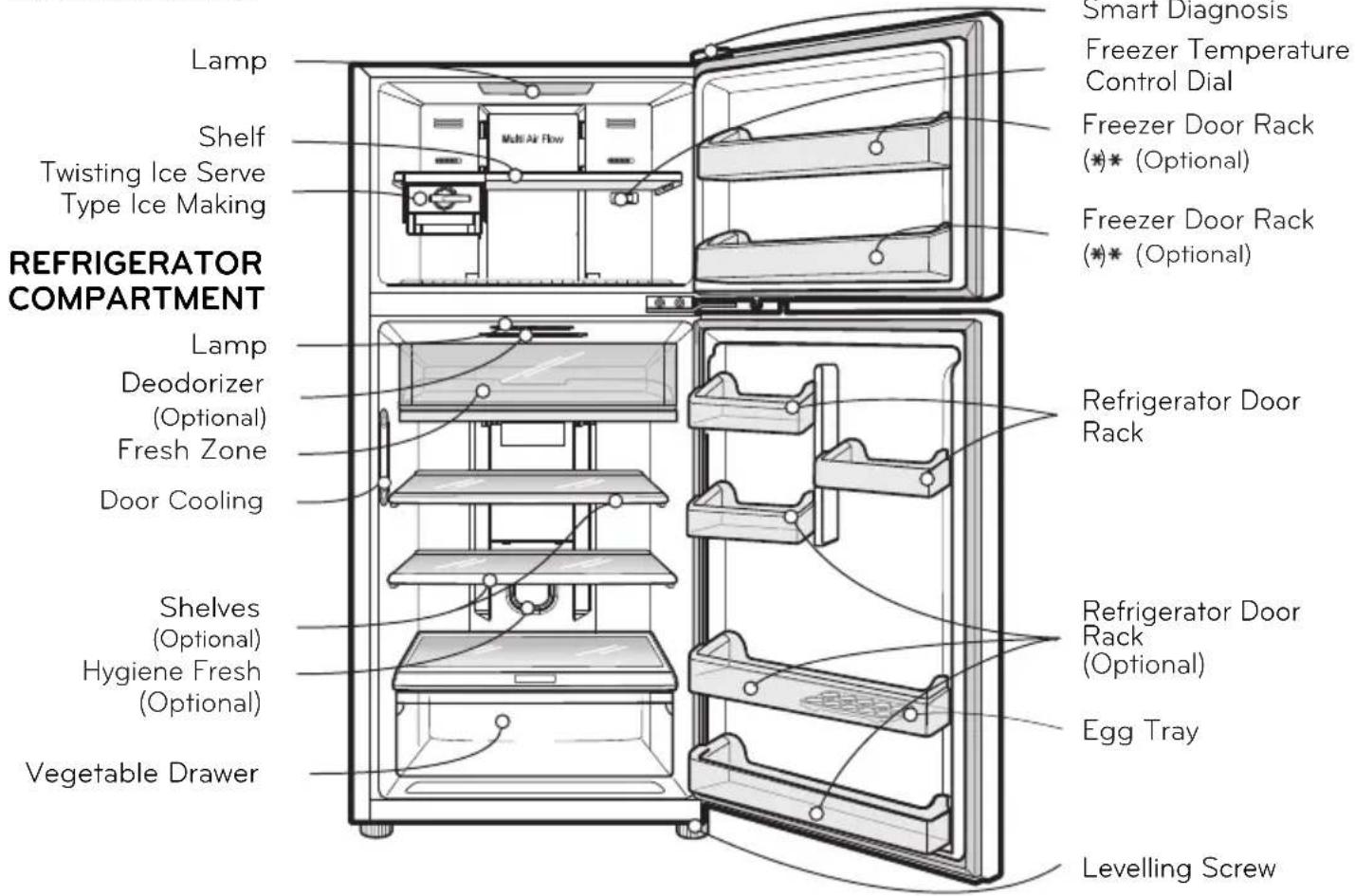
☐ EXTERNAL CONTROLLER MODEL TYPE C
FREEZER COMPARTMENT
text_image
Lamp Shelf Twisting Ice Serve Type Ice Making REFRIGERATOR COMPARTMENT Lamp Deodorizer (Optional) Fresh Zone Door Cooling Shelves (Optional) Hygiene Fresh (Optional) Vegetable Drawer Smart Diagnosis Freezer Temperature Control Dial Freezer Door Rack (*)* (Optional) Freezer Door Rack (*)* (Optional) Refrigerator Door Rack Refrigerator Door Rack (Optional) Egg Tray Levelling ScrewNOTE
- This guide covers several different models. The refrigerator you have purchased may have some or all of the features shown above.
- To keep a position of inner parts like as baskets, drawers and shelves supplied by manufacturer is the most efficient usage for energy saving.
SUGGESTION FOR ENERGY SAVING
- Please do not keep the door open for a long time, close door in the shortest time.
- Too much food are not advised to be put in. Enough space should be kept for cool air circulating freely.
- Do not set the temperature of refrigerator lower than needed. Do not put the food near the temperature sensor.
- Allow hot food to cool prior to storing. Placing hot food in the fridge-freezer could spoil other food, and lead to higher electric bills.
- Do not block air vents with food. Smooth circulation of cold air keeps fridge-freezer temperature even.
- Do not open the door frequently. Opening the door lets warm air enter the fridge-freezer, and cause temperature to rise.
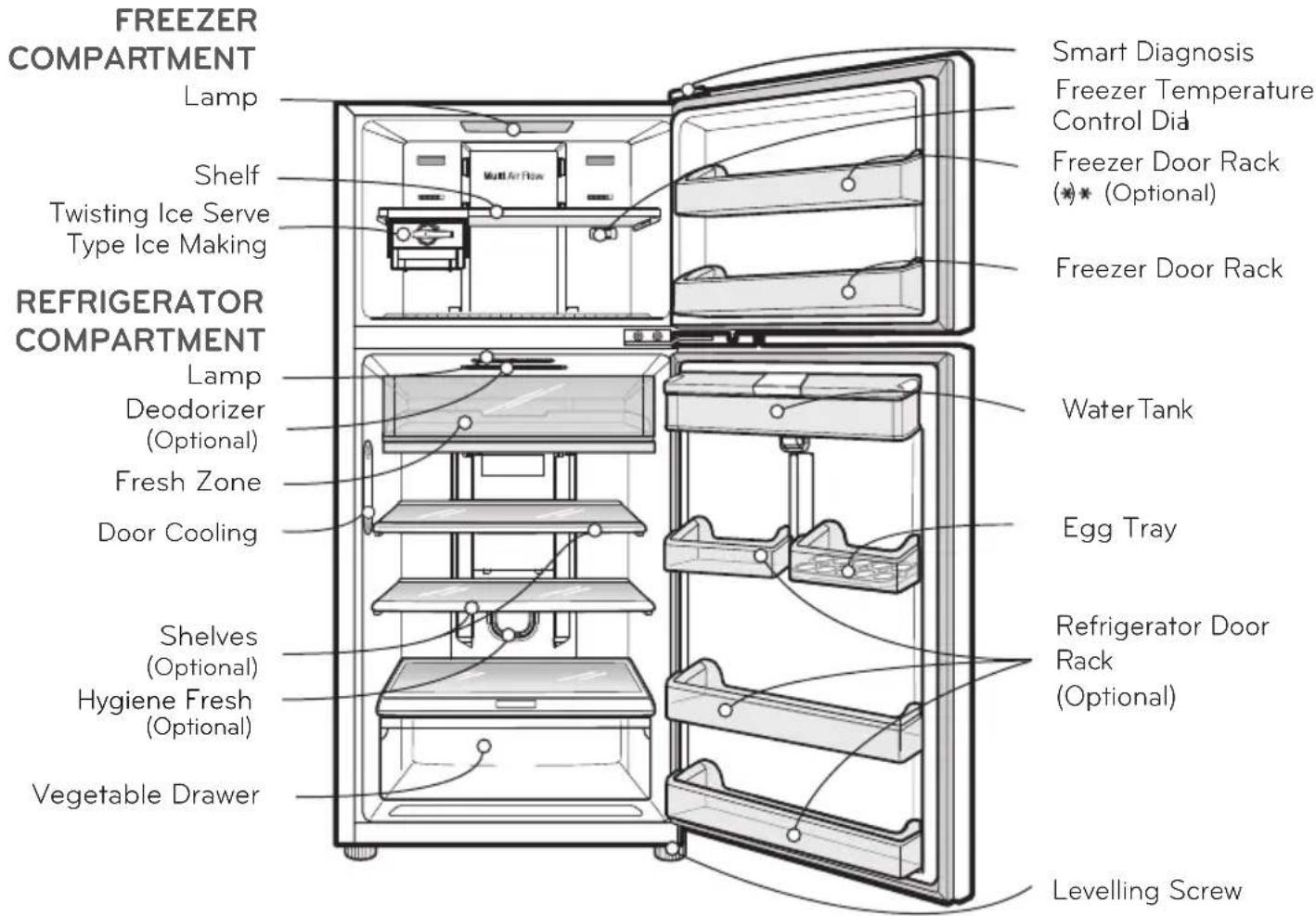
INNER PARTS
☐ DISPENSER MODEL TYPE A
text_image
FREEZER COMPARTMENT Lamp Shelf Twisting Ice Serve Type Ice Making REFRIGERATOR COMPARTMENT Lamp Deodorizer (Optional) Fresh Zone Door Cooling Shelves (Optional) Hygiene Fresh (Optional) Vegetable Drawer Smart Diagnosis Freezer Temperature Control Did Freezer Door Rack (*)(Optional) Freezer Door Rack Water Tank Egg Tray Refrigerator Door Rack (Optional) Levelling ScrewNOTE
- This guide covers several different models. The refrigerator you have purchased may have some or all of the features shown above.
- To keep a position of inner parts like as baskets, drawers and shelves supplied by manufacturer is the most efficient usage for energy saving.
SUGGESTION FOR ENERGY SAVING
- Please do not keep the door open for a long time, close door in the shortest time.
- Too much food are not advised to be put in. Enough space should be kept for cool air circulating freely.
- Do not set the temperature of refrigerator lower than needed. Do not put the food near the temperature sensor.
- Allow hot food to cool prior to storing. Placing hot food in the fridge-freezer could spoil other food, and lead to higher electric bills.
- Do not block air vents with food. Smooth circulation of cold air keeps fridge-freezer temperature even.
- Do not open the door frequently. Opening the door lets warm air enter the fridge-freezer, and cause temperature to rise.
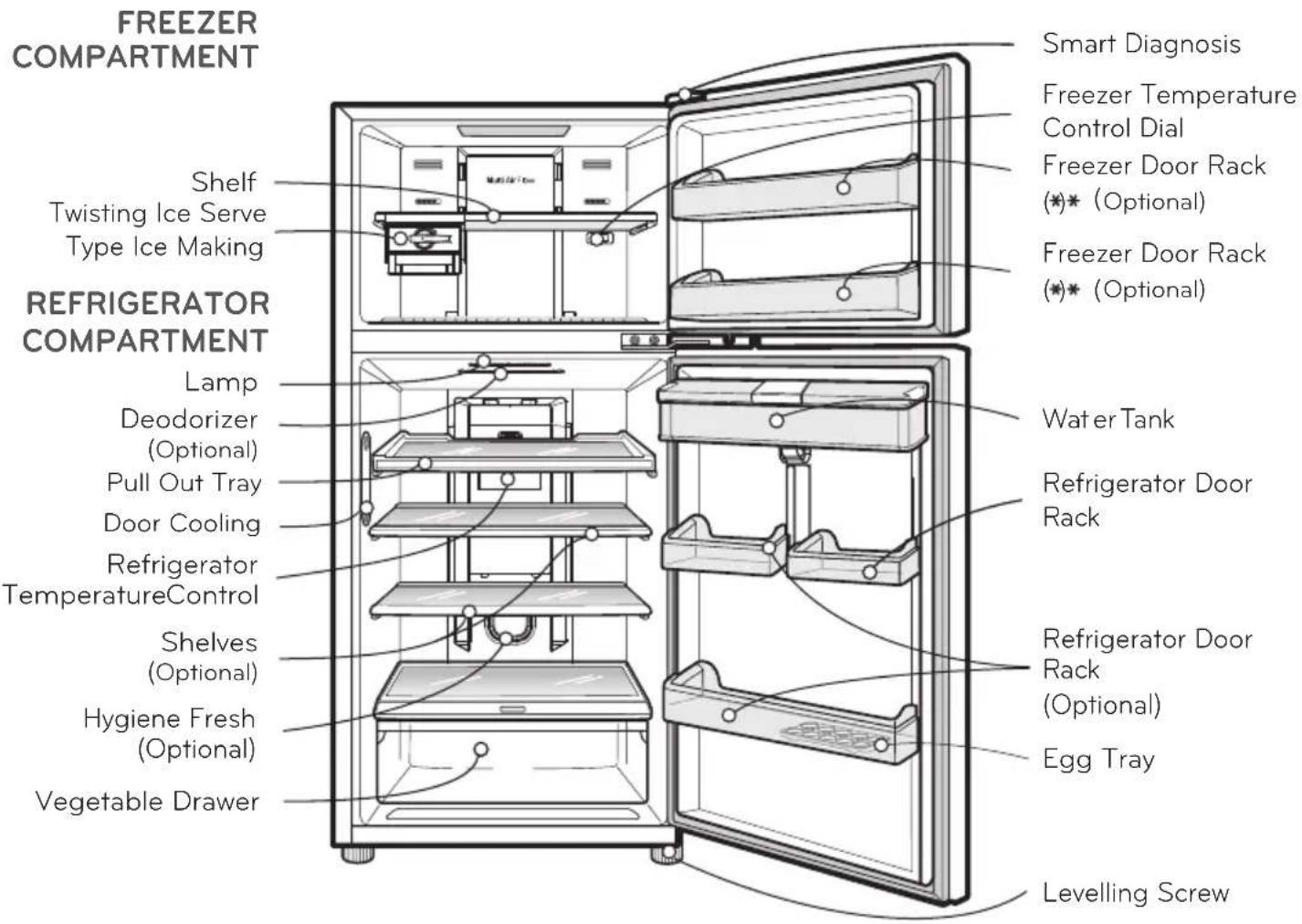
INNER PARTS
☐ DISPENSER MODEL TYPE D
text_image
FREEZER COMPARTMENT Shelf Twisting Ice Serve Type Ice Making REFRIGERATOR COMPARTMENT Lamp Deodorizer (Optional) Pull Out Tray Door Cooling Refrigerator TemperatureControl Shelves (Optional) Hygiene Fresh (Optional) Vegetable Drawer Smart Diagnosis Freezer Temperature Control Dial Freezer Door Rack (*)* (Optional) Freezer Door Rack (*)* (Optional) Water Tank Refrigerator Door Rack Refrigerator Door Rack (Optional) Egg Tray Levelling Screw
- This guide covers several different models. The refrigerator you have purchased may have some or all of the features shown above.
- To keep a position of inner parts like as baskets, drawers and shelves supplied by manufacturer is the most efficient usage for energy saving.
SUGGESTION FOR ENERGY SAVING
- Please do not keep the door open for a long time, close door in the shortest time.
- Too much food are not advised to be put in. Enough space should be kept for cool air circulating freely.
- Do not set the temperature of refrigerator lower than needed. Do not put the food near the temperature sensor.
- Allow hot food to cool prior to storing. Placing hot food in the fridge-freezer could spoil other food, and lead to higher electric bills.
- Do not block air vents with food. Smooth circulation of cold air keeps fridge-freezer temperature even.
- Do not open the door frequently. Opening the door lets warm air enter the fridge-freezer, and cause temperature to rise.
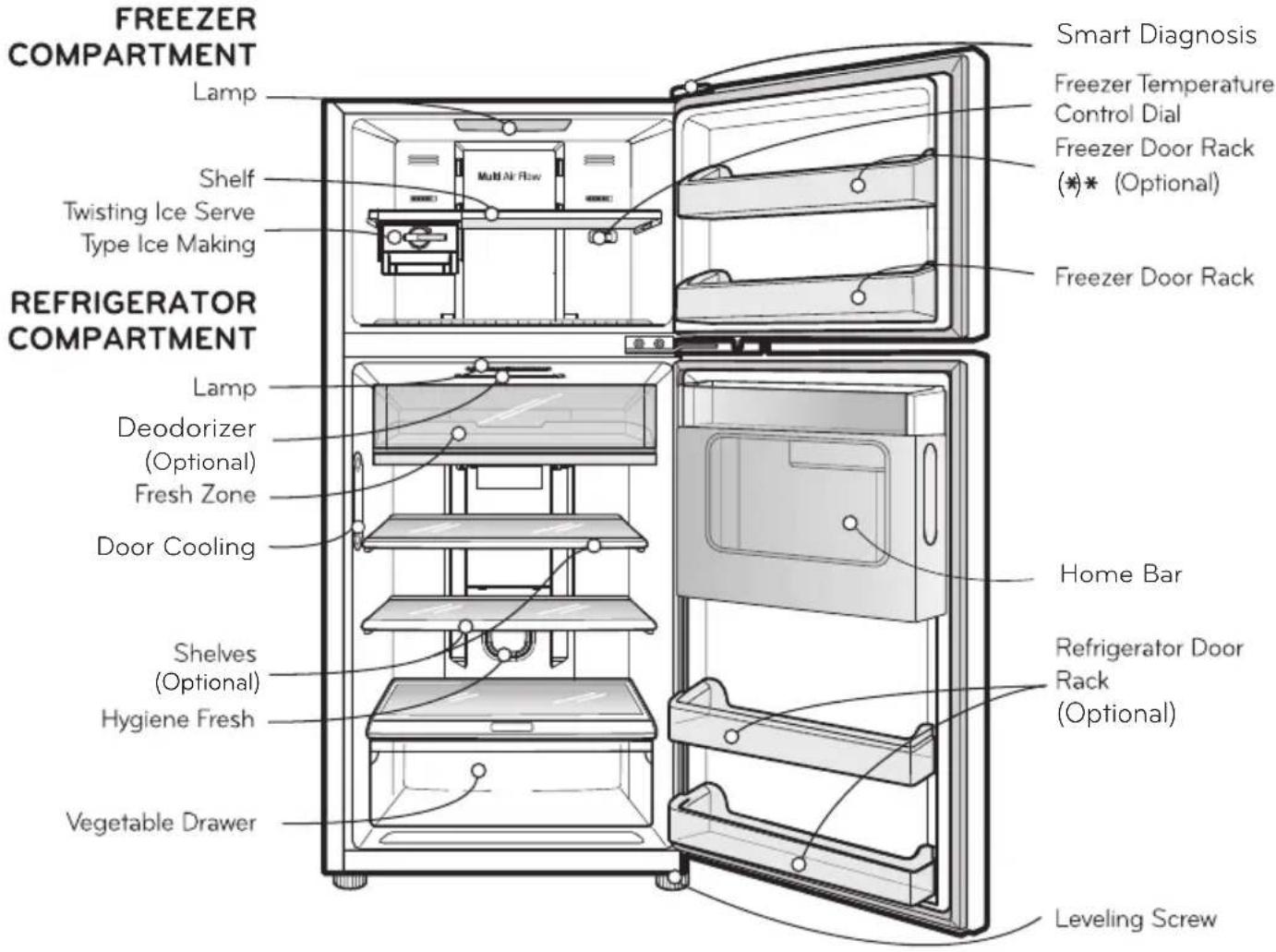
INNER PARTS
☐ DOOR IN DOOR MODEL TYPE A
text_image
FREEZER COMPARTMENT Lamp Shelf Twisting Ice Serve Type Ice Making REFRIGERATOR COMPARTMENT Lamp Deodorizer (Optional) Fresh Zone Door Cooling Shelves (Optional) Hygiene Fresh Vegetable Drawer Smart Diagnosis Freezer Temperature Control Dial Freezer Door Rack (*)* (Optional) Freezer Door Rack Home Bar Refrigerator Door Rack (Optional) Leveling ScrewNOTE
- This guide covers several different models. The refrigerator you have purchased may have some or all of the features shown above.
- To keep a position of inner parts like as baskets, drawers and shelves supplied by manufacturer is the most efficient usage for energy saving.
SUGGESTION FOR ENERGY SAVING
- Please do not keep the door open for a long time, close door in the shortest time.
- Too much food are not advised to be put in. Enough space should be kept for cool air circulating freely.
- Do not set the temperature of refrigerator lower than needed. Do not put the food near the temperature sensor.
- Allow hot food to cool prior to storing. Placing hot food in the fridge-freezer could spoil other food, and lead to higher electric bills.
- Do not block air vents with food. Smooth circulation of cold air keeps fridge-freezer temperature even.
- Do not open the door frequently. Opening the door lets warm air enter the fridge-freezer, and cause temperature to rise.
INNER PARTS
☐ DOOR IN DOOR MODEL TYPE C
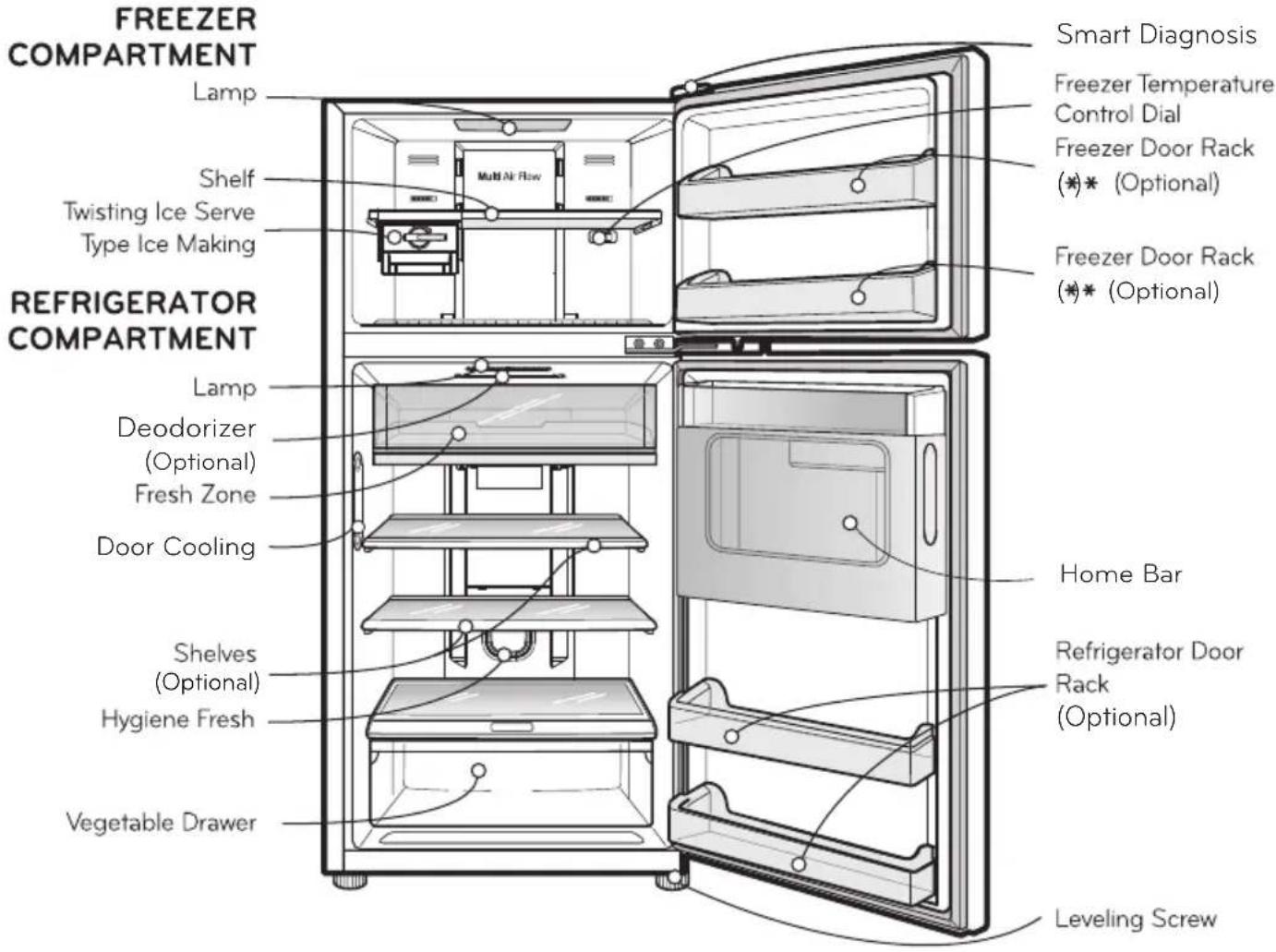
text_image
FREEZER COMPARTMENT Lamp Shelf Twisting Ice Serve Type Ice Making REFRIGERATOR COMPARTMENT Lamp Deodorizer (Optional) Fresh Zone Door Cooling Shelves (Optional) Hygiene Fresh Vegetable Drawer Smart Diagnosis Freezer Temperature Control Dial Freezer Door Rack (*)* (Optional) Freezer Door Rack (*)* (Optional) Home Bar Refrigerator Door Rack (Optional) Leveling ScrewNOTE
- This guide covers several different models. The refrigerator you have purchased may have some or all of the features shown above.
- To keep a position of inner parts like as baskets, drawers and shelves supplied by manufacturer is the most efficient usage for energy saving.
SUGGESTION FOR ENERGY SAVING
- Please do not keep the door open for a long time, close door in the shortest time.
- Too much food are not advised to be put in. Enough space should be kept for cool air circulating freely.
- Do not set the temperature of refrigerator lower than needed. Do not put the food near the temperature sensor.
- Allow hot food to cool prior to storing. Placing hot food in the fridge-freezer could spoil other food, and lead to higher electric bills.
- Do not block air vents with food. Smooth circulation of cold air keeps fridge-freezer temperature even.
- Do not open the door frequently. Opening the door lets warm air enter the fridge-freezer, and cause temperature to rise.
OPERATIONS
STARTING
When your refrigerator is first installed, allow it 2-3 hours to stabilize at normal operating temperatures prior to filling it with fresh or frozen foods.
If operation is interrupted, wait 5 minutes before restarting.
BEFORE SETTING THE TEMPERATURE
- The temperature of the refrigerator is kept constant regardless of changes in room temperature. It is recommended that, once set, the temperature settings(the controls for the refrigerator and freezer compartments) not be changed unless necessary.
- This refrigerator has one temperature control button for the refrigerator compartment and one temperature control dial for the freezer compartment.
- The default setting of the temperature control button for the refrigerator compartment is '3°C' (for external controller model).
- The default setting of the temperature control dial for the freezer compartment is '3' for model type A & B or '5' for model type C & D.
- This refrigerator has a temperature sensor in the refrigerator compartment. It will start and stop the compressor automatically as needed.
DOOR ALARM (OPTIONAL)
When the door of the refrigerator or the freezer is open for 1 minute, an alarm will sound three times. If the door remains open, the alarm will repeat every 30 seconds.
SELF TEST
- Your refrigerator contains a built in diagnostic capability. If it develops a malfunction in certain areas, it will display an error code to assist the repair technician. While an error code is displayed, other control and display functions will not operate.
- If an error code is displayed, contact a service center. Do not disconnect the power cord from the outlet.
CONTROLS FOR REFRIGERATOR COMPARTMENT
☐ FOR INTERNAL CONTROLLER MODEL
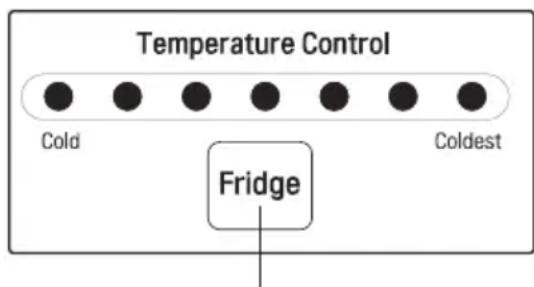
text_image
Temperature Control Cold Coldest FridgeRef. Temp Control Button
The default setting of the temperature control button for the refrigerator compartment is NORMAL.
To control the refrigerator temperature, press the REF. TEMP CONTROL button.
Whenever pressing the button, LED emitting the light. The temperature is set in 7 steps, from Cold to Coldest cooling.
OPERATIONS
☐ FOR EXTERNAL CONTROLLER MODEL
Display graphic can be different, depend on the type of your refrigerator.
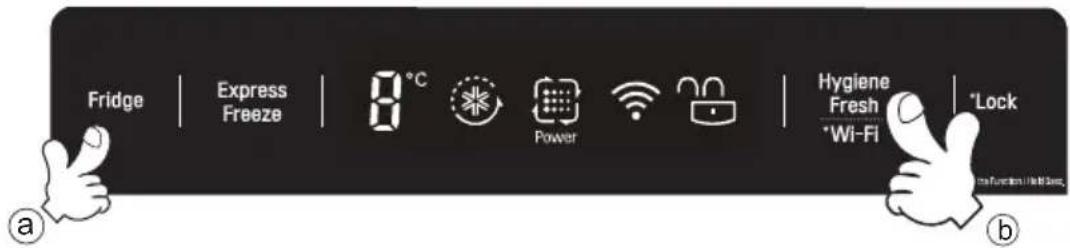
text_image
Fridge | Express Freeze | 8 °C Power Hygiene Fresh *Wi-Fi *Lock a b- Touch 'Fridge' button to control refrigerator temperature.
- Whenever the button, the LED emits light.
- Touch 'Hygiene Fresh' button to operate hygiene motor (optional).
- The number showing up on the LED luminesce indicate the temperature of refrigerator compartment.
-
You can select the desired setting point seven steps, from '0°C' to '6°C'.
-
Touch ⓐ button, Fridge temperature will be down each 1°C.
- Touch ⓑ button, Hygiene Fresh motor will be on, power mode, off (optional)
EXPRESS FREEZE
- The Express Freeze feature operates when the refrigerator first turn on. The compressor and circulating fan operate at maximum cooling capacity to quickly lower the refrigerator temperature. It shuts off automatically.
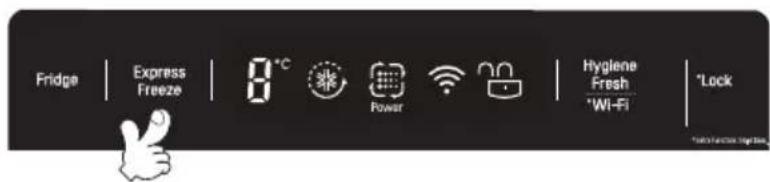
text_image
Fridge | Express Freeze | 8°C Power | Hygiene Fresh *Wi-Fi | *Lock- If warm food is placed into the refrigerator, Express Freeze can be started with the button on the control panel. Express Freeze will shut off when the temperature reaches the proper level or it can be shut off manually by the Express Freeze button.
LOCK (OPTIONAL)
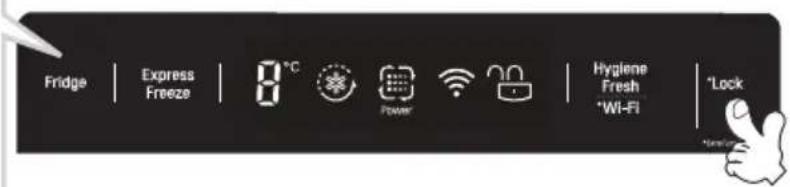
- LOCK
Touch and hold the Lock button for 3 seconds to lock the Lock. When it is locked, the Lock LED will be on and the other button will not operate. To unlock, and hold the Lock button for 3 seconds again.
text_image
Fridge | Express Freeze | 8°C Power Hygiene Fresh *Wi-Fi | *Lock *New!OPERATIONS
Wi-Fi (OPTIONAL)
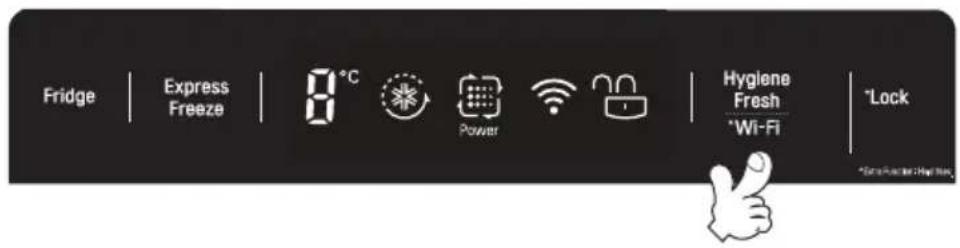
This sets the refrigerator to connect to your home's Wi-Fi network.
text_image
Fridge | Express Freeze | 8°C Power Hygiene Fresh *Wi-Fi *Lock *Green Pocket - High RiskHYGIENE FRESH (OPTIONAL)

CAUTION
Before installing or using the product, make sure to read the owner's manual carefully to use the product accurately as intended. This HYGIENE FRESH filter has the antibacterial function of removing the virus or bacteria inside the refrigerator and the deodorizer function to remove the scent.
- Switch over to use mode
Switch over to use mode.
• To use the HYGIENE FRESH filter, touch the 🖱️ button on the display panel on the front side of the door and switch over to the AUTO or POWER mode.
(Whenever you press the button, the HYGIENE FRESH filter will be switched to AUTO→ POWER → OFF → AUTO

flowchart
graph LR
    A["Hydrone Trash"] --> B["POWER"]
    B --> C["POWER"]
    C --> D["POWER"]
    D --> E["POWER"]
    style A fill:#f9f,stroke:#333
    style B fill:#ccf,stroke:#333
    style C fill:#ccf,stroke:#333
    style D fill:#ccf,stroke:#333
    style E fill:#ccf,stroke:#333

AUTION
When the user switches to AUTO or POWER mode, the LED around the filter is also turned on. Open the door to check whether the LED around the filter is also turned on. Do not put in your finger or alien particles inside the fan. It can be caused of an injury or malfunction.

AUTION
- Do not wash the HYGIENE FRESH filter by using water because it can be caused of malfunction.
• This filter may not be effective for all types of bacteria and virus. - This is effective to remove the bacteria which is not on the food in the refrigerator.
OPERATIONS
CONTROLS FOR FREEZER COMPARTMENT
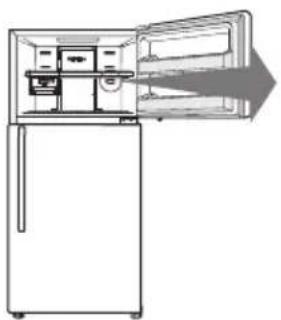
※ Depend on your product
natural_image
Line drawing of a refrigerator with an open door and lid, showing internal compartments and a right-pointing arrow (no text or symbols)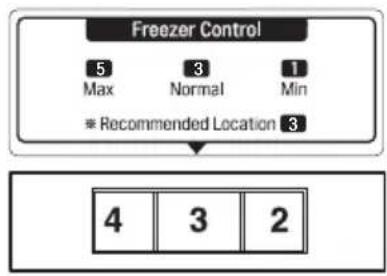
flowchart
graph TD
    A["Freezer Control"] --> B["5 Max"]
    A --> C["3 Normal"]
    A --> D["1 Min"]
    B --> E["* Recommended Location 3"]
    C --> E
    D --> E
    E --> F["4 3 2"]
text_image
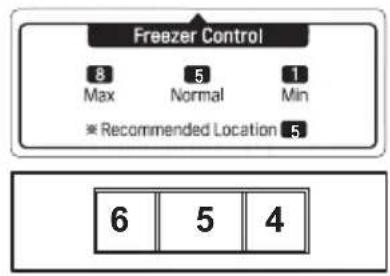
Freezer Control 8 5 1 Max Normal Min * Recommended Location 5 6 5 4• To lower the temperature in the freezer, turn the knobight and set to a higher number.
To raise the temperature in the freezer, turn the knobleft and set to a smaller number.
- When the freezer compartment is not cold enough in winter, adjust the control for the freezer to High
(6) 7
- Knob 7 is for quick freezing in the freezer compartment. The refrigerator can be operated continuously or the refrigerator compartment can be warmer. When the quick freezing is finished, please return to set the Knob at Normal.
- Setting the Freezer Knob at 7 will satisfy ✦. Setting the Freezer Knob at NORMAL will have sufficient freezing effect, so it is recommended to set the Knob at NORMAL.
- Refrigerator temperature would be warmer when the Freezer temperature set to be colder.
ICE MAKING
Twisting Ice Serve Type
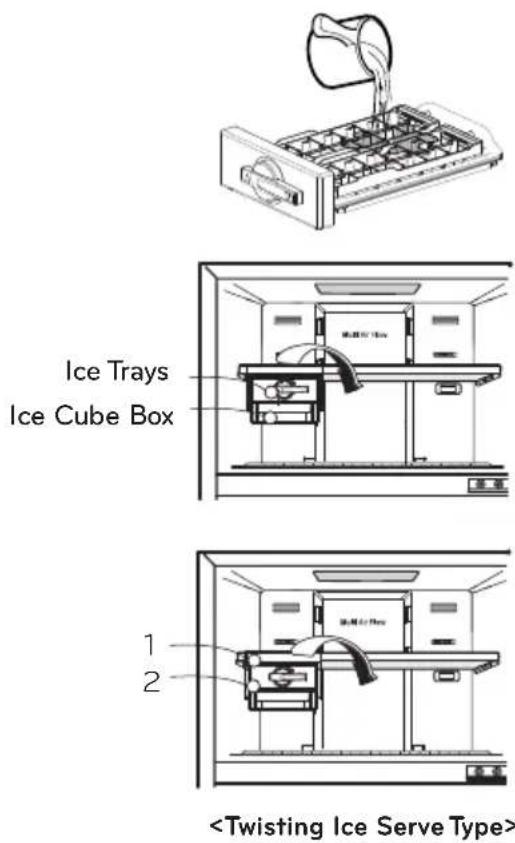
- To make ice cubes, fill the ice tray with water and insert in its position.
- To remove ice cubes, hold the lever of the tray and pull turn gently. Then, ice cubes drop in to the ice cube box.

You can disassemble the Ice Maker to secure space in the freezer.
Remove 1 and 2
• Twisting Ice Serve Type:
- Ice Tray
- Ice Cube Box.

WARNING
- Do not use anything other than water.
- Fill the water up to the marked line..
text_image
Ice Trays Ice Cube Box 1 2OPERATIONS
VEGETABLE DRAWER
How to use
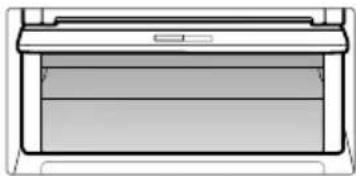
- Vegetable drawer can be used through the control of knob.
- Check the position of knob prior to store the food.
- Do not locate the knob on the middle point.
natural_image
Pure technical line drawing of a printer or printer outline without any text, numbers, or symbolsDEFROSTING
• Defrosting takes place automatically.
- The defrosted water flows down to the evaporating tray which located in the lower back side of the refrigerator and is evaporated automatically.
DOOR COOLING (OPTIONAL)
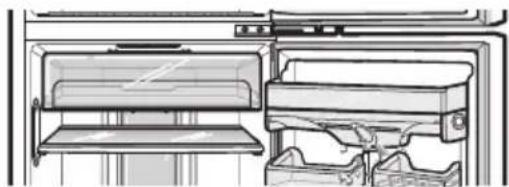
- The anion coating in the duct cover purifies the air and helps stored foods remain fresh longer.
- If water of foreign substances enter the cool air vent while cleaning, efficiency will be lowered. In addition, if gasket is damaged, efficiency may be lowered owing to the escape of cool air.
natural_image
Line drawing of a refrigerator interior showing front and side views (no text or symbols)DEODORIZER (OPTIONAL)
- Unpleasant odor of food in fresh food compartment is deodorized with no harm to you and the food.
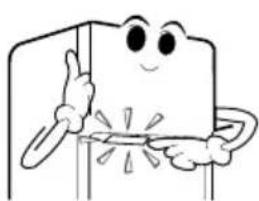
natural_image
Cartoon character with a smiling face and raised finger, standing beside a vertical pole (no text or symbols)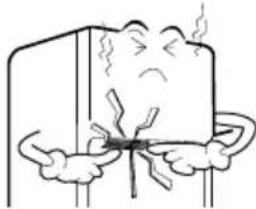
natural_image
Cartoon illustration of a distressed character holding a tool, with steam rising (no text or symbols)How to use
- As Deodorizer is located in cooling air inlet for circulating air in fresh food compartment, there is no need for any handling.
- Do not prick the cooling air inlet with a sharp tip because Deodorizer may be damaged.
- When storing food with a strong odor, wrap it or store it in a container with a lid because odor may be passed on to other foods.
Re-Using of Deodorizer
• Used some length and the odor is strong, Deodorizer can be revived and re-used.
- Separate Deodorizer in ceiling of refrigerator compartment, using hair drier to remove moisture or malodor and oxidize under sunlight to decomposing malodor by ultraviolet.
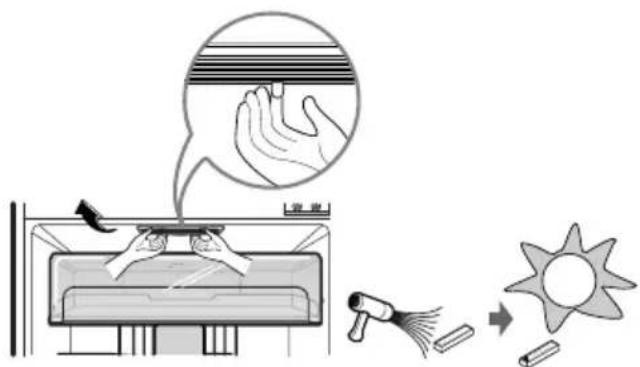
text_image
Diagram illustrating a medical procedure involving hand stimulation, sun radiation, and cleaning stepsOPERATIONS
WATER DISPENSER (OPTIONAL)

- Put water after the water tank being in position. Necessarily separate the water tank to clean it or not use it.
- When the water tank is not position after filling it with water, water can leak out by the valve pushed.
- Putting water in the water tank
- Open the cover cap and pour water into the water tank.
- Close the cover cap.
- The water tank is optional removable part which can be applied to enlarge the storage capacity.
You can store food, drinks after removing the water tank cover.
Caution
Do not use anything other than water including. Hot water needs to be cooled before being put in the water tank.
- Drinking
- Press the dispenser pad with cup.
- The water is released when the dispenser pad is pressed. The pad returns to its original position when the cup is removed and the water stops its flow.
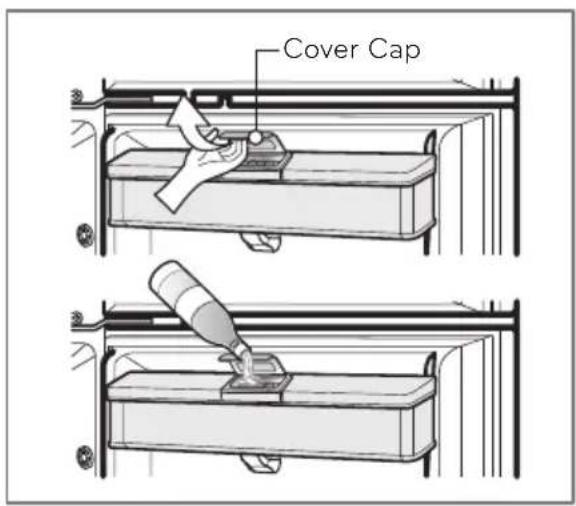
text_image
Cover Cap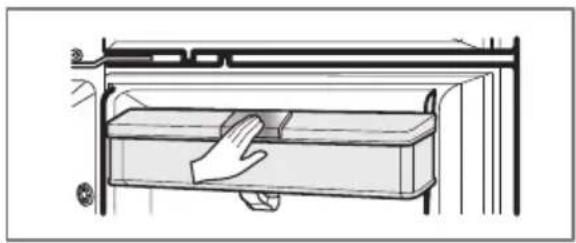
natural_image
Diagram of a hand placing a component into a rectangular device (no text or symbols visible)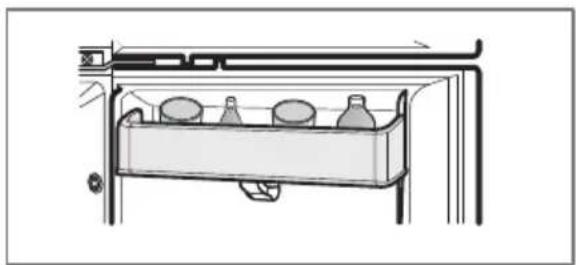
natural_image
Line drawing of a refrigerator interior with bottles and a tray (no text or symbols)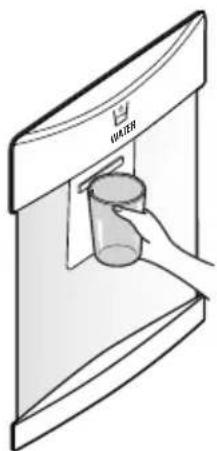
natural_image
Illustration of a hand pouring liquid into a glass container inside a shared appliance (no text or symbols)OPERATIONS
HOME BAR (OPTIONAL)
How to use Home Bar
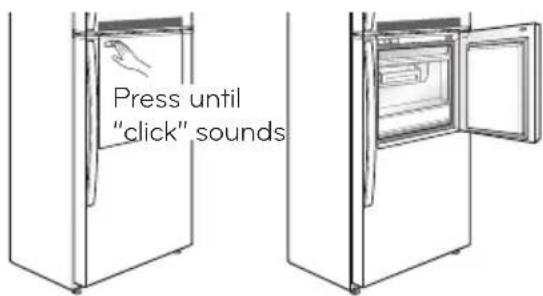
- Press the button at the top left side of Home Bar until "click" sounds.
- You can use various storage spaces inside Home Bar to systematically store food.
- Do not use the button to close Home Bar.
• Store food that is frequently taken out and used. - You don't have to open the door and it saves electricity.
• LED lamp is turned on for easy taking out of the contents when Home Bar is open. - Do not hang on Home Bar for safety reasons.
text_image
Press until "click" soundsHow to disassemble Home Bar basket
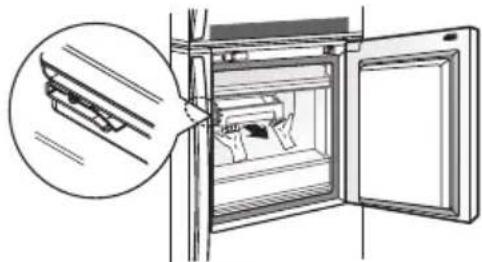
natural_image
Diagram of an open refrigerator with a magnified inset showing internal components (no text or symbols)- If you lightly lift and take out the basket, the basket is hooked into the grooves at the left and right side of the drawer.
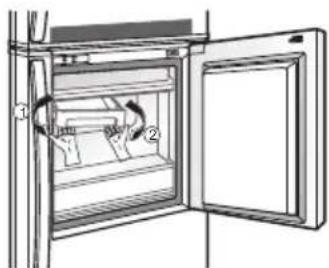
natural_image
Diagram of an open refrigerator with a door and side panel, showing internal components (no text or symbols)- At this time, hold the both ends of the basket, lift with force to separate one side, and separate the other side.
How to assemble Home Bar basket
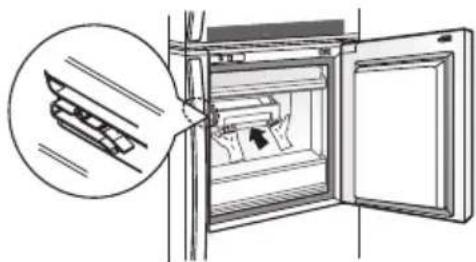
natural_image
Diagram of a refrigerator interior showing the door, drawer, and window with a magnified view of the lid (no text or symbols present)- Place the basket on the guide and push in to be hooked into the wide groove.
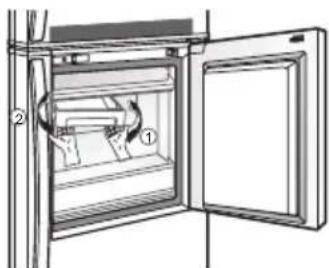
natural_image
Diagram of an open refrigerator with a door and internal compartments, showing a hand holding the lid (no text or symbols present)- At this time, hold both ends of the basket, insert one side with force, and assemble the other side.

Caution Please follow the guidelines. Otherwise, it may be damaged.
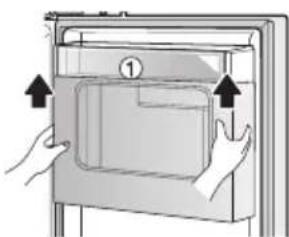
How to disassemble Home Bar cover
- Lift Home Bar cover upward and pull to separate and take out.

Caution Before the disassembly, take out all food to empty inside the refrigerator.
natural_image
Illustration of hands installing or opening a door panel (no text or symbols visible)SUGGESTIONS ON FOOD STORAGE
STORING FOOD
- Store fresh food in the refrigerator compartment. How food is frozen and thawed is an important factor in maintaining its freshness and flavor.
- Do not store food which goes bad easily at low temperatures, such as bananas, pineapples, and melons.
- Allow hot food to cool prior to storing. Placing hot food in the refrigerator could spoil other food, and lead to higher electric bills!
- When storing the food, cover it with vinyl wrap or store in a container with a lid. This prevents moisture from evaporating, and helps food to keep its taste and nutrients.
- Do not block air vents with food. Smooth circulation of chilled air keeps refrigerator temperatures even.
- Do not open the door frequently. Opening the door lets warm air enter the refrigerator, and cause temperatures to rise.
FREEZER COMPARTMENT
- Do not store bottles in the freezer compartment - they may break when frozen.
- Do not refreeze food that has been thawed. This causes loss of taste and nutrition.
- When storing frozen food like ice cream for a long period, place it on the freezer shelf, not in the door rack.
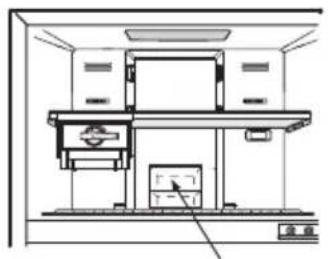
- Loading for Freezing - It is recommended to load newly introduced foods on the following position for freezing:
natural_image
Technical line drawing of a mechanical device with no visible text or symbolsNewly Introduced Food
- Freezer Door Basket, marked ( ^** ) is -12^ C compartment, that is suitable for short term storage of frozen food (optional).
REFRIGERATOR COMPARTMENT
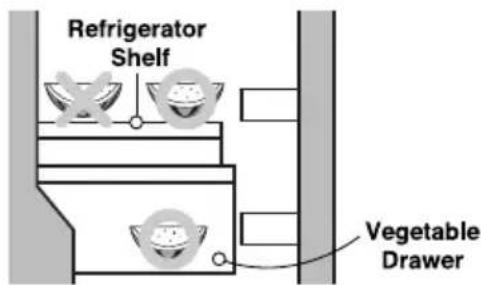
- Avoid placing moist food on deep interior refrigerator shelves, it could freeze upon direct contact with chilled air. To avoid this it is better to store food in the covered container.
- It is desirable to store moist food (especially vegetable and fruit) in the vegetable storage compartment. If it is necessary to store on a shelf of the refrigerator, put it close to the door away from the back wall of the refrigerator to avoid being frozen by the cool circulating
text_image
Refrigerator Shelf Vegetable Drawer- Always clean food prior to refrigeration. Vegetables and fruits should be washed and wiped, and packed food should be wiped clean, to prevent adjacent food from spoiling.
- When storing eggs in their storage rack, ensure that they are fresh, and always store them in a up-right position, which keeps them fresh longer.
CLEANING
It is important that your refrigerator be kept clean to prevent undesirable odors. Spilled food should be wipe up immediately, since it may acidify and stain plastic surfaces if allowed to settle.
Never use metallic scouring pads, brushes, coarse abrasive cleaners or strong alkaline solutions on any surface.
Before you clean, however, remember that damp objects will stick or adhere to extremely cold surfaces. Do not touch frozen surfaces with wet or damp hands.
EXTERIOR - Use a lukewarm solution of mild soap or dish washable solution to clean the durable finish of your refrigerator. Wipe with a clean, damp cloth and then dry.
For products with a stainless steel exterior, use a clean water for do not use: Surface sponge or soft cloth and a mild Detergent in warm water. Active agents, Car wax, Anticorrosive, or any kind. Do not use abrasive or harsh cleaners. Dry thoroughly of oil, Gasoline, Acids, Wax. with a Soft cloth. Do not use appliance wax, bleach, or only use dish washable other products containing chlorine on stainless steel. solution, and soapy water when cleaning.
INTERIOR - Regular cleaning of the interior and interior parts is recommended. Use a lukewarm solution of mild soap or dish washable solution to clean the durable finish of your refrigerator. Wipe with a clean, damp cloth and then dry.
INTERIOR PARTS - Wash compartment shelves, door racks, storage trays and magnetic door seals etc. Use a lukewarm solution of mild soap or dish washable solution to clean the inner lining of your refrigerator. Wipe with a clean damp cloth and then dry.
WARNING
Always remove power cord from the wall outlet prior to cleaning in the vicinity of electrical parts(lamps, switches, controls, etc.). Wipe up excess moisture with a sponge or cloth to prevent water or liquid from getting into any electrical part and causing electric shock. Do not use flammable or toxic cleaning liquids.
Do not use : Surface wative agents, Car wax, Anticorrosive, or any kind ly of oil, Gasoline, Acids, Wax. Only use dish washable 1. solution, and soapy water when cleaning.
- Using harsh cleaning chemicals will cause the external finishes to change colour.
CLEANING
WATER DISPENSER (OPTIONAL)
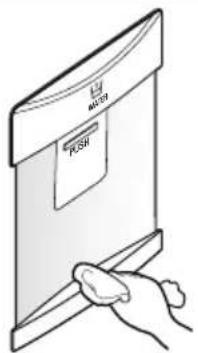
Grille -
Wipe with a wet cloth, and dry with a dry cloth.
text_image
MILK PESHWater Tank -
- Putting the Water
Is not necessary to remove the water tank in order to supply it (it could be filled like shows fig. 1 pulling the tank gate).
NOTE
- Before closing door, close the cap and clamp tightly.
-
Do not use liquids containing sugar or carbonated drinks like soda
-
Disassembly
Lift the water tank, gripping a side and bottom of water tank.
NOTE
When disassemble Water Tank, use all water inside dispenser first.
- Assembly
If by some cause removes the water tank, place again the water tank on its original position. Verify that the valve assembly correctly in the hole of the door (fig. 3,4). Once assembled push down and check the tank position with line.
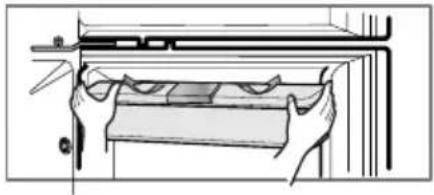
natural_image
Technical line drawing of a mechanical assembly with hands holding parts (no text or symbols)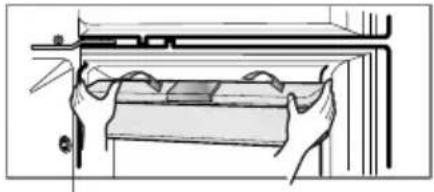
natural_image
Line drawing of hands installing or adjusting a component on a shelf (no text or symbols)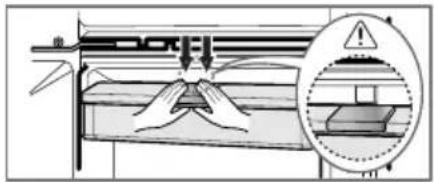
text_image
Technical diagram showing a mechanical assembly with a magnified inset highlighting a warning symbol and component details.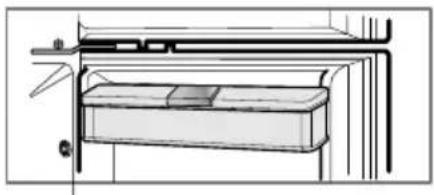
natural_image
Technical line drawing of a mechanical assembly or housing with no visible text or symbolsWater Tank -
- Remove the tank cover.
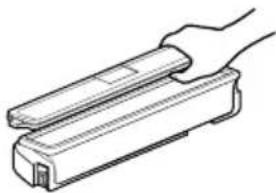
natural_image
Line drawing of a hand holding a rectangular object (no text or symbols)- Clean the inside and outside of the water tank with diswashing detergent and rinse throughly under running water. Dry the water with a cloth.
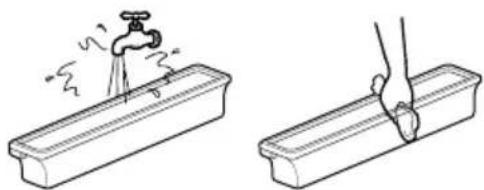
natural_image
Illustration showing a faucet being inserted into a rectangular basin, with a hand holding the handle (no text or symbols present)- Clean the inside and outside of the cap with diswashing detergent and rinse throughly under running water. Dry the water with a cloth.
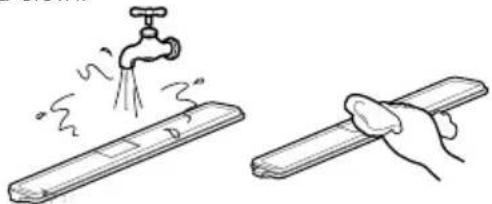
natural_image
Illustration showing a faucet spraying water onto a surface and a hand holding a rolled-up tool (no text or symbols)Caution
- Use lukewarm water when cleaning.
- Do not use anything other than water. If it is used with soft drinks, put water in the water tank and discharge three or four cups of water shortly.
GENERAL INFORMATION
VACATION TIME
During average length vacations, you will probably find it best to leave the refrigerator in operation.
Place freezable items in freezer for longer life.
When you plan to be away for an extended period, remove all food, disconnect the power cord, clean the interior thoroughly, and leave each door OPEN to prevent odor formation.
POWER FAILURE
Most power failures are corrected in an hour or two and will not affect your refrigerator temperatures.
However, you should minimize the number of door openings while the power is off. During power failures of longer duration, place a block of dry ice on top of your frozen packages.
IF YOU MOVE
Remove or securely fasten down all loose items inside the refrigerator.
To avoid damaging the leveling screw(s), turn them all the way into the base.
This appliance is intended to be used in household and similar applications such as:
- Staff kitchen areas in shops, offices and other working environments.
- Farm houses and by clients in hotels, motels and other residential type environments.
- Bed and breakfast type environments.
- Catering and similar non-retail applications.
ANTI-CONDENSATION PIPE
The outside wall of the refrigerator cabinet may
sometimes get warm, especially just after installation.
Don't be alarmed.
This is due to the anti-condensation pipe, which pumps hot refrigerant to prevent "sweating" on the outer cabinet wall.

text_image
Anti-Condensation PipeLAMP REPLACEMENT

- This product applies LED Lamp which can not be replaced by the user. Please contact authorized service centre for the lamp replacement.
IMPORTANT WARNINGS
DO NOT USE AN EXTENSION CORD
If possible, connect the refrigerator to its own individual electrical outlet to prevent it and other appliances or household lights from causing an overload that could cause a power outage.
ACCESSIBILITY OF SUPPLY PLUG
The refrigerator-freezer should be so positioned that the supply plug is accessible for quick disconnection when accident happens.
SUPPLY CORD REPLACEMENT
If the supply cord is damaged, it must be replaced by the manufacturer or its service agent or a similarly qualified person in order to avoid a hazard.
ABOUT GROUNDING (EARTHING)
In the event of an electric short circuit, grounding (earthing) reduces the risk of electric shock by providing an escape wire for the electric current.
In order to prevent possible electric shock, this appliance must be grounded.
Improper use of the grounding plug can result in an electric shock. Consult a qualified electrician or service person if the grounding instructions are not completely understood, or if you have doubts on whether the appliance is properly grounded.
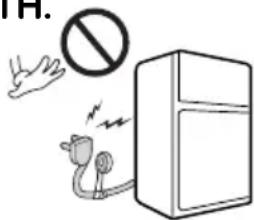
DO NOT MODIFY OR EXTEND THE POWER CORD LENGTH.
It will cause electric shock or fire.
text_image
TH.An empty refrigerator can be a dangerous attraction to children. Remove either gaskets, latches, lids or the entire door from your unused appliance, or take some other action to make it harmless.
This appliance must be grounded (earthed).
DON'T WAIT! DO IT NOW!
Do not store inflammable materials, explosives or chemicals in the refrigerator.
Do not store explosive substances such as aerosol cans with a flammable propellant in this appliance.
WARNING
This appliance is not intended for use by person (including children) with reduced physical, sensory or mental capabilities, or lack of experience and knowledge, unless they have been given supervision or instruction concerning use of the appliance by a person responsible for their safety. Children should be supervised to ensure that they do not play with the appliance.
DISPOSAL OF THE OLD APPLIANCE
This appliance contains fluid (refrigerant, lubricant) and is made of parts and materials which are reusable and/or recyclable.
All the important materials should be sent to the collection center of waste material and can be reused after rework (recycling). For take back, please contact with the local agency.
BEFORE CALLING FOR SERVICE
SERVICE CALLS CAN OFTEN BE AVOIDED!
IF YOU FEEL YOUR REFRIGERATOR IS NOT OPERATING PROPERLY, CHECK THESE POSSIBLE CAUSES FIRST :
| PROBLEM | POSSIBLE CAUSES |
| REFRIGERATOR DOES NOT OPERATE | Has a house fuse blown or circuit breaker tripped?Has the power cord plug been removed or loosened from the electrical wall outlet? |
| REFRIGERATOR OR FREEZER COMPARTMENT TEMPERATURE TOO WARM | Temperature control not set on proper position.Appliance is placed close to wall or heat source.Warm weather-frequent door openings.Door left open for a long time.Large amount of foods are kept in the refrigerator. |
| ABNORMAL NOISE(S) | Refrigerator is installed in a weak or uneven place, or leveling screw needs adjusting.Unnecessary objects placed in the back side of the refrigerator. |
| REFRIGERATOR HAS ODOR | Foods with strong odors should be tightly covered or wrapped.Interior needs cleaning. |
| DEW FORMS ON THE CABINET SURFACE | Not unusual during periods of high humidity.Door may have been left ajar. |
EARTH (GROUNDING) CONSTRUCTION (OPTIONAL)
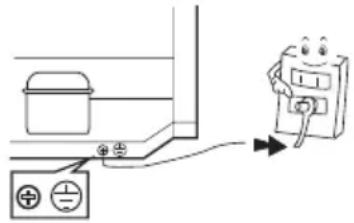
It is recommended to install the earth wire to prevent electric shock in case of electricity leakage.
text_image
Diagram showing electrical connections with a battery, switch, and a cartoon character holding a device.How to connect the earth wire:
- Connect the earth wire's metal ring end to the earth screw on the back of the refrigerator.
- Peel off the cable sheath/insulation at the other end of the earth wire. Attach the peeled wire to a metal screw/nail and then drive it through the wall or ground.
Do not connect the earth wire to the following locations.
- Gas pipe
It could produce sparks which lead to fire and explosion.
- Telephone earth wire and lightning rod
It is dangerous during lightning.
• Water pipe and water tap
The earth wire connection will not work when the middle of the water pipe is made of plastic. If it is connected to a metal water pipe, it could cause someone to be electrocuted.
When installing the product in a humid or wet location, you must install the earth wire.
Ex) • Unfloored or dirt floored room (Room with dirt and no floor), concrete floor
- Location where it can get wet such as near the sink
- Location where water can leak or is humid such as basement
- Other wet or humid location
Especially, for locations where it always get wet such as near the restaurant sink, you are obligated by the law to install a circuit breaker in addition to the earth wire.
After consulting with your retailer or electric construction company, you must do the earth wire construction (Type 3 earth construction). Please note that earth construction could incur extra fees.
SMART FUNCTION (Only for applied models)
Using LG SmartThinQ Application
- For appliances with the

logo™ Smart Think
Things to check before using LG SmartThinQ
1 Check the distance between the appliance and the wireless router (Wi-Fi network).
- If the distance between the appliance and the wireless router is too far, the signal strength becomes weak. It may take a long time to register or installation may fail.
2 Turn off the Mobile data or Cellular Data on your smartphone.
- For iPhones, turn data off by going to Settings → Cellular → Cellular Data.
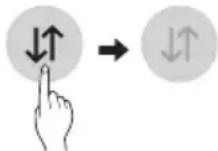
3 Connect your smartphone to the wireless router.

NOTE
- To verify the Wi-Fi connection, check that Wi-Fi icon on the control panel is lit.
- The appliance supports 2.4 GHz Wi-Fi networks only. To check your network frequency, contact your Internet service provider or refer to your wireless router manual.
- LG SmartThinQ is not responsible for any network connection problems or any faults, malfunctions, or errors caused by network connection.
- If the appliance is having trouble connecting to the Wi-Fi network, it may be too far from the router. Purchase a Wi-Fi repeater (range extender) to improve the Wi-Fi signal strength.
- The Wi-Fi connection may not connect or may be interrupted because of the home network environment.
- The network connection may not work properly depending on the Internet service provider.
-
The surrounding wireless environment can make the wireless network service run slowly.
-
The appliance cannot be registered due to problems with the wireless signal transmission. Unplug the appliance and wait about a minute before trying again.
- If the firewall on your wireless router is enabled, disable the firewall or add an exception to it.
- The wireless network name (SSID) should be a combination of English letters and numbers. (Do not use special characters.)
- Smartphone user interface (UI) may vary depending on the mobile operating system (OS) and the manufacturer.
- If the security protocol of the router is set to WEP, you may fail to set up the network. Please change it to other security protocols (WPA2 is recommended) and register the product again.
Installing LG SmartThinQ
Search for the LG SmartThinQ application from the Google Play Store or Apple App Store on a smart phone. Follow instructions to download and install the application.
Wi-Fi Function
Communicate with the appliance from a smart phone using the convenient smart features.
Firmware Update
Keep the appliance performance updated.
Smart Diagnosis™
If you use the Smart Diagnosis function, you will be provided with the useful information such as a correct way of using the appliance based on the pattern of use.
Settings
Allows you to set various options on the refrigerator and in the application.
NOTE
- If you change your wireless router, Internet service provider, or password, delete the registered appliance from the LG SmartThinQ application and register it again.
SMART FUNCTION (Only for applied models)
- The application is subject to change for appliance improvement purposes without notice to users.
• Functions may vary by model.
Connecting to Wi-Fi
The Wi-Fi button, when used with the LG SmartThinQ application, allows the refrigerator to connect to a home Wi-Fi network. The Wi-Fi icon shows the status of the refrigerator's network connection. The icon illuminates when the refrigerator is connected to the Wi-Fi network.
Initial Appliance Registration
Run the LG SmartThinQ application and follow the instructions in the application to register the appliance.
Re-registering the Appliance or Registering Another User
Press and hold the Wi-Fi button for 3 seconds to temporarily turn it off. Run the LG SmartThinQ application and follow the instructions in the application to register the appliance.
NOTE
- To disable the Wi-Fi function, press and hold the Wi-Fi button for 3 seconds. Wi-Fi icon will be turned off.
Open Source Software Notice Information
To obtain the source code under GPL, LGPL, MPL, and other open source licenses, that is contained in this product, please visit http://opensource.lge.com. In addition to the source code, all referred license terms, warranty disclaimers and copyright notices are available for download. LG Electronics will also provide open source code to you on CD-ROM for a charge covering the cost of performing such distribution (such as the cost of media, shipping, and handling) upon email request to opensource@lge.com. This offer is valid for a period of three years after our last shipment of this product. This offer is valid to anyone in receipt of this information.
| Symptoms Reason | Solution | |
| Your home appliance and smartphone is not connected to the Wi-Fi network. | The password for the Wi-Fi that you are trying to connect to is incorrect. | · Find the Wi-Fi network connected to your smartphone and remove it, then register your appliance on LG SmartThinQ |
| Mobile data for your smartphone is turned on. | · Turn off the Mobile data of your smartphone and register the appliance using the Wi-Fi network. | |
| The wireless network name (SSID) is set incorrectly. | · The wireless network name (SSID) should be a combination of English letters and numbers. (Do not use special characters.) | |
| The router frequency is not 2.4 GHz. | · Only a 2.4 GHz router frequency is supported. Set the wireless router to 2.4 GHz and connect the appliance to the wireless router. To check the router frequency, check with your Internet service provider or the router manufacturer. | |
| The distance between the appliance and the router is too far. | · If the distance between the appliance and the router is too far, the signal may be weak and the connection may not be configured correctly. Move the location of the router so that it is closer to the appliance. |
SMART DIAGNOSIS (Only for applied models)
☐ FOR INTERNAL CONTROLLER MODEL
Smart diagnosis function is...
Use the function to contact the service center and receive precise diagnosis when the refrigerator malfunctions or fails. Use it only to connect to the consultant and do not use it in normal times.
How to use the function
First, call to the LG service center. Only use the Smart Diagnosis feature when instructed to do so by the LG call center agent.
- Open the refrigerator (lower) door.
- Press the refrigerator temperature control button for 3sec m/e.
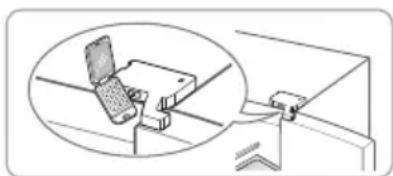
- If the buzzer sounds 4 times, open the Freezer (upper) door and place the phone near the speaker hole.
Check if the speaking side(microphone) of the telephone is toward the speaker hole.
natural_image
Diagram showing a computer monitor with a magnified inset view of its screen (no text or symbols present)4. Do not take away the telephone while data is being transmitted.
During the data transmission for smart diagnosis, wait with the telephone placed near the speaker hole at the top right side.
CAUTION
The transmission sound may be irritating. Do not take away the telephone until the sound stops for good diagnosis.
5. After the completion of the data transmission, listen to the explanation of the consultant about the result of the smart diagnosis.
When the data transmission is completed, along with the display of the data transmission completion, the refrigerator will be automatically turned off and on a few seconds later.
Listen to the explanation of the consultant about the result of the analyzed diagnosis and follow the instructions.
NOTE
- Position the phone so that its microphone is aligned with the speaker hole.
- The Smart Diagnosis™ sound is generated after around three seconds.
- Do not take the phone off the speaker hole while the data is transmitted.
- Hold the phone to the upper right speaker hole and wait while the data is transmitted.
- The data transfer sound may be harsh to the ear while the Smart Diagnosis™ data is being transmitted, but do not take the phone off the speaker hole for accurate diagnosis until the data transfer sound has stopped.
- When the data transfer is complete, the transfer completion message is displayed and the control panel is automatically turned off and then on again after a few seconds. After the customer information centre explains the diagnosis result.
- The Smart Diagnosis™ function depends on the local call quality.
- The communication performance will improve and you can transmit a better signal if you use a land line home phone.
- If the Smart Diagnosis™ data transfer is poor due to poor call quality, you may not receive the best Smart Diagnosis™ service.
SMART DIAGNOSIS (Only for applied models)
☐ FOR EXTERNAL CONTROLLER MODEL
Smart diagnosis function is...
Use the function to contact the service center and receive precise diagnosis when the refrigerator malfunctions or fails. Use it only to connect to the consultant and do not use it in normal times.
How to use the function
First, call to the LG service center. Only use the Smart Diagnosis feature when instructed to do so by the LG call center agent.
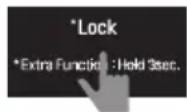
1.. Close all refrigerator doors, and touch and hold display lock button to make it locked state.
If the display is already in locked state, touch and hold lock button to reset the lock and touch and hold the lock button again to make it locked state.

Caution
■ If it passes 5 minutes in locked state, smart diagnosis function will not be activated, so be careful.
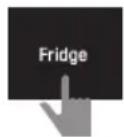
- Toddhold fridge temperature button for 3 seconds or longer.
(All display screens will be turned off, and in a while, 3 will be displayed on the fridge temperature display part.)
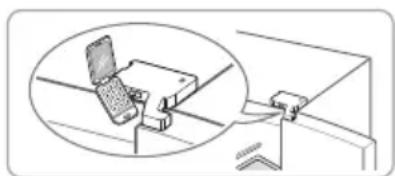
- Open all refrigerator compartment and freezer compartment doors, and place the telephone near the speaker hole at the top right side.
Check if the speaking side(microphone) of the telephone is toward the speaker hole.
natural_image
Diagram showing a computer monitor connected to a bracket, with an inset magnified view of the monitor (no text or symbols present)- Do not take away the telephone while data is being transmitted.
During the data transmission for smart diagnosis, wait with the telephone placed near the speaker hole at the top right side.
The remaining time for data transmission is displayed on the display screen.

Caution
■ The transmission sound may be irritating. Do not take away the telephone until the sound stops for good diagnosis.
- After the completion of the data transmission, listen to the explanation of the consultant about the result of the smart diagnosis.
When the data transmission is completed, along with the display of the data transmission completion, the refrigerator will be automatically turned off and on a few seconds later.
Listen to the explanation of the consultant about the result of the analyzed diagnosis and follow the instructions.
NOTE
- Position the phone so that its microphone is aligned with the speaker hole.
- The Smart Diagnosis™ sound is generated after around three seconds.
- Do not take the phone off the speaker hole while the data is transmitted.
- Hold the phone to the upper right speaker hole and wait while the data is transmitted.
- The data transfer sound may be harsh to the ear while the Smart Diagnosis™ data is being transmitted, but do not take the phone off the speaker hole for accurate diagnosis until the data transfer sound has stopped.
- When the data transfer is complete, the transfer completion message is displayed and the control panel is automatically turned off and then on again after a few seconds. After the customer information centre explains the diagnosis result.
- The Smart Diagnosis™ function depends on the local call quality.
- The communication performance will improve and you can transmit a better signal if you use a land line home phone.
- If the Smart Diagnosis™ data transfer is poor due to poor call quality, you may not receive the best Smart Diagnosis™ service.

LG
Life's Good