
MS1987KIT - Microwaves LG - Free user manual and instructions
Find the device manual for free MS1987KIT LG in PDF.


| Product Type | Countertop Microwave Oven |
| Brand | LG |
| Model | MS1987KIT |
| Capacity | 0.9 cu ft (approx.) |
| Power Output | 900 Watts (approx.) |
| Dimensions (W x H x D) | 20.3 x 12.2 x 17.5 inches (approx.) |
| Weight | 25 lbs (approx.) |
| Power Supply | 120V, 60Hz, 1500W (approx.) |
| Control Type | Digital keypad with LED display |
| Cook Functions | Auto Cook, Defrost, Reheat, Popcorn, Beverage, Vegetable, Meat, Fish |
| Turntable | Glass turntable, removable for easy cleaning |
| Interior Light | Yes, automatic |
| Child Safety Lock | Yes, key lock function |
| Cleaning | Wipe interior with damp cloth; avoid abrasive cleaners |
| Ventilation | Not vented (countertop model) |
| Spare Parts Availability | Contact LG customer service for replacement parts |
| Repair Index | Repairable by authorized service centers |
Frequently Asked Questions - MS1987KIT LG
User questions about MS1987KIT LG
0 question about this device. Answer the ones you know or ask your own.
Ask a new question about this device
Download the instructions for your Microwaves in PDF format for free! Find your manual MS1987KIT - LG and take your electronic device back in hand. On this page are published all the documents necessary for the use of your device. MS1987KIT by LG.
USER MANUAL MS1987KIT LG
Please read this owner's manual thoroughly before operating.
3\~35
DEUTSCH
BEDIENUNGSANLEITUNG
You cannot operate your oven with the door open due to the safety interlocks built into the door mechanism. These safety interlocks automatically switch off any cooking activity when the door is opened; which in the case of a microwave oven could result in harmful exposure to microwave energy. It is important not to tamper with the safety interlocks.
Do not place any object between the oven front face and the door or allow food or cleaner residue to accumulate on sealing surfaces.
Do not operate your oven if it is damaged. It is particularly important that the oven door closes properly and that there is no damage to the: (1) door(bent), (2) hinges and latches (broken or loosened), (3) door seals and sealing surfaces.
Your oven should not be adjusted or repaired by anyone except qualified service personnel.
Warning
Please ensure cooking times are correctly set as over cooking may result in the FOOD catching fire and subsequent damage to your oven.
When heating liquids, e.g. soups, sauces and beverages in your microwave oven, delayed eruptive boiling can occur without evidence of bubbling. This could result in a sudden boil over of the hot liquid. To prevent this possibility the following steps should be taken:
1 Avoid using straight sided containers with narrow necks.
2 Do not overheat.
3 Stir the liquid before placing the container in the oven and again halfway through the heating time.
4 After heating, allow to stand in the oven for a short time, stir or shake them (especially the contents of feeding bottles and baby food jars) again carefully and check the temperature of them before consumption to avoid burns (especially, contents of feeding bottles and baby food jars). Be careful when handling the container.
Warning
Always allow food to stand after being cooked by microwaves and check the temperature of them before consumption. Especially contents of feeding bottles and baby food jars.
Contents
How the Microwave Oven Works
Microwaves are a form of energy similar to radio and television waves and ordinary daylight. Normally, microwaves spread outwards as they travel through the atmosphere and disappear without effect. Microwave ovens, however, have a magnetron which is designed to make use of the energy in microwaves. Electricity, supplied to the magnetron tube, is used to created microwave energy.
These microwaves enter the cooking area through openings inside the oven. A turntable or tray is located at the bottom of the oven. Microwaves cannot pass through metal walls of the oven, but they can penetrate such materials as glass, porcelain and paper, the materials out of which microwave-safe cooking dishes are constructed.
Microwaves do not heat cookware, though cooking vessels will eventually get hot from the heat generated by the food.
A very safe appliance
Your microwave oven is one of the safest of all home appliances. When the door is opened, the oven automatically stops producing microwaves. Microwave energy is converted completely to heat when it enters food, leaving no "left over" energy to harm you when you eat your food.
Precautions 3
Contents 4
Important safety instructions 5\~9
Unpacking & Installing 10 \~ 11
Setting the Clock 12
Child Lock 13
Micro Power Cooking 14
Micro Power Level 15
Two stage Cooking ____ 16
Quick Start 17
Auto Cook 18 \~ 19
Auto Defrost 20 \~ 21
Quick Defrost 22 \~ 23
Auto Reheat 24 \~ 25
European Menu 26 \~ 28
Children Cook 29 \~ 30
Microwave - safe Utensils 31
Food characteristics & Microwave cooking ____ 32 \~ 33
Questions & Answers 34
Technical Specifications 35
Please keep for future reference. Read and follow all instructions before using your oven to prevent the risk of fire, electric shock, personal injury, or damage when using the oven. This guide does not cover all possible conditions that may occur. Always contact your service agent or manufacturer about problems that you do not understand.
Important Safety Instructions

This is the safety alert symbol. This symbol alerts you to potential hazards that can kill or hurt you and others.
All safety messages will follow the safety alert symbol and either the word "WARNING" or "CAUTION". These word means :

WARNING
This symbol will alert you to hazards or unsafe practices which could cause serious bodily harm or death.

CAUTION
This symbol will alert you to hazards or unsafe practices which could cause bodily injury or property damage.

WARNING
- Do not attempt to tamper with, or make any adjustments or repairs to the door, door seals, control panel, safety interlock switches or any other part of the oven which would involve the removal of any cover protecting against exposure to of the microwave oven are faulty. Repairs should only be undertaken by a qualified service technician.
- Unlike other appliances, the microwave oven is a high-voltage and a high-electrical-current piece of equipment. Improper use or repair could result in harmful exposure to excessive microwave energy or in electric shock.
- Do not use the oven for the purpose of dehumidification. (ex. Operating the microwave oven with wet newspapers, clothes, toys, electric devices, pet or child etc.)
It can be the cause of serious damage to safety such as a fire, a burn or a sudden death due to an electric shock. -
The appliance is not intended for use by young children or elderly persons. Only allow children to use the oven without supervision when adequate instructions have been given so that the child is able to use the oven in a safe way and understands the hazards of improper use.
-
Improper use may cause damage such as a fire, electric shock or burn.
- Accessible parts may become hot during use. Young children should be kept away.
They may get a burn. - Liquids or other foods must not be heated in sealed containers since they are liable to explode. Remove the plastic wrapping from food before cooking or defrosting. Note though that in some cases food should be covered with plastic film, for heating or cooking.
They could burst. - Be certain to use proper accessories on each operation mode
- Improper use could result in damage to your oven and accessories, or could make spark and a fire.
- The children should not allow to play with accessories or hang down from the door handle.
They may get hurt.
Important Safety Instructions
Please keep for future reference. Read and follow all instructions before using your oven to prevent the risk of fire, electric shock, personal injury, or damage when using the oven. This guide does not cover all possible conditions that may occur. Always contact your service agent or manufacturer about problems that you do not understand.

WARNING
- If the door or door seals are damaged, the oven must not be operated until it has been repaired by a competent person.
- It is hazardous for anyone other than a competent person to carry out any service or repair operation that involves the removal of a cover which gives protection against exposure to microwave energy.
- When the appliance is operated in the combination mode, children should only use the oven under adult supervision due to the temperatures generated.

CAUTION
- You cannot operate your oven with the door open due to the safety interlocks built into the door mechanism. It is important not to tamper with the safety interlocks.
It could result in harmful exposure to excessive microwave energy. (Safety interlocks automatically switch off any cooking activity when the door is opened.) - Do not place any object (such as kitchen towels, napkins, etc.) between the oven front face and the door or allow food or cleaner residue to accumulate on sealing surfaces.
-
It could result in harmful exposure to excessive microwave energy.
-
Do not operate your oven if it is damaged. It is particularly important that the oven door closes properly and that there is no damage to the: (1) door(bent), (2) hinges and latches (broken or loosened), (3) door seals and sealing surfaces.
- It could result in harmful exposure to excessive microwave energy.
- Please ensure cooking times are correctly set, Small amounts of food require shorter cooking or heating time.
Over cooking may result in the food catching on fire and subsequent damage to your oven. - When heating liquids, e.g. soups, sauces and beverages in your microwave oven,
* Avoid using straight sided containers with narrow necks.
* Do not overheat.
* Stir the liquid before placing the container in the oven and again halfway through the heating time.
* After heating, let it stand in the oven for a short time; stir or shake it again carefully and check the temperature of it before consuming to avoid burns (especially, contents of feeding bottles and baby food jars). - Be careful when handling the container. Microwave heating of beverages can result in delayed eruptive boiling without evidence of bubbling. This could result in hot liquids suddenly boiling over.
- An exhaust outlet is located on the top, bottom or side of the oven. Don't block the outlet.
- It could result in damage to your oven and poor cooking results.
- Do not operate the oven when empty. It is best to leave a glass of water in the oven when not in use. The water will safely absorb all microwave energy, if the oven is accidentally started.
Improper use could result in damage to your oven.
Please keep for future reference. Read and follow all instructions before using your oven to prevent the risk of fire, electric shock, personal injury, or damage when using the oven. This guide does not cover all possible conditions that may occur. Always contact your service agent or manufacturer about problems that you do not understand.
Important Safety Instructions

CAUTION
- Do not cook food wrapped in paper towels, unless your cook book contains instructions for the food you are cooking. And do not use newspaper in place of paper towels for cooking.
Improper use can cause an explosion or a fire.
- Do not use wooden containers and ceramic containers that have metallic (e.g. gold or silver) inlays. Always remove metal twist ties. Check that the utensils are suitable for use in microwave ovens before use.
They may heat-up and char. Metal objects in particular may arc in the oven, which can cause serious damage.
- Do not use recycled paper products.
They may contain impurities which may cause sparks and/or fires when used in cooking.
- Do not rinse the tray and rack by placing it in water just after cooking. This may cause breakage or damage.
Improper use could result in damage to your oven.
- Be certain to place the oven so the front of the door is 8 cm or more behind the edge of the surface on which it is placed, to avoid accidental tipping of the appliance.
Improper use could result in bodily injury and oven damage.
- Before cooking, pierce the skin of potatoes, apples or any such fruit or vegetable.
They could burst.
- Do not cook eggs in their shell. Eggs in their shell and whole hardboiled eggs should not be heated in microwave ovens since they may explode, even after microwave heating has ended.
Pressure will build up inside the egg which will burst.
- Do not attempt deep fat frying in your oven.
This could result in a sudden boil over of the hot liquid.
- If smoke is observed, switch off or disconnect the oven from the power supply and keep the oven door closed in order to stifle any flames.
It can cause serious damage such as a fire or electric shock.
- When food is heated or cooked in disposable containers made of plastic, paper or other combustible materials, keep an eye on the oven and check it frequently.
- Your food may be poured due to the possibility of container deterioration, which also can cause a fire.
- The temperature of accessible surfaces may be high when the appliance is operating. Do not touch the oven door, outer cabinet, rear cabinet, oven cavity, accessories and dishes during grill mode, convection mode and auto cook operations, before clearing make sure they are not hot.
As they will become hot, there is the danger of a burn unless wearing thick culinary gloves.
- The oven should be cleaned regularly and any food deposits should be removed.
Failure to maintain the oven in a clean condition could lead to deterioration of the surface. This could adversely affect the life of the appliance and possibly result in a hazardous situation.
Important Safety Instructions
Please keep for future reference. Read and follow all instructions before using your oven to prevent the risk of fire, electric shock, personal injury, or damage when using the oven. This guide does not cover all possible conditions that may occur. Always contact your service agent or manufacturer about problems that you do not understand.

CAUTION
- Only use the temperature probe recommended for this oven.
- You can not ascertain that the temperature is accurate with an unsuitable temperature probe.
- Follow exact directions given by each manufacturer for their popcorn product. Do not leave the oven unattended while the corn is being popped. If corn fails to pop after the suggested times, discontinue cooking. Never use a brown paper bag for popping corn. Never attempt to pop leftover kernels.
- Overcooking could result in the corn catching a fire.
- This appliance must be earthed.
The wires in the mains lead are colored in accordance with the following codes
BLUE \~ Neutral
BROWN \~ Live
As the colours of the wires in the mains lead of this appliance may not correspond with the coloured markings identifying the terminals in your plug proceed as follows:
The wire which is colored BLUE must be connected to the terminal which is marked with the letter N or Colored BLACK. The wire which is colored BROWN must be connected to the terminal which is marked with the letter L or colored RED. The wire which is colored GREEN & YELLOW or GREEN must be connected to the terminal which is marked with the letter E or 12 .
If the supply cord is damaged, it must be replaced by the manufacturer, a service agent or a similarly qualified person in order to avoid potential hazards.
- Improper use may cause serious electric damage.
- This oven should not be used for commercial catering purposes.
Improper use could result in damage to your oven. - The microwave oven must be operated with the decorative door open if the microwave oven is placed in a cabinet.
- If the door is closed while operating, the airflow will get worse possibly resulting in a fire or damage to your oven and the cabinet.
- The connection may be achieved by having the plug accessible or by incorporating a switch in the fixed wiring in accordance with the wiring rules.
- Using improper plug or switch can cause an electric shock or a fire.
- Should be monitored to ensure that children do not play with the device.
- The devices are not intended to be operated by an external timer or by a separate control.
- Only use utensils that are suitable for use in microwave ovens.
- The microwave oven shall not be placed in a cabinet unless it has been tested in a cabinet.
Please keep for future reference. Read and follow all instructions before using your oven to prevent the risk of fire, electric shock, personal injury, or damage when using the oven. This guide does not cover all possible conditions that may occur. Always contact your service agent or manufacturer about problems that you do not understand.
Important Safety Instructions

CAUTION
- This appliance is not intended for use by persons (including children) with reduced physical, sensory or mental capabilities, or lack of experience and knowledge, unless they have been given supervision or instruction concerning use of the appliance by a person responsible for their safety. Cleaning and user maintenance shall not be made by children unless they are aged from 8 years and above and supervised.
- The minimum height of free space necessary above the top surface of the oven.
- The microwave oven is intended to be used freestanding.
- The temperature of accessible surfaces may be high when the appliance is operating.
- Keep the appliance and its cord out of reach of children less than 8 years.
- The door or the outer surface may get hot when the appliance is operating.
Unpacking & Installing
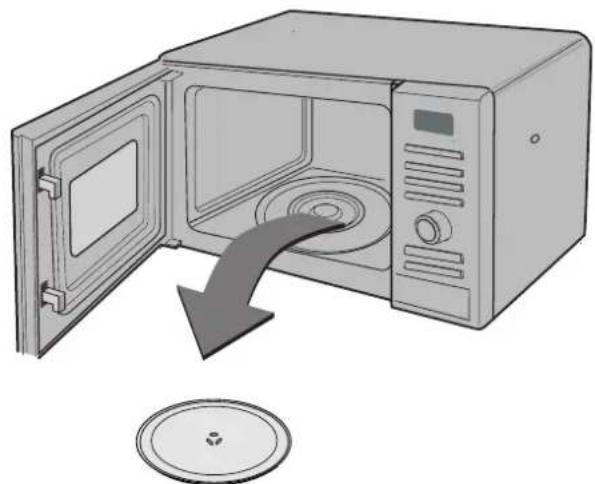
By following the basic steps on these two pages you will be able to quickly check that your oven is operating correctly. Please pay particular attention to the guidance on where to install your oven. When unpacking your oven make sure you remove all accessories and packing. Check to make sure that your oven has not been damaged during delivery.
1 Unpack your oven and place it on a flat level surface.
natural_image
Illustration of a microwave oven with open door and lid, showing internal airflow direction (no text or symbols)GLASS TRAY
ROTATING RING
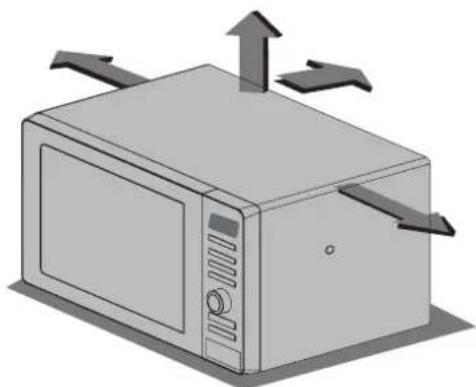
Place the oven in the level location of your choice with more than 85cm height but make sure there is at least 30cm of space on the top and 10cm at the rear for proper ventilation. The front of the oven should be at least 8cm from the edge of the surface to prevent tipping. An exhaust outlet is located on top or side of the oven. Blocking the outlet can damage the oven.
natural_image
Illustration of a microwave oven with directional arrows indicating airflow or movement (no text or symbols)THIS OVEN SHOULD NOT BE USED FOR COMMERCIAL CATERING PURPOSES
Plug your oven into a standard household socket.
Make sure your oven is the only appliance connected to the socket. If your oven does not operate properly, unplug it from the electrical socket and then plug it back in.
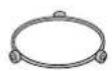
Open your oven door by pulling the DOOR HANDLE. Place the ROLLER REST inside the oven and place the GLASS TRAY on top.
Fill a microwave safe container with 300 ml (1/2 pint) of water. Place on
the GLASS TRAY and close the oven door. If you have any doubts about what type of container to use please refer to page 31
natural_image
Illustration of a hand holding a small bowl next to a microwave oven (no text or symbols visible)
Press the START button once
to set 30 seconds
of cooking time.

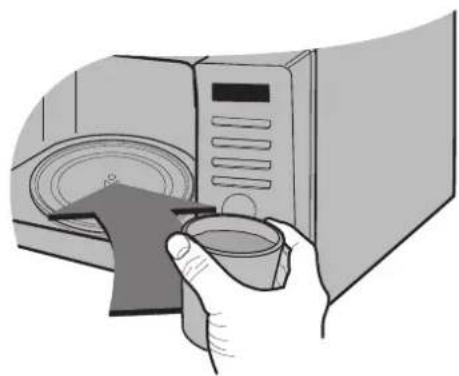
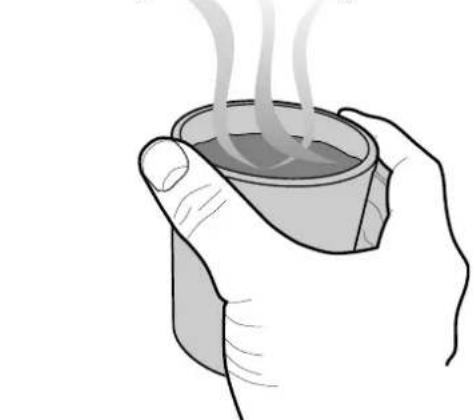
The DISPLAY will count down from 30 seconds. When it reaches 0, BEEP sounds. Open the oven door and test the temperature of the water. If your oven is operating the water should be warm. Be careful when removing the container it may be hot.
natural_image
Illustration of a hand holding a steaming cup (no text or symbols)YOUR OVEN IS NOW INSTALLED
Setting the Clock
You can set either 12 hour clock or 24 hour clock. In the following example I will show you how to set the time for 14:35 when using the 24 clock. Make sure that you have removed all packaging from your oven.
When your oven is plugged in for the first time or when power resumes after a power cut, a '0' will be shown in the display; you will have to reset the clock.
If the clock (or display) shows any strange looking symbols, unplug your oven from the electrical socket and plug it back in and reset the clock.
Make sure that you have correctly installed your oven as described earlier in this book.
Press STOP/CLEAR.
flowchart
graph TD
    A["◇"] --> B["✓"]
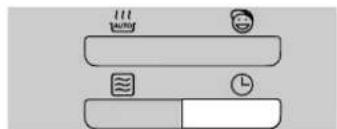
Press CLOCK once.
(If you want to use different option, Press CLOCK once more. If you want to change different option after setting clock, you have to unplug and plug it back in.)
flowchart
graph TD
    A["Start"] --> B["Midpoint"]
    B --> C["End"]
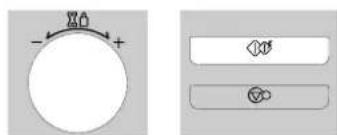
Turn DIAL until display shows "14:".
Press START for hour confirmation.
natural_image
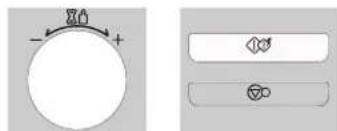
Two simple diagrammatic symbols: a circular dial with flame and plus signs, and two rectangular buttons with icons (no text or labels)Turn DIAL until display shows "14:35".
Press START.
The clock starts counting.
natural_image
Pure electrical circuit lines without any symbolsChild
Lock
Your oven has a safety feature that prevents accidental running of the oven. Once the child lock is set, you will be unable to use any functions and no cooking can take place. However your child can still open the oven door!
Press STOP/CLEAR.
flowchart
graph TD
    A["◇"] --> B["✓"]
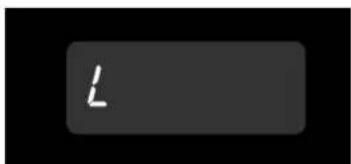
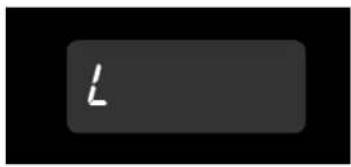
Press and hold STOP/CLEAR until "L" appears on the display and BEEP sounds.
The CHILD LOCK is now set.
The time will disappear on the display if you have set the clock.
flowchart
graph TD
    A["Process Step 1"] --> B["Process Step 2"]
"L" remains on the display to let you know that CHILD LOCK is set.
text_image
LTo cancel CHILD LOCK press and hold STOP/CLEAR until "L" disappears.
You will hear BEEP when it's released.
flowchart
graph TD
    A["◇"] --> B["∅"]
Micro Power
Cooking
In the following example I will show you how to cook some food on 80% power for 5 minutes and 30 seconds.
Your oven has five microwave Power settings.
| POWER | % | Power Output |
| HIGH MAX | 100% | 800W |
| MEDIUM HIGH | 80% | 640W |
| MEDIUM | 60% | 480W |
| MEDIUM LOW | 40% | 320W |
| LOW | 20% | 160W |
Make sure that you have correctly installed your oven as described earlier in this book.
Press STOP/CLEAR.
flowchart
graph TD
    A["Start"] --> B{Leaf Icon}
    B --> C["Process Step"]
    C --> D["△ Symbol"]
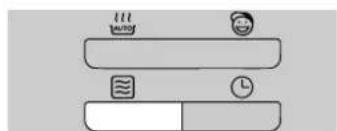
Press MICRO twice to select the 80% power.
"640" appears on the display.
text_image
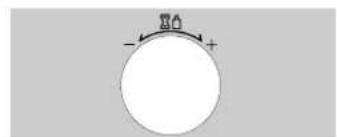
warm coolTurn DIAL until display shows "5:30".
natural_image
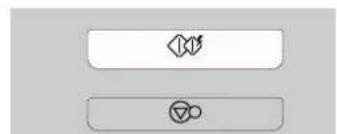
Simple circular diagram with arrows and plus/minus signs, no text or symbols presentPress START.
natural_image
Two rounded rectangular buttons with abstract symbols, no text or labels presentYour microwave oven is equipped with 5 power levels to give you maximum flexibility and control over cooking. The table below shows the examples of food and their recommended cooking power levels for use with this microwave oven.
Micro Power
Level
| POWER LEVEL | USE | POWER LEVEL(%) | POWER OUTPUT |
| HIGH * Boil Water | * Brown minced beef* Cook poultry pieces, fish, vegetables* Cook tender cuts of meat | 100% | 800W |
| MEDIUM HIGH * All reheating | * Roast meat and poultry* Cook mushrooms and shellfish* Cook foods containing cheese and eggs | 80% | 640W |
| MEDIUM * Bake cakes and scones | * Prepare eggs* Cook custard* Prepare rice, soup | 60% | 480W |
| MEDIUM LOW | * Melt butter and chocolate* Cook less tender cuts of meat | 40% | 320W |
| LOW | * Soften butter & cheese* Soften ice cream* Raise yeast dough* All thawing | 20% | 160W |
Two stage Cooking
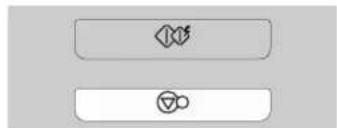
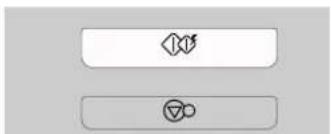
In the following example I will show you how to cook some food in two stages. The first stages will cook your food for 11 minutes on HIGH; the second will cook for 35 minutes on 320.
During two stage cooking the oven door can be opened and food checked. Close the oven door and press START and the cooking stage will continue.
At the end of stage1, BEEP sounds and stage 2 commences.
Should you wish to clear the programme press STOP/CLEAR twice.
Press STOP/CLEAR.
flowchart
graph TD
    A["Process Step"] --> B["Process Step"]
    B --> C["End"]
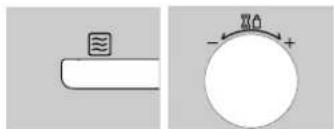
Set the power and the cooking time for stage 1. (You can omit this process for HIGH power.) Press MICRO once to select HIGH power.
Turn DIAL until display shows "11:00".
natural_image
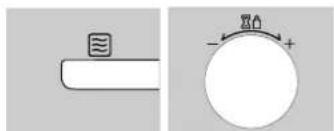
Two technical diagrams showing a pipe with a wavy symbol and a circular component with a plus sign (no text or labels)Set the power and the cooking time for stage2. Press MICRO four times to select 320 power.
Turn DIAL until display shows "35:00".
natural_image
Two simple diagrams showing a pipe with a wavy top and a circular dial with a plus sign, no text or symbols present.
natural_image
Two horizontal rectangular buttons with abstract symbols, no text or labels presentIn the following example I will show you how to set 2 minutes of cooking on high power.
Quick Start
The QUICK START feature allows you to set 30 seconds intervals of HIGH power cooking with a touch of the START button.
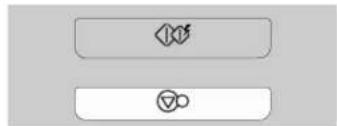
Press STOP/CLEAR.
Press START four times to select 2 minutes on HIGH power. Your oven will start before you have finished the fourth press.
text_image
Two rectangular buttons with icons: a speaker icon above and a circular symbol below, likely representing audio or sound control buttons.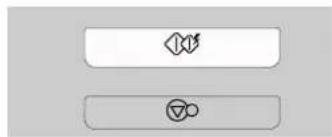
flowchart
graph TD
    A["Process"] --> B["Output"]
During QUICK START cooking, you can extend the cooking time up to 10 minutes by repeatedly pressing the START button.
Auto
Cook
In the following example I will show you how to cook 0.6kg of fresh vegetable.
AUTO COOK allows you to cook most of your favorite food easily by selecting the food type and entering the weight of the food.
| Category | Press AUTO COOK |
| JACKET POTATO | 1 time |
| FRESH VEGETABLE | 2 times |
| FROZEN VEGETABLE | 3 times |
| RICE | 4 times |
| FISH | 5 times |
Press STOP/CLEAR.
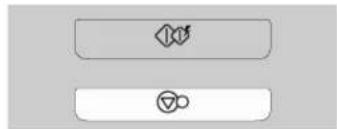
flowchart
graph TD
    A["Process Icon"] --> B["Process Symbol"]
Press AUTO COOK twice to select Fresh vegetable.
"Ac-2" appears on the display.
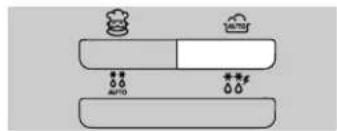
text_image
Diagram showing two horizontal bars with icons and labels, possibly representing a system or process with 'AUTO' and 'AUTO' symbols.Turn DIAL until display shows "0.6".
Press START.
natural_image
Two simple diagrammatic elements: a circular dial with flame and plus signs, and two rectangular buttons with icons (no text or symbols)| FOOD CATEGORY | WEIGHT LIMIT UTENSILS FOOD | TEMP. INSTRUCTIONS | ||||
| 1. JACKET POTATO | 0.2 kg ~ 1.0 kg | - | Room | Choose medium sized potatoes 170 -200g.Wash and dry potatoes. Pierce the potatoes several times with fork. Place the potatoes on the glass turntable. Adjust weight and press start. After cooking, remove the potatoes from the oven. Let stand covered with foil for 5 minutes. | ||
| 2. FRESH VEGETABLE | 0.2 kg ~ 0.8 kg | Microwave-safe bowl | Room | Place vegetables in a microwave-safe bowl. Add water.Cover with wrap. After cooking, stir and allow to stand for 2 minutes.Add amount of water according to the quantity.** 0.2kg - 0.4kg : 2 Tablespoon** 0.5kg - 0.8kg : 4 Tablespoon | ||
| 3. FROZEN VEGETABLE | 0.2 kg ~ 0.8 kg | Microwave-safe bowl | Frozen | Place vegetables in a microwave-safe bowl. Add water.Cover with wrap. After cooking, stir and allow to stand for 2 minutes.Add amount of water according to the quantity.** 0.2kg - 0.4kg : 2 Tablespoon** 0.5kg - 0.8kg : 4 Tablespoon | ||
| 4. RICE | 0.1 kg ~ 0.3 kg | Microwave-safe bowl | Room | Wash rice. Darin water.Place rice & boiling water with 1⁄4 to 1 teaspoon salt in a deep and large bowl. | ||
| Weight 100g 200g 300g Cover | ||||||
| Water Rice 180ml 330ml 480ml Yes | ||||||
| Pasta 400ml 800ml 1200ml No | ||||||
| ** Rice - After cooking, stand covered for 5 minutes or until water is absorbed.** Pasta - During the cooking, stir several times. After cooking, stand for 1 or 2 minutes with cover. Rinse pasta with cold water. | ||||||
| 5. FISH | 0.2 kg ~ 0.6 kg | Microwave-safe flan dish | Refrigerated | Whole fish, steaks-Oily fish : salmon, mackerel- White fish : cod, haddockArrange in a single layer in a large microwave-safe flan dish.Cover dish tightly with plastic wrap and pierce in several places.Place on the glass turntable. Adjust weight and press start.After cooking, remove the dish from the oven. Allow to stand for 3 minutes before serving. | ||
Auto Defrost
The temperature and density of food varies, I would recommend that the food is checked before cooking commences. Pay particular attention to large joints of meat and chicken, some foods should not be completely thawed before cooking. The BREAD programme is suitable for defrosting small items such as rolls or a small loaf. These will require a standing time to allow the centre to thaw. In the following example I will show you how to defrost 1.4 Kg of frozen poultry.
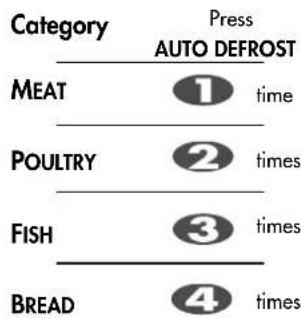
Your oven has four microwave defrost settings: MEAT, POULTRY, FISH and BREAD; each defrost category has different power settings. Repeated presses of the AUTO DEFROST button will select a different setting.
text_image
Category Press AUTO DEFROST MEAT ① time POULTRY ② times FISH ③ times BREAD ④ timesPress STOP/CLEAR.
Weight the food that you are about to defrost. Be certain to remove any metallic ties or wraps; then place the food in your oven and close the oven door.
Press AUTO DEFROST twice to select the POULTRY defrosting programme.
Enter the weight of the frozen food that you are about to defrost.
Turn DIAL until display shows "1.4".
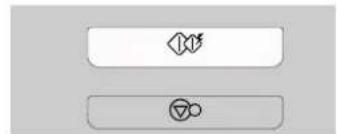
Press START.
During defrosting your oven will "BEEP", at which point open the oven door, turn food over and separate to ensure even thawing. Remove any portions that have thawed or shield them to help slow down thawing. After checking close the oven door and press START to resume defrosting. Your oven will not stop defrosting (even when the beep sounded) unless the door is opened.
natural_image
Two horizontal rectangular buttons with icons, no text or symbols present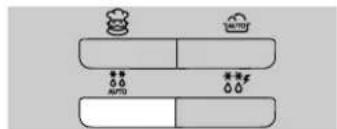
text_image
Diagram showing two horizontal bars with icons and symbols, labeled 'AUTO' and 'TOMOT', likely representing a system or process diagram.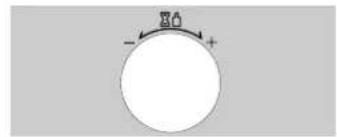
text_image
- + +
natural_image
Two rounded rectangular buttons with icons, no text or symbols presentAUTO WEIGHT DEFROST GUIDE
* Food to be defrosted should be in a suitable microwave proof container and place uncovered on the glass turntable.
* If necessary, shield small areas of meat or poultry with flat pieces of aluminum foil. This will prevent thin areas becoming warm during defrosting. Ensure the foil does not touch the oven walls.
* Separate items like minced meat, chops, sausages and bacon as soon as possible.
* When BEEP, at this point remove the food from the microwave oven, turn the food over and return to the microwave oven. Press start to continue. At the end of the program, remove the food from the microwave oven, cover with foil and allow to stand until completely thawed. To thaw completely, for example joints of meat and whole chickens should STAND for a minimum of 1 hour before cooking.
| CATEGORY WEIGHT LIMIT UTENSIL FOOD | |||
| MeatPoultryFish | 0.1 ~ 4.0 kg | Microwave ware(Flat plate) | MeatMinced beef, Fillet steak, Cubes for stew, Sirloin steak, Pot roast, Rump roast, Beef burger Pork chops, Lamp chops, Rolled roast, Sausage, Cutlets(2cm)Turn food over at beep.After defrosting, let stand for 5-15 minutes.PoultryWhole chicken, Legs, Breasts, Turkey breasts(under 2.0kg)Turn food over at beep.After defrosting, let stand for 20-30 minutes.FishFillets, Steaks, Whole fish, Sea foodsTurn food over at beep.After defrosting, let stand for 10-20 minutes. |
| Bread | 0.1 ~ 0.5 kg | Paper towelor flat plate | Sliced bread, Buns, Baguette, etc.Separate slices and place between paper towel or flat plate.Turn food over at beep.After defrosting, let stand for 1-2 minutes. |
Quick Defrost
Use this function to thaw only 0.5kg of Minced meat very quickly. This will require a standing time to allow the center to thaw. In the following example will show you how to defrost 0.5kg of frozen minced meat.
Your oven has a microwave quick defrost setting (MEAT).
Press STOP/CLEAR.
Weight the food that you are about to defrost. Be certain to remove any metallic ties or wraps; then place the food in your oven and close the oven door.
flowchart
graph TD
    A["Start"] --> B{Leaf Icon}
    B --> C["Process Step"]
    C --> D["Circle Symbol"]
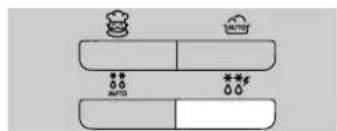
Press QUICK DEFROST.
The oven will start automatically.
text_image
Diagram showing two horizontal bars with icons and symbols, labeled 'AUTO' and 'AUTOF', likely representing a system or process diagram.During defrosting your oven will "BEEP", at which point open the oven door, turn food over and separate to ensure even thawing. Remove any portions that have thawed or shield them to help slow down thawing. After checking close the oven door and press START to resume defrosting. Your oven will not stop defrosting (even when the beep sounded) unless the door is opened.
QUICK DEFROST GUIDE
Use this function to defrost quickly for minced meet.
Remove the meat completely from it's wrapping. Place the mince onto a microwave-safe plate. When BEEP, at this point remove the mince from the microwave oven, turn the mince over and return to the microwave oven. Press start to continue. At the end of the program remove the mince from the microwave oven, cover with foil and allow to stand 5-15 minutes or until completely thawed.
| CATEGORY WEIGHT UTENSIL INSTRUCTIONS | |||
| MINCED MEAT | 0.5kg | Microwave ware(Flat plate) | Minced meatTurn food over at beep.After defrosting, let stand for 5-15 minutes. |
Auto
Reheat
In the following example I will show you how to cook 0.6 kg of Frozen Meal

AUTO REHEAT cooking make food reheating convient and easy to use. The oven has been pre-programmed to automatically reheat food
Your oven has three AUTO REHEAT settings: Chilled Meal, Frozen Meal and Chilled Pizza.
| Category | Press AUTO REHEAT |
| CHILLED MEAL | 1 time |
| FROZEN MEAL | 2 times |
| CHILLED PIZZA | 3 times |
Press STOP/CLEAR.
natural_image
Two rectangular buttons with icons, one containing a diamond and the other with a circle (no text or symbols)Press twice to select. AUTO REHEAFrozen Meal
"rh appears on the display.
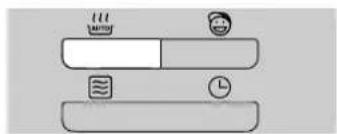
text_image
Diagram showing a social media interface with icons for news, news, and time, likely representing news or social media platforms.Turn DIAL until display shows "0.6"
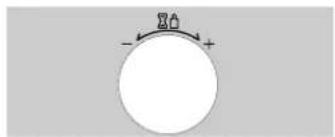
text_image
- +Press START.
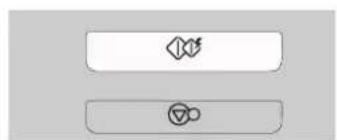
flowchart
graph TD
    A[" "] --> B[" "]
    B --> C["△"]
| FUNCTION | CATEGORY WEIGHT | LIMIT UTENSIL | FOOD TEMP. | INSTRUCTIONS | |
| AUTO REHEAT | 1. CHILLED MEAL | 0.3 kg ~ 0.6 kg | Own tray | Refrigerated | Pierce using a skewer on the surface.Place food on the glass turntable. After cooking,allow to standfor 2-3 minutes before serving.- Stirrable e.g : Spaghetti bolognese, Beef stew- Non-stirrable e.g : Lasagne, Cottage pieNote :For food contained in bag(s), pierce meat portion and rice/pasta portions, etc.- For stirrable foods, stir once after half the cooking time if required.- Non-stirrable foods, it is not necessary to stir. |
| 2. FROZEN MEAL | 0.3 kg ~ 0.6 kg | Own tray | Frozen | Same as above. | |
| 3. CHILLED PIZZA | 0.2 kg ~ 0.4 kg | Low rack | Refrigerated | This function is for reheating leftover chilled pizza. Place chilled pizza on the low rack over the glass turntable.After cooking, take food out immediately. Stand for 2~3 minutes. |
European
Menu
In the following example I will show you how to cook 0.5 kg of Baked beans.
European Menu allows you to cook most of your favorite food easily by selecting the food type and selecting the weight of the food.
Press
| Category | AUTO COOK |
| Oatmeal | 1 time |
| Pasta | 2 times |
| Baked beans | 3 times |
| Hotdogs | 4 times |
| Stew | 5 times |
| Scrambled eggs | 6 times |
Press STOP/CLEAR.
flowchart
graph TD
    A["Process Step"] --> B["Decision Point"]
    B --> C["Output Result"]
Press European Menu until display shows "Sc 3".
text_image
Diagram showing two stacked blocks with icons and symbols, possibly representing a system or process with 'AUTO' labelsTurn DIAL until display shows 0.5kg.
text_image
混合 - +Press START.
flowchart
graph TD
    A[" "] --> B[" "]
    B --> C["△"]
| FOOD CATEGORY FOOD TEMP. UTENSILS | WEIGHT LIMIT | INSTRUCTIONS | ||||||
| 1. Oatmeal | Room | Microwave-safe bowl | 1-4 serves | Choose medium sized potatoes 170-200g.Wash and dry potatoes. Pierce the potatoes several times with fork. Place the potatoes on the glass try. Adjust weight and press start. After cooking, | ||||
| 1 serve | 2 serves | 3 serves | 4 serves | |||||
| Oats1 packageApprox. 40g | 1/3 cup(1 package) | 2/3 cups(2 packages) | 1 cup(3 packages) | 1/3 cups(4 packages) | ||||
| Cold Milk | 3/4 cup(180 ml) | 11/2 cups(360 ml) | 21/4 cups(540 ml) | 3 cups(720 ml) | ||||
| 2. Pasta | Room | Microwave-safe bowl | 0.1 kg ~ 0.3 kg | Place pasta and boiling water with 1/4 to 1 teaspoon salt in a deep and large bowl. | ||||
| Weight | 100 g | 200 g | 300 g | Cover | ||||
| Boiling water | 400ml | 700ml | 1000ml | No | ||||
| Cook uncovered. The oven will beep, stir the pasta well and press start to continue. After cooking, stir and stand for 1 minute if required.Rinse pasta with cold water. | ||||||||
| 3. Baked beans | Room | Microwave-safe dish | 0.2 kg ~ 0.8kg | Pour beans into the microwave-safe dish. Cover.Place dish on the glass tray.After reheating, stir and then stand for 1-2 minutes with cover. | ||||
| 1 serve | 2 serves | 3 serves | 4 serves | |
| Oats1 packageApprox. 40g | 1/3 cup(1 package | 2/3 cups(2 packages) | 1 cup(3 packages) | 1/3 cups(4 packages) |
| Cold Milk | 3/4 cup(180 ml) | 11/2 cups(360 ml) | 2^1/4 cups(540 ml) | 3 cups(720 ml) |
| Weight | 100 g | 200 g | 300 g | Cover |
| Boiling water | 400ml | 700ml | 1000ml | No |
| FOOD CATEGORY FOOD TEMP. UTENSILS | WEIGHT LIMIT | INSTRUCTIONS | ||
| 4. Hotdogs | Room | Microwave-safe bowl | 0.2 kg ~ 0.6 kg | Place contents of can including brine in a microwave-safe bowl.Heat uncoverd. After heating, stir well. Drain and serve. |
| 5. Stew | Room | Microwave-safe bowl | 0.2 kg ~ 0.6 kg | Place stew in microwave-safe bowl. Cover with wrap loosely.After heating, stir well and stand for 2 minutes |
| 6. Scrambled eggs | Refrigerated | Microwave-safe bowl | 1-4 eggs | Place desired number of eggs and milk into a large bowl. Whisk slightly.Cover with wrap. After cooking, remove from the oven.Stir well and stand for 1-2 minutes with cover until firm.Add amount of milk according to the quantity.** 1 egg : 1 Tablespoon of milk** 2 eggs : 2 Tablespoons of milk** 3 eggs : 3 Tablespoons of milk** 4 eggs : 4 Tablespoons of milk |
In the following example I will show you how to cook Sandwich.
Children
Cook

Press Stop/Clear.

natural_image
Two horizontal rectangular buttons with icons, no text or symbols presentPress Chilren cook to select the Hot Sandwich programme. The oven will starts automatically.
text_image
twin coolChildren Cook Guide
Use this function to cook sandwich quickly for children.
| CATEGORY | WEIGHT | UTENSIL | INSTRUCTIONS |
| Hot Sandwich | 3 pieces | Paper towel(Food : Room) | Ingredients:White bread -3 piecesPotato -1 pieceCheese -50 gButter -25gSalt, greenery to tastePreliminary preparation:1.Pierce potato in several places. Cook at 100% power for 5-6 minutes.2.Grate cheese and peeled potato into medium pieces. Salt potato.3.Cook sandwiches according to the following scheme:bread, butter, grated potato, cheese.4.Place sandwiches on the paper towel in the oven.5.Choose the menu and press start to cook. |
Microwave-safe
Utensils
Never use metal or metal trimmed utensils in your
microwave oven
Microwaves cannot penetrate metal. They will bounce off any metal object in the oven and cause arcing, an alarming phenomenon that resembles lightning.
Most heat resistant non metallic cooking utensils are safe for use in your microwave oven. However, some may contain materials that render them unsuitable as microwave cookware. If you have any doubts about a particular utensil, there's a simple way to find out if it can be used in your microwave oven.
Place the utensil in question next to a glass bowl filled with water in the microwave oven. Microwave at power HIGH for 1 minute. If the water heats up but the utensil remains cool to the touch, the utensil is microwave\~safe. However, if the water does not change temperature but the utensil becomes warm, microwaves are being absorbed by the utensil and it is not safe for use in the microwave oven. You probably have many items on hand in your kitchen right now that can be used as cooking equipment in your microwave oven. Just read through the following checklist.
Dinner plates
Many kinds of dinner-ware are microwave-safe. If in doubt consult the manufacturer's literature or perform the microwave test.
Glassware
Glassware that is heat-resistant is microwave-safe. This would include all brands of oven tempered glass cookware. However, do not use delicate glassware, such as tumblers or wine glasses, as these might shatter as the food warms.
Plastic storage containers
These can be used to hold foods that are to be quickly reheated. However, they should not be used to hold foods that will need considerable time in the oven as hot foods will eventually warp or melt plastic containers.
Paper
Paper plates and containers are convenient and safe to use in your microwave oven, provided that the cooking time is short and foods to be cooked are low in fat and moisture. Paper towels are also very useful for wrapping foods and for lining baking trays in which greasy foods such as bacon are cooked. In general, avoid coloured paper products as the colour may run. Some recycled paper products may contain impurities which could cause arcing or fires when used in the microwave oven.
Plastic cooking bags
Provided they are made specially for cooking, cooking bags are microwave safe. However, be sure to make a slit in the bag so that steam can escape. Never use ordinary plastic bags for cooking in your microwave oven, as they will melt and rupture.
Plastic microwave cookware
A variety of shapes and sizes of microwave cookware are available. For the most part, you can probably use items you already have on hand rather than investing in new kitchen equipment.
Pottery, stoneware and ceramic
Containers made of these materials are usually fine for use in your microwave oven, but they should be tested to be sure.
CAUTION
Some items with high lead or iron content are not suitable for cooking utensils.
Utensils should be checked to ensure that they are suitable for use in microwave ovens.
Food characteristics & Microwave cooking
Keeping an eye on things
The recipes in the book have been formulated with great care, but your success in preparing them depends on how much attention you pay to the food as it cooks. Always watch your food while it cooks. Your microwave oven is equipped with a light that turns on automatically when the oven is in operation so that you can see inside and check the progress of your food. Directions given in recipes to elevate, stir, and the like should be thought of as the minimum steps recommended. If the food seems to be cooking unevenly, simply make the necessary adjustments you think appropriate to correct the problem.
Factors affecting microwave cooking times
Many factors affect cooking times. The temperature of ingredients used in a recipe makes a big difference in cooking times. For example, a cake made with ice-cold butter, milk, and eggs will take considerably longer to bake than one made with ingredients that are at room temperature. All of the recipes in this book give a range of cooking times. In general, you will find that the food remains under-cooked at the lower end of the time range, and you may sometimes want to cook your food beyond the maximum time given, according to personal preference. The governing philosophy of this book is that it is best for a recipe to be conservative in giving cooking times. While overcooked food is ruined for good. Some of the recipes, particularly those for bread, cake, and custards, recommend that food be removed from the oven when they are slightly undercooked. This is not a mistake. When allowed to stand, usually covered, these foods will continue to cook outside of the oven as the heat trapped within the outer portions of the food gradually travels inward. If the food is left in the oven until it is cooked all the way through, the outer portions will become overcooked or even burnt. You will become increasingly skilful in estimating both cooking and standing times for various foods.
Density of food
Light, porous food such as cakes and breads cook more quickly than heavy, dense foods such as roasts and casseroles. You must take care when microwaving porous food that the outer edges do not become dry and brittle.
Height of food
The upper portion of tall food, particularly roasts, will cook more quickly than the lower portion. Therefore, it is wise to turn tall food during cooking, sometimes several times.
Moisture content of food
Since the heat generated from microwaves tends to evaporate moisture, relatively dry food such as roasts and some vegetables should either be sprinkled with water prior to cooking or covered to retain moisture.
Bone and fat content of food
Bones conduct heat and fat cooks more quickly than meat. Care must be taken when cooking bony or fatty cuts of meat that they do not cook unevenly and do not become overcooked.
Quantity of food
The number of microwaves in your oven remains constant regardless of how much food is being cooked. Therefore, the more food you place in the oven, the longer the cooking time. Remember to decrease cooking times by at least one third when halving a recipe.
Shape of food
Microwaves penetrate only about 2.cm into food, the interior portion of thick foods are cooked as the heat generated on the outside travels inward. Only the outer edge of food in cooked by microwave energy; the rest is cooked by conduction. The worst possible shape for a food that is to be microwaved is a thick square. The corners will burn long before the centre is even warm. Round thin foods and ring shaped foods cook successfully in the microwave.
Covering
A cover traps heat and steam which causes food to cook more quickly. Use a lid or microwave cling film with a corner folded back to prevent splitting.
Browning
Meats and poultry that are cooked fifteen minutes or longer will brown lightly in their own fat. Foods that are cooked for a shorter period of time may be brushed with a browning sauce such as worcestershire sauce, soy sauce or barbecue sauce to achieve an appetizing colour. Since relatively small amounts of browning sauces are added to food the original flavour of the recipe is not altered.
Covering with greaseproof paper
Greaseproofing effectively prevents spattering and helps food retain some heat. But because it makes a looser cover than a lid or clingfilm, it allows the food to dry out slightly.
Arranging and spacing
Individual foods such as baked potatoes, small cakes and hors d'oeuvres will heat more evenly if placed in the oven an equal distance apart, preferably in a circular pattern. Never stack foods on top of one another.
Food characteristics &
Microwave cooking
Stirring
Stirring is one of the most important of all microwaving techniques. In conventional cooking, food is stirred for the purpose of blending. Microwaved food, however, is stirred in order to spread and redistribute heat. Always stir from the outside towards the centre as the outside of the food heats first.
Turning over
Large, tall foods such as roasts and whole chickens should be turned so that the top and bottom will cook evenly. It is also a good idea to turn cut up chicken and chops.
Placing thicker portions facing outwards
Since microwaves are attracted to the outside portion of food, it makes sense to place thicker portions of meat, poultry and fish to the outer edge of the baking dish. This way, thicker portions will receive the most microwave energy and the food will cook evenly.
Shielding
Strips of aluminium foil (which block microwaves) can be placed over the corners or edges of square and rectangular foods to prevent those portions from overcooking. Never use too much foil and make sure the foil is secured to the dish or it may cause 'arcing' in the oven.
Elevating
Thick or dense foods can be elevated so that microwaves can be absorbed by the underside and centre of the foods.
Piercing
Foods enclosed in a shell, skin or membrane are likely to burst in the oven unless they are pierced prior to cooking. Such foods include yolks and whites of eggs, clams and oysters and whole vegetables and fruits.
Testing if cooked
Food cooks so quickly in a microwave oven, it is necessary to test it frequently. Some foods are left in the microwave until completely cooked, but most foods, including meats and poultry, are removed from the oven while still slightly undercooked and allowed to finish cooking during standing time. The internal temperature of foods will rise between 5°F (3°C) and 15°F (8°C) during standing time.
Standing time
Foods are often allowed to stand for 3 to 10 minutes after being removed from the microwave oven. Usually the foods are covered during standing time to retain heat unless they are supposed to be dry in texture (some cakes and biscuits, for example). Standing allows foods to finish cooking and also helps flavour blend and develop.
To Clean Your Oven
1 Keep the inside of the oven clean
Food spatters or spilled liquids stick to oven walls and between seal and door surface. It is best to wipe up spillovers with a damp cloth right away. Crumbs and spillovers will absorb microwave energy and lengthen cooking times. Use a damp cloth to wipe out crumbs that fall between the door and the frame. It is important to keep this area clean to assure a tight seal. Remove greasy spatters with a soapy cloth then rinse and dry. Do not use harsh detergent or abrasive cleaners. The glass tray can be washed by hand or in the dishwasher.
2 Keep the outside of the oven clean
Clean the outside of your oven with soap and water then with clean water and dry with a soft cloth or paper towel. To prevent damage to the operating parts inside the oven, the water should not be allowed to seep into the ventilation openings. To clean control panel, open the door to prevent oven from accidentally starting, and wipe a damp cloth followed immediately by a dry cloth. Press STOP/CLEAR after cleaning.
3 If steam accumulates inside or around the outside of the oven door, wipe the panels with a soft cloth. This may occur when the microwave oven is operated under high humidity conditions and in no way indicates a malfunction of the unit.
4 The door and door seals should be kept clean. Use only warm, soapy water, rinse then dry thoroughly.
DO NOT USE ABRASIVE MATERIALS, SUCH AS CLEANING POWDERS OR STEEL AND PLASTIC PADS.
Metal parts will be easier to maintain if wiped frequently with a damp cloth.
5 Do not use any steam cleaner.
Questions & Answers
Q What's wrong when the oven light will not glow?
A There may be several reasons why the oven light will not glow. Light bulb has blown Door is not closed
Q Does microwave energy pass through the viewing screen in the door?
A No. The holes, or ports, are made to allow light to pass; they do not let microwave energy through.
Q Why does the beep tone sound when a pad on the Control Panel is touched?
A The beep tone sounds to assure that the setting is being properly entered.
Q Will the microwave oven be damaged if it operates empty?
A Yes Never run it empty or without the glass tray.
Q Why do eggs sometimes pop?
A When baking, frying, or poaching eggs, the yolk may pop due to steam build up inside the yolk membrane. To prevent this, simply pierce the yolk before cooking. Never microwave eggs in the shell.
Q Why is standing time recommended after microwave cooking is over?
A After microwave cooking is finished, food keeps on cooking during standing time. This standing time finishes cooking evenly throughout the food. The amount of standing time depends on the density of the food.
Q Is it possible to pop corn in a microwave oven?
A Yes, if using one of the two methods described below 1 Popcorn-popping utensils designed specifically for microwave cooking. 2 Prepackaged commercial microwave popcorn that contains specific times and power outputs needed for an acceptable final product.
FOLLOW EXACT DIRECTIONS GIVEN BY EACH MANUFACTURER FOR THEIR POPCORN PRODUCT. DO NOT LEAVE THE OVEN UNATTENDED WHILE THE CORN IS BEING POPPED. IF CORN FAILS TO POP AFTER THE SUGGESTED TIMES, DISCONTINUE COOKING. OVERCOOKING COULD RESULT IN THE CORN CATCHING FIRE.
CAUTION
NEVER USE A BROWN PAPER BAG FOR POPPING CORN. NEVER ATTEMPT TO POP LEFTOVER KERNELS.
Q Why doesn't my oven always cook as fast as the cooking guide says?
A Check your cooking guide again to make sure you've followed directions correctly, and to see what might cause variations in cooking time. Cooking guide times and heat settings are suggestions, chosen to help prevent overcooking, the most common problem in getting used to a microwave oven. Variations in the size, shape, weight and dimensions of the food require longer cooking time. Use your own judgement along with the cooking guide suggestions to test food condition, lust as you would do with a conventional cooker.
Technical Specifications
Technical Specification
| MS1987U / MS-1987U / MS1987KIT/MS1987US | |
| Power Input 230 V AC / 50 Hz | |
| Output 800 W (IEC60705 rating standard) | |
| Microwave Frequency | 2450 MHz +/- 50 MHz(Group 2/Class B) |
| Outside Dimension 455 mm(W) X 281 mm(H) X 325 mm(D) | |
| Power Consumption | 1200 Watts |
Group 2 equipment group 2 contains all ISM RF equipment in which radio-frequency energy in the frequency range 9 kJz to 400Ghz is intentionally generated and used or only used, in the form of electromagnetic radiation, inductive and / or capacitive coupling, for the treatment of material or inspection/analysis purposes.
Class B equipment is equipment suitable for use in domestic establishments and in establishments directly connected to a low voltage power supply network which supplies buildings used for domestic purposes.
Disposal of your old appliance
- When this crossed-out wheeled bin symbol is attached to a product it means the product is covered by the European Directive 2002/96/EC
- All electrical and electronic products should be disposed of separately from the municipal waste stream via designated collection facilities appointed by the government or the local authorities.
- The correct disposal of your old appliance will help prevent potential negative consequences for the environment and human health.
- For more detailed information about disposal of your old appliance, please contact your city office, waste disposal service or the shop where you purchased the product.
LG
Life's Good
BEDIENUNGSANLEITUNG
MIKROWELLENHERD
natural_image
Illustration of a microwave oven with directional arrows indicating airflow or movement (no text or symbols)natural_image
Illustration of a hand holding a microwave oven with a cloth partially inserted (no text or symbols)natural_image
Illustration of two hands holding a cup with steam rising from the cup (no text or symbols)IHR HERD IST NUN BETRIEBSBEREIT
Stellen der Uhr
text_image
Diagram showing two horizontal bars with icons for alarm, Wi-Fi, and time, likely representing a weather or system status indicator.natural_image
Pure electrical circuit lines without any symbolstext_image
Diagram showing a circular component with a minus sign and plus sign, alongside two rectangular buttons with icons.Kindersicherung
flowchart
graph TD
    A[" "] --> B[" "]
    B --> C[" "]
flowchart
graph TD
    A["◇"] --> B["∅"]
text_image
Ltext_image
Two rectangular buttons with icons: a speaker symbol and a circular icon, likely representing audio or sound control buttons.Kochen mit
Mikrowelle
natural_image
Two rectangular buttons with icons: one with a diamond and arrow, the other with a circle and triangle (no text or symbols)text_image
Diagram showing three labeled icons: a bowl with 'UH', a person with a smile, and a clock, likely representing a conceptual or educational concept.| ENERGIE | % | AUSGAN-GSLEISTUNG |
| MAXIMAL | 800 W | 100% |
| MITTELHOCH | 640 W | 80% |
| MITTEL | 480 W | 60% |
| MITTEL BIS NIEDRIG | 320 W | 40% |
| NIEDRIG | 160 W | 20% |
natural_image
Two horizontal rectangular buttons with icons, no text or symbols presentnatural_image
Two simple diagrams showing a pipe with a wavy sensor and a circular dial with a bottle and plus sign (no text or symbols)natural_image
Pure diagram of a pipe with a wavy line and a circular component with a water bottle and plus sign, no text or symbols present.text_image
Two gray rectangular buttons with icons: a speaker icon above and a triangular symbol below, likely representing audio or sound control buttons.flowchart
graph TD
    A["◇"] --> B["▽"]
text_image
Two button icons: a speaker symbol and a triangular symbol, likely representing audio or audio settings.Automatisches
Kochen
text_image
Two gray rectangular buttons with icons: a speaker symbol and a circular icon, likely representing audio or sound control buttons.natural_image
Pure electrical circuit lines without any symbolsflowchart
graph TD
    A["◇"] --> B["○"]
text_image
Diagram showing two horizontal bars with icons and symbols, possibly representing a process or system with raindrops and labels like 'AUTOS'.natural_image
Simple circular diagram with a plus sign and a downward arrow, no text or symbols present.natural_image
Two horizontal rectangular buttons with icons, no text or symbols presenttext_image
Two input fields with icons: a speaker symbol and a checkmark inside a rounded rectangle.text_image
Diagram showing two stacked bar segments with icons for food, water, and drought symbols, each marked with double asterisks indicating statistical significance.text_image
Two rectangular buttons with icons: a speaker symbol and a circular icon, likely representing audio or sound control buttons.text_image
Diagram showing a segmented bar with icons for time, emoji, and document, likely representing a user interface or system status.natural_image
Two horizontal rectangular buttons with icons, no text or symbols presentflowchart
graph TD
    A["◇"] --> B["∅"]