
Arlo Pro Charging Station - Security Camera NETGEAR - Free user manual and instructions
Find the device manual for free Arlo Pro Charging Station NETGEAR in PDF.


| Product Type | Charging Station |
| Brand | NETGEAR |
| Model | Arlo Pro Charging Station |
| Compatibility | Arlo Pro and Arlo Pro 2 cameras |
| Dimensions | 4.5 x 3.5 x 2 inches (11.4 x 8.9 x 5.1 cm) |
| Weight | 0.5 lbs (227 g) |
| Power Input | 100-240V AC, 50/60Hz |
| Power Output | 5V DC, 2A |
| Number of Battery Slots | 2 |
| Charging Time | Approximately 3-4 hours for two batteries |
| LED Indicators | Red (charging), Green (fully charged) |
| Overcharge Protection | Yes, automatic shut-off |
| Usage Environment | Indoor only |
| Operating Temperature | 32°F to 104°F (0°C to 40°C) |
| Cable Length | 3 feet (0.9 m) |
| Maintenance | Wipe with dry cloth; avoid liquids |
| Safety Certifications | UL, CE, FCC |
| Included Accessories | AC adapter, charging station |
| Warranty | 1 year limited |
Frequently Asked Questions - Arlo Pro Charging Station NETGEAR
User questions about Arlo Pro Charging Station NETGEAR
0 question about this device. Answer the ones you know or ask your own.
Ask a new question about this device
Download the instructions for your Security Camera in PDF format for free! Find your manual Arlo Pro Charging Station - NETGEAR and take your electronic device back in hand. On this page are published all the documents necessary for the use of your device. Arlo Pro Charging Station by NETGEAR.
USER MANUAL Arlo Pro Charging Station NETGEAR
natural_image
Green stylized bird head logo with signal waves (no text or symbols)arlo ^TM
Arlo Charging Station

natural_image
Abstract green curved bands on white background (no text or symbols)Welcome
Thank you for choosing an Arlo battery charging station. Charging Arlo batteries is easy.
What's Included
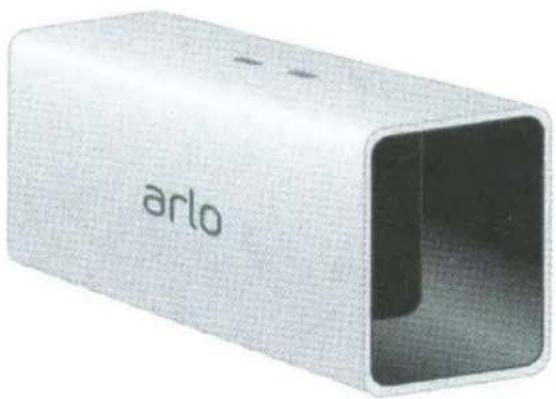
natural_image
Exterior view of a silver rectangular electronic device labeled 'arlo' (no additional text or symbols visible)Charging station
Window decal
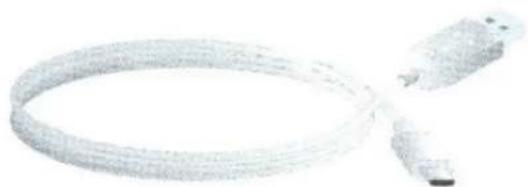
natural_image
Coiled cable or connector with a small attached component (no visible text or symbols)Power cable
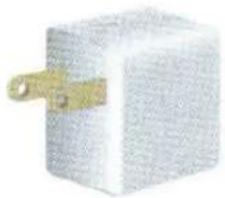
natural_image
Close-up of a white rectangular electronic component with a gold-colored clip attached (no visible text or symbols)Power adapter
Charge the Batteries
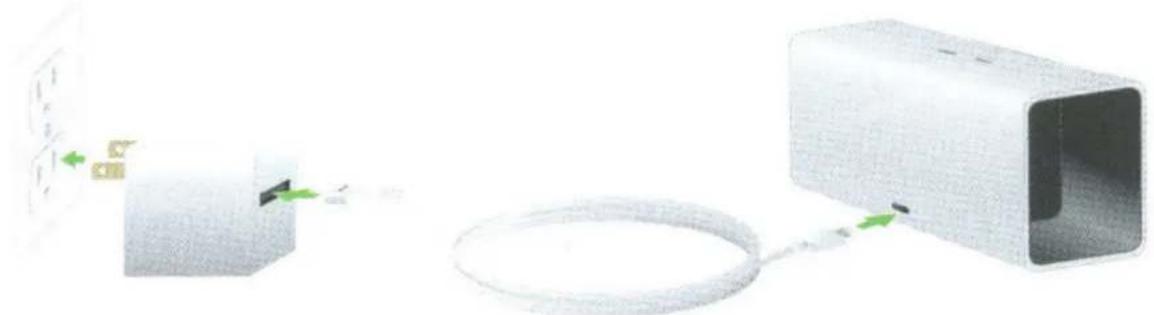
- Plug the power adapter into an electrical outlet.
natural_image
Diagram showing connection between a device and a cable, with no visible text or symbolsNote: You must use the Arlo Pro power adapter and cable when you use the charging station.
- Connect the cable to the charging station and plug it in.
- Insert a battery (not included) into a charging station bay.
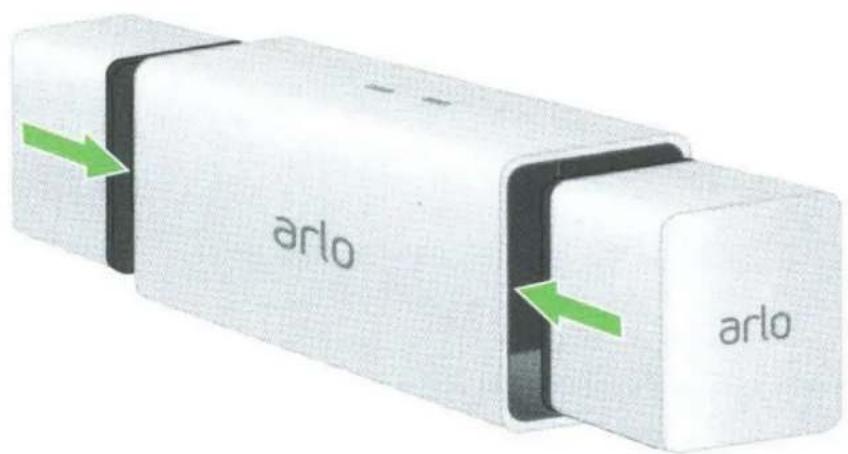
Align the battery with the grooves inside the charging station bay.
- Press the battery into the charging bay until you hear a click.
The LED lights solid amber to indicate that the battery is fully inserted and is charging.
- To charge a second battery, insert another battery into the other charging station bay.
When the batteries are fully charged, the LED lights solid green.
- To remove a battery from a charging bay, press the battery and release it.
A click sound indicates that the battery is disengaged and can be removed.
You're Done!
To view useful tutorial videos, find troubleshooting tips, or get support, visit support.arlo.com.
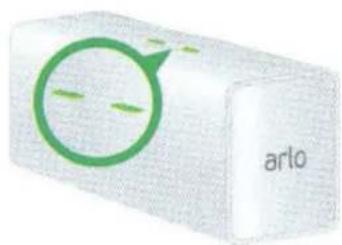
Charging Station LED Guide
natural_image
3D rendered block with green circular logo and 'arlo' text, no readable document content
Solid green
A battery is inserted and is fully charged.

Fast blinking amber
A battery is inserted and the charge failed.

Solid amber
A battery is inserted and is charging.

Off
The charging station is powered off or no batteries are inserted.
©NETGEAR, Inc., NETGEAR, the NETGEAR Logo, and Arlo are trademarks of NETGEAR, Inc.
Compliance
For the current EU Declaration of Conformity, visit http://kb.netgear.com/app/answers/detail/a_id/11621/.
For regulatory compliance information, visit http://www.netgear.com/about/regulatory/.
NETGEAR®
350 East Plumeria Drive San Jose, CA 95134, USA
August 2016
NETGEAR INTL LTD
Building 3, University Technology Centre Curraheen Road, Cork, Ireland
201-20612-01
Safety Rules for Arlo Pro Charging Station
To avoid personal injury and property damage from, but not limited to, the risk of electric shock or fire:
- Charge only Arlo Pro Rechargeable Batteries compatible with the Arlo Pro Charging Station. Charging other batteries may cause them to leak, rupture, or explode.
- Use the charger only in dry locations. Keep away from rain, snow or excessive moisture.
- Do not operate the charging station if it or its cord is damaged.
- Do not disassemble, modify, or attempt to use the charging station as a power source.
- Do not disassemble the battery, dispose of the battery in fire, put the battery in backwards, mix it with used or other battery types, or short circuit the battery. The battery might ignite, explode, leak, or get hot, causing injury.
• Unplug the charging station before maintaining or cleaning it.
- If you are using the charger in countries outside of the United States, connect a NETGEAR approved plug adapter.
- This charging station is not a toy and should not be used by children or infirmed persons without adequate training or supervision.
- This charging station is not intended for use by persons (including children) with reduced physical, sensory or mental capabilities, or lack of experience and knowledge, unless they have been given supervision or instructions concerning use of the charging station by a person responsible for their safety.
IMPORTANT SAFETY INSTRUCTIONS! SAVE THESE INSTRUCTIONS!
NETGEAR, Inc.
350 East Plumeria Drive San Jose, CA 95134, USA
August 2016
©NETGEAR, Inc., NETGEAR, the NETGEAR Logo, and Arlo are trademarks of NETGEAR, Inc.
Video Monitoring in Progress
You may not see Arlo but Arlo sees you.
NETGEAR®



- arlo TM
- Arlo Charging Station
- Welcome
- What's Included
- Charge the Batteries
- You're Done!
- Charging Station LED Guide
- Solid green
- Fast blinking amber
- Solid amber
- Off
- Compliance
- NETGEAR®
- NETGEAR INTL LTD
- Safety Rules for Arlo Pro Charging Station
- IMPORTANT SAFETY INSTRUCTIONS! SAVE THESE INSTRUCTIONS!
- Video Monitoring in Progress
Brand : NETGEAR
Model : Arlo Pro Charging Station
Category : Security Camera