
Arlo Pro Rechargeable Battery - Security Camera NETGEAR - Free user manual and instructions
Find the device manual for free Arlo Pro Rechargeable Battery NETGEAR in PDF.


| Product Type | Rechargeable Battery |
| Brand | NETGEAR |
| Model | Arlo Pro |
| Compatibility | Arlo Pro Wire-free HD Security Cameras |
| Charging Method | Use Arlo Pro Power Adapter or Arlo Pro Charging Station (sold separately) |
| Charging Indicator | Solid blue LED when fully charged |
| Maximum Temperature | Do not expose above 60°C (140°F) |
| Storage Requirements | Cool, dry, ventilated area |
| Safety: Disassembly | Do not disassemble, puncture, cut, crush, or short-circuit |
| Safety: Fire and Water | Do not incinerate or expose to water or fire |
| Safety: Children | Keep away from children |
| Safety: Metal Objects | Do not place in pocket or purse with metal objects |
| Safety: Hazardous Materials | Do not store with hazardous or combustible materials |
| Safety: Moisture | Do not let battery or compartment get wet |
| Disposal | Follow local waste and recycling laws |
| Maintenance | Keep battery compartment clean and free of debris |
| Usage Restriction | Only use with Arlo Pro cameras |
| Insertion | Align contacts and insert into camera battery compartment |
| Battery Type | Rechargeable lithium-ion (common type) |
| Capacity | 2440 mAh (typical) |
Frequently Asked Questions - Arlo Pro Rechargeable Battery NETGEAR
User questions about Arlo Pro Rechargeable Battery NETGEAR
0 question about this device. Answer the ones you know or ask your own.
Ask a new question about this device
Download the instructions for your Security Camera in PDF format for free! Find your manual Arlo Pro Rechargeable Battery - NETGEAR and take your electronic device back in hand. On this page are published all the documents necessary for the use of your device. Arlo Pro Rechargeable Battery by NETGEAR.
USER MANUAL Arlo Pro Rechargeable Battery NETGEAR
natural_image
Green stylized bird logo with wave-like signal elements (no text or symbols)arlo ^TM
Arlo Pro Rechargeable Battery

natural_image
Abstract green curved shape on white background (no text or symbols)What's Included
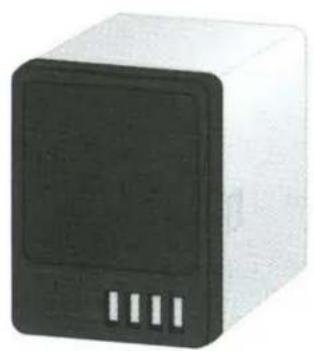
natural_image
White rectangular device with black front panel and three side slots, no visible text or symbolsRechargeable battery
Window decal
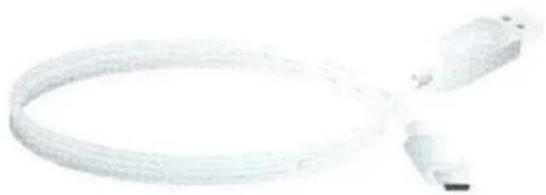
natural_image
Coiled white cable with connectors, no visible text or symbolsCamera power cable
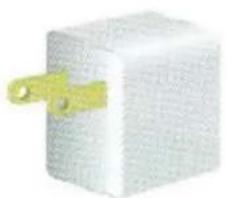
natural_image
Close-up of a white rectangular electronic component with a yellow plastic clip attached (no visible text or symbols)Camera power adapter
Insert the Battery
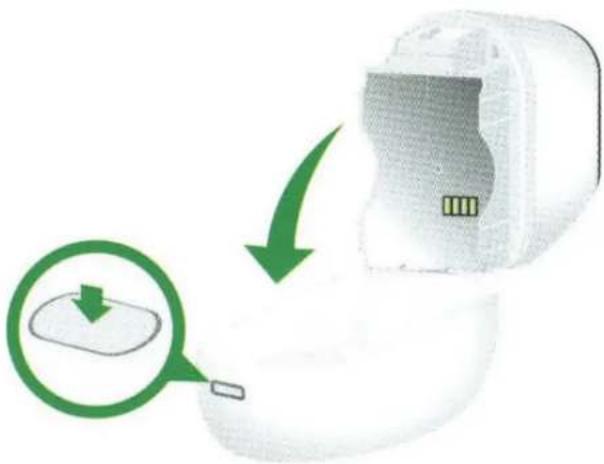
- Unlock the battery compartment by pressing and holding the latch.
-
Gently pull the battery door back to open the compartment.
-
Align the battery contacts.
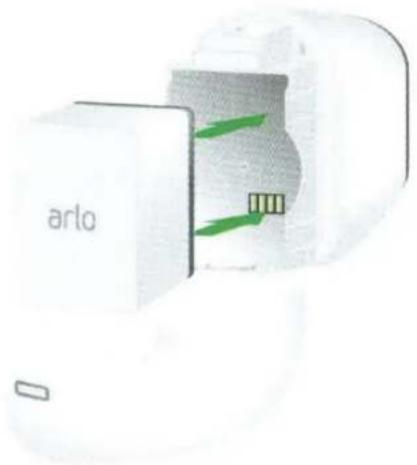
- Insert the battery.
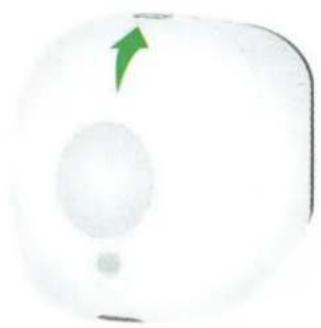
- Close the battery door.
natural_image
Close-up of a white circular device with a green arrow pointing upward and a small dot below, no visible text or symbols.Charge the Battery
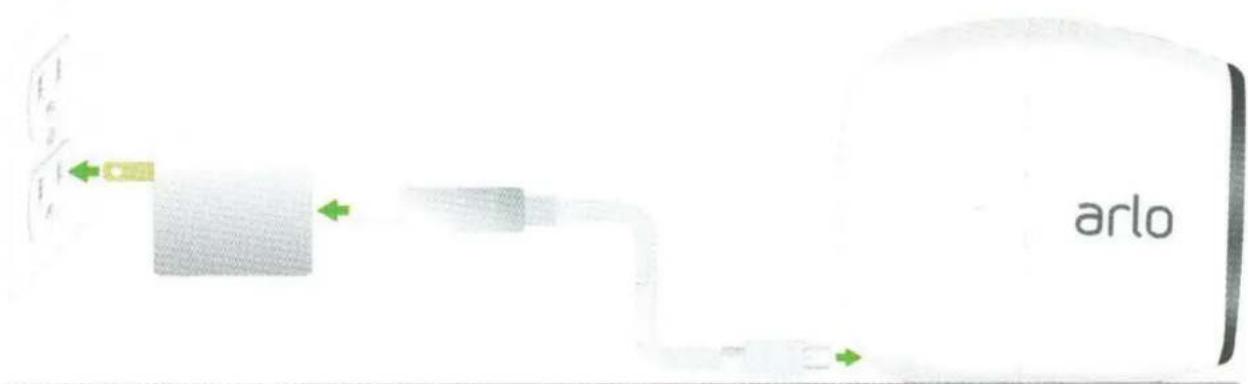
- Connect the power adapter cable to the camera power adapter.
Note: You must use an Arlo Pro power adapter to charge the battery.
-
Connect the other end of the adapter cable to the camera.
-
Plug the power adapter into an electrical outlet.
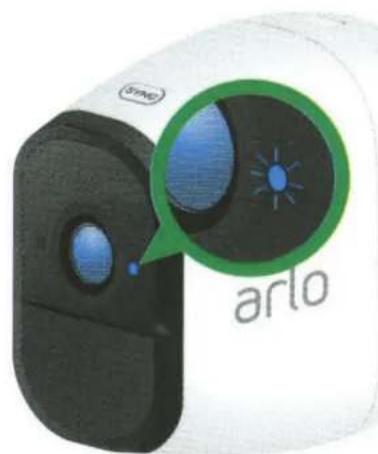
The camera LED lights solid blue when the camera battery is fully charged.
You're Done!
Congratulations! Your Arlo Pro camera is set up and ready to go.
To view useful tutorial videos, find troubleshooting tips, or get support, visit support.arlo.com.
©NETGEAR, Inc., NETGEAR, the NETGEAR Logo, and Arlo are trademarks of NETGEAR, Inc. Any non-NETGEAR trademarks are used for reference purposes only.
Compliance
For the current EU Declaration of Conformity, visit http://kb.netgear.com/app/answers/detail/a_id/11621/.
For regulatory compliance information, visit http://www.netgear.com/about/regulatory/.
NETGEAR®
350 East Plumeria Drive San Jose, CA 95134, USA
July 2016

NETGEAR INTL LTD
Building 3, University Technology Centre Curraheen Road, Cork, Ireland
201-20611-01
Safety Rules for Arlo Pro Rechargeable Batteries
Arlo Pro Wire-free HD Security Cameras use rechargeable batteries and can go wherever you need them. But ALL batteries can EXPLODE, CATCH FIRE and CAUSE BURNS if disassembled, punctured, cut, crushed, short-circuited, incinerated or exposed to water, fire or high temperatures, so you need to handle them with care.
To use Arlo Pro Rechargeable Batteries safely:
• ALWAYS store spare batteries in a cool, dry, ventilated area.
• ALWAYS make sure that the battery compartment is clean and free of any debris before inserting new batteries.
• ALWAYS make sure the battery contacts are aligned.
• ALWAYS keep all batteries away from children.
• ALWAYS follow local waste and recycling laws when throwing used batteries away.
• ALWAYS use an Arlo Pro Power Adapter or an Arlo Pro Charging Station (sold separately) to charge Arlo Pro Rechargeable Batteries.
- NEVER place Arlo Pro Rechargeable Batteries in a pocket, purse, or other receptacle, especially those containing metal objects.
- NEVER store Arlo Pro Rechargeable Batteries with hazardous or combustible materials.
- NEVER let an Arlo Pro Rechargeable Battery or battery compartment get wet—before, during, or after installation. (Remember your camera itself is weatherproof, but its interior battery compartment and batteries aren't!).
- NEVER disassemble, cut, crush, puncture, short-circuit, dispose of in fire or water, or expose your Arlo Pro Rechargeable Battery to temperatures above 60°C (140°F).
Your Arlo Pro Wire-free HD Security Camera has been specifically designed for use only with Arlo Pro Rechargeable Batteries. Therefore, only use Arlo Pro Rechargeable Batteries with Arlo Pro Cameras.
TO THE EXTENT PERMISSIBLE BY APPLICABLE LAW, NETGEAR DISCLAIMS ALL LIABILITY WHATSOEVER RELATED TO THE USAGE OF ANY BATTERY OTHER THAN ARLO PRO RECHARGEABLE BATTERIES IN YOUR ARLO PRO WIRE-FREE HD SECURITY CAMERAS, INCLUDING WITHOUT LIMITATION, FIRE, DAMAGE TO PROPERTY, BODILY INJURY, AND/OR DEATH. YOU ASSUME ANY AND ALL RISKS ASSOCIATED WITH THE USAGE OF ANY BATTERY OTHER THAN ARLO PRO RECHARGEABLE BATTERIES IN ARLO PRO WIRE-FREE HD SECURITY CAMERAS, INCLUDING WITHOUT LIMITATION, FIRE, DAMAGE TO PROPERTY, BODILY INJURY, AND/OR DEATH.
TO THE EXTENT PERMISSIBLE BY APPLICABLE LAW, FAILURE TO FOLLOW THESE WARNINGS AND/OR DIRECTIONS COULD RESULT IN DAMAGE TO YOUR ARLO PRO CAMERA THAT WILL NOT BE COVERED BY NETGEAR'S WARRANTY.
ALWAYS REMEMBER that poor quality or mishandled batteries can damage your cameras, cause a fire, or result in personal injury. NETGEAR is not responsible for any failure to follow these battery usage guidelines.
NETGEAR, Inc.
350 East Plumeria Drive San Jose, CA 95134, USA
August 2016
©NETGEAR, Inc., NETGEAR, the NETGEAR Logo, and Arlo are trademarks of NETGEAR, Inc.
203-11594-01


Brand : NETGEAR
Model : Arlo Pro Rechargeable Battery
Category : Security Camera