IQbuds BOOST - Headphones Nuheara - Free user manual and instructions
Find the device manual for free IQbuds BOOST Nuheara in PDF.


User questions about IQbuds BOOST Nuheara
0 question about this device. Answer the ones you know or ask your own.
Ask a new question about this device
Download the instructions for your Headphones in PDF format for free! Find your manual IQbuds BOOST - Nuheara and take your electronic device back in hand. On this page are published all the documents necessary for the use of your device. IQbuds BOOST by Nuheara.
USER MANUAL IQbuds BOOST Nuheara
Don't miss important updates! Register your IQbuds™ through the app.
IN THE BOX:
IQbuds™ - Left and Right
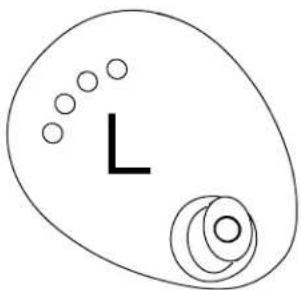
natural_image
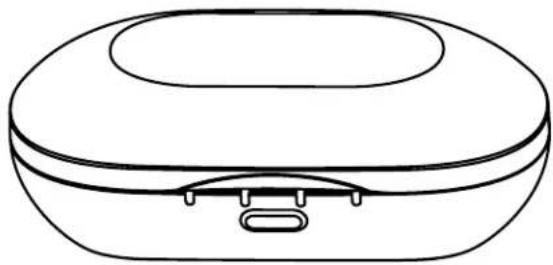
Simple line drawing of an egg with a small L-shaped cutout and concentric circles (no text or symbols)Charging/carrying case
natural_image
Line drawing of a closed electronic device with a lid and connector (no text or symbols)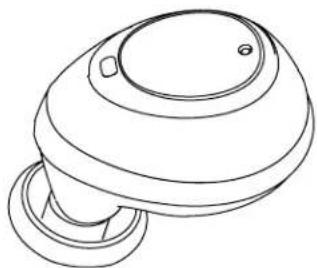
natural_image
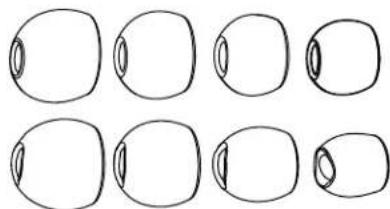
Line drawing of a mushroom-shaped object with a circular top and base (no text or symbols)Ear tips
natural_image
Eight hand-drawn oval shapes arranged in two rows, no text or symbols presentUSB cord
natural_image
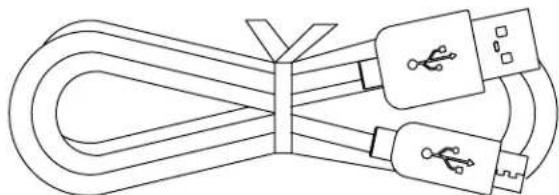
Line drawing of a coiled cable with two USB connectors (no text or symbols)CHARGING
STEP 1
There are two devices to be charged - the charging case and the earbuds.
natural_image
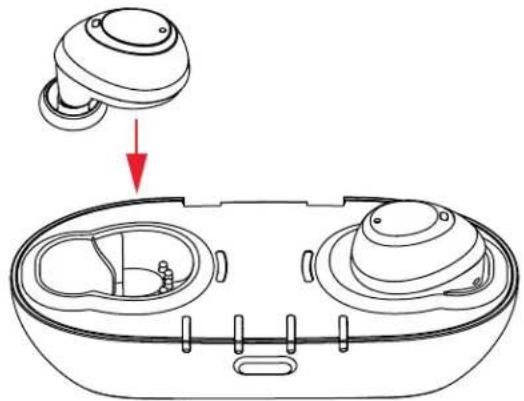
Line drawing of a device with a top component and a bottom view showing internal components (no text or symbols)Place your earbuds in the case, ensuring the gold contacts are touching the pins, and close the case to begin charging.
Two red lights on the case will illuminate for a few seconds to confirm the earbuds are charging.
STEP 2
natural_image
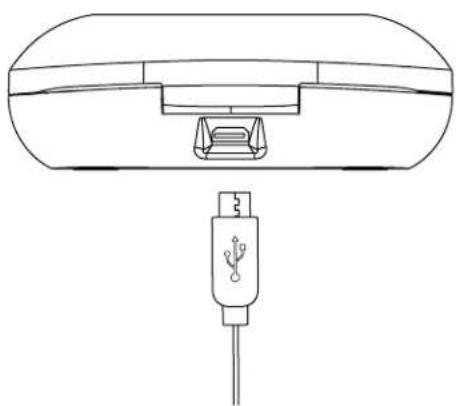
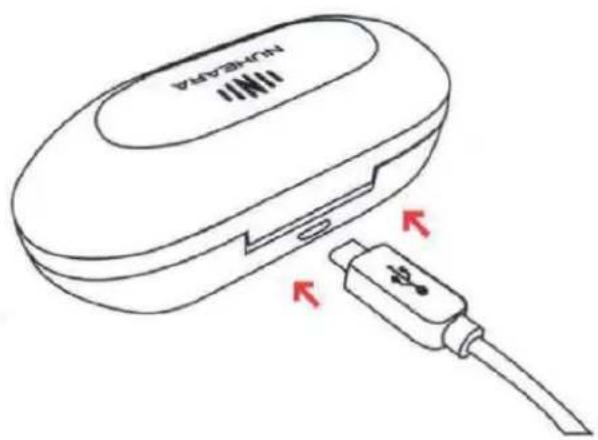
Line drawing of a device with a USB cable connector (no text or symbols)Connect the case to a USB power source (e.g. to a computer or a charging plug) to charge both the case and the earbuds.
| To fully charge case and earbuds for first use | 4 hours |
| To fully charge case 2.5 hours | |
| To fully charge earbuds from case without USB power source | 1.5 hours |
CHARGING INDICATORS
There are two devices to be charged - the charging case and the earbuds.
text_image
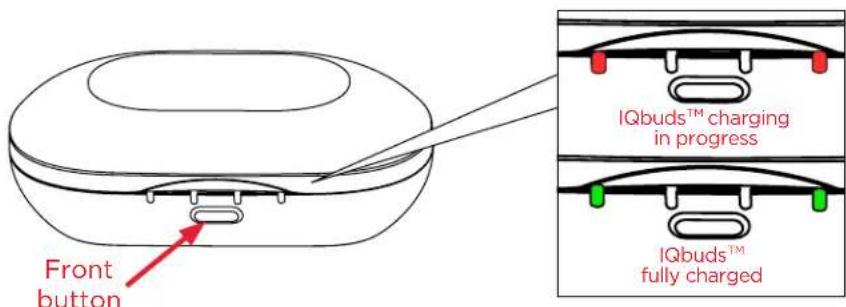
Front button IQbuds™ charging in progress IQbuds™ fully chargedEarbuds
When your earbuds are in the case and you close the lid, the indicator lights will display the charging status of the earbuds, as shown above.
If you missed it, press the front button for less than 2 seconds ('short press') to display the earbud charging status again.
text_image
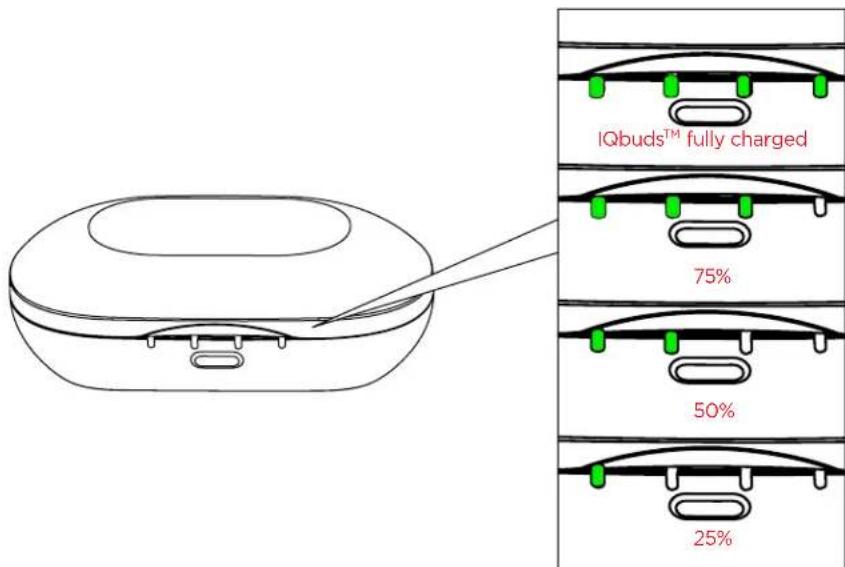
IQbuds™ fully charged 75% 50% 25%Charging case
When the case is empty and you open it, the indicator lights will show the charging status of the case, as shown above.
When your earbuds are in the case with the lid closed, you can see the charging status of the case by pressing the button for more than 2 seconds ('long press').
FIT
STEP 1
natural_image
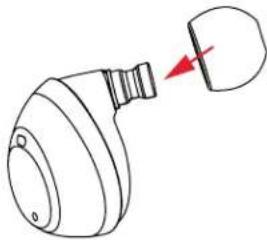
Simple line drawing of a mechanical component with a red arrow pointing to a small part (no text or symbols)Gently push the rubber ear tips onto the earbuds as shown. Try the different sizes and shapes of ear tips to get the best fit.
STEP 2
natural_image
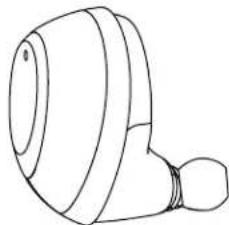
Line drawing of a mechanical component with a cylindrical body and a flanged end (no text or symbols)Insert the earbud into your ear with the tip pointing down.
STEP 3
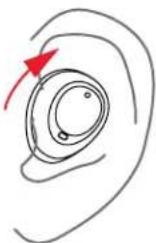
Rotate the earbud toward the back of your head. It should be seated snugly within the ear at a slight backwards angle.

Ear tips should provide a sound-proof seal in the ear without being uncomfortably tight.
GET THE APP

text_image
Featured IQbuds Nuheara, Inc. GET Details Reviews Related
text_image
Download on the App Store GET IT ON Google playPAIR WITH YOUR DEVICE
STEP 1
Remove your IQbuds from the charging case.
STEP 2
Insert your IQbuds in your ears.
STEP 3
Press and hold the tap-touch sensor (either L or R) for 5 seconds ('very long tap'). The announcer will say 'Pairing'. When they have paired with your mobile device, the announcer will say 'Connected'.

You can check if your earbuds are connected by viewing the Bluetooth settings on your mobile device.
STEP 4
Open the app and follow the tutorials to adjust your earbuds to suit your hearing levels and your environment.
CONTROLS
LEFT
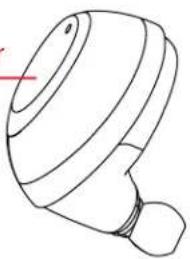
Left tap-touch sensor
natural_image
Line drawing of a stylized hat or bulb device with no text or symbolsMusic Phone call
| Tap | Play/pause Answer call / Mute call |
| Double-tap | Aactivate Siri/Google Now |
| Long tap | Reject/ hang up |
| 5s Very long tap | Activate Pairing mode |
RIGHT
natural_image
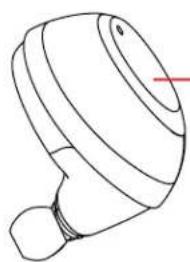
Line drawing of a stylized mechanical component with a red arrow pointing to its tip (no text or symbols)Right tap-touch sensor
Environment
| Tap | Toggle SINC on/off |
| Double- tap | Activate Siri/Google Now |
| Long tap | Switch between favourite locations |
| 5s Very long tap | Activate Pairing mode |
natural_image
Simple line drawing of a USB cable with two connectors (no text or symbols)USB CHARGE CABLE
natural_image
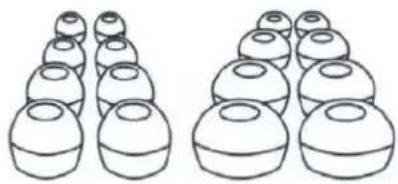
Two rows of identical 3D-rendered spheres, no text or symbols presentEAR TIPS

natural_image
Simple line drawing of a rounded rectangular object with a central slot and two small protrusions (no text or symbols)CHARGE CASE
natural_image
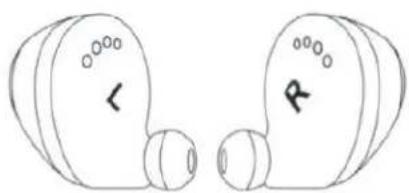
Simple line drawing of two identical circular objects with circular faces and markings, no text or symbols present.IQBUDS (LEFT AND RIGHT)
To setup go to:
natural_image
Line drawing of a wireless earbuds with two heads and a closed casing, showing red arrows indicating motion or movement (no text or symbols)2
text_image
NULHEAVA ↓3
text_image
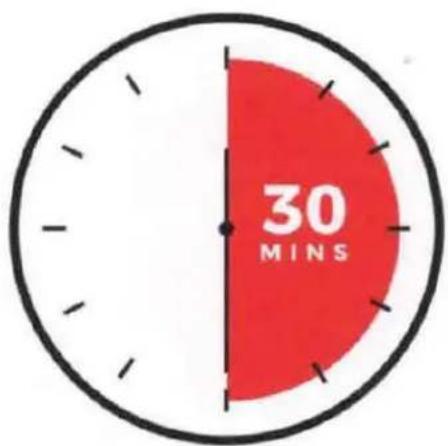
30 MINS4
natural_image
Two identical white circular objects on a dark background, resembling stylized eyes or lenses (no text or symbols)
text_image
Download on the App Store GET IT ON Google PlaySELF-FIT, SELF-ASSESS, AUTO-CALIBRATE
TO YOUR OWN UNIQUE HEARING PROFILE
OVERVIEW
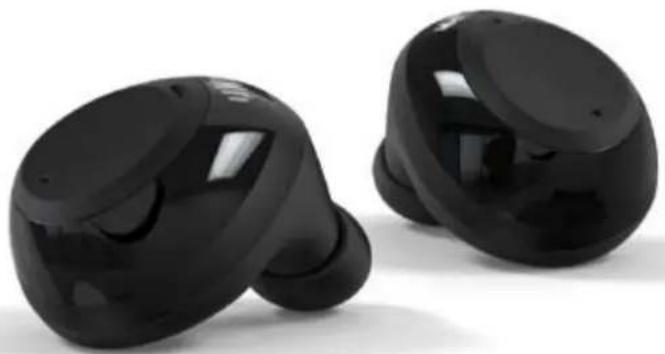
IQbuds BOOST is the most advanced assistive listening device on the market today.
In addition to all the great features of our award-winning IQbuds; We're proud to introduce Ear ID, an App based audiometric hearing assessment that calibrates the IQbuds to your unique hearing profile, using the NAL-NL2 method.
IQbuds BOOST eases speech intelligibility with your unique hearing needs in mind.
natural_image
Two black wireless earbuds with glossy surfaces, shown against a white background (no text or symbols visible)FEATURES
- Ear ID™ - Self Fit, Self Assess, Auto-Calibrate.
- SINC™ - Ease speech intelligibility by reducing background noise
• High Fidelity Audio - Hands-free calling
• Tap-touch control with Siri and Google
• Benchmark Battery Performance:
- Customizable fit - 8 sizes and 2 shapes of silicone tips for a perfect fit. Also includes Comply™ foam tips
BLUETOOTH OPERATION: 20 HOURS 5 hours battery life + 15 hours from charging case
ASSISTED LISTENING OPERATION: 32 HOURS 8 hours battery life + 24 hours from charging case
pie
| Quadrant | Value | | -------- | ----- | | LEFT | 78% | | RIGHT | 78% |Ear ID™
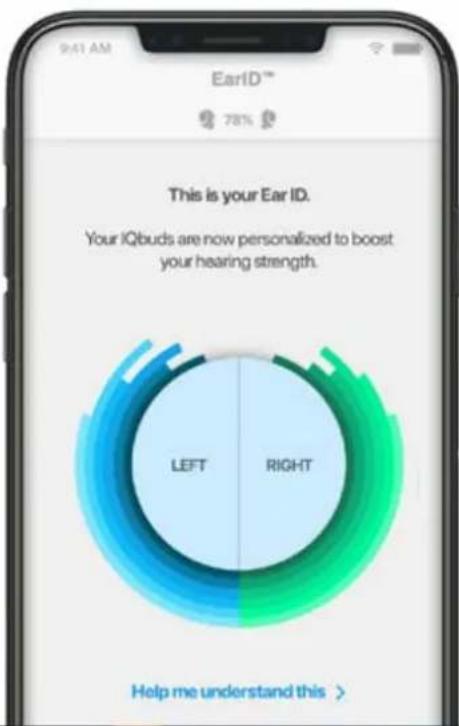
Ear ID™ is an intelligent audiometric system that learns how you hear and automatically adjusts the IQbuds to your hearing prescription.
1 Every ear is different and everyone hears differently. Ear ID™ creates a unique hearing profile for you by evaluating how you hear the world and then calibrating your IQbuds™ for a personalized listening experience
2 Ear ID ^™ is built on technology that has been independently and clinically validated as compared to conventional clinic based audiometry.
Colour Description Barcode Product Code
Black Nuheara IQbuds™ BOOST 854753007157 NU317-S2
FOCUS
Use Focus in noisy environments to enhance the sounds in front of you
Focus uses audio beamforming technology to isolate and enhance sounds directly in front of the BOOST user, providing enhanced conversation clarity in noisy environments.
Below are a series of tips and best practices related to using Focus
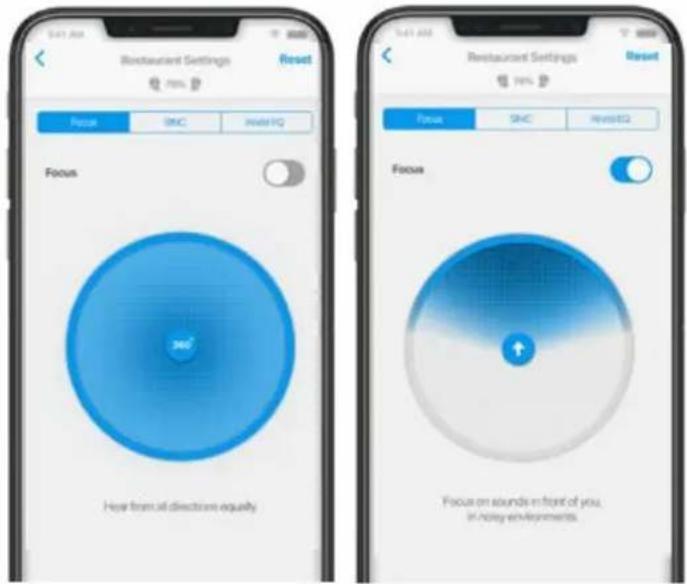
How do you turn on Focus? On your IQbudsTM application, the "World" setting needs to be "on" to switch Focus on or off. Using the phone application, Focus can be toggled on or off. Additionally, the long tap-touch on the right earbud may be configured to toggle Focus on or off if desired.
Is this an IQbuds BOOST-only feature? Yes, Focus is not available on IQbuds and is only available on IQbuds BOOSTTM.
Does Focus have any impact on Ear IDTM or vice versa? Focus works the best with Ear IDTM turned ON. The effect may be limited if Ear IDTM is OFF.
text_image
Restaurant Settings Reset Focus SMC HearF1Q Focus 360° Hear trans at directions equally Restaurant Settings Reset Focus SMC HearF1Q Focus Focus on sounds in front of you. In noisy environments.Which pre-configured location settings have Focus ON? Only the 'Restaurant' location setting has Focus turned on by default. For other locations, Focus can be turned on as shown in figure above.
Are there any conditions for it to work? Yes, Focus works best when the person speaking is close and in front, and background noise is behind.
Other recommendations: Focus is not recommended when outdoors in windy environments, or in situations where full peripheral awareness is needed (ex: driving, cycling, etc.)
Is there any impact on the call-quality? No, the call quality is not impacted by the Focus feature.
KEY FEATURES
| Processing Channels | 12 |
| WDRC | Yes |
| Feedback Management | Yes |
| Battery | Built-in rechargeable |
| Noise Reduction | SINC Noise Reduction |
| World Control | Yes, turn microphones on / off |
| iOS and Android App | Yes |
| Volume Control | Yes via App |
| Self-Setup & Personalisation | Yes via App |
| Low Battery alarm | Yes - spoken prompt |
| Discharge time | Music streaming playback time: 5 hoursEar ID only without music streaming: 8 hours |
| App Compatibility | iOS 9, iOS 10 or iOS 11Android version 5 or greater |
RECHARGING
| Recharging case / dock | Included |
| Recharging case type | Portable with internal rechargeable battery |
| Number of recharges provided | 3 |
| Ear bud charge time | 90 minutes |
| Case charge time | 3 hours |
| Ear bud battery | 120mAh Lithium Ion |
| Recharging case battery | 1140mAh lithium ion |
FITTING AND PROGRAMMING
| Nuheara IQbuds App | Ear ID self-fit and programming via IQbuds app |
| Fitting Formula | NAL-NL2 |
| Ear ID assessment frequencies | 500Hz, 1000Hz, 2000Hz, 3000Hz, 4000Hz, 6000Hz |
| Ear ID assessment range | 20 - 70dB |
| Ear tips included | 8 pairs silicone reusable3 pairs Comply memory foam |
Fit type Occluding
WIRELESS CONNECTIVITY
| Bluetooth compatible | Yes, version 4.2 |
| Bluetooth Phone Call Compatible | Yes |
| Bluetooth Music Stream Compatible | Yes |
| Bluetooth TV Stream Compatible | Yes, with additional accessory |
| Bluetooth Voice Assistant Access | Yes, Siri and Google Now with compatible devices |
| Dust and weather protection | Sweat and rain resistant.NanoProof coating on internal circuitry rated at IPX7 |
| Ear-to-ear connectivity | NFMI |
| Bluetooth profile supports | A2DP, HFP v1.6, HSP, AVRCP, aptX, aptX Low Latency |
TECHNICAL SPECIFICATIONS
IEC/TI EAR SIMULATOR 2CC COUPLER
| Frequency range | 100Hz - 10000Hz | 100Hz - 10000Hz | |
| THD | 500Hz | 0.18% | 0.08% |
| 800Hz | 0.29% | 0.25% | |
| 1600Hz | 0.42% | 0.40% | |
| Compression | AT: 10ms | AT: 10ms | |
| RT: 50ms | RT: 50ms | ||
| EIN | 26dB SPL | 26 dBSPL | |
| MPO (input 90dB SPL) | 118dB | 108dB | |
| Full on gain (input 50dB SPL) | 29dB | 28dB | |
| Microphones | 2 per ear | ||
| Driver | Balanced armature | ||
AU 190 Aberdeen St, Northbridge, WA 6003 Australia
US 660 Las Gallinas Avenue, San Rafael, CA, USA 94903 United States
Product + Safety Information
||N||
NUHEARA
IQbuds™
Nuheara IQbuds™ Important Information
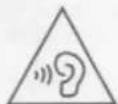
Hearing Safety
Listening at high volume levels may damage your hearing. Do not listen at high volume levels for long periods and set the volume to a safe level.
IQbuds are not hearing aids and are not intended to diagnose, treat, cure or alter the structure or function of the body. IQbuds will not restore normal hearing and will not prevent or improve a hearing impairment resulting from organic conditions. IQbuds™ are intended to amplify environmental sound for non-hearing impaired consumers. They are not intended to compensate for hearing impairment or to address listening situations that are typically associated with and indicative of hearing loss.
Battery
Nuheara IQbuds™ and the Charge Case include rechargeable lithium ion batteries. Do not attempt to replace the IQbuds™ battery of the accompanying battery yourself. You could damage the battery which could cause overheating, fire or injury. Batteries in this product are only serviceable by Nuheara or an authorised service agent and should be returned to Nuheara for service or replacement.
CAUTION
RISK OF EXPLOSION IF BATTERY IS RE- PLACED BY AN INCORRECT TYPE.
DISPOSE OF USED BATTERIES ACCORDING TO THE INSTRUCTIONS.
IQbuds™ and the Charge Case should not be recharged in temperatures exceeding 45C or 113F or when conditions are expected to exceed these temperatures. Doing so could result in overheating, fire or injury.
FCC Compliance Statement
This device complies with part 15 of the FCC Rules. Operation is subject to the following two conditions: (1) This device may not cause harmful interference, and (2) this device must accept any interference received, including interference that may cause undesired operation. Note: This equipment has been tested and found to comply with the limits for a Class B digital device, pursuant to part 15 of the FCC Rules. These limits are designed to provide reasonable protection against harmful interference in a residential installation.
This equipment generates, uses and can radiate radio frequency energy and, if not installed and used in accordance with the instructions, may cause harmful interference to radio communications. However, there is no guarantee that interference will not occur in a particular installation. If this equipment does cause harmful interference to radio or television reception, which can be determined by turning the equipment off and on, the user is encouraged to try to correct the interference by one or more of the following measures:
• Reorient or relocate the receiving antenna.
- Increase the separation between the equipment and receiver.
- Connect the equipment into an outlet on a circuit different from that to which the receiver is connected.
- Consult the dealer or an experienced radio/TV technician for help.
Notice: Any changes or modifications not expressly approved by the party responsible for compliance could void your authority to operate the equipment.
FCC Radio Exposure Information
This equipment complies with FCC radiation exposure limits set forth for an uncontrolled environment. End users must follow the specific operating instructions for satisfying RF exposure compliance. This transmitter must not be co-located or operating in conjunction with any other antenna or transmitter.
IC Compliance Statement
This device complies with Industry Canada license-exempt RSS standard(s). Operation is subject to the following two conditions:
(1) This device may not cause harmful interference, and
(2) this device must accept any interference received, including interference that may cause undesired operation.
CAN ICES-3(B)/NMB-3(B)
IC Declaration de Conformité
This equipment complies with Canada radiation exposure limits set forth for uncontrolled environments. This transmitter must not be co-located or operating in conjunction with any other antenna or transmitter.
Statement of Exposure to Radiation
This device complies with the ISED RSS-102 RF exposure limit set forth for an uncontrolled environment and are safe for intended operation as described in this manual.
Nuheara Ltd hereby declares that this wireless device is in compliance with the essential requirements and other relevant provisions of the R&TTE directive. A copy of the EU Declaration of Conformity is available by writing to Nuheara Ltd at: Unit 5, 28 John St, Northbridge, WA, Australia 6003 or emailing support@nuheara.com
Charge Case Rated Voltage
The rated voltage range is 4.40V to 5.25V
Information on Disposal for Users of Waste Electrical & Electronic Equipment (WEEE)
This symbol on the product(s) and / or accompanying documents means that used electrical and electronic products should not be mixed with general household waste. For proper treatment, recovery and recycling, please take this product(s) to designated collection points where it will be accepted free of charge.
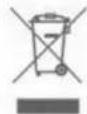
Alternatively, in some countries you may be able to return your products to your local retailer upon purchase of an equivalent new product.
Disposing of this product correctly will help save valuable resources and prevent any potential negative effects on human health and the environment, which could otherwise arise from inappropriate waste handling.
Please contact your local authority for further details of your nearest designated collection point.
Penalties may be applicable for incorrect disposal of this waste, in accordance with your national legislation.
Recommended Use and Storage
The Nuheara IQbuds, are true wireless Bluetooth earbuds intended to be used for wirelessly listening to music or making phone calls as well as listening to the world around you.
For safe operation do not submerse the IQbuds in liquid and do not charge the IQbuds in temperatures above 45C. During transport remove IQbuds from Charge Case and place in original packaging. At end of life, dispose of IQbuds at a battery/electronic waste collection centre.
In the event of malfunction contact Nuheara technical support at www.nuheara.com/support
Recommended storage conditions: Temperature 20 to 30C, humidity not greater than 93%.
Operating temperature range: 0 to 45C when charging and 0 to 60C while in use.
Nuheara IQbuds model NU317
The Nuheara IQbuds are manufactured at, Flextronics (Plant B15), No.38, Xinwei Street, Jing'An Town, Doumen District Zhuhai, Guangdong, 519180 China
The date of manufacture forms part of the serial number on the Charge Case label starting with IQBYYWWnnnnn where YY represents the year of manufacture and WW the week within that year.
Nuheara 1-Year Limited Warranty Summary
Your Products are warranted against defects in materials and workmanship for the warranty period from the date of original retail purchase (if purchased at a retailer) or from the date of shipment (if purchased on the Site) when used in accordance with the applicable usage documentation. The warranty period is either one year, or the minimum period mandated by the regulatory requirements in the country of sale.
If the Product is exchanged, the replacement product becomes your property and the Product becomes Nuheara's property. When a refund is given, the Product becomes Nuheara's property.
This warranty excludes defects due to normal wear, abuse, shipping damage, or failure to use product in accordance with instructions. This warranty is void in the event of unauthorized repair or modification, or removal or defacing of the product labeling.
Except to the extent precluded by applicable state law, Nuheara is not liable for consequential, incidental, direct or special damages arising, directly or indirectly, in respect of such products or use or failure thereof, whether based on breach of warranty, negligence, strict liability, tort or otherwise.
No Nuheara reseller, agent or employee is authorized to make any modification, extension or addition to this warranty.
Some states and countries do not allow limitations on how long such warranties, conditions, and/or implied terms may last, so the limitation described above may not apply to you. This warranty is offered in addition to rights and remedies conveyed by consumer protection laws and regulations that cannot be statutorily waived, and does not affect your applicable statutory rights. To the extent permitted under applicable law, the duration of any implied warranty shall be one year.
For full Warranty terms and conditions please visit: http://www.nuheara.com/nuheara-warranty/

FCC ID: 2AKMG00000NU317
IC: 22241- MFP0000005
© Copyright Nuheara Ltd 2016. All rights reserved. Nuheara and IQbuds are trademarks of Nuheara Ltd. DOC1000003 REV 08
Nuheara LTD
Unit 5, 28 John Street Northbridge, WA 6003
Australia
www.nuheara.com
+61 8 6555 9999
DOC1000003 REV 08
THANK YOU
DON'T MISS IMPORTANT UPDATES! REGISTER YOUR PRODUCT
NON PERDERE IMPORTANTI AGGIORNAMENTI REGISTRA IL TUO PRODOTTO
NE MANQUEZ PAS LES MISES À JOUR IMPORTANTES! ENREGISTREZ VOTRE PRODUIT
ANY QUESTIONS? WE'RE HERE TO HELP! CONTACT OUR AMAZING CUSTOMER CARE TEAM.
www.nuheara.com/support (Chat) care@nuheara com (Email)
QUALSIASI DOMANDA? SIAMO QUI PER AIUTARE! CONTATTARE IL NOSTRO TEAM DI SUPPORTO AL CLIENTE INCREDIBILE.
DES QUESTIONS? NOUS SOMMES ICI POUR AIDER! CONTACTEZ NOTRE ÉQUIPANTE ÉQUIPE DE SOUTIEN À LA CLIENTÉLE.