IQbuds 2 MAX - Headphones Nuheara - Free user manual and instructions
Find the device manual for free IQbuds 2 MAX Nuheara in PDF.


User questions about IQbuds 2 MAX Nuheara
0 question about this device. Answer the ones you know or ask your own.
Ask a new question about this device
Download the instructions for your Headphones in PDF format for free! Find your manual IQbuds 2 MAX - Nuheara and take your electronic device back in hand. On this page are published all the documents necessary for the use of your device. IQbuds 2 MAX by Nuheara.
USER MANUAL IQbuds 2 MAX Nuheara
Tips & Tricks to getting the best out of your IQbuds Products
Follow this in-depth guide to learn more about your IQbuds products.
We will walk you through each feature and what it can do for you and how you can use it in different situations.
Getting started with IQbuds2 MAX
We have created this guide for you to get the most out of your IQbuds.
We will explain each feature and provide some tips and tricks on how to understand and use them.
Component Names
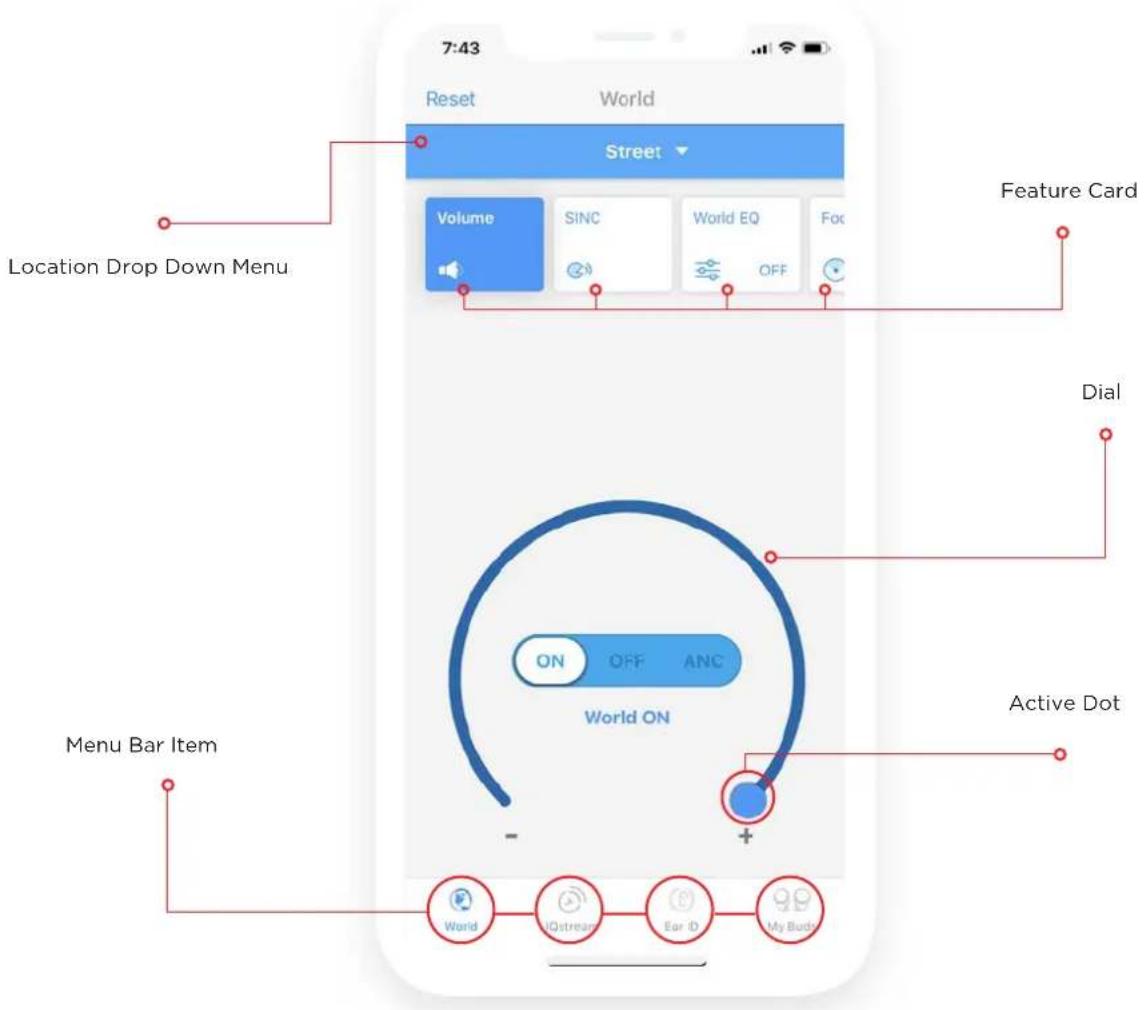
Before we proceed, we would like to advise you on names of different components of the app, so you know what we are referring to throughout this document.
text_image
7:43 Reset World Street Volume SINC World EQ Fox OFF Feature Card Location Drop Down Menu Dial ON OFF ANC World ON Menu Bar Item Active DotTo begin your IQbuds experience, we recommend you start with Ear ID.
It will take around 10 minutes to go through this process and get your IQbuds personalized for your hearing.
What Is Ear ID? How Can Ear ID Help You?
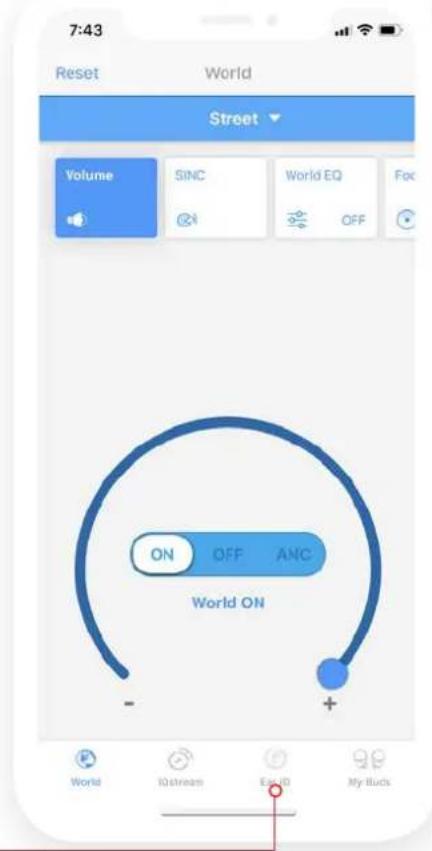
You can find Ear ID in the menu bar.
Ear ID is a certified hearing assessment within the app. It will assess your hearing, show your results and calibrate your IQbuds for you.
It identifies the softest tone you can hear in a range of frequencies.
From your results it will also provide a customized hearing profile for you, that boosts your hearing in areas you may have some hearing loss.
This will give you a more well rounded hearing experience when wearing IQbuds with Ear ID on.
text_image
7:43 Reset World Street Volume SINC World EQ Fox OFF ON OFF ANC World ON - + World IStream Epic ID My Bucks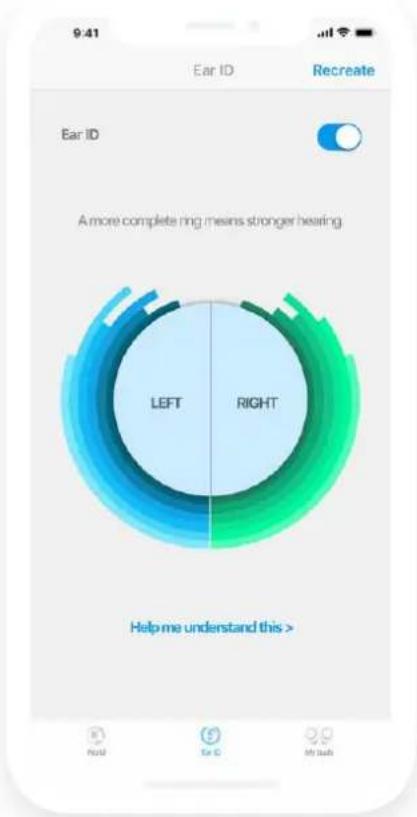
text_image
9:41 Ear ID Recreate Ear ID A more complete ring means stronger hearing LEFT RIGHT Help me understand this > Hold Go C My bathHow To Use Ear ID?
When completing Ear ID, there are a few steps in the process. Before starting, please make sure you are in a quiet room, there will be a noise level check at the start of the assessment.
You will come to a screen where some tones will test your ear tips to see if they seal your ears well.
Sealing your ears makes sure you can hear each tone correctly, to give the best results.
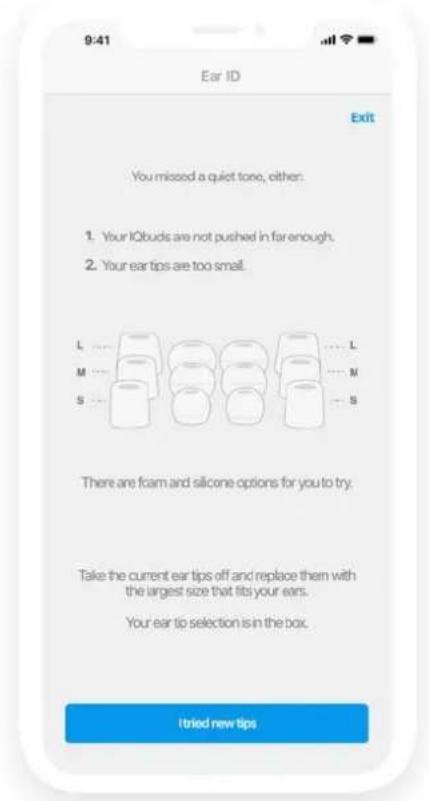
If your tips don't fit well you may be given some advice on trying other sizes.
Take your time and try more tip sizes.
Please note, not everyone can hear all the tones, if you find yourself stuck in a loop, please proceed to the assessment. We recommend you try the heartbeat tones at least once.
text_image
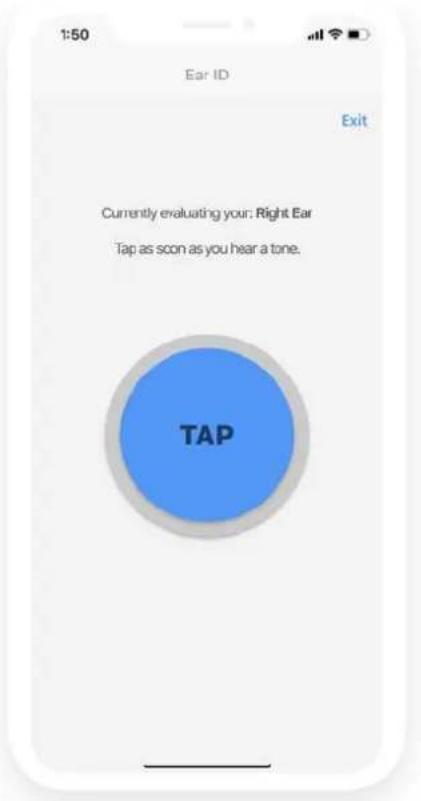
1:50 Ear ID Exit Currently evaluating your: Right Ear Tap as soon as you hear a tone. TAPHit the TAP button as soon as you hear a tone.
text_image
9:41 Ear ID Exit You missed a quiet tone, either: 1. Your IQbuds are not pushed in far enough. 2. Your ear tips are too small. L .... L M .... M S .... S There are foam and silicone options for you to try. Take the current ear tips off and replace them with the largest size that fits your ears. Your ear tip selection is in the box. I tried new tipsInstructions to changing tip sizes.
text_image
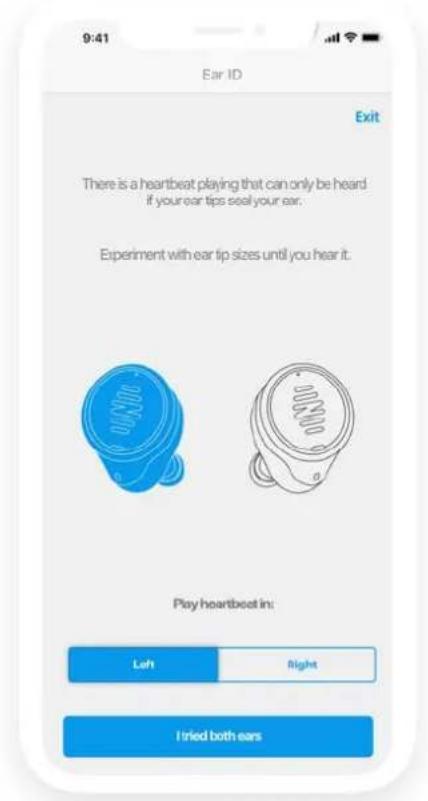
9:41 Ear ID Exit There is a heartbeat playing that can only be heard if your ear tips see your ear. Experiment with ear tip sizes until you hear it. Play heartbeat in: Left Right I tried both earsA special heartbeat tone is played. to determine your seal.
Try both left and right ears.
Please note, If you do not see these tip changing screens, don't worry. It just means you had a good seal and you were able to progress past this.
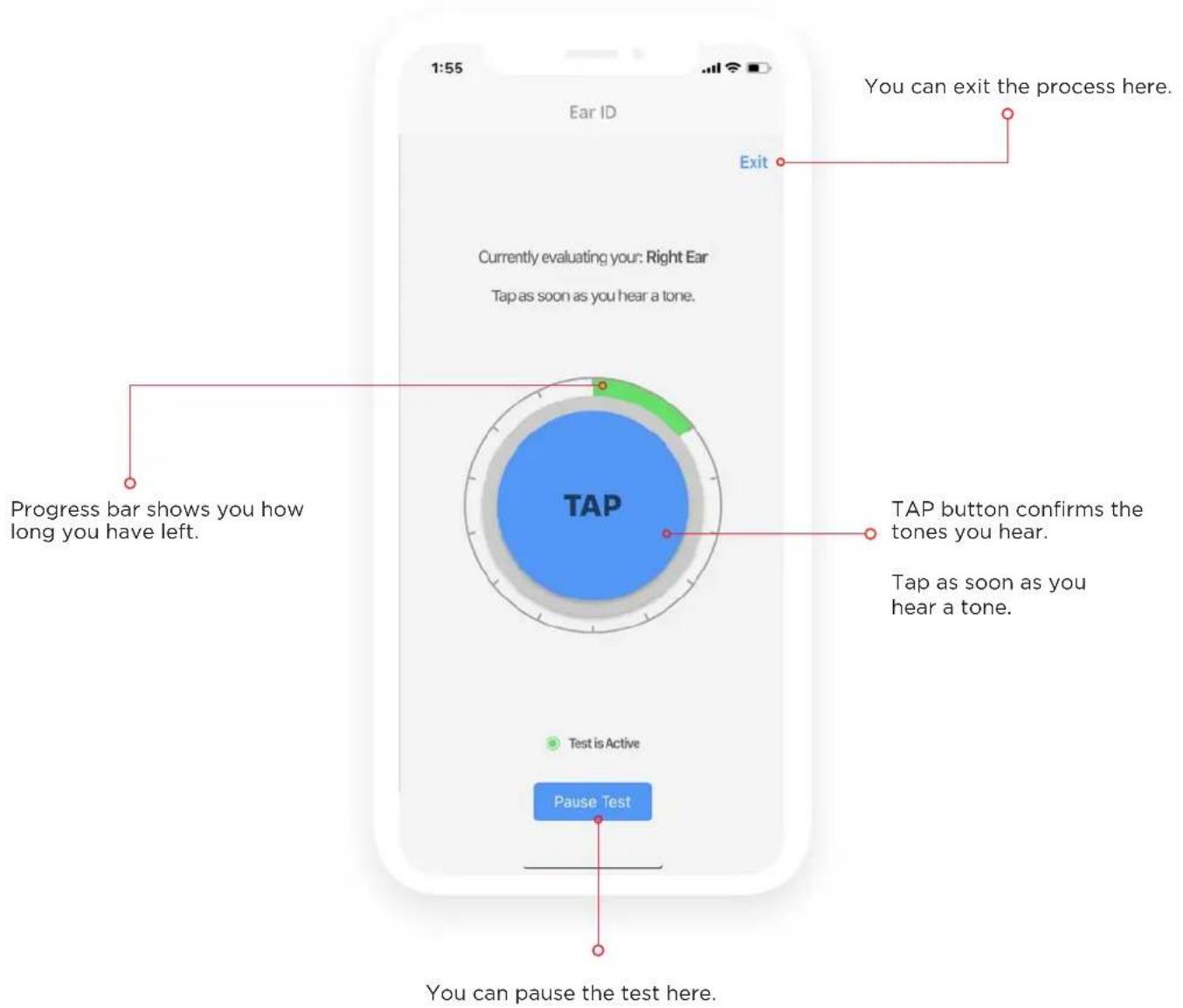
Once Ear ID has tested your tip sizes, you can then start the assessment.
This assessment will identify the quietest tone you can hear in each frequency.
Don't stress if you can't hear them all, that's what we are here for.
You may experience some gaps in tones, that is fine too. Take your time and complete the process.
text_image
Ear ID Currently evaluating your: Right Ear Tap as soon as you hear a tone. Exit You can exit the process here. TAP Progress bar shows you how long you have left. TAP button confirms the tones you hear. Tap as soon as you hear a tone. Test is Active Pause Test You can pause the test here.Please note if you open a different app or get notifications during the assessment, it may require you to exit and start again.
How To Use Ear ID?
(Once the assessment is completed)
You can turn Ear ID on and off using this switch here. You can re-take the Ear ID assessment with "Recreate"
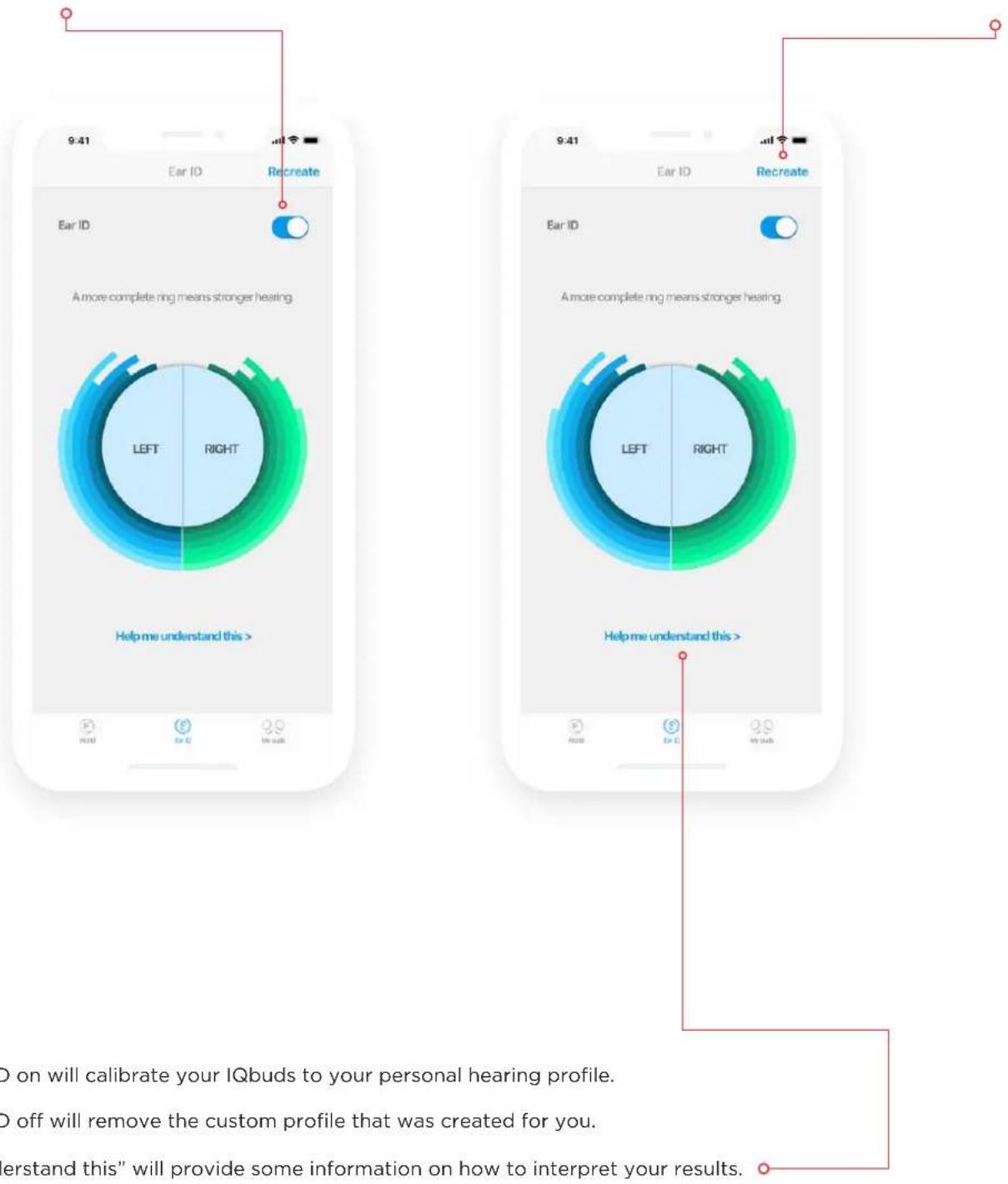
Turning Ear ID on will calibrate your IQbuds to your personal hearing profile.
Turning Ear ID off will remove the custom profile that was created for you.
"Help me understand this" will provide some information on how to interpret your results.
We recommend recreating your Ear ID every 6 months to keep the settings up to date, you can do that with "Recreate" which will take you through the process again.
Locations
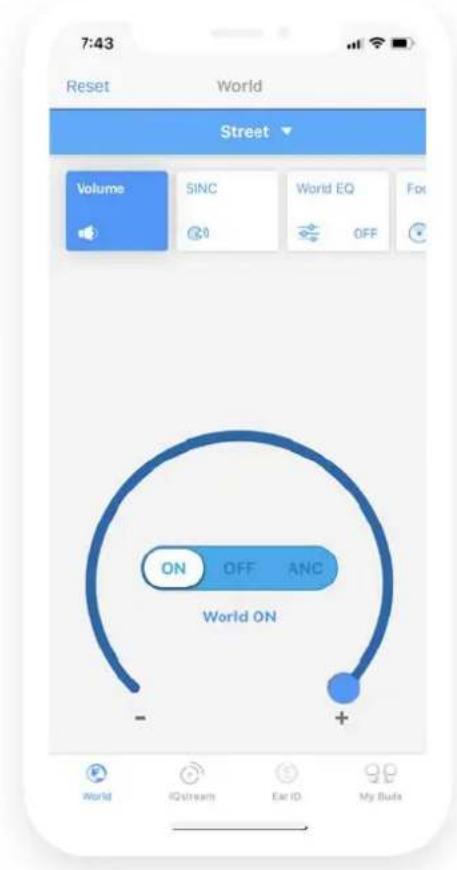
Learning about locations is key to creating the best experience depending on your environment. We recommend you always start by choosing your location.
What Are Locations?
Locations are presets for each feature that we have created as a recommendation.
We encourage tweaking for each specific environment you enter, we just provide a starting point.
Features like Volume, SINC, EQ and Focus all sit under locations. You can tweak each of these and they will be automatically saved each time you change it.
How Can Locations Help You?
Locations are basically just a way to save all your feature settings as a preset.
This then allows you to have your IQbuds set faster by choosing a location, rather than changing each setting every time you move to a new environment.
text_image
7:43 Reset World Street Volume SINC World EQ For OFF ON OFF ANC World ON - +
text_image
9:41 Reset World Home ▲ Select up to 4 favourites with the hearts. Cycle through your favourites using 'Change Location' Tap touch function. Home Hear everything from your loved ones clearly when spending time with them. Workout Be aware of your surroundings when at the gym or exercising outside. Street Calm the loud environment around you in a busy city. Office Open yourself to clear interactions with your colleagues. Restaurant Reduce background chatter, plate clinks and clarify speech of those at your table.How Do I Use Locations?
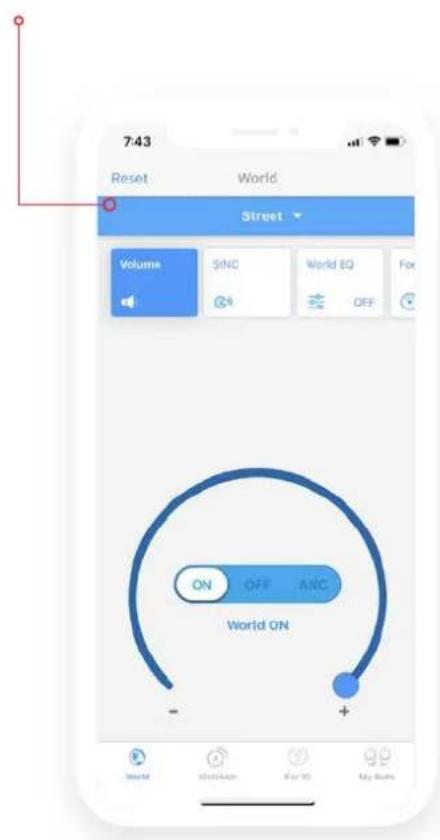
The large blue bar at the top is the locations drop down menu, it will show you what location is currently selected.
Simply open the drop down menu and select your location, tap the drop down menu again to close.
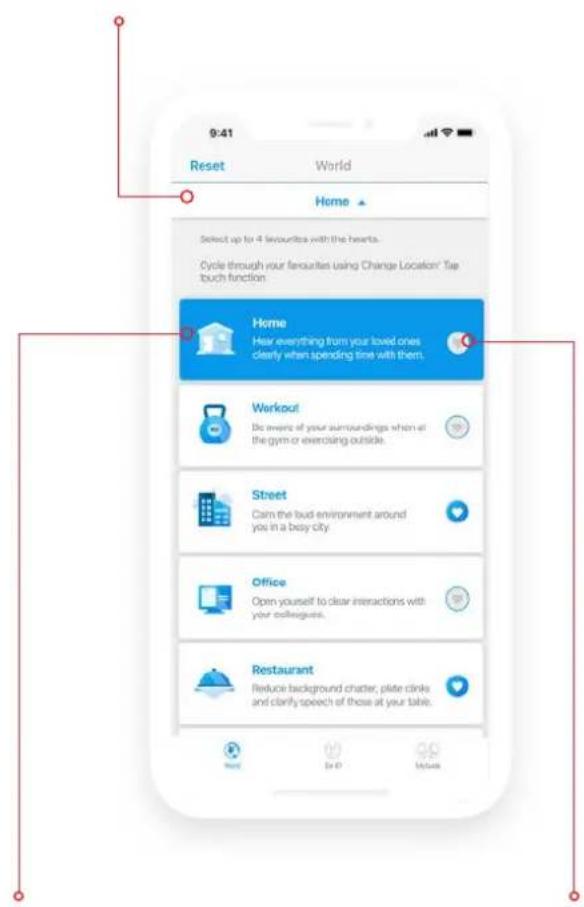
You can use the hearts to create a favourites list.
You can select up to 4 favourites.
The favourites list is used when you cycle through your locations using Tap Touch.
For further information, Tap Touch is on page 17.
You can drag and drop locations to select the order you want your IQbuds to cycle through when using Tap Touch.
Tap here to open the drop down menu.
text_image
7:43 Reset World Street Volume SYNC World EQ Fox OFF ON OFF ANC World ON - +Tap here to close after you select your location.
text_image
9:41 Reset World Home Select up to 4 favourites with the hearts. Cycle through your favourites using 'Change Location' Tap tuch function Home Hear everything from your loved ones clearly when spending time with them. Workout Do invent of your surroundings when at the gym or exercising outside. Street Carm the bud environment around you in a busy city. Office Open yourself to clear interactions with your colleagues. Restaurant Reduce background chatter, plate clinks and clarify speech of those at your table.Blue highlight is the selected location.
Use these hearts to select a location as a favourite. (4 maximum.)
Example Scenario:
You are in the office, you have selected "Office" as your location. You have tweaked Volume, SINC, EQ and Focus to your preference.
You are now leaving the office and are walking to the train station. You can select the drop down menu, select Street, then the tap the drop down menu again to close.
Your settings for street are now in use.
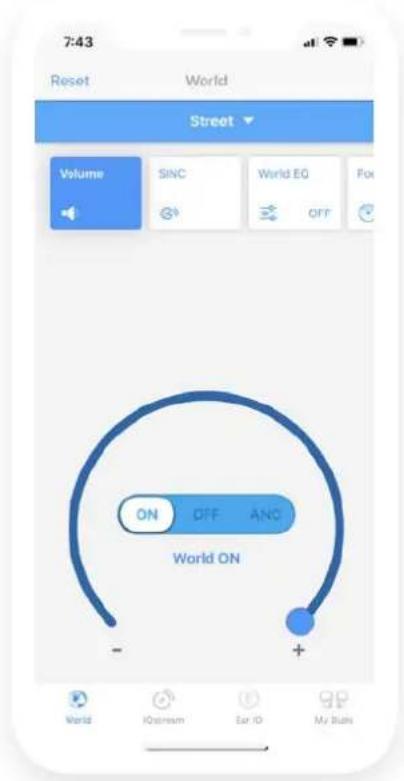
The World menu bar item holds all features that can make a difference to hearing your surroundings. The first feature card is Volume, this just controls the volume of your surroundings you hear through the IQbuds.
You may see volume referred to as World Volume or World on and off. This is because world is the global control for sound and the volume controls how much of it you can hear.
What Is Volume? How Can Volume Help You?
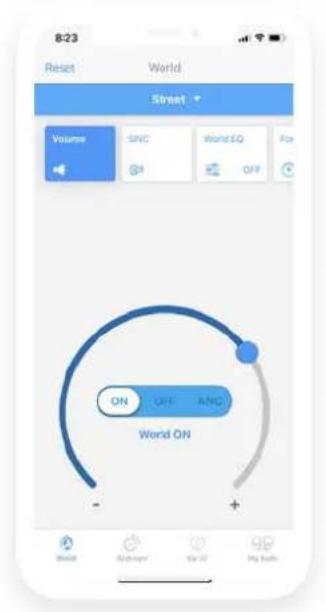
The Volume card controls the microphones in the IQbuds. The dial controls how much of your surroundings you hear through the IQbuds.
It gives you control over volume, if you want to hear more of your surroundings, or block out sound when you want to hear less.
text_image
7:43 Reset World Street Volume SINC World EQ Fox OFF ON OFF ANC World ON - + World Iostrum Ear ID My Bits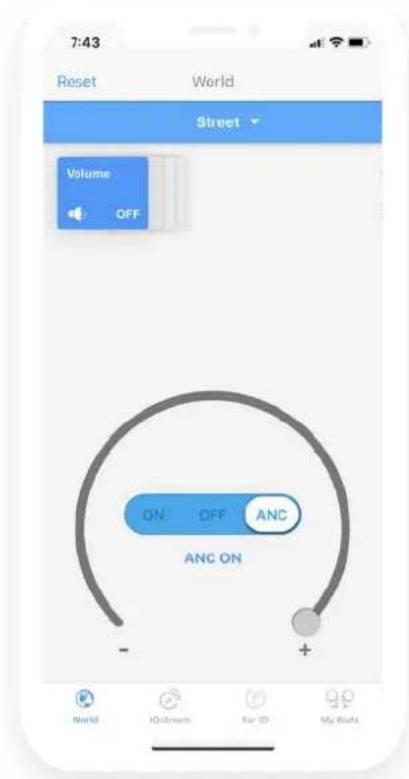
text_image
7:43 Reset World Street Volume OFF ON OFF ANC ANC ON - + World 10-shot Far ID My Rats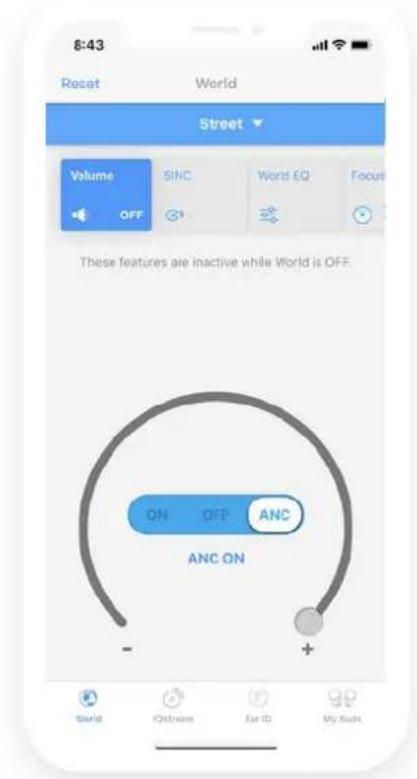
text_image
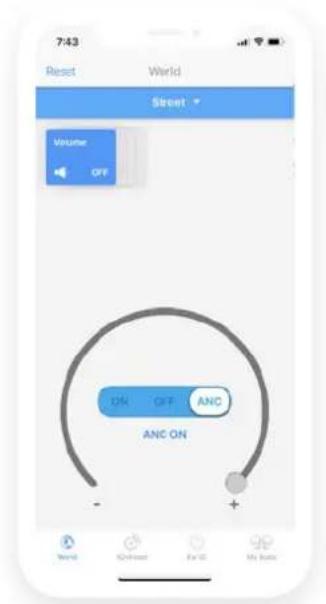
8:43 Reset World Street Volume SNC World EQ Focus OFF These features are inactive while World is OFF. ON OFF ANC ANC ON - + World Optimum Eye ID My KidsIt's important to note that when World Volume is turned off, all other features in the World menu bar item are also inactive.
This is because all features are making changes to the way you hear the world, if world is off then there is no change being made.
How To Use Volume?
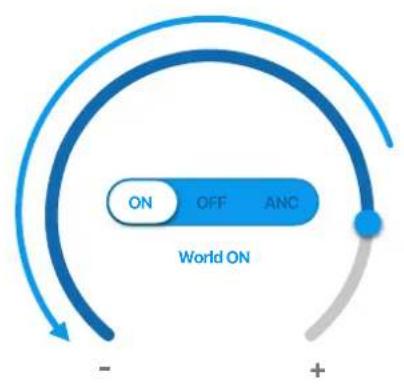
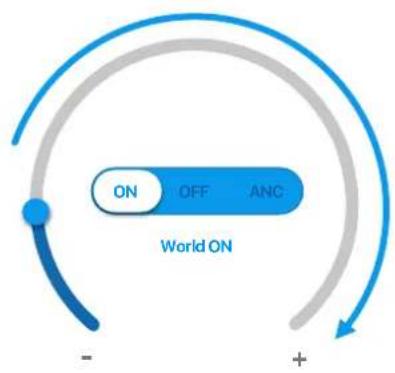
Using the dial + active dot controls the volume of your surroundings.
ACTIVE DOT TO THE LEFT ACTIVE DOT TO THE RIGHT
flowchart
graph TD
    A["ON"] --> B["OFF"]
    B --> C["ANC"]
    C --> D["World ON"]
    style A fill:#0066cc,stroke:#333
    style B fill:#0066cc,stroke:#333
    style C fill:#0066cc,stroke:#333
    style D fill:#fff,stroke:#333
Reduce the volume of your surroundings.
flowchart
graph TD
    A["ON"] --> B["OFF"]
    B --> C["ANC"]
    C --> D["World ON"]
    style A fill:#0066cc,stroke:#333
    style B fill:#0066cc,stroke:#333
    style C fill:#0066cc,stroke:#333
    style D fill:#fff,stroke:#333
Increase the volume of your surroundings.
Using switch in the middle of the dial turns the feature on and off.
| WORLD VOLUME ON | WORLD VOLUME OFF ANC ON | |
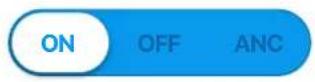 World ON World ON | 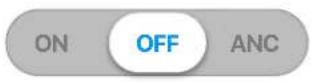 World OFF World OFF |  ANC ON ANC ON |
| ‘ON’ will give you control over more or less volume. | ‘OFF’ will heavily reduce the noise level of your surroundings. | ‘ANC’ gives you another level of further noise reduction. |
Think about the control as three steps of noise level. From left to right.
Most Noise (ON) Less Noise (OFF) Least Noise (ANC)
Example Scenario:
You are sitting at home with a loved one, they are talking but you can't quite hear what they are saying, it's a little too quiet. You move the active dot to the right and their voice and your surroundings become louder.
Later that day you would like to sit down and read a book, your loved one is watching TV next to you. You would like to focus on your book without the distraction of the TV. You turn world volume off to give yourself the ability to focus on reading.
What Is SINC? How Can SINC Help You?
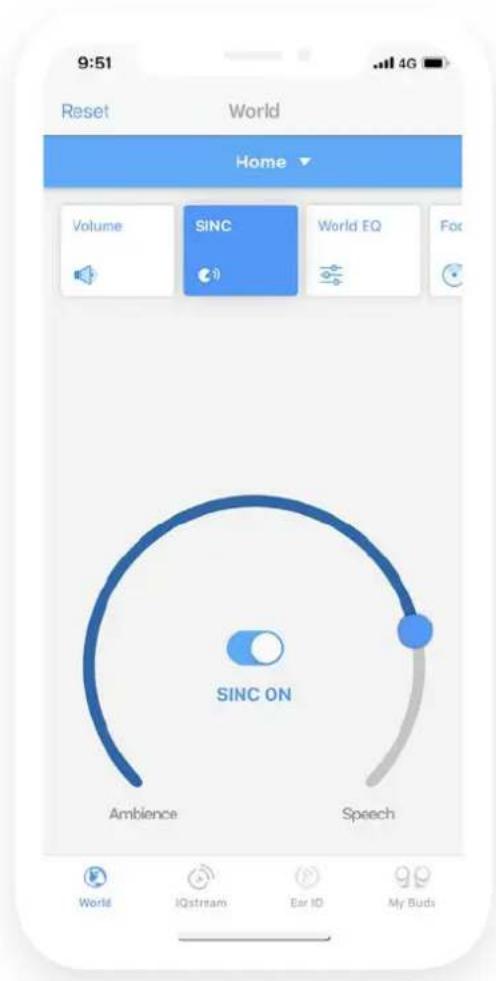
The SINC dial controls speech vs ambient noise. It gives you the ability to reduce background noise to focus on speech.
You can use SINC in noisy or crowded environments to reduce the ambient noise and focus on speech.
It acts as a feature that suppresses background noise.
text_image
9:51 Reset World Home Volume SINC World EQ Fox SINC ON Ambience Speech World IQstream Ear ID My Buds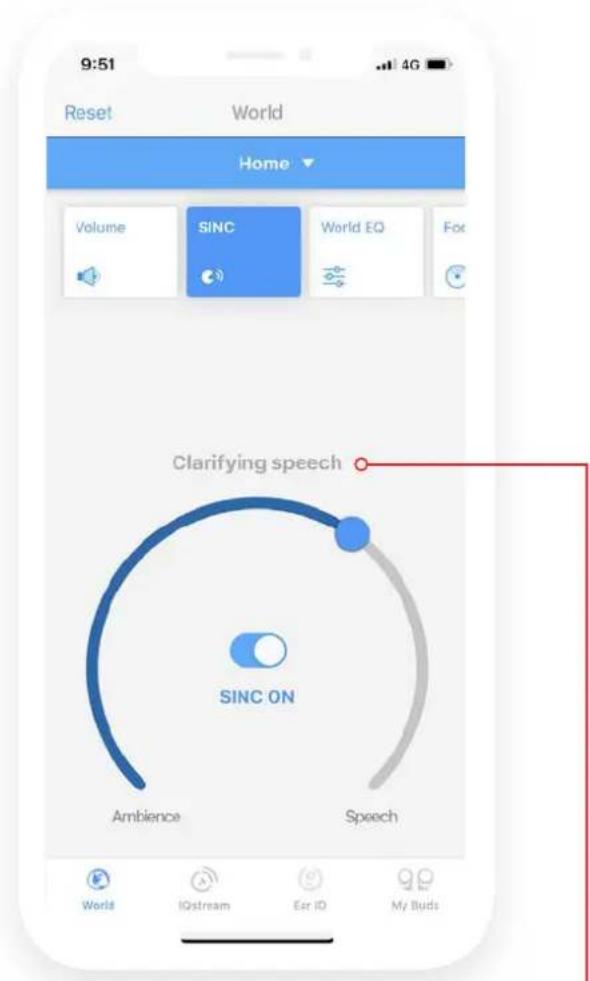
text_image
9:51 Reset World Home Volume SINC World EQ Fox Clarifying speech SINC ON Ambience Speech World IQstream Ear ID My BudsWhen moving the active dot you will be shown a small message of what is happening as you move it.
The message will be different depending on which way you move the dot.
Try them all out to see what information they can give you.
How To Use SINC?
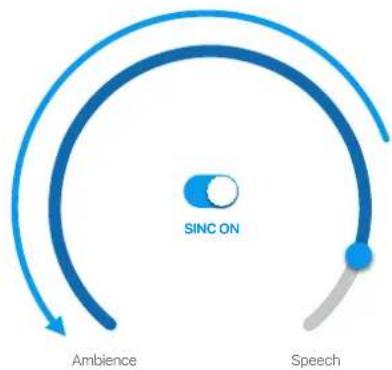
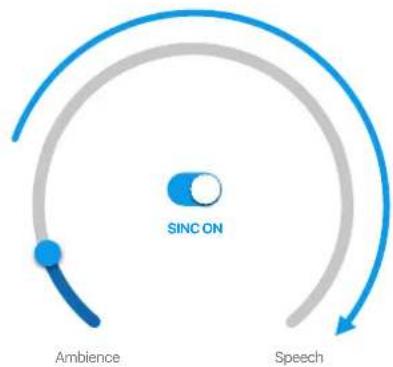
Using the dial + active dot controls the level of background noise vs speech.
ACTIVE DOT TO THE LEFT ACTIVE DOT TO THE RIGHT
flowchart
graph TD
    A["SINC ON"] --> B["Ambience"]
    A --> C["Speech"]
Allow more ambience.
flowchart
graph TD
    A["Ambience"] --> B["SINC ON"]
    C["Speech"] --> B
    B --> D["Return Arrow"]
    style A fill:#0066cc,stroke:#333
    style C fill:#0066cc,stroke:#333
    style B fill:#fff,stroke:#333
Reduce the background noise and focus on speech.
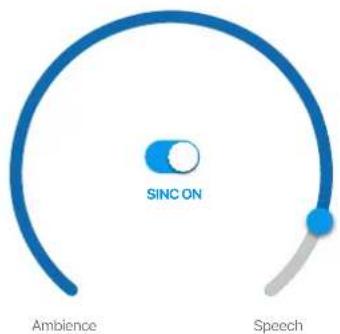
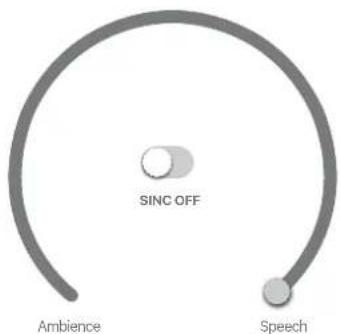
Using the switch in the middle of the dial turns the feature on and off.
SINC ON
text_image
SINC ON Ambience SpeechControl over levels of ambience vs speech.
SINC OFF
text_image
SINC OFF Ambience SpeechAllow ALL ambience in as if you weren't wearing the IQbuds.
Example Scenario:
You are out enjoying a drink with a friend. You feel like you cannot distinguish their voice (speech) over the chatter of everyone else in the establishment (ambience).
Moving the action dot to the right will allow you to reduce that chatter and hear your friend's voice with more clarity, allowing you to enjoy free flowing conversation.
What Is World EQ?
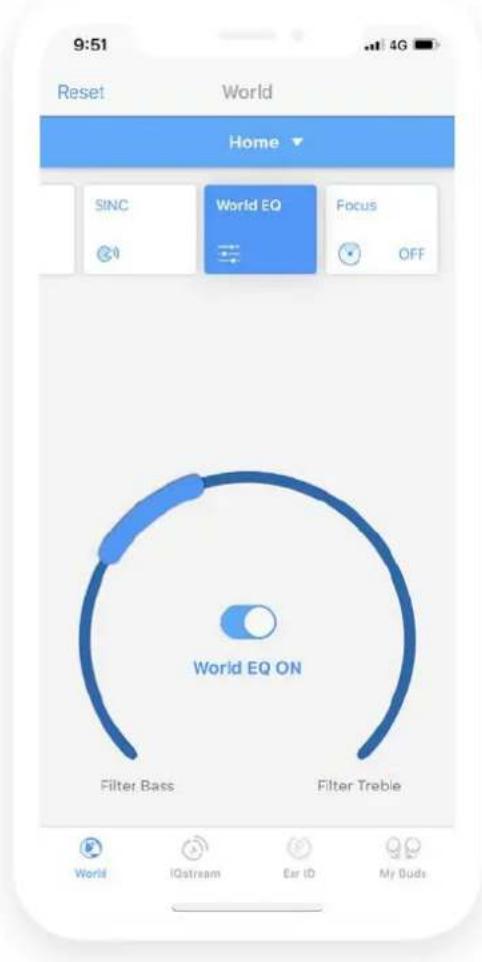
World EQ is a fine tuning control. It allows you to filter out either high or low frequencies in your environment.
How Can World EQ Help You?
If you are in an environment with an air conditioner that creates a low frequency humm, it can become annoying or mask what you really want to hear. You can use the dial to reduce those noises.
text_image
9:51 Reset World Home SINC World EQ Focus OFF World EQ ON Filter Bass Filter Treble World IQstream Ear ID My Buds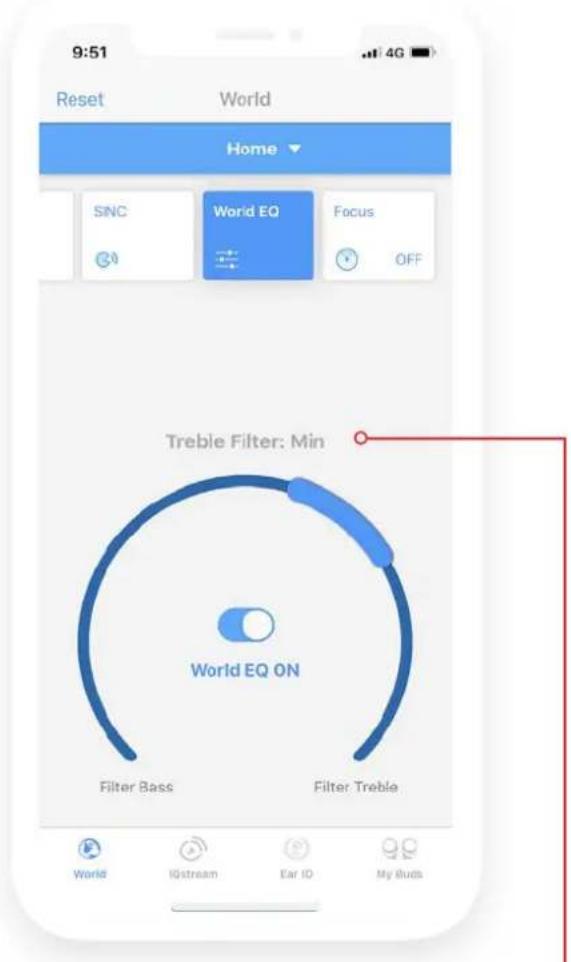
text_image
9:51 Reset World Home SINC World EQ Focus OFF Treble Filter: Min World EQ ON Filter Bass Filter Treble World IGstream Ear ID My BudsThis shows when the action bar is being moved around the dial it will tell you what it is set to.
This will only show when the action bar is being moved, it will disappear once stopped.
How To Use EQ?
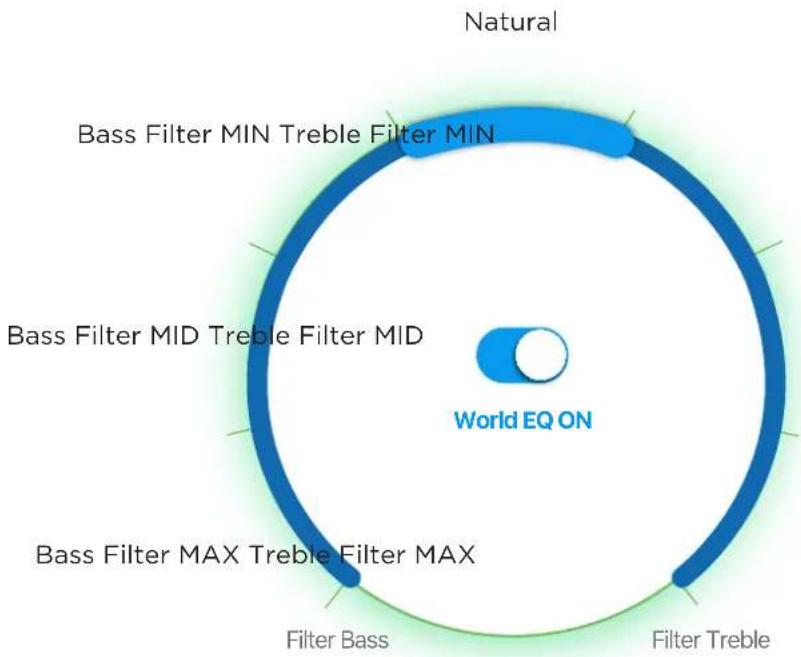
There is a Min, Mid and Max strength settings for both filters.
Moving the action bar to the left:
(Reducing bass noises)
The further left the stronger the filter.
Moving the action bar to the right:
(Reducing treble noises)
The further right the stronger the filter.
In the middle gives you a more equal natural experience. Off turns all filters off and you hear the world as it is.
See below the 7 states that you can set the EQ control to:
flowchart
graph TD
    A["Natural"] --> B["Bass Filter MIN Treble Filter MIN"]
    B --> C["Bass Filter MID Treble Filter MID"]
    C --> D["World EQ ON"]
    D --> E["Bass Filter MAX Treble Filter MAX"]
    E --> F["Filter Bass"]
    F --> G["Filter Treble"]
Example Scenario:
Sitting in an office and trying to listen to colleagues, try putting the bass filter to Min Or Mid, this will remove the humms of air conditioning units or temperature regulators.
Sitting in restaurant and hearing lots of plate and glass clinks, try putting the treble filter to Min Or Mid, this will reduce those high pitched noises.
What Is Focus? How Can Focus Help You?
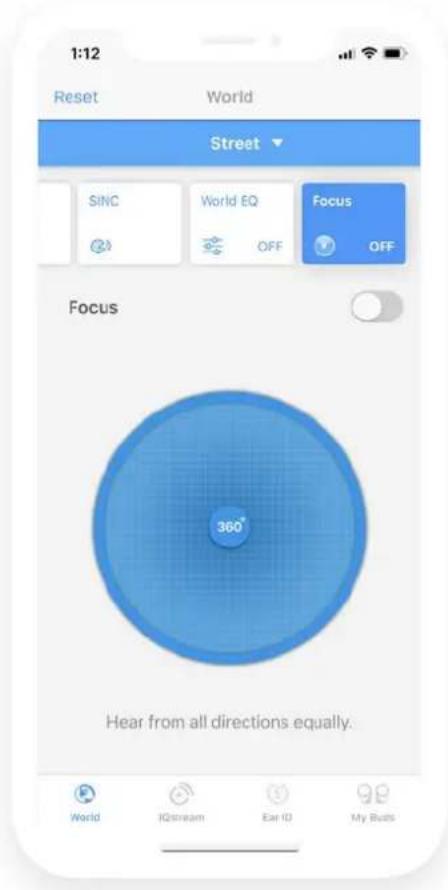
The microphones in IQbuds allow you to hear sound from all directions.
Focus directs the microphones in front of you, which emphasizes the noises in front of you and reduces the sounds behind you.
In crowded or noisy environments you can focus on people in front of you while reducing the noise behind you.
Giving them more of your attention with less surrounding distractions.
text_image
1:12 Reset World Street SINC World EQ Focus OFF Focus 360° Hear from all directions equally. World IQstream Ear ID My Buds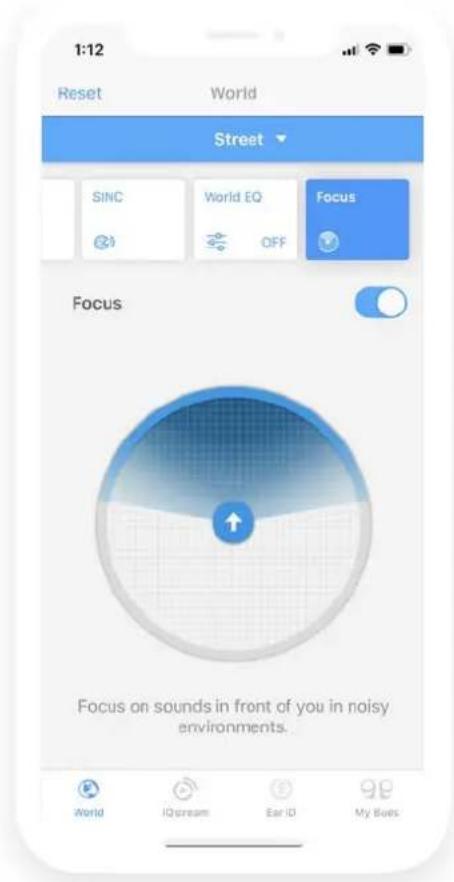
text_image
1:12 Reset World Street SINC World EQ Focus OFF Focus Focus on sounds in front of you in noisy environments. World IQ cream Ear ID My BeesHow To Use Focus?
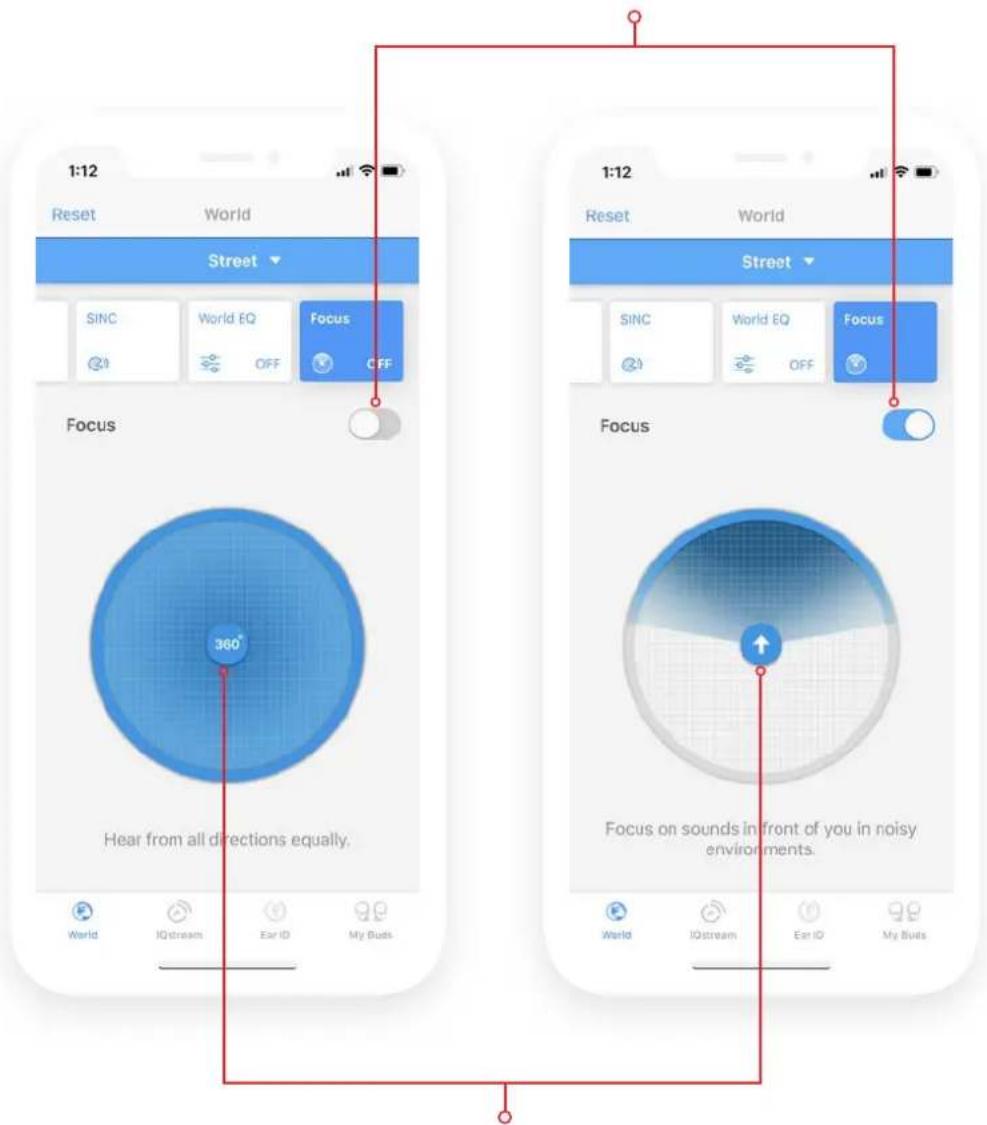
Focus only has an on and off function. There are two ways to turn it on and off.
You can Turn focus on and off by using this switch here
text_image
1:12 Reset World Street SINC World EQ OFF Focus OFF Focus 360° Hear from all directions equally. 1:12 Reset World Street SINC World EQ OFF Focus OFF Focus on sounds in front of you in noisy environments. World IQstream Esr ID My BudsYou can also turn Focus on and off by using this button in the middle here.
Example Scenario:
You are at a restaurant with a loved one. You are trying to focus on them speaking but there is a table behind you being a little loud.
To assist you in removing that sound behind you, turn focus on. To emphasise your loved one in front of you and reduce the noise behind you.
TAP TOUCH
Feature (In My Buds)
What Is Tap Touch?
The three functions are:

Tap


Double Tap

Long Tap
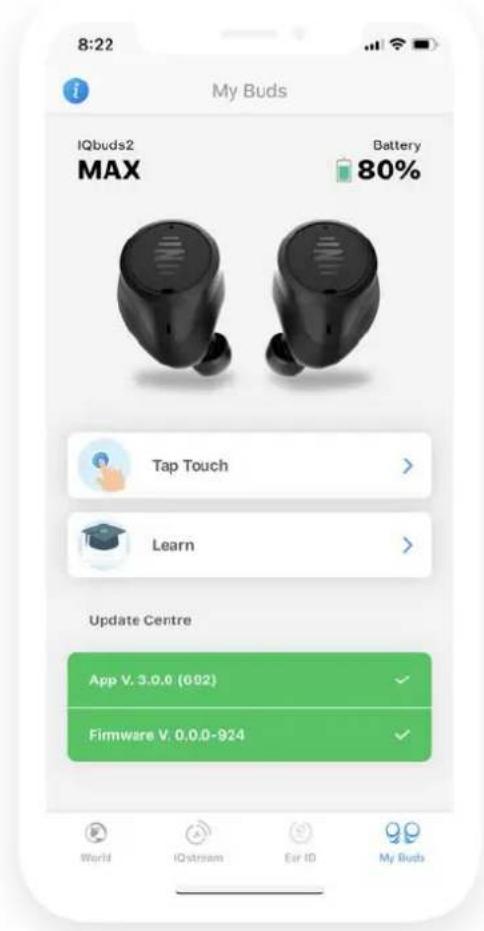
Your IQbuds have tap sensors that can control different functions based on tap gestures.
Both left and right IQbuds have the same gestures.
Tap Touch allows you to customise tap gestures.
Using these tap gestures can be powerful and allow you to use the IQbuds without needing to touch your phone
There are a large range of things you can do with tap gestures from controlling locations, voice activated assistants, music controls, volume controls and more.
text_image
8:22 My Buds IQbuds2 MAX Battery 80% Tap Touch Learn Update Centre App V. 3.0.0 (692) Firmware V. 0.0.0-924 World IQstream Ear ID My Buds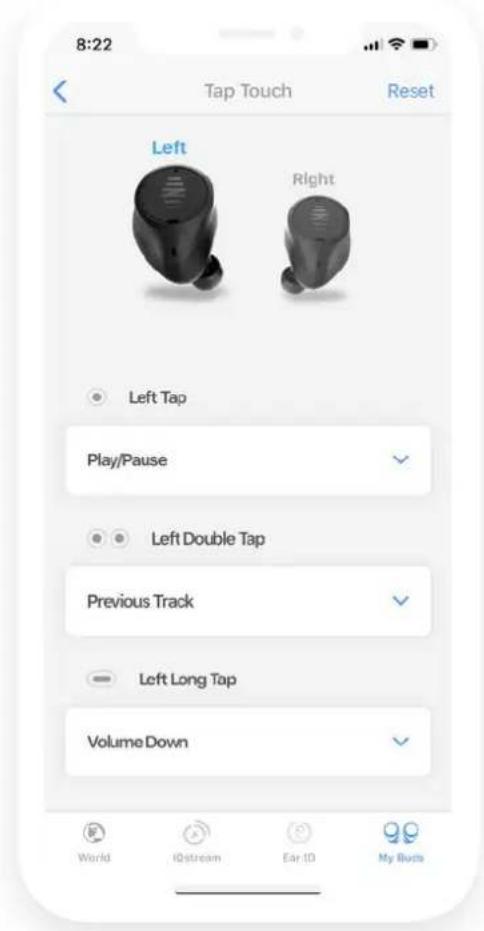
text_image
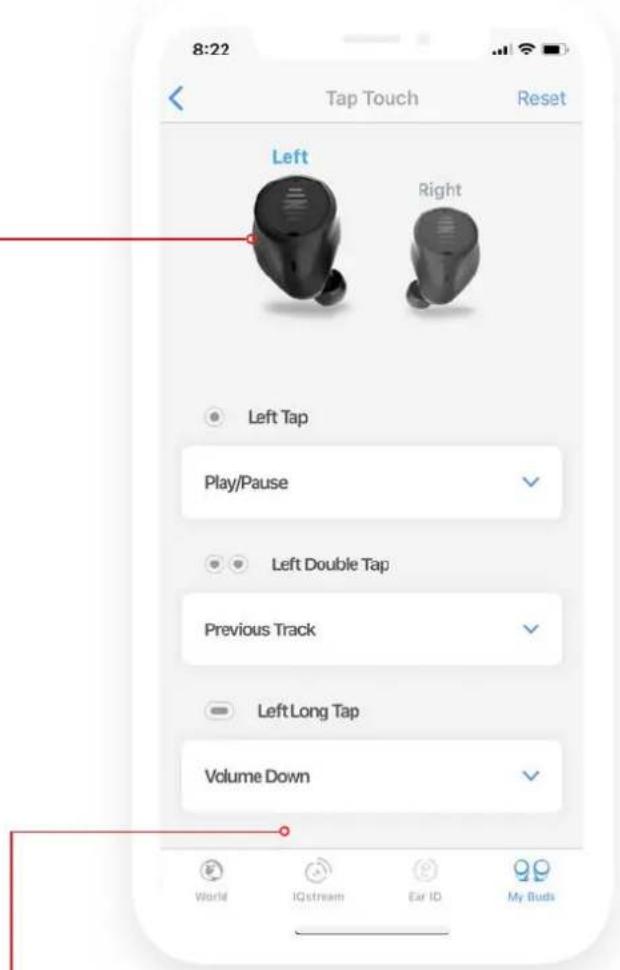
8:22 Tap Touch Reset Left Right • Left Tap Play/Pause • Left Double Tap Previous Track • Left Long Tap Volume Down World IQstream Ear ID My BudsHow Do I Use Tap Touch?
You can select which IQbud you would like to customise by tapping on the left or right bud image.
You can also swipe left or right to change sides.
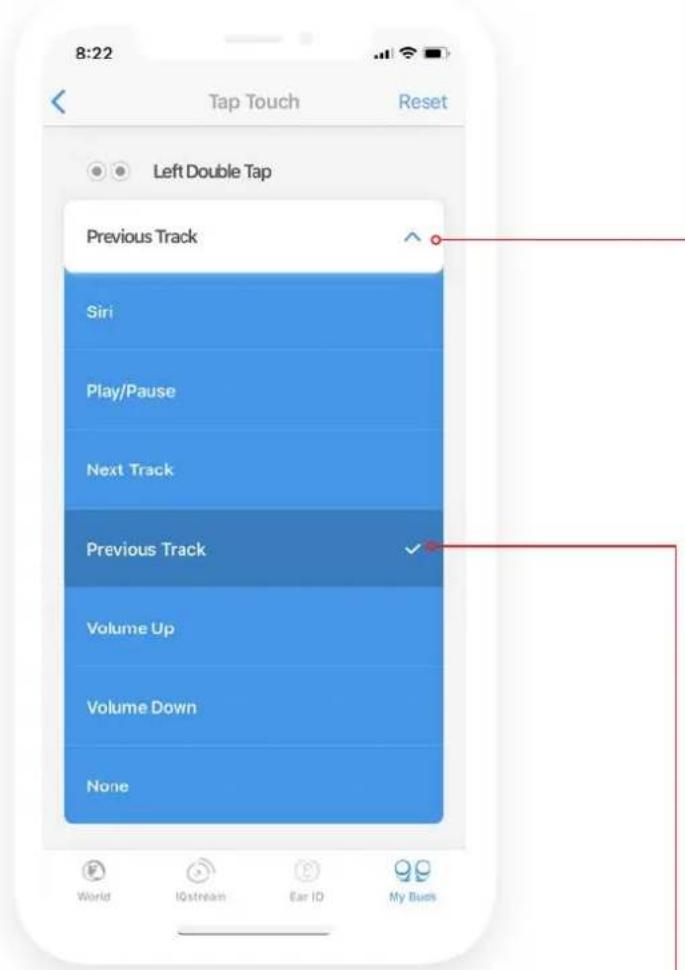
Open the function choices by tapping on the white bars with the blue arrow.
Select the function you would like to assign to the gesture, it will highlight dark blue and add a tick.
Tap the white bar to close the function list and confirm your choice.
You can select the side you want to customise by tapping either bud image.
Open and close each selection by tapping the white bar.
text_image
8:22 Tap Touch Reset Left Right Left Tap Play/Pause Left Double Tap Previous Track Left Long Tap Volume Down World IQstream Ear ID My BudsOr by swiping left and right to change sides.
text_image
8:22 Tap Touch Reset Left Double Tap Previous Track Siri Play/Pause Next Track Previous Track Volume Up Volume Down None World IQstream Ear ID My BudsSelect the function you would like to assign, then tap the white bar to close again.
Environmental Lessons
We have created a few lessons to give you some guidance how to use each feature card in specific environments. These are just a guide, we encourage tweaking and refining of each feature to find the perfect balance for you.
Restaurant Environment Lesson one

You're now in a noisy restaurant. What features can you use to get the best experience?
Select Restaurant as your location, then try this out.
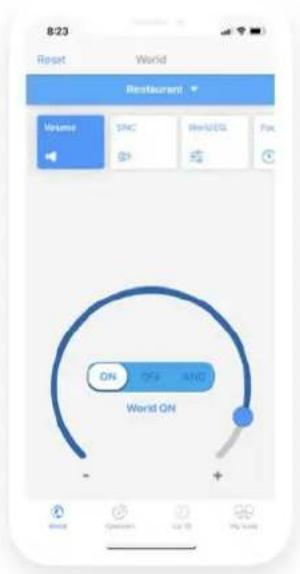
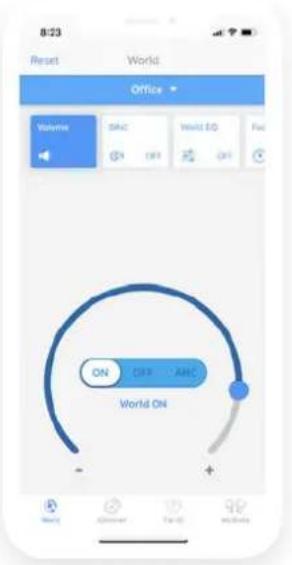
① Increase the Volume to around 3/4 to all the way full.
2 Turn SINC up to 3/4 full.
3 Try Treble filter MIN to reduce glass and plate clinks.
*EQ can be very dependant on walls, floors and your company. Experiment to see what suits the establishment best*
4 If you are with one person, try focus on.
*If you are with a group try focus off.*


text_image
8:23 Reset World Restaurant Volume SPC World/USA Fax ON OFF AND World ON +/-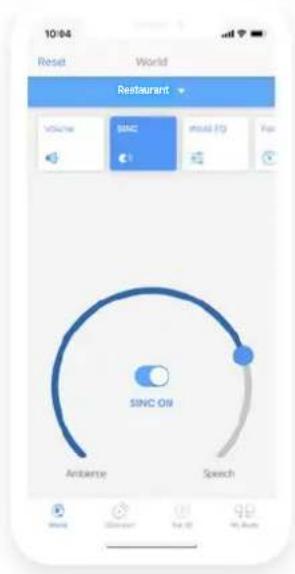
text_image
10:04 Reset World Restaurant SING iCloud HD Fan SINC ON Antiense Speech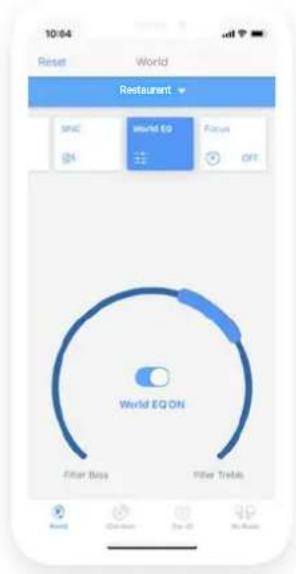
text_image
10:04 Reset World Restaurant SNC world EQ Focus ON OFF World EQ ON Filter Boss Filter Treble Reset OK Cancel Help No Reason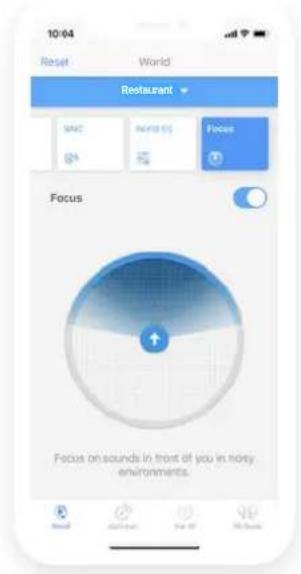
text_image
10:04 Reset World Restaurant SME NORI Focus Focus Focus on sounds in front of you in noisy environments.Volume at 3/4 - full SINC to 3/4 EQ to Treble Filter MIN Focus ON
Office
Environment Lesson Two

At the office for a meeting? Ever have trouble focusing on someone talking?
Select Office as your location, then try this out.
① Volume to comfortable level, around 3/4 full.
② SINC at around 1/4 full.
3 EQ at Min Bass filter, this may assist in removing some of the air conditioning humms.
4 Focus OFF, assuming there are different people sitting in different directions at a table.

text_image
8:23 Reset World Office Volume SNC Wells 00 Fan ON OFF ABC World ON -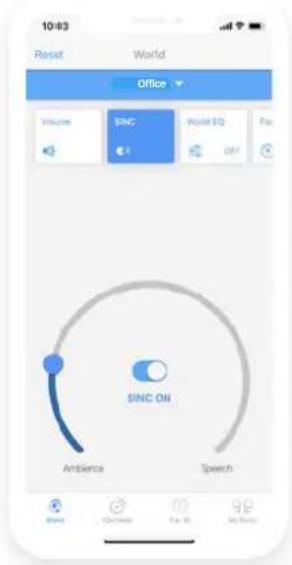
text_image
10:03 Reset World Office Volume SINC Model EQ Fax OFF SINC ON Ambience Speech Many Outlook Fan 5L My Right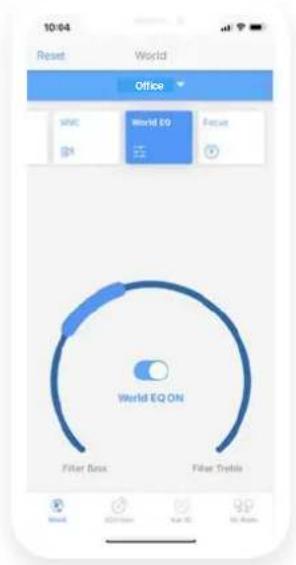
text_image
10:04 Reset World Office What: World EQ Focus OK World EQ On Filter Flux Filter Tools Send Get Down Run Up No Make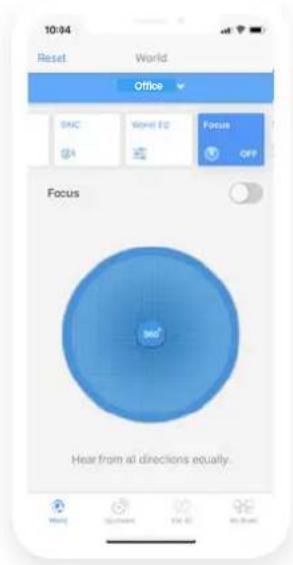
text_image
10:94 Reset World Office MAC Word F2 Focus OFF Focus Hear from all directions equally.Volume at 3/4 SINC to 1/4 EQ to Bass filter min Focus OFF
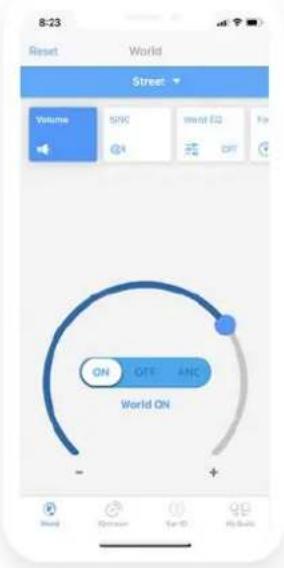
Street Environment Lesson Three

If you enjoy listening to music when walking but feel cut off from the world, we have an interesting feature for you. Get the best of both worlds, listen to music and hear what is going on around you, let's see how:
Select Street as your location, then try this out.
1 Open your favourite music app and select a song.
2 Depending on how loud your music is, try Volume anywhere between half and full.
3 Turn SINC, EQ and Focus off to give you the most natural experience.
4 This will allow you to successfully blend your surrounding with your music.

text_image
8:23 Reset World Street Volume SPK world EQ Q1 OFF ON OFF ANC World ON - +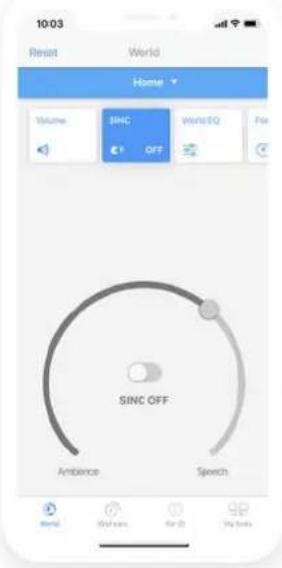
text_image
10:03 Reset World Home Volume SINC WINSO Fo OFF SINC OFF Ambience Speech Rural Off Sens For ID Vig Sens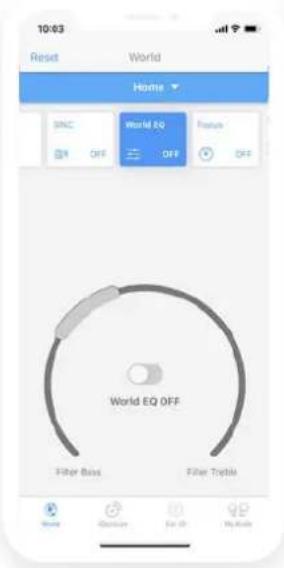
text_image
10:03 Reset World Home SNC OFF World EQ Feature OFF OFF World EQ OFF Filter Boss Filter Tuple Monitor Scanout Ex 10 My Audio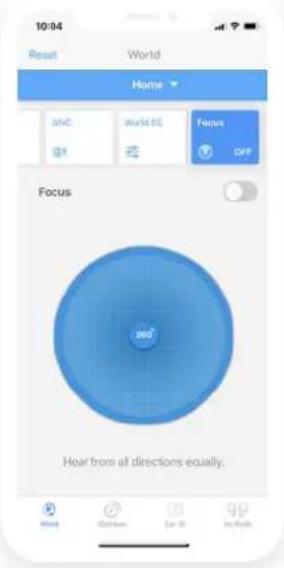
text_image
10:04 Reset World Home SNC WvM-EE Focus OFF Focus 360° Hear from all directions equally.Volume at 1/2 - full SINC OFF EQ OFF Focus OFF
IQstream TV Accessory Hardware
IQstream TV is an accessory that we sell separately, to allow you to stream high quality audio to your IQbuds from your TV.
Connecting + Set Up
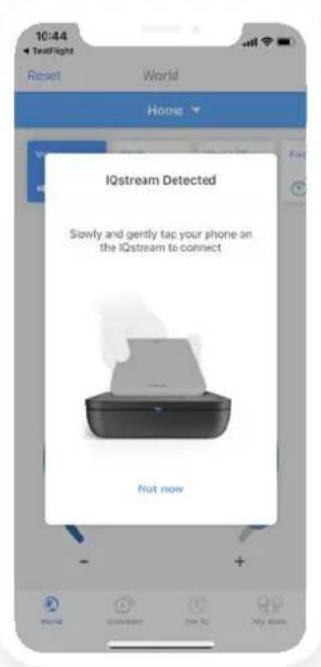
Once your IQstream TV is connected to your TV with the relevant cables, the manual will direct you to the app. The process is very simple.
text_image
10:44 TextFlight Reset World Home IQstream Detected Slowly and gently tap your phone on the IQstream to connect Not nowYou will be asked to tap your phone gently on the IQstream box.
text_image
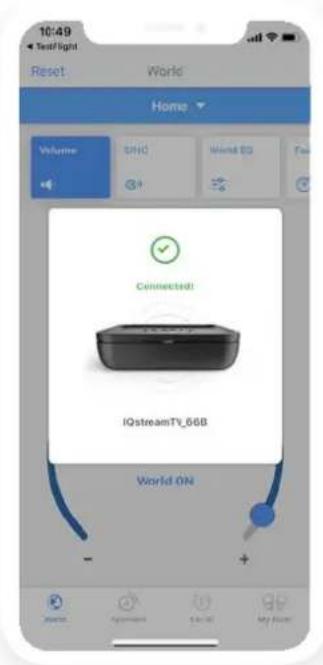
10:49 Text Light Reset World Home Volume DHG World 5D Tos Connected! iQstreamTV_66B World ON + - + - Start Agreement Ex-5C My PowerYou will get a 'connected' notification
text_image
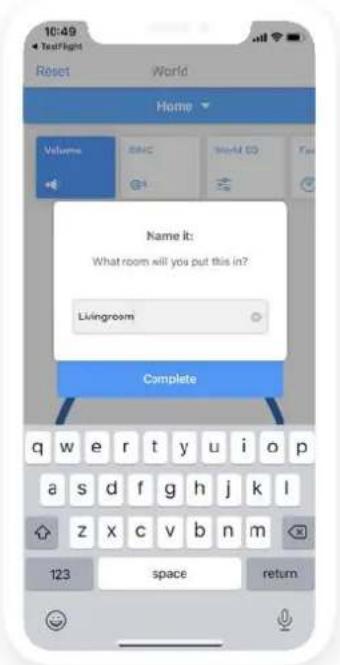
10:49 Text Flight Reset World Home Volume SNC MeM CD T Name It: What room will you put this in? Livingroom Complete q w e r t y u i o p a s d f g h j k l z x c v b n m 123 space returnYou will be asked to give the IQstream a name.
text_image
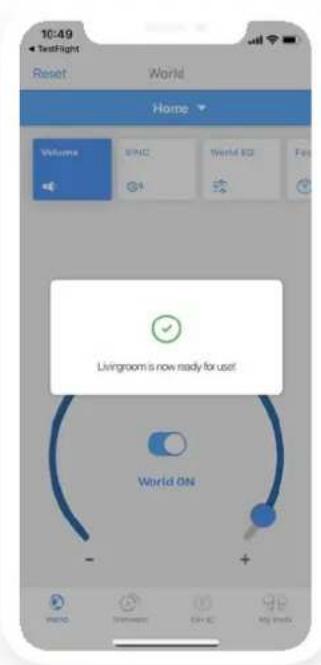
10:49 TestFlight Reset World Home Volume SMD World 52 Fan G4 Livingroom is now ready for user World ON - + - WIND TOMMNT ONIC My InfoYou will be notified it is ready to use.
How Do I Use IQstream TV?
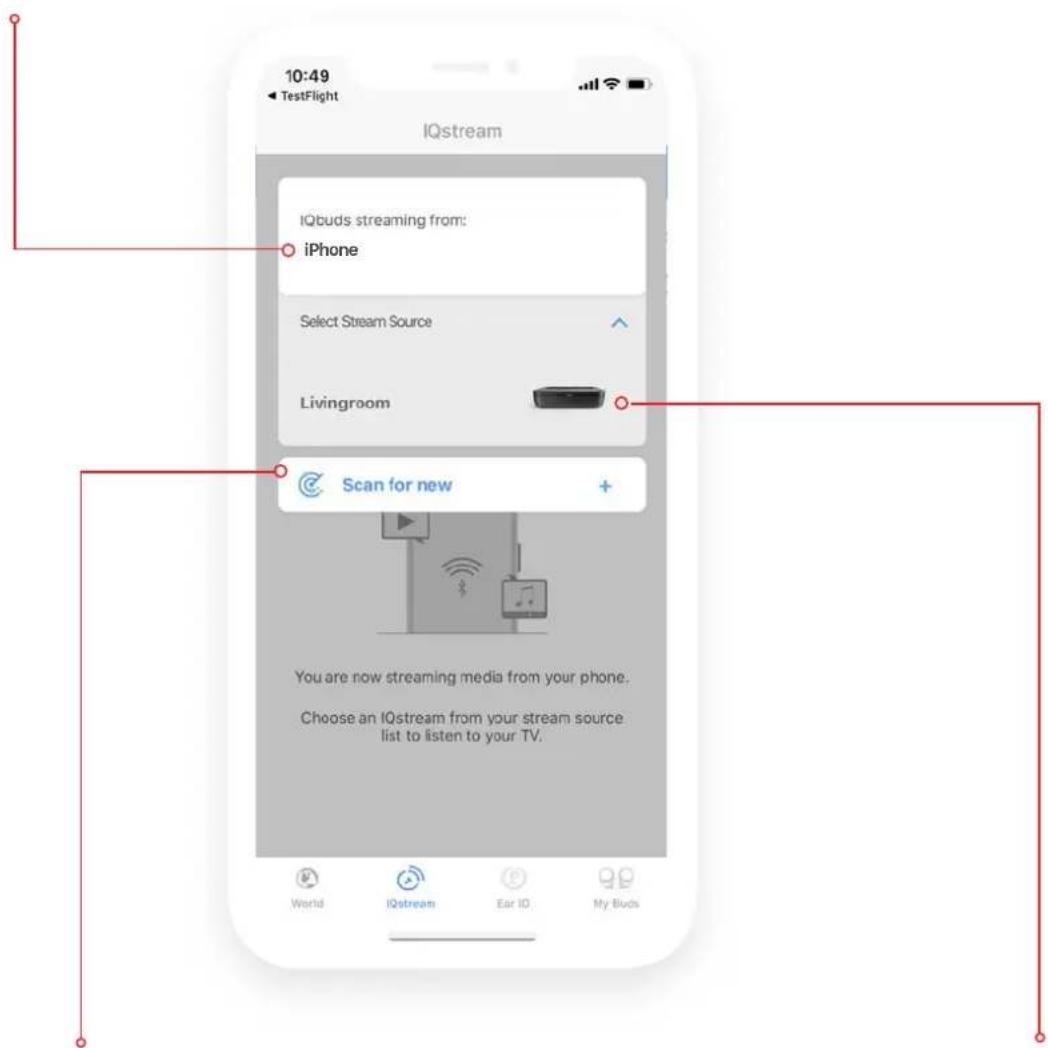
First you will be presented with a stream source list screen.
Your IQbuds can only stream from one source at a time. They can either stream from your phone (music, videos, phone calls) or from your IQstream TV (TV audio.)
This tells you where your IQbuds are currently streaming from.
text_image
268 250 TestFlight Iqstream Iqbuds streaming from: iPhone Select Stream Source Livingroom Scan for new You are now streaming media from your phone. Choose an Iqstream from your stream source list to listen to your TV. World Ear ID My BudsThis allows you to search for new IQstream TVs. (If you only own one please disregard)
This will list other sources you can stream from. (Only shows those in range)
Select the IQstream you just named from the list to listen to it. In this case we named ours "livingroom."
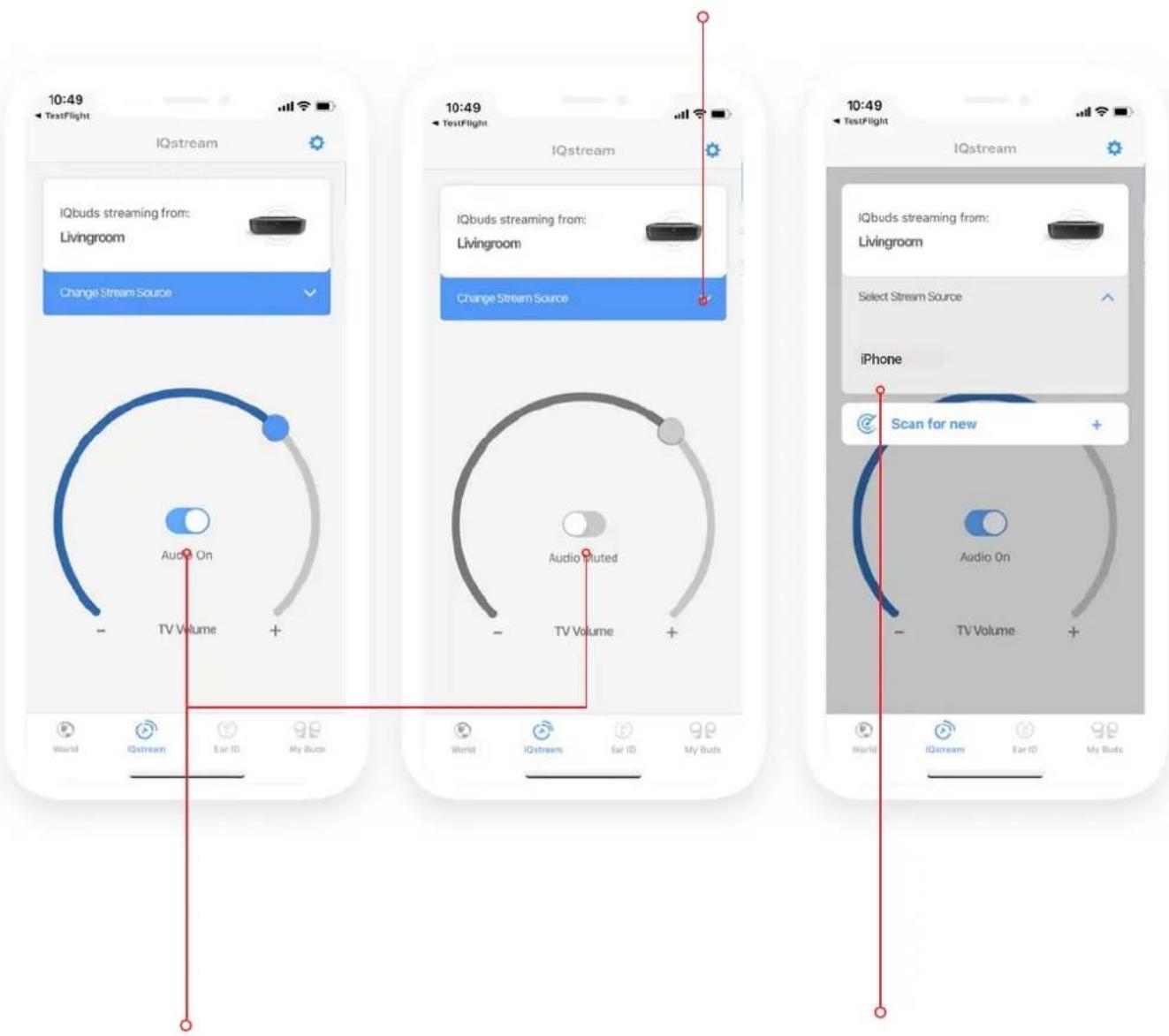
When you select your IQstream from the stream source list, it will take a few seconds to connect. You will then be presented with a dial screen seen below, similar to the previous screens you have experienced.
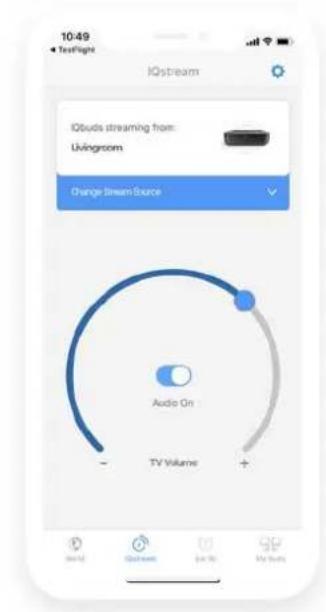
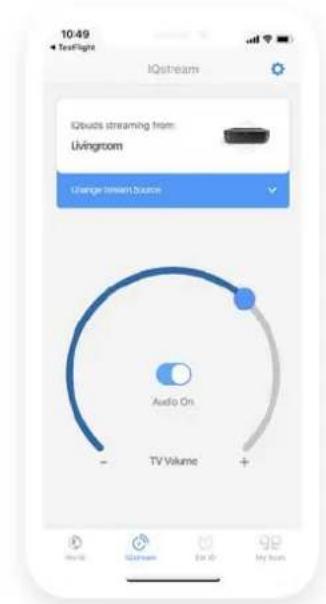
Move the active dot left to decrease IQstream TV volume, and right to increase TV volume.
Use the switch in the middle to mute and unmute.
It's important to note that the dial will only control what you hear through the IQbuds.
It won't control the volume if what is coming out of the TV speakers.
This will open your stream source list
You can choose other IQstream TVs or your phone here.
text_image
10:49 TestFlight IQstream IQbuds streaming from: Livingroom Change Stream Source 10:49 TestFlight IQstream IQbuds streaming from: Livingroom Change Stream Source World IQstream Ear ID My Buds Audio On TV Volume + 10:49 TestFlight IQstream IQbuds streaming from: Livingroom Select Stream Source iPhone Scan for new Audio On TV Volume + World IQstream Ear ID My BudsMute the steamed TV volume with this switch.
Select your phone here as a stream source to listen to music with your phone, watch videos or make phone calls.
You can use Volume when watching TV with others, to hear them as well as the TV.
text_image
8:23 Reset World Street Volume SNC World EQ Fo OFF ON OFF AND Word ON - + - World Redkayer Go Go My BatsWorld Volume ON
text_image
10:49 TestFlight IQstream IQbuds streaming from: Livingroom Change Stream Source Audio On TV Volume +IQstream Audio On
Or you can immerse yourself in the experience and turn World Volume off and enjoy what you're watching.
text_image
7:43 Reset World Street Volume OFF ON OFF ANC ANC ON - + World 2ndweek For US My StartVolume OFF or ANC ON
text_image
10:49 Text Flight iQstream iQbuds streaming from: Livingroom Change Stream Source Audio On TV Volume +IQstream Audio On
PS. A common scenario to use your IQstream TV, is to mute the TV and enjoying your movie without disturbing others sleeping next to you!
We hope this guide has provided you with some valuable information about the product.
We would like you to note that all the places you may use IQbuds will be different, and we highly encourage you to tweak your settings and play around in all environments to get the best out of your product.
Anything missing from this guide? Let us know by contacting support.