S-4904 - Hi-Fi System SWIT - Free user manual and instructions
Find the device manual for free S-4904 SWIT in PDF.


User questions about S-4904 SWIT
0 question about this device. Answer the ones you know or ask your own.
Ask a new question about this device
Download the instructions for your Hi-Fi System in PDF format for free! Find your manual S-4904 - SWIT and take your electronic device back in hand. On this page are published all the documents necessary for the use of your device. S-4904 by SWIT.
USER MANUAL S-4904 SWIT
Wireless HD Transmission System
natural_image
Technical line drawings of two device enclosures with multiple antenna arrays (no text or symbols)User Manual
Preface
Congratulations on your purchase of this product. Please read this user manual carefully.
- All internal technologies of this product are protected, including device, software and trademark. Reproduction in whole or in part without written permission is prohibited.
- All brands and trademarks of SWIT Electronics Co., Ltd. are protected and other relative trademarks in this user manual are the property of their respective owners.
- Due to constant effort of product development, SWIT reserves the right to make changes and improvements to the product described in this manual without prior notice.
- The warranty period of this product is 2 years, and does not cover the following:
(1) Physical damage to the products;
(2) Any damage or breakdown caused by use, maintenance, or storage not according to the user manual's instructions;
(3) The attenuation of signal quality resulting from being used in any special environments;
(4) Any damage caused by not powering the product by package supplied power adaptor.
(5) Any damage or breakdown not caused by the product's design, workmanship, or manufacturing quality, etc.
- For any suggestions and requirements on this product, please contact us through phone, fax, Email, etc.
SWIT Electronics Co., Ltd.
Address: 10 Hengtong Road, Nanjing Economic and Technological Development Zone, Nanjing 210038, P.R.China
Phone: +86-25-85805753
Fax: +86-25-85805296
Email: contact@swit.cc
Website: http://www.swit.cc
For Your Safety
Before start, please follow the safety precautions below
Do not try the followings:
- Unauthorized repairs or parts replacement or other operations.
- Inappropriate placement including but not limited to lighting, fire, exposure to rain, water or gas.
- Switch to the power not in the voltage allowable range
The product
- Do not use the products near water or in high humidity environments.
-
Switch the power off if any liquid or substance gets inside the product.
-
Do not block the ventilation openings or get substances inside, in order to avoid short circuit, fire or electric shock.
The power
The products can be powered by battery or AC-DC power adaptor.
When the batteries are attached to the products, please make sure they are correctly and firmly locked.
Please use the package supplied power adapter. For third party AC-DC adaptor, please make sure the voltage is within the specified range and the polarity connection is correct.
Please disconnect the power cable under the following situations:
- If you do not operate this product for a period of time;
- If the power cable or power adaptor is damaged;
- If the product housing is broken.
Working Environment
- Please don't lay this product on the unstable place.
- Please don't lay the product on metal shelf, in order to ensure the effective wireless transmission.
- Please don't use the products in a place with lots of moisture, soot or dust.
About the radio waves
The products adopt 5.1-5.9GHz wireless frequency, with the low antenna power specified under international and U.S. FCC radio wave regulations. Therefore a license for radio station use is not required to operate this product.
1. Product Introduction
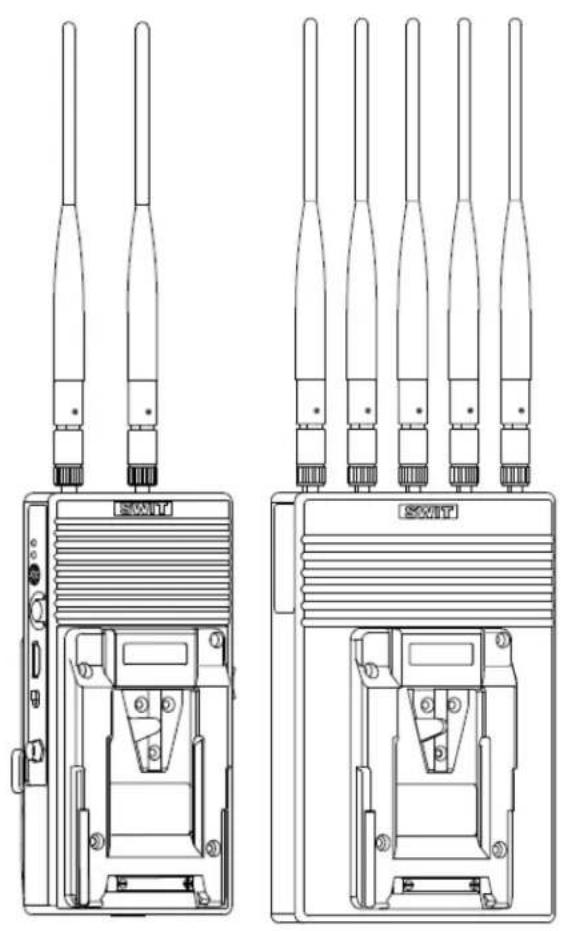
This broadcast industry wireless system includes S-4904T transmitter and S-4904R receiver, adopts WHDI (OFDM) technology, supports uncompressed 3G/HD/SD-SDI and HDMI wirelessly transmitted in 700 meters scale, and with less than 1ms latency, which is widely used in on-site shooting and director monitoring.
2. Features
◆ Uncompressed 3G/HD/SD-SDI and HDMI transmission
Support up to 1080p 50/60 uncompressed SDI & HDMI wireless transmission
◆ 700 meters transmission distance
In open outdoor area, the effective transmission distance is approx 700 meters.
Less than 1ms latency There's no discernible video delay and you can use it as real time on-location monitoring.
◆ License free operation frequency
The wireless frequency is 5.1-5.9GHz, license free operated.
◆ SDI/HDMI embedded audio transmission
Support CH-1 and CH-2 SDI/HDMI embedded audio wireless transmission
◆ Multicast support
Support one transmitter to multi receivers. User can set frequency to pair the transmitter and receivers.
◆ Encryption
Support AES 128-bit encryption to protect the transmission.
◆ Battery plate optional
User can choose Gold mount or V-lock mount for the transmitter S-4904T and receiver S-4904R.
◆ All-Metal Shell
Both the transmitter and receiver adopt metal shell which is durable and solid.
◆ Simple connection
The wireless system is plug-and-play designed, without any software connection and configuration.
Remark:
- The transmission distance may be different, and depend on surroundings, radio wave conditions, buildings, etc., the 700 meters transmission distance may be not guaranteed.
- The wireless transmission might be interrupt if there're many other devices of 5GHz wireless bandwidth operated in the in the same location.
- Signal reception may be affected by the position, height and angle of devices. If reception video is not stable, please physically adjust placement for the optimized signal.
- Open the antennas at various angles and set receiver higher will enhance the transmission efficiency.
- The product offers the AES 128-bit encryption to protect the wireless transmission. Anyway, please be ware of the intentional capture from third person.
3. Product Instruction
Transmitter S-4904T
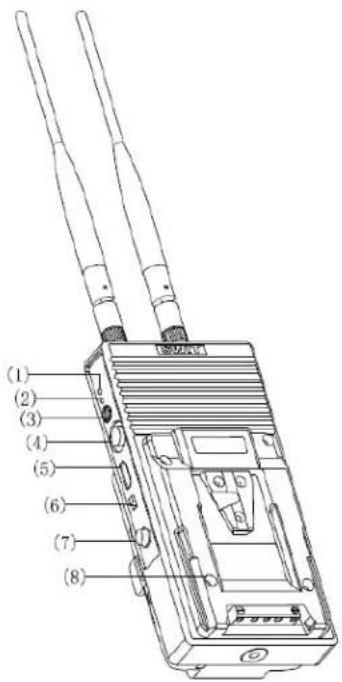
(1)、(2) LED status indicators: Including Power, Video Signal and Wireless connection condition indicators
(3) Wireless frequency dial switch
Set frequency range from 0-9, in total 10 channels
(4) SDI in: 3G/HD/SD-SDI input (BNC connector)
(5) HDMI in: HDMI input (HDMI-A type connector)
(6) On/Off: Switch the power on/off
(7) DC in: Support DC 6.5-17V voltage input, 5.5mm/2.1mm. Outside: negative, Inside: positive
(8) Power installer: To be installed on Gold mount or V-mount cameras
(9) Antenna
(10) Battery Plate: Gold mount or V-mount battery plate optional. See details in "7.Battery plate"
(11) Installation thread : 1/4"-20 thread. Use the package supplied articulating arm trestle to install the device to the camera.
The description of LED status indicator
| Device Indicators Status Description | |||
| S-4904T | Power | Constant On Power connected and switched on | |
| Off Power disconnected or switched off | |||
| Video | Constant On | Network is connected, and there is recognizable video signal input | |
| Off | Network connection failed and there is no recognizable video signal input | ||
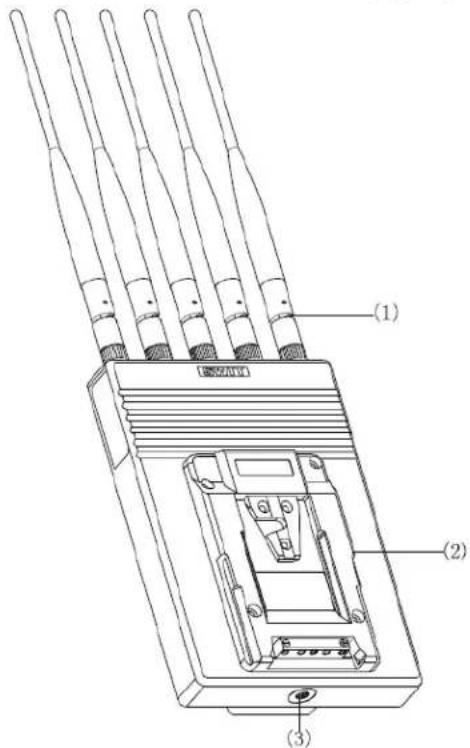
Receiver S-4904R
text_image
(1) (2) (3)Front view
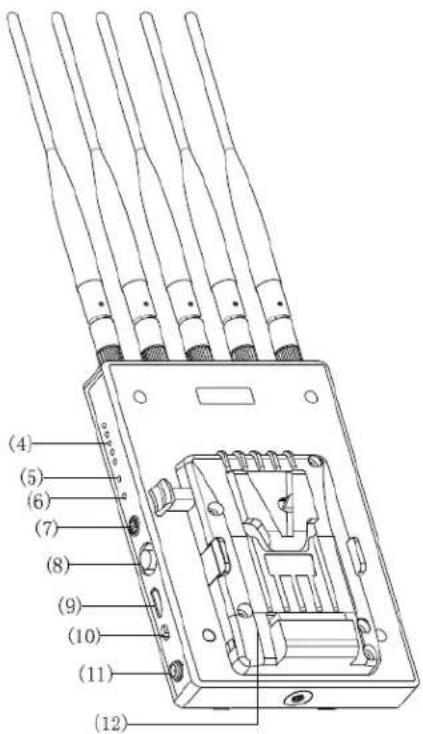
(1) Antenna
(2) Power installer: V-mount or Gold mount lock for optional. To power through the same battery mounted on the monitor.
(3) 1/4"-20 threaded hole.
(4) RSSI:Wireless received signal strength indicator
(5)、(6) LED status indicators:
Including Power, Video Signal and Wireless connection condition indicators
(7) Wireless frequency dial switch
Set frequency range from 0\~9, in total 10 channels
(8) SDI out: SDI output (BNC connector)
(9) HDMI out: HDMI output (HDMI-A type connector)
(10) On/Off: Switch the power on/off
(11) DC in: Support DC 6.5-17V voltage input, 5.5mm/2.1mm. Outside: negative, Inside: positive
(12) Battery Plate: Gold mount or V-mount battery plate optional. See details in "7.Battery plate"
The description of LED status indicator
| Device Indicators Status Description | |||
| S-4904R | Power | Constant On Power connected and switched on | |
| Off Power disconnected or switched off | |||
| Video | Constant On | Network connectioned, and there is recognizable video signal output | |
| Off | Network connection failed and there is no recognizable video signal output | ||
| RSSI | 0-1 LEDs light | The wireless network connection is weak, and the video noise is visible | |
| 2-3 LEDs light | The wireless network connection is general, and the video quality is good | ||
| 4~5 LEDs light | The wireless network connection is strong, and the video quality is very good | ||
4. Frequency Dial Switch
4.1 Using ONE set of devices under the same environment
Dial the frequency switch of both transmitter and receiver to the same channel (in the same channel number), the default channel number is "0":

text_image
0712345 68919 56S-4904T

text_image
56 68 79 0 123 134S-4904R
4.2 Using TWO sets of devices under the same environment
It is suggested that set the dial switch of the first set to channel "0" and the second set to channel "5":

text_image
56 87 96 0 23 45 6 8 1 2S-4904T #1

text_image
56 78 96 123 46 0 1S-4904R #1

text_image
0 1 2 3 4 5 6 8 9 ←S-4904T #2

text_image
0 1 2 3 4 5 6 7 8 9 ←S-4904R #2
4.3 Using three sets of devices under the same environment
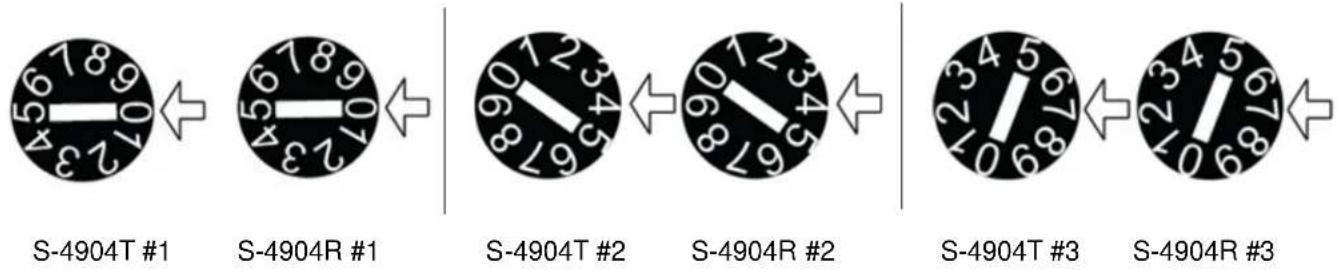
It is suggested that set the dial switch of the first set to channel "0", the second set to channel "4" and the third set to channel "7":
text_image
S-4904T #1 S-4904R #1 S-4904T #2 S-4904R #2 S-4904T #3 S-4904R #3Note: 1. Please don't use more than 3 sets of devices under the same environment to avoid interference. 2. To use multicast, just set several receivers at the same frequency channel as the one transmitter.
5. Build Connection
(6) When S-4904R detect the recognizable video signal, "Video" indicator will light and OSD will disappear.
(1) Connect the SDI or HDMI video source with the "SDI IN" / "HDMI IN" port of S-4904T transmitter.
(2) Connect the "SDI OUT" / "HDMI OUT" port of S-4904R receiver with monitor or other receiving devices.
(3) Dial the S-4904T and S-4904R to the same frequency channel.
(4) Power S-4904T and S-4904R, they will automatically search the network, the S-4904R output video signal OSD displayed as Fig1.
(5) The network will be built after 10-20 seconds, the "RSSI" of receiver indicates the wireless network connection status.
Link Connecting...
Fig1
6. How to get the best effect of wireless transmission
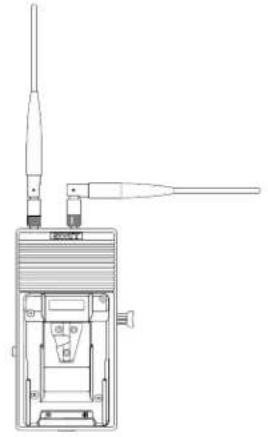
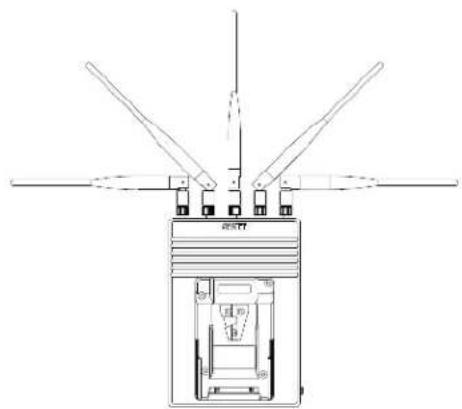
(1) Set the antennas of S-4904T and S-4904R as below Fig2 and Fig 3 to extend the transmission distance and achieve stable transmission quality.
natural_image
Technical line drawing of a device with two probes and a central component (no text or symbols)Fig2
natural_image
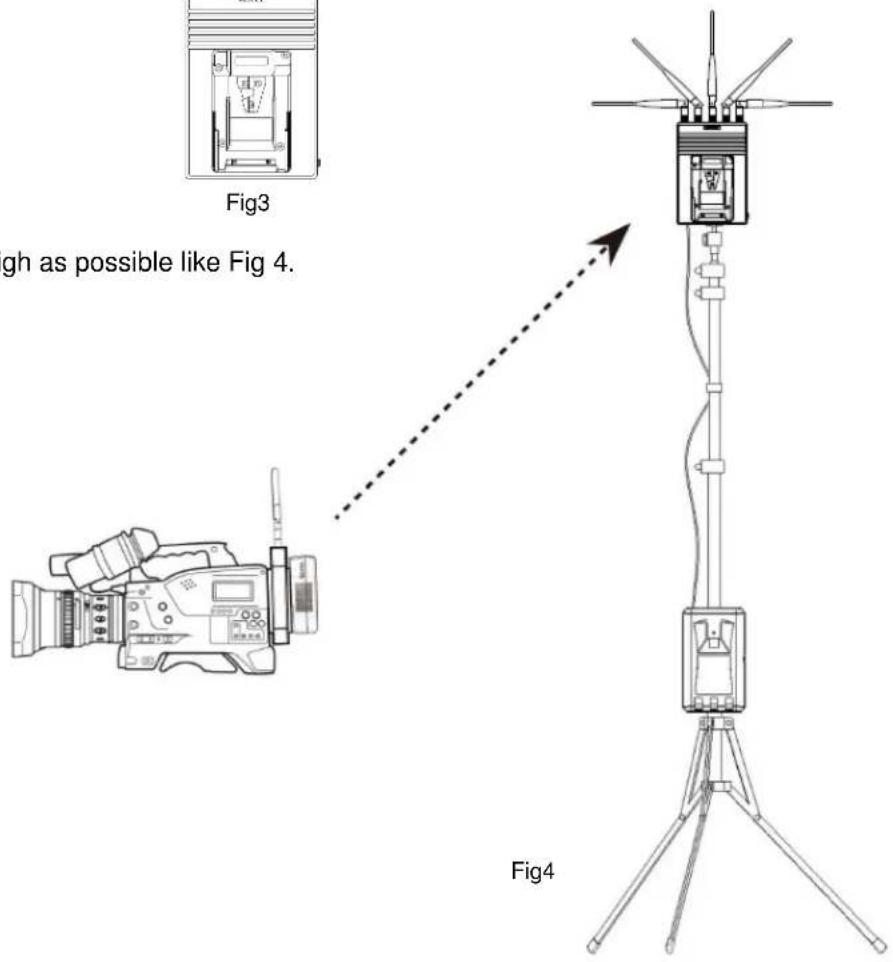
Technical line drawing of a mechanical device with multiple blades and central housing (no text or symbols)(2) Set the receiver S-4904R as high as possible like Fig 4.
text_image
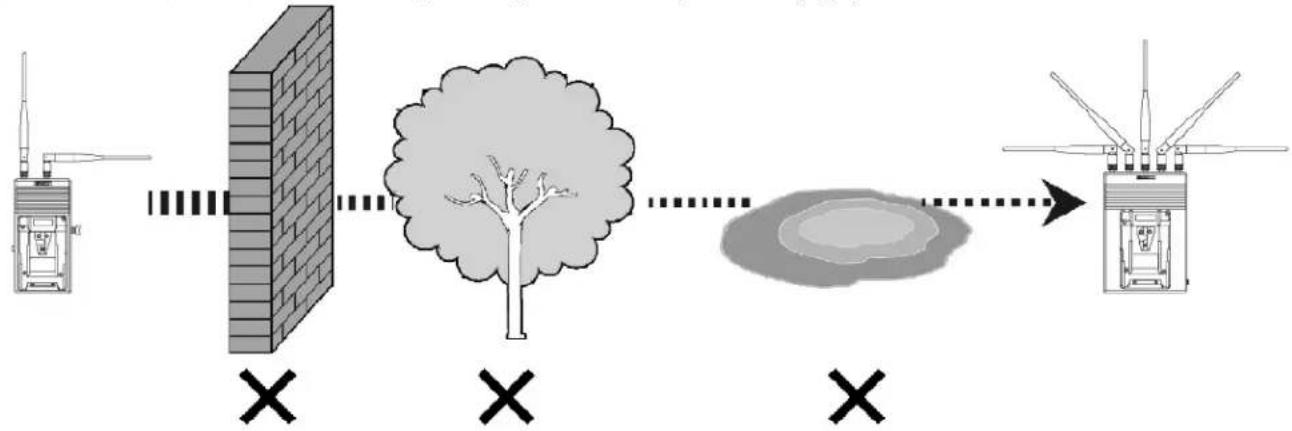
Fig3 igh as possible like Fig 4. Fig4(3) Avoid walls, trees, water and any blockage as best as you can. (Fig5)
flowchart
graph LR
    A["Device"] --> B["Block"]
    B --> C["Trees"]
    C --> D["Sensor"]
    D --> E["Sensor"]
    style A fill:#f9f,stroke:#333
    style E fill:#bbf,stroke:#333
Fig5
7. Optional Battery Plate
7.1 S-4904T Battery plate choice
S-4904T provides Gold mount or V-mount battery plates for installing between camera and battery. The battery can power S-4904T and camera simultaneously.
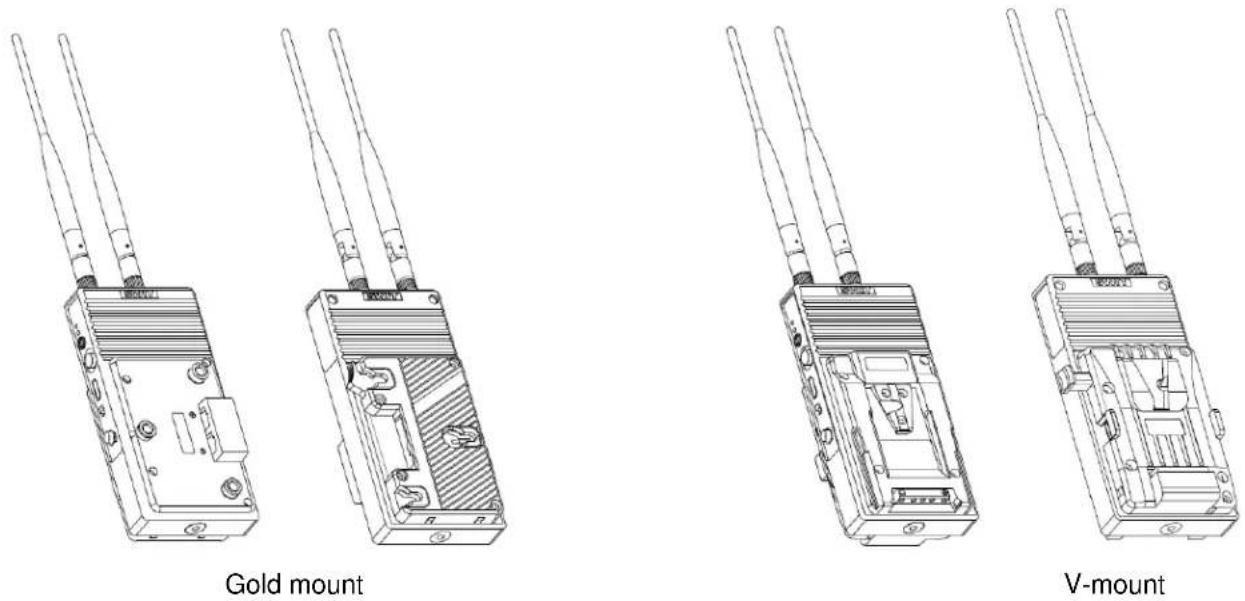
7.2 S-4904R Battery plate choice
S-4904R provides V-mount or Gold mount two-sided plates for installing between monitor and battery, so that the battery can power the monitor and S-4904R simultaneously.
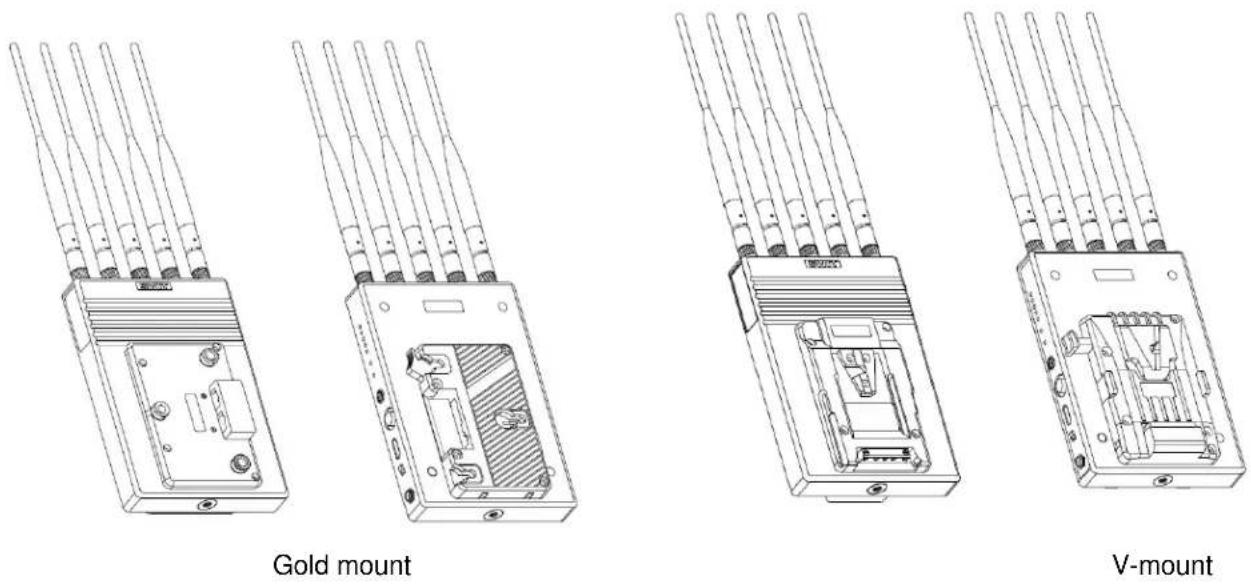
Note: The battery plates are fixed on S-4904T and S-4904R at factory, please specify the suitable plate type before purchase.
8. Trouble-Shooting
If the receiver failed to output video correctly, the possible causes are as below, please find the solution from following chart:
| The receiving video | Possible Causes Solution | |
| No display | No power | Check power connection and switch on the transmitter and receiver |
| The antennas are not installed properly and screwed tightly | Install the antennas properly and screw tightly of both transmitter and receiver | |
| Bad connection of video cable | Check video cable connection of both transmitter and receiver | |
| Video format is not supported | Check the format of video source. (See the supported video formats at 9. Specifications.) | |
| Video quality is poor | Bad connection of video cable | Check video cable connection and if possible, change to better quality cables. |
| The wireless transmission is disturbed by environment, such as other electronic devices in the same location. | Wait for one minute or reboot both the transmitter and receiver | |
| The transmission distance is out of effective range or being interfered by obstacles. | Try the wireless transmission at a closer distance or clean out the obstacles |
9. Specifications
| Model Transmitter S-4904T | Receiver S-4904R | ||
| Input | 3G/HD/SD-SDI×, HDMI 1× | / | |
| Output / | 3G/HD/SD-SDI×, HDMI 1× | ||
| SDI format | SMPTE-425M | 1080p (60 / 59.94 / 50) | |
| SMPTE-RP211 | 1080psf (30 / 29.97 / 25 / 24 / 23.98) | ||
| SMPTE-274M | 1080p (30 / 29.97 / 25 / 24 / 23.98) | ||
| 1080i (60 / 59.94 / 50) | |||
| SMPTE-296M | 720p (60 / 59.94 / 50) | ||
| SMPTE-125M | 480i (59.94) | ||
| ITU-R BT.656 | 576i (50) | ||
| HDMI format | 480i / 576i / 1080i (60 / 59.94 / 50) / 720p (60 / 59.94 / 50) / 1080p (60 / 59.94 / 50 / 30 / 29.97 / 25 / 24 / 23.98) | ||
| Wireless frequency | 5.1~5.9GHz | ||
| Radio modules OFDM 16QAM | |||
| Max Transmission distance Approx 700m (Line of sight) | |||
| Latency | ≤1 millisecond | ||
| Power consumption | ≤6.5W | ≤6.5W | |
| Radio power | Max 63mW | / | |
| Input voltage | DC / Battery:6.5~17V | DC / Battery:6.5 17V | |
| Working environment | Temperature: 0°C -+40°C | ||
| Dimension | 93×188 68 (mm) | 130 19×65 (mm) | |
| Net weight(with antenna) | 572g | 876g | |
10. Packing List
text_image
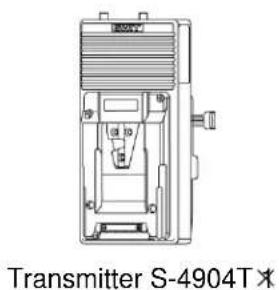
Transmitter S-4904T X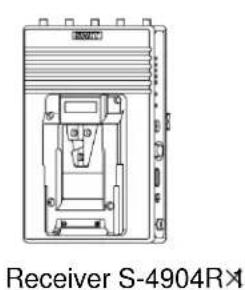
text_image
Receiver S-4904R×1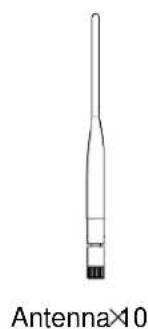
natural_image
Simple line drawing of a vertical tube with a black base and label 'Antenna×10' below (no other text or symbols)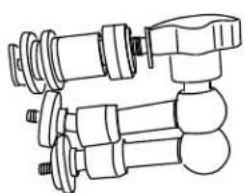
natural_image
Technical line drawing of three mechanical components with bolts and flanges (no text or symbols)
natural_image
Line drawing of a clamp or clamp device with no text or symbols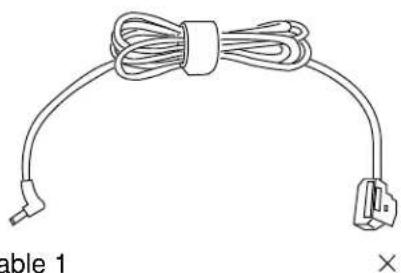
natural_image
Coiled cable and plug assembly with two connectors, labeled 'Table 1' (no text or symbols on the diagram itself)Articulating arm trestle Xcitab clamps D-tap to 5.5/2.1 mm pole cable 1
natural_image
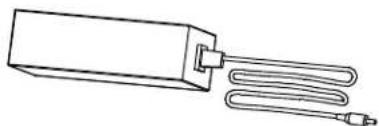
Line drawing of a rectangular device with two coiled cables, no text or symbols present5.5/2.1mm pole power adaptor
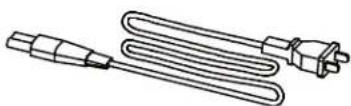
Power cable

Flat Screwdriver2

text_image
保修卡 _______________________________Warranty card 1
Note:S-4904 is equipped with 7 antennas, and the other 3 are used for standby.
SWIT®

text_image
QR code image containing encoded data, no visible human-readable textProduct Registration Link