CTT-1000 - Tripod Oben - Free user manual and instructions
Find the device manual for free CTT-1000 Oben in PDF.


User questions about CTT-1000 Oben
0 question about this device. Answer the ones you know or ask your own.
Ask a new question about this device
Download the instructions for your Tripod in PDF format for free! Find your manual CTT-1000 - Oben and take your electronic device back in hand. On this page are published all the documents necessary for the use of your device. CTT-1000 by Oben.
USER MANUAL CTT-1000 Oben
3-Section Carbon-Fiber Tabletop Tripod
text_image
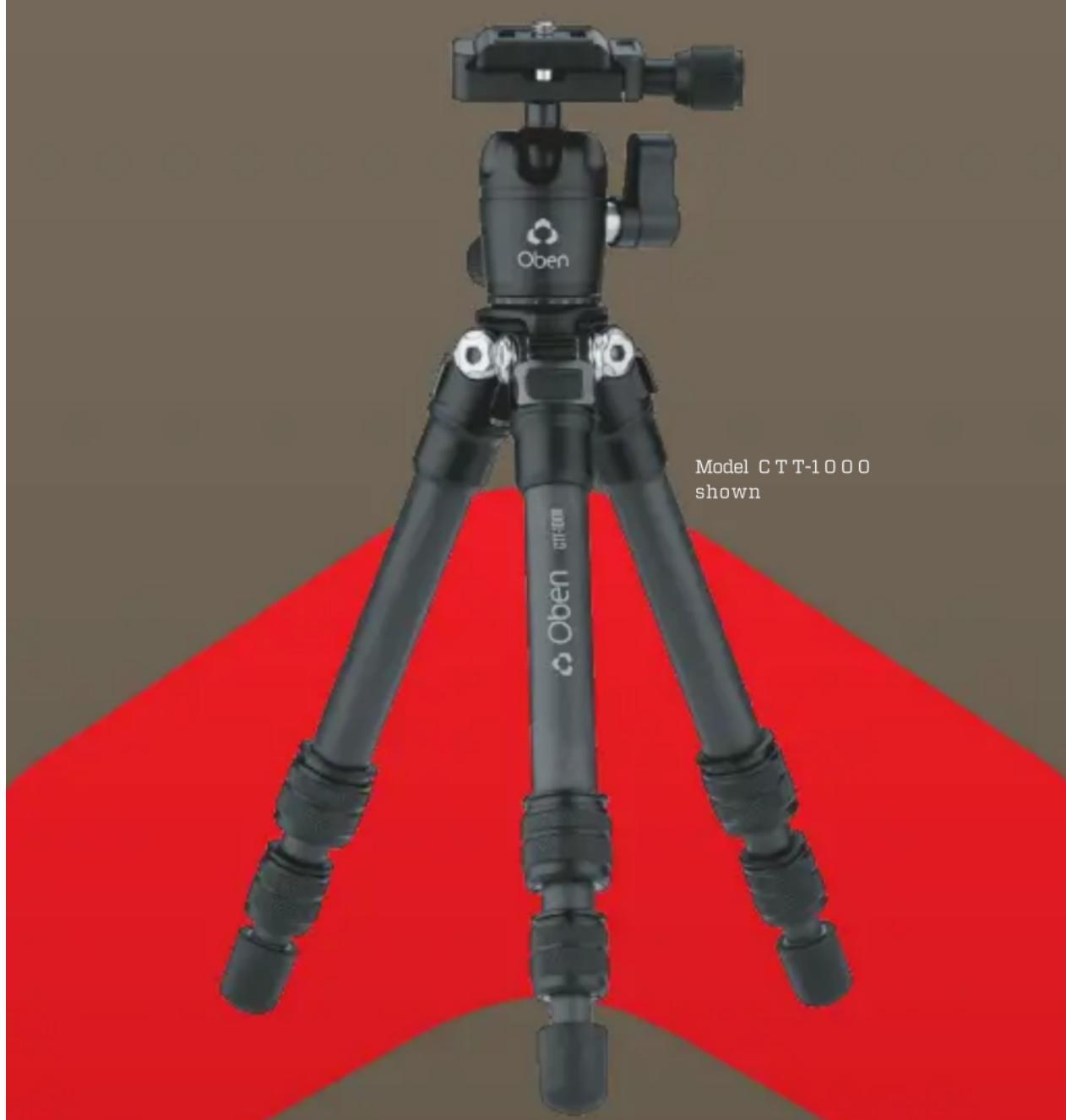
Oben Oben CTT-1000 Model CTT-1000 shownYou're on steady ground®
Thank you for choosing Oben!
The Oben CTT-1000 Series tripods are sturdy and high-quality carbon-fiber tabletop tripods that provide a compact and secure platform for vlogging, mobile, and low-angle photography. These tripods offer a variety of options ideal for the photographer on the go. Twist locking adjustable legs make this tripod quick to set up and simple to operate.
The 11-pound weight capacity makes these tripods compatible with a range of devices from compact smartphones to full-featured DSLRs. The included ballhead is outfitted with an Arca-compatible quick-release plate for rapid camera mounting and swapping. And for uneven or soft surfaces, the nonskid rubber feet can be removed to expose spiked feet.
An extender is included for extra height, and it can even be used as a selfie stick. Oben's CTT-1000 Series tripods are great additions to the camera bag of photographers and vloggers who insist on portability and rapid deployment.
Key Features 4-7
Ballhead Operation 8-12
Mounting the Ballhead 8
Mounting the Quick-Release Plate to the Camera 9
Mounting the Camera and Quick-Release Plate to the Ballhead 10
Main Locking Knob Operation 11
Panoramic Base 12
Tripod Operation 12-14
Leg Length Adjustment 12
Leg Angle Adjustment 13
Attaching the Extender 13
Spiked Feet 14
Specifications 15
Warnings 15
text_image
A B Oben GT-1000 C D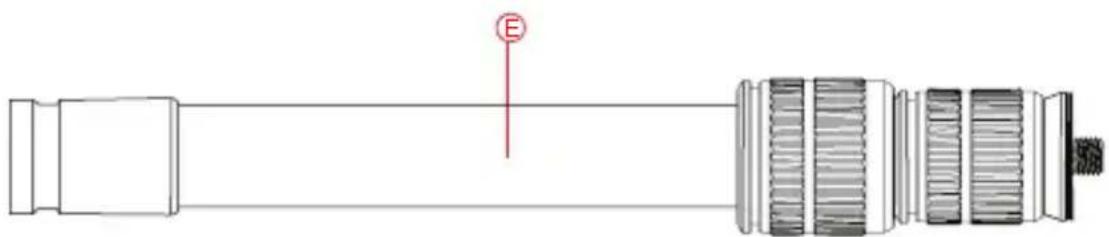
natural_image
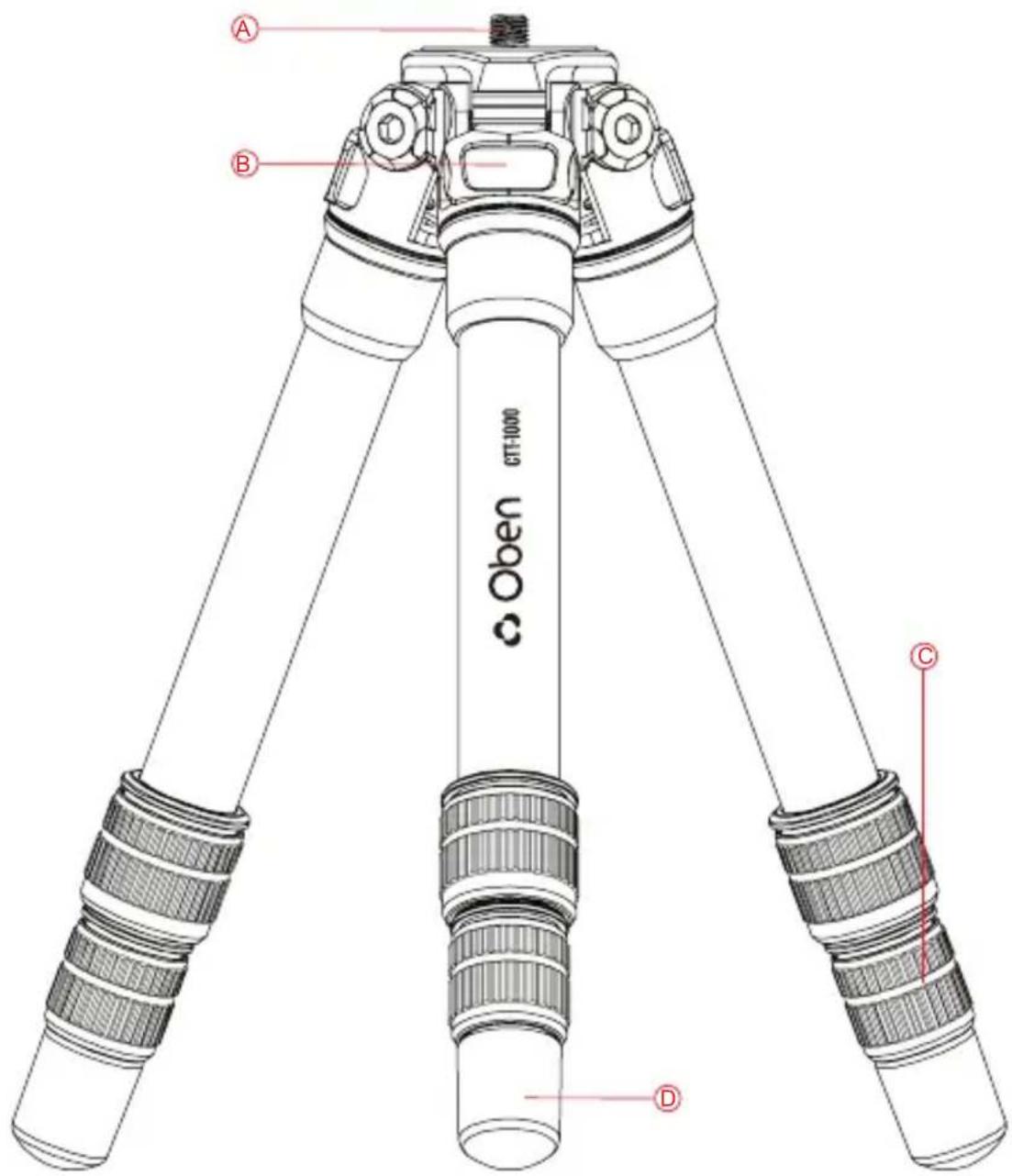
Technical line drawing of a mechanical connector or connector assembly (no text or symbols)A 1/4-20 mounting screw
B 3-angle leg adjustment
© Leg adjustment twist locks
D Rubber/spiked Feet
Extender/selfie stick
Also Included: 3/8-16 to 1/4-20 reducer bushings ( × 2)
Hex keys (×2)
text_image
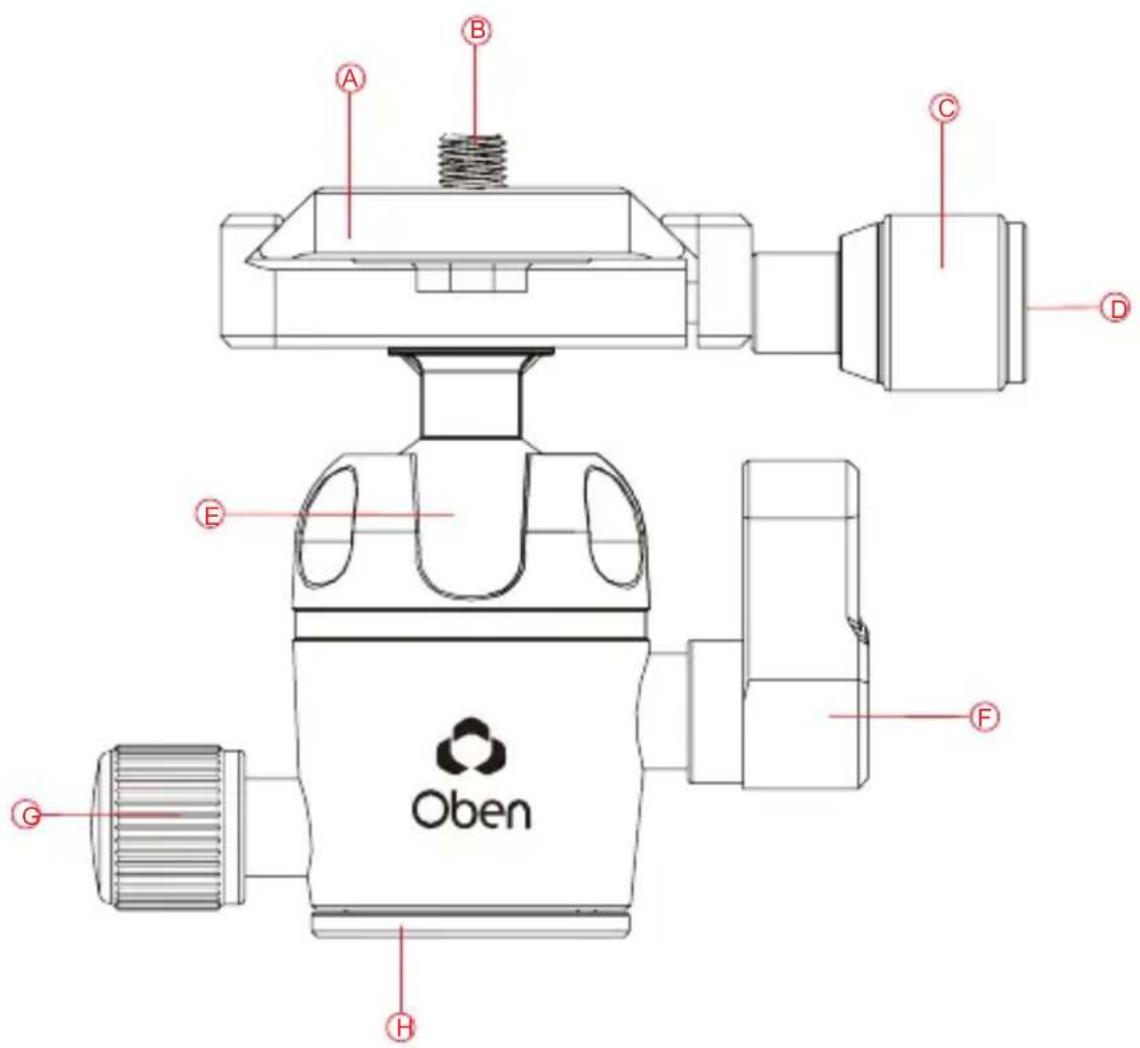
A B C D E F Oben G HA Quick-release plate
⑧ 1/4-20 mounting screw
© Quick-release knob
D Vertical bubble level
E 90° notch
F Locking knob
G Pan knob
H Panoramic base with 360° markings
Ballhead Operation
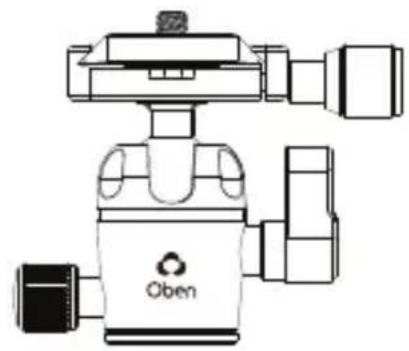
MOUNTING THE BALLHEAD
During normal operation, the ballhead will occasionally have to be removed. To mount it back onto the tripod:
- Align the ballhead socket with the tripod mounting screw.
- Rotate the ballhead clockwise onto the tripod, and tighten it by hand.
Note: To use the ballhead with a tripod that has a 3/8-16 threaded mounting post, remove the reducer bushing from the ballhead's mounting socket.
natural_image
Line drawing of a camera module with no visible text or symbols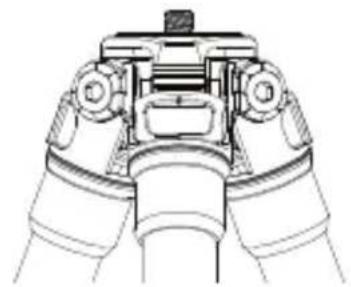
natural_image
Technical line drawing of a mechanical device with no visible text or symbolsMOUNTING THE QUICK-RELEASE PLATE TO THE CAMERA
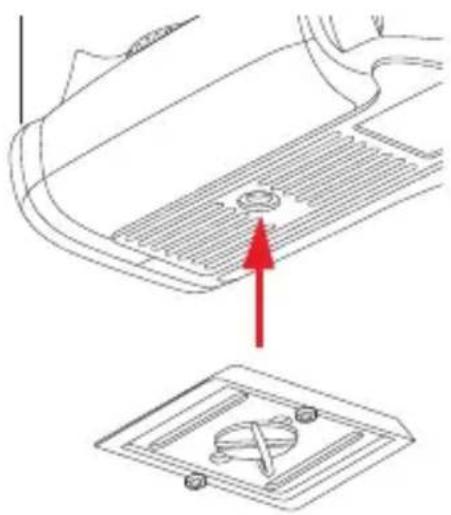
The quick-release plate has a 1/4-20 screw that fits most cameras.
natural_image
Diagram showing a car interior with a vent and a floor plan (no text or symbols)- Loosen the quick-release knob by turning it counterclockwise, and remove the quick-release plate from the ballhead.
2.Screw the plate onto the bottom of the camera. - Use the D-ring, a slotted screwdriver, or a coin to tighten the screw into the camera's socket.
Warning: Some manufacturers' plates do not meet our specifications and may not lock your equipment securely in the Oben quick-release clamp. Test any camera and lens plates made by manufacturers other than Oben to ensure compatibility before use.
Ballhead Operation (continued)
MOUNTING THE CAMERA AND QUICK-RELEASE PLATE TO THE BALLHEAD
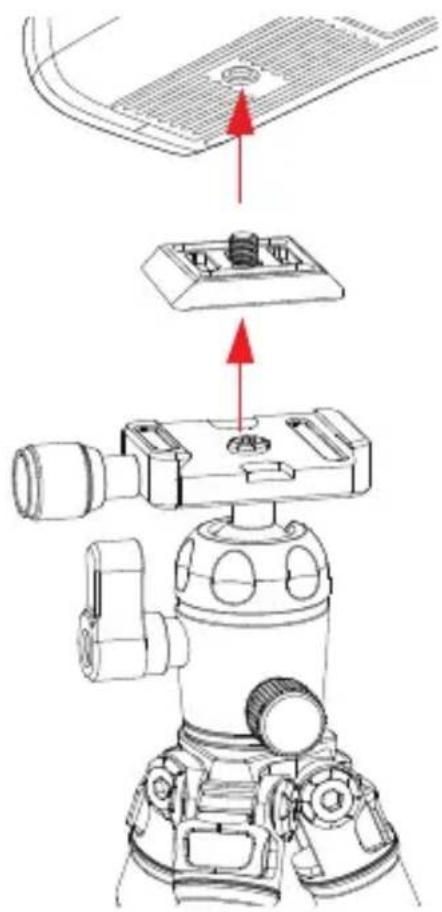
Make sure that all knobs on the ballhead are tightened, except for the quick-release knob.
- Turn the quick-release knob counterclockwise until it stops.
- Mount the camera to the ballhead by sliding one edge of the quick-release plate into the clamp. Then lower the other side until the quick-release plate is lying flat in the quick-release clamp.
Note: Make sure the mounting screw's D-ring is flush with the bottom of the plate.
- Turn the quick-release knob clockwise to lock the plate.
text_image
Technical diagram showing mechanical assembly with labeled parts and directional arrows indicating movement or assembly.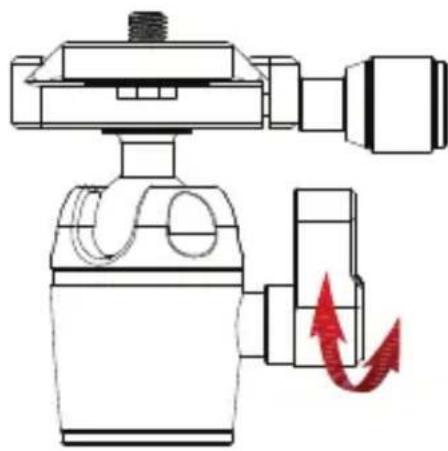
natural_image
Diagram of a mechanical device with a red arrow indicating motion or force direction (no text or symbols present)The main locking knob locks and unlocks the ballhead, which allows for changing the position of the camera.
Always use one hand to secure the camera while adjusting the ballhead, and make sure the lock is engaged before letting go of the camera.
Note: To adjust the tension in a tight space, or if something is blocking your ability to turn the knob, pull the knob out, reposition it so it can turn without interference, and release it. The knob will engage and can be loosened.
Use the 90° notch to quickly switch between landscape and portrait orientations.
Ballhead Operation (continued)
PANORAMIC BASE
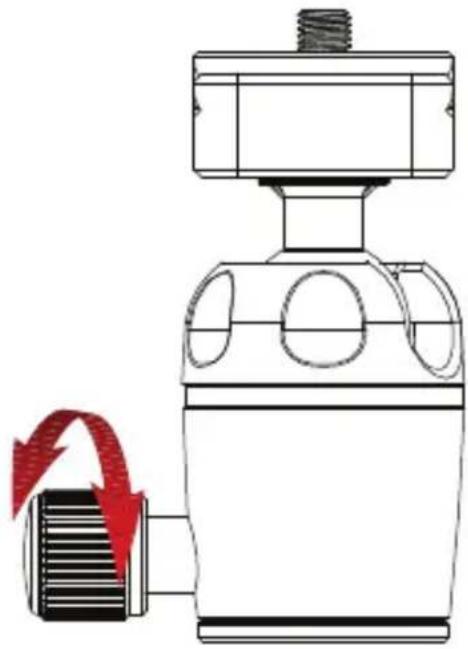
The base of the ballhead can be independently rotated 360°. Use the degree markings on the base of the ballhead to accurately set up panoramic shots.
- Twist the pan knob counterclockwise to unlock the base.
- Rotate the base to the desired position, and then lock the base by turning the knob clockwise.
natural_image
Technical line drawing of a mechanical device with a red arrow indicating motion or force (no text or symbols)Tripod Operation
LEG LENGTH ADJUSTMENT
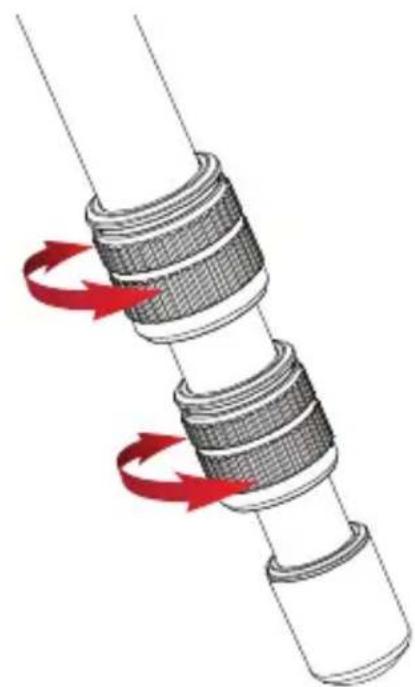
To independently adjust the height of each leg, do the following:
- Loosen the twist locks enough so that the legs can be adjusted.
Note: Don't over-loosen the twist locks.
-
Adjust the leg to the desired height.
-
Tighten the twist locks to secure the leg in place.
natural_image
Diagram of a mechanical assembly with red arrows indicating rotational motion (no text or symbols)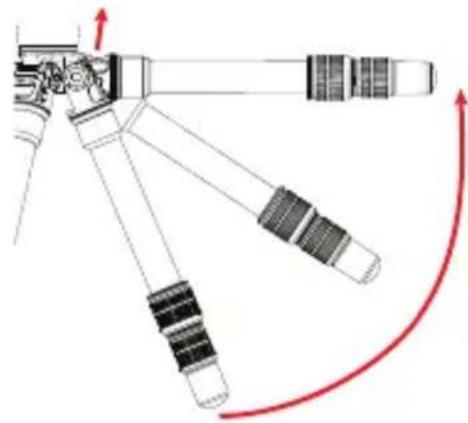
natural_image
Diagram of a mechanical device with lever arms and directional arrows indicating motion (no text or symbols)LEG ANGLE ADJUSTMENT
For stable support when shooting on an uneven surface, or for low-angle shots, each leg can be adjusted to 3 preset angles. To set the leg angle:
- Lift the angle adjustment lock.
- Set the angle of the leg to one of the three preset positions.
- Press in the release lock to secure the leg at the desired angle.
text_image
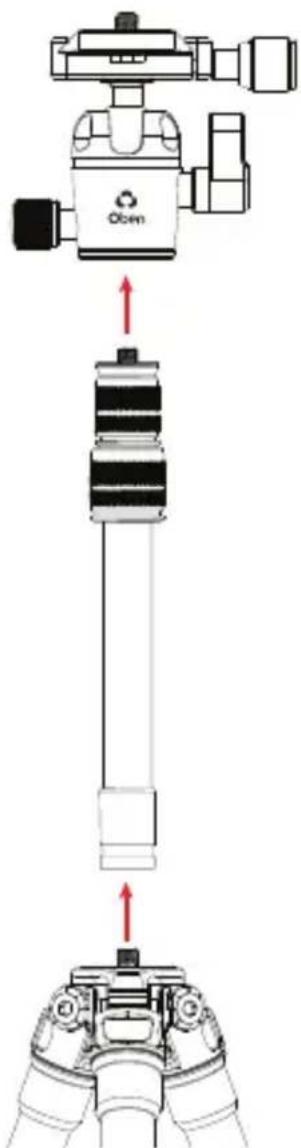
Diagram showing a camera setup with Oben sensor and mechanical components, including directional arrows indicating movement or force.ATTACHING THE EXTENDER
The included extender can be attached to add extra height to the tripod.
To attach the extender:
- Unscrew the ballhead, and attach the extender by screwing it onto the tripod's mounting post.
- Attach the ballhead to the extender's mounting post, or attach a camera or other piece of gear directly to the extender.
Note: The extender comes with an installed 3/8-16 to 1/4-20 reducer bushing. To use it with a tripod that has a 3/8-16 threaded mounting post, remove the bushing from the extender's socket.
Tripod Operation (continued)
- Adjust the extender height with the two twist locks.
Important: The extender reduces the stability of the tripod. The extender should only be used with point and shoot cameras or smartphones.
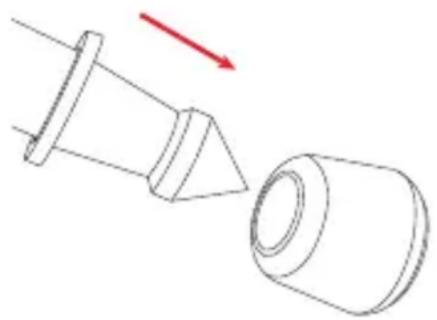
SPIKED FEET
The rubber nonskid feet are for use indoors or on flat surfaces. The spikes are for soft ground, grass, sand, and uneven terrain.
To expose the spikes, remove the rubber feet by pulling them off.
natural_image
Technical line drawing of a mechanical component with a conical tip and cylindrical body, showing a red arrow indicating direction (no text or symbols)Specifications / Warnings
| CTT-1000 CTT-1000L | ||
| Maximum Load 11 lb. (5 kg) 11 lb. (5 kg) | ||
| Maximum Height 15.5 in. (39.4 cm) | 28.2 in. (71.6 cm) | |
| Minimum Height 4.2 in. (10.7 cm) | 4.4 in. (11.2 cm) | |
| Folded Length 10.4 in. (26.4 cm) | 15 in. (38.1 cm) | |
| Weight 0.98 lb. (444 g) | 1.1 lb. (499 g) | |
| Leg Sections | 3 | 3 |
| Maximum Height with Extender | 27.7 in. (70.4 cm) | 54.2 in. (137.7 cm) |
| Ballhead | Dual action | Dual action |
| Quick-Release Plate | Arca compatible | Arca compatible |
| Spikes | Yes | Yes |

Warnings:
- Do not exceed the tripod's maximum load capacity (see Specifications).
- Ensure that all appropriate locks are engaged when necessary.
- This tripod should be used only in temperatures between -22^ and 140^ (-30°C and 60°C).
- Do not use this tripod in salt water. Dry the tripod off if it becomes wet.
- Remove the camera from the tripod during transport.
- Keep the tripod out of reach of children.
- To avoid injury, always support your device or camera with one hand while adjusting height and locking the twist lock with the other hand.
- All images are for ill ustrative purposes only.
Oben is a registered trademark of the Gradus Group. © 2019 Gradus Group LLC. All Rights Reserved.