
SMX2200HVNC - Server APC - Free user manual and instructions
Find the device manual for free SMX2200HVNC APC in PDF.


| Product Type | UPS (Uninterruptible Power Supply) |
| Model | SMX2200HVNC |
| Brand | APC by Schneider Electric |
| VA Rating | 2200 VA |
| Form Factor | Tower / Rack-Mount 4U |
| Input Voltage | 200-240 Vac (High Voltage model) |
| Output Connections | 3 controllable outlet groups (Group 1, 2, 3) plus additional outlets |
| Display | LCD screen with navigation keys (UP/DOWN, ENTER, ESC) |
| LED Indicators | Online, On Battery, Site Wiring Fault, Replace Battery |
| Communication Ports | USB, Serial, SmartSlot for Network Management Card |
| Emergency Power Off (EPO) | Yes, via EPO connector on rear panel |
| Battery Type | Sealed lead-acid, user-replaceable |
| Battery Weight | 23.8 kg (52.4 lb) |
| UPS Weight (with battery) | 41 kg (90.4 lb) |
| Dimensions (Height) | 4U (approximately 177 mm / 7 in) |
| Dimensions (Width) | 19 inches (483 mm) rack-compatible |
| Dimensions (Depth) | Approximately 610 mm (24 in) |
| Operating Environment | Indoor only, avoid direct sunlight, fluids, excessive dust or humidity |
| Battery Life | Typically 2-5 years depending on environment |
| Cooling | Forced air ventilation, ensure air vents are not blocked |
| Safety Certifications | ENERGY STAR qualified (select models), adhere to local electrical codes |
| Included Accessories | Tower stabilizer brackets, rack-mount brackets, rail kit (for models with factory NMC) |
Frequently Asked Questions - SMX2200HVNC APC
User questions about SMX2200HVNC APC
0 question about this device. Answer the ones you know or ask your own.
Ask a new question about this device
Download the instructions for your Server in PDF format for free! Find your manual SMX2200HVNC - APC and take your electronic device back in hand. On this page are published all the documents necessary for the use of your device. SMX2200HVNC by APC.
USER MANUAL SMX2200HVNC APC
Installation Guide Smart-UPS™ X 2000/2200/3000 VA Tower/Rack-Mount 4U
Important Safety Messages
Read the instructions carefully to become familiar with the equipment before trying to install, operate, service or maintain it. The following special messages may appear throughout this manual or on the equipment to warn of potential hazards or to call attention to information that clarifies or simplifies a procedure.

The addition of this symbol to a Caution product safety label indicates that a hazard exists that can result in injury and product damage if the instructions are not followed.
The following safety messages may appear throughout this manual to warn of potential hazards.
CAUTION
CAUTION indicates a potentially hazardous situation which, if not avoided, can result in equipment damage and minor or moderate injury.
CAUTION
CAUTION indicates a potentially hazardous situation which, if not avoided, can result in equipment damage.
Safety and General Information
Read the Safety Guide supplied with this unit before installing the UPS.
- Adhere to all local and national electrical codes.
- This UPS is intended for indoor use only.
- Do not operate this UPS in direct sunlight, in contact with fluids, or where there is excessive dust or humidity.
- Be sure the air vents on the UPS are not blocked. Allow adequate space for proper ventilation.
- The battery typically lasts for two to five years. Environmental factors impact battery life. Elevated ambient temperatures, poor quality utility power, and frequent short duration discharges will shorten battery life.
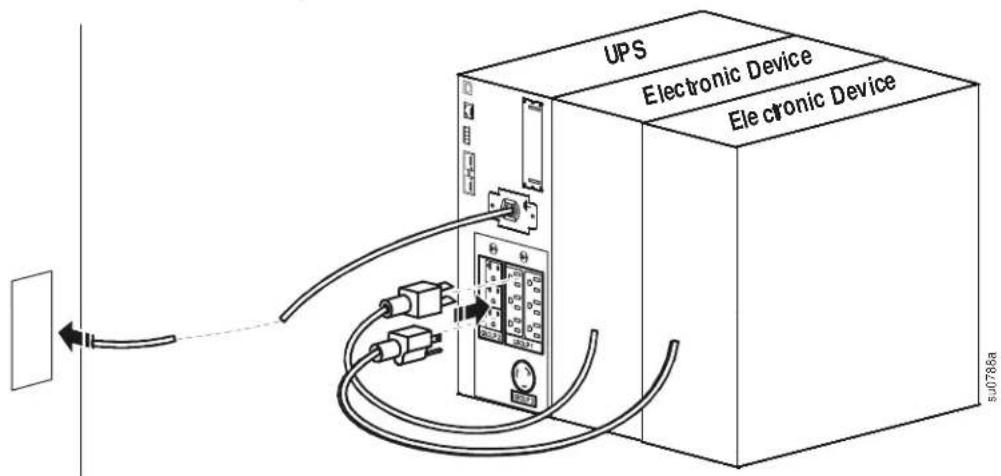
- Connect the UPS power cable directly to a wall outlet. Do not use surge protectors or extension cords.
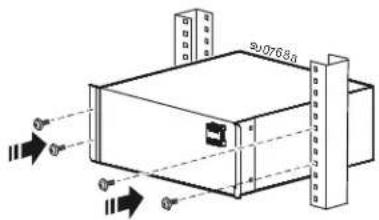
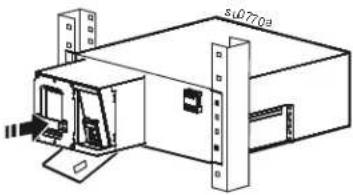
- The batteries are heavy. Remove the batteries prior to installing the UPS in a rack.
- Always install external battery packs (XLBPs) at the bottom of the rack. The UPS must be installed above the XLBPs.
- The UPS display interface will recognize as many as 10 external battery packs connected to the UPS. However there is no limit to the number of XLBPs that can be used with the UPS.
• Refer to Specifications in the Operation manual for UPS and battery weight.
Inventory
Inspect the contents upon receipt. Notify the carrier and dealer if the unit is damaged.
| Included with all models | ||
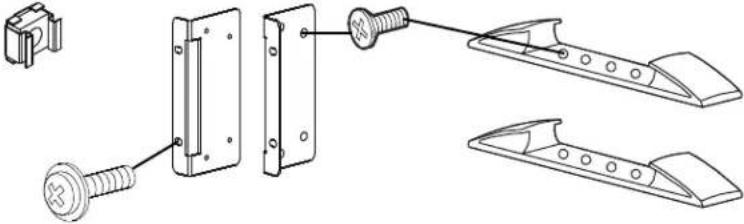
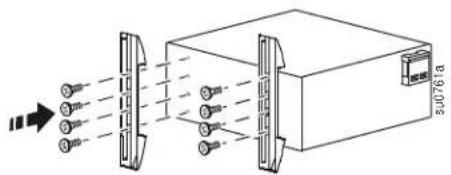
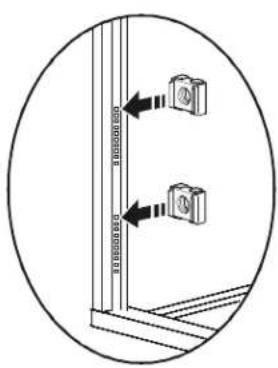
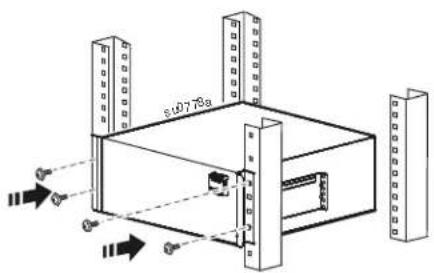
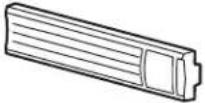 | 1 pair tower stabilizer bracketsUse 8 flat head screws to secure tower stabilizer brackets to the UPS1 pair rack-mount bracketsUse 8 flat head screws to secure rack-mount brackets to the UPSUse 4 ornamental screws to secure rack-mount brackets to the railsInstall a cage nut in the rack to secure the top hole of each rack-mount bracket in a four post rack | |
 |  | |
 | ||
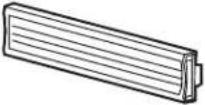
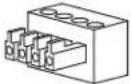 | 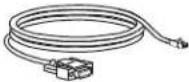 | Included with models that have factory installedNetwork Management Cards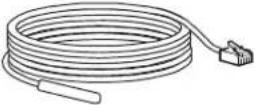 |
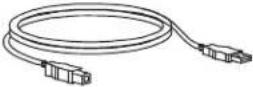 | ||
| Rail kit | |||
1 pair support brackets Two post racks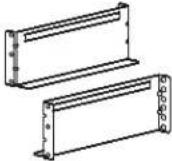 | 10 screws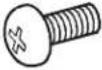 | Four post racks6 screws6 washers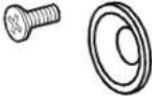 | 1 pair rail cleats8 pan head screws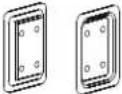 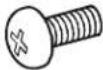 |
| Included with High Voltage (HV) models | |||
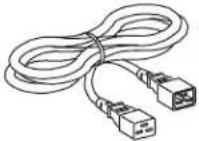 | 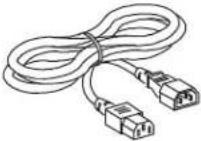 | 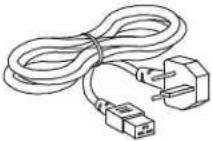 | 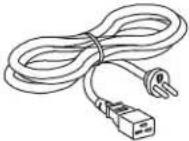 |
| Included with model SMX3000HVT | |||
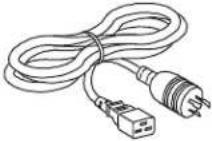 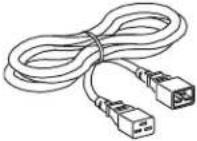 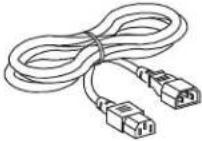 | |||
Product Overview
Front panel features
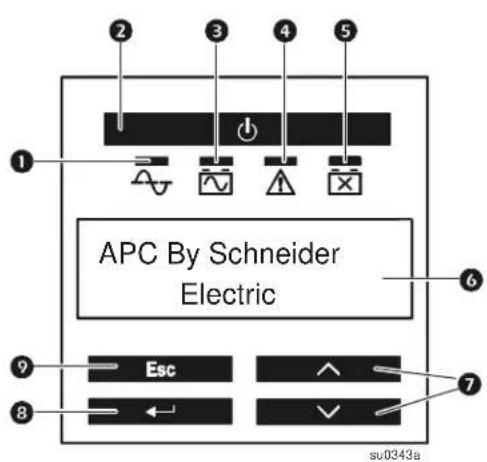
① Online LED
2 PoweON/OFF button
3 On Battery LED
④ Site Wiring Fault LED
⑤ Replace Battery LED
6 LCD display screen
⑦ UP/DOWN arrow keys
8 ENTER key
9 ESC key
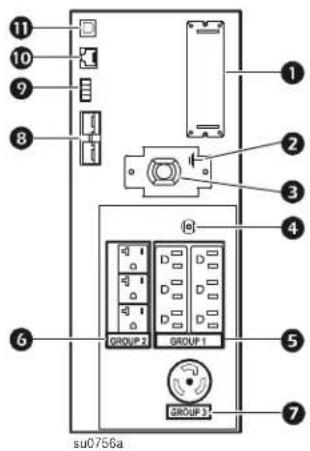
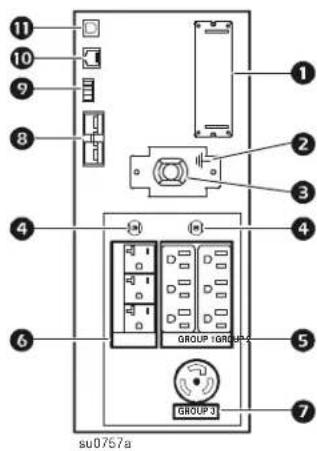
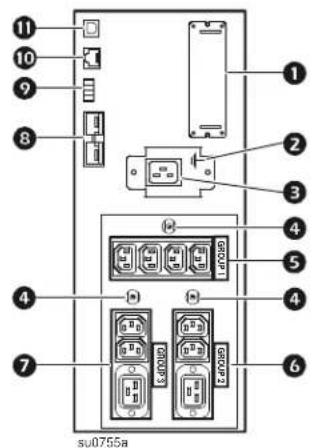
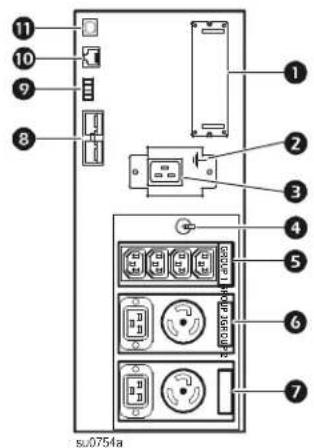
Rear panel features
① SmartSlot ⑦ Controllable Outlet Group 3
② Chassis ground screw
③ UPS utility power input ⑨ EPO connector
4 Circuit Breaker reset 10 Serial port
⑤ Controllable Outlet Group 1 ⑪ USB port
6 Controllable Outlet Group 2
8 External battery pack connector
2000 VA, 120 Vac Low Voltage 3000 VA, 120 Vac Low Voltage
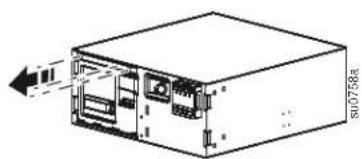
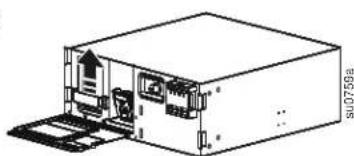
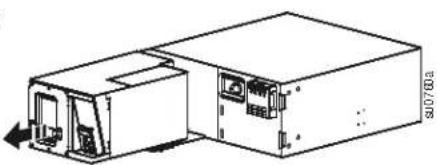
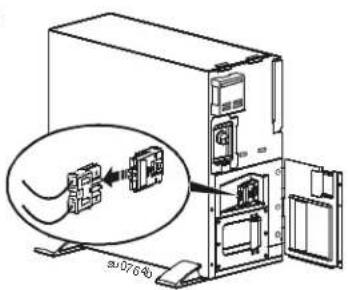
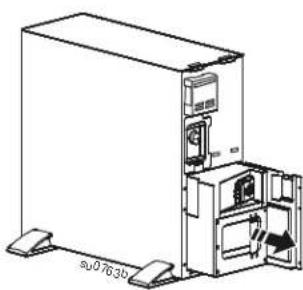
Remove Battery
CAUTION
DAMAGE TO EQUIPMENT OR PERSONNEL
- The equipment is heavy. Always practice safe lifting techniques adequate for the weight of the equipment.
• The UPS with battery installed weighs 41 kg (90.4 lb). - The battery weighs 23.8 kg (52.4 lb). Remove the battery before installing the unit in a rack.
- Use the battery handle to lift and slide the battery out of the UPS.
Failure to follow these instructions can result in equipment damage and minor or moderate injury
1
natural_image
Diagram of a computer tower with internal components and an external drive (no text or symbols)2
natural_image
Isometric line drawing of a device housing with internal components and a door, no text or symbols present3
natural_image
Technical line drawing of a device with ports and connectors, no visible text or symbolsTower Configuration
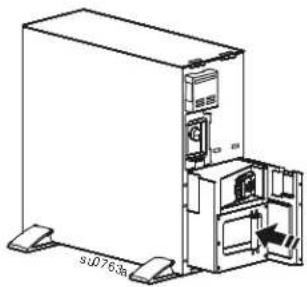
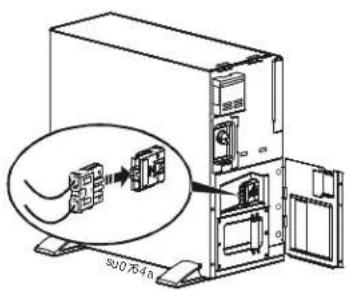
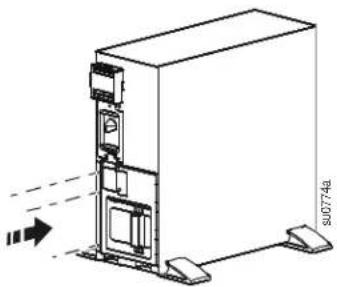
CAUTION
DAMAGE TO EQUIPMENT OR PERSONNEL
- The equipment is heavy. Always practice safe lifting techniques adequate for the weight of the equipment.
• The UPS with battery installed weighs 41 kg (90.4 lb). - The battery weighs 23.8 kg (52.4 lb). Remove the battery before installing the unit in a rack.
- Use the battery handle to lift and slide the battery out of the UPS.
Failure to follow these instructions can result in equipment damage and minor or moderate injury
1
2
natural_image
Technical line drawing of a mechanical device with no visible text or symbols3
4
natural_image
Technical line drawing of a server rack unit with mounting feet and internal components (no text or symbols)5
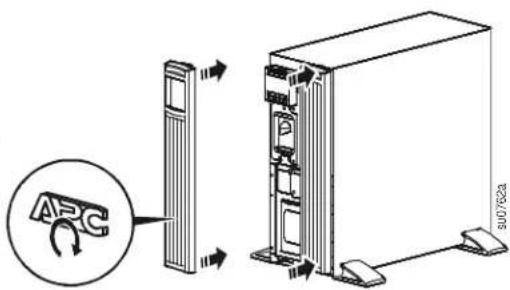
Rack-Mount Configuration
CAUTION
DAMAGE TO EQUIPMENT OR PERSONNEL
- The equipment is heavy. Always practice safe lifting techniques adequate for the weight of the equipment.
• The UPS with the battery installed weighs 41 kg (90.4 lb). - The battery weighs 23.8 kg (52.4 lb). Remove the battery before installing the unit in a rack.
- Use the battery handle to lift and slide the battery out of the UPS.
Failure to follow these instructions can result in equipment damage and minor or moderate injury
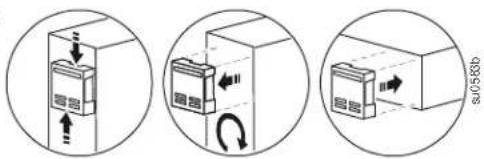
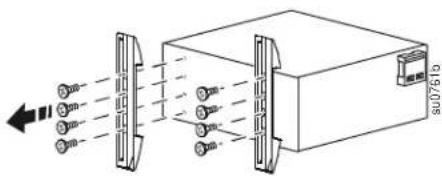
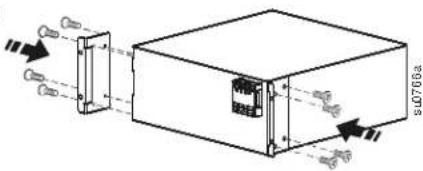
Tower to rack-mount conversion
1
2
natural_image
Technical line drawing of a server rack unit with mounting base and internal components (no text or symbols)3
4
5
6
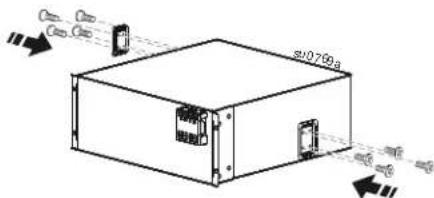
CAUTION
DAMAGE TO EQUIPMENT OR PERSONNEL
- When installing equipment in a rack, always install external battery packs at the bottom of the rack.
- The UPS should always be installed above the external battery packs in rack or stack configurations.
Failure to follow these instructions can result in equipment damage and minor or moderate injury
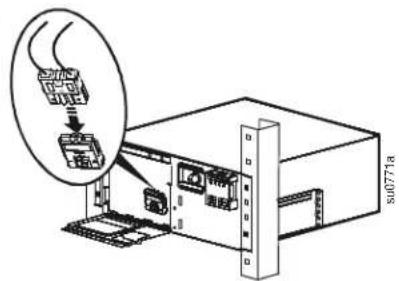
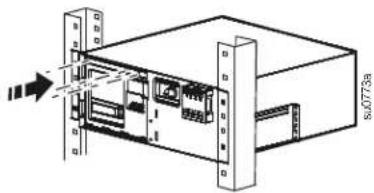
Two post rack installation
1
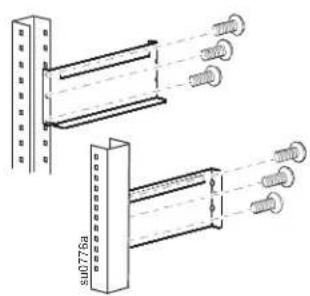
2
3
natural_image
Technical line drawing of a mechanical assembly or enclosure with no visible text or symbols4
5
6
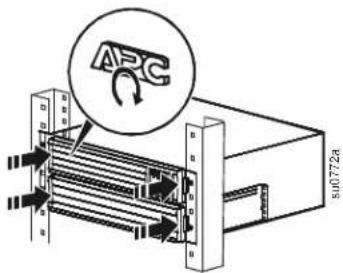
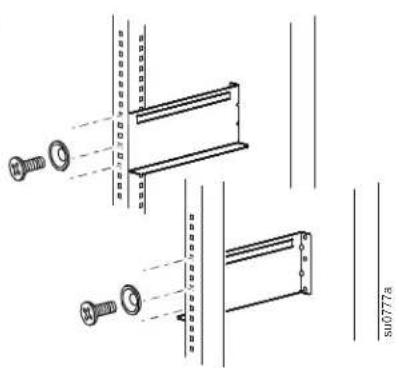
Four post rack installation
Use an APC by Schneider Electric four post rail kit. To order the rail kit go to the APC by Schneider Electric Web site apc.com.
1
natural_image
Technical line drawing of mechanical components with no visible text or symbols2
3
4
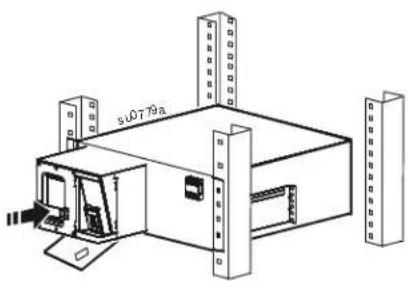
natural_image
Isometric line drawing of a modular industrial or storage unit with labeled dimensions (no text or symbols beyond basic labels)5
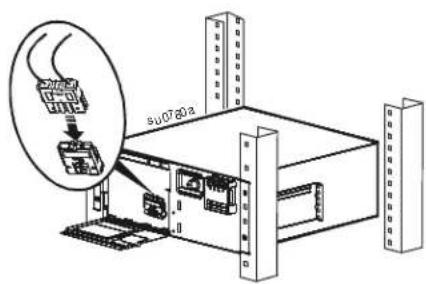
6
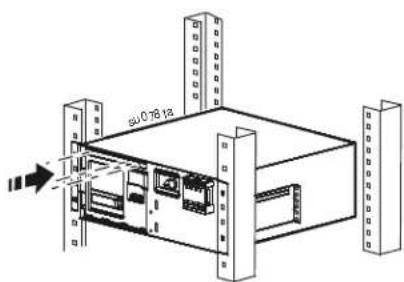
7
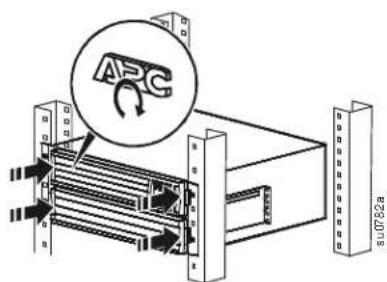
UPS Configuration
Connect Emergency Power Off feature
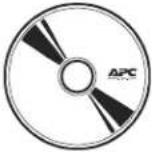
For instructions on how to connect the Emergency Power Off (EPO) switch, refer to the Operation and Maintenance manual on the Documentation CD (supplied).
Configure controllable outlet groups
The outlets on the UPS are configured into groups. To utilize the controlled outlet features, use the Advanced menus on the display interface and navigate to: Main Menu > Control > Outlet1 Control.
Electrical connections
| CAUTION |
| RISK OF EQUIPMENT DAMAGEAdhere to all local and national electrical codes.Wiring should be performed by qualified electrician.Always connect the UPS to a grounded outlet.Failure to follow these instructions can result in equipment damage |

Select models are ENERGY STAR ^® qualified.
For more information go to www.apc.com/site/recycle/index.cfm/energy-efficiency/energy-star/

- Installation Guide Smart-UPS™ X 2000/2200/3000 VA Tower/Rack-Mount 4U
- Important Safety Messages
- CAUTION
- Safety and General Information
- Inventory
- Product Overview
- Rear panel features
- Remove Battery
- DAMAGE TO EQUIPMENT OR PERSONNEL
- Tower Configuration
- Rack-Mount Configuration
- Tower to rack-mount conversion
- Two post rack installation
- Four post rack installation
- UPS Configuration
- Connect Emergency Power Off feature
- Configure controllable outlet groups
- Electrical connections
Brand : APC
Model : SMX2200HVNC
Category : Server