
WLAN-Repeater N300 - Wi-Fi repeater HAMA - Free user manual and instructions
Find the device manual for free WLAN-Repeater N300 HAMA in PDF.


| Product Type | Wi-Fi Repeater |
| Model | N300 |
| Brand | Hama |
| Wireless Standard | IEEE 802.11 b/g/n |
| Frequency Band | 2.4 GHz |
| Maximum Data Rate | 300 Mbps |
| Operating Modes | Repeater mode, Access Point mode |
| WPS Support | Yes |
| Network Port | 1x RJ45 (10/100 Mbps) |
| Power Supply | Direct plug-in (100-240 V AC, 50/60 Hz) |
| Dimensions (approx.) | 80 x 60 x 40 mm |
| Weight (approx.) | 100 g |
| LED Indicator | Status LED (constant, slow flash, fast flash) |
| Security | WPA/WPA2 encryption |
| Setup Methods | WPS button, Web interface (http://ap.setup) |
| Default SSID | Wireless-N |
| Default Password | admin |
| Compliance | CE, RoHS |
| Package Contents | Repeater, Quickstart Guide |
| Warranty | 2 years (manufacturer warranty) |
| Maintenance | Keep dry, clean with soft cloth, no liquids |
| Recycling | Dispose according to local regulations (WEEE) |
Frequently Asked Questions - WLAN-Repeater N300 HAMA
User questions about WLAN-Repeater N300 HAMA
0 question about this device. Answer the ones you know or ask your own.
Ask a new question about this device
Download the instructions for your Wi-Fi repeater in PDF format for free! Find your manual WLAN-Repeater N300 - HAMA and take your electronic device back in hand. On this page are published all the documents necessary for the use of your device. WLAN-Repeater N300 by HAMA.
USER MANUAL WLAN-Repeater N300 HAMA
Operating Instructions
Bedienungsanleitung
GB
D
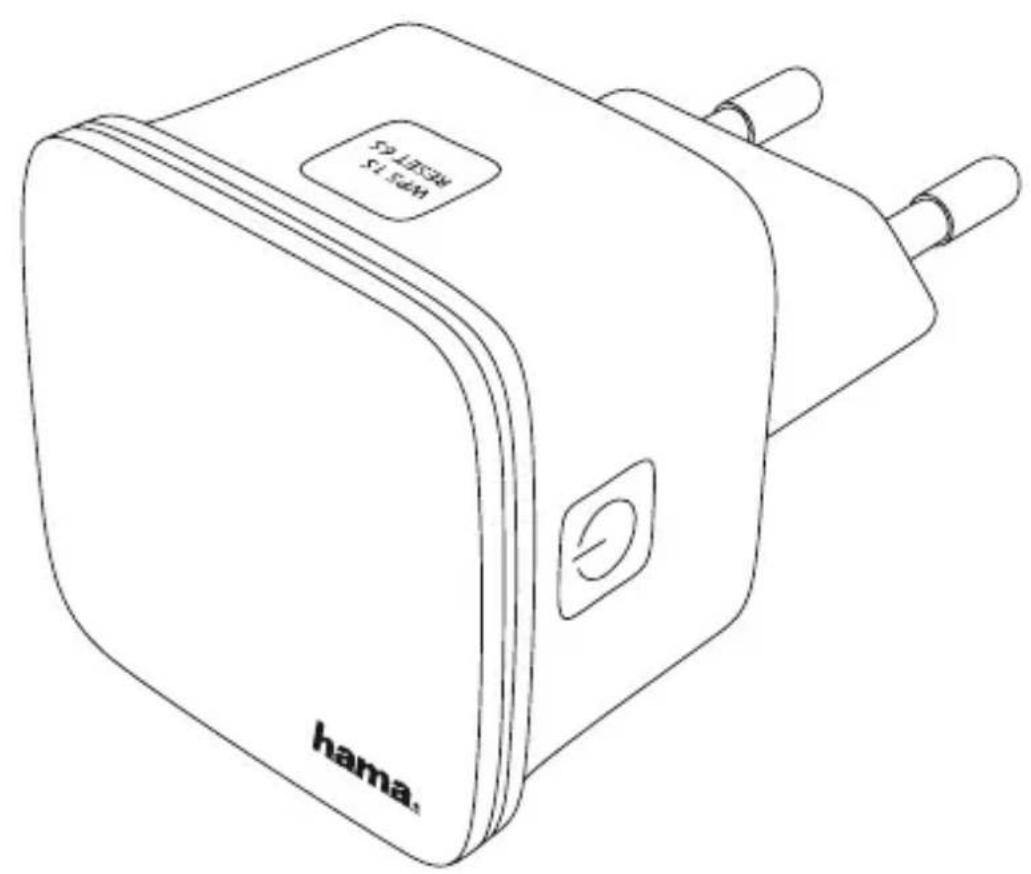

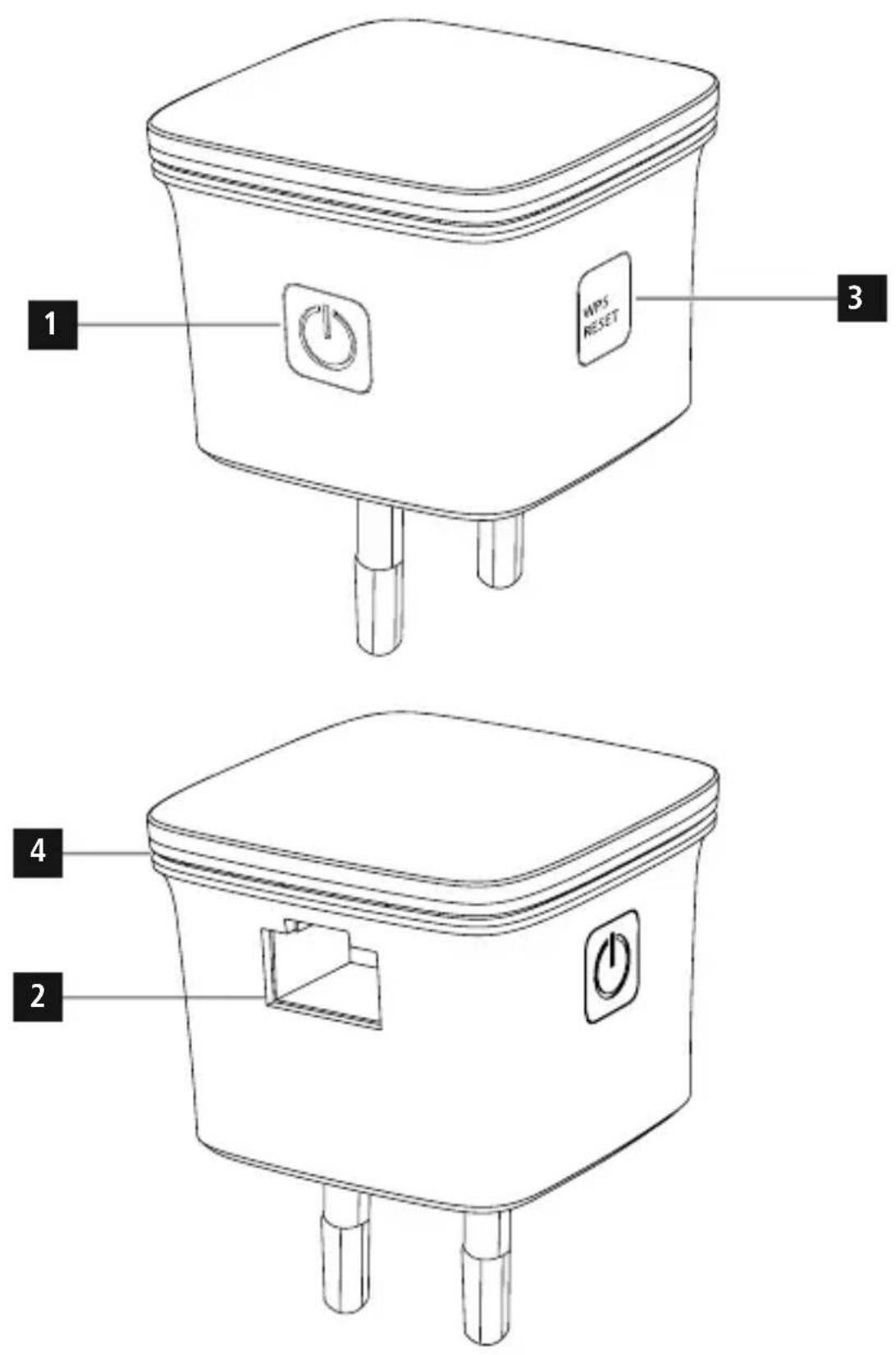
Controls and Displays
- On/off switch
- Network port
- WPS button
- Status LED

Important note - 0 perating instructions
- This is a quick guide to provide you with the most important basic information, such as safety warnings and how to get started using the product.
- For the sake of protecting the environment and saving resources, Hama dispenses with printed operating instructions and provides them only in the form of PDF files / eManuals on www.hama.com.
- Use the search function with the item number of your product to easily find the product documentation.
- Alternatively, scan the QR code below to be taken directly to the location of the operating instructions.
- Save the operating instructions to your computer's hard drive for future reference, or print it out if necessary.
Thank you for choosing a Hama product.
Take your time and read the following instructions and information completely. Keep these operating instructions in a safe place for future reference.
1. Explanation of Warning Symbols and Notes

Warning
This symbol is used to indicate safety instructions or to draw your attention to specific hazards and risks.

Note
This symbol is used to indicate additional information or important notes.
2. Package Contents
Before you start setting up your Hama WLAN repeater, make sure that you have all the components:
• 1 x H ama N300 WLAN-Repeater
- 1 x Quickstart
Hama GmbH & Co KG reserves the right to modify the scope of delivery without prior notice.
3. Safety Notes
- This product is intended for private, non-commercial use only.
- Only use the product for the intended purpose.
- Protect the product from dirt, moisture and overheating, and only use it in a dry environment.
- Do not use the product in the immediate vicinity of heaters or other heat sources or in direct sunlight.
- Lay all cables so that they do not pose a tripping hazard.
- Do not drop the product and do not expose it to any major shocks.
- The product may only be operated with the type of power supply network described on the name plate.
- Only connect the product to a socket that has been approved for the device. The electrical socket must always be easily accessible.
- D ispose of packaging material immediately according to locally applicable regulations.
- Do not modify the product in any way. Doing so voids the warranty.

Warning
Do not open the product. Do not continue to operate the product if it is damaged, which may be indicated by smoke, odours or loud noises. Contact your dealer or our service department immediately (see Service and Support).
4. System Requirements:
Note that your computer or the wireless device in question must be equipped with a W LAN network card/USB stick or an integrated network adapter with an RJ45 LAN interface.
5. Controls and Display
5.1 On/off switch
Pressing the on/off switch (1) will switch the device on or off.
5.2 Network port
You can connect your PC or console to this network port in order to provide these devices access to your WLAN network device.
5.3 WPS button (6)
This button can be used to connect/link the repeater to your WLAN router using WPS; it can also be used to reset the repeater to the factory settings in case of a malfunction. To make a connection/link using WPS, please read the section Start-Up Using WPS.
Restoring the factory settings:
If a connection to the configuration program cannot be established, reset the device to the factory settings by pressing the WPS button for approx. 6 seconds.
5.4 LED indicator
Status LED
| Constant light | Repeater is switched on |
| Off Repeater is | switched off |
| Flashes slowly | Repeater is not connected to a network |
| Flashes quickly | Repeater is connecting to a network |
5.5 Standard parameters
| URL http://ap.setup | |
| IP address 192.168.10.1 | |
| Password admin | |
| SSID Wireless-N | |
| WiFi key | None / No key is necessary for connection |
6. Getting started
6.1 Operating modes
The repeater basically supports two different operating modes:
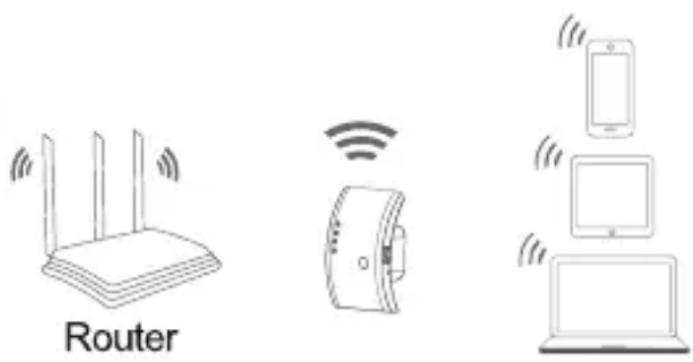
A) Repeater mode:
The repeater strengthens your wireless network; it is connected to the existing router/access point via WLAN. Here, the SSID and password of your existing network are copied.

Note
The setup described in this quick guide relates solely to the repeater mode!
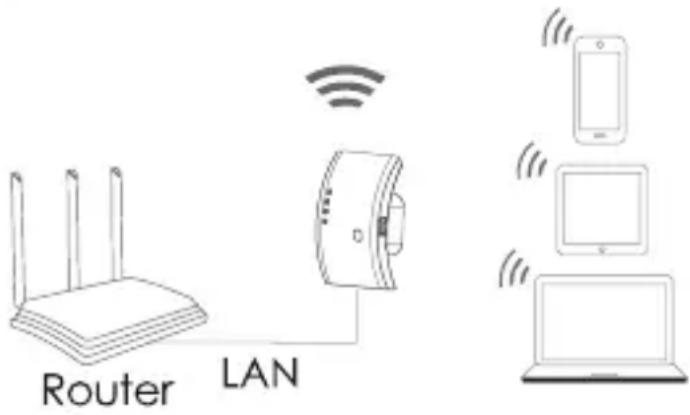
B) Access point mode:
The repeater is connected to your existing network through a wired connection and, after configuration, sets up an independent wireless network.

Note
The setup of this mode is described in the product's operating instructions, which you can access at www.hama.com by entering the item number.
6.2 Repeater mode

Note
Please observe the detailed operating instructions available at www.hama.com. They offer detailed, useful information on additional options for starting up and configuring your product.
6.2.1 Start-Up using WPS (WiFi protected setup)
Requirements:
In order for you to use WPS, your existing WLAN router must support configuration using WPS. In addition, your WLAN router must be currently using the WPA or WPA 2 WLAN encryption standard, and the SSID (WLAN network name) of the WLAN router must be set to visible.

Note
Note that some manufacturers use designations other than WPS. Please read the instructions for your WLAN router to determine whether and how you can activate linking via a hardware button (WPS) on your WLAN router.
To set up the Hama repeater using WPS, proceed as follows:
- P lug in the Hama repeater in the immediate vicinity of your WLAN router (we recommend starting up the device in the same room in which your WLAN router is located) and wait until its status LED (4) lights up.
- Press and hold the WPS button (3) for approximately 2 seconds. The status LED (4) begins to flash quickly.
- Press the WPS or QSS button on your WLAN router within the next 2 minutes and according to the instructions in your WLAN router manual. (Consult the instructions for your WLAN router to determine how long to hold the button.)
- Wait for approx. 3 minutes until the connection between the WLAN router and the repeater is established.
- The connection has been successfully set up when the status LED (4) is constantly lit.
- P lace the Hama repeater in the location you have selected.
The WPS connection procedure is thus completed, and a secure connection has been established between the repeater and the WLAN router.
6.2.2 Startup using a W LAN connection with the PC
- P lug in the Hama repeater in the immediate vicinity of your WLAN router (we recommend starting up the device in the same room in which your WLAN router is 2 located) and wait until its status LED (4) lights up. - C onnect your computer to the network 'Wireless-N'. The entry of a password is not required.
- Then call up the address http://ap.setup in your Web browser. (Alternatively, you can also call up the repeater's I P a dress 192.168.10.1)
- Select a language and enter the password. Then click 'Login' to start the configuration. The default password is admin.
- S elect 'Wizard'.
- T hen select 'Repeater'.
- The repeater lists all available networks. Select the desired network and enter the password for your network. Then click 'Connect'. You can change the router's SSID, if desired. However, we recommend that you use the same SSID as your wireless network us
- When you have clicked 'Connect', the repeater will restart. You must now connect your computer to the new network.
- Alternatively, you can also configure the repeater using a network cable. To do so, connect your computer and the repeater with a network cable. You can then continue with the above configuration, from 'Then call up the address http://ap.setup....'.
6.2.3 Troubleshooting
If the repeater's status LED (4) does not light up as described, the connection could not be established. Please consult the following information in order to fix the problem.
- Check the location in which you installed the repeater; we recommend plugging in the repeater for configuration in the immediate vicinity of your WLAN router.
- Check whether the WPS function is activated in the firmware on your WLAN router or whether your WLAN router supports this procedure at all.
- Check whether your WLAN network is using a hidden SSID; we recommend not hiding the SSID for the initial setup.
- Check whether your WLAN network is using the 2.4 GHz band. The Hama repeater only supports the 2.4 GHz b and.
7. Warranty Disclaimer
Hama GmbH & Co. KG assumes no liability and provides no warranty for damage resulting from improper installation/mounting, improper use of the product or from failure to observe the operating instructions and/or safety notes.
8. Service and Support
Please contact Hama Product Consulting if you have any questions about this product.
Hotline: +49 9091 502-115 (German/English)
Further support information can be found here:
www.hama.com
9. Recycling Information
Note on environmental protection:
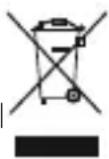
After the implementation of the European Directive 2002/96/EU and 2006/66/EU in the national legal system, the following applies: Electric and electronic devices as well as batteries must not be disposed of with household waste. Consumers are obliged by law to return electrical and electronic devices as well as batteries at the end of their service lives to the public collecting points set up for this purpose or point of sale. Details to this are defined by the national law of the respective country. This symbol on the product, the instruction manual or the package indicates that a product is subject to these regulations. By recycling, reusing the materials or other forms of utilising old devices/Batteries, you are making an important contribution to protecting our environment.
10. Declaration of Conformity
CE Hereby, Hama GmbH & Co KG declares that the radio equipment type [00053306] is in compliance with Directive 2014/53/EU. The full text of the EU declaration of conformity is available at the following internet address: www.hama.com->00053306->Downloads.
| Frequency band(s) 2412 MHz - 2 472 MHz |
| Maximum radio-frequency power transmitted 2.4 GHz / 1 00mW (EIRP) |
- Controls and Displays
- Important note - 0 perating instructions
- Explanation of Warning Symbols and Notes
- Warning
- Note
- Package Contents
- Safety Notes
- System Requirements:
- Controls and Display
- On/off switch
- Network port
- WPS button (6)
- Restoring the factory settings:
- LED indicator
- Getting started
- Operating modes
- A) Repeater mode:
- B) Access point mode:
- Repeater mode
- Start-Up using WPS (WiFi protected setup)
- Requirements:
- Startup using a W LAN connection with the PC
- Troubleshooting
- Warranty Disclaimer
- Service and Support
- Recycling Information
- Note on environmental protection:
- Declaration of Conformity
Brand : HAMA
Model : WLAN-Repeater N300
Category : Wi-Fi repeater