
Mi WiFi Router HD - Wi-Fi Router Xiaomi - Free user manual and instructions
Find the device manual for free Mi WiFi Router HD Xiaomi in PDF.


| Product Type | Wi-Fi Router |
| Brand | Xiaomi |
| Model | Mi WiFi Router HD (R3D) |
| Wireless Standard | Dual-band (2.4 GHz / 5 GHz) |
| Maximum Speed | 2533 Mbps |
| Antennas | 4 external omnidirectional |
| Ports | 1 x Gigabit WAN, 3 x Gigabit LAN, 1 x USB 3.0 |
| Power Supply | DC 12V, 3A |
| Indicator Light | LED (off, yellow, blue, red) |
| Security Features | Wi-Fi theft protection, firewall, dangerous website blocking |
| Smart Features | MiWiFi OS, APP control, automatic photo backup, Thunder download |
| MU-MIMO | Yes |
| Warranty | 1 year free repair (conditions apply) |
| Maintenance | Clean with dry cloth; do not use liquid cleaners |
| Safety | Do not disassemble; use only supplied power adapter |
Frequently Asked Questions - Mi WiFi Router HD Xiaomi
User questions about Mi WiFi Router HD Xiaomi
0 question about this device. Answer the ones you know or ask your own.
Ask a new question about this device
Download the instructions for your Wi-Fi Router in PDF format for free! Find your manual Mi WiFi Router HD - Xiaomi and take your electronic device back in hand. On this page are published all the documents necessary for the use of your device. Mi WiFi Router HD by Xiaomi.
USER MANUAL Mi WiFi Router HD Xiaomi
Thank you for choosing Xiaomi HD Router
To get started, it takes only three steps:
1
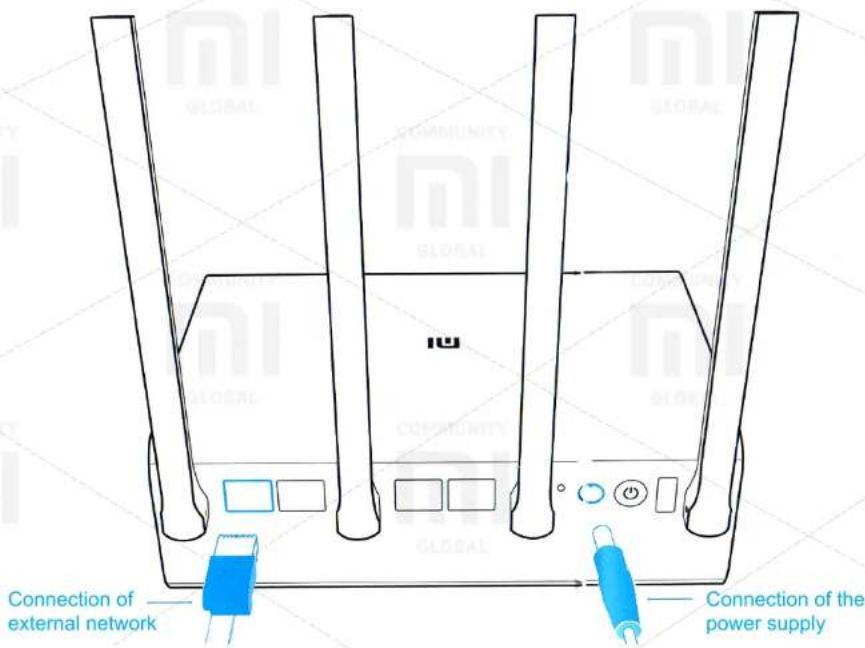
Connection to a power supply and accession to network cable
Connect to the power supply and to insert an outside equipment cable into the router connector.
* Connect the other end of the external network cable to the optical modem / ADSL modem / subscriber gateway.
If the above equipment is not available, you can connect directly to the home network cable.
2
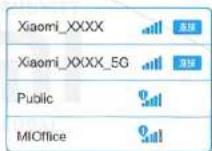
Connect to a wireless Wi-Fi network
Using a mobile device or a computer search, connect to a wireless Wi-Fi network called «Xiaomi_XXXX» created by the router.
* This step can be skipped if the computer is connected to the router via a network cable
* Xxxx is the last 4 characters of the MAC address of the router, they can be found on the bottom of the router
3
Opening the browser or installing APP on the phone
Visit miwifi.com or type an IP-address of the router 192.168.31.1. You can also complete the installation by using APP for the Xiaomi router. To download APP to your phone, you need to scan the QR code.

Overview
Introduction to the Xiaomi HD Router

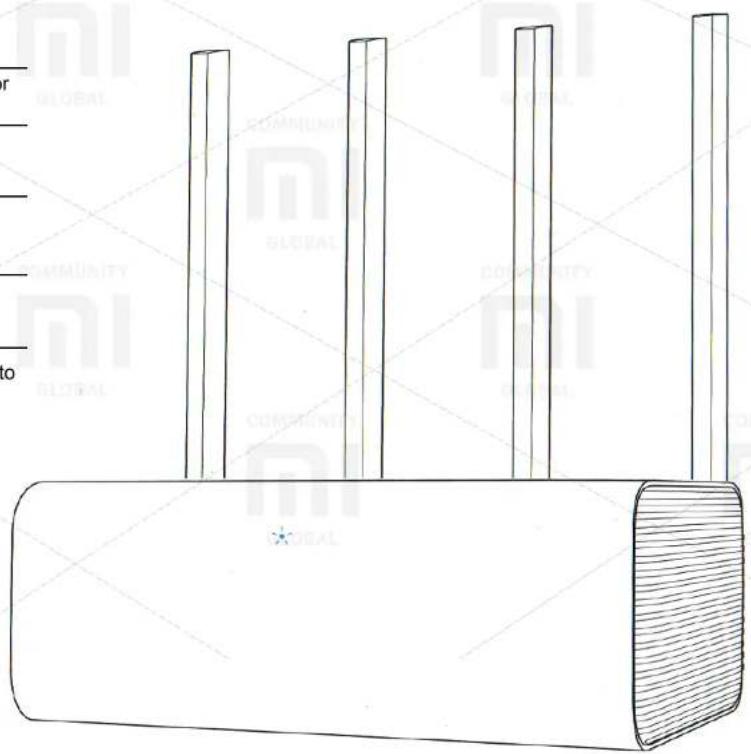
External four antennas contribute to super-wide signal coverage.
Four omnidirectional antennas support the signal penetration mode through the wall.

Gigabit network supports broadband access. One Gigabit WAN connector and three Gigabit LAN connectors.

Binding to APP on the phone allows you to use the necessary functions at any time. Protection against theft of Wi-Fi / firewall from dangerous websites / connecting friends to Wi-Fi from wechat / sharing media files

The two-frequency transmission of the speaker supports MU-MIMO.
Multiple terminals provide the ability to simultaneously receive and send data; Two-frequency transmission; The maximum transfer speed reaches 2533 Mbps.

Absolutely new USB 3.0 exceeds the speed of USB 2.0 tenfold. Connection of the removable winchester through a hole of USB allows to realize high speed wireless sharing of documents

Intellectual operating system is continuously updated and becomes more secure. The available intelligent router operating system MiWiFi continues to improve and ensures stable security for the router.
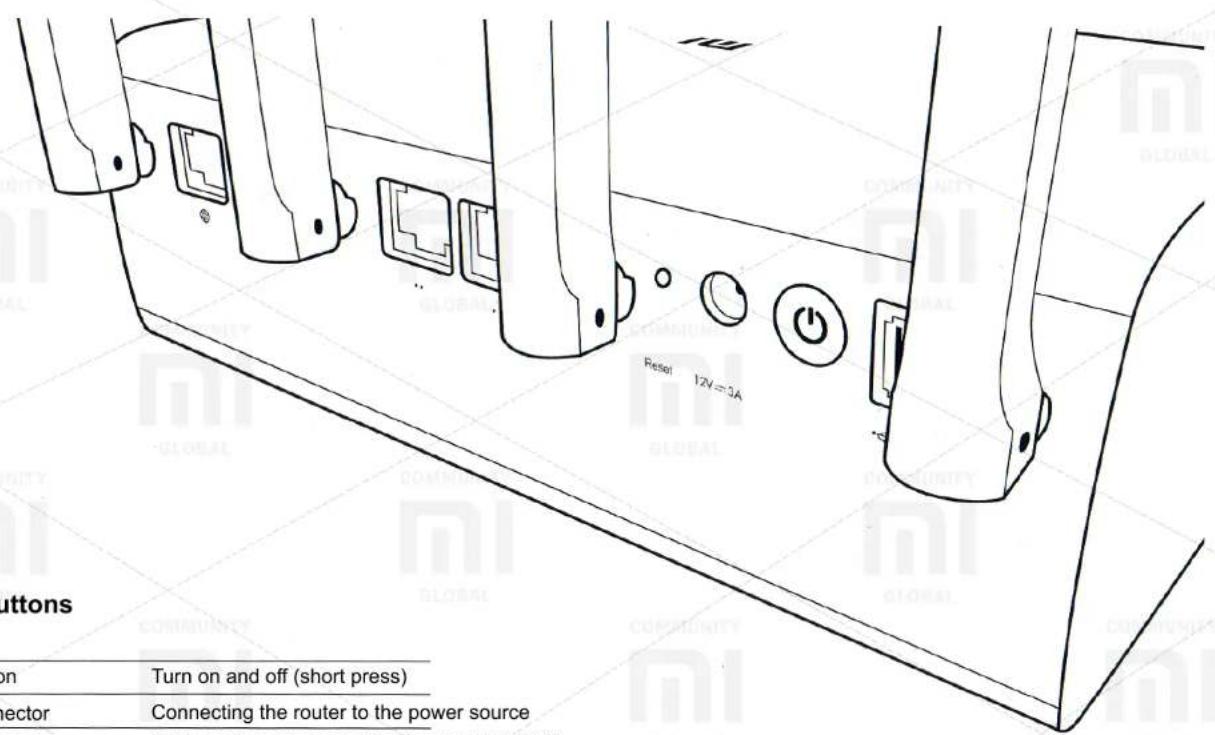
Connectors and buttons
| 1 | Power button | Turn on and off (short press) |
| 12V---3A | Power connector | Connecting the router to the power source |
| ← | USB connector | USB equipment connection (support USB3.0) |
| Reset | Reset key | Resetting the router |
| ······ | Built-in gigabyte LAN | Fast connection to the router of wired equipment |
| ⊕ | Built-in gigabyte external network | Connecting the router to external networks (optical modem / ADSL modem / external network cable) |
* A network card, a network cable (gigabyte network interface connectors) should support gigabytes.
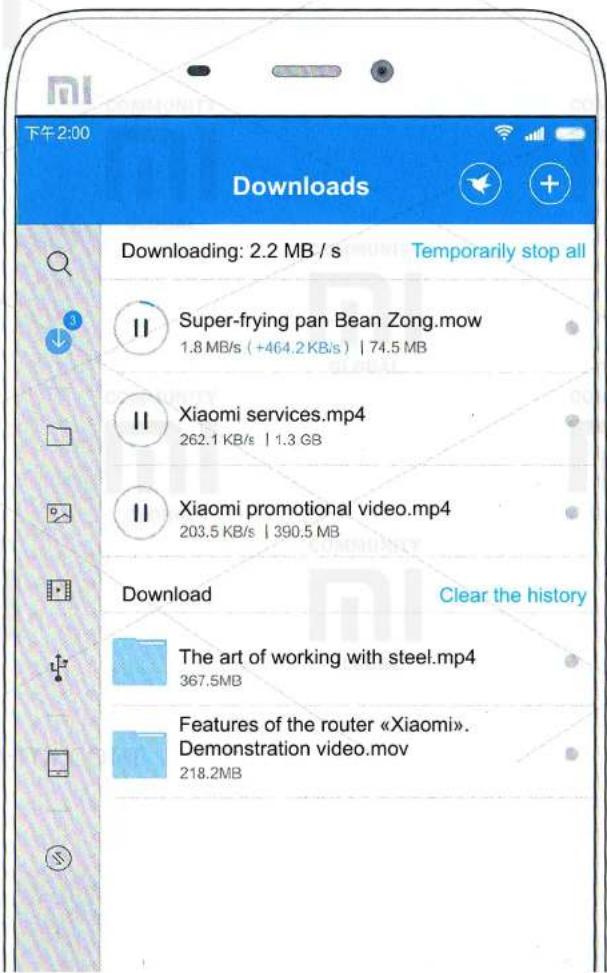

Convenient downloads with Thunder
Adding download tasks at any time to any place using APP on your phone.
Try the best way to upload data.
Backup photo album from mobile phone
Connect to WiFi. And the backup copy of the photo album from the mobile phone will be made automatically (you need to install APP)
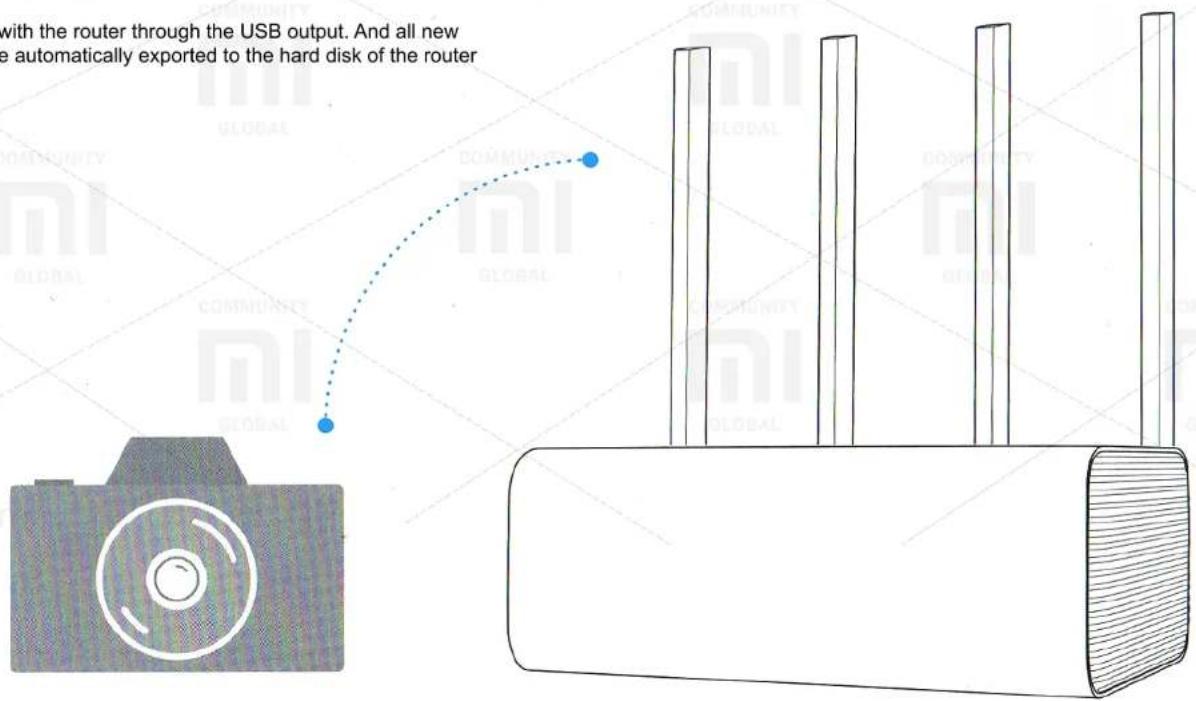
Automatic import of photos from the camera
Connect the camera with the router through the USB output. And all new photos and videos are automatically exported to the hard disk of the router
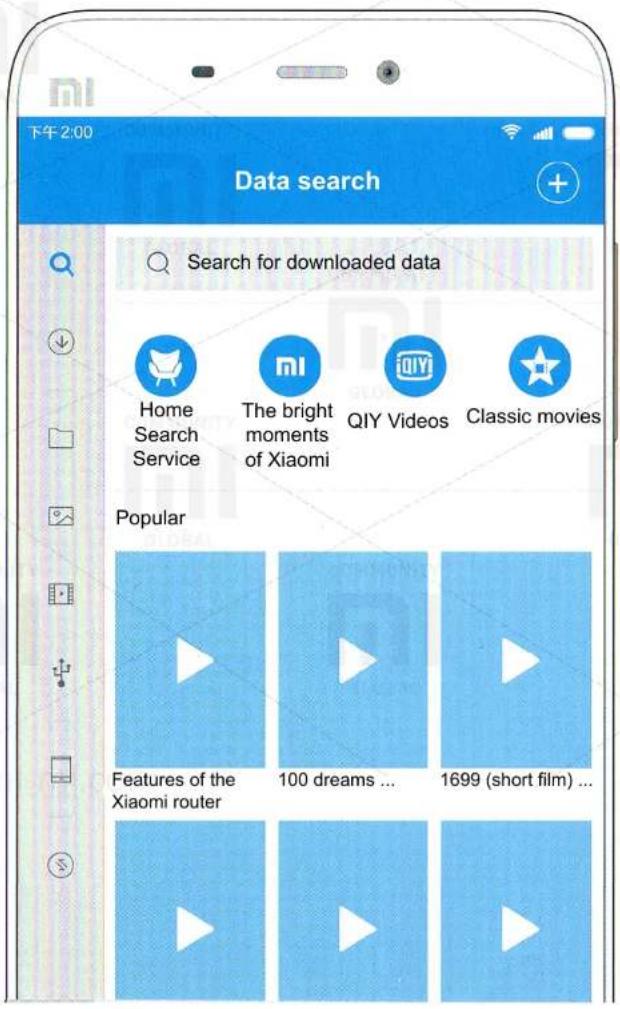

A huge number of videos. See what you want
At your disposal a huge number of licensed videos with high resolution.
Download popular movies with the touch of a button.
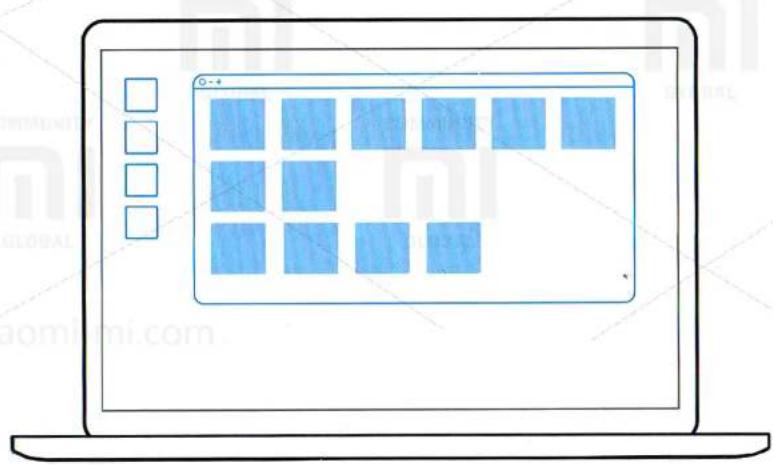
Documents that are always with you
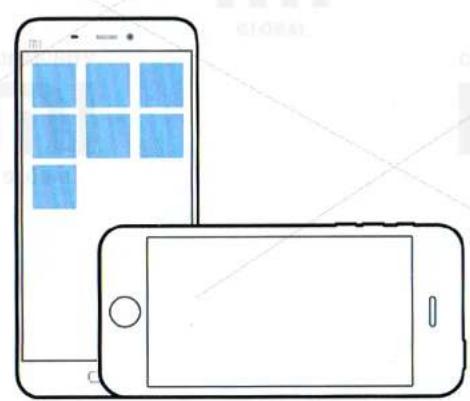
Regardless of where you are now, you have permanent access to files from the router via APP on your phone
Built-in hard disk streaming media with high resolution: faster, more stable
On it, you can save documents, and view them at any time, as soon as your computer / mobile phone connects to WiFi
Description of indicator light
The specified color of the indicator light corresponds to the following circumstances:
| LED is off (no color) | The router is in the process of shutting down or is not connected to the power source |
| yellow | The system is updated (flickering), the system is started (constant glow) |
| blue | Normal functioning (constant glow) |
| red | Safe mode (flicker), system failure (constant glow) |
* If the indicator lamp of a router lights up red light, then it is necessary to refer to the «Frequently asked questions». section.
Frequently asked Questions
Why, after the external network cable was connected for quick setup, the connection to the Internet was never implemented?
First check whether the network cable is properly connected, whether the correct type of Internet access has been selected, and whether the user name and password provided by the operator have been correctly entered. We advise you to go to any site using APP on your phone or through a browser, and based on the results of check, try to solve this problem.
Problems can be the following types:
Error 678: The operator's server does not allow re-entry from one account.
Elimination method: pull out and repeatedly insert the equipment cable into the connector of an outside network. Switch off and repeatedly turn on the optical modem / ADSL modem / subscriber gateway. In 10 minutes try again.
Error 691: Error in username or password or expired username.
Elimination method: check whether the user name and the password are correctly entered, and address to service of client support of the operator for confirmation of a user name, the password and obtaining information on the made payment.
Can there be a Wi-Fi (SSID) name in Chinese? Why sometimes the name of Wi-Fi appears in the coded coding?
The name of the Wi-Fi router «Xiaomi» can be in Chinese, but it is necessary that the device connected to the router (mobile phone, pad, computer) support Chinese language and SSID, only then the Wi-Fi name will be displayed normally.
What is the Web address of the control backend and the default management password?
Web address backend control router «Xiaomi»: miwifi.com or 192.168.31.1. The default management password is identical to the Wi-Fi password set during initialization.
Why after the launch of the router the indicator light glows red?
If the indicator light of the Xiaomi router glows red, it means that the system crashed and the launch can not be performed, the safe mode has started.
In a safe mode, all data of the router is protected. By connecting of the network cable and the computer, you can return the router to normal operation.
If the indicator light of the Xiaomi router constantly glows red, it means that it is impossible to start the system and it can not enter the safe mode. In this case, call to the hotline to resolve the problems: 400-100-5678.
Service maintenance
In case of malfunctions in operation of the device during action of a guarantee not because of the user, it is possible to receive such three types of service:
Within 7 days from the date of purchase of the device, if there are any problems with the quality of the Xiaomi router, the consumer can choose, or return the check for payment for the goods, which can only be performed once, or exchange the faulty device to another Xiaomi router identical to the model And specifications.
Within 15 days from the date of purchase of the device, if there are problems with the quality of the Xiaomi router, the consumer can exchange the faulty device for another Xiaomi router of the same model and specification.
Within one year from the date of purchase of the device, if there are problems with the quality of the Xiaomi router, the consumer can contact the official Xiaomi service point for free repair.
The above three types of services are not provided in the event that the following circumstances arise (including but not limited to them):
Loss of the document confirming the right to receive these three services, or a valid receipt, as well as the expiration of the warranty; Damage caused by fire, flood, lightning and other irresistible forces; Use, care, storage of the device is not in accordance with the requirements described in the product manual, which led to the breakdown of the router;
Disassembly and repair at an non-officiall service point, which led to the breakdown of the router;
The product model or marking specified in the warranty certificate does not correspond to the actual product;
Normal discoloration or deterioration of the device during its operation;
The impossibility of using products for reasons related to the Internet of the consumer.
Explanation on harmful substances of electronic information products
O - means that the content of this toxic harmful substance in the material of this part complies with the requirements of SJ / T11363-2006 standard, does not exceed its limits.
X - means that the content of this toxic harmful substance in the material of this part does not comply with the requirements of SJ / T11363-2006, beyond its limits.
This product complies with RoHS requirements for environmental protection: at the moment, with the help of still not achieved international technologies, it is possible to replace or reduce the amount of lead in electrical ceramics, optical glass, steel or alloy steel.
Product name: Router HD «Xiaomi»
Product Model: R3D
Manufacturer: Xiaomi Beijing Electronic Products Co., Ltd
Address: Beijing, Beijing Zone of Techno-economic Development, ul. Jinghai No. 58
We invite you to visit the Xiaomi service website: http://fuwu.mi.com
- CONNECTION TO A POWER SUPPLY AND ACCESSION TO NETWORK CABLE
- 2
- CONNECT TO A WIRELESS WI-FI NETWORK
- 3
- OVERVIEW
- CONVENIENT DOWNLOADS WITH THUNDER
- BACKUP PHOTO ALBUM FROM MOBILE PHONE
- AUTOMATIC IMPORT OF PHOTOS FROM THE CAMERA
- A HUGE NUMBER OF VIDEOS. SEE WHAT YOU WANT
- DOCUMENTS THAT ARE ALWAYS WITH YOU
- BUILT-IN HARD DISK STREAMING MEDIA WITH HIGH RESOLUTION: FASTER, MORE STABLE
- DESCRIPTION OF INDICATOR LIGHT
- FREQUENTLY ASKED QUESTIONS
- SERVICE MAINTENANCE
Brand : Xiaomi
Model : Mi WiFi Router HD
Category : Wi-Fi Router