Mi Vacuum Cleaner G9 Plus - Vacuum Cleaner Xiaomi - Free user manual and instructions
Find the device manual for free Mi Vacuum Cleaner G9 Plus Xiaomi in PDF.


Pick your language and provide your email: we'll send you a specifically translated version.
| Product type | Cordless stick vacuum cleaner |
| Brand | Xiaomi |
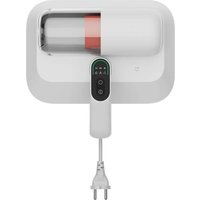
| Model | Mi Vacuum Cleaner G9 Plus |
| Dimensions (L × W × H) | 1282 × 250 × 261 mm |
| Weight (main unit) | 1.5 kg |
| Battery | 2500 mAh lithium-ion |
| Charging time | Approximately 4 hours |
| Runtime | Up to 60 minutes in standard mode |
| Maximum suction power | 150 AW |
| Filtration | 5-stage HEPA filtration system |
| Dust cup capacity | 0.6 L |
| Noise level | ≤ 75 dB |
| Operating modes | Standard, turbo, max |
| Display | LED screen with battery and mode indicators |
| Accessories included | Crevice nozzle, 2-in-1 brush, extension wand, charging dock |
| Maintenance | Washable dust cup and HEPA filter |
| Safety features | Overheat protection, overcharge protection, battery management system |
| Spare parts | Replacement battery, filter, and roller brush available |
| Reparability | Modular design for easy access to components |
| Design | Handheld and stick convertible design |
Frequently Asked Questions - Mi Vacuum Cleaner G9 Plus Xiaomi
How do I empty the dust cup?
To empty the dust cup, press the release button on the top of the dust cup and pull it away. Hold it over a trash bin and press the bottom release to open the lid. Tap the cup gently to dislodge debris, then close the lid and reattach it until you hear a click.
How often should I wash the HEPA filter?
Wash the HEPA filter every 1-2 months, depending on usage. If you notice reduced suction, clean the filter immediately. Rinse it under running water and let it air-dry completely for at least 24 hours before reinstalling. Do not use a hair dryer.
How long does the vacuum take to charge?
The Mi Vacuum Cleaner G9 Plus takes approximately 4 hours to fully charge. The LED display shows the charging status. A full charge provides up to 60 minutes of runtime in standard mode.
Can I use the vacuum on carpets and hard floors?
Yes, the G9 Plus is designed for multiple surfaces. Use the standard brush for hard floors and carpets. For delicate surfaces like rugs, you can switch to turbo mode. The 2-in-1 brush is ideal for upholstery and stairs.
How do I switch between suction modes?
Use the mode button on the handle to cycle through Standard, Turbo, and Max modes. The display shows the current mode. Press the button repeatedly to change settings.
Why is the suction power weak?
Weak suction is usually caused by blockages, a full dust cup, or a dirty filter. First, empty the dust cup. Then check the brush roll and hose for obstructions. Finally, clean or replace the HEPA filter. If the issue persists, check the battery level and switch to Max mode.
How do I clean the roller brush?
To remove debris from the roller brush, slide the brush release on the side of the floor head. Pull the brush out and use scissors or your fingers to cut and remove tangled hairs. Rinse the brush under water if necessary and let it air-dry before reinserting.
Can I wash all the filters?
The HEPA filter and the foam pre-filter are washable. Rinse them under cold water and allow them to dry completely. The cyclone assembly should be wiped with a dry cloth, not washed. Never use hot water or chemical cleaners.
How do I store the vacuum and accessories?
Use the charging dock to store the vacuum upright while charging. Attach the extension wand and accessories to the dock. Keep the vacuum in a dry place away from direct sunlight. The dock also helps keep accessories organized.
Where can I find spare parts and how do I replace the battery?
Spare parts, including replacement batteries, HEPA filters, and roller brushes, can be purchased from authorized Xiaomi retailers. To replace the battery, push the battery release button at the base of the handle, pull out the old battery, and slide in a new one until it clicks. Always use genuine Xiaomi parts for optimal performance.
User questions about Mi Vacuum Cleaner G9 Plus Xiaomi
0 question about this device. Answer the ones you know or ask your own.
Ask a new question about this device
No questions yet. Be the first to ask one.
Download the instructions for your Vacuum Cleaner in PDF format for free! Find your manual Mi Vacuum Cleaner G9 Plus - Xiaomi and take your electronic device back in hand. On this page are published all the documents necessary for the use of your device. Mi Vacuum Cleaner G9 Plus by Xiaomi.
USER MANUAL Mi Vacuum Cleaner G9 Plus Xiaomi

Manual assistant
Powered by Anthropic
Waiting for your message
Product information
Brand : Xiaomi
Model : Mi Vacuum Cleaner G9 Plus
Category : Vacuum Cleaner