MiJia 360° Home Camera - Camera Xiaomi - Free user manual and instructions
Find the device manual for free MiJia 360° Home Camera Xiaomi in PDF.


User questions about MiJia 360° Home Camera Xiaomi
0 question about this device. Answer the ones you know or ask your own.
Ask a new question about this device
Download the instructions for your Camera in PDF format for free! Find your manual MiJia 360° Home Camera - Xiaomi and take your electronic device back in hand. On this page are published all the documents necessary for the use of your device. MiJia 360° Home Camera by Xiaomi.
USER MANUAL MiJia 360° Home Camera Xiaomi
Mijia Smart Camera 360°
Capture every moment in your home!
Overview 360 degree, FHD 1080p resolution, infrared LEDs - night filming, wide overview voice.
Laconic and aesthetic appearance of the camera
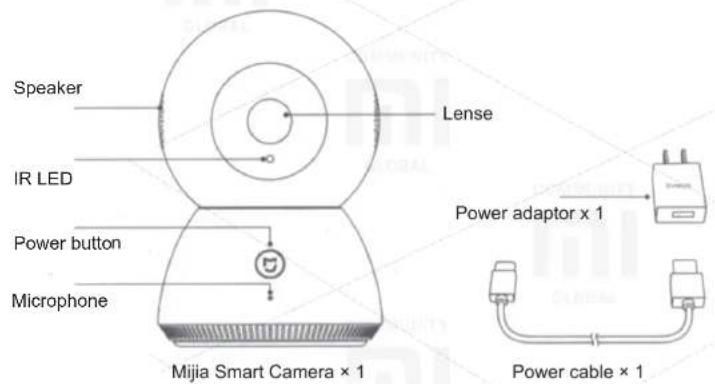
Accessories
Parameters
Size: 118 x 80 x 80 mm;
Model: JTSXJ01CM;
Weight: 248 g;
Power consumption: 5V / 2A;
Angle of View: 100,2°;
Resolution: 1080 p;
Focal Length: 3.6 mm;
Operating temperature: -10C \~ 50C;
Connection Type: Wi-Fi IEEE 802.11 b / g / n 2,4 GHz;
Data storage: Micro SD card (maximum capacity 32GB);
Support: Android 4.0 or iOS 7.0 and later versions of this type;
CMIIT ID: 2015DP3658.
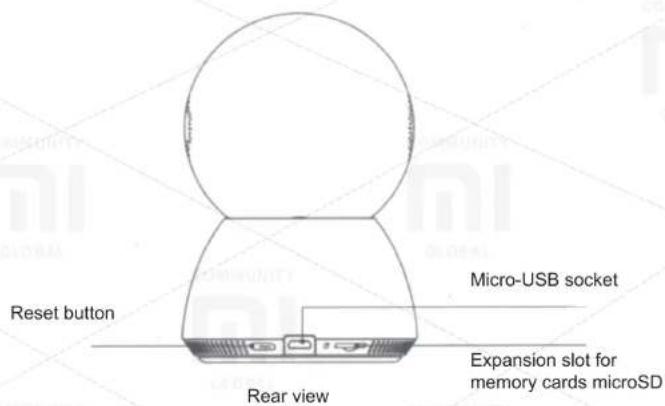
• Description of buttons
Buttons assignment: short press of power button opens voice management session and ends the one, long press of button activates voice call.
Reset button: a long press of button restores a factory settings.
- Status Indicators:
Blue lights constantly: Connection / normal mode;
Blue blinking: Network error;
Orange flashes once: Waiting for connection;
Orange blinking: Update;
Green lit continuously: Device is in a voice mode;
Green blinking: Waiting for a voice command.
Connection setting
Connection of the camera
Connect a power adapter to the bottom of the device to the slot for micro USB, in a successful connection status light will flash orange (highly recommend to use of standard adapters, use of other adapters may damage the device).
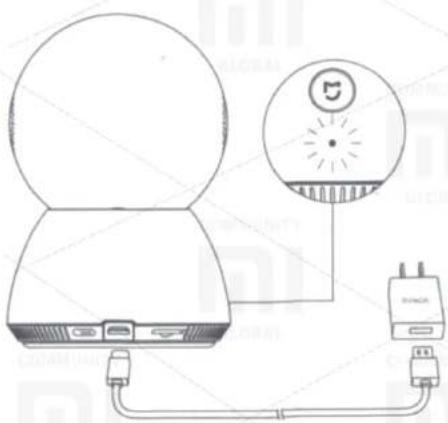
* In case, the status light is not blinking orange, hold the reset button.
* After accession to network, please don't turn the camera lens manually. In event of incorrect placement of the camera lens, it's allowed manual adjustment to match with the position of mobile device.
Multi-angle camera view Permanent supervision of home
Mijia Smart Camera not only helps to show your love and care, but also a great device to protect a house. Turn home assistant, select an area, and set the protection regime. In case of movement in certain areas in a house, the camera instantly switches to 10-second video recording and sends you video to your phone card. Watch your family and household pets in real time, leave all disturbances in the past.
Recording Full HD video in 1080p
Mijia Smart Camera has a screen resolution of 1080p HD 4MP. The camera is based on the Ambarella S2LM GPU from manufacturer, which specializes in integrated circuits and sensor equipped with HD from American OV company and 4x digital zoom, Magic Zoom. Enjoy crisp and colorful images.
Audio and video connection with your beloved relatives
Mijia Smart Camera allows you to always be close to your loved ones to show their love and care. This camera supports two-way audio and one-way video connection and a call button. Special DSP noise reduction technology helps you to communicate freely with friends at any time.
Smart Camera Even more opportunities in the future
Features of the device in the future will be even more camera capabilities. Always up to date, you can simultaneously view images from multiple cameras on a TV or on a PC, check the inbox of WeChat and more. Mijia Smart Camera will become smarter.
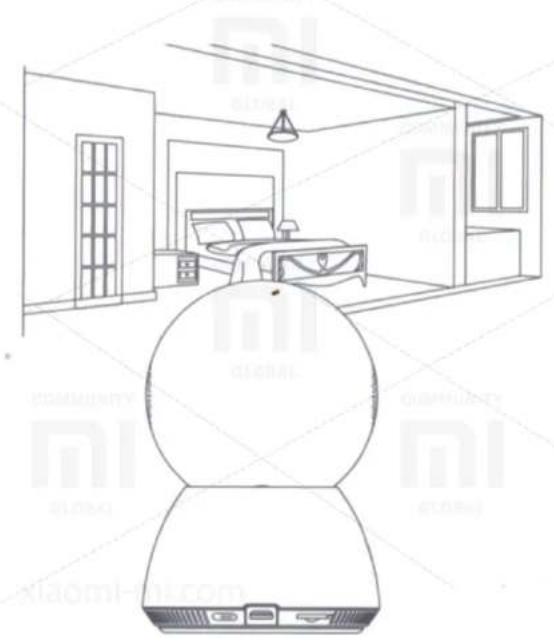
Panoramic views of 360 degrees, examine every corner of your home
Warmth and comfort - is that we always associate with home. Due Mijia Smart Camera, you can watch every corner of your home. Using dual shaft engine (non-cantilever design) camera provides high mobility comparable to a human neck. Camera angle is 85 degrees. vertical and 360 degrees. horizontally. Consider every detail of your home.
Video history
Keep your memorable moments with your family
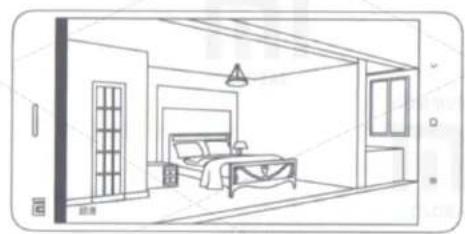
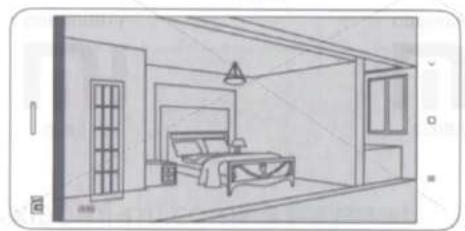
Use Mijia Smart Camera not only to protect a home, but also for recording and storing beautiful moments with your family. Insert a Micro SD card to store all recordings from the camera. Later you can move all the video on the router / NAS and other storage devices. The camera will record all the brightest events in a home, which you can view at any time. Keep all fond memories for many years.
natural_image
Line drawing of a bedroom interior with bed, wall, and window (no text or symbols)白天
natural_image
Line drawing of a bedroom interior with bed, wardrobe, and window (no text or symbols)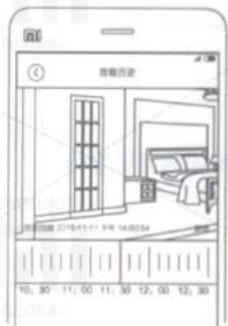
Infrared LEDs for night vision Parents always there
Use the camera for showing of love and care to your child. Mijia Smart Camera equipped by ten 940nm IR LED, which allow you to use the device in night mode. Leave the camera at the crib and at any time observe your child. No more need to repeatedly get up at night worrying about sleeping baby. Mijia Smart Camera - this is 24-hour supervision for your child.
Two-way voice communication
Voice can be initiated, using the camera and a mobile device (if a mobile device is within range of access).
• Voice activated within 3 seconds after receiving a request from a mobile device.
- Long pressing the connection button of the camera sends a request for voice communication, that takes mobile device.
natural_image
Line drawing of a modern bedroom interior with a bed, wall, and large windows (no text or symbols)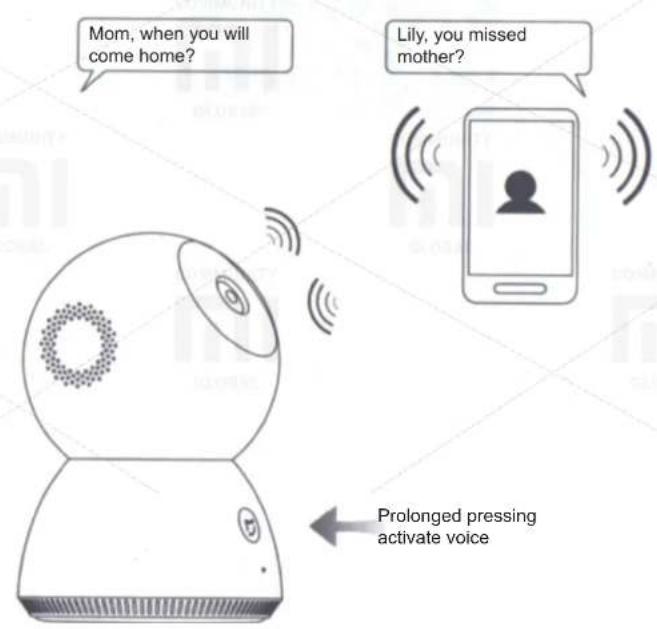
Intellectual abilities of platform beta
The Camera has a feature of accurate transmission of voice, you can enable the device and activate some simple test sessions, and if necessary, log out, press the button and when indicator flashing green, the camera will tell you «Goodbye» (future ability beta will be optimized).
The first method of camera activating
Signal for activation of device: to awaken the camera, you can contact face close to the device and call «Xiao Bai, look!» (Xiao Bai Kan Guo Lai). Device is activated and in twinkling green indicator starts with dialogue. (Please follow the quiet environment for the use of a set of functional capabilities of the device, the optimum distance of 0.5-3 meters).
Other method of camera activating
Button awakening: awakening camera is activated by pressing the button in the front of the camera, and then, in twinkling green indicator, button begins a dialogue between you and the camera.
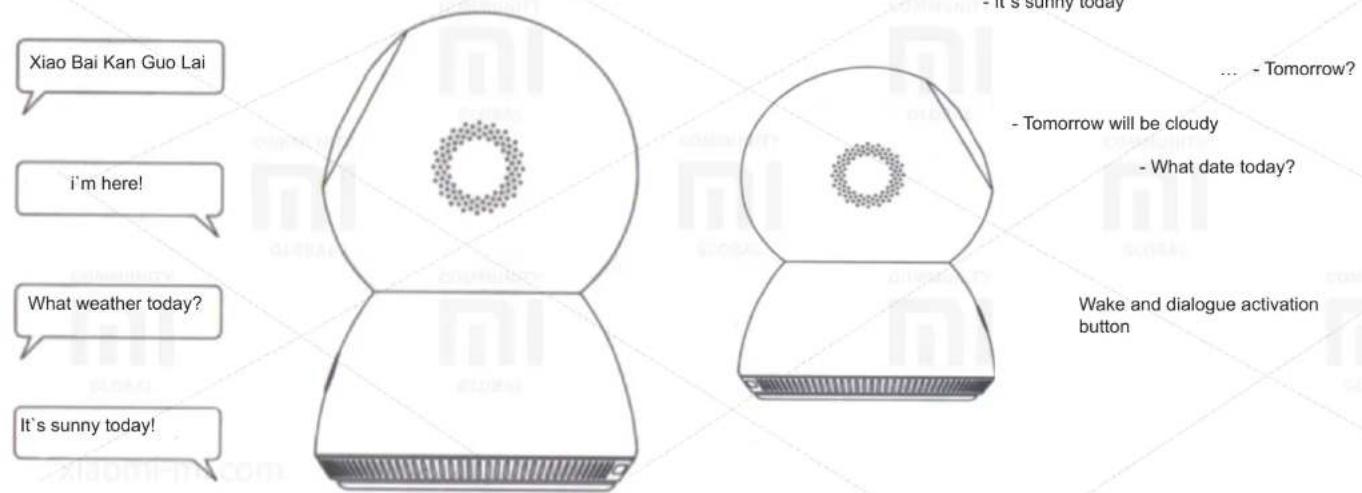
(Signal for awakening activated by default, if necessary, close the feature in your mobile device).
More fun and functions, similar to function of dialogue with the device, are under development, please pay attention to customer needs).
Just three steps to managing Available for children and elderly
Forget about complicated settings and many different cables. Connect to power, load Mi Smart Nome APP, then follow the instructions.
Connect Mijia Smart Camera Power.
Download Mi Smart Nome APP.
Start the APP, locate and connect to the device.