NannyCam H32 - Baby monitor TrueLife - Free user manual and instructions
Find the device manual for free NannyCam H32 TrueLife in PDF.


| Product Type | Baby Monitor |
| Brand | TrueLife |
| Model | NannyCam H32 |
| Camera Dimensions | 110 x 95 x 95 mm |
| Monitor Dimensions | 150 x 120 x 80 mm |
| Camera Weight | 150 g |
| Monitor Weight | 250 g |
| Power Supply | DC 5V / 1A (AC adapter included) |
| Monitor Battery | Rechargeable Li-ion 2000 mAh |
| Display | 3.2 inch LCD, color |
| Video Resolution | 720p (1280 x 720) |
| Night Vision | IR LEDs, up to 5 m range |
| Audio | Two-way talk, built-in microphone and speaker |
| Range | Up to 300 m in open area |
| Temperature Sensor | Yes, displayed on monitor |
| Sound Activation | Vibration and/or visual alert |
| Mounting Options | Tabletop or wall mount (bracket included) |
| Cleaning | Wipe with a soft, dry cloth |
| Safety Warnings | Keep away from water and heat sources; use only supplied adapters |
| Spare Parts & Repairability | Battery replaceable by authorized service; no other user-serviceable parts |
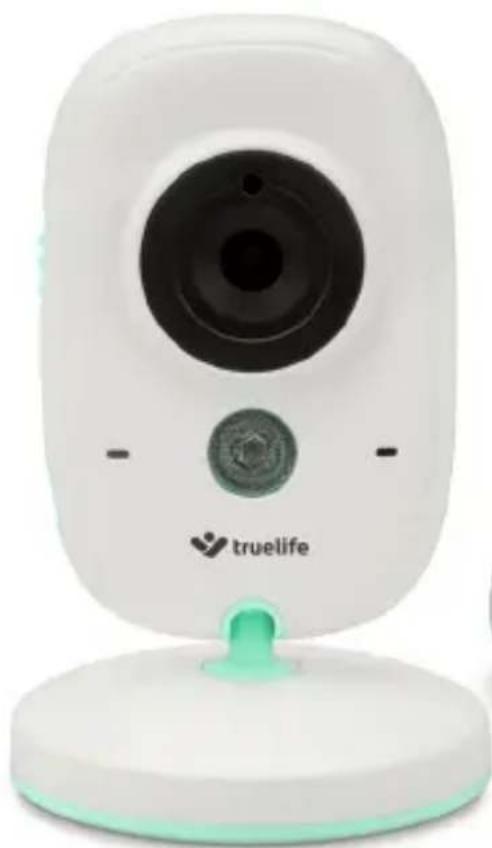
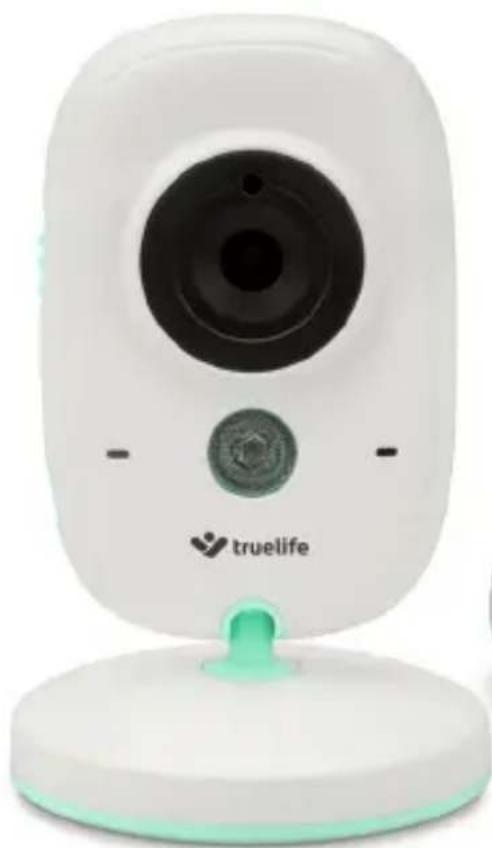
| General Information | TrueLife NannyCam H32 is a digital video baby monitor with WiFi-free operation, suitable for day and night monitoring. |
Frequently Asked Questions - NannyCam H32 TrueLife
User questions about NannyCam H32 TrueLife
0 question about this device. Answer the ones you know or ask your own.
Ask a new question about this device
Download the instructions for your Baby monitor in PDF format for free! Find your manual NannyCam H32 - TrueLife and take your electronic device back in hand. On this page are published all the documents necessary for the use of your device. NannyCam H32 by TrueLife.
USER MANUAL NannyCam H32 TrueLife
natural_image
Abstract logo design with stylized human figures in purple and teal (no text or symbols)truelife
NannyCam H32
natural_image
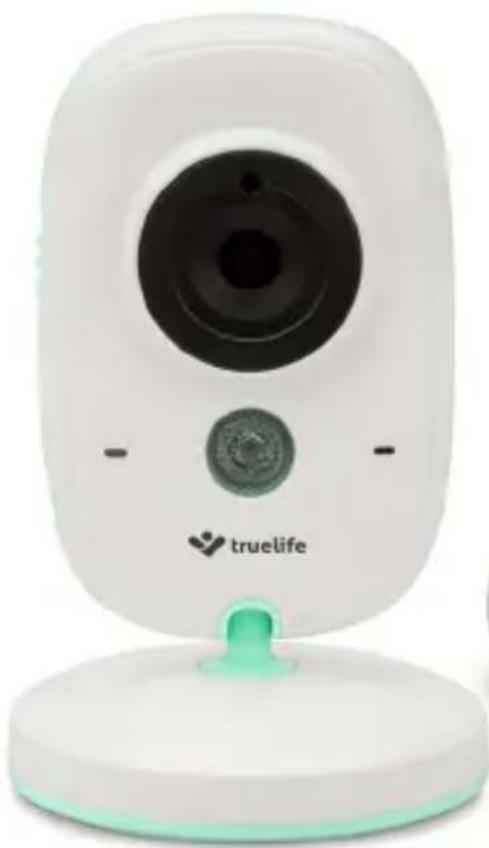
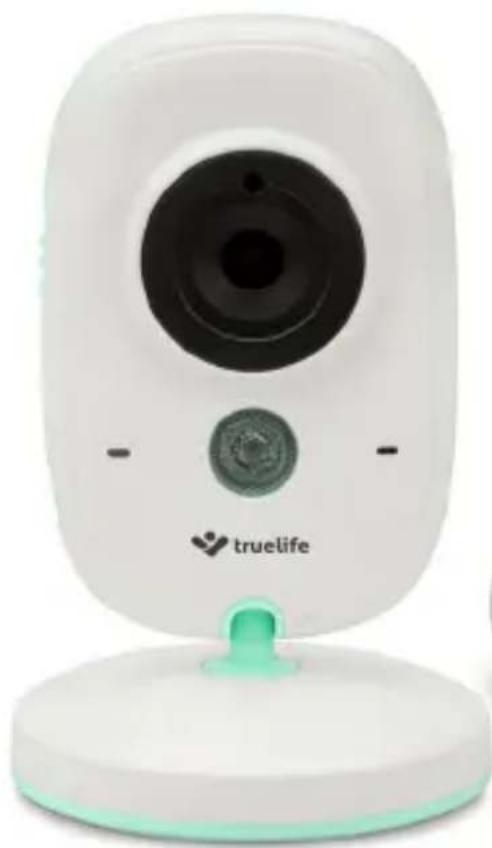
White digital camera with a green base and circular lens, no visible text or symbols on the device body.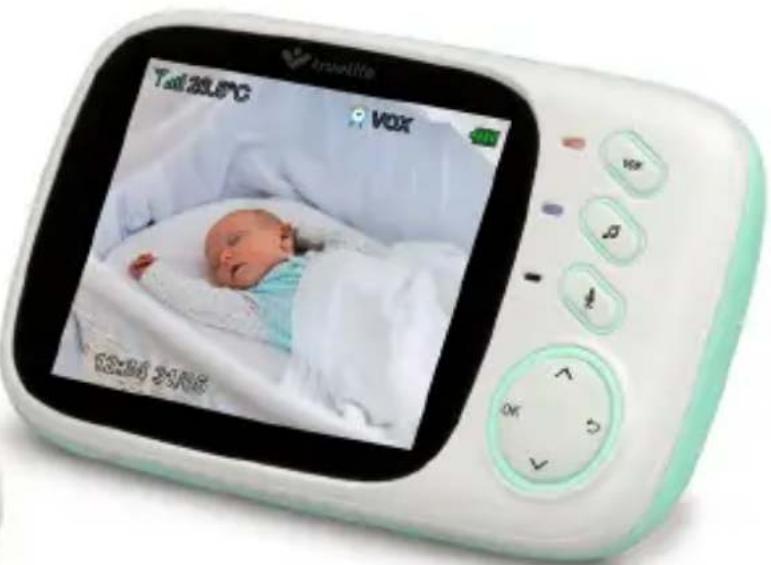
text_image
Tall 20:50°C VOX 03:30 21:06PACKAGE CONTENTS:
- Parent Unit (with display) + power adapter
- Baby Unit (camera) + power adapter
- Instructions for Use
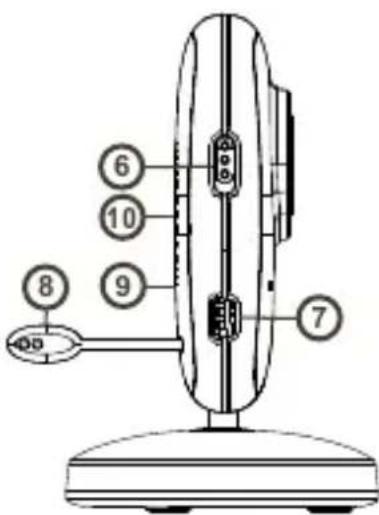
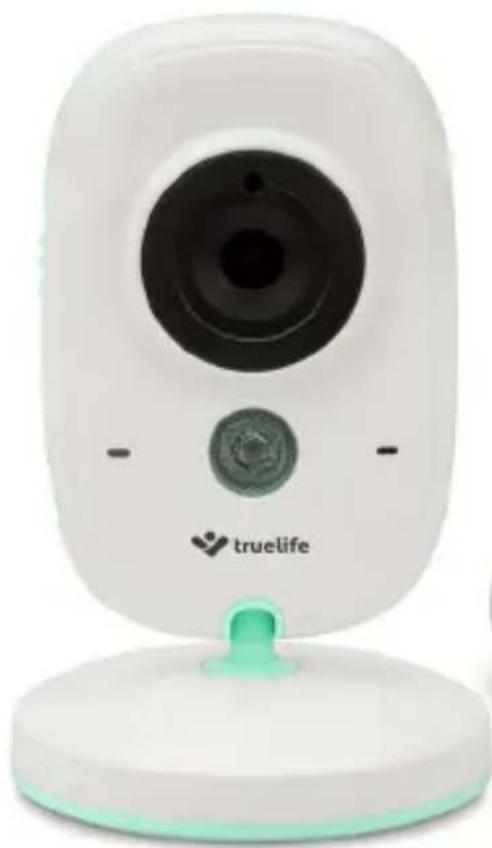
BABY UNIT OVERVIEW:
- Light Sensor
- Camera Lens
- Blue LED Power Indicator
- Microphone
- Infrared LED for night vision
- Power Key - turn camera on/off
- Power Adapter Connector
- Thermal Sensor
- Reset Button for pairing
- Speaker
text_image
6 10 9 8 7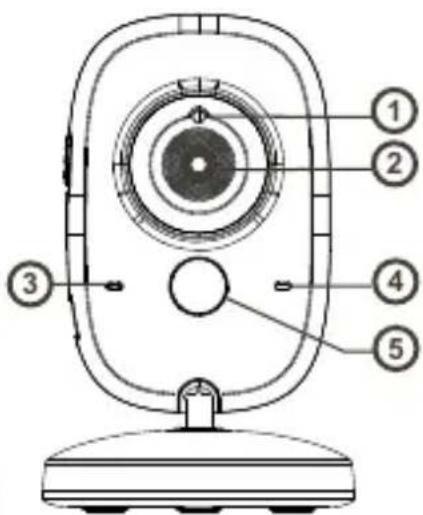
text_image
Technical diagram of a device with numbered parts labeled 1 through 5, likely for assembly or labeling purposes.PARENT UNIT OVERVIEW:
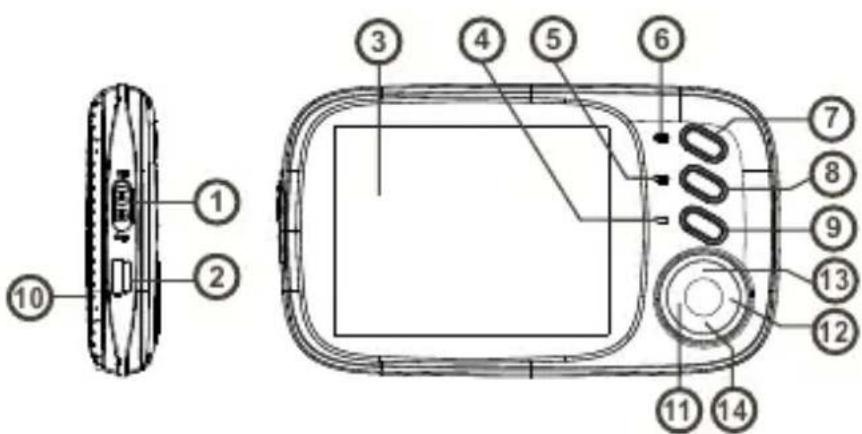
- Power Switch (screen on/off)
- Power Input / Battery Charging
- LCD Display
- Microphone
- Blue LED - indicates device is on
- Red LED - indicates connection with camera
- VOX Mode (on/off)
- Melody (on/off)
- PTT Key (push-to-talk)
- Speaker
- OK / Menu Key
- Return / Back Key
- Volume +
- Volume -
text_image
Technical diagram of a digital camera module with numbered components for identificationGETTING STARTED:
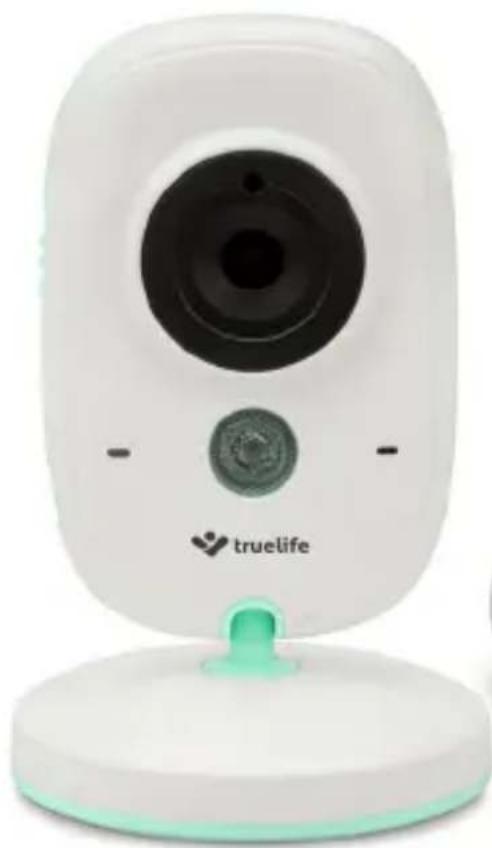
A) Baby Unit (camera)
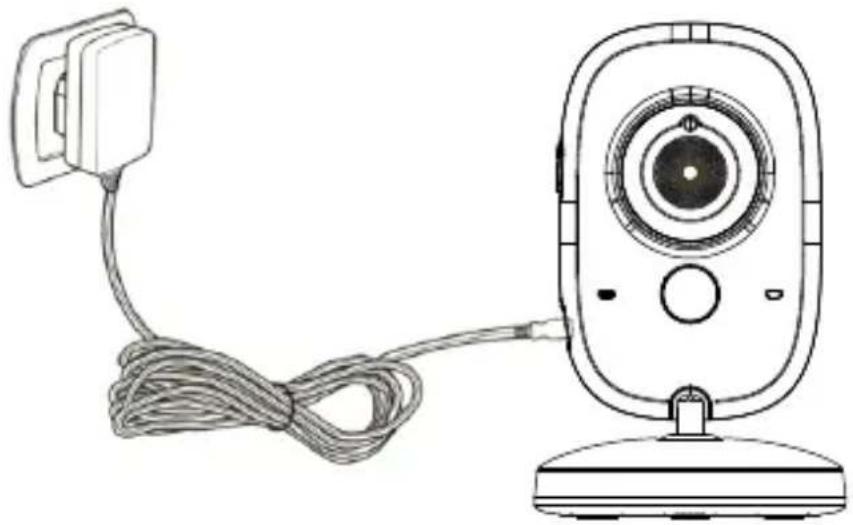
- Connect the small plug of the power adapter to the baby unit and the other end to the mains socket.
- Next slide the power switch to the "ON" position.
- The blue LED indicates the camera is functioning correctly.
Note: Baby Unit requires a constant connection to the mains.
natural_image
Line drawing of a remote control device with cable and head (no text or symbols)B) Parent Unit (display)
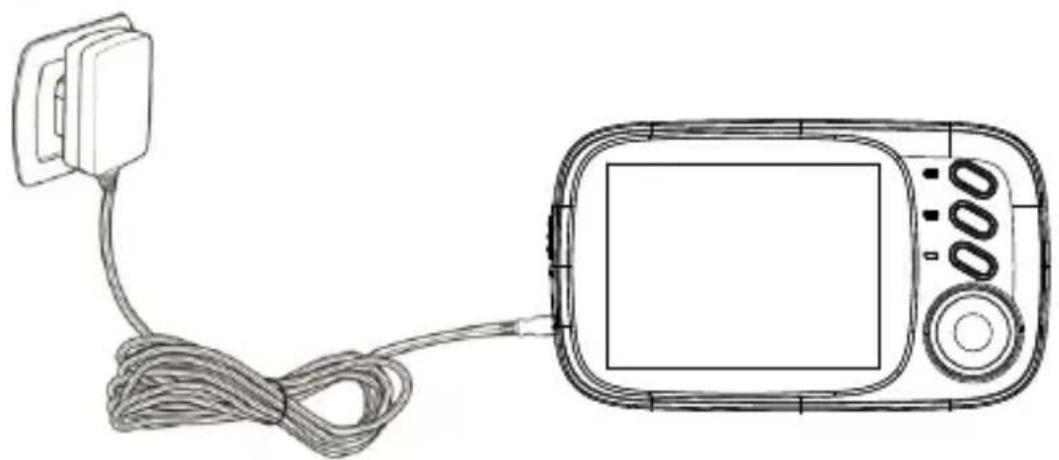
- Connect the small plug of the power adapter to the parent unit and the other end to the mains socket.
- The blue LED will illuminate, indicating the battery is charging.
- Press the "ON / Menu" to switch on the display.
Note: For optimal capacity and battery life, fully charge the device before using for the first time.
natural_image
Line drawing of a handheld electronic device with cable and display (no text or symbols)SETUP AND FUNCTIONS:
- When the parent and baby units are switched on and within range, a live image from the camera will appear within a few seconds.
- Place the camera in a suitable location and adjust the camera lens until you are satisfied with the image on the parent unit.
Note: Do not place the baby unit within baby's reach. If there is interference on the picture or sound, try moving the units to different locations, and ensure they are not close to other electrical equipment that may interfere with the transmission.
Monitoring Screen Icons
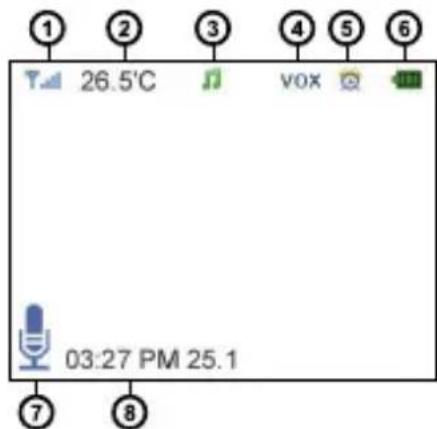
- Signal strength indicator
- Temperature in baby's room*
- Melody is playing
- VOX function activated
- Alarm activated
- Battery indicator
- Microphone activated (push to talk)
- Date and time
text_image
1 26.5°C 3 vox 4 5 6 03:27 PM 25.1 7 8Note: *The baby monitor thermometer is not certified and the temperature data should only be used as a general guideline.
Range
When the distance between the baby and parent unit is too far, the signal may be interrupted and the image and sound may become frozen. If there is a connection loss due to the units being out of range, a black screen is displayed and the message "Connecting...". The parent unit will try to reconnect to the camera.
Note: If the they do not reconnect even after the units have been brought within range, try to pair the units again, see the following section "Camera – Pairing".
Powering a video baby monitor via a power bank
A TrueLife video monitor is primarily intended for home use and to be powered from the mains. Do not use VOX power saving mode when using a power bank. In this mode, the electrical consumption of the camera (baby unit) is so low that some power banks might think the device is charged and turn off automatically. This will interrupt transmission.
MENU:
- Press the "OK/Menu" key on the parent unit to access the menu. Navigate using the "up" and "down" arrow keys. The "Back" key takes you back one page or to the monitoring screen.
- The menu contains 6 icons:
- Camera – Pairing*
- Alarm – Alarm settings
- Settings – Basic settings
- VOX - VOX mode settings
- Languages – Language settings menu
- System Info

text_image
Defera OK BackNote: *The parent and baby units are already paired, it is not necessary to do this again. Only select if you want to re-pair the units, e.g. when the signal has been lost.
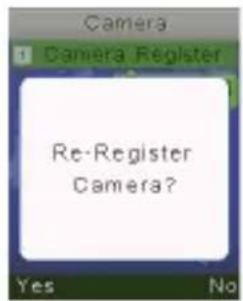
• 1 - Camera - Pairing
To re-pair, press the "OK/Menu" key twice. Next press and hold the "Reset" key on the back of the baby unit for 10 seconds. When successfully paired, the message "Register Successful" is displayed.
• 2 - Alarm - Alarm settings
Press the "PTT" key (microphone symbol) to move the cursor. Press the "up" and "down" arrow keys to change value and press OK to set the time.
• 3 – Settings – Basic settings
Here you can set the time and date, the time/date format, the unit of temperature, the frequency and the LCD backlight. Press the "PTT" key (microphone symbol) to move to the sub-menu.
text_image
Camera 1 Camera Register Re-Register Camera? Yes No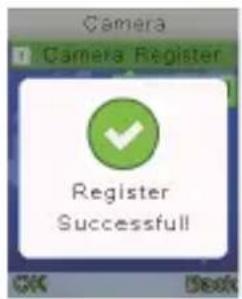
text_image
Camera Camera Register Register Successful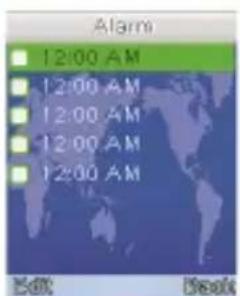
text_image
Alarm 12:00 AM 12:00 AM 12:00 AM 12:00 AM 12:00 AM Edit Desk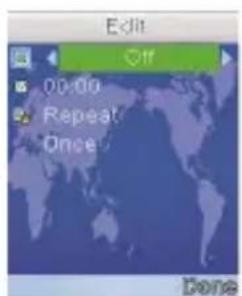
text_image
Edit Off 00:00 Repeat Once Done• 4 - VOX - VOX mode settings
Here you can activate or deactivate VOX mode and adjust its sensitivity. When VOX mode is activated, after a short period of silence the display turns off and audio transmission is stopped to save battery. This setting is perfect for a night of babysitting. Crying or any other noise immediately activates the camera and monitoring begins. As a result, you are always aware of the situation and can see what is happening straight away. The VOX sensitivity can also be adjusted to suit normal background noise levels.
- 5 – Languages – Language settings menu
Choose your language from the list.
SPECIFICATIONS:
- Frequency: 2.4 GHz
- Operating Temperature: -10 \~ 45°C
- Operating Humidity: <85%
- Range: up to 300 metres (in an open space)
Display:
- LCD Size: 3.2" TFT LCD
- LCD Resolution: 320×240@20fps
- Battery: Li-Polymer 750 mAh
- Dimensions (W × H × D): 120 × 70 × 17 mm
Camera:
- Sensor: 0.3 MP CMOS
- Night Vision Range: 5 metres
– Light Sensor and Thermal Sensor - Dimensions (W × H × D): 67 × 106 × 25 mm
USING THE DEVICE SAFELY:
- Read the enclosed Safety Instructions.
- When using the device, read the latest version of the manual which is available for download at: www.truelife.eu.
- Printing errors reserved.

natural_image
Abstract logo design with stylized human figures in purple and teal (no text or symbols)truelife
NannyCam H32
natural_image
White digital camera with a green base and circular lens, no visible text or symbols on the device body.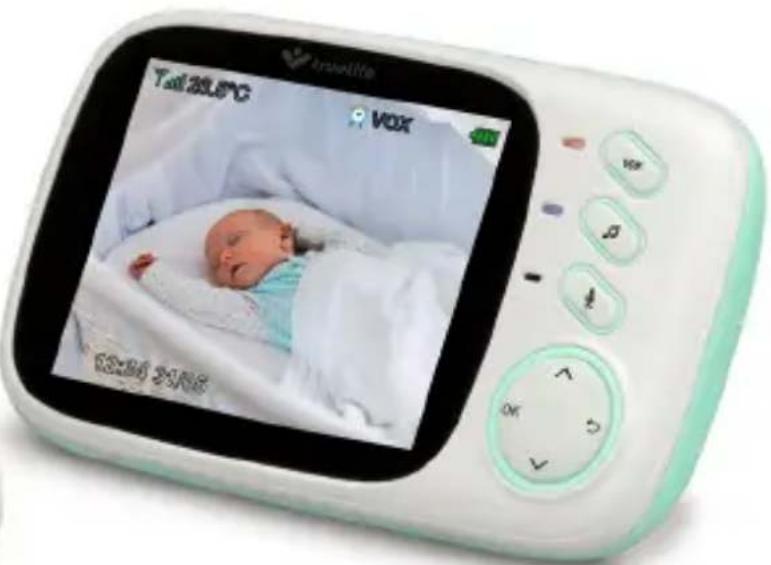
text_image
Tall 20:50°C VOX 03:30 21:06PACKUNGSINHALT:
text_image
Technical diagram of a device with numbered components for identificationtext_image
Diagram of a digital camera module with numbered parts for identification and assembly reference.INBETRIEBNAHME:
natural_image
Line drawing of a remote control device with cable and head (no text or symbols)natural_image
Line drawing of a digital camera with cable and display (no text or symbols)text_image
Camera OK Backtext_image
Camera Camera Register Register Successful!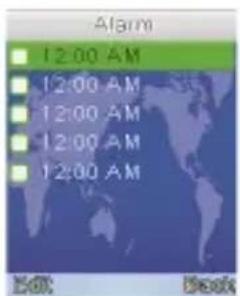
text_image
Alarm 12:00 AM 12:00 AM 12:00 AM 12:00 AM 12:00 AM Edit Back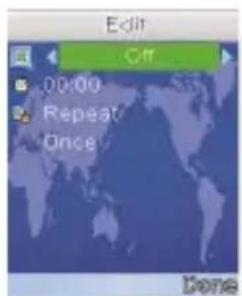
text_image
Edit Off 00:00 Repeat Once Donenatural_image
Abstract logo design with stylized human figures in purple and teal (no text or symbols)truelife
NannyCam H32
natural_image
White digital camera with a green base and circular lens, no visible text or symbols on the device body.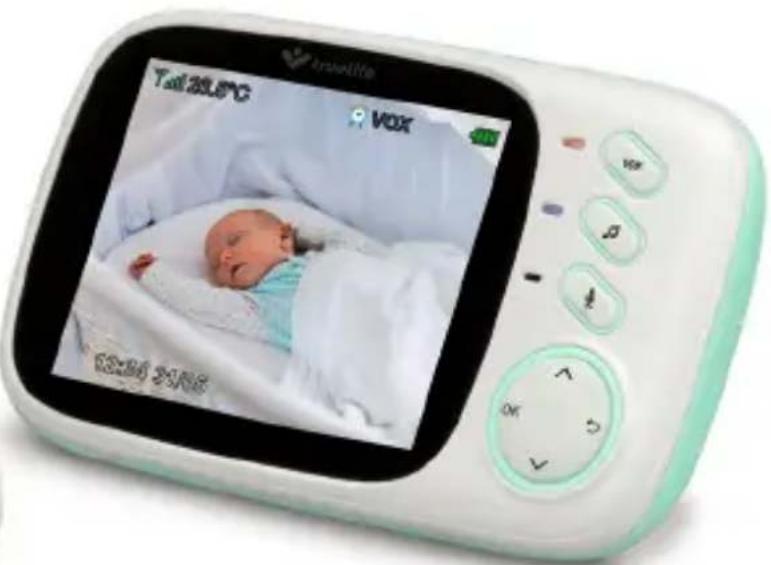
text_image
Tall 20:50°C VOX 03:30 21:06OBSAH BALENÍ:
text_image
Technical diagram of a device with numbered parts labeled 1 to 5POPIS RODIČOVSKÉ JEDNOTY:
text_image
Diagram of a digital camera module with numbered parts for identification and assembly reference.UVEDENÍ DO PROVOZU:
natural_image
Line drawing of a remote control device with cable and head (no text or symbols)natural_image
Line drawing of a handheld electronic device with cable and display (no text or symbols)POUŽÍVÁNÍ A FUNKCE:
text_image
DeFierra OK Backtext_image
Camera Camera Register Register Successful!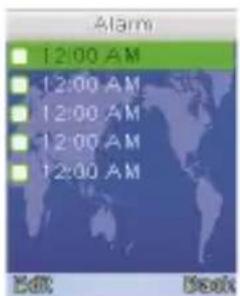
text_image
Alarm 12:00 AM 12:00 AM 12:00 AM 12:00 AM 12:00 AM Edit Back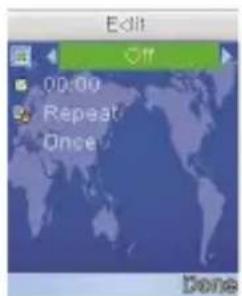
text_image
Edit 00:00 Repeat Once Donenatural_image
Abstract logo design with stylized human figures in purple and teal (no text or symbols)truelife
NannyCam H32
natural_image
White digital camera with a green base and circular lens, no visible text or symbols on the device body.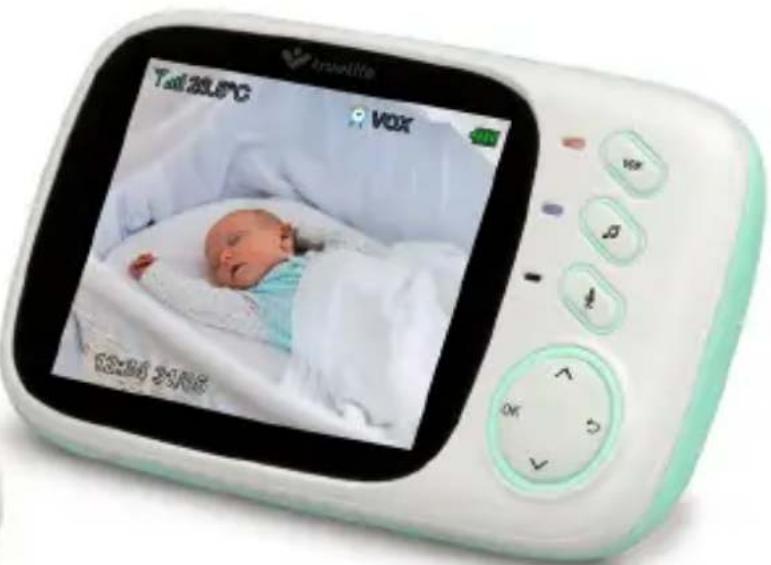
text_image
Tall 20:50°C VOX 03:30 21:06OBSAH BALENIA:
text_image
Diagram of a digital camera with numbered parts labeled 1 through 5POPIS RODIČOVSKEJ JEDNOTKY:
text_image
Diagram of a digital camera module with numbered parts for identification and assembly reference.UVEDENIE DO PREVÁDZKY:
A) Detská jednotka (kamera)
natural_image
Line drawing of a remote control device with cable and head (no text or symbols)natural_image
Line drawing of a handheld electronic device with cable and display (no text or symbols)POUŽÍVANIE A FUNKCIE:
text_image
Camera Camera Register Re-Register Camera? Yes No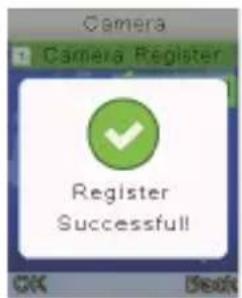
text_image
Camera Camera Register Register Successful! OK Finish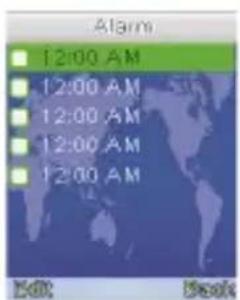
text_image
Alarm 12:00 AM 12:00 AM 12:00 AM 12:00 AM 12:00 AM Edit Book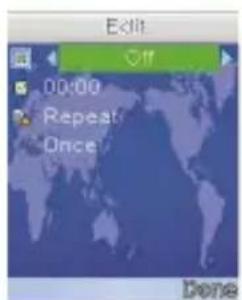
text_image
Edit Off 00:00 Repeat Once Donenatural_image
Abstract logo design with stylized human figures in purple and teal (no text or symbols)truelife
NannyCam H32
natural_image
White digital camera with a green base and circular lens, no visible text or symbols on the device body.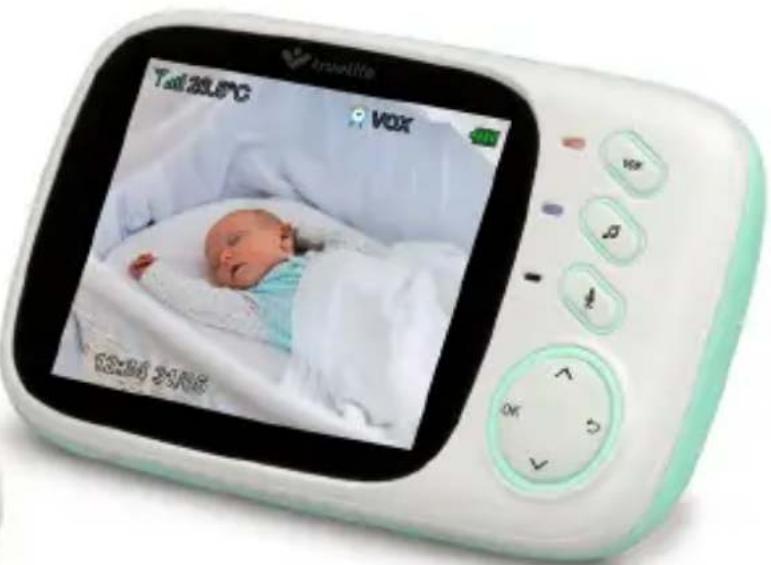
text_image
Tall 20:50°C VOX 03:30 21:06ZAWARTOŚĆ ZESTAWU:
text_image
Technical diagram of a device with numbered parts labeled 1 through 5OPIS JEDNOSTKI RODZICA:
text_image
Technical diagram of a digital device with numbered components for identificationPRZYGOTOWANIE DO PRACY:
natural_image
Line drawing of a remote control device with cable and head (no text or symbols)natural_image
Line drawing of a digital camera with cable and display (no text or symbols)UŻYTKOWANIE I FUNKCJE:
text_image
Camera OK Backtext_image
Camera Camera Register Re-Register Camera? Yes No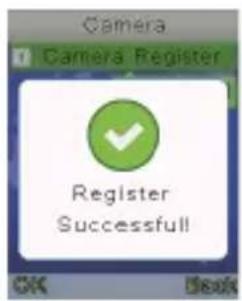
text_image
Camera Camera Register Register Successful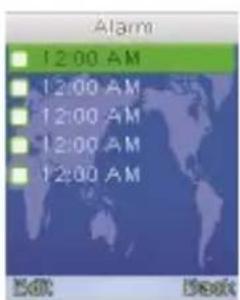
text_image
Alarm 12:00 AM 12:00 AM 12:00 AM 12:00 AM 12:00 AM Back Back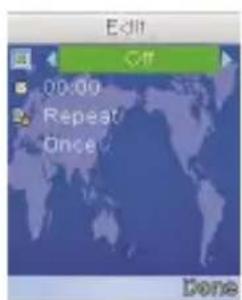
text_image
Edit Off 00:00 Repeat Once Donenatural_image
Abstract logo design with stylized human figures in purple and teal (no text or symbols)truelife
NannyCam H32
natural_image
White digital camera with a green base and logo, no visible text or symbols on the device body.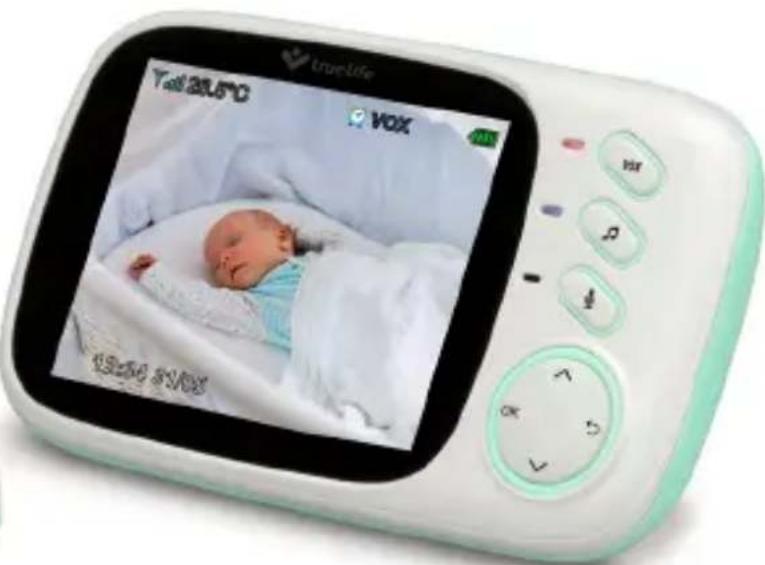
text_image
TrueLife Tall 20.5°C VOX 18:20 31:00A CSOMAG TARTALMA:
text_image
Diagram of a digital camera with numbered parts labeled 1 to 5SZÜLÖ EGYSÉG FELÉPÍTÉSE:
text_image
Technical diagram of a mobile phone with numbered components for identification and assembly reference.A KÉSZÜLÉK ÜZEMBE HELYEZÉSE:
natural_image
Line drawing of a remote control device with cable and head (no text or symbols)natural_image
Line drawing of a handheld electronic device with cable and display (no text or symbols)text_image
Camera Camera Register Register Successful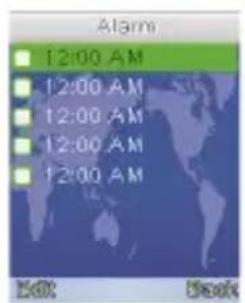
text_image
Alarm 12:00 AM 12:00 AM 12:00 AM 12:00 AM 12:00 AM 50% Book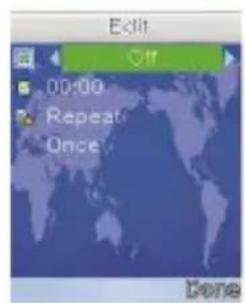
text_image
Edit Off 00:00 Repeat Once Donenatural_image
Abstract logo design with stylized human figures in purple and teal (no text or symbols)truelife
NannyCam H32
natural_image
White digital camera with a green base and logo, no visible text or symbols on the device body.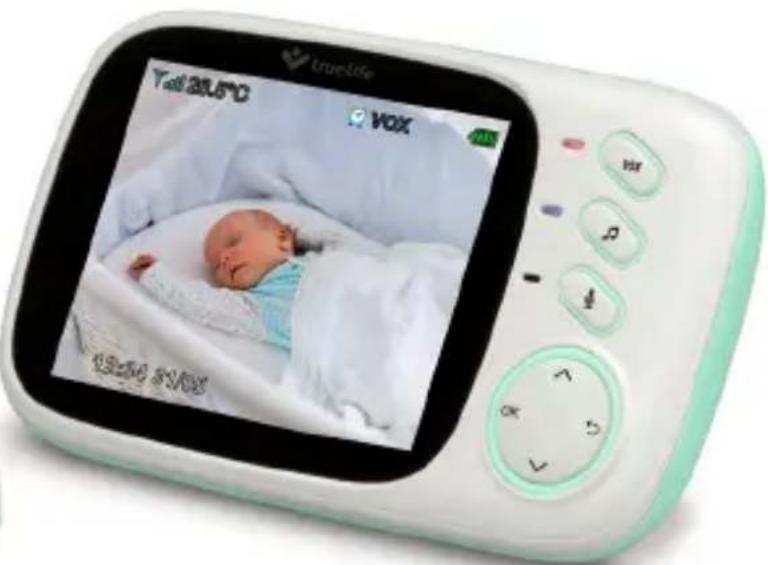
text_image
TrueLife Tall 20.5°C VOX 18:24:31:06PAKIRANJE VSEBUJE:
text_image
Technical diagram of a device with numbered parts labeled 1 through 5PREGLED STARŠEVSKE ENOTE:
text_image
Technical diagram of a digital camera module with numbered components for identificationZAČETEK UPORABE:
A) Otroška enota (kamera)
- Vključite priključek omrežnega adapterja v vhod kamere in adapter v vtičnico.
- Nato premaknite stikalo v položaj „ON“.
- Ob pravilnem delovanju kamere se pojavi modra LED-dioda.
natural_image
Line drawing of a remote control device with cable and head (no text or symbols)B) Starševska enota (zaslon)
natural_image
Line drawing of a handheld electronic device connected to a cable, showing no text or symbols.UPORABA IN FUNKCIJA:
text_image
Camera OK Backtext_image
Camera Camera Register Re-Register Camera? Yes No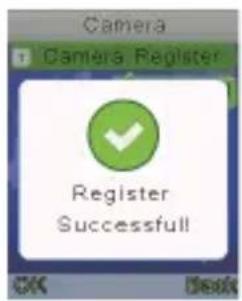
text_image
Camera Camera Register Register Successful
text_image
Alarm 12:00 AM 12:00 AM 12:00 AM 12:00 AM 12:00 AM Back Back
text_image
Edit Off 00:00 Repeat Once Done- Ad 3 – Settings – Nastavitve enote
natural_image
Abstract logo design with two stylized human figures in purple and teal, no text or symbols present.truelife
NannyCam H32
natural_image
White digital camera with a green base and logo, no visible text or symbols on the device body.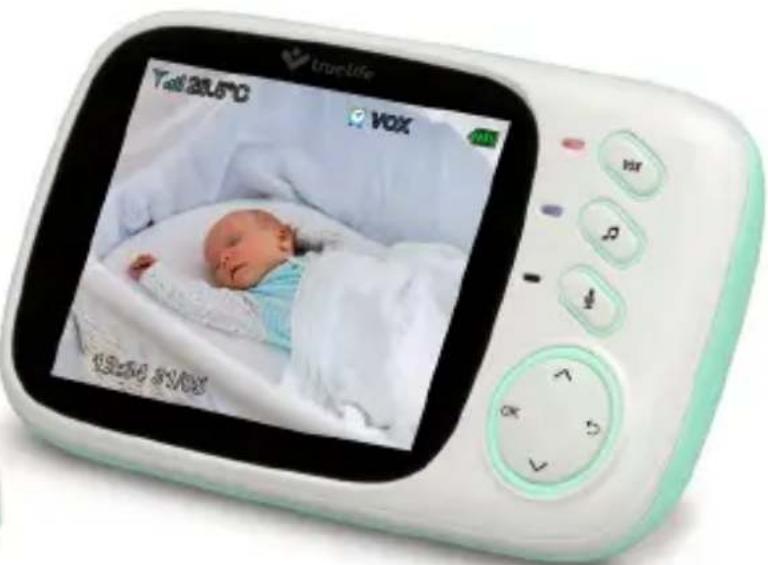
text_image
TrueLife Tall 20:00 VOX 18:30 5:00SADRŽAJ PAKIRANJA:
- Roditeljska jedinica sa zaslonom + mrežni adapter
- Dječja jedinica (kamera) + mrežni adapter
- Upute za upotrebu
OPIS DJEČJE JEDINICE:
text_image
Technical diagram of a device with numbered parts labeled 1 through 5OPIS RODITELJSKE JEDINICE:
text_image
Diagram of a digital device with numbered components for identificationPUŠTANJE U RAD:
A) Dječja jedinica (kamera)
- Priključite konektor mrežnog adaptera u ulaz u kameri i adapter u utičnicu.
- Nakon toga prebacite prekidač u položaj „ON“.
- Ako kamera ispravno radi, pokazati će se plava LED dioda.
natural_image
Line drawing of a remote control device with cable and head (no text or symbols)natural_image
Line drawing of a handheld electronic device with cable and display (no text or symbols)UPOTREBA I ZNAČAJKE:
text_image
Camera Camera Register Re-Register Camera? Yes No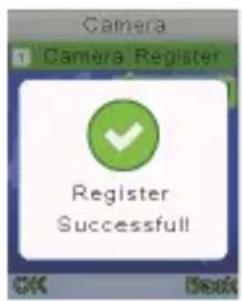
text_image
Camera Camera Register Register Successful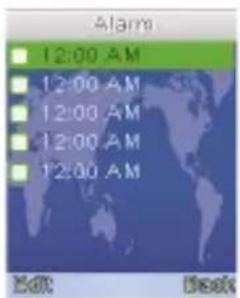
text_image
Alarm 12:00 AM 12:00 AM 12:00 AM 12:00 AM 12:00 AM Edit Desk