Sort of Black Chrono - Watch Triwa - Free user manual and instructions
Find the device manual for free Sort of Black Chrono Triwa in PDF.


User questions about Sort of Black Chrono Triwa
0 question about this device. Answer the ones you know or ask your own.
Ask a new question about this device
Download the instructions for your Watch in PDF format for free! Find your manual Sort of Black Chrono - Triwa and take your electronic device back in hand. On this page are published all the documents necessary for the use of your device. Sort of Black Chrono by Triwa.
USER MANUAL Sort of Black Chrono Triwa
text_image
60 MINUTES (CHRONOGRAPH) 28 SECONDS (CHRONOGRAPH) SECOND HANDSetting the TIME:
- Release crown by screwing counter-clockwise
- Pull out the crown 2 steps
- Set the time by screwing the crown
- When time is set, push the crown back and fix it by screwing clockwise
RESET Chronograph hands:
- Release crown by screwing counter-clockwise
- Pull out the crown 2 steps
- Push A to reset the hands position to zero. Continue to push A to put them forward.
- When set, push the crown all the way back down and secure by screwing clockwise
Setting the DATE:
- Release crown by screwing counter-clockwise
-
Pull out the crown 1 step
-
Set the date by screwing the crown counter-clockwise
- When date is set, push the crown back and fix it by screwing clockwise
CHANGE STRAP
TRIWA Strap tool

text_image
A.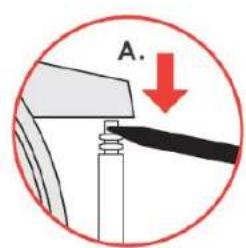
text_image
A.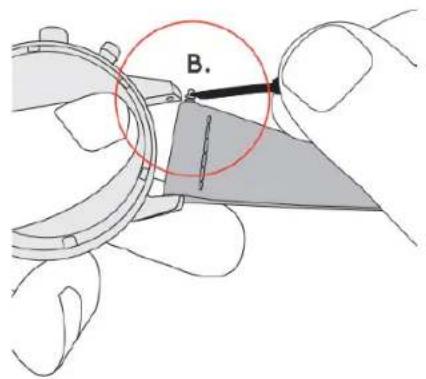
text_image
B.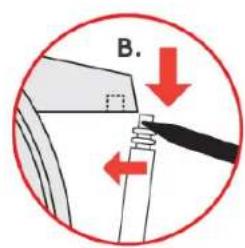
text_image
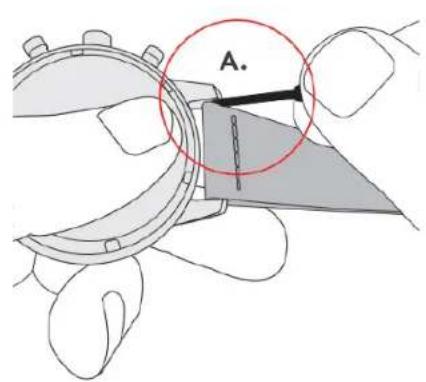
B.- Using the TRIWA strap tool, place the strap changing end between the lug and the strap to reach the metal pin
- Push down to release the spring and remove the strap
- Move the pins from the old to the new strap
- Place the pin end to the lug hole
- Use the tool again to push down the spring so that the pin end reaches the hole for fastening
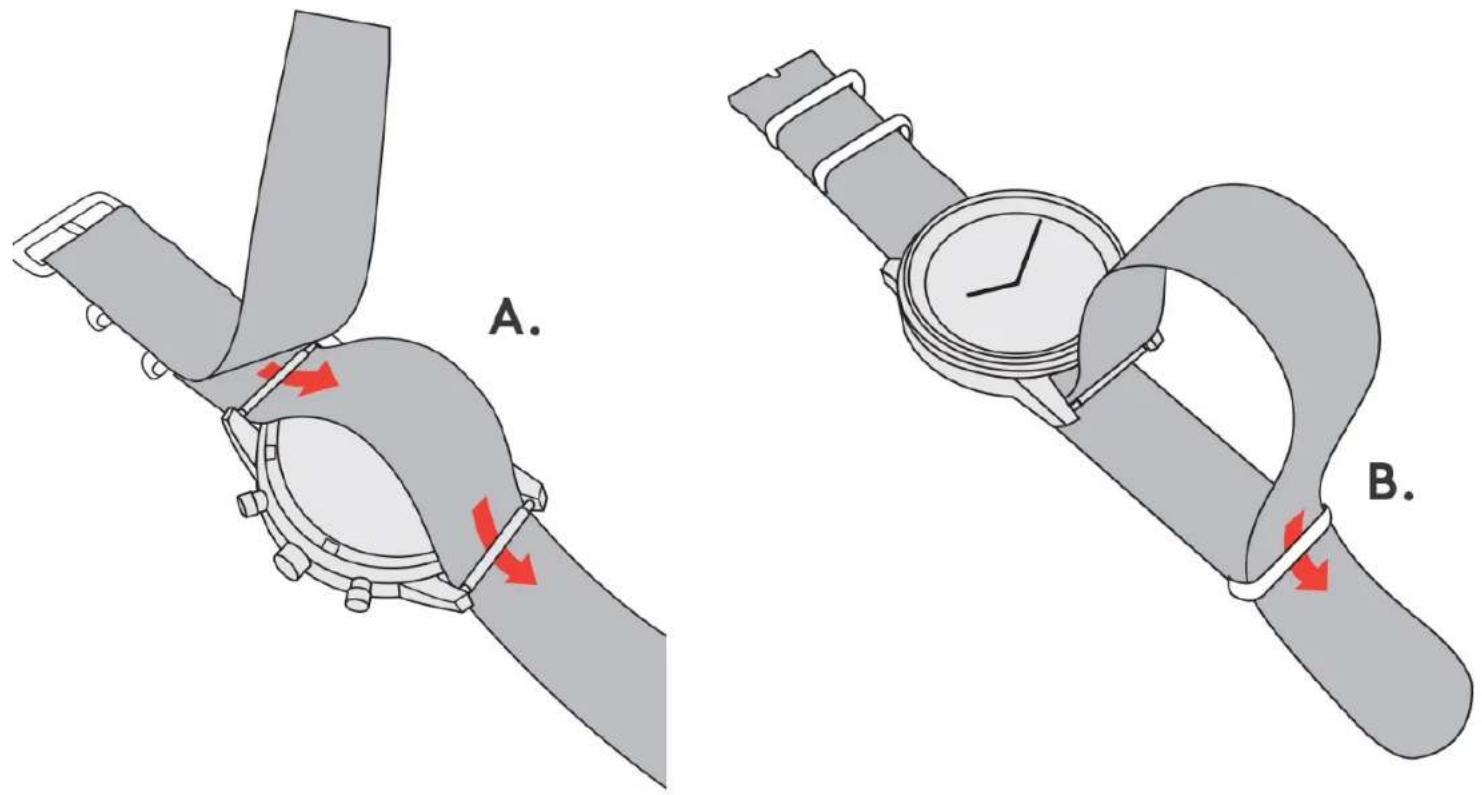
ATTACHING NATO/MONO STRAP
text_image
A. B.- Unless the watch has fixed lugs, use the TRIWA strap tool to remove the existing strap (see 'CHANGE STRAP' instructions)
- Attach the pins to the watch case again but without strap
- Attach the long strap part as seen in image A
- Secure the watch case by letting the long strap part through the loop of the shorter part as seen in image B
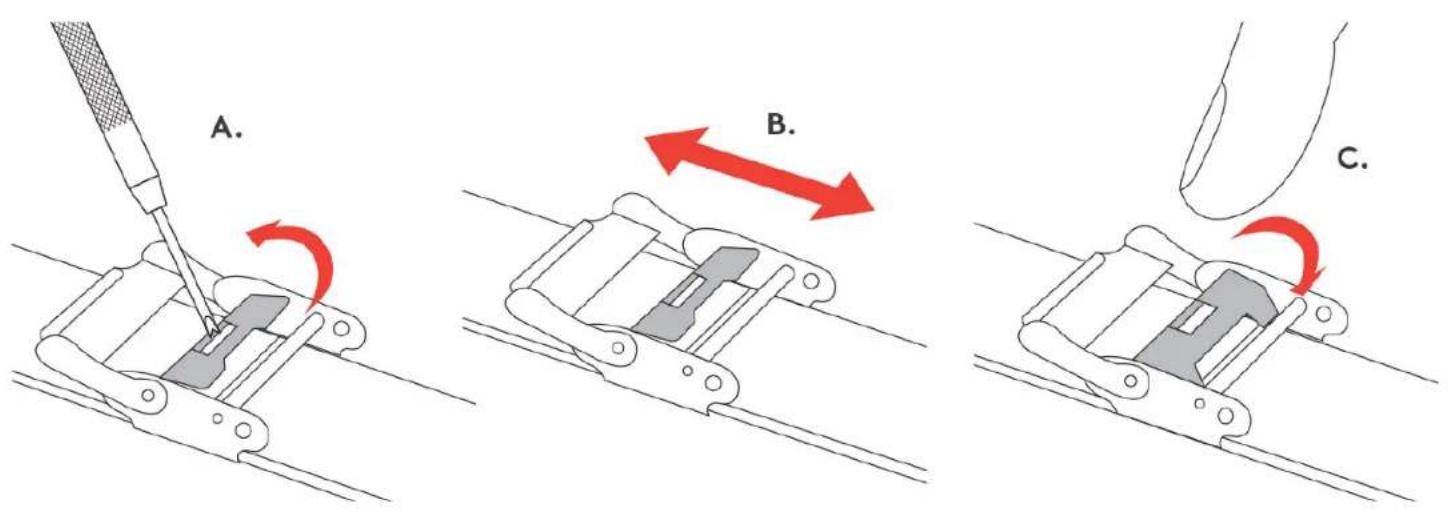
ADJUSTING MESH STRAP SIZE
text_image
A. B. C.- Use the TRIWA strap tool to lift up the locking part as seen in image A
-
Slide the buckle along the strap to adjust the size as seen in image B. Note that the strap has cavities on the backside for different buckle options
-
When correct size is set, push down the locking part as seen in image C
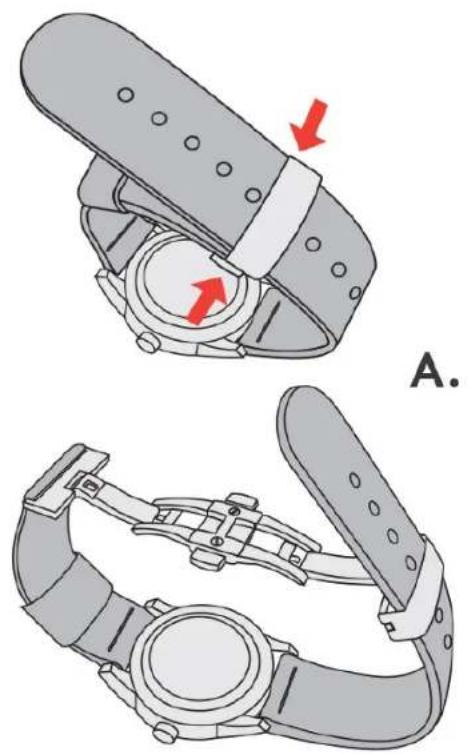
ADJUSTING BUTTERFLY STRAP SIZE
natural_image
Technical illustration of a wristwatch with red arrows indicating movement or force direction (no text or symbols present)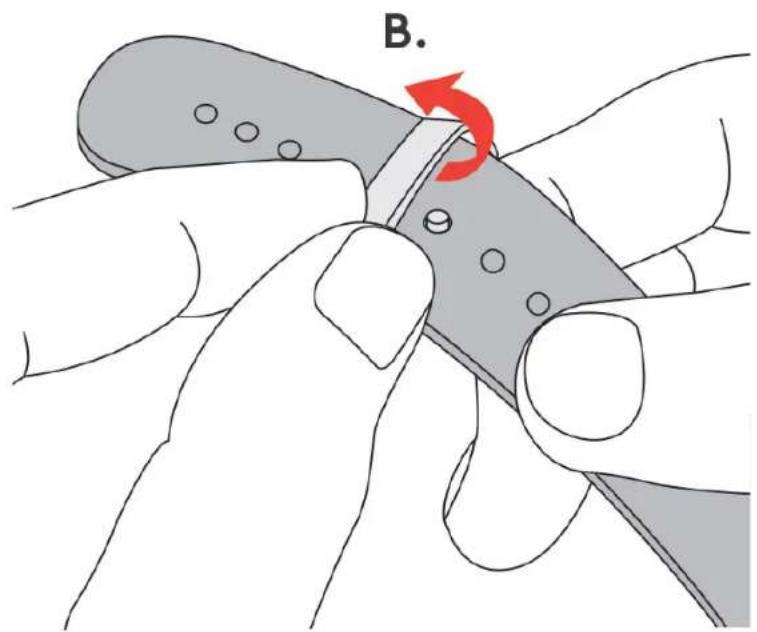
text_image
B.- Push buckle buttons to open the strap as seen in image A
- Flip open the hinged metal part to move the pin to a different strap hole for size adjustment as seen in image B
- When the correct time is set, push the metal part back down
VISA.

SEB
Klarna
Handelsbanken
AMERICAN EXPRESS

PayPal

支付宝ALIPAY
The TRIWA brand and logo are registered trademarks of TRIWA AB.
All graphic images, design and text on the TRIWA website are the properties of TRIWA AB.
We use cookies to give you the best user experience possible. By using this site you consent to the use of cookies.
Accept