Skala - Watch Triwa - Free user manual and instructions
Find the device manual for free Skala Triwa in PDF.


Pick your language and provide your email: we'll send you a specifically translated version.
User questions about Skala Triwa
0 question about this device. Answer the ones you know or ask your own.
Ask a new question about this device
No questions yet. Be the first to ask one.
Download the instructions for your Watch in PDF format for free! Find your manual Skala - Triwa and take your electronic device back in hand. On this page are published all the documents necessary for the use of your device. Skala by Triwa.
USER MANUAL Skala Triwa
Home / SKALA INSTRUCTIONS
SKALA INSTRUCTIONS
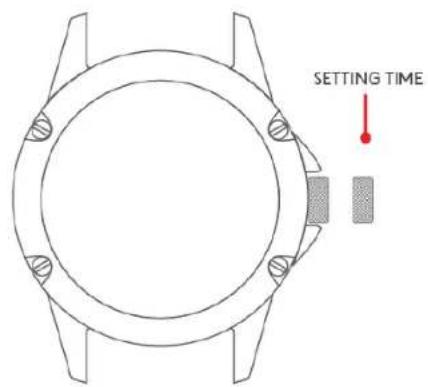
SETTING TIME AND DATE
text_image
SETTING TIMESetting the TIME:
- Release crown by screwing counter-clockwise
- Pull out the crown
- Set the time by screwing the crown
- When time is set, push the crown back and fix it by screwing clockwise
CHANGE STRAP
TRIWA Strap tool

text_image
Strap changing end→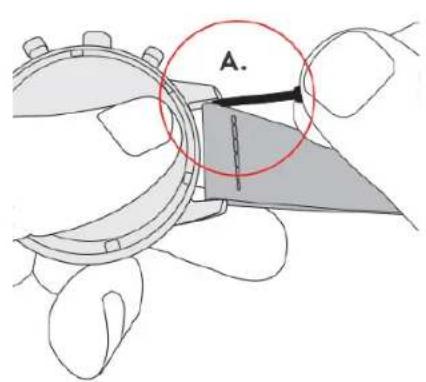
text_image
A.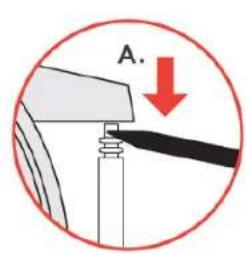
text_image
A.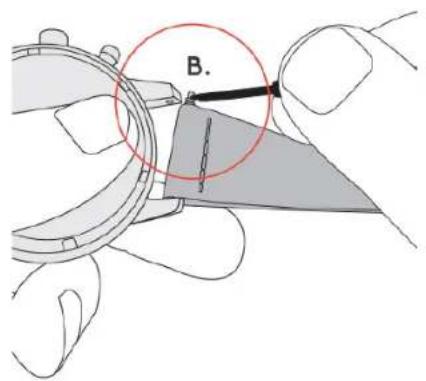
text_image
B.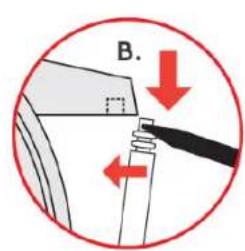
text_image
B.- Using the TRIWA strap tool, place the strap changing end between the lug and the strap to reach the metal pin
- Push down to release the spring and remove the strap
- Move the pins from the old to the new strap
- Place the pin end to the lug hole
- Use the tool again to push down the spring so that the pin end reaches the hole for fastening
ATTACHING NATO/MONO STRAP
text_image
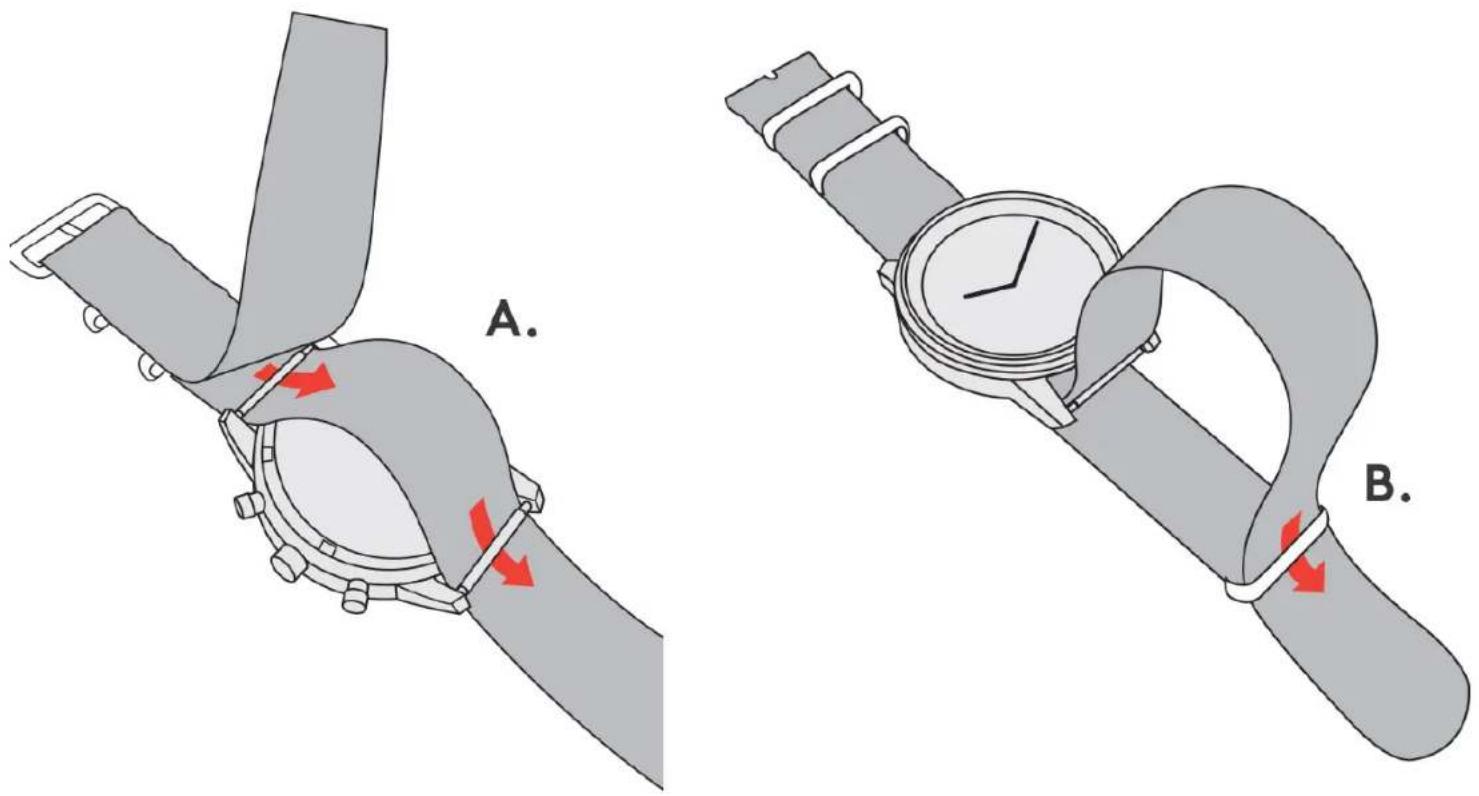
A. B.- Unless the watch has fixed lugs, use the TRIWA strap tool to remove the existing strap (see 'CHANGE STRAP' instructions)
- Attach the pins to the watch case again but without strap
- Attach the long strap part as seen in image A
- Secure the watch case by letting the long strap part through the loop of the shorter part as seen in image B
ADJUSTING MESH STRAP SIZE
text_image
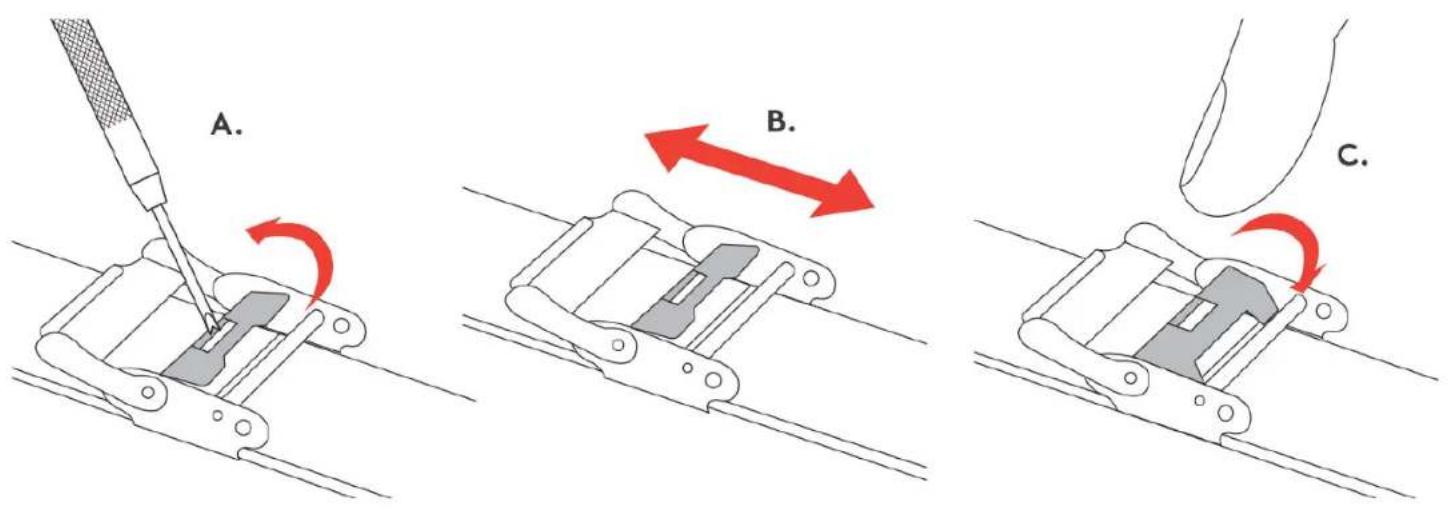
A. B. C.- Use the TRIWA strap tool to lift up the locking part as seen in image A
- Slide the buckle along the strap to adjust the size as seen in image B. Note that the strap has cavities on the backside for different buckle options
- When correct size is set, push down the locking part as seen in image C
ADJUSTING BUTTERFLY STRAP SIZE
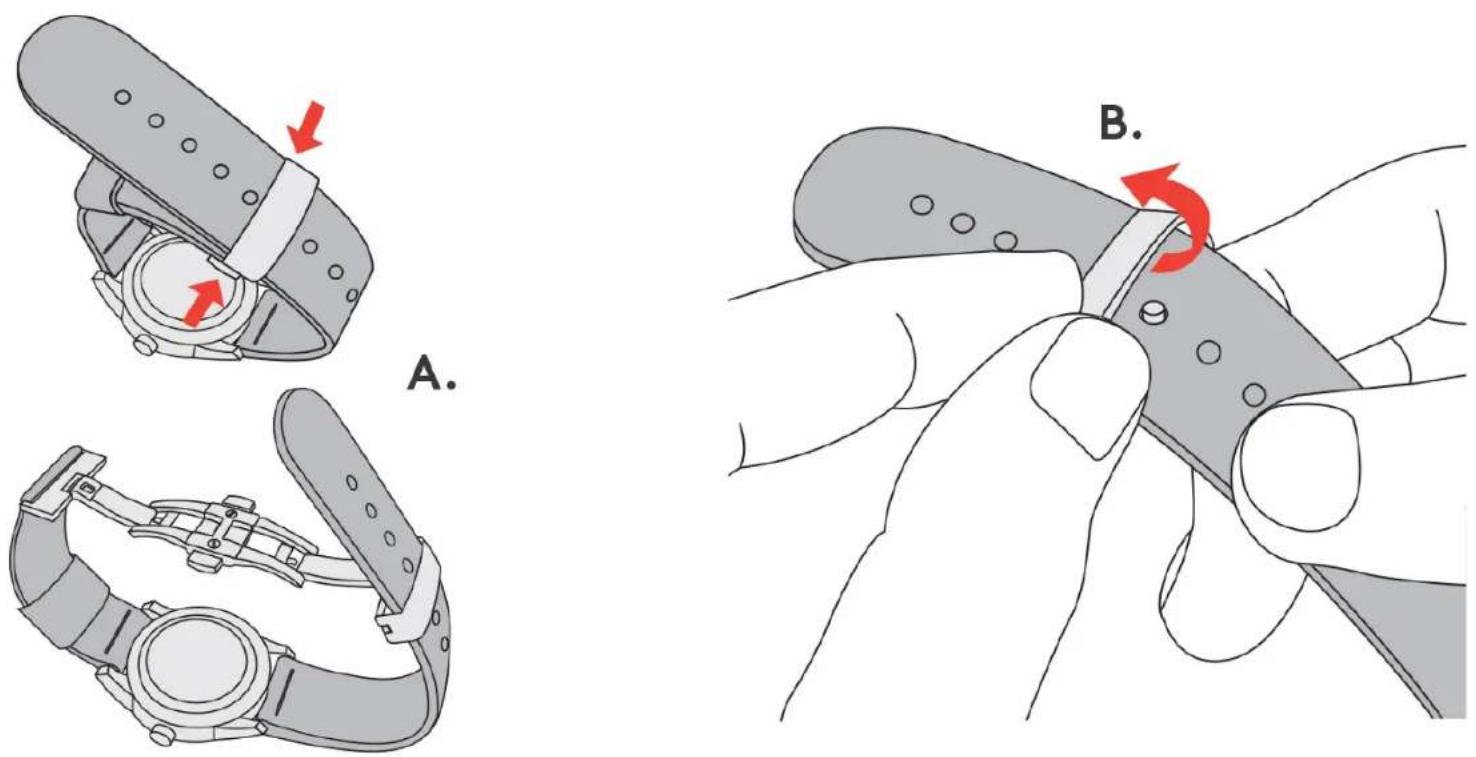
- Push buckle buttons to open the strap as seen in image A
- Flip open the hinged metal part to move the pin to a different strap hole for size adjustment as seen in image B
- When the correct time is set, push the metal part back down