
RC2200 - Vacuum Cleaner Campomatic - Free user manual and instructions
Find the device manual for free RC2200 Campomatic in PDF.


| Product Type | Canister Vacuum Cleaner |
| Brand | Campomatic |
| Model | RC2200 |
| Power Consumption | 2200 W |
| Dust Bag Capacity | 5.5 L |
| Operating Radius | 8.5 m |
| Power Cord Length | Approx. 8.5 m (with yellow and red marks) |
| Safety Features | Safety protection device, dust full indicator, overheat protection |
| Cable Winding | Automatic cable rewind with button |
| Stand Device | Built-in stand for upright storage |
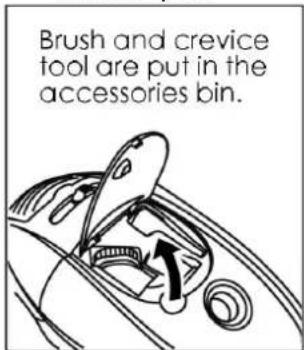
| Accessories Bin | Integrated bin for crevice tool and round brush |
| Suction Control | Slide button on handle (air intake control) |
| Speed Control | Slide button on body (variable power) |
| Floor Brush | Adjustable bristles (retract for carpet, extend for hard floor) |
| Included Accessories | Floor brush, crevice tool, round brush, extension tube, hose |
| Filter Type | Washable filter (HEPA type, replace every 2-3 months) |
| Dust Bag Type | Paper or cloth bag (reusable cloth washable by hand) |
| Maintenance | Clean filter with water; replace dust bag when full |
| Dimensions (Approx.) | 35 x 25 x 30 cm (main body) |
| Weight (Approx.) | 5.5 kg |
| Color | Typically black/red (not specified) |
| Manufacturer | Campomatic S.R.L., Italy |
| Country of Origin | China |
| Warranty | Not specified, standard 1-2 years |
Frequently Asked Questions - RC2200 Campomatic
User questions about RC2200 Campomatic
0 question about this device. Answer the ones you know or ask your own.
Ask a new question about this device
Download the instructions for your Vacuum Cleaner in PDF format for free! Find your manual RC2200 - Campomatic and take your electronic device back in hand. On this page are published all the documents necessary for the use of your device. RC2200 by Campomatic.
USER MANUAL RC2200 Campomatic
natural_image
Line drawing of a robotic vacuum cleaner with circular components and meshed casing (no text or symbols)Made in China



INSTRUCTION MANUAL
Caution: Read and follow all safety and operating instruction before first use of this product.
Campomatic S.R.L. Via Configliachi 5/B . 35031, Abano Terme (Padova), ITALIA
WWW.CAMPOMATIC.COM
Table of Content
English 3
CHARACTERISTIC
2200W strong power
5.5 liter dust bag capacity
8.5m operation Radius
Safety protection device
Automatic cable winding device
Stand device
Accessories bin
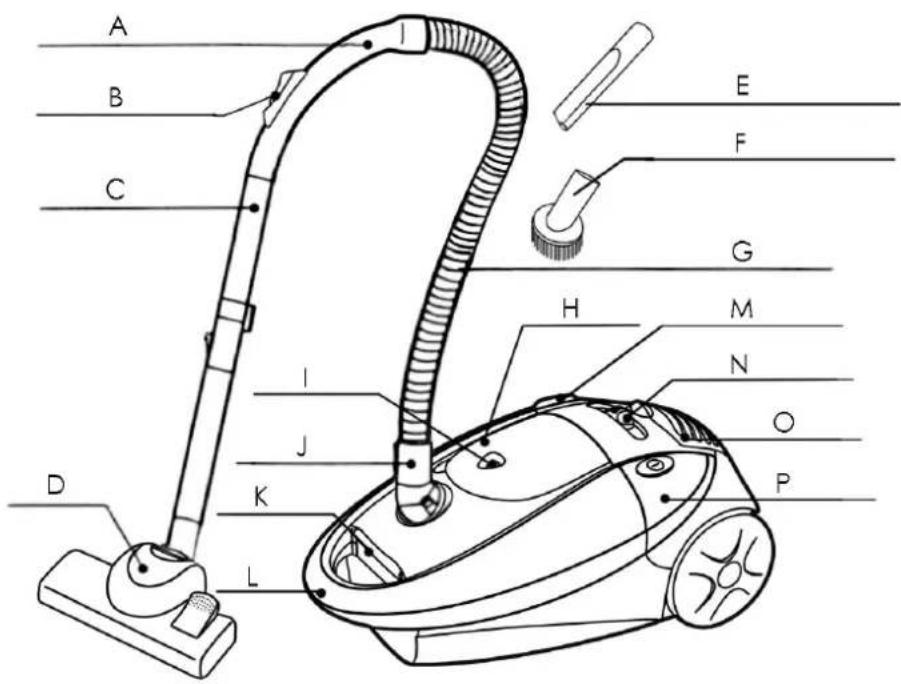
DESCRIPTION
A. Handle
B. Air intake control slide button
C. Extension Steel tube
D. Floor brush
E. Crevice tool
F. Round brush
G. Hose
H. Accessories bin cover
I. Dust full indicator
J. Hose tie-in
K. Fore cover release button
L. Carry-Handle
M. Cable winding button
N. Speed control slide button
O. Air release board
P. Power switch button
WARNING
- Read this instruction booklet carefully
·This appliance is for domestic use only. Use as described in this instruction booklet.
- Before using the appliance, check that the mains power voltage corresponds to the voltage shown on the rating plate.
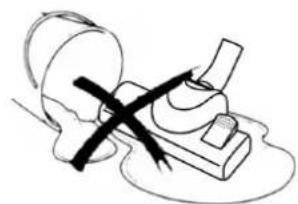
- Do not use the appliance to vacuum all the latter things:
·water and other liquids
·Sharp matter
natural_image
Simple line drawing of a mechanical device with a cross mark and motion arrows, no text or symbols present.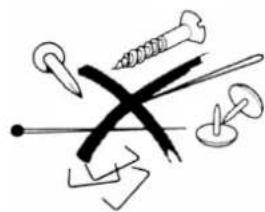
natural_image
Abstract line drawing of mechanical tools including screws, pliers, and a cross (no text or symbols)-lighted stub ,hot ashes and other combustible things

natural_image
Illustration of a cigarette emitting smoke from its pages (no text or symbols)- wood pieces, gesso, cement, calcimine and other tiny granules
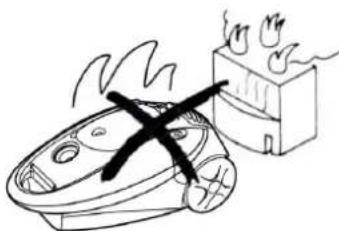
- Keep the vacuum cleaner away from stoves and heat-emitting appliance. Heat can deform and discolor the plastic parts of unit.
natural_image
Simple line drawing of a burning bed with a cross mark, next to a fire extinguisher (no text or symbols)- Do not block the flow of air. Blocking suction or allowing the dust to clog the hose will decrease the efficiency.
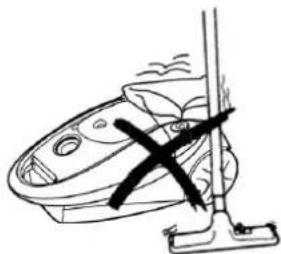
natural_image
Line drawing of a vacuum cleaner with a cross mark on the handle (no text or symbols)- Do not run the appliance over the power cable.
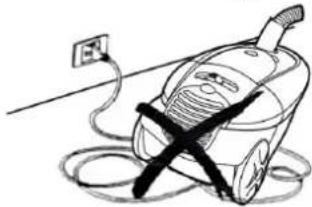
natural_image
Simple line drawing of a vacuum cleaner with a power outlet and cable, no text or symbols present·Always remove the plug from the power socket when the appliance is not in use and before carrying out any cleaning or maintenance operations.
- Check the hose every fixed days. Replace it in time if there is any way damaged.
- If the supply cord is damaged, it must be replaced by the manufacturer or its service agent or a similarity qualified person in order to avoid a hazard.
·Never use spirits or other solvents to clean the appliance.
·Never leave the appliance unattended when it is switched on. Keep the appliance out the reach of children or the infirm.
·Do not switch the appliance on if it appears to be faulty in any way.
CAUTION:
This appliance is not intended for use by persons (including children) with reduced physical, sensory or mental capabilities, or lack of experience and knowledge, unless they have been given supervision or instruction concerning use of the appliance by a person responsible for their safety.
KEEP THE APPLIANCE OUT THE REACH OF THE CHILDREN.
If the supply cord is damaged, it must be replaced by the manufacturer, its service agent or similarly qualified person in order to avoid a hazard.
A hazard may occur if the appliance runs over the supply cord.
HOW TO USE
1. READY FOR USE
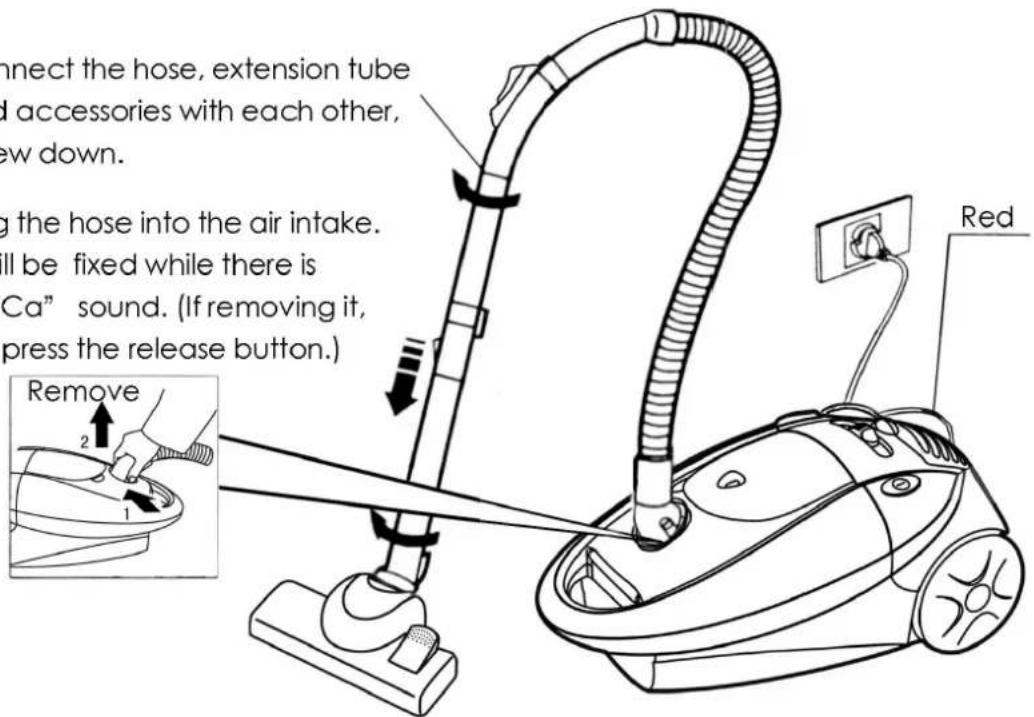
Connect the hose, extension tube and accessories with each other, screw down.
Plug the hose into the air intake. It will be fixed while there is "KaCa" sound. (If removing it, just press the release button.)
2. OPERATION
- Before using the appliance, unwind length of cable and insert the plug into the power socket. A yellow mark on the power cable shows the ideal cable length. Do not extend the cable beyond the red mark.
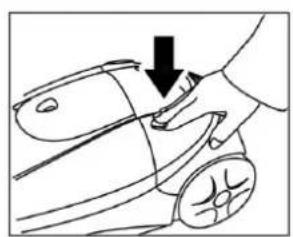
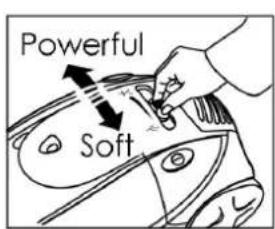
- Press the ON/OFF button to switch the appliance on. Press it again, the appliance will be turned off.
- Slide the air intake control button on the handle can adjust the suction. The greater air intake the smaller suction.
· Choose a suitable suction according to the surface to be cleaned.
For the carpet it needs powerful suction.
For the floor it needs only normal suction.
For the curtain, sofa etc. it just needs soft suction.
natural_image
Line drawing of a hand pressing down on a car wheel (no text or symbols)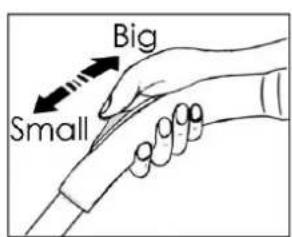
3. USING THE CLEANING ACCESSORIES
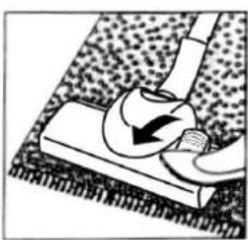
- Press down the side of bristle button with mark “” and then use the bristle extended for hard floor.
- Press down the side of bristle button with mark“—”and then use the bristle retracted for the carpet.
natural_image
Illustration of a hand using a tool to lift a circular object on a textured surface (no text or symbols)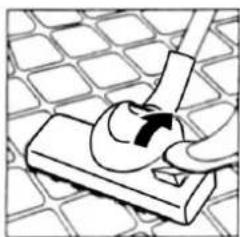
natural_image
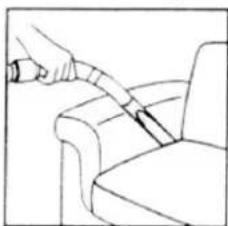
Diagram of a hand using a tool to press or install a component on a grid-patterned surface (no text or symbols)· Round brush
For cleaning couch and sofa etc.
- Crevice Tool
For cleaning corner edge and draws etc where is difficult to clean.
natural_image
Line drawing of a hand using a tool to lift or adjust a chair seat (no text or symbols)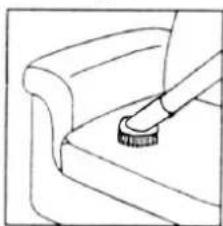
natural_image
Line drawing of a hand using a tool to press or install a piece of paper on a chair (no text or symbols)4. TURN OFF THE APPLIANCE
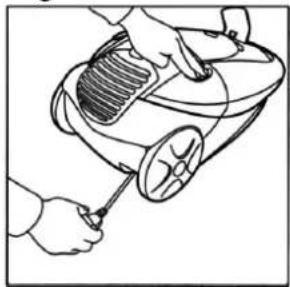
Each time after your cleaning, press the on/off switch first and then remove the power plug from socket. To rewind the power cable, press the rewind button with one hand, and guide the other hand to ensure that it does not cause damage when whipping.
natural_image
Line drawing of hands using a handheld device to clean or inspect a mechanical component (no text or symbols)PROTECTIVE DEVICE
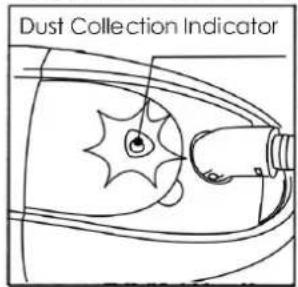
The indicator will become red when the air flow is obstructed or the dust bag is full. At that time, you should shut off the power, and clean the block or clean out the dust in the dust bag. Then switch it on again. It is normal while the indicator is green.
HOW TO MAINTAIN
- Replacing the dust bag
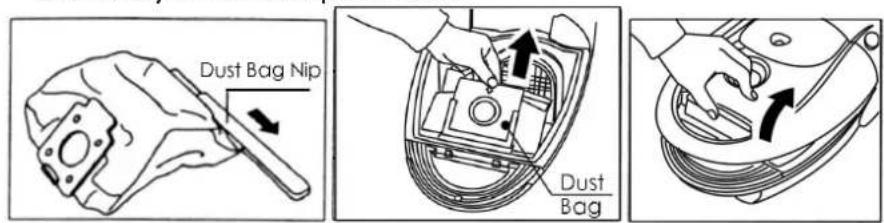
-Replace the bag in time when it is full. After removing the hose, open front cover by pressing the button and pulling upwards.
-Press the dust bag button backward and remove the dust bag.
- If the paper bag is in used, slide the plastic support from the cardboard top and dispose of the dust bag.
- If the cloth bag is in use, open the zipper and tip the dust.
Installing the dust bag
- Slide the plastic support onto the cardboard top of the dust bag. Position the dust bag correctly in its compartment.
CLEANING THE FILTER
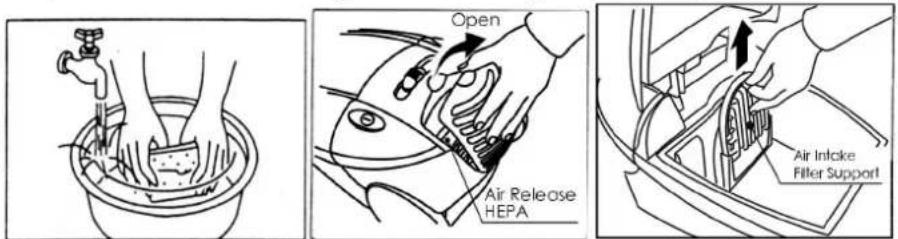
·If the filter is dirty, remove the filter.
•To clean or replace the air outlet filter, first detach the grille by pulling firmly away from the appliance.
-Remove the HFPA filter by opening the HFPA cover in the base.
·Wash carefully in liquid or water .Allow the filter to dry completely before replacing it.
Notice: Neither wash the cloth bag in washing machine nor dry it by electric heater, instead wash it in warm water and dry in natural air.
-Replace the filter every 2-3 months, depending on how frequently it is used.
- Clean the appliance and accessories
natural_image
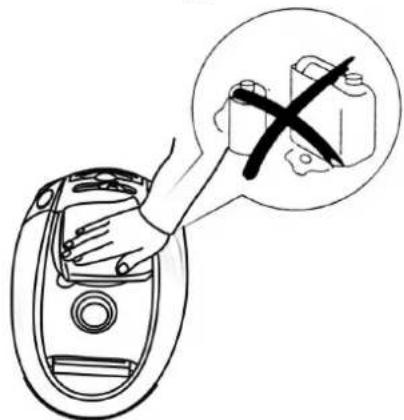
Diagram showing a hand pressing a component into a car intake container with a cross symbol (no text or labels)·Do not clean the body of vacuum cleaner in petrol or oil-like liquid. Please wipe it with water or neutral detergent. When you wipe the appliance please dry the soft cloth by screwing.
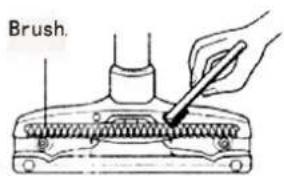
- Clean the sundries adhering to the floor brush with old toothbrush every month.
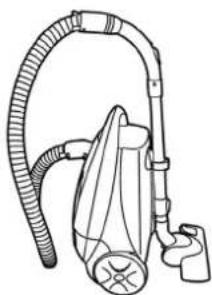
- Storing the vacuum cleaner
natural_image
Line drawing of a vacuum cleaner with coiled hose and valve (no text or symbols)- Plug the orientation pin on the floor brush into the orientation hole in the main body.
TROUBLE AND RESOLVE
| Trouble Cause Resolve | ||
| Motor doesn’t work | The plug is not hard up Make the plug hard up | |
| Suction decrease | The filter is blocked Clean it | |
| There is much dust in the bag | Replace the bag or clean out the dirty | |
| There is something in the flexible hose or in the connect | Get rid of it | |
| Appliance heats Little heating is normal | ||
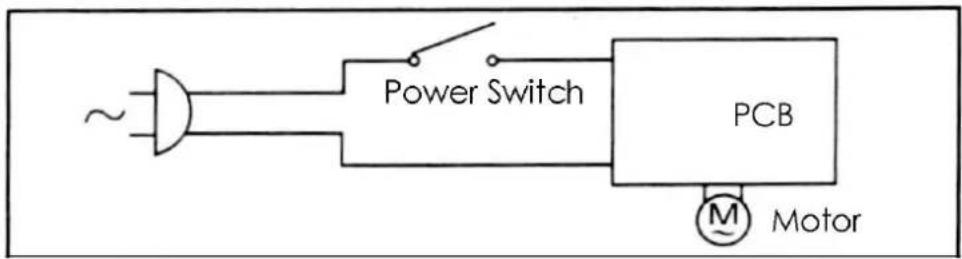
CIRCUIT DIAGRAM
Brand : Campomatic
Model : RC2200
Category : Vacuum Cleaner