
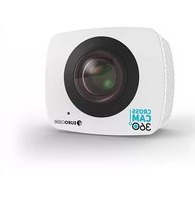
Cross Cam Pro - Camcorder Eurocase - Free user manual and instructions
Find the device manual for free Cross Cam Pro Eurocase in PDF.


| Product Type | Action Camcorder |
| Brand | Eurocase |
| Model | Cross Cam Pro |
| Video Resolution | 1080p 30fps / 720p 60fps |
| Photo Resolution | 12MP, 8MP, 5MP, 2MP |
| Burst Photo | 3 photos in 1.5 seconds |
| Time Lapse Intervals | 2, 3, 5, 10, 20, 30, 60 seconds |
| Loop Recording | On/Off |
| Time Stamp | Off, Date, Date & Time |
| Exposure Adjustment | ±2.0 to ±0.3 EV |
| Power Frequency | 50Hz / 60Hz / Auto |
| Sound Indicator | Shutter On/Off, Startup sounds (1/2/3/None), Beep On/Off, Volume 0-3 |
| Upside Down Mode | On/Off |
| Screensaver | Off, 1 min, 3 min, 5 min |
| Storage | microSD/microSDHC/microSDXC up to 32GB, Class 3 or higher |
| Battery Charging Time | 3-5 hours |
| Waterproof Case | Included |
| Mounting Accessories | Handle bar, helmet mounts, selfie stick mount, frame mount, belt clip, etc. |
| Smartphone App | CrossCam Pro App (iOS/Android) |
| Connectivity | Wi-Fi, Micro HDMI, Micro USB |
| Display | LCD screen |
| Buttons | Power/Mode, Shutter/Select, Up/Playback, Down/Wi-Fi |
Frequently Asked Questions - Cross Cam Pro Eurocase
User questions about Cross Cam Pro Eurocase
0 question about this device. Answer the ones you know or ask your own.
Ask a new question about this device
Download the instructions for your Camcorder in PDF format for free! Find your manual Cross Cam Pro - Eurocase and take your electronic device back in hand. On this page are published all the documents necessary for the use of your device. Cross Cam Pro by Eurocase.
USER MANUAL Cross Cam Pro Eurocase
natural_image
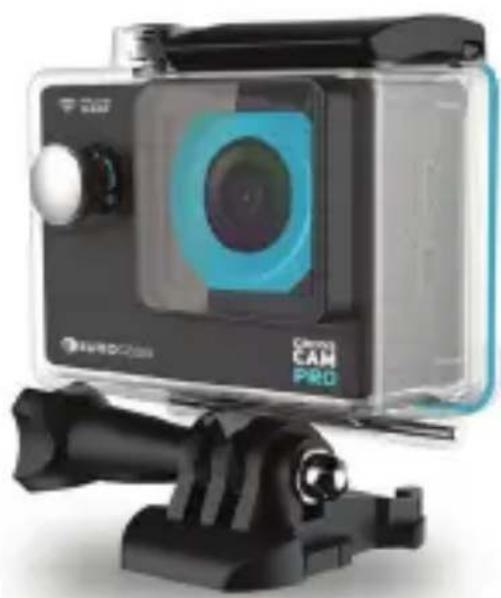
Exterior view of a Chery Cam PRO camera module (no visible text or symbols on body)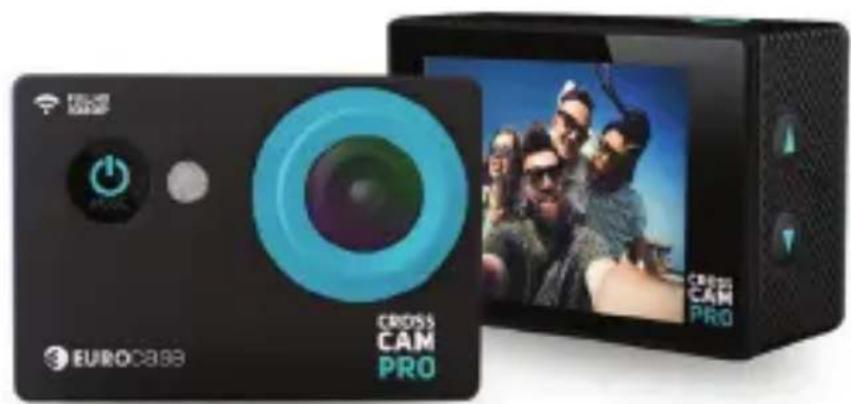
HELLO!
THE BASICS
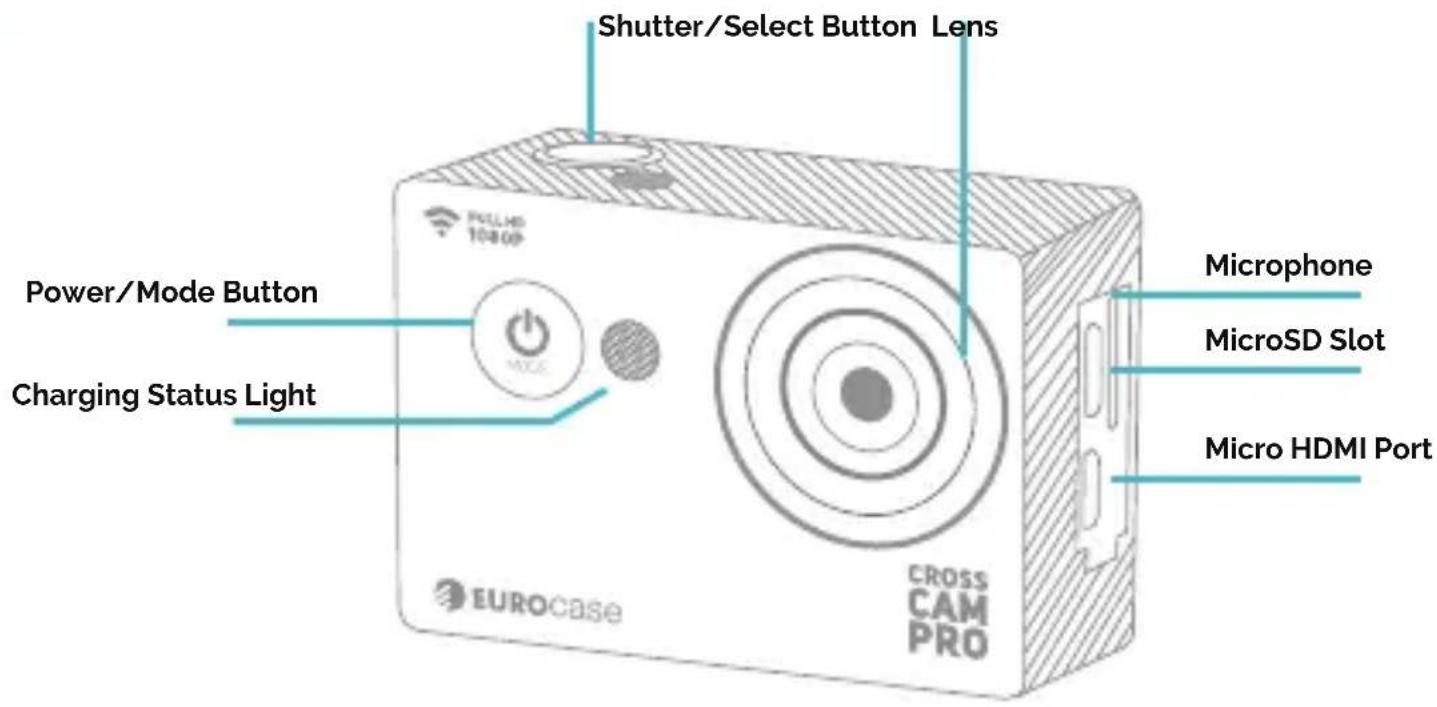
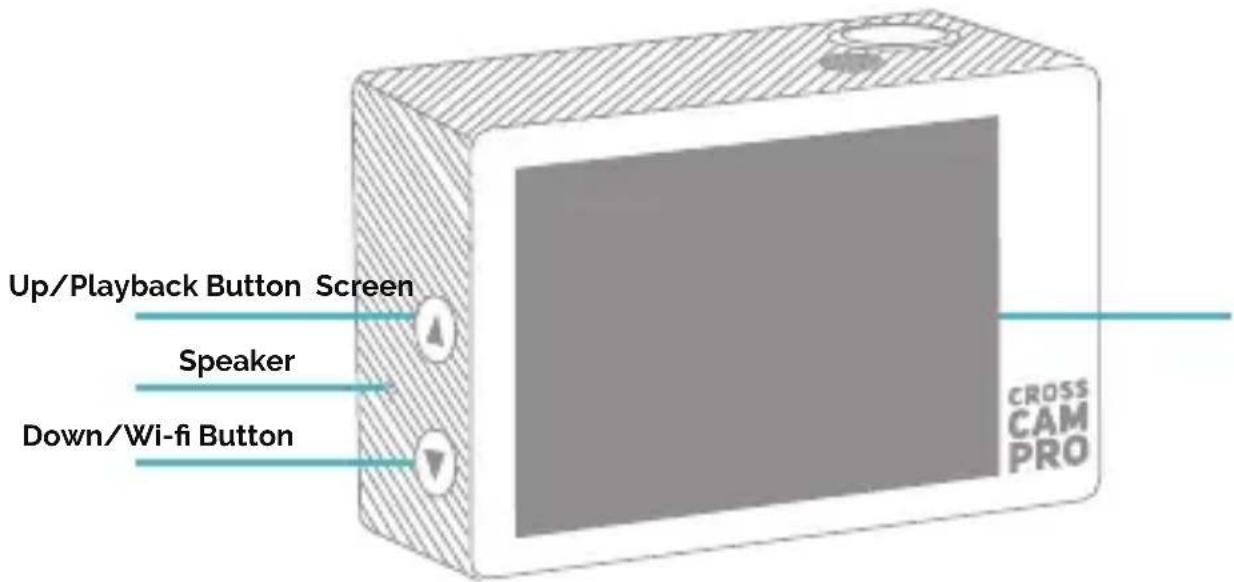
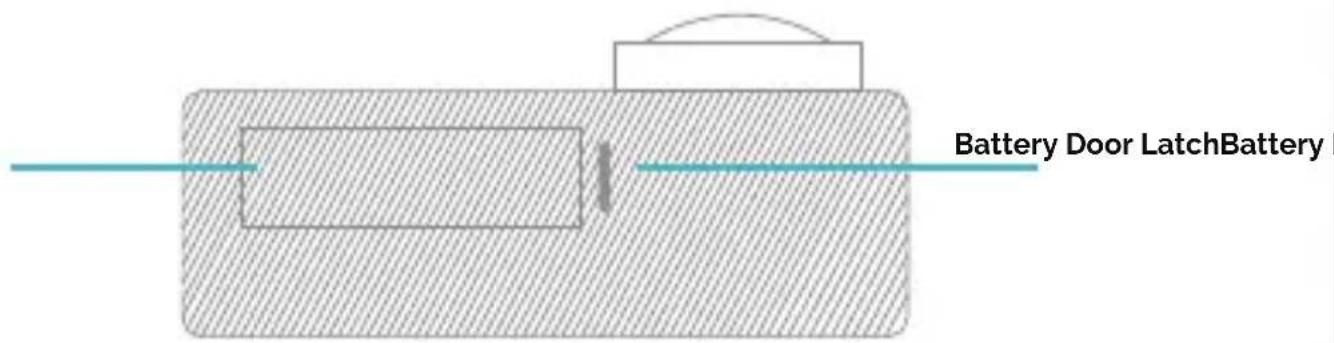
ACCESSORIES
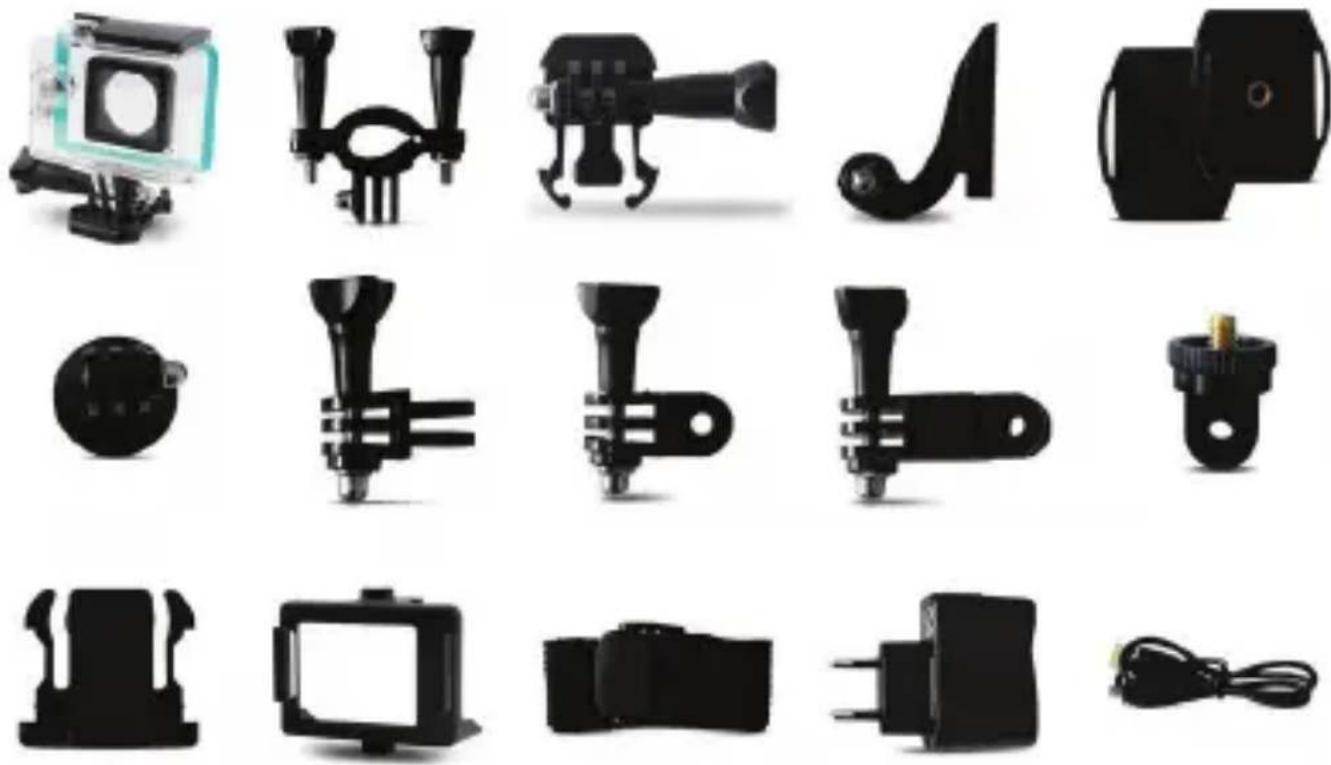
- Waterproof case
- Handle bar
- Clip for helmet mount 1
- Clip for helmet mount 2
- Helmet mounts
- Mount for selfie stick or tripod
- Vertical position adapter
- Horizontal position adapter
- Extender
-
Frame mount
-
Light case
- Belt clip
- Bandages
- Charger
- USB Cable
- Battery
- Lens cloth
- Tethers
- Adhesives
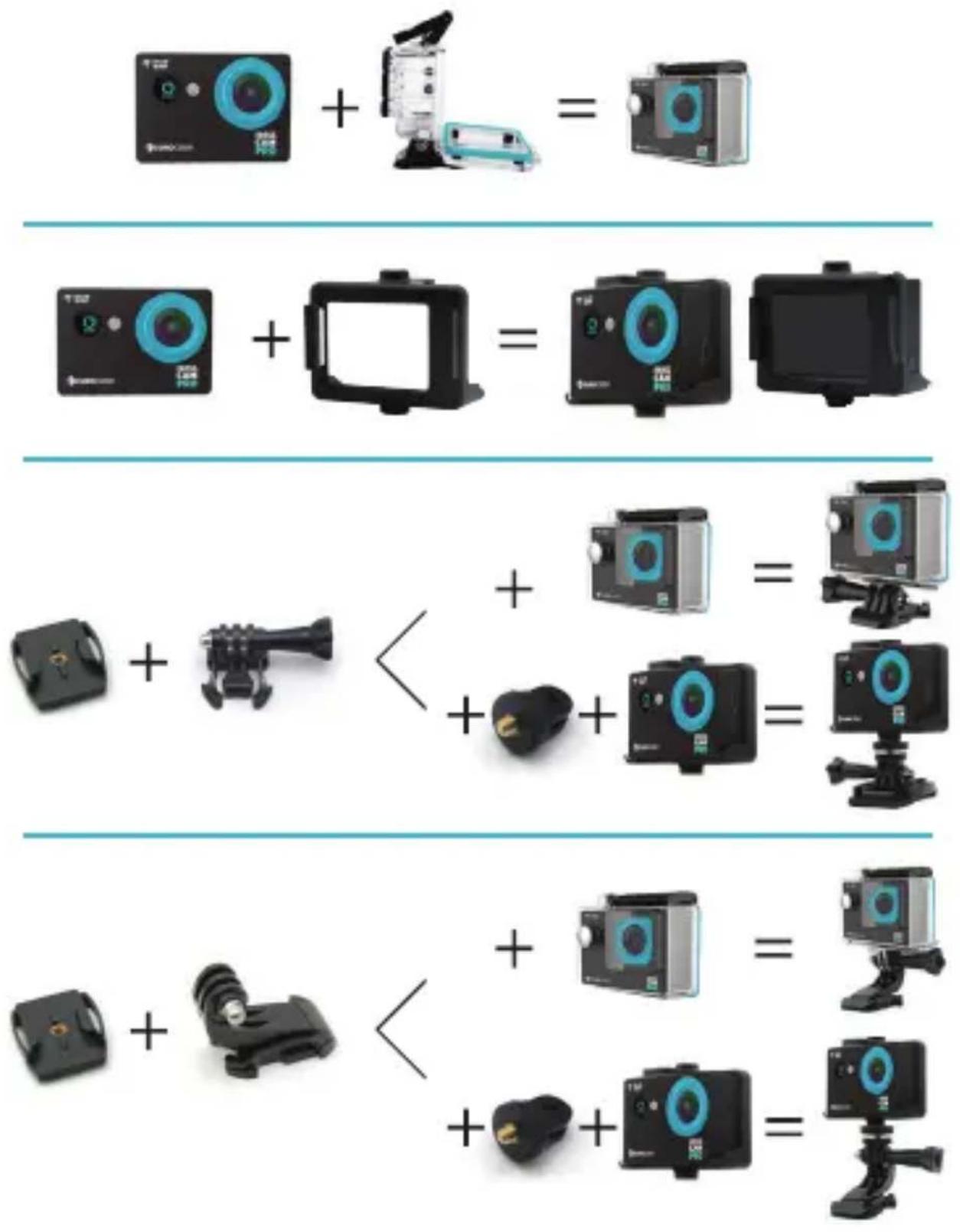
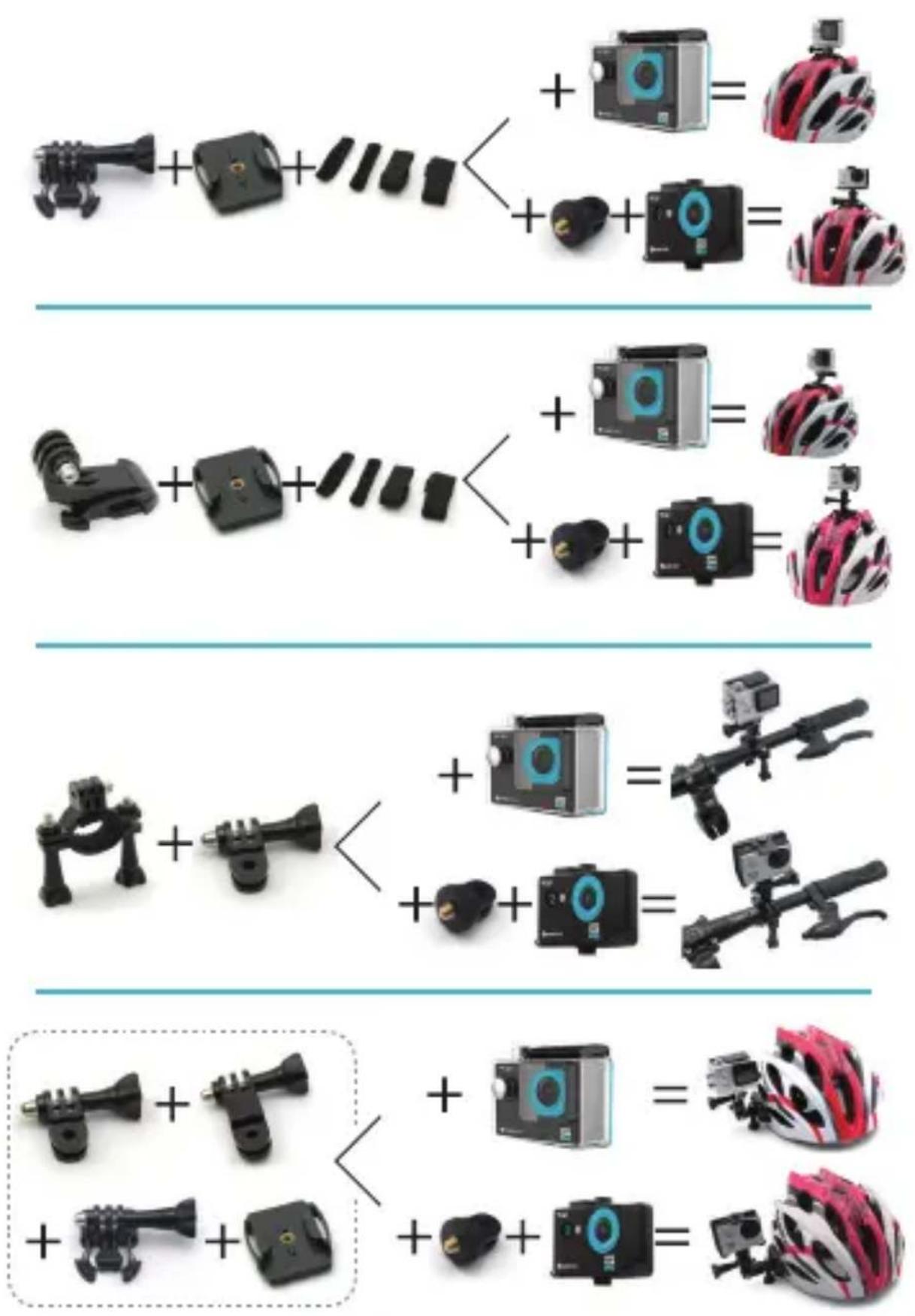
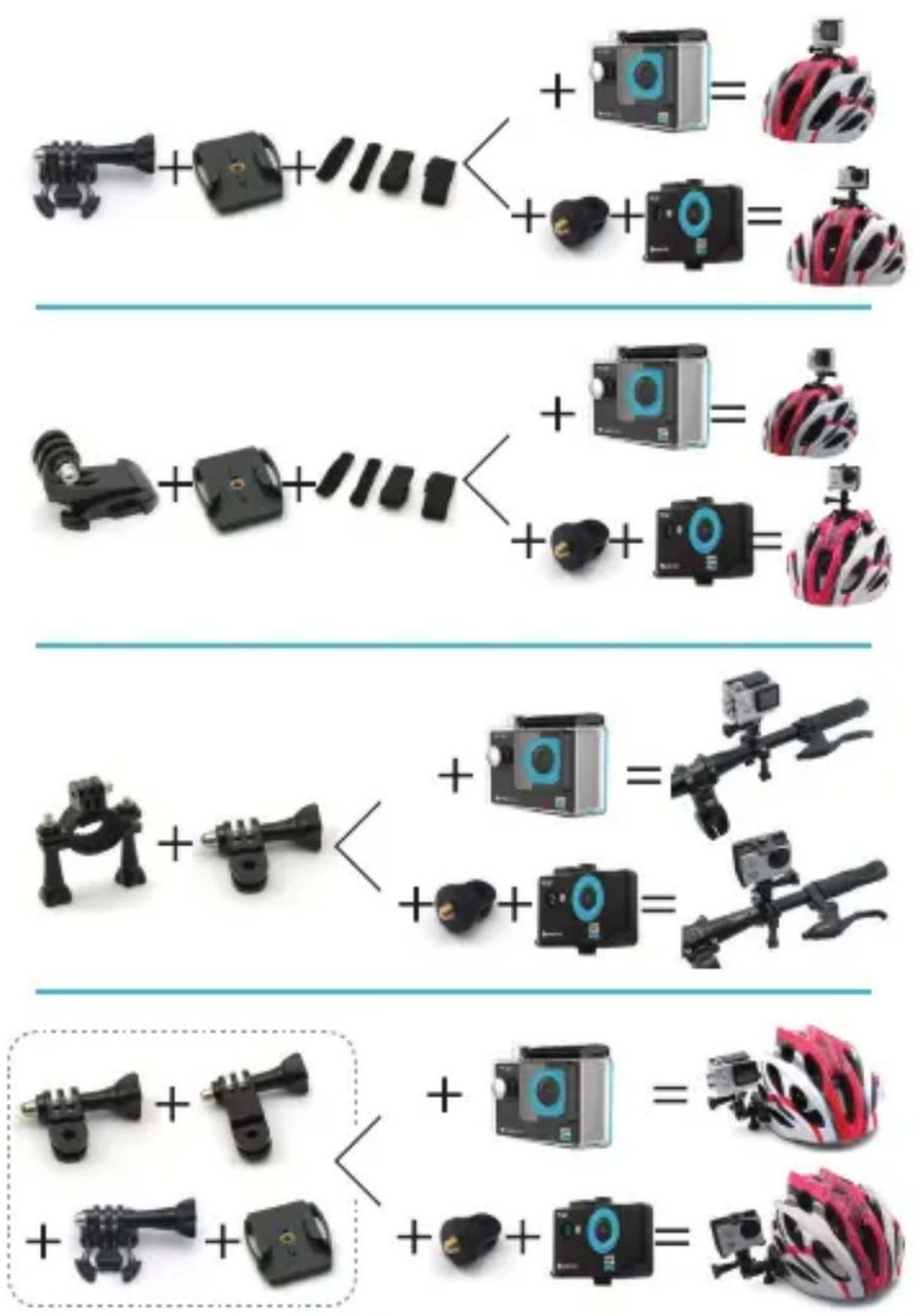
MOUNTING YOUR CAMERA
Attach your camera to helmets, gear and equipment.
GETTING STARTED
Congratulations on your new EUROCASE CROSSCAM PRO camera!
This user manual will help you to learn the basics of capturing life's most incredible moments!
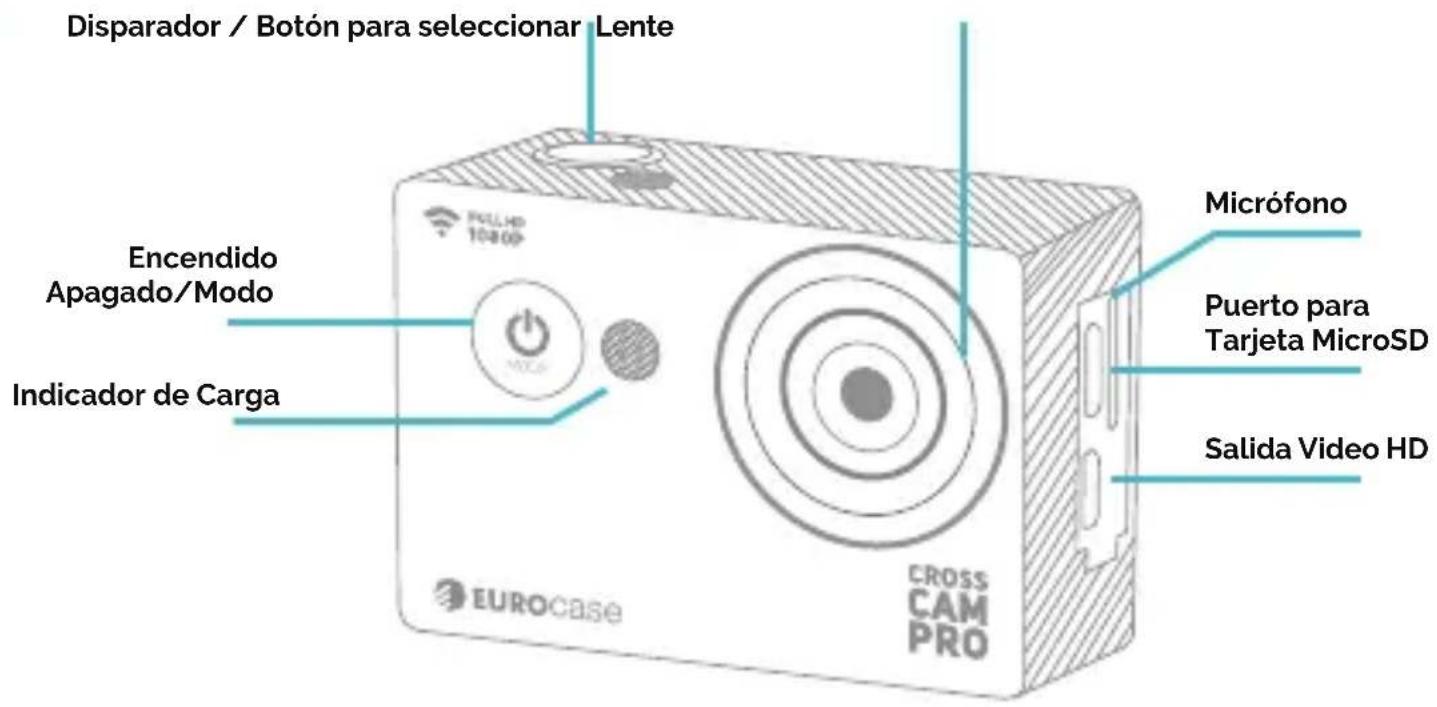
You can turn ON or OFF by pressing the button placed in the front part of the camera next to the lens.
OVERVIEW
Turn on your camera and press the button On / Off / Mode to cycle the through camera modes and settings. The modes will appear in the following order:

flowchart
graph LR
    A["Session"] --> B["Video"]
    B --> C["Audio"]
    C --> D["Video"]
    D --> E["User Interaction"]
    E --> F["Search Engine"]
VIDEO > PHOTO > BURST PHOTO > TIME LAPSE > SETTINGS

Video Record video

Photo
Capture a single photo

Burst Photo
Capture photo burst

Time Lapse
Shoot a series of photos at set time intervals

Settings
Adjust camera settings
SETTINGS
Press the Shutter/Select Button to enter the settings menu. Repeatedly press the Power/Mode Button to cycle through the options and press the Shutter/Select Button to select the desired option. Use the Up/Playback or Down/Wi-Fi Button to cycle through the options.
Video Resolution: 1080p 30fps/720p 60fps
Looping Video: On/Off
Time Stamp: Off/Date/Date & Time Exposure: +-2.0/+-1.7/+-1.3/+-1.0/+-0.7/+-0.3/o Photo
Photo resolution: 12M/8M/5M/2M
Burstphoto: 3 Photos
Time lapse: Off/On
Power frequency: 50Hz/60Hz/Auto
Date & Time: MM/DD/YY, DD/MM/YY or YY/MM/DD
Sound Indicator: Shutter On/Off, Start Up 1/2/3/ None, Beep On/Off, Volume 0/1/2/3Upsidedown: On/Off
Screensaver: Off/1 min/3 min/5 min
Format: No/Yes
Reset: No/Yes
Version
VIDEO MODE
To record Video, verify the camera is in Video mode. If the Video icon on your camera's LCD screen is not showing, press the Power/Mode Button repeatedly until it appears.
> To start recording:
Press the Shutter/Select Button. The camera will emit one beep and the Camera Status Lights will flash while recording.
> To stop recording:
Press the Shutter/Select Button. The Camera Status Lights stop flashing and the camera emits one beep to indicate recording has stopped.

NOTE: In case of low battery, the camera will stop recording and save the video before switching off.
PHOTO MODE
To capture a Photo, verify the camera is in Photo mode. If the Photo icon on your camera's LCD screen is not showing, press the Power/ Mode Button repeatedly until it appears.
> To take a photo:
Press the Shutter/Select Button. The camera will emit the camera shutter sound.
BURST PHOTO MODE
To capture a Burst Photo series, verify the camera is in Burst Photo mode. If the Burst Photo icon on your camera's LCD screen is not showing, press the Power/Mode Button repeatedly until it appears. In Burst Photo mode, your camera takes 3 photos in 1.5 seconds.
> To take a Burst Photo series:
Press the Shutter/Select Button. The camera will emit camera shutter sounds.
TIME LAPSE MODE
To capture a Time Lapse series, verify the Continuous Lapse is ON and camera is in Time Lapse mode. If the Time Lapse icon on your camera's LCD screen is not showing, press the
Power/Mode Button repeatedly until it appears. In Time Lapse mode, your camera captures a series of photos at 2, 3, 5, 10, 20, 30 or 60 second intervals.
> To take Time Lapse:
Press the Shutter/Select Button. The camera initiates countdown and emits the camera shutter sound each time a Photo is taken.
PLAYBACK
In order to see your photos and videos in your CROSSCAM PRO, enter camera and press the UP Button. Then press repeatedly the On / Off / Mode to select the image or video you want to play. Once selected, press the Shutter/ Select. Togo back, press the On / Off / Mode button. To exit, press the side button Up.
STORAGE/MICRO SD CARDS
This camera is compatible with 8GB, i6GB, and 32GB capacity microSD, microSDHC, and microSDXC memory cards. You must use a microSD card with a Class 3.0 speed rating. We recommend using brand name memory cards for maximum reliability in high-vibration activities.
BATTERY
To charge the battery, connect the camera to a computer or USB power supply, the Charging Status Light remains ON while the battery is charging. When the battery is fully charged the Charging Status Light will turn OFF.

NOTE: The battery takes between 3 and 5 hours to charge completely.
CROSSCAM PRO APP
Eurocase has developed an App for your mobile phone. With this App you can record, watch and share photos and videos from your phone.
Download the App from Google Play or the AppStore


For more information go to: CROSSCAMPRO.EUROCASE.COM
CROSS CAM
PRO
CAPTURING YOUR MOMENTS
natural_image
Exterior view of a modern camera module (no signage or text visible on body)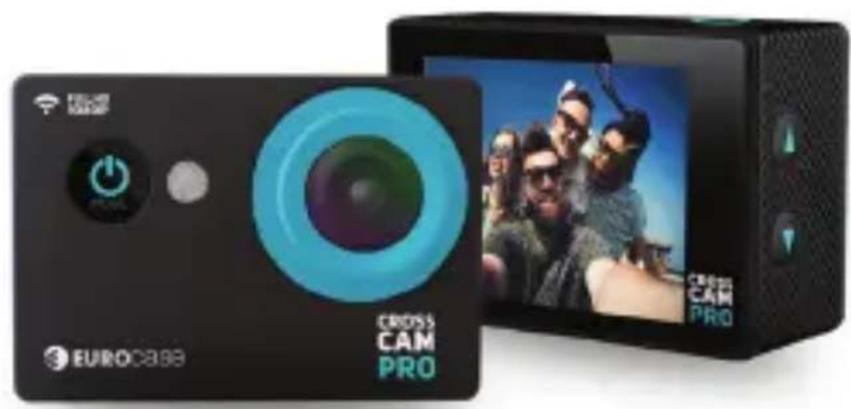
natural_image
Exterior view of a EuroCASE camera module with visible lens and screen (no readable text or symbols beyond branding)¡HOLA!
LO BÁSICO
¡EMPECEMOS!

All trademarks are the property of their respective owner.
Pictures are only for illustration purposes and may vary from final version.
Google Play is a trademark of Google Inc.
Apple and the Apple logo are trademarks of Apple Inc., registered in the U.S. and other countries.
App Store is a service mark of Apple Inc.

bar
| Category | Value | |---|---| | Category 1 | 100 | | Category 2 | 100 | | Category 3 | 100 | | Category 4 | 100 | | Category 5 | 100 | | Category 6 | 100 | | Category 7 | 100 | | Category 8 | 100 | | Category 9 | 100 | | Category 10 | 100 |
CROSSCAMPRO.EUROCASE.COM
- HELLO!
- THE BASICS
- ACCESSORIES
- MOUNTING YOUR CAMERA
- GETTING STARTED
- OVERVIEW
- SETTINGS
- VIDEO MODE
- > To start recording:
- > To stop recording:
- PHOTO MODE
- > To take a photo:
- BURST PHOTO MODE
- > To take a Burst Photo series:
- TIME LAPSE MODE
- > To take Time Lapse:
- PLAYBACK
- STORAGE/MICRO SD CARDS
- BATTERY
- CROSSCAM PRO APP
- Download the App from Google Play or the AppStore
- CROSS CAM
- PRO
- ¡HOLA!
- LO BÁSICO
- ¡EMPECEMOS!
Brand : Eurocase
Model : Cross Cam Pro
Category : Camcorder