
Halo Free - Headphones JABRA - Free user manual and instructions
Find the device manual for free Halo Free JABRA in PDF.


| Type of Product | Bluetooth wireless earbuds (headset) |
| Brand | Jabra |
| Model | Halo Free (OTE29) |
| Dimensions (Earbuds) | 32.3 x 15 x 25.3 mm |
| Dimensions (Remote) | 52.6 x 9.5 x 8.5 mm |
| Weight | 17 g |
| Battery Talk Time | Up to 5 hours |
| Battery Standby Time | Up to 14 days |
| Charging Time | Approx. 2 hours |
| Charging Port | Micro-USB (covered) |
| Bluetooth Version | 4.1 |
| Bluetooth Profiles | A2DP, Hands-Free, Headset, AVRCP |
| Operating Range | Up to 10 m (30 ft) |
| Speaker Size | 8 mm dynamic speaker |
| Microphone | MEMS microphone |
| Water and Dust Resistance | Yes (with charging cover closed) |
| Voice Assistant Support | Siri, Google Now, Cortana (one-touch) |
| Multi-Device Connection | Up to 8 paired, 2 simultaneously (MultiUse) |
| Included Accessories | EarGels (3 sizes), EarWings, EarHook, FitClip, Micro-USB cable |
| Operating Temperature | -10°C to 55°C (14°F to 131°F) |
| Storage Temperature | -20°C to 85°C (-4°F to 185°F) |
| Care Instructions | Store with power off, avoid extreme temperatures |
| Compatible Apps | Jabra Assist (iOS/Android) for battery meter, message read-out |
| Country of Origin | China |
Frequently Asked Questions - Halo Free JABRA
User questions about Halo Free JABRA
0 question about this device. Answer the ones you know or ask your own.
Ask a new question about this device
Download the instructions for your Headphones in PDF format for free! Find your manual Halo Free - JABRA and take your electronic device back in hand. On this page are published all the documents necessary for the use of your device. Halo Free by JABRA.
USER MANUAL Halo Free JABRA
Jabra GN
User manual
© 2016 GN Audio A/S. All rights reserved. Jabra ® is a trademark of GN Audio A/S. The Bluetooth ® word mark and logos are registered trademarks owned by the Bluetooth SIG, Inc. and any use of such marks by GN Audio A/S is under license. Other trademarks and trade names are those of their respective owners.
MADE IN CHINA
MODEL: OTE29

Bluetooth®CE
Contents
- Welcome......4
- Jabra Halo Free overview ......5
2.1 Included accessories
- How to wear....7
3.1 Changing eargels
3.2 Changing EarWings or EarHook
3.3 Using the Fltclip
- How to charge.... 10
- How to connect.... 11
- Jabra Assist app 12
- How to use 13
7.1 Calls & music
7.2 Multiple call handling
- Support 15
8.1 FAQ
8.2 How to care for your Jabra Halo Free
- Technical specifications ..... 16
1. Welcome
Thank you for using the Jabra Halo Free. We hope you will enjoy it!
Jabra Halo Free features
■ Up to 5 hours of talk time/up to 14 days standby time
■ 3 versatile fitting options
■ Dust and water resistant
■ Sirind Google Now™ with one-touch
■ 8mm speakers for great sound
2. Jabra Halo Free overview
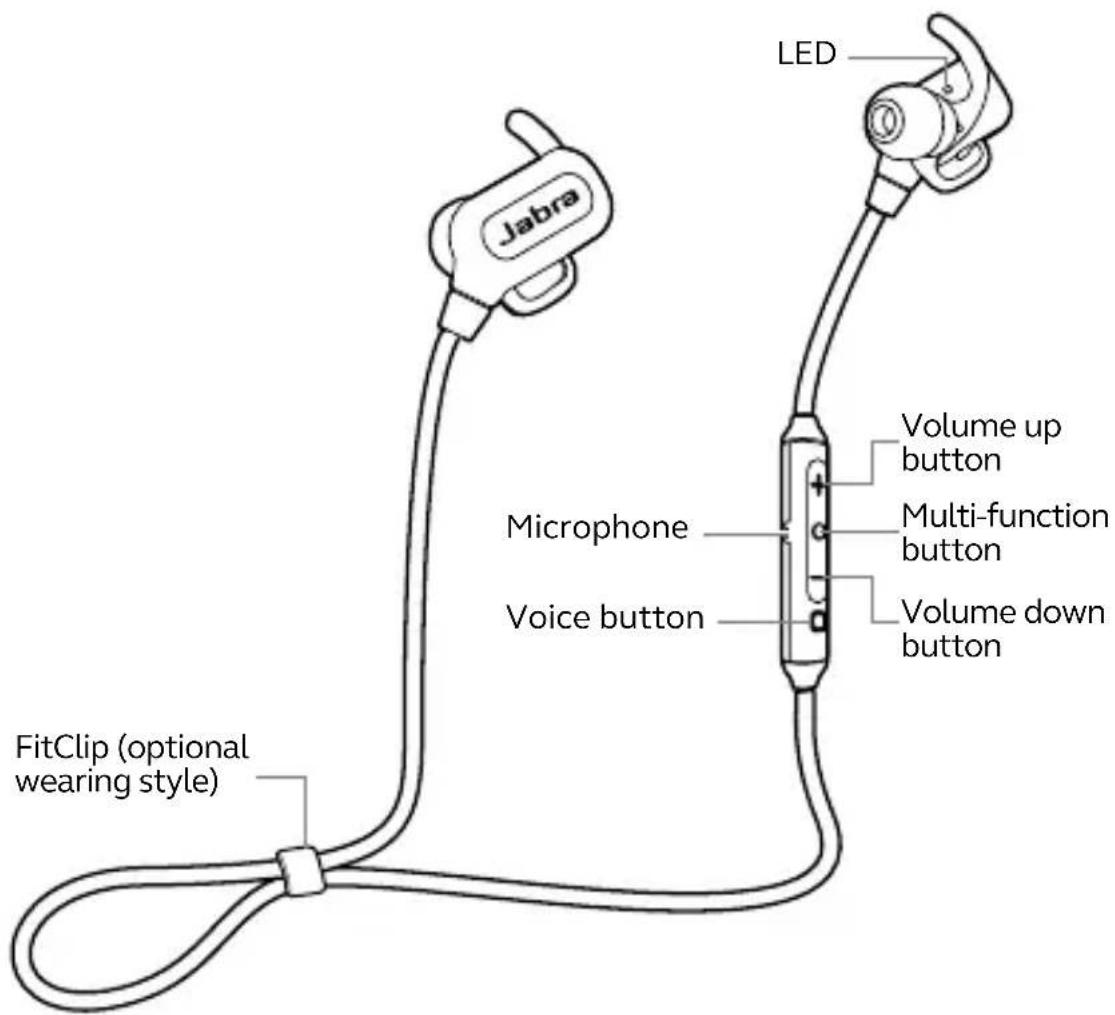
2.1 Included accessories
EarGels

EarWings
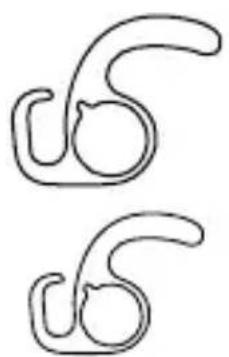
EarHook

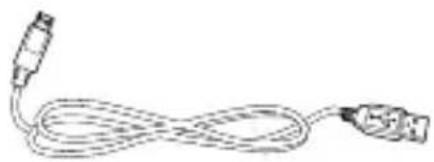
Micro-USB cable
3. How to wear

3.1 Changing eargels
For the optimal audio experience, try each of the different EarGel sizes. The fit should feel tight and secure in your ear.

Large

Medium

Small

3.2 Changing EarWings or EarHook
For the most secure fit during your workout, try each of the different EarWing styles, or the EarHook.

3.3 Using the Fltclip
Attach the FitClip to the cable, and adjust for optimal fit.
Regular FitClip style

Optimal FitClip style
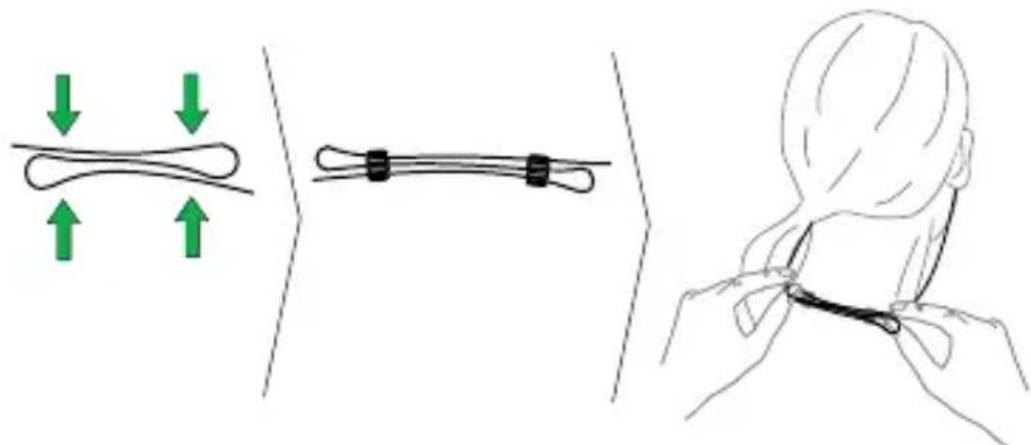
Simple FitClip style

4. How to charge
Pull open the charging cover to expose the USB charging port. Plug any USB cable or charger into the USB charging port and connect to power to begin charging.

It takes approx. 2 hours to fully charge the battery. To protect against water damage, ensure the charging cover is firmly in place before use.
5. How to connect
- Turn on Bluetooth on your mobile phone.
- Press and hold the Multi-function button until the LED on the right earbud flashes blue. Release the button.
- Follow the voice-guided connection instructions to connect to your mobile phone.

6. Jabra Assist app
The Jabra Assist app is a free app for iOS and Android devices that offers:
- Setup guidance.
- A battery meter - track your exact battery usage and receive suggestions for when to charge. (Android only).
- Message read-out - have your calendar notifications, emails, text messages and social media messages read out for you. (Android only).


7. How to use

7.1 Calls & music
| Function Action | ||
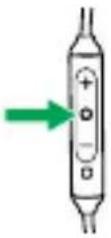 | Turn on/off | Press and hold (3 sec) the Multi-function button until the LED flashes |
| Play/pause music | Tap the Multi-function button | |
| Answer/end call | Tap the Multi-function button | |
| Reject call | Double-tap the Multi-function button | |
 | Adjust volume | Tap the Volume up or Volume down button |
| Skip track | Press and hold (1 sec) the Volume up or Volume down button | |
 | Activate Siri®/Google NowTM/CortanaTM | Tap the Voice button |
| Mute/un-mute microphone | Tap the Voice button, when on a call | |
7.2 Multiple call handling
The headphones can accept and handle multiple calls at the same time.
 | End current call and answer incoming call | Tap the Multi-function button |
| Switch between held call and active call | Press and hold (2 secs) the Multi-function button | |
| Put current call on hold and answer incoming call | Press and hold (2 secs) the Multi-function button | |
| Reject incoming call, when on a call | Double-tap the Multi-function button |
8. Support
8.1 FAQ
View the FAQs on Jabra.com/halofree
8.2 How to care for your Jabra Halo Free
■ Always store the headphones with the power off and safely protected.
- Avoid storage at extreme temperatures (above 85°C/185°F or below -20°C/-4°F). This can shorten battery life and may affect the headphones.
9. Technical specifications
Jabra Halo Free Specification
| Weight: 17g | |
| Dimensions: | Earbuds: H 32.3mm xW 15mm x D 25.3mmRemote: H 52.6mm xW 9.5mm x D 8.5mm |
| Microphones: MEMS microphone | |
| Speaker: 8mm dynamic speaker | |
| Operating range: up to 10m/30ft | |
| Bluetooth version: 4.1 | |
| Paired devices: | Up to 8, connected to two at the same time (MultiUseTM) |
| Supported Bluetooth profiles: | A2DP, Hands Free Profile,Headset profile, AVRCP |
| Talk/music time: Up to 5 hours | |
| Standby time: Up to 14 days | |
| Operating temperature: -10°C to 55°C (14°F to 131°F) | |
| Storage temperature: -20°C to 85°C (-4°F to 185°F) | |
Pairing passkey or PIN: 0000
- CONTENTS
- WELCOME
- JABRA HALO FREE FEATURES
- JABRA HALO FREE OVERVIEW
- 2.1 INCLUDED ACCESSORIES
- HOW TO WEAR
- 3.1 CHANGING EARGELS
- 3.2 CHANGING EARWINGS OR EARHOOK
- 3.3 USING THE FLTCLIP
- HOW TO CHARGE
- HOW TO CONNECT
- JABRA ASSIST APP
- HOW TO USE
- 7.1 CALLS & MUSIC
- 7.2 MULTIPLE CALL HANDLING
- SUPPORT
- 8.1 FAQ
- 8.2 HOW TO CARE FOR YOUR JABRA HALO FREE
- TECHNICAL SPECIFICATIONS
Brand : JABRA
Model : Halo Free
Category : Headphones