
CTL-EJ1600-V2-FAN - Disk array QNAP - Free user manual and instructions
Find the device manual for free CTL-EJ1600-V2-FAN QNAP in PDF.


| Product Type | Disk Array / Storage Expansion Unit |
| Model | CTL-EJ1600-V2-FAN |
| Form Factor | 3U Rackmount |
| Number of Drive Bays | 16 x 2.5"/3.5" |
| Hard Disk Interface | SAS 12Gb/s (compatible with SAS 6Gb/s) |
| JBOD Connection Ports (per controller) | Dual-port mini-SAS 12Gb/s (SFF-8644) |
| Controller Architecture | Dual active-active |
| Cooling Fans | 3 x replaceable heatsink fan modules (60x60x38mm, 16000 RPM) |
| Power Supply | 450W (redundant, not hot-swappable) |
| Operating Temperature | 0°C to 40°C |
| Relative Humidity | 5% to 95% |
| Dimensions (W x D x H) | 446.2 x 618 x 132 mm |
| Net Weight | 24.11 kg |
| Gross Weight | 32.48 kg |
| Key Features | Dual controller redundancy, SAS 12Gb/s expansion, FRU design, dual-loop chassis connection |
| Included Accessories | Power cords, screws, sliding rail, quick installation guide, management cable (RJ11 to RS-232) |
| Optional Accessories | Mini-SAS cables (CAB-SASxxM-8644) sold separately |
Frequently Asked Questions - CTL-EJ1600-V2-FAN QNAP
User questions about CTL-EJ1600-V2-FAN QNAP
0 question about this device. Answer the ones you know or ask your own.
Ask a new question about this device
Download the instructions for your Disk array in PDF format for free! Find your manual CTL-EJ1600-V2-FAN - QNAP and take your electronic device back in hand. On this page are published all the documents necessary for the use of your device. CTL-EJ1600-V2-FAN by QNAP.
USER MANUAL CTL-EJ1600-V2-FAN QNAP
Enterprise Grade Storage System
Intel® Xeon® E5 dual-controller storage with powerful ZFS file system

Versatile Enterprise Applications
√ High Availability File Server
√ Virtual Server, Desktop Virtualization
√ Online Video Streaming, Image Editing, Digital Surveillance
√ High Performance File Backup, Snapshot and Remote Replication
PLATFORM
openstack.
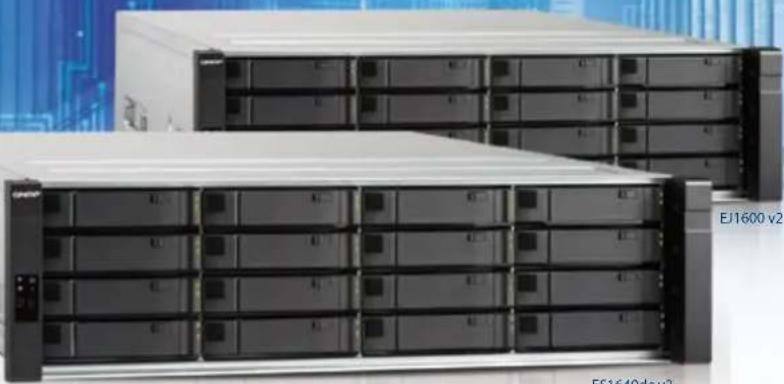
Supports SAS12 Gb/s
Dual Controller Architecture Storage Expansion Unit
Easily Create OpenStack Hybrid Cloud
Platform9 is an industry-leading cloud-based OpenStack Management Platform that works perfectly with the QNAP QES operating system.
High Performance Remote Replication
SnapSync supports data deduplication and compression, only transfers changed data to greatly reduce amount of data transferred, and fully supports VMware SRM (Site Recovery Manager).

Enterprise ZFS NAS ES1640dc v2
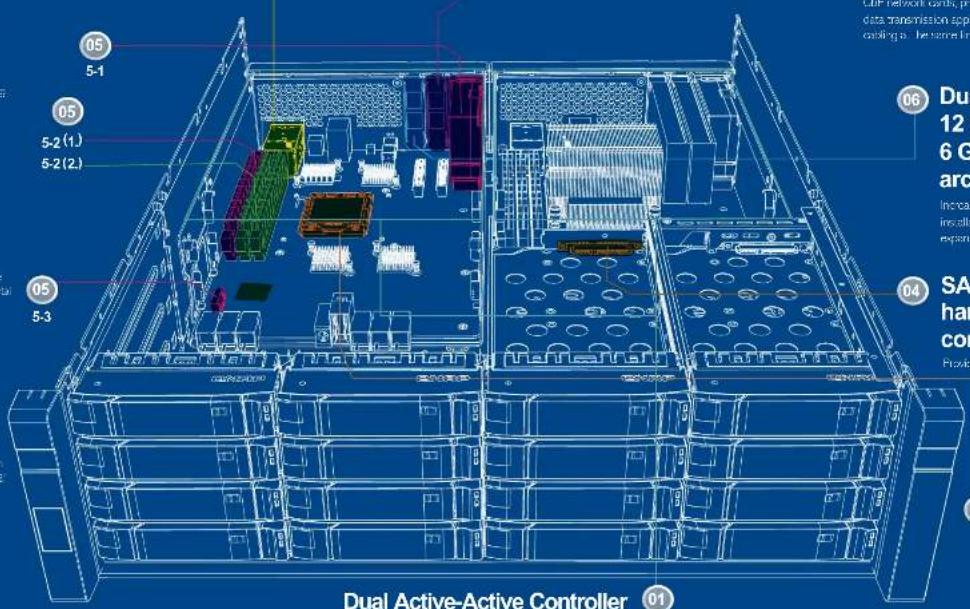
Hardware Architecture
NVRAM write cache
DRAM write cache and flash read acceleration with battery data protection.
5-1
RIO party module providing sufficient power to keep NORP in the event of a power failure.
5-2
(1.) NOSM exclusive 100% nanomodules - supporting 5 GB capacity, power demanded by C2 ® is supported by the BBU

(2.) Dual channel E003 system unit inventory single stick supports 15 GB / 32 GB. 52GB/64GB in data capacity
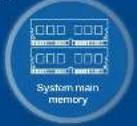
5-3
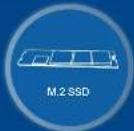
M.2 SSD - 10 percent power outages cour, the system can write to clean data from DRAM to M.2 SSD through C2 technology to ensure that data is not lost
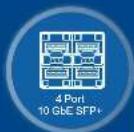
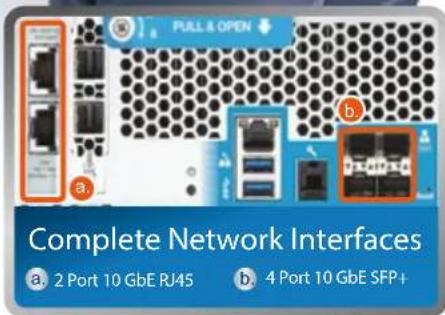
02 Built-in Intel® XL710 4 x 10 GbE SFP+ network interface
Built-in 4-port 10 GBE SFP+, satisfying iBCSI/NFS/CIFS and various network data transmission needs.
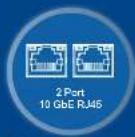
03 Default installed LAN-10G2T-X550
- 2 x 10 GbE RJ45 network interface
Provides 2 part 10 Gal. R/B, satisfying (SCS)N S/C-S and various network data transmission needs.
- Supports 40 GbE network cards
This PCe slot can support dual-port QSI1+ interface CIE network cards, providing potential for tremendous data transmission applications and simplifying network carding as a same time
If a single controller fails, the other set can take over immediately, providing non-stop high availability

06 Dual Path Mini-SAS 12 Gb/s (EJ1600 v2) 6 Gb/s (EJ1600) JBOD architecture
Increases physical volume to more than 1 PS through installation of enterprise-grade dual controller storage expansion (I-1 series).
04 SAS 12Gb/s hard disk SSD dual controller architecture
Provides enterprises with diverse hard-class choices.
07 Intel® Xeon® E5-2400v2 Series proc
Provides sufficient performance needed by software-defined storage and business's mission-critical applications.
Dual active active controllers
Dual active active controllers, dual mini-SAS channel backup, remote data synchronization, both hardware and software based, ensuring business's mission-critical continuity and productivity.
QNAP builds QES operating system that combines the FreeBSD kernel with ZFS
Based on the FreeBSD kernel and bundled with ZFS, the brand-new QES (QNAP Enterprise Storage) operating system has better stability and functionality than traditional Linux operating system with ext4. Not only does it have unprecedented high availability as seen in QTS, but it is also the first step to OpenStack private clouds.
ES1640dc v2 Enterprise ZFS NAS
Software Architecture
![graph TD subgraph_Controller_A["Controller A"] A1["File Station"] --> A2["FTPNI SISI DX"] A2 --> A3["VAN (MFS)"] A3 --> A4["MyQNAPcloud"] A4 --> A5["OpenStack"] A5 --> A6["OS TWS UI"] A6 --> A7["Management Services"] A7 --> A8["Management Services"] A8 --> A9["iSCSI Services/SCSI Services"] A9 --> A…](/content/2026/05/793028/images/6b7cb27f9e914973cb5abb662f5a9bd9ac03117523286c374fc496e1d4d261a5.jpg)
Satisfying enterprise demand for uninterrupted operation and high data availability
The ES1640dc v2 Enterprise ZFS NAS with the advanced QES (QNAP Enterprise System) operating system is a complete enterprise mission-critical and virtualization storage solution. With full virtualization support and a familiar user interface, it provides total functionality with an easy learning curve for fast deployment of key services. The ES1640dc v2 provides the best choice for budget-conscious small and medium businesses as well as large IT departments needing to host mission-critical applications. Even enterprise users with limited experience of dual-controller storage can easily unleash the full potential fo the ES1640dc v2I to satisfy their current and future demands.
In the face of constant data growth and the demand for universal access to services, the window for backup is becoming increasing shorter and difficult to achieve. The ES1640dc v2 adopts the service-uninterrupted dual active active HA controller architecture to provide virtually non-stop storage services. The dual active active service architecture can fully unleash its full-speed performance. Compared to previous high-end storage devices that only provided limited and storage-consuming snapshots, the ES1640dc v2 provides lossless storage performance, virtually unlimited high-performance snapshots, giving it non-stop service features that do not impact running services. Common snapshot technologies do not take into consideration the services executing in the memory space of the operating system, leading to inconsistent application data. The Snapshot Agent technology of the ES1640dc v2 still provides snapshots of current and uninterrupted services when users are accessing services. The Snapshot Agent is installed on the operating system end of services and when a snapshot is about to be committed, the Snapshot Agent informs the system to process snapshot preparations. Therefore it can provide continuous, uninterrupted services with application-consistent snapshots.
When the ES1640dc v2 is running remote replication, only modified data is transferred. The ES1640dc v2 can also apply data deduplication and compression technologies to optimize storage utilization. The ES1640dc v2 can provide remote backup SnapSync for snapshots at the shortest interval of every five minutes, fully supports VMware vCenter Site Recovery (SRM) technology, provides Storage Replication Adapter (SRA) for SRM, and provides enterprise-class remote backup solutions. There is no compromise in enterprise data integrity. In order to provide full data protection, the ES1640dc v2 uses ECC memory to ensure data integrity. When data is written into NVRAM, there are dedicated backup battery units (BBUs) to protect writing to the cache, and at the same time the data is replicated to a backup controller to achieve 100% data integrity. QES can be combined with QTS to provide the best storage solution. QES provides high-performance and high-stability mission-critical access services, while QTS serves as the back-end data backup and application platform. Businesses with limited budgets can choose the TES-1885U or TES-3085U as backup for their ES1640dc v2 that perfectly complement each other.
QES is tailored for enterprise applications and is based on ZFS for proven data protection on high-end enterprise applications. QES has high availability, the best capacity performance, petabyte-class storage expansion, and complete data protection mechanisms, making it capable of serving as a storage platform for server virtualization, mid-range databases, Exchange server, desktop virtualization, high-availability file server, high-availability video streaming and video editing, and digital surveillance.
| Feature Requirements | ||||||
| High availability | Best capacity performance | High storage expansion | Complete data protection | |||
| Target Applications | Dual controllers | Real-time data compression Real-time data deduplication | >256TB single storage space | Static data recovery | Snapshots not impacting services | Remote snapshot backup |
| Server virtual machine | ✓ ✓ ✓ ✓ | |||||
| Mid-scale database | ✓ ✓ ✓ | |||||
| Exchange Server | ✓ ✓ ✓ ✓ | |||||
| Desktop virtualization | ✓ ✓ ✓ ✓ | |||||
| High availability file server | ✓ ✓ ✓ ✓ ✓ ✓ | |||||
| High availability video streaming and video editing | ✓ ✓ ✓ ✓ | |||||
| Digital surveillance | ✓ ✓ ✓ ✓ | |||||
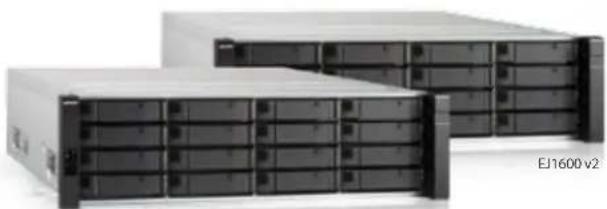
ES1640dc v2

Table of Contents
01
Enterprise-grade Xeon ® E5 Dual-controller Architecture ZFS NAS

QES OS Introduction
06
User-friendly and familiar QES operating system
08
Based on ZFS for ultimate data protection
14
Snapshots (local snapshots) with no service disruption and SnapSync (remote snapshot replication)
18
Complete VMware® / Hyper-V™ virtualization applications
19
Easy-to-use PC management tools
21
Six levels of data protection
23
Create OpenStack hybrid cloud platform with QNAP ZFS NAS and Platform9
26
Enterprise Application Case 1: High-availability file server, high-performance remote replication with no time to spare
27
Enterprise Application Case 2: Deploy a VDI client to support over 500 remote virtual desktops on a single machine
28
Enterprise Application Case 3: Build a corporate surveillance system with over 900TB storage capacity
29
Enterprise Application Case 4: Build a high-performance and reliable audio-visual workstation
30
Enterprise Application Case 3: The most cost-effective enterprise cloud storage solution
33
Hardware Specs & JBOD Expansion Specs
34
Software Specifications

Enterprise-class, ZFS NAS with dual active controllers
QNAP is launching a new series of Enterprise Storage (ES) NAS to address the needs of the most demanding workloads and applications. Powering this new series is the QES (QNAP Enterprise System) operating system, a dedicated system built exclusively for enterprise-class storage.
Near-zero downtime availability
The Enterprise ZFS NAS architecture has a powerful back-end storage base powered by high-performance dual Intel® Xeon® E5-2420 v2 processors, providing uninterrupted service and near-zero downtime with its dual active controllers geared for datacenter storage. With the built-in failover mechanism, if one controller fails, the other will seamlessly take control of disk volumes and storage resources without service interruption. The failed controller can then be replaced even when the system is still operating, achieving high availability.
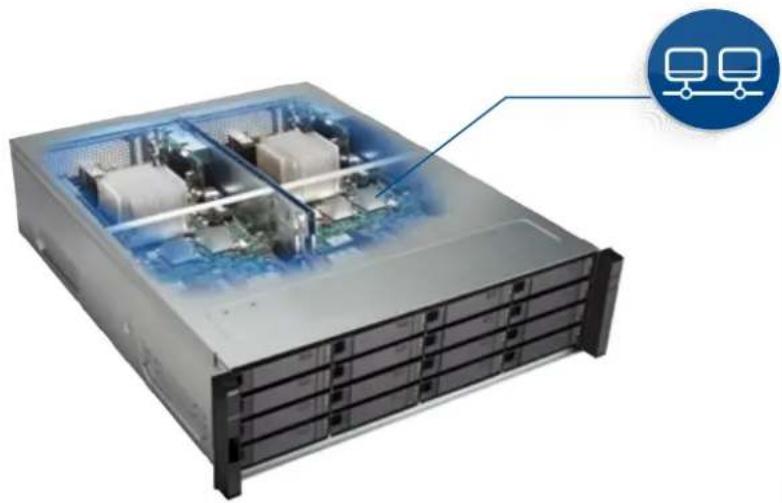
Active-Active HA Dual controllers
![graph TD A["PSU"] --> B["Controller A"] C["PSU"] --> D["Controller B"] E["BLU"] --> F["Controller A"] G["CPU"] --> H["Controller A"] I["SAS"] --> J["Controller A"] K["NL SAS"] --> L["Controller A"] M["SAS SSD"] --> N["Controller A"] O["SAS SSD"] --> P["Controller B"] Q["BLU"] --> R["Controller B"] S…](/content/2026/05/793028/images/7ece448e9890f755609d6023008ed1a7e51d699187605b7d2c662c60c98edaae.jpg)
Field Replaceable Unit (FRU) design
The QNAP Enterprise ZFS NAS adopts a Field Replaceable Unit (FRU) design in many of its hardware components. It allows you to replace damaged parts including storage controllers, fan modules, power supply units (PSU), battery backup units (BBU) to attain a high level of system serviceability and reliability.
The controller can be easily accessed and replaced without needing to open the chassis.
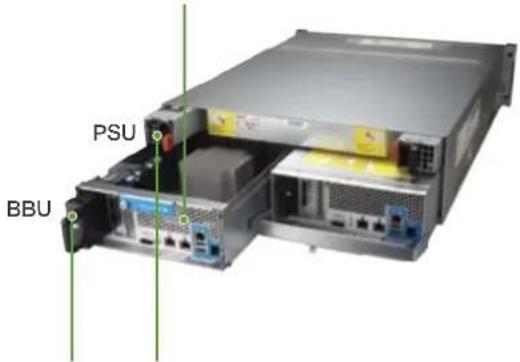
Power supply units and Battery Backup Units (BBU) for battery-protected NVRAM can be easily replaced without needing tools and
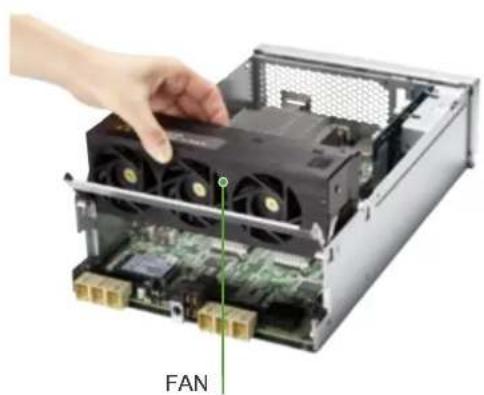
Fan modules can also be easily replaced.
Flexible storage expansion
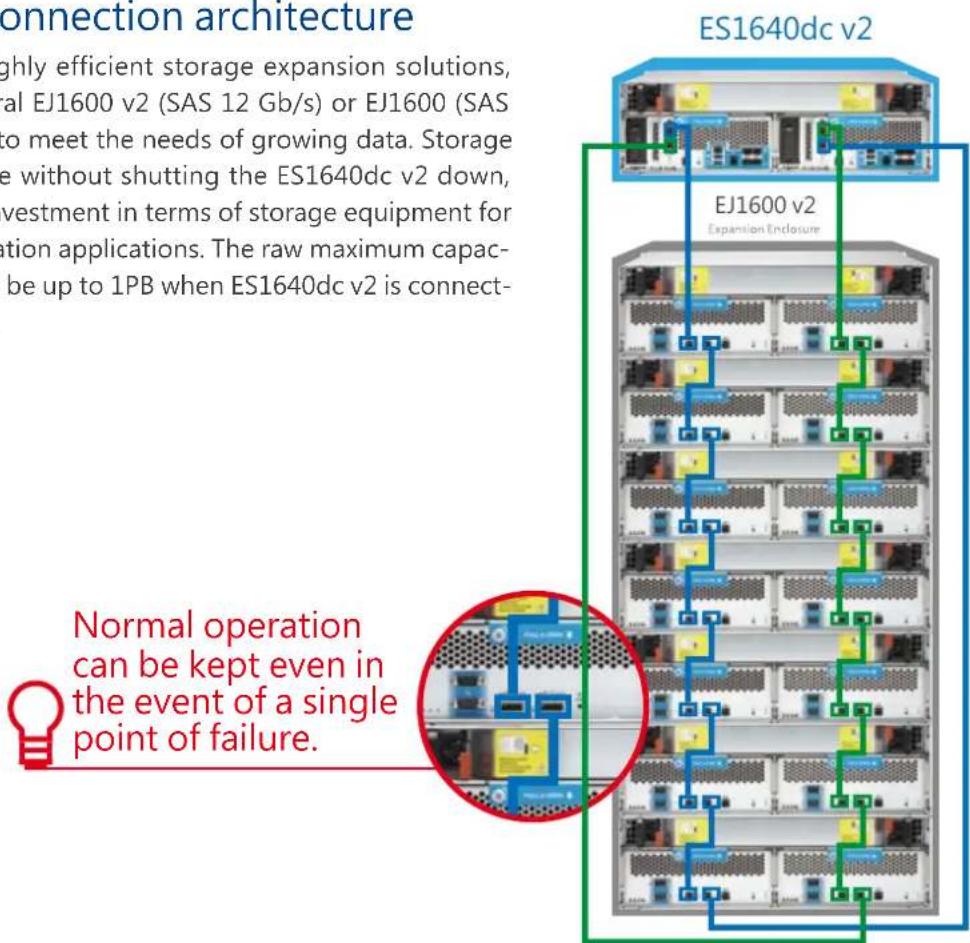
The QNAP Enterprise JBOD (EJ) series are dual-controller expansion enclosures specifically designed for QNAP Enterprise ZFS NAS. The ES1640dc v2 can be connected to multiple expansion enclosures via high-speed mini-SAS cables for non-stop storage expansion with the benefits of high density, high efficiency, and high expandability.

Dual-loop chassis connection architecture
The ES1640dc v2 provides highly efficient storage expansion solutions, allowing you to connect several EJ1600 v2 (SAS 12 Gb/s) or EJ1600 (SAS 6 Gb/s) expansion enclosures to meet the needs of growing data. Storage space can be expanded online without shutting the ES1640dc v2 down, providing the best return on investment in terms of storage equipment for storing large files and virtualization applications. The raw maximum capacity and single storage pool can be up to 1PB when ES1640dc v2 is connected to EJ expansion enclosures.
12 Gb/s Mini-SAS cable for transmission reliability
SAS provides performance and expandability comparable to fibre channel at a lower cost. But connecting several expansion enclosures will extremely test the signal quality and cable reliability of 12 Gb/s mini SAS. The QNAP mini-SAS cable writes the length information to raw EPROM to strengthen system signal quality and to enhance reliability.

Accessories can be purchased from: http://shop.qnap.com/
The Mini SAS cable for loop back uses is sold separately
Connecting to EJ1600 v2 (SAS 12 Gb/s): 0.5/1/2/3M
| Loop Back Cable Part Number Duration Amount Units Supported | ||||
| 0.5M 12 Gb/s Mini-SAS Cable CAB-SAS05M-8644 0.5M X 2 1 | ||||
| 1M 12 Gb/s Mini-SAS Cable CAB-SAS10M-8644 1M X 2 4 | ||||
| 2M 12 Gb/s Mini-SAS Cable CAB-SAS20M-8644 2M X 2 7 | ||||
| 3M 12 Gb/s Mini-SAS Cable CAB-SAS30M-8644 3M X 2 7 | ||||
Connecting to EJ1600 (SAS 6 Gb/s): 0.5/1/2/3 M
| Loop Back Cable Part Number Duration Amount Units Supported | ||||
| 0.5M 6 Gb/s Mini-SAS Cable | CAB-SAS05M-8644-8088 | 0.5M | X 2 | 1 |
| 1M 6 Gb/s Mini-SAS Cable | CAB-SAS10M-8644-8088 | 1M | X 2 | 4 |
| 2M 6 Gb/s Mini-SAS Cable | CAB-SAS20M-8644-8088 | 2M | X 2 | 7 |
| 3M 6 Gb/s Mini-SAS Cable | CAB-SAS30M-8644-8088 | 3M | X 2 | 7 |
Complete 10 GbE connectivity
In addition to the built-in 4-port SFP+ (supports DAC copper, SR fiber) the ES1640dc v2 also has a 2-port RJ45 QNAP LAN-10G2T-X550 network card installed, making a total of 6 10 GbE ports in single controllers. Not only does it have network deployment flexibility, it also lets customers with existing ES1640dc systems introduce new systems seamlessly.
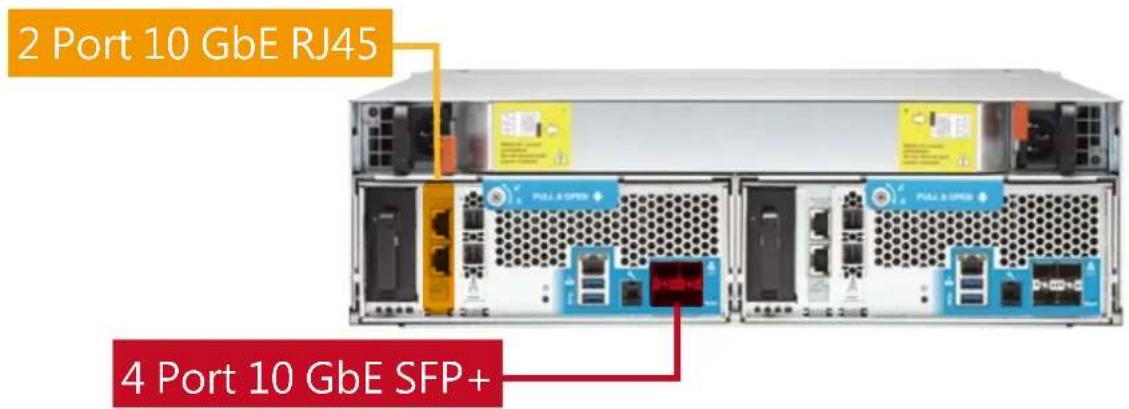
*Due to driver issues, the embedded SFP+ network port currently only supports 2.5 Gb/s bandwidth. A future firmware release (QES 2.0) will upgrade the bandwidth 10 Gb/s.
Multi-level cache technology with both read and write
For the purpose of meeting performance demands for different enterprise applications, ES1640dc v2 simultaneously supports main memory read cache (L1 ARC), SSD secondary read cache (L2 ARC) and NVRAM write cache (ZFS Intent Log), giving it both read and write caches. Applications such as high-availability file servers, virtual servers, desktop virtualization, online video streaming, video editing, digital surveillance, file backup, snapshots and remote replication are where the ES1640dc v2 can fully wield its power.
![graph TD A["CPU"] --> B["8GB ZIL"] C["BBU"] --> B D["RAM"] --> B E["RAM"] --> B F["RAM"] --> B G["RAM"] --> B H["RAM"] --> B I["RAM"] --> B J["RAM"] --> B K["RAM"] --> B L["RAM"] --> M["SSD"] N["L2ARC SSD Read Cache"] --> M O["ES1640dc v2"] --> P["HDD"] O --> Q["HDD"] O --> R["HDD"] O --> S["HDD"] O…](/content/2026/05/793028/images/6a7b8c576d963ae41ac00fa3c8550525b9df9dba6ae3c9d671e4a34f5ed938c9.jpg)
If there's no need for high-performance random reads, the installation can be skipped to achieve the highest data volume.

The main memory will keep at most close to three fourths of the capacity for use by the read cache. For example if the memory is 32GB, then the upper limit is 22GB.
Enterprise-class write cache technology
QNAP ES1640dc v2 uses NVRAM as the write cache (ZFS Intent Log). In the event of power failure, the system provides power through the independent Copy-To-Flash Battery Backup Unit (BBU) to ensure that cache data in NVRAM can write back to the dedicated M.2 SSD module at the moment of power failure.
NVRAM mirroring DRAM write cache that further enhances data reliability
The DRAM in the NVRAM of dual controllers can mirror copy each other's cache to ensure cache data's correctness.
![graph TD A["BBU"] -->|Copy To Flash| B["Write Back Cache"] B --> C["Mirroring"] C --> D["Write Back Cache"] D --> E["Copy To Flash"] E --> F["Write Back Cache"] F --> G["SSD"] G --> H["读取"] H --> I["RAM"] I --> J["SSD"] J --> K["读取"] K --> L["RAM"] L --> M["SSD"] M --> N["读取"] N --> O["RAM"] O --> P…](/content/2026/05/793028/images/7b841fed0f4b8a32456f55fdb4b6bc367fb3a416466fc91c74fa23915e379275.jpg)

As disk mirroring will half the capacity and store the data from the other controller, the effective capacity will be half the capacity of the memory. For example half of 16GB is 8GB.
QES Enterprise-Class Operating System
Created from the popular system architecture of the QNAP QTS OS with its simple and intuitive interface, the ES1640dc v2 QES OS enables consolidated management of various storage systems across different product lines with a reduced learning curve. From virtual desktops to the cloud, QES on the ES1640dc v2 not only provides a solid foundation for rapid server virtualization and applications for remote virtual desktops, but also paves the way for rapid hybrid cloud infrastructure provisioning.
The latest QES version is 1.1.3 which supports more ver-satile data deduplication algorithms and asynchronous iSCSI LUN modes, bringing higher data storage efficiency and iSCSI transmission performance.
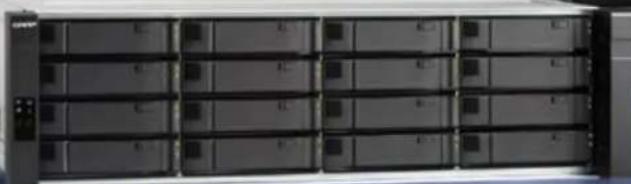
EJ1600 v2
ES1640dc v2
Easy-to use and easy-to-pick-up QES
Created from the popular system architecture of the QNAP QTS OS with its simple and intuitive interface, the ES1640dc v2 QES OS enables consolidated management of various storage systems across different product lines with a reduced learning curve. From virtual desktops to the cloud, QES on the ES1640dc v2 not only provides a solid foundation for rapid server virtualization and applications for remote virtual desktops, but also paves the way for rapid hybrid cloud infrastructure provisioning.
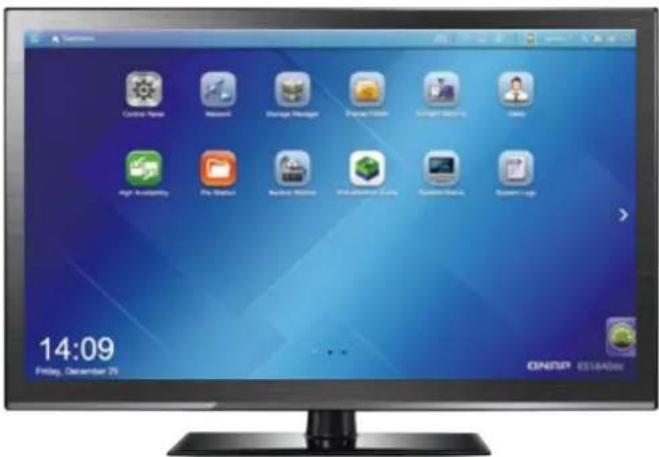
Simple and intuitive QES desktop
The QES intelligent desktop allows you to easily operate the ES1640dc v2 without prior knowledge. It provides convenient access to all management tasks, including launching applications, creating desktop shortcuts and monitoring system status.
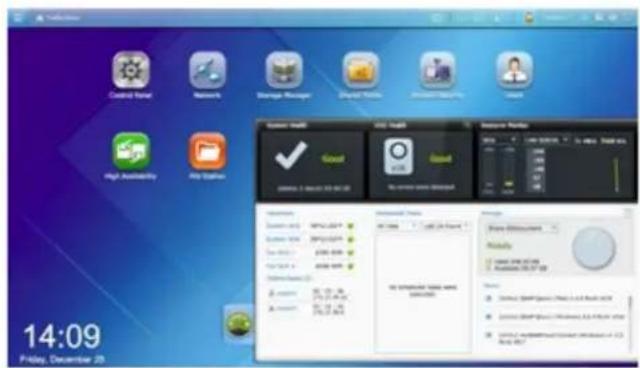
Smart dashboard
The system status is displayed with a single click on the lower-right desktop corner. The smart dashboard allows users to obtain a quick view of important information including system status, disk information, resource usage, storage space, scheduled tasks, device information, and firmware information. Drag and drop dashboard functions to the desktop to monitor them at any time. If a critical failure were to occur (such as hard disk failure) the smart dashboard will flash and prompt the system administrator to take immediate actions to preserve data and to prevent data loss.
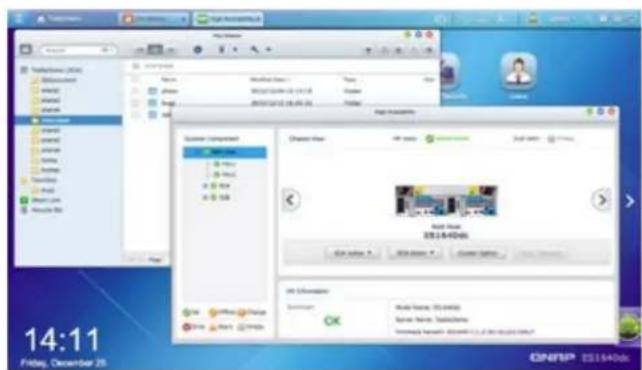
Multitasking vs. customized desktop
QES dramatically improves efficiency by allowing users to open multiple windows. Running apps can be minimized to the toolbar allowing users to quickly switch between them. With QES's multi-desktop design, desktop icons can be dragged and dropped from the Main Menu to any one of the 3 desktops or grouped together to create a personalized desktop for greater efficiency.
UPS settings
By enabling UPS (Uninterruptible Power Supply) support, you can protect your ES1640dc v2 from abnormal system shutdowns caused by power disruptions. In the event of a power failure, ES1640dc v2 will shutdown automatically, or it will enter automatic protection mode after probing the power status of the connected UPS unit. You can set it on QES from “Control Panel” > “System Settings” > “External Device” > “UPS”.
SNMP online UPS usage scenario
When the ES1640dc v2 is connected to an SNMP-based UPS server on the same network, choose “SNMP connection” on the Interface and enter the IP address of the online SNMP UPS server to set power failure notifications.
![graph LR A["ES1640dc v2"] -->|Ethernet| B["Switch"] B -->|UPS AC Power| C["UPS that supports SNMP UPS"] C -->|UPS AC PowerUPS AC PowerUPS AC Power| D["AC mains"]](/content/2026/05/793028/images/ff657102a133e793c68770e299bc5031224e60bfe54814e082b00350d22a9590.jpg)
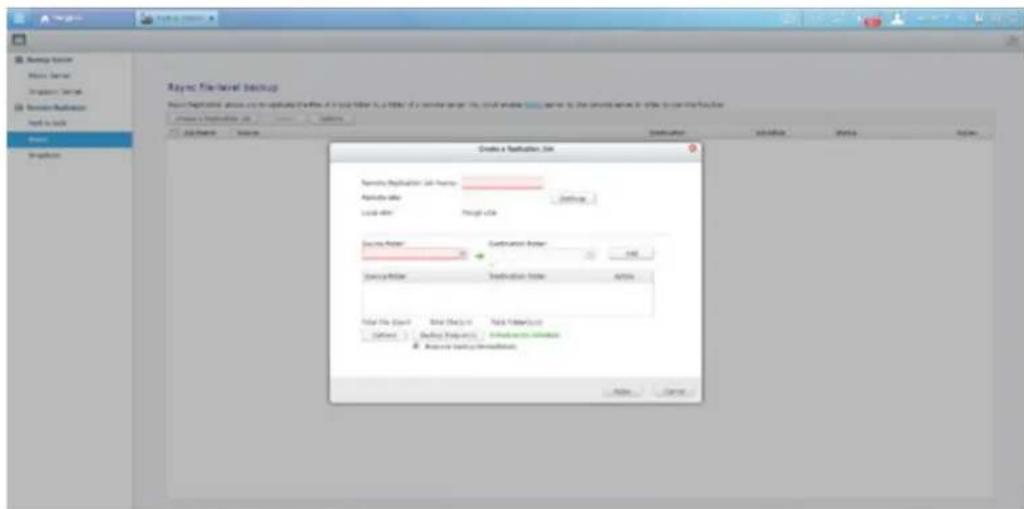
Backup Station
To cope with different applications and security needs in the Information Age, you store your data on different devices and cloud services. But there is no system to centralize all this scattered data. For this we have launched many application services for you to back up your data to ES1640dc v2 easily. We also provide compete disaster recovery methods that include backing up or synchronizing the data on the NAS to computers or remote servers.
ZFS file storage system can be so easy
The ES1640dc v2 features ZFS, a combined file system and logical volume manager, to support various advanced functions for high-end enterprise storage, including powerful storage expansion, flexible storage pools, RAID-Z for data protection, simplified management, high-performance SSD caching, near-limitless snapshots and cloning, data deduplication, in-line compression, self-healing, and thin provisioning with reclaim for optimized utilization of virtual machine storage. Combining ZFS and QES makes it incredible easy to manage the complex features of ZFS.
Storage Manager neatly presents tools and options for managing system storage with an intuitive graphical interface. From reviewing system storage allocation in the Dashboard, to managing volumes, storage pools, disks, iSCSI storage, and Snapshots, Storage Manager provides a centralized place for simplified storage management and usage.
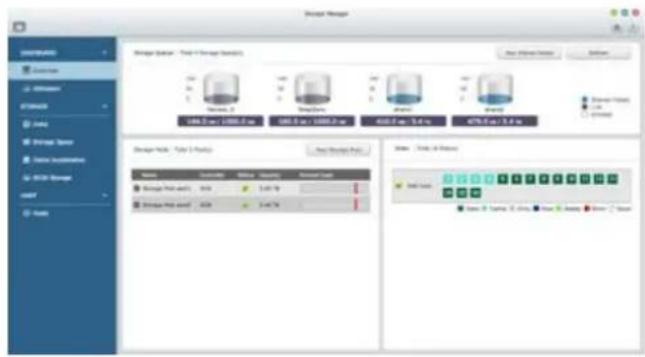
1 Dashboard
The Storage Manager dashboard provides an intuitive and proven interface for IT administrators to engage with and manage storage allocation. QES provides secure and flexible means of storing and managing data. This next-generation, enterprise-class volume management tool suite offers powerful features such as storage pooling over multiple RAID groups, advanced settings and space reclamation, as well as online capacity expansion.
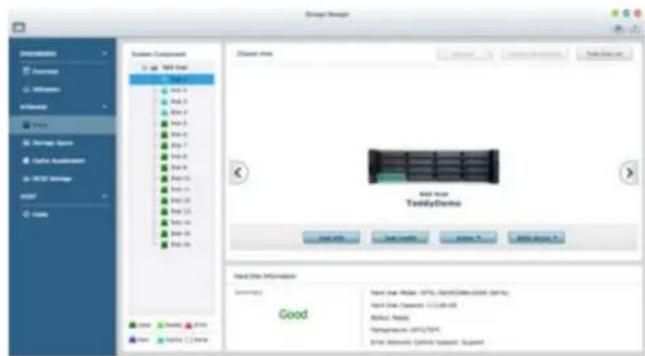
2 Storage Management
In addition to data on individual hard drives, IT administrators can also monitor hard drives allocation status for RAID groups. This ensures that there are no idle hard drives and maximizes storage utilization. They can also aggregate multiple RAID groups into a single storage pool for flexible utilization of storage capacity. This provides additional redundancy, allowing for better protection against multiple disk failures in large-capacity environments.
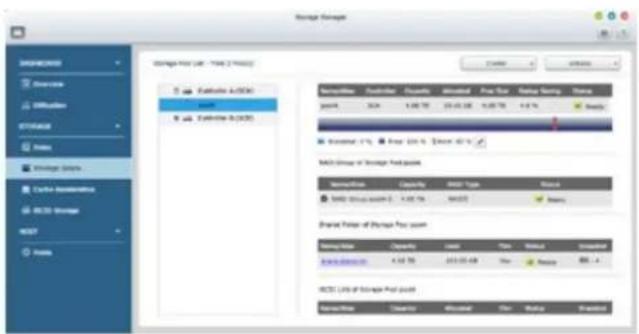
3 Space allocation
QES supports the creation of multiple LUNs/share folders within storage pools. View all available storage pools, related RAID groups, shared folders, and iSCSI LUNs on the NAS on a single interface. Users can easily create, remove and expand storage pools, set thresholds, manage RAID groups and create storage spaces. Enterprises can create different storage applications for different work groups and each disk volume and LUN disk space can be instantly expanded online.
Thin provisioning
Over-allocation enables a server to view more storage capacity than is actually available in a storage pool. Furthermore, physical storage capacity is used only when files are being written. Thin provisioning allows more efficient use of disk space.
Thick provisioning
Thick provisioning allows immediate allocation of storage space. Selected storage spaces will be instantly configured as volumes. Configured spaces can no longer be used by other volumes.
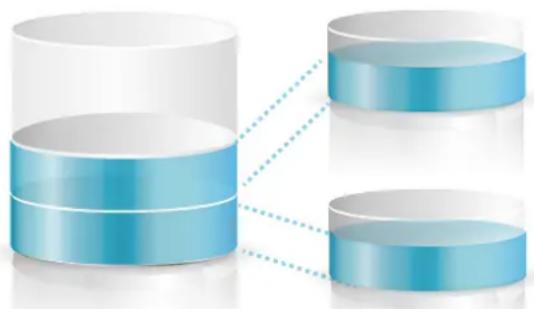
Storage space usage is more flexible since only the space that is actually used is calculated.
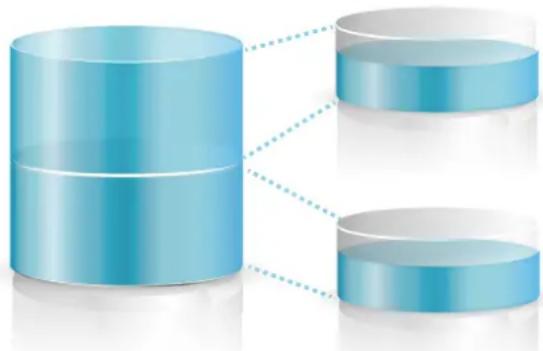
You can pre-allocate all the required storage spaces such that they cannot be used by other volumes of LUNs.
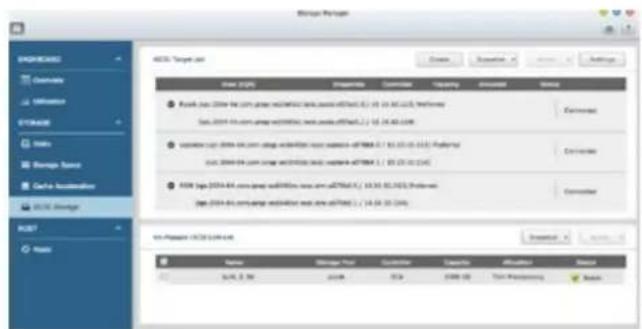
iSCSI LUN
QES supports block-level iSCSI LUN. It supports different types of configuration for server connections: 1) Single or multiple LUNs per iSCSI target and 2) Multiple iSCSI targets for a single LUN. The storage space created by the iSCSI LUN on the storage pool can be used for data storage. Deploy block-level iSCSI LUN in a storage pool to reduce overhead and improve overall read/write performance.
Data self-healing
Robust data integrity is one of the major characteristics that distinguishes ZFS from other file systems. ZFS is designed to protect user data against silent data corruption caused by incidents such as metadata errors and bugs in disk firmware. Data integrity is ensured using a checksum. When a block is accessed, its checksum is calculated and compared with the stored checksum value. If the checksums do not match, then ZFS can heal the data using the data storage's redundancy features.
![graph TD A["Application"] --> B["ZFS Mirror"] B --> C["Discovering data with checksum errors"] C --> D["Router 1"] C --> E["Router 2"] D --> F["Red Arrow Down"] E --> G["Green Arrow Up"]](/content/2026/05/793028/images/7914882d4b779e732093f9bb70c76eb1aaca9f9df0b7aaa8d414d70aedd60ade.jpg)
![graph TD A["Application"] --> B["ZFS Mirror"] B --> C["Fetch correct data from the mirrored blocks"] C --> D["Red segment at top of C"] C --> E["Green segment at bottom of C"] D --> F["Blue segment at bottom of C"] E --> G["Green segment at bottom of C"]](/content/2026/05/793028/images/90896105b4a4856dc17ff9a5d2434fe5f35c39455f607759bc7542bb3e17976c.jpg)
![graph TD A["Application"] --> B["ZFS Mirror"] B --> C["Recover blocks with errors"] C --> D["Blue 3D Circle"] C --> E["Blue 2D Circle"] D --> F["Green checkmark"] E --> G["Green arrow"]](/content/2026/05/793028/images/7659452b47792c0ecd539c592084b78b8a0501df03d34e3d7a3e2fca7fa36656.jpg)
Robust RAID-Z data protection on ZFS
RAID-Z outperforms traditional RAID technology with better efficiency in handling petabyte-size data collections. When combined with the copy-on-write transactional semantics of ZFS, problems such as write hole errors can be eliminated.
ZFS RAID-Z data protection on ZFS
![graph TD subgraph Legacy RAID A["Storage Pool"] --> B["Power Failure During Write"] B --> C["ZFS"] B --> D["Old Chip"] B --> E["Old Chip"] B --> F["Old Chip"] B --> G["Old Chip"] B --> H["Old Chip"] B --> I["Old Chip"] B --> J["Old Chip"] B --> K["Old Chip"] B --> L["Old Chip"] B --> M["Old Chip"] B…](/content/2026/05/793028/images/3acece49fb49c4798346596b47af421a21865016c2caec0093fba17256b42326.jpg)
Ready-to-use RAID arrays
ZFS is not only a file system, it is also equipped with Logic Disk Management capability, and provides RAID 0, RAID 1, RAIDZ (RAID 5), RAID Z 2 (RAID 6) and RAID Z 3. Among these, RAID Z 3 is a triple-parity RAIDZ, which means the system is able to tolerate up to three hard disk failures while ensuring the integrity and availability of data. Building a conventional RAID requires the synchronization of all data. The total time required to create a RAID array and complete the required synchronization is dependent on the number of hard disks involved. With the capacity of single hard disks now up to and exceeding 8TB, this process could take several hours or days. ZFS has outstanding RAID-Z characteristics that allow administrators to create a ready-to-use high-capacity RAID in a matter of seconds. Create and use without waiting for the long time spent in synchronization.
Rapid data reconstruction
If a hard disk in the RAID fails or is replaced, the entire RAID system will make use of the remaining intact hard disks to "reconstruct" the data in the corrupted hard disk. Conventional RAID systems construct every block in the hard disk according to the "hard disk size". However, ZFS RAID-Z reconstructs every "data-containing" block according to "data size". This substantially reduces the time required for data reconstruction, and minimizes the risk of further disk errors during reconstruction.
| ZFS RAIDZ EXT4 and Linux RAID | ||
| Triple parity (tolerates up to three simultaneous disk failures) | Yes | No |
| Checksum Yes | No | |
| Copy on Write (prevents write holes) Yes | No | |
| RAID setup time (including data synchronization) | Very Short (takes less than a minute) Long | |
| RAID reconstruction time Short (takes less than a minute) | Long (dependent on the capacity of the hard disks, can take up to several hours) | |
Real-time deduplication
As we move further into the Information Age, businesses and organizations seek to retain as much data as possible - and may be forced by law to permanently store certain data. Although this data may be seldom used, it continues to grow and depletes available storage space. Storing and transferring this growing data on a limited budget is a challenge, and it is not practical to continually purchase additional storage units. Furthermore, although the rising popularity of virtualization applications is driving the demand for solid-state storage environments, the cost-per-unit capacity is substantially higher than conventional hard drives. As more businesses face these problems, QNAP provides its solution - QES data deduplication technology.
Both file compression and Single Instance Storage are space-reducing technologies that can decrease data volume and enhance storage space usage. However, compression technology does not allow cross-file block analysis. So even if the files are 90% identical in content, each file will need to occupy an independent storage space. So after compression, each file will become a separate compressed file. Compression is also ineffective for encoded data such as images, and audio/video files. Single instance storage technology allows cross-file comparisons, but its precision is limited to file-level. And if two files differ only by a few blocks, or even one character, both files will take up separate storage spaces.
| Type of technology Conventional compression Single instance storage Deduplication | |||
| Level of comparison for duplicated data | Byte | File Block | |
| Range of comparison for duplicated data | Byte of specific size within a single file | The entire specified volume The entire specified volume | |
| Advantages | Reduction in capacity of a single file | Cross-file comparison | Cross-file comparison, can also compare the repetitiveness of the blocks underlying different files |
| Disadvantages | Limited to single files, ineffective for encoded files, identical files will be stored separately | Unable to compare the repetitiveness of the underlying parts of two different files; marginally different files will still be saved separately | Requires additional CPU and RAM resources (for indexing purposes) |
| Typical Deduplication Ratios | 2:1~5:1 | 3:1~5:1 | 5:1~20:1 |
| Best Application Environments | Single file compression | Corporate emails with many identical attachments | Solid-state storageRemote virtual desktopVirtual serverNearline storageRemote backup storageEmail archiving and fixed-content storage |
QES features real-time, block-level data deduplication technology with cross-file analysis capabilities. Data structures in the entire volume are analyzed by blocks and only one copy of each structure is retained, while the duplicated ones are removed. Through indexing, duplicate data can be represented logically by single data, allowing physical storage space to be saved. This process is almost “instant” by virtue of using modern multi-core processors with high-capacity memory. Data undergoes deduplication calculations before being written to the disk, minimizing the space required. Although the operating system and applications still use the usual data access methods, when duplicated data is accessed, real-time data deduplication technology will make use of the previously created index to provide the data in its original format.
![graph LR A["2x2 Grid with color-coded blocks: CABCD, BABAA, DBBCA"] -->|Data Deduplication| B["4x4 Grid with colored blocks: A, B, C, D"]](/content/2026/05/793028/images/d1470ffd50641e496392cc142ef0efe9b1c1d0d6070b37c25655d3b0228f3b53.jpg)
Raw Value Deduplicated data

The latest QES version is 1.1.3. Besides the existing SHA256 algorithm, support for Skein and SHA512 algorithms is also included.

Enabling data deduplication will increase the main memory consumed. For example, 16TB random data comprised of 64KB blocks will generate a 14GB dedup table.
Deduplication and compression to maximize VDI storage performance
All-flash storage featuring high-performance random I/O is advantageous for databases, online transaction processing (OLTP), and virtual desktop infrastructure (VDI) applications. Although all-flash storage costs more than normal hard drives, its data deduplication and compression abilities allow you to save more data in the same amount of space. Based on an average deduplication ratio of 10:1, storage space can be increased by 90%, while storage cost is reduced by 50%.

Space increase formula Space increase = (1 - deduplication rate) x 100%
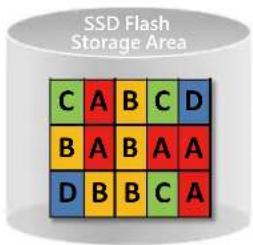
No Deduplication
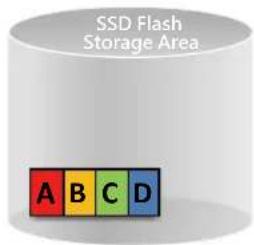
Storage space increase\~90%
Storage cost decrease\~50%
Deduplication
(Calculated on 10:1 duplication rate)
Data deduplication and compression can greatly save money
Besides real-time data deduplication mechanisms, I/O-intensive applications with performance bottlenecks on storage devices and the bus, real time compression technology has also seen new types of applications in recent years.
Average file sizes are growing due to the rapidly-increasing demand for non-structured data storage in recent years, and lower-capacity SSDs have been adopted to overcome performance bottlenecks. But enterprises cannot endlessly purchase storage media and expand data centers, therefore reducing the space used by files and real-time compression has become a key strategy.
As real-time compression is a resource-intensive task, it previously was mostly processed by a server which was usually fully loaded or by an additionally deployed dedicated data compression application server. The former consumes the server's performance and slows it down. The latter needs to be purchased separately, leading to increased costs. Using storage devices with performance good enough to support real-time compression can save hassle and implementation costs.
Data backup is a typical application of real-time compression. Real-time data deduplication can even be combined with data compression. Data is compressed first before being deduplicated to further enhance the efficiency of capacity reduction in a total SSD environment. This is straightforward and works immediately in tremendously reducing cost of ownership of enterprises purchasing SSDs and is the most practical way to save money.
For example, combining real-time data deduplication with real-time data compression can solidly reduce capacity by 50%. Enterprises can then purchase SSDs half the capacity. Using the ES 1640dc v2 for example, it reduces from 16 SAS disks with a total capacity of 1920GB to 1000GB, which is an instant saving of USD 11,200.
| SAS SDD Capacity (GB) Unit Price (USD) | Price Difference(USD) | Total Price Difference(USD) | |
| 16 | 1920 2000 | ||
| 16 | 1600 1700 300 4800 | ||
| 16 | 1000 1300 400 6400 | ||
| 16 | 800 900 400 6400 | ||
| 16 | 500 750 150 2400 | ||
| 16 | 400 550 200 3200 | ||
| 16 | 200 400 150 2400 | ||

Note: Using HGST 800MH.B series as the baseline in the calculation.
Application environments for real-time deduplication Virtual Desktop Infrastructure and Virtual Servers
As Virtual Desktops and Virtual Servers operate hundreds of identical operating systems, block-level data deduplication and compression are highly effective in conserving actual space requirements. In general, deduplication can save up to 95% of the actual space requirements, significantly streamlining virtual desktop operating systems. This improves caching, reduces disk access and improves actual performance. Coupled with an all-flash configuration, not only do you get ultimate performance, you also reduce your overhead significantly by eliminating the need for expensive storage units.
![graph TD A["Launcher 10"] --> B["VSIshare Dataserver"] C["Launcher 1"] --> B D["Connection Server"] --> E["View Composer"] D --> F["Domain Controller"] D --> G["SQL Server"] D --> H["vCenter Server"] I["VM500"] --> J["VM001"] I --> K["Replica"] I --> L["Master Image"] M["Infrastructure Cluster ESXi…](/content/2026/05/793028/images/bf935885f65d04a1dbed3fde751b4155163666258ed2c505b054118db7dd1817.jpg)
Email archiving and fixed-content storage
The amount of data is doubling each year. 50% of this new data is legally mandated for long-term storage, and this content cannot be modified. Such data includes emails, invoices, and medical records. As data continues to grow and takes up more storage space, deduplication technology becomes indispensable for businesses.
Nearline Storage
Through real-time deduplication, businesses can dramatically increase the storage capacities of backup disks. This means that instead of replacing storage units once every couple of days or weeks, this operation can now be carried out every month or even every six months. More data can be stored on hard disks, and the efficiency of restoring and retrieving data is also improved.
Remote backup storage
SnapSync in QES also supports real-time data deduplication and compression. Before synchronization, the source NAS will perform deduplication before compressing the metadata. The amount of synchronized data is significantly reduced and network bandwidth requirements are lowered.
No service disruption and remote snapshot synchronization
QNAP Snapshot technology uses copy-on-write to record a file's status. If there is a problem with a file, blocks containing the old data can be recovered quickly, allowing a complete snapshot version of the file system to be restored. This greatly enhances a business's Recovery Point Objective (RPO) and Recovery Time Objective (RTO).
Block-based snapshot technology with no service disruption
Block-based QNAP Snapshot Technology fully supports over 65,000 snapshots on LUNs and shared folders. Block-based snapshot technology only backs up modified data, and this increases efficiency and saves space. Snapshots can be scheduled to hourly, daily, weekly, monthly, or yearly intervals for more refined control to meet the Recovery Point Objectives (RPO) and Recovery Time Objectives (RTO) of your business, while making full use of the available space.

Block Level
Snapshot 1
Snapshot 2

ABC


A B

Only modified data is backed up to save space and increase efficiency.


File Level


Whole data backup (higher space requirement and reduced efficiency).

Excluding system-managed partitions, the upper limit for usable snapshots is 65,531.
Local Snapshot provides continuous data protection
File-level data recovery
Traditional backup methods save data as a single file, which needs a lot of storage space and makes it difficult to locate files. QNAP Snapshot technology allows file-level data recovery. This means you can choose to recover individual files or folders.
Friendly and intuitive interface
You can view the contents of a folder in a snapshot directly using the data viewer of the snapshot manager. The timeline interface provides quick access to different versions of file snapshots, so you can recover a file with just a few clicks. The friendly and intuitive approach greatly reduces the operational threshold for data recovery.
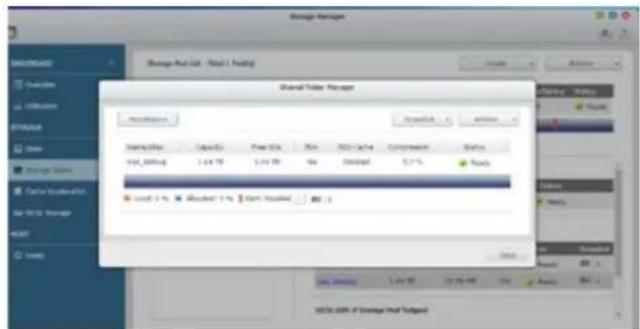
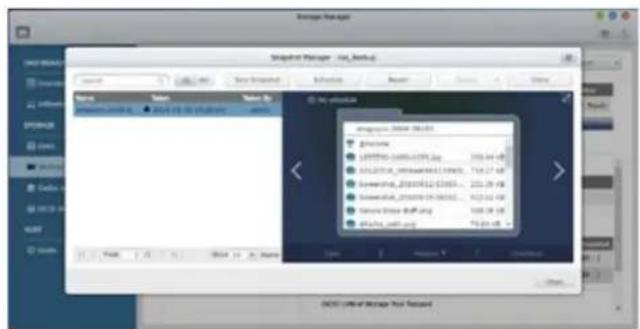
Snapshot clones as writable snapshots
Clone a snapshot as a shared folder or LUN for quick file access. The files in a snapshot clone can be freely edited by users
Rsync/NAS-to-NAS integration
The Rsync (Real Time Sync) function in Backup Station automatically detects whether the system supports Snapshots. The Rsync function takes snapshots of the volume before starting replication and then backs up snapshots to a remote server. This ensures data integrity.
VMware/Microsoft VSS integration with QNAP Snapshot Agent
QNAP Snapshot also supports virtual machine snapshots on VMware® or deployment with Microsoft® Volume Shadow Copy Service (VSS). Before taking snapshots, the Snapshot Agent notifies VMware® or Microsoft® VSS to stop accessing ISC-SI LUNs. This ensures data integrity and reduces system overhead.
SnapSync for remote snapshot replication
Remote Snapshot Replica in the Backup Center enables replication of Volumes/LUNs between different remote servers using snapshot technology, reducing storage consumption and bandwidth.
Enterprise-class disaster recovery
QES SnapSync captures snapshots and backs up local shared folders and iSCSI LUN snapshots to a specified destination over IP. The system will only perform a full backup during the first backup. Thereafter, SnapSync targets only changed blocks by comparing the shared folder or ISCSI LUN in the source and target. This significantly reduces the time needed for capturing snapshots.
QNAP Site Recovery Agent plug-ins for VMware Site Recovery Manager fully supports remote array backup, providing a comprehensive, enterprise-grade remote backup solution. If users encounter local equipment failure or disruption in Internet services, they can restart vital services within a short time from a remote location. The original configuration can be restored after the local system is recovered.
![graph TD subgraph Recovery Site A (Primary) A["Exchange Server"] --> B["VMware vSphere"] C["VMware vSphere"] --> D["VMware vSphere"] E["VMware vSphere"] --> F["VMware vSphere"] end subgraph Recovery Site B (Secondary) G["Exchange Server"] --> H["VMware vSphere"] I["VMware vSphere"] --> J["VMware vSp…](/content/2026/05/793028/images/8e89cfd487c48771fad16fa511faea9f18cdb42b20b38cad3afb51cea079c52b.jpg)
Directly use snapshot data in remote NAS
You do not need to restore a snapshot to use a backed up file. Simply use the Snapshot Vault on the QNAP NAS to mount the snapshot as a storage space (shared folder/LUN). Files in the volume snapshot can be accessed through File Station or Backup Station. Use an iSC-SI initiator to connect to a cloned iSC-SI LUN from another computer.
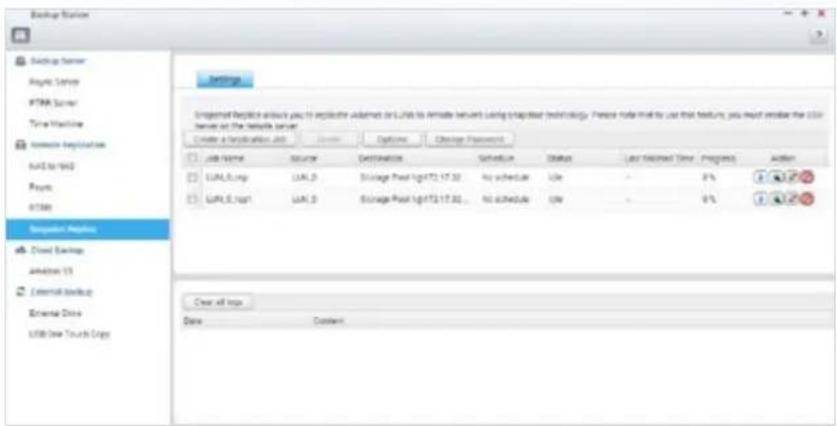
Replication settings
To minimize the risk of data breach, the Snapshot Replica provides optional file encryption and compression capabilities. Additionally, transmission speed controls enables lower bandwidth usage.
| Snapsync RTRR Rsync NAS to NAS | |||
| Supports the QNAP system | QES QTS QES/QTS | ||
| Data Replication level | Shared folder/LUN Shared folder Shared folder | ||
| Transmission mode | Block-based File-Level File-based File-Level block-based | ||
| Data modification method | Transmit only modified blocks Transmit new files | Transmit new files but only with modified blocks | |
| Execution method | Scheduled Real-time/Scheduled Scheduled | ||
| Transmission Compression | Supported Not supported Not supported | ||
| Compress | Supported Supported Supported | ||
| Data deduplication | Supported Not supported Not supported | ||
| NVRAM write cache | Supports (ZFS ZIL) Not supported Not supported | ||
| QNAP OS that supports remote replication | QES QTS QES/QTS | ||
| Remote Replication | Supported Not supported Supported | ||
| VMware Storage Replication Adapter (SRA) for Site Recovery Manager (SRM) | Supported Not supported Not supported | ||
| Applications | ·High-performance backup either within a LAN or over the Internet.·a. Office applications that modify a large number of small files. b. Virtualization applications that modify only parts of a single large image file. c. Data backup with Incremental mechanisms, such that only modified parts are backed up. d. Remote replication with SRA; fully supports VMware SRM enterprise solutions. | ·Real-time file replication is required·Requires file synchronization·Requires a LAN environment·Fast transmission | ·Requires real-time file replication·Long-distance file transmission that requires Internet connection |
Advantages of QNAP Snapshot
Comprehensive and flexible
QNAP Snapshot can take snapshots of the entire iSCSI LUN, QNAP NAS volume, and even the virtual JBOD, for full data protection. SnapSync can also be used for secure remote/off-site backup.
![graph LR A["QNAP NAS and EJ Volume"] --> C["Snapshot / Snapshot Clone"] B["iSCSI LUN"] --> C C --> D["Remotely store Snapshot"] style A fill:#f9f,stroke:#333 style B fill:#ccf,stroke:#333 style C fill:#cff,stroke:#333 style D fill:#ffc,stroke:#333](/content/2026/05/793028/images/1b0c11ffc6a0b94072e8c34ca28062c692511daeb20448fce01e8e4b4a118f87.jpg)
Application-consistent Snapshots with QNAP Snapshot Agent
Snapshot Agent for iSCSI LUN enables connection of the QNAP QES with remote servers to ensure the consistency of snapshots. On these remote servers, the running applications (VMware virtual machines, Hyper-V virtual machines, SQL servers and Windows file servers) will write/flush the data from the memory to the iSCSI LUN, prior to the snapshot being taken on the ES1640dc v2. The application will then be consistent and will include all necessary data. No data will be missing when the snapshot is restored. Snapshot Agent also includes VSS Hardware Provider for Windows, allowing Windows backup software to actively send snapshot requests to QNAP NAS to reduce the burden on the server.
![graph TD A["1 The backup software sends a snapshot request to Windows"] --> B["2 Snapshot Agent VSS hardware provider"] B --> C["3 ES NAS receives the request and takes a snapshot for iSCSI LUN"] C --> D["4 ES NAS sends back the snapshot for the backup software to execute backup jobs"] D --> E["5 iS…](/content/2026/05/793028/images/a765ab05ae9714069c3ff7493fc125edce6d5180852bb971403746211879997e.jpg)
VMware® / Hyper-V® Virtual applications
The ES1640dc v2 supports ISCSI and NFS protocols, and is virtualization ready (including VMware® Ready™ and Microsoft® Hyper-V™ compatible) to provide businesses with powerful and flexible storage solutions for virtualization applications.
Virtualization ready
The ES1640dc supports iSCSI and NFS protocols, and is virtualization ready - VMware® Ready™ vSphere 6 and Microsoft® Hyper-V™ compatible, to provide businesses with powerful and flexible storage solutions for virtualization applications as well as Citrix® Ready XenServer™ 6.0.
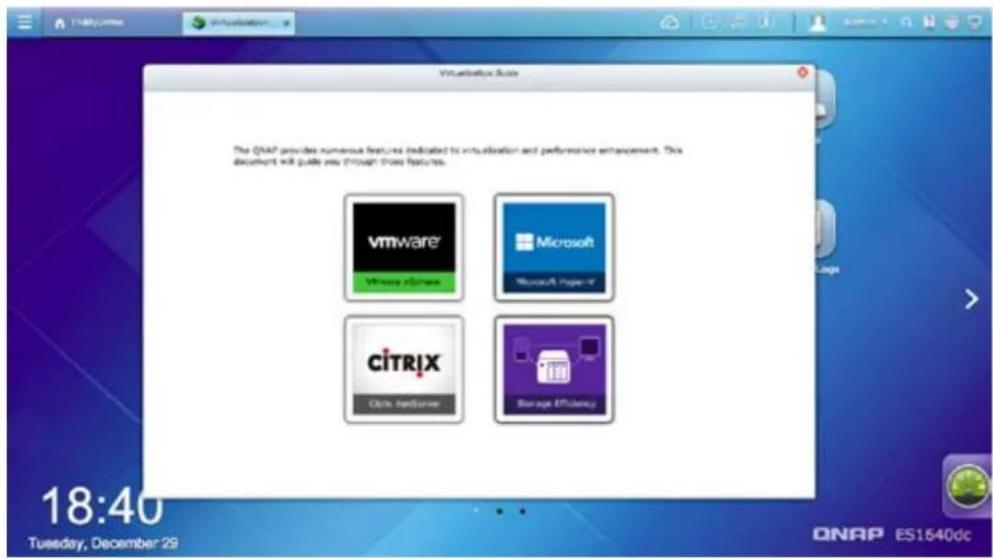
Block VAAI, NAS VAAI
vStorage API for Array Integration (VAAI) is an application program interface (API) framework from VMware. It allows offloading of certain VM and storage functions that typically take place on the ESXi host to the storage array. The QNAP ES1640dc v2, VAAI iSCSI and VAAI NAS are VMware certified, providing businesses with the best virtualization environment. VAAI for iSCSI supports Full Copy (hardware-assisted copy), Block Zeroing (hardware-assisted zeroing), Hardware-assisted Locking, and Thin Provisioning with space reclaim. VAAI for NAS supports Full File Clone, Extended Statistics, and Reserve Space.

With the centralized management of vSphere Plug-In and vSphere Web Plug-In, users can directly manage QNAP ES1640dc v2 on the vSphere Client control panel.
Microsoft® Hyper-V™
With full Offloaded Data Transfer (ODX) support, the QNAP ES1640dc v2 becomes a high-performance iSCSI storage solution under Windows Server 2012. QNAP storage enables full copies of virtual machines to be made within the ES1640dc v2 without requiring the Windows hosts to read and write the data. This significantly reduces the load on Windows hosts and improves the performance of copy and move operations for Windows Server 2012 hosts using iSCSI storage.

Use System Center Virtual Machine Manager (SCVMM) with QNAP SMI-S Provider to directly manage storage resources on the QNAP ES1640dc v2.
Easy-to-use computer application tools
Providing all the network management in QES and with easy management and high-speed access, both individuals and businesses get to enjoy the best networking setup.
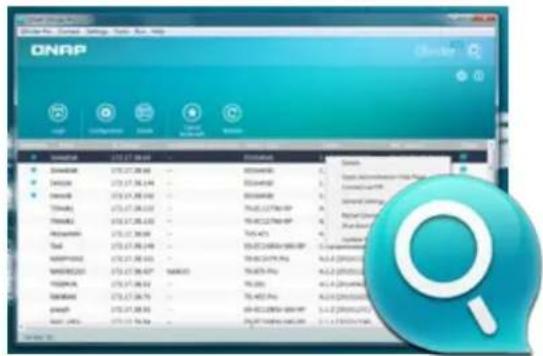
Set up your ES1640dc v2 in an instant with Qfinder Pro
Qfinder Pro, for Windows and Mac, helps users quickly find, access, and set up the ES1640dc v2 over a LAN. Simply install Qfinder Pro on your computer, and it will automatically search for the ES1640dc v2 over the LAN. Once found, the ES1640dc v2 can be accessed by double clicking on it.
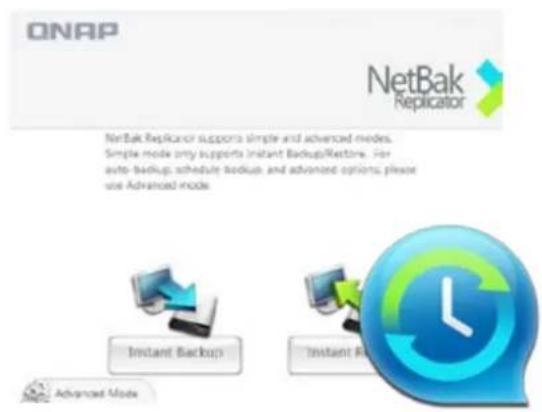
Use NetBak Replicator for hassle-free backup of the data on your PC
QNAP Netbak Replicator is an easy-to-use backup application that also supports VSS. Simply couple it with QNAP NAS, then users do not need to purchase expensive and complex large business applications, and still have "application consistent" complete backups on databases and virtual machines that need them. QNAP provides VSS Hardware Provider. Actions starting from creating a snapshot and location for saving the snapshot, to generating a complete backup file based on the snapshot are all directly assumed by the NAS. If the iSCSI LUN still experiences large amounts of I/O writes after making the snapshot, leading to occurrence of many copy-on-writes (COWs), VSS Hardware Provider provide better I/O performance.
Use vSphere Client plug-in to manage VMware datastores within the vSphere Client
QNAP NAS supports vSphere Client Plug-in to manage VMware datastores on the ES1640dc v2 directly from the VMware vSphere Client console. In large-scale server virtualization environments, virtual host management can become centralized and more easier. Administrators can easily control ES1640dc v2 and storage clusters, and can quickly create storage pool clusters across multiple ESXi virtual hosts with just a few clicks.
![graph TD A["ESXi E"] --> C["vSphere Client"] B["ESXi"] --> C["vSphere Client"] D["ESXi"] --> C["vSphere Client"] C["vSphere Client"] --> E["Server Rack"]](/content/2026/05/793028/images/407715cb6a01bd1d65431ace6f09e16a81af31e143691e72c3a5b27bdd2a2486.jpg)
Secure and flexible storage utilization
The ES1640dc v2 offers flexible management through creating and allocating iSCSI LUNs, mapping and unmapping LUNs to and from iSCSI targets, and thin provisioning. CHAP authentication further reinforces secured deployment in virtualization applications
VM Backup solution with QNAP and Veeam
Veeam Backup & Replication software combined with QNAP NAS provides a cost-effective disk-based backup solution for VMware® and Hyper-V™, which minimizes data access and transfer volumes. It also allows dynamic scale adjustments to meet the demands of enterprise environments. This affordable and comprehensive backup solution allows setting up one or more QNAP NAS units as backup storage, to be used for replicating VMs and backing them up to a remote site, hence giving rise to an efficient disaster recovery plan.
Solution for VMware®
![graph TD A["VMware vSphere"] --> B["VMware vSphere"] B --> C["ES1640dc v2"] C --> D["SAN-Primary Storage"] D --> E["Veeam Backup & Replication"] E --> F["QNAP ES NAS Onsite Backup"] F --> G["WAN"] G --> H["QNAP ES NAS Offsite Backup"] H --> I["• 10 GbE ready\n• Built-in deduplication\n• VM replicati…](/content/2026/05/793028/images/1d31051ce066f689225ee9c4c055ec64b77487d4bf002acaf7db115334db60f9.jpg)
Solution for Hyper-V™
![graph TD A["Primary Datacenter Secondary Datacenter"] --> B["VM VM VM TM"] B --> C["Hyper-V"] C --> D["ES1640dc v2"] D --> E["SAN-Primary Storage"] F["Veeam Backup & Replication"] --> G["QNAP ES NAS Onsite Backup"] G --> H["WAN"] H --> I["QNAP ES NAS Offsite Backup"] style A fill:#f9f,stroke:#333 st…](/content/2026/05/793028/images/fbe9118fca4c38df98de863e1f57ec3723c2758e7313b88a26d7af9dac828091.jpg)
Six levels of data protection
Organizations may suffer significant financial losses if important data is leaked or lost due to hardware malfunction or attacks from the Internet. With increasing risks of data breaches and leaks, network storage security is gradually taking center stage. Confidential business files are especially in need of security protection. QNAP helps you to minimize the risk of data breaches with 6 protective mechanisms, allowing you to focus on data application, rather than data protection.
![graph TD A["Data"] --> B["Transmission encryption"] A --> C["QNAP Remote Snapshot Replica"] A --> D["QNAP Snapshot technology"] A --> E["Data encryption"] A --> F["Account security and system notifications"] A --> G["Network environment protection"]](/content/2026/05/793028/images/1be03cf5d5e7b19da08ece499abff789a3181be7d52337b27b6490e1481f3813.jpg)
1 Network environment protection
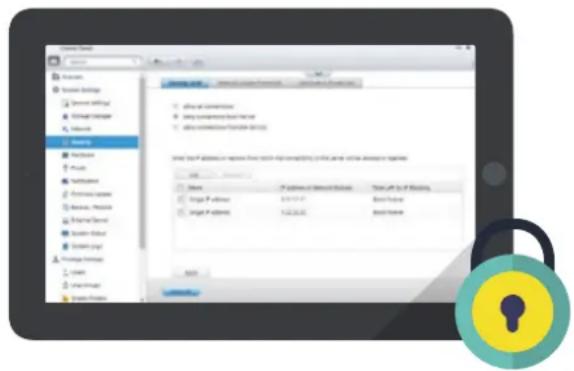
Connection management (black/white list)
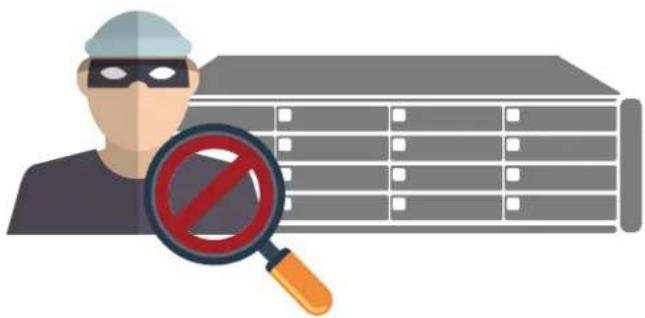
Allow or deny connection to the ES1640dc v2 from specific IP addresses or subnets by creating whitelists and blacklists for filtering IP addresses. For example, IT administrators can block IP addresses from accessing the NAS for one hour, one day (or permanently) if there are five failed login attempts within a minute. Servers of the blocked IP address will be unable to connect to the ES1640dc v2. IT administrators can block a user who has stayed online for too long or who have logged in from a suspicious IP for enhanced system security.
Service Binding
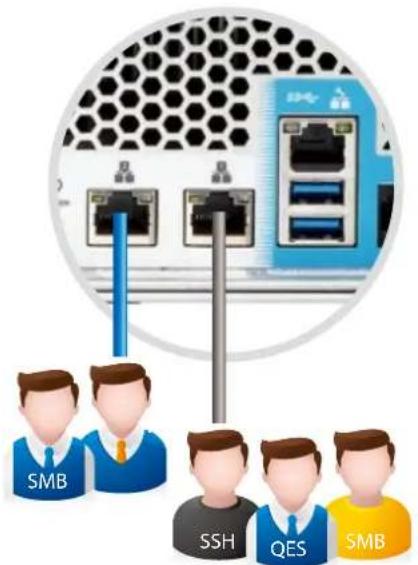
The ES1640dc v2 server is equipped with multiple network ports, and generally permits data access through every port. However, this could potentially compromise the security of your data. Service binding allows users to bind network interfaces with only specified services for enhanced system security. For example, you can limit the access to important business data to specific personnel via specified protocols or from internal IP addresses. Not only is security enhanced through allowing/denying access to specific network services and network cards, service binding with LAN ports also ensures that critical services get dedicated bandwidth.

System notifications
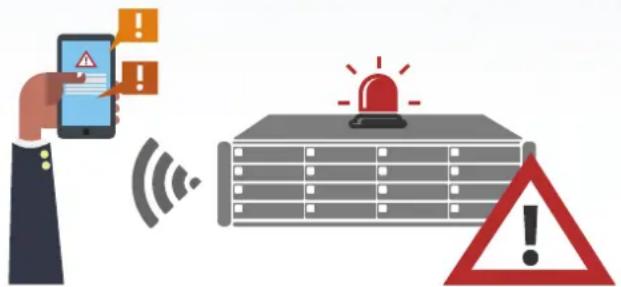
Push service
In addition to email and SMS, you can get messages sent to mobile devices in the event of a system failure or other warnings. This keeps you updated with the latest system status so that you can take immediate action to rectify critical situations and reduce the risk of data loss.

Protection by transmission encryption
Network transmission encryption
Advanced AES encryption ensures the security of shared folders. Without the key, no one can access the data in encrypted folders or files. Data transmitted over the Internet can also be encrypted for security while using FTP or File Station.
ES1640dc v2 provides support for SSL and SSH encryption to secure data transmission and authentication. System administrators can restrict access to HTTPS (SSL over HTTP) encrypted connections. The SSH encrypted connection provides another layer of protection for data transmission over public networks.

Data encryption protection
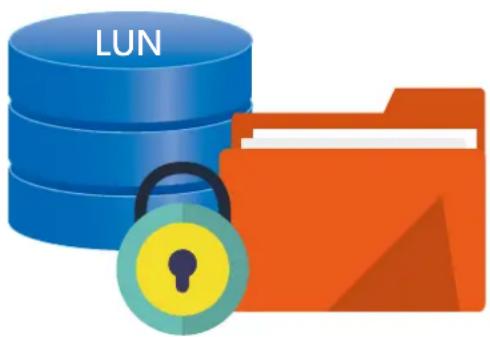
Shared folder and LUN encryption
QES offers LUN/shared folder encryption to protect the data stored on the ES1640dc v2. The system will ask for the encryption key when the user starts the ES1640dc v2 and attempts to mount the encrypted volume, and the data will be inaccessible without the key. This function effectively protects data from being accessed if the entire device or individual drives are stolen.

QNAP Snapshot
QNAP's whole volume/LUN snapshot employs Copy-on-Write technology to record file states. In event of a system failure, you can immediately revert the system to a specific state earlier in time.

SnapSync
By using SnapSync in Backup Station, you can also back up snapshots to a remote site. With so many layers of protection, you will never need to worry about data loss again.

For more information on Snapshot, refer to the chapter about Snapshot and SnapSync.
OpenStack hybrid cloud with QNAP ZFS NAS and Platform9
Platform9 is an OpenStack cloud management platform. You normally need one week to create a simple OpenStack. With Platform9, you can do the same within a couple of hours.
This hybrid OpenStack environment simplifies the deployment, management and control of the computing and management nodes set up in your office, as well as management entities provided by Platform 9 on the network and cloud. Platform9's management interface allows you to define shared resources for group users, preventing group users from using unauthorized resources (such as storage space or the system's computing resources). At the same time, the allocated resources are protected from use by other users.
Platform9 works together with QNAP QES to provide you with an easy-to-deploy and easy-to-use storage solution to support your OpenStack hybrid cloud platform.
QNAP NAS provides OpenStack storage devices
The QNAP Cinder Driver (already integrated with Platform9, no need to install manually) can be used to easily add a QNAP NAS to a Platform9 Cinder node. In addition to greatly simplifying deployment procedure, an OpenStack compute stack will be able to make use of QNAP's high-end, enterprise-grade Enterprise ZFS NAS (supports high availability, snapshots, data compression and data deduplication), or other robust and high-performance enterprise-grade QNAP NAS storage devices to enjoy hybrid cloud storage space with high economic benefits.
![graph TD A["Developers"] -->|Applications| B["Openstack"] C["Infrastructure Architect"] -->|Operations| B B --> D["Kubernetes"] E["24/7 monitoring"] --> F["Managed PLATFORM 9"] G["Proactive troubleshooting"] --> F H["Zero touch upgrades"] --> F I["Deploys instantly"] --> F J["Applications"] --> K["A…](/content/2026/05/793028/images/4f09f118e358514c71238dd0c000fb68fc73351eaa512d199e1c67794e9cb27b.jpg)
![graph LR A["vmware®"] --> B["KVM"] B --> C["docker"] D["On-site Compute"] <--> E["On-site ES Storage"] E <--> F["On-site SDN Network"]](/content/2026/05/793028/images/25ff690052ae4664ecd0ad02a5d5b557830faa9192d3f1576aff3e0fba2b50aa.jpg)
Qcinder driver that builds directly into OpenStack "Ocata"
The Qcinder Driver can add Cinder nodes and I/O block devices onto the QNAP NAS, which allows fast integration of the OpenStack environment with the QNAP Enterprise ZFS NAS. All QNAP Enterprise ZFS NAS that support High Availability, Snapshot, data compression and deduplication features support using the Qcinder driver to create usage-efficient cloud spaces on OpenStack Cinder nodes.
Combined solution with QNAP and Platform9, easily create an OpenStack hybrid cloud
- Easily integrate all storage devices on the OpenStack architecture with the QNAP Cinder driver.
- The QNAP Cinder driver is already integrated in Platform9, saving you the trouble of installing it manually.
- Provides High Availability, real-time backup service for data stored online.
• Supports QNAP Enterprise ZFS NAS series
![graph TD A["Managed PLATFORM9"] --> B["QNAP Cinder driver configuration"] B --> C["Cinder Storage Node with QNAP Cinder driver"] C --> D["On-site Compute"] C --> E["On-site ES Storage"] C <--> F["On-site Compute"] C <--> G["On-site ES Storage"]](/content/2026/05/793028/images/9487c2a7cf547eba1f9ae16ccfda498801d82bacb646e9b48f60eb7b7388d5a8.jpg)
OpenStack cloud management platform for Platform9
Based on multiple considerations of flexibility, security and cost efficiency, many enterprises use OpenStack as their IT infrastructure for building a hybrid cloud environment. The OpenStack-as-a-service solution of Platform9 provides simple, open-source, and enterprise-ready services to make the OpenStack deployment process even faster. Now enterprises and organizations can also easily introduce QNAP NAS to an OpenStack environment.
Systems supporting QNAP NAS
Platform9 supports Enterprise ZFS NAS and the TES-x85U series. For more information, please visit https://www.qnap.com/solution/android-nas/zh-tw/
Platform9 directly integrates QNAP NAS support
The QNAP Cinder driver lets you easily integrate all the storage devices on the OpenStack architecture. The QNAP Cinder driver is already included in Platform9 - no need for manual installation. This provides online storage data with real-time backup of high availability services. It supports the enterprise-class storage of the ES and TES series.
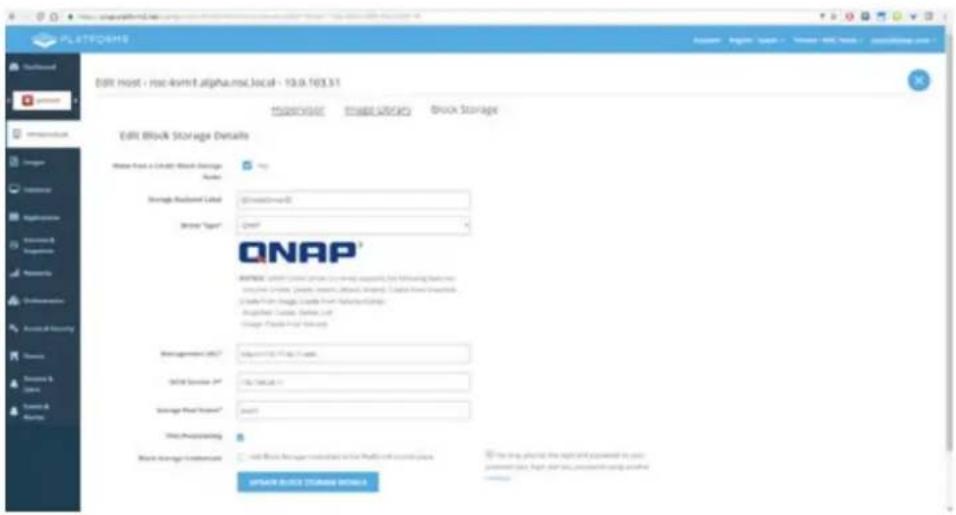
QNAP combines Platform9 solution to build enterprise private cloud services
![graph TD A["Cloud Controller Saas"] --> B["Qcinder"] A --> C["Nova-computeCi"] A --> D["Neutron-Agent"] B --> E["ES NAS Block Storage Node"] C --> F["Computer Nodes Network Node"] D --> G["Open vSwitch"] E --> H["Platform 9 Server VM"] E --> I["Platform 9 Server VM"] E --> J["Platform 9 Server VM"]…](/content/2026/05/793028/images/40da2f8107c05e6565dc3c9e8b3bd16a40ca9213230614b3f383e74c15245845.jpg)
Enterprise case studies
Case 1: High-availability file server, high-performance remote replication with no time to spare
A stable, non-stop and continuously serving high-availability file server seems to be simple. But it is an enterprise application seen everywhere. In the manufacturing industry you can often see servers being used for a long time or those who build their own services on their workstations. The architecture is not only complex, but is also hard to maintain. In addition to the high availability brought by the dual-controller architecture in ES1640dc v2, the block-level SnapSync also provides remote replication that is 9 times faster than the traditional file-level counterpart. The snapshot service provides near-limitless snapshots without impacting operational performance to ensure that enterprises can get the data they want anytime anywhere as well as enjoying multiple levels of protection. The easy-to-use user interface of QES lets enterprises enjoy a minimal learning curve and the fastest deployment speed.
High availability file server
![graph LR A["Primary Site"] -->|Snapsync (Block Level)| B["Server"] B -->|Samba| C["Server"] C -->|Samba| D["DR Site"] style A fill:#f9f,stroke:#333 style B fill:#bbf,stroke:#333 style C fill:#f9f,stroke:#333 style D fill:#bbf,stroke:#333](/content/2026/05/793028/images/12bcbc776992ace5ee6caa71e9449208b59a33638d44c695b787d3ed84e31017.jpg)
High-performance remote replication with no time to spare
The highly-competitive financial service industry that has no time to spare needs to complete local backup and remote replication of important billing information in a limited time. Therefore backup devices equivalent in reliability with current mainline storage, and data compression technology for the extremely bandwidth-limited and expensive lease lines to achieve highly efficient remote replication are highly needed. The high availability of ES-1640dc v2 is good enough to serve as the storage device backup for core billing systems. SnapSync also supports real-time data compression and real-time data deduplication technologies and only transfers the changed data to greatly reduce the bandwidth needed for remote replication. This is conducive to regular backup tasks that need to be completed each day.
![graph TD A["Orient marine storage systems"] --> B["Primary Site"] C["iSCSI | Samba"] --> D["SNapsync (Block Level)"] D --> E["DR Site"] F["In-line Decuplication In-"] --> G["Compression"] G --> H["Demodulation"] H --> I["Server"] J["Servers"] --> K["Primary Site"] K --> L["SNapsync (Block Level)"] L…](/content/2026/05/793028/images/c27640ae60bc273be3578bee629a7e02c713c2e0cc487f01f62294f63147a2c7.jpg)
A peek into the process of data deduplication and compression
![graph LR A["Extract data Compress"] --> B["Deduplicate"] B --> C["Undelete"] C --> D["Extract data"] D --> E["Deduplicate"] E --> F["Metadate Packed"] F --> G["SnapSync"] H["Metadate Extract"] --> I["Undelete"] I --> J["Data"] J --> K["Compress"] K --> L["Deduplicate"] L --> M["Undelete"] M --> N["E…](/content/2026/05/793028/images/eff24c9c2ce2fb27a78e7478589cabaf173bacb72e3b91de86fb76771a1b9801.jpg)
Enterprise case studies
Case 2: Deploy a VDI client to support over 500 remote virtual desktops on a single machine
VDI administrators face critical challenges that must be addressed before desktops can be made ready for end users. One such challenge is what is known as the VDI “Boot storm”. A robust storage system with sufficient storage capacity and which lowers Boot Storm incidences is pertinent. Through effective use of SSD read caching, as well as data deduplication and compression, these problems are easily solved on QES. The ES1640dc v2’ s ability to accommodate 500 virtual desktop users has been certified by Login VSI. The white paper can be read on http://www.qnap.com
The I/O access of general desktop applications are write-heavy (80% write and 20% read), and it makes sense for the overall framework to be optimized of write operations. However, when numerous users of a VDI all attempt to boot simultaneously from a shared storage device, the I/O access characteristics is changed to 90% read and 10% write. Implementing a read cache across an array of SSDs is the most common remedy to resolve the increased workload during workload ramp-up and unexpected resource spikes. Not only does QNAP support IOPS with SSD read cache, it also improves remote virtual desktop performance during boot storms; overall productivity is increased as a consequence increase in write performance.
Additionally, where VDI creates a great deal of data redundancy (hundreds of operating systems connected to a single clone), QES supports block-level deduplication and compression to significantly reduce the file volume (in generally deduplication can conserve about 95% of the actual required capacity). This improves file access speed, reduces disk utilization, and significantly improves performance.
![graph TD A["Client Devices"] --> B["Network"] B --> C["View Agent"] C --> D["Virtual Machine (Desktop)"] D --> E["View Client"] E --> F["PCoIP"] E --> G["RDP"] F --> H["Virtual Machines"] G --> I["Desktop pools"] J["Active Directory Server"] --> K["View Agent"] L["SQL Database Server"] --> K M["View…](/content/2026/05/793028/images/e0c14b3370b5b7c84d5c2d454f37ee1910037d24169598fd9a8c10100523b88d.jpg)

Please visit the following link for the QNAP white paper “All-flash Solution for 500 VDI seats with VMware Horizon View”: http://download.qnap.com/Storage/QES/TechnicalDocument/wp2204-VDI-ES-and-horizon-view.pdf
Enterprise case studies
Case 3: Build a corporate surveillance system with over 900TB storage capacity
Robust IP camera surveillance systems have become increasingly popular across a wide range of businesses. To leave no stone unturned, you’ll need ultra-large storage capacity that can be built in an instant, with automatic Silent Data Corruption healing for persistent high levels of availability. The robust, scalable, and easy-to-administer ZFS-based QES operating system can instantly build over 900TB of storage capacity. Data integrity is further ensured with the built-in checksum mechanism, while the Copy-On-Write (CoW) mechanism facilitates enterprise-class backup and recovery. The QNAP Enterprise ZFS NAS series (with high-availability, fault-tolerant, dual-active controllers) delivers uninterrupted services, providing the ideal foundation for building a robust surveillance system.
![graph TD A["Enterprise ZFS NAS Expansion Enclosure"] --> B["Enterprise ZFS NAS"] B --> C["TDS-16489U"] C --> D["Over 500 TB Storage Space"] D --> E["QNAP NAS Expansion Enclosure"] E --> F["Max 256 TB Storage Space"] F --> G["Webcam"] G --> H["Digital Surveillance Solution"] style A fill:#f9f,stroke:…](/content/2026/05/793028/images/891af584445add37eac95e6f46cc31723c928f31c73099b03fbc1fabdcb077d0.jpg)
Enterprise case studies
Case 4: Build a high-performance and reliable audio-visual workstation
Most large audio visual studios and small to medium-sized TV stations require a high level of specialization in each step of their workflows. Besides requiring efficient and reliable computing workstations at each step, what they need most is a high-capacity storage and sharing device that can ensure uninterrupted services. The ES1640dc v2 can be expanded to support 40 GbE connectivity, and can be installed with up to 16 2.5" SAS 12 Gb/s SSD. SSD maintains high IOPS and throughput even when many people are accessing the system at the same time. It is especially useful as the first tier host for multi-person audio visual editing. In the news industry, every second counts. Hence, the ES1640dc v2 is the perfect companion for workers in this industry, for whom uninterrupted work is paramount. Additionally, the ES1640dc v2 offers high expansion flexibility, and can be paired with QNAP disk expansion unit EJ 1600 v2 or EJ1600 to create a single storage pool with up to 500TB capacity. This is the best setup of archiving.

To enhance network transmission efficiency, the QNAP ES1640dc v2 is equipped with ODX (Offloaded Data Transfer) technology, which can be paired with Windows workstations to reduce the use of network bandwidth. This way, the original network architecture will be able to accommodate high-performance models without causing a bottleneck.
![graph TD subgraph_ES_NAS["ES NAS"] A1["Power Supply"] --> A2["Active Controller"] A3["Power Supply"] --> A4["Active Controller"] A5["<1st Layer> System redundancy with dual power supply"] --> A6["<2nd Layer> System redundancy with RAID storage"] A7["<3rd Layer> System redundancy with dual active con…](/content/2026/05/793028/images/d3ee8d80dd9b951c2d09e8ca0488e2bb923e46d43cabfd49615935152e6cecc9.jpg)
Enterprise case studies
Case 5: The most cost-effective enterprise cloud storage solution
The cloud is now a reality for most organizations. OpenStack ® leads the way in open source cloud computing software for private clouds, with Swift ® and Ceph ® serving as two popular distributed and cloud storage systems that provide object-based access to data. Most uses of the OpenStack ® platform are at the Internet Service Provider (ISP) and Internet Content Provider (ICP) levels. OpenStack ® is popular at this level because of its native ability to (multipart) access large objects. However, accessing and managing a single object remains an acute problem. Moreover, building a high-performance, easy-to-maintain OpenStack environment is rather difficult. This makes traditional block storage remain an ideal solution.
Not only does QNAP QES support the Cinder Driver, it also provides high-performance block storage services in an OpenStack environment. It has the high-speed advantage accorded by various OpenStack management features, making it five to ten times faster than open source dispersed storage. It can also be easily installed without special expertise, and is reasonably cheap to maintain. Both manpower and hardware requirements are therefore lowered. More importantly, QES works well with the Platform9 system to provide fast deployment of the Helion® Openstack®, so that virtual machines services can be rapidly deployed on QES. In addition, QES can be further paired with VDI products that support standard RDP. QES fully supports using HPE Helion® OpenStack® to build an OpenVDI® on-demand agile cloud service.
![graph TD subgraph SaaS A["Ent DropBox VDI Service Cloud Monitoring Big Data Analytics"] --> B["SaaS"] end subgraph System Management C["Manageability"] --> D["Performance Monitoring"] C --> E["Service-level Agreement Management"] C --> F["Asset Management IT Security"] end subgraph PaaS G["HP Helion…](/content/2026/05/793028/images/831baed09bc15f3a7799b4d85a4f0a2335f0c2ee15b5461a7292a5c2dfc4da3b.jpg)
Tell us your goals, in return we will provide you with the best cloud solution for your business.
QNAP will help you ensure business continuity and access to your critical applications, to mitigate risk and meet regulatory compliance requirements. Your applications will be available and secure with compliant data-at-rest encryption, integrated disaster recovery, including VM-centric remote and cloud backups, and metro-level synchronous replication. We have built a world-class pre-sales team and strive to quickly deliver IT services and respond to fast changing market conditions. To help our customers in quick provisioning and deployment and eventually drive compelling ROI, we also publish other related materials such as installation guides and technical white papers.
Hardware Specifications
Hardware Specifications
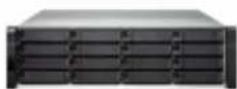
| Model Number ES1640dc v2 | |
| Model 3U, rackmount | |
| CPU | Intel Xcon E5-2420 v2six-core processor(2.2GHz, 15MB L3, 80W TDP) |
| Memory (per controller) | DDR3 ECC RDIMM 16GB x2(Total 32GB upgradable to 54GB)16GB x 1 (NVRAM) |
| Internal hard drives supported Total 16 x 2.5/3.5 inch hard drives and SSDs | |
| Hard disinterface SAS 12 Gb/s : compatible with SAS 6 Gb/s | |
| JBOD expansion interface (per controller) | Dual port mini-SAS 12 Gb/s ports (SFF 8644) |
| Backup NVRAM (por controller) M2 2280 as NVRAM (SATA signals) | |
| 10G network ports (por controller) | 4, SFP+ (Intel XL710-AM1)*2, RJ45 (LAN-10G2T-X550) |
| PCIe expansion slots (per controller) | PCIe Slot x 8 (Gen3 x 8 signals): LAN-10G2T-X550 preinstalled, can be used as a 40 GbC network card expansionPCIe Slot x 4 (Con2 x 4 signals):dual port mini-SAS card preinstalled |
| Fans (per controller) | Replaceable heatsink fan modules(60 x 60 x 38mm, 16000 RPM / 12V / 2.5A x 3) |
| Power | 770W 1+1 hot swac redundant power supply(100-240V @ 50 / 6GHz) |
| Copy to flash backup battery unit (BBU) | 12V, 2200 mAh |
| Temperature 0 | °C to 40°C |
| Relative Humidity 5% to 95% | |
| Dimensions (mm) 618 (depth) x 446.2 (width) x 132 (night) | |
| Weight | Net weight (NAS): 26.75 kg / 58.85 lbCross weight ( including accessories and packaging),32.8/ kg/12.31 lb |
*Due to driver Issues, the embedded SFP+ network port currently only supports 2.5 Gb/s bandwidth. A future firmware release (QES 2.0) will upgrade the bandwidth to 10 Gb/s.
Accessories
| Type Ordering SKU | Description | ||
| Sliding rail |  | RAIL-EC2 | E02 series (Chassis) sliding rail, maximum support 57 kg |
| Memory |  | RAM-32CDR3EC-RD-1333 | 32GB DDR3 ECC RDIMM 1333M l z |
 | RAM-16CDR3EC-RD-1600 | 16GB DDR3 ECC RDIMM 1600MHz (runs at 1333M l z) | |
| Cable |  | CAB-SAS05M-8644 | Mini SAS external cable (SFF-8644 to SFF-8644), 0.5m |
 | CAB-SAS10M-8644 | Mini SAS external cable (SFF 8644 to SFF 8644), 1m | |
 | CAB-SAS20M-8644 | Mini SAS external cable (SFF-8644 to SFF-8644), 2.0m | |
 | CAG-SAS30M-8644 | Mini SAS external cable (SFF-8644 to SFF-8644), 3.0m | |
 | CAG-SAS05M-8644-8088 | Mini SAS external cable (SFF-8644 to SFF-8088), 0.5m | |
 | CAB-SAS10M-8644-8088 | Mini SAS external cable (SFT-8644 to SFT-8088), 1.0m | |
 | CAB-SAS20M-8644-8088 | Mini SAS external cable (SFF-8644 to SFF-8088), 2.0m | |
 | CAB-SAS30M-8644-8088 | Mini SAS external cable (SFF-8644 to SFF-8088), 3.0m | |
| Battery backup unit (BBU) |  | EBU-A01-2200MAH | Battery backup unit (used in NVRAM write protection) |
JBOD Expansion Specs
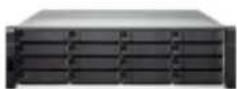
| Expansion device model EJ1800 v2 | |
| Model 3U, rackmount | |
| Maximum supported hard drive | Total 16 x 2.5/3.5 inch hard drives and SSDs |
| Hard diskinterface | SAS 12 Gb/s compatible with SAS 6 Gb/s |
| JBOD connection ports (per controller) | Dual-port mini-SAS 12 Gb/s ports (SFF-9844) |
| Fan (per controller) | Replaceable heatsink fan modules(60 x 60 x 38mm · 16000 RPM /12v / 2.8A x 3) |
| Power | 450W 100-240V@50/60Hz(not swap redundant power supply) |
| Temperature | 0°C to 40°C |
| Relative Humidity | 5% to 95% |
| Dimensions (mm) | 618 (depth) x 446.2 (width) x 132 (height) |
| Weight (Net) | Net weight (main unit)x 24.11 kg / 53.04 lbGross weight (including accessories and packaging)x32.48 kg / 71.46 lb |
Network Card Compatibility List
10G RJ45 interface
| Type | Ordering SKU | Description | |
| QNAP | LAN-10G2T-X550 | Dual-port 10GbE network card for rackmount models10G SFP+ interface | |
| Type | Ordering SKU | Description | |
| QNAP | LAN-10G2SF-MLX | Dual-port 10GbE network card for rackmount models40G CSFP+ interface | |
| Type | Ordering SKU | Description | |
| QNAP | LAN-10G2SF-MLX | Dual-port QSFP 40GbE network card | |
Package Contents
NAS / Ethernet cable (1GbE) x 4 / Ethernet cable (1GbE) x 2 / power cord x 2 / Phillips screws x 64 (suitable for 3.5" hard drives) / Phillips screws x 64 (suitable for 2.5" hard drives) / RAIL E02 series chassis specific sliding rail module, maximum load 5/ kg / Quick Installation Guide / management connection cable (RJ11 to RS-232) x 1 / NVRAM write cache battery backup unit for power failure x ?
QES software specifications
Operating System
• QES 1.1 (based on FreeBSD)
Supported Clients
- Windows 7 (32/64-bit), Windows B (32/64-bit), Windows 10 (32/64-bit), Windows Server 2008 R2/2012/2012R2 - Apple Mac OS X - Linux & UNIX
Supported Browsers
• Microsoft Internet Explorer 10+
- Mozilla Firefox 8+
• Apple Safari 4+
• Google Chrome
Multilingual Support
• Chinese (Traditional & Simplified). Czech, Danish, Dutch, English, Finnish, French, German, Greek, Hungarian, Italian, Japanese, Korean, Norwegian, Polish, Portuguese (Brazil), Romanian, Russian, Spanish, Swedish, Thai, Turkish
File System
· ZFS
Networking
- TCP/IP (IPv4 & IPv6) - 10.40 Gigabit NICs with jumbo frame (LACP, Load Balance, Failover, Round Robin) - Service binding based on network interfaces - Proxy client - DHCP client - Protocols: SMB2/SMB3, NFS v3/NFS v4, FTP, FTPS, TFTP, HTTP, HTTPS, SSH, iSCSI, SNMP, SMTP, and SMSC - Bonjour Discovery
Security
- Network access protection with auto-blocking: SSH, HTTP(S), FTP, SMB - SMB host access control for shared folders - FIPS 140-2 validated AES 256-bit shared folder and LUN data encryption - Importable SSL certificates
Storage Management
- Storage space utilization monitoring - Storage pool with RAID 0, 1, 5, 6, 10, 50, 60, RAID TP, Triple Mirror - Global hot spare - SSD read cache - NVRAM write cache (BBU-protected) - Scheduled Backup Battery Unit (BBU) learning - Supports share folder/LUN with thin provisioning - Supports LUN with instant provisioning
• Supports share folder quota
• Supports space reclaim
• Supports snapshots
- Supports Shared Folder/LUN snapshot
- Snapshot manager
- Snapshot clone
- Snapshot agent for Windows VSS and VMware
• Supports inline deduplication for Shared Folder'
LUN
• Supports inline compression for Shared Folder/
LUN
• Supports inline encryption for Shared Folder/LUN
• Supports WORM (Write Once Read Many) for Shared Folder
• Online LUN expansion
• Online Share Folder quota expansion
• Online storage pool expansion
• Hard drive S.M.A.R.T.
• S.M.A.R.T predict data migration
• Time-Limited Error Recovery (TLER)
• Storage expansion via QNAP EJ-1600 series expansion units
• JBOD ID Reinitialized
• JBOD enclosure roaming
• RAID recovery
• Checksum for end-to-end data integrity
• Silence error detection and self-healing
• Pool scrub for data verification
High Availability
• Active-Active/Active-Standby dual controller for NAS
• Active-Active dual controller for JBOD expander
• Automatically hardware error detection and failover
• Automatically failback when hardware recovered
• Data port network fallover
• Management port network failover
• Nearly zero downtime high availability
• Dual SAS link loop
• MPIO and ALUA for iSCSI high availability
• Link aggregation for network high availability
• Support SMB3 Continuous Availability (CA)
Power Management
• Wake on LAN
• Internal hard drive standby mode
• Automatic power on after power recovery
• Network UPS support with SNMP management
Access Right Management
- Batch users creation
- Import/Export users
• User quota management - Local user access control for SMB and FTP
- Subfolder permissions support for SMB, FTP, and File Station
Domain Authentication Integration
• Microsoft Active Directory support
- LDAP client
• Domain user log in via SMB, FTP, and File Station
Administration
- Multi-window, multi-tasking based system management
- Movable Icons and personalized desktop
- Smart toolbar and dashboard for neat system status display
• Smart fan control
• SNMP (v2 & v3)
• Resource monitor
• Network recycle bin for file deletion via SMB and File Station
- Automatic Cleanup
File Type Filter
• Comprehensive logs (events & connection)
- Syslog client
• System settings backup and restore
- Restore to factory default
• Command Line Interface (CLI)
File Server
- Shared folder for SMB, NFS and FTP - File sharing across Windows, Mac, and Linux/UNIX
- Windows ACL
• Advanced folder permissions for SMB, FTP
FTP Server
• FTP over SSL/TLS (Explicit)
- FXP support
• Passive ftp port range control
File Station
• Supports sharing download links and upload links
• Supports sharing to other NAS users
• Drag-and-drop Files via Chrome and Firefox
- File Compression (ZIP or 7z)
- Creation of and sending download links for sharing public files with expiration date and password protection
Backup Station
- Remote replication server over Rsync
- Remote replication server over Snapsync
- Scheduled backup
• Snapshot support for Rsync
• Compression, Deduplication, and transfer rate
limitation over SnapSync
- Desktop backup with QNAP NetBak Replicator for Windows
- Third party backup software support: Veeam backup & replication, Acronis True Image. Arcserve backup, EMC retrospect, Symantec Backup Exec, etc.
Virtualization
• Server Virtualization & Clustering
• VMWare vSphere (ESXi 5.5, 6.0)
• VMWare Block VAAI
- Thin Provisioning with Space Reclamation - HW Assisted Locking
- Full Copy
- Block Zero
• VMWare NAS VAAI
- Space Reserve
- Native Snapshot for Linked Clones
- File Cloning
- Extended Stats
• VMWare vSphere Client Plugin
• VMWare vSphere Web Client Plugin
• Citrix XenServer (6.2)
• Windows Server 2012 R2 Hyper-V
• Supports Microsoft ODX
• QNAP SMI-S provider for Microsoft SCVMM
• QNAP VSS Hardware Provider
• ONAP Snapshot Agent for VMWare
• QNAP Snapshot Agent for Windows
Cloud
- OpenStack Cinder driver
iSCSI (IP SAN)
- iSCSI target with multi-LUNs per target (Up to 255 targets/LUNs combined)
• Supports LUN mapping
• Supports host ACL access
• Online LUN capacity expansion
• Supports SPC-3 persistent reservation
• Supports ALUA
• Supports MPIO & MC/S
• ISCSI LUN snapshot and replication
Design and specifications are subject to change without notice.
ES1640dc v2 Series
Satisfying enterprise demand for uninterrupted operation and high availability
Snapshot Agent will inform the system to process snapshot preparations, therefore it can provide continuous, uninterrupted services with snapshots of application consistency.
SnapSync backs up local shared folders and iSCSI LUN snapshots to a specified destination over IP and it only backs up blocks that have been changed.
Dual active controllers that can withstand a single point of failure, dual-loop JBOD architecture that also supports recovery mechanism for static data errors to provide enterprise-grade high reliability.
Platform9 is an OpenStack cloud architecture management platform that works together with QES to provide an easy-to-deploy and easy-to-use storage solution to support your OpenStack hybrid cloud platform.

EJ1600 v2
QNAP Systems, Inc.
TEL: +886-2-2641-2000 FAX: +886-2-2641-0555 Email: qnapsales@qnap.com Address: 3F, No.22, Zhongxing Rd., Xizhi Dist., New Taipei City, 221, Taiwan
QNA 2 may make changes to specification and product descriptions at any time, without notice.
Copyright © 2017 QNAP Systems, Inc. All rights reserved.
QNA ® and other names of QNAP Products are proprietary marks or registered trademarks of QNAP Systems, Inc. Other products
and company names mentioned herein are trademarks of their respective holders.
Netherlands (Warehouse Services)
Email : nlsales@qnap.com
TEL : +31(0)107600830
Germany
Email: desales@qnap.com
TEL: +49-89-381562991
China

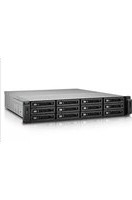
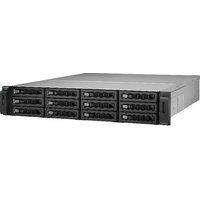
- ENTERPRISE GRADE STORAGE SYSTEM
- VERSATILE ENTERPRISE APPLICATIONS
- SUPPORTS SAS12 GB/S
- EASILY CREATE OPENSTACK HYBRID CLOUD
- HIGH PERFORMANCE REMOTE REPLICATION
- ENTERPRISE ZFS NAS ES1640DC V2
- HARDWARE ARCHITECTURE
- NVRAM WRITE CACHE
- 5-1
- 5-2
- 5-3
- 02 BUILT-IN INTEL® XL710 4 X 10 GBE SFP+ NETWORK INTERFACE
- 03 DEFAULT INSTALLED LAN-10G2T-X550
- 06 DUAL PATH MINI-SAS 12 GB/S (EJ1600 V2) 6 GB/S (EJ1600) JBOD ARCHITECTURE
- 04 SAS 12GB/S HARD DISK SSD DUAL CONTROLLER ARCHITECTURE
- 07 INTEL® XEON® E5-2400V2 SERIES PROC
- QNAP BUILDS QES OPERATING SYSTEM THAT COMBINES THE FREEBSD KERNEL WITH ZFS
- ES1640DC V2 ENTERPRISE ZFS NAS
- SOFTWARE ARCHITECTURE
- SATISFYING ENTERPRISE DEMAND FOR UNINTERRUPTED OPERATION AND HIGH DATA AVAILABILITY
- TABLE OF CONTENTS
- QES OS INTRODUCTION
- ENTERPRISE-CLASS, ZFS NAS WITH DUAL ACTIVE CONTROLLERS
- NEAR-ZERO DOWNTIME AVAILABILITY
- FIELD REPLACEABLE UNIT (FRU) DESIGN
- FLEXIBLE STORAGE EXPANSION
- DUAL-LOOP CHASSIS CONNECTION ARCHITECTURE
- 12 GB/S MINI-SAS CABLE FOR TRANSMISSION RELIABILITY
- THE MINI SAS CABLE FOR LOOP BACK USES IS SOLD SEPARATELY
- COMPLETE 10 GBE CONNECTIVITY
- MULTI-LEVEL CACHE TECHNOLOGY WITH BOTH READ AND WRITE
- ENTERPRISE-CLASS WRITE CACHE TECHNOLOGY
- NVRAM MIRRORING DRAM WRITE CACHE THAT FURTHER ENHANCES DATA RELIABILITY
- QES ENTERPRISE-CLASS OPERATING SYSTEM
- EASY-TO USE AND EASY-TO-PICK-UP QES
- SIMPLE AND INTUITIVE QES DESKTOP
- SMART DASHBOARD
- MULTITASKING VS. CUSTOMIZED DESKTOP
- UPS SETTINGS
- SNMP ONLINE UPS USAGE SCENARIO
- BACKUP STATION
- ZFS FILE STORAGE SYSTEM CAN BE SO EASY
- 1 DASHBOARD
- 2 STORAGE MANAGEMENT
- 3 SPACE ALLOCATION
- THIN PROVISIONING
- THICK PROVISIONING
- ISCSI LUN
- DATA SELF-HEALING
- ROBUST RAID-Z DATA PROTECTION ON ZFS
- READY-TO-USE RAID ARRAYS
- RAPID DATA RECONSTRUCTION
- REAL-TIME DEDUPLICATION
- DEDUPLICATION AND COMPRESSION TO MAXIMIZE VDI STORAGE PERFORMANCE
- DATA DEDUPLICATION AND COMPRESSION CAN GREATLY SAVE MONEY
- APPLICATION ENVIRONMENTS FOR REAL-TIME DEDUPLICATION VIRTUAL DESKTOP INFRASTRUCTURE AND VIRTUAL SERVERS
- EMAIL ARCHIVING AND FIXED-CONTENT STORAGE
- NEARLINE STORAGE
- REMOTE BACKUP STORAGE
- NO SERVICE DISRUPTION AND REMOTE SNAPSHOT SYNCHRONIZATION
- BLOCK-BASED SNAPSHOT TECHNOLOGY WITH NO SERVICE DISRUPTION
- LOCAL SNAPSHOT PROVIDES CONTINUOUS DATA PROTECTION
- FILE-LEVEL DATA RECOVERY
- FRIENDLY AND INTUITIVE INTERFACE
- SNAPSHOT CLONES AS WRITABLE SNAPSHOTS
- RSYNC/NAS-TO-NAS INTEGRATION
- VMWARE/MICROSOFT VSS INTEGRATION WITH QNAP SNAPSHOT AGENT
- SNAPSYNC FOR REMOTE SNAPSHOT REPLICATION
- ENTERPRISE-CLASS DISASTER RECOVERY
- DIRECTLY USE SNAPSHOT DATA IN REMOTE NAS
- REPLICATION SETTINGS
- ADVANTAGES OF QNAP SNAPSHOT
- APPLICATION-CONSISTENT SNAPSHOTS WITH QNAP SNAPSHOT AGENT
- VMWARE® / HYPER-V® VIRTUAL APPLICATIONS
- VIRTUALIZATION READY
- BLOCK VAAI, NAS VAAI
- MICROSOFT® HYPER-V™
- EASY-TO-USE COMPUTER APPLICATION TOOLS
- SET UP YOUR ES1640DC V2 IN AN INSTANT WITH QFINDER PRO
- USE NETBAK REPLICATOR FOR HASSLE-FREE BACKUP OF THE DATA ON YOUR PC
- USE VSPHERE CLIENT PLUG-IN TO MANAGE VMWARE DATASTORES WITHIN THE VSPHERE CLIENT
- SECURE AND FLEXIBLE STORAGE UTILIZATION
- VM BACKUP SOLUTION WITH QNAP AND VEEAM
- SIX LEVELS OF DATA PROTECTION
- 1 NETWORK ENVIRONMENT PROTECTION
- CONNECTION MANAGEMENT (BLACK/WHITE LIST)
- SERVICE BINDING
- SYSTEM NOTIFICATIONS
- PUSH SERVICE
- PROTECTION BY TRANSMISSION ENCRYPTION
- NETWORK TRANSMISSION ENCRYPTION
- DATA ENCRYPTION PROTECTION
- SHARED FOLDER AND LUN ENCRYPTION
- QNAP SNAPSHOT
- SNAPSYNC
- OPENSTACK HYBRID CLOUD WITH QNAP ZFS NAS AND PLATFORM9
- QNAP NAS PROVIDES OPENSTACK STORAGE DEVICES
- QCINDER DRIVER THAT BUILDS DIRECTLY INTO OPENSTACK "OCATA
- COMBINED SOLUTION WITH QNAP AND PLATFORM9, EASILY CREATE AN OPENSTACK HYBRID CLOUD
- OPENSTACK CLOUD MANAGEMENT PLATFORM FOR PLATFORM9
- SYSTEMS SUPPORTING QNAP NAS
- PLATFORM9 DIRECTLY INTEGRATES QNAP NAS SUPPORT
- ENTERPRISE CASE STUDIES
- CASE 1: HIGH-AVAILABILITY FILE SERVER, HIGH-PERFORMANCE REMOTE REPLICATION WITH NO TIME TO SPARE
- HIGH AVAILABILITY FILE SERVER
- CASE 2: DEPLOY A VDI CLIENT TO SUPPORT OVER 500 REMOTE VIRTUAL DESKTOPS ON A SINGLE MACHINE
- CASE 3: BUILD A CORPORATE SURVEILLANCE SYSTEM WITH OVER 900TB STORAGE CAPACITY
- CASE 4: BUILD A HIGH-PERFORMANCE AND RELIABLE AUDIO-VISUAL WORKSTATION
- CASE 5: THE MOST COST-EFFECTIVE ENTERPRISE CLOUD STORAGE SOLUTION
- TELL US YOUR GOALS, IN RETURN WE WILL PROVIDE YOU WITH THE BEST CLOUD SOLUTION FOR YOUR BUSINESS
- HARDWARE SPECIFICATIONS
- PACKAGE CONTENTS
- QES SOFTWARE SPECIFICATIONS
- OPERATING SYSTEM
- SUPPORTED CLIENTS
- SUPPORTED BROWSERS
- MULTILINGUAL SUPPORT
- FILE SYSTEM
- NETWORKING
- SECURITY
- STORAGE MANAGEMENT
- HIGH AVAILABILITY
- POWER MANAGEMENT
- ACCESS RIGHT MANAGEMENT
- DOMAIN AUTHENTICATION INTEGRATION
- ADMINISTRATION
- FILE SERVER
- FTP SERVER
- FILE STATION
- VIRTUALIZATION
- CLOUD
- ISCSI (IP SAN)
- ES1640DC V2 SERIES
- QNAP SYSTEMS, INC
Brand : QNAP
Model : CTL-EJ1600-V2-FAN
Category : Disk array