M8 - Uncategorized Trano - Free user manual and instructions
Find the device manual for free M8 Trano in PDF.


User questions about M8 Trano
0 question about this device. Answer the ones you know or ask your own.
Ask a new question about this device
Download the instructions for your Uncategorized in PDF format for free! Find your manual M8 - Trano and take your electronic device back in hand. On this page are published all the documents necessary for the use of your device. M8 by Trano.
USER MANUAL M8 Trano
Completed User Manual
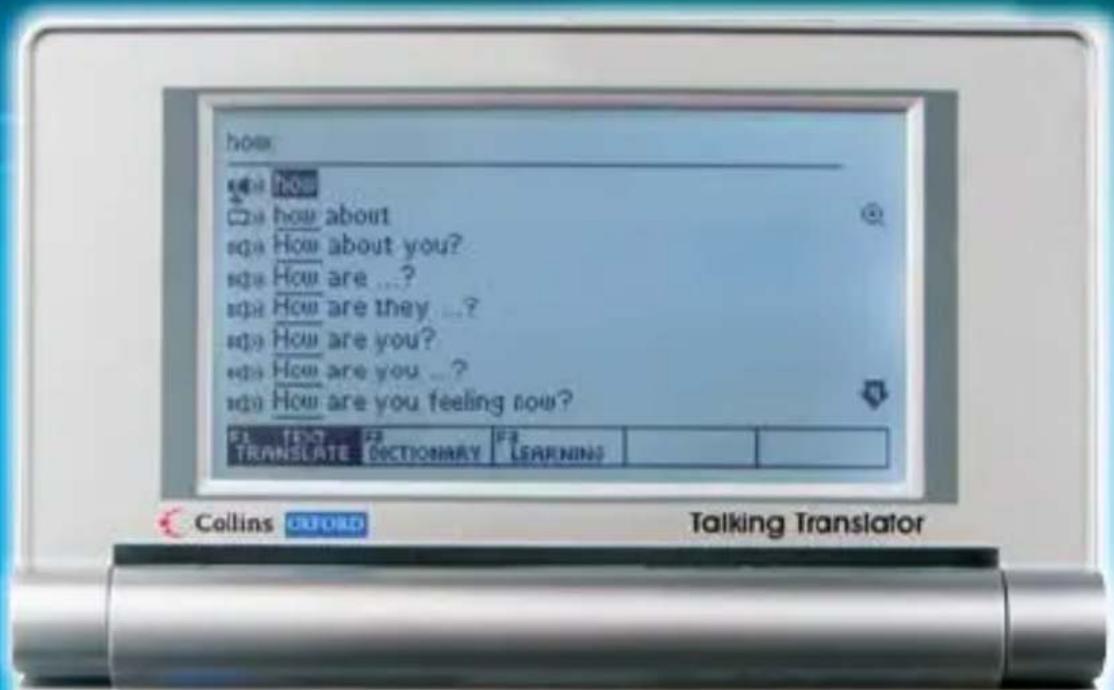
text_image
how HOW how about How about you? How are ...? How are they ...? How are you? How are you ... How are you feeling now? TRANSLATE DICTIONARY LEARNING Collins CLOFORD Talking Translator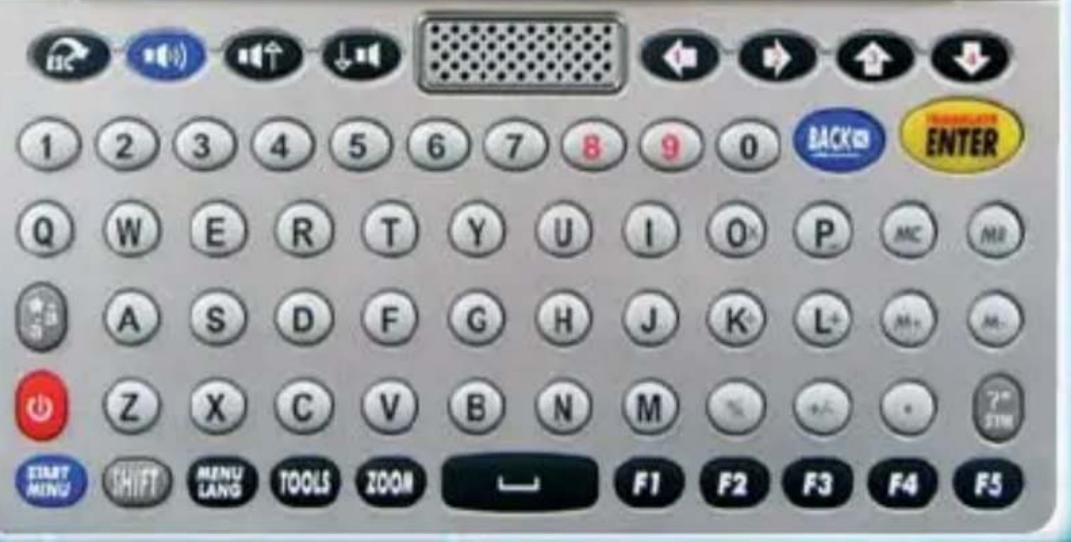
text_image
1 2 3 4 5 6 7 8 9 0 BACK ENTER Q W E R T Y U I O P MC MR A S D F G H J K L+ M+ M- Z X C V B N M START MING SHIFT MENU LANG TOOLS ZOOM F1 F2 F3 F4 F5Power Source
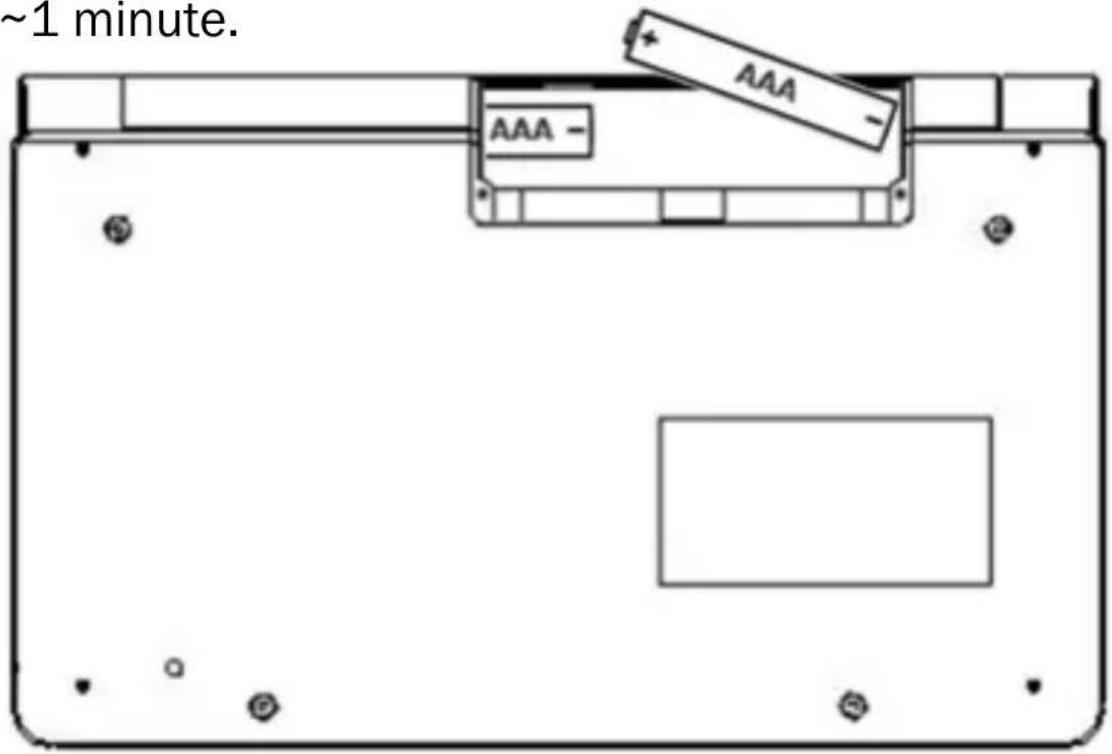
- The translator is powered by 2 AAA Alkaline (non-rechargeable) batteries (included).
- The translator can also operate via USB, connected to PC/laptop. Note batteries will not be charged via USB.
- It can be operated via mini USB adapter (not included), compatible with the cell phone devices in market, e.g. Blackberry, Nokia, Samsung etc.
- When batteries power is low, appear on display. If this happens, replace batteries.
- Turn off the translator before replacing batteries.
- Do not use different types of batteries or used batteries.
- Make sure batteries make good contact with the metal plates.
- Always remove a weak or dead battery from the device.
- To avoid damage caused by leakage of battery fluid, replace batteries once every 6 months.
- Do not expose batteries to direct heat.
Micro-SD Reader
Micro-SD cartridge is provided on the side of translator. Micro-SD card (not included) could be used to download files to the translator. Micro-SD reader accepts card up to 8GB.
“.txt files” file
- Insert your Micro SD card.
- Press to switch the unit on and press . TOOLS Use down keys to select Text Reader, followed by TRANSLATE ENTER
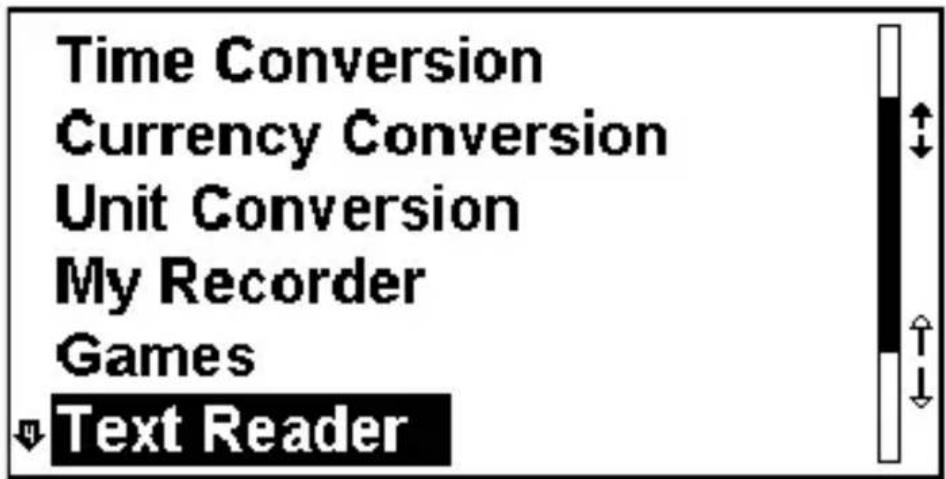
text_image
Time Conversion Currency Conversion Unit Conversion My Recorder Games Text Reader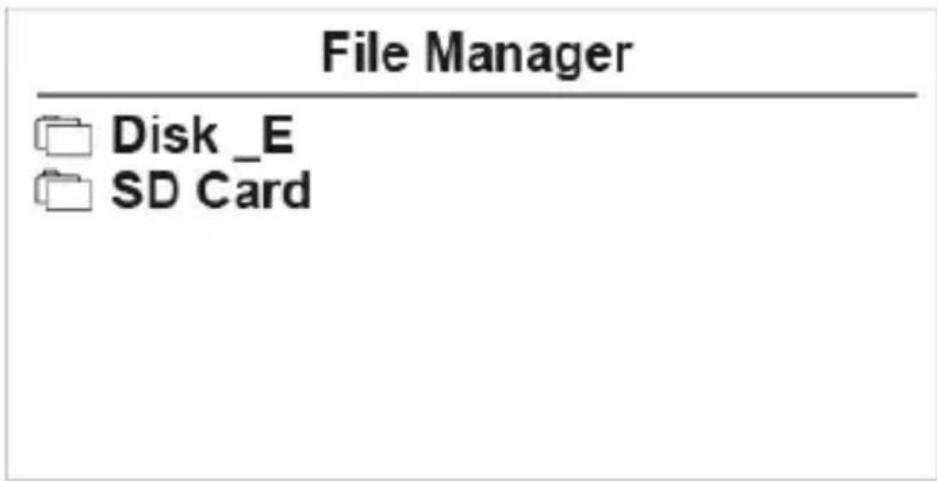
text_image
File Manager Disk _E SD Card- Use ( ) keys to select SD Card and press TRANSLATE ENTER
- Use arrow keys to select the text file and press to read.
USB
The translator can be connected to a computer via USB cable to download files as necessary. Note USB download works with Windows system only.
text_image
USB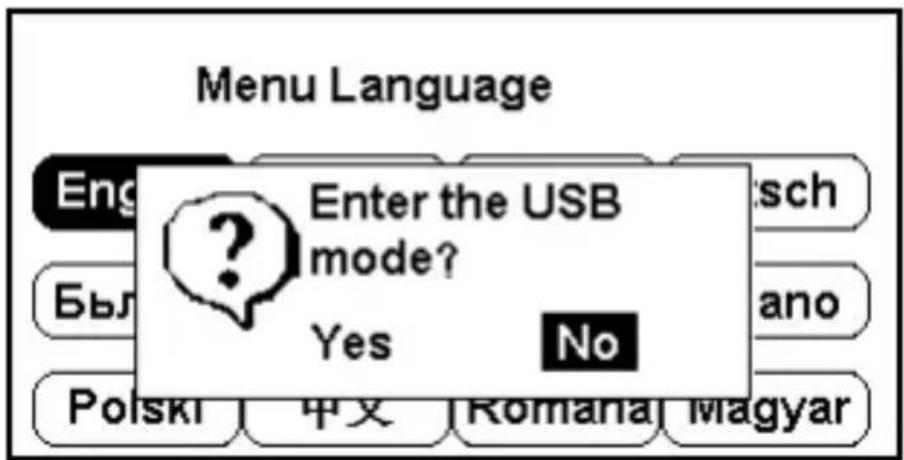
text_image
Menu Language Enter the USB mode? Yes No English Был Роскі 中文 Romana MagyarUSB driver will automatically install first time you plug in the USB cable. You can copy text files and MP3 files to Removable Disk.
Disconnecting USB cable un-mounts Removable Disk and resets the translator.
- Connect translator to a computer via USB cable.
- The following message will pop up. Press

to highlight YES and press to

confirm.
Reading “.txt files” in your Translator
- Press TOOLS and select Text Reader.
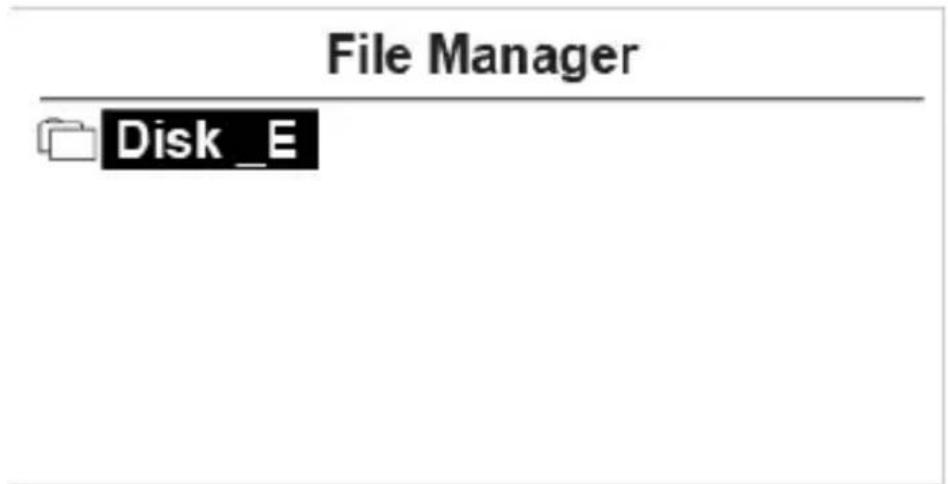
- Highlight Disk E and press ENTER to see your folder list.
- Use arrow keys to select your desired file and press ENTER to read.
text_image
File Manager Disk _E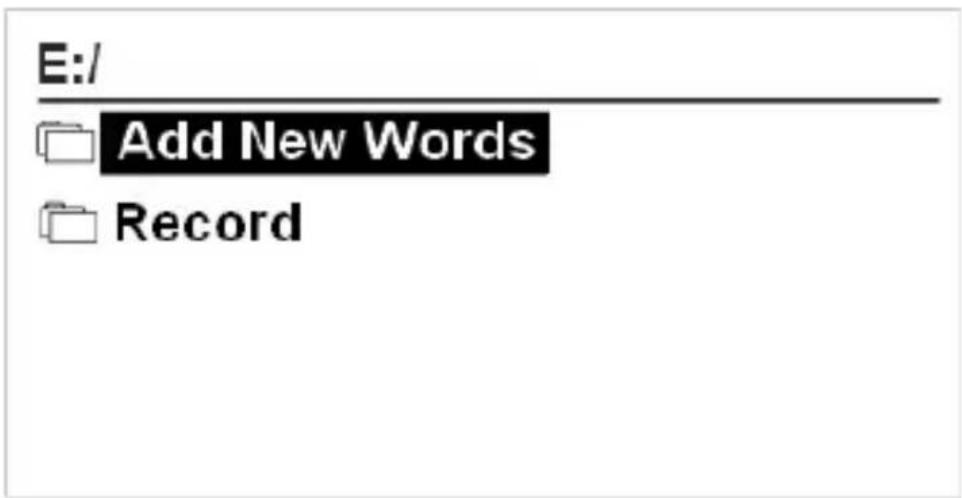
text_image
E:/ Add New Words RecordResetting the Translator
If the keyboard fails to respond, or if the screen performs erratically, you should reset the translator.
Remove the batteries. Put the batteries back after \~1 minute.
text_image
~1 minute. AAA AAA -The function of keys
-
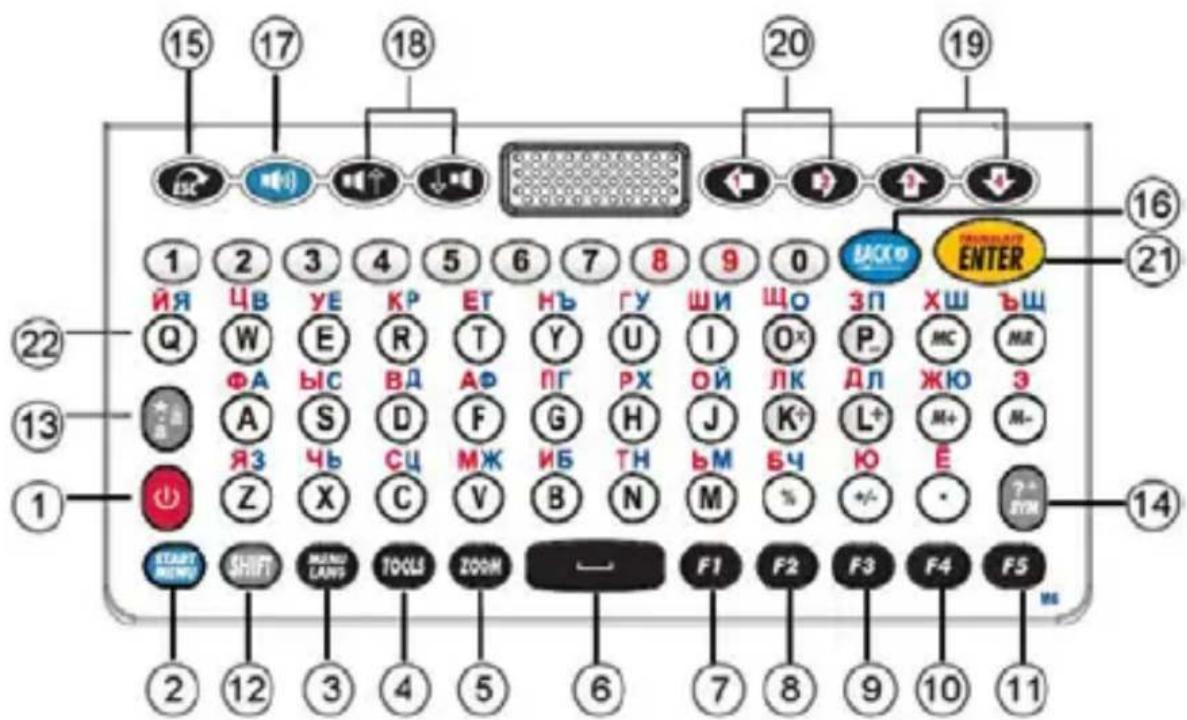
On/Off button. Translator has auto turn off function (3, 5, or 10 minutes). You can set the time under Tool → Shut Off Time. Factory default is set to 3 minutes.
-
MAIN Language Menu.
-
MENU LANGUAGE. Select your language and press Enter.
-
TOG'S System Setup, Calculator, Time Conversion, Currency Conversion, Unit Conversion, MP3 Player, My Recorder, Games, Science Formula, Text Reader, User Manual, Copyright, Version.
-
Zoom in/out
-
: Space.
-
F1 function key.
-
F2 function key.
-
F2 function key.
-
F4 function key.
-
F5 : F5 function key.
-
: a) Capital letter. If Shift key is pressed twice, CAPS sign will appear on top right corner of screen.
b) In cross word translation, press shift key, then press right arrow key to highlight two or more words.
Tips: While typing letters with the shift key on a PC, the shift key + the letter key are pressed simultaneously, in the translator you have to press shift key once followed by the letter key.
For instance in TAMIL model:
On the PC keyboard:
Press & hold key and press letter (D) to get “ अ”
On the TRANSLATOR keyboard:
Press key once (do not hold it down) then press letter (D) to get “ अ ”.
13.
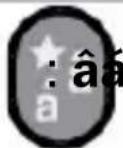
- Accent key: Press target alphabet, and then press the Accent key to get available characters. E.g. Press ‘o’, then press the Accent key to get [ô, œ] etc.
★ - Favorites: In Translate or Dictionary mode, press this key to copy screen to your favorite list.
Tips: While typing letters with the key on translator keyboard, you have to press the letter key once followed by the key.
For instance in French model, on the translator keyboard press letter (A) once (do not hold it down) then press key to get “á”.
- In Translation mode – input Symbol: Special characters and wildcard/placeholder.
(?) Placeholder for unknown letter, e.g. 'AMA?ING'.
(*) Wildcard, e.g ‘AMAZ*’, provides options such as AMAZE, AMAZED, etc. In Calculator mode – no function.
-
Escape, returns to previous screen.
-
: Backspace, delete the last input.
-
:Speaker, press to hear pronunciation.
-
/ : Speaker up/down and move to available voice option.
-
7: Navigator up/down and Page up/Page down.
-
/ : Left/ Right.
-
Enter key.
-
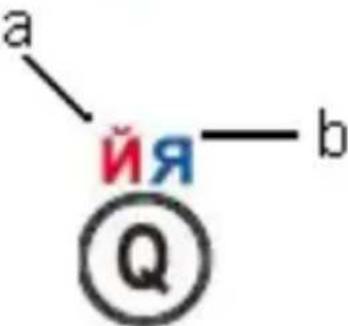
a йя—b : (e.g. M86 model) a. Russian letter. b. Bulgarian letter.
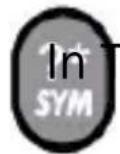
translation mode – input Symbol: Special characters and wildcard/placeholder.







text_image
a йя—b ①QAlphabet with Accent (Vowel) (Available in some European model)
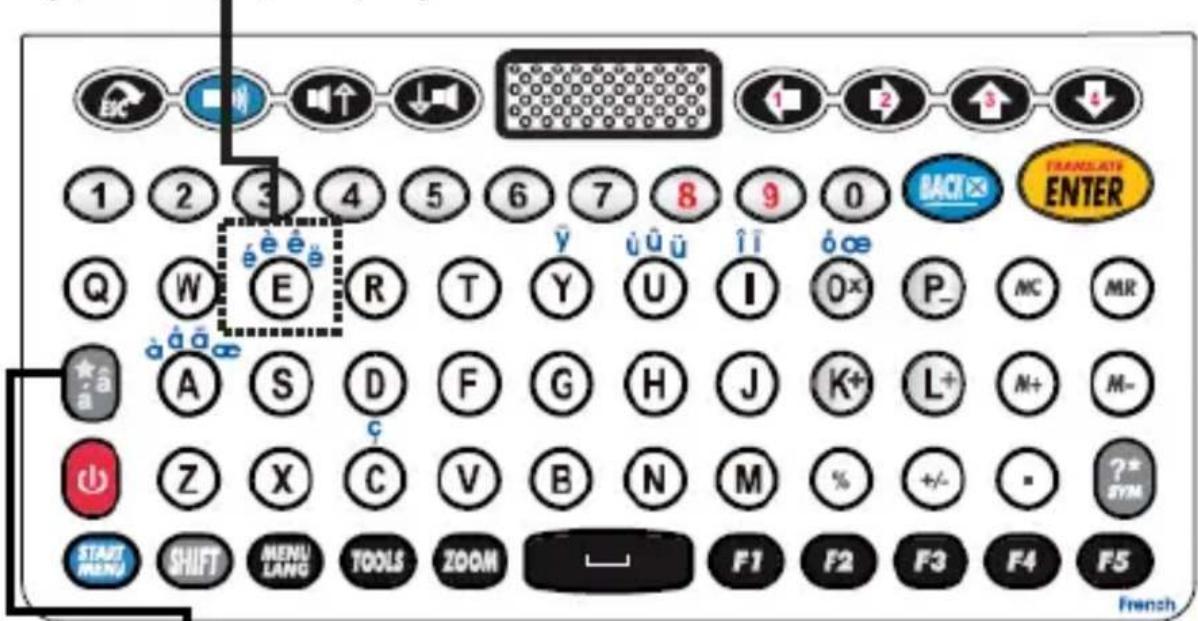
Some languages have their own alphabet with accent. Simply press the original key and key, to get the available characters.
E.g. English-French
In the home language of French.
Type in “e”, display shows: “e”
text_image
1 2 3 4 Q W E R T Y U I 0x P- MC MR ★a A S D F G H J K+ L+ M+ M- Z X C V B N M % +/- - ?* SYM START MENU SHIFT MENU LANG TOOLS ZOOM — F1 F2 F3 F4 F5 TRANSCLATE ENTER FrenchPress once, display shows: “è”
Press twice, display shows: “é”
Press three times, display shows: “ê”
Press four times, display shows: “ë”
Alphabet with Accent (Vowel)
| aáàāäāāaæ | Press A, press repeatedly to get your desired character. |
| cćčç | Press C, press repeatedly to get your desired character. |
| dd'd | Press D, press repeatedly to get your desired character. |
| eéèêëēe | Press E, press repeatedly to get your desired character. |
| gğğ | Press G, press repeatedly to get your desired character. |
| iíìîïi | Press I, press repeatedly to get your desired character. |
| kks | Press K, press repeatedly to get your desired character. |
| líl’íł | Press L, press repeatedly to get your desired character. |
| nńññŋ | Press N, press repeatedly to get your desired character. |
| oóòöööøœ | Press O, press repeatedly to get your desired character. |
| rírř | Press R, press repeatedly to get your desired character. |
| sśš§β | Press S, press repeatedly to get your desired character. |
| t‘t’ | Press T, press repeatedly to get your desired character. |
| uúùûüūüüü | Press U, press repeatedly to get your desired character. |
| yýÿ | Press Y, press repeatedly to get your desired character. |
| zżżż | Press Z, press repeatedly to get your desired character. |
Getting Started
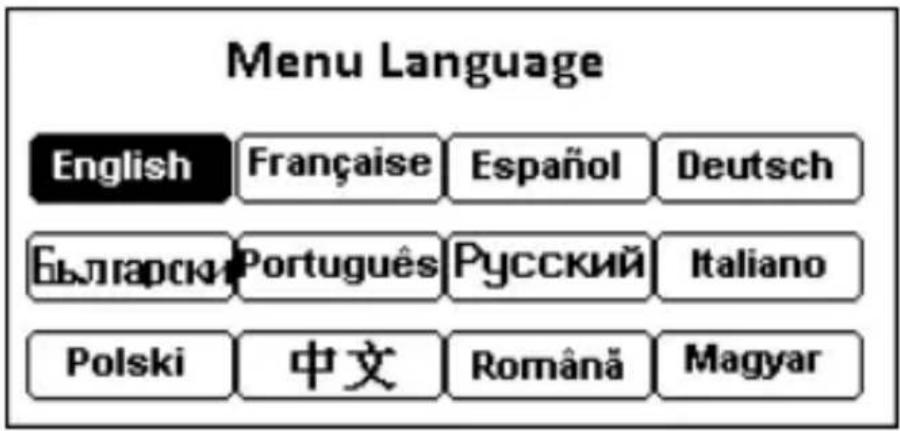
Press to turn device on, press , or arrow keys to select Menu Language and press E.g. M86 model :

text_image
Menu Language English Française Español Deutsch Български Português Русский Italiano Polski 中文 Română MagyarSTART MENU
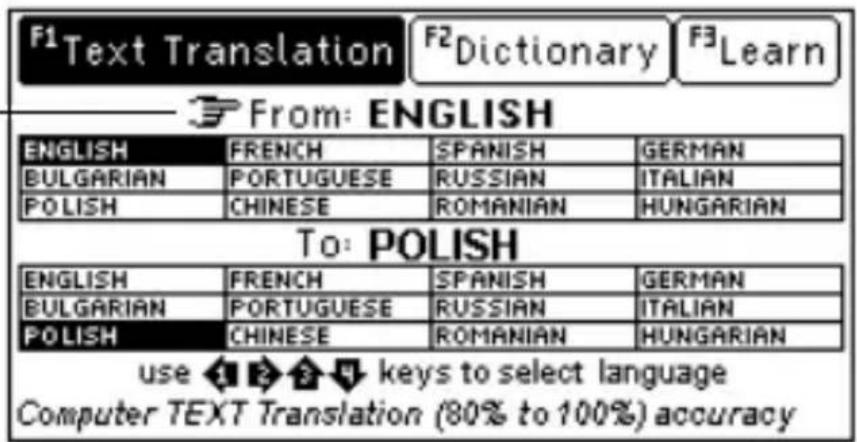
Press ,use / to select source
language, then use the key to move the
indicating icon to target language,
to select and press


text_image
F1 Text Translation F2 Dictionary F3 Learn From: ENGLISH ENGLISH FRENCH SPANISH GERMAN BULGARIAN PORTUGUESE RUSSIAN ITALIAN POLISH CHINESE ROMANIAN HUNGARIAN To: POLISH ENGLISH FRENCH SPANISH GERMAN BULGARIAN PORTUGUESE RUSSIAN ITALIAN POLISH CHINESE ROMANIAN HUNGARIAN use 1 2 3 keys to select language Computer TEXT Translation (80% to 100%) accuracyUse 4 key to move the indicating icon from source language to target language
1. Text Translate
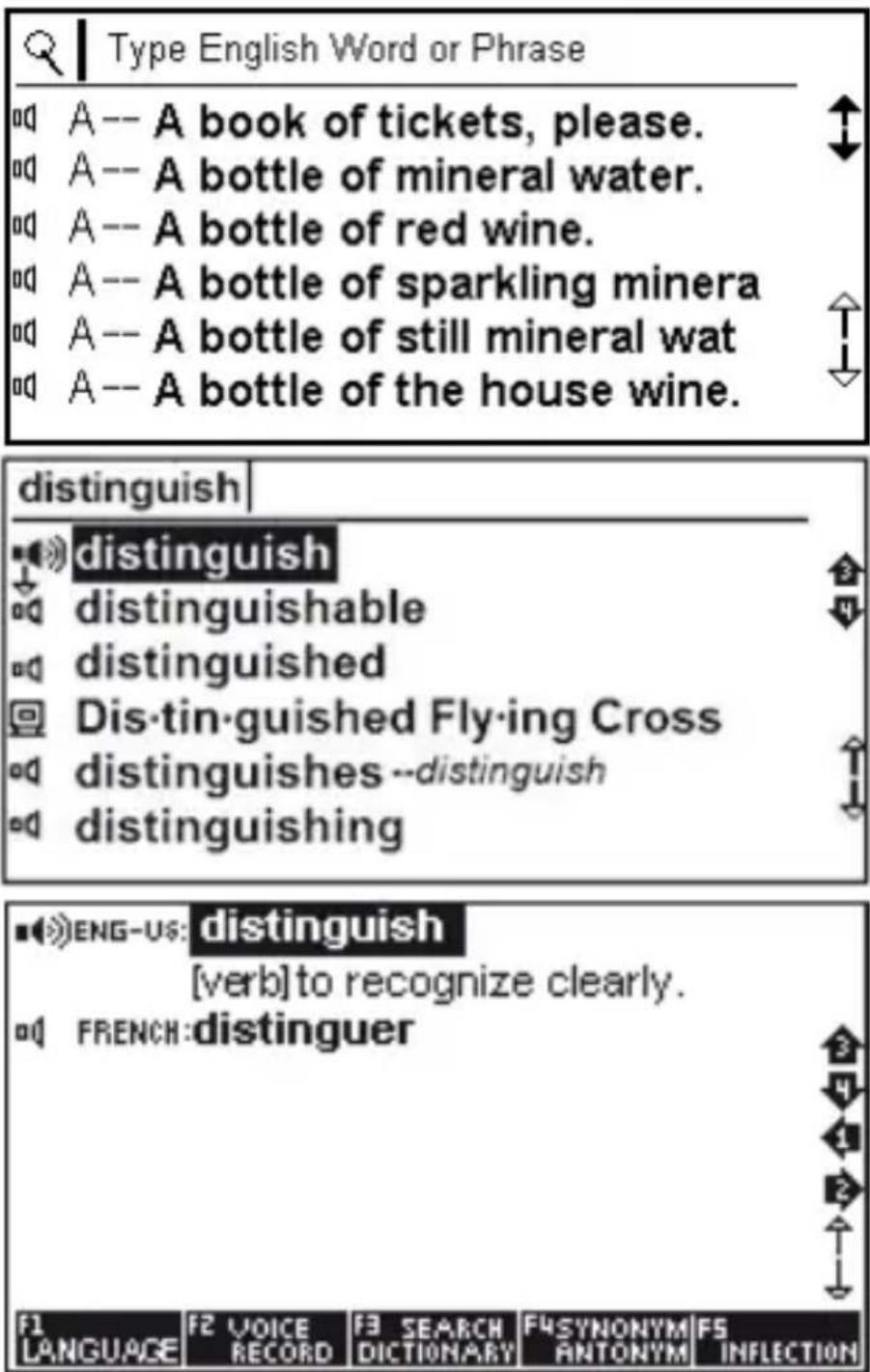
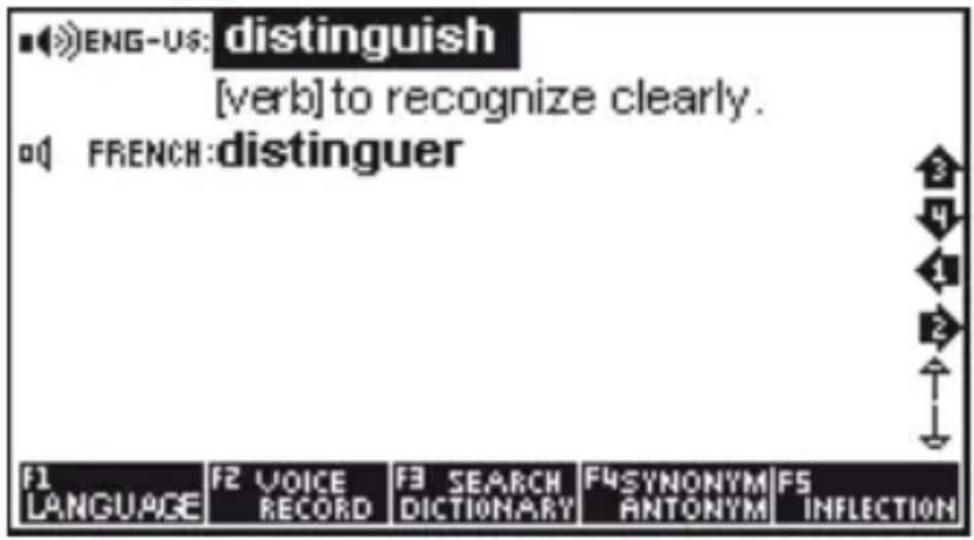
Type any word or phrase and press ENTER. If your input is found in the available database, you will be offered the option. You can navigate with arrow keys to desired option and find the exact translation. If not, the Text Translation Technology (CITE) will be used. The result should be used as reference rather than exact translation.
text_image
Type English Word or Phrase A -- A book of tickets, please. A -- A bottle of mineral water. A -- A bottle of red wine. A -- A bottle of sparkling minera A -- A bottle of still mineral wat A -- A bottle of the house wine. distinguish distinguish distinguishable distinguished Dis-tin-guished Fly-ing Cross distinguishes --distinguish distinguishing ENG-US: distinguish [verb] to recognize clearly. FRENCH: distinguer F1 LANGUAGE F2 VOICE RECORD F3 SEARCH DICTIONARY F4SYNONYM ANTONYM F5 INFLECTIONPress

lect the target language.
text_image
■ENG-US: distinguish [verb] to recognize clearly. FRENCH:distinguuer F1 LANGUAGE F2 VOICE RECORD F3 SEARCH DICTIONARY F4SYNONYM ANTONYM F5 INFLECTIONPress (



select and press

You can search for a word directly, which will simply list all the words containing the given word. More powerful searches can be done using placeholder symbols to define a search pattern.
? any unknown letter
* more unknown letter
For example: 'AMA?ING' to find 'amazing'; 'AMAZ*' to find 'amaze' or 'amazed'.
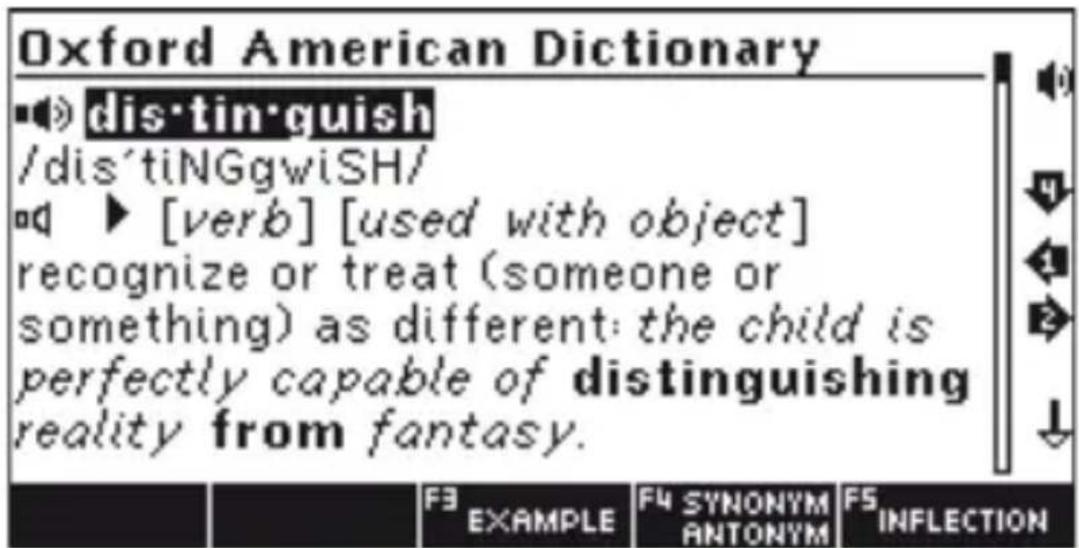
For English word, you can press to see complete English dictionary result.
text_image
Oxford American Dictionary dis·tin·guish /dis'tiNGgwiSH/ [verb] [used with object] recognize or treat (someone or something) as different: the child is perfectly capable of distinguishing reality from fantasy. F3 EXAMPLE F4 SYNONYM ANTONYM F5 INFLECTIONBasic icons
- The sound icons are shown in front of words that have audio recordings.
Press key to hear the pronunciation. Press / keys to move up/down.
■ = Human pronunciation is active (selected).
ad = Human pronunciation is not active (not selected). Press / to select.
☐ = Computer pronunciation is active (selected).
= Computer pronunciation is not active (not selected). Press 71 to select.
oddx = No pronunciation is available.
-
Navigation icons corresponding with the arrow keys on the right side of screen.
-
ENH American English.
-
British English.
-
Roman Phonetic.
Inflection
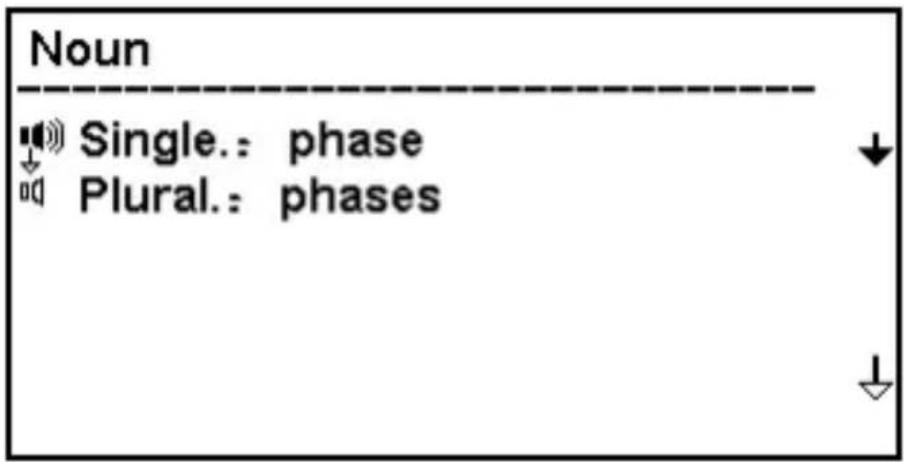
Press I key to see inflection of the selected noun.
text_image
Noun Single.: phase Plural.: phasesFor verbs, pressing a key will show the conjugation.

text_image
ENG-GB: go [verb] to be moving, to pass from one point to another. FRENCH: aller F1 LANGUAGE F2 VOICE RECORD F3 SEARCH DICTIONARY F4 SYNONYM ANTONYM F5 INFLECTION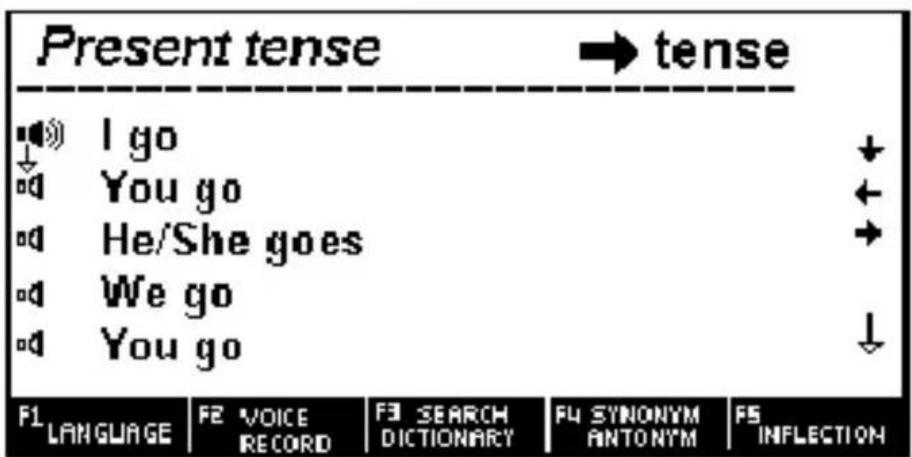
text_image
Present tense → tense I go You go He/She goes We go You go F1 LANGUAGE F2 VOICE RECORD F3 SEARCH DICTIONARY F4 SYNONYM ANTONYM FS INFLECTIONPress left/right key ( / ) to select the tense.
Press speaker up/down key ( / ) to move sound icon and press to hear the pronunciation.
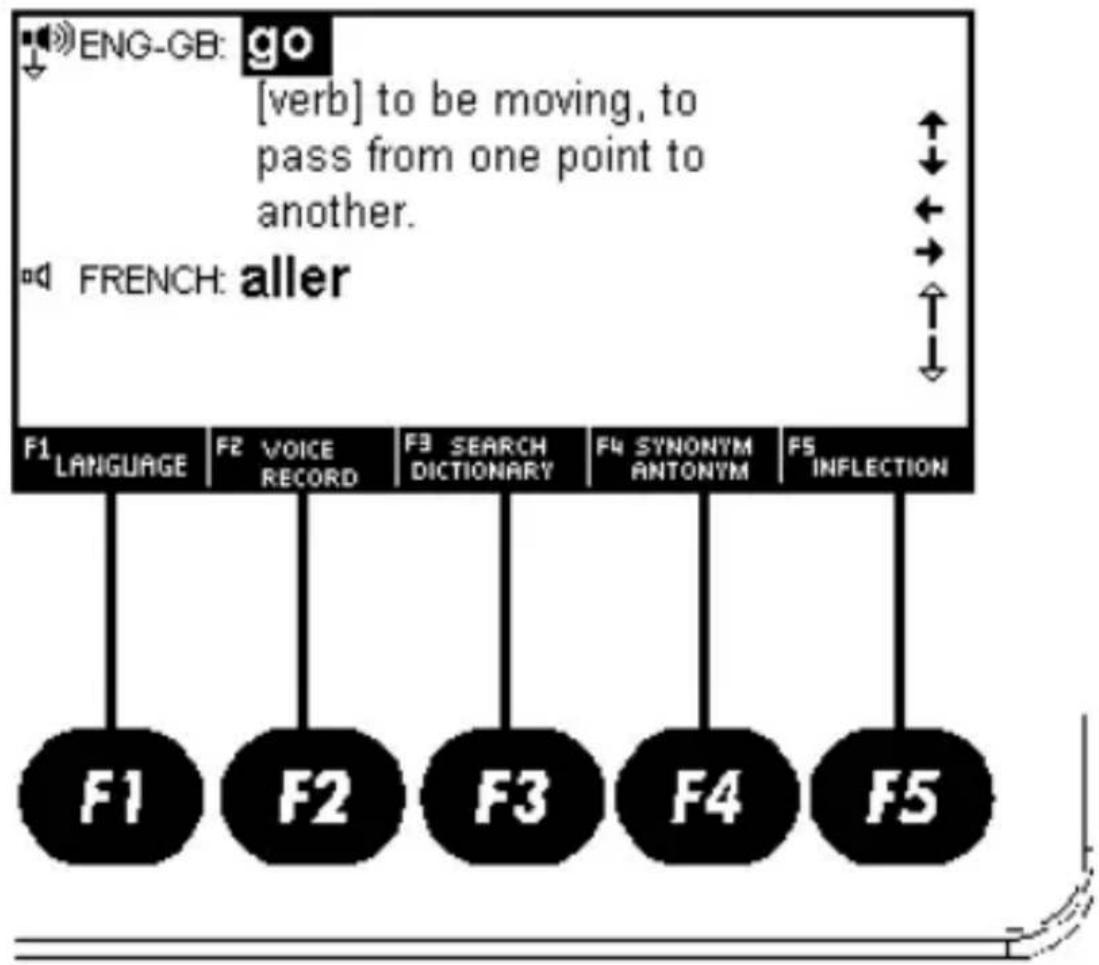
Function keys (available on selected screen)
flowchart
graph TD
    A["ENG-GB: go"] --> B["[verb"] to be moving, to pass from one point to another.]
    B --> C["FRENCH: aller"]
    D["F1 LANGUAGE"] --> E["F1"]
    F["F2 VOICE RECORD"] --> G["F2"]
    H["F3 SEARCH DICTIONARY"] --> I["F3"]
    J["F4 SYNONYM ANTONYM"] --> K["F4"]
    L["F5 INFLECTION"] --> M["F5"]
F1 = F1_1J0VATE w displayed word or phrase in any of the available languages.
F2 = a) F2 VOIC: cord your own pronunciation of displayed word or phrase.
b) F2 TIMBER/CHIN DIZYONDARY New English Dictionary or other available dictionaries.
F3 = F3 SEARCH LOSS search in other dictionaries.
Press F3 to highlight the word followed by Enter. If multiple options are provided, select desired option and press Enter to see the meaning. To switch to alternative dictionary press F2. If example is available you will be given the option.
For phrases, pressing F3 will highlight the first word. Use arrow keys to underline your desired word. If you wish to highlight more than one word, press Shift key once (Shift will appear on upper right corner of the screen) followed by arrow keys ( , ) to choose multiple words. Press Enter key to see the meaning in alternative dictionary.
F4 = F4 SYNonym w synonym / antonym.
F5 = a) F5 INFECTION new Inflection forms.
b) FS FORNAI w phrases.
2. LEARNING (F3)
Press F3 and then ENTER to see the features.
Learn English
English Verb Conjugation
Enter and type any verb to see its conjugation.
English Noun Inflection and Adjective Inflection
Enter and type any noun to see its inflected forms.
English Synonym and Antonym
Enter and type any word to see its synonym or antonym.
English Irregular Verbs
Enter and type ‘a’ to see the list of all English irregular verbs; or type your own verb to see its conjugation.
English Phonics
-
Press LEFT or RIGHT ( / 1 ) key to choose the “Vowel” and “Consonant”, and then press /ɪ/ or /↓ key to view the corresponding information. Press to hear pronunciation.
-
Press number key 1 to 6 to hear the corresponding line pronunciation.
-
Press
key to hear all pronunciations continuously.
English Lesson
Press


to select

your desired item then press key, the
screen will display the conversation information.
e.g.: COMMUNICATION ,Invitation ,
Invitation(1)



Peter: You have a wonderful house.
Nancy: Thank you.
Peter: What a nice room!
-
All
-
Single
-
Select Rule
a. Press number < 1> key, then press key to hear the entire conversation.
b. Press number <2> key, then press key to hear from first sentence.
c. Press number <3> key. Use up/down arrow keys to choose your role as “Peter” or “Nancy”, and press key to record your own voice.
English Test
There are 18 courses to choose from. Every course has 100 questions.
Input any number between 1 to 18, and press ENTER.
Input any number between 1 to 100, and press ENTER to see the question.
Choose the answer by pressing “A”, “B”, “C” or “D”.
Press key to get the answer.
Test rules: Full mark is 100 percents. The right answer to each question gives 1 point, a wrong answer gives no point. A right answer followed by the right answer to the same question gives no point.
Once finished with test, press key to return.
At this time, the result will be displayed.
Test
Conjumania
Conjumania is verb conjugations' practice.
-
Type and press ENTER. If correct, you will be prompted to the next step. Continue guessing if your answer is wrong.
-
Press key to see the answer.
-
Press key to see the score (pop-up) followed by the following two options:
a. Press key to continue, b. Press ENTER to see the meaning in dictionary. Press key to return back to test.
- Press key to get to the next question.
Guess the Word
In this game, you have to fill in the missing letter in the word, which its meaning has been given.
-
Type a character. If correct, you will be prompted to the next step. Continue guessing if your answer is wrong.
-
Press key to see the answer.
-
Press key to see the score (pop-up) followed by the following two options:
a. Press key to continue,
b. Press ENTER to see the meaning in dictionary.
Press key to return back to test.
- Press key to get to the next question.
Hangman
the word, it will replace the question mark(s). If not, it will replace one of the dashes (#), which represent the number of allowed wrong guesses. If you guess the word before allowed number of mistakes are reached, you win. Otherwise you lose.
- Type the character.
- Press key to reveal character(s). You will lose the game if you choose to use F1 option.
- Press key to see the score (pop-up) followed by the following two options:
a. Press key to continue,
b. Press ENTER to see the meaning in dictionary.
Press key to return back to test.
Phrase Book
- Choose "Collins Phrase" and press ENTER:
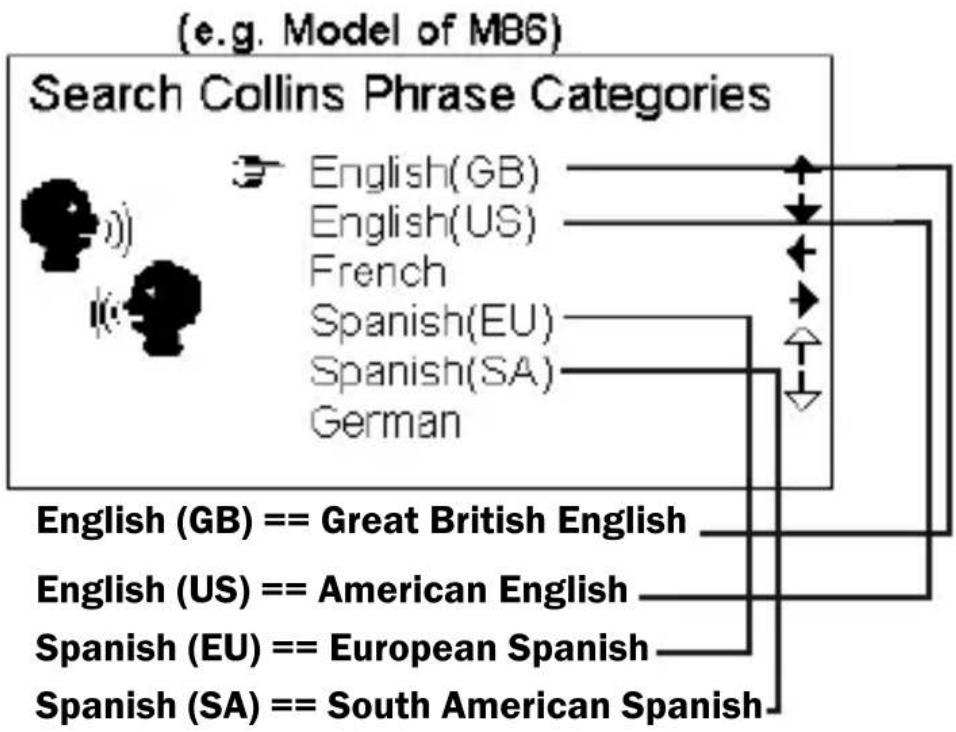
flowchart
graph TD
    A["Search Collins Phrase Categories"] --> B["English(GB)"]
    A --> C["English(US)"]
    A --> D["French"]
    A --> E["Spanish(EU)"]
    A --> F["Spanish(SA)"]
    A --> G["German"]
    H["English (GB) == Great British English"] --> I["English (GB)"]
    J["English (US) == American English"] --> K["English (US)"]
    L["Spanish (EU) == European Spanish"] --> M["Spanish (EU)"]
    N["Spanish (SA) == South American Spanish"] --> O["Spanish (SA)"]
- Press up/down arrow keys to select language, for instance, choose “English (GB)”, and press ENTER:
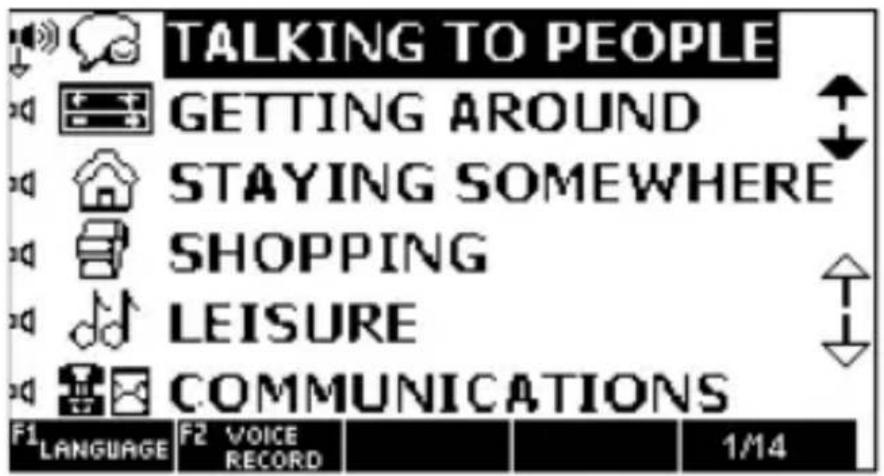
text_image
TALKING TO PEOPLE GETTING AROUND STAYING SOMEWHERE SHOPPING LEISURE COMMUNICATIONS F1 LANGUAGE F2 VOICE RECORD 1/14Press to view the list of categories in another language.
- Select the desired choice and press ENTER. Continue doing so to get to the desired conversation.
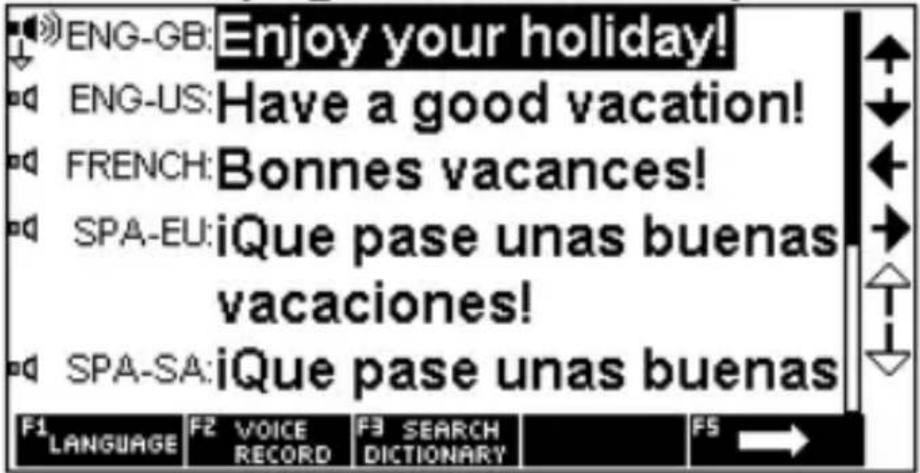
(e.g. Model of M86)
text_image
ENG-GB: Enjoy your holiday! ENG-US: Have a good vacation! FRENCH: Bonnes vacances! SPA-EU: iQue pase unas buenas vacaciones! SPA-SA: iQue pase unas buenas F1 LANGUAGE F2 VOICE RECORD F3 SEARCH DICTIONARY F5 →Press to choose the translation language. Press to move to the next phrase.
User Dictionary
Add New Words
Choose "User Dictionary" and press ENTER.
Choose Add New Words and press ENTER.
Add an entry and press F2 (F2 Add)
Press F1 ( F1 Input pose input language.
Type a word and its translation.
Press F2( Save the entry.
Press F5 ( Exit it.
Editing an entry
While viewing the list of entries, press F4
( F4 0lt dit the highlighted entry.
Deleting an entry
While viewing the list of entries, press F5
( F Delete ete the highlighted entry.
Favorite List & History
Press key to add it to Favorites.
-
Press Up/Down (/↑/ /↓) key to select an entry and press key to view detailed content.
-
To delete an entry, go back to the list and choose the entry, and press BACK

3. TOOLS
System Setup
Menu Language
Menu language determines the language used when displaying menu items, prompts and other information. Highlight the desired language using arrow keys and press ENTER.
Volume Setup
It allows you to adjust the rate of speech for all pronunciation as well as the playback volume.
Press /³ to move the pointer between
Speech rate and Volume setup. Press to adjust the settings and press ENTER.


Shut Off Time
You have three options for auto shut off time. Use arrow key to select your desired time and press ENTER.
Backlight
The backlight setting allows you to switch on or off the screen backlight. If batteries power is low, we recommend switching off the backlight in order to extend battery life. Use arrow keys to choose the option and press ENTER.
Contrast
Use arrow keys to adjust the contrast to your liking and press ENTER.
Key Tone
The Key Tone is the audible beep sound you hear once a key is pressed. Use arrow keys and press ENTER to turn this function on or off.
Restore to Factory defaults
This allows you to revert back to the original factory setting. Use arrow key to select Yes or No option and press ENTER.
Calculator
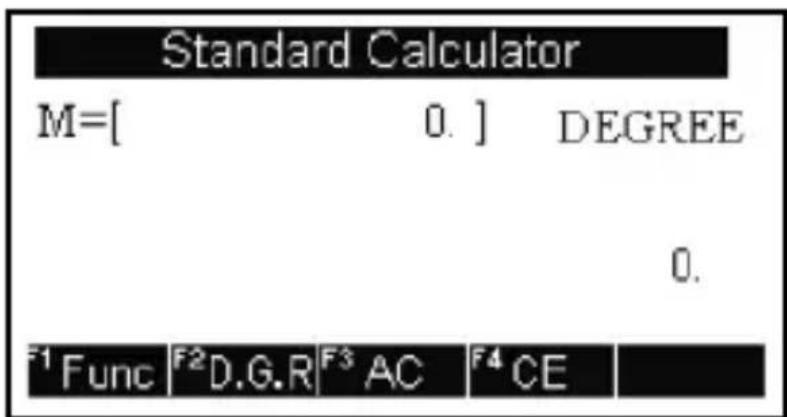
1. Standard Calculator
text_image
Standard Calculator M=[ 0. ] DEGREE 0. F1 Func F2 D.G.R F3 AC F4 CEThis translator can be used as a basic calculator up to 12 digits.
(1) Standard arithmetic: + - × ÷
(2) Memory.
(M+) to total a calculation as well as adding total to the value in the memory.
(M-) to total a calculation as well as subtracting total from the value in the memory.
(MR) to recall or display the value in memory.
(MC) to clear the memory.
(3)Press ( ) to a wach between Degree, Gradian, and Radian.
(4) Press (F3) to C.
(5) Press (F4) to the last entered number.
(6) Press to display calculation result.
(7) Press (F1), for forward up/Down & Left/Right arrow keys to select the desired function, press ENTER, input the number, and press ENTER again to see the result.
Some functions such as x^y & x^1/y have two parameters. In these cases follow the following steps:
Before entering F1 key, input number for x → Press F1 key → Use arrow keys to highlight the function → Press ENTER → Input the 2^nd number (y) → Press ENTER again to see the result.
2. Science Calculator
The scientific calculator can perform both simple and more complex calculations. Perform standard calculations the way you would in a standard calculator. For more complex equations, this calculator allows you to input an entire equation.
Time Conversion
-
Use /³ key to choose City1 or City 2. Press /↑ key to navigate within City1 or City2.
-
Use key to make daylight saving time ON or OFF.
-
In the Time field, input the time, press to edit the input time.
Currency Conversion
- Press / key to choose the currency,
press key to set exchange rate, input exchange rate, and press ENTER. Use
to clear your input.
-
Press 7 key to choose the currency, use Up/Down arrow keys to switch between two currencies, and enter a number to see the result.
-
Press the number key to input the money, press key to delete wrong input amount and input correct amount again.
Unit Conversion
1. Unit Conversion
Conversion for units such as area, length, weight, cubage, pressure, speed, temperature, caloric, power, and radian are built int.
Use Up/Down or Left/Right arrow keys to choose the desired unit, and press ENTER.
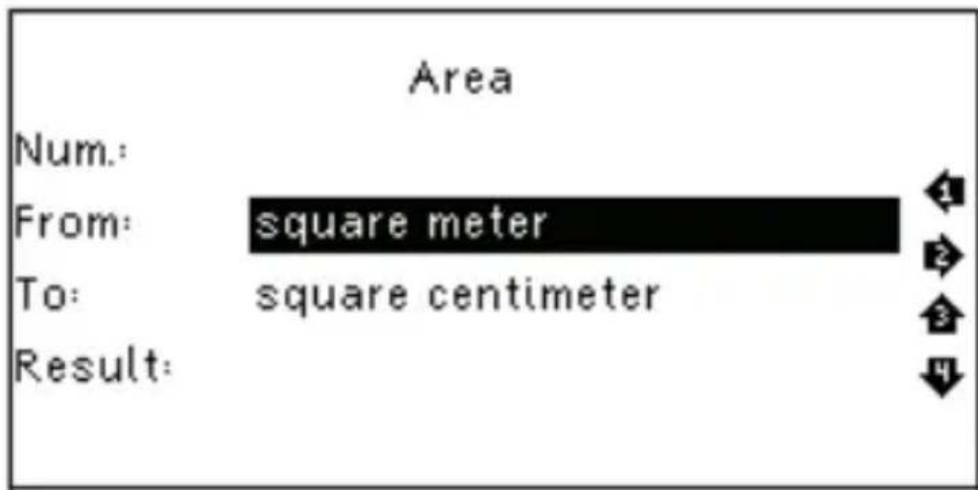
Example:
text_image
Area Num: From: square meter To: square centimeter Result:a. Press Up/Down arrow key to choose between From/To. Press Right/Left arrow key to choose the unit.
b. Input the number in the top field. The conversion result will be displayed in the last row (Re sult).
c. Press key to clear the last input.
2. Size
It includes four international sizes, men/women clothes/shoes. Use arrow keys to select your option and press ENTER to view the corresponding information.
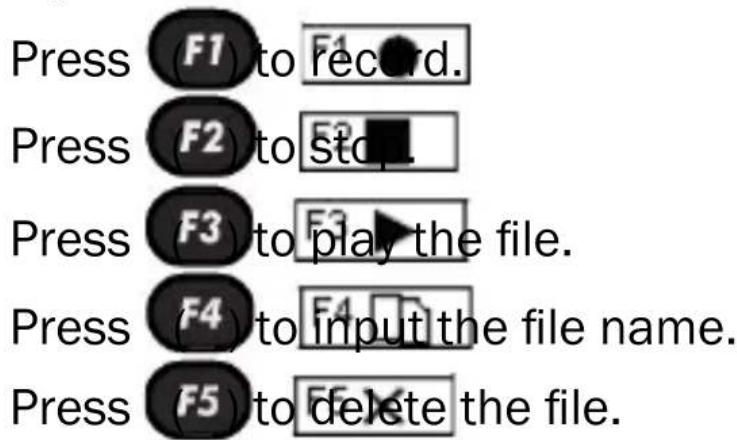
My Recorder
text_image
Press F1 to record. Press F2 to stop Press F3 to play the file. Press F4 to input the file name. Press F5 to delete the file.Games
1. Sudoku
1. Press

text_image
, 3 or key to move 2the cursor to empty box. Input number from 1 to 9. The following rules should be followed:
a) The digits 1,2,3,4,5,6,7,8,9 should exist in every row.
b) The digits 1,2,3,4,5,6,7,8,9 should exist in every column.
c) The digits 1,2,3,4,5,6,7,8,9 should exist in every 3 × 3 box.
-
Press key to clear the input.
-
When you fill in all the empty boxes, press ENTER to see the result. If all the answers are correct, “”Sign will show up on the screen.
2. Snake
- Use /ɪ key to choose Speed or Level.
Press /3 key to adjust Speed and Level. Press Enter to start the game.
- Navigate a snake through a playing field with

text_image
, 3 or - Every time the 2snake eats, it grows one unit longer, making it more difficult to control. While moving around the playing field, snake head may not touch the walls, the black obstacles, or any part of the snake.
3. Puzzle
The Puzzle has 15 numbers.
Press , , or to move the numbers.
Pass condition: Arrange the numbers in order from left to right and top to bottom.
Text Reader
You can view “.txt” files in Text Reader. “.txt” file must be edited in English.
You can transfer files between PC and translator via USB.
Use Up/Down arrow keys to select your file/folder, and press ENTER to view the detailed information.
To delete a file, go back to the list, select the file, and press key to delete.
User Manual - Read e-file inside the Translator.
Copyright - Copyrights Notice.
Version - Version number of the unit.