Archery or Skeet Shooting Game 51602 - Archery or Skeet Crane - Free user manual and instructions
Find the device manual for free Archery or Skeet Shooting Game 51602 Crane in PDF.


| Product Type | Archery or Skeet Shooting Game |
| Brand | Crane |
| Model | 51602 |
| Dimensions (Target) | Approximately 18 x 24 inches (46 x 61 cm) |
| Dimensions (Bow) | Approximately 30 inches (76 cm) length |
| Weight | Approximately 2 lbs (0.9 kg) |
| Power Source | Requires 3 AA batteries (not included) for electronic scoring |
| Number of Players | 1-2 players |
| Game Modes | Archery (stationary target) and Skeet (moving target) |
| Scoring | Electronic scoring with sound effects and LED lights |
| Target Type | Rotating or flipping target discs |
| Accessories Included | 2 bows, 6 suction cup arrows, target assembly, instruction manual |
| Material | Plastic and foam (arrows) |
| Safety Features | Soft suction cup arrows, non-sharp edges |
| Recommended Age | 5 years and up |
| Assembly Required | Yes, minimal assembly of target stand |
| Cleaning Instructions | Wipe with damp cloth; do not immerse in water |
| Spare Parts Availability | Replacement arrows and target discs available from manufacturer |
| Repairability | Electronics sealed; mechanical parts replaceable |
| Certifications | ASTM F963, CPSIA compliant |
Frequently Asked Questions - Archery or Skeet Shooting Game 51602 Crane
User questions about Archery or Skeet Shooting Game 51602 Crane
0 question about this device. Answer the ones you know or ask your own.
Ask a new question about this device
Download the instructions for your Archery or Skeet in PDF format for free! Find your manual Archery or Skeet Shooting Game 51602 - Crane and take your electronic device back in hand. On this page are published all the documents necessary for the use of your device. Archery or Skeet Shooting Game 51602 by Crane.
USER MANUAL Archery or Skeet Shooting Game 51602 Crane
natural_image
Illustration of a deer aiming at an arch with target audience, no text or symbols presentEnglish... 3
Español... 11
Contents
Parts List.... 3
Safety Instructions....4
Assembly 5
Electronic Scoreboard Instructions....8
51602 PARTS LIST
| 1 | 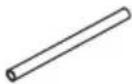 x2 x2 | 2 |  x2 x2 | 3 | 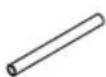 x4 x4 | 4 |
| 21-1/8" Tube - 1 14-3/4" Tube - 2 | 21-1/2" Tube - 3 23-3/4" Tube - 4 | |||||
| [Level 2] | 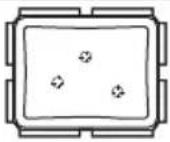 x1 x1 | 6 | [Level 3] | 7 | [Level 4] | 8 |
| x6 | x2 | x2 | ||||
| Inflatable Bag with Sensors "L" Connector 2 Way Connector Straight Connector | ||||||
| [Level 1] | 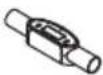 x1 x1 | 10 | 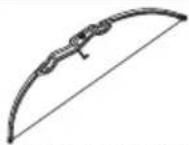 x1 x1 | 11 | 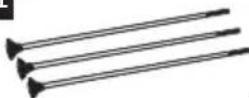 x3 x3 | |
| Electronic Scorer Bow | Safety Stick Arrow | |||||
Note:
Inflatable bag with sensors (#5) is not available as a replacement part.
WARNING:
CHOKING HAZARD - This item contains small parts. Not suitable for children under 3 years.
SAFETY INSTRUCTIONS
WARNING
- Product must be assembled by adults before use.
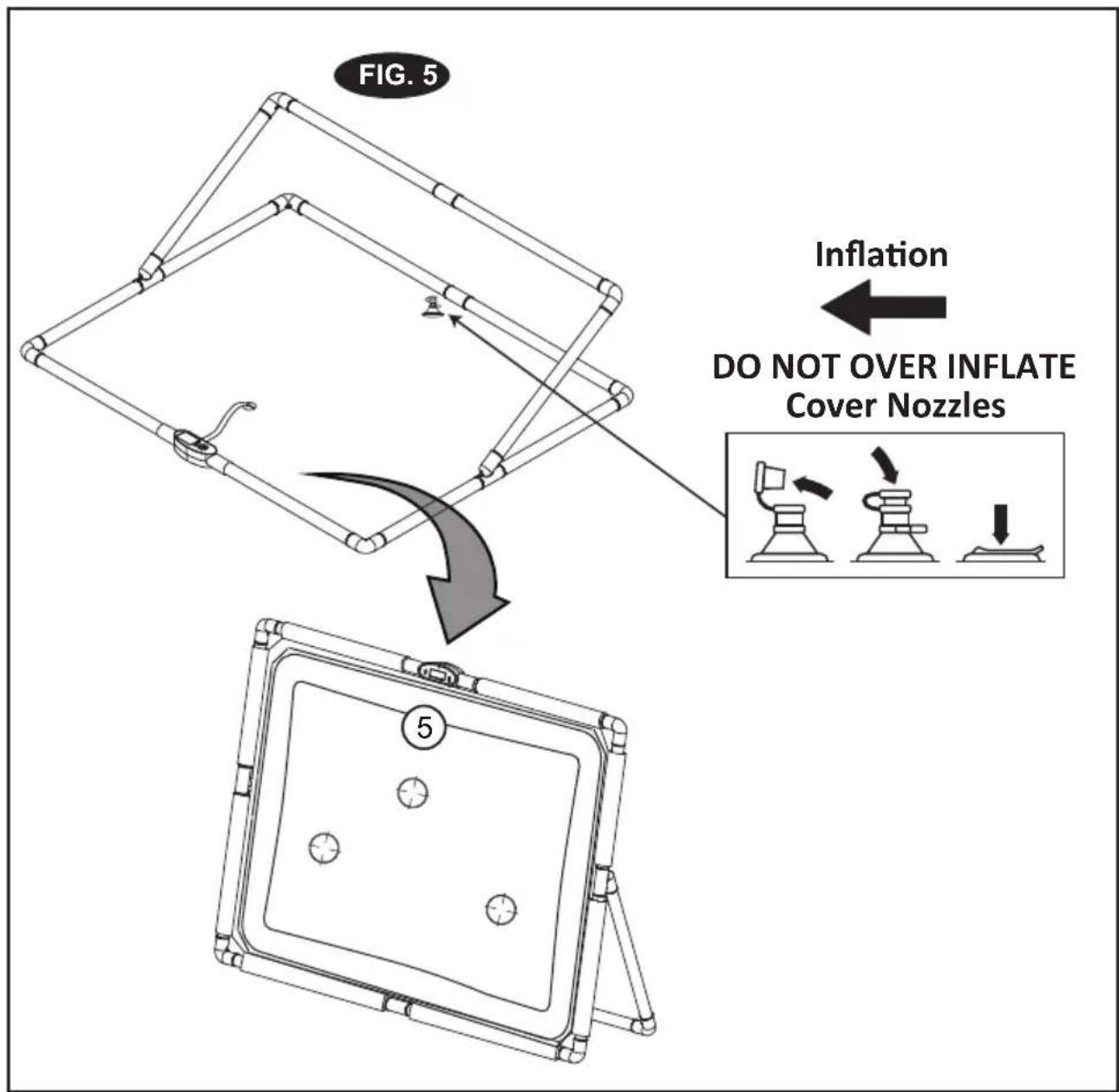
- Do not over-inflate.
- Not to be used as a floating device.
- This product is for youth use only, it is not intended for adult training.
Child Safety
- Not for use by children without adult supervision.
- To reduce the risk of suffocation, or serious personal injury,
- Always stay within reach of children while playing.
- Keep the product away from small children when it is not inflated.
Product Protection
- Play only in open areas away from sharp objects.
- Avoid contacting the inflatable bag with sharp objects or hot surfaces which could cause injury to your hands.
- Remove sharp objects from your body which could damage the product, such as rings, watches etc.
- Make sure that there are no sharp objects on your shoes which could damage the product.
WARNING:
This product may be mistaken for an actual weapon by law enforcement officers and others. Altering state or federal required markings or coloration in order to make the product appear more realistic and/or brandishing or displaying the product in public is dangerous and may be a crime. Displaying, exhibiting or brandishing in a threatening manner and possession, storage or keeping on school property are prohibited activities. The Criminal Penalties may be imprisonment and/or fines.
WARNING:
- DO NOT MODIFY THE PRODUCTS IN ANY WAY.
- DO NOT AIM AT EYES OR FACE.
- DO NOT POINT THE SAFETY STICK ARROW AT PEOPLE OR ANIMALS.
- THIS IS NOT A CHILD'S TOY, ADULT SUPERVISION IS REQUIRED FOR CHILDREN PLAYING THIS GAME.
FIG.1
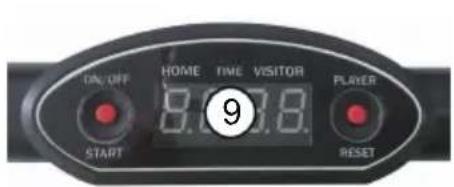
- Attach the Tubes (#4), Connector (#8) and the Electronic Scorer (#9) with the Inflatable bag with sensors (#5) as shown in FIG. 1.
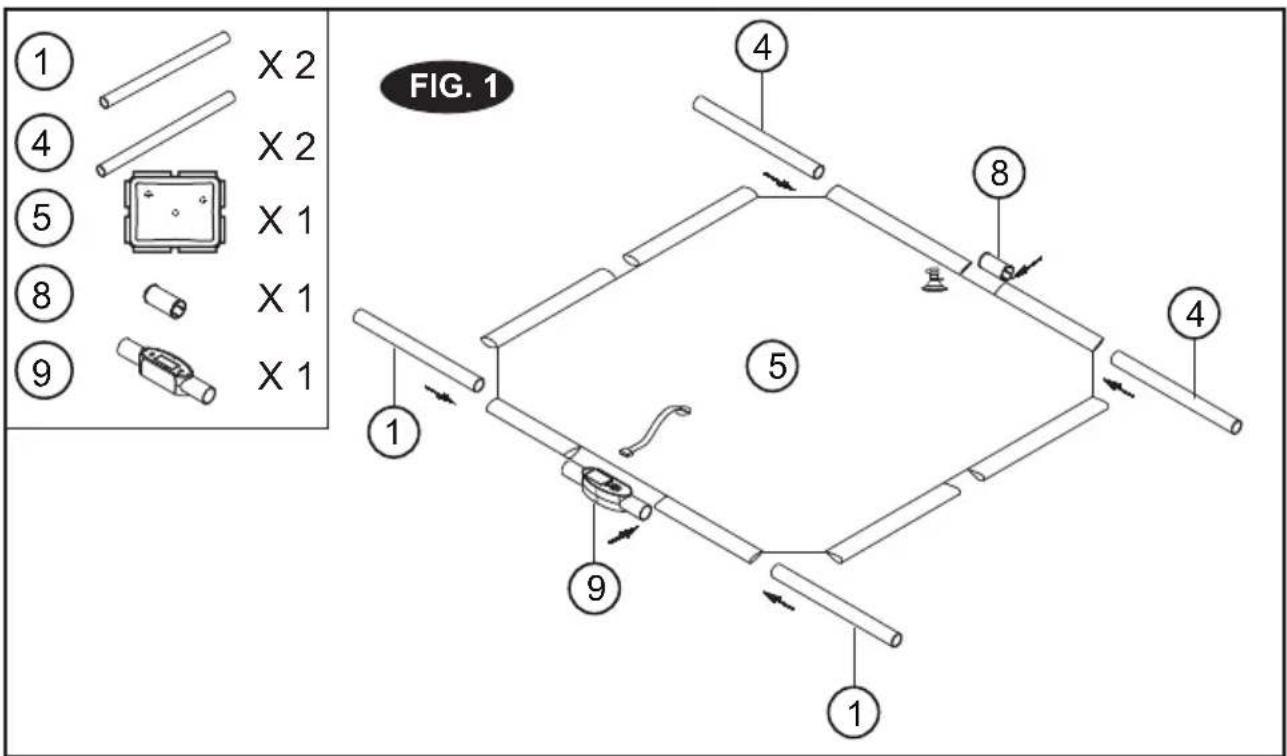
FIG.2
- Attach the tubes (#2, #3) with connectors (#6, #7) as shown in FIG. 2.
- Connect the Sensor Wire from the Inflatable bag with sensors (#5) to the Electronic Scorer (#9) as shown in FIG. 2A.
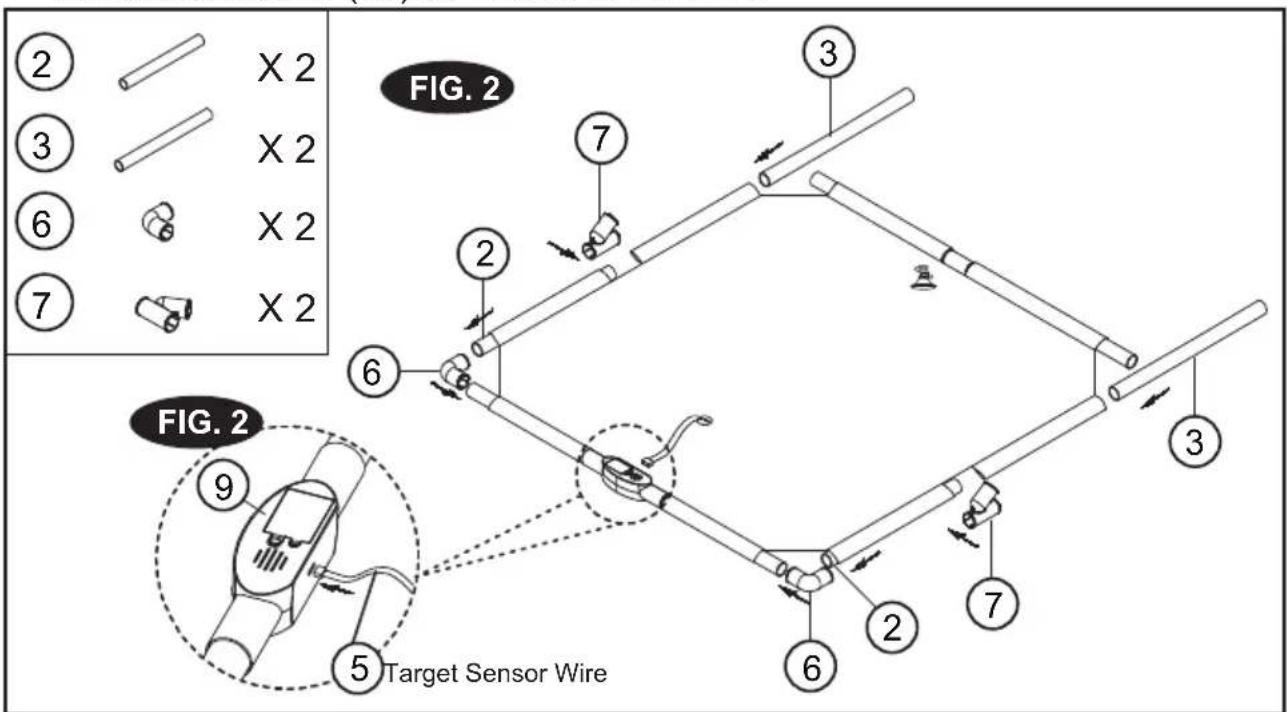
FIG.3
- Attach the Tubes (#3) and the "L" Connectors (#6) to the FIG. 2 Assembly as shown in FIG. 3.
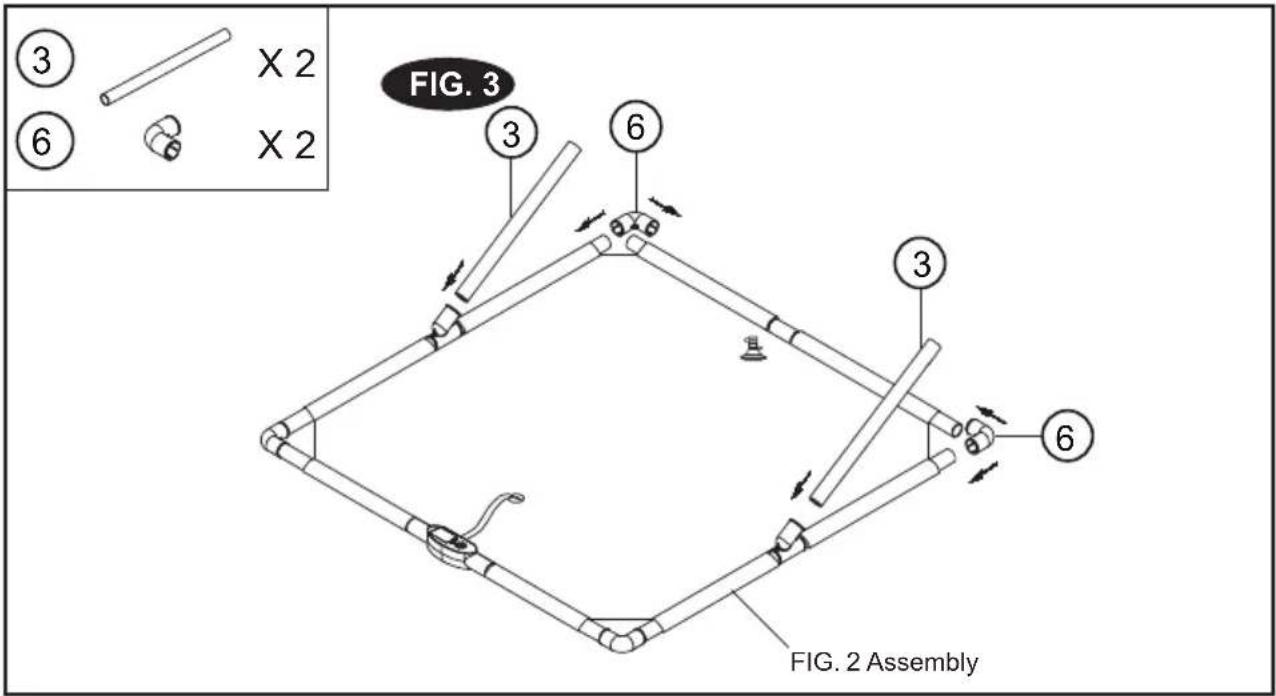
FIG.4
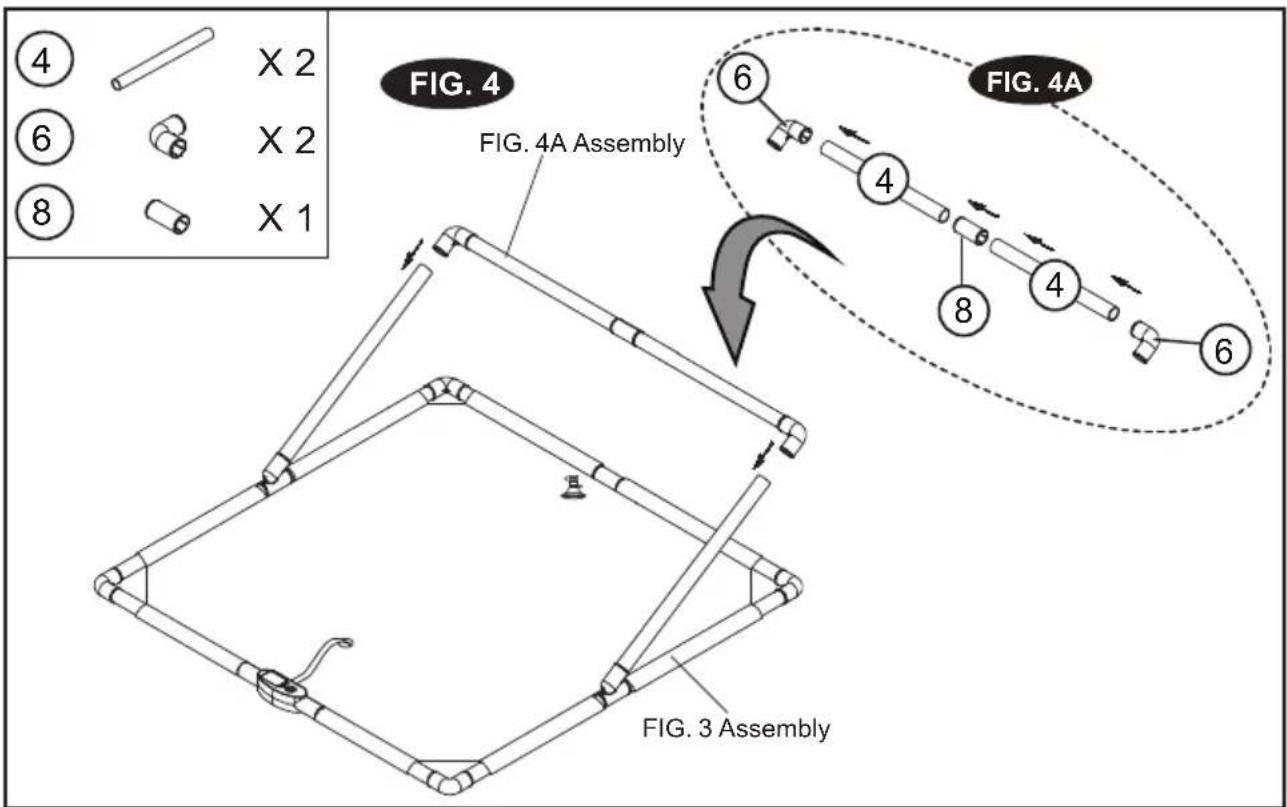
- Connect the Tubes (#4), the Straight Connector (#8) and the 'L' Connectors (#6). See FIG. 4A.
- Attach the FIG. 4A Assembly to the FIG. 3 Assembly as shown in FIG. 4.
flowchart
graph TD
    A["FIG. 3 Assembly"] --> B["FIG. 4A Assembly"]
    B --> C["FIG. 4"]
    C --> D["FIG. 4A"]
    D --> E["FIG. 4A"]
    style A fill:#f9f,stroke:#333
    style B fill:#ccf,stroke:#333
    style C fill:#cfc,stroke:#333
    style D fill:#fcc,stroke:#333
    style E fill:#ffc,stroke:#333
FIG.5
- Inflate the Inflatable bag with sensors (#5) using an air pump (not included). See FIG.5.
Battery Installation
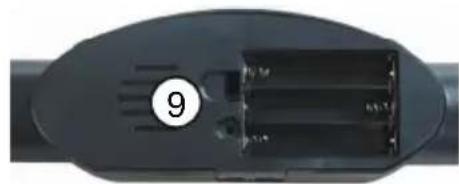
Battery Box: Unscrew the bolt using a screwdriver and open the battery box. Insert 3 "AAA" batteries (Included) in the order of polarity as shown on the inside cover. Then close the cover using a screwdriver. Turn the power ON using the ON/OFF switch.
Reminder:
a. Batteries must be installed according to the correct polarization (+ and -) required.
b. Please clean the battery contacts and also those of the device prior to battery installation.
c. If the game will not be used for a long period of time, we recommend that the batteries should be removed.
natural_image
Close-up of a black electronic component with a circular badge labeled '9' and internal components (no readable text or symbols)
WARNING:
1) Requires 3 "AAA" batteries (Included).
2) Do not mix old and new batteries.
3) Do not mix alkaline, standard (carbon inc), or rechargeable (nickel-cadmium) batteries.

WARNING:
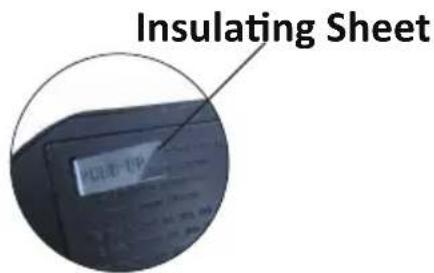
Please pull and remove the insulation sheet from the back of the electronic scorer before using the product.
Game Instructions
When the game is plugged in, it automatically sets the game for two players with a time duration of one minute and thirty seconds.
(To switch off the product, press the ON/OFF button for two seconds.)
A. When the game is switched on, you will hear some sound effects. The electronic scorer will display 2P. The sound effects will continue until a button is pressed. You can choose the button of one or two players. If you press the button for 2P, the timer will start to count down 5.4.3.2.1. After the countdown, you will hear the PLAYER sound effect and see the time display of one minute and thirty seconds.
B. After the countdown, you will see one of the LEDs light up for 5 seconds to shoot. (There are 3 sets of LEDs which will light up randomly during the game.) Once you get a shot on target, you will hear the scoring sound and the scorer will display 01. If you succeed on shooting the next target within the next 5 seconds, you will hear the scoring sound and the scorer will display 02. After a 2 second display of your score, the scorer will switch back to the countdown. If no score is made, the time display will not switch to show the score.
C. After one minute and thirty seconds, the Next Player sound effect will be heard and the countdown will begin. After the countdown, you will see one of the LEDs light up for 5 seconds to shoot. (There are 3 sets of LEDs which will light up randomly during the game.) Once you get a shot on target, you will hear the scoring sound and the scorer will display 01. If you succeed on shooting the next target within the next 5 seconds, you will hear the scoring sound and the scorer will display 02. After a 2 second display of your score, the scorer will switch back to the countdown. If no score is made, the time display will not switch to show the score.
D. Before the time is up, you will hear the sound effect for the 5 second countdown, and then the GAME OVER! and TRY AGAIN! sound effects. You can only start a new game after the sound effects have finished. The scores will flash for the winning player.
E. When one chooses 1P, press the ON/OFF button to start. After hearing the countdown 5.4. 3.2.1, the game of one minute and thirty seconds begins.
F. After the countdown, you will see one of the LEDs light up for 5 seconds to shoot. (There are 3 sets of LEDs which will light up randomly during the game.) Once you get a shot on target, you will hear the scoring sound and the scorer will display 01. If you succeed on shooting the next target within the next 5 seconds, you will hear the scoring sound and the scorer will display 02. After a 2 second display, the scorer will switch back to the countdown. If no score is made, the time display will not switch to show the score. Before the time is up, you will hear the sound effect for the 5 second countdown, and then the GAME OVER! and TRY AGAIN! sound effects. You can only start a new game after the sound effects have finished. The scores will flash for the winning player.
G. The game will enter SLEEP MODE if there are no operations within a 5 minute period.
CAUTION!
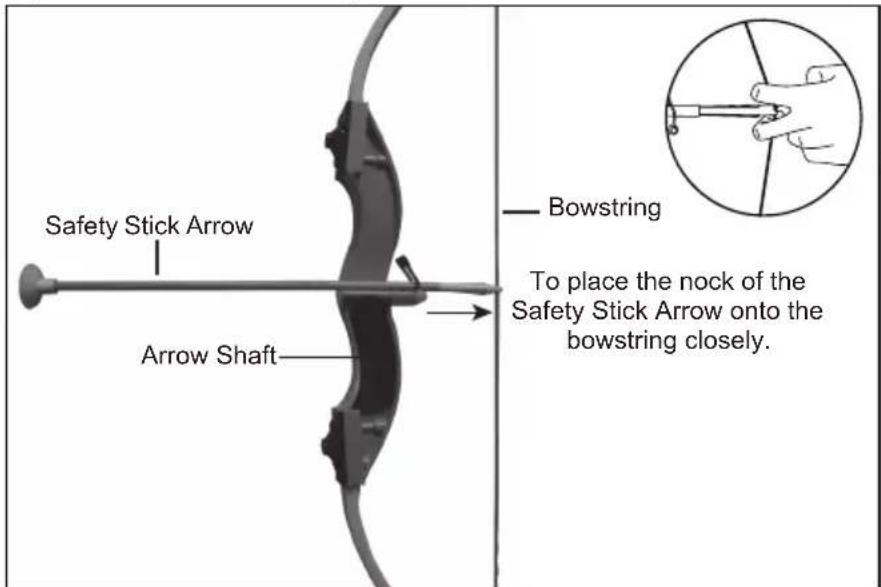
1) To avoid injury, do not pull the bowstring without Safety Stick Arrows, and use only Safety Stick Arrows designed for this product.
2) Do not aim at eyes or face
3) Please wipe the sucker with a dry cloth to increase stickiness.
WARNING: Changes or modifications not expressly approved by the party responsible for compliance could void the user's authority to operate the equipment.
NOTE: This equipment has been tested and found to comply with the limits for a Class B digital device, pursuant to Part 15 of the FCC Rules. These limits are designed to provide reasonable protection against harmful interference in a residential installation. This equipment generates, uses and can radiate radio frequency energy and, if not installed and used in accordance with the instructions, may cause harmful interference to radio communications. However, there is no guarantee that interference will not occur in a particular installation. If this equipment does cause harmful interference to radio or television reception, which can be determined by turning the equipment off and on, the user is encouraged to try to correct the interference by one or more of the following measures:
-- Reorient or relocate the receiving antenna.
-- Increase the separation between the equipment and receiver.
-- Connect the equipment into an outlet on a circuit different from that to which the receiver is connected.
-- Consult the dealer or an experienced radio/TV technician for help.
FIGURA 2
FIGURA 4
natural_image
Close-up of a black electronic device with a circular badge labeled '9' and internal components (no readable text or symbols)ADVERTENCIA:
*We recommend you keep the receipt with this warranty card
Location of purchase
Description of malfunction:
natural_image
Illustration of a deer with antlers in a grassy field (no text or symbols)Return your completed warranty card together with the faulty product to:
Medal Sports Inc.
7407 Washington
Avenue South,
Edina, MN 55439
E-mail:
mmdservice@themdsports.com
AFTER SALES SUPPORT
51602

877-852-8164
mmdservice@themdsports.com
MODEL:
51602
11/2016
2
YEARS WARRANTY
ALDI INC. FULL WARRANTY CONDITIONS
Dear Customer:
The ALDI warranty is a full warranty offering you the following benefits:
Warranty period: 2 years from date of purchase.
6 months for movable parts and consumables under normal and proper conditions of use (e.g. rechargeable batteries).
Costs: Free repair/exchange or refund.
No transport costs.
ADVICE: Please contact our service hotline by phone, e-mail or fax before sending in the device. This allows us to provide support in the event of possible operator errors.
In order to make a claim under the warranty, please send us:
The faulty item with all component parts, the original receipt and the warranty card properly completed.
The warranty does not cover damage caused by:
Accident or unanticipated events (e.g. lightning, water, fire).
Improper use or transport.
Failure to follow the safety and maintenance instructions.
Other improper treatment or modification of the product.
After the expiration of the warranty period, you may wish to have your product repaired at your own expense. You will be notified of the repair costs in advance.
This warranty gives you specific legal rights, and you may also have other rights which vary from state to state but this warranty is not intended to exceed statutory minimum requirements beyond what is included above.
This warranty does not limit the statutory obligation of the seller arising from any implied warranties. The period of warranty can only be extended in accordance with applicable law.
Neither the service company nor ALDI will assume any liability for data or settings stored on any returned product.

TARJETA DE GARANTÍA
natural_image
Illustration of deer archers in a grassy field with a deer silhouette in the background (no text or symbols)Medal Sports (B.V.I.) Ltd.
7407 Washington Avenue S.,
Edina,
MN 55439,
USA.
E-mail: mmdservice@themdsports.com
SERVICIO POSVENTA 51602

877-852-8164
mmdservice@themdsports.com
MODELO:
51602
11/2016
2
AÑOS DE GARANTÍA
CONDICIONES DE LA GARANTÍA COMPLETA DE ALDI INC.
Estimado cliente:
Brand : Crane
Model : Archery or Skeet Shooting Game 51602
Category : Archery or Skeet