TCF-142-S-SC-RM - Uncategorized Moxa - Free user manual and instructions
Find the device manual for free TCF-142-S-SC-RM Moxa in PDF.


User questions about TCF-142-S-SC-RM Moxa
0 question about this device. Answer the ones you know or ask your own.
Ask a new question about this device
Download the instructions for your Uncategorized in PDF format for free! Find your manual TCF-142-S-SC-RM - Moxa and take your electronic device back in hand. On this page are published all the documents necessary for the use of your device. TCF-142-S-SC-RM by Moxa.
USER MANUAL TCF-142-S-SC-RM Moxa
Second Edition, May 2010
MOXA®
© 2010 Moxa Inc. All rights reserved. Reproduction without permission is prohibited.
Fl.4, No.135, Lane 235, Pao-Chiao Rd. Shing Tien City, Taipei, Taiwan, R.O.C.
TEL: +886-2-8919-1230
P/N: 1802001420621
Overview
Introduction
The TCF-142-RM series fiber converters are slide-in modules that can be installed in the NRack System's rackmount chassis, such as the TRC-190 series. The slide-in module is equipped with a multiple interface circuit that can handle RS-232 or RS-422/485 serial interfaces, and multi-mode or single-mode fiber. The TCF-142-RM series slide-in modules are used to extend serial transmission distance up to 5 km (TCF-142-M-XX-RM, with multi-mode fiber) or up to 40 km (TCF-142-S-XX-RM, with single-mode fiber).
Why Convert Serial to Fiber?
Fiber communication not only extends the communication distance, but also provides many advantageous features. IMMUNITY FROM ELECTRICAL INTERFERENCE: Fiber is not affected by electromagnetic interference or radio frequency interference. It provides a clean communication path and is immune to cross-talk. INSULATION: Optical fiber is an insulator; the glass fiber eliminates the need for using electric currents as the communication medium. SECURITY: Fiber cannot be tapped by conventional electric means and is very difficult to tap into optically. Furthermore, radio and satellite communication signals can be captured easily for decoding. RELIABILITY & MAINTENANCE: Fiber is immune to adverse temperature and moisture conditions, does not corrode or lose its signal, and is not affected by short circuits, power surges, or static electricity.
No Configuration Required for Baudrate Settings
The TCF-142-RM slide-in modules work under any baudrate from 50 bps to 921.6 Kbps. The TCF-142-RM slide-in modules simply convert the signal back and forth between serial (RS-232, RS-422, or RS-485) and fiber, and since the TCF-142-RM slide-in modules do not need to interpret the signal, it does not need to know the baudrate of the transmitting device. For this reason, the TCF-142-RM slide-in modules do not have any DIP switches or jumpers for setting the baudrate.
Ring Mode
To allow one half-duplex serial device to communicate with multiple half-duplex devices connected to a fiber ring, you should configure the TCF-142-RM slide-in modules for “ring mode” by setting DIP switch “SW3” to the “On” position. The Tx port of a particular TCF-142-RM slide-in modules unit connects to the neighboring converter’s Rx port to form the ring. Note that when one node transmits a signal, the signal travels around the ring until it returns to the transmitting unit, which then blocks the signal. Users should ensure that the total fiber ring length is less than 100 km when using either single-mode models or multi-mode models.
Installation
natural_image
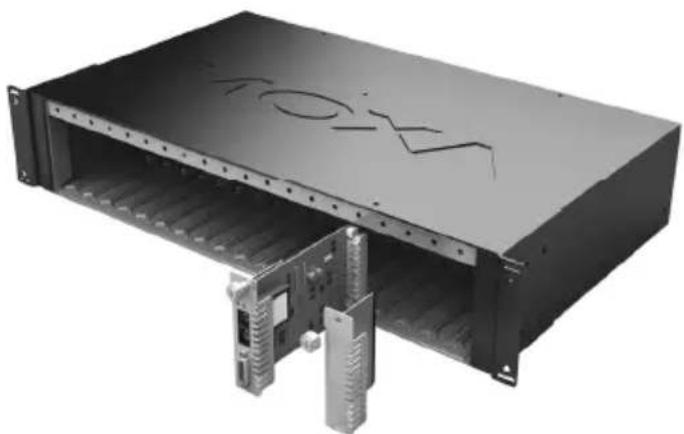
Exterior view of a black industrial rack unit with visible internal components and mounting holes (no text or symbols)The media converter slide-in module can be hot-swapped, which means the chassis doesn't have to power off or be removed during installation. Align the slide-in module with the chassis installation slot so that the panel fastener screw is at the top of the module. Carefully slide the slide-in module into the slot while aligning the module's circuit board with the installation guide. Ensure the slide-in module is firmly seated inside the chassis. Push in and rotate the attached panel fastener screw clockwise to secure the module to the chassis.
Features
- “Ring” or “Point to Point” transmission
- Extend RS-232/422/485 transmission distance:
up to 40 km with single-mode—TCF-142-S-XX-RM slide-in modules series
up to 5 km with multi-mode—TCF-142-M-XX-RM slide-in modules series
- Slide-in modules of NRack system
• Decrease signal interference - Protect against electrical degradation and chemical corrosion
• Support baudrate up to 921.6 Kbps
Package Checklist
Before installing the TCF-142-RM slide-in module, verify that the package contains the following items:
• TCF-142-RM slide-in module Fiber Converter
• Quick Installation Guide
- Warranty Card
NOTE: Please notify your sales representative if any of the above items are missing or damaged.
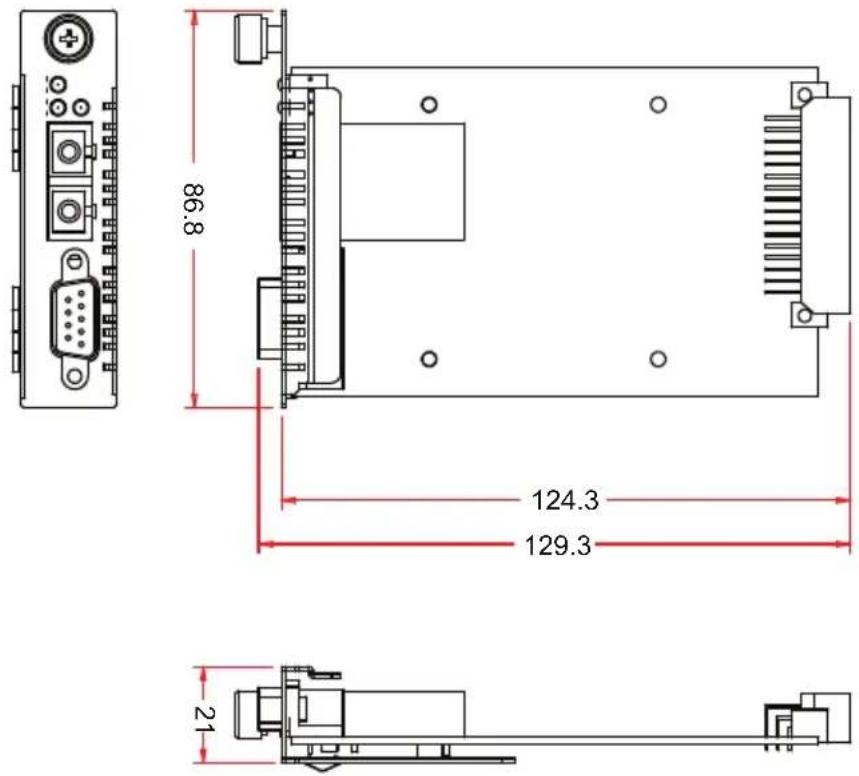
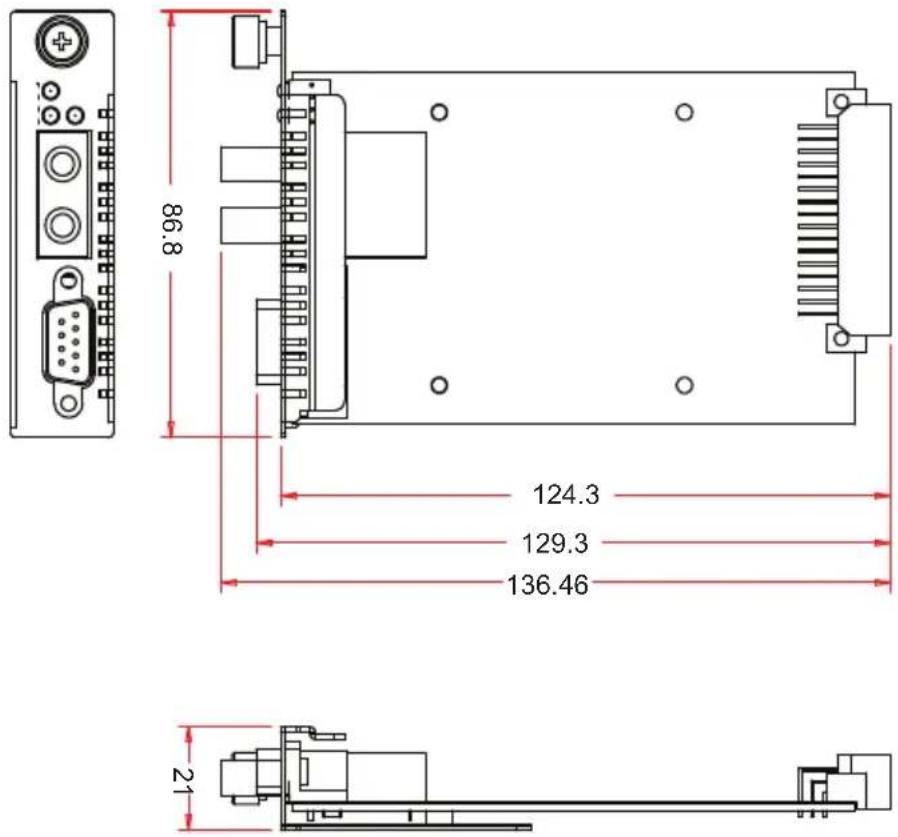
Mounting Dimensions (Unit : mm)
TCF-142-SC
TCF-142-ST
ATTENTION

Electrostatic Discharge Warning!
To protect the product from damage due to electrostatic discharge, we recommend wearing a grounding device when handling your TCF-142-RM-slide-in modules module series.
Pin Assignment and Connector
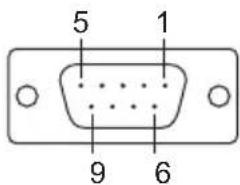
9-pin D-sub Female
text_image
5 1 9 6| Pin RS-232 RS-422/485-4w RS-485-2W | |||
| 1 | DCD | RxD-(A) | Data-(A) |
| 2 | TxD | RxD+(B) | Data+(B) |
| 3 | RxD | TxD+(B) | - |
| 4 | DSR | TxD-(A) | - |
| 5 | GND | GND GNI | |
| 6 | DTR | - | - |
| 7 | CTS | - | |
| 8 | RTS | - | - |
| 9 | - | - | - |
Fiber Cable
SC-Port Pinouts
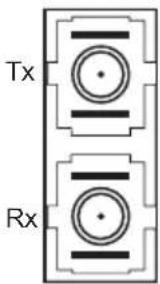
text_image
Tx RxSC-Port to SC-Port Cable Wiring

natural_image
Pure diagram of two connected mechanical components labeled A and B, without any text or symbolsCable Wiring

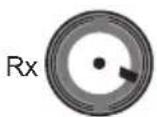
ST-Port Pinouts
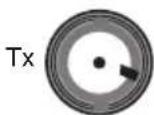
ST-Port to ST-Port Cable Wiring

natural_image
Pure electrical circuit lines without any symbolsCable Wiring

ATTENTION

This is a Class 1 Laser/LED product. Do not stare into the Laser Beam.
Switch Settings
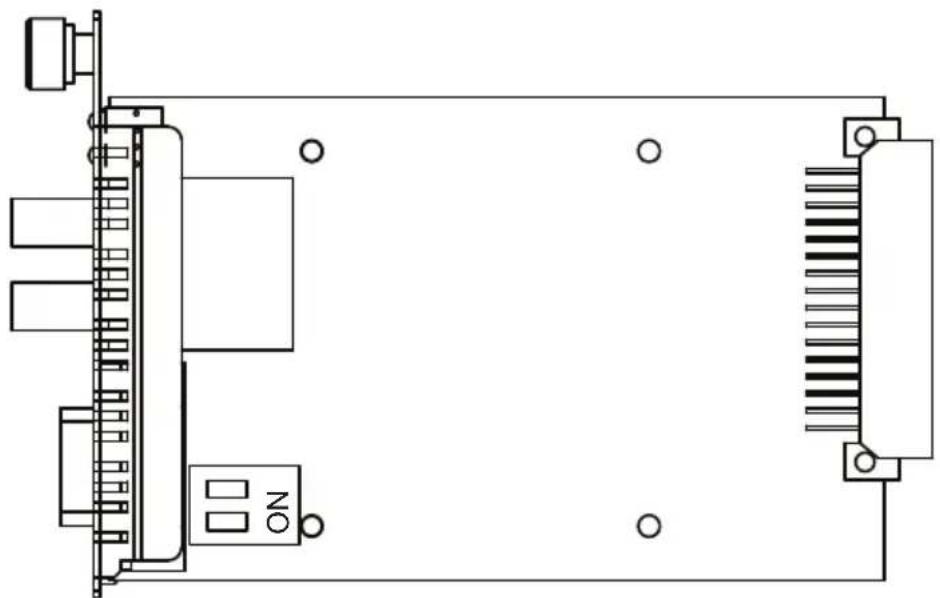
There are 2 sets of DIP switches on the board. One set for fiber and another for the connector. Following are the settings for the 4 connector DIP switches.
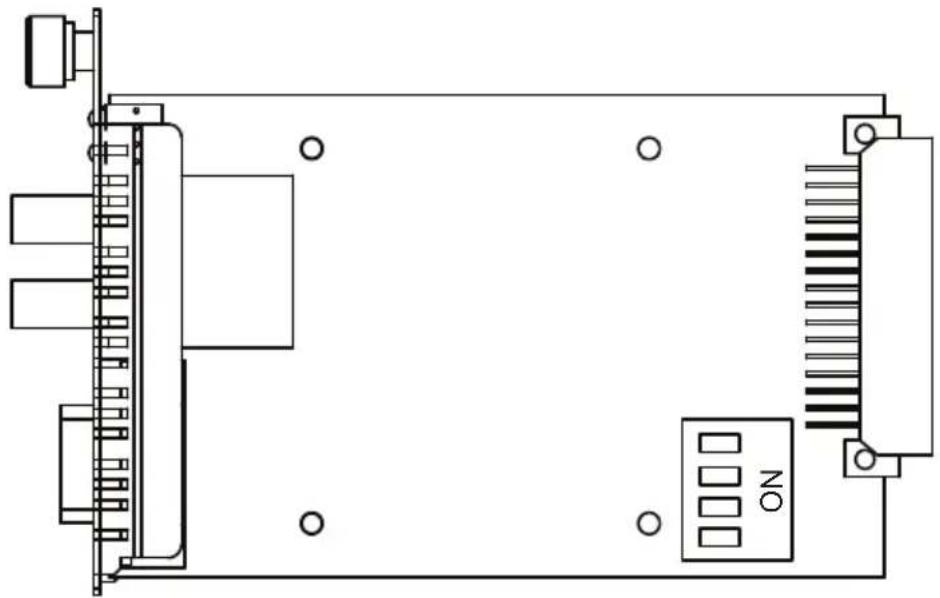
natural_image
Pure electrical circuit lines without any symbols| Serial Connection Switch 1 Switch 2 | ||
| RS-232 ON (default) ON (default) | ||
| RS-422 | ON | OFF |
| 2-wirc RS-485 OFF ON | ||
| 4-wirc RS-485 OFF OFF | ||
| 120Ω Terminator Switch 3 | |
| Enable | ON |
| Disable | OFF |
(de
| Fiber Mode Switch 4 | |
| Ring Mode ON | |
| Point to Point Mode | OFF (default) |
ATTENTION

For Fiber Ring Users:
Before you plug the slide-in module into the chassis, make sure the DIP switch settings are correct before inserting the slide-in module into the chassis and connecting the serial and fiber cables. If the Rx LEDs of the converter glow continuously, remove the fiber cable and reconnect.
NOTE: "Ring Mode" can only be used for half-duplex applications.
Following are the settings for the 2 fiber DIP switches.
natural_image
Pure electrical connector diagram without any text, numbers, or symbols| Switch 1 (Pull Low) Switch 2 (Pull High) | ||
| 150KΩ | OFF | OFF |
| 1KΩ ON (Default) ON (Default) | ||
LED Indicators
There are 3 LEDs on the front bracket of the TCF-142-RM slide-in modules.
| LED Color Function | |
| PWR Green Steady ON: Power is ON | |
| Fiber Tx Green When sending serial data from the fiber port | |
| Fiber Rx Yellow When receiving data from the fiber port | |
Specifications
Serial Communication
Signals for RS-232 TxD, RxD, SGND
Signals for RS-422 TxD+, TxD-, RxD+, RxD-, SGND
Signals for 4-wire RS-485 TxD+, TxD-, RxD+, RxD-, SGND
Signals for 2-wire RS-485 Data+, Data-, SGND
Baudrate 50 bps to 921.6 Kbps
ESD protection 15 KV ESD
Fiber Communication
Connector type ST or SC
Distance Single mode fiber for 40 km
Multi mode fiber for 5 km
Support Cable : 8.3/125, 8.7/125, 9/125 or 10/125 μm
(single mode)
50/125, 62.5/125, or 100/140 μm
(multimode)
Wavelength Single mode: 1310 nm
Multimode: 850 nm
TX Output Single mode: > -5 dBm
Multimode: > -5 dBm
RX Sensitivity Single mode: -25 dBm
Multimode: -20 dBm
Point-to-Point Transmission Half or Full duplex
Multi-drop Transmission Half duplex, fiber ring
Environmental
Operating Temperature 0 to 60^ (32 to 142^ ), 5 to 95% RH
Storage Temperature -20 to 75°C (-4 to 185°F), 5 to 95 % RH
Power
Input Power Voltage 12 VDC
Power Consumption 150 mA @ 12V
Mechanical
Dimensions (W× D× H) 86.8× 136.46× 21mm
Material SPCC
Gross Weight 80g
Regulatory Approvals
CE Class B
FCC Part 15 sub part B Class A
EMS EN61000-4-2 (ESD), Criteria B, Level 4
EN61000-4-3 (RS), Criteria A, Level 2
EN61000-4-4 (EFT), Criteria B, Level 3
EN61000-4-5 (Surge), Criteria A, Level 3
EN61000-4-6 (CS), Criteria A, Level 2
En61000-4-8(PFMF), Criteria A, Level 3
Free fall IEC 60068-2-32
Technical Support Contact Information
www.moxa.com/support
Moxa Americas:
Toll-free: 1-888-669-2872
Tel: +1-714-528-6777
Fax: +1-714-528-6778
Moxa China (Shanghai office):
Toll-free: 800-820-5036
Tel: +86-21-5258-9955
Fax: +86-21-5258-5505
Moxa Europe:
Tel: +49-89-3 70 03 99-0
Fax: +49-89-3 70 03 99-99
Moxa Asia-Pacific: