900801040101 - Kitchen scale Rusta - Free user manual and instructions
Find the device manual for free 900801040101 Rusta in PDF.


User questions about 900801040101 Rusta
0 question about this device. Answer the ones you know or ask your own.
Ask a new question about this device
Download the instructions for your Kitchen scale in PDF format for free! Find your manual 900801040101 - Rusta and take your electronic device back in hand. On this page are published all the documents necessary for the use of your device. 900801040101 by Rusta.
USER MANUAL 900801040101 Rusta
natural_image
Black fasett digital kitchen appliance with control buttons and a digital display (no visible text or symbols on the device itself)
Thank you for choosing to purchase a product from Rusta!
Read through the entire manual before installation and use!
Kitchen scale
Read the user manual carefully to make sure that the product is assembled, used and maintained correctly, as described in the instructions in this user manual. Keep the user manual for future reference.
FUNCTIONS
• Specifies volume of water and milk.
- Two units of weight can be selected - grams (g) or pounds (lb).
- Two units of volume can be selected - millilitres (ml) or fluid ounces (fl).
- Long battery life. Overload indicator.
• High-precision weight sensor.
- Net weight and reset function.
• Turns off automatically.
The kitchen scale is intended for use in households or domestic settings, e.g. in kitchenettes in hotel and motel rooms, bed and breakfasts, communal areas in camping sites and other environments where cooking takes place.
The scale is sensitive to extremes of temperature. Variations may occur if the scale is cold and therefore it works best at normal room temperature.
BATTERY
1 x lithium battery CR2032, 3V
REPLACING THE BATTERY
- Remove the battery cover and open the battery compartment on the underside of the scale.
- Remove the old battery.
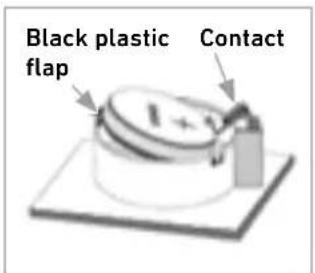
- The new battery must be activated before the scale can be used. Carefully remove the black plastic flap. Let the scale adjust to room temperature before using it.
- Insert the new battery so that it is secure – remember to align the battery poles correctly.
- Replace the battery cover.
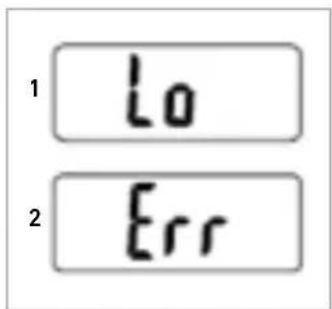
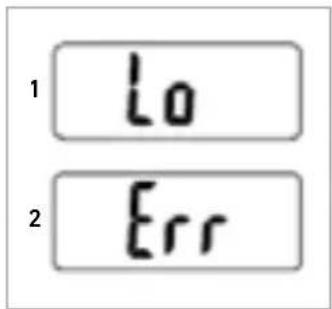
- The battery should be replaced when the display shows "Low".
text_image
Black plastic flap Contact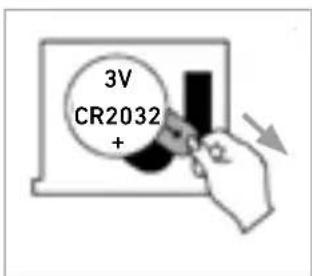
text_image
3V CR2032 +ENVIRONMENTAL CONSIDERATIONS WHEN DISPOSING OF BATTERIES
- Consider the environment when disposing of batteries. Used batteries must never be disposed of with household waste, but should be taken to an appropriate battery collection station.
- Batteries should always be removed before the appliance is disposed of.
- Make sure that the batteries are not too old and used or there is a risk that they may start to leak. Check the use-by dates on the batteries and remove them before they get too old.
TECHNICAL DATA
| Slim design 14 mm | |
| Tempered glass plate | 3 mm thick |
| LCD display | |
| Units g/lb | |
| Capacity Max. 5 kg | wit 1 g accuracy |
| Battery 1 x CR-2032, 3V (included) | |
| Reset and net weight function between weighings | |
| Automatically turns off after about 120 seconds. | |
LCD DISPLAY
text_image
Net weight Negative value Weight 0 Weight Milk volume T:18.000 g ml o:18.000 g fl'oz lboz Weight Milk Water Weight unit (g) Volume unit (ml) Volume unit (fl) Weight unit (lb) Water volume Milk volume T:18.000 g ml o:18.000 g fl'oz lboz Weight Milk Water T:18.000 g ml o:18.000 g fl'oz lboz Weight Milk Water T:18.000 g ml o:18.000 g fl'oz lbozBUTTON FOR CHANGING UNITS
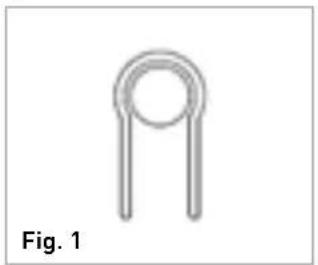
- The button for changing the unit of weight is on the underside of the scale (Fig. 1).
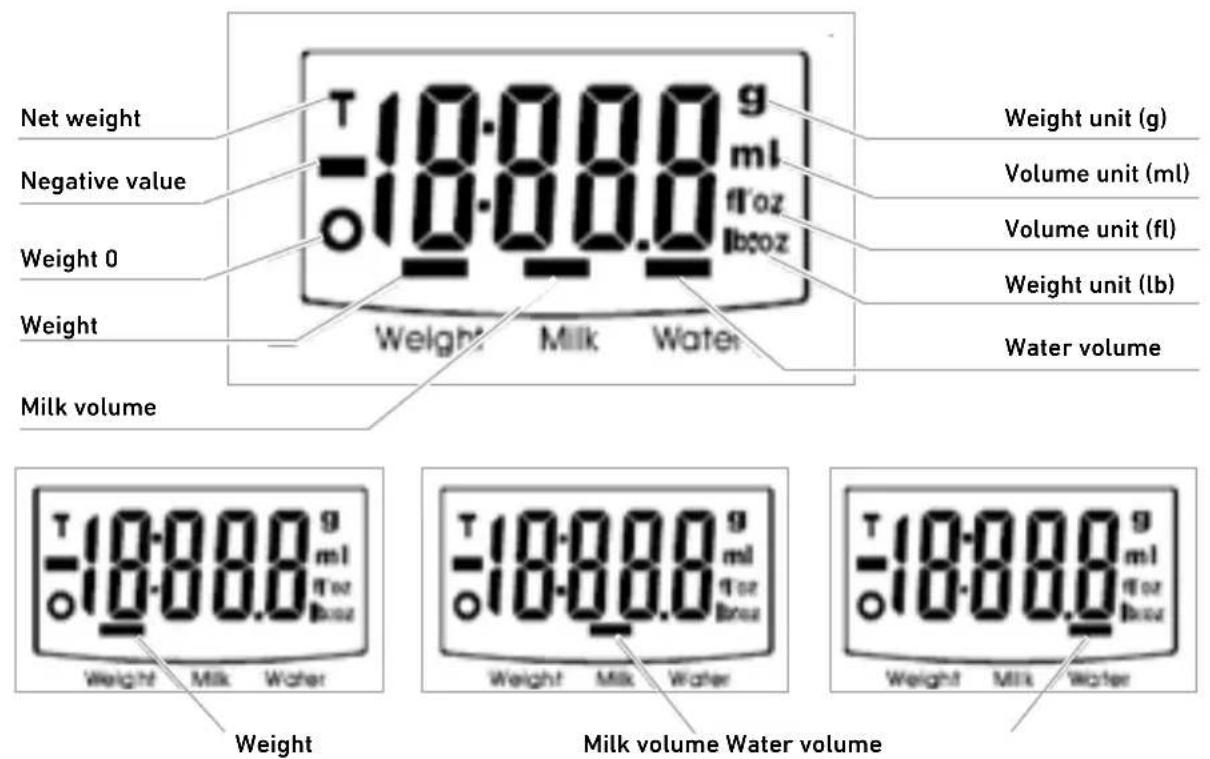
- Press the MODE button and choose the setting: weight, milk volume or water volume.
- Then press the button for changing the unit and select the desired weight and volume unit. When grams (g) are selected as the weight unit, the volume will be in millilitres (ml). When pounds (lb) are selected, the volume will be in fluid ounces (fl).
natural_image
Simple line drawing of a U-shaped component (no text or symbols)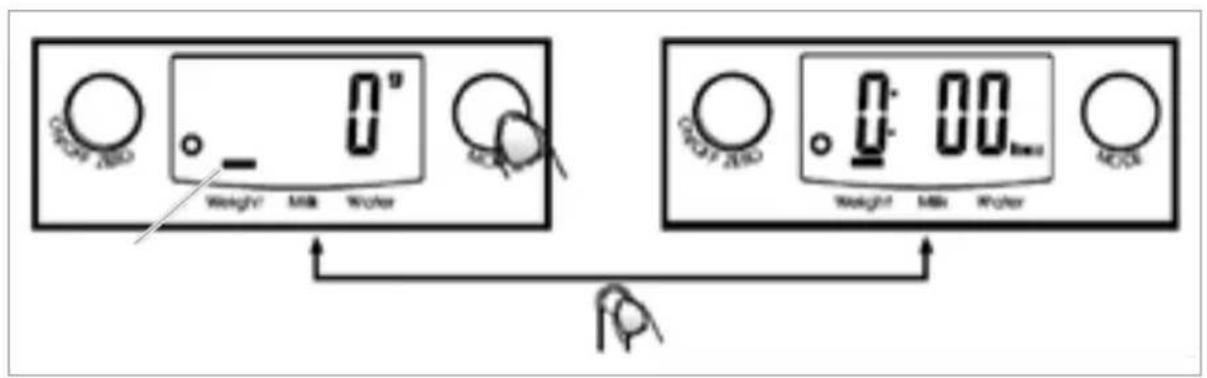
text_image
0° GROW ZBD Weight Milk Water 0.00 GROW ZBD Weight Milk Water MOSWEIGHING
- Place the scale on a solid, flat surface.
- For precise weighing, place the weighing bowl or object to be weighed in the middle of the scale.
A. WEIGHT MODE
- Place the weighing bowl (if you want to use it) on the scale before you turn on the scale.
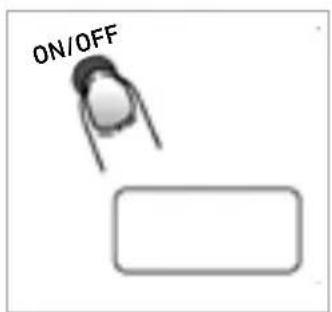
- Press the ON/OFF button to access the weight mode.
- Wait until the display shows all the information.
- Put the object to be weighed on the scale and read the weight. The display shows the weight.
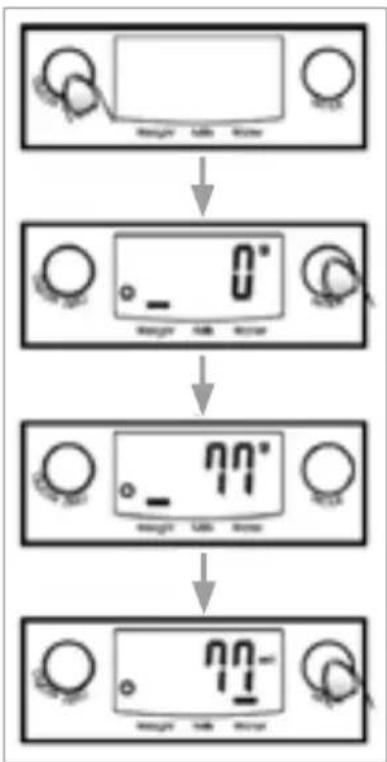
- If you are weighing milk or water, press the MODE button and select volume mode. The display shows the volume of the weighed liquid.
B. VOLUME MODE
- Press the ON/OFF button to switch on the scale.
- Wait until the display shows "0".
- Press the MODE button and select "Water" or "Milk" mode.
- Put an empty container on the scale.
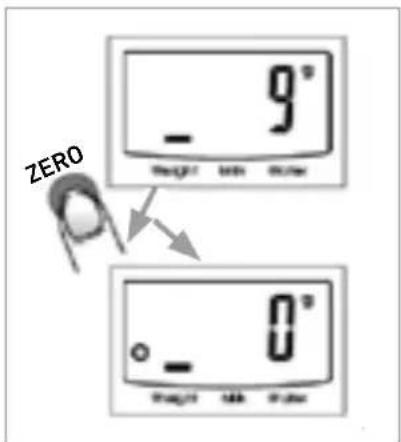
- Press the ZERO button to return the display to "0".
- Pour the liquid (water or milk) into the container. The display shows the volume of the liquid.
- Press the MODE button and select weight mode to see the liquid's weight.
A
flowchart
graph TD
    A["Device Display"] --> B["0° Screen"]
    B --> C["77° Screen"]
    C --> D["72° Screen"]
B
flowchart
graph TD
    A["Device with 0.0"] --> B["0.0 - Reading"]
    B --> C["87 - Reading"]
    C --> D["0 - Reading"]
    D --> E["587 - Reading"]
    E --> F["605 - Reading"]
ENG
C. RESET AND NET WEIGHT FUNCTION
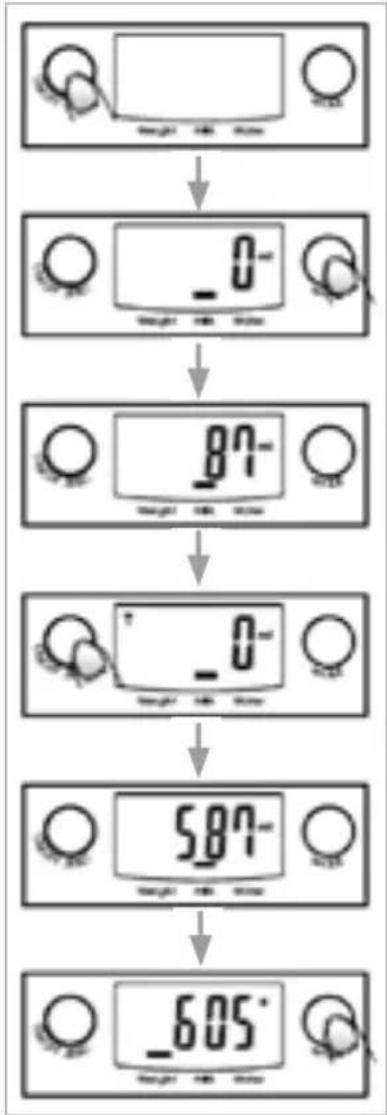
- The reset function is used to weigh objects one after another without needing to remove the previous object from the scale.
- Put the object on the scale and read the weight.
- Press the ZERO button to return the display to "0" before adding the next object to the scale.
- Weighing can be repeated if more objects are added.
Condition 1, reset function:
- If the total weight is < 4% of the scale's maximum weight capacity (4% = 80 g if the capacity is 2000 g, and 200 g if the capacity is 5000 g).
- The display shows “----” or “0g” each time the ZERO button is pressed. “----” means that the weight is not stable. Wait until it stabilises. “0g” (eventually the icon “o” is also displayed in the lower left corner of the display) means that the reset function is active. The maximum weight capacity is unchanged.
Condition 2, net weight function:
- If the total weight is < 4% of the scale's maximum weight capacity (4% = 80 g if the capacity is 2000 g, and 200 g if the capacity is 5000 g).
- The display shows “----” or “0g” each time theZERO button is pressed. “----” means that the weight is not stable. Wait until it stabilises. “0g” (eventually the icon “TARE” is also displayed in the lower left corner of the display) means that the net weight function is active. The maximum weight capacity decreases with the total weight of the weighed objects.
- In these circumstances, press the ZERO button to see the total weight of all the objects. If you want to weigh more objects, press the ZERO button to reset the display to "0".
C
text_image
ZERO 9° - Height 100 mm 0° - Height 100 mm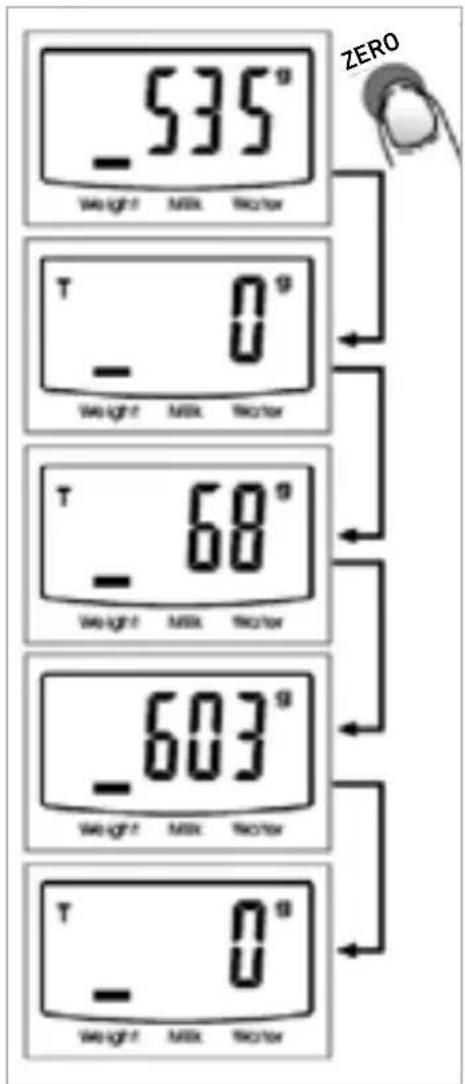
text_image
535° Weight Milk Skow T 0° Weight Milk Skow T 68° Weight Milk Skow 603° Weight Milk Skow T 0° Weight Milk SkowD. AUTOMATIC SHUTOFF
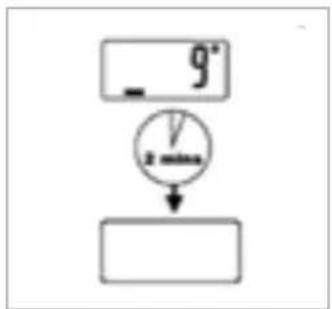
- When the scale automatically turns itself off, the display will show "0" or the same weight as shown 2 minutes earlier will continue to be displayed.
E. MANUAL SHUTOFF
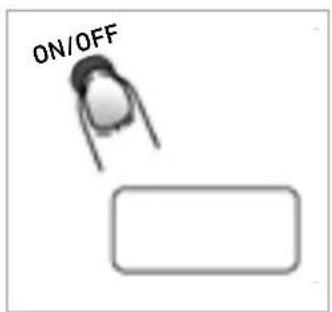
- Extend the battery's life by turning off the scale (press the ON/OFF button).
- Note: When the display shows "0", press the ON/OFF button to turn off the scale. When the display shows the weight, press and hold the ON/OFF button for 3 seconds to turn off the scale.
F. WARNING SYMBOLS ON THE DISPLAY
This scale's weight capacity is 5 kg. If overloaded, the display shows "EEEE".?
D
flowchart
graph TD
    A["9"] --> B["V"]
    B --> C[" "]
E
text_image
ON/OFFF
Replace battery
The scale is overloaded. Remove some objects from the scale. The scale is now ready for a new weighing.
text_image
1 Lo 2 ErrCLEANING AND MAINTENANCE
- Wipe the scale with a lightly moistened cloth. Do not immerse the scale in water or other liquid. Do not use chemicals or abrasive cleaning agents.
- All plastic parts should be cleaned immediately after contact with grease, spices, vinegar or highly spicy or colourful foods. Avoid contact with citric acid.
- Place the scale on a flat, stable surface. Do not place the scale on a mat.
RIGHT OF COMPLAINT
By law the product must be returned to the place of purchase along with the original receipt in the event of a complaint. The user is liable for any damage to the product that is caused by not using the product for its intended purpose or by not following this user manual correctly. The right of complaint will not apply in these instances.
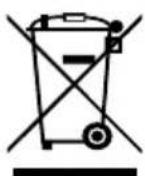
INFORMATION ABOUT HAZARDOUS WASTE
Used products should be handled separately from household waste. They should be taken for recycling in accordance with local rules for waste management.

text_image
0° Weight Milk Water GROW ZBD 0° 00mm Weight Milk Water MOSVEIING
text_image
535° Weight Milk Skctor T 0° Weight Milk Skctor T 68° Weight Milk Skctor 603° Weight Milk Skctor T 0° Weight Milk Skctor ZEROD. SLÅ AV AUTOMATISK
text_image
0° Weight Milk Water 0° 00mm Weight Milk Water 0° 00mmWIEGEN
text_image
535° Weight Milk Skctor T 0° Weight Milk Skctor T 68° Weight Milk Skctor 603° Weight Milk Skctor T 0° Weight Milk Skctor ZEROD. AUTOMATISCHES AUSSCHALTEN
F. WARNSYMBOLE AM DISPLAY
flowchart
graph TD
    A["9"] --> B["V"]
    B --> C[" "]
E
text_image
ON/OFFF
text_image
1 Lo 2 ErrE-post: customerservice@rusta.com
NO
Rustas kundetjeneste: Tlf. +46 (0)771 28 10 10
Forbrukerkontakt: Rusta Kundetjeneste, Box 5064, 194 05 Upplands Väsby, SVERIGE
E-post: customerservice@rusta.com
DE
Kundenservice Rusta: Tel. +46 (0)771 28 10 10
Kundenkontakt: Kundenservice Rusta, Box 5064, 194 05 Upplands Väsby, SCHWEDEN
Website: www.rusta.com
E-mail: customerservice@rusta.com