
10112 - Coffee maker KORONA - Free user manual and instructions
Find the device manual for free 10112 KORONA in PDF.


User questions about 10112 KORONA
0 question about this device. Answer the ones you know or ask your own.
Ask a new question about this device
Download the instructions for your Coffee maker in PDF format for free! Find your manual 10112 - KORONA and take your electronic device back in hand. On this page are published all the documents necessary for the use of your device. 10112 by KORONA.
USER MANUAL 10112 KORONA
natural_image
Top-down view of a coffee cup with dark tea, placed on a saucer with a leaf-shaped lid (no text or symbols visible)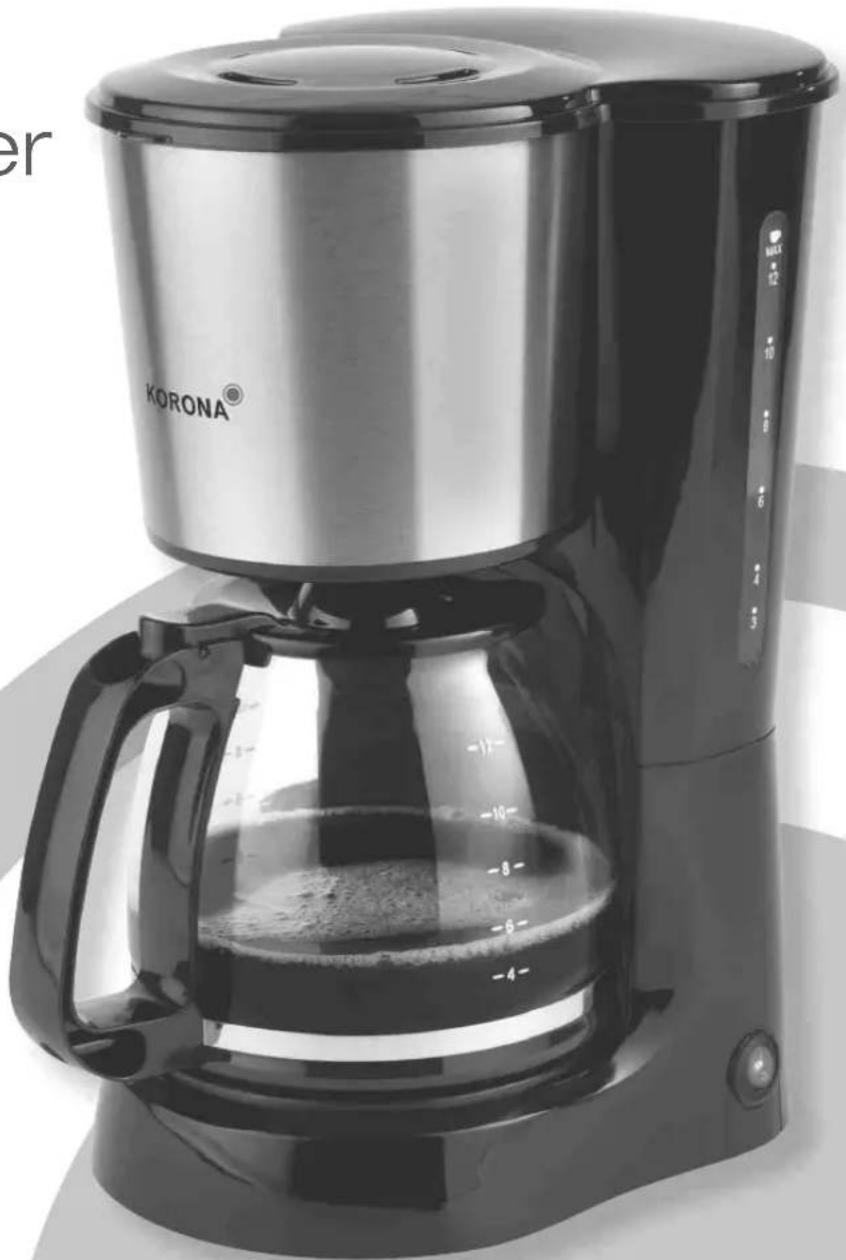
natural_image
Exterior view of a Korona coffee maker with clear glass and water filter (no text or symbols visible on the device itself)CE
natural_image
Close-up of a metallic cylindrical object with a circular hole, possibly a container or mechanical part (no visible text or symbols)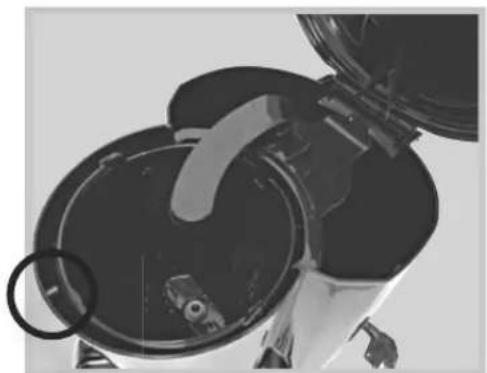
natural_image
Close-up of a mechanical device with a circular component and a handle, no visible text or symbolsBefore use, please read these instructions carefully and keep them in a safe place for future reference. When passing on the appliance to a third party, make sure to include these instructions for use.
to heat any other liquids in it. This appliance is only intended for private household use!
Safety:


This symbol warns of hot surfaces. Risk of burns!
This symbol identifies electric shock hazards!

General Safety Instructions
by incorrect use.
sure your local voltage matches the technical data of the appliance. Otherwise the appliance may overheat and get damaged.
Caution! Danger of electric shock!
liquid.
An electric appliance is not a toy!
and above and persons with reduced physical, sensory or mental capabilities or lack of experience and knowledge if they have been given supervision or instruction concerning the use of the appliance in a safe way and understand the hazards involved. Children shall not play with the appliance. Cleaning and user maintenance shall not be made by
before cleaning.
surfaces to avoid any damage to the appliance.
anyone to trip when in use. Do not allow the cord to hang over sharp edges.
Do not use the appliance,
Have it checked and, if necessary, repaired by a qualified modifications to or repair the appliance yourself.
Special Safety Instructions

Warning! To avoid the possibility of injury/damage to the appliance, electric shock and risk of burns.
high during operation. Therefore, do not touch the appliance
handle. Danger of serious burns!
during operation, hot steam evaporates. Danger of serious burns!
from spilling. Danger of serious burns!
cool down before cleaning.
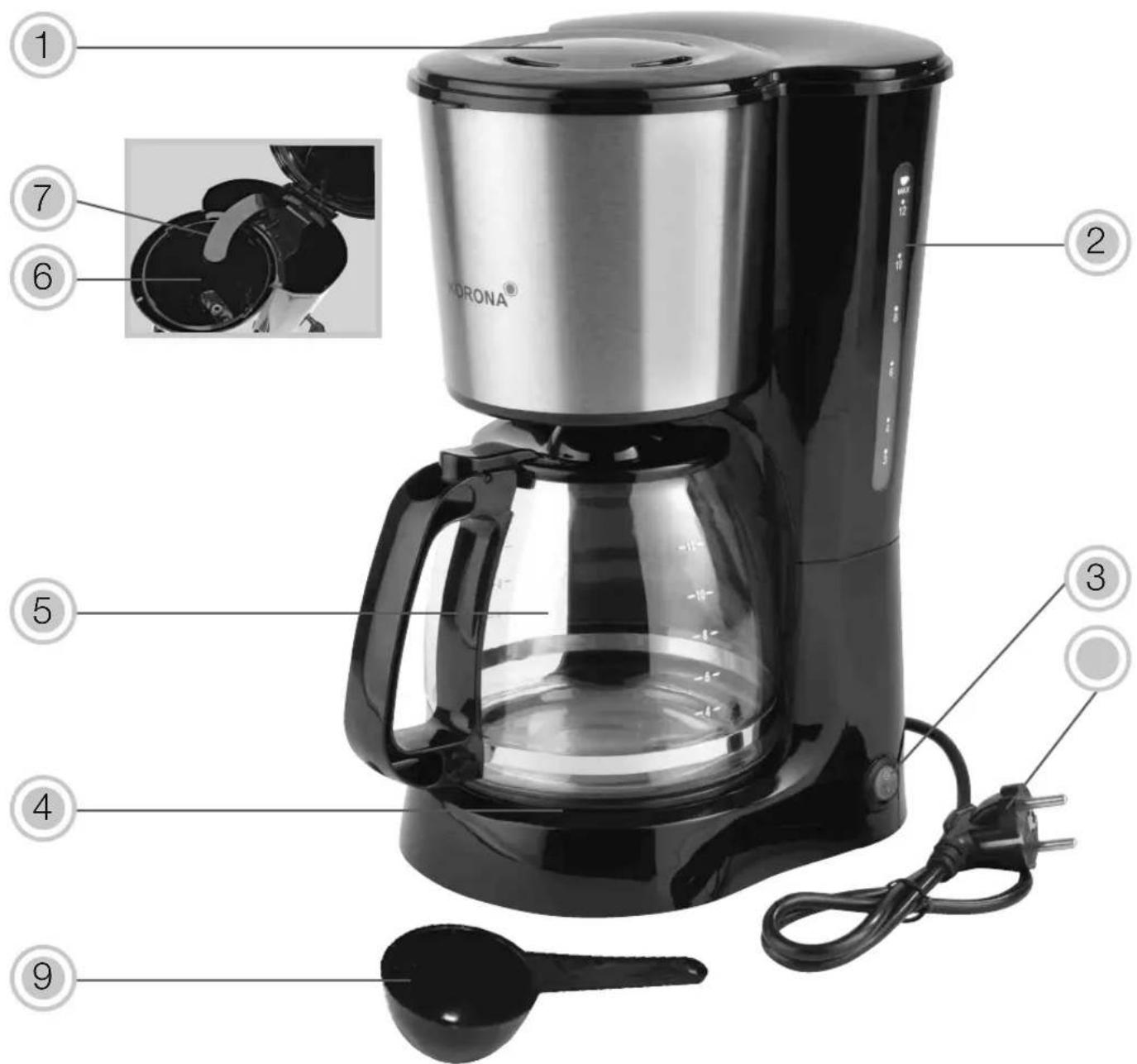
text_image
1 2 3 4 5 6 7 KORONA® 9Product Description
- Appliance lid
- Water tank with water level indicator
- Hot plate
- Carafe
- Filter holder
- Water outlet
Before First Use
appliance is complete.
and Care.
and connect it to a properly installed wall socket.
coffee. After that your coffee maker is ready for operation.
Note: After each rinse cycle, the appliance has to be switched off for approx. 5 minutes, in order to cool down.

Warning: Plastic bags are a danger to toddlers and babies, therefore keep them away to avoid suffocation.
Operation
Brewing Coffee
- Place the appliance on an even and heat resistant surface and connect it to a properly installed wall socket.
indicate the required water level to brew the desired number
the edges of the paper filter and push it slightly down. 4. For each cup of coffee, use one leveled measuring spoon
the amount of coffee!
integrated indicator light indicates that the appliance is in operation.
The brewing process can be interrupted at any time by
again the appliance will continue with the brewing process.
Note: If you wish to have a cup of coffee before the brewing
Due to the automatic drip stop, dripping will automatically
process will automatically resume.
When serving coffee do not remove the lid in order to preserve the proper serving temperature.
- As long as the appliance is switched on, you can keep the
and off to maintain the ideal serving temperature as long as the coffee maker is switched on.
minutes and the indicator light will go OFF as well. Once the is also deactivated.
Always disconnect the appliance from the mains if you are not using it!
Note: If you wish to prepare more than one pot of coffee, the appliance has to be switched off for approx. 5 minutes, in order to cool down.
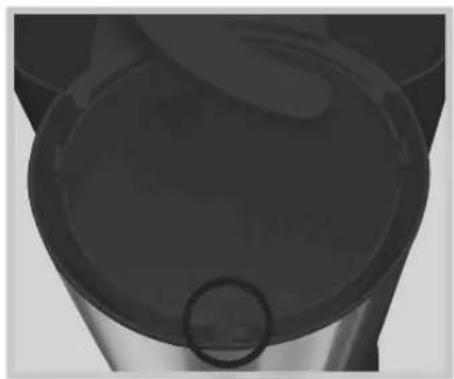
Inserting the filter holder
tight.
holder once the inserting process is finished.
natural_image
Close-up of a black cylindrical container with a circular opening, no visible text or symbols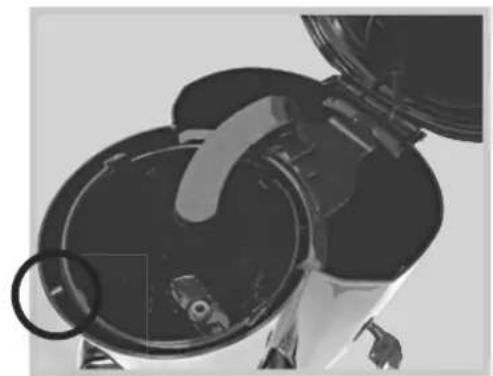
natural_image
Close-up of a mechanical component with circular components and a handle, no visible text or symbolsCleaning and Care

Before cleaning, always switch off the appliance and t it from the mains. Let it completely cool down.
Clean the body of the appliance with a moistened soft cloth.
All detachable parts can be cleaned in warm water using some dishwashing detergent. Rinse them afterwards and dry them thoroughly.
DESCALING
Depending on the water quality and usage, calcification can occur. Therefore, to keep your coffee maker operating efficiently, you should descale it on a regular basis.
limescale built up in the appliance.
To remove limescale, use a common gentle descaler, which is suitable for your appliance. Follow the manufacturer's instructions.
After descaling, always rinse your appliance as described under Before First Use.
Note: Descaler mixtures should not be poured down enamel coated sinks.
Storage
Disconnect the appliance from the mains and let it completely cool down.
Keep the appliance away from children and store it in a clean and dry place.
Disposal Instructions

Waste electrical devices marked with this sign must
according to the EU directive on Waste Electric And
collected separately. Therefore, please return this device at the end of its life cycle to special collection points for disposal or your local dealer.
are recyclable waste, i.e. they are reusable or recyclable.
Technical Data:
Technical data subject to change!
CE
Guarantee:
This product is guaranteed against defects in materials and workmanship for a period of 2 years.
instructions
This guarantee does not affect your statutory right, nor any legal right you may have as a costumer under applicable national legislation governing the purchase of goods.
guaranteed period, the customer must provide evidence of the
The guarantee is to be asserted against
KORONA electric GmbH, Sundern/Germany.
Service Address:
KORONA Service
Am Steinbach 9
59872 Meschede-Enste
Germany
Telephone Hotline: 02933 90284-80
Mail: service@korona-electric.de
web: www.korona-electric.de
within 2 years after the date of purchase. In case of guarantee the customer is given the right to get the appliance repaired

natural_image
Abstract geometric design with curved gray shapes on white background (no text or symbols)KORONA
