
GTB 801 - Tablet GRUNDIG - Free user manual and instructions
Find the device manual for free GTB 801 GRUNDIG in PDF.


| Product Type | Tablet |
| Brand | Grundig |
| Model | GTB 801 |
| Dimensions | 140.6 x 200 x 8.2 mm |
| Weight | 325 g |
| Display | 7.85" IPS capacitive touchscreen, 1024x768 pixels |
| Processor | Mediatek MT8125 Quad Core 1.2 GHz |
| RAM | 1 GB DDR3 |
| Internal Storage | 8 GB |
| Expandable Storage | MicroSD up to 32 GB (TF card) |
| Rear Camera | 5 Megapixel |
| Front Camera | 1.2 Megapixel |
| Battery | 3500 mAh Li-ion, rechargeable 5V 2A |
| Battery Life (Audio) | Approximately 10 hours |
| Battery Life (Video/Web) | Approximately 4 hours |
| Operating System | Android 4.2.2 |
| Wi-Fi | 802.11 b/g/n |
| Bluetooth | 3.0 HS + 4.0 LE |
| Ports | 1 x Micro USB 2.0 OTG, 1 x Audio Combo Jack, 1 x MicroSD slot |
| Sensors | G-sensor, multi-touch (5-point) |
| Power Supply | 5V 2A DC adapter (included) |
| Audio | Single speaker, 3.5 mm headphone jack, built-in microphone |
| Video Support | H.264, VP8, RV, WMV, AVS, MPEG4, 1080P, 720P, HTML5, Flash 0.2 |
| Audio Formats | MP3, WMA, OGG, APE, FLAC, AAC, WAV |
| Photo Formats | JPG, BMP, PNG |
| Charging Time | 7-8 hours for first full charge |
Frequently Asked Questions - GTB 801 GRUNDIG
User questions about GTB 801 GRUNDIG
0 question about this device. Answer the ones you know or ask your own.
Ask a new question about this device
Download the instructions for your Tablet in PDF format for free! Find your manual GTB 801 - GRUNDIG and take your electronic device back in hand. On this page are published all the documents necessary for the use of your device. GTB 801 by GRUNDIG.
USER MANUAL GTB 801 GRUNDIG
natural_image
Black rectangular tablet device with no visible text or symbols on its surface


FOR A GOOD REASON
GRUNDIG
YASAL UYARI
natural_image
Pure electrical circuit lines without any symbolsUyarı:
Some contents and services that may be accessed by this device is the property of third persons and protected by the copyright, patent, trade mark and/or other intellectual property laws. These contents and services are provided for personal use for non-commercial purposes. You shall not use any content or service in a way that is not allowed by the content owner or service provider. Without limiting the provisions above, you shall not change, copy, re-publish, upload, post, transfer, translate, sell, derive, abuse or distribute any content or service provided to you by this device in any way and in any medium unless it is expressly permitted by the current content owner or service provider.
"THIRD PARTY CONTENT AND SERVICES" ARE PROVIDED "AS IS." ARÇELİK DOES NOT WARRANT ANY CONTENT OR SERVICE PROVIDED IN THIS WAY FOR ANY PURPOSE, WHETHER IT IS EXPRESSED EXPLICITLY OR IMPLICITLY. ARÇELİK DENIES
ANY IMPLIED WARRANTIES, INCLUDING BUT NOT LIMITED TO THE FIT FOR A SPECIFIED PURPOSE AND RE-PURCHASE WARRANTIES. ARÇELİK DOES NOT WARRANT ACCURACY, VALIDITY, CURRENCY, LEGALITY OR COMPLETENESS OF ANY CONTENT OR SERVICE PROVIDED BY THIS DEVICE AND SHALL NOT BE LIABLE FOR ANY DIRECT, INDIRECT, CONSEQUENTIAL, INCIDENTAL, SPECIAL, OR PUNITIVE DAMAGES, ATTORNEYS FEES, COSTS OR OR LOSSES OF ANY OTHER KIND ARISING FROM THE USE OF ANY CONTENT OR SERVICE BY YOU OR ANY THIRD PERSON OR FROM THE INFORMATION INCLUDED IN THESE CONTENT AND SERVICES, UNDER ANY CONDITION INCLUDING TORT, WHETHER IT IS SUBJECT TO A CONTRACT OR NOT, EVEN IF WE HAVE BEEN ADVISED OF THE POSSIBILITY OF SUCH DAMAGES."
Third party services may be discontinued or interrupted at any time; and Arçelik does not state or guarantee that any content or services may be used for any specified time. Content and services are transferred by third persons via networks and communications facilities on which Arçelik does not have any control. Without limitation of the generality this disclaimer, Arçelik explicitly denies any responsibility or liability caused by the interruption or discontinuation of any content or services provided with this device.
Arçelik is not responsible or liable for the customer services for the content and services. Any questions or requests related with the content or services shall always be directed to the relevant content and service providers.
60 LEGAL DISCLAIMER
63 SAFETY INFORMATION
63 Warning for Package!
63 WEEE Waste Electrical and Electronic Equipment Disposal:
63 Things to Be Done for Energy Saving
63 Traffic Safety
64 Operating Conditions
66 Privacy
66 BATTERY
67 Chargers
68 Radio Waves
70 Network or service error messages displayed on your device
70 Touchscreen responds slowly or badly
70 Your device freezes and important errors occur
70 Your device is hot to touch
71 Keep your personal information and important data safe
72 Restrictions on Usage
74 OVERVIEW OF THE PRODUCT
74 Introduction of Buttons
76 PREPARATION FOR USE
76 PC Connection
76 Turning on
77 Power OFF
77 Using TF expansion cards
77 Charging the battery
79 Main user interface (explanation of menu symbols)
80 WiFi Setting
80 WIFI on setting:
80 WIFI setting and network connection:
80 USB-HOST function
80 U-Disk read function:
81 External 3G USB Hardware Lock:
81 Recording
82 Explorer
85 PRODUCT SPECIFICATIONS
SAFETY INFORMATION
Warning for Package!
Packages are manufactured from the recyclable materials in accordance with our National Environmental Legislation. Packaging materials should not be disposed of with domestic wastes and ensured to be delivered to packaging collection points assigned by the local authorities.
WEEE Waste Electrical and Electronic Equipment Disposal:
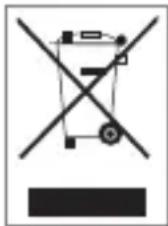
This product has been manufactured from high quality, recyclable and reusable materials and parts. Therefore, they should not be disposed of into normal domestic wastes, and must be delivered to a collection point used for recycling electric and electronic devices. This condition is stated with the symbol here on the product, package or in the user manual. Please ask local administration about those collection points. You can recycle old devices and have an important contribution to environment protection.
Things to Be Done for Energy Saving
■ Block WLAN feature automatically when the device is not connected by a WLAN APP.
■ Turn off synchronization feature when the device is not synchronizing with a web server.
■ Activate the brightness setting and adjust the brightness level for power saving mode.
■ Time-out allows you set how long the device shall wait before the background illumination is turned off.
We advise you to read this section carefully before using your device. Manufacturer shall not be held responsible for damages that may be caused by misuse or any use contrary to the instructions specified here.
Traffic Safety
Considering the studies which show that using any device during driving constitutes a serious risk, we ask the drivers not to use their devices unless they have parked their vehicle even if they use a hands-off kit (vehicle kit, headphones etc.).
Do not use your device or headphones to listen to music or radio while driving.
SAFETY INFORMATION
Using headphones may be risky and it is forbidden in some areas. When it is turned on, your device may generate electromagnetic waves that may interfere with the electronic systems of your vehicle such as ABS brake system or airbags. To prevent any problem:
- Do not put the device on the dashboard or on an airbag deployment zone.
- Consult the authorized dealership or manufacturer of your vehicle to check whether the dashboard is protected against device radio-frequency energy.
Operating Conditions
We advise you to turn off your device from time to time to obtain best performance from your device.
■ Turn off your device before boarding on a plane.
■ Turn off your device in medical facilities - other than the specified zones. As for many other device types used frequently in these days, these devices may interfere with other electrical or electronic devices or other devices that use radio frequencies.
■ Turn off your device in the vicinity of gas or flammable liquids. Always observe the signs and instructions in fuel storage areas, gas stations, chemical facilities or areas with explosion risk.
- Keep at least 15 cm. away medical devices such as pacemaker, hearing aid or infusion pump when the device is turned on. Especially, device shall be hold against the other ear than the one with hearing aid, if it is used.
■ To prevent hearing disorders, hold your device away from your ear when you are using hands-off mode as high volume may cause hearing damage.
- Do not let children use the device and/or play with the device or its accessories unless they are supervised.
■ Remember that your device contains allergen substances when you are installing the cover.
■ Always use your device carefully and keep it in a clean and dust-free environment.
SAFETY INFORMATION
- Do not expose your device to adverse weather conditions or environmental conditions (humidity, moisture, rain, liquid ingress, dust, sea weather etc.). Operating temperatures as recommended by the manufacturer are 5°C to +35°C.
■ Over 35°C, the readability of the device screen may deteriorate; however this is not a serious condition, it is temporary. - Do not open, dismantle or attempt to repair your device.
- Do not drop, throw or bend your device.
If the glass screen is damaged, cracked or broken, do not use the device to prevent risk of injury.
■ Do not paint your device.
■ Use the chargers and accessories provided with the product only. Use of other types of chargers or accessories may damage the device and render the warranty void.
■ Always remember to make back-up copies and keep a written copy of all important information recorded in your device.
■ Some people may have an epileptic seizure or blackout when they are exposed to flashing lights
or when they play video games. These seizures or blackouts may be experienced by a person who has never experienced these before. If you had an epileptic seizure or blackout or if these conditions are seen in your family, please your physician before playing video games or activating flashing lights on your device.
- Parents shall observe their children when they are playing video games or using other features that include flashing lights. Everyone shall end the operation of the device and consult a physician when any of the following symptoms are seen: spasm, twitch, loss of consciousness, involuntary movements or disorientation. Please take the following safety precautions to limit the occurrence of these symptoms:
■ Do not play games or use features with flashing lights when you are weary or sleepless.
■ Take breaks of 15 minutes minimum each hour.
■ Play games in a room with all lights are lit.
SAFETY INFORMATION
■ Play the game by putting the screen away from you as much as possible.
If your hands, elbows or arms get tired while you are playing, quit playing and rest for a few hours before starting to play again.
If your hands, elbows or arms hurt while you are playing or after you have played, quit playing and consult a physician.
■ When you play games in your device, you may sometimes experience disturbances on your hands, arms, shoulders or other parts of your body. Follow the instructions to prevent problems such as tendinitis, carpal tunnel syndrome or other musculoskeletal disorders.
ning to music with a high volume for a long peri- od in the music player may harm your ears.
Privacy
Please remember that you shall observe laws and regulations in effect in your area or in the area where you will use your device for taking pictures and recording voice with your device. As per such laws and regulations, it may be certainly prohibited to take pictures of other people or their features and/or recording their voices and to copy and distribute such records as it may be considered as a breach of privacy. When required, taking permission for recording private or confidential conversations or for taking a person's photo in advance is the sole responsibility of the user; manufacturer, authorized dealer or retailer (including operators) of the device shall not be responsible for any improper use of the device.
BATTERY
Examine the following precautions on battery use:
- Do not attempt to open the battery (due to risk of toxic fumes and burns).
SAFETY INFORMATION
- Do not perforate, dismantle the battery or cause a short circuit in the battery.
- Do not burn the battery or dispose of the battery with household waste and do not store it in temperatures over 55°C.
Batteries shall be recycled as per local environmental regulations.
natural_image
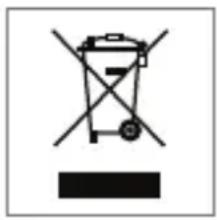
Simple line drawing of a trash bin with crossed handle and no text or symbolsThis symbol on your device, battery and accessories means that these products shall be taken to collection points at the end of their life cycles:
■ Municipal waste disposal centers with special waste containers for the elements of this device
■ Collection points on the sales points Therefore, recyclable materials shall be prevented to be disposed of to the environment and their components may be re-used.
In EU countries:
You may access these collection points free of charge.
All products bearing this sign shall be brought to these collection points.
In countries other than EU:
The components of the devices with this symbol shall not be disposed of to regular waste bins if proper recycling and collections are available in your area, instead they shall be taken to collection points for recycling.
Chargers
Chargers that are connected to mains power supply operate in the following temperature interval: 5°C to 35°C.
Chargers designed for your device is suitable to the safety standards for IT equipment and office equipment usage. These also comply with the 2009/125/EC environmental design directive. Due to difference in electrical specifications, a charger you have bought in a region may not operate in another region. Chargers shall only be used for this purpose.
Radio Waves
THIS DEVICE COMPLIES WITH THE INTERNATIONAL RADIO WAVE EXPOSURE REGULATIONS.
Your device is a radio receiver and transmitter. It is designed so that it will not exceed the radio wave (radio frequency electromagnetic fields) exposure limits recommended by international guidelines. The guidelines were developed by an independent scientific organization (ICNIRP) and include a substantial safety margin designed to assure the safety of all persons, regardless of age and health. The radio wave exposure guidelines use a unit of measurement known as the Specific Absorption Rate, or SAR. The SAR limit for mobile devices is 2 W/kg.
Tests for SAR are conducted using standard operating positions with the device transmitting at its highest certified power level in all tested frequency bands. The highest SAR values under the ICNIRP guidelines for your device model are listed below:
| Maximum SAR value for this model and conditions where this value is recorded: | ||
| Body-worn SAR | Wi-Fi | 0,068 W/kg. |
During use, the actual SAR values for your device are usually well below the values state. This is because, for purposes of system efficiency and to minimize interference on the network, the operating power of your mobile device is automatically decreased when full power is not needed for the call. The lower the power output of the device, the lower its SAR value.
Body-worn SAR testing has been carried out at a separation distance of 1.5 cm.
To meet RF exposure guidelines during body-worn operation, the device should be positioned at least at the specified distance away from the body.
SAFETY INFORMATION
If you are not using an approved accessory, ensure that whatever product is used is free of any metal and that it positions the device at least at the specified distance away from the body.
Organizations such as World Health Organization and US Food and Drug Administration have advised that persons may use a hands-free device, which keep wireless device away from the head and body during usage, or limit the usage of their devices if they are worried and reduce their exposure rates.
SAFETY INFORMATION
Network or service error messages displayed on your device
■ Receiving of the signal may be reduced if you are in an area where the signal is weak or where it is received badly. Take your device to another place and try again.
- You may not access some options without subscription. Consult your service provider for more information.
Touchscreen responds slowly or badly
Try the following if your device has a touchscreen and it does not respond correctly:
■ Remove the protective sheath on the touchscreen, if available. Protective sheaths may prevent recognition of the inputs by the device and they are not recommended for devices with touchscreen.
■ Ensure that your hands are dry and clean when you touch the touchscreen.
■ Restart your device to remove any software fault.
■ Ensure that your device software is upgraded to latest version.
■ If the touchscreen is scratched
■ or damaged, take your device to nearest authorized Arçelik workshop.
Your device freezes and important errors occur
You may have to close the applications or reset your device when your device freezes or seizes. If your device does not respond or an application freezes still, turn of that application from task manager. If your device have frozen or it does not respond, press and hold the power switch for 8 to 10 seconds.
Your device is hot to touch
- Your device may get hot when you use applications that require more power or use the application on your device for a long time. This is normal and does not affect the lifecycle or performance of your device.
SAFETY INFORMATION
Keep your personal information and important data safe
■ Make sure that you have backed up your important data when you use your device. Arçelik is not responsible for loss of data.
■ Back up all your data and then reset your device to prevent usage of personal information for improper purposes when you will dispose of your device.
- Read the permissions screen when you are downloading applications. Especially be careful against applications that access many functions and to a considerable amount of your personal information.
- Check your accounts regularly for unauthorized or suspicious access. If you observe any sign of misuse in your personal information, consult your service provider and delete or change your account information.
If your device is lost or stolen, change the passwords of your accounts to protect your personal information.
- Do not use applications from unknown sources and lock your device using a model, password or PIN code.
■ Make sure that a back-up has been made before delivering it to authorized workshop. Arçelik is not responsible for the data safety of the devices brought to the workshop.
Restrictions on Usage
CE 0700①
This tablet PC shall only be operated with the mains adaptor provided with the set.
Directive 2006/95/EC for electric devices that shall be used within certain voltage limits.
Directive 2004/108/EC for electromagnetic compatibility.
Hereby, ARÇELİK declares that this device is compatible with the main requirements and other relevant requirements of directive 1999/5/EC.
You may find a copy of the Declaration of Conformity (DoC) as an extra card inside the manual.
This device may be used by considering the legal regulations in the following European countries.
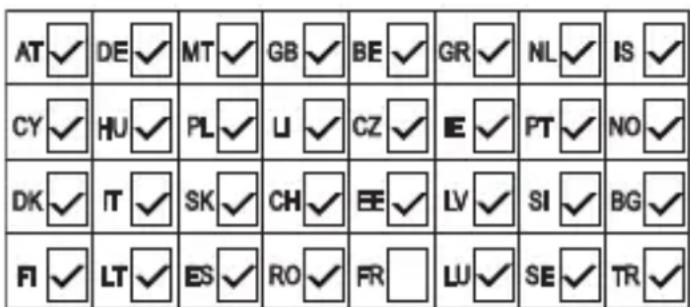
This device can be operated in non-European countries.
For customers in Italy:
For private use, a general authorization is required if WAS/RLAN's are used outside own premises. For public use, a general authorization is required.
For customers in Norway:
It is allowed to use radio devices in the geographical area within a radius of 20 km from the center of Ny-Alesund, Svalbord.
For customers in Turkey:
The WLAN (Wifi) feature of this tablet PC shall be used indoors only. Outdoor use is prohibited in Turkey. Make sure that the WLAN (Wifi) feature is switched in outdoor use.
For customers in Russia:
FHSS modulated SRD
Maximum 2.5 mW e.i.r.p. Maximum 100 mW e.i.r.p. SRD allowed to be used in outdoor applications only for the collection of telemetry data for automatic monitoring and resource calculation systems, without any limitation on the installation height. SRD allowed to be used to be used for other purposes in outdoor applications where installation height does not exceed 10 m. Maximum 100 mW e.i.r.p. Interior applications
SRD with DSS and other FHSS wide band modulation. Maximum mean e.i.r.p. density is 2 mW/MHz. Maximum 100 mW e.i.r.p. Maximum mean e.i.r.p. density is 20 mW/MHz. Maximum 100 mW e.i.r.p. SRD allowed to be used in outdoor applications only for the collection of telemetry data for automatic monitoring and resource calculation systems. Maximum mean e.i.r.p. density is 10 mW/MHz. Maximum 100 mW e.i.r.p. indoor applications, with built-in antenna with amplification factor up to 6 dBi
For customers in Ukraine:
e.i.r.p. < 100 mW..
Environmental Warning
This product is manufactured from high-quality parts and materials which can be reused and recycled.
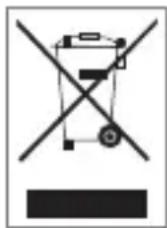
Therefore, do not dispose of the product with normal domestic waste at the end of its service life. Take the product to a collection point for the recycling of the electrical and electronic equipment. This is indicated by these symbols on the product, in the operating manual and on the packaging.
Please find out about collection points operated by your local authority.
Help protect the environment by recycling used products.
OVERVIEW OF THE PRODUCT

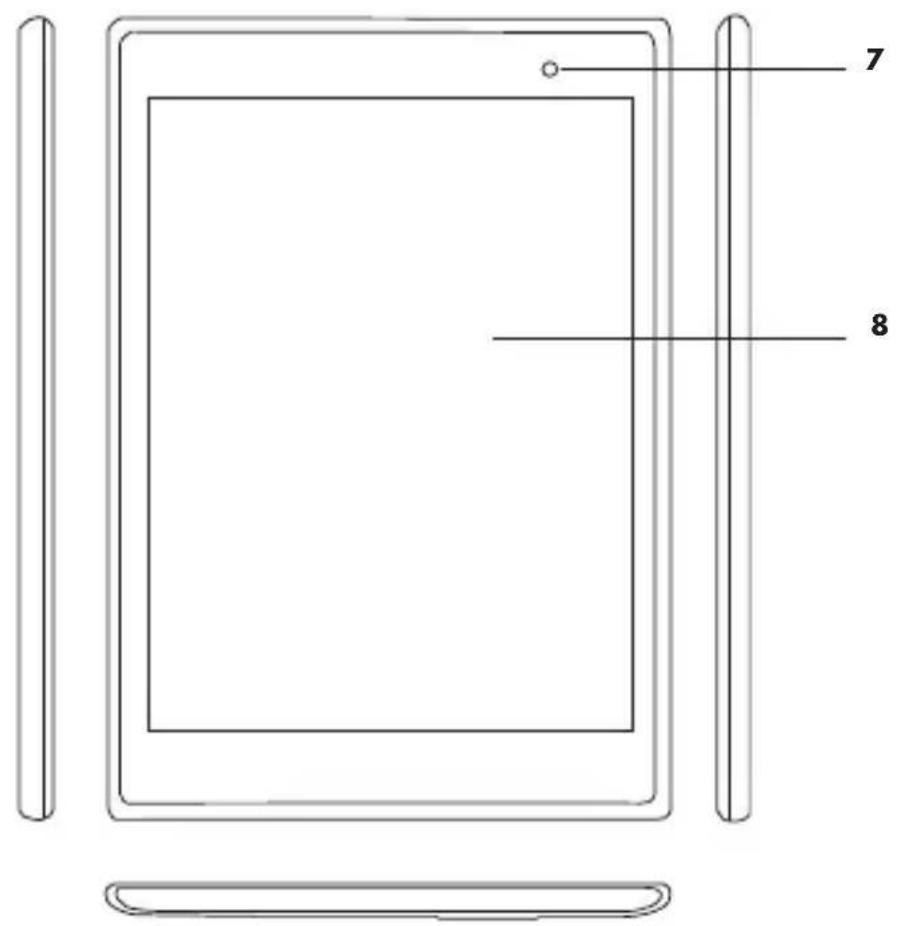
Introduction of Buttons
1 - Volume -: Press briefly/ Volume +: Press briefly
2 - Micro USB port.
3 - Microphone
4 - Headphone: 3.5mm headphone port.
5 - TF card: TF expansion card port.
6 - Power Switch
7 - Front camera
8 - Touch screen
OVERVIEW OF THE PRODUCT
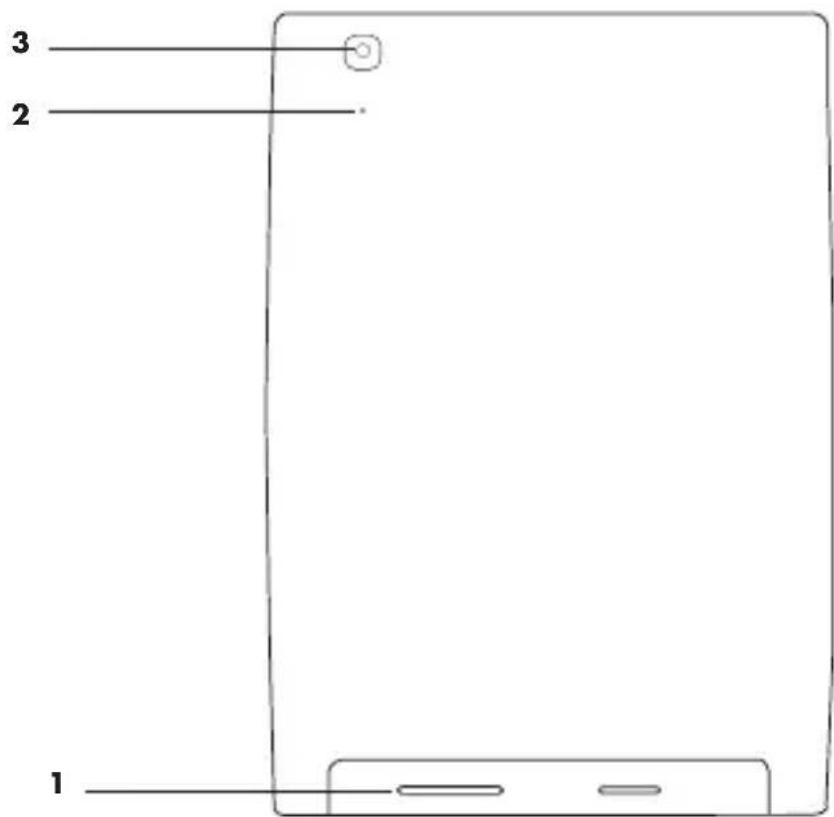
Introduction of Buttons
1 - Speaker
2 - Reset button
3 - Rear camera
PREPARATION FOR USE
PC Connection
Start your PC and connect your device to PC using the USB cable delivered with the product for USB charging and file transfer. Device connection shall be displayed; thus, you may copy/delete the files in the player via PC.
Warning:
Do not open a music or video file while it is connected to PC. Please remember that we do not accept any responsibility for damages due to such misuse.
Turning on
On the Power on mode, press "Power Switch" for a long time, system shall display android power on status bar and shall switch to the system menu after about 100s; display is locked, move the lock over the white spot, device lock shall be opened automatically as shown on the figure below:
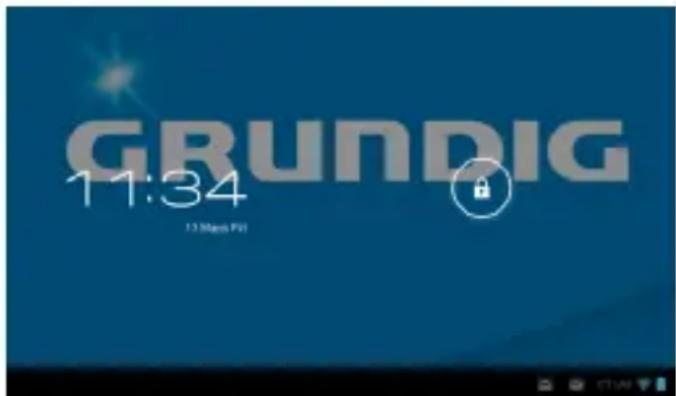
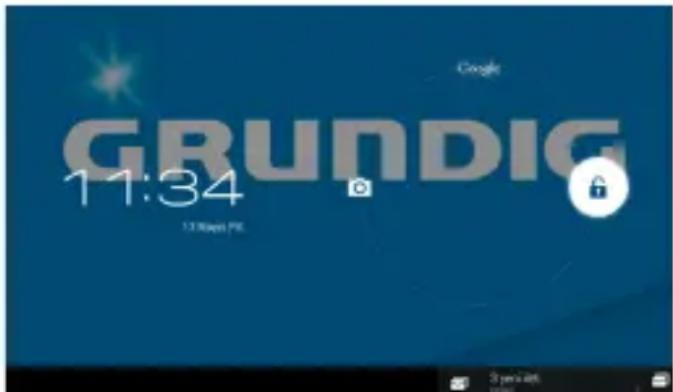
Connect the device to PC, system shall start the device automatically (provides power only, it does start charging).
Power saving and display lock: turn on the device and press "POWER" switch briefly, device shall switch to SLEEP power saving mode, display shall be turned off and display lock mode shall be switched on at this time. If you press "POWER" switch again, system shall return to the bright display back in 1 second.
Note:
On power saving mode, operations such as music, video play etc. shall not be paused and shall be continued; device shall only lock the display and switch to black screen.
When the system is pending, device shall be turned off if you press the "power switch" for 10 seconds; and it shall be turned on if you press the "power switch" again.
Power OFF
On the power ON mode, power off menu shall be displayed if you press the "power switch" for 3 seconds; press the "Turn off" switch to turn the player off.
Warning:
When the power is not sufficient, device shall display alerts continuously and it shall be turned off automatically if it is not charged; if the device does not turn on, please check the power status, if the power is still out of service, try to turn on the device within 5 to 10 minutes after you have connected the device to charging.
Using TF expansion cards
- Connect the player to PC, 2 Removable Disks shall be displayed: first one is the integrated flash memory, and the second one is the TF card. If you have not installed a TF expansion card to the player, a second Removable Disk shall not be displayed.
Warning:
player supports TF type expansion cards only (maximum memory: 32GB).
- Install expansion card.
To install: Install the expansion card according to the indicator next to the card slot. Files stored in the card memory may be played when the player recognizes the expansion card. To remove the card: Press on the expansion card slowly and remove it.
Charging the battery
-
For best results, charge the device 7 to 8 hours before the first operation in order to confirm the full power and then use the device.
-
Install the MINI 5IN USB port of the adaptor to USB port of the device, and the other port of the adaptor to the DC port, then the device shall be turned on automatically; blue slide symbol is displayed and battery capacity may be read during the charging operation. You shall not remove the charger from the outlet until the power is charged fully. When the indicator light is turned to blue, blue bar of the battery symbol is stopped. When the charging is complete, wait for a minute and then turn on the device.
Warning:
If you require a special charger (5V-2A), consult your local distributor.
Do not use a 12V charger, otherwise Arçelik does not accept responsibility for the damages due to the usage of 12V chargers for your device.
PREPARATION FOR USE
Main user interface (explanation of menu symbols)
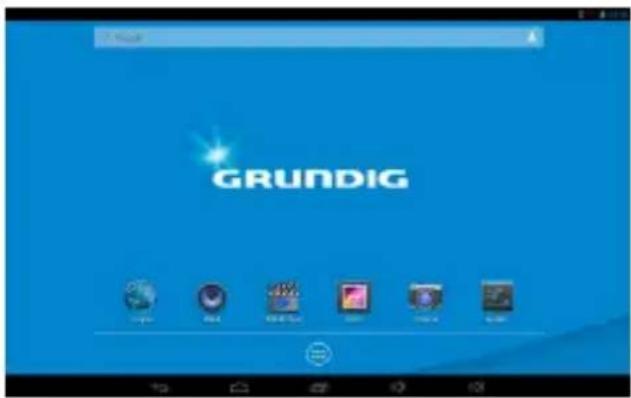
| Symbol Introduction of functions | Symbol Introduction of functions | ||
 | Back button |  | Returns to main menu when pressed in any interface |
 | Last operations menu |  | System detected a new device |
 | To display current system time |  | Battery symbol indicating remaining power |
 | Function module menu | ||
Introduction of operation
PREPARATION FOR USE
WiFi Setting
WIFI on setting:
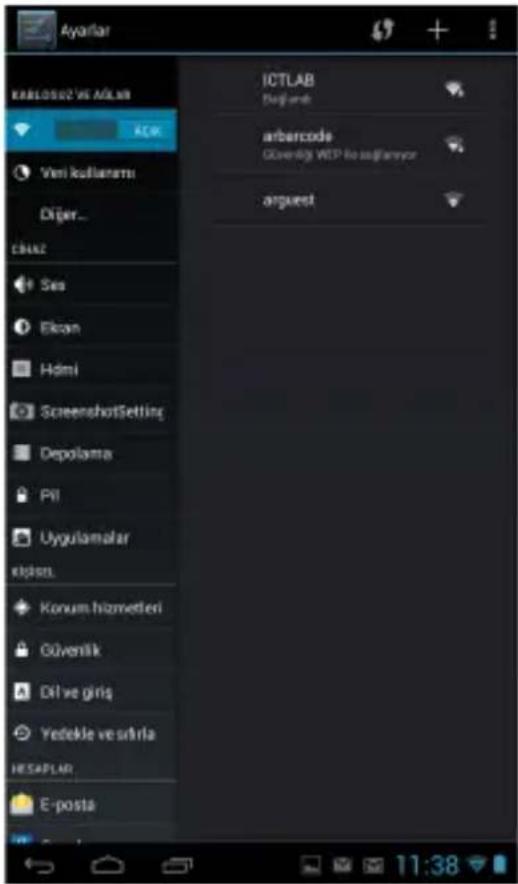
Click the module menu symbol, enter module menu list, click "setting" button to enter the setting menu, and click "wireless & networks" button to enter this sub-menu, then select "WiFi" option:
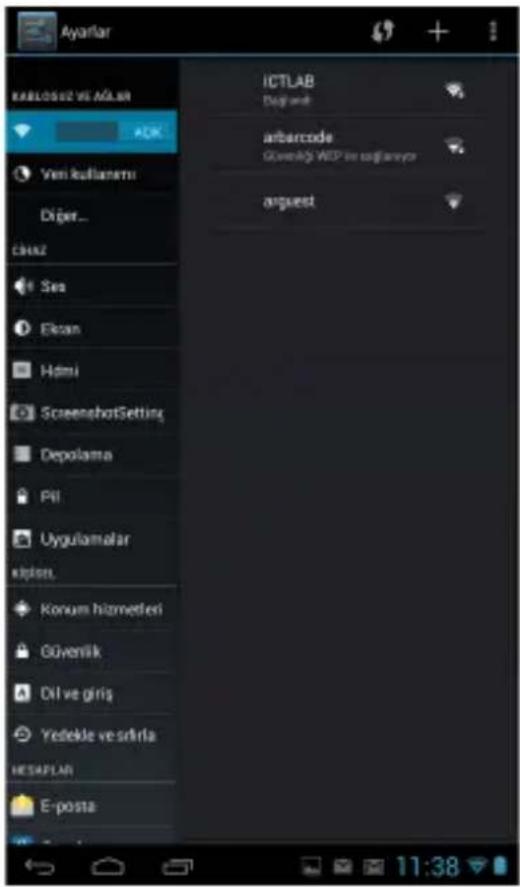
WIFI setting and network connection:
Click "Wi-Fi setting" button to enter this menu; system shall detect the WIFI network name automatically. There are two Wifi networks as shown below:
U-Disk read function:
Install the U-disk to HOST/OTG port, click on the "explorer" symbol, click "USB" option, enter U-disk file list as follows:
PREPARATION FOR USE
External 3G USB Hardware Lock:
3G USB-DONGLE not supported.
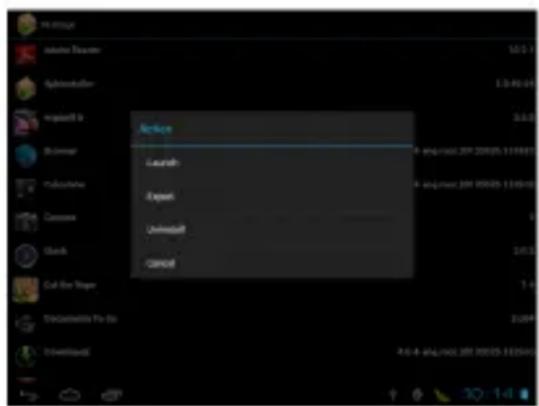
- Launch: launches the application
- Export: exports the application to T-Flash card
- Uninstall : removes the application
- Search at market: searches application in the app market.
- Cancel: cancels the operation
- Exit: exits from the screen and returns to main menu.
Recording
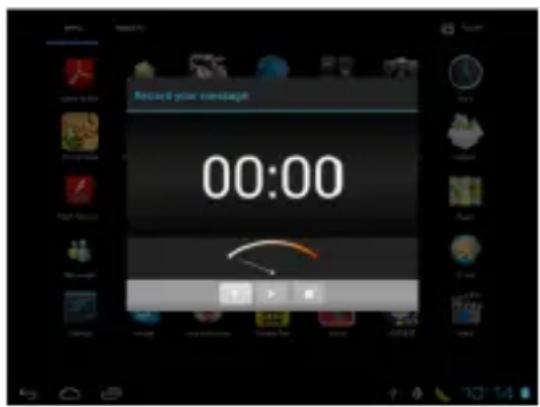
Enter this menu by clicking record symbol ( ) on the main menu, click
the record button ( ) to start recording. Click stopbutton ( ) to stop recording.
Click ( ) button to play therecord. System shall display a warning that indicates if this record shall be used or deleted, you may select this manually.
Playing the record: select audio play to play the record; select the record file from explorer first, then click "play" button.
PREPARATION FOR USE
Explorer
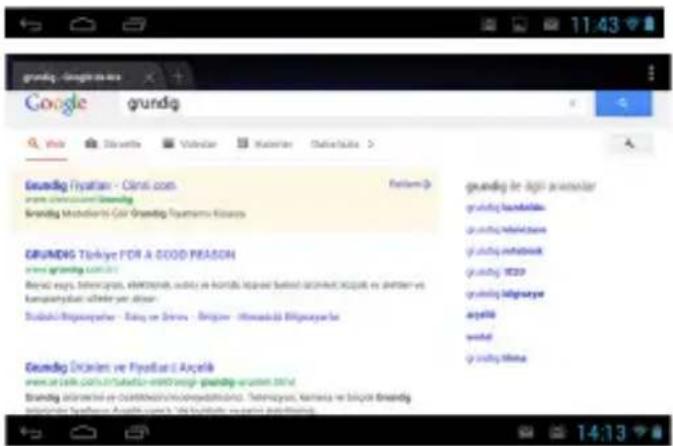
While Wifi is connected, click Explo-
rer () symbol on the main menu and enter menu, click website address column and enter the address of the website to be displayed:
Warning:
Explorer is popular at the moment, please use it according to the Explorer standard usage rules.

Warning:
All data in local disk are deleted when the system is upgraded. Please back-up important information before upgrade. After the upgrade, pre-installed applications shall run slowly when the disk section is started for first time; please wait for a little time, system speed shall return to normal when it is started again for the second time.
Technical specifications
| Hardware configuration | |
| Main Frequency 1. | 20 GHz |
| CPU Mediatek MT | 8125 Quad Core |
| Internal Memory 1 | GB DDR3 |
| Display 7.85" 102 | 4x768 |
| Capacitive display with multi-touch capability (5PIN touchscreen) | |
| Memory 8GB | |
| WiFi Wi-Fi 802.11 | b/g/n +3.0 HS+4.0 LE |
| Audio Single Speaker | |
| Expansion card Micro SD card with a support for 32GB Micro SD maximum (TF) | |
| Battery 3500 mAh | /3.7V,5V 2A rechargeable Li-ion battery |
| Data port High speed | USB 2.0, supports OTG function |
| Operating System | |
| operating system | Google Android 4.2.2 |
| Camera | |
| Front | 1.2 Megapixel |
| Rear | 5 Megapixel |
PREPARATION FOR USE
| I/O ports 1 x Micro USB 2.0 OTG Port1 x Audio Combo Jack1 x Micro SD1 x Integrated Microphone |
| Weight / Dimension 325 g / 140.6x200x8.2 (mm) |
PRODUCT SPECIFICATIONS
| Functionality | |
| Portable memory lt | may be used as a portable hardware disk |
| Audio MP3,WMA, | OGG,APE,FLAC,AAC,WAV |
| Video Support for H | H.264,VP8,RV,WMV,AVS,MPEG4etc., 1080P video output, 720P, HTML5, Flash0.2 support |
| Photo Support for J | PG, BMP, PNG etc. |
| Other | 2D/3D graphic processing unit, OpenGL ES2.0/1.1 and Open VG1.1 support |
| Internet, E-mail, Explore display | |
| Clock, Alarm Clock, Calculator, Recorder | |
| Audio mode Normal, Pop, Rock, Classical, Bass, Jazz, User defined | |
| Language Multi-language | guage (optional) |
| Repeat mode Single | track once, single track repeat, all tracksonce, demo |
| Recording | Support for microphone, 3GPP recording format |
| Technical specifications | |
| Battery usage period | Audio play time about: 10 hours, video playtime: about 4 hours |
| Internet browsing time: about 4 hours | |
Note:
The figures in the manual are for reference purposes only. Technical specifications, button operation or appearance may be changed without informing the user in advance. Thank you for your understanding.
R&TTE Declaration of Conformity (Doc)
No: 2014/211
We,
Beylikdüzü, İstanbul, Turkey
declare under our sole responsibility that the product ;
Grundig brand Tablet PC
GTB 801
to which this declaration relates is in conformity with the essential requirements and other relevant requirements of the R&TTE Directive (1999/5/EC).
The product is in conformity with the following standards and/or other normative documents:
- Art 3.1.a (Protection of health and of the safety of the user)
-EN 60950-1:2006 + A1:2010 + A12:2011
-EN 50 332-1 (2000)
-EN 50 360(2001)
-EN 62209-2: 2010
-EN 62311: 2008
-EN 50332-2: 2003
- Art 3.1.b (Protection requirements with respect to electromagnetic compatibility)
- Art 3.2 (Effective use of spectrum so as to avoid harmful interferences)
-EN 300328 v.1.7.1
NOTIFIED BODY INVOLVED:
Königswinkel 10, D-32825 Blomberg, Germany
Identification number: 0700
PLACE AND DATE OF ISSUE : İSTANBUL, 13.08.2014
Yekta URAL
Quality Assurance Manager
Arçelik A.Ş.
90471 Nürnberg, Germany
www.grundig.com
??????????? 14/34
AUS GUTEM GRUND
GRUNDIG
- YASAL UYARI
- Uyarı:
- LEGAL DISCLAIMER
- SAFETY INFORMATION
- OVERVIEW OF THE PRODUCT
- PREPARATION FOR USE
- PRODUCT SPECIFICATIONS
- SAFETY INFORMATION
- Warning for Package!
- WEEE Waste Electrical and Electronic Equipment Disposal:
- Things to Be Done for Energy Saving
- Traffic Safety
- Operating Conditions
- Privacy
- BATTERY
- In EU countries:
- In countries other than EU:
- Chargers
- Radio Waves
- Network or service error messages displayed on your device
- Touchscreen responds slowly or badly
- Your device freezes and important errors occur
- Your device is hot to touch
- Keep your personal information and important data safe
- Restrictions on Usage
- CE 0700①
- For customers in Italy:
- For customers in Norway:
- For customers in Turkey:
- For customers in Russia:
- For customers in Ukraine:
- Environmental Warning
- OVERVIEW OF THE PRODUCT
- Introduction of Buttons
- PREPARATION FOR USE
- PC Connection
- Warning:
- Turning on
- Note:
- Power OFF
- Using TF expansion cards
- Charging the battery
- Main user interface (explanation of menu symbols)
- WiFi Setting
- WIFI on setting:
- WIFI setting and network connection:
- U-Disk read function:
- External 3G USB Hardware Lock:
- Recording
- Explorer
- PRODUCT SPECIFICATIONS
- R&TTE Declaration of Conformity (Doc)
Brand : GRUNDIG
Model : GTB 801
Category : Tablet