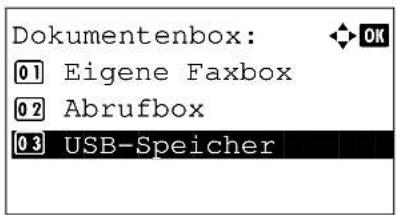
DC 6140L - Printer Triumph-Adler - Free user manual and instructions
Find the device manual for free DC 6140L Triumph-Adler in PDF.


User questions about DC 6140L Triumph-Adler
0 question about this device. Answer the ones you know or ask your own.
Ask a new question about this device
Download the instructions for your Printer in PDF format for free! Find your manual DC 6140L - Triumph-Adler and take your electronic device back in hand. On this page are published all the documents necessary for the use of your device. DC 6140L by Triumph-Adler.
USER MANUAL DC 6140L Triumph-Adler
natural_image
Exterior view of a modern office building (no signage)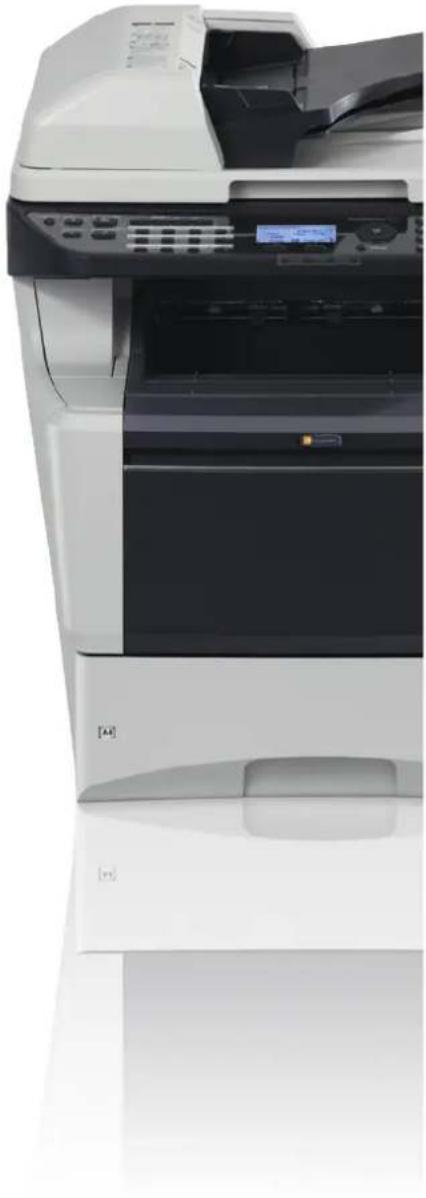
natural_image
Exterior view of a white HP printer with open lid and control panel (no visible text or symbols)
DC 6140L/6240L
DVD (Product Library)
Network Tool for Direct Printing Operation Guide
PRESCRIBE Commands Technical Reference
PRESCRIBE Commands Command Reference
Verschlüsselt in FTP senden....5-22
Dateitrennung 5-23
7 Status/Druck abbrechen
text_image
CLASS 1 LASER PRODUCT KLASSE 1 LASER PRODUKTCopyright (c) 1998-2006 The OpenSSL Project. All rights reserved.
Redistribution and use in source and binary forms, with or without modification, are permitted provided that the following conditions are met:
1 Redistributions of source code must retain the above copyright notice, this list of conditions and the following disclaimer.
2 Redistributions in binary form must reproduce the above copyright notice, this list of conditions and the following disclaimer in the documentation and/or other materials provided with the distribution.
3 All advertising materials mentioning features or use of this software must display the following acknowledgment:
"This product includes software developed by the OpenSSL Project for use in the OpenSSL Toolkit. (http://www.openssl.org/)
4 The names "OpenSSL Toolkit" and "OpenSSL Project" must not be used to endorse or promote products derived from this software without prior written permission.
For written permission, please contact openssl-core@openssl.org.
5 Products derived from this software may not be called "OpenSSL" nor may "OpenSSL" appear in their names without prior written permission of the OpenSSL Project.
6 Redistributions of any form whatsoever must retain the following acknowledgment: "This product includes software developed by the OpenSSL Project for use in the OpenSSL Toolkit (http://www.openssl.org/)
THIS SOFTWARE IS PROVIDED BY THE OpenSSL PROJECT "AS IS" AND ANY EXPRESSED OR IMPLIED WARRANTIES, INCLUDING, BUT NOT LIMITED TO, THE
IMPLIED WARRANTIES OF MERCHANTABILITY AND FITNESS FOR A PARTICULAR PURPOSE ARE DISCLAIMED. IN NO EVENT SHALL THE OpenSSL PROJECT OR ITS CONTRIBUTORS BE LIABLE FOR ANY DIRECT, INDIRECT, INCIDENTAL, SPECIAL, EXEMPLARY, OR CONSEQUENTIAL DAMAGES (INCLUDING, BUT NOT LIMITED TO, PROCUREMENT OF SUBSTITUTE GOODS OR SERVICES; LOSS OF USE, DATA, OR PROFITS; OR BUSINESS INTERRUPTION) HOWEVER CAUSED AND ON ANY THEORY OF LIABILITY, WHETHER IN CONTRACT, STRICT LIABILITY, OR TORT (INCLUDING NEGLIGENCE OR OTHERWISE) ARISING IN ANY WAY OUT OF THE USE OF THIS SOFTWARE, EVEN IF ADVISED OF THE POSSIBILITY OF SUCH DAMAGE.
Original SSLeay License
Copyright (C) 1995-1998 Eric Young (eay@cryptsoft.com) All rights reserved.
This package is an SSL implementation written by Eric Young (eay@cryptsoft.com). The implementation was written so as to conform with Netscapes SSL.
This library is free for commercial and non-commercial use as long as the following conditions are aheared to. The following conditions apply to all code found in this distribution, be it the RC4, RSA, Ihash, DES, etc., code; not just the SSL code. The SSL documentation included with this distribution is covered by the same copyright terms except that the holder is Tim Hudson (tjh@cryptsoft.com).
Copyright remains Eric Young's, and as such any Copyright notices in the code are not to be removed.
If this package is used in a product, Eric Young should be given attribution as the author of the parts of the library used.
This can be in the form of a textual message at program startup or in documentation (online or textual) provided with the package.
Redistribution and use in source and binary forms, with or without modification, are permitted provided that the following conditions are met:
1 Redistributions of source code must retain the copyright notice, this list of conditions and the following disclaimer.
2 Redistributions in binary form must reproduce the above copyright notice, this list of conditions and the following disclaimer in the documentation and/or other materials provided with the distribution.
3 All advertising materials mentioning features or use of this software must display the following acknowledgement:
"This product includes cryptographic software written by Eric Young (eay@cryptsoft.com)"
The word ‘cryptographic’ can be left out if the rouines from the library being used are not cryptographic related :-).
4 If you include any Windows specific code (or a derivative thereof) from the apps directory (application code) you must include an acknowledgement:
"This product includes software written by Tim Hudson (tjh@cryptsoft.com)"
THIS SOFTWARE IS PROVIDED BY ERIC YOUNG "AS IS" AND ANY EXPRESS OR IMPLIED WARRANTIES, INCLUDING, BUT NOT LIMITED TO, THE IMPLIED WARRANTIES OF MERCHANTABILITY AND FITNESS FOR A PARTICULAR PURPOSE ARE DISCLAIMED. IN NO EVENT SHALL THE AUTHOR OR CONTRIBUTORS BE LIABLE FOR ANY DIRECT, INDIRECT, INCIDENTAL, SPECIAL, EXEMPLARY, OR CONSEQUENTIAL DAMAGES (INCLUDING, BUT NOT LIMITED TO, PROCUREMENT OF SUBSTITUTE GOODS OR SERVICES; LOSS OF USE, DATA, OR PROFITS; OR BUSINESS INTERRUPTION) HOWEVER CAUSED AND ON ANY THEORY OF LIABILITY, WHETHER IN CONTRACT, STRICT LIABILITY, OR TORT (INCLUDING NEGLIGENCE OR OTHERWISE) ARISING IN ANY WAY OUT OF THE USE OF THIS SOFTWARE, EVEN IF ADVISED OF THE POSSIBILITY OF SUCH DAMAGE.
The licence and distribution terms for any publicly available version or derivative of this code cannot be changed. i.e. this code cannot simply be copied and put under another distribution licence [including the GNU Public Licence.]
Monotype Imaging License Agreement
1 Software shall mean the digitally encoded, machine readable, scalable outline data as encoded in a special format as well as the UFST Software.
2 You agree to accept a non-exclusive license to use the Software to reproduce and display weights, styles and versions of letters, numerals, characters and symbols (Typefaces) solely for your own customary business or personal purposes at the address stated on the registration card you return to Monotype Imaging. Under the terms of this License Agreement, you have the right to use the Fonts on up to three printers. If you need to have access to the fonts on more than three printers, you need to acquire a multi-user license agreement which can be obtained from Monotype Imaging. Monotype Imaging retains all rights, title and interest to the Software and Typefaces and no rights are granted to you other than a License to use the Software on the terms expressly set forth in this Agreement.
3 To protect proprietary rights of Monotype Imaging, you agree to maintain the Software and other proprietary information concerning the Typefaces in strict confidence and to establish reasonable procedures regulating access to and use of the Software and Typefaces.
4 You agree not to duplicate or copy the Software or Typefaces, except that you may make one backup copy. You agree that any such copy shall contain the same proprietary notices as those appearing on the original.
5 This License shall continue until the last use of the Software and Typefaces, unless sooner terminated. This License may be terminated by Monotype Imaging if you fail to comply with the terms of this License and such failure is not remedied within thirty (30) days after notice from Monotype Imaging. When this License expires or is terminated, you shall either return to Monotype Imaging or destroy all copies of the Software and Typefaces and documentation as requested.
6 You agree that you will not modify, alter, disassemble, decrypt, reverse engineer or decompile the Software.
7 Monotype Imaging warrants that for ninety (90) days after delivery, the Software will perform in accordance with Monotype Imaging-published specifications, and the diskette will be free from defects in material and workmanship. Monotype Imaging does not warrant that the Software is free from all bugs, errors and omissions.
The parties agree that all other warranties, expressed or implied, including warranties of fitness for a particular purpose and merchantability, are excluded.
8 Your exclusive remedy and the sole liability of Monotype Imaging in connection with the Software and Typefaces is repair or replacement of defective parts, upon their return to Monotype Imaging.
In no event will Monotype Imaging be liable for lost profits, lost data, or any other incidental or consequential damages, or any damages caused by abuse or misapplication of the Software and Typefaces.
9 Massachusetts U.S.A. law governs this Agreement.
10 You shall not sublicense, sell, lease, or otherwise transfer the Software and/or Typefaces without the prior written consent of Monotype Imaging.
11 Use, duplication or disclosure by the Government is subject to restrictions as set forth in the Rights in Technical Data and Computer Software clause at FAR 252-227-7013, subdivision (b)(3)(ii) or subparagraph (c)(1)(ii), as appropriate. Further use, duplication or disclosure is subject to restrictions applicable to restricted rights software as set forth in FAR 52.227-19 (c)(2).
12 You acknowledge that you have read this Agreement, understand it, and agree to be bound by its terms and conditions. Neither party shall be bound by any statement or representation not contained in this Agreement. No change in this Agreement is effective unless written and signed by properly authorized representatives of each party. By opening this diskette package, you agree to accept the terms and conditions of this Agreement.
Energiesparfunktion
Energy Star (ENERGY STAR®) Program

text_image
Technical diagram of a printer with numbered parts for identification and assembly reference.text_image
Technical diagram of a printer internal structure with numbered components and exploded viewNetwok Tool for Direct Printing Operation Guide
PRESCRIBE Commands Technical Reference
PRESCRIBE Commands Command Reference
text_image
Diagram showing a hand pressing a button on a device with an arrow indicating rotation or change.text_image
Diagram showing connection between a device, network switch, and computer via USB cable, with labeled components and wiring connections.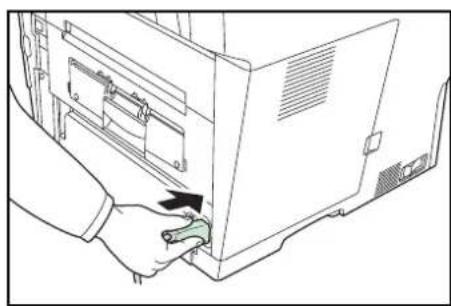
natural_image
Line drawing of a hand inserting a small green tool into a computer oven (no text or symbols)text_image
Diagram showing a hand pressing a button on a device with an arrow indicating rotation or change, likely illustrating a device control or status adjustment.text_image
Diagram showing a hand pressing a button labeled 'I' with an arrow indicating rotation or change, next to a device panel.
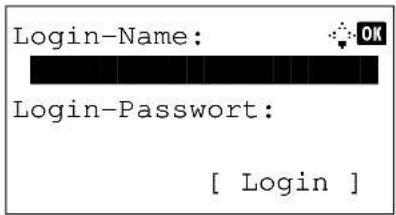
text_image
Login-Name: Login-Password: [ Login ]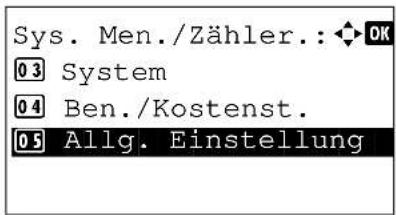
text_image
Sys. Men./Zähler.: OK 03 System 04 Ben./Kostenst. 05 Allg. Einstellung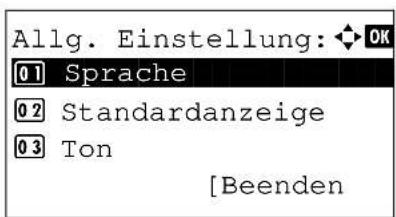
natural_image
Illustration of a hand inserting into a computer motherboard with an arrow indicating compression (no text or symbols present)text_image
Technical diagram showing mechanical assembly with magnified views and a labeled component 'A4'text_image
Diagram showing a hand pressing a device into a device with an arrow indicating the process, alongside a magnified view of the device's internal structure.text_image
Diagram of a device interior with labeled components and an inset showing hand positioning and directional arrows.text_image
Architectural floor plan with highlighted hand tool and directional arrows indicating movement or forcetext_image
Diagram illustrating a device's internal structure with a no-smoking symbol, showing part assembly and component placement.natural_image
Top-down schematic of a computer monitor layout with ventilation slots and drive bays (no text or labels)natural_image
Technical line drawing of a mechanical device with two arms and a central screen (no text or symbols)natural_image
Illustration of hands installing a green internal component into a computer drive, with an upward arrow indicating motion (no text or symbols present)text_image
Diagram showing a printer device with a magnified view of its internal components, including a green bar and labeled parts.natural_image
Diagram of a printer's internal structure showing two black arrows pointing to internal components (no text or symbols present)natural_image
Diagram of a printer's internal structure with a hand pressing a button, showing no text or symbols.natural_image
Diagram of a mechanical assembly with a green cover and black upward arrow indicating direction (no text or symbols)natural_image
Illustration of a hand inserting a green card into a computer case (no text or symbols visible)natural_image
Technical diagram of a computer case with two views of internal components (no text or symbols)natural_image
Illustration of hands inserting a device into a computer tower (no text or symbols visible)text_image
Medientyp Kass.1: ◆ OK [0 1] *Normal [0 2] Rauhes [0 3] Recyclingtext_image
Univ.-Zuf. Form.: OK [01]*Letter [02] Legal [03] Statementnatural_image
Illustration of a printer with an open lid and a black arrow indicating the process (no text or symbols present)natural_image
Line drawing of hands operating a printer with open lid (no text or symbols)natural_image
Diagram of a printer with arrows indicating process flow (no text or symbols present)natural_image
Illustration of a hand inserting a card into a printer with an arrow indicating the card's direction (no text or symbols present)natural_image
Diagram of a printer with a green cover and magnified detail showing the printer's internal structure (no text or symbols present)natural_image
Line drawing of hands operating a device with open lid (no text or symbols)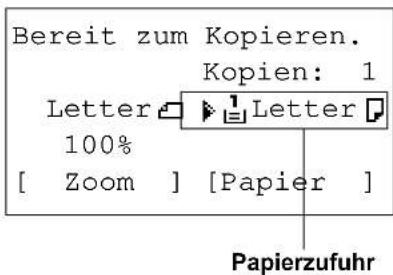
text_image
.@ 1 GHB 4 PGRS 7 *. ABC 2 JKL 5 TUV 8 0 DEF 3 MNO 6 WXYZ 9 Symbol #
text_image
Starttext_image
Standard Zoom: 0 4 129% STMT >> LTR 0 5 *100% 0 6 78% LGL >> LTRflowchart
graph LR
    A["Original Kopie"] --> B["1"]
    A --> C["2"]
Senden an Ordner (SMB)/Senden an Ordner (FTP)
text_image
Suchen (Name) : ma ABC [ Menü ] [ Text ]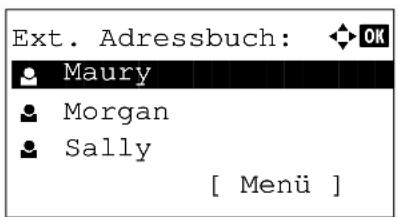
text_image
Ext. Adressbuch: Maury Morgan Sally [ Menü ]text_image
Tonerstatus: 0% 100%natural_image
Line drawing of a printer with a screen showing a grid and an 'A' symbol (no text or labels)[Oberkante oben] [Oberk. links]
natural_image
Line drawing of a portable electronic device with a screen and control panel (no text or symbols)natural_image
Line drawing of a printer front view showing internal structure and control panel (no text or symbols)[Oberk. links]
text_image
EcoPrint: [0 1] * Aus [0 2] Eintext_image
2 in 1 Layout: 01 * L R T B 02 R L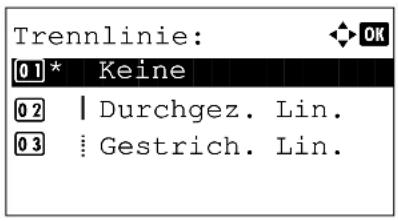
text_image
Trennlinie: [0 1] * Keine [0 2] | Durchgez. Lin. [0 3] : Gestrich. Lin.
text_image
Mehrfach-Scan: [0 1] * Aus [0 2] Eintext_image
Zoom: [01]*100% [02] Autonatural_image
Line drawing of a printer with a screen showing internal text (no readable symbols or text)[Oberkante oben] [Oberk. links]
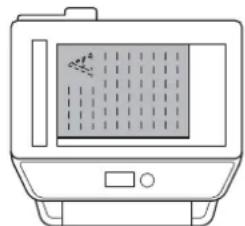
natural_image
Line drawing of a portable electronic device with a screen and control panel (no text or symbols)natural_image
Line drawing of a printer front view showing internal structure and control panel (no text or symbols)[Oberk. links]
natural_image
Line drawing of a printer with control panel and paperclip (no text or symbols)
natural_image
Line drawing of a printer with control panel and scroll wheel (no text or symbols)