PM1633a - SSD SAMSUNG - Free user manual and instructions

Find the device manual for free PM1633a SAMSUNG in PDF.

SAMSUNG PM1633a - SSD
📄 10 pages English EN Download 💬 AI Question 10 questions ⚙️ Specs
Notice SAMSUNG PM1633a - page 6
Pick your language and provide your email: we'll send you a specifically translated version.
Product Type SSD (Solid State Drive)
Brand Samsung
Model PM1633a
Form Factor 2.5-inch
Interface SATA III (6 Gb/s)
Capacity 3.84 TB
NAND Flash Samsung V-NAND (3D NAND)
Sequential Read Speed Up to 550 MB/s
Sequential Write Speed Up to 520 MB/s
Random Read IOPS Up to 98,000
Random Write IOPS Up to 28,000
Power Consumption (Active) 2.5W typical read, 3.0W typical write
Power Consumption (Idle) 1.5W typical
Operating Temperature 0°C to 70°C
Storage Temperature -40°C to 85°C
Weight 70 g
Dimensions (W x H x D) 69.85 mm x 7.0 mm x 100.0 mm
Endurance (DWPD) 1.0 (typical)
Encryption AES 256-bit
Warranty 5 years limited
Handling Precautions Use anti-static gloves and wrist strap; hold by sides; avoid touching connectors; do not drop, hit, or stack; do not lay on solid surfaces; connect SATA cable properly
Maintenance Clean with dry cloth; do not use liquids

Frequently Asked Questions - PM1633a SAMSUNG

How should I safely handle the Samsung PM1633a SSD?
Hold the drive by its side area at all times without squeezing strongly. Wear anti-static gloves and a wrist strap to protect against ESD. Avoid touching the connector area. Do not drop, hit, or stack the drives.
What precautions are necessary to prevent ESD damage?
Always wear anti-static gloves and a grounded wrist strap when handling the SSD. Work on an ESD-safe mat if available. Avoid touching the connectors or other sensitive components.
What should I avoid when handling the SSD?
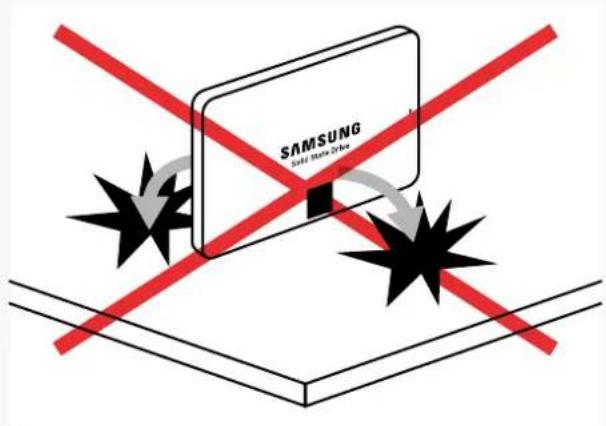
Avoid dropping, knocking over, or hitting the SSD. Do not stack drives on top of each other. Do not lay the SSD on hard surfaces or solid objects. Never touch the connectors with metals or attempt to open the drive casing.
How do I connect the SATA cable to the PM1633a?
Hold the drive by its sides and gently insert the SATA cable into the connector. Ensure the connector is fully and securely attached. Do not insert or remove the SSD with partially or loosely connected cables.
Can I stack multiple SSDs on top of each other?
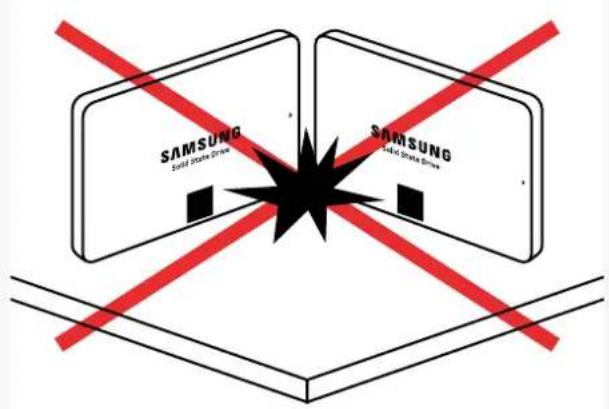
No, do not stack SSDs. Stacking can cause physical damage to the drive covers and impact the physical dimensions, leading to failure. Store drives separately in anti-static packaging.
What is the recommended storage condition for the SSD?
Store the SSD in a cool, dry place within the storage temperature range of -40°C to 85°C. Keep it in anti-static protection and avoid exposure to moisture or direct sunlight.
Is it safe to touch the connectors of the SSD?
No, avoid touching the connector area with bare hands or metal objects. Contact can cause ESD damage or corrosion. Always hold the drive by the side area.
What should I do if I accidentally drop the SSD?
If dropped, inspect the drive for physical damage such as dents or cracks. Do not use if damaged. The SSD could be severely damaged from impact. Test functionality in a safe environment if undamaged.
What tools are needed for installing the PM1633a?
Typically, no special tools are required. Use a SATA cable and power cable from your system. A screwdriver may be needed to mount the drive in a 2.5-inch bay. Wear anti-static gloves and wrist strap during installation.
Does the PM1633a come with any management software?
Samsung offers Samsung Magician software for consumer SSDs, but for enterprise models like PM1633a, proprietary tools may be available. Check Samsung's official website for SSD management utilities and firmware updates.

User questions about PM1633a SAMSUNG

0 question about this device. Answer the ones you know or ask your own.

Ask a new question about this device

Your email remains private: it is only used to notify you if someone answers your question.

No questions yet. Be the first to ask one.

Download the instructions for your SSD in PDF format for free! Find your manual PM1633a - SAMSUNG and take your electronic device back in hand. On this page are published all the documents necessary for the use of your device. PM1633a by SAMSUNG.

USER MANUAL PM1633a SAMSUNG

SSD 2.5-inch Handling Guide

Caution for Document License

THIS DOCUMENT AND ALL INFORMATION PROVIDED HEREIN (COLLECTIVELY, "INFORMATION") IS PROVIDED ON AN "AS IS" BASIS AND REMAINS THE SOLE AND EXCLUSIVE PROPERTY OF SAMSUNG ELECTRONICS CO., LTD. CUSTOMER MUST KEEP ALL INFORMATION IN STRICT CONFIDENCE AND TRUST, AND MUST NOT, DIRECTLY OR INDIRECTLY, IN ANY WAY, DISCLOSE, MAKE ACCESSIBLE, POST ON A WEBSITE, REVEAL, REPORT, PUBLISH, DISSEMINATE OR TRANSFER ANY INFORMATION TO ANY THIRD PARTY. CUSTOMER MUST NOT REPRODUCE OR COPY INFORMATION, WITHOUT SPECIFIC WRITTEN CONSENT FROM SAMSUNG. CUSTOMER MUST NOT USE, OR ALLOW USE OF, ANY INFORMATION IN ANY MANNER WHATSOEVER, EXCEPT FOR CUSTOMER'S INTERNAL EVALUATION PURPOSE. CUSTOMER MUST RESTRICT ACCESS TO INFORMATION TO THOSE OF ITS EMPLOYEES WHO HAVE A BONA FIDE NEED-TO-KNOW FOR SUCH PURPOSE AND ARE BOUND BY OBLIGATIONS AT LEAST AS RESTRICTIVE AS THIS CLAUSE. BY RECEIVING THIS DOCUMENT, IT IS UNDERSTOOD THAT CUSTOMER AGREES TO THE FOREGOING AND TO INDEMNIFY SAMSUNG FOR ANY FAILURE TO STRICTLY COMPLY THEREWITH. IF YOU DO NOT AGREE TO ANY PORTION OF THIS CLAUSE, PLEASE RETURN ALL INFORMATION AND ALL COPIES (IF ANY) WITHIN 24 HOURS OF RECEIPT THEREOF.

SSD 2.5-inch Handling Guide

Do hold the side area at all times without squeezing strongly
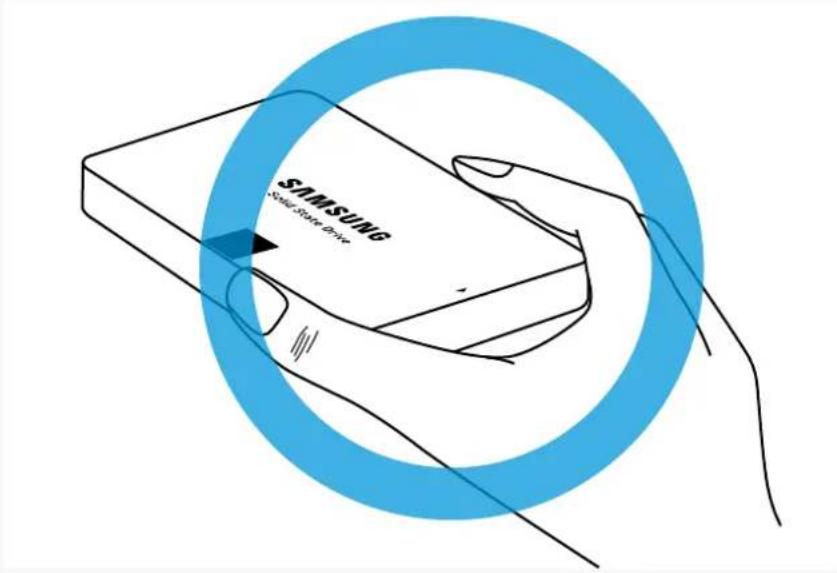
SAMSUNG SAMSUNG Smartphone Drive

Do wear anti-static gloves and a wrist strap to protect against ESD whenever you hold or touch the drive
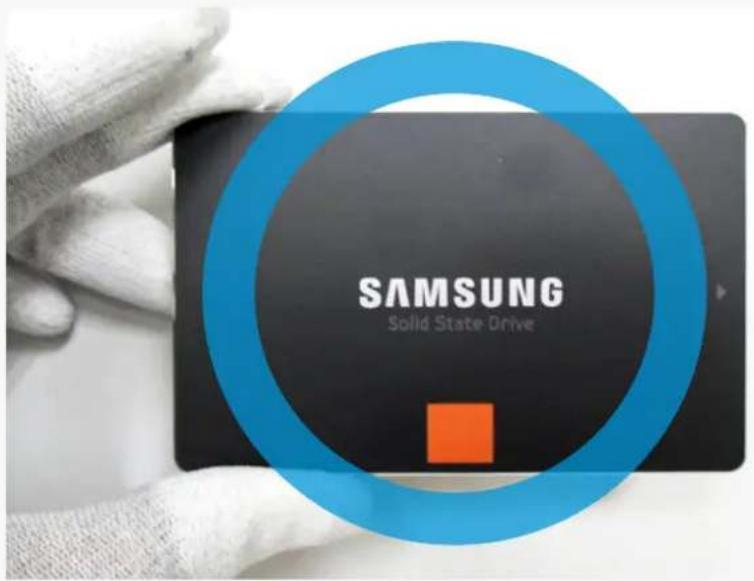
SAMSUNG Solid State Drive

SSD 2.5-inch Handling Guide

If you can't hold the side area, hold the area opposite the connectors
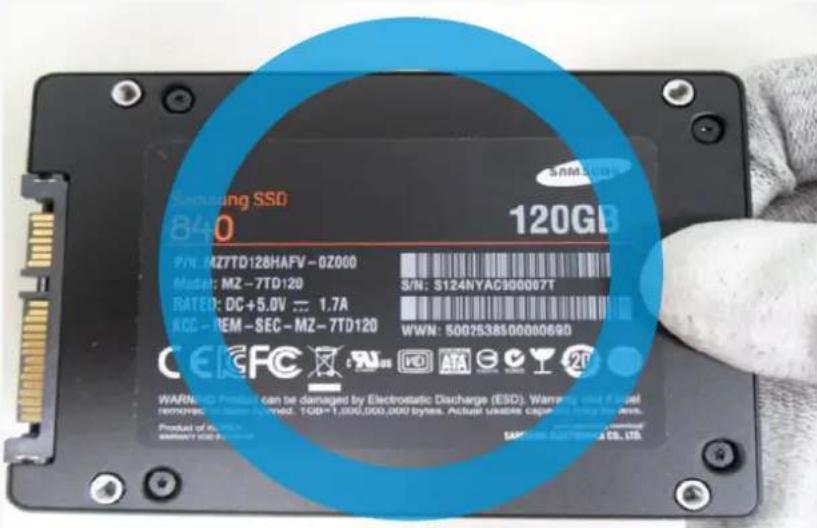
Samsung SSD 840 120GB P/N: MZ7TD128HAFV-0Z000 Model: MZ-7TD120 RATED: DC+5.0V 1.7A KCC-REM-SEC-MZ-7TD120 S/N: S124NYAC900007T WWN: 50025385000069D CECFC WARNING: HD Product can be damaged by Electrostatic Discharge (ESD). Warning visit if based removable power button. 1GB=1,000,000,000 bytes. Actual…

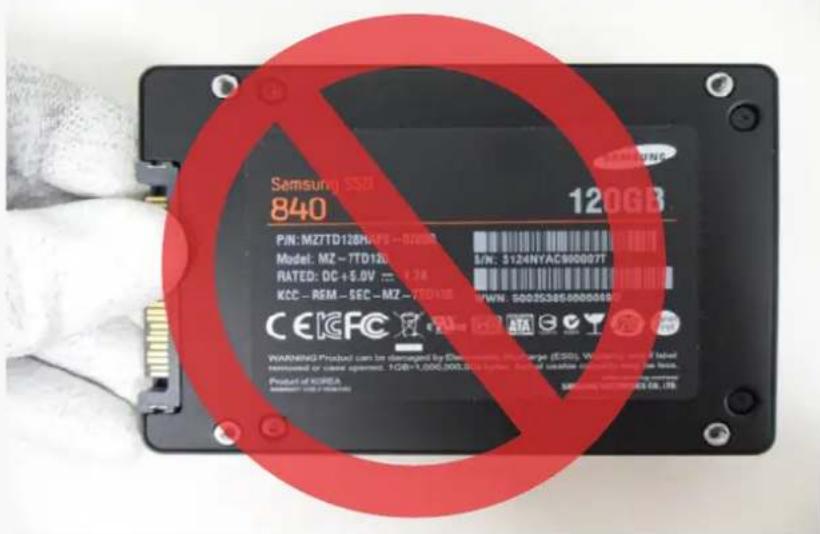
Do not hold the connector area

Samsung SSD 840 120GB P/N: MZ7TD120HA/FS - 97000 Model: MZ - 7TD120 RATED: DC +5.0V = 9.76 KCC - REM - SEC - MZ - 7TD10 CEIGFC WARNING Product can be damaged by Electronic Phosphate (ECSO), Warning and if label removed or reset opened. 1GB+1,000,000.00Aeglass. Found in beige colorless white liquid c…

SSD 2.5-inch Handling Guide

Do not stack the SSDs
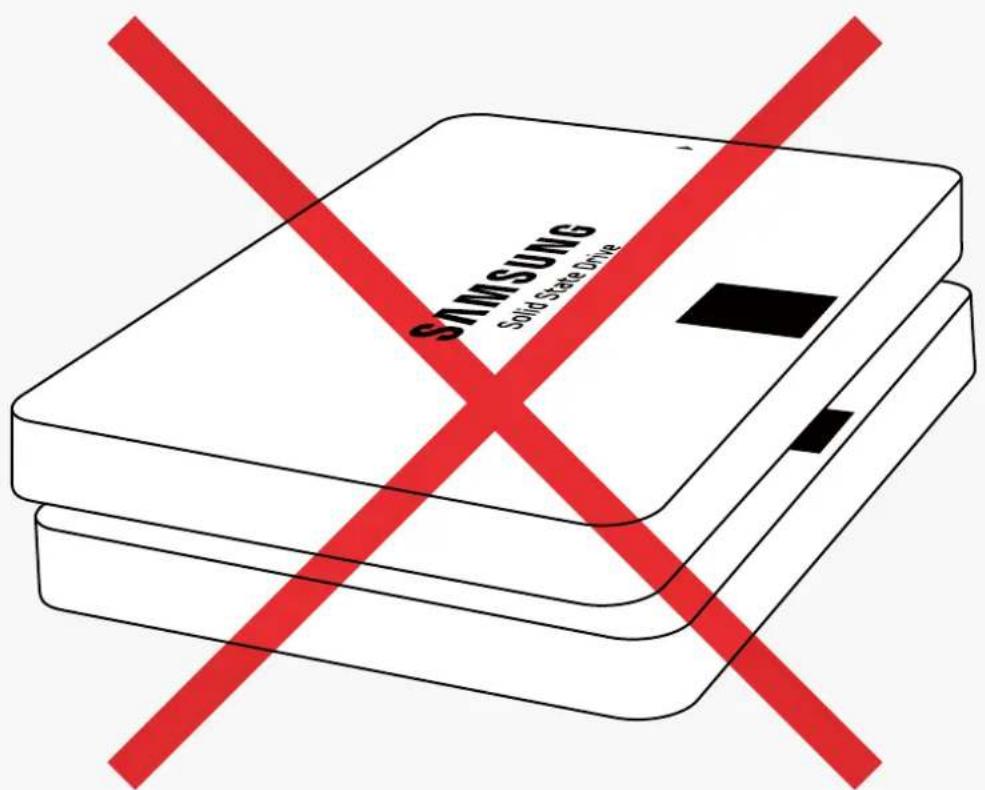
SAMSUNG Solid State Drive

SSD 2.5-inch Handling Guide

Be careful while handling the SSD on hard surfaces
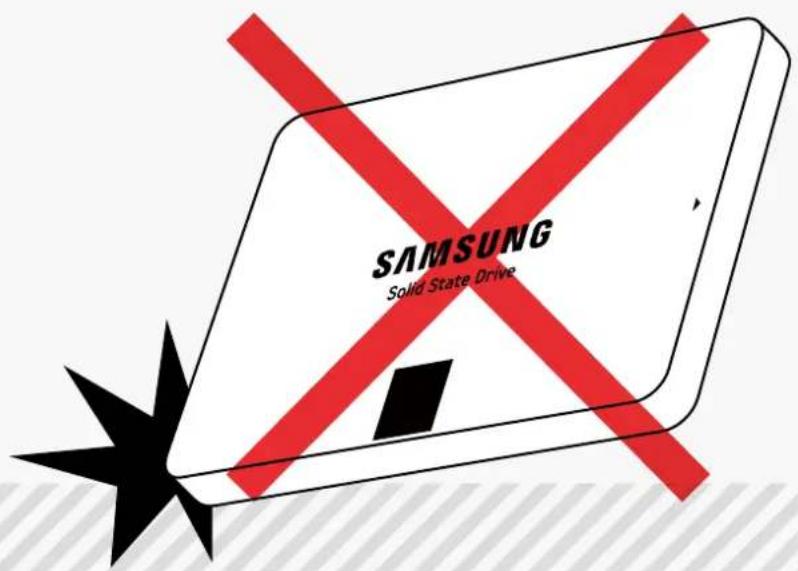
SAMSUNG Solid State Drive

The SSD could be severely damaged if you hit it on a hard surface
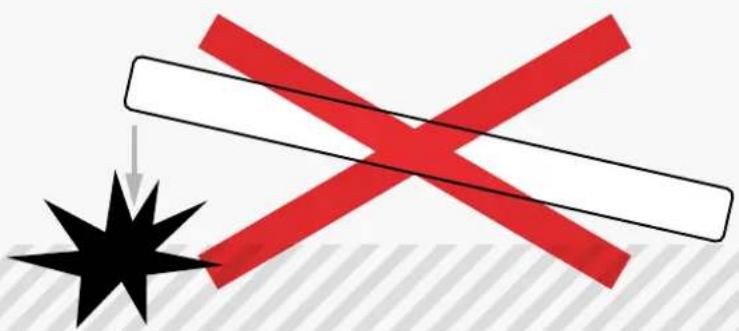
Pure diagram of a cross over a black star with red diagonal stripe, no text or symbols present

SSD 2.5-inch Handling Guide

Be careful while handling the SSD

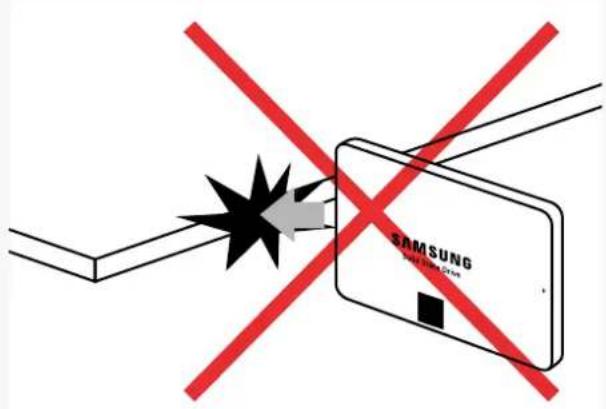
The cases below should be avoided to prevent damage to the SSD

DroppingSAMSUNG Solid State Drive
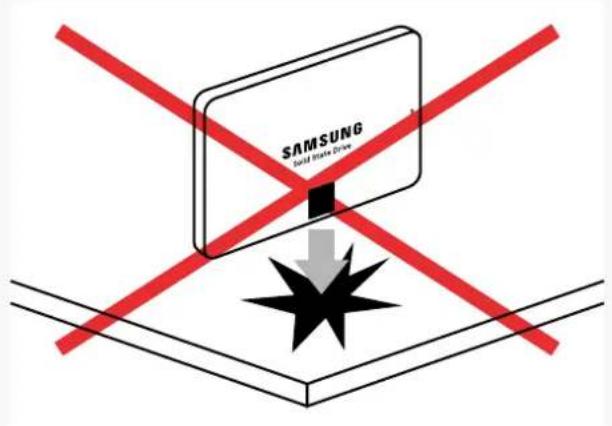
Knocking overSAMSUNG Salt State Drive

HittingSAMSUNG Solid State Drive SAMSUNG Solid State Drive

HittingSAMSUNG Smartwatch Drive

SSD 2.5-inch Handling Guide

Do not lay the SSD on solid objects

The physical dimensions of the drive cover could be impacted, causing the SSD to fail
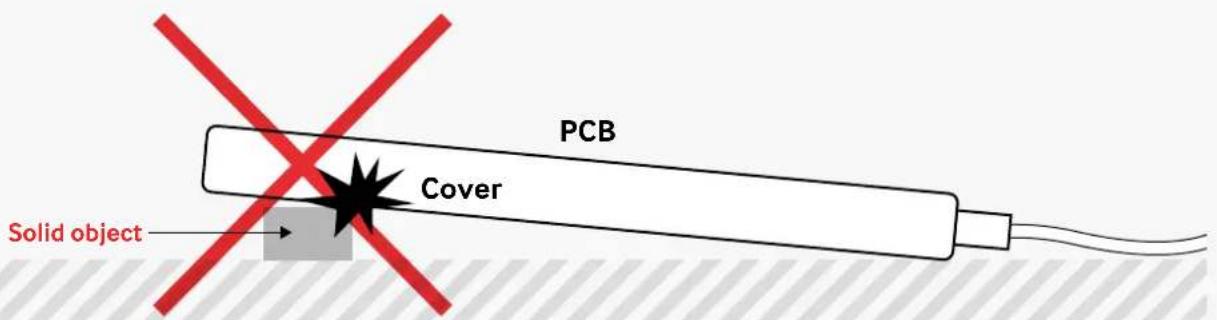
PCB Cover Solid object

SSD 2.5-inch Handling Guide

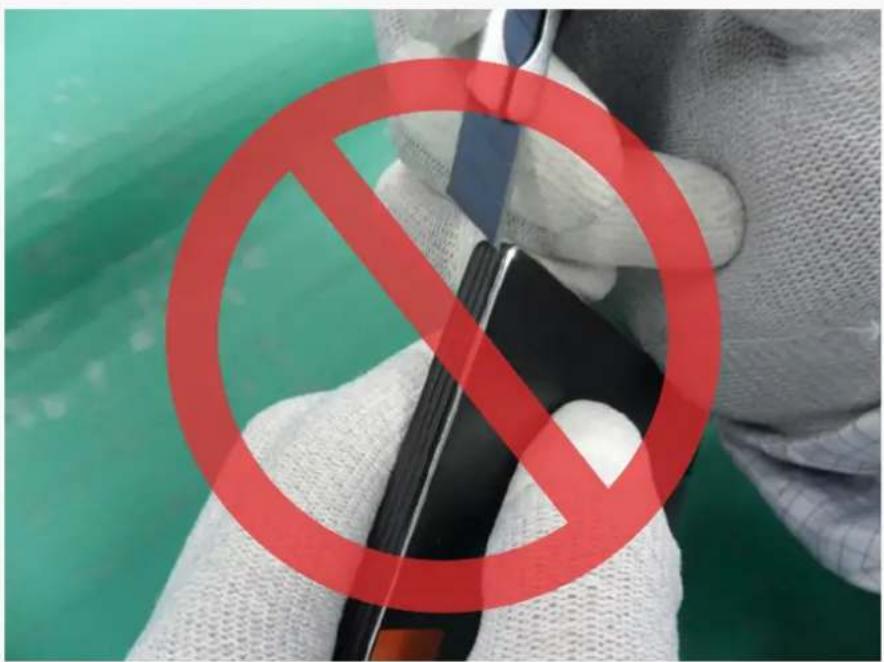
Do not touch the connectors with metals and do not attempt to open the drive casing
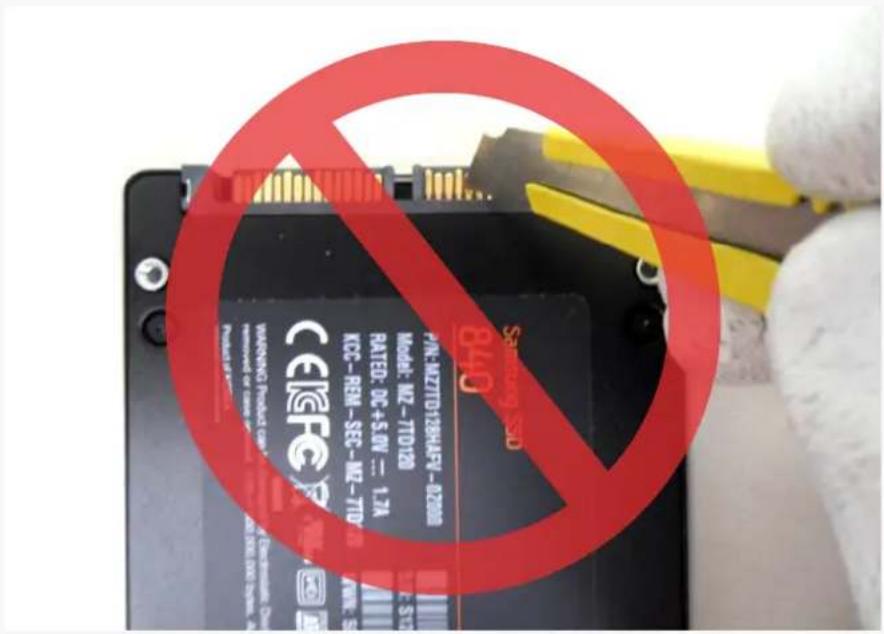
PINK-MZTITD-126H45V-027000 MODEL: MZ-TITD129 RATED: DC+5.0V = 1.7A KCC-REM-SEG-MZ-TITD WARNING Product Use removed for Litter Product of 840 Samsung SSD

Close-up of hands holding a red prohibition symbol over a device, with green background and partial text visible.

SSD 2.5-inch Handling Guide

Do not insert or remove SSD products with partially or loosely connected connectors.
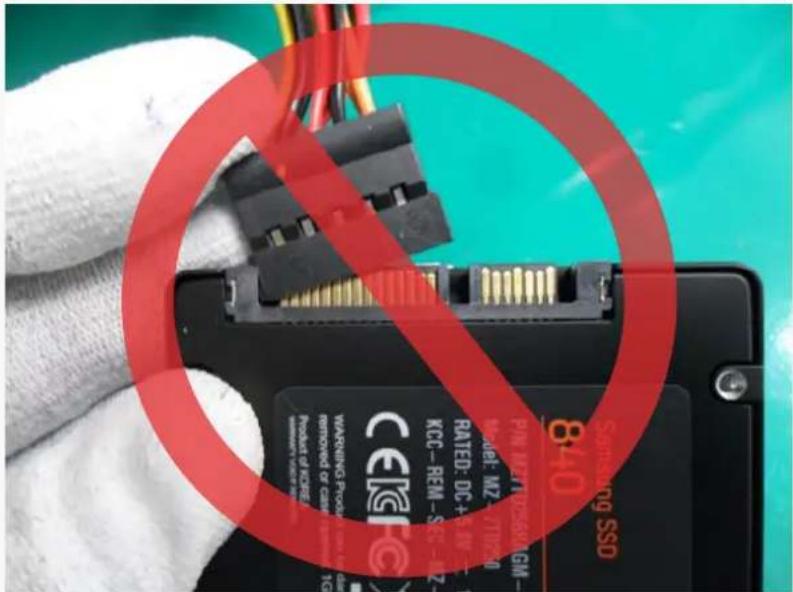
WARNING PROV 8.40 RATED: DC+1W KCC-REM-SRZ- PMI-MZ-7/12/2010 GM- WARNING PROV REPROVED OF CRESER Product of CRESER 8.40 WARNING PROV 8.40

How to connect a SATA cable.

Hold the drive by its sides.
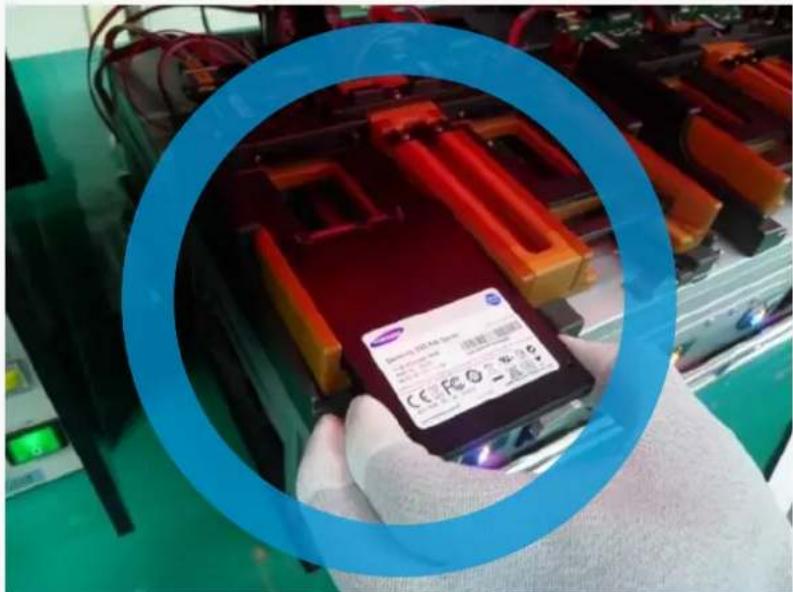
Samsung 125-140 Model: 125-140 CE Fe O - 125-140

Manual assistant
Powered by Anthropic
Waiting for your message
Product information

Brand : SAMSUNG

Model : PM1633a

Category : SSD