
PM863a - SSD SAMSUNG - Free user manual and instructions
Find the device manual for free PM863a SAMSUNG in PDF.


| Product Type | SSD (Solid State Drive) |
| Brand | Samsung |
| Model | PM863a |
| Capacity | Up to 3.84TB (240GB, 480GB, 960GB, 1.92TB, 3.84TB variants) |
| Interface | SATA 6Gb/s |
| Form Factor | 2.5-inch |
| NAND Components | Samsung V-NAND 3-bit MLC |
| Sequential Read Speed | Up to 550 MB/s |
| Sequential Write Speed | Up to 520 MB/s |
| Random Read (4KB) | Up to 98,000 IOPS |
| Random Write (4KB) | Up to 28,000 IOPS |
| Active Power Consumption | 2.5W typical |
| Idle Power Consumption | 0.6W typical |
| Operating Temperature | 0°C to 70°C |
| MTBF (Mean Time Between Failures) | 2,000,000 hours |
| Warranty | 5 years limited |
| Weight | Approximately 60g |
| Dimensions (W x D x H) | 100 x 69.85 x 7 mm |
| Key Features | TRIM support, SMART monitoring, ECC, AES 256-bit encryption (optional), power loss protection |
| Maintenance | No regular maintenance required; avoid physical shock |
| Intended Use | Enterprise data centers and servers |
Frequently Asked Questions - PM863a SAMSUNG
User questions about PM863a SAMSUNG
0 question about this device. Answer the ones you know or ask your own.
Ask a new question about this device
Download the instructions for your SSD in PDF format for free! Find your manual PM863a - SAMSUNG and take your electronic device back in hand. On this page are published all the documents necessary for the use of your device. PM863a by SAMSUNG.
USER MANUAL PM863a SAMSUNG
SSD 2.5-inch Handling Guide
Caution for Document License
THIS DOCUMENT AND ALL INFORMATION PROVIDED HEREIN (COLLECTIVELY, "INFORMATION") IS PROVIDED ON AN "AS IS" BASIS AND REMAINS THE SOLE AND EXCLUSIVE PROPERTY OF SAMSUNG ELECTRONICS CO., LTD. CUSTOMER MUST KEEP ALL INFORMATION IN STRICT CONFIDENCE AND TRUST, AND MUST NOT, DIRECTLY OR INDIRECTLY, IN ANY WAY, DISCLOSE, MAKE ACCESSIBALE, POST ON A WEBSITE, REVEAL, REPORT, PUBLISH, DISSEMINATE OR TRANSFER ANY INFORMATION TO ANY THIRD PARTY. CUSTOMER MUST NOT REPRODUCE OR COPY INFORMATION, WITHOUT SPECIFIC WRITTEN CONSENT FROM SAMSUNG. CUSTOMER MUST NOT USE, OR ALLOW USE OF, ANY INFORMATION IN ANY MANNER WHATSOEVER, EXCEPT FOR CUSTOMER'S INTERNAL EVALUATION PURPOSE. CUSTOMER MUST RESTRICT ACCESS TO INFORMATION TO THOSE OF ITS EMPLOYEES WHO HAVE A BONA FIDE NEED-TO-KNOW FOR SUCH PURPOSE AND ARE BOUND BY OBLIGATIONS AT LEAST AS RESTRICTIVE AS THIS CLAUSE. BY RECEIVING THIS DOCUMENT, IT IS UNDERSTOOD THAT CUSTOMER AGREES TO THE FOREGOING AND TO INDEMNIFY SAMSUNG FOR ANY FAILURE TO STRICTLY COMPLY THEREWITH. IF YOU DO NOT AGREE TO ANY PORTION OF THIS CLAUSE, PLEASE RETURN ALL INFORMATION AND ALL COPIES (IF ANY) WITHIN 24 HOURS OF RECEIPT THEREOF.
SSD 2.5-inch Handling Guide
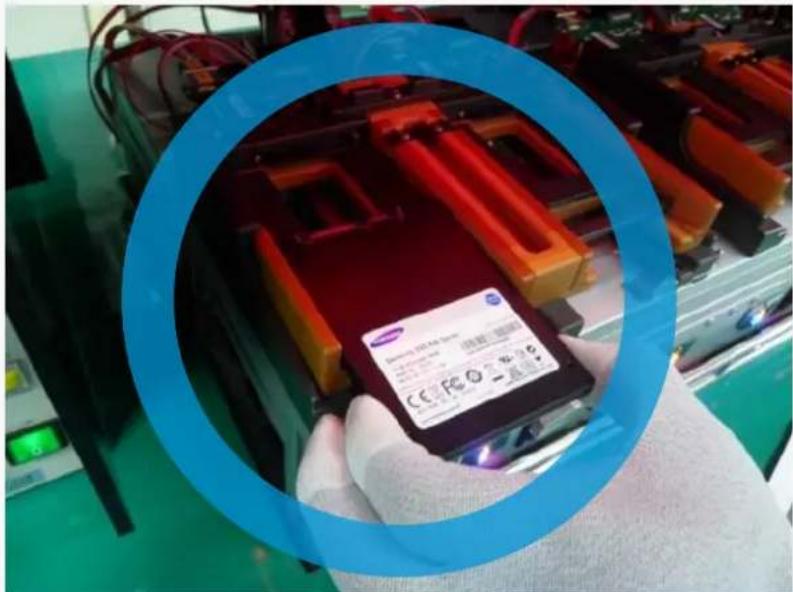
Do hold the side area at all times without squeezing strongly
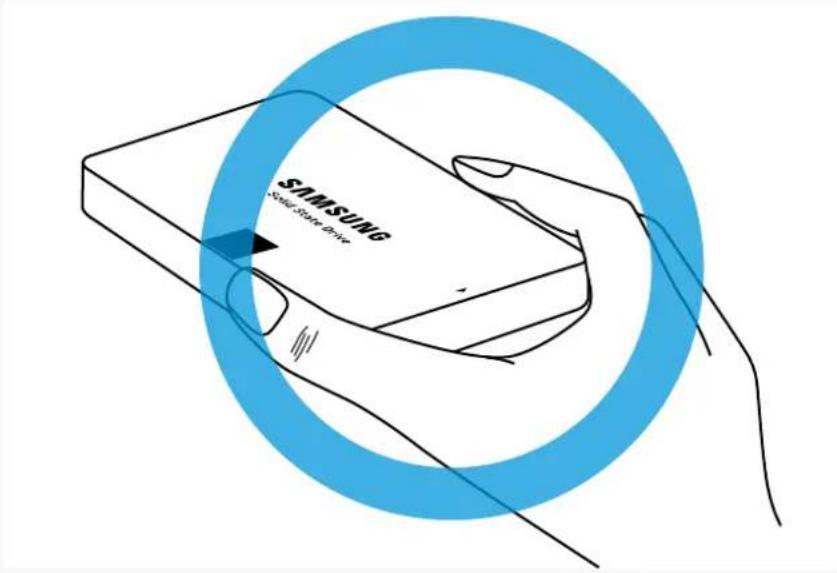
Do wear anti-static gloves and a wrist strap to protect against ESD whenever you hold or touch the drive
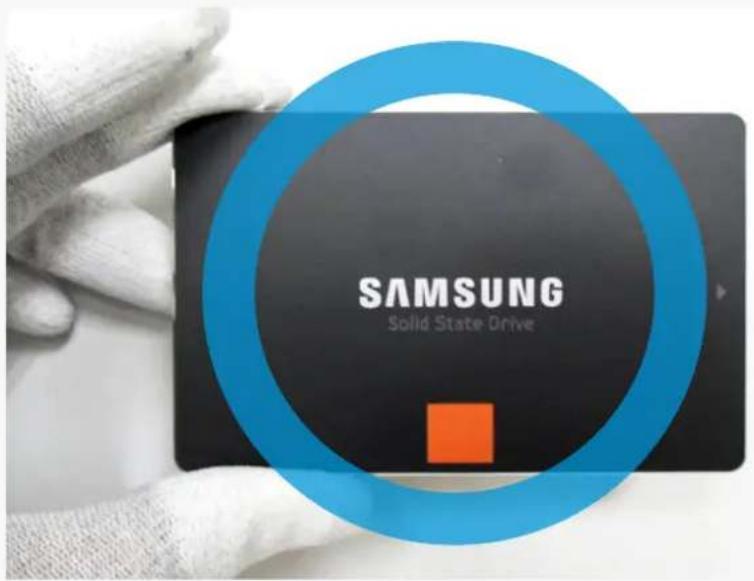
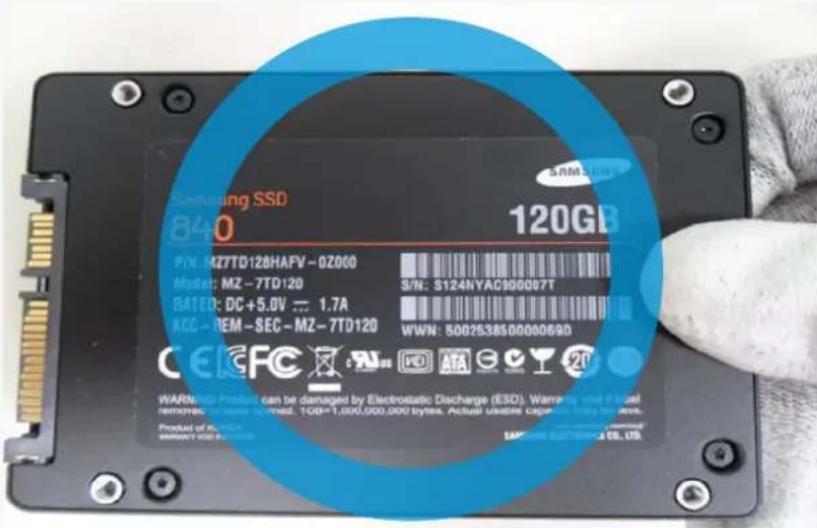
SSD 2.5-inch Handling Guide
If you can't hold the side area, hold the area opposite the connectors
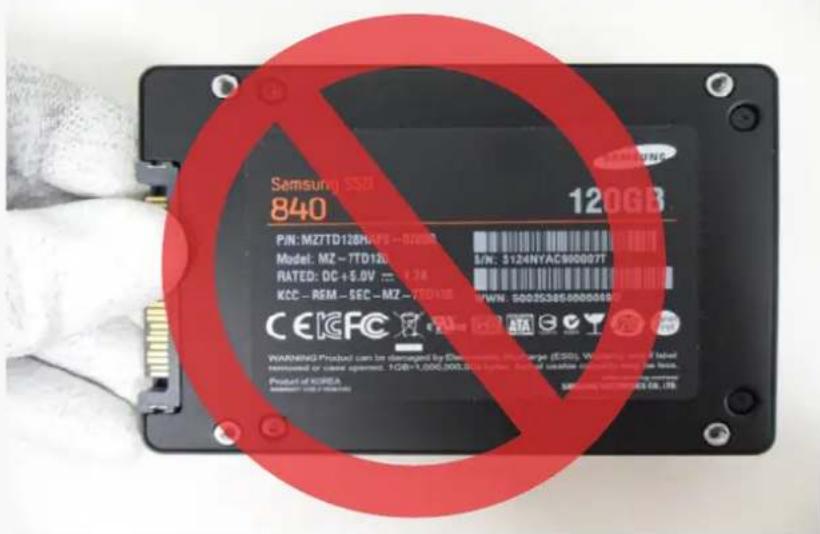
Do not hold the connector area
SSD 2.5-inch Handling Guide
Do not stack the SSDs
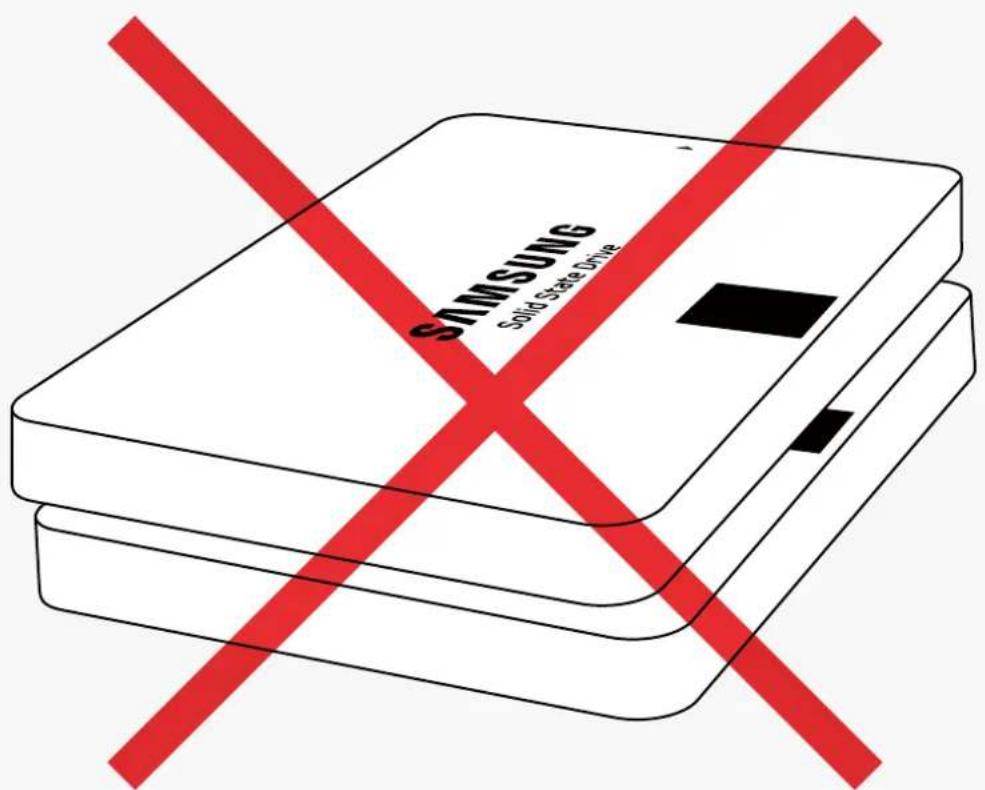
SSD 2.5-inch Handling Guide
Be careful while handling the SSD on hard surfaces
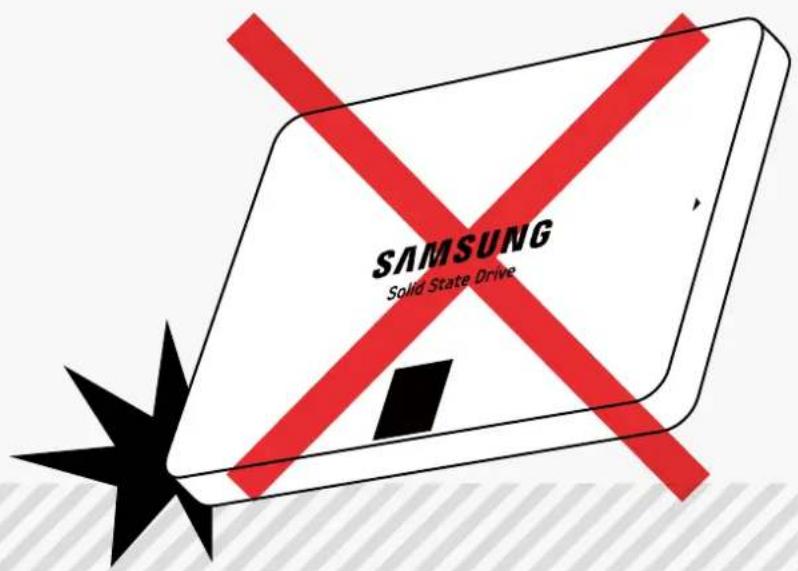
The SSD could be severely damaged if you hit it on a hard surface

SSD 2.5-inch Handling Guide
Be careful while handling the SSD
The cases below should be avoided to prevent damage to the SSD
Dropping
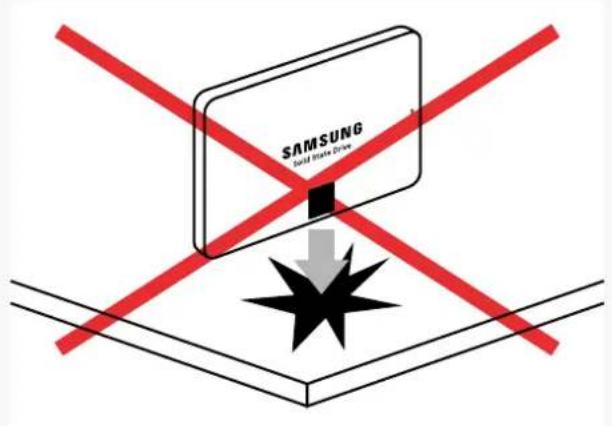
Knocking Over
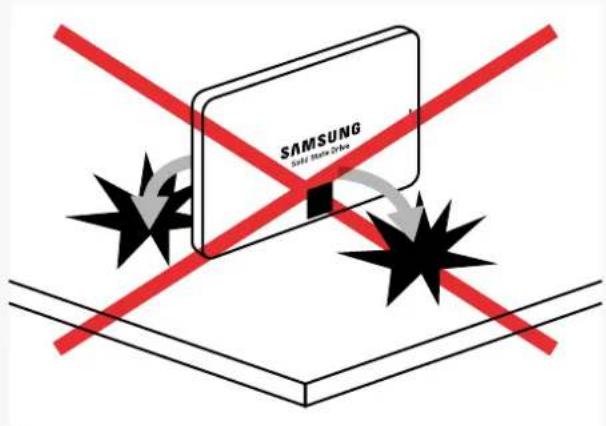
Hitting
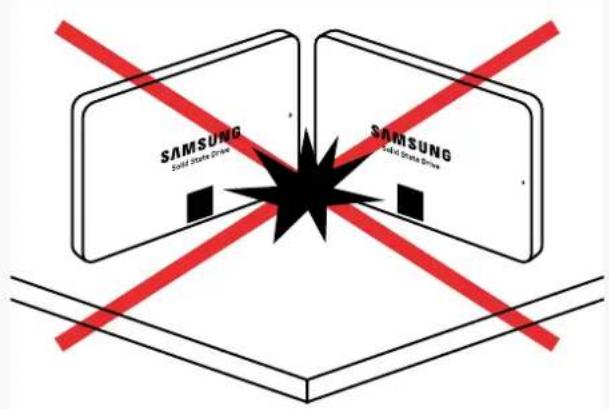
Hitting
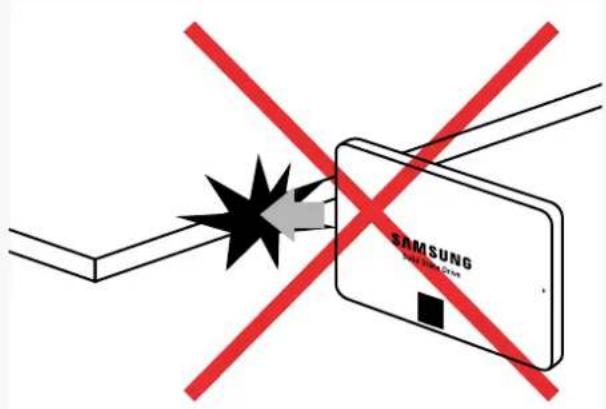
SSD 2.5-inch Handling Guide
Do not lay the SSD on solid objects
The physical dimensions of the drive cover could be Impacted, causing the SSD to fail
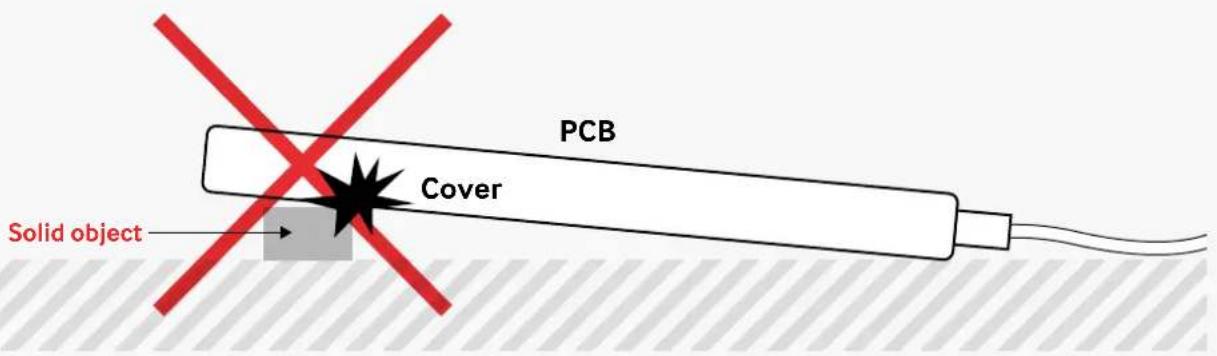
SSD 2.5-inch Handling Guide
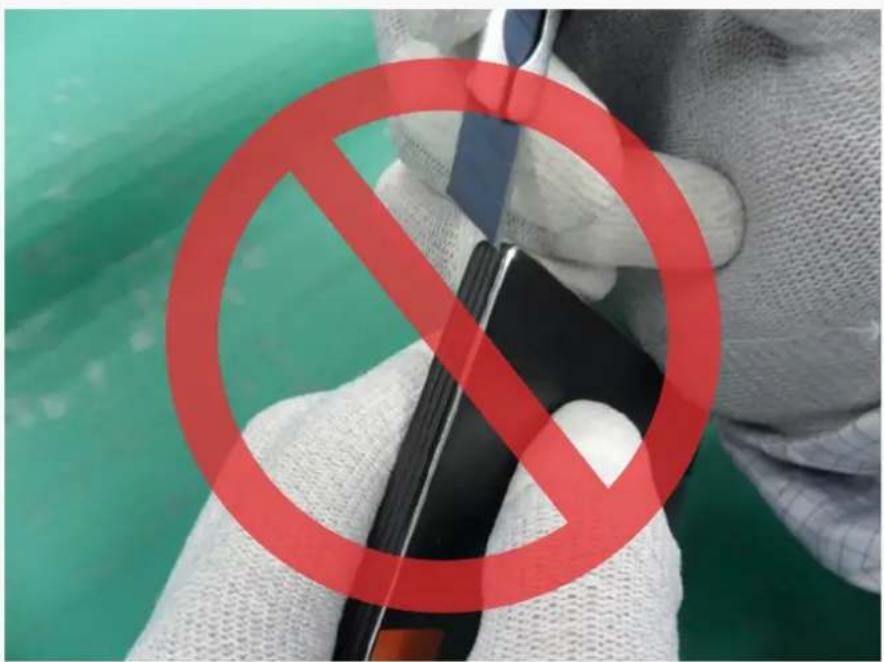
Do not touch the connectors with metals and do not attempt to open the drive casing
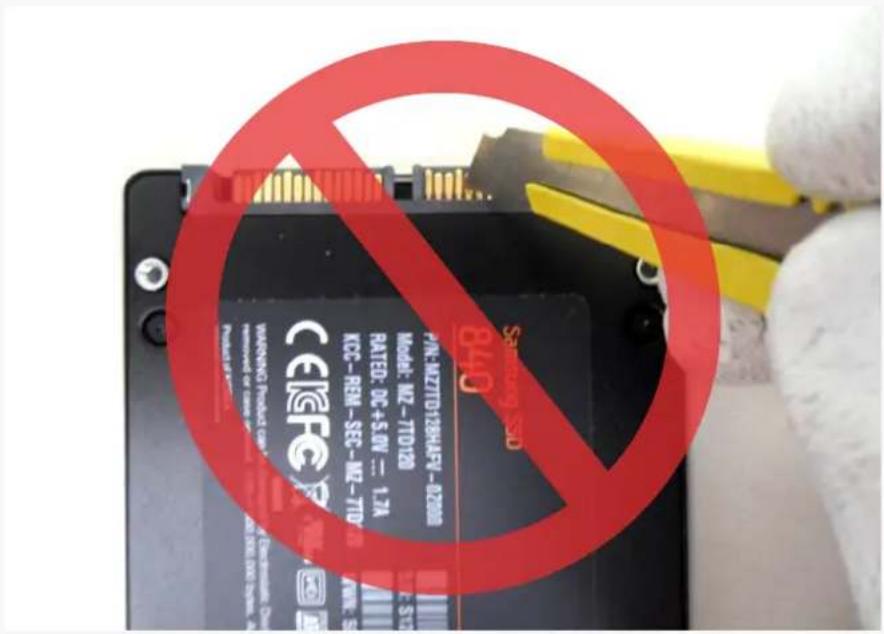
SSD 2.5-inch Handling Guide
Do not insert or remove SSD products with partially or loosely connected connectors.
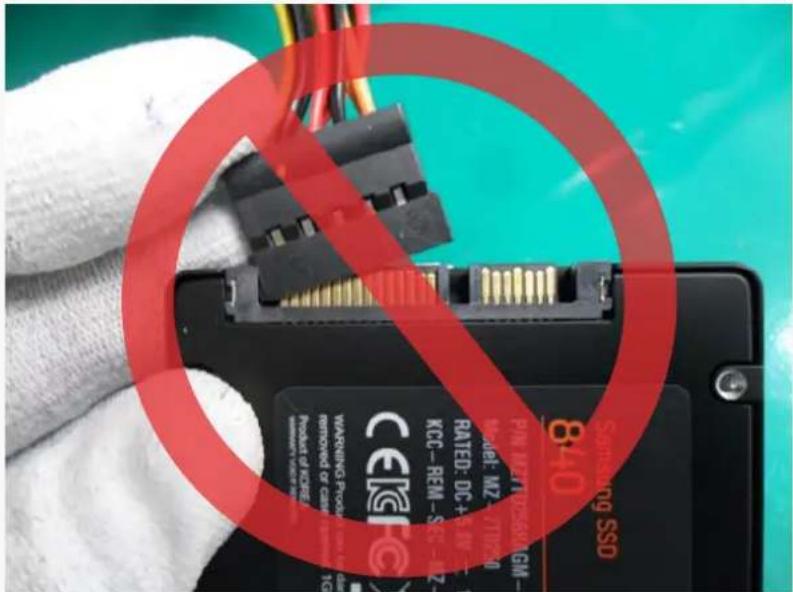
How to connect a SATA cable.
Hold the drive by its sides.



Brand : SAMSUNG
Model : PM863a
Category : SSD