PS 18 CD - Guillotine IdeenWelt - Free user manual and instructions
Find the device manual for free PS 18 CD IdeenWelt in PDF.


User questions about PS 18 CD IdeenWelt
0 question about this device. Answer the ones you know or ask your own.
Ask a new question about this device
Download the instructions for your Guillotine in PDF format for free! Find your manual PS 18 CD - IdeenWelt and take your electronic device back in hand. On this page are published all the documents necessary for the use of your device. PS 18 CD by IdeenWelt.
USER MANUAL PS 18 CD IdeenWelt
natural_image
Exterior view of a Free Welt disposable waste bin with control panel and recycling symbol (no text or labels on the device itself)PS 18 CD
PS 18 CD
text_image
CREDIT CARDKreditkarte
natural_image
Diagram of a CD/DVD disc rolling off a flat surface, with an arrow indicating rotation (no text or symbols)CD
Important safety rules
Please read the instructions thoroughly before using the device to make sure that you are able to use all of its functions.
Keep children and pets away from the device. The device may only be used by adults.
The device can only be used by one person at a time. Do not conduct any other activities on the device (e.g. cleaning) when it is in use.
Have any necessary repairs performed by qualified specialist personnel.
Protect the device against direct sunshine, extreme heat and moisture.
Safety note:
The power socket must be located close to the equipment and be easily accessible. This enables the equipment to be disconnected from the power supply quickly in an emergency.
Safety symbols

Product is not intended for use by children!

Do not insert paper clips or staples into the infeed slot.

Do not reach into the infeed slot.

Keep ties, scarves, jewelry and loose clothing out of the area around the infeed slot.

Keep long hair out of the area around the infeed slot.


Caution: failure to observe these safety symbols can lead to serious injuries. If an object (sleeve, tie, etc.) is inadvertently fed into the infeed slot, pull out the mains plug immediately.
Electrical safety guidelines
- Pull out the mains plug before emptying the collecting baskets, cleaning the device or if the device is not going to be used for a long time.
- If the mains cable, mains plug or the device itself is damaged do not operate the device any longer (danger of injuries).
- Do not overload the recommended capacity of the mains socket.
- Do not make any alterations to the mains cable as it has been designed for the specified mains voltage.
Intended use
The PS 18 CD shredder may only be used to shred paper, CDs or credit cards in the infeed slots provided. The material to be shredded must be dry and must correspond to the specifications listed in the technical data. Shredding other materials can lead to injuries (for example, if solid material splinters) or damage to the device (destruction of the cutting unit, etc.).
Do not shred endless paper documents with this device. Remove all paper clips and staples before feeding paper into the device.
The device may only be used indoors in dry rooms.
Starting up
Take the device carefully out of the packaging. Insert the inner collecting basket (for CDs) in the paper collecting basket. Plug the mains cable into the socket. Please observe the energy supply specifications on the back of the device in your safety measures.
The socket and the mains connection of the device must be freely accessible for safety reasons so that the power supply can be disconnected in emergencies.
Operation
The sliding switch (REV, FWD CD/Card, AUTO) on the device has the following functions:
AUTO position: the device is ready for operation.
The device is equipped with microswitches. Shredding operating of the respective cutting unit starts automatically as soon as paper is fed through the infeed slot.
- The device runs forwards and draws the paper in.
- The device switches off automatically after the shredding cycle.
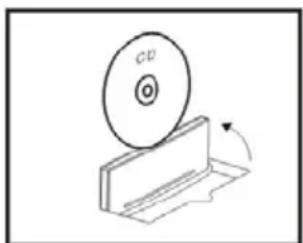
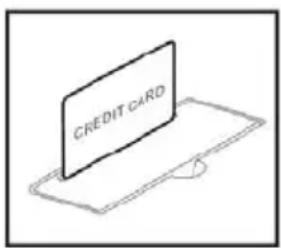
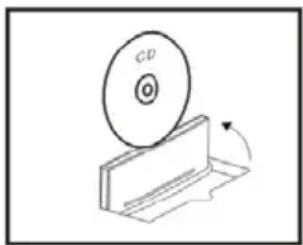
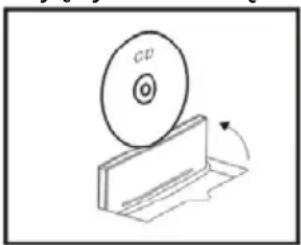
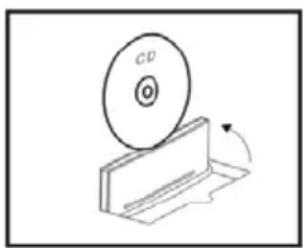
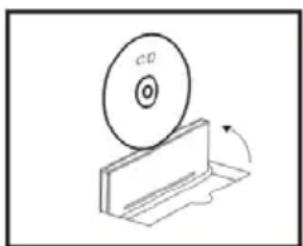
FWD CD/Card position: Insert the individual CD or credit card in the respective infeed slot in the cutting unit.
text_image
CREDIT CARDCredit card CD
natural_image
Diagram of a CD/DVD disc rolling off a flat surface, with an arrow indicating rotation (no text or symbols)REV position: The cutting unit runs in reverse. To hold the rest of the paper back, you can push the sliding switch in the REV position and the cutting unit pushes the paper back.
Clear key: If paper remains in the cutting mechanism, press the Clear key to start the motor to shred the residual paper.
Caution: the sheet capacity given in the technical data may not be exceeded as otherwise a paper jam will occur. Remember that the thickness of the paper increases when it is folded and the recommended sheet capacity may be exceeded in this way. Reduce the quantity of paper fed if it is coarse fibre paper.
it is recommended not to fill the paper collection basket up to the cutting unit. This prevents cut material becoming jammed in the cutting unit.
Empty the paper collection basket at regular intervals.
Clearing a jam
If too much paper is inserted in the cutting unit, it will cause a jam.
Proceed as follows:
- Push the sliding switch to the Paper REV position.
- The cutting unit runs backwards and pushes the excess paper back.
- Reduce the quantity and slide the switch to AUTO again. The cutting unit runs forward again and the residue remaining is shredded.
If the backwards and forwards movement does not remedy the jam, pull out the mains plug and remove the remaining manually from the cutting unit.
Motor protection
The motor switches off automatically in the event of overloading. Pull out the mains plug from the socket and allow the motor to cool down to room temperature. Plug the mains cable back in and then continue operation.
Notes on care and maintenance
Caution: maintenance work may only be performed when the mains plug is pulled out.
Clean the housing with a slightly moist cloth. Do not use any aggressive cleaning agents. Never use any chemicals (e.g. cleaning solvent, alcohol) to clean the housing. To ensure your shredder enjoys a long working life, we recommend to clear residual material from the cutting units at regular intervals and apply special oil for paper shredders to the cutting unit. You can purchase a special CFC-free oil from your specialist retailer or. This will extend the service life of the device.
Attention: It is forbidden to use oil spray bottles containing CFC!
Technical data
Model: PS 18 CD
Power supply: 220-240 V / 50Hz
Cutting width of the paper slot: 220 mm
Cutting width of the CD slot: 120 mm, width of cut strips: approx. 40 mm
Cutting power: 6 DIN A4 sheets (70 g/m ^2 ), 1 CD, 1 credit card
Security level: 1
Max. power consumption: 0.7 A
Size (W x H x D): 280 x 146 x 312 mm
Weight: 1.5
Operating cycle paper: 1.5 min. on, 15 min. off
Operating cycle CD: 1.5 min. on, 15 min. off
kg
Device malfunctions
| Problem | Cause | Remedy |
| Device does not work | Is the mains cable plugged properly in the socket? | Plug the mains cable into the socket properly. |
| Does the motor not start when paper is inserted? | Slide the paper in the respective slot so that it touches the sensor in the centre. | |
| Device does not work after lengthy operation or stops during operation | Was the device in constant operation for some time? Is the surface of the device warm? | Pull out the mains plug from the socket and allow the motor to cool down to room temperature. |
| Jam Have you inserted more than 6 sheets of paper (70 g/m2) or more than 1 CD/credit card? Has the material not been inserted straight in the in-feed slot? | Set the sliding switch to REV to push back the paper. Switch the device to AUTO again to shred the paper remaining in the cutting unit. | |
If you cannot rectify the fault yourself, contact your dealer.
Disposal Notes
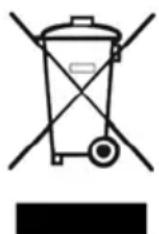
This symbol [the crossed-out wheeled bin/PICTURE] means that the product should be brought to the return and or separate collection systems available to end-users, when the product has reached the end of its lifetime. This symbol applies only to the countries within the EEA (*).
(*) EEA = European Economic Area, which comprises the EU Member States plus Norway, Iceland, and Liechtenstein.
PS 18 CD
text_image
CREDIT CARDKarta kredytowa CD
natural_image
Diagram of a CD/DVD disc rolling off a flat surface, with an arrow indicating rotation (no text or symbols)natural_image
Simple line drawing of a trash bin with crossed x- and y-axes, no text or symbols presenttext_image
CREDIT CARDKreditní karta CD
natural_image
Diagram of a CD/DVD disc rolling on a flat surface with an arrow indicating rotation (no text or symbols)text_image
CREDIT CARDBankkártya
natural_image
Diagram of a CD/DVD disc rolling off a flat surface, with an arrow indicating rotation (no text or symbols)CD-lemez
Warranty (Product name / EAN)
We guarantee the perfect quality and functionality of our technical appliances pursuant to our warranty conditions. The warranty period is 24 months and begins on the date of purchase. Please keep your receipt as proof of purchase. If you should have reason to complain, despite our extensive quality control procedures, please call the service number stated below as the first step. The line is staffed by qualified employees who will make a note of your problem, give you a transaction number and arrange for replacement goods if necessary. We shall send you a label for the return consignment by e-mail, fax or post, which you can use to send the product to our service partner free of charge. We regret that any appliances which are sent in without such a transaction number cannot be accepted. The warranty does not apply to damage caused by improper use of the appliance, wearing parts or consumables. If possible, please use the original packaging to return the goods to avoid damage in transit.
This appliance has undergone strict quality control to ensure the perfect quality of the materials, workmanship and function. If, however, a fault should occur which is not attributable to improper use of the product (e.g. caused by water or dropping the appliance, incorrect operation etc.), we undertake to remedy the damage under the warranty (by replacing or repairing faulty parts). Within the scope of its warranty obligations, Rossmann shall remedy only damage to the product directly covered by the warranty, in the form of replacement delivery or repair.
The above warranty does not cover further claims for compensation of any kind, in particular claims owing to breach of obligations or tort, claims for reimbursement of outlay incurred to no avail, whether these claims are filed against Rossmann itself or against any agents employed in performance of Rossmann's obligations; the same applies to compensation for consequential damage. No further claims whatsoever shall be created within the course of the warranty. The above restrictions do not apply to the statutory rights to which the purchaser (consumer) is entitled owing to the purchase of consumer goods, to damage arising from injury to life, limb or health, to damage which is attributable to intent or gross negligence or to claims pursuant to the Product Liability Act. The warranty ceases to apply in case of improper use, unauthorised intervention or any technical modification of the appliance by the consumer. Any performance under the warranty does not constitute extension or renewal of the warranty period of 24 months. Replacement batteries are explicitly exempt from the warranty.
An exact description of your complaint will enable us to repair it more quickly. Even if the warranty has expired, you still have the option of calling the Ideenwelt service partner hotline. However, you will be charged for any repairs required after expiry of the warranty period, as these are no longer covered by the warranty.
Jet GmbH
Hotline: 00800 10022100
Please complete in block capitals and return with the product:
Name ____
Address
Postcode, city ____
Telephone (daytime)
Date, signature ____
Description of the article
Description of the damage
If the warranty
does not apply Please return the product unrepaired. I agree
(please tick as to assume the cost of transport.
appropriate)
Please repair the product and send me the invoice.