2500 - Satellite receiver SAB - Free user manual and instructions
Find the device manual for free 2500 SAB in PDF.


User questions about 2500 SAB
0 question about this device. Answer the ones you know or ask your own.
Ask a new question about this device
Download the instructions for your Satellite receiver in PDF format for free! Find your manual 2500 - SAB and take your electronic device back in hand. On this page are published all the documents necessary for the use of your device. 2500 by SAB.
USER MANUAL 2500 SAB
text_image
USER'S GUIDE SAB SAB 2500 SAB 2500 POWER SAB 2500 DIGITAL SATELLITE RECEIVER DVB DUBA DUBA DUBA DUBA DUBA DUBA DUBA DUBA DUBA DUBA DUBA DUBA DUBA DUBA DUBA DUBA DUBA DUBA DUBA DUBA DUBA DUBA DUBA DUBA DUBA DUBB DUBB DUBB DUBB DUBB DUBB DUBB DUBB DUBB DUBB DUBB DUBB DUBB DUBB DUBB DUBB DUBB DUBB DUBB DUBB DUBB DUBB DUBB DUBB DUBB DUBBB DUBBB DUBBB DUBBB DUBBB DUBBB DUBBB DUBBB DUBBB DUBBB DUBBB DUBBB DUBBB DUBBB DUBBB DUBBB DUBBB DUBBB DUBBB DUBBB DUBBB DUBBB DUBBB DUBBB DUBBB DUBB DUBB DUBB DUBB DUBB DUBB DUBB DUBB DUBB DUBB DUBB DUBB DUBB DUBB DUBB DUBB DUBB DUBB DUBB DUBB DUBB DUBB DUBB DUBB DUBBH<|txt_contd_src|> <|txt_contd_tgt|> <|txt_contd_src|> <|txt_contd_tgt|> <|txt_contd_src|> <|txt_contd_tgt|> <|txt_contd_src|> <|txt_contd_tgt|> <|txt_contd_src|> <|txt_contd_tgt|> <|txt_contd_src|> <|txt_contd_tgt|> <|txt_contd_src|> <|txt_contd_tgt|> <|txt contd_src|> <|txt_contd_tgt|> <|txt_contd_src|> <|txt_contd_tgt|> <|txt_contd_src|> <|txt_contd_tgt|> <|txt_contd_src|> <|txt_contd_tgt|> <|txt_contd_src|> <|txt_contd_tgt|> <|txt_contd_src|> <|txt_contd_tgt|> <|txt_contd_src|><|txt_contd_src|> <|txt_contd_tgt|> <|txt_contd_src|> <|txt_contd_tgt|> <|txt_contd_tgt|> <|txt_contd_tgt|> <|txt_contd_tgt|> <|txt_contd_tgt|> <|txt_contd_tgt|> <|txt_contd_tgt|> <|txt_contd_tgt|> <|txt_contd_tgt|> <|txt_contd_tgt|> <|txt_contd_tgt|> <|txt_contd_tgt|> <|txt_contd_tgt|> <| txt_contd_src(1)| | | | | | | | | | | | | | | | | | | | | | | | | | | | | | | | | | | | | | | | | | | | | | | | | | | | | | | | | | | | | | | | | | | | | | | | | | | | | | | | | | | | | | | | | | | | | | | | | | | | | Digital SATELLITE RECEIVEREnglish
SAB 2500
GENERAL INFORMATION 3
Main Features 3
For your Safety 4
Unpacking 5
General Operation 5
RCU 6
INSTALLATION 7
Front Panel 7
Rear Panel 7
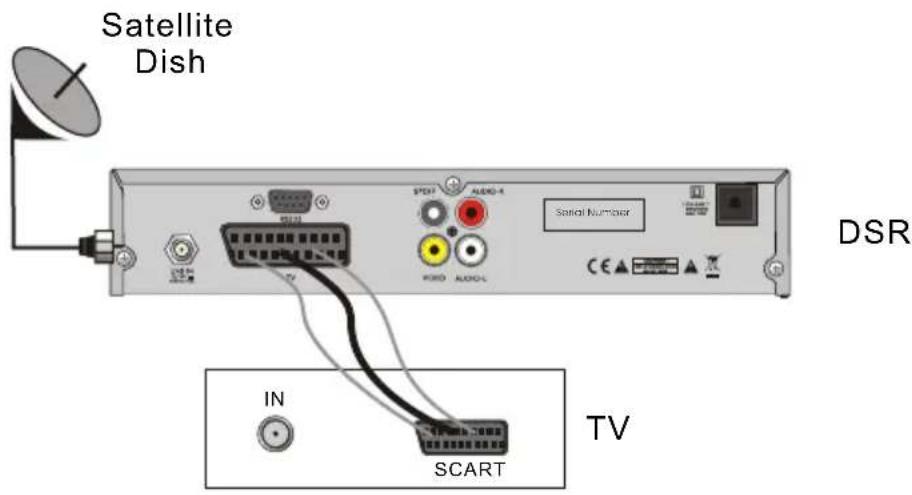
Connecting to TV& VCR using SCART support 7
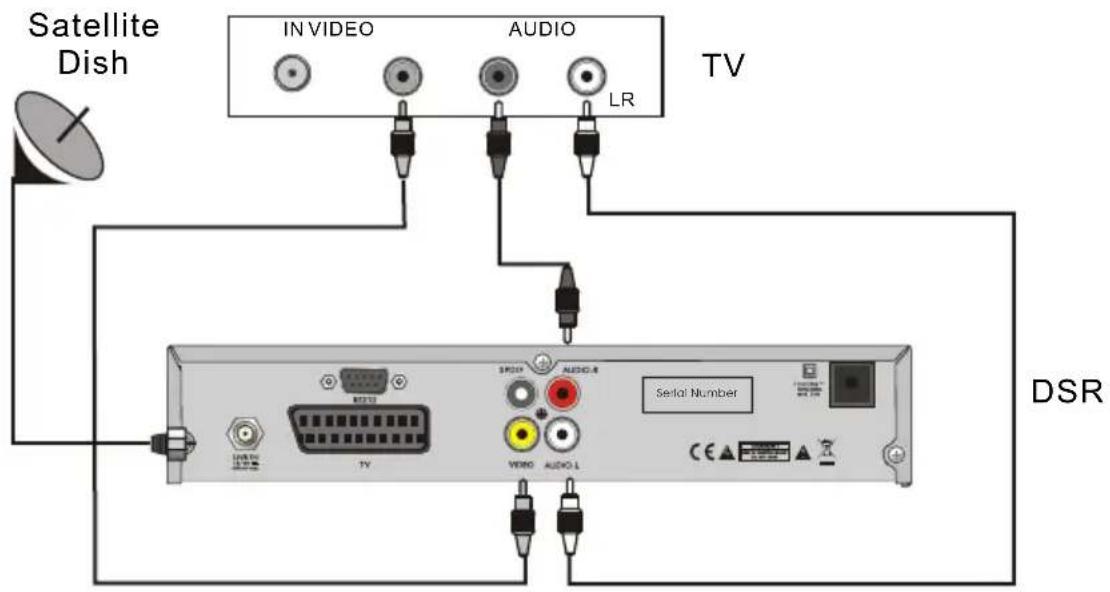
Connecting to TV using RCA support 8
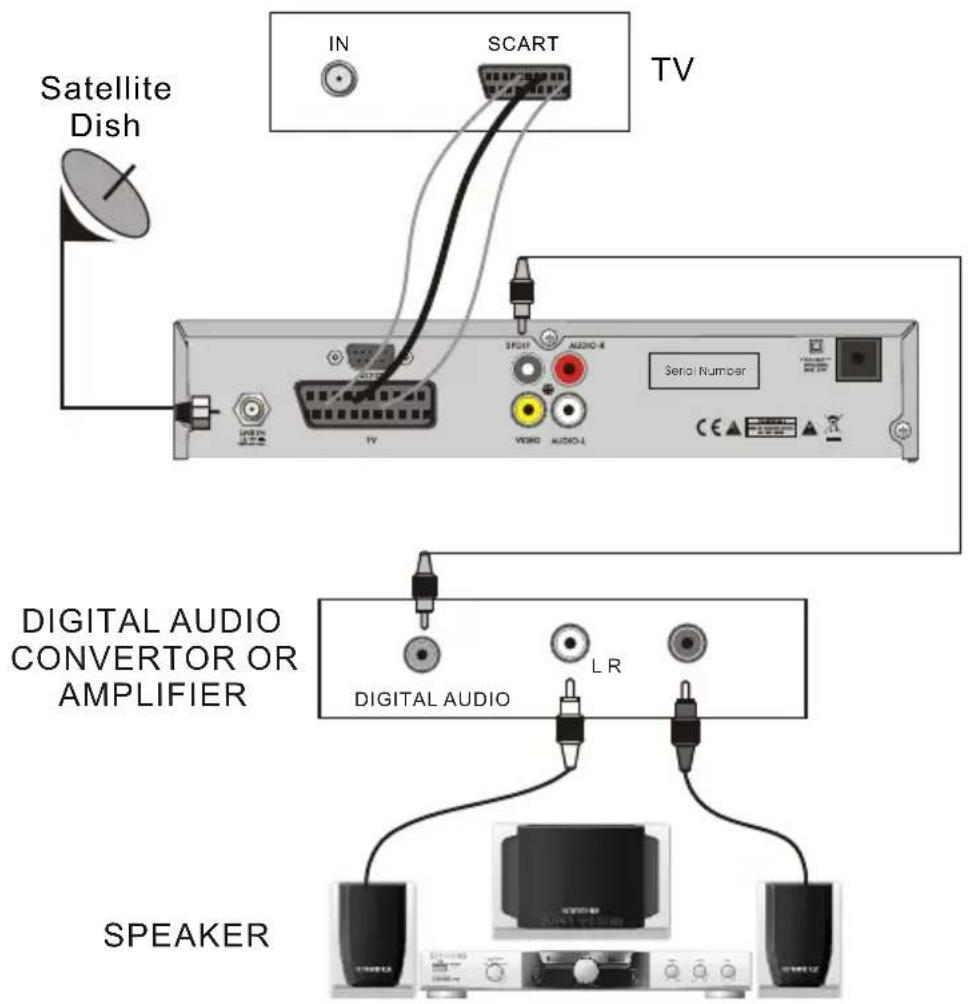
Connecting to Digital Amplifier 8
MENU INFORMATION 9
Main Menu....9
- Edit Channel 10
1.1 TV Channel List 10
1.2 Radio Channel List 13
1.3 Delete All 13
- Installation 14
2.1 Antenna Connection 14
2.2 Satellite List 14
2.3 Antenna Setup 15
2.4 Single Satellite Search 18
2.5 Multi Satellite Search 18
2.6 TP List 19
- System Setup 20
3.1 Language 20
3.2 TV System 20
3.3 Local Time setting 21
3.4 Timer Setting 21
3.5 Parental Control 22
3.6 OSD Setting 21
3.7 Favorite 25
3.8 Other 23
- Tools 23
4.1 Information 23
4.2 Factory Setting 23
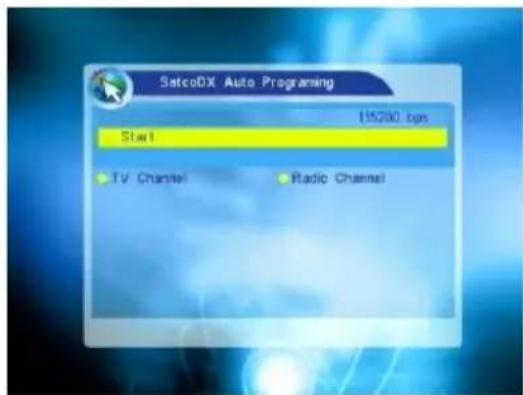
4.3 SatcoDx Auto Programming 23
-
Game 24
-
Hot key 24
6.1 Info 24
6.2 EPG 24
6.3 Find 25
6.4 Numer 25
6.5 TV/Radio 25
6.6 Up/Down 25
6.7 Left/Right 25
6.8 Mute 25
6.9 Pause 25
6.10 OK 26
6.11 Audio 26
6.12 Recall....26
6.13 Fav 26
6.14 Teletext 26
6.15 Zoom 26
TROUBLE SHOOTING
A Digital Satellite Receiver is a convenient product that allows you to view a variety of programs provided through satellite. This user's guide covers the installation of the DSR and the necessary steps to implement various features. This also explains special features available only in this DSR in detail, which will allow you to make full use of these features.
Information confirmed in this document is subject to change. We reserves the right, without notice, to make change in product design or performances as progress in engineering or technology.
Main Features
• High quality Video & Audio & Digital Audio
- Fully MPEG-2
- Provide friendly and easy-to-use menu system
- Various channel editing function (Favorite, moving, locking, renaming, deleting and sorting)
- User programmable various Satellite & Transponder information
- Automatically search for newly added transponder
• Stores up to 4000 channels
- Easy and speedy software upgrade through RS-232 port
- Plug-and-play data transfer system (DSR to DSR)
- Timer function, automatically turns On/Off by setting function (daily, monthly, yearly)
• Automatic reserved channel moving system
- Provide Electronic Program Guide (EPG)
- Teletext function support
• 256 colors On-Screen-Display
- Last channel automatically saving
For Your Safety
natural_image
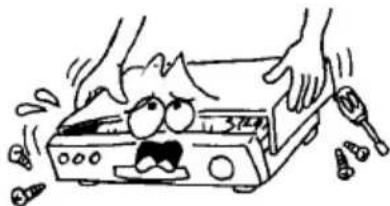
Cartoon illustration of a distressed open box with hands using tools, no text or symbols presentTo avoid electric-shock hazards, do not open the cabinet, refer servicing to qualified personnel only.
natural_image
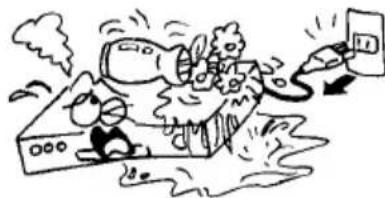
Cartoon illustration of a person falling into a building with smoke and debris, no text or symbols present- Keep the receiver away from flower vases, tubs, sinks, etc., in order to avoid damaging the equipment.
natural_image
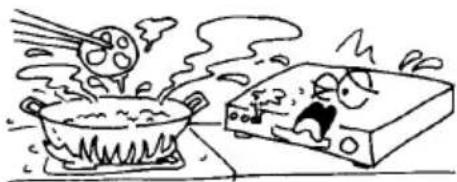
Cartoon illustration of a hot pot cooking with a steaming block and a fish (no text or symbols)Do not expose the receiver under the sunlight. And keep it away from the heat source.
natural_image
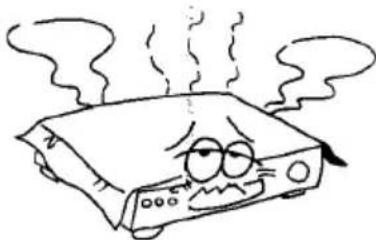
Cartoon illustration of a distressed electronic device with steam rising (no text or symbols)Do not block ventilation holes of the Receiver so that air can circulate freely.
natural_image
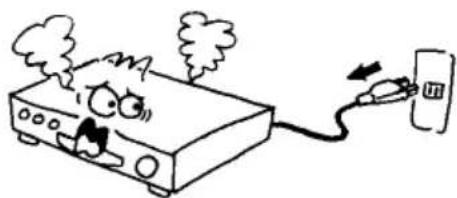
Cartoon illustration of a distressed electronic device connected to a wall-mounted device (no text or symbols)- When the abnormal phenomenon occur, you should cut off the power immediately.
natural_image
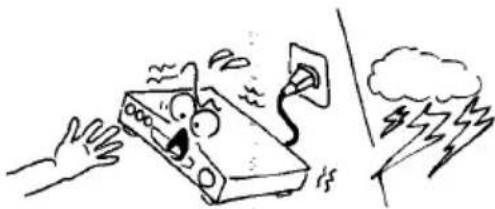
Cartoon illustration of a hand reaching toward a device with a lightning bolt and smoke, no text or symbols present- Do not touch the receiver during thunder, since that might create electric-shock hazards.
natural_image
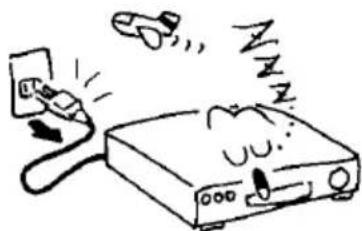
Cartoon illustration of a device emitting sound waves from a plug, with no text or symbols present.- Switch the receiver off whenever it remains out of service for an extended period.
natural_image
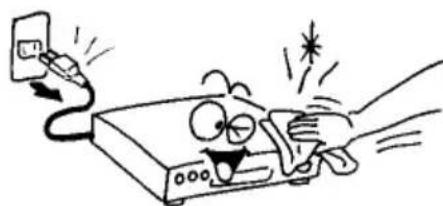
Cartoon illustration of a hand holding a device connected to a computer, with a phone attached (no text or symbols present)- Be sure to turn the Receiver off and disconnect the AC power cord before cleaning the Receiver surface. If the surface is dirty, wipe clean with a cloth which has been dipped in a weak soap-and-water solution and wrung out thoroughly, and then wipe again with a dry cloth.
Unpacking
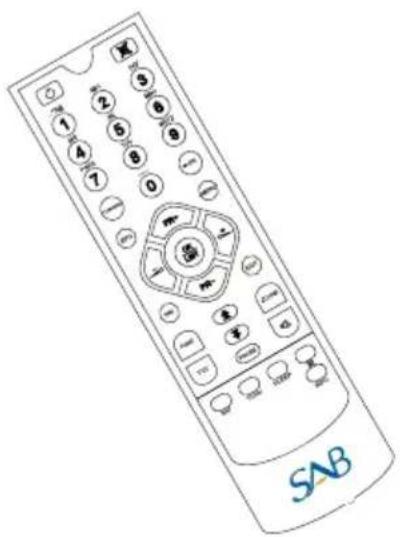
text_image
SAB- Remote Control
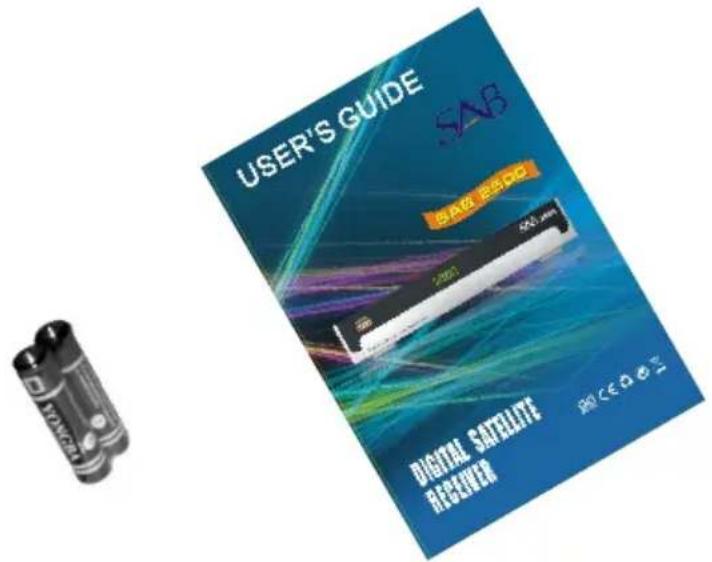
text_image
USER'S GUIDE SAS 500 MHz 2021 DIGITAL SATELLITE RANGE RIO C E A O E TBatteries User's Guided
General Operation
- Throughout this manual you will notice that the everyday operation of the receiver is based on a series of user friendly on screen display and menus. These menus will help you get the most from your receiver, guiding you through installation, channel organizing, viewing and many other functions.
- All function can be carried out using the buttons on the RCU, and some of the function can also be carried out using the buttons on the front panel.
The receiver is easy to use, always at your command and adaptable for future advances. - Please be aware that new software may change the functionality of the receiver.
- Should you experience any difficulties with the operation of your receiver, please consult the relevant section of this manual, including the Problem Shooting, or alternatively call your dealer or a customer service adviser.
RCU
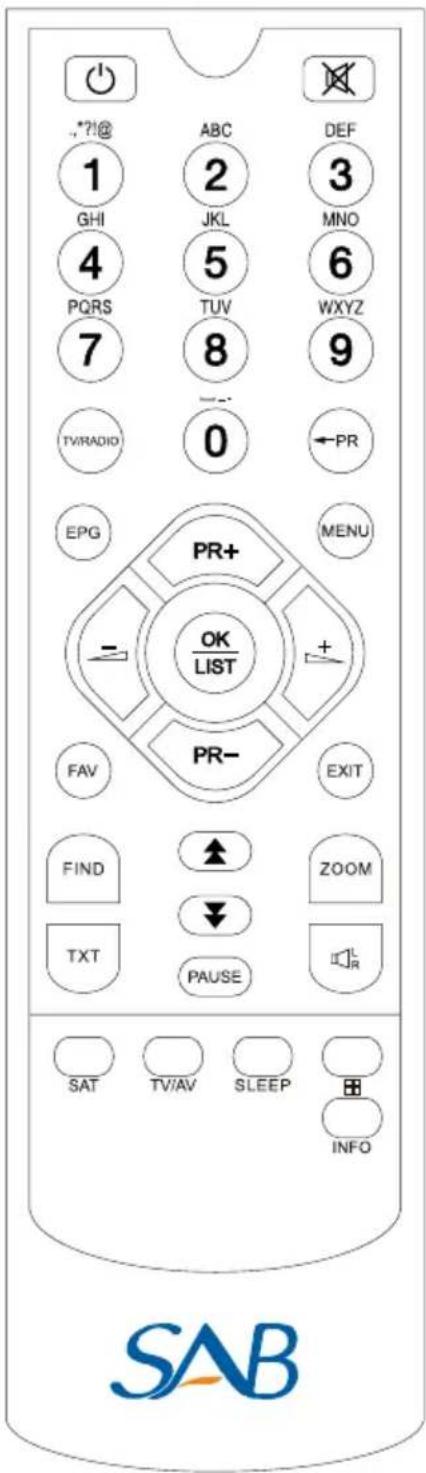
text_image
1 GHI 4 PQRS 7 TV/RADIO EPG PR+ = OK LIST FAV PR- EXIT FIND ZOOM TXT PAUSE SAT TV/AV SLEEP INFO ABC 2 JKL 5 TUV 8 0 DEF 3 MNO 6 WXYZ 9 ←PR SAB| Key | Function |
| Turns power ON/OFF of the DSR | |
| When watching a channel, mute the sound | |
| 0~9 | Enter number of the required menu item or select a channel number to watch |
| TV/RADIO | Switches between TV and Radio mode |
| ← PR | Switches back to previous channel |
| FAV | Display the favorite group list |
| SAT | Display the satellite list |
| FIND | Display the Find window |
| INFO | Show information of the current channel |
| MENU | Press this key one time to run menu onscreen |
| Moves up / down a page in the list | |
| OK, LIST | Executes the selected item in the menu screen or enters the desired value in any input mode |
| PR+, PR- | When watching a channel, change channels or move to the next higher or lower item in the menu |
| When watching a channel, adjust the volume or move to the left or right item in the menu | |
| EXIT | Return to the previous menu on the menu screen or escape from the menu |
| EPG | Call up the EPG (Electronic Program Guide) |
| Display the Audio window. | |
| TV/AV | Switch between TV and AV modes |
| TXT | Switch to teletext or subtitle mode |
| ZOOM | Enter into the zoom in mode |
| PAUSE | Press once to pause the screen picture, press once again to go to the normal mode |
| SLEEP | Enter into the sleep in mode |
| Enter into the nine-pictures mode displayed on the screen. |
Front Panel

text_image
POWER 5000 SAB 2500 DIGITAL SATELLITE RECEIVERRear Panel
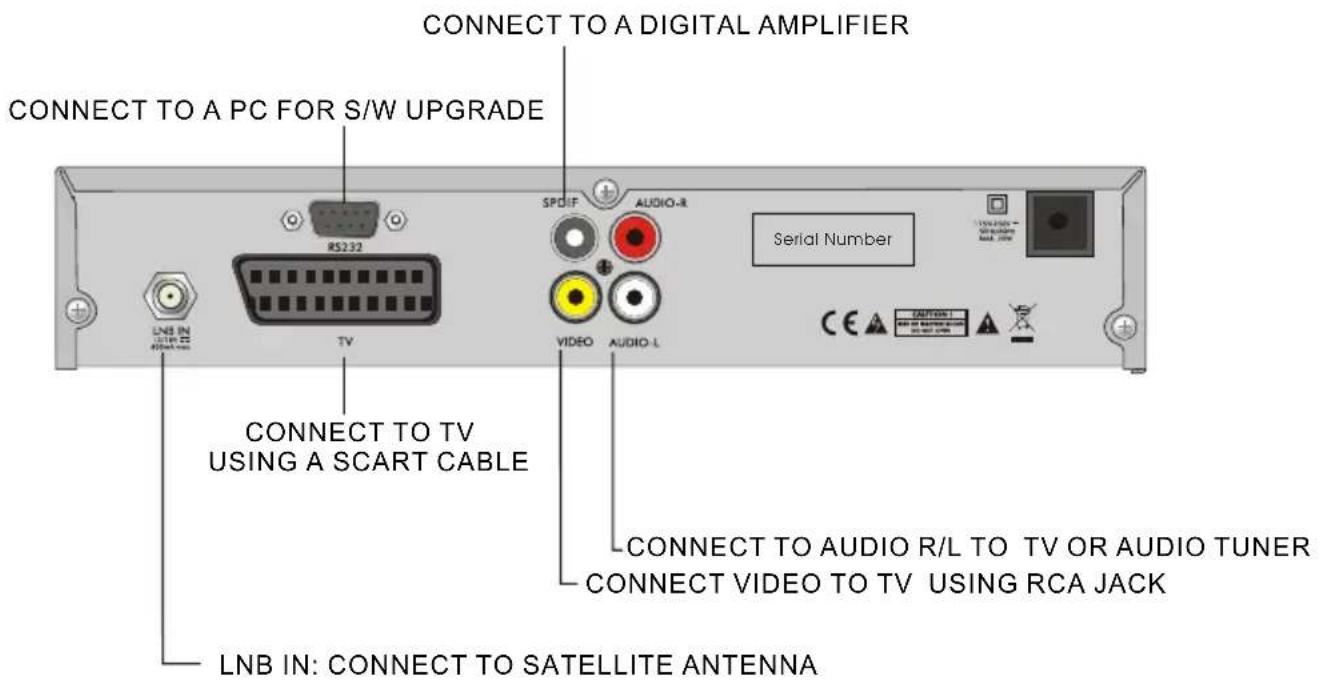
text_image
CONNECT TO A DIGITAL AMPLIFIER CONNECT TO A PC FOR S/W UPGRADE SPDIF AUDIO-R Serial Number LNB IN: CONNECT TO TV USING A SCART CABLE CONNECT TO TV USING A SCART CABLE CONNECT TO AUDIO R/L TO TV OR AUDIO TUNER CONNECT VIDEO TO TV USING RCA JACK LNB IN: CONNECT TO SATELLITE ANTENNAConnecting to TV using SCART support
text_image
Satellite Dish DSR IN SCART TVConnecting to TV using RCA support
text_image
Satellite Dish IN VIDEO AUDIO LR TV DSR Serial NumberConnecting to Digital Amplifier
text_image
Satellite Dish IN SCART TV SERIAL NUMOR DIGITAL AUDIO CONVERTOR OR AMPLIFIER DIGITAL AUDIO LR SPEAKERMain Menu
Make sure that you have properly installed and connected the cables of the receiver well. If the receiver is the factory status or there is no program list, when power on, the Main Menu window will be displayed on the screen.
During the normal TV/Radio mode, press MENU key on the RCU to enter into the Main Menu window.
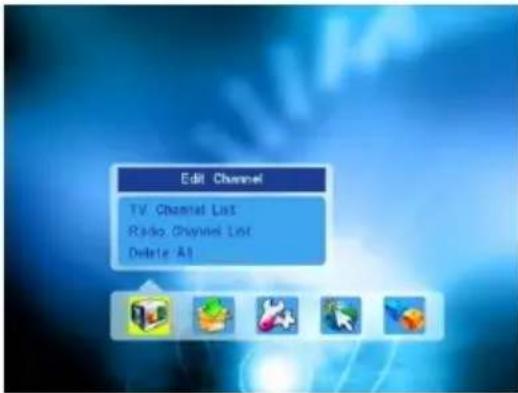
- This menu consists of 5 major main menus as follow.
- Edit Channel
- Installation
- System Setup
- Tools
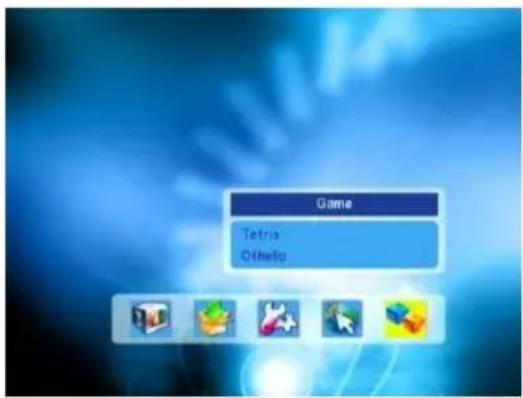
- Game
text_image
Edit Channel TV Channel List Radio Channel List Delete AllDuring the installation the OK key confirms a selection and LIST key shows Down List Box if the column has 34 mark. You can also use the numeric keys on the RCU to enter numeric value.
Use the PR+, PR- key to move upwards and downwards from one line to another line and use ≧ ≧ key to move from main menu to sub menu and move from left side to right side or versa.
Meantime, you want to escape the menu system, please press MENU or EXIT key on the RCU.
- If there is no program, you can not exit from the Main Menu window by pressing MENU or EXIT key. System will inform "No channel" and the following itemsturn grey.
| Sub-menu Turn grey when there is no program | |
| Edit Channel | TV Channel ListRadio Channel ListDelete all |
| Installation | Antenna SetupSatellite ListAntenna SetupSingle Satellite SearchMulti Satellite SearchTP List |
| System Setup | Language TV SystemLocal Time Setting Time SettingParental LockOSD Setting Favorite Other |
| Tools | Information Factory SettingSatecoDX Auto Programming |
| Game Tetris Othello | |
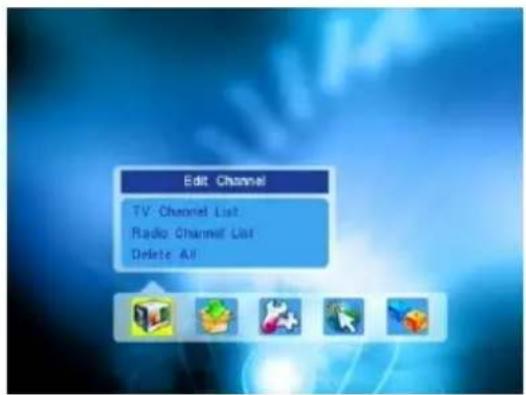
1. Edit Channel
-
Press OK key or △ key to pop up the "Input Password" dialogue, you can not enter into the menu unless the correct password is inputted. The default password is "0000".
-
Press PR+, PR- keys to move the cursor up or down.
-
Press EXIT key or △ key to move the focus to the left menu.
text_image
Edit Channel TV: Channel List Radio: Channel List Delete All1.1 TV Channel List
-
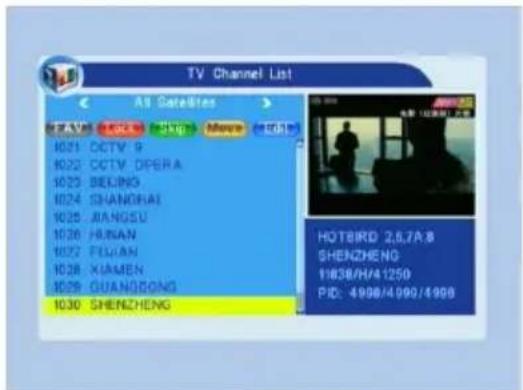
Press ^+ keys to select satellite.
-
Press PR+, PR- keys to select the program that you want to play, and then press OK key to view it in the small window. If move the yellow cursor to select up or down, you will see a gray line which indicates the playing program in the small window.
text_image
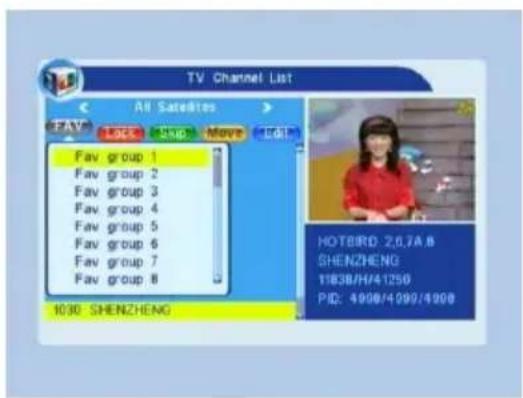
TV Channel List AS Datasets 电话: 021-5088 电话: 021-5088 电话: 021-5088 电话: 021-5088 电话: 021-5088 电话: 021-5088 电话: 021-5088 电话: 021-5088 电话: 021-5088 电话: HONGHENG 电话: 021-5088 电话: 021-5088 电话: 021-5088 电话: 021-5088 电话: 021-5088 电话: 021-5088 电话: 021-5088 电话: 021-5088 电话: SHENZHEN 电话: 1638/41250 电话: 4998/4990/4998- Press FAV key to move the FAV button upward. Select the program and press OK key to pop up the favourite group list. In the list, select the group that you want to add into and press OK key, and then you will find the favourite mark is displayed at the right side of the selected program.
Press FAV key again to exit from the fav mode, and you will find the FAV button return to the origin position.
- Press red colour key to move the Lock button upward. Select the program and press OK key to mark this program with the Lock mark. You can cancel this mark by pressing OK key once more.
Press red colour key again to exit from the lock mode, and you will find the Lock button return to the origin position.
- Press green colour key to move the Skip button upward. Select the program and press OK key to mark this program with the skip mark. You can cancel this mark by pressing OK key once more.
Press green colour key again to exit from the skip mode, and you will find the Skip button return to the origin position.
- Press yellow colour key to move the Move button upward. Select the program and press OK key to mark this program with the move mark. Press PR+, PR- keys to move the cursor to the position where you want to locate and press OK key to confirm.
Press yellow colour key again to exit from the yellow mode, and you will find the yellow button return to the origin position.
text_image
TV Channel List All Satellites FAV Lock Stop Move Edit Fav group 1 Fav group 2 Fav group 3 Fav group 4 Fav group 5 Fav group 6 Fav group 7 Fav group 8 1030 SHENZHENG HOTBIRD: 2,6,7A B SHENZHENG 11838/H/41250 PID: 4998/4090/4998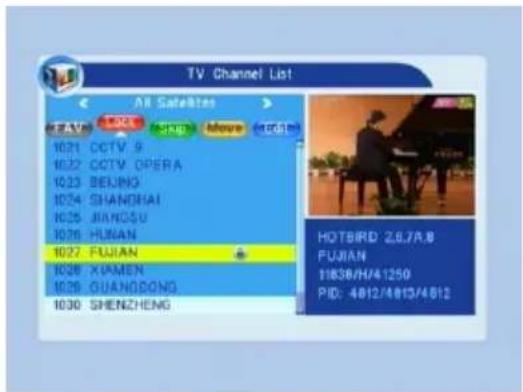
text_image
TV Channel List All Satellites FEAVS 1021 CCTV S 1022 CCTV OPERA 1023 BEIJING 1024 SHANGHAI 1025 JIANGSU 1026 HUNAN 1027 FUJIAN 1028 XIAMEN 1029 GUANGDONG 1030 SHENZHENG HOTBRD: 26.7A.B FUJIAN 11836/H/41250 PID: 4812/4813/4812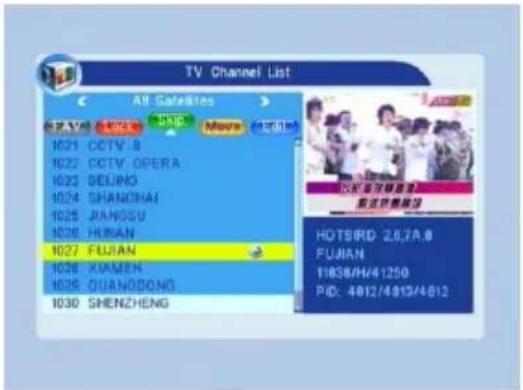
text_image
TV Channel List All Satellites 027 V6 100K 1021 CCTV 8 1022 CCTV OPERA 1023 SEIJING 1024 SHANGHAI 1025 JIANGSU 1026 HUNAN 1027 FUJIAN 1028 XIAMEN 1029 OUANGSONG 1030 SHENZHENG HOTSIRD 2.6,7A.0 FUJIAN 11836/H/41250 PID: 4012/4013/4012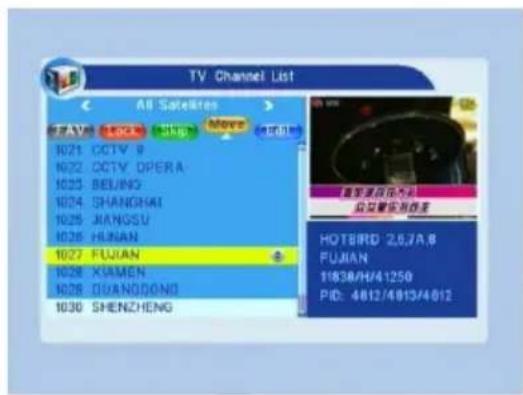
text_image
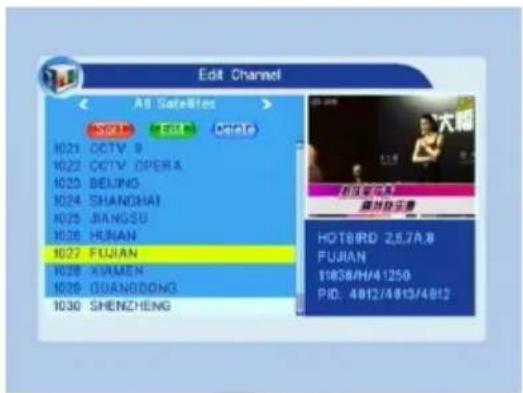
TV Channel List All Satellites FAV Lock Skip Move E-mail 1021 CCTV 9 1022 CCTV OPERA- 1023 BEIJING 1024 SHANGHAI 1025 JIANGSU 1026 HUNAN 1027 FUJIAN 1028 XIAMEN 1028 GUANODONG 1030 SHENZHENG 搜索速度及位置 总分辨率控制值 HOTBIRD 2.6J.A.8 FUJIAN 11838/H/41250 PID: 4812/4813/4812- Press blue colour key to enter into the Edit channel window.
i. Sort (red colour key)
Press red colour key to pop up the Sort drop-down list.
Name(A-Z): The ascending order, omitting the \$ character, the number is ahead, then the capital letter, at last the lowercase.
Name (Z-A): The opposite order of the above Name (A-Z).
Free/Scramble:: All FTA programs are listed ahead, while all scrambled programs are listed last.
Lock: all locked programs are listed at the last.
text_image
Edit Channel All Satellites SOTI EOL MORL 10:21 CCTV 9 10:22 CCTV OPERA 10:23 BEIJING 10:24 SHANGHAI 10:25 JIANGSU 10:26 HUAN 10:27 FUJIAN 10:28 XIMEN 10:29 GUANGDONG 10:30 SHENZHENG HOTBRD 2,87A.8 FUJIAN 11838/H/41250 PID: 4812/4813/4812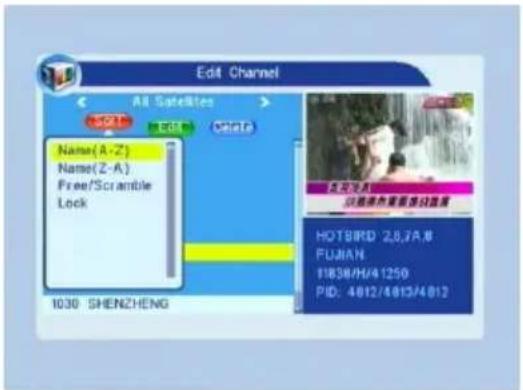
text_image
Edit Channel All Satellites SQL Edit Delete Name(A-Z) Name(Z-A) Free/Scramble Lock 1030 SHENZHENG 热源文件夹 2.8.7A,# FUJIAN 11836/H/41250 PID: 4012/4013/4012ii. Edit (green colour key)
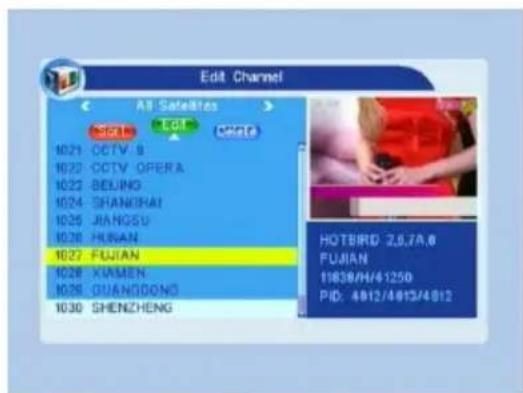
Press green colour key to move the Edit button upward. Select the program and press OK key to popup the Rename window.
In Rename window, press red colour key to switch between capital letter and lower letter; press green colour key to delete the character on the cursor; press △ keys to move the cursor left or right; press numeric keys (0-9) to input the character, please refer to the down table. Press yellow colour key to save and exit, or press blue key to cancel and exit.
text_image
Edit Channel All Satellites SET 15 Edit 00:21 CCTV 8 10:22 CCTV OPERA 10:23 BELING 10:24 SHANGHAI 10:25 JIANGSU 10:26 HUAN 10:27 FUJIAN 10:28 XIAMEN 10:29 GUANGDONG 10:30 SHENZHENG HOTBIRD 2,5,7A.6 FUJIAN 19839/H/41250 PID: 4812/4813/4812| Numeric keys Press | numeric key repeatedly, display in circle |
| 1 | .,*?!@1 |
| 2 | ABC2 |
| 3 | DEF3 |
| 4 | GHI4 |
| 5 | JKL5 |
| 6 | MNO6 |
| 7 | PQRS7 |
| 8 | TUV8 |
| 9 | WXYZ9 |
| 0 | [space]_0 |
If the name is empty, system will pop up a dialogue informing "Name" once yellow colour key is pressed. Press OK key to close this dialogue.
iii. Delete (blue colour key)
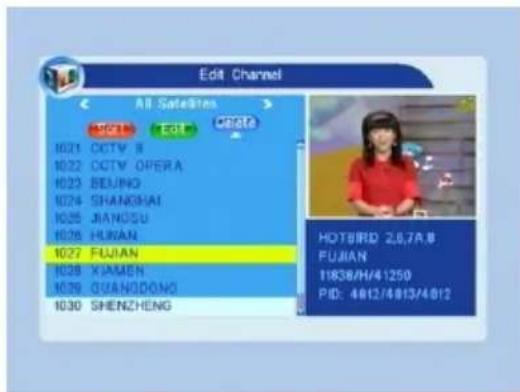
In Deletelow, press blue colour key to move the Delete button upward. Select the program and press OK key to mark this program with the deletion mark. You can cancel this mark by pressing OK key again.
Press EXIT key to pop up the dialogue "Are you sure to save?". Select Yes button and press OK key to save, or select NO button and press OK key to exit without saving.
text_image
Edit Channel All Satellites SET Edit Share 1021 CCTV 8 1022 CCTV OPERA 1023 BEIJING 1024 SHANGHAI 1025 JIANGSU 1026 HUAN 1027 FUJIAN 1028 XIAMEN 1029 GUANGDONG 1030 SHENZHENG HOTBIRD 2,6,7A,B FUJIAN 11838/H/41250 PID: 4812/4813/48121.2 Radio Channel List
Sine the same operation as 1.1 TV ChannelList, here we don't explain anymore.
1.3 Delete All
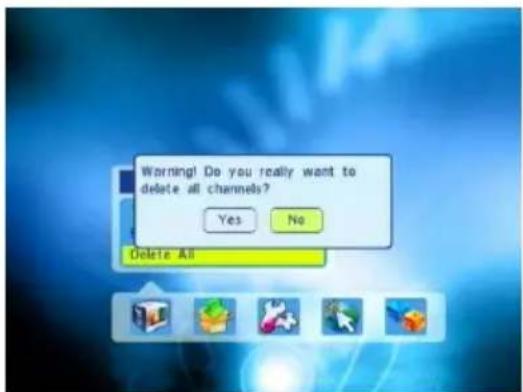
Move cursor to the Delete All item, and press OK Key to pop up the dialogue "Warning! Do you really want to delete all channel?".
Press EXIT key to pop up the dialogue "Are you sure to save?". Select Yes button and press OK key to save, or select NO button and press OK key to exit without saving.
text_image
Warning! Do you really want to delete all channels? Yes No Delete All2. Installation
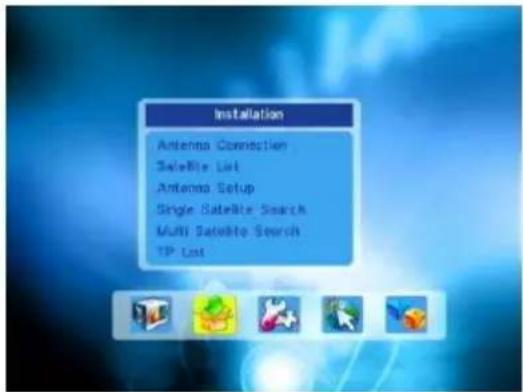
- Press OK key or △ key to pop up the "Input Password" dialogue, you can not enter into the menu unless the correct password is inputted. The default password is "0000".
- Press PR+, PR- keys to move the cursor up or down.
- Press EXIT key or ↗ key to move the focus to the left menu.
2.1 Antenna Connection
Press ^+ keys to select between Motor Antenna and Fixed Antenna.
text_image
Installation Antenna Connection Satellite List Antenna Setup Single Satellite Search Multi Satellite Search TP List
text_image
Antenna Connection LNB1 Fixed Antenna2.2 Satellite List
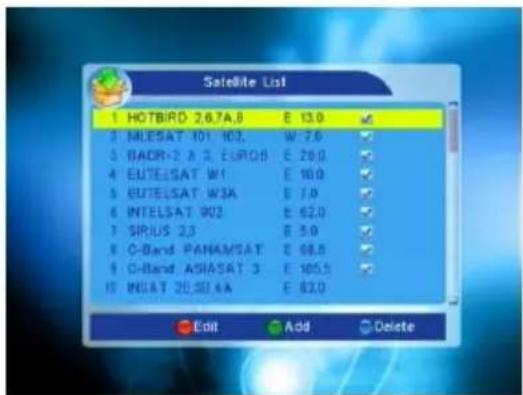
- Press PR+, PR- keys to select the satellite up or down. Press OK key to select and mark, and you can press OK key again to cancel the selection and the mark.
- If there is no satellite, the red colour and blue colour keys will be invalid.
- Press red colour key to pop up the Edit Satellite window. Press PR+, PR- keys to move cursor up or down.
Name: User numeric keys to change the name of the satellite, please refer to the Edit Channel Name.
text_image
Satellite List 1 HOTBIRD 267A8 E 13.0 ✓ 2 MLESAT 101 103. W 7.6 ✓ 3 BADR-2 A 3. EUROB E 29.0 ✓ 4 EUTELSAT W1 E 10.0 ✓ 5 EUTELSAT W3A E 7.0 ✓ 6 INTELSAT 902 E 62.0 ✓ 7 SPIUS 23 E 5.0 ✓ 8 C-Band PANAMSAT E 68.5 ✓ 9 C-Band ASIASAT 3 E 105.5 ✓ 10 INSAT 20.3E 4A E 83.0 ✓ Edit Add Delete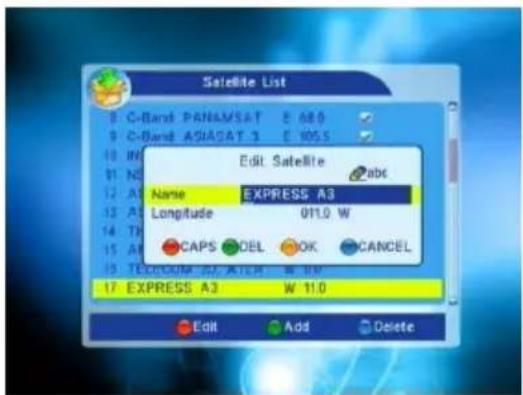
text_image
Satellite List C-Band PANAMSAT E 680 C-Band ASIAGAT 3 E 1055 Edit Satellite abc Name EXPRESS A3 Longitude 011.0 W CAPS ODEL OK CANCEL TELECOM 20 AFTER W 10 EXPRESS A3 W 11.0 Edit Add DeleteLongitude: You can press ➕ keys to switch between east longitude and west longitude. After pressing OK key, you can use numeric keys to edit the longitude, press EXIT key or the PR+, PR- keys to exit editing mode. The range of the longitude is from 1 to 180 degree. If beyond this range, system will inform you "out of range" when you press yellow colour key on the RCU.
After setting, press yellow colour key to save and exit, while press blue colour key
to exit without saving.
-
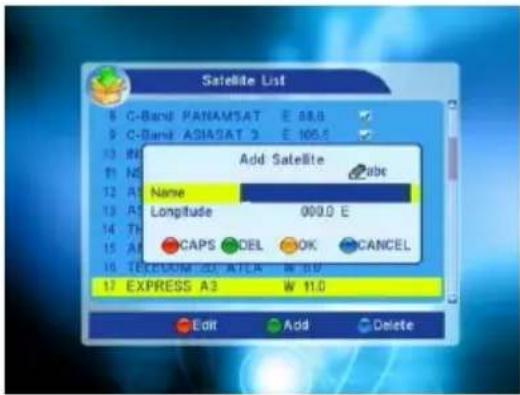
Press green colour key to pop up the Add Satellite window. Since the same operation as the above Edit Satellite window, here we don't explain any more.
-
Press blue colour key to pop up the dialogue "Are you sure to delete?". Select Yes button and press OK key to delete the selected satellite. You can cancel this operation by pressing OK key at the NO button.
2.3 Antenna Setup
Part A: Fixed
Suppose that you have selected Fixed Antenna in the Antenna Connection window.
- Satellite: All selected satellites in the satellite list are displayed in this item.
Press ^+ keys to select the satellite in circle. Or press OK key to pop up the drop-down list, then select the desired satellite in the list and press OK key to confirm.
-
LNB Freq, Transponder, DiSEqC1.0, DiSEqC1.1: The same operation as the above.
-
22K, 0/12V, Toneburst, LNB Power: You can press ≈ ≈ keys to select in circle.
text_image
Satellite List C-Band PANAMSAT E 88.6 C-Band ASIASAT 3 E 105.8 Add Satellite Name Longitude 000.0 E CAPS OK CANCEL TEXASIM-CT-ATCA W 50 EXPRESS A3 W 11.0 Edit Add Delete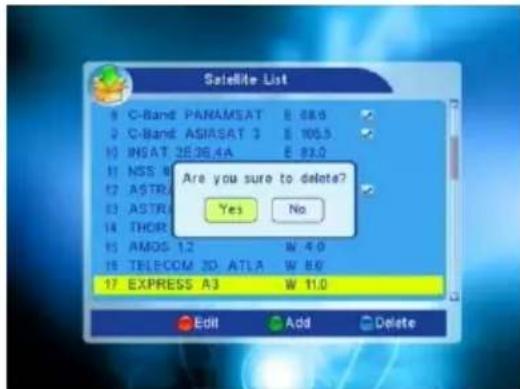
text_image
Satellite List C-Band PANAMSAT E 68.0 C-Band ASIASAT 3 E 105.5 INSAT 2E36.4A E 83.0 NSS U ASTR ASTR THOR AMOS 1.2 W 4.0 TELECOM 2D ATLA W 8.0 EXPRESS A3 W 11.0 Edit Add Delete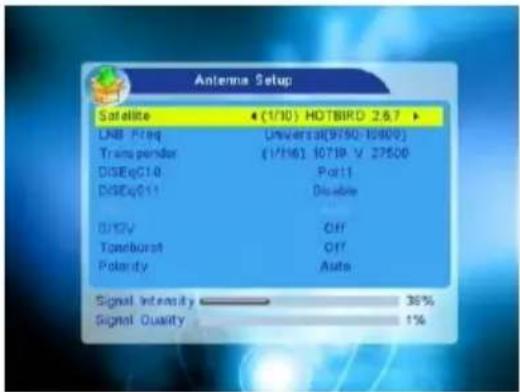
text_image
Antenna Setup Satellite ● (1/30) HOTBIRD 2.6.7 ▶ UNB Freq Universal(9750-10800) Transgender (1/16) 1071R V 27500 DISEqC10 Port1 DISEqC11 Disable DISHV Off Tomburst Off Polarity Auto Signal Intensity ———— 36% Signal Quality ———— 1%Part B: Motor
Suppose that you have selected Moter Antenna in the Antenna Connection window.
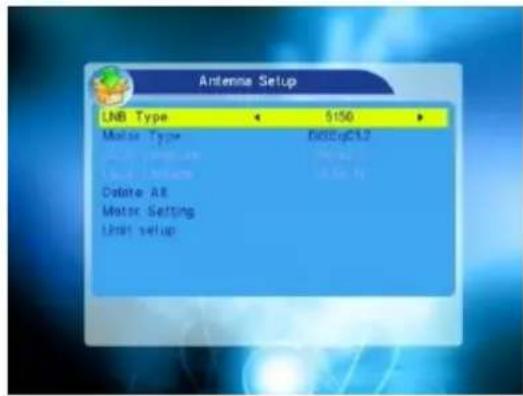
- LNB Type: Select the proper LNB type.
-
Motor Type: Select between DiSEqC1.2 and USALS. If you select DiSEqC1.2, the following Local Longitude and Local Latitude items will turn grey.
-
Delete All: Press OK key to pop up the dialogue "Are you sure to clear set satellite position of this tuner?". Press OK key at the Yes button to clear all the memories about the position of the satellites that has connected to the current turner.
text_image
Antenna Setup LNB Type $150 Motor Type DoSbGCL2 Delire All Motor Setting Limit setup
text_image
Antenna Setup Database Type $50 Motor Type DCC@Ct2 Are you sure to clear set satellite positions of this tuner? Delphi Motor Limit Yes No4. Motor Setting: Press OK key to the Motor Setting window.
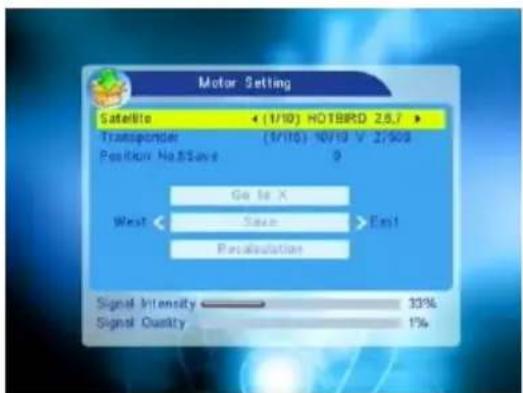
Satellite: Press ^+ keys to select the satellite in circle. Or press OK key to pop up the drop-down list, then select the desired satellite in the list and press OK key to confirm.
Transponder: The same operation as the above.
text_image
Motor Setting Satellite ← (1/10) HOTBIRD 2.8.7 → Transponder (1/10) NO/10 V 2750S Position No.85ave 9 Go to X West Save Exit Regulation Signal Intensity ———— 33% Signal Quality ———— 1%Position No., & Save: The range is from 0 to 63. "0" delegates the original position. You can select the proper value when you has rotated the antenna.
Go to X: Press OK key to pop up the drop-down list, select the proper position (reference or from 1to 63) to realize the selected position.
West
Recalculation: Press OK key to pop up the dialogue "Are you sure to change this satellite's position?". Press OK key at the Yes button to recalculation.
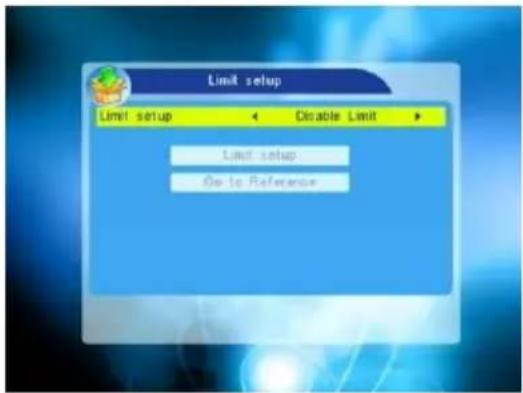
- Limit Setup: Press OK key to pop up the Limit Setup window.
Limit Setup: Press △▲ keys to switch among Disable Limit, East Limit and West Limit.
Limit Setup: Move cursor to the Limit Setup button. You can press △ key to turn west, or press △+ key to turn east.
Go to Reference: Press OK key to go to reference. If you select Disable Limit in the above Limit Setup item, this button will turn grey.
- If select USALS, Delete All item will turn grey.
Local Longitude, Local Latitude: Press
^+ keys to switch between West and East, or press ^+ keys to switch between North and South. Press OK key to enter into the editing mode. Use numeric keys (0-9) to input the longitude or latitude, press MENU key or EXIT key to exit. The range of the longitude is from 0 to 180, while the range of the latitude is from 0 to 90. If the inputted value is not in this range, system will pop up a dialogue "Out of Range" when exit from this window. You can press OK key to close this dialogue.
- Motor Setting: Press OK key to enter into the Motor setting window.
Satellite, Transponder: Press △▲ keys to select satellite or transponder, or press OK key to pop up the drop-down list and select in the list.
text_image
Limit setup Limit setup Disable Limit Limit setup Go to Reference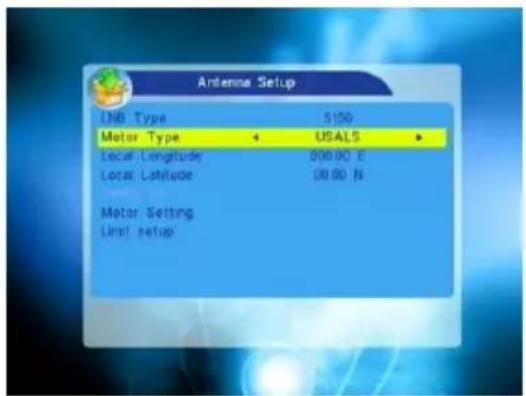
text_image
Antenna Setup IDB Type 5150 Motor Type USALS Local Longitude 000.00 °C Local Latitude 00.00 N Motor Setting Unit setup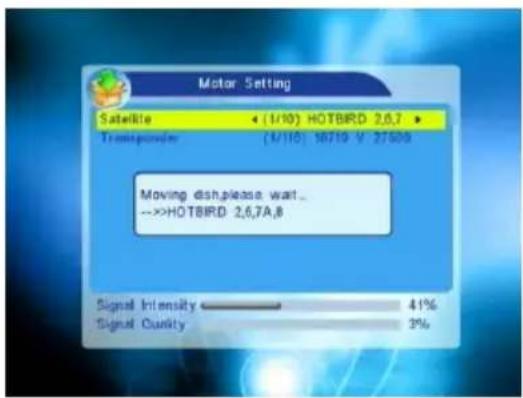
text_image
Motor Setting Satellite ◀ (1/10) HOTBIRD 2,6,7 ▶ Transpersion (4/10) 18719 V 37500 Moving dish,please wait... -->HOTBIRD 2,6,7A,8 Signal Intensity 41% Signal Quality 3%2.4 Single Satellite Search
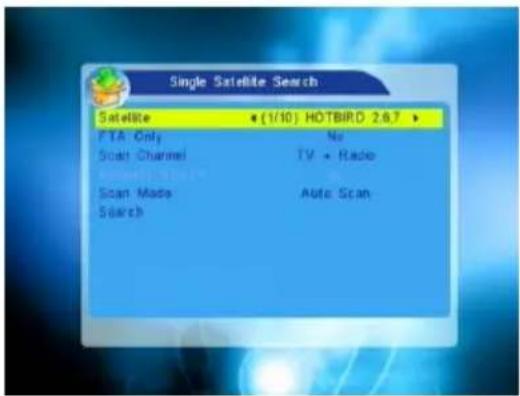
- Satellite :Press ≧ keys to select the satellite in circle. Or press OK key to pop up the drop-down list, then select the desired satellite in the list and press OK key to confirm.
- FTA Only: Press ^+ keys to select between Yes and No.
- Scan Channel: Press ➕ keys to select among TV+Radio, TV Channel, Radio.
- Network Search: Select between No and Yes. This item turns grey when Auto Scan is selected in the following Scan mode item.
- Scan Mode: Press △ △ keys to select between Auto Scan and Preset Scan. Auto Scan is Blind scan, while Preset Scan is to search the preset frequencies.
- Search: Press OK key to start searching.
text_image
Single Satellite Search Satellite • (1/10) HOTBIRD 2.8.7 ▶ FTA Only No Scan Channel TV • Radio Scan Mode Auto Scan Search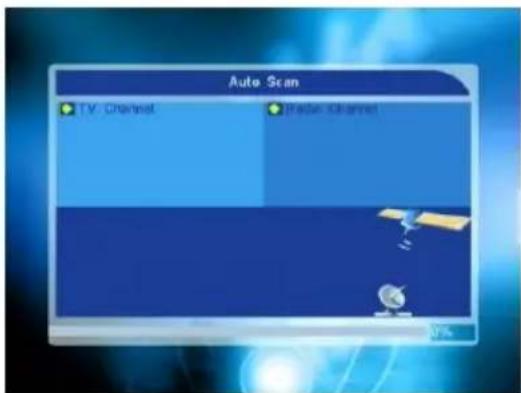
text_image
Auto Scan TV Channel Radio Channel2.5 Multi Satellite Search
From the Multi Satellite Search window, you can search several satellites at the one time.
- Satellite: All selected satellites in the satellite list window are displayed on the down part. You can press ➕ ➕ keys to switch among them.
- FTA Only: Press ≧ keys to select between Yes and No.
- Scan Channel: Press ➕ ➕ keys to select among TV+Radio, TV Channel, Radio.
- Network Search: Select between No and Yes. This item turns grey when Auto Scan is selected in the following Scan mode item.
- Scan Mode: Press keys to select between Auto Scan and Preset Scan. Auto Scan is Blind scan, while Preset Scan is to search the preset frequencies.
- Search: Press OK key to start searching.

text_image
Multi Satellite Search Satellite (1/10) HOTBIRD 2.6.7 FTA Only No Scan Channel TV - Radio Scan Mode Auto Scan Search HOTBIRD 2.6.7A,8 NILESAT 101, 302, RADR-2 A 3, EUROB EUTELSAT W1 EUTELSAT W3A INTELSAT 902 SIRI 2.5 O-Band PANAMSAT CHAND ASINSAT 3 ASTRA 1E.1F.1G.1H
text_image
Multi Satellite Search Satellite (1/10) HOTBIRD 2.6.7 FTA Only No Scan Channel TV - Radio Scan Mode Auto Scan Search HOTBIRD 2.6.7A,8 NILESAT 101, 302, RADR-2 A 3, EUROB EUTELSAT W1 EUTELSAT W3A INTELSAT 902 SIRI 2.5 O-Band PANAMSAT CHAND ASINSAT 3 ASTRA 1E.1F.1G.1H2.6 TP List
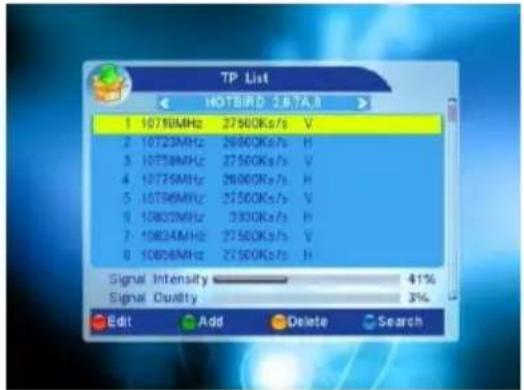
- Press PR+,PR- keys to select the proper satellite.
text_image
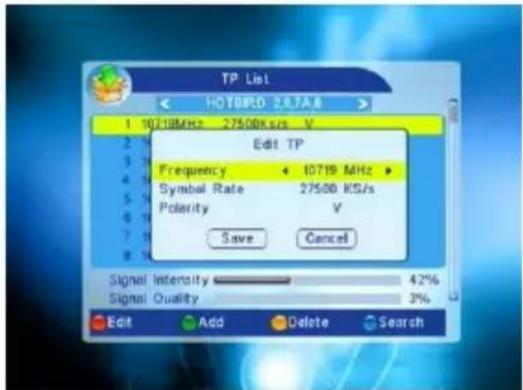
TP List 1 1076MHz 27500K/s V 2 10723MHz 26000K/s H 3 10758MHz 27500K/s V 4 10775MHz 26000K/s H 5 10796MHz 27500K/s V 6 10832MHz 3000K/s H 7 10834MHz 27500K/s V 8 10858MHz 27500K/s H Signal Intensity 41% Signal Quality 3% Edit Add Delete Search- Press red colour key to pop up the Edit TP window.
Frequency, Symbol rate: Press △ △+
keys to add or reduce by step one. Or press numeric keys (0-9) to input the desired value. The range of the frequency is 3000-13450, while the range of the symbol rate is 1000\~45000. The inputted value is beyond this range, the value will return to the origin value.
text_image
TP List HOTOPD 2.67A.8 1 10719MHz 27500x/s V Edit TP Frequency 10719 MHz Symbol Rate 27500 KS/s Polarity V Save Cancel Signal Intensity 42% Signal Quality 3% Edit Add Delete SearchPolarity: Press △▲ keys to switch between Vertical and Horizontal.
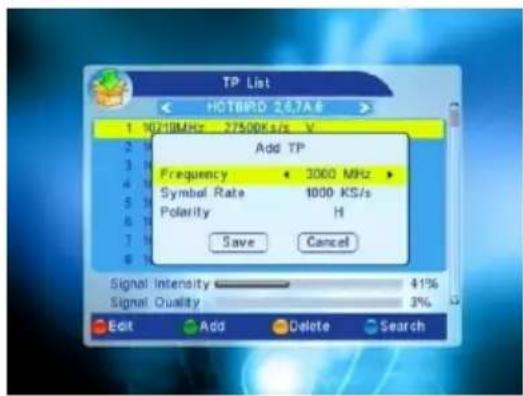
- Press green colour key to pop up the Add TP window. Since the same operation as the above Edit TP window, here we don't explain any more.
text_image
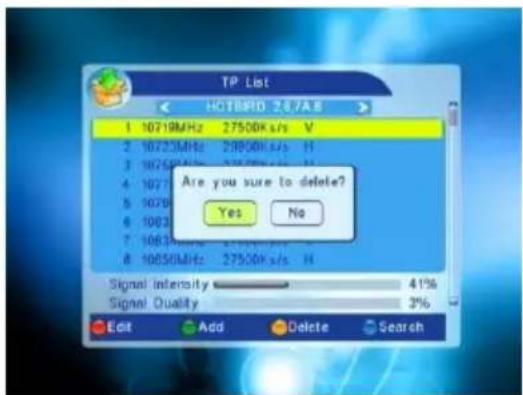
TP List HOTBPD 267A8 1 10218MHz 27500K/s V Add TP Frequency 3000 MHz Symbol Rate 1000 KS/s Polarity H Save Cancel Signal Intensity 41% Signal Quality 3% Edit Add Delete Search- Press yellow colour key to pop up dialogue "Are you sure to delete?". Press OK key at the Yes button to delete the selected TP, or press EXIT key to cancel the operation.
text_image
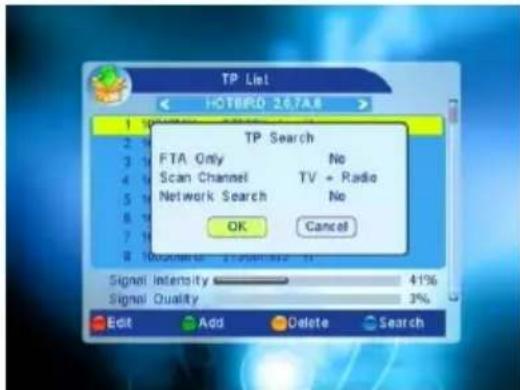
TP List HOTBIRD 267A8 1 10719MHz 27500K s/s V 2 10723MHz 29800K s/s H 3 10726MHz 32500K s/s H 4 10727 5 10728 6 10823 7 10833 8 10850MHz 27500K s/s H Are you sure to delete? Yes No Signal Intensity 41% Signal Quality 3% Edit Add Delete Search- Press blue colour key to pop up the TP Search window.
FTA only, Scan Channel, Network Search:
Press ^+ keys to select the proper option.
Press OK key at the OK button to start searching.
3. System Setup
- Press OK key or △+ key to move the cursor to the right menu.
- Press PR+, PR- keys to move the cursor up or down.
- Press EXIT key or ↗ key to move the focus to the left menu.
3.1 Language
- Press OK key to enter into the Language window. Press ≧ keys to select the language in circle, while press PR+, PR-keys to move the cursor up or down in circle.
- Press MENU key or EXIT key to save and exit.
- The types of the language, pleaser refer to the configuration of the customer.
3.2 TV System
Press PR+, PR- key to move the cursor up or down, while press ^+ keys to change the setting and the setting will take effect immediately.
- Display Mode: Select among Auto, PAL, PAL-M, PAL-N, NTSC.
- Aspect Mode: Select among 4:3LetterBox, 4:3PanScan, 16:9.
- Video Output: Select between RGB and CVBS. If you select the mode of RGB, the VCR Loopthrough will turn grey below.
text_image
TP List HOTOPD 2674.8 1 2 3 4 5 6 7 8 9 10 11 12 13 14 15 16 17 18 19 20 21 22 23 24 25 26 27 28 29 30 31 32 33 34 35 36 37 38 39 40 41 42 43 44 45 46 47 48 49 50 51 52 53 54 55 56 57 58 59 60 61 62 63 64 65 66 67 68 69 70 71 72 73 74 75 76 77 78 79 80 81 82 83 84 85 86 87 88 89 90 91 92 93 94 95 96 97 98 99 100 TP Search FTA Only No Scan Channel TV + Radio Network Search No OK Cancel Signal Intensity 41% Signal Quality 3% Edit Add Delete Search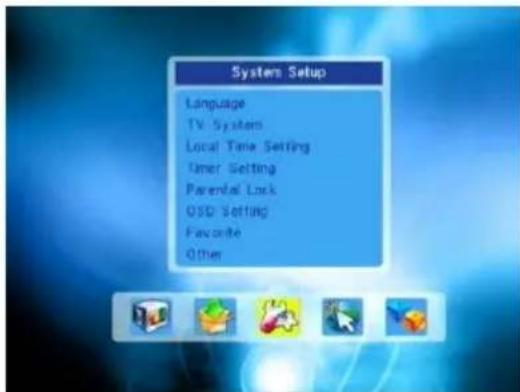
text_image
System Setup Language TV System Local Time Setting Timer Setting Parental Lock OSD Setting Favorite Other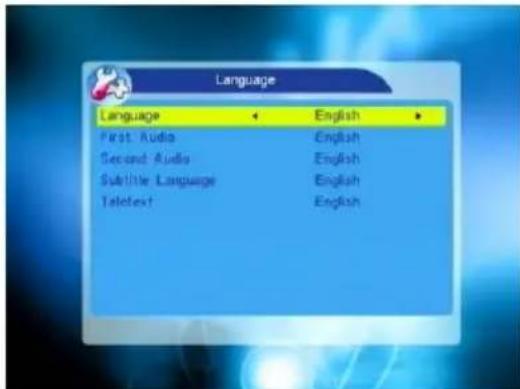
text_image
Language Language English First Audio English Second Audio English Subtitle Language English TeleText English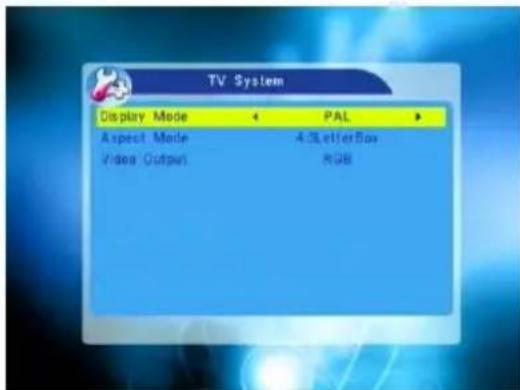
text_image
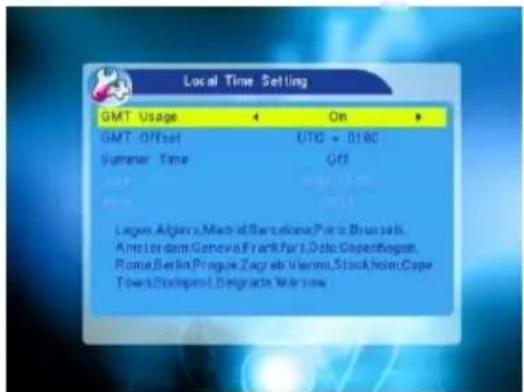
TV System Display Mode ← PAL ► Aspect Mode 4xLetterBox Video Output RGB3.3 Local Time Setting
-
Summer Time: Select between ON and OFF. "OFF" delegates the normal time. If select ON, time will add one hour.
-
GMT Offset: When select "ON" in GMT Usage item, system will get the date and time information from the screen automatically. Date and Time two items will turn grey. Select the proper option in the GMT Offset item. The default setting is GMT ON.
text_image
Local Time Setting GMT Usage On GMT Offset UTC + 0180 Summer Time Off League: Algiers, Madrid, Barcelona, Paris, Brussels, Ampliar das Genovia Frankfurt, Paris, Düsseldorf, Rome, Berlin, Prague, Zagreb, Vienna, Stockholm,Cape Town, Dublin, Düsseldorf, Warsaw- Date, Time: When select "OFF" in GMT Usage, Date and Time two items take effect, while GMT Usage turns grey. Use numeric keys to input the desired value.5. After setting, press MENU key or EXIT key to exit and save. If the value is invalid, system will inform "Invalid input! Continue to edit?". Press OK key at the Yes button to continue the modification, or press OK key at the No button to exit without saving.
3.4 Timer Setting
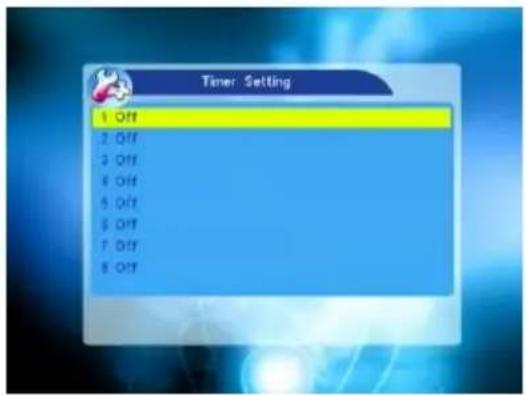
If there is no program, you can not enter into this window. There are 8 timers that can be set. Select Timer up or down, and press OK key to enter into the setting window.
-
Timer mode: The default mode is off. You can set the timer once, daily, weekly, monthly and yearly.
-
Wakeup Channel: You can select Channel in circle by pressing △ △ ^+ .
-
Wakeup Date, On Time: Use numeric keys to input the valid date.
Duration: Set the gap time. After waking up, system will power off automatically after the duration time.
Press MENU or EXIT key to save and exit.
text_image
Timer Setting 1 Off 2 Off 3 Off 6 Off 5 Off 5 Off 7 Off 8 Off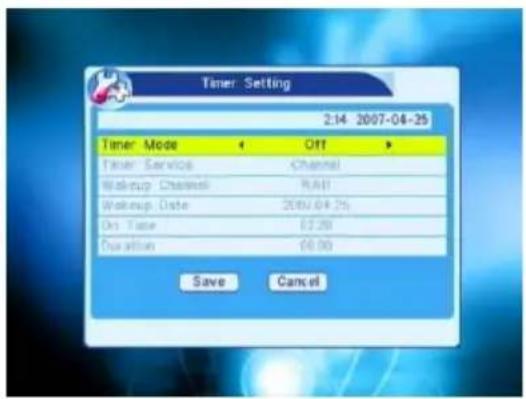
text_image
Timer Setting 2:14 2007-04-25 Timer Mode Off Timer Service Channel Wakeup Channel RAH Wakeup Date 2007/04/25 On Time £2.20 Duration £0.00 Save Cancel3.5 Parental Lock
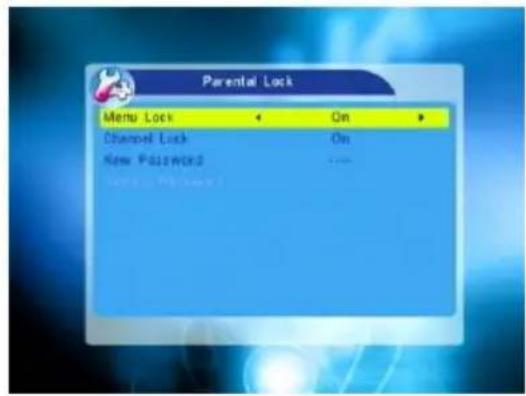
Before entering into the Parental Lock window, you need input the correct password. The default password is 0000.
- Menu Lock: Press ➕ keys to select between Off and On. If select "On", you can not enter into the most window before entering the password.
- Channel Lock: Press △ keys to select between Off and On. The default value is Off.
If select "On", you can not view the locked channel set in Chanel List Edit window until you have inputted the correct password.
text_image
Parental Lock Menu Lock On Channel Lock On New Password -- New Password: User numeric key (0-9) to input the new password.
- Confirm Password: Input the new password once again. Confirm password must be the same as the New password. System will inform you "Change password successfully!" while they are the same, or inform you to input the password of Confirm password once again when they are not the same.
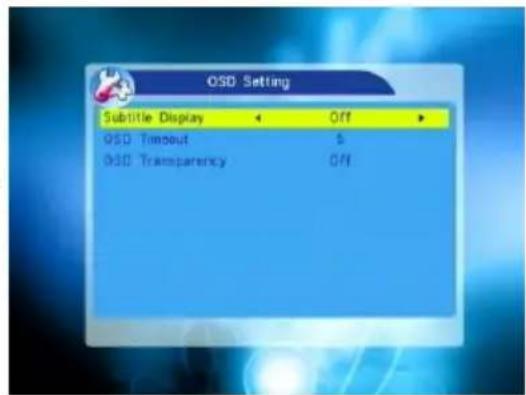
3.6 OSD Setting
- Subtitle Display: Press △▲ keys to select between On and Off.
- OSD Timeout: Press ^+ keys to select from 1 to 10 by step1. The default values is 5.
- OSD Transparency: Press ≧ keys to select among Off, 10%, 20%, 30%, 40%. The default option is Off.
Press MENU or EXIT key to save and exit.
text_image
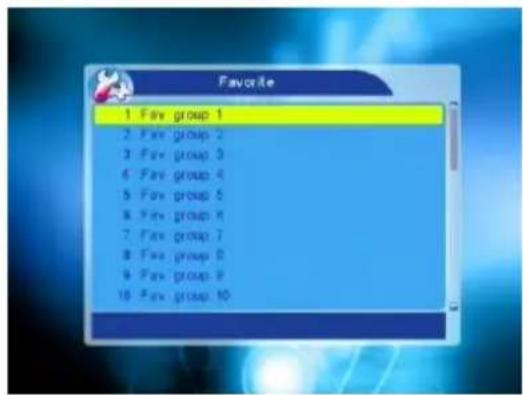
OSD Setting Subtitle Display Off OSD Timeout $ OSD Transparency Off3.7 Favorite
There are 32 favorites group listed in this window. Press PR+, PR- keys to select one and press OK key to the Rename window. Since the same operation as the above the Add Satellite window, here we don't explain any more.
text_image
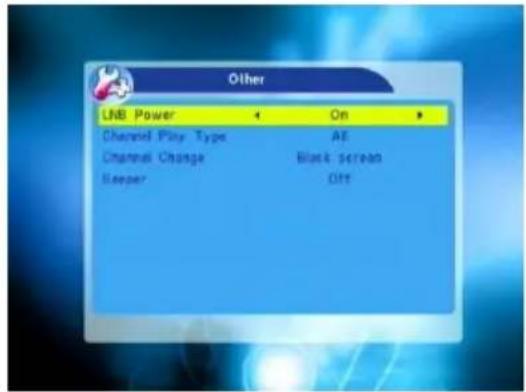
Favorite 1 Fav group 1 2 Fav group 2 3 Fav group 3 4 Fav group 4 5 Fav group 5 6 Fav group 6 7 Fav group 7 8 Fav group 8 9 Fav group 9 10 Fav group 103.8 Other
- LNB Power: Select between Off and On.
- Channel Play Type: Select among All, Free, Scramble.
- Channel Change: Select between Freeze and Black screen.
- Beeper: Select between Off and On.
text_image
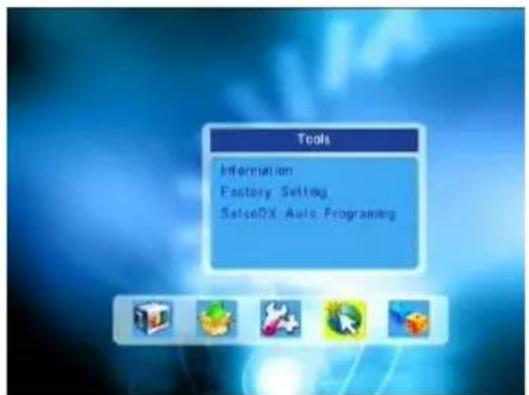
Other LNB Power On Channel Play Type AE Channel Change Black screen Sleeper OFF4. Tools
- Press OK key or △+ key to pop up the "Input Password" dialogue, you can not enter into the menu unless the correct password is inputted. The default password is 0000.
- Press PR+, PR- keys to move the cursor up or down.
- Press EXIT key or ↗ key to move the focus to the left menu.
text_image
Tools Information Factory Setting SatoDX Auto Programming4.1 Information
Press OK key to the Information window.
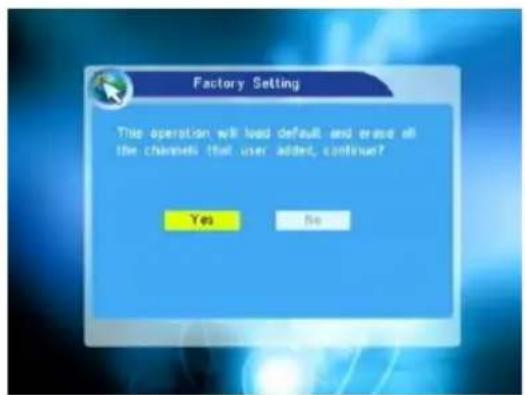
4.2 Factory Setting
Press OK key to enter into the Factory Setting window.
Select Yes button and press OK key to return to the factory setting. All searched channels and set information will be erased.
Select No button and press OK key to cancel this operation, or press MENU or EXIT key to cancel and exit.
text_image
Factory Setting This operation will load default and erase all the channels that user added, continue? Yes No4.3 SatcoDX Auto Programming
Press OK key at the Start button to start receiving date from RS232 for 10 seconds.
text_image
SatcoDX Auto Programming Start 15200 bps TV Channel Radio Channel5. Game
- Press OK key or ^+ key to enter into the game.
- Press PR+, PR- keys to move the cursor up or down.
- Press EXIT key or △ key to move the focus to the left menu.
- Select the game that you want to play and press OK key to enter into the window.
6. Hot Key
6.1 Info
Press INFO key to pop up the Info bar.
Press INFO key again to pop up the program guide of the current program. You can press → keys to know the program guide of the future 16 days.
text_image
Game Tetris Otheria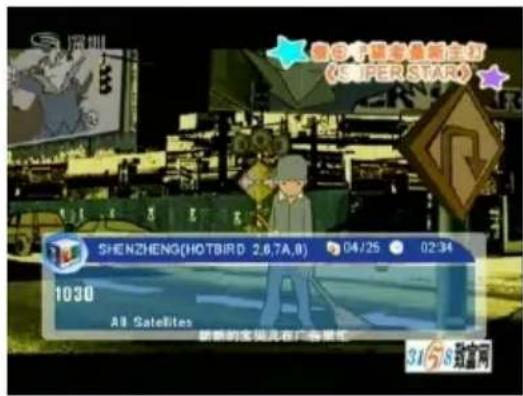
text_image
深圳 SHENZHENG(HOTBIRD 2.6,7A,8) 04/25 02:34 1030 All Satellites 新新的宝贝儿在广告里红 3158致富网6.2 EPG
Press EPG key to enter into the EPG window.
- Press PR+, PR-, ≧ ≧ keys to select up or down, left or right.
- Press red colour key to pop up the Time Bar window. Press PR+, PR- keys to select up or down, while press △▲+ keys to select left or right in the time bar.
←: Press OK key at this button to return to the EPG window.
▲: Press OK key at this button to move the cursor to the current time line.
◀: Press OK key to push the time forward or backward by half an hour.
: Press OK key to push the time forward or backward by half an hour.
: Press OK key to push the time forward or backward by a day. From the current day, you can switch among the future 14 days in circle.
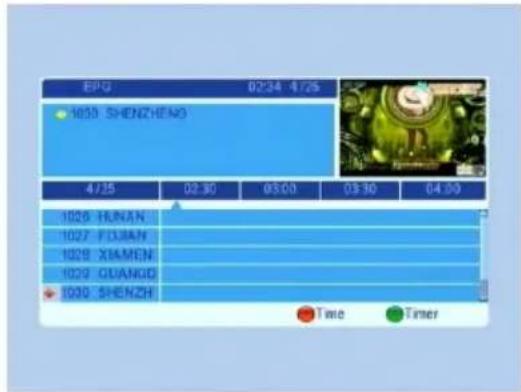
text_image
EPG 0234 4725 1659 SHENZHENO 4725 02:30 03:00 03:30 04:00 1026 HUNAN 1027 FOJIAN 1029 XIAMEN 1029 GUANGUO 1030 SHENZH Time Timer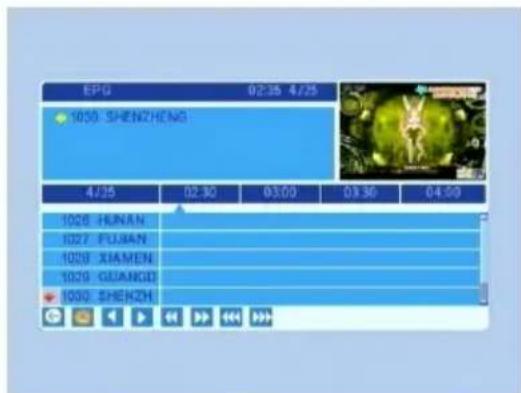
text_image
EPG 02:35 4/25 1050 SHENZHENG 4/25 02:30 03:00 03:30 04:00 1026 HUNAN 1027 FUJIAN 1028 XIAMEN 1029 GUANGUO 1030 SHENZH- Detail Information: In the EPG window, press PR+, PR- ^+ keys to select the channel and program, and press OK key to know the detail information of the current program.
- Press green colour key to enter into the Timer window. You can add the current program to the Timer. If 8 timers is already, system will inform "Timer is full!".
6.3 Find
Press FIND key on to pop up the Find window. Use numeric keys to enter into the character and use the colour keys to realized the corresponding operation.
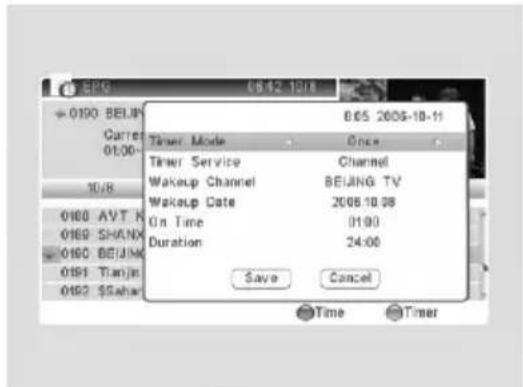
text_image
06:42 10:18 06:05 2005-10-11 Timer Mode Once Timer Service Channel Wakeup Channel BEIJING TV Wakeup Date 2006.10.08 On Time 01:00 Duration 24:00 Save Cancel Time Timer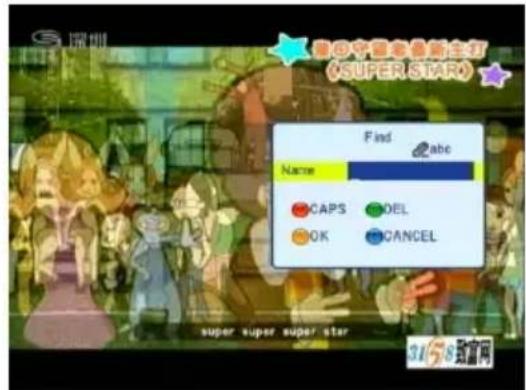
text_image
深圳 超8中船老鱼新主打 (SUPER STAR) Find abc Name CAPS DEL OK CANCEL super super super star 31/58 路富网6.4 Number
Use the numeric keys (0-9) to input the number of the desired channel. If the inputted number is beyond the valid channel number, system will "No such a channel" and press OK key to close this message.
6.5 TV/RADIO
In normal mode, press TV/RADIO key to switch between TV mode and Radiomode.
6.6 Up/Down (Channel Change)
Press PR+, PR- keys to change the channel up or down. If in the all satellites group, you can select channel in all searched channels. If in the specific satellite, only can select channel in the satellite group.
6.7 Left/Righ (Volume+/-)
Press ^+ keys to change the volume. Press keys to decrease the volume by step 1, while press ^+ keys to add the volume by step 1.
6.8 Mute
Press ✗ key to close the volume. You can press ✗ key once again to restore the volume, or press △ keys to open the volume.
6.9 Pause
During the viewing, you can press PAUSE key to stop the picture while the volume continues. You can play the picture by pressing PAUSE key once again.
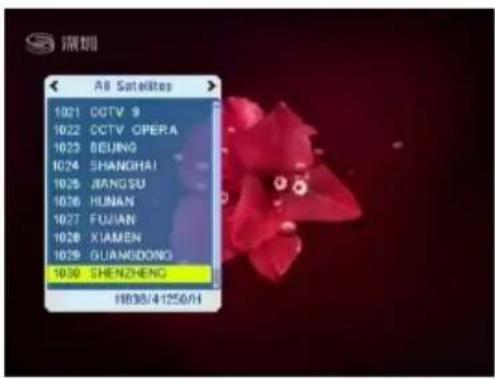
6.10 OK
-
During the viewing or listening, press OK key to pop up the TV program list or the Radio program list.
-
Press PR+, PR- keys to select the channel up or down, and then press OK key to play this channel in full-screen.
-
Press ^+ keys to select the satellite.
-
Press MENU or EXIT key to close this window.
text_image
深圳 A8 Satellites 1021 CCTV 9 1022 CCTV OPERA 1023 BEIJING 1024 SHANGHAI 1025 JIANGSU 1026 HUNAN 1027 FUJIAN 1028 XIAMEN 1029 GUANGDONG 1030 SHENZHENC 11838/41250/H6.11 Audio
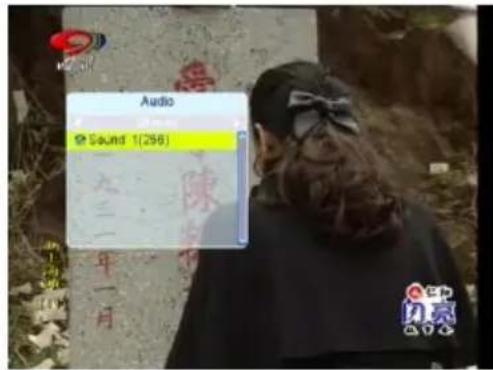
-
Press keys to enter into the Audio window.
-
Press ^+ keys to select among Left, Right, Stereo, and Mono.
-
Changing the audio mode is only connected with the current channel, not all the channels.
-
Press MENU or EXIT key to close this window.
text_image
Audio Sound 1(296) 三一 年一月 闪亮6.12 Recall
Press _PR key to switch the current channel to the previous channel.
6.13 FAV
-
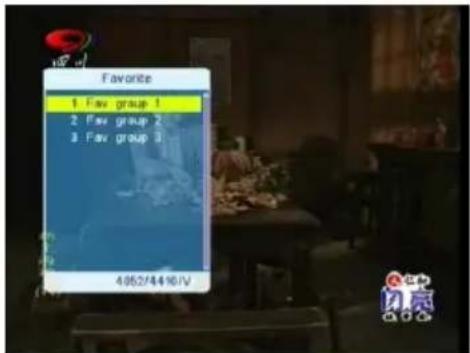
Press FAV key to pop up the favourite group window.
-
Press ➕ keys to select the favorite group. Press PR+, PR- keys to select the channel up or down.. Press OK key at the selected channel to view it in full-screen. Press MENU or EXIT key to exit.
-
If there is no favorite channel, system will inform "No FAV Channel!" when you press FAV key.
text_image
Favorite 1 Fav group 1 2 Fav group 2 3 Fav group 3 4962/4410/V6.14 Teletext
Press ☐ keys to open the teletext on the screen. If there is no teletext, system will inform "No Teletext Data". Press EXIT key to exit.
6.15 Zoom
-
Press ZOOM key to switch among Zoom*1, Zoom*2, Zoom*3, Zoom*4, Zoom*5, Zoom*6, Zoom*8, Zoom*12, Zoom*16.
-
In zoom mode, press PR+, PR- ≧ ≧ keys to move the cursor up, left, right, down.
-
Press MENU or EXIT key to exit
| Problem Possible causes What to do | ||
| The display on the front panel does not light up. | Main cable is not connected. | Check that the main cable is plugged into the power socket. |
| No sound or picture, but the front panel shows red light. | The is in standby mode.receiver | Press the standby button. |
| No sound or picture. | The satellite dish is not pointing at the satellite. | Adjust the dish. Check the signal level in the Antenna Setup menu. |
| No signal or weak signal. | Check the cable connections, LNB and other equipment connected between the LNB and the receiver, or adjust the dish. | |
| The satellite dish is not pointing at the satellite. | Adjust the dish. | |
| Signal is too strong. | Connect a signal attenuator to the LNB input. | |
| Bad picture / blocking error. | Satellite dish is too small. | Change to a larger dish. |
| LNB noise factor too high. | Change to an LNB with lower noise factor. | |
| The LNB is faulty. | Change the LNB. | |
| The picture is not showed on the screen, when switching on. | The system is connected by RF leads. | Check the UHF channel fixed in your system and tune the UHF channel properly. |
| There is interference on your digital satellite channels, an existing terrestrial channel or video signal. | The system is connected by RF leads and the output channel of the receiver interferes with an existing terrestrial channels or Video signal. | Change the receiver channel to a more suitable channel, or connect the system by SCART leads. |
| The RCU is not working. | Battery exhausted. | Change the batteries. |
| RCU is incorrectly aimed. | Aim RCU at the receive check that nothing blocks the front panel. | |
Note : If you have tried all of the actions suggested above, without solving the problem, please contact your dealer or service provider.