
eDock DS-4100BL - Computer Accessories SONORO - Free user manual and instructions
Find the device manual for free eDock DS-4100BL SONORO in PDF.


| Product Type | iPod Docking Station |
| Brand | Sonoro |
| Model | eDock DS-4100BL |
| Compatible iPod Models | iPod 3rd gen, 4th gen, 5th gen, classic, mini, nano (1st-4th gen), touch |
| Connectivity | Integrated cable for connection to Sonoro elements W system |
| Dimensions (Diameter) | 9.0 cm (3.5 in) |
| Dimensions (Height) | 2.2 cm (0.9 in) |
| Weight | 140 g (approx.) |
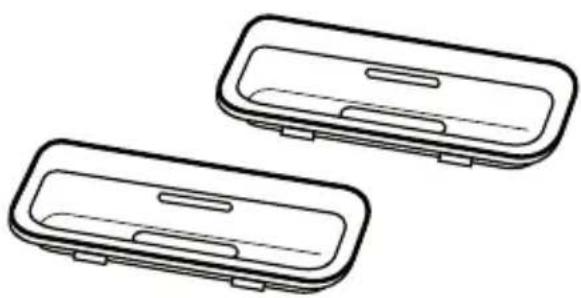
| Included Accessories | 2 universal dock adapters (T2/A and T2/B), warranty card |
| Power Supply | Passive (powered via connected Sonoro elements W) |
| Cleaning Instructions | Use dry soft cloth; avoid chemical solvents; unplug before cleaning |
| Safety Precautions | Place on solid level surface; ensure ventilation; keep away from heat, moisture, magnetic fields; no open flames; supervise children; never attempt repair |
| Warranty Period | 2 years from purchase date |
| FCC Compliance | Part 15 Class B |
| WEEE Compliance | Directive 2002/96/EC |
| Storage | Dry place, avoid extreme temperatures |
| Disposal | Do not dispose with household waste; use local collection sites |
Frequently Asked Questions - eDock DS-4100BL SONORO
User questions about eDock DS-4100BL SONORO
0 question about this device. Answer the ones you know or ask your own.
Ask a new question about this device
Download the instructions for your Computer Accessories in PDF format for free! Find your manual eDock DS-4100BL - SONORO and take your electronic device back in hand. On this page are published all the documents necessary for the use of your device. eDock DS-4100BL by SONORO.
USER MANUAL eDock DS-4100BL SONORO

Made for
iPod
sonoro
Hersteller:
sonoro audio GmbH & Co. KG
Unter Goldschmied 6
50667 Köln
Germany
fon +49 221 - 16 79 29 - 0
fax +49 221 - 16 79 29 - 290
info@sonoro-audio.com
www.sonoro-audio.com
Stand 12/08
eDock
| iPod Modell Adapter T2/ A Adapter T2/ B Adapter aus iPod | Lieferumfang* | ||
| [GKS2] | iPod3rd generation | 10GB, 15GB, 40GB 20GB, 30GB | |
| [SETW] | iPod mini | 4GB, 6GB | |
| [OTDS] | iPod4th generation | 40GB 20GB | |
| [YCST] | iPod4th generation (color display) | 20GB, 60GB 30GB, 40GB | |
| [30BS] | iPod5th generation (video) | 30GB 60GB, 80GB | |
 | iPod classic | 80GB, 160GB | |
 | Pod nanost generation | 1GB, 2GB, 4GB | |
| [KBC7] | Pod nanoInd generation (aluminum) | 2GB, 4GB, 8GB | |
| [BYZA] | iPod nano3rd generation (video) | 4GB, 8GB | |
 | Pod nanoth generation (video) | 8GB, 16GB | |
| [YOWZ] | iPod touch | 8GB, 16GB, 32GB | |
The manufacturer continuously works on the further development of all types and models.
We ask for your understanding that changes of the scope of delivery in regard to form, components and technology are therefore possible at any time. The information, illustrations and descriptions in this manual therefore shall not
constitute an entitlement to any claims.
Replication, copying or translation, even in parts, is not permitted without the written consent of the manufacturers.
The manufacturer explicitly reserves all rights pursuant to the law governing the copyright.
Subject to changes.
iPod is a trademark of Apple Inc., registered in the US and in other countries.
Apple is not responsible for the functionality of this device or its compliance with the safety guidelines.
Use of the sonoro eDock for elements W
Congratulations - by purchasing a sonoro eDock, you chose a top-quality product!
Your eDock includes the following components:
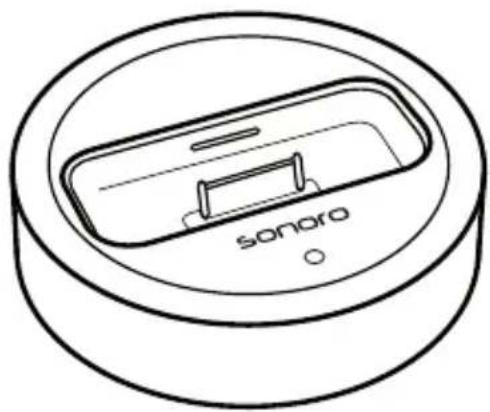
eDock
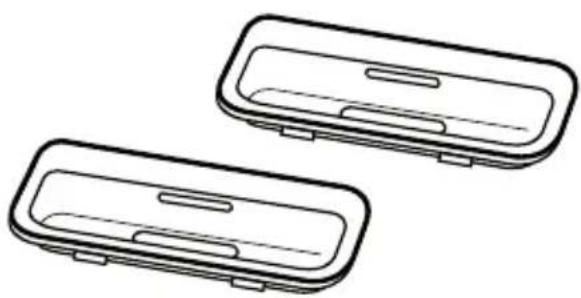
2 universal dock adapters (T2/A and T2/B)
Important: Never use force when trying to connect the plug with a connector. If a plug doesn't easily fit into a connector, the plug and the port are probably not compatible. Make sure that the plug and the port are compatible and that the plug is pointing the right way into the port.
Overview of eDock
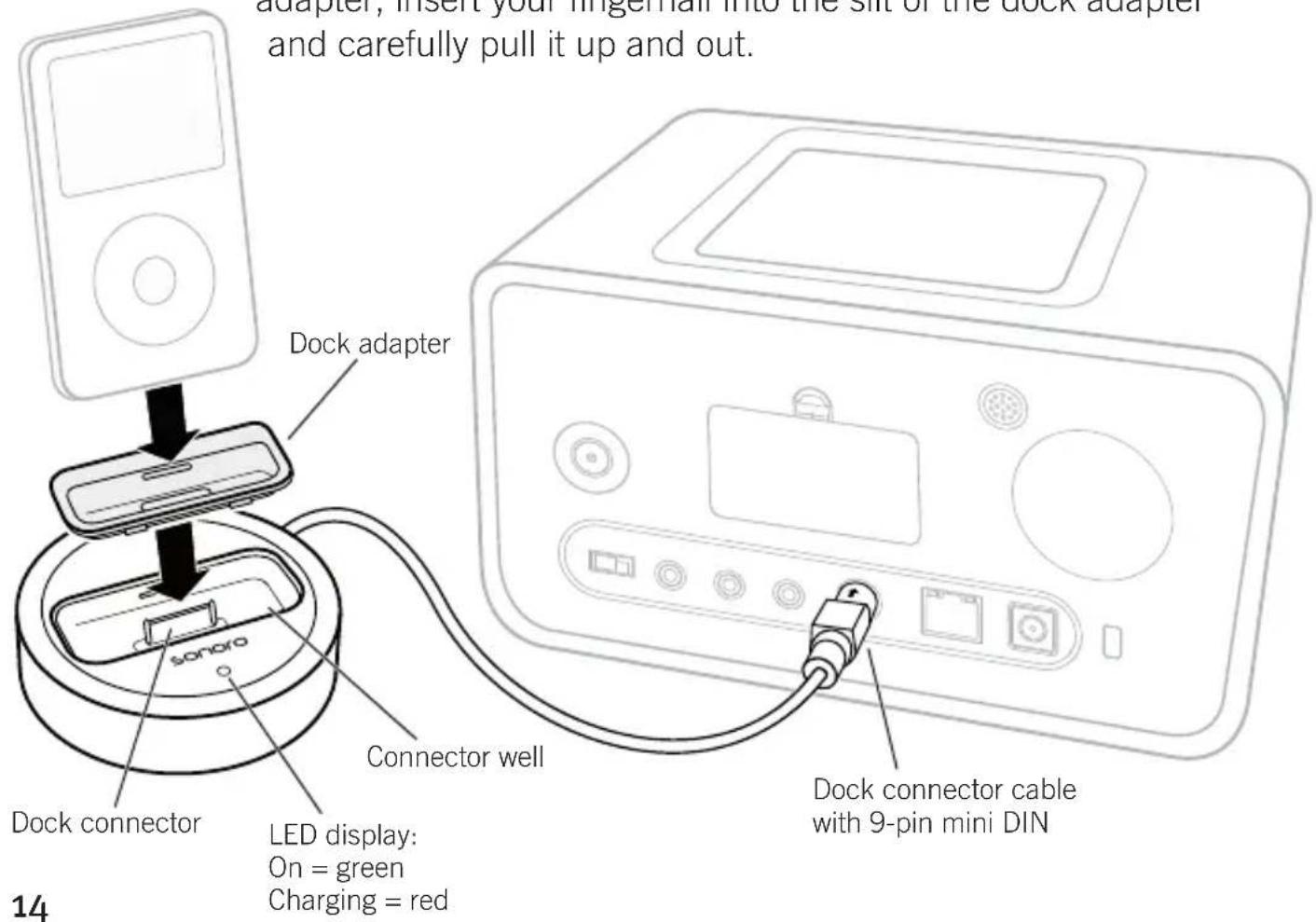
Select the appropriate dock adapter for your iPod (refer to list of adapters on the left). First of all, insert the appropriate dock adapter into the connector well of the eDock and then position your iPod onto the dock connector. Connect the eDock connection cable to your elements W. Make sure that the arrow on the cable points upward. To remove the dock adapter, insert your fingernail into the slit of the dock adapter and carefully pull it up and out.
Adapter selection
| iPod model Adapter T2/ A Adapter T2/ B Adapter from iPod | delivery packet* | ||
 | iPod3rd generation | 10GB, 15GB, 40GB 20GB, 30GB | |
| [HCTS] | iPod mini | 4GB, 6GB | |
| [187Z] | iPod4th generation | 40GB 20GB | |
 | iPod4th generation (color display) | 20GB, 60GB 30GB, 40GB | |
| [8638] | iPod5th generation (video) | 30GB 60GB, 80GB | |
| [380X] | iPod classic | 80GB, 160GB | |
| [T006] | Pod nanost generation | 1GB, 2GB, 4GB | |
| [3X09] | Pod nanodnd generation (aluminum) | 2GB, 4GB, 8GB | |
| [3820] | iPod nanod3rd generation (video) | 4GB, 8GB | |
| [5880] | Pod nanoth generation (video) | 8GB, 16GB | |
| [5W37] | iPod touch | 8GB, 16GB, 32GB | |
*Of course you can also connect your iPod without the original iPod adapters. To avoid damage to your iPod/ your eDock, always be careful to place your iPod straight onto the dock connector without tilting it.
Important Safety Information
Caution: Non-compliance with this safety information may lead to injury or to damage of system components.
Place the device on a solid, level surface.
Please make sure that
the device is not covered, so that sufficient air circulation is guaranteed • at all times
the device is not in close proximity to any heat sources (e.g. radiators)•
the device is not subject to direct sunlight●
the device is kept away from moisture, water or splashes•
the device is not positioned in immediate proximity of magnetic fields • (e.g. TVs or loudspeakers)
- there are no open fire sources close to the device (e.g. burning candles)
Never allow children to use electrical devices without supervision. Keep the plastic packaging away from children It presents a suffocation risk.
Never attempt to repair the device yourself.
Immediately pull the plug out of the electrical outlet if the device or the connecting cable has been damaged. Never attempt to open or repair the device yourself under any circumstances. There is a risk of an electric shock!
Cleaning and Storage
Please pull the plug out of the electrical outlet before cleaning the device. Use a dry, soft cloth for cleaning. Avoid chemical solvents or cleaning solutions, because they make damage the casing surface or the lettering on the device. If you will not use the device for a longer period of time, pull the plug out of the electrical outlet.
Prevent Damage to Hearing:
Listening to your iPod at high volumes may lead to lasting damage to your hearing. Do not turn the volume up too high. Over time you may get used to higher volumes so that they may seem normal to you, but your hearing may nevertheless be affected. If you hear a ringing in your ears or if spoken words seem muffled, you should stop listening to music and see an ear specialist if necessary. The louder the volume, the faster your hearing may be damaged. Experts recommend using the following precautionary measures to protect your hearing:
Limit the time that you listen to music or other audio content at a high volume.
Avoid increasing the volume to drain out noises around you.
Decrease the volume if you cannot hear what people say who are in • close proximity to where you are.
Declaration of Conformity
Manufacturer: sonoro-audio GmbH & Co. KG
We herewith declare that in regard to its conception, construction and design the eDock complies with the basic requirements of the EMC Guideline 2004/108/EEC, the Low Voltage Guideline 2006/95/EEC including the amendments that apply at the time of the declaration.

FCC declaration of conformity statement
This device complies with Part 15 of the FCC Rules. Operation is subject to the following two conditions:
(1) This device may not cause harmful interference; and
(2) this device must accept any interference received, including interference that may cause undesired operation.

Radio and television interference
This equipment has been tested and found to comply with the limits for a Class B digital device, pursuant to Part 15 of the FCC Rules. These limits are designed to provide reasonable protection against harmful interference in a residential installation. This equipment generates, uses and can radiate radio frequency energy and, if not installed and used in accordance with the instructions, may cause harmful interference to radio communications. However, there is no guarantee that interference will not occur in a particular installation. If this equipment does cause interference to radio or television reception, which can be determined by turning the equipment off and then on, the user is encouraged to try to correct the interference by one or more of the following measures:
Increase the separation between the equipment and receiver.
Connect the equipment to a different outlet so that the equipment and receiver are on different branch circuits.
- Consult the dealer or an experienced radio/TV technician for help.
In the case of a modification, unauthorized by sonoro audio GmbH & Co. KG being made to the device, the declaration losses its validity automatically.
The full description of conformity can get from sonoro@aixtema.de.
Disposal
Please remember that your electronic entertainment device is subject to the European Guideline 2002/96/EC for the reduction of electronic waste.
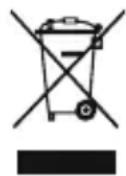
Please note therefore that it is illegal to discard your device • together with regular household waste.
Information concerning the disposal of old devices can be obtained with the local municipal administration, the waste disposal administration and the store where you have purchased this product.
You can drop off your device at communal collection sites free of • charge.
Proper disposal of old devices prevents environmental damage as well as health hazards.
eDock dimensions
Dimensions: diameter approx. 9.0 cm / 3.5", height approx. 2.2 cm / 0.9" Weight: approx. 140 gram
Warranty
The following applies to the filing of warranty claims - without thereby limiting your legal rights:
Warranty claims may only be asserted within a time period of no • more than two years starting with the date of purchase.
Within the warranty period we will rectify all defects that are based • on material or manufacturing defects at our discretion either through repair or a replacement of the device.
Please contact your authorized dealer or send the defective device • together with the warranty card and the proof of purchase to the service address. The repair or replacement of the device will not start a new warranty period. The warranty period of 2 years from the purchase date remains the deciding factor.
Damages due to improper use, normal wear and tear as well as • defects that impact the value or the usability of the device only insignificantly are excluded from the warranty. Procedures that were performed by anyone by a service address authorized by us will also terminate the warranty.
eDock
Warranty card
Last name
Serial number
First name
Street address
City / State / ZIP
Phone
Statement of defect
Signature of customer
sonoro

iPod
3rd generation 10GB 15GB 20GB

iPod
3rd generation 30GB 40GB

iPod
4th generation 20GB

iPod
4th generation 40GB

iPod
4th generation (color display) 20GB 30GB

iPod
4th generation (color display) 40GB 60GB

iPod
5th generation (video) 30GB

iPod
5th generation (video) 60GB 80GB

iPod classic 80GB 160GB

iPod mini
4GB 6GB

iPod nano
st generatio
GB 2GB 4G

iPod nano
2nd generation
(aluminum)
2GB 4GB 8GB

iPod nano
3rd generation
(video)
4GB 8GB

iPod nano
4th generation (video)
8GB 16GB

iPod touch
8GB 16GB 32GB


- SONORO AUDIO GMBH & CO. KG
- USE OF THE SONORO EDOCK FOR ELEMENTS W
- OVERVIEW OF EDOCK
- ADAPTER SELECTION
- IMPORTANT SAFETY INFORMATION
- NEVER ATTEMPT TO REPAIR THE DEVICE YOURSELF
- CLEANING AND STORAGE
- PREVENT DAMAGE TO HEARING
- DECLARATION OF CONFORMITY
- FCC DECLARATION OF CONFORMITY STATEMENT
- DISPOSAL
- EDOCK DIMENSIONS
- WARRANTY
- EDOCK
- WARRANTY CARD
Brand : SONORO
Model : eDock DS-4100BL
Category : Computer Accessories