Dect 7501 plus - Phone AUDIOLINE - Free user manual and instructions
Find the device manual for free Dect 7501 plus AUDIOLINE in PDF.


User questions about Dect 7501 plus AUDIOLINE
0 question about this device. Answer the ones you know or ask your own.
Ask a new question about this device
Download the instructions for your Phone in PDF format for free! Find your manual Dect 7501 plus - AUDIOLINE and take your electronic device back in hand. On this page are published all the documents necessary for the use of your device. Dect 7501 plus by AUDIOLINE.
USER MANUAL Dect 7501 plus AUDIOLINE
Additionalhandsetforthe
AUDIOLINEDECT7500+
natural_image
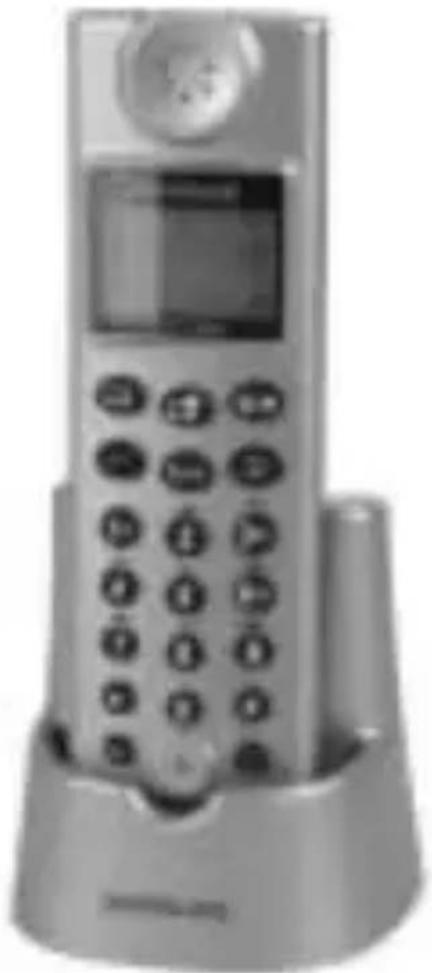
Front view of a silver mobile phone with a circular top and keypad (no visible text or symbols)Bedienungsanleitung
OperatingInstructions
DECT 7501+
AUDIOLINE
DECT 7501+
User Instructions ____ 7
AUDIOLINE
DECT 7501+
These supplemental operating instructions describe how install additional handsets with the AUDIOLINE DECT 7500+ and other DECT/GAP cordless telephone systems. However, all functions supported by this handset are available only in conjunction with the AUDIO LINE DECT 7500+.
Note: Please refer to the free download in our Website www.audioline.de for complete operating instructions including the declaration of conformity and notes on safety applicable to this extension set.
SCOPE OF SUPPLY
The following parts are enclosed in the package:
■ DECT7501+ Handset
■ Charger
■ Operating instructions
■ Power supply
■ Two standard 1.2-volt AAA rechargeable batteries
INSTALLING THE BATTERIES
Open the battery compartment in the handset by sliding the cover away from the handset by applying a slight amount of pressure to the bottom edge. Now insert the batteries ensuring that the polarity is correct and close the battery cover.
Place the handset in the battery charger with the display facing towards the front. The charger indicator light on the base station and the charger will illuminate. The handset must be charged for an uninterrupted period of 16 hours before using for the first time.
CONNECTING THE CHARGER
Set up the charger for the second handset within reach of an electrical outlet.
Plug the round plug of the smaller power supply in the socket at the back of the charger and plug the transformer plug in a correctly installed 230 volt electrical outlet. For safety reasons, use only the transformer plug supplied.
LOGGING ON A HANDSET TO THE DECT7800 BASE STATION
1. Prepare base station DECT 7500+
Disconnect the plug of the power supply for a few seconds. Log on the telephone handset as follows within 20 seconds after reconnecting the power supply:
2. Logging on the DECT 7501+ handset
Press the R/→ button. Then press the ▶(3)

button twice. The symbol will flash.
Confirm by pressing the button.
Now enter the PIN code 1 1 1 1 of the DECT7500+ base station.
Confirm by pressing OK
The handset will be logged on after a few seconds.
LOGGING ON A HANDSET TO ANOTHER DECT/GAP BASE STATION SYSTEM OR A THIRD PARTY BASE STATION
1. Prepare other base station
Follow the operating instructions indicated under 'Logging on additional handsets' of the base station you would like to log on to.
2. Logging on the DECT 7501+ handset
Proceed as described above, but use the PIN code of the base station you would like to log on to (instead of 1 1 1 1).
You will hear a positive confirmation tone and the symbol will appear and remain in the display when the logon is completed.
AUDIOLINE GmbH
Neuss
Service Hotline 0180 5 00 13 88