DECT 7801micro - Phone AUDIOLINE - Free user manual and instructions
Find the device manual for free DECT 7801micro AUDIOLINE in PDF.


User questions about DECT 7801micro AUDIOLINE
0 question about this device. Answer the ones you know or ask your own.
Ask a new question about this device
Download the instructions for your Phone in PDF format for free! Find your manual DECT 7801micro - AUDIOLINE and take your electronic device back in hand. On this page are published all the documents necessary for the use of your device. DECT 7801micro by AUDIOLINE.
USER MANUAL DECT 7801micro AUDIOLINE
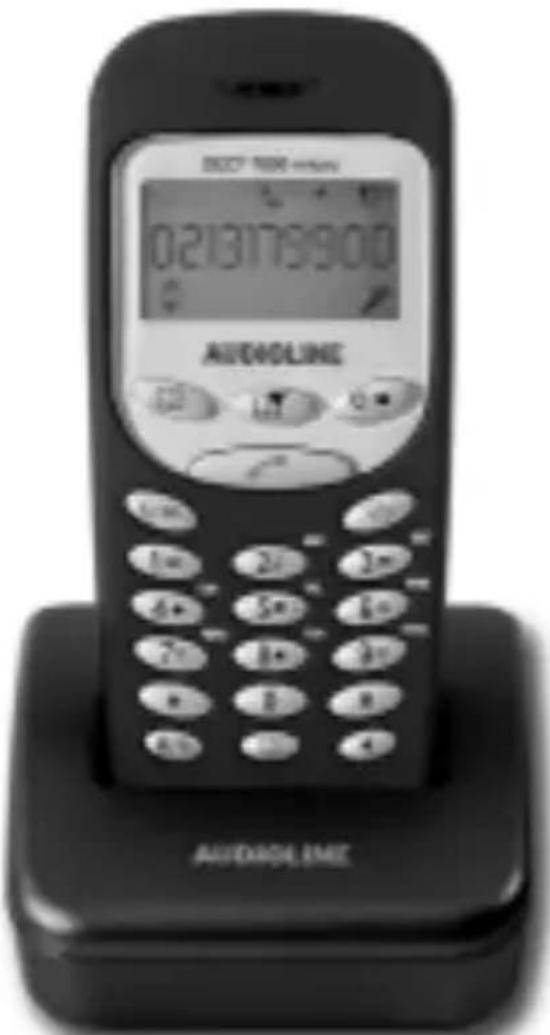
Zusätzlicher Handapparat zum AUDIOLINE DECT7800micro und DECT7800Bmicro Additional handset for the AUDIOLINE DECT7800micro and DECT7800Bmicro
text_image
02131789:00 AUD40LINE AUD40LINEnatural_image
Simple line drawing of a rectangular frame with a small inset showing a small object, no text or symbols present.These supplemental operating instructions describe how install additional handsets with the AUDIOLINE DECT7800micro and the AUDIOLINE DETC7800Bmicro.
It is also possible to use the DECT7801micro with other DECT/GAP cordless telephone systems. However, all functions supported by this handset are available only in conjunction with the AUDIO LINE DECT7800micro and DECT7801micro.
Note: Please refer to the free download in our Website www.audioline.de for complete operating instructions including the declaration of conformity and notes on safety applicable to this extension set.
SCOPE OF SUPPLY
The following parts are enclosed in the package:
| one charger one power supply | |
| one handset with belt clip one accupack | |
| one Operating Manual |
CONNECTING THE CHARGER
Set up the charger for the second handset within reach of an electrical outlet.
Plug the round plug of the smaller power supply in the socket at the back of the charger and plug the transformer plug in a correctly installed 230 volt electrical outlet. For safety reasons, use only the transformer plug supplied.
FITTING THE ACCUPACK
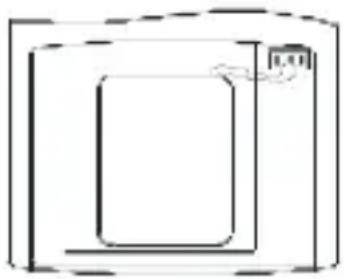
To fit the accupack supplied into the handset, press on the top edge of the accu compartment cover and slide it downwards.
Now insert the accupack supplied and close the accu cover.
natural_image
Simple line drawing of a rectangular frame with a rounded corner and a small icon on the top right (no text or symbols)Important information: Place the handset with the display to the front on the charging station for at least 16 hours. If the accupack is not correctly charged, the telephone may not work properly. While
the handset is being charged, the battery capacity symbol flash in the display.

will
LOGGING ON THE HANDSET AT A DECT7800MICRO OR DECT7800BMICRO BASE STATION
Prepare base station DECT7800micro/DECT7800Bmicro
Separate the plug of the power supply unit for some seconds. After reconnection you log on the telephone handset as follows within 20 seconds:
Logging on handset
| Programming steps Indication | in the display | |
| 1. Press the button followed by two presses of the ▶(3) button. | The  symbols flashes symbols flashes | |
| 2. Confirm with the button. | 1/1 0 0 0 0 | |
| 3. Now enter the PIN code 1 1 1 1 of the DECT7800micro base station. | 1/1 1 1 1 1 | |
| 4. Confirm with | ||
| 5. After a few seconds the handset will be logged on. | ||
LOGGING OFF HANDSETS
| Programming steps Indication | in the display |
| 1. Press the button. | The  symbol flashes symbol flashes |
| 2. Now enter the code 9 4 using the number pad. | Symbol  |
| 3. Now enter the PIN code using the number pad (factory setting 1111). | 1/1 1 1 1 1 |
| 4. Confirm with and after a few seconds the handset will be logged off. |
LOGGING ON OF AUDIOLINE 7801MICRO HANDSETS TO OTHER DECT-GAP BASE STATIONS
| Programming steps Indication | in the display |
| 1. Press the button followed by two presses of the (3) button. | The  symbol flashes symbol flashes |
| 2. Confirm with the button. | 1/1 0 0 0 0 |
| 3. Now prepare the base station for logging on. For further information on this subject, please refer to the Operating Manual provided by the third-party manufacturer. | |
| 4. Now enter the PIN code of the base station. The PIN code used by the base station can be found by referring to the Operating Manual provided by the third-party manufacturer. | 1/1 X X X X |
| 5. Confirm with . | |
| 6. After a few seconds the handset will be logged on. |
LOGGING OFF DECT7801MICRO HANDSETS FROM OTHER DECT-GAP BASE STATIONS
You can find out to how to log off a DECT7800/7801micro handset from a third-party base station by referring to the Operating Manual for the base station concerned.