
CND-SKB7 - Keyboard Canyon - Free user manual and instructions
Find the device manual for free CND-SKB7 Canyon in PDF.


| Brand | Canyon |
| Model | CND-SKB7 |
| Product Type | Mechanical Keyboard |
| Layout | 104 keys |
| Switch Type | Mechanical switches |
| Switch Lifecycle | 60 million pressings |
| Key Route (Travel) | 4.0 mm |
| Actuation Point | 1.5 mm |
| Actuation Force | 80 g |
| Anti-Ghosting | Full N-Key Rollover (NKRO) |
| Backlight | 22 types (including 3 custom) |
| Processor | Dual core intelligent chip |
| Connection | USB wired |
| Cable Length | 1.6 m |
| Cable Type | Braided with ferrite magnet ring |
| Dimensions (Keyboard) | 435 x 125 x 37.47 mm |
| Weight (Keyboard) | 840 g ± 5 g |
| Wrist Rest | Magnetic, 435 x 70 x 14.5 mm |
| Working Voltage | 5 V |
| Current Consumption (Active) | ≤ 250 mA |
| Current Consumption (Sleep) | 10 mA |
| Supported OS | Windows XP/7/8/10, macOS |
| Multimedia Keys | Fn+ F1-F12 for media control |
| Software Programming | Yes, macro assignment via driver |
| Warranty | 2 years |
Frequently Asked Questions - CND-SKB7 Canyon
User questions about CND-SKB7 Canyon
0 question about this device. Answer the ones you know or ask your own.
Ask a new question about this device
Download the instructions for your Keyboard in PDF format for free! Find your manual CND-SKB7 - Canyon and take your electronic device back in hand. On this page are published all the documents necessary for the use of your device. CND-SKB7 by Canyon.
USER MANUAL CND-SKB7 Canyon
Congratulations for purchasing high quality CANYON product.
We are happy to present you our gaming accessories, which are the combination of new technology and fresh design.
Our own design bureau implements the latest trends in the technical design of gaming products, while our scrupulous quality control system ensures a long lifetime of CANYON products. To take full advantage of this product, we recommend that you read this manual completely.
www.gaming.canyon.eu

Connection / Physical characteristics
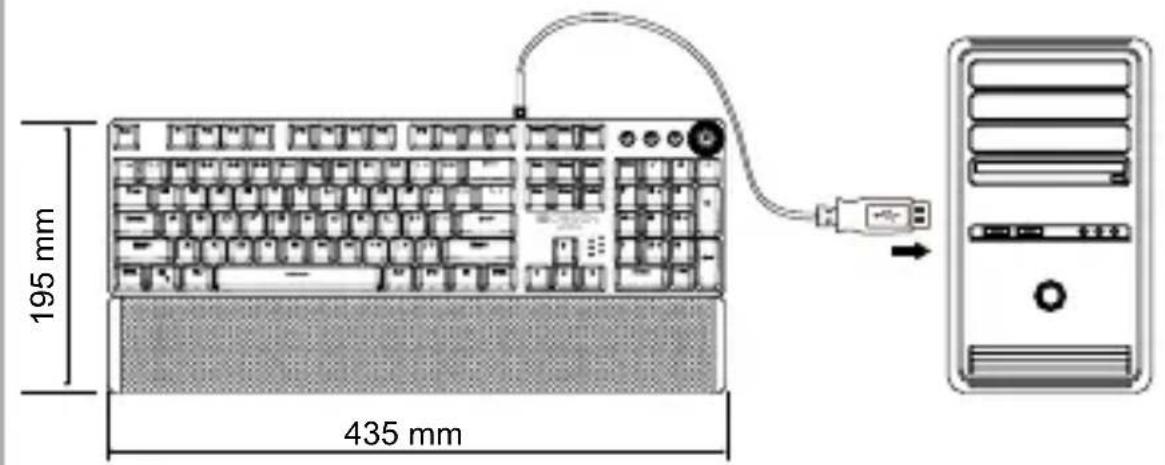
Weight: 840g +/-5g
Overview Device

1 USB Cable LED indicators
5
2 Mode keys Metallic top case
6
3 Multifunctional control knob Matetic
4 Double-injection buttons
wrist rest
8 Tilt legs
9 Bottom side
10 Anti-skid rubber feet
Technical specifications
Black 104 mechanical switches
Buttons lifecycle 60 million pressings
Anti Ghosting function, NKRO CLASS
'WIN' button lock
22 Types of backlights (includes 3 custom backlight)
Dual core intelligent chip
Key route 4.0 mm
Trigger actuation 1,5 mm
Actuation force 80 g
Braided cable with ferrite magnet ring
System requirements: Win XP/7/8/10, Apple operating system mac osx.
Compatible Microsoft Windows/Mac OS
Water resistance No
| Working voltage | 5 V |
| Working current | ≤ 250 mA |
| Sleeping current | 10 mA |
| Cable length | 1.6 M |
| Working temperature | 0 ~ 45°C |
| Store temp | - 20 ~ + 60°C |
| Store Humidity | ≤ 93 (43°C) |
| Product size | 435x125x37,47 ± 0,2 mm |
| Weight | 840 g + / - 5 g |
| Magnetic wrist rest | 435x70x14,5 mm |
Multimedia functions
| Fn+ F1 | F2 F3 F4 F5 F6 | ||||
| Shortcut function | My computer | Search Calculator | Multimedia Player | Prev Track | Next Track |
| Fn+ F7 | F8 F9 F10 | F11 F12 | |||
| Shortcut function | Play / Pause | Stop Mute Volume- | Volume+ | Lock/unlock the full keyboard | |
| Fn+ WIN-L | > < | PrSc ScLk | |||
| Shortcut function | Lock WIN+APP | Speed+ Speed- | 6 key anti-ghosting | N key anti-ghosting | |
Record and storage custom mode key
- Custom mode button recording storage:
Situation: In game mode
- Custom backlight -1 / 2 / 3: Press 🎨 keys to enter the corresponding
custom mode, Press and hold one of the ⏻ button (the knob's indicator light flashes) to enter the custom recording state. Press any key that needs to be turned on or off to the specified state. After completing the setting, press the
M1 M2 M3 keys to store.
- Reset to factory Default Backlight:
Press FN+ESC to clear the light recording and restore the factory default constant light mode.
Gaming modes of backlight
Choose one of backlight modes using M1/M2/M3 keys (see the table below) Pre-recorded gaming light effects of the light pattern.
M1:By default the keys illuminated are: WSADCQETBMVFZ 12345 Shift Tab Ctrl Alt
M2:By default the keys illuminated are:QWERDFBASMCGYH 123456 Esc Space Tab
M3:By default the keys illuminated are:WASDREQ 1234 Shift Ctrl Space Tab Enter Esc Home End PageUp Insert Delete F1
Dual modes operation
Long press the multifunctional knob to switch mode: game mode (knob indicator is on) office (multimedia) mode (knob indicator off)
Multimedia mode

Click for "mute" function

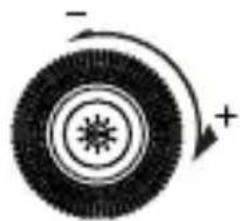
Rotate the knob to control the volume

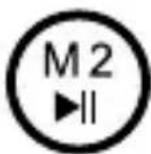

Previous track Next trackPlay /Pause
Gaming mode

Click to switch light mode
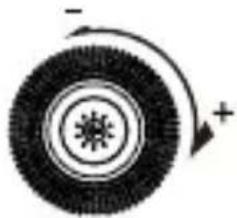
Rotate the knob to control the brightness
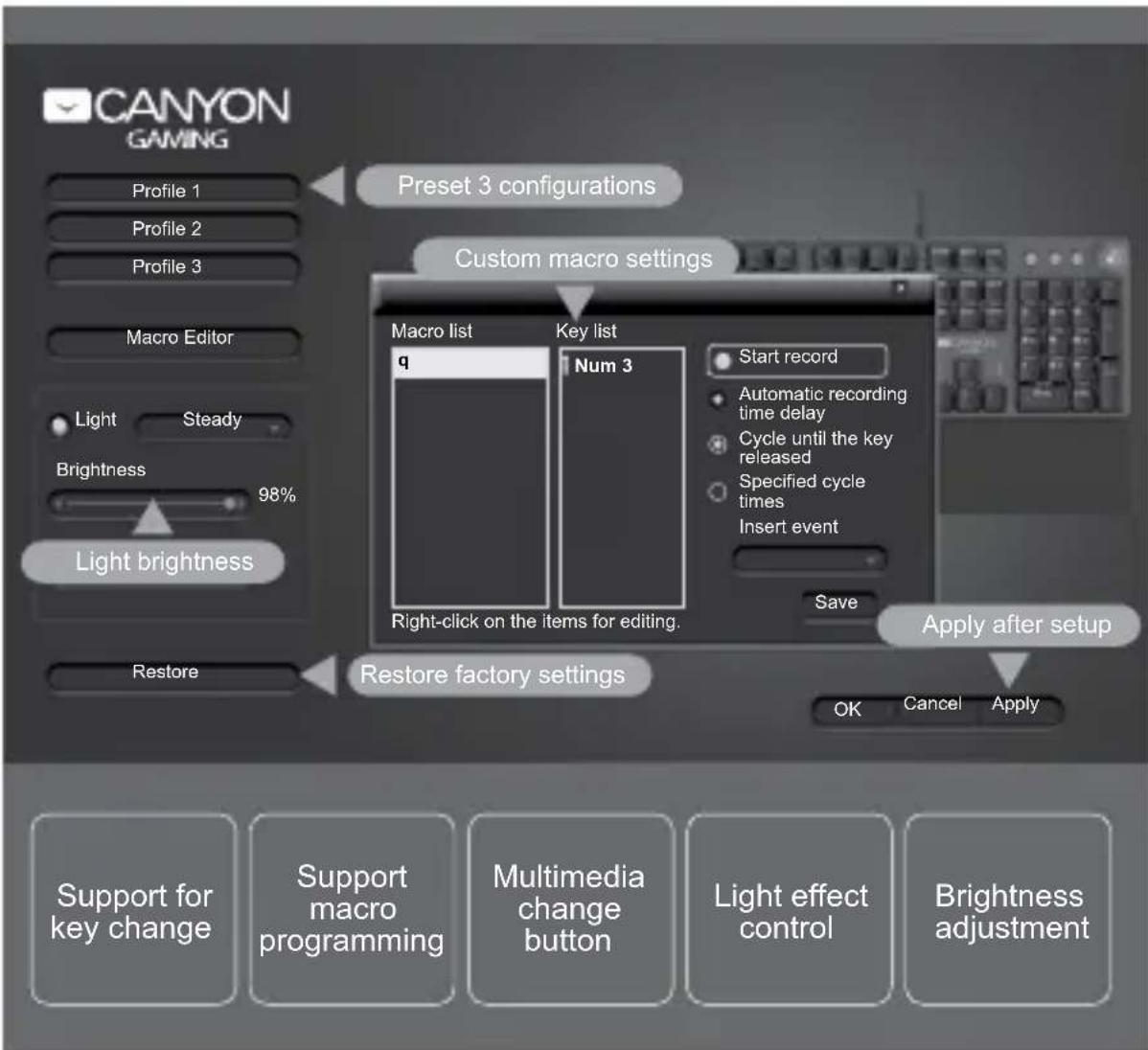
Keyboard settings through software
The Canyon NIGHTFALL gaming keyboard has the ability to program and assign macro commands via additional software.
104-key macro programming can be customised, the game is more fun and the performance is stronger.
Driver interface introduction:
Warranty liabilities
Warranty period starts from the date of purchase the goods from the Seller, authorized by Canyon. Date of purchase is the date indicated in your sales receipt or waybill. During warranty period, a repair, replacement or refund of payment for goods are performed on discretion of Canyon Company. To receive warranty services, goods shall be returned to the Seller, to purchase place, together with purchase evidence (sales receipt or waybill). Warranty takes 2 years from the moment of purchasing goods by consumer. Additional information on usage and warranty is available on website:
http://canyon.eu/warranty-terms/
Manufacturer: Asbisc Enterprises PLC, Cyprus, Limassol 4103. Diamond Court, 43 Kolonakiou Street. Agios Athanasios. http://canyon.eu/
Kliknite za «mute» funkcionalnost
Okrenite dugme za kontrolu glasnoće zvuka

Prethodna pjesma

Reprodukcija / Pauza
Sljedeća
pjesma
Gaming način rada

Okrenite dugme za kontrolu jačine svjetla
Garantni uslovi
Garantni rok počinje teći od datuma kupovine robe od prodavatelja, koji je ovlašten od strane Canyona. Datum kupovine je datum naveden na Vašem računu. Za vrijeme garantnog roka, popravak, zamjena ili povrat uplate za robu obavlja Canyon. Za ostvarenje prava iz garantnih usluga, roba se vraća Prodavatelju na mjesto kupovine zajedno s dokazima o kupovini (račun ili tovarni list). Garancija traje 2 godine od trenutka kupovine robe od strane kupca. Dodatne informacije o korištenju i garanciji dostupne su na web stranici: http://canyon.eu/warranty-terms/
Proizvodžač: Asbisc Enterprises PLC, Cyprus, Limassol 4103. Diamond Court, 43 Kolonakiou Street. Agios Athanasios. http://canyon.eu/

1 USB кабел LED индикатор 5
2 Бутони за режим Метален 6 рпус
3 Многофункционален
контролен бутон
7 Магнитна опора
за китката
4 Double-injection
технология на бутоните
ГАРАНЦИЯ
Záruční podmínky

Previous track Next trackPlay /Pause
Gaming mode

Warranty liabilities
Warranty period starts from the date of purchase the goods from the Seller, authorized by Canyon. Date of purchase is the date indicated in your sales receipt or waybill. During warranty period, a repair, replacement or refund of payment for goods are performed on discretion of Canyon Company. To receive warranty services, goods shall be returned to the Seller, to purchase place, together with purchase evidence (sales receipt or waybill). Warranty takes 2 years from the moment of purchasing goods by consumer. Additional information on usage and warranty is available on website:
http://canyon.eu/warranty-terms/
Manufacturer: Asbisc Enterprises PLC, Cyprus, Limassol 4103. Diamond Court, 43 Kolonakiou Street. Agios Athanasios. http://canyon.eu/
Conectare / Caracteristici fizice

Chip intelligent dual core
Traseu principal 4.0 mm
Garantie
Producator: Asbisc Enterprises PLC, Cyprus, Limassol 4103. Diamond Court, 43 Kolonakiou Street. Agios Athanasios. http://canyon.eu/
Okrenite dugme za kontrolu jačine zvuka


Prethodna traka Sledeća trakaPlay / Pauza
Gejming mod

Pritisnite da uključite svetlosni mod

Rotirajte dugme da podesite osvetljenje
Garantni uslovi
Garantni period počinje od datuma kupovine robe od prodavca ovlašćenog od strane Canyon-a. Datum kupovine je datum naznačen na vašem računu ili otpremnici. Tokom garantnog perioda, popravka, zamena ili refundiranje novca se obavlja po pravilima kompanije Canyon. Da biste ostvarili pravo na reklamaciju, robu treba vratiti prodavcu na mesto kupovine zajedno sa dokazom o kupovini (račun ili otpremnica). Garancija važi 2 godine od datuma kupovine od strane potrošača.
Dodatne informacije o korišćenju i garanciji su dostupne na sajtu:
http://canyon.eu/warranty-terms/
Proizvođač: Asbisc Enterprises PLC, Cyprus, Limassol 4103. Diamond Court, 43
Kolonakiou Street. Agios Athanasios. http://canyon.eu/
Záručné podmienky
Zavrtite gumb za nadzor glasnosti


Predhodna skladba Nasledgraj/skazba
Način igranja

Rotiraj gumb za nadzor svetilnosti
Garancija
КЕПІЛДІК МІНДЕТТЕМЕЛЕР
http://canyon.eu/warranty-terms/
- TECHNICAL SPECIFICATIONS
- RECORD AND STORAGE CUSTOM MODE KEY
- GAMING MODES OF BACKLIGHT
- DUAL MODES OPERATION
- MULTIMEDIA MODE
- GAMING MODE
- KEYBOARD SETTINGS THROUGH SOFTWARE
- WARRANTY LIABILITIES
- GAMING NAČIN RADA
- GARANTNI USLOVI
- ГАРАНЦИЯ
- ZÁRUČNÍ PODMÍNKY
- GARANTIE
- GEJMING MOD
- ZÁRUČNÉ PODMIENKY
- NAČIN IGRANJA
- GARANCIJA
- КЕПІЛДІК МІНДЕТТЕМЕЛЕР
Brand : Canyon
Model : CND-SKB7
Category : Keyboard