
HIVE XL - Headphones Niceboy - Free user manual and instructions
Find the device manual for free HIVE XL Niceboy in PDF.


| Product Type | Wireless Stereo Headset |
| Brand | Niceboy |
| Model | HIVE XL |
| Bluetooth Profiles | A2DP, AVRCP, HFP |
| Frequency Band | 2.4 GHz - 2.4835 GHz |
| Communication Range | Up to 10 m |
| Frequency Response | 20 Hz - 20 kHz |
| Sensitivity | 102±3 dB |
| Speaker | 40 mm |
| Battery Type | Lithium |
| Battery Capacity | 500 mAh |
| Charging Time | 2-3 hours |
| Talk Time | Up to 35 hours |
| Music Playback Time | Up to 35 hours |
| Charging Port | MicroUSB |
| Audio Input | 3.5 mm Jack |
| Microphone | Built-in |
| Controls | Volume, Play/Pause, Skip, Answer/End Call, Voice Assistant |
| LED Indicator | Yes (charge, pairing, connection status) |
| Compatibility | Bluetooth-enabled devices with A2DP |
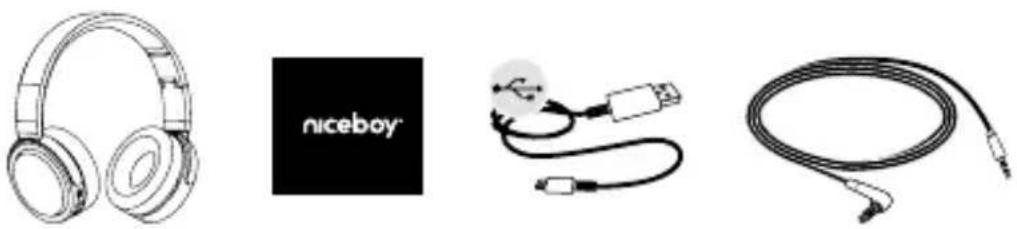
| Package Contents | Headset, MicroUSB cable, Audio cable, User manual |
Frequently Asked Questions - HIVE XL Niceboy
User questions about HIVE XL Niceboy
0 question about this device. Answer the ones you know or ask your own.
Ask a new question about this device
Download the instructions for your Headphones in PDF format for free! Find your manual HIVE XL - Niceboy and take your electronic device back in hand. On this page are published all the documents necessary for the use of your device. HIVE XL by Niceboy.
USER MANUAL HIVE XL Niceboy
natural_image
Line drawing of a hand inserting a microphone into an ear (no text or symbols)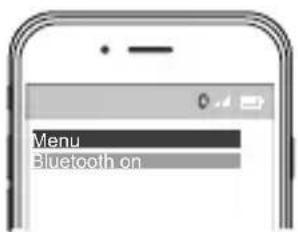

4.2 PŘIPOJENÍ K 3.5 MM KONEKTORU
natural_image
Line drawing of a smartphone connected to an audio headset, with a close-up inset showing the microphone (no text or symbols present)5. PODPORA
5.1 JAK PEČOVAT O SLUCHÁTKA
natural_image
Line drawing of a hand inserting a microphone into an ear (no text or symbols)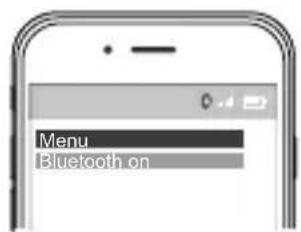
4.2 PRIPOJENIE K 3,5 mm KONEKTORU
natural_image
Line drawing of a smartphone connected to an audio headset, with a close-up inset showing the microphone (no text or symbols present)5. PODPORA
5.1 AKO SA STARAŤ O SLÚCHADLÁ
Thank you for purchasing the wireless stereo headset.
PACKAGE CONTENTS
SPECIFICATIONS
Bluetooth profiles supported: A2DP, AVRCP, HFP
Frequency: 2.4 GHz - 2.4835 GHz
Communication range: up to 10 m
Frequency response: 20 Hz - 20 kHz
Sensitivity: 102±3dB
Lithium Battery Capacity: 500mAh
Speaker: 40 mm
- OVERVIEW
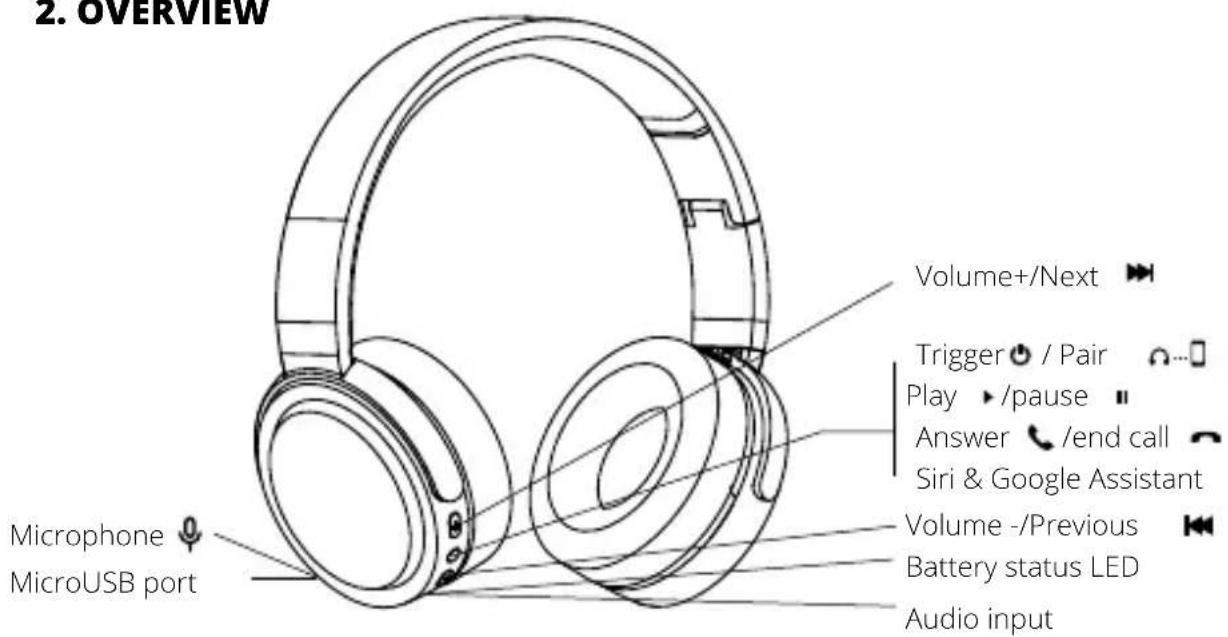
BUTTON FUNCTIONS
| + | Press and hold to increase volume while calling or playing musicPress once to skip to the next track while playing music. |
| ○ | Long press (3-5 seconds) the button while off – powering on and pairingLong press (3 seconds) the button while on – powering offShort press (while playing music) – play/pauseShort press (while playing music) – answer/end a callShort double press – Siri & Google AssistantLong pressing (3 seconds) – reject call |
| - | Press and hold to reduce volume during an incoming callPress once to skip to the previous track while playing music. |
3. CHARGING
3.1 BATTERY STATUS
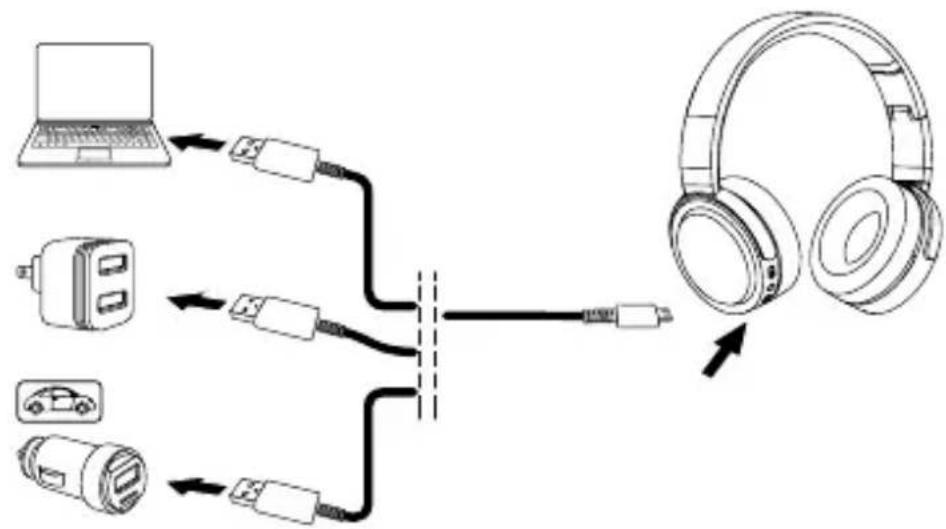
Plug the headset to the USB port on your PC (or to any available USB port), using the micro USB cable.
flowchart
graph TD
    A["Laptop"] --> B["USB"]
    C["USB"] --> D["USB"]
    E["Car"] --> F["USB"]
    G["USB"] --> H["USB"]
    B --> I["Switch"]
    D --> I
    F --> I
    H --> I
    I --> J["Headband"]
| Charging time 2–3 hrs | |
| Talk time ≤ 35 hrs | |
| Music playback time ≤ 35 hrs |
* The headset should be charged before its first use in order to maximize battery life.
3.2 LED INDICATOR
| LED status Function | ||
| CHARGE | Flashing red Battery low | |
| Red (when plugged in) Charging | ||
| Blue (while plugged in) Fully charged | ||
| LED | Quick blue & red flashing Pairing mode | |
| Slow blue flashing Connected | ||
| Blue Telephone talk |
4. CONNECTING
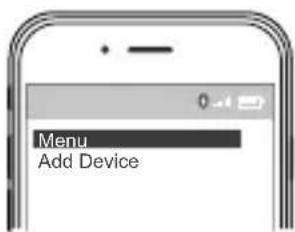
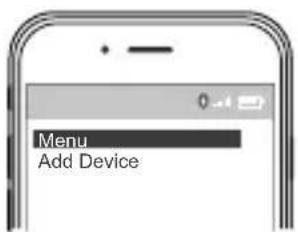
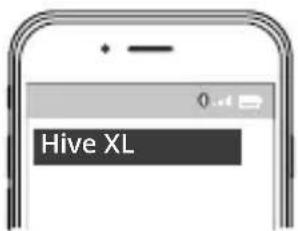
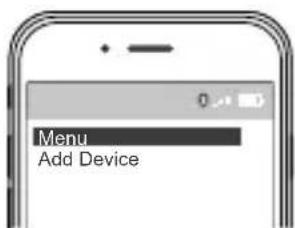
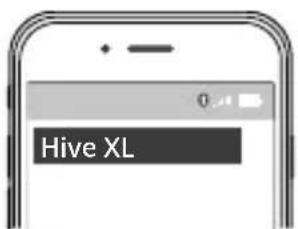
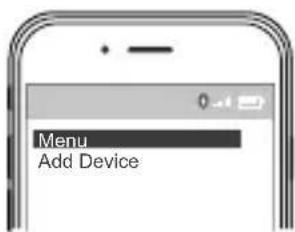
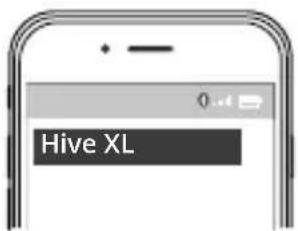
4.1 CONNECTING TO A BLUETOOTH DEVICE
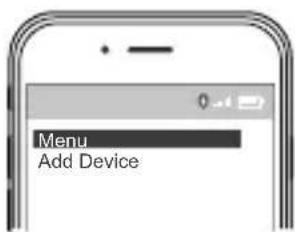
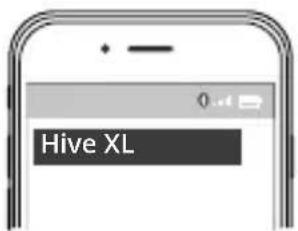
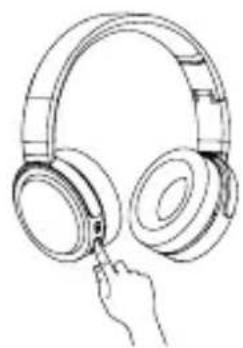
- Hold the Power button for 3-5 seconds.
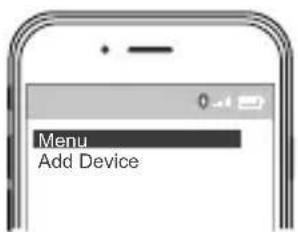
- Pairing mode will be announced in the headphones and the Bluetooth will flash blue & red.
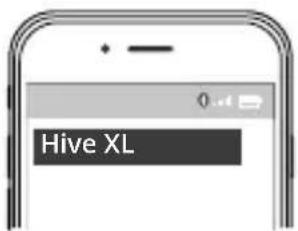
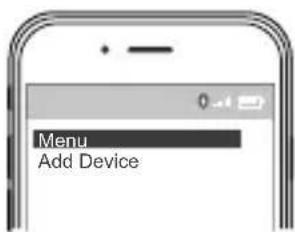
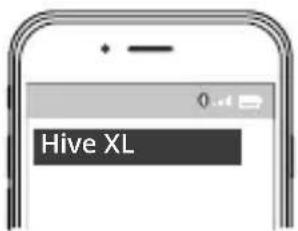
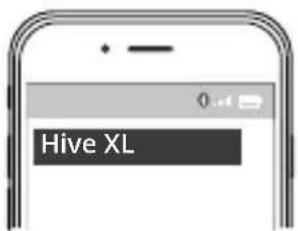
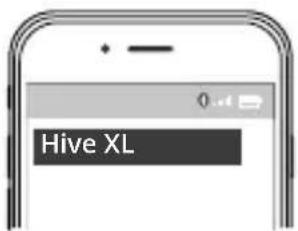
- Search for "HIVE XL" in the list of device's Bluetooth settings.
natural_image
Line drawing of a hand inserting a microphone into an ear (no text or symbols)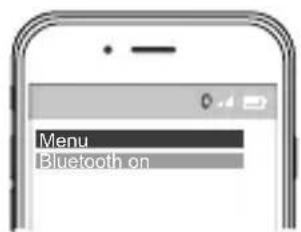

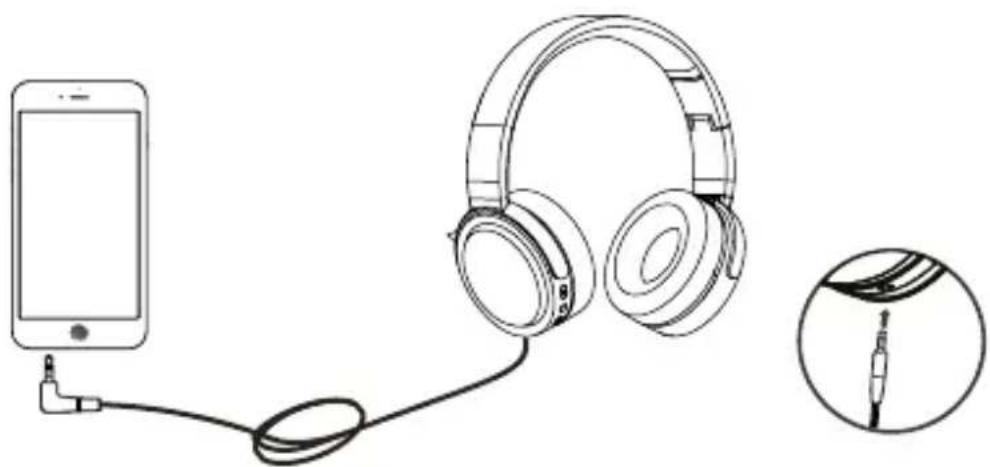
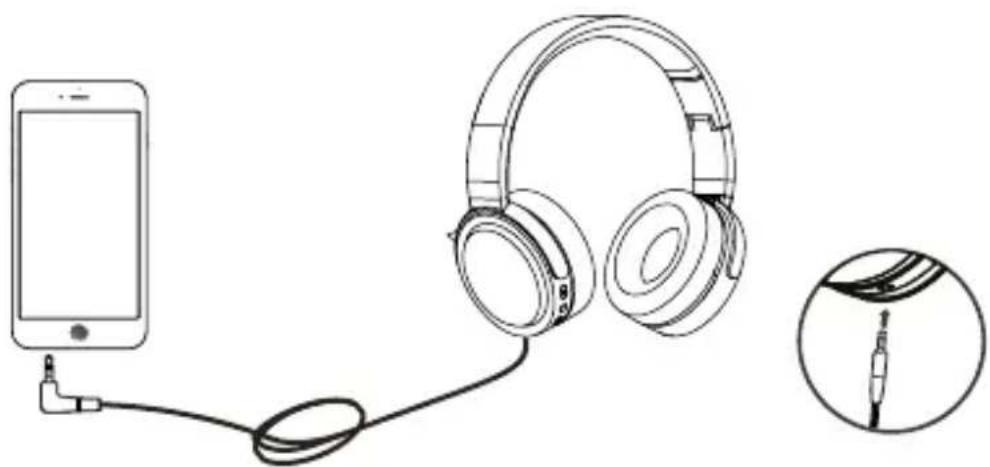
4.2 CONNECTION TO 3.5 MM JACK CONNECTOR
The headset can be connected to most smart phones, tablets or other 3.5mm jack devices, using the supplied audio cable.
natural_image
Line drawing of a smartphone connected to an audio headset, with a close-up inset showing the microphone (no text or symbols present)5. SUPPORT
5.1 HOW TO CARE FOR YOUR HEADSET
• Always store the headset powered off and safely protected.
- Avoid temperature extremes (above 60°C and below -40°C) during storage. They might shorten the battery life or affect operability. High temperatures may have adverse effect on performance.
- Avoid exposing the headset to rainwater and other liquids.
5.2 FAQ

| Problem Solution | |
| Experiencing problems with connection | - Check that you have already enabled the wireless device.- Check your mobile device's wireless menu and delete/ erase the headset and reconnect it to your wireless device.- Keep your device close to the headset, reconnecting it. |
| Hearing nothing despite being connected | - Try to reconnect the device.- Increase volume. |
| Hearing a crackling noise | - “Wireless” is to be understood as a wireless technology sensitive to the objects present between the headset and devices connected. Make sure that the headset and the device connected are within the communication range of each other (not farther than 10 m away). |
| Does the headset support other wireless devices as well? | - The headset is designed for use along with wireless mobile devices. As such, it can also support other wireless devices. |
DE
1. WILLKOMMEN
natural_image
Line drawing of a hand inserting a microphone into an ear (no text or symbols)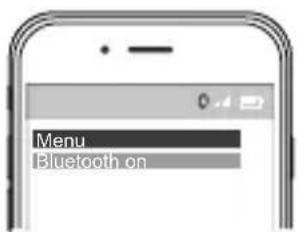
4.2 ANSCHLUSS MIT 3.5 MM STECKER
natural_image
Line drawing of a smartphone connected to an audio headset, with a close-up inset showing the microphone (no text or symbols present)5. UNTERSTÜTZUNG
5.1 PFLEGE DER KOPFHÖRER
natural_image
Line drawing of a hand inserting a microphone into an ear (no text or symbols)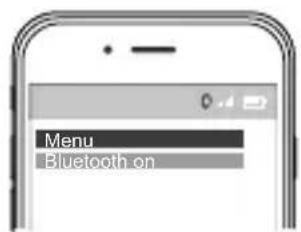

4.2 CSATLAKOZÁS 3.5 MM-ES KONNEKTORHOZ
natural_image
Line drawing of a smartphone connected to an audio headset, with a close-up inset showing the microphone (no text or symbols present)5. TÁMOGATÁS
5.1 GONDOSKODÁS A FÜLHALLGATÓRÓL
natural_image
Line drawing of a hand inserting a microphone into an ear (no text or symbols)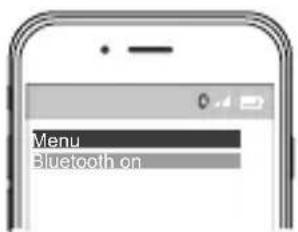

4.2 POVEZIVANJE PUTEM PRIKLJUČKA 3.5 MM
Slušalice se mogu povezati s većinom pametnih telefona, tabličnih uređaja i drugih uređaja s priključkom od 3,5mm, i to pomoću isporučenog audio kabela.
natural_image
Line drawing of a smartphone connected to an audio headset, with a close-up inset showing the microphone (no text or symbols present)5. POTPORA
5.1 KAKO ODRŽAVATI SLUŠALICE
natural_image
Line drawing of a hand holding a pair of headphones (no text or symbols)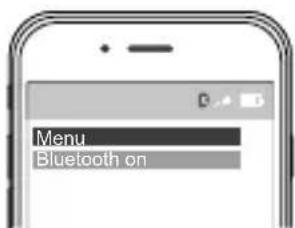
4.2 PODŁĄCZENIE DO GNIAZDA 3.5 MM
natural_image
Line drawing of a smartphone connected to an audio headset, with a close-up inset showing the microphone (no text or symbols present)5. POMOC
5.1 W JAKI SPOSÓB OPIEKOWAĆ SIĘ SŁUCHAWKAMI
natural_image
Line drawing of a hand inserting a microphone into an ear (no text or symbols)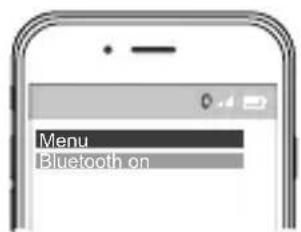
4.2 POVEZOVANJE Z 3.5 MM KONEKTORJEM
natural_image
Line drawing of a smartphone connected to an audio headset, with a close-up inset showing the microphone (no text or symbols present)5. PODPORA
5.1 NEGA IN SKRB ZA SLUŠALKE
Importer to EU: RTB media s.r.o., Pretlucka 16, Prague 10, 100 00, Czech Republic, ID: 294 16 876 Made in China.
RoHS CE 📧 ✉️

- PŘIPOJENÍ K 3.5 MM KONEKTORU
- PODPORA
- JAK PEČOVAT O SLUCHÁTKA
- PRIPOJENIE K 3,5 mm KONEKTORU
- AKO SA STARAŤ O SLÚCHADLÁ
- PACKAGE CONTENTS
- SPECIFICATIONS
- CHARGING
- BATTERY STATUS
- LED INDICATOR
- CONNECTING
- CONNECTING TO A BLUETOOTH DEVICE
- CONNECTION TO 3.5 MM JACK CONNECTOR
- SUPPORT
- HOW TO CARE FOR YOUR HEADSET
- FAQ
- DE
- WILLKOMMEN
- ANSCHLUSS MIT 3.5 MM STECKER
- UNTERSTÜTZUNG
- PFLEGE DER KOPFHÖRER
- CSATLAKOZÁS 3.5 MM-ES KONNEKTORHOZ
- TÁMOGATÁS
- GONDOSKODÁS A FÜLHALLGATÓRÓL
- POVEZIVANJE PUTEM PRIKLJUČKA 3.5 MM
- POTPORA
- KAKO ODRŽAVATI SLUŠALICE
- PODŁĄCZENIE DO GNIAZDA 3.5 MM
- POMOC
- W JAKI SPOSÓB OPIEKOWAĆ SIĘ SŁUCHAWKAMI
- POVEZOVANJE Z 3.5 MM KONEKTORJEM
- NEGA IN SKRB ZA SLUŠALKE
Brand : Niceboy
Model : HIVE XL
Category : Headphones