
SWS 1918 - Thermometer SENCOR - Free user manual and instructions
Find the device manual for free SWS 1918 SENCOR in PDF.


| Product Type | LED Dual Alarm Clock with Indoor Thermometer and USB Charging |
| Display | LCD with white backlight, touch-sensitive buttons |
| Power Supply | 2 x AAA batteries (not included); USB power input (5V DC) for charging external devices |
| Time Format | 12/24 hour selectable |
| Calendar | Date display with 7 weekday language options (German, English, Italian, French, Dutch, Spanish, Danish) |
| Temperature Measurement | Indoor temperature, range -10°C to +50°C, resolution 0.1°C, selectable °C/°F |
| Temperature Trend Indicator | Rising, stable, or falling arrow icons |
| Alarm Function | Dual alarm with buzzer, snooze (5 minutes), alarm duration 2 minutes with escalating beep pattern |
| Backlight | White LED backlight; activates for 5 seconds on button press |
| Low Battery Indicator | Battery icon appears when batteries are low |
| Mounting Options | Desktop (with fold-out stand) or wall mount (via hanging hole on back) |
| Dimensions | Approximately 150 x 80 x 30 mm (estimated from typical design) |
| Weight | Approximately 150 g (without batteries) |
| Material | Plastic casing |
| Cleaning and Maintenance | Clean with a soft cloth; do not use benzene, thinner, or solvents; do not immerse in water |
| Safety Warnings | Do not mix old/new batteries or different types; remove batteries if storing long-term; do not tamper with internal components |
| Included Accessories | User manual (multilingual) |
| Warranty | 24 months from date of purchase for domestic use |
| Compliance | CE marked; meets EU requirements |
| Disposal | Do not dispose as household waste; recycle at appropriate collection points |
Frequently Asked Questions - SWS 1918 SENCOR
User questions about SWS 1918 SENCOR
0 question about this device. Answer the ones you know or ask your own.
Ask a new question about this device
Download the instructions for your Thermometer in PDF format for free! Find your manual SWS 1918 - SENCOR and take your electronic device back in hand. On this page are published all the documents necessary for the use of your device. SWS 1918 by SENCOR.
USER MANUAL SWS 1918 SENCOR
User's manual
Návod k obsluze
Návod na obsluhu
Használati útmutató
Instrukcja obsługi
EN CZ SK HU PL
LED DUAL ALARM CLOCK
WITH USB CHARGING
LED BUDÍK SE DVĚMA ALARMY
A USB NABÍJENÍM
LED BUDÍK S DVOMA ALARMAMI
A USB NABÍJANÍM
USB-N TÖLTHETÖ ÉBRESZTÓÓRA
natural_image
Technical line drawing of a mechanical device with mounting brackets and internal components (no text or symbols)FEATURES
• LCD Display with short white backlight
- Touch Buttons on the Screen
• Digital Time with 12/24 hours Selectable
• Calendar with 7 Weekday Languages
- Indoor Temperature with °C/°F Selectable
- Indoor Temperature Range: -10^ to +50^ , with resolution 0.1^
• Temperature Trends Indicator
- Wake up with Buzzer
- Snooze Function (5 minutes)
- Low battery Indicator
• Desktop Placement or Wall Mountable
BATTERY ASSEMBLING
Open the battery compartment cover. Insert 2xAAA batteries according to the correct polarity showed in the compartment.
3 TOUCH BUTTONS: MODE -○- UP/C/F
BACK LIGHT
Press ⚙ to switch on backlight, it will last for 5 seconds
TIME SETTING
Under normal displaying mode, hold on pressing 'MODE' button for seconds to enter into time setting mode, the setting digit will be flashing. Press "UP/C/F" to adjust. The setting order is Year →DM/MD →Month →Date → language of week →12/24hr → hour → minute. Press 'MODE' button to confirm the setting.
If there is no operation in 20 seconds, it will turn to normal time displaying mode automatically.
ALARM & SNOOZE SETTING
Press Mode button once to enter into Alarm Display Mode.
Under alarm display mode, hold on pressing "MODE" button for seconds to enter into alarm setting mode, the setting digit will be flashing. Press "UP/C/F" button to adjust. The setting order is hour → minute. Press MODE" button to confirm the setting. Press "UP/C/F" button again to turn on the alarm function. There would be an icon of 📁 display on the screen. Press "UP/C/F" button once more to turn off the alarm function. The alarm icon would disappear.
The alarm sound will last for 2 minutes, and will change as below:
• 0-10 seconds: BI per second
• 11-20 seconds: BI BI per second
• 21-30 seconds: BI BI BI per second
- >30 seconds: Keep BI
When alarm ring is on, the icon of 🖱 will flash, white backlight will light up 5 seconds, press 'MODE" or "UP/C/F" button to turn off the alarm directly. The alarm will be on again after 24 hours.
When alarm ring is on, press ⚙ button to turn on the Snooze function, ⚠ and Z^Z icon will flash by the same frequency, the alarm sound will be on again after 5 minutes.
When the snooze function is on, press MODE" or "UP/C/F" button to turn off the snooze function.
Press 🔗 button to turn on the backlight. The backlight will last about 5 seconds.
TEMPERATURE
The indoor temperature will adjust within 30 seconds automatically after powering on. Press "UP/C/F" button to change between °C/°F.
INDOOR temperature range -10°C -50°C.
LL.L & HH.H will display when out of range.
7 LANGUAGE WEEK DISPLAY
| Language | German | English | Italian | French | Dutch | Spanish | Denmark |
| GER | ENG | ITA | FRE | DUT | SPA | DAN | |
| SUNDAY | SON | SUN | DOM | DIM | ZON | DOM | SON |
| MONDAY | MON | MON | LUN | LUN | MAA | LUN | MAN |
| TUESDAY | DIE | TUE | MAR | MAR | DIN | MAR | TIR |
| WEDNESDAY | MIT | WED | MER | MER | WOE | MIE | ONS |
| THURSDAY | DON | THU | GIO | JEU | DON | JUE | TOR |
| FRIDAY | FRE | FRI | VEN | VEN | VRI | VIE | FRE |
| SATURDAY | SAM | SAT | SAB | SAM | ZAT | SAB | LOR |
POSITIONED METHODS
The weather station can be positioned in 2 ways as desired.
- Pull out the table stand brackets from the rear of the clock, place on table or desk as desired.
- Hang on the wall by hanging hole.
PRECAUTIONS
- Do not clean any part of the product with benzene, thinner or other solvent chemicals. When necessary, clean it with a soft cloth.
- Never immerse the product in water. This will damage the product.
- Do not subject the product to extreme force, shock, or fluctuations in temperature or humidity.
- Do not tamper with the internal components.
- Do not mix new and old batteries or batteries of different types.
- Do not mix alkaline, standard or rechargeable batteries with this product.
- Remove the batteries if storing this product for a long period of time.
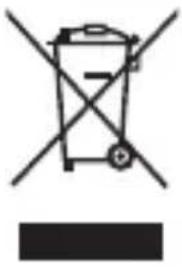
- Do not dispose of this product as unsorted municipal waste. Collection of such waste separately for special treatment is necessary.
INSTRUCTIONS AND INFORMATION REGARDING THE DISPOSAL OF USED PACKAGING MATERIALS
Dispose of packaging material at a public waste disposal site.
DISPOSAL OF USED ELECTRICAL AND ELECTRONIC APPLIANCES
natural_image
Simple line drawing of a trash bin with crossed lines indicating no waste or discharge (no text or symbols)The meaning of the symbol on the product, its accessory or packaging indicates that this product shall not be treated as household waste. Please, dispose of this product at your applicable collection point for the recycling of electrical & electronic equipment waste. Alternatively in some states of the European Union or other European states you may return your products to your local retailer when buying an equivalent new product. The correct disposal of this product will help save valuable natural resources and help in preventing the potential negative impact on the environment and human health, which could be caused as a result of improper liquidation of waste. Please ask your local authorities or the nearest waste collection centre for further details. The improper disposal of this type of waste may fall subject to national regulations for fines.
For business entities in the European Union
If you wish to dispose of an electrical or electronic device, request the necessary information from your seller or supplier.
Disposal in other countries outside the European Union If you wish to dispose of this product, request the necessary information about the correct disposal method from local government departments or from your seller.

The product meets EU requirements.
Changes to the text, design and technical specifications may occur without prior notice and we reserve the right to make these changes.
The original version is in the Czech language.
Address of the manufacturer:
EN Warranty conditions
Warranty card is not a part of the device packaging.
This product is warranted for the period of 24 months from the date of purchase to the end-user. Warranty is limited to the following conditions. Warranty is referred only to the customer goods using for common domestic use. The claim for service can be applied either at dealer's shop where the product was bought, or at below mentioned authorized service shops. The end-user is obligated to set up a claim immediately when the defects appeared but only till the end of warranty period. The end user is obligated to cooperate to certify the claiming defects. Only completed and clean (according to hygienic standards) product will be accepted. In case of eligible warranty claim the warranty period will be prolonged by the period from the date of claim application till the date of taking over the product by end-user, or the date the end-user is obligated to take it over. To obtain the service under this warranty, end-user is obligated to certify his claim with duly completed following documents: receipt, certificate of warranty, certificate of installation.
This warranty is void especially if apply as follows:
■ Defects which were put on sale.
■ Wear-out or damage caused by common use.
The product was damaged by unprofessional or wrong installation, used in contrary to the applicable instruction manual, used in contrary to legal enactment and common process of use or used for another purpose which has been designed for.
The product was damaged by uncared-for or insufficient maintenance.
The product was damaged by dirt, accident of force majeure (natural disaster, fire, and flood).
■ Defects on functionality caused by low duality of signal, electromagnetic field interference etc.
The product was mechanically damaged (e.g. broken button, fall).
■ Damage caused by use of unsuitable media, fillings, expendable supplies (batteries) or by unsuitable working conditions (e.g. high temperatures, high humidity, quakes).
■ Repair, modification or other failure action to the product by unauthorized person.
■ End-user did not prove enough his right to claim (time and place of purchase).
■ Data on presented documents differs from data on products.
■ Cases when the claiming product cannot be identified according to the presented documents (e.g. the serial number or the warranty seal has been damaged).
Authorized service centers
Visit www.sencor.com for detailed information about authorized service centers.


- FEATURES
- BATTERY ASSEMBLING
- TOUCH BUTTONS: MODE -○- UP/C/F
- BACK LIGHT
- TIME SETTING
- ALARM & SNOOZE SETTING
- TEMPERATURE
- POSITIONED METHODS
- PRECAUTIONS
- INSTRUCTIONS AND INFORMATION REGARDING THE DISPOSAL OF USED PACKAGING MATERIALS
- DISPOSAL OF USED ELECTRICAL AND ELECTRONIC APPLIANCES
- For business entities in the European Union
- EN Warranty conditions
- Warranty card is not a part of the device packaging.
- This warranty is void especially if apply as follows:
- Authorized service centers
Brand : SENCOR
Model : SWS 1918
Category : Thermometer