
Smart Home Controller - Alarm system BOSCH - Free user manual and instructions
Find the device manual for free Smart Home Controller BOSCH in PDF.


| Product Type | Smart Home Controller |
| Brand | Bosch |
| Model | Smart Home Controller (AA) |
| Category | Alarm system / Smart Home hub |
| Dimensions (W x H x D) | 135 mm x 120 mm x 35 mm |
| Weight | 190 g |
| Power Input | Typical 400 mA, Max 1.2 A |
| Power Supply | Via original power cable (included) |
| Radio Frequency | 868.3 MHz / 869.525 MHz / 2.4 GHz |
| Max Transmission Power | 10 mW |
| Radio Range (free-field) | >100 m |
| Duty Cycle (868.3 MHz) | <1% per hour |
| Duty Cycle (869.525 MHz) | <10% per hour |
| Connections | Power, USB, LAN (Ethernet RJ45) |
| Protection Class | IP30 |
| Operating Temperature | 5 °C to 40 °C |
| Operating Humidity | 15% to 85% |
| Indicators | Power LED (white/red), Network LED, Cloud LED |
| Mounting | Wall mount (included) or stand alone |
| Compatibility | Bosch Smart Home App (iOS/Android) and original Bosch Smart Home devices |
| Installation Requirement | WLAN router with free LAN port, internet connection |
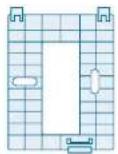
| In the Box | Controller, wall mount, 2 plugs, code label, 2 screws, power cable, network cable |
| Safety | Use only original power cable; avoid dust, direct sunlight, heat; indoor use only |
| Software Update | Automatic via internet |
| Open Source Licenses | Available via USB port or online |
| Disposal | WEEE directive - separate from household waste |
| Certification | CE, EU Declaration of Conformity |
Frequently Asked Questions - Smart Home Controller BOSCH
User questions about Smart Home Controller BOSCH
0 question about this device. Answer the ones you know or ask your own.
Ask a new question about this device
Download the instructions for your Alarm system in PDF format for free! Find your manual Smart Home Controller - BOSCH and take your electronic device back in hand. On this page are published all the documents necessary for the use of your device. Smart Home Controller by BOSCH.
USER MANUAL Smart Home Controller BOSCH
Bosch Smart Home
Controller
Instruction Manual

BOSCH
Start making your home smart! Set up your product in just three steps
Make sure that you download the Bosch Smart Home App.
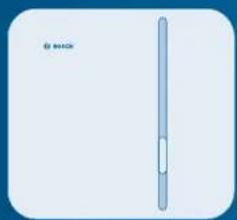
You need the Bosch Smart Home App to install and configure your Bosch Smart Home Controller as well as your other Bosch Smart Home products. Please also make sure that you have an internet connection as well as a WLAN router with a free LAN port.
Start the Bosch Smart Home App
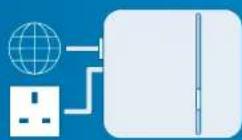
Connect the Bosch Smart Home Controller to the power supply and WLAN router
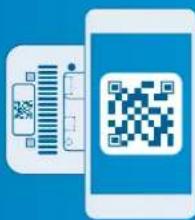
Scan the QR code on the underside of the controller or on the enclosed label

You can also watch easy to follow installation videos on our website: www.bosch-smarthome.com/installation

Dear customer,
Congratulations on purchasing your Bosch Smart Home Controller. It is the basic component for making your home smarter.
With the Bosch Smart Home Controller, you will be able to network all of your Bosch Smart Home products digitally. And, thanks to the Bosch Smart Home App, you will be able to control them conveniently from anywhere. For greater convenience, reliability and energy savings.
We hope you enjoy your new product, The Bosch Smart Home Team
TABLE OF CONTENTS
1.0 Product description....08 1.1 Intended use....09 2.0 In the box....10 3.0 Warning notices 12 3.1 Explanation of symbols.... 12 3.2 Safety instructions....13
4.0 Indicators and controls ..... 14 4.1 Product overview 14 5.0 Installation and setup....16 5.1 Downloading the app 16 5.2 Installing the controller ..... 18 5.3 Configuring the controller ..... 20 5.4 Adding further devices ..... 24
6.0 Fixing 25 6.1 Wall mounting 26
8.0 Further information 31
7.0 Product details....28 7.1 Technical data 28 7.2 Declaration of conformity ..... 29 7.3 Faults in radio operation ..... 30 7.4 Open-source software 30 7.5 Environmental protection and disposal....31
1.0 PRODUCT DESCRIPTION 1.1 Intended use
With the Bosch Smart Home Controller, you will be able to network all of your Bosch Smart Home components digitally. And, thanks to the Bosch Smart Home App, you will be able to control them conveniently from anywhere.
Your controller is updated automatically so that it remains up to date at all times. All system data is saved locally in the device, thus ensuring that your data remains secure.
The product may only be used together with original Bosch Smart Home components, and is for indoor use only.
▶ Follow the safety instructions and the directions in this manual and the Bosch Smart Home App to ensure that the product is set up correctly ▶ Please note the details in the Technical Data section (see p. 28) - Avoid installing in areas prone to high amounts of dust, direct sunshine or heat

Do not modify the product in any way. Any other use is considered unintended use. We will not assume liability for any resulting damage.
2.0 IN THE BOX
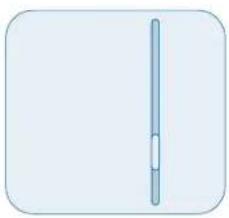
Controller Wall mount 2 plugs, code label
2 screws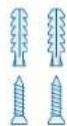
Power cable Network cable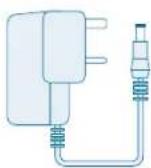
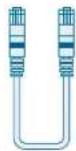

To operate the controller and, therefore, network all Bosch Smart Home products, you will need the app, an internet connection and a standard WLAN router with a free LAN port.
3.0 WARNING NOTICES
3.1 Explanation of symbols

Warning.
This alerts you to danger.

Info.
Indicates important information.
3.2 Safety instructions

Fire risk.
There is a risk of fire if the product is used with a different power cable to that supplied.
▶ Only use the product with the original power cable
4.0 INDICATORS AND CONTROLS
4.1 Product overview
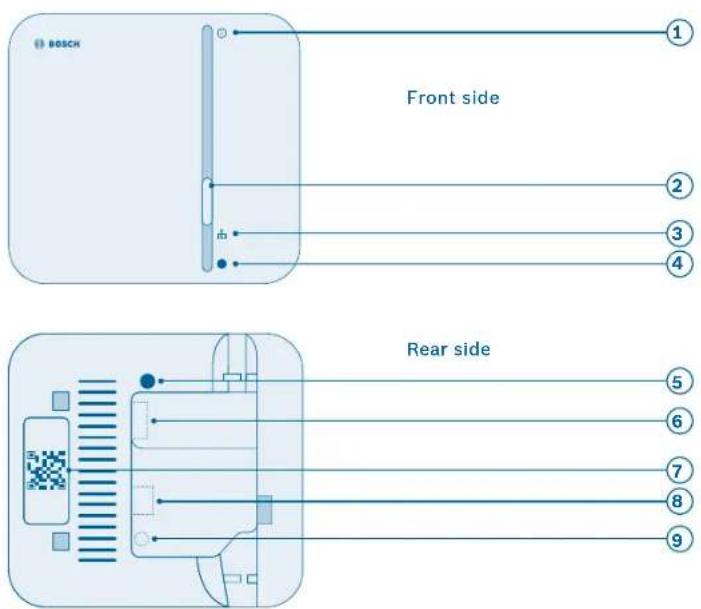
| Item Part Explanation | ||
| 1 Power LED Operating status indicator (on/off) | ||
| 2 Function button For making settings | ||
| 3 Network LED Network connection indicator | ||
| 4 Cloud LED Internet connection indicator | ||
| 5 | System button | For resetting the device |
| 6 | USB port | Port for USB connection |
| 7 | QR code | Scan for device identification |
| 8 | Network connection | Connection to a LAN network |
| 9 | Power connection | Connection to the power supply |
| LED state | Explanation |
| Red | Fault |
| White, flashing | Process or update is being performed |
| White, lit up | Process or update has been completed successfully |
5.0 Installation and setup
5.1 Downloading the app

Before you start
Make sure that you download the Bosch Smart Home App.
You will need it for the entire installation, configuration and control.

WLAN access required
To set up the controller, you must have the Bosch Smart Home App on your mobile devices and be within range of the WLAN network router.
| For Android devices For Apple iOS devices | |
| Load up Google PlaySearch for "Bosch Smart Home"Select the "Bosch Smart Home App"Tap "Install" | Load up the App StoreSearch for "Bosch Smart Home"Select the "Bosch Smart Home App"Tap "Get" |

For assistance with installing your Bosch Smart Home Controller, you may also refer to the explanatory video on our website:
www.bosch-smarthome.com/installation
5.2 Installing the controller
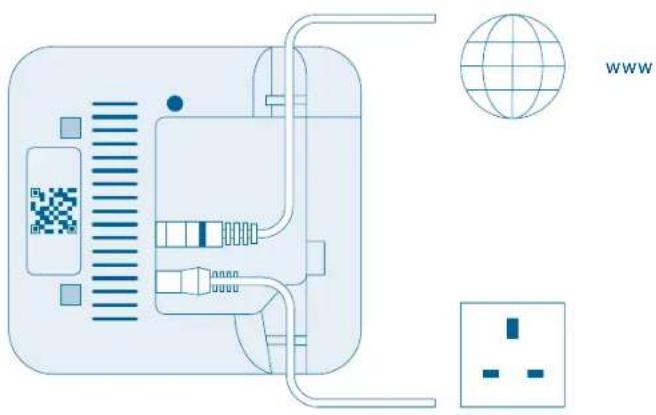
Insert the network cable into the controller and into a free LAN port on your WLAN router. Now use the power cable to connect the controller to the plug socket.
After the device starts, the LEDs show the initialization status using flash codes (see table).

When you connect the controller to the internet for the first time, it will automatically search for software updates. If an update is required, it will be downloaded automatically by the controller and installed. This process may take up to 30 minutes. controller setup cannot begin until this process is complete.
| Status LED state | |
| Start All three LEDs are lit up red for a few seconds | |
| Start-up | Power LED flashes white:The device is starting up |
| Power LED is lit up white:The device has started up | |
| Network connection | Network LED flashes white:Device is searching for a network connection |
| Network LED is lit up white:The network connection has been established | |
| Internet connection | Cloud LED flashes white:Device is searching for an internet connection11 |
| Cloud LED is lit up white:The internet connection has been established | |
After initialization, the cloud LED flashes when data is being exchanged via the tunnel connection.
5.3 Configuring the controller
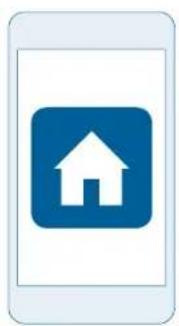
The controller must be the first device in your system that you connect with the app. Afterwards, you can connect additional Bosch Smart Home prod
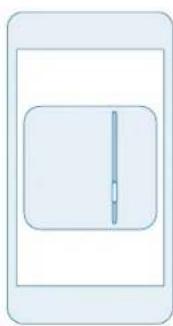
ucts and expand your system. Start the app and wait until it has detected the controller.
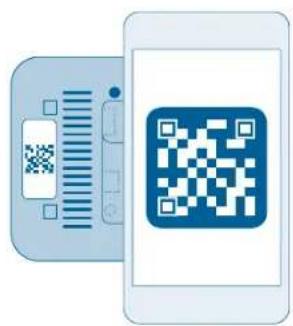
The app will prompt you to scan the QR code on the product.
You will find the QR code on the rear side of the Plug and as a label in the box.

From this point, the app guides you through the installation process. You will find a brief description in the following pages of this instruction manual.
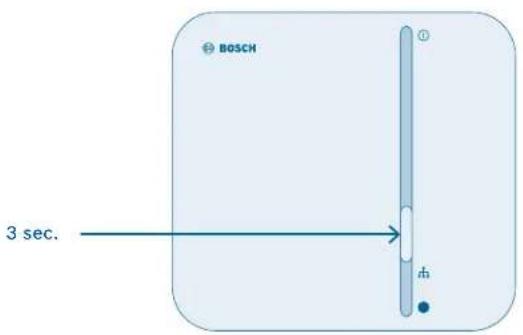
Next, the app will prompt you to press and hold the function button on the controller for approximately 3 seconds. The following steps in the app are:
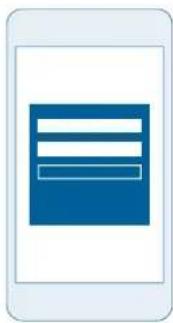
▶ Registration (set your username and password) ▶ Remote access configuration
The app will inform you when the controller is completely set up. All controller LEDs will also light up white.
5.4 Adding further devices
Once the controller has been completely installed, you can add further products to your Bosch Smart Home network through the app.
To do this, follow the instruction manual for the relevant device.
6.0 FIXING
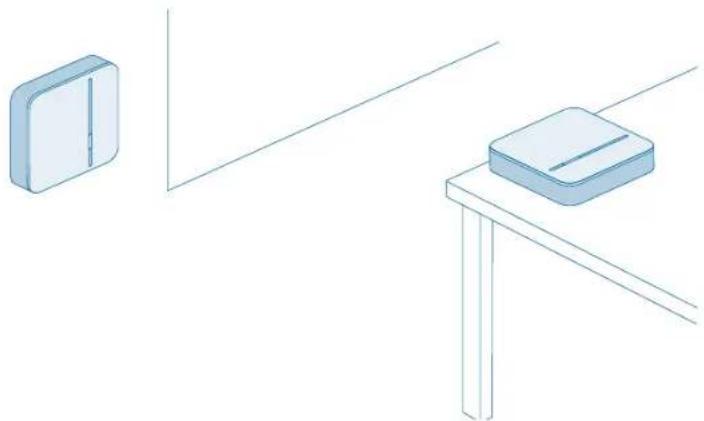
The controller can be used lying flat or mounted on the wall.
6.1 Wall mounting

When choosing a mounting location and when drilling, pay attention to potential electrical lines and/or supply lines that could be behind the wall.
To mount your controller on the wall, use the wall mount provided.
The plugs and screws required are also included in the box.
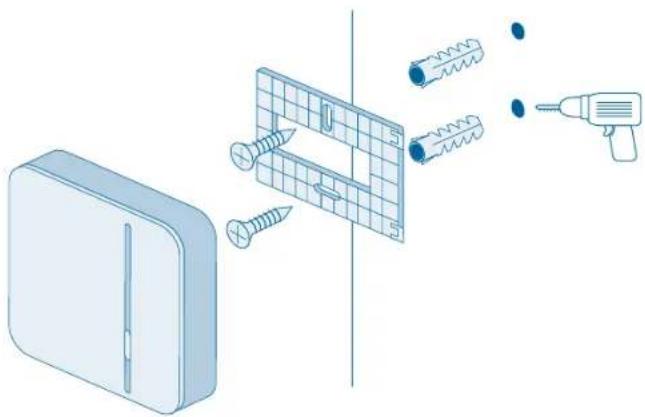
▶ Hold the wall mount at the required location on your wall, and mark the positions for the drill holes. ▶ Drill the holes and place the plugs in the holes.
▶ Fit the wall mount and screw it tight.
▶ Now attach the controller to the wall mount so that you hear it click in place.
7.0 PRODUCT DETAILS
7.1 Technical data
| Model Home controller AA | |
| Power input | Typical: 400 mAMax.: 1.2 A |
| Receiver category SRD category 2 | |
| Radio frequency 868.3 MHz/869.525 MHz/2.4 GHz | |
| Max. transmission power 10 mW | |
| Radio range in free-field conditions >100 m | |
| Duty cycle | At 868.3 MHz < 1% per hAt 869.525 MHz < 10% per h |
| Connections | Power supply, USB, LAN(Ethernet, RJ45) |
| Protection class IP30 | |
| Ambient temperature 5 °C to 40 °C | |
| Humidity 15% to 85% | |
| Dimensions (W × H × D) 135 mm × 120 mm × 35 mm | |
| Weight 190 g | |
7.2 Declaration of conformity
Robert Bosch Smart Home GmbH hereby declares that the Bosch Smart Home Controller radio communication unit complies with Directive 1999/5/EC and is designed for use in all countries of the European Union.
The declaration of conformity and declaration of performance can be downloaded from www.bosch-smarthome.com

7.3 Faults in radio operation
Faults in radio operation (e.g. due to electric motors or defective electrical devices) cannot be ruled out. The radio range inside buildings may differ greatly from the radio range in free-field conditions. Apart from the
transmission power and the receiver characteristics, environmental influences such as humidity and structural characteristics may also influence radio operation.
7.4 Open-source software
Bosch Smart Home relies on open-source software in order to control the products. You have two means of obtaining the comprehensive license information:
▶ Directly from the controller: Insert an empty USB stick in the port on
the rear side of the device. The licence information, as well as other product information, will be saved to the stick automatically.
▶ Online at www.bosch-smarthome.com/open-source software
7.5 Environmental protection and disposal
Electrical and electronic equipment that is no longer usable must be separated from other waste and recycled in an environmentally friendly manner (European Directive on waste electrical and electronic equipment).
To dispose of electrical and electronic equipment, use your country-specific return and collection systems.
8.0 FURTHER INFORMATION
You can find more detailed information on operating and maintaining the controller in the online FAQs at www.bosch-smarthome.com/faq
You will also find all contact details on the rear side of this document.

Sale and transfer
Before you transfer or sell your device, delete your personal information. To do this, reset the device to its factory settings (see online FAQs).
Bosch Smart Home
BeSmarter
INTERCONNECTED SMART HOME PRODUCTS
Save on heating costs, protect your valuables, create mood lighting and much more: Bosch Smart Home offers a complete, Intelligent system to make your life more comfortable, safer and more sustainable.
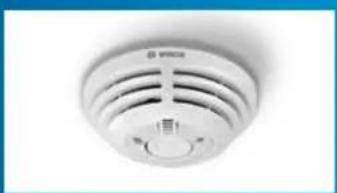
Smoke Detector Radiator Thermostat
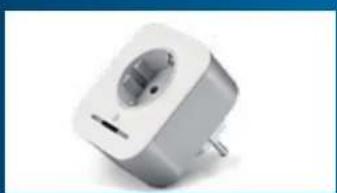
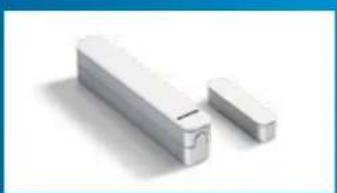
Plug Door/Window Contact

EN Important information for your Bosch Smart Home!
Robert Bosch Smart Home GmbH declares that this Bosch Smart Home wireless radio equipment is in compliance with the Directive 1999/5/EC (until 12th of June 2017) and Directive 2014/53/EU (from 13th of June 2017). The full text of the EU declaration of conformity is available at the following internet address: www.bosch-smarthome.com/uk/en/EU-declarations-of-conformity
70565 Stuttgart, Germany

00800 8437 6278 (toll-free AT, DE, FR, UK)

service@bosch-smarthome.com
www.bosch-smarthome.com

BOSCH


- CONTROLLER
- INSTRUCTION MANUAL
- START MAKING YOUR HOME SMART! SET UP YOUR PRODUCT IN JUST THREE STEPS
- DEAR CUSTOMER
- TABLE OF CONTENTS
- PRODUCT DESCRIPTION 1.1 INTENDED USE
- IN THE BOX
- WARNING NOTICES
- EXPLANATION OF SYMBOLS
- WARNING
- INFO
- SAFETY INSTRUCTIONS
- FIRE RISK
- INDICATORS AND CONTROLS
- PRODUCT OVERVIEW
- INSTALLATION AND SETUP
- DOWNLOADING THE APP
- BEFORE YOU START
- WLAN ACCESS REQUIRED
- INSTALLING THE CONTROLLER
- CONFIGURING THE CONTROLLER
- ADDING FURTHER DEVICES
- FIXING
- WALL MOUNTING
- PRODUCT DETAILS
- TECHNICAL DATA
- DECLARATION OF CONFORMITY
- FAULTS IN RADIO OPERATION
- OPEN-SOURCE SOFTWARE
- ENVIRONMENTAL PROTECTION AND DISPOSAL
- FURTHER INFORMATION
- SALE AND TRANSFER
- BESMARTER
- INTERCONNECTED SMART HOME PRODUCTS
- EN IMPORTANT INFORMATION FOR YOUR BOSCH SMART HOME
Brand : BOSCH
Model : Smart Home Controller
Category : Alarm system