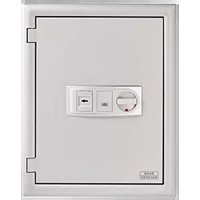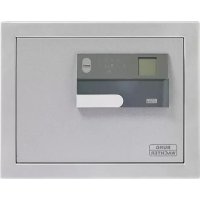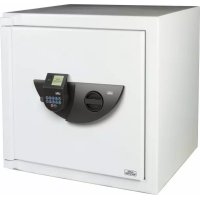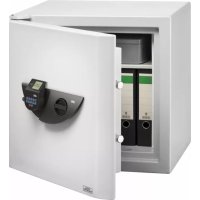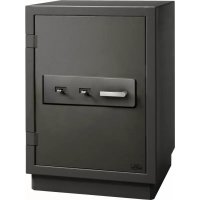
PointSafe P 2 E FS - Safe Burg Wächter - Free user manual and instructions
Find the device manual for free PointSafe P 2 E FS Burg Wächter in PDF.


Pick your language and provide your email: we'll send you a specifically translated version.
| Product Type | Electronic Safe |
| Brand | Burg Wächter |
| Model | PointSafe P 2 E FS |
| Color | White / Light Grey |
| Exterior Dimensions (H x W x D) | Approx. 200 x 310 x 200 mm |
| Interior Dimensions | Approx. 180 x 290 x 150 mm |
| Weight | Approx. 3.5 kg |
| Locking Mechanism | Electronic keypad with numeric code |
| Power Supply | 4 x AA batteries (not included) |
| Battery Life | Approx. 6 months under normal use |
| Emergency Access | Override key lock (2 keys included) |
| Number of User Codes | 1 master code + up to 10 user codes |
| Code Length | 3 to 8 digits |
| Material | Steel body |
| Mounting | Pre-drilled holes for floor or wall mounting (hardware included) |
| Security Rating | Burglar resistance grade S2 (EN 14450) |
| Fire Resistance | Not specified (intended as burglar safe) |
| Interior Fittings | One removable shelf, carpeted floor |
| Indicator Lights | LED for low battery and operation |
| Lockout Function | After 3 failed attempts, lockout for 5 minutes |
| Audible Signal | Beep on key press and confirmation |
| Cleaning Instructions | Wipe with a soft, damp cloth. Do not use harsh chemicals. |
| Spare Parts Availability | Batteries and override keys available from Burg Wächter dealers |
| Warranty | 2 years (manufacturer's warranty) |
Frequently Asked Questions - PointSafe P 2 E FS Burg Wächter
How do I change the battery in my Burg Wächter PointSafe P 2 E FS?
The battery compartment is located inside the safe. Open the door using your code or override key, then locate the battery box on the back of the door. Remove the old batteries and insert 4 new AA batteries, observing polarity. Close the compartment and test the lock.
What should I do if I forget the electronic code?
Use the emergency override key to open the safe. Insert the key into the lock on the front of the safe and turn. Once open, you can reset the code by following the instructions in the manual.
How can I mount the safe to the floor or wall?
The safe has pre-drilled holes at the bottom and back. Use the included screws and anchors to fix it to a solid concrete or brick surface. Ensure the safe is level and secure before use.
What is the default master code?
The default master code is typically set to 1-2-3-4-5-6. For security, it is strongly recommended to change it to a personal code immediately after first use.
How many user codes can I program?
You can program up to 10 user codes in addition to the master code. Each code can be 3 to 8 digits long.
Can the safe be used for fire protection?
The PointSafe P 2 E FS is designed primarily for burglary protection. It does not have a specific fire rating. For fire protection, consider a dedicated fire-resistant safe.
What happens if I enter the wrong code multiple times?
After 3 consecutive incorrect attempts, the safe will activate a lockout period of 5 minutes. The keypad will be unresponsive. Wait for the lockout to end before trying again.
How do I clean the safe?
Use a soft, slightly damp cloth to wipe the exterior and interior surfaces. Do not use abrasive cleaners or solvents. Dry thoroughly after cleaning.
What spare parts are available for this model?
Spare parts include additional override keys and battery packs. These can be ordered from Burg Wächter retailers or customer service.
Is the safe waterproof?
No, the safe is not waterproof. It should be kept in a dry location to prevent damage to the electronic components and contents.
User questions about PointSafe P 2 E FS Burg Wächter
0 question about this device. Answer the ones you know or ask your own.
Ask a new question about this device
No questions yet. Be the first to ask one.
Download the instructions for your Safe in PDF format for free! Find your manual PointSafe P 2 E FS - Burg Wächter and take your electronic device back in hand. On this page are published all the documents necessary for the use of your device. PointSafe P 2 E FS by Burg Wächter.
USER MANUAL PointSafe P 2 E FS Burg Wächter
natural_image
Diagram showing a device mounted on a black box, with close-up views of the component (no text or symbols present)Danke Thank you Merci
PointSafe FS