
One X2 - Action Camera INSTA360 - Free user manual and instructions
Find the device manual for free One X2 INSTA360 in PDF.


| Product type | 360° Action Camera |
| Brand | Insta360 |
| Model | One X2 |
| Dimensions | 113.0 × 49.5 × 28.5 mm |
| Weight | 143 g |
| Power | Rechargeable lithium-ion battery 1630 mAh |
| Max video resolution | 5.7K at 30 fps (360°) |
| Photo resolution | 18 MP (6080 × 3040) |
| Stabilization | Integrated FlowState (6-axis gyroscope) |
| Waterproof | Up to 10 m without housing |
| Display | 1.7" LCD touch screen |
| Shooting modes | 360° video, 360° photo, HDR, TimeShift, TimeLapse, Bullet Time |
| Storage | microSD card (up to 256 GB, class 10 recommended) |
| Connectivity | Wi-Fi 802.11ac, Bluetooth 5.0, USB-C |
| Sensors | 2 fisheye lenses, 200° each |
| Care and cleaning | Clean lenses with a dry microfiber cloth. Avoid scratches. Protect from prolonged moisture. |
| Safety | Do not expose to temperatures above 40°C. Do not disassemble the battery. |
| Spare parts and repairability | Battery, USB-C cable, adhesive mounts available. Repair by authorized center. |
| General information | Made in China. Manual available in French. |
Frequently Asked Questions - One X2 INSTA360
User questions about One X2 INSTA360
0 question about this device. Answer the ones you know or ask your own.
Ask a new question about this device
Download the instructions for your Action Camera in PDF format for free! Find your manual One X2 - INSTA360 and take your electronic device back in hand. On this page are published all the documents necessary for the use of your device. One X2 by INSTA360.
USER MANUAL One X2 INSTA360
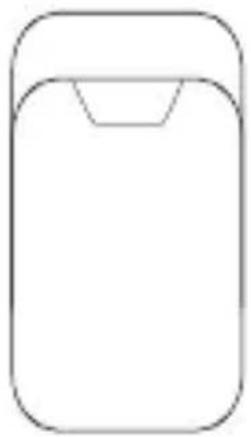
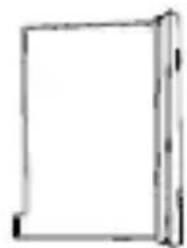
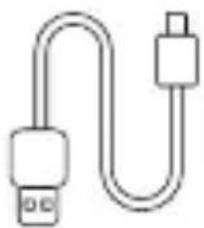
This package includes the following items. If any item is missing or broken, please contact Insta360.
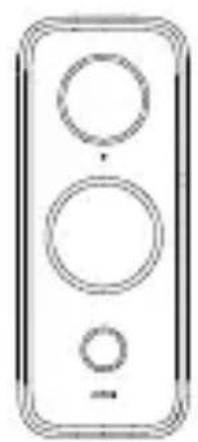
natural_image
Simple line drawing of a three-pin electronic device (no text or symbols)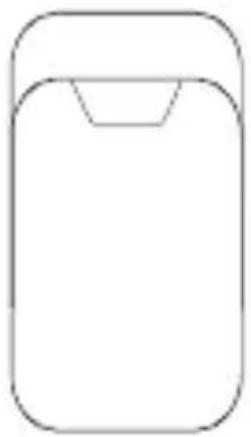
natural_image
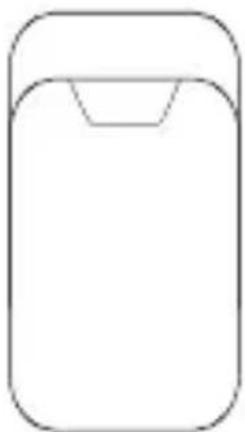
Simple line drawing of a rectangular object with a rounded top and a small triangular indentation at the bottom (no text or symbols)Insta360 ONE X2 Protective Pouch
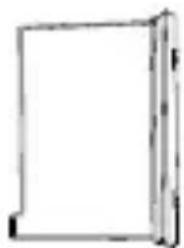
natural_image
Simple line drawing of a rectangular frame with no text or symbolsBattery
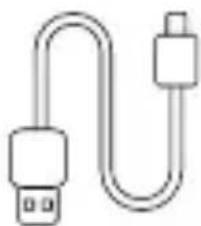
natural_image
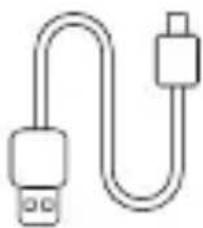
Simple line drawing of a USB cable with two connectors (no text or symbols)Charge Cable Lens Cloth &
Documentation
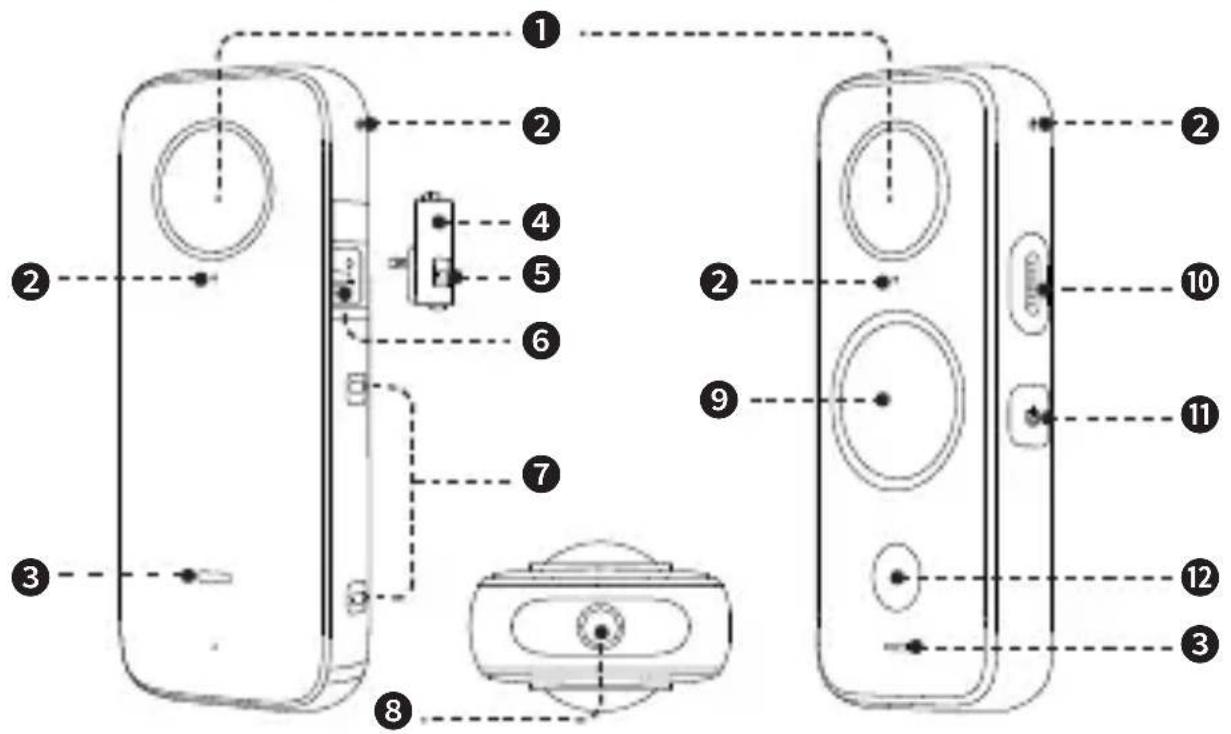
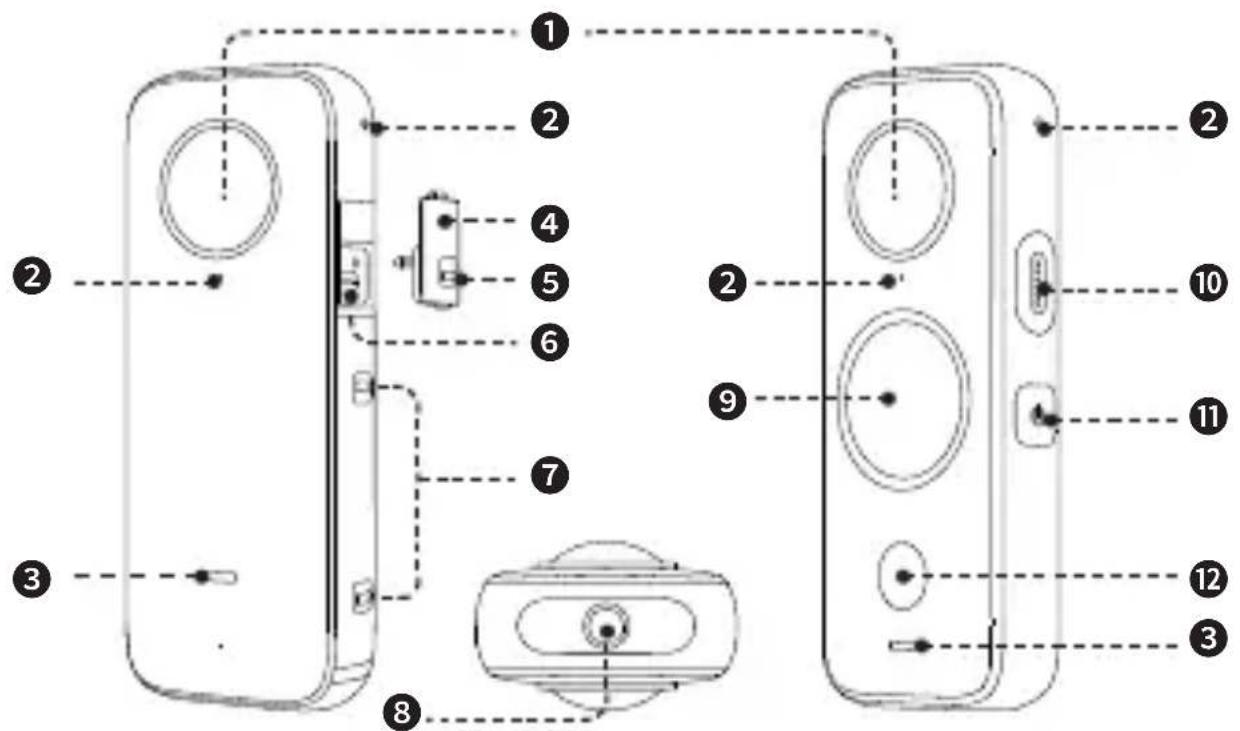
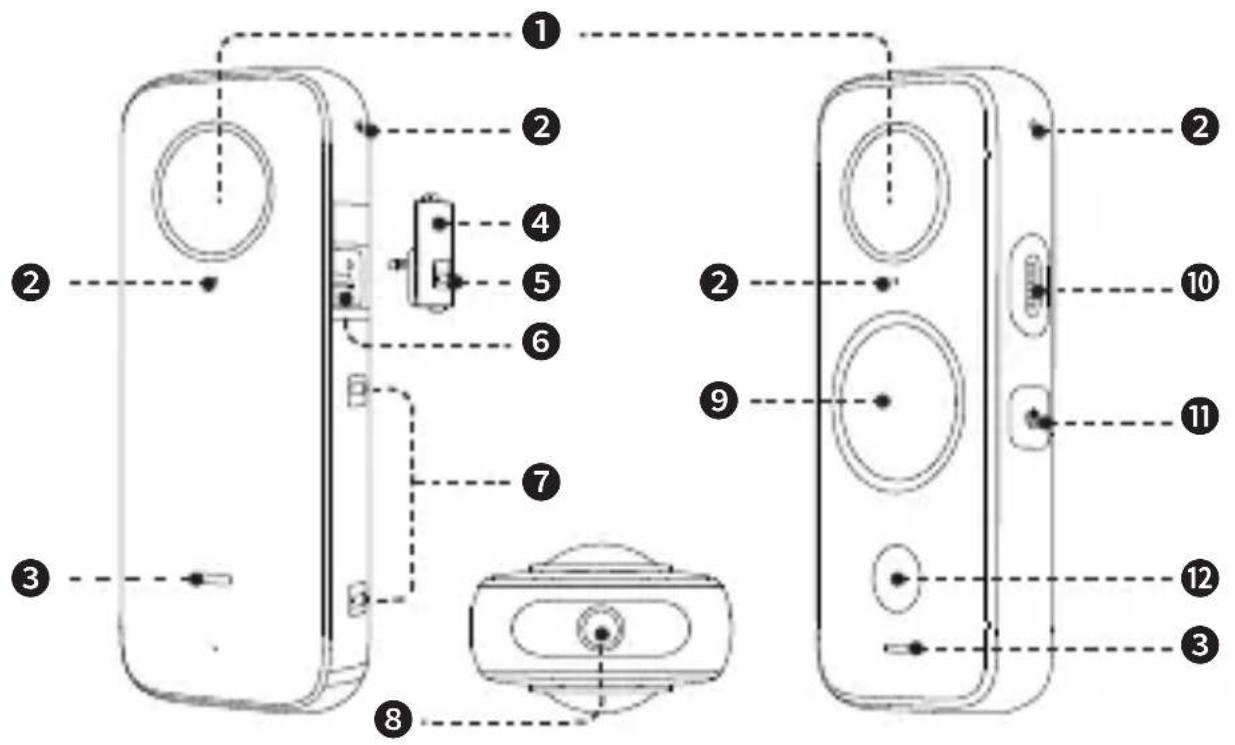
2 Names of Parts
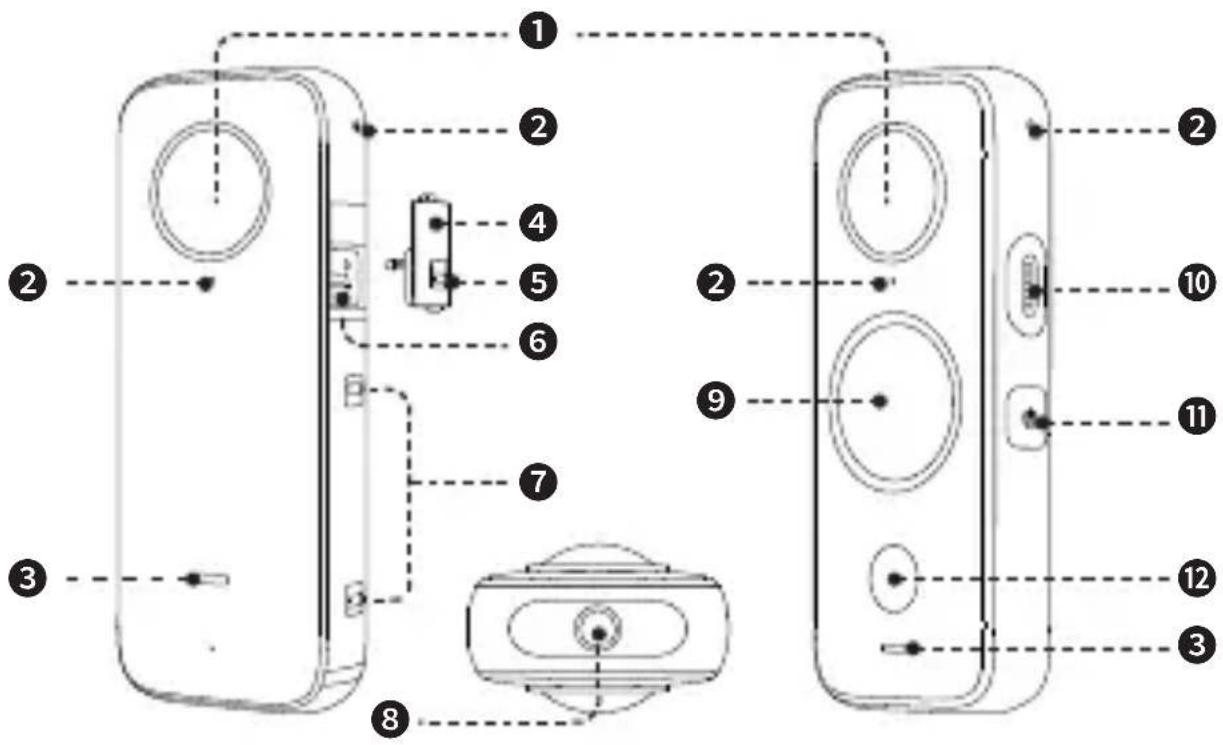
① Lens
② Microphone
③ Status Indicator
④ USB Lock Cover (removable)
⑤ USB Lock Buckle
⑥ USB Type C Port
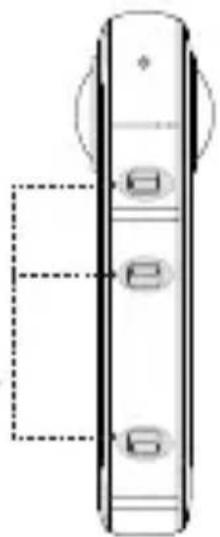
⑦ Battery Lock Buckles
⑧ Standard 1/4" Mounting Point
⑨ Touch Screen
10 Speaker
11 Power / Function Button
⑫ Shutter Button
3 Before You Start
① Ensure the battery has been fully charged. Please connect the included charge cable to ONE X2 in case of low or depleted battery.
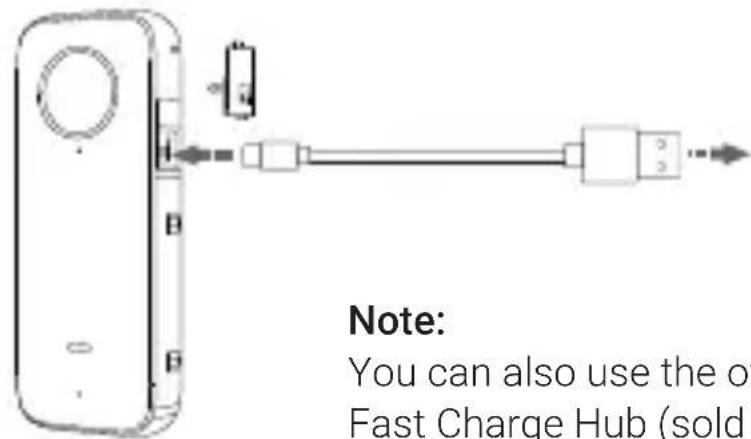
Connect to a 5V 2A power adapter to charge the camera.
Note:
You can also use the official Insta360 ONE X2 Fast Charge Hub (sold separately).
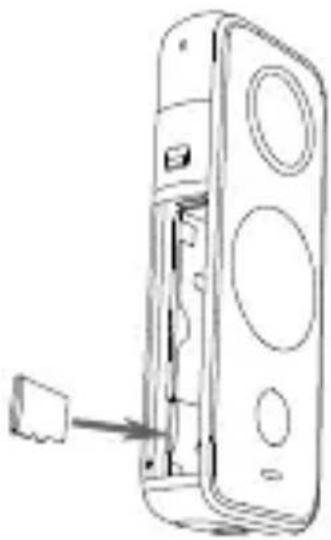
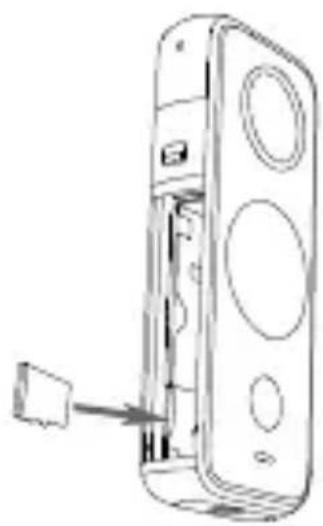
② Insert a Micro SD card
a. First, remove the battery. Squeeze the battery lock buckles as the two small arrows indicate, then the battery will pop out automatically.
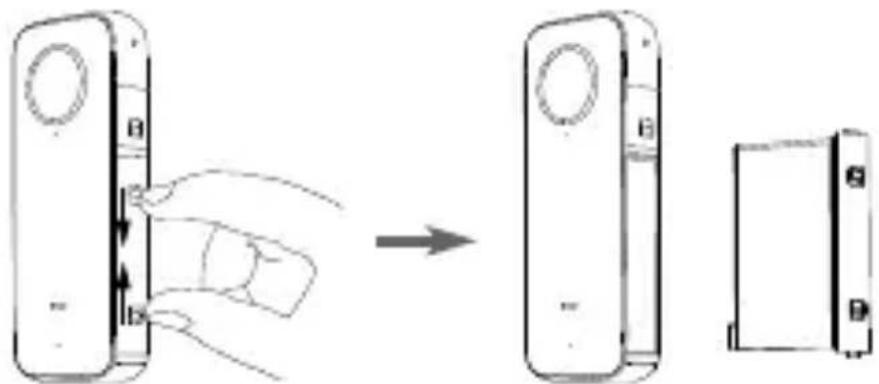
b. Insert a Micro SD card (With its label facing outward towards the touch screen)
Supported Micro SD cards:
Please use exFAT Format MicroSD cards of speed classes UHS-I and V30 to ensure normal recording. The maximum supported storage space is 1TB.
natural_image
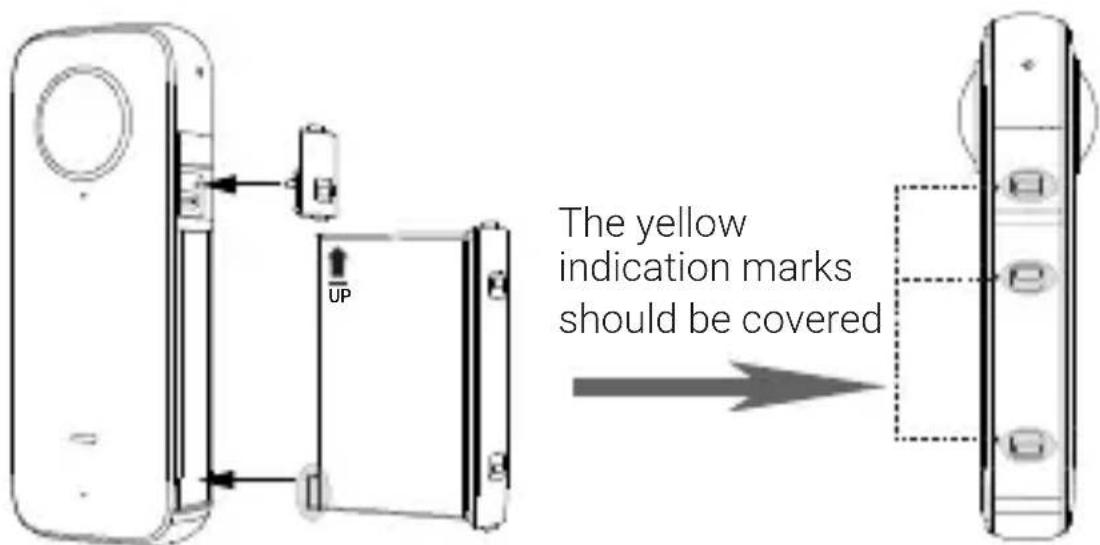
Line drawing of a door handle assembly with a tool inserted (no text or symbols)③ Be sure to close the battery lock cover and USB lock cover completely (The yellow indication marks should be covered) to ensure waterproofing is not affected.
4 Know Your Insta360 ONE X2
E Z
Power on / off
When the camera is turned off, press the Power / Function button to power it on.
In standby mode, press the Power / Function button to turn the touch screen light off / on.
In standby mode, long press the Power / Function button for 2 seconds to power it off.
Using the Touch Screen
* The first time you turn on the camera, the following will be displayed on the screen.
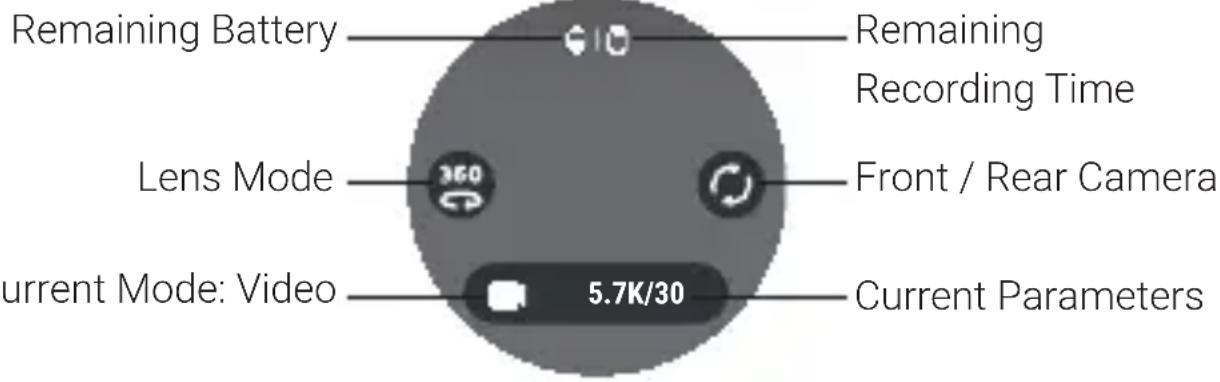
Important: When using ONE X2 in water, please lock the touch screen to avoid accidental presses. After locking the touch screen, you can use the Power / Function Button to change modes.
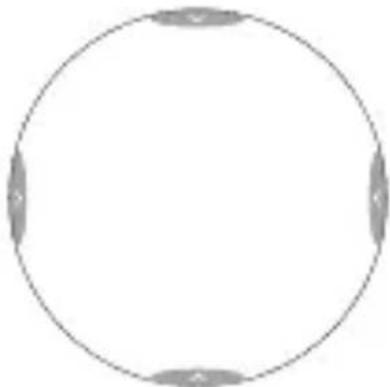
* Basic operations for the touch screen:
Swipe down to access System modes
Swipe right to access Media Gallery
natural_image
Simple circular diagram with four gray segments on each side, no text or symbols present.Swipe left to adjust camera settings
Swipe up to open the Shortcut menu
5 Control via WiFi
① Scan the QR code on the right (https://www.insta360.com/download/insta360-onex2) or search "Insta360 ONE X2" in the App Store / Google Play to download the companion app. The first time you use it, please follow onscreen instructions to activate the app.

② Turn on the WiFi and Bluetooth of your mobile device.
③ When the camera is turned off, press the Power / Function button to power it on.
④ After installing the app, tap the camera icon at the bottom of the app homepage and select "Connect now" in the WiFi panel. Then, follow the onscreen instructions to connect your device.
The first time you connect to the camera via WiFi, follow onscreen instructions to confirm your connection.
⑤ After successfully connecting the camera, you can take photos or shoot videos via the app.
Note:
1) The WiFi connection range is 10 meters (33 ft) in optimal conditions with no interference.
2) Camera control via direct cable connection is also supported for Android devices with Micro-USB or USB Type-C connectors.

* For more product information, visit https://www.insta360.com/support/product-support
1. 物品清单
natural_image
Simple line drawing of a three-tiered electronic device with no text or symbolsnatural_image
Simple line drawing of a rectangular object with a rounded top and a small triangular indentation at the bottom (no text or symbols)
natural_image
Simple line drawing of a blank rectangular frame with no text or symbols电池
natural_image
Simple line drawing of a USB cable with two connectors (no text or symbols)充电线
擦镜布
& 文档资料
2. 认识部件
b. 插入 Micro SD 卡
(标签朝向相机有屏幕的一侧)
支持的 Micro SD 卡:
natural_image
Technical line drawing of a door handle assembly with no visible text or symbolsnatural_image
Simple circular diagram with four gray arrows pointing inward from the center (no text or symbols)上滑进入快捷菜单
左滑设置参数右滑查看相册
5. WiFi 连接
更多产品信息
https://www.insta360.com/support/product-support
1 Das ist enthalten
natural_image
Simple line drawing of a three-pin electronic device with no text or symbols
natural_image
Simple line drawing of a rectangular object with a rounded top and a small triangular indentation at the bottom (no text or symbols)natural_image
Simple line drawing of a rectangular frame with no text or symbolsAkku
natural_image
Simple line drawing of a USB cable with a port (no text or symbols)Ladekabel
natural_image
Technical line drawing of a door handle assembly with no visible text or symbolsnatural_image
Pure diagram of a vertical cylindrical object with internal square buttons, no text or symbols presentnatural_image
Simple circular diagram with four labeled segments (no text or symbols)natural_image
Simple line drawing of a three-tiered electronic device with no text or symbols
natural_image
Simple line drawing of a rectangular object with a rounded top and a small triangular indentation at the bottom (no text or symbols)Insta360 ONE X2 Poche de protection
natural_image
Simple line drawing of a rectangular frame with no text or symbolsBatterie
natural_image
Simple line drawing of a USB cable with a port (no text or symbols)Cartes Micro SD applicables:
natural_image
Technical line drawing of a door handle assembly with no visible text or symbolsnatural_image
Simple circular diagram with four labeled segments (A, B, C, D) at the center, no text or symbols inside.natural_image
Simple line drawing of a three-tiered electronic device with no text or symbols
natural_image
Simple line drawing of a rectangular container with a handle and a small triangular indentation (no text or symbols)natural_image
Simple line drawing of a blank rectangular frame with no text or symbolsBatteria
natural_image
Simple line drawing of a USB cable with a port (no text or symbols)Schede Micro SD supportate:
natural_image
Line drawing of a door handle assembly with a clip inserted (no text or symbols)natural_image
Simple circular diagram with four gray segments on each side, no text or symbols present.natural_image
Simple line drawing of a rectangular device with three circular buttons and a minus sign at the bottom (no text or symbols)
natural_image
Simple line drawing of a rectangular object with a rounded top and a small triangular indentation at the bottom (no text or symbols)Insta360 ONE X2 Funda protectora
natural_image
Simple line drawing of a rectangular object with a folded corner (no text or symbols)Batería
natural_image
Simple line drawing of a USB cable with port (no text or symbols)natural_image
Line drawing of a door handle assembly with no text or symbolsnatural_image
Simple circular diagram with four rounded corners and no text or symbolshttps://www.insta360.com/support/product-support
1 Что включено
natural_image
Simple line drawing of a three-tiered electronic device with no text or symbols
natural_image
Simple line drawing of a rectangular object with a rounded top and a small triangular indentation at the bottom (no text or symbols)natural_image
Line drawing of a door handle assembly with no text or symbolsnatural_image
Simple circular diagram with four gray segments and a label 'a' at the top-left corner (no text or symbols within the circle)natural_image
Simple line drawing of a rectangular frame with a corner detail (no text or symbols)Bateria
natural_image
Simple line drawing of a USB cable with port (no text or symbols)natural_image
Technical line drawing of a door handle assembly (no text or symbols)natural_image
Simple circular diagram with four gray segments on each side, no text or symbols present.
natural_image
Simple line drawing of a rectangular device with three circular buttons and a small 'm' button at the bottom (no text or symbols)Insta360 ONE X2
natural_image
Simple line drawing of a rectangular object with a rounded top and a small triangular indentation at the bottom (no text or symbols)保護ポーチ
natural_image
Simple line drawing of a rectangular frame with no text or symbolsバッテリー
natural_image
Simple line drawing of a USB cable with port (no text or symbols)充電ケーブルレンズクロス& 説明書
2 部品名称
natural_image
Line drawing of a door handle assembly with no text or symbols黄色の指示マークが隠れるようにします
natural_image
Diagram of a vertical device with three labeled buttons and a dotted rectangle, no text or symbols present.4 ONE X2 の基本的な操作方法
電源オン/オフ
natural_image
Simple circular diagram with four gray arrows pointing inward, no text or symbols present.左にスワイプして カメラ設定を調節
*より詳細な情報はこちら
https://www.insta360.com/support/product-support
1 패키지 구성
natural_image
Simple line drawing of a three-tiered electronic device with no text or symbols인스타 360 ONE X2
natural_image
Simple line drawing of a rectangular container with a rounded top and a small triangular indentation on the side (no text or symbols)수납 파우치
natural_image
Simple line drawing of a blank rectangular frame with no text or symbols
natural_image
Simple line drawing of a USB cable with a port (no text or symbols)b. Micro SD 카드 삽입
(라벨이 터치스크린 방향을 향함)
지원되는 Micro SD 카드 :
natural_image
Line drawing of a device with a cable inserted into a housing (no text or symbols)natural_image
Simple circular diagram with four labeled points (no text or symbols)왼쪽으로 밀어서 카메라 설정 조절
위로 밀어서 바로 가기 메뉴 열기
5 WiFi 연결
natural_image
Simple line drawing of a three-pin electronic device with no text or symbolsInsta360 ONE X2 相機 便攜收納袋
natural_image
Simple line drawing of a rectangular object with a curved top and bottom (no text or symbols)
natural_image
Simple line drawing of a rectangular frame with no text or symbols
natural_image
Simple line drawing of a USB cable with a connector (no text or symbols)
充電線 拭鏡布 & 文檔資料電池
2 零件介紹
b. 插入 Micro SD 卡
(標籤朝向相機有螢幕的一側)
支援的 Micro SD 卡:
natural_image
Technical line drawing of a door handle assembly with no visible text or symbols*更多產品資訊,詳情請訪問
https://www.insta360.com/support/product-support
1. ما يحتويه
natural_image
Simple line drawing of a rectangular device with three circular buttons and a control knob (no text or symbols)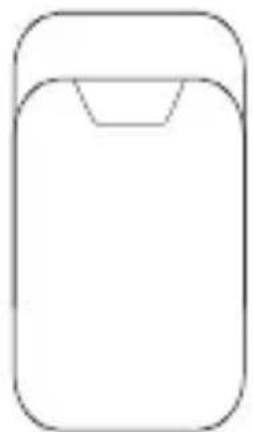
natural_image
Simple line drawing of a rectangular object with a rounded top and a small triangular indentation at the bottom (no text or symbols)Insta360 ONE X2
natural_image
Simple line drawing of a rectangular frame with no text or symbolsكابل شحن البطارية
natural_image
Simple line drawing of a USB cable with port (no text or symbols)
natural_image
Line drawing of a door handle assembly with no text or symbolsnatural_image
Simple circular diagram with four labeled points (A, B, C, D) on each side, no text or symbols present.. https://www.insta360.com/support/product-support
NCC Compliance Notice
Add: Foresea Life Center, Tower 2, 11F, 1100 Xingye Road, Haiwang Community, Xin'an Street, Bao'an District, Shenzhen, China
Web: www.insta360.com
Tel: 400-833-4360 +1 800 6920 360
Email: service@insta360.com

Insta360 GmbH
Ernst-Augustin-Str. 1a, 12489 Berlin, Germany
+49 177 856 7813
cash.de@insta360.com

- Names of Parts
- Before You Start
- Note:
- ② Insert a Micro SD card
- Supported Micro SD cards:
- Know Your Insta360 ONE X2
- Power on / off
- Using the Touch Screen
- Control via WiFi
- 物品清单
- 认识部件
- WiFi 连接
- Das ist enthalten
- Cartes Micro SD applicables:
- Schede Micro SD supportate:
- Что включено
- 部品名称
- ONE X2 の基本的な操作方法
- 電源オン/オフ
- 패키지 구성
- WiFi 연결
- 支援的 Micro SD 卡:
- ما يحتويه
- NCC Compliance Notice
Brand : INSTA360
Model : One X2
Category : Action Camera