
DC515NBS - Chime HONEYWELL - Free user manual and instructions
Find the device manual for free DC515NBS HONEYWELL in PDF.


| Product Type | Wireless Doorbell (Chime) |
| Brand | Honeywell |
| Model | DC515NBS |
| Frequency | 868 MHz (ActivLink) |
| Range (open field) | 150 m |
| Sound Level (typical) | 84 dB |
| Power Source (Doorbell) | Plug-in (mains) or 3 x LR6 (AA) 1.5V (portable models) |
| Power Source (Push Button) | CR2032 lithium battery |
| Battery Life (Push Button) | Up to 2 years (5 activations/day) |
| Battery Life (Portable Doorbell) | Up to 2 years (5 activations/day) |
| Number of Tunes | 6 (Ding Dong, Westminster, Piano, Fantasy, Soft Alert, Smart Sax) |
| Halo Light Colors | 7 (Light Blue, Green, White, Purple, Red, Yellow, Dark Blue) |
| Volume Control | Adjustable via Volume Up/Down buttons |
| Mute Function | Press Mute button; optional timed mute (3, 6, 9, 12 hours) |
| Night-Light (Plug-In Models Only) | Selectable halo color when plugged in |
| Secret Knock | Press push button 3 times quickly for different ring and color |
| Maximum Accessories | 4 (additional push buttons, motion sensors, door/window sensors) |
| Mounting Options | Wall mount (push button bracket with screws or adhesive); doorbell wall mount or freestanding |
| Operating Temperature (Doorbell) | -5°C to 40°C |
| Operating Temperature (Push Button) | -20°C to 50°C |
| Rainproof (Push Button) | IP55 |
| Reset Function | Hold Setting button while plugging in to restore factory defaults, removes all pairings |
| Low Battery Indication | Two beeps after tune (push button); yellow flashing halo bottom edge (portable doorbell) |
| Included Accessories | Doorbell, push button, mounting brackets, screws, anchors, adhesive pad, CR2032 battery (in push button) |
Frequently Asked Questions - DC515NBS HONEYWELL
User questions about DC515NBS HONEYWELL
0 question about this device. Answer the ones you know or ask your own.
Ask a new question about this device
Download the instructions for your Chime in PDF format for free! Find your manual DC515NBS - HONEYWELL and take your electronic device back in hand. On this page are published all the documents necessary for the use of your device. DC515NBS by HONEYWELL.
USER MANUAL DC515NBS HONEYWELL
Installation and Operation Guide
Portable and Plug-In Wireless Doorbell
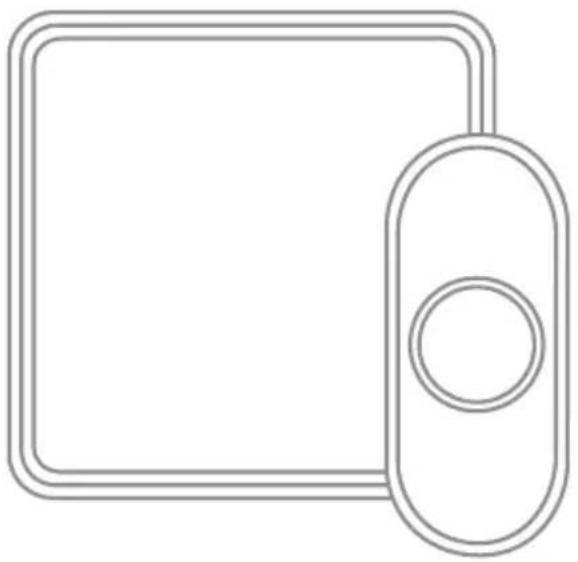
natural_image
Simple line drawing of a rectangular device with a circular button on the right side (no text or symbols)DC515XX
English
German
French
Dutch
Spanish
Portuguese
Italian
Preparation
Content will vary according to your kit

natural_image
Empty rounded square frame with no text or symbolsDoorbell
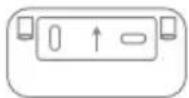
Mounting Bracket

Wall
Anchors

Round Head
Screws
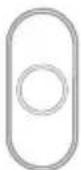
Push Button
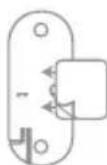
Push Button Mounting Bracket and Adhesive Pad

CR2032 Battery

Flat Head Screws
To install you will need


Phillips Screwdriver
Standard Screwdriver
The push button supplied with this kit is pre-programmed to operate with the doorbell. If it is not, see "Connect a Push Button" on page 7. Push button model may vary from the one shown above.
Overview
Just follow these simple steps:
- Install the push button battery. Depending on the model, plug in the doorbell or install the batteries in it.
- Set up the doorbell and your preferences.
- Install the push button.
Doorbell for indoor use only. Do not expose to liquid, vapour or rain.
Power-up
- Choose an outlet location that is not near a heat source, where the doorbell will be easy to see and hear and power it.
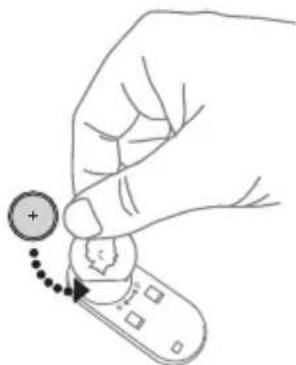
- Open the push button battery cover and install the CR2032 battery.
Setup and Operation
natural_image
Hand holding a remote control with a plus button and dotted arrow indicating action (no text or symbols)Press the push button to test whether it is paired with the doorbell. The doorbell will light up and ring. If it does not, see "Connect a Push Button" on page 7.
Change the Light Pattern
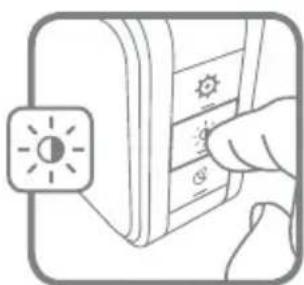
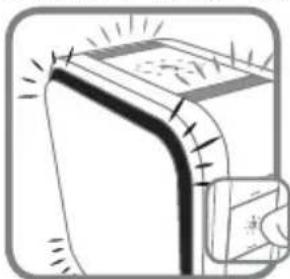
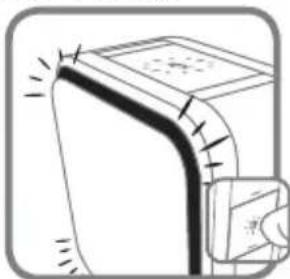
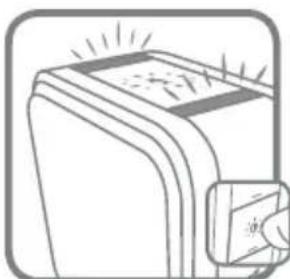
Press the Sunlight button to change the lights that flash when the doorbell rings.
natural_image
Illustration of a hand pressing down on a device panel with a sun icon (no text or symbols)Press the Sunlight button
1 time 2 times 3 times 4 times
natural_image
Diagram of a door handle with decorative lines and a magnified inset showing a small object (no text or symbols)Halo light and top lights
natural_image
Diagram of a door handle with a close-up view of the handle (no text or symbols)Halo light only Top lights only
natural_image
Illustration of a device with a screen and a magnified inset showing a close-up of its screen (no text or symbols)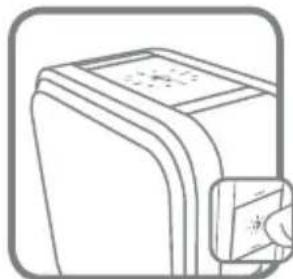
natural_image
Line drawing of a rectangular electronic device with a label and an inset close-up showing a magnified view (no text or symbols)No lights
Change the Tune
Press the Music button to change the doorbell tune.
Every time you press the Music button, the tune will change. Stop pressing the Music button when you hear the tune you want.
If you have multiple push buttons paired with the chime, you can select the melody for the last push button that was triggered.
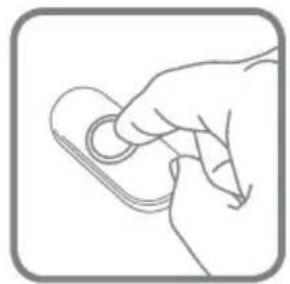
Press the push button. (For any new push button, ensure that it is paired first. Refer to "Connect a Push Button" on page 7.)
Within 12 seconds, press the melody selection button until the desired tune is selected.
natural_image
Line drawing of a hand holding a small object, no text or symbols present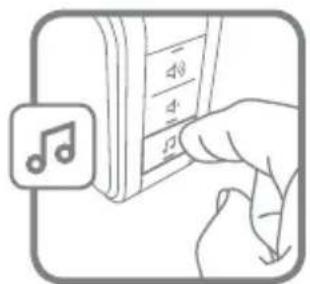
Ding Dong
Westminster
Piano
Fantasy
Soft Alert
Smart Sax
Change the Halo Light Colour
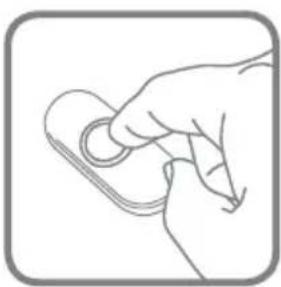
Press the push button.
Within 12 seconds, press the Sunlight button.
natural_image
Line drawing of a hand holding a small object with a circular ring (no text or symbols)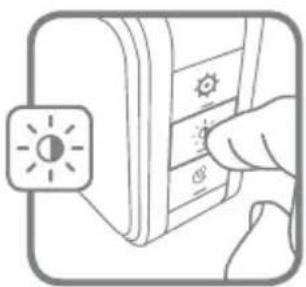
natural_image
Illustration of a hand pressing down on a control panel with a sun icon (no text or symbols)Adjust the Volume
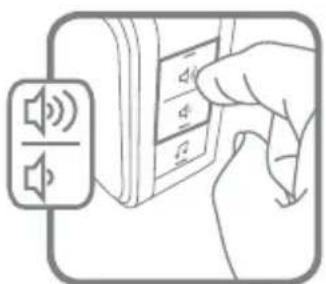
Press the Volume Up or Volume Down buttons to adjust the volume of the Doorbell.
natural_image
Illustration of a hand inserting a device into a microphone with sound waves (no text or symbols)Every time you press the Sunlight button, the halo light will change colour. Stop pressing the Sunlight button when you see the colour you want:
Light Blue
Green
White
Purple
Red
Yellow
Dark Blue
Mute the Doorbell
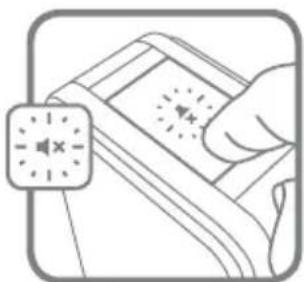
Press the Mute button to silence the doorbell.
natural_image
Illustration of a hand holding a device with a circular button labeled 'X' (no text or symbols on the device itself)Set the Mute
You can also mute the doorbell for specific amounts of time.
Press the Mute button.
| Mute button shows Doorbell is mute | ||
| 1 time |  | doorbell is mute |
| 2 times |  | 3 hours |
| 3 times |  | 6 hours |
| Mute button shows Doorbell is mute | ||
| 4 times |  | 9 hours |
| 5 times |  | 12 hours |
| 6 times |  | no longer mute |
It is also easier to unmute the doorbell by pressing and holding the mute
button - × until it beeps.
Install Push Button
-
Mount the push button bracket in the desired location. Use the screws. -OR- Use the adhesive backing. If using the adhesive backing, clean the surface first.
-
Snap the push button onto the mounting bracket.
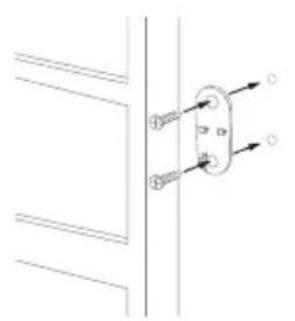
natural_image
Pure electrical circuit lines without any symbols-OR-
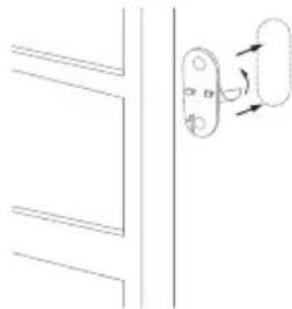
natural_image
Simple line drawing of a door handle with a scroll wheel, no text or symbols present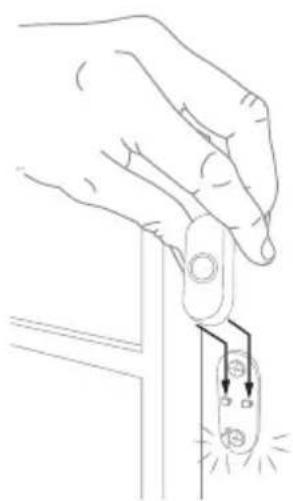
natural_image
Line drawing of a hand holding a switch to a small electrical component with a light bulb (no text or symbols)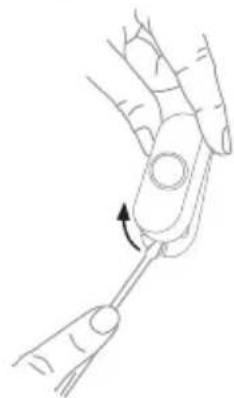
natural_image
Line drawing of a hand holding a tool with an arrow indicating rotation (no text or symbols)Note: If you need to remove the push button, use a small screwdriver to release the tab.
Wall Mount Installation (Portable Models Only)
Choose a location that is not near a heat source or on something that moves (like a door). For non-mounting locations, choose a place where the doorbell will be easy to see and hear.
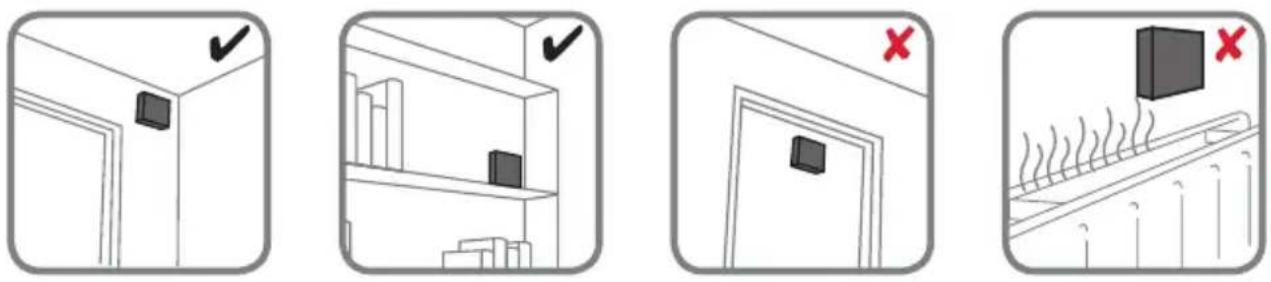
Install Doorbell
If you are not mounting the doorbell to the wall, place the doorbell where you want it.
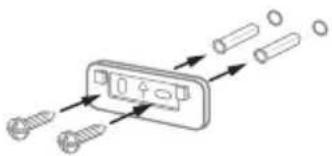
- Screw the doorbell wall mounting bracket to the wall using the
included screws and anchors (if necessary).
Drill 1/4-inch holes for the anchors.
natural_image
Diagram showing screw fasteners entering a component with arrows indicating direction (no text or symbols)For DC515XX models
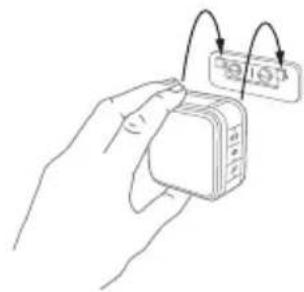
- Hang the doorbell on the mounting bracket.
natural_image
Line drawing of a hand holding a small electronic device with two curved arrows pointing to it (no text or symbols present)Accessories
You can connect up to 4 accessories to your doorbell, including other push buttons, window or door opening sensors, and motion sensors.
If you try to connect more accessories than the maximum number, the doorbell will sound two beeps.
Connect a Motion Sensor
-
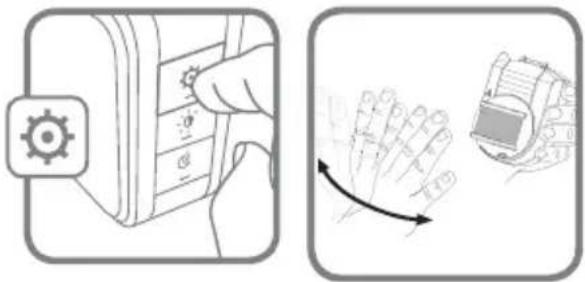
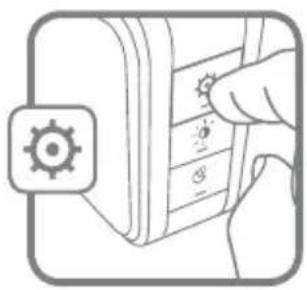
Press and hold the Setting button on the doorbell for three seconds. The halo light will circle.
-
Within 20 seconds of pressing the Setting button, wave or make some other kind of motion in front of the motion sensor.
Before linking your outdoor motion sensor, you will need to adjust its settings:
Turn the Dusk control and Time control fully anti-clockwise to its minimum setting.
Ensure your sensor is in Day Mode. This will be shown by the slider button being in the left position (Sun symbol).
natural_image
Illustration showing a hand holding a device with a gear icon and a hand moving a wrist with a curved arrow indicating motion (no text or symbols)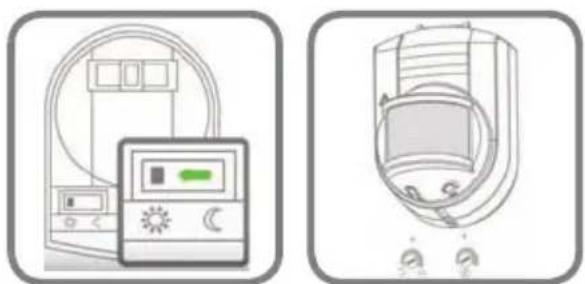
natural_image
Two technical illustrations of household appliances: a digital display unit and a portable device with control knobs (no text or symbols)Connect a Push Button
Follow these steps to change the ring and halo light colour for an existing doorbell, too.
-
Press and hold the Setting button on the doorbell for three seconds. The halo light will circle.
-
Press the push button.
-
Within 12 seconds of pressing the push button, press the Music button to select the ring for that push button.
-
Within 12 seconds of pressing the doorbell, press the Sunlight button to select a halo light colour for that push button.
natural_image
Illustration of a hand pressing down on a device panel with a gear icon (no text or symbols)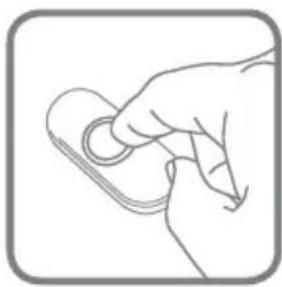
natural_image
Line drawing of a hand holding a small object with a circular ring (no text or symbols)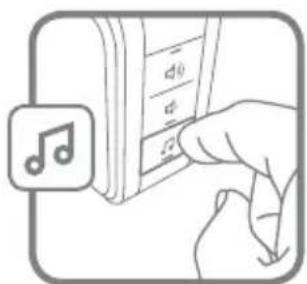
natural_image
Illustration of a hand inserting into a music player's keyboard (no text or symbols visible)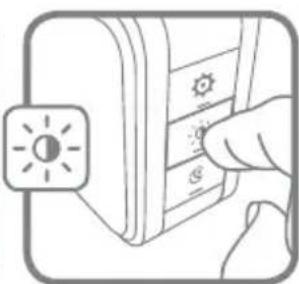
natural_image
Illustration of a hand pressing down on a device with a sun icon (no text or symbols)Night-Light (optional - Plug-In Models Only)
Your doorbell can also be used as a night-light.
- Plug the doorbell into a wall outlet.
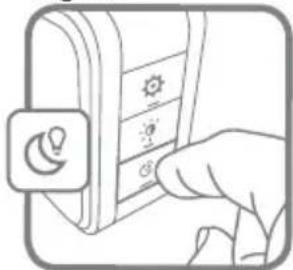
- Press and hold the Night-light button to select the halo colour.
- Release the Night-light button when you see the colour you want.
Secret Knock
For each push button, you can set up a Secret Knock that has a different ring and halo light colour. The Secret Knock is triggered by pressing the push button quickly 3 times.
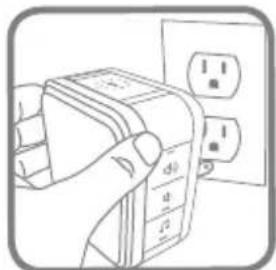
Plug socket shown above for reference will vary by country/region
natural_image
Illustration of a hand pressing down on a device panel with icons (no text or symbols)- Press the push button 3 times quickly.
- Within 12 seconds of pressing the push button, press the Music button to select the ring for the Secret Knock.
- Within 12 seconds of pressing the push button, press the Sunlight button to select a halo light colour for the Secret Knock.
Maintenance
Your doorbell and push button require no maintenance except to periodically change the battery.
If using the correct battery, its life should be approximately:
- Up to 2 years for the push button; replace with CR2032 lithium battery
Low Battery Notification
When the push button batteries are low, two beep sounds are heard after the normal tune.
When the batteries are low on the portable doorbells (battery models), the bottom edge of the halo light flashes yellow every 6 seconds until the batteries are replaced.
Reset
This process removes all pairings, including the push button that came with this doorbell:
- Unplug the doorbell or remove the batteries from the portable model.
- Press and hold the Setting button and plug the doorbell back in at the same time.
- The halo light will circle and the doorbell is returned to its default factory settings.
Specifications
| Doorbell Push Button | ||
| Operating Temperature -5°C to 40°C | -20°C to 50°C | |
| Honeywell Home ActivLinkTM 868 MHz | 868 MHz | |
| Range (open field) 150 m 150 m | ||
| Sound Level (typical) 84 dB - | ||
| Battery Type | 3 x LR6(AA) 1.5V - battery models only | CR2032 |
| Battery Life (5 activations/day) | Up to 2 years - battery models only | Up to 2 years |
| Rain proof N/AIP55 | ||
Troubleshooting
| If Then | |
| The doorbell does not work | 1. Press the Mute button until all of the Mute lights are off.2. Ensure the correct batteries are installed in both the push and doorbell with the correct polarity.3. The doorbell might be out of range; try the doorbell in a different location.4. Reconnect the doorbell. See “Connect a Push Button” on page 7.5. Check all the batteries and replace if needed.6. Check if the confidence LED on the transmitters is working when activated.7. Check if the doorbell is muted.8. Check that the transmitter is linked with the chime.* |
| Two ‘beep’ sounds are heard after the normal tune | Replace push button battery with a new CR2032. |
| Range is reduced | 1. Metal structures including uPVC door frames can reduce the range. Don’t mount the doorbell or push button on or near metal structures.2. Move the doorbell closer to the push button.3. Weak batteries will reduce range. In cold conditions (below 5°C), the batteries may need to be replaced more often. |
*Under these scenarios the push button is considered the “transmitter”. Other examples of transmitters are the wireless motion (PIR) sensor or wireless door window sensor.

resideo
www.resideo.com
https://livewell.honeywellhome.com