
KFRC 18262 NF E B - Fridge Kernau - Free user manual and instructions
Find the device manual for free KFRC 18262 NF E B Kernau in PDF.


| Product Type | Fridge Freezer |
| Brand | Kernau |
| Model | KFRC 18262 NF E B |
| Installation | Freestanding |
| Voltage | 220-240 V ~ 50 Hz |
| Refrigerant | R600a |
| Climate Class | T, ST, N, SN (10°C to 43°C) |
| Cooling Technology | New Generation Cooling (Fan Assisted) |
| Defrost Type | Automatic (No-Frost) |
| Super Freeze Mode | Yes |
| Super Cool Mode | Yes |
| Economy Mode | Yes |
| Holiday Mode | Yes |
| Drink Cool Mode | Yes (timer up to 30 min) |
| Child Lock | Yes |
| Door Open Alarm | Yes (beeps after 2 min) |
| LED Lighting | Yes |
| Maxi Fresh Preserver | Yes (ethylene removal) |
| Ionizer (Natural Ion Tech) | Yes |
| Adjustable Door Shelf | Yes (6 positions) |
| Adjustable Glass Shelf | Yes |
| Chiller Shelf | Yes (in some models) |
| Humidity Controller | Yes |
| Freezer Boxes | Yes |
Frequently Asked Questions - KFRC 18262 NF E B Kernau
User questions about KFRC 18262 NF E B Kernau
0 question about this device. Answer the ones you know or ask your own.
Ask a new question about this device
Download the instructions for your Fridge in PDF format for free! Find your manual KFRC 18262 NF E B - Kernau and take your electronic device back in hand. On this page are published all the documents necessary for the use of your device. KFRC 18262 NF E B by Kernau.
USER MANUAL KFRC 18262 NF E B Kernau
natural_image
Illustration showing three different techniques for using a tool to cut a wire, with no text or symbols present.natural_image
Simple line drawing of a bottle and glass with broken glass fragments (no text or symbols)natural_image
Simple line drawing of a smiling face on a square and a hand holding the right (no text or symbols)natural_image
Technical line drawing of a multi-level cabinet or rack structure with no visible text or symbolsnatural_image
Technical line drawing of a structural bracket with no visible text or symbolsRys.1
natural_image
Line drawing of a bottled water bottle mounted on a shelf with attached mechanical components (no text or symbols)Rys.1
natural_image
Technical line drawing of a mechanical assembly with two parallel plates and mounting brackets (no text or symbols)Rys.2
natural_image
Line drawing of a rectangular electronic device with a leaf symbol on the front panel (no text or labels)natural_image
Diagram of a refrigerator with a red X-shaped prohibition symbol (no text or labels)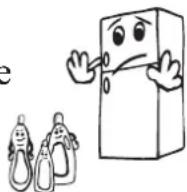
natural_image
Illustration of a hand using a tool to lift a cart (no text or symbols)natural_image
Simple line drawing of two children playing a large board, no text or symbols present- General warnings 37
- Old and out-of-order fridges .... 38
- Safety warnings 39
- Installing and operating your fridge 39
- Before Using your Fridge 40
2. THE PARTS OF THE APPLIANCE AND THE COMPARTMENTS ..... 41
3. THE VARIOUS FUNCTION AND POSSIBILITIES ...... 42
• Information about New Generation Cooling Technology 42
- Display and control panel 43
- Operating your fridge freezer 43
- Super freeze mode 43
- Super cool mode .... 44
- Economy mode 44
- Holiday mode 45
- Drink cool mode 45
- Mute Mode 46
- Screen saver mode 46
- Function of Child lock 47
- Light cancelling mode 47
- Door open alarm function 48
- Cooler temperature settings 48
- Freezer temperature settings 48
- Warnings About Temperature Adjustments 49
- Accessories 50
- Freezer box 50
- Chiller Shelf .... 50
- Humidity Controller .... 51
- Adjustable Door Shelf .... 51
- Adjustable Glass Shelf 51
- Natural Ion Tech / Ionisier 52
- Maxi-fresh preserver 52
4. ARRANGING FOOD IN THE APPLIANCE .... 53
- Refrigerator compartment.... 53
- Freezer compartment.... 54
5. CLEANING AND MAINTENANCE 59
- Defrosting 60
6. TRANSPORTATION AND CHANGING OF INSTALLATION POSITION....60
7. BEFORE CALLING YOUR AFTER SALES SERVICE......61
- Tips for saving energy 64
CHAPTER 1. BEFORE USING THE APPLIANCE
General warnings
WARNING: Keep ventilation openings, in the appliance enclosure or in the built-in structure, clear of obstruction.
WARNING: Do not use mechanical devices or other means to accelerate the defrosting process, other than those recommended by the manufacturer.
WARNING: Do not use electrical appliances inside the food storage compartments of the appliance, unless they are of the type recommended by the manufacturer.
WARNING: Do not damage the refrigerant circuit.
WARNING: When positioning the appliance, ensure the supply cord is not trapped or damaged.
WARNING: Do not locate multiple portable socket-outlets or portable power supplies at the rear of the appliance.
WARNING: In order to avoid any hazards resulting from the instability of the appliance, it must be fixed in accordance with the following instructions:
If your appliance uses R600a as a refrigerant (this information will be provided
on the label of the cooler) you should take care during transportation and installation to prevent the cooler elements from being damaged. R600a is an environmentally friendly and natural gas, but it is explosive. In the event of a leak due to damage of the cooler elements, move your fridge away from open flames or heat sources and ventilate the room where the appliance is located for a few minutes.
- While carrying and positioning the fridge, do not damage the cooler gas circuit. - Do not store explosive substances such as aerosol cans with a flammable propellant in this appliance.
- This appliance is intended to be used in household and domestic applications such as:
- staff kitchen areas in shops, offices and other working environments.
- farm houses and by clients in hotels, motels and other residential type environments.
- bed and breakfast type environments;
- catering and similar non-retail applications.
- If the socket does not match the refrigerator plug, it must be replaced by the manufacturer, a service agent or similarly qualified persons in order to avoid a hazard.
- A specially grounded plug has been connected to the power cable of your refrigerator. This plug should be used with a specially grounded socket of 16 amperes. If there is no such socket in your house, please have one installed by an authorised electrician.
- This appliance can be used by children aged from 8 years and above and persons with reduced physical, sensory or mental capabilities or lack of experience and knowledge if they have been given supervision or instruction concerning use of the appliance in a safe way and understand the hazards involved. Children shall not play with the appliance. Cleaning and user maintenance shall not be made by children without supervision.
- If the supply cord is damaged, it must be replaced by the manufacturer, an authorised service agent or similar qualified persons, in order to avoid a hazard.
- This appliance is not intended for use at altitudes exceeding 2000 m.
Old and out-of-order fridges
- If your old fridge has a lock, break or remove the lock before discarding it, because children may get trapped inside it and may cause an accident.
- Old fridges and freezers may contain isolation material and refrigerant with CFC
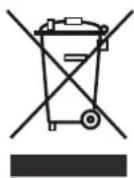
or HFC. Therefore, take care not to harm environment when you are discarding your old fridges..
Please ask your municipal authority about the disposal of the WEEE reuse, recycle and recovery purposes.
Notes:
- Please read the instruction manual carefully before installing and using your appliance. We are not responsible for the damage occurred due to misuse.
- Follow all instructions on your appliance and instruction manual, and keep this manual in a safe place to resolve the problems that may occur in the future.
- This appliance is produced to be used in homes and it can only be used in domestic environments and for the specified purposes. It is not suitable for commercial or common use. Such use will cause the guarantee of the appliance to be cancelled and our company will not be responsible for losses incurred.
- This appliance is produced to be used in houses and it is only suitable for cooling / storing food. It is not suitable for commercial or common use and/or for storing substances except for food. Our company is not responsible for losses to be incurred in the contrary case.
Safety warnings
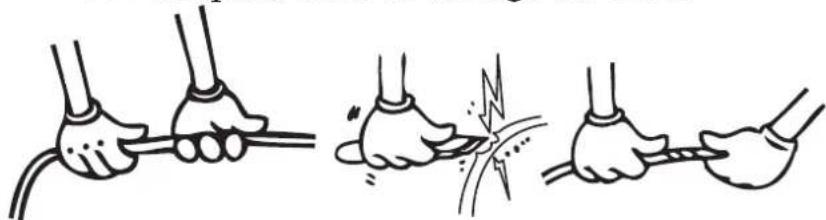
- Do not connect your Fridge Freezer to the mains electricity supply using an extension lead.
- Do not plug in damaged, torn or old plugs.
- Do not pull, bend or damage the cord.
natural_image
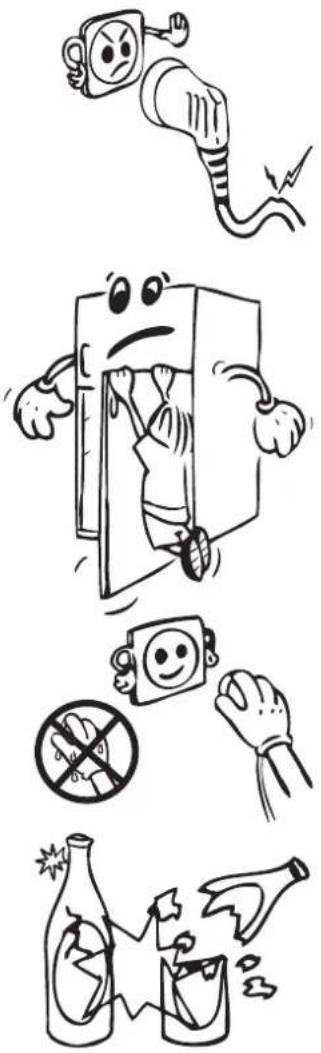
Illustration showing three different techniques for connecting wires, with no text or symbols present.- This appliance is designed for use by adults, do not allow children to play with the appliance or let them hang off the door.
- Never touch the power cord/plug with wet hands as this could cause a short circuit or electric shock.
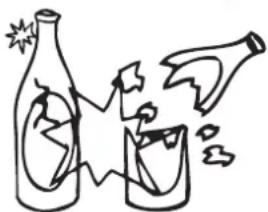
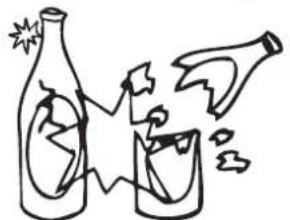
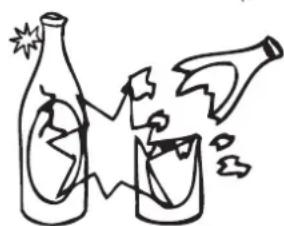
- Do not place glass bottles or beverage cans in the ice-making compartment as they can burst as the contents freeze.
- Do not place explosive or flammable material in your fridge. Place drinks with high alcohol content vertically in the fridge compartment and make sure that their tops are tightly closed.
- When removing ice from the ice-making compartment, do not touch it. Ice may cause frost burns and/or cuts.
- Do not touch frozen goods with wet hands. Do not eat ice-cream or ice cubes immediately after you have taken them out of the ice-making compartment.
- Do not re-freeze frozen goods after they have melted. This may cause health issues such as food poisoning.
- Do not cover the body or top of fridge with lace. This affects the performance of your fridge.
- Secure any accessories in the fridge during transportation to prevent damage to the accessories.
natural_image
Illustration of various hazardous substances including an electric plug, a cartoon character holding a device, a crossed-out plastic bag, and a broken bottle (no text or symbols present)
Installing and operating your fridge
Before using your fridge, you should pay attention to the following points:
- The operating voltage for your fridge is 220-240 V at 50Hz.
- Do not use plug adapter.
- The operating voltage for your fridge is 220-240 V at 50Hz.
- Do not use plug adapter.
- We do not accept responsibility for any damages that occur due to ungrounded usage.
- Place your fridge where it will not be exposed to direct sunlight.
- Your appliance should be at least 50 cm away from stoves, gas ovens and heater cores and at least 5 cm away from electrical ovens.
- Your fridge should never be used outdoors or exposed to rain.
- When your fridge is placed next to a deep freezer, there should be at least 2 cm between them to prevent humidity forming on the outer surface.
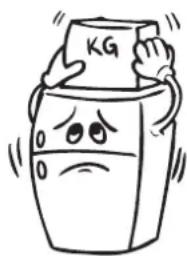
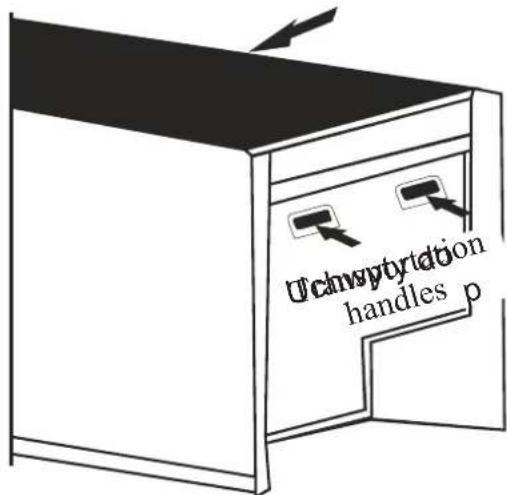
- Do not place anything on your fridge, and install your fridge in a suitable place so that at least 15 cm of free space is available above it.
- Use the adjustable front legs to make sure your appliance is level and stable. You can adjust the legs by turning them in either direction. This should be done before placing food in the fridge.
natural_image
Cartoon illustration of a distressed container with arms and legs, holding a box labeled 'KG' (no text or symbols beyond the label)- Before using your fridge, wipe all parts with a solution of warm water and a teaspoon of sodium bicarbonate, then rinse with clean water and dry. Place all parts in the fridge after cleaning.
- Install the plastic distance guide (the part with black vanes at the rear) by turning it 90° (as shown in the figure) to prevent the condenser from touching the wall.
- The refrigerator should be placed against a wall with a free space not exceeding 75 mm.
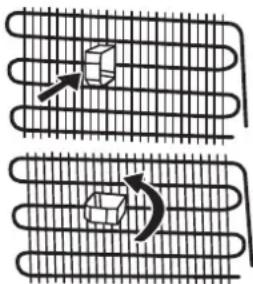
Before Using your Fridge
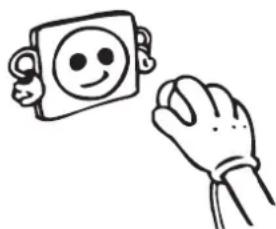
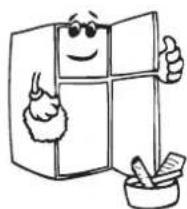
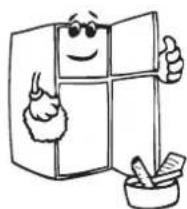
- When using your fridge for the first time, or after transportation, keep it in an upright position for at least 3 hours before plugging into the mains. This allows efficient operation and prevents damage to the compressor.
- Your fridge may have a smell when it is operated for the first time. This is normal and the smell will fade away when your fridge starts to cool.
natural_image
Simple line drawing of a smiling face on a square and a hand reaching toward it (no text or symbols)CHAPTER 2. THE PARTS OF THE APPLIANCE AND THECOMPARTMENTS
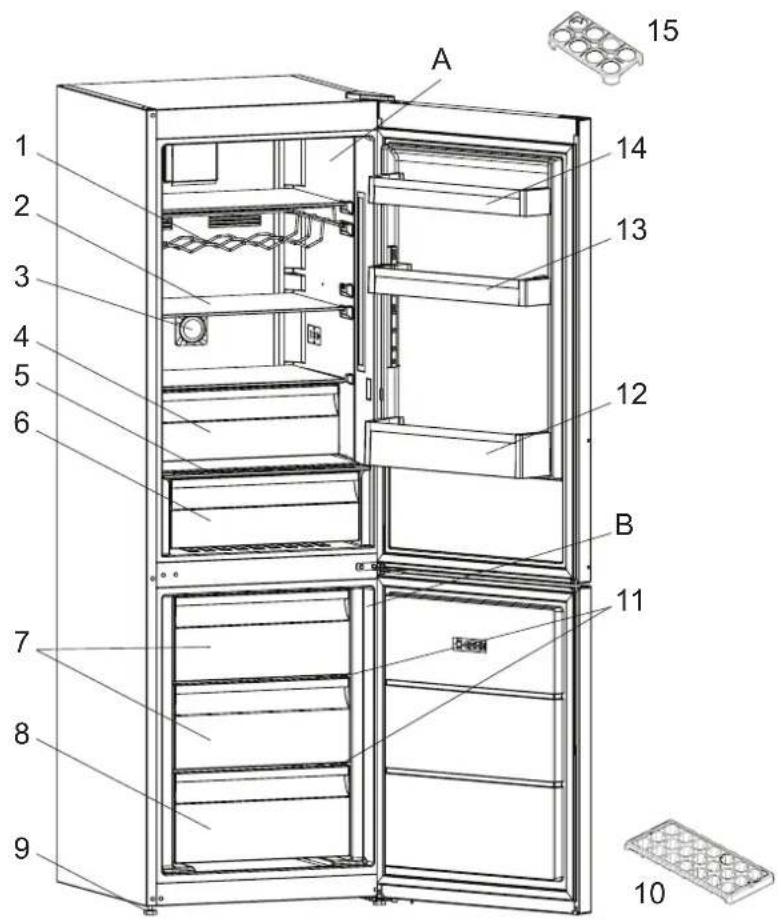
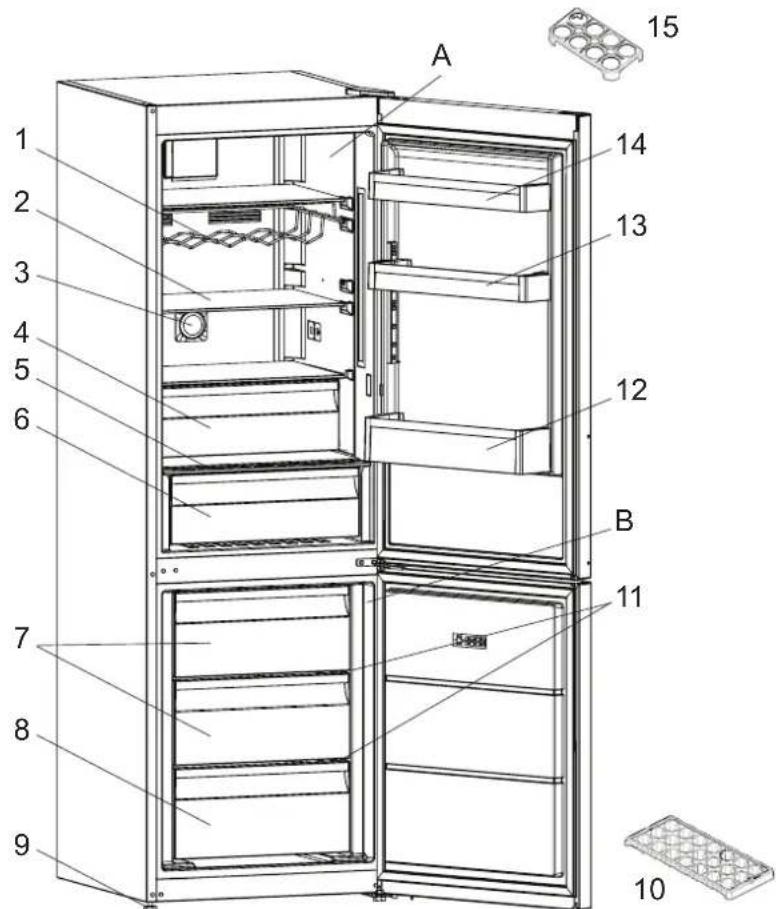
This presentation is only for information about the parts of the appliance.
Parts may vary according to the appliance model.
A. Fridge compartment
B. Freezer compartment
- Wine rack *
- Fridge shelves
- Ionisier *
- Chiller *
- Crisper cover
- Crisper
- Freezer top baskets
- Freezer bottom basket
-
Leveling feet
-
Ice tray
- Freezer glass shelves
- Bottle shelf
- Adjustable door shelf * / Door shelf
- Door shelf
- Egg holder
*In some models
CHAPTER 3. THE VARIOUS FUNCTION AND POSSIBILITIES
Information about New Generation Cooling Technology
Fridges with new-generation cooling technology have a different operating system to static fridges. Other (static) fridges may experience a build up of ice in the freezer compartment due to door openings and humidity in the food. In such fridges, regular defrosting is required; the fridge must be switched off, the frozen food moved to a suitable container and the ice which has formed in the freezer compartment removed.
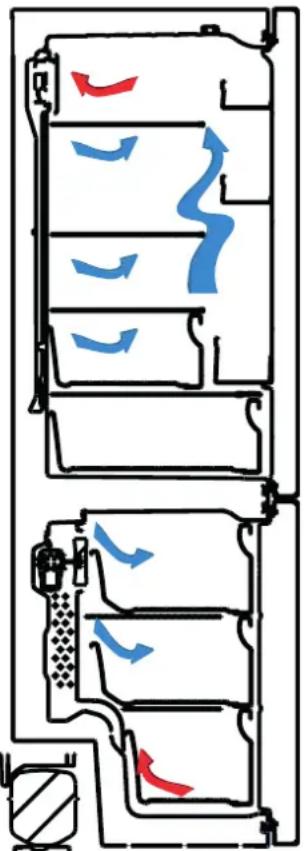
In fridges with new-generation cooling technology, a fan blows dry cold air evenly throughout the fridge and freezer compartments. The cold air cools your food evenly and uniformly, preventing humidity and ice build-up.
In the refrigerator compartment, air blown by the fan, located at the top of the refrigerator compartment, is cooled while passing through the gap behind the air duct. At the same time, the air is blown out through the holes in the air duct, evenly spreading cool air throughout the refrigerator compartment.
natural_image
Diagram of a vehicle air intake system with airflow indicators (no text or labels)There is no air passage between the freezer and refrigerator compartments, therefore preventing the mixing of odors.
As a result, your fridge, with new-generation cooling technology, provides you with ease of use as well as a huge volume and aesthetic appearance.
Display and control panel
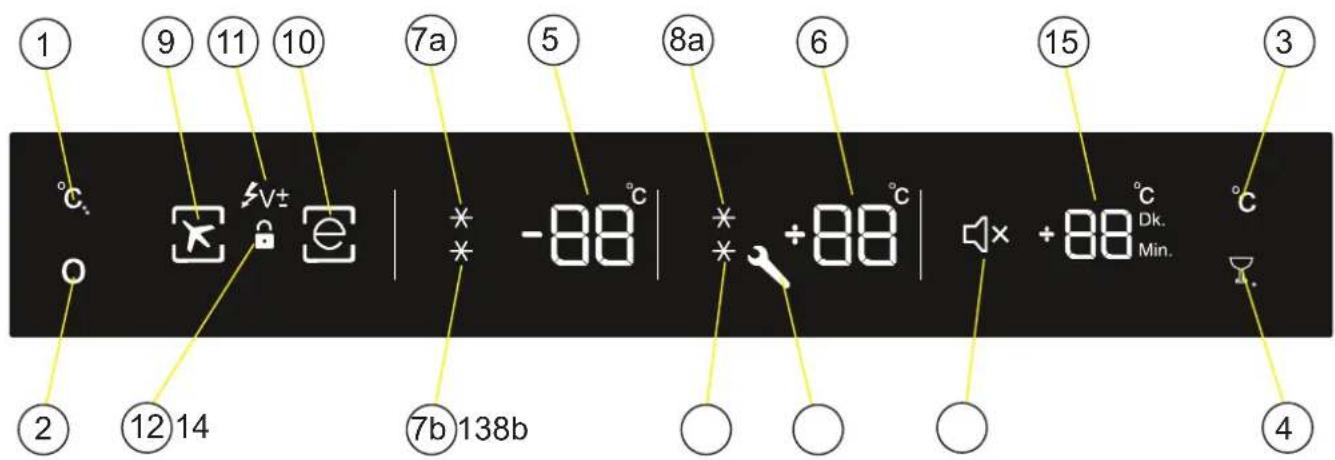
- Freezer Set Button
- Mode Button
- Refrigerator Button
- D.cool & Mute Button
- Freezer Set Value Screen
- Cooler Set Value Screen
- Super Freeze Symbol
-
Super Cool Symbol
-
Holiday Mode Symbol
- Economy Mode Symbol
- Low Voltage Symbol
- Child Lock Symbol
- Alarm (SR) Symbol
- Sound Off Symbol
- Drink Cool Value Screen (Active Symbol May Change According to Language(Min-Dk.))
Operating your fridge freezer Super freeze mode
How would it be used?
Press the freezer set button until the SF symbol is seen on the screen. The buzzer will beep twice. The mode will be set.
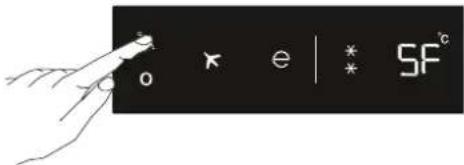
In this mode:
- Cooler and super cool mode temperatures may be adjusted. In this case super freeze mode will continue.
• Economy and Holiday mode cannot be selected. - Super freeze mode can be cancelled using the same selection operation.
Super cool mode
How would it be used?
Press the cooler set button until the SC symbol is seen on the screen. The buzzer will beep twice. The mode will be set.
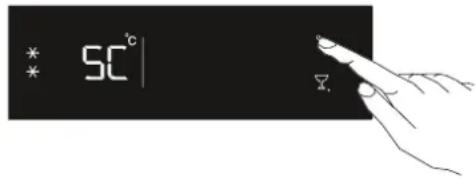
In this mode:
- The freeze and Super freeze temperature mode may be adjusted. Super cool mode will continue in this case.
- Economy and Holiday mode cannot be selected.
- Super cool mode can be cancelled using the same selection operation.
Economy mode
How would it be used?
- Push „mode button” until the eco symbolappears.
- If no button is pressed for 1 second. The mode will be set. The eco symbol will blink 3 times. When the mode is set, the buzzer will beep twice.
- The freezer and refrigerator temperature segments will display „E”.
- The economy symbol and light till mode finishes.
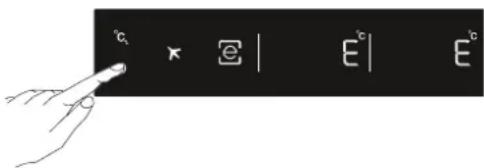
In this mode:
- The freezer may be adjusted. When economy mode is cancelled, the selected setting values will commence.
- Cooler may be adjusted. When economy mode is cancelled, the selected setting values will commence.
- Super cool and super freeze modes can be selected. Economy mode is automatically cancelled and the selected mode is activated.
- Holiday mode can be selected after cancelling the economy mode. Then the selected mode is activated.
- To cancel, you will just need to press the mode button.
Holiday mode
How would it be used?
- Push the „mode button” until the holiday symbol appears 📁.
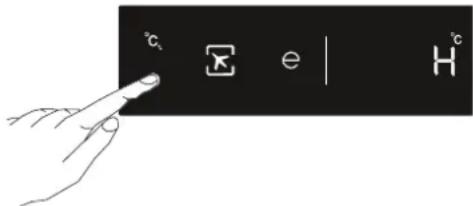
- If no button is pressed for 1 second. Mode will be set. The holiday symbol will blink 3 times. When the mode is set, the buzzer will beeptwise.
- Freezer temperature segment will display „H”.
- Holiday symbol and „H“ will light till mode finishes.
In this mode:
- The freezer may be adjusted. When holiday mode is cancelled, the selected setting values will commence.
- Cooler may be adjusted. When holiday mode is cancelled, the selected setting values will commence.
- Super cool and super freeze modes can be selected. Holiday mode is automatically cancelled and the selected mode is activated.
- Economy mode can be selected after cancelling the holiday mode. Then the selected mode is activated.
- To cancel, you will just need to press the mode button.
Drink cool mode
Drink cool button should be pressed to activate beverage cooling mode. Each press will increment the time for 5 minutes up to 30 minutes, and then it returns to zero. You can view the time zone you want to set on “Drink cool alarm counter” section. Drink cool mode only lets the refrigerator release an audible alert after a specific period.
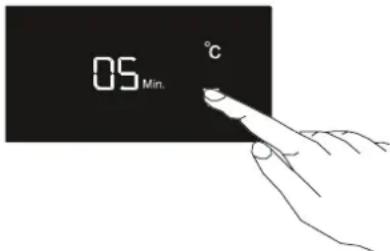
Important: It should not be confused with cooling.
Note: You must adjust the time according to the temperature of the bottles before you put them in.
For example, you can set the time as “5 minutes” in the beginning. After this time, if the cooling is insufficient, you might set another 5 or 10 minutes.
While using this mode, you must check the temperature of the bottles regularly. When the bottles are cool enough, you must take them out of the appliance.
In the event that you leave the bottles in when the Drink Cool mode is on, they might explode.
Mute Mode
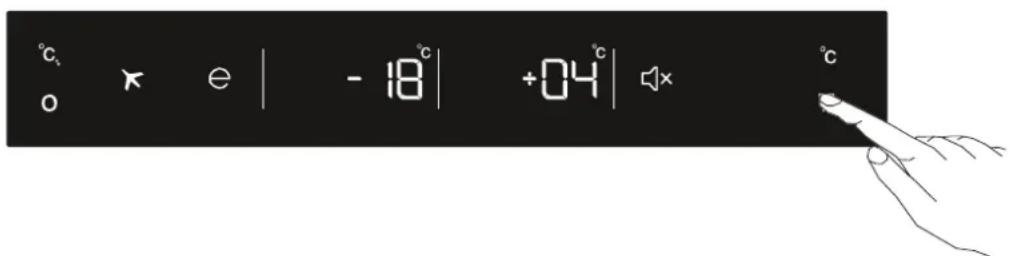
This mode can be activated when you press and hold mute bottom for 3 seconds. When this mode is activated all button sounds and sound alarms will be off.
This mode can be cancelled when you press and hold mute button for 3 seconds.
Screen saver mode
How to use?
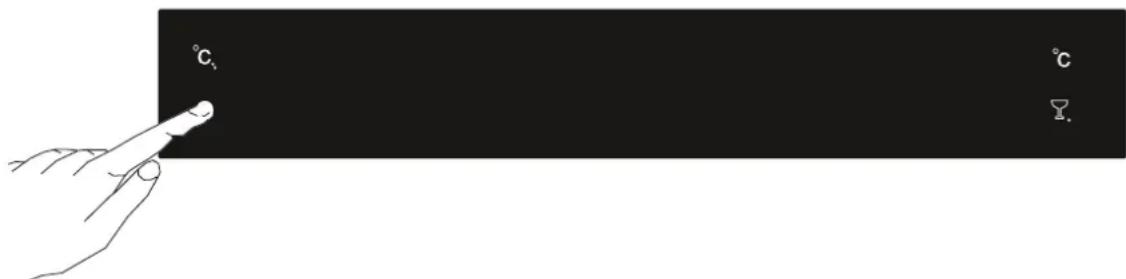
- This mode will be activated when you press on mode button for 5 seconds.
- If pressed on no button in 5 seconds when he mode is active, lights of the control panel will go off.
- If you press any button when lights of control panel are off, the current settings will appear on the screen, and then you can make the adjustment as you want. If you neither cancel screen saver mode nor press on any button in 5 seconds, the control panel will go off again.
- To cancel screen saver mode press on mode button for 5 seconds again.
- When screen saver mode is active you can also activate child lock.
- If you do not press any button for 5 seconds after activating child lock, the lights of the control panel will go off. Then, you can view the previous settings and that child lock symbol is active when you pres any button, and you can cancel child lock as is described in the instruction of that mode.
Function of Child lock
When would it be used?
To prevent children from playing with the buttons and changing the settings you have made, child lock is available in the appliance.
Activating Child Lock

Press on Freezer and Cooler buttons simultaneously for 5 seconds.
Deactivating Child Lock
Press on Freezer and Cooler buttons simultaneously for 5 seconds.
Note: Child lock will also be deactivated if electricity is interrupted or the fridge is unplugged.
Light cancelling mode
When would it be used?
- If you wish to cancel lights of cooler, you can select this mode.
- While pushing on Freezer, Cooler, Mode and D.Cool/Mute Button together for 3 seconds. The mode will be selected in this way. From now on, the lights will not come on when the function is not cancelled by the same way.
- If you want to cancel this mode, repeat the same process or the mode will automatically cancel itself after 24 hours.
Door open alarm function
If cooler or freezer door is opened more than 2 minutes, appliance sounds ‘beep beep’.
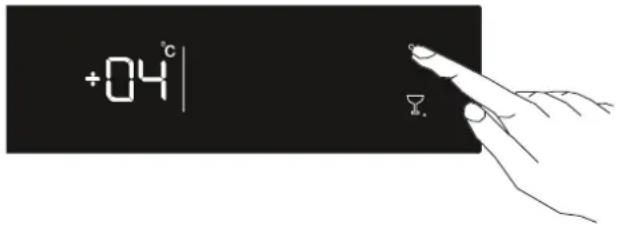
Cooler temperature settings
- Initial temperature value for Cooler Setting Indicator is +4 °C.
- Press cooler button once.
- When you first push this button, the last value appears on the setting indicator of the cooler.
- Whenever you press on this button, lower temperature will be set. (+8°C, +6°C, +5°C, +4°C, +2°C, supercool)
- When you push the cooler set button until supercool symbol appears on the Cooler Setting Indicator, and if you do not push any button in 1 seconds Super Cool will flash.
- If you continue to press, it will restart from +8^ .
- The temperature value selected before Holiday Mode, Super Freeze Mode, Super Cool Mode or Economy Mode is activated will remain the same when the mode is over or cancelled. The appliance continues to operate with this temperature value.
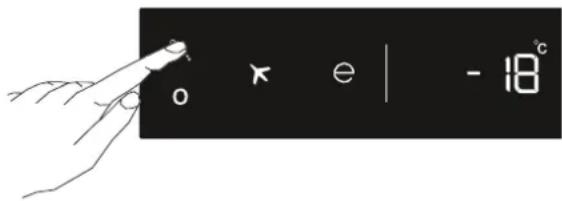
Freezer temperature settings
- Initial temperature value for Freezer Setting Indicator is -18^ .
- Press freezer set button once.
- When you first push this button, the last set value will blink on screen.
- Whenever you press on this button, lower temperature will be set (-16°C, -18°C, -20°C, -22°C, -24°C superfreeze).
- When you push the freezer set button until superfreeze symbol appears on the Freezer Setting Indicator, and if you do not push any button in 1 seconds Super Freeze will flash.
- If you continue to press, it will restart from -16^ .
- The temperature value selected before Holiday Mode, Super Freeze Mode, Super Cool Mode or Economy Mode is activated will remain the same when the mode is over or cancelled. The appliance continues to operate with this temperature value.
Warnings About Temperature Adjustments
- It is not recommended that you operate your fridge in environments colder than 10^ C.
- Do not pass to another adjustment before completing an adjustment.
- Temperature adjustments should be made according to the frequency of door openings, the quantity of food kept inside the fridge and ambient temperature of the placement of your fridge.
- Your fridge should be operated up to 24 hours according to the ambient temperature without interruption after being plugged in, this is so it is completely cooled. Do not open the doors of your fridge and do not place food inside it during this period.
- A 5 minute delay function is applied to prevent damage to the compressor of your fridge, when you take the plug out and then plug it back in again after an energy breakdown has occurred. Your fridge will start to operate normally after 5 minutes.
- Your fridge is designed to operate in the ambient temperature intervals stated in the standards, according to the climate class stated in the information label. We do not recommend operating your fridge out of the stated temperatures value limits in terms of cooling effectiveness.
- This appliance is designed for use at an ambient temperature within the 10°C - 43°C range.
| Climate Class Ambient Temperature °C | |
| T | Between 16 and 43 (°C) |
| ST | Between 16 and 38 (°C) |
| N | Between 16 and 32 (°C) |
| SN | Between 16 and 32 (°C) |
Accessories
Freezer box
The freezer box allows foods are maintained more regularly.
Removing The freezer box;
• Pull the box out as far as possible
• Pull the front of box up and out.
!Make the inverse of the same operation for the resetting the sliding compartment.
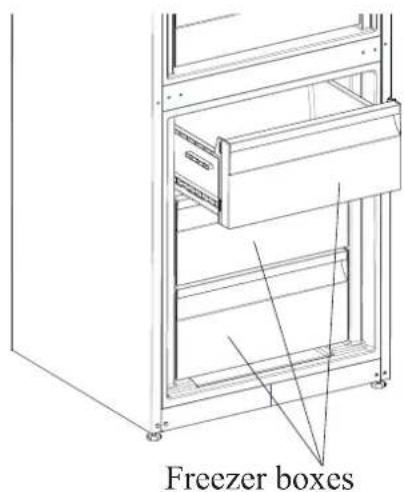
Note: Always Keep the handle of box while removing the box.
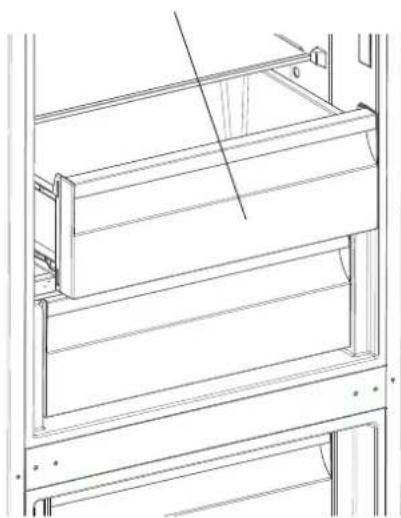
Chiller Shelf (In some models)
natural_image
Technical line drawing of a cabinet or rack structure with horizontal shelves and mounting brackets (no text or symbols)Keeping food in the Chiller compartment instead of the freezer or refrigerator compartment allows food retain freshness and flavour longer, while preserving its fresh appearance. When chiller tray becomes dirty, remove it and wash it with water.
(Water freezes at 0^ C, but foods containing salt or sugar freeze at temperature lower than that)
Normally people use the chiller compartment for raw fish, lightly pickled, rice, etc...
Do not put foods you want to freeze or ice trays in order to make ice.
Removing the Chiller shelf
• Pull the chiller shelf out toward you by sliding on rails.
• Pull the chiller shelf up from rail to remove.
Humidity Controller
When the humidity controller in the closed position, it allows fresh fruit and vegetables to be stored longer. In case of the crisper is totally full, the fresh dial is located in front of crisper, should be opened. By means of this the air in the crisper and humidity rate will be controlled and endurance life will be increased.

natural_image
Technical line drawing of a cabinet or rack with a red directional arrow indicating left motion (no text or symbols present)If you see any condensation on glass shelf, humidity control should be taken into the open positions.
Adjustable Door Shelf (In some models)
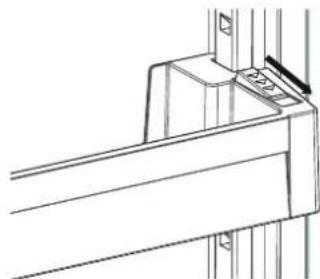
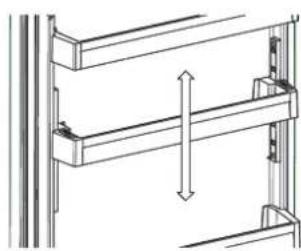
Six different height adjustments can be made to provide storage areas that you need by adjustable door shelf.
natural_image
Technical line drawing of a structural bracket with mounting holes and a small inset detail (no text or symbols)Figure 1
To change the position of adjustable door shelf;
Hold the bottom of the shelf and pull the buttons on the side of the door shelf direction of arrow (Fig.1).
natural_image
Technical line drawing of a structural frame with vertical dimension arrow (no text or symbols)Figure 2
Position door shelf the height you need by moving up and down. After you get the position that you want the door shelf, release the buttons on the side of the door shelf (Fig.2) Before releasing the door shelf, move up down and make sure the door shelf is fixed.
Note: Before moving door shelf is loaded, you must hold the shelf by supporting the bottom. Otherwise, door shelf could fall off the rails due to the weight. So damage may occur on the door shelf or rails.
natural_image
Line drawing of a bottled water bottle mounted on a shelf with mechanical components (no text or symbols)Figure 1
Adjustable Glass Shelf (In some models)
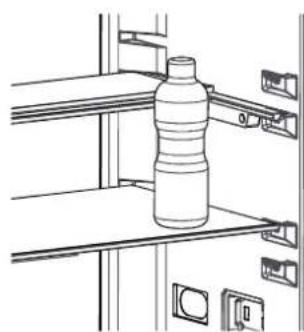
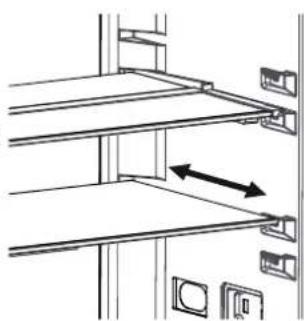
Adjustable glass shelf mechanism provides higher storage spaces with a simple movement. To cover the glass shelf, push it. You can load your food as you want in the resulting extra space. To bring the shelf in its original position, pull it toward you.
natural_image
Technical line drawing of a mechanical assembly with two parallel plates and mounting brackets (no text or symbols)Figure 2
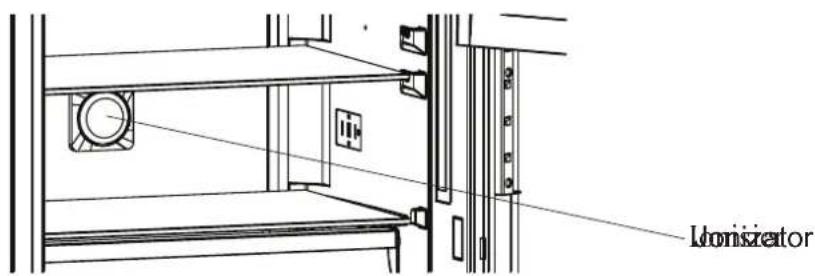
Natural Ion Tech / Ionisier (In some models)
Natural Ion Tech spreads negative ions which neutralize particles of unpleasant smell and dust in the air.
By removing these particles from the air in the refrigerator, Natural Ion Tech improves air quality and eliminates odours.
- This feature is optional. It may not exist on your product.
- The location of your ioniser device may vary from product to product.
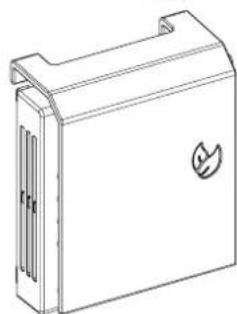
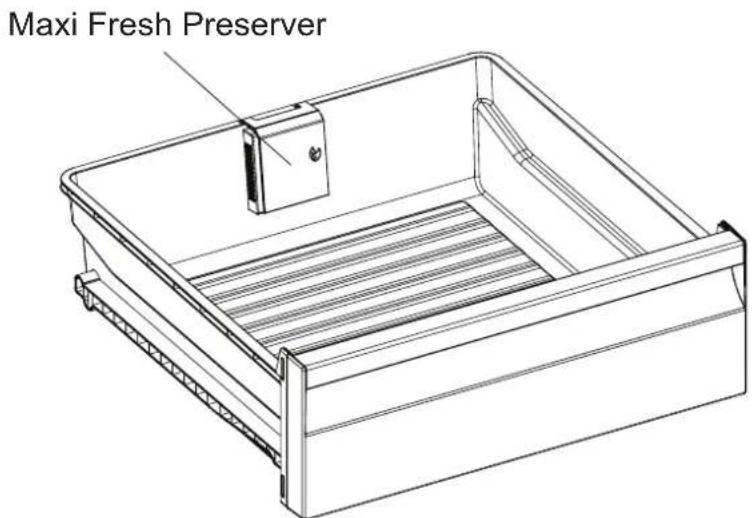
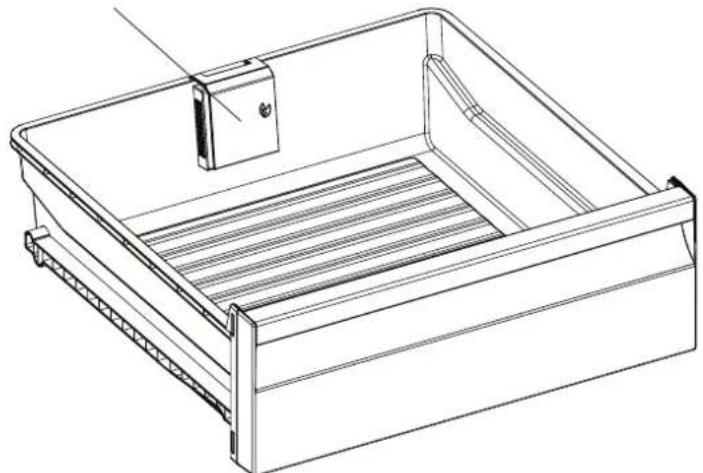
Maxi-fresh preserver (In some models)
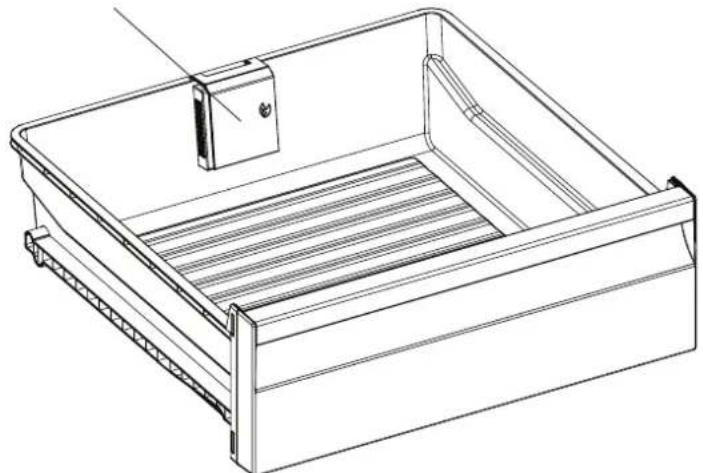
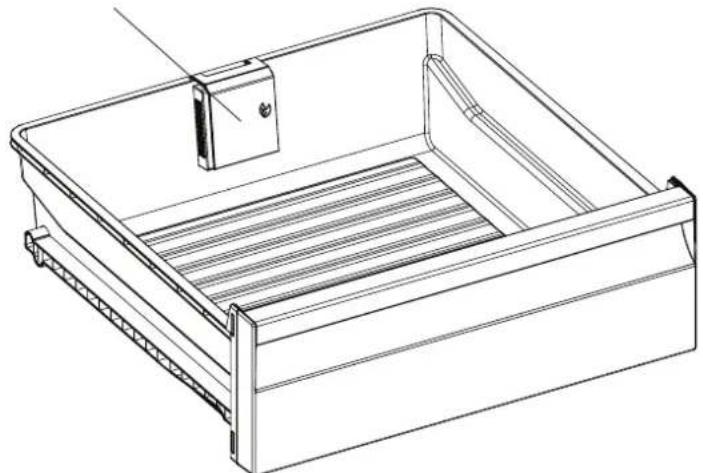
Maxi Fresh Preserver technology helps to remove ethylene gas (a bioproduct released naturally from fresh foods) and unpleasant odors from the crisper. In this way, food stays fresh for a longer time.
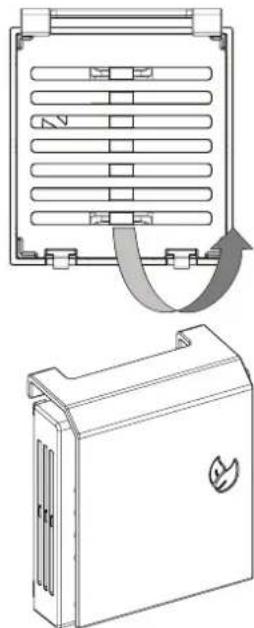
- Maxi Fresh Preserver must be cleaned once in a year. The filter should be waited for 2 hours at 65^ C in a oven.
- To clean the filter, please remove the back cover of the filter box by pulling it in the direction of the arrow.
- The filter should not be washed with water or any detergent.
natural_image
Technical line drawing of a refrigerator with cooling fins and a battery cover (no text or symbols)Visual and text descriptions on the accessories section may vary according to the model of your appliance.
CHAPTER 4. ARRANGING FOOD IN THE APPLIANCE
Refrigerator compartment
- To reduce humidity and consequent increase of frost never place liquids in unsealed containers in the refrigerator. Frost tends to concentrate in the coldest parts of the evaporator and in time will require more frequent defrosting.
- Never place warm food in the refrigerator. Warm food should be allowed to cool at room temperature and should be arranged to ensure adequate air circulation in the refrigerator compartment.
- Nothing should touch on the back wall as it will cause frost and the packages can stick on the back wall. Do not open the refrigerator door too frequently.
- Arrange the meat and cleaned fish(wrapped in packages or sheets of plastic) which you will use in 1-2 days, in the bottom section of the refrigerator compartment(that is above the crisper) as this is the coldest section and will ensure the best storing conditions.
- You can put the fruits and vegetables into crisper without packing.
Some recommendations have been specified below for the placement and storage of your food in the cooling compartment.
| Food | Maximum Storing time | Where to place in the fridge compartment |
| Vegetables and fruits | 1 week Vegetable bin | |
| Meat and fish | 2 - 3 Days | Wrapped in plastic foil or bags or in a meat container (on the glass shelf) |
| Fresh cheese | 3 - 4 Days In special door shelf | |
| Butter and margarine | 1 week In special door shelf | |
| Bottled products milk and yoghurt | Until the expiry date recommended by the producer | In special door shelf |
| Eggs | 1 month In the egg shelf | |
| Cooked food | All shelves | |
Note: Potatoes, onions and garlic should not be stored in the refrigerator.
Freezer compartment
- Please use the deep freeze compartment of your refrigerator for storing the frozen food for a long time and for producing ice.
- To get maximum capacity for freezer compartment, please just use glass shelves for upper and middle section. For bottom section, please use lower basket.
- Please do not place the food you shall newly freeze nearby the already frozen food.
- You should freeze the food to be frozen (meat, minced meat, fish, etc.) by dividing them into portions in such a way that they can be consumed once.
- Please do not refreeze the frozen food once they are thawed. It may pose a danger for your health since it might cause problems such as food poisoning.
- Do not place the hot meals in your deep freeze before they become cold. You would cause the other food frozen beforehand in the deep freeze to become putrefied.
- When you buy frozen food, makes sure that they were frozen under appropriate conditions and the package is not torn.
- While storing the frozen food, the storage conditions on the package should certainly be observed. If there is not any explanation, the food must be consumed within the shortest time possible.
- If there had been humidification in the frozen food package and it has a foul smell, the food might have been stored under unsuitable conditions previously and gone rotten. Do not purchase this type of foods!
- The storage durations of frozen food change depending on the ambient temperature, the frequent opening and closing of the doors, thermostat settings, food type and the time elapsed from the purchase time of the food to the time it is placed into the freezer. Always abide by the instructions on the package and never exceed the indicated storage duration.
- During long lasting power failures, please do not open the door of the deep freeze compartment. During longer power failures, do not refreeze your food and consume them as soon as possible
Not that; if you want to open again immediately after closing the freezer door, it will not be opened easily. It's quite normal! After reaching equilibrium condition, the door will be opened easily.
Important note:
- Frozen foods, when thawed, should be cooked just like fresh foods. If they are not cooked after being thawed they must NEVER be re-frozen.
- The taste of some spices found in cooked dishes (anise, basilica, watercress, vinegar, assorted spices, ginger, garlic, onion, mustard, thyme, marjoram, black pepper, etc.) changes and they assume a strong taste when they are stored for a long period. Therefore, the frozen food should be added little amount of spices or the desired spice should be added after the food has been thawed.
- The storage period of food is dependent on the oil used. The suitable oils are margarine, calf fat, olive oil and butter and the unsuitable oils are peanut oil and pig fat.
- The food in liquid form should be frozen in plastic cups and the other food should be frozen in plastic folios or bags.
Some recommendations have been specified on pages 44, 45 and 46 for the placement and storage of your food in the deep freeze compartment
Note: Frozen meat should be cooked as fresh meat after being thawed. If the meat is not cooked after being thawed, it must not be re-frozen.
| Meat and fish Preparation | Maximum Storing time (month) | |
| Steak | Wrapping in a foil 6–10 | |
| Lamb meat | Wrapping in a foil 6–8 | |
| Veal roast | Wrapping in a foil 6–10 | |
| Veal cubes | In small pieces 6–10 | |
| Lamb cubes | In pieces 4–8 | |
| Ryby i mięso Przygotowanie | Okres przechowywania (w miesiącach) | |
| Minced meat | In packages without using spices 1–3 | |
| Giblets (pieces) | In pieces 1–3 | |
| Bologna sausage/salami | Should be packaged even if it has membrane | 1–2 |
| Chicken and turkey | Wrapping in a foil 7-8 | |
| Goose and Duck | Wrapping in a foil 4-8 | |
| Deer, Rabbit, Wild Boar | In 2.5 kg portions and as fillets 9-12 | |
| Fresshwater fishes (Salmon, Carp, Crane, Siluroidea) | After cleaning the bowels and scales of the fish, wash and dry it; and if necessary, cut off the tail and head. | 2 |
| Lean fish; bass, turbot, flounder | 4-8 | |
| Fatty fishes (Tunny, Mackarel, bluefish, anchovy) | 2-4 | |
| Shellfish | Cleaned and in bags 4–6 | |
| Caviar | In its package, aluminium or plastic container | 2–3 |
| Snails | In salty water, aluminum or plastic container | 3 |
| Vegetables and Fruits | Preparation | Maximum Storing time (months) |
| String beans and beans | Wash and cut into small pieces and boil in water | 10–13 |
| Beans | Hull and wash and boil in water 12 | |
| Cabbage | Cleaned and boil in water 6-9 | |
| Carrot | Clean and cut to slices and boil in water 6-8 | |
| Pepper | Cut the stem, cut into two pieces, remove the core and boil in water | 10-12 |
| Spinach | Washed and boil in water 12 | |
| Cauliflower | Take the leaves apart, cut the heart into pieces, and leave it in water with a little lemon juice for a while | 12 |
| Eggplant | Cut to pieces of 2cm after washing 8-10 | |
| Corn | Clean and pack with its stem or as sweet corn | 6-9 |
| Apple and pear | Peel and slice 8–10 | |
| Apricot and Peach | Cut into two pieces and remove the stone | 4-6 |
| Strawberry and Blackberry | Wash and hull 8–12 | |
| Cooked fruits | Adding 10 % of sugar in the container | 12 |
| Plum, cherry, sourberry | Wash and hull the stems 8–12 |
| Dairy Products | Preparation | Maximum Storing time (months) | Storing Conditions |
| Packet (Homogenize) Milk | In its own packet 2-3 | Pure Milk – In its own packet | |
| Cheese-excluding white cheese | In slices 6-8 | Original package may be used for short storing period. It should be wrapped in foil for longer periods. | |
| Butter, margarine | In its package 6 |
| Maximum Storing time (months) | Thawing time in room temperature (hours) | Thawing time in oven (minutes) | |
| Bread | 4 – 6 2 – 3 4–5 (220–225 °C) | ||
| Biscuits | 3 – 6 1 – 1,5 5–8 (190–200 °C) | ||
| Pastry | 1 – 3 2 – 3 5–10 (200–225 °C) | ||
| Pie | 1 – 1,5 3 – 4 5–8 (190–200 °C) | ||
| Phyllo dough | 2 – 3 1 – 1,5 5–8 (190–200 °C) | ||
| Pizza | 2 – 3 2 – 4 15–20 (200 °C) | ||
CHAPTER 5. CLEANING AND MAINTENANCE
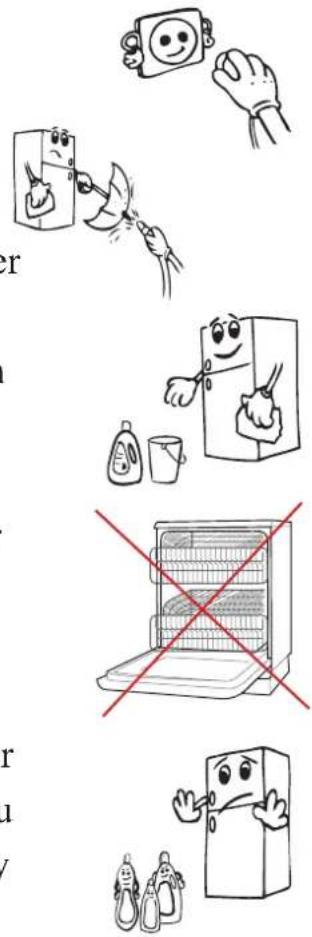
- Disconnect the unit from the power supply before cleaning.
- Do not clean the appliance by pouring water.
• Make sure that no water enters the lamp housing and other electrical components.
- The refrigerator should be cleaned periodically using a solution of bicarbonate of soda and lukewarm water.
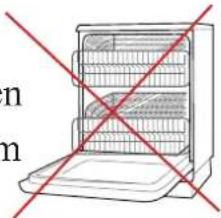
- Clean the accessories separately with soap and water. Do not clean them in the dishwasher.
- Do not use abrasive products, detergents or soaps. After washing, rinse with clean water and dry carefully. When you have finished cleaning, reconnect the plugto the mains supply with dry hands.
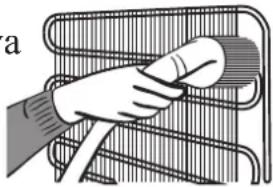
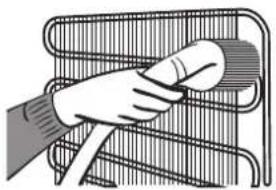
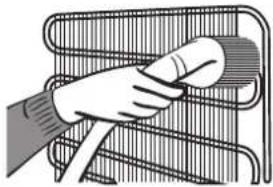
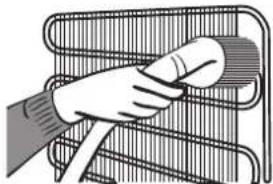
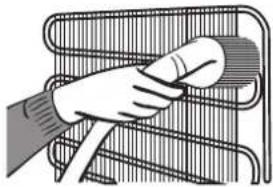
- Clean the condenser with a broom at least twice a year. This will help you to save on energy costs and increase productivity.
natural_image
Illustration of a hand cleaning a metal rack with a circular object (no text or symbols)THE POWER SUPPLY MUST BE DISCONNECTED.
Cleaning Door Glasses
Water based products which are not abrasive should be used in cleaning glasses.
Replacing LED Lighting
If your refrigerator has LED lighting contact the help desk as this should be changed by authorized personnel only.
Defrosting
Your refrigerator performs automatic defrosting. The water formed as a result of defrosting passes through the water collection spout, flows into the vaporisation container behind your refrigerator and evaporates there.
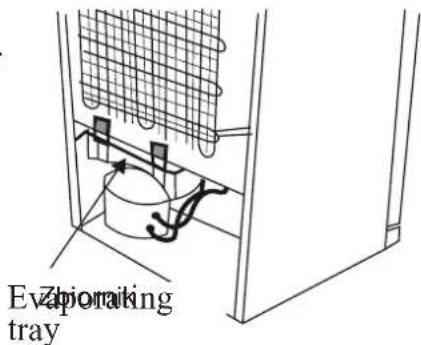
- Make sure you have disconnected the plug of your refrigerator before cleaning the vaporisation container.
- Remove the vaporisation container from its position byremoving the screws as indicated. Clean it with soapywater at specific time intervals. This will prevent odoursfrom forming.
CHAPTER 6. TRANSPORTATION AND CHANGING OFINSTALLATION POSITION
Transportation and changing of installation position
- The original packages and foamed polystyrene (PS) can be retained if required.
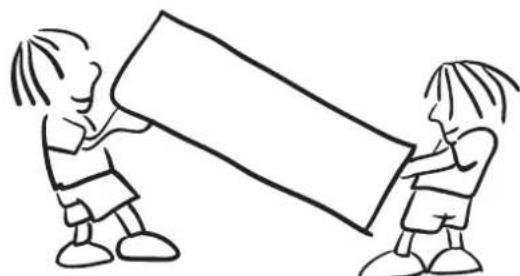
- During transportation, the appliance should be secured with a wide string or a strong rope. The instructions written on the corrugated box must be followed while transporting.
- Before transporting or changing the installation position, all the moving objects (ie,shelves,crisper...) should be taken out or fixed with bands in order to prevent them from getting damaged.
natural_image
Simple line drawing of two children playing a large block together (no text or symbols)Carry your fridge in the upright position.

CHAPTER 7. BEFORE CALLING YOUR AFTER SALES SERVICE
Errors
Your fridge will warn you if the temperatures for the cooler and freezer are at improper levels or if a problem occurs with the appliance. Warning codes are displayed in the freezer and cooler indicators.
| ERROR TYPE | MEANING W | HY WHAT TO DO | |
| SR | „Failure Warning” | There is/are some part(s) out of order or there is a failure in the cooling process. | Niezwłocznie skontaktuj się z serwisem w celu uzyskania pomocy. |
| LF | Freezer compartment is not cold enough | This warning especially appears if there has been a power failure for a long period or when the refrigerator is operated for the first time. | 1. Use food within a short timeperiod. Do not freeze foods thatas thawed.2. Set the freezer temperature tocolder values or set the SuperFreeze until the compartmentgets to normal temperature.3. Do not put fresh food in theappliance until the fault hascleared. |
| LC | Refrigerator compartment is not cold enough | This warning especially appears if there has been a power failure for a long period or when the refrigerator is operated for the first time. Ideal temperature for the refrigerator compartment is +4 oC. If you see this warning, your foods are at risk of spoiling. | 1. Set the refrigerator temperature to colder values or set the Super Cooling mode until the compartment reaches normal temperature.2. Open the door as little as possible until the fault clears. |
| LF and LC | „Not cold enough” Warning | This is a combination of the LF and LC error types. | You will see this failure when first starting the appliance. It will clear after the compartments reach normal temperature. |
| HC | Refrigerator compartment too cold | The food will start to freeze because the temperature is too cold. | 1. Check if the Super Cooling mode is switched on.2. Decrease the refrigerator temperature values. |
| LOPO | „Low voltage” Warning | This is seen when the power supply becomes lower than 170 V. | This not a failure. This prevents any damage to the compressor. This warning will clear after the voltage reaches the required level. |
If your fridge is not operating;
• Is there a power failure?
- Is the plug connected to the socket correctly?
- Is the fuse of the socket to which the plug is connected or the main fuse blown?
- Is there any failure at the socket? To check this, plug your refrigerator to a socket this is surely operating.
If your fridge is not cooling enough;
• Is the temperature adjustment right?
- Is the door of your fridge opened frequently and left open for a long while?
• Is the door of fridge closed properly?
- Did you put a dish or food on your fridge so that it contacts the rear wall of your fridge so as to prevent the air circulation?
• Is your fridge filled excessively?
- Is there adequate distance between your fridge and the rear and side walls?
- Is the ambient temperature within the range of values specified in the operating manual?
If the food in your refrigerator compartment is over cooled;
• Is the temperature adjustment right?
- Are there many food recently put inside the freezer compartment? If so, your fridge may over cool the food inside the refrigerator compartment as it will operate longer to cool these food.
If your fridge is operating too loudly;
To maintain the set cooling level, compressor may be activated from time to time. Noises from your fridge at this time are normal and due to its function. When the required cooling level is reached, noises will be decreased automatically.
If the noises persist;
- Is your appliance stable? Are the legs adjusted?
• Is there anything behind your fridge? - Are the shelves or dishes on the shelves vibrating? Re-place the shelves and/or dishes if this is the case.
- Are the items placed on your fridge vibrating?
Normal Noises:
Cracking (Ice cracking) Noise:
• During automatic defrosting.
- When the appliance is cooled or warmed (due to expansion of appliance material).
Short cracking: Heard when the thermostat switches the compressor on/off.
Compressor noise (Normal motor noise): This noise means that the compressor operates normally Compressor may cause more noise for a short time when it is activated.
Bubbling noise and splash: This noise is caused by the flow of the refrigerant in the tubes of the system.
Water flow noise: Normal flow noise of water flowing to the evaporation container during defrosting. This noise can be heard during defrosting.
Air Blowing Noise (Normal fan noise): This noise can be heard in No-Frost fridge during normal operation of the system due to the circulation of air.
If humidity builds up inside the fridge;
- Are all food packed properly? Are the containers dried before placing them in the fridge?
- Are the fridge doors opened frequently? Humidity of the room gets in the fridge when the doors are opened. Humidity build up will be faster when you open the doors more frequently, especially if the humidity of the room is high.
If the doors are not opened and closed properly;
- Do the food packages prevent closing of the door?
- Are the door compartments, shelves and drawers placed properly?
- Are door gaskets broken or torn?
• Is your fridge on a level surface?
If the edges of fridge cabinet that the door joint contact are warm;
Especially in summer (hot weather), the surfaces that the joint contact may get warmer during the operation of the compressor, this is normal.
IMPORTANT NOTES:
- In the case of a power failure, or if the appliance is unplugged and plugged in again, the gas in the cooling system of your refrigerator will destabilise, causing the compressor protective thermal element to open. Your refrigerator will start to operate normally after 5 minutes.
- If the appliance will not be used for a long period of time (such as during holidays), disconnect the plug. Defrost and clean the refrigerator, leaving the door open to prevent the formation of mildew and odour.
- If the problem persists after you have followed all the instructions above, please consult the nearest Authorised Service Centre.
- This appliance is designed for domestic use and for the stated purposes only. It is not suitable for commercial or common use. If the consumer uses the appliance in a way that does not comply with these instructions, we emphasise that the manufacturer and the dealer will not be responsible for any repair or failure within the guarantee period.
Tips for saving energy
- Install the appliance in a cool, well-ventilated room, but not in direct sunlight and not near a heat source (such as a radiator or oven) otherwise an insulating plate should be used.
- Allow warm food and drinks to cool before placing them inside the appliance.
- Place thawing food in the refrigerator compartment. The low temperature of the frozen food will help cool the refrigerator compartment while the food is thawing. This will save energy. Frozen food left to thaw outside of the appliance will result in a waste of energy.
- Drinks or other liquides should be covered when inside the appliance. If left uncovered, the humidity inside the appliance will increase, therefore the appliance uses more energy. Keeping drinks and other liquids covered helps preserve their smell and taste.
- Avoid keeping the doors open for long periods and opening the doors too frequently as warm air will enter the appliance and cause the compressor to switch on unnecessarily often.
- Keep the covers of the different temperature compartments (such as the crisper and chiller) closed.
- The door gasket must be clean and pliable. Replace gaskets if worn.
natural_image
Illustration of three hands performing a knot break operation, showing different hand positions (no text or symbols present)natural_image
Cartoon illustration of an electric plug with a sad face and warning symbol (no text or labels)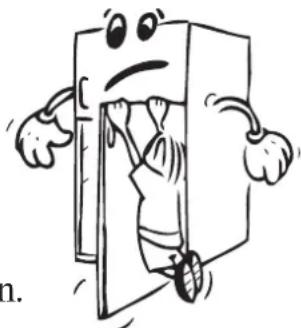
natural_image
Cartoon character peeking through a door, holding a tool (no text or symbols)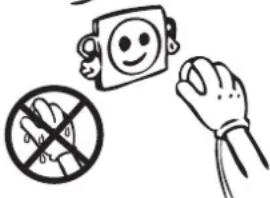
natural_image
Simple line drawing of a bottle and glass with explosion effects (no text or symbols)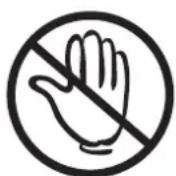
natural_image
Diagram showing two curved heat exchanger-like structures with internal components and directional arrows indicating flow or movement (no text or symbols)natural_image
Simple line drawing of a smiling face on a square and a hand reaching toward it (no text or symbols)natural_image
Diagram of a vehicle interior showing airflow patterns with blue and red arrows indicating movement (no text or labels)natural_image
Technical line drawing of a multi-level cabinet or rack structure (no text or symbols)natural_image
Technical line drawing of a cabinet or rack with a red directional arrow indicating left motion (no text or symbols present)natural_image
Technical line drawing of a mechanical bracket or bracket assembly (no text or symbols)natural_image
Technical line drawing of a structural frame with vertical dimension lines (no text or symbols)Abb.2
natural_image
Line drawing of a bottled water bottle mounted on a shelf with attached compartments (no text or symbols)Abb.1
natural_image
Diagram of a shelving unit with two horizontal panels and directional arrows indicating movement (no text or symbols)Abb.2
Maxi Fresh Preserver
natural_image
Technical line drawing of a rectangular storage tray with internal compartments and a side-mounted clip (no text or symbols)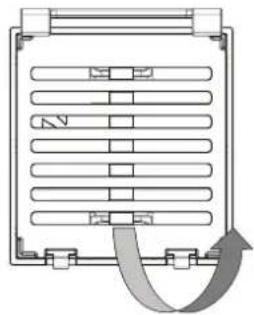
natural_image
Diagram of a refrigerated storage unit with heat exchanger and cooling pipes (no text or labels)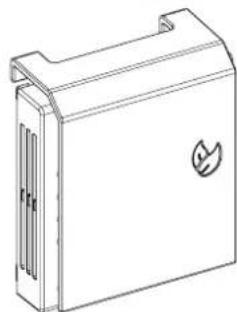
natural_image
Line drawing of a rectangular electronic device with a leaf symbol on the cover (no text or labels)natural_image
Illustration of three hand gestures: a smiling emoji on a wall, a hand holding a phone, and a pair of hands cleaning the phone (no text or symbols)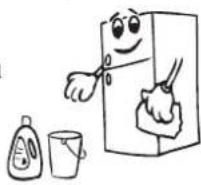
natural_image
Line drawing of an open refrigerator with red diagonal lines indicating prohibition (no text or symbols)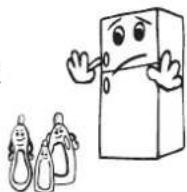
natural_image
Illustration of a hand cleaning a bicycle rear panel (no text or symbols)natural_image
Simple line drawing of two children playing a game with a large block (no text or symbols)natural_image
Illustration of three hands performing a manual labor procedure with tools and a tool, no text or symbols present.natural_image
Cartoon illustration of an electric plug with a sad face and a lightning bolt, no text or symbols present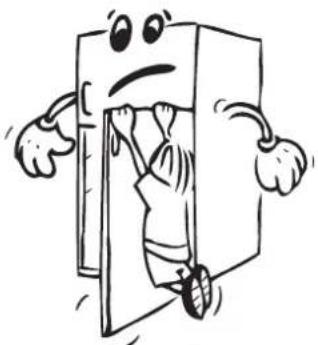
natural_image
Cartoon illustration of a character inside a door, holding a tool, with arms and legs open (no text or symbols)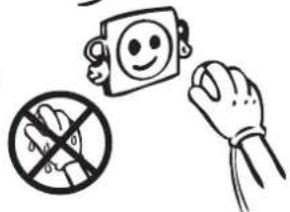
natural_image
Simple line drawing of two bottles and a glass with explosion effects (no text or symbols)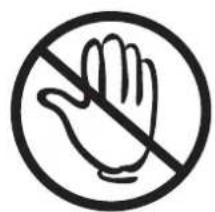
natural_image
Prohibition sign showing a hand crossed out by a diagonal line, enclosed in a circle (no text or symbols)natural_image
Diagram showing two curved heat exchanger-like structures with directional arrows indicating flow or movement (no text or symbols)natural_image
Simple line drawing of a smiling face on a square and a hand holding the right (no text or symbols)ČÁST 2. ČÁSTI SPOTŘEBIČE A PŘÍSLUŠENSTVÍ
natural_image
Diagram of a vehicle air intake system with airflow paths and component layout (no text or labels)natural_image
Technical line drawing of a multi-level cabinet or rack structure with no visible text or symbolsnatural_image
Technical line drawing of a cabinet or rack with a red directional arrow indicating left motion (no text or symbols present)natural_image
Technical line drawing of a structural bracket with no visible text or symbolsnatural_image
Technical line drawing of a structural frame with vertical dimension arrows (no text or symbols)Obr.2
natural_image
Line drawing of a bottled water bottle mounted on a shelf with attached mechanical components (no text or symbols)Obr.1
natural_image
Diagram of a mechanical assembly with two parallel plates and mounting brackets (no text or symbols)Obr.2
Maxi Fresh Preserver
natural_image
Technical line drawing of a rectangular storage tray with internal compartments and a side-mounted clip (no text or symbols)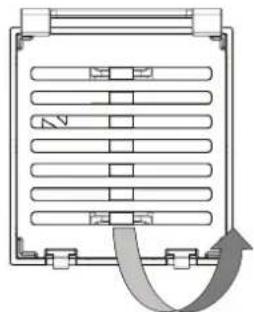
natural_image
Pure diagram of a rectangular device with horizontal panels and a curved arrow indicating rotation or flow (no text or symbols)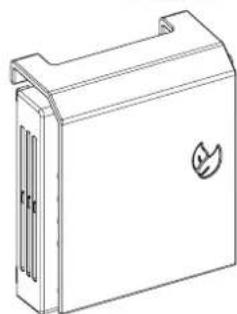
natural_image
Line drawing of a rectangular electronic device with a leaf symbol on the front panel (no text or labels)natural_image
Illustration showing a hand holding a smiley face next to a device with a smiling face, and another hand inserting a tool into a device (no text or symbols present)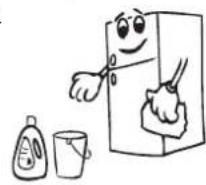
natural_image
Diagram of a computer monitor with a red diagonal line crossing through it, no text or symbols present.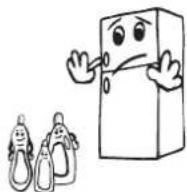
natural_image
Illustration of a hand cleaning a bicycle rear panel (no text or symbols)natural_image
Simple line drawing of two children playing a large block together (no text or symbols)- zariadeniach typ bed and breakfast,
natural_image
Illustration showing three different techniques for using a tool to cut a wire, with no text or symbols present.natural_image
Cartoon illustration of an electric plug with a sad face and lightning bolt (no text or symbols)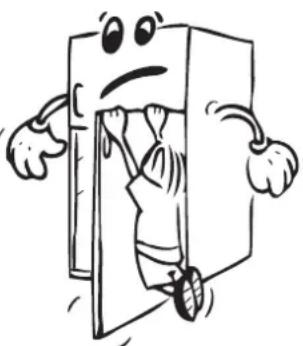
natural_image
Cartoon illustration of a person peeking out of a door, with arms and legs being held (no text or symbols)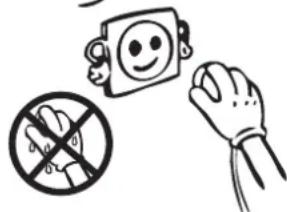
natural_image
Simple line drawing of a bottle and glass with explosion effects (no text or symbols)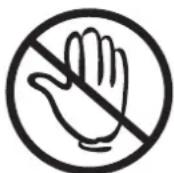
natural_image
Diagram showing two curved heat exchanger-like structures with directional arrows indicating flow or movement (no text or symbols)natural_image
Simple line drawing of a smiling face on a square and a hand reaching toward it (no text or symbols)ČAST 2. VAŠA CHLADNIČKA S MRAZNIČKOU

natural_image
Diagram of a vehicle air intake system with airflow indicators (no text or labels)natural_image
Technical line drawing of a mechanical cabinet or rack assembly (no text or symbols)natural_image
Technical line drawing of a cabinet or rack with a red directional arrow indicating left motion (no text or symbols present)natural_image
Technical line drawing of a mechanical bracket or bracket assembly (no text or symbols)Obr.1
natural_image
Technical line drawing of a structural frame with vertical dimension arrow (no text or symbols)Obr.2
natural_image
Line drawing of a bottled water bottle mounted on a shelf with attached mechanical components (no text or symbols)Obr.1
natural_image
Technical line drawing of a mechanical assembly with two parallel plates and mounting brackets (no text or symbols)Obr.2
Maxi Fresh Preserver
natural_image
Technical line drawing of a rectangular storage tray with internal compartments and a side-mounted clip (no text or symbols)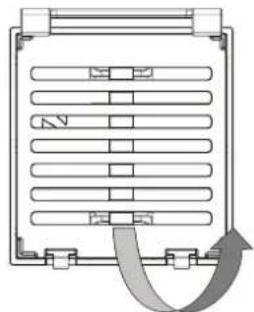
natural_image
Diagram of a refrigerated storage unit with heat exchanger and cooling pipes (no text or labels)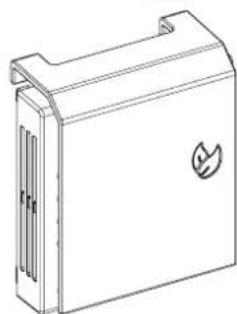
natural_image
Line drawing of a rectangular electronic device with a leaf symbol on the front panel (no text or labels)natural_image
Illustration showing a hand holding a smiling emoji next to a device with a cartoon face, and another hand cleaning it (no text or symbols)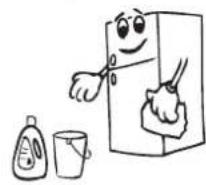
natural_image
Diagram of a refrigerator with open lid and red prohibition symbols (no text or labels)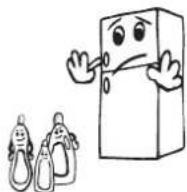
natural_image
Illustration of a hand cleaning a bicycle rear panel (no text or symbols)natural_image
Simple line drawing of two children holding a large rectangular object (no text or symbols)- THE PARTS OF THE APPLIANCE AND THE COMPARTMENTS ..... 41
- THE VARIOUS FUNCTION AND POSSIBILITIES ...... 42
- ARRANGING FOOD IN THE APPLIANCE .... 53
- CLEANING AND MAINTENANCE 59
- TRANSPORTATION AND CHANGING OF INSTALLATION POSITION....60
- BEFORE CALLING YOUR AFTER SALES SERVICE......61
- CHAPTER 1. BEFORE USING THE APPLIANCE
- General warnings
- Old and out-of-order fridges
- Notes:
- Safety warnings
- Installing and operating your fridge
- Before Using your Fridge
- CHAPTER 2. THE PARTS OF THE APPLIANCE AND THECOMPARTMENTS
- CHAPTER 3. THE VARIOUS FUNCTION AND POSSIBILITIES
- Information about New Generation Cooling Technology
- Display and control panel
- Operating your fridge freezer Super freeze mode
- How would it be used?
- In this mode:
- Super cool mode
- Economy mode
- Holiday mode
- Drink cool mode
- Mute Mode
- Screen saver mode
- How to use?
- Function of Child lock
- When would it be used?
- Activating Child Lock
- Deactivating Child Lock
- Light cancelling mode
- Door open alarm function
- Cooler temperature settings
- Freezer temperature settings
- Warnings About Temperature Adjustments
- Accessories
- Freezer box
- Removing The freezer box;
- Chiller Shelf (In some models)
- Removing the Chiller shelf
- Humidity Controller
- Adjustable Door Shelf (In some models)
- Adjustable Glass Shelf (In some models)
- Natural Ion Tech / Ionisier (In some models)
- Maxi-fresh preserver (In some models)
- CHAPTER 4. ARRANGING FOOD IN THE APPLIANCE
- Refrigerator compartment
- Freezer compartment
- Important note:
- CHAPTER 5. CLEANING AND MAINTENANCE
- THE POWER SUPPLY MUST BE DISCONNECTED.
- Cleaning Door Glasses
- Replacing LED Lighting
- Defrosting
- CHAPTER 6. TRANSPORTATION AND CHANGING OFINSTALLATION POSITION
- Transportation and changing of installation position
- CHAPTER 7. BEFORE CALLING YOUR AFTER SALES SERVICE
- Errors
- If your fridge is not operating;
- If your fridge is not cooling enough;
- If the food in your refrigerator compartment is over cooled;
- If your fridge is operating too loudly;
- If the noises persist;
- Normal Noises:
- Cracking (Ice cracking) Noise:
- If humidity builds up inside the fridge;
- If the doors are not opened and closed properly;
- If the edges of fridge cabinet that the door joint contact are warm;
- IMPORTANT NOTES:
- Tips for saving energy
- ČÁST 2. ČÁSTI SPOTŘEBIČE A PŘÍSLUŠENSTVÍ
- ČAST 2. VAŠA CHLADNIČKA S MRAZNIČKOU
Brand : Kernau
Model : KFRC 18262 NF E B
Category : Fridge