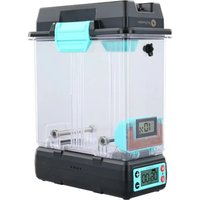
PolyDryer PX01002 - 3D Printer Polymaker - Free user manual and instructions
Find the device manual for free PolyDryer PX01002 Polymaker in PDF.


User questions about PolyDryer PX01002 Polymaker
0 question about this device. Answer the ones you know or ask your own.
Ask a new question about this device
Download the instructions for your 3D Printer in PDF format for free! Find your manual PolyDryer PX01002 - Polymaker and take your electronic device back in hand. On this page are published all the documents necessary for the use of your device. PolyDryer PX01002 by Polymaker.
USER MANUAL PolyDryer PX01002 Polymaker
Designed and co-developed by
FabNotion
www.polymaker.com
EN / DE / FR / ES / JP / CN
CE

FC
REACH
IC

PS E

UK CA
ERC
10

English 1
Deutsch 8
Français 15
español 22
日本語 29
中文 36
Read Before Use
- Read these instructions before using this product.
- If you buy a PolyDryer™ Box without the Dry Dock, please refer to the relevant information in this manual.
- When unattended, please turn off the power supply to prevent accidental fire.
- Remove the power cord from the socket when the product is not in use.
- DO NOT put anything into the heating vent to avoid electric shock.
- DO NOT touch the heating vent when in operation to avoid a burn.
- Pay attention to electrical safety during operation, otherwise, electrical shock, fire, or damage may occur. Do not use this product near water, such as in bathrooms, near water heaters, or in highly humid locations.
- Keep the filament tightly wound to the spool or feed the tip of the filament through the outlet while drying to prevent the loose end blocking the heating vent. Risk of fire or damage.
- Only use the original power adapter.
- DO NOT disassemble or repair it without guidance.
• Always operate on a level surface. - This user guide is provided for the convenience of users. Diagrams and descriptions may vary slightly from the actual product. The contents of this user guide can be changed without notice.
- If there is a fault with the product, disconnect the power adapter from the filament dryer and the electrical socket then contact the after-sales support team.
- Remove the desiccant box from the PolyDryer™ Box when filling or changing the desiccant.
- DO NOT place loose desiccant at the bottom of the PolyDryer™ Box.
- DO NOT operate if any debris (including desiccant) is dropped in the Dry Dock.
- DO NOT leave the dryer unattended when switched to Continuous Mode.
PolyDryer™ Specification
| Product Description 3D Printing | Filament Dryer |
| Product Size | 235(L) x 120(W) x 290(H) mm |
| Power Adapter Specification | Input: AC 100-240V, 50/60HzOutput: DC 24V, 68W |
| Maximum Working Power | 68W |
| Working Environment | Environment temperature: 20°C ~ 35°CRelative humidity: below 90% |
| Maximun Capacity | 205 ∅ *78(H) mm (Filament with spool) |
| Conduct Filament Diameter | 1.75 / 2.85 / 3.00 mm |
| Supported Material | PLA / PVB / PETG / ABS / ASA / TPU / PA / PC / PVA / PolySupportTM / PolySupportTM for PA12 |
PolyDryer™ Box Specification
| Product Description | 3D Printing Filament Storage Box |
| Product Size | 235(L) x 120(W) x 235(H) mm |
| Maximun Capacity | 205 ∅ *78(H) mm (Filament with spool) |
| Conduct Filament Diameter | 1.75 / 2.85 / 3.00 mm |
Packing List
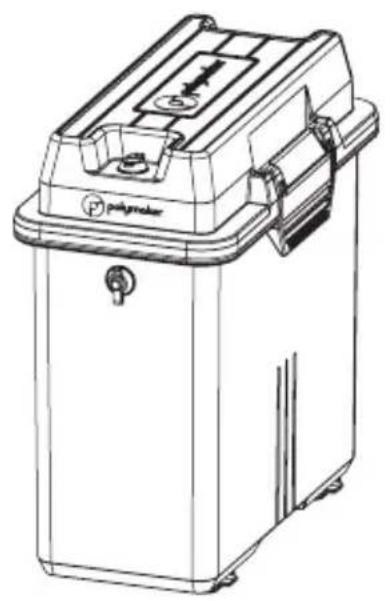
natural_image
Line drawing of a portable industrial machine with control panel and mounting bracket (no text or symbols)PolyDryer™ Box
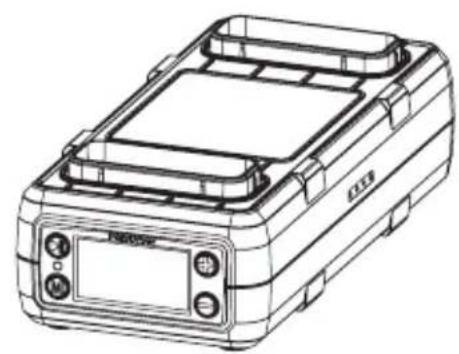
natural_image
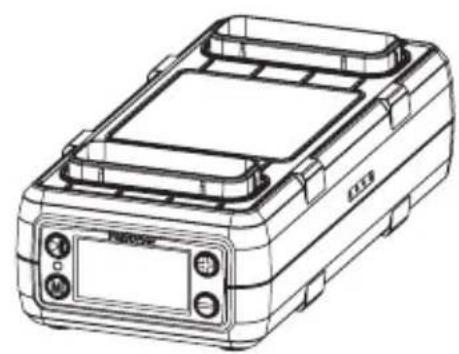
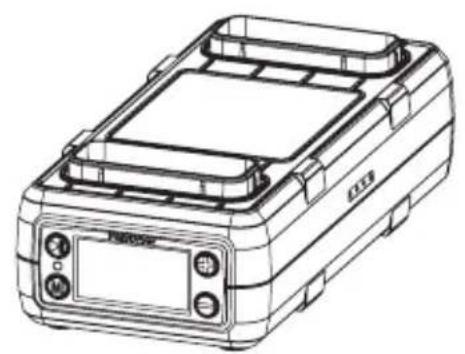
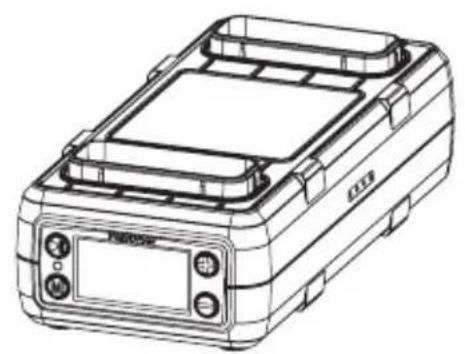
Line drawing of a portable electronic device with control panel and display (no text or symbols)Dry Dock*
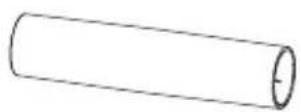
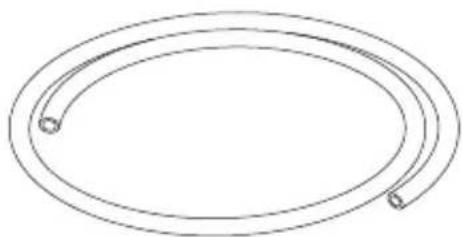
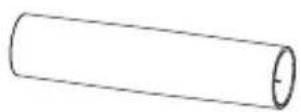
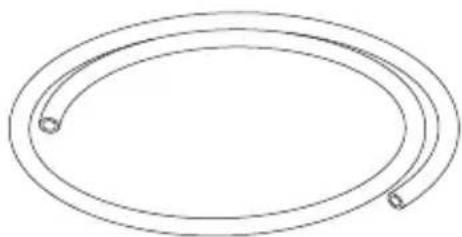
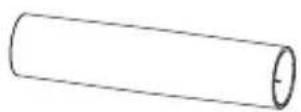
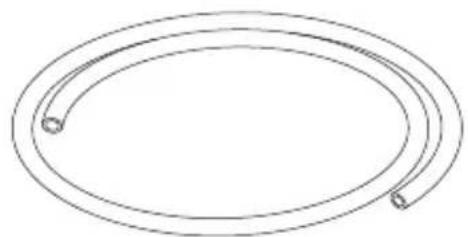
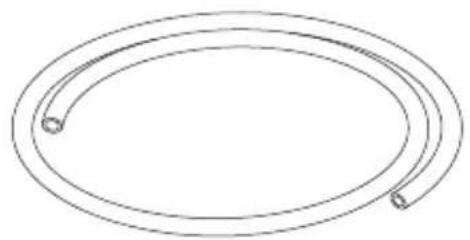
Spool Roller 50cm PTFE Tube
natural_image
Simple line drawing of two concentric ovals with circular ends, no text or symbols present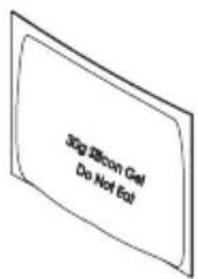
text_image
30g Silicon Gel Do Not EatHygrometer & Desiccant box 30g Color Changing
Silica Gel Desiccant
natural_image
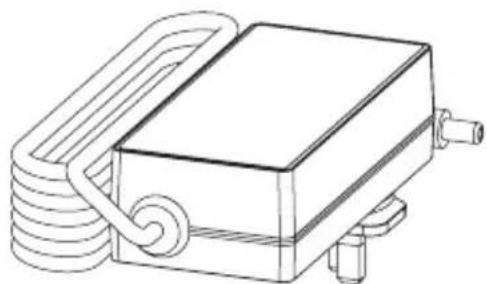
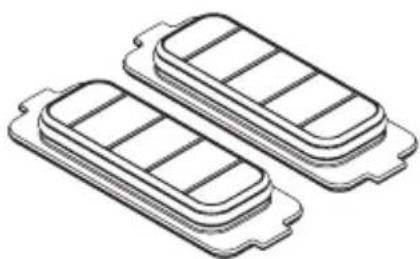
Line drawing of a rectangular device with coiled spring and four ports (no text or symbols)Power Adapter* (2x) Airlock
natural_image
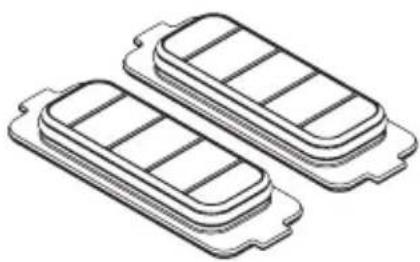
Isometric line drawing of two rectangular electronic components with internal slots, no text or symbols present* NOT included in PolyDryer™ Box
Recommended power level and drying time
| Material Drying Time Power Level | ||
| PLA | 6 hours | 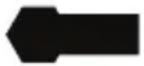 Level 1 Level 1 |
| PolySupportTM | 6 hours | |
| PETG | 6 hours | 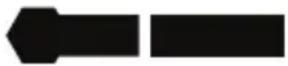 Level 2 Level 2 |
| ABS | 6 hours | |
| ASA | 6 hours | |
| TPU | 12 hours | |
| PVB | 18 hours | |
| PC | 6 hours |  Level 3 Level 3 |
| PA | 18 hours | |
| PVA | 24 hours | |
| PolySupportTM for PA12 | 12 hours | |
When factors, such as environmental temperature, humidity and storage time are different, the drying times and power level can be adjusted accordingly. The drying time recommendation is based on the condition of the testing samples which were exposed to an environment of 25^ C and 70% RH for 5 days.
Quick Start Guide
natural_image
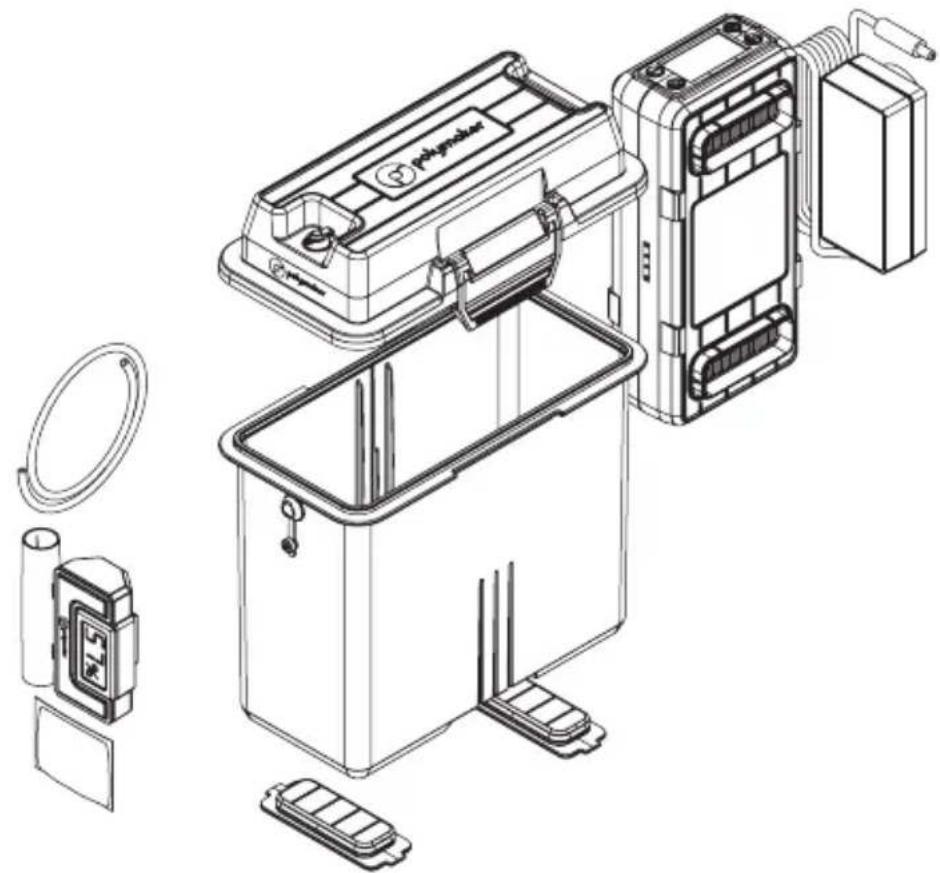
Technical line drawing of a battery pack assembly with exploded view and component details (no text or symbols)- Open PolyDryer™ Box and remove all the components from the Box
natural_image
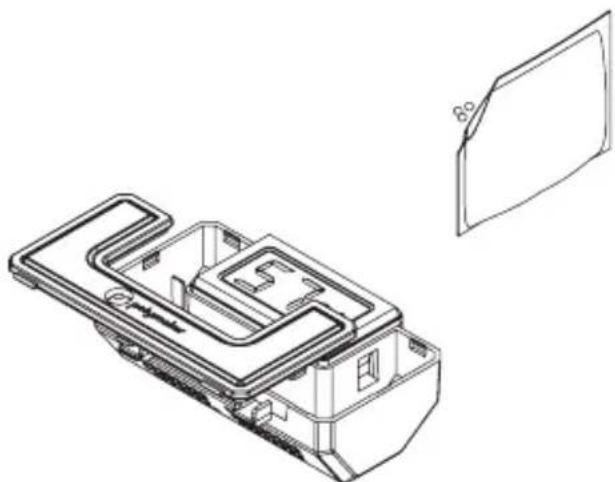
Technical line drawing of a mechanical component with internal channels and a separate view of a flat panel (no text or symbols)- Cut the desiccant bag and pour the silica gel into the desiccant box
natural_image
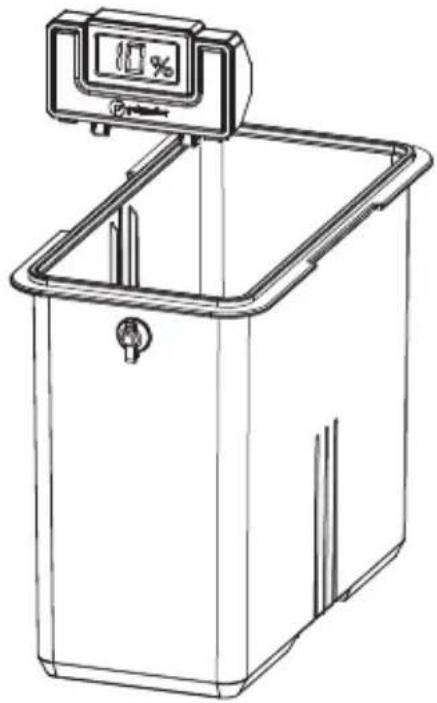
Line drawing of a rectangular kitchen appliance with a digital scale and control panel (no text or symbols)- Insert the desiccant box into the PolyDryer™ Box
natural_image
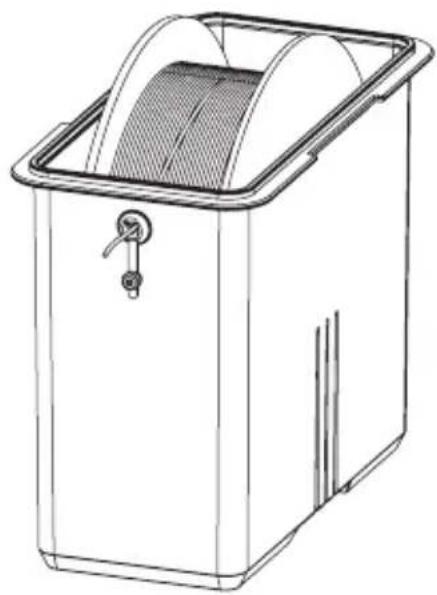
Line drawing of a rectangular industrial machine with a mesh cover and handle (no text or symbols)- Feed the filament through the outlet plug and then place the spool in
natural_image
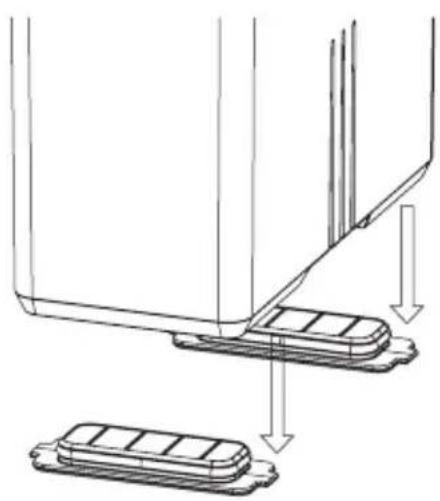
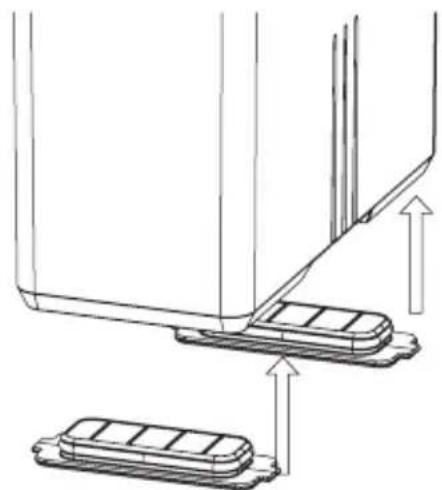
Technical line drawing of a mechanical assembly with two base plates and directional arrows indicating motion (no text or symbols)- Remove the Airlocks
natural_image
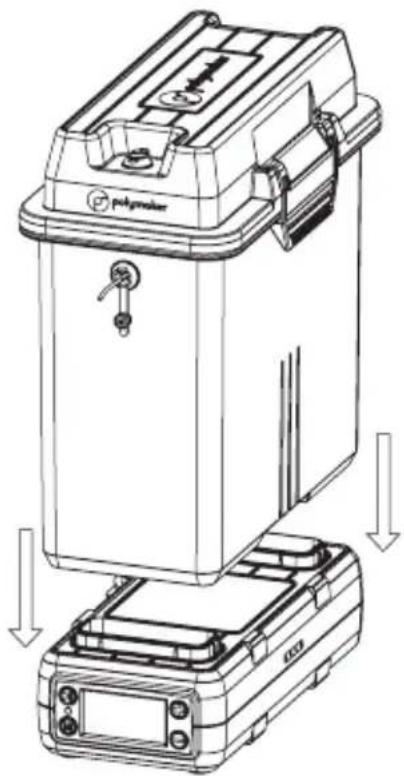
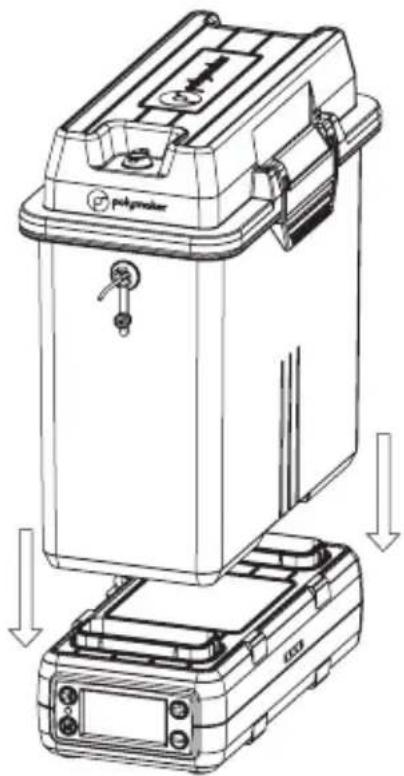
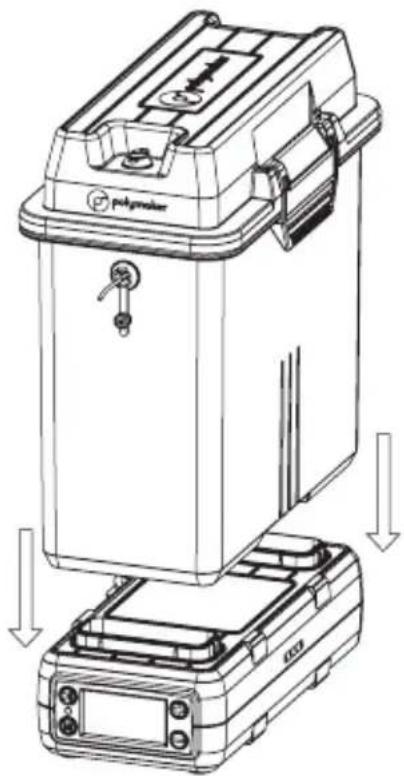
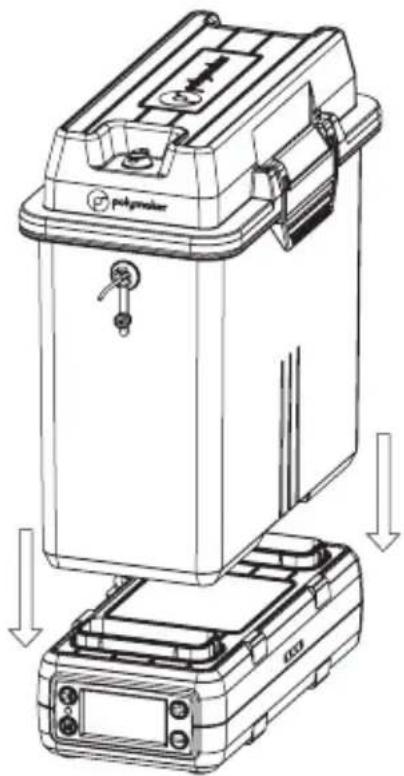
Technical line drawing of a mechanical device with labeled components and directional arrows indicating assembly or movement (no text or symbols present)- Mount the PolyDryer™ Box on the Dry Dock
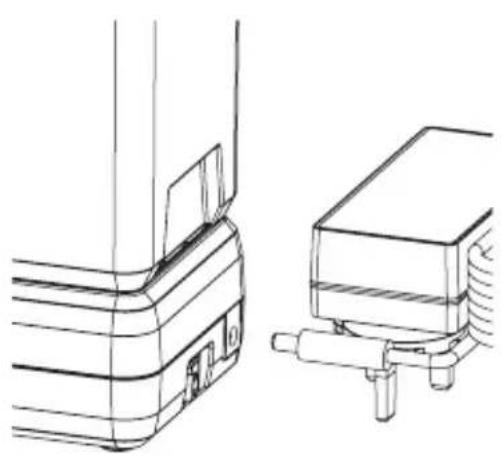
natural_image
Technical line drawing of a mechanical component with no visible text or symbols- Connect power supply and switch on the Dry Dock
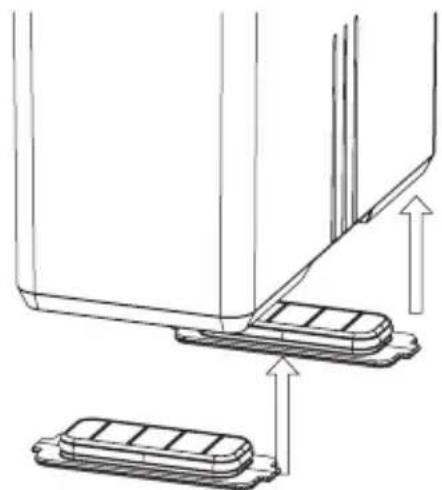
natural_image
Technical line drawing of a mechanical assembly with two base plates and an upper panel, showing directional arrows (no text or symbols)- After the drying process is complete, remove the PolyDryer™ Box from the Dry Dock and replace the Airlocks tightly to ensure the best seal
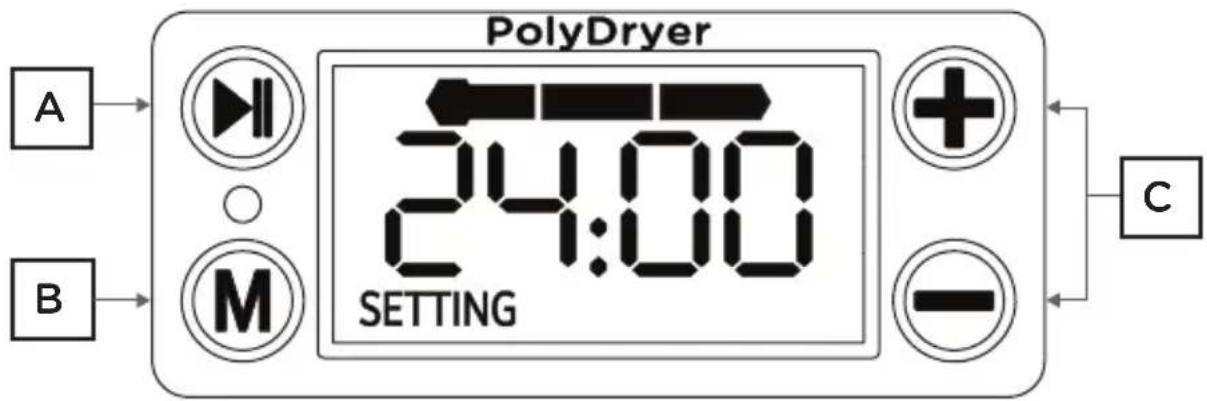
text_image
PolyDryer A B M 24:00 SETTING + - CSetup drying time and power level based on filament material, then press ▶ to start drying, Enjoy!
A: Start drying / Pause Drying
B: Adjust drying power
- Long press to access Continuous Mode
- Please review Recommended Power level before start drying
C: Adjust drying time (+ -)
- Max. 24 hours in Regular Mode
- Press + and - buttons together to reset the drying time
Note
- When you notice that the hygrometer display has faded, please replace the battery with 1.5V LR44.
- When the screen shows E001/E002/E003/E004, please turn off the machine and contact suppor@polymaker.cm to report the issue.
• In Continuous Mode, the drying time is unlimited until the user stops the drying process. - Use spool roller to internally mount the spool, when the edge of spool damaged.
• To enhance printing quality, please dry the filament completely in reference to the settings in Recommended Power level.
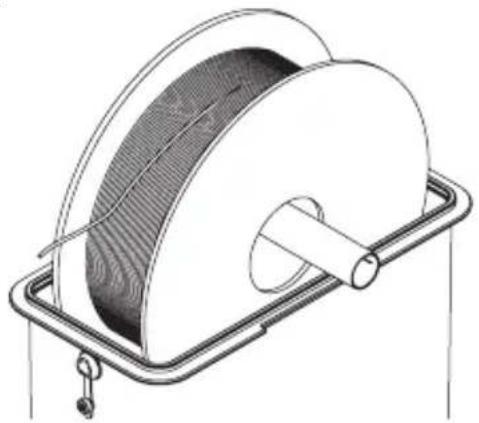
natural_image
Technical line drawing of a mechanical device with a coiled cable and mounting bracket (no text or symbols)- When you notice the most of desiccant has changed color from orange to dark green, then the desiccant has absorbed enough moisture and must be dried. The recommended procedure is as follows:
- Place the PolyDryer™ Box without the filament on the Dry Dock, use power level 3 and dry for \~8 hours until the desiccant turns orange. The desiccant should be placed in the same orientation as the screen on the Dry Dock, which facilitates the hot air blowing onto the desiccant and improves drying efficiency.
- Remove the silica gel desiccant from the PolyDryer™ Box (without including any other parts) and place it in a heat-resistant container. Use an oven to heat at 100-120°C for 1-2 hours until the desiccant turns orange.
- Remove the silica gel desiccant from the PolyDryer™ Box (without including any other parts) and place it in a heat-resistant container. Use a microwave, select a low power level, heat for 30 seconds, then flip the desiccant, and heat for another 30 seconds until the desiccant turns orange.
Vor Benutzung lesen
natural_image
Line drawing of a portable electrical device with a control panel and mounting bracket (no text or symbols)PolyDryer™ Box
natural_image
Line drawing of a rectangular electronic device with top panel and control buttons (no text or symbols)Dry Dock*
natural_image
Simple line drawing of two concentric ovals with circular ends, no text or symbols presenttext_image
30g Silicon Gel Do Not Eatnatural_image
Line drawing of a rectangular electronic component with coiled spring and four ports (no text or symbols)natural_image
Isometric line drawing of two stacked rectangular compartments with internal compartments (no text or symbols)| Material Trockenzeit Leistungspegel | ||
| PLA | 6 hours |  Level 1 Level 1 |
| PolySupportTM | 6 hours | |
| PETG | 6 hours |  Level 2 Level 2 |
| ABS | 6 hours | |
| ASA | 6 hours | |
| TPU | 12 hours | |
| PVB | 18 hours | |
| PC | 6 hours |  Level 3 Level 3 |
| PA | 18 hours | |
| PVA | 24 hours | |
| PolySupportTM for PA12 | 12 hours | |
natural_image
Technical line drawing of a battery pack assembly with exploded view and component details (no text or symbols)natural_image
Technical line drawing of a mechanical housing or enclosure with internal components, shown from two different angles (no text or symbols present)natural_image
Line drawing of a rectangular kitchen appliance with a digital scale and control panel (no text or symbols)natural_image
Line drawing of a rectangular industrial machine with a mesh cover and handle (no text or symbols)natural_image
Technical line drawing of a mechanical assembly with two base components and directional arrows indicating motion (no text or symbols)natural_image
Technical line drawing of a mechanical device with labeled components and directional arrows indicating assembly or movement (no text or symbols present)natural_image
Technical line drawing of a mechanical component with no visible text or symbolsnatural_image
Technical line drawing of a mechanical assembly with two components and directional arrows indicating movement (no text or symbols)natural_image
Technical line drawing of a mechanical component with a coiled spring and metal frame (no text or symbols)natural_image
Line drawing of a mechanical device with no visible text or symbolsPolyDryer™ Box
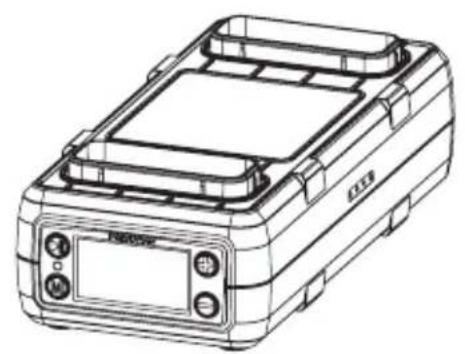
natural_image
Line drawing of a rectangular electronic device with control panel and display (no text or symbols)Dry Dock*
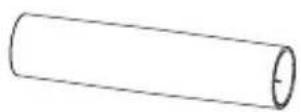
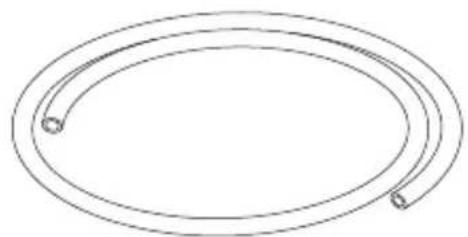
natural_image
Simple line drawing of two concentric ovals with circular ends, no text or symbols presenttext_image
30g Silicon Gel Do Not Eatnatural_image
Line drawing of a rectangular device with coiled spring and four ports (no text or symbols)natural_image
Isometric line drawing of two rectangular battery cells with internal compartments (no text or symbols)natural_image
Technical line drawing of a battery pack assembly with exploded view and component details (no text or symbols)natural_image
Technical line drawing of a mechanical component with internal channels and a separate view of a flat panel (no text or symbols)natural_image
Line drawing of a rectangular kitchen appliance with a digital scale and control panel (no text or symbols)natural_image
Line drawing of a rectangular industrial machine with a mesh cover and handle (no text or symbols)natural_image
Technical line drawing of a mechanical assembly with two base plates and directional arrows indicating motion (no text or symbols)- Retirez les Airlocks
natural_image
Technical line drawing of a mechanical device with labeled components and directional arrows indicating assembly or movement (no text or symbols beyond basic labels)natural_image
Technical line drawing of a mechanical component with no visible text or symbolsnatural_image
Technical line drawing of a mechanical assembly with two components and directional arrows indicating movement (no text or symbols)natural_image
Technical line drawing of a mechanical device with a coiled cable and mounting bracket (no text or symbols)natural_image
Line drawing of a portable electrical device with a control panel and mounting bracket (no text or symbols)PolyDryer™ Box
natural_image
Line drawing of a rectangular electronic device with top panel and control buttons (no text or symbols)Dry Dock*
natural_image
Simple line drawing of two concentric ovals with circular ends, no text or symbols presenttext_image
30g Silicon Gel Do Not Eatnatural_image
Line drawing of a rectangular device with coiled spring and four ports (no text or symbols)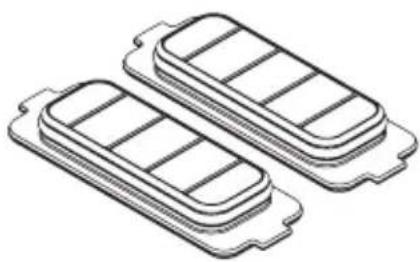
natural_image
Isometric line drawing of two stacked rectangular compartments with internal compartments (no text or symbols)natural_image
Technical line drawing of a battery pack assembly with exploded view and component details (no text or symbols)natural_image
Technical line drawing of a mechanical component with internal channels and a separate view of a flat panel (no text or symbols)natural_image
Line drawing of a rectangular kitchen appliance with a digital scale and control panel (no text or symbols)natural_image
Line drawing of a rectangular industrial machine with a mesh cover and handle (no text or symbols)natural_image
Technical line drawing of a mechanical assembly with two base plates and directional arrows indicating motion (no text or symbols)- Retire los Airlocks
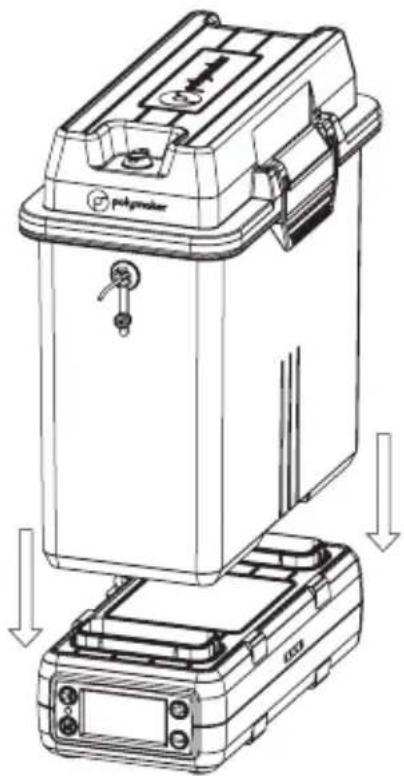
natural_image
Technical line drawing of a mechanical device with labeled components and directional arrows indicating assembly or movement (no text or symbols beyond basic labels)natural_image
Technical line drawing of a mechanical component with two views: top view and side view (no text or symbols)natural_image
Technical line drawing of a mechanical assembly with two components and directional arrows indicating movement (no text or symbols)natural_image
Technical line drawing of a mechanical device with a coiled spring and mounting bracket (no text or symbols)natural_image
Line drawing of a mechanical device with a labeled component (no text or symbols beyond the label)PolyDryer™ Box
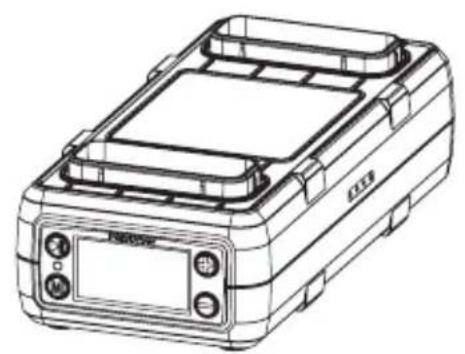
natural_image
Line drawing of a rectangular electronic device with control panel and display (no text or symbols)Dry Dock*
natural_image
Simple line drawing of two concentric ovals with circular ends, no text or symbols present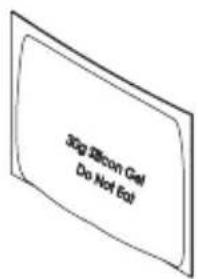
text_image
30g Silicon Gel Do Not Eat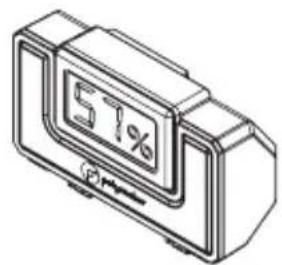
text_image
51%natural_image
Line drawing of a rectangular device with coiled cable and four ports (no text or symbols)電源アダプタ* (2x) Airlock
natural_image
Isometric line drawing of two stacked rectangular compartments with horizontal slots (no text or symbols)natural_image
Technical line drawing of a battery pack assembly with exploded view and component details (no text or symbols)natural_image
Technical line drawing of a mechanical housing or enclosure with internal channels and mounting brackets (no text or symbols)natural_image
Line drawing of a laboratory or industrial container with a digital display and control panel (no text or symbols)natural_image
Line drawing of a rectangular industrial machine with a mesh cover and handle (no text or symbols)natural_image
Technical line drawing of a mechanical assembly with two base components and directional arrows indicating motion (no text or symbols)- Airlocks を取り外します
natural_image
Technical line drawing of a mechanical device with labeled components and directional arrows indicating assembly or movement (no text or symbols present)natural_image
Technical line drawing of a mechanical component with no visible text or symbolsnatural_image
Technical line drawing of a mechanical assembly with two components and directional arrows indicating movement (no text or symbols)natural_image
Technical line drawing of a mechanical device with a coiled cable and mounting bracket (no text or symbols)natural_image
Line drawing of a mechanical device with no visible text or symbolsPolyDryer™ Box
natural_image
Line drawing of a rectangular electronic device with top panel and control buttons (no text or symbols)Dry Dock*
线盘滚轴 50cm 特氟龙管
natural_image
Simple line drawing of two concentric ovals with circular ends, no text or symbols present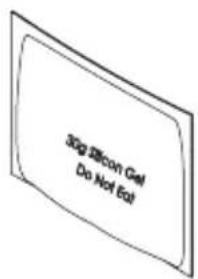
text_image
30g Silicon Gel Do Not Eat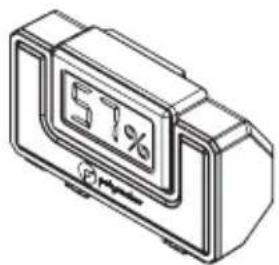
text_image
57%natural_image
Line drawing of a rectangular device with coiled spring and four ports (no text or symbols)电源适配器* (2x) Airlock
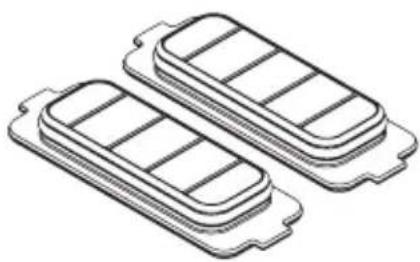
natural_image
Isometric line drawing of two stacked rectangular compartments with internal compartments (no text or symbols)natural_image
Technical line drawing of a battery pack assembly with exploded view and component details (no text or symbols)natural_image
Technical line drawing of a mechanical component with internal channels and a separate view showing a flat panel (no text or symbols)- 剪开干燥剂袋,将干燥剂倒入干燥剂盒中
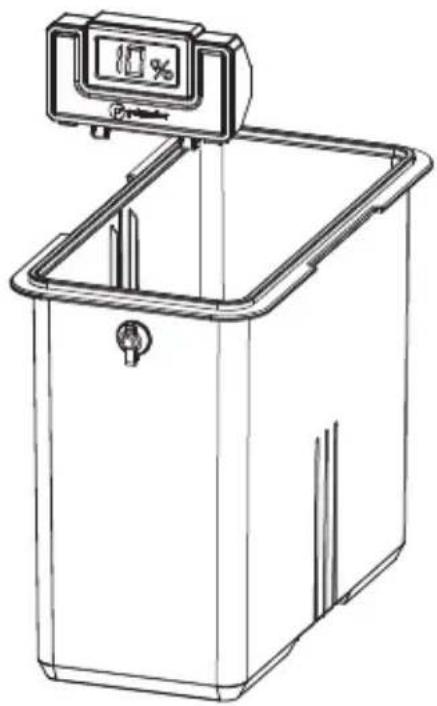
natural_image
Line drawing of a laboratory or industrial container with a digital display and control panel (no text or symbols)- 将干燥剂盒装入 PolyDryer™ Box

natural_image
Line drawing of a rectangular industrial machine with a mesh cover and handle (no text or symbols)- 将线材穿过出线口,然后将线盘放入盒中
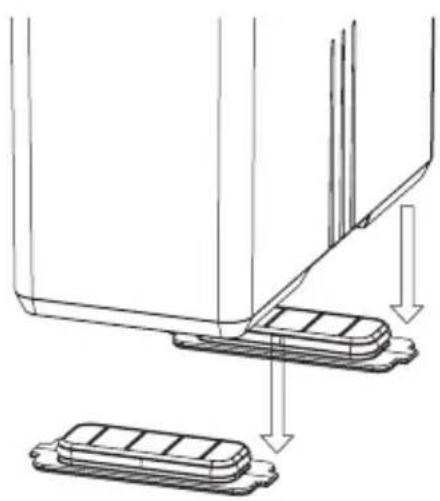
natural_image
Technical line drawing of a mechanical assembly with two base components and directional arrows indicating motion (no text or symbols)- 拆下 Airlocks
natural_image
Technical line drawing of a mechanical device with labeled components and directional arrows indicating assembly or movement (no text or symbols present)natural_image
Technical line drawing of a mechanical component with no visible text or symbols- 连接电源并打开 Dry Dock
natural_image
Technical line drawing of a mechanical assembly with two components and directional arrows indicating movement (no text or symbols)natural_image
Technical line drawing of a mechanical device with a coiled cable and mounting bracket (no text or symbols)natural_image
Abstract black circular logo with a stylized 'p' shape (no text or symbols)Polymaker offices:
Shanghai - Houston - Houten
For any inquiries or technical support, please contact:
support@polymaker.com
JF Polymers (Suzhou) Co., Ltd

text_image
QR code image with a central circular logo, likely linking to a digital resource or website.Follow Polymaker

text_image
QR code image with a central logo, likely linking to a digital resource or website.
Get Product Info