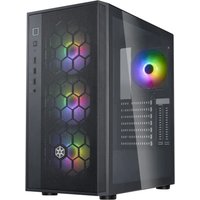
FARA R1 PRO V2 - Desktop Computer SILVERSTONE - Free user manual and instructions
Find the device manual for free FARA R1 PRO V2 SILVERSTONE in PDF.


| Product Type | Mid Tower PC Case |
| Brand | SilverStone |
| Model | FARA R1 PRO V2 |
| Reference | SST-FAR1B-V2 |
| Motherboard Form Factor | ATX, Micro-ATX, Mini-ITX |
| Dimensions (W x H x D) | 210 mm x 465 mm x 393 mm |
| Net Weight | 5.6 kg |
| Materials | Steel, plastic, tempered glass (side panel) |
| Compatible Power Supply | ATX (up to 200 mm with drive cage removed) |
| Max Graphics Card Length | Up to 330 mm |
| Included Fans | 2 x 120 mm fans (front) |
| Fan Mounts | Front: 3x120mm or 2x140mm; Top: 2x120mm; Rear: 1x120mm |
| Compatible Radiators | Front: 360mm; Top: 240mm; Rear: 120mm |
| Internal Drive Bays | 2x 3.5\" (removable cage), 2x 2.5\" |
| Front Panel Connectors | USB 3.0, USB 2.0, HD Audio |
| Cable Management | 20 mm space behind motherboard tray, reusable ties |
| Dust Filters | Front, top, power supply |
| Maintenance and Cleaning | Regularly dust the filters and interior with a soft, non-abrasive cloth |
| Safety | Rolled edges, tempered glass (do not hit), never disassemble power plug under load |
| Spare Parts and Repairability | Screws, standoffs, ties available; contact SilverStone support for specific parts |
| Warranty | 1 year (parts and labor) |
| General Information | Manual available in PDF, support via SilverStone website |
Frequently Asked Questions - FARA R1 PRO V2 SILVERSTONE
User questions about FARA R1 PRO V2 SILVERSTONE
0 question about this device. Answer the ones you know or ask your own.
Ask a new question about this device
Download the instructions for your Desktop Computer in PDF format for free! Find your manual FARA R1 PRO V2 - SILVERSTONE and take your electronic device back in hand. On this page are published all the documents necessary for the use of your device. FARA R1 PRO V2 by SILVERSTONE.
USER MANUAL FARA R1 PRO V2 SILVERSTONE
natural_image
Front view of a cabinet with front panel, side panels, and decorative emblem (no text or symbols)FARA R1 V2
Stylish and distinct tempered glass mid tower ATX chassis
Accessory Content / Zubehörinhalt / Contenu en accessoires Contenido de los accesorios / Contenuto accessorio / ส่วนประกอบของอุปกรณ์เสริม Дополнительные элементы / 付属品内容 / 액세서리 내용물 / 配件 / 配件
Installation Guide / Installationsanleitung / Guide d'installation Guía de instalación / Guida all'installazione / Руководство по установке インストールガイド / 설치 가이드 / คู่มือการติดตั้ง / 安装説明 / 安装説明
Component restrictions / Komponentenbeschränkungen Restricciones de componentes / Restrictions relatives aux composants Limitazioni ai componenti / Ограничения компонентов / コンポーネントの制約 부품 제약 / ชีดจํากัดของส่วนประกอบ / 元件限制 / 元件限制
Warranty terms & conditions / Garantiebedingungen Términos y condiciones de la garantía /Termes et conditions de la garantie / Termini e Condizioni della garanzia / Условия гарантии / 保証条件 / 보증 조건 ข้อกำหนดและเงื่อนไขการรับประกัน / 有限责任保固説明 / 有限责任保固说明
ENGLISH
Installation instructions based on model: SST-FAR1B-V2
DEUTSCH
STANDOFF-M3*6.5H-6-32 Motherboard support
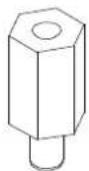
DEUTSCH
SCREW - HW-6-32 x 6-BK Mounting for PSU, Graphics card, 3.5" HDD
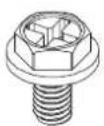
DEUTSCH
SCREW -PW-M3 x 5-BK Mounting for 2.5" SSD, motherboard
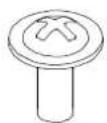
DEUTSCH
Bunch of wire taps Bunch wire taps for cable management
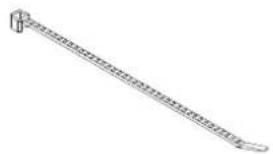
natural_image
Line drawing of a mechanical tool or rod with a looped end (no text or symbols)DEUTSCH
natural_image
Technical line drawing of a server rack unit with internal components and airflow direction arrows (no text or symbols)ENGLISH
natural_image
Technical line drawing of a computer tower case with visible internal components and mounting ports (no text or labels)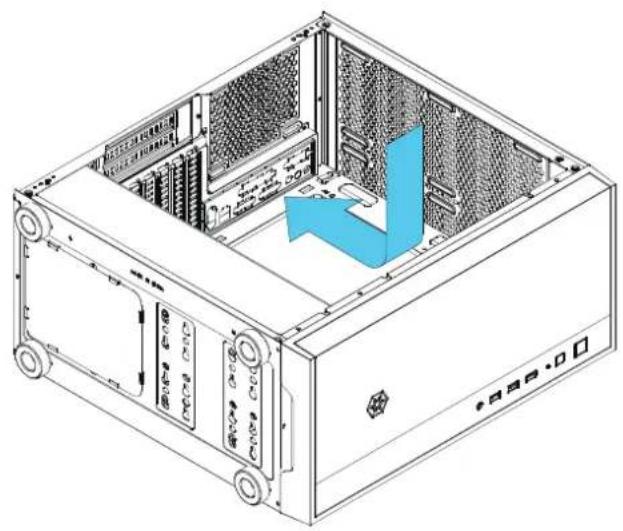
natural_image
Isometric line drawing of a computer tower case with internal hardware and ventilation duct (no text or symbols)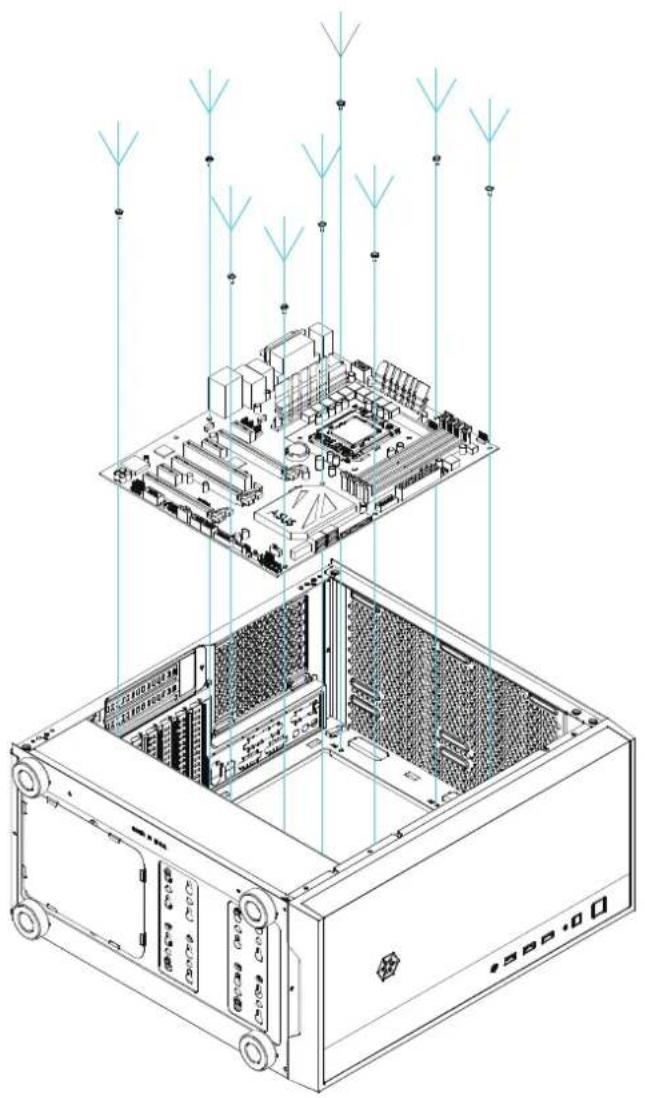
natural_image
Isometric line drawing of a computer motherboard with signal waves and ventilation ducts (no text or symbols)ENGLISH
Install motherboard Установите материнскую плату
DEUTSCH
Motherboard installieren
FRANÇAIS
natural_image
Technical line drawing of a computer tower case with visible internal components and mounting hardware (no text or labels)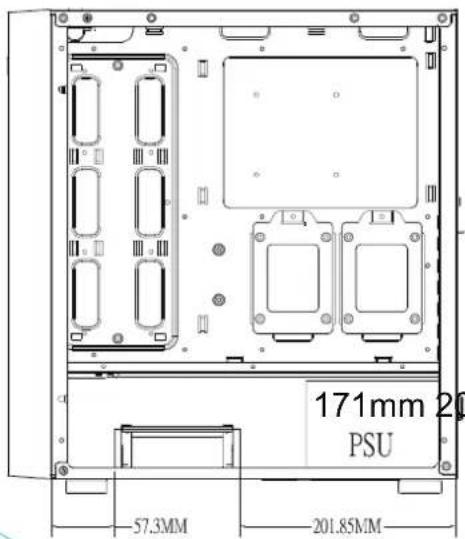
A
B
ENGLISH
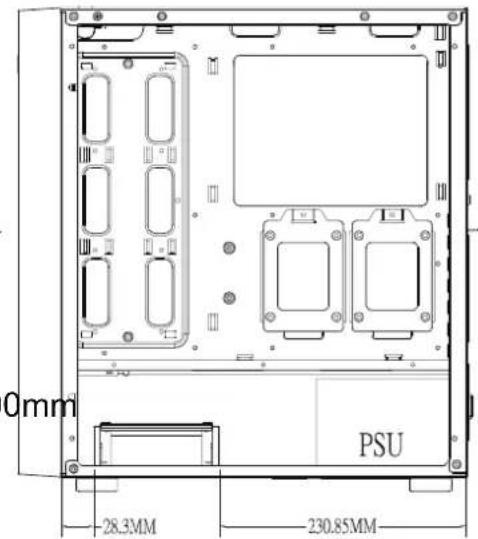
Install Power Supply
Power supply length limitation is based on the position of the installed drive cage.
Position A = 171mm, Position B = 200mm
DEUTSCH
Position A = 171 mm, Position B = 200 mm
FRANÇAIS
Position A = 171 mm, Position B = 200 mm
ESPANOL
natural_image
Technical line drawing of a computer tower case with visible internal components and a blue arrow indicating a component (no text or labels)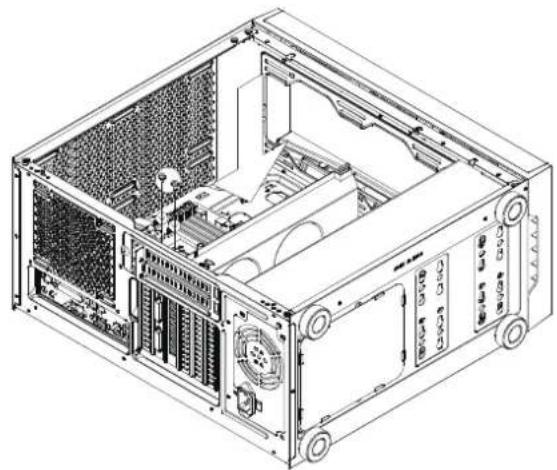
natural_image
Technical line drawing of a computer tower case with visible internal components and ventilation ducts (no text or labels)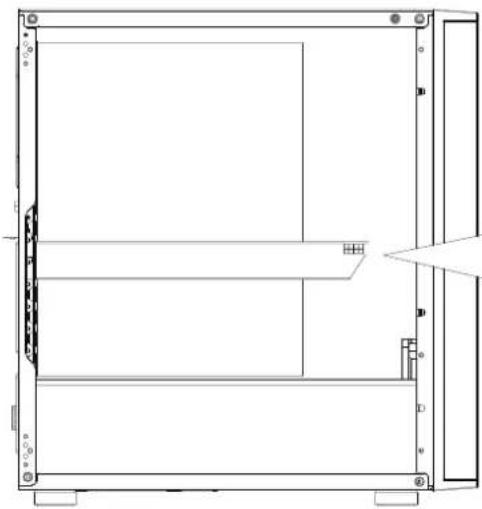
natural_image
Technical line drawing of a mechanical enclosure or enclosure frame with no visible text or symbols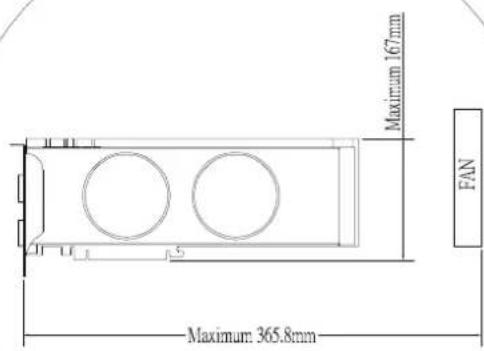
ENGLISH
Install graphics card Установите видеокарту
DEUTSCH
Grafikkarte installieren
FRANÇAIS
ENGLISH
Install 3.5" and 2.5" devices into the drive trays, then insert them into the bottom drive cage
DEUTSCH
natural_image
Technical diagram of an internal storage unit with labeled components (no text or symbols beyond label)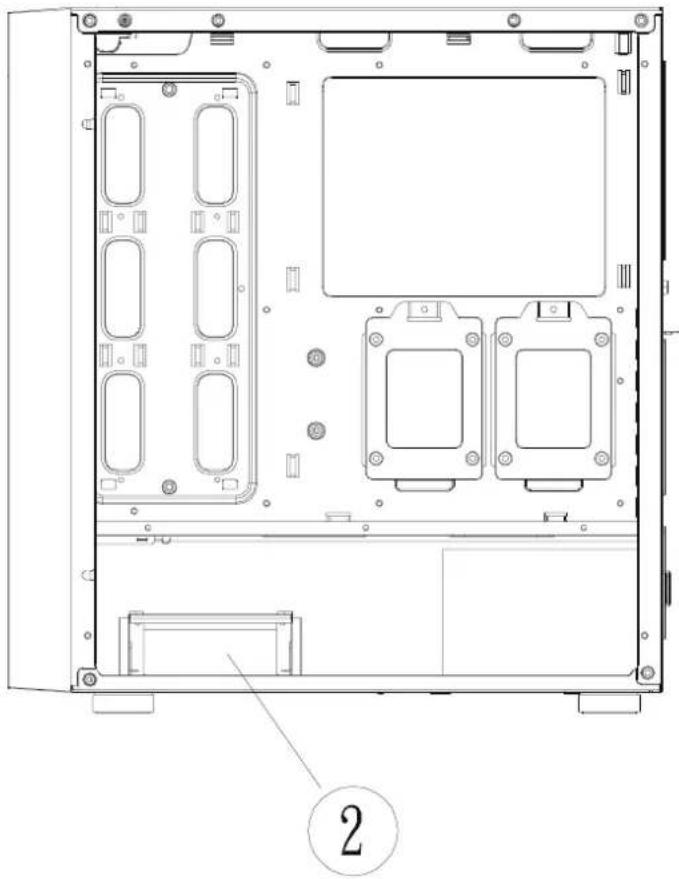
natural_image
Technical line drawing of a computer chassis frame with internal compartments and mounting points (no text or symbols)ENGLISH
There are two positions to install the drive cage
DEUTSCH
natural_image
Technical line drawing of a computer tower case with internal components and a zoomed-in view showing internal structure (no text or symbols)ENGLISH
Install 2.5" devices Установите устройства 2,5"
DEUTSCH
natural_image
Technical line drawing of a server rack with internal components and external wiring (no text or symbols)ENGLISH
ENGLISH
The image contains no legible text or symbols.
พอร์ต I/O ด้านหน้า
РУССКИЙ
繁體中文
前置I/O
簡体中文
前置I/O
日本語
フロント I/O ポート
한국어
전면 I/O 포트
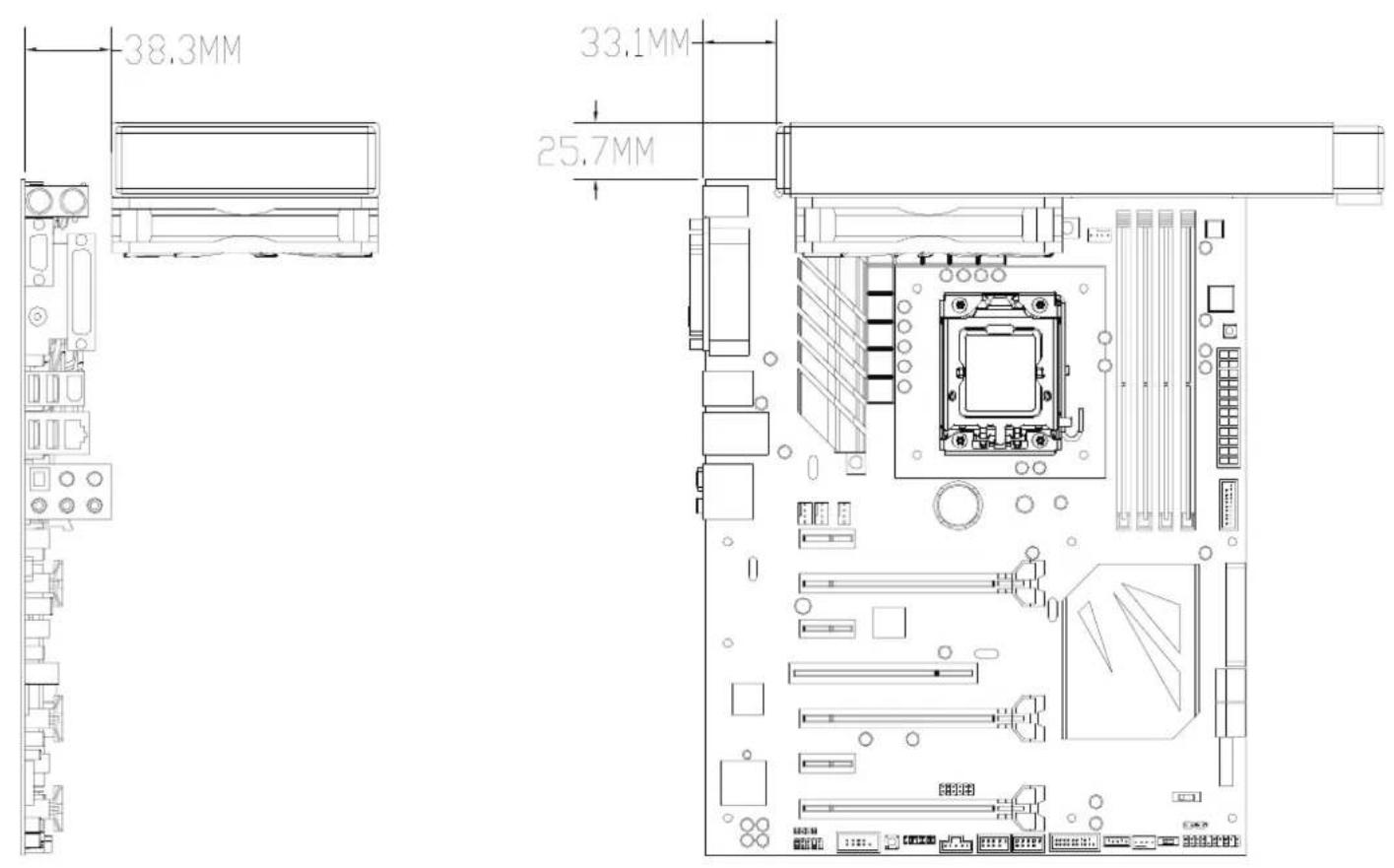
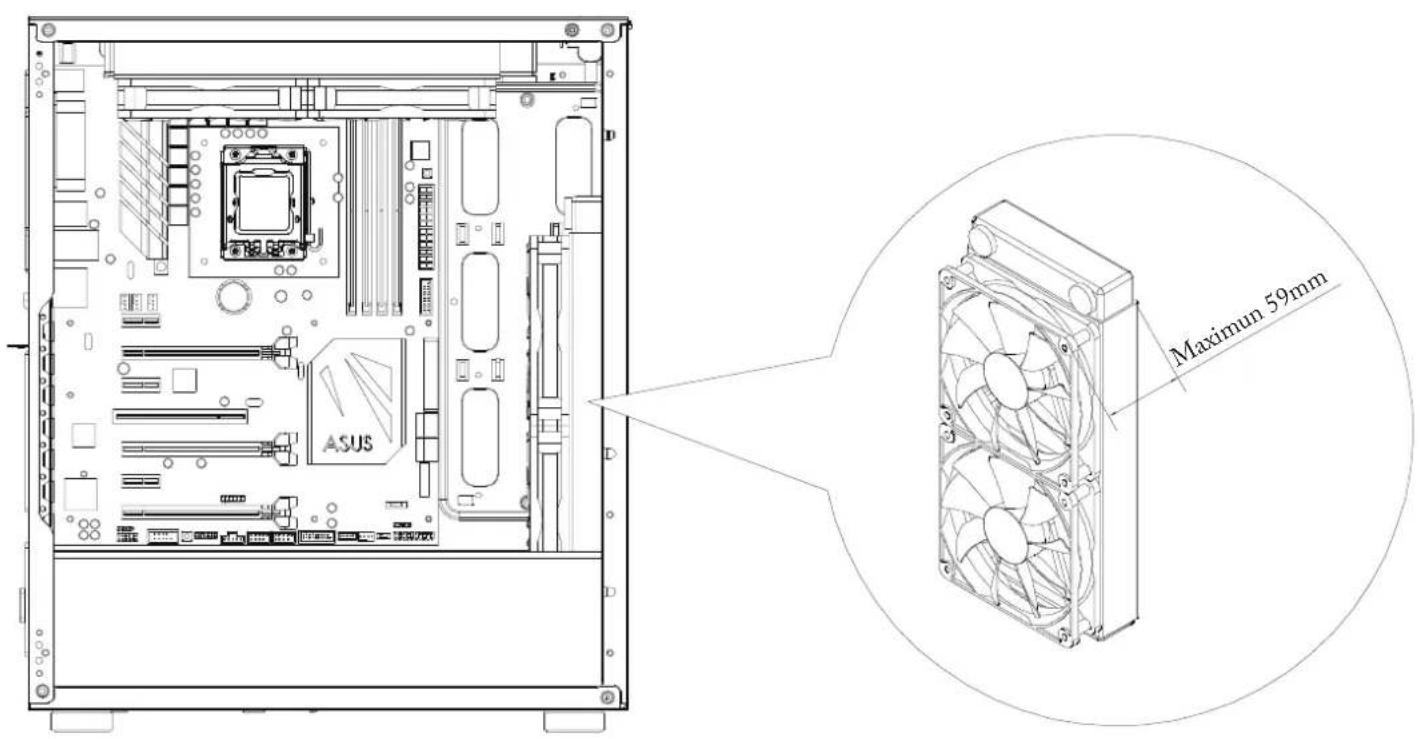
Component Restrictions
Top mounted radiator restrictions
Front mounted radiator restrictions
ENGLISH
Warranty terms & conditions
- Product component defects or damages resulted from defective production is covered under warranty. Defects or damages with the following conditions will be fixed or replaced under SilverStone Technology's jurisdiction.
a. Usage in accordance with instructions provided in the manual, with no misuse, overuse, or other inappropriate actions*.
b. Damage not caused by natural disaster (thunder, fire, earthquake, flood, salt, wind, insect, animals, etc...)
c. Product is not modified or components replaced resulting in out of spec. operation.
d. Loss or damages resulted from conditions other than ones listed above are not covered under warranty.
- Under warranty, SilverStone Technology's maximum liability is limited to the current market value for the product (depreciated value, excluding shipping, handling, and other fees). SilverStone Technology is not responsible for other damages or loss associated with the use of product.
- Under warranty, SilverStone Technology is obligated to repair or replace its defective products. Under no circumstances will SilverStone Technology be liable for damages in connection with the sale, purchase, or use including but not limited to loss of data, loss of business, loss of profits, loss of use of the product or incidental or consequential damage whether or not foreseeable and whether or not based on breach of warranty, contract or negligence, even if SilverStone Technology has been advised of the possibility of such damages.
- Warranty covers only the original purchaser through authorized SilverStone distributors and resellers and is not transferable to a second hand purchaser
- You must provide sales receipt or invoice with clear indication of purchase date to determine warranty eligibility.
- If a problem develops during the warranty period, please contact your retailer/reseller/SilverStone authorized distributors or SilverStone http://www.silverstonetek.com.
Please note that: (i) You must provide proof of original purchase of the product by a dated itemized receipt; (ii) You shall bear the cost of shipping (or otherwise transporting) the product to SilverStone authorized distributors. SilverStone authorized distributors will bear the cost of shipping (or otherwise transporting) the product back to you after completing the warranty service; (iii) Before you send the product, you must be issued a Return Merchandise Authorization ("RMA") number from SilverStone. Updated warranty information will be posted on SilverStone's official website. Please visit http://www.silverstonetek.com. for the latest updates.
Additional info & contacts
For North America usasupport(at)silverstonetek.com
SilverStone Technology in North America may repair or replace defective product with refurbished product that is not new but has been functionally tested. Replacement product will be warranted for remainder of the warranty period or thirty days, whichever is longer. All power supplies should be sent back to the place of purchase if it is within 30 days of purchase, after 30 days, customers need to initiate RMA procedure with SilverStone Technology in USA by first downloading the "USA RMA form for end-users" form from the below link and follow its instructions. http://silverstonetek.com/contactus.php
For Australia only support(at)silverstonetek.com
Our goods come with guarantees that cannot be excluded under the Australian Consumer Law. You are entitled to a replacement or refund for a major failure and for compensation for any other reasonably foreseeable loss or damage. You are also entitled to have the goods repaired or replaced if the goods fail to be of acceptable quality and the failure does not amount to a major failure. Please refer to above "Warranty terms & conditions" for further warranty details. SilverStone Technology Co., Ltd. 12F No. 168 Jiankang Rd., Zhonghe Dist., New Taipei City 235 Taiwan R.O.C. +886-2-8228-1238 (standard international call charges apply)
For Europe support.eu(at)silverstonetek.de
For China support(at)silverstonetek.com.cn
For Japan support jp(at)silverstonetek.co.jp
For all other regions support(at)silverstonetek.com
DEUTSCH
Garantiebedingungen

- FARA R1 V2
- ENGLISH
- DEUTSCH
- FRANÇAIS
- Install Power Supply
- ESPANOL
- The image contains no legible text or symbols.
- РУССКИЙ
- 繁體中文
- 簡体中文
- 日本語
- 한국어
- Component Restrictions
- Warranty terms & conditions
- Additional info & contacts
- For North America usasupport(at)silverstonetek.com
- For Australia only support(at)silverstonetek.com
- Garantiebedingungen
Brand : SILVERSTONE
Model : FARA R1 PRO V2
Category : Desktop Computer