
iPlay 70 mini Ultra - Tablet Alldocube - Free user manual and instructions
Find the device manual for free iPlay 70 mini Ultra Alldocube in PDF.


User questions about iPlay 70 mini Ultra Alldocube
0 question about this device. Answer the ones you know or ask your own.
Ask a new question about this device
Download the instructions for your Tablet in PDF format for free! Find your manual iPlay 70 mini Ultra - Alldocube and take your electronic device back in hand. On this page are published all the documents necessary for the use of your device. iPlay 70 mini Ultra by Alldocube.
USER MANUAL iPlay 70 mini Ultra Alldocube
text_image
Technical diagram of a tablet device with numbered components for identification and assembly reference.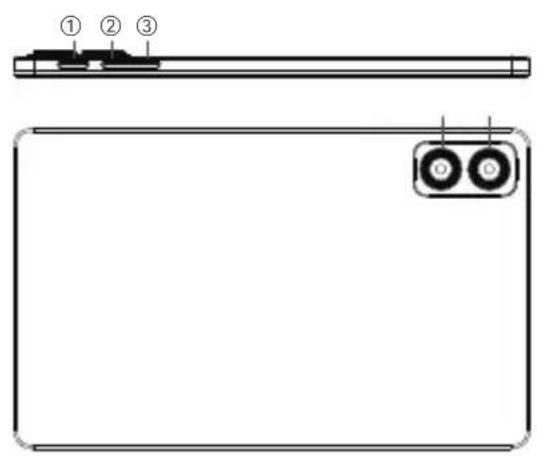
text_image
Diagram of a device rear panel with labeled components: top view, front view, and internal ports.① Power ⑦ Rear Camera
② Volume+ ⑧ Speaker
③ Volume- ⑨ Type-C Port
④ Front Camera ⑩ microSD
⑤ Light sensor ⑪ Mic
⑥ Flashlight
Service Policy
This product strictly complies with the "Regulations on the Responsibility of Repair and Return of Microcomputer Products" and provides three guarantees for consumers who purchase the Alldocube® tablet. For detailed service policies, please refer to: www.alldocube.com
Security Information
Before using and operating the equipment, to ensure optimal performance of the equipment and to avoid hazardous or illegal situations, please review and follow all safety information.
System security warning
Please upgrade the system through the official after-sales service outlets or the system upgrade function that comes with the device. If other methods are used to upgrade the system, the system security capabilities may be damaged and security risks may be triggered. The company does not assume the responsibility for repairs caused by this.
Note: Accessing network resources makes the device vulnerable to computer viruses, hackers, spyware and other malicious behaviors, which may damage the device, software or data. You should ensure that the computer is fully protected by firewalls, anti-virus software and anti-spyware software, and keep these software up to date.
Tablet Power On/Off Instructions:
- Power On: Press and hold the power button for 3 seconds until the screen lights up and displays the startup animation.
- Power Off: While the tablet is on, press and hold the power button for 3 seconds until the shutdown menu appears, then select "power off".
- Forced Power Off: Press and hold the power button for more than 10 seconds to force a shutdown.
Trademark Notice
ALLDOCUBE®are registered trademarks of Shenzhen Alldocube Science and Technology Co., Ltd.
Android™ is a trademark of Google LLC. The Bluetooth® word mark and its logo are registered trademarks of Bluetooth SIG, Inc., and any use of such marks by Shenzhen Alldocube Science and Technology Co., Ltd. is subject to license. Other trademarks, product names, service names, and company names appearing in this manual and in the products described in this manual are the property of their respective owners. Copyright © Shenzhen Alldocube Science and Technology Co., Ltd. 2020-present, all rights reserved.
Operation and safety
Electrical Safety:
Do not disassemble or modify the device. It may cause electric shock, fire or irreparable damage.
Use only the charger supplied or approved by the manufacturer.
Do not touch the device with wet hands to avoid electric shock.
Maintenance and Use:
Do not expose the device to extreme temperatures or excessive humidity.
Clean the device only with a dry, soft cloth.
Do not insert foreign objects into the openings of the device.
Batteries:
Do not attempt to replace the battery yourself. Replacement should only be carried out by qualified personnel.
Do not dispose of batteries with household waste. Follow local regulations for safe disposal of batteries.
Interference and Damage:
Keep the device away from medical devices (e.g. pacemakers) to avoid interference.
Do not drop the device or expose it to excessive shock.
Warranty and Service:
Any unauthorised modification or misuse will void the warranty.
In case of problems, contact authorised customer service.
Disposal and Recycling:
Do not dispose of device in household waste. Recycle in accordance with local environmental protection regulations.
Name and content of harmful substances in products
To comply with laws and regulations regarding the restriction of hazardous substances in electronic and electrical products, Shenzhen Alldocube Science and Technology Co., Ltd. classifies the hazardous substances in this product by component and makes the following statement.
This table is prepared in accordance with the provisions of SJ/T 11364.
o: Indicates that the content of the hazardous substance in all homogeneous materials of the component is below the limit requirements specified in GB/T26572.
×: Indicates that the content of the hazardous substance in at least one homogeneous material of the component exceeds the limit requirements specified in GB/T26572, and there is currently no mature alternative solution in the industry, which complies with the environmental protection requirements of the EU RoHS Directive.

The number in this mark indicates that the environmental protection use period of the product under normal use is 10 years. Some parts may also have an environmental protection use period mark, and their environmental protection use period shall be based on the number in the mark. Due to different models, the product may not include all of the above parts except the main unit. Please refer to the actual sales configuration of the product.
Español
text_image
Technical diagram of a tablet device with numbered components for identification and assembly reference.
text_image
Diagram of a device panel with labeled components: top panel, front panel, and two circular buttons labeled ①, ②, ③.text_image
Technical diagram of a tablet device with numbered components for identification and assembly reference.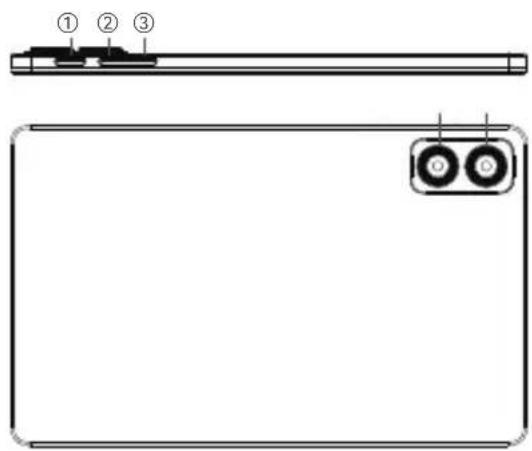
text_image
Diagram of a device panel with labeled components: top panel, front panel, and two circular buttons labeled ①, ②, ③.text_image
Technical diagram of a tablet device with numbered components for identification and assembly reference.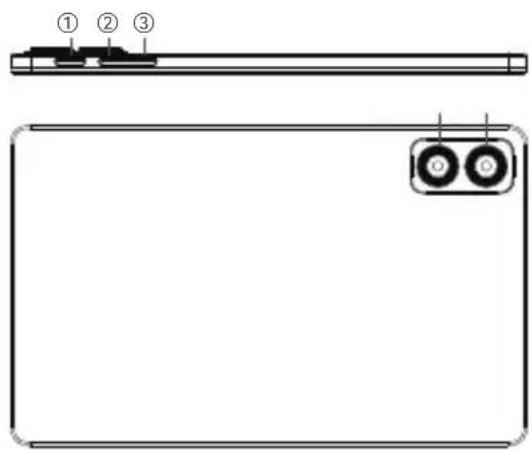
text_image
① ② ③text_image
Technical diagram of a tablet device with numbered components for identification and assembly reference.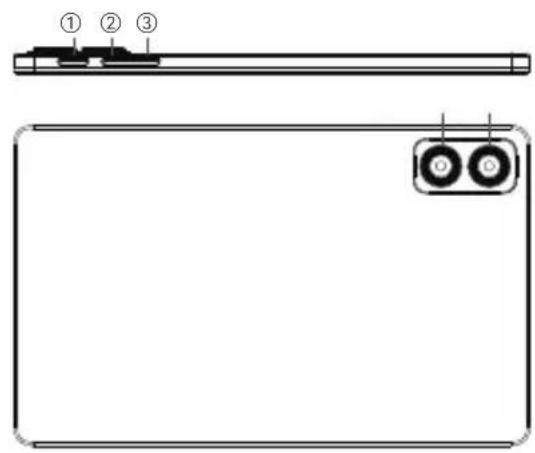
text_image
Diagram of a device panel with labeled components: top panel, front panel, and two ports (labeled ①, ②, ③)text_image
Technical diagram of a tablet device with numbered components for identification and assembly reference.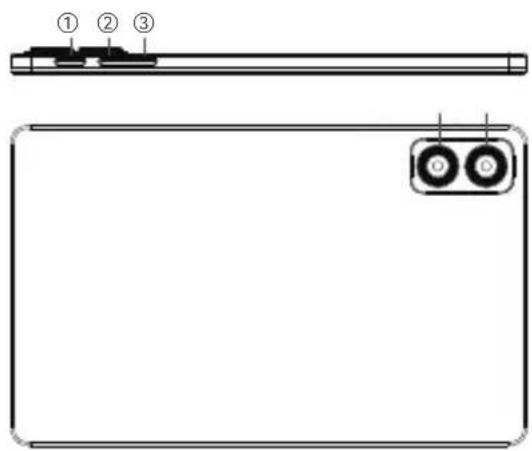
text_image
① ② ③① Power ⑦ Achtercamera
② Volume+ ⑧ Luidspreker
③ Volume- ⑨ Type-C-poort
④ Frontcamera ⑩ micro SD/SIM-slot
⑤ Lichtsensor ⑪ Microfoon
⑥ Zaklamp
Servicebeleid
| SN Number:Product number: | |
| User Info | Name: |
| Phone: | |
| Address: | |
| Date of purchase: | |
| Description of issues encountered with the tablet: | |
| Sales unit information (with official seal) | Name: |
| Address: | |
| Phone: | |
Thank you for choosing ALLDOCUBE®!
Welcome to the official ALLDOCUBE® website at http://www.alldocube.com. We are dedicated to offering product support, feature consultations, service inquiries, and accepting your valuable suggestions. Your satisfaction is our priority!
Follow ALLDOCUBE® to get the latest information in time


知
SUBSCRIBE FOR MORE INFO


www.alldocube.com Facebook LINE
Headquarters Address:
28F, Block A, Hongrongyuan-Tianjun, Minzhi Street, Longhua District, Shenzhen, Guangdong Province, China.
Manufacture Address:
No. 5, Xiangjun Street, Wanqingsha Town, Nansha District, Guangzhou City, Guangdong Province, China.
https://www.alldocube.com
Email: service@alldocube.com


RoHS


Note: This manual is for reference only. The specific functions and product images may be slightly different from the actual product. Please refer to the actual product.